Even button FORD ESCAPE 2022 User Guide
[x] Cancel search | Manufacturer: FORD, Model Year: 2022, Model line: ESCAPE, Model: FORD ESCAPE 2022Pages: 585, PDF Size: 6.15 MB
Page 87 of 585
• Making physical contact with thebumper.
• Holding your foot under the bumper.
• Sweeping your foot from side to side, or kicking at an odd angle.
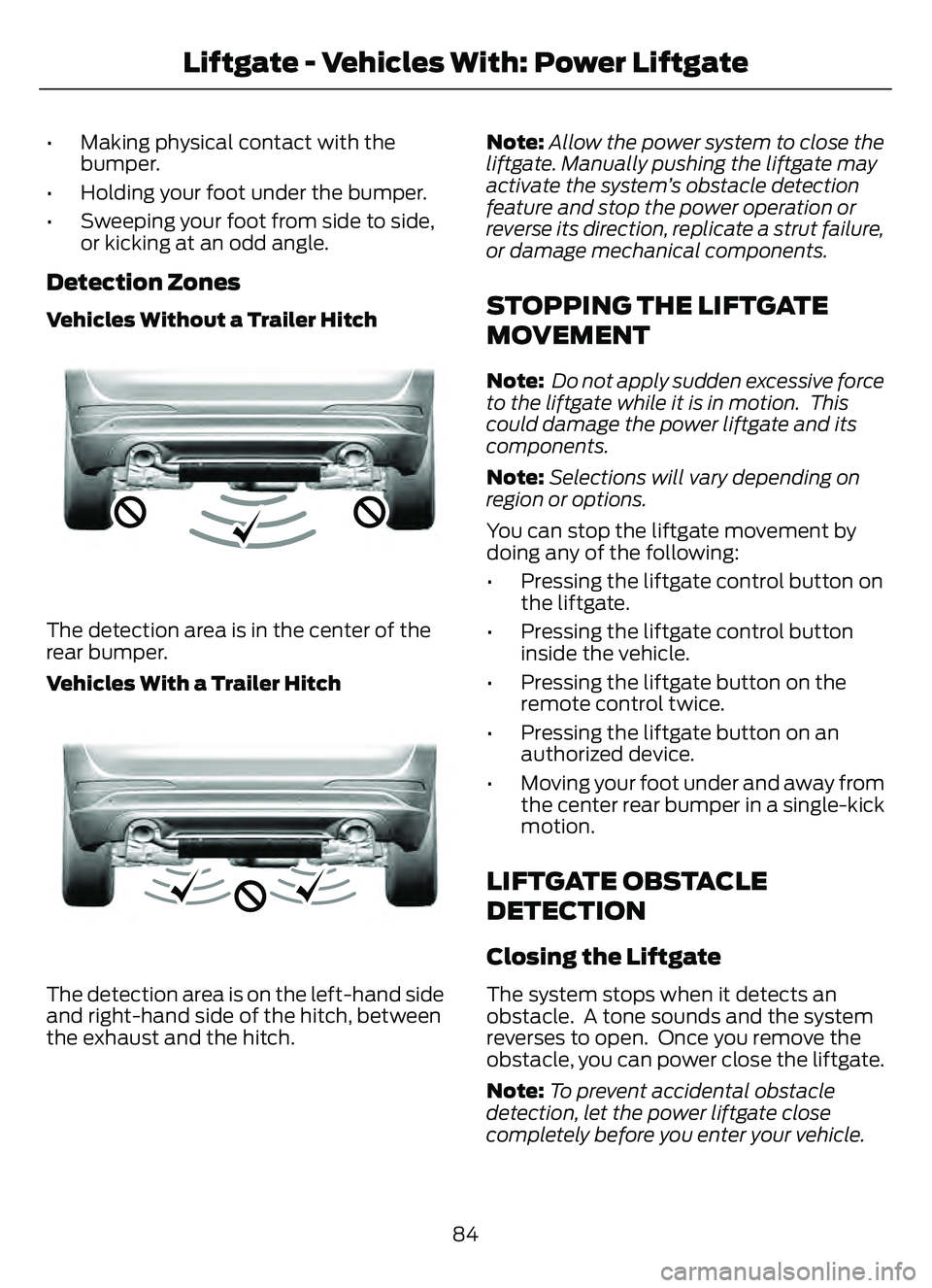
Detection Zones
Vehicles Without a Trailer Hitch
E310717E310717
The detection area is in the center of the
rear bumper.
Vehicles With a Trailer Hitch
E310718E310718
The detection area is on the left-hand side
and right-hand side of the hitch, between
the exhaust and the hitch. Note:
Allow the power system to close the
liftgate. Manually pushing the liftgate may
activate the system’s obstacle detection
feature and stop the power operation or
reverse its direction, replicate a strut failure,
or damage mechanical components.
STOPPING THE LIFTGATE
MOVEMENT
Note: Do not apply sudden excessive force
to the liftgate while it is in motion. This
could damage the power liftgate and its
components.
Note: Selections will vary depending on
region or options.
You can stop the liftgate movement by
doing any of the following:
• Pressing the liftgate control button on the liftgate.
• Pressing the liftgate control button inside the vehicle.
• Pressing the liftgate button on the remote control twice.
• Pressing the liftgate button on an authorized device.
• Moving your foot under and away from the center rear bumper in a single-kick
motion.
LIFTGATE OBSTACLE
DETECTION
Closing the Liftgate
The system stops when it detects an
obstacle. A tone sounds and the system
reverses to open. Once you remove the
obstacle, you can power close the liftgate.
Note: To prevent accidental obstacle
detection, let the power liftgate close
completely before you enter your vehicle.
84
Liftgate - Vehicles With: Power Liftgate
Page 141 of 585
Use air conditioning with recirculated air
to improve cooling performance and
efficiency.
Note:In certain conditions, for example,
maximum defrost, the air conditioning
compressor may continue to operate even
though you switch off the air conditioning.
Switching the Climate Control On
and Off
Press and release the button.
Switching Maximum Air
Conditioning On and Off
Turn the temperature control
counterclockwise to the lowest
setting for maximum cooling.
The left-hand and right-hand settings set
to LO, recirculated air flows through the
instrument panel air vents, air conditioning
turns on and the blower motor adjusts to
the highest speed.
Switching Maximum Defrost On
and Off
Turn the temperature control
clockwise to the highest setting
for maximum defrosting.
The left-hand and right-hand settings set
to HI, air flows through the windshield air
vents, and the blower motor adjusts to the
highest speed. You can also use this setting
to defog and clear the windshield of a thin
covering of ice. The heated rear window
also turns on when you select maximum
defrost.
Note: To prevent window fogging, you
cannot select recirculated air when
maximum defrost is on.
Switching Recirculated Air On and
Off
Press and release the button to
switch between outside air and
recirculated air.
The air currently in the passenger
compartment recirculates. This may
reduce the time needed to cool the interior,
when used with A/C, and reduce unwanted
odors from entering your vehicle.
Note: Recirculated air may turn off, or
prevent you from switching on, in all air flow
modes except MAX A/C to reduce the risk
of fogging. Recirculation may also turn on
and off in various air distribution control
combinations during hot weather to improve
cooling efficiency.
AUTOMATIC CLIMATE
CONTROL - VEHICLES WITH:
DUAL AUTOMATIC
TEMPERATURE CONTROL
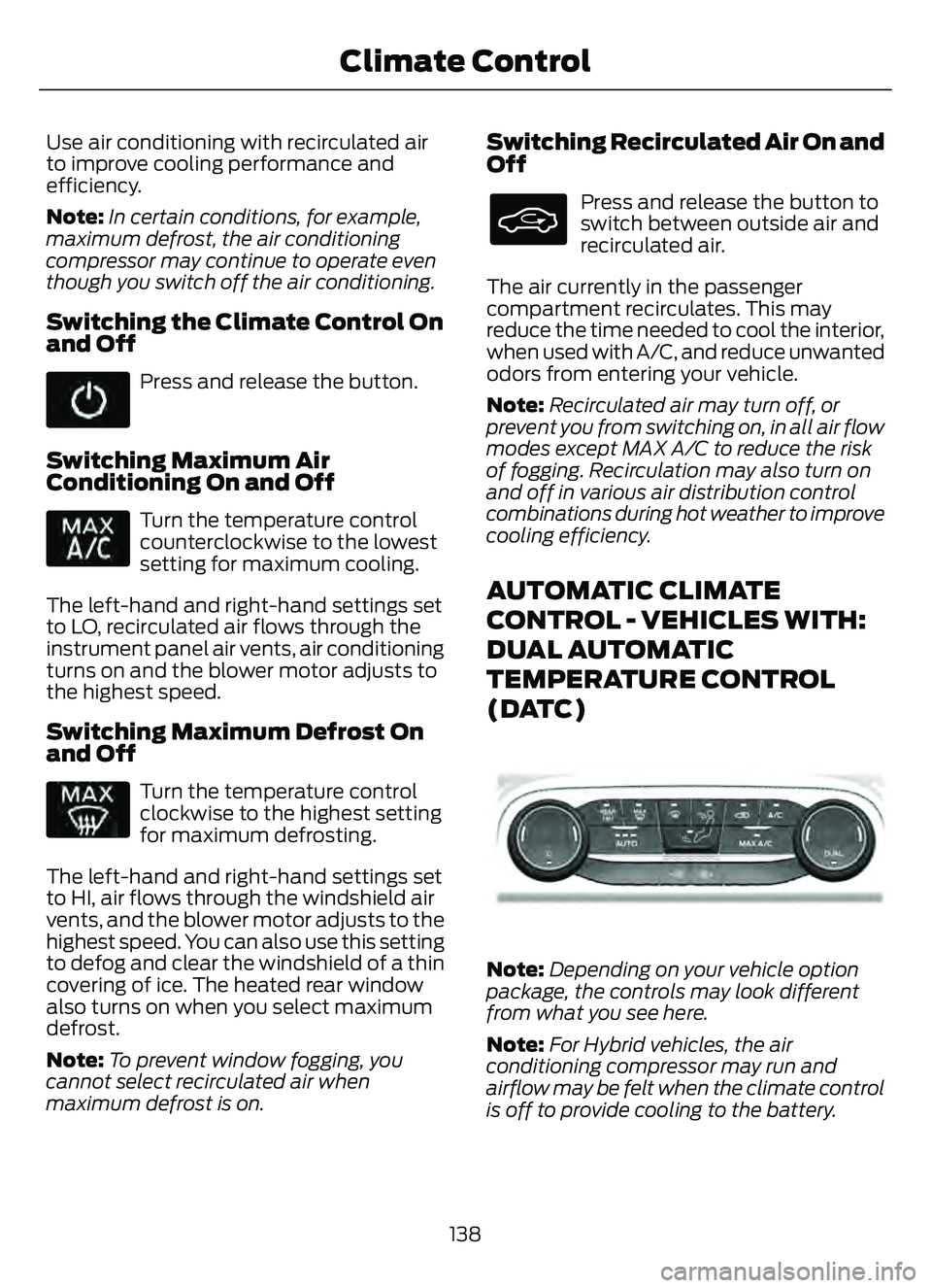
(DATC)
E290005E290005
Note: Depending on your vehicle option
package, the controls may look different
from what you see here.
Note: For Hybrid vehicles, the air
conditioning compressor may run and
airflow may be felt when the climate control
is off to provide cooling to the battery.
138
Climate Control
Page 143 of 585
Auto Mode Indicator Status
Description
Auto Mode Indicator
Status
One indicator illumin-
ated. • The blower motor speed is reduced.
• Use this setting to minimize the amount of noise fromthe blower motor.
• This setting increases the time taken to cool the interior.
Two indicators illumin-
ated. • The blower motor speed is moderate.
Three indicators illumin-
ated. • The blower motor speed is increased.
• This setting increases the amount of noise from theblower motor.
• Use this setting to reduce the time taken to cool the interior.
Switching the Air Conditioning On
and Off
Press and release the button to
switch the air conditioning on or
off.
Use air conditioning with recirculated air
to improve cooling performance and
efficiency.
Note: In certain conditions, for example,
maximum defrost, the air conditioning
compressor may continue to operate even
though you switch off the air conditioning.
Switching the Climate Control On
and Off
Press and release the button.
Note: The button may be on the
temperature control.
Switching Dual Zone Mode On and
Off
E265280
Press and release the button to
switch on temperature control
for the right-hand side of the
vehicle.
Note: The button may be on the
temperature control.
Switching Maximum Air
Conditioning On and Off
Press and release the button for
maximum cooling.
The system sets the left-hand and
right-hand settings to LO, recirculated air
flows through the instrument panel air
vents, air conditioning turns on and the
blower motor adjusts to the highest speed.
140
Climate Control
Page 144 of 585
Switching Maximum Defrost On
and Off
Press and release the button to
switch on maximum defrost.
The system sets the left-hand and
right-hand settings to HI, air flows through
the windshield air vents, and the blower
motor adjusts to the highest speed. You
can also use this setting to defog and clear
the windshield of a thin covering of ice. The
heated rear window also turns on when
you select maximum defrost.
Note: To prevent window fogging, you
cannot select recirculated air when
maximum defrost is on.
Switching Recirculated Air On and
Off
Press and release the button to
switch between outside air and
recirculated air.
The air currently in the passenger
compartment recirculates. This may
reduce the time needed to cool the interior,
when used with A/C, and reduce unwanted
odors from entering your vehicle.
Note: Recirculated air may turn off, or
prevent you from switching on, in all air flow
modes except MAX A/C to reduce the risk
of fogging. Recirculation may also turn on
and off in various air distribution control
combinations to improve heating or cooling
efficiency.
AUTOMATIC CLIMATE
CONTROL - VEHICLES WITH:
ELECTRONIC AUTOMATIC
TEMPERATURE CONTROL
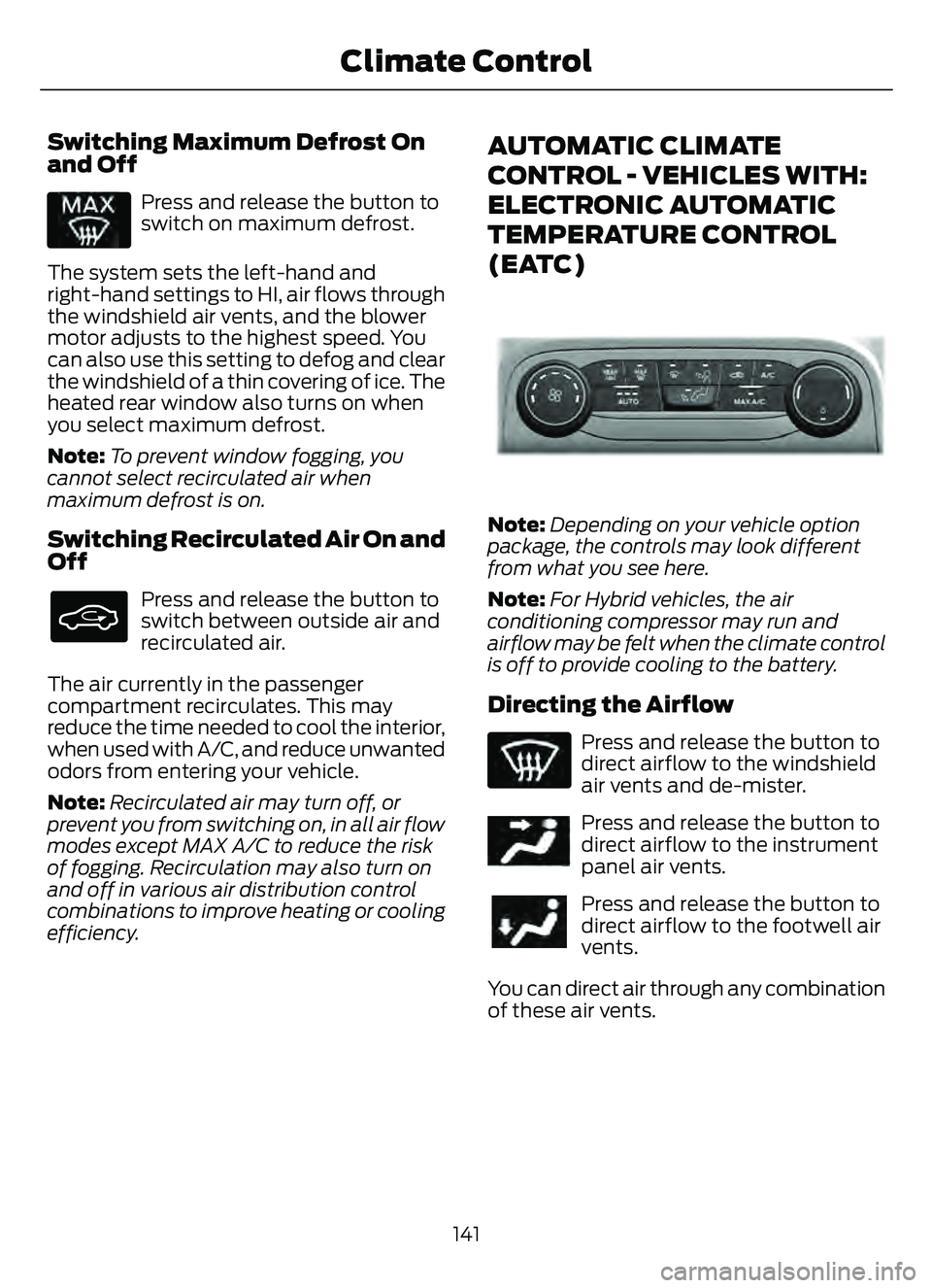
(EATC)
E289733E289733
Note: Depending on your vehicle option
package, the controls may look different
from what you see here.
Note: For Hybrid vehicles, the air
conditioning compressor may run and
airflow may be felt when the climate control
is off to provide cooling to the battery.
Directing the Airflow
Press and release the button to
direct airflow to the windshield
air vents and de-mister.
E244097Press and release the button to
direct airflow to the instrument
panel air vents.
Press and release the button to
direct airflow to the footwell air
vents.
You can direct air through any combination
of these air vents.
141
Climate Control
Page 146 of 585
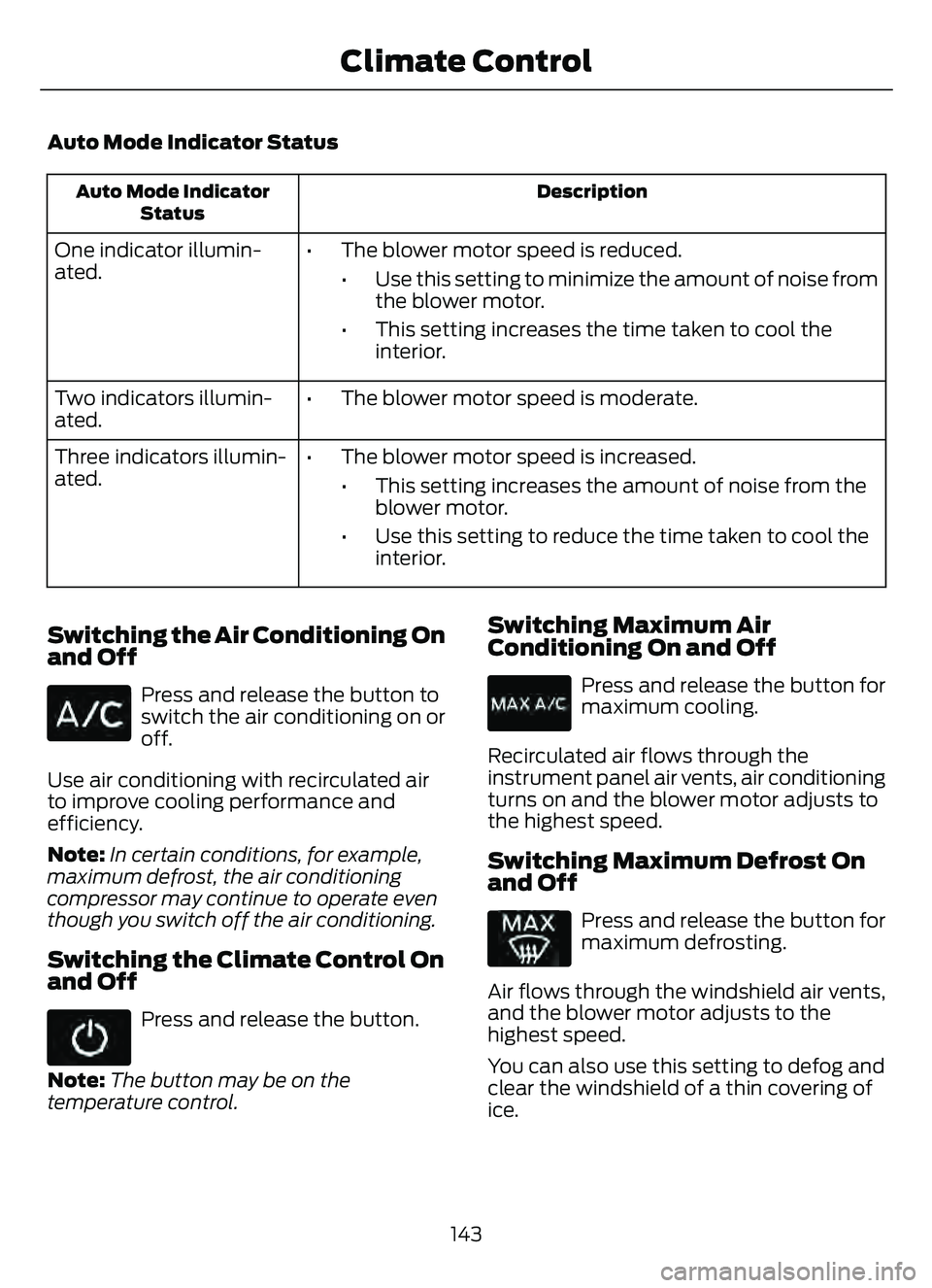
Auto Mode Indicator Status
Description
Auto Mode Indicator
Status
One indicator illumin-
ated. • The blower motor speed is reduced.
• Use this setting to minimize the amount of noise fromthe blower motor.
• This setting increases the time taken to cool the interior.
Two indicators illumin-
ated. • The blower motor speed is moderate.
Three indicators illumin-
ated. • The blower motor speed is increased.
• This setting increases the amount of noise from theblower motor.
• Use this setting to reduce the time taken to cool the interior.
Switching the Air Conditioning On
and Off
Press and release the button to
switch the air conditioning on or
off.
Use air conditioning with recirculated air
to improve cooling performance and
efficiency.
Note: In certain conditions, for example,
maximum defrost, the air conditioning
compressor may continue to operate even
though you switch off the air conditioning.
Switching the Climate Control On
and Off
Press and release the button.
Note: The button may be on the
temperature control.
Switching Maximum Air
Conditioning On and Off
Press and release the button for
maximum cooling.
Recirculated air flows through the
instrument panel air vents, air conditioning
turns on and the blower motor adjusts to
the highest speed.
Switching Maximum Defrost On
and Off
Press and release the button for
maximum defrosting.
Air flows through the windshield air vents,
and the blower motor adjusts to the
highest speed.
You can also use this setting to defog and
clear the windshield of a thin covering of
ice.
143
Climate Control
Page 147 of 585
Note:To prevent window fogging, you
cannot select recirculated air when
maximum defrost is on.
Note: The heated rear window also turns
on when you select maximum defrost.
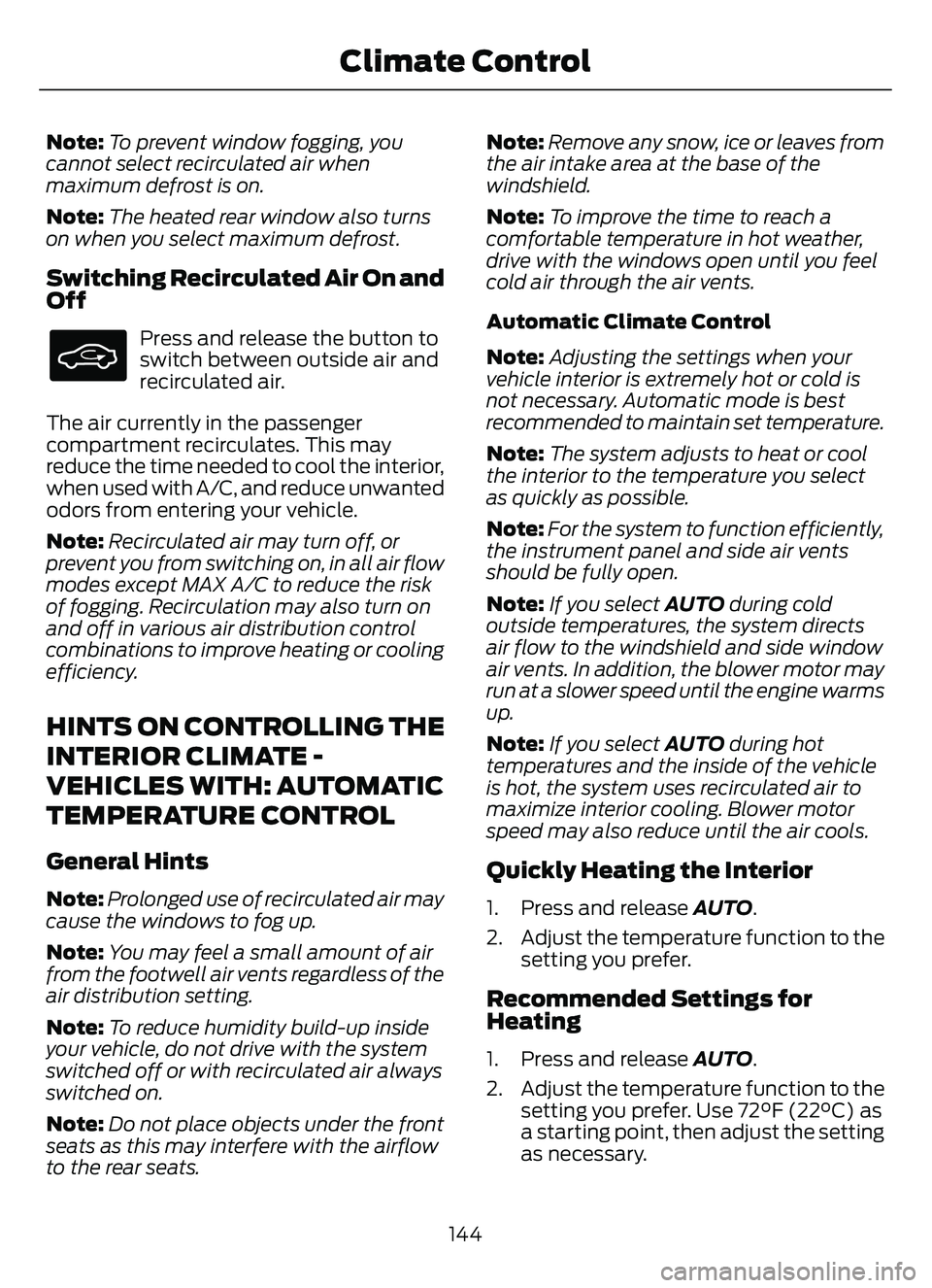
Switching Recirculated Air On and
Off
Press and release the button to
switch between outside air and
recirculated air.
The air currently in the passenger
compartment recirculates. This may
reduce the time needed to cool the interior,
when used with A/C, and reduce unwanted
odors from entering your vehicle.
Note: Recirculated air may turn off, or
prevent you from switching on, in all air flow
modes except MAX A/C to reduce the risk
of fogging. Recirculation may also turn on
and off in various air distribution control
combinations to improve heating or cooling
efficiency.
HINTS ON CONTROLLING THE
INTERIOR CLIMATE -
VEHICLES WITH: AUTOMATIC
TEMPERATURE CONTROL
General Hints
Note: Prolonged use of recirculated air may
cause the windows to fog up.
Note: You may feel a small amount of air
from the footwell air vents regardless of the
air distribution setting.
Note: To reduce humidity build-up inside
your vehicle, do not drive with the system
switched off or with recirculated air always
switched on.
Note: Do not place objects under the front
seats as this may interfere with the airflow
to the rear seats. Note:
Remove any snow, ice or leaves from
the air intake area at the base of the
windshield.
Note: To improve the time to reach a
comfortable temperature in hot weather,
drive with the windows open until you feel
cold air through the air vents.
Automatic Climate Control
Note: Adjusting the settings when your
vehicle interior is extremely hot or cold is
not necessary. Automatic mode is best
recommended to maintain set temperature.
Note: The system adjusts to heat or cool
the interior to the temperature you select
as quickly as possible.
Note: For the system to function efficiently,
the instrument panel and side air vents
should be fully open.
Note: If you select AUTO during cold
outside temperatures, the system directs
air flow to the windshield and side window
air vents. In addition, the blower motor may
run at a slower speed until the engine warms
up.
Note: If you select AUTO during hot
temperatures and the inside of the vehicle
is hot, the system uses recirculated air to
maximize interior cooling. Blower motor
speed may also reduce until the air cools.
Quickly Heating the Interior
1. Press and release AUTO .
2. Adjust the temperature function to the setting you prefer.
Recommended Settings for
Heating
1. Press and release AUTO .
2. Adjust the temperature function to the setting you prefer. Use 72°F (22°C) as
a starting point, then adjust the setting
as necessary.
144
Climate Control
Page 152 of 585
• Bend your legs slightly so that you canpress the pedals fully.
• Position the shoulder strap of the seatbelt over the center of your
shoulder and position the lap strap
tightly across your hips.
Make sure that your driving position is
comfortable and that you can maintain full
control of your vehicle.
MANUAL SEATS
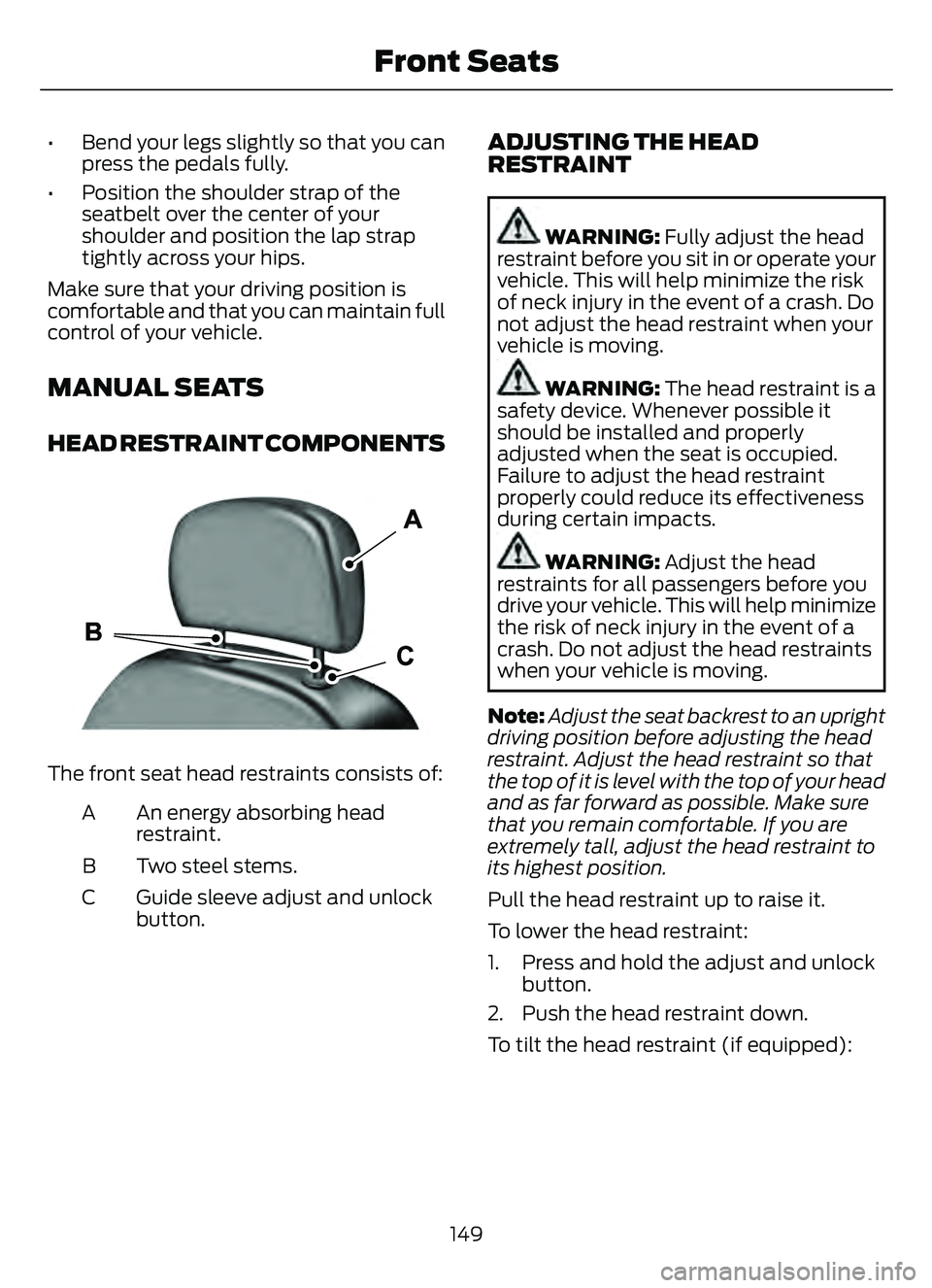
HEAD RESTRAINT COMPONENTS
E291E29139139
The front seat head restraints consists of:
An energy absorbing head
restraint.
A
Two steel stems.
B
Guide sleeve adjust and unlock
button.
C
ADJUSTING THE HEAD
RESTRAINT
WARNING: Fully adjust the head
restraint before you sit in or operate your
vehicle. This will help minimize the risk
of neck injury in the event of a crash. Do
not adjust the head restraint when your
vehicle is moving.
WARNING: The head restraint is a
safety device. Whenever possible it
should be installed and properly
adjusted when the seat is occupied.
Failure to adjust the head restraint
properly could reduce its effectiveness
during certain impacts.
WARNING: Adjust the head
restraints for all passengers before you
drive your vehicle. This will help minimize
the risk of neck injury in the event of a
crash. Do not adjust the head restraints
when your vehicle is moving.
Note: Adjust the seat backrest to an upright
driving position before adjusting the head
restraint. Adjust the head restraint so that
the top of it is level with the top of your head
and as far forward as possible. Make sure
that you remain comfortable. If you are
extremely tall, adjust the head restraint to
its highest position.
Pull the head restraint up to raise it.
To lower the head restraint:
1. Press and hold the adjust and unlock button.
2. Push the head restraint down.
To tilt the head restraint (if equipped):
149
Front Seats
Page 154 of 585
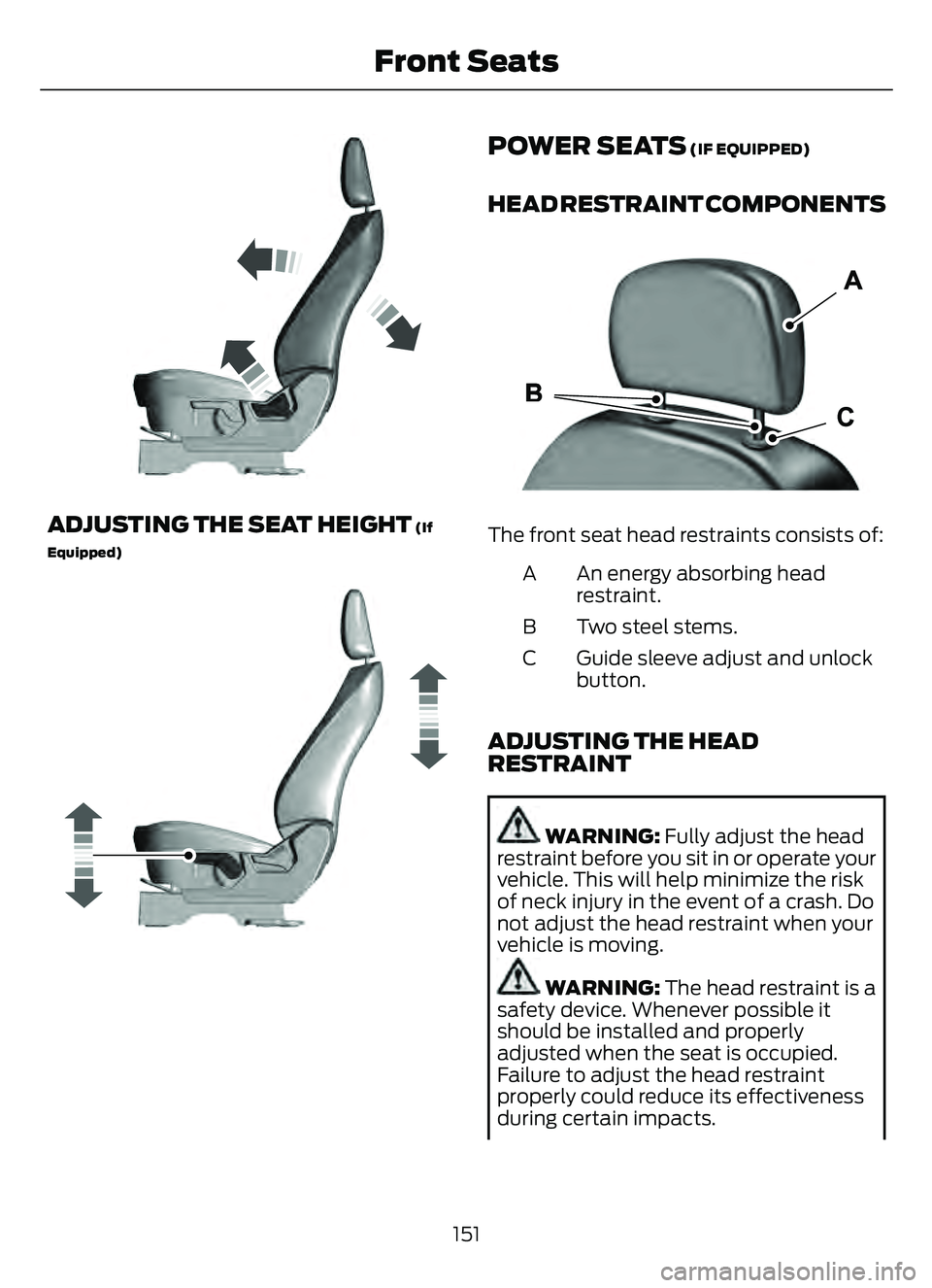
E293558
ADJUSTING THE SEAT HEIGHT (If
Equipped)
E293554
POWER SEATS (IF EQUIPPED)
HEAD RESTRAINT COMPONENTS
E291E29139139
The front seat head restraints consists of:
An energy absorbing head
restraint.
A
Two steel stems.
B
Guide sleeve adjust and unlock
button.
C
ADJUSTING THE HEAD
RESTRAINT
WARNING: Fully adjust the head
restraint before you sit in or operate your
vehicle. This will help minimize the risk
of neck injury in the event of a crash. Do
not adjust the head restraint when your
vehicle is moving.
WARNING: The head restraint is a
safety device. Whenever possible it
should be installed and properly
adjusted when the seat is occupied.
Failure to adjust the head restraint
properly could reduce its effectiveness
during certain impacts.
151
Front Seats
Page 155 of 585
WARNING: Adjust the head
restraints for all passengers before you
drive your vehicle. This will help minimize
the risk of neck injury in the event of a
crash. Do not adjust the head restraints
when your vehicle is moving.
Note: Adjust the seat backrest to an upright
driving position before adjusting the head
restraint. Adjust the head restraint so that
the top of it is level with the top of your head
and as far forward as possible. Make sure
that you remain comfortable. If you are
extremely tall, adjust the head restraint to
its highest position.
Pull the head restraint up to raise it.
To lower the head restraint:
1. Press and hold the adjust and unlock button.
2. Push the head restraint down.
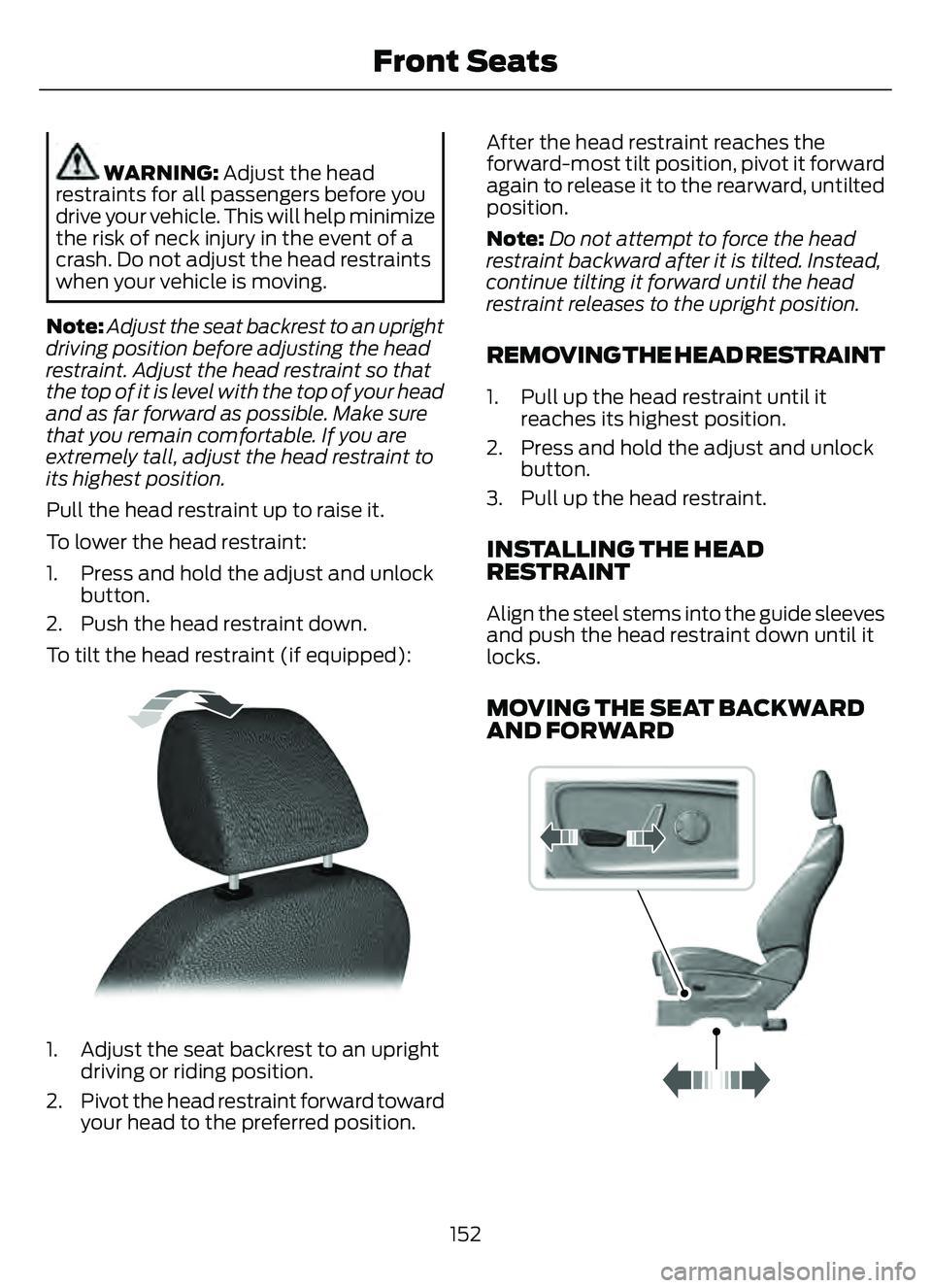
To tilt the head restraint (if equipped):
E144727
1. Adjust the seat backrest to an upright driving or riding position.
2. Pivot the head restraint forward toward your head to the preferred position. After the head restraint reaches the
forward-most tilt position, pivot it forward
again to release it to the rearward, untilted
position.
Note:
Do not attempt to force the head
restraint backward after it is tilted. Instead,
continue tilting it forward until the head
restraint releases to the upright position.
REMOVING THE HEAD RESTRAINT
1. Pull up the head restraint until it reaches its highest position.
2. Press and hold the adjust and unlock button.
3. Pull up the head restraint.
INSTALLING THE HEAD
RESTRAINT
Align the steel stems into the guide sleeves
and push the head restraint down until it
locks.
MOVING THE SEAT BACKWARD
AND FORWARD
989E298944
152
Front Seats
Page 158 of 585
MANUAL SEATS
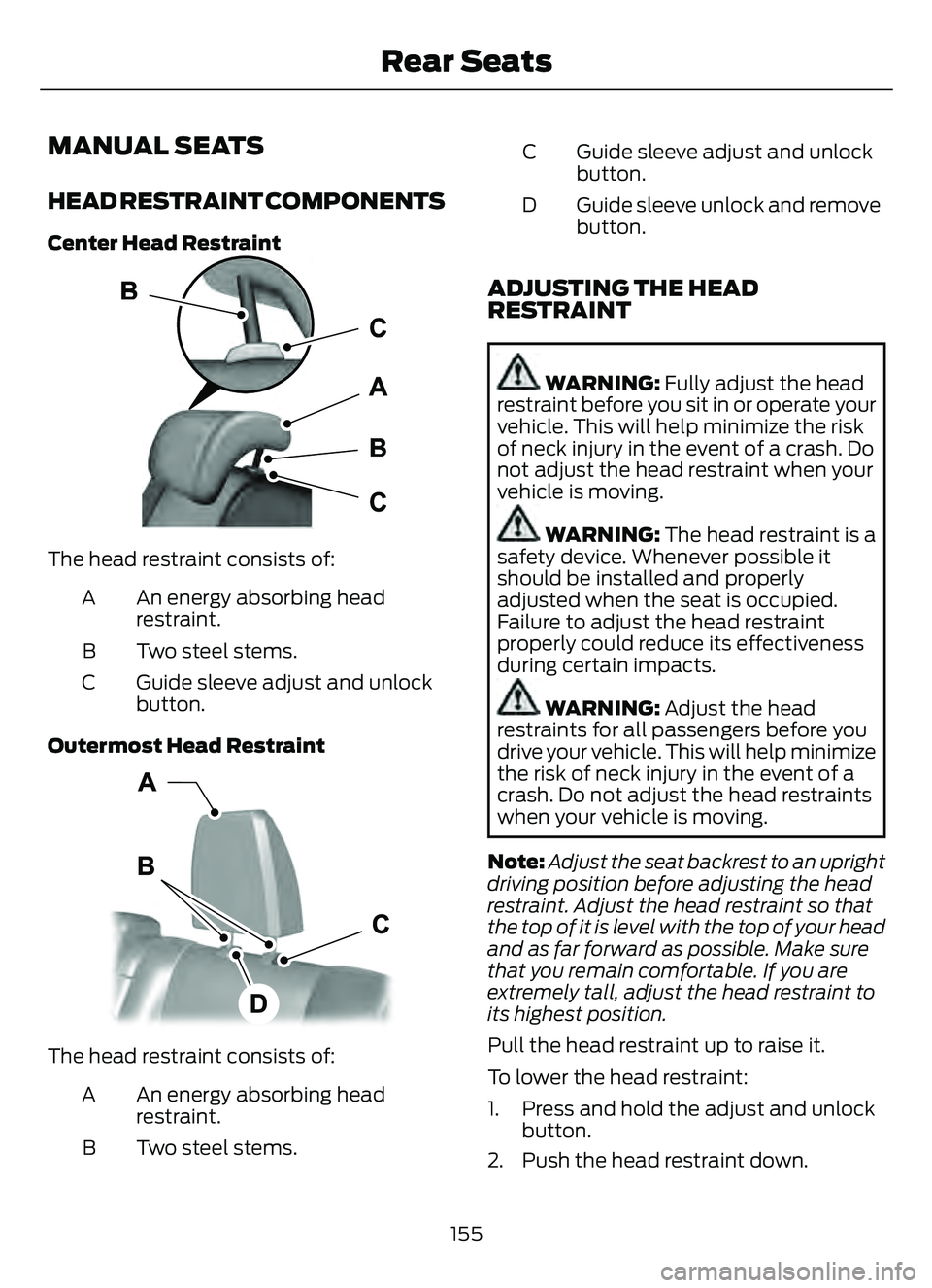
HEAD RESTRAINT COMPONENTS
Center Head Restraint
E187325
The head restraint consists of:An energy absorbing head
restraint.
A
Two steel stems.
B
Guide sleeve adjust and unlock
button.
C
Outermost Head Restraint
E153105
The head restraint consists of: An energy absorbing head
restraint.
A
Two steel stems.
B Guide sleeve adjust and unlock
button.
C
Guide sleeve unlock and remove
button.
D
ADJUSTING THE HEAD
RESTRAINT
WARNING: Fully adjust the head
restraint before you sit in or operate your
vehicle. This will help minimize the risk
of neck injury in the event of a crash. Do
not adjust the head restraint when your
vehicle is moving.
WARNING: The head restraint is a
safety device. Whenever possible it
should be installed and properly
adjusted when the seat is occupied.
Failure to adjust the head restraint
properly could reduce its effectiveness
during certain impacts.
WARNING: Adjust the head
restraints for all passengers before you
drive your vehicle. This will help minimize
the risk of neck injury in the event of a
crash. Do not adjust the head restraints
when your vehicle is moving.
Note: Adjust the seat backrest to an upright
driving position before adjusting the head
restraint. Adjust the head restraint so that
the top of it is level with the top of your head
and as far forward as possible. Make sure
that you remain comfortable. If you are
extremely tall, adjust the head restraint to
its highest position.
Pull the head restraint up to raise it.
To lower the head restraint:
1. Press and hold the adjust and unlock button.
2. Push the head restraint down.
155
Rear Seats