reset FORD ESCAPE 2022 User Guide
[x] Cancel search | Manufacturer: FORD, Model Year: 2022, Model line: ESCAPE, Model: FORD ESCAPE 2022Pages: 585, PDF Size: 6.15 MB
Page 132 of 585
ACCESSING THE TRIP
COMPUTER - VEHICLES WITH:
4.2 INCH INSTRUMENT
CLUSTER DISPLAY SCREEN
1. Use the instrument cluster displaycontrols to navigate the home screen.
2. Select the trip screen.
3. Press the menu button on the steering wheel.
4. Select Trip 1 or Trip 2.
ACCESSING THE TRIP
COMPUTER - VEHICLES WITH:
6.5 INCH INSTRUMENT
CLUSTER DISPLAY SCREEN/
12.3 INCH INSTRUMENT
CLUSTER DISPLAY SCREEN
Using Select Screens
1. Use the instrument cluster display
controls to navigate the home menu.
2. Select Select Screens .
3. Use the control on the steering wheel to navigate the menu. See
Customizing the Instrument Cluster
Display (page 124).
Using the Home Screen
Once the screens have been added, use
the instrument cluster display controls on
the steering wheel to view each trip screen.
RESETTING THE TRIP
COMPUTER
1. Use the instrument cluster display
controls to navigate the home screen.
2. Select the trip screen you want to reset. 3. Press and hold the OK button until the
system reset confirmation appears.
RESETTING THE INDIVIDUAL
TRIP VALUES - VEHICLES
WITH: 4.2 INCH INSTRUMENT
CLUSTER DISPLAY SCREEN
1. Use the instrument cluster displaycontrols to navigate the home screen.
2. Select the trip screen.
3. Press the menu button on the steering wheel.
4. Select Reset Individual Values .
5. Select a trip value to reset.
6. Press and hold the OK button until the system reset confirmation appears.
CONFIGURING THE TRIP
COMPUTER - VEHICLES WITH:
4.2 INCH INSTRUMENT
CLUSTER DISPLAY SCREEN
1. Use the instrument cluster displaycontrols to navigate the home screen.
2. Select the trip screen.
3. Press the menu button on the steering wheel.
4. Select Configure View .
5. Select values to display.
TRIP DATA
Trip 1 and 2
Provides trip timer, trip average fuel
economy and total trip distance traveled.
For hybrid vehicles, the trip also shows the
distance traveled on electric power only.
129
Trip Computer
Page 133 of 585
Note:Trip 1 and 2 are selectable screens.
See Accessing the Trip Computer (page
129).
This Trip
Provides trip timer, trip average fuel
economy, total trip distance traveled, and
distance traveled on electric power only
with the engine off. If the gasoline engine
has not turned on during the trip then trip
average fuel economy is not shown. This
Trip resets each time you start your vehicle.
Note: This trip is a selectable screen. See
Accessing the Trip Computer (page 129).
130
Trip Computer
Page 138 of 585
E138623
Press the button on the remote
control.
E138625
Within three seconds, press the
button on the remote control.
Within three seconds, press the
button again.
If the duration is set to 15 minutes, the
duration extends by another 15 minutes.
This provides a total of 30 minutes.
Note: Remote start can only be extended
once.
Note: A maximum of two remote starts, or
one remote start with an extension, are
allowed. To reset the restart procedure
switch the vehicle to on, then to off.
REMOTE START REMOTE
CONTROL INDICATORS
Remote Control Feedback
An LED on the remote control provides
status feedback of remote start or stop
commands.
Status
LED
Remote start
successful.
Solid green.
Remote stopsuccessful.
Solid red.
Request failed or
status not received.
Blinking red.
Status incomplete.
Blinking green.
REMOTE START SETTINGS
SWITCHING CLIMATE CONTROL
AUTO MODE ON AND OFF
1. Press Settings on the touchscreen. 2. Press Remote Start Setup.
3. Press Climate Control
.
4. Select Vehicle.
5. Switch Auto on or off.
Note: If you switch the auto mode on, the
system attempts to heat or cool the interior
to 72°F (22°C).
Note: When you switch the ignition on, the
climate control system returns to the last
used settings.
SWITCHING CLIMATE CONTROL
LAST SETTINGS ON AND OFF
1. Press Settings on the touchscreen.
2. Press Vehicle Settings .
3. Press Remote Start Setup.
4. Switch Last settings on or off.
Note: If you switch the last settings on, the
system remembers the last used settings.
SWITCHING THE HEATED SEAT
SETTINGS ON AND OFF
1. Press Settings on the touchscreen.
2. Press Vehicle Settings .
3. Press Remote Start Setup.
4. Press Seats.
5. Switch Auto on or off.
Note: If you switch the heated seat settings
on, the heated seats turn on during cold
weather.
SWITCHING THE HEATED
STEERING WHEEL SETTINGS ON
AND OFF
1. Press Settings on the touchscreen.
2. Press Vehicle Settings .
3. Press Remote Start Setup.
4. Press Seats and Steering Wheel .
135
Remote Start (If Equipped)
Page 161 of 585
WHAT IS THE REAR
OCCUPANT ALERT SYSTEM
The rear occupant alert system monitors
vehicle conditions and notifies you to check
for rear seat occupants when you switch
the ignition off.
HOW DOES THE REAR
OCCUPANT ALERT SYSTEM
WORK
The system monitors when rear doors have
been opened and closed to indicate the
potential presence of an occupant in the
rear seat.
A message displays in the information and
entertainment display screen and an
audible warning sounds when you switch
the ignition off after any of the following
conditions have been met:
• A rear door is opened or closed whilethe ignition is on.
• You switch the ignition on within 15 minutes of a rear door opening and
closing.
• You switch the ignition on within 15 minutes of the alert having displayed
or sounded.
REAR OCCUPANT ALERT
SYSTEM PRECAUTIONS
WARNING: On hot days, the
temperature inside the vehicle can rise
very quickly. Exposure of people or
animals to these high temperatures for
even a short time can cause death or
serious heat related injuries, including
brain damage. Small children are
particularly at risk.
WARNING: Do not leave children
or pets unattended in your vehicle.
Failure to follow this instruction could
result in personal injury or death.
REAR OCCUPANT ALERT
SYSTEM LIMITATIONS
The system does not detect the presence
of objects or passengers in the rear seat.
It monitors when rear doors are opened
and closed.
Note: It is possible to receive an alert when
there is no rear seat occupant, but alert
conditions are met.
Note: It is possible to receive no alert when
there is an occupant in the rear seat, if alert
conditions are not met. For example, if a rear
seat occupant does not enter the vehicle
through a rear door.
Note: The audible warning does not sound
when the front door is opened before you
switch the ignition off.
SWITCHING REAR OCCUPANT
ALERT SYSTEM ON AND OFF
1. Press Settings on the touchscreen.
2. Press Vehicle.
3. Switch Rear Occupant Alert on or off.
Note: The default setting is on.
Note: Performing a master reset causes the
system to switch on again.
Semiannual Reminder (If Equipped)
When you switch the system off, a
message appears every six months as a
reminder that the system is off. You can
switch the system back on or leave it off.
158
Rear Occupant Alert System (If Equipped)
Page 163 of 585
HOW DOES THE MEMORY
FUNCTION WORK
The memory function recalls the position
of these features:
• Driver seat.
• Power mirrors.
MEMORY FUNCTION
PRECAUTIONS
WARNING: Before activating the
memory seat, make sure that the area
immediately surrounding the seat is clear
of obstructions and that all occupants
are clear of moving parts.
WARNING: Do not use the memory
function when your vehicle is moving.
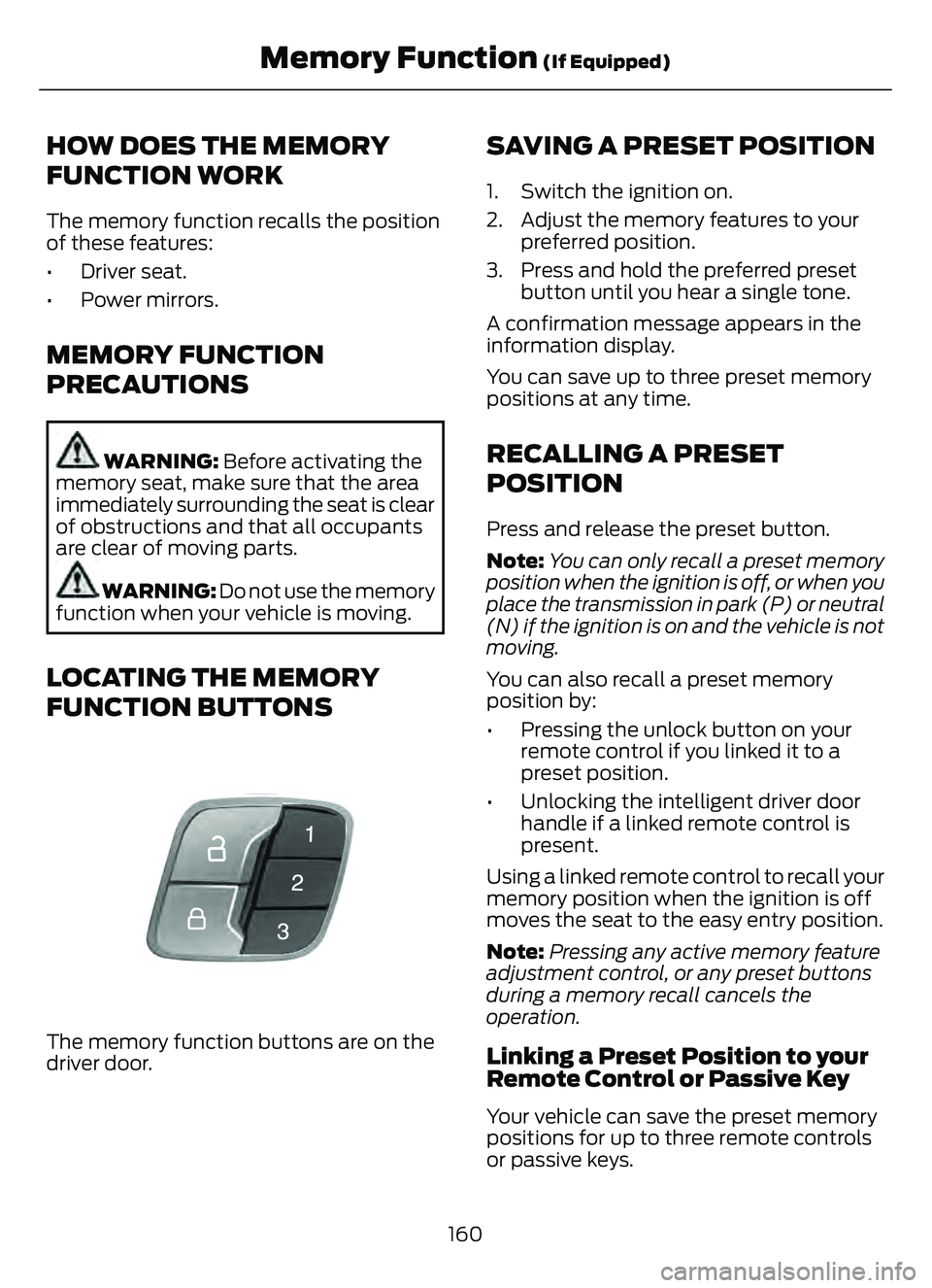
LOCATING THE MEMORY
FUNCTION BUTTONS
E142554
The memory function buttons are on the
driver door.
SAVING A PRESET POSITION
1. Switch the ignition on.
2. Adjust the memory features to your preferred position.
3. Press and hold the preferred preset button until you hear a single tone.
A confirmation message appears in the
information display.
You can save up to three preset memory
positions at any time.
RECALLING A PRESET
POSITION
Press and release the preset button.
Note: You can only recall a preset memory
position when the ignition is off, or when you
place the transmission in park (P) or neutral
(N) if the ignition is on and the vehicle is not
moving.
You can also recall a preset memory
position by:
• Pressing the unlock button on your remote control if you linked it to a
preset position.
• Unlocking the intelligent driver door handle if a linked remote control is
present.
Using a linked remote control to recall your
memory position when the ignition is off
moves the seat to the easy entry position.
Note: Pressing any active memory feature
adjustment control, or any preset buttons
during a memory recall cancels the
operation.
Linking a Preset Position to your
Remote Control or Passive Key
Your vehicle can save the preset memory
positions for up to three remote controls
or passive keys.
160
Memory Function (If Equipped)
Page 164 of 585
1. With the ignition on, move the memoryfeatures to the position you prefer.
2. Press and hold a preset button for five seconds. A tone sounds after two
seconds. Continue holding until you
hear a second tone.
3. Within three seconds, press the lock button on the remote control you are
linking.
To unlink a remote control, follow the
same procedure – except in Step 3, press
the unlock button on the remote control.
Note: If more than one linked remote
control or intelligent access key is in range,
the memory function moves to the settings
of the first key to initiate a memory recall.
161
Memory Function (If Equipped)
Page 179 of 585
2. Shift into neutral and use the brakes tobring your vehicle to a safe stop.
3. Shift into park (P).
4. Apply the parking brake.
AUTOMATIC ENGINE STOP (IF
EQUIPPED)
WHAT IS AUTOMATIC ENGINE
STOP
Automatic engine stop is a feature that
switches the engine off if it has been idling
for an extended period to help you save
fuel.
HOW DOES AUTOMATIC ENGINE
STOP WORK
Automatic engine stop turns the engine
off. The ignition also turns off in order to
save battery power. Before the engine
shuts down, a message appears in the
information display showing a timer
counting down. If you do not intervene
within 30 seconds, the engine shuts down.
Another message appears in the
information display to inform you that the
engine has shut down in order to save fuel.
Start your vehicle as you normally do.
SWITCHING AUTOMATIC ENGINE
STOP ON AND OFF
1. Press Settings on the touchscreen.
2. Press Vehicle Settings .
3. Switch 30min Max Idle on or off.
Note: You cannot permanently switch off
the automatic shutdown. If you switch it
off, it turns on each time you switch the
ignition on.
OVERRIDING AUTOMATIC ENGINE
STOP
You can stop the engine shutdown, or reset
the timer, at any point before the
30-second countdown has expired by
doing any of the following:
• Pressing the brake pedal or accelerator pedal.
• Pressing the OK or RESET button during the countdown.
Note: You cannot permanently switch off
the automatic engine shutdown feature.
When you switch it off temporarily, it turns
on at the next ignition cycle.
STARTING AND STOPPING
THE ENGINE –
TROUBLESHOOTING
STARTING AND STOPPING THE
ENGINE – WARNING LAMPS
Malfunction Indicator Lamp
If it illuminates when the engine
is running, the on-board
diagnostics system is detecting
a malfunction of the vehicle emission
control system.
If it flashes, engine misfire could be
occurring. Increased exhaust gas
temperatures could damage the catalytic
converter or other vehicle components.
Avoid heavy acceleration and deceleration,
and have your vehicle checked as soon as
possible.
176
Starting and Stopping the Engine
Page 185 of 585
You could also notice that your engine
continues to run instead of shutting off
during extended downhill driving. The
engine stays on during this engine braking
but is not using any fuel.
You could also hear a slight whine or
whistle when operating your vehicle. This
is the normal operation of the electric
motor in the hybrid system.
PLUG-IN HYBRID ELECTRIC
VEHICLE INDICATORS
E293827
When you start your vehicle, a
green ready indicator light
appears in the instrument cluster
letting you know that your vehicle is ready
for driving.
The engine may not start because your
vehicle has a silent key start feature. This
fuel saving feature allows your vehicle to
be ready to drive without requiring the gas
engine to be running.
The indicator remains on when your vehicle
is on, whether the engine is running or not,
to indicate your vehicle is capable of
movement using the electric motor, gas
engine or both.
Typically, the engine does not start unless
the vehicle is cold, a climate control
change is requested or you press the
accelerator pedal.
WHAT IS LOW ENGINE USE MODE
Low engine use mode maintains proper
engine lubrication at sufficient temperature
and activates when you drive your vehicle
with limited engine operation.
HOW DOES LOW ENGINE USE
MODE WORK
When in low engine use mode, your vehicle
runs the engine as necessary. When low
engine use mode begins, a message
appears in the information display. If low
engine use mode does not complete
before you switch your vehicle off, it
continues the next time you start your
vehicle and the message reappears.
Note: EV now mode is not available when
in low engine use mode.
Note: Cold temperatures affect the engine
warm up time and the low engine use mode
may operate more frequently.
Note: An oil change is not required but gives
you the option of not running a low engine
use cycle. Resetting the oil life monitoring
system suspends the low engine use mode.
PLUG-IN HYBRID ELECTRIC
VEHICLE INFORMATION –
TROUBLESHOOTING
PLUG-IN HYBRID ELECTRIC
VEHICLE INFORMATION –
WARNING LAMPS
E144693
It illuminates if your vehicle's
electrical system requires service
to identify the cause for your
vehicle to shutdown or enter a limited
operating mode. A message may appear
in the instrument cluster display. Have your
vehicle checked as soon as possible.
182
Hybrid Electric Vehicle Information (If Equipped)
Page 235 of 585
If your vehicle is in any forward gear, the
front parking aid provides audible warnings
and visual indication when your vehicle is
moving at a speed of 5 mph (8 km/h) or
below and the system detects an object
within the detection zone. Once your
vehicle reaches a stop, the visual indication
and audio warning stops after a few
seconds.
If your vehicle is in neutral (N), the front
and rear sensors provide visual indication
only when your vehicle is moving below a
speed of 5 mph (8 km/h) and obstacles
are detected inside the detection areas.
Once your vehicle stops, the visual
indication and audio warning stops after
a few seconds.
LOCATING THE FRONT PARKING
AID SENSORS
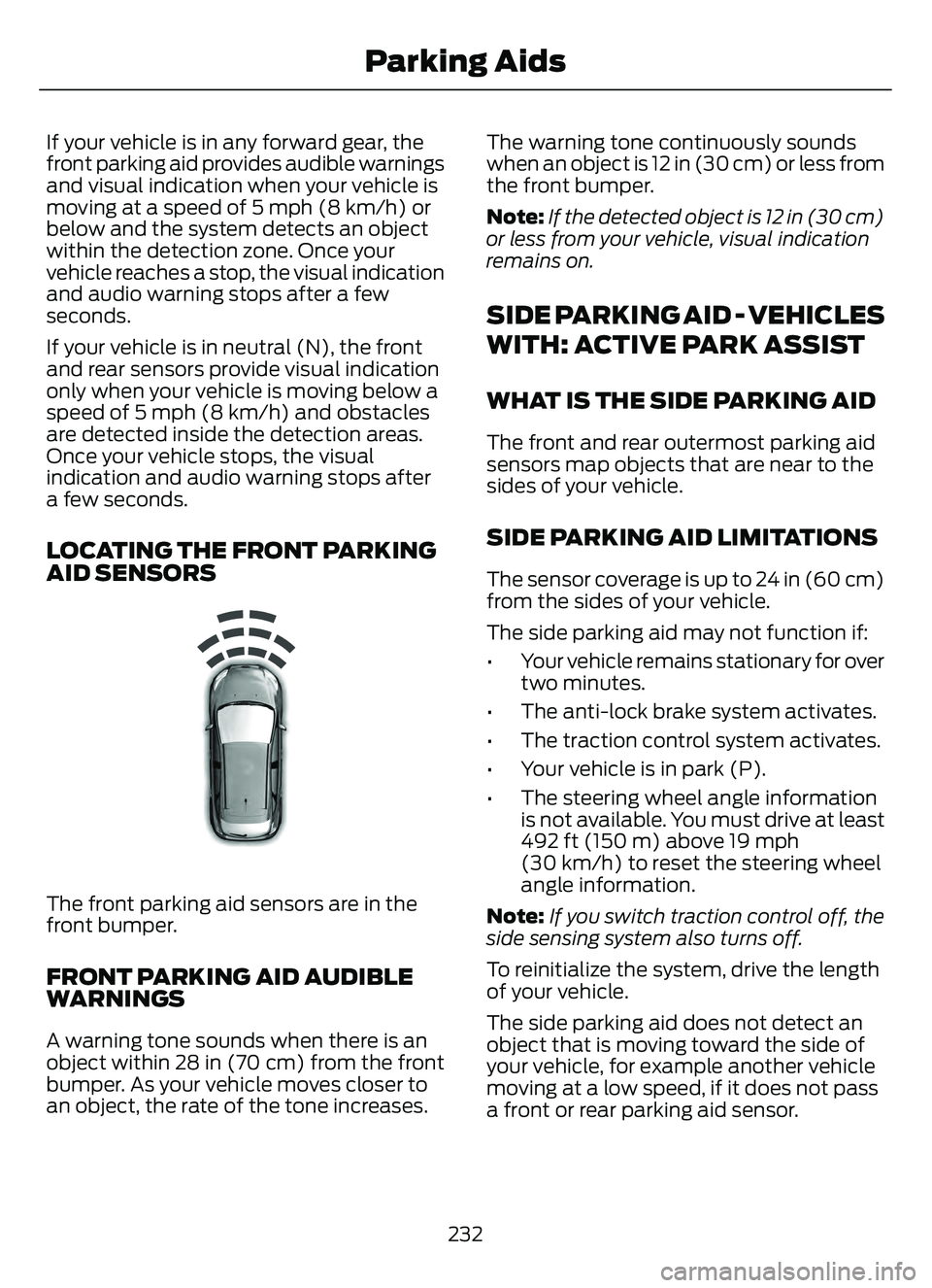
E187330
The front parking aid sensors are in the
front bumper.
FRONT PARKING AID AUDIBLE
WARNINGS
A warning tone sounds when there is an
object within 28 in (70 cm) from the front
bumper. As your vehicle moves closer to
an object, the rate of the tone increases.The warning tone continuously sounds
when an object is 12 in (30 cm) or less from
the front bumper.
Note:
If the detected object is 12 in (30 cm)
or less from your vehicle, visual indication
remains on.
SIDE PARKING AID - VEHICLES
WITH: ACTIVE PARK ASSIST
WHAT IS THE SIDE PARKING AID
The front and rear outermost parking aid
sensors map objects that are near to the
sides of your vehicle.
SIDE PARKING AID LIMITATIONS
The sensor coverage is up to 24 in (60 cm)
from the sides of your vehicle.
The side parking aid may not function if:
• Your vehicle remains stationary for over two minutes.
• The anti-lock brake system activates.
• The traction control system activates.
• Your vehicle is in park (P).
• The steering wheel angle information is not available. You must drive at least
492 ft (150 m) above 19 mph
(30 km/h) to reset the steering wheel
angle information.
Note: If you switch traction control off, the
side sensing system also turns off.
To reinitialize the system, drive the length
of your vehicle.
The side parking aid does not detect an
object that is moving toward the side of
your vehicle, for example another vehicle
moving at a low speed, if it does not pass
a front or rear parking aid sensor.
232
Parking Aids
Page 262 of 585
PLUG-IN HYBRID ELECTRIC
VEHICLE DRIVE MODES
SELECTING A PLUG-IN HYBRID
ELECTRIC VEHICLE DRIVE MODE
E327677E327E327E327E327E327E3273327327277777E32733272767767676776677767677676677677
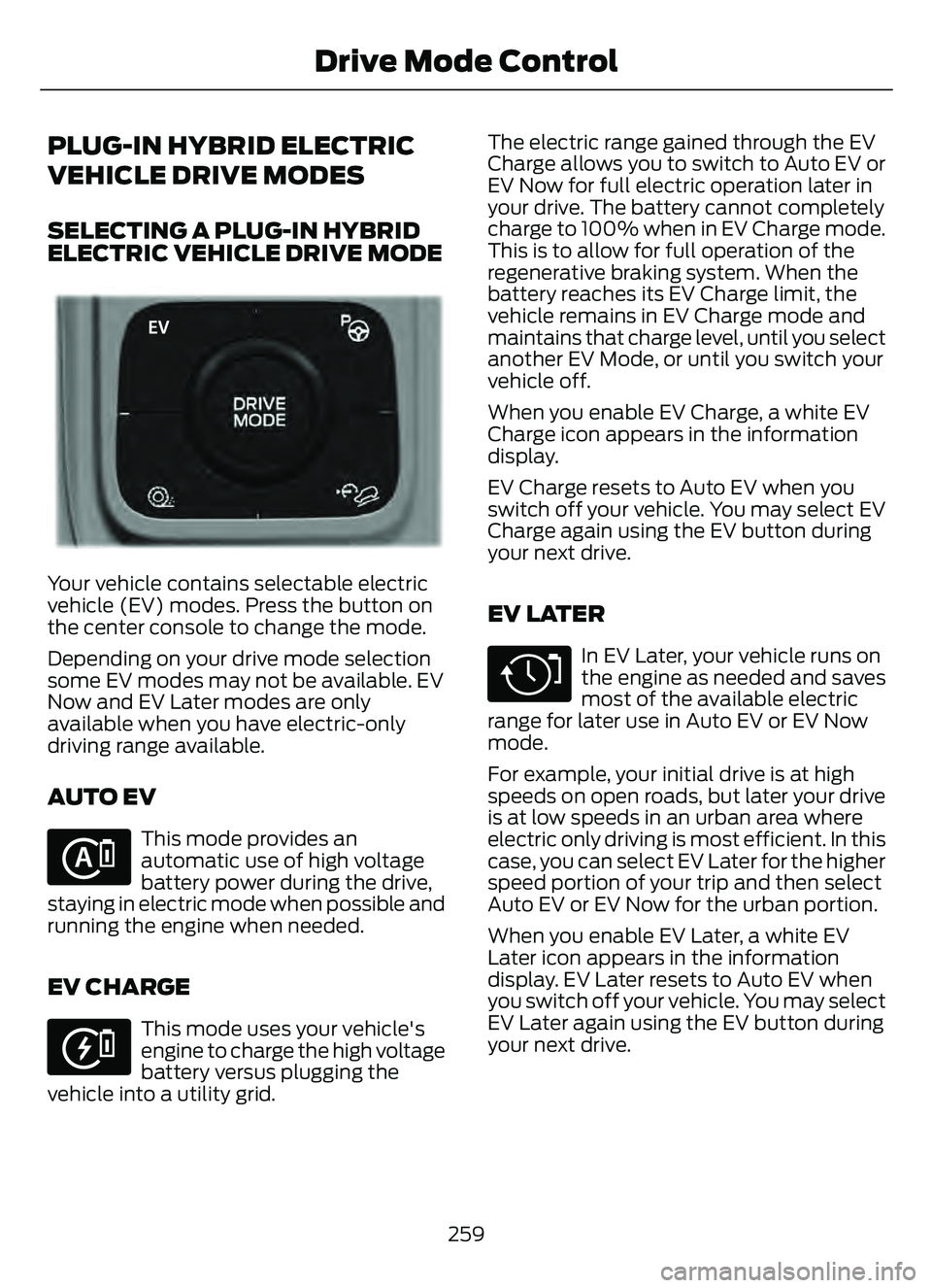
Your vehicle contains selectable electric
vehicle (EV) modes. Press the button on
the center console to change the mode.
Depending on your drive mode selection
some EV modes may not be available. EV
Now and EV Later modes are only
available when you have electric-only
driving range available.
AUTO EV
E287836
This mode provides an
automatic use of high voltage
battery power during the drive,
staying in electric mode when possible and
running the engine when needed.
EV CHARGE
E287822
This mode uses your vehicle's
engine to charge the high voltage
battery versus plugging the
vehicle into a utility grid. The electric range gained through the EV
Charge allows you to switch to Auto EV or
EV Now for full electric operation later in
your drive. The battery cannot completely
charge to 100% when in EV Charge mode.
This is to allow for full operation of the
regenerative braking system. When the
battery reaches its EV Charge limit, the
vehicle remains in EV Charge mode and
maintains that charge level, until you select
another EV Mode, or until you switch your
vehicle off.
When you enable EV Charge, a white EV
Charge icon appears in the information
display.
EV Charge resets to Auto EV when you
switch off your vehicle. You may select EV
Charge again using the EV button during
your next drive.
EV LATER
E287824
In EV Later, your vehicle runs on
the engine as needed and saves
most of the available electric
range for later use in Auto EV or EV Now
mode.
For example, your initial drive is at high
speeds on open roads, but later your drive
is at low speeds in an urban area where
electric only driving is most efficient. In this
case, you can select EV Later for the higher
speed portion of your trip and then select
Auto EV or EV Now for the urban portion.
When you enable EV Later, a white EV
Later icon appears in the information
display. EV Later resets to Auto EV when
you switch off your vehicle. You may select
EV Later again using the EV button during
your next drive.
259
Drive Mode Control