Electri FORD ESCAPE 2022 Owner's Manual
[x] Cancel search | Manufacturer: FORD, Model Year: 2022, Model line: ESCAPE, Model: FORD ESCAPE 2022Pages: 585, PDF Size: 6.15 MB
Page 125 of 585
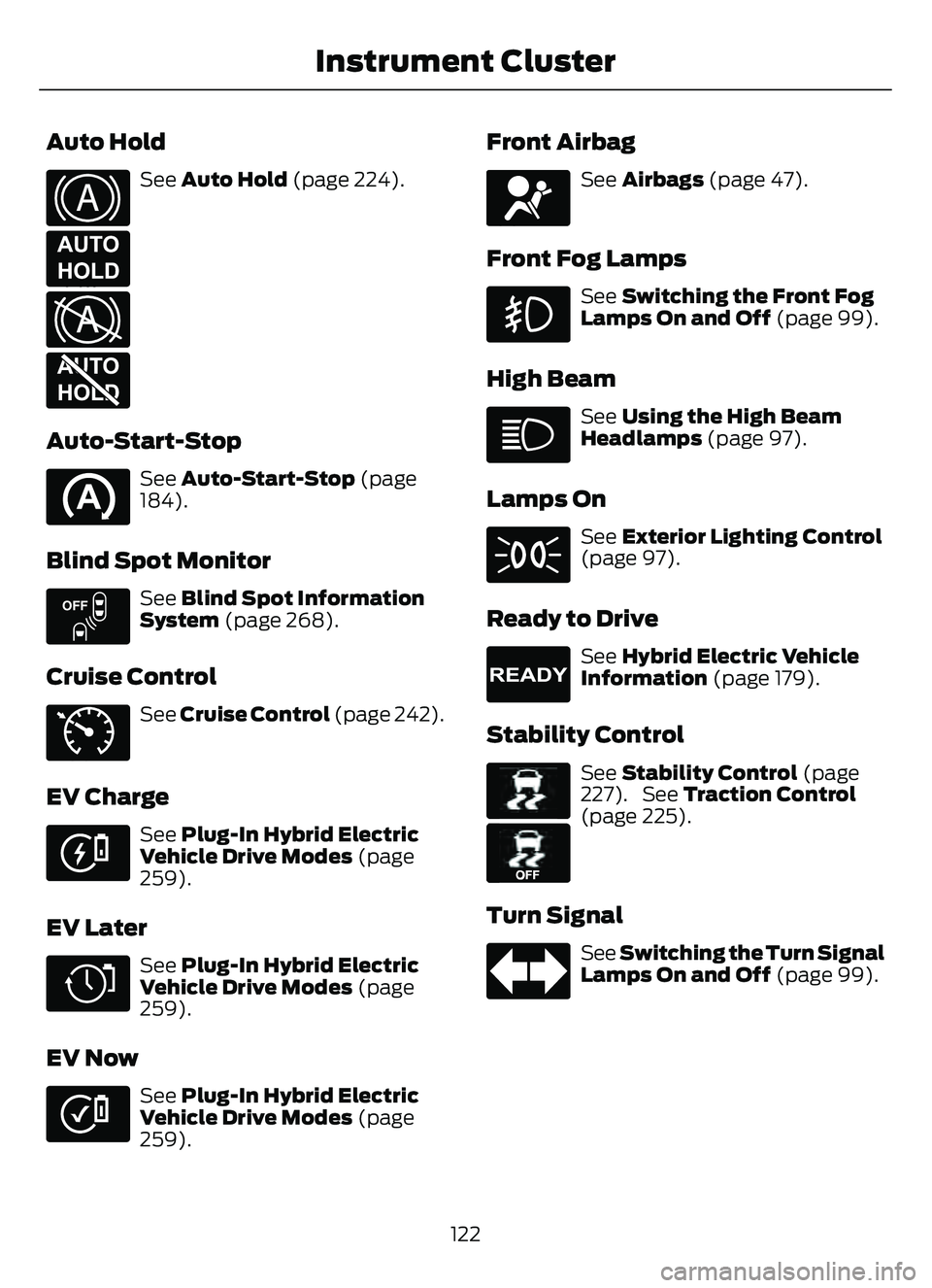
Auto Hold
E322410E322410
E197933
EE322411
E197934
See Auto Hold (page 224).
Auto-Start-Stop
See Auto-Start-Stop (page
184).
Blind Spot Monitor
E151262
See Blind Spot Information
System (page 268).
Cruise Control
E71340
See Cruise Control (page 242).
EV Charge
E281479
See Plug-In Hybrid Electric
Vehicle Drive Modes (page
259).
EV Later
E281477
See Plug-In Hybrid Electric
Vehicle Drive Modes (page
259).
EV Now
E281476
See Plug-In Hybrid Electric
Vehicle Drive Modes (page
259).
Front Airbag
E67017
See Airbags (page 47).
Front Fog Lamps
See Switching the Front Fog
Lamps On and Off (page 99).
High Beam
See Using the High Beam
Headlamps (page 97).
Lamps On
See Exterior Lighting Control
(page 97).
Ready to Drive
E224090
See Hybrid Electric Vehicle
Information (page 179).
Stability Control
E138639
E130458
See Stability Control (page
227). See Traction Control
(page 225).
Turn Signal
See Switching the Turn Signal
Lamps On and Off (page 99).
122
Instrument Cluster
Page 128 of 585
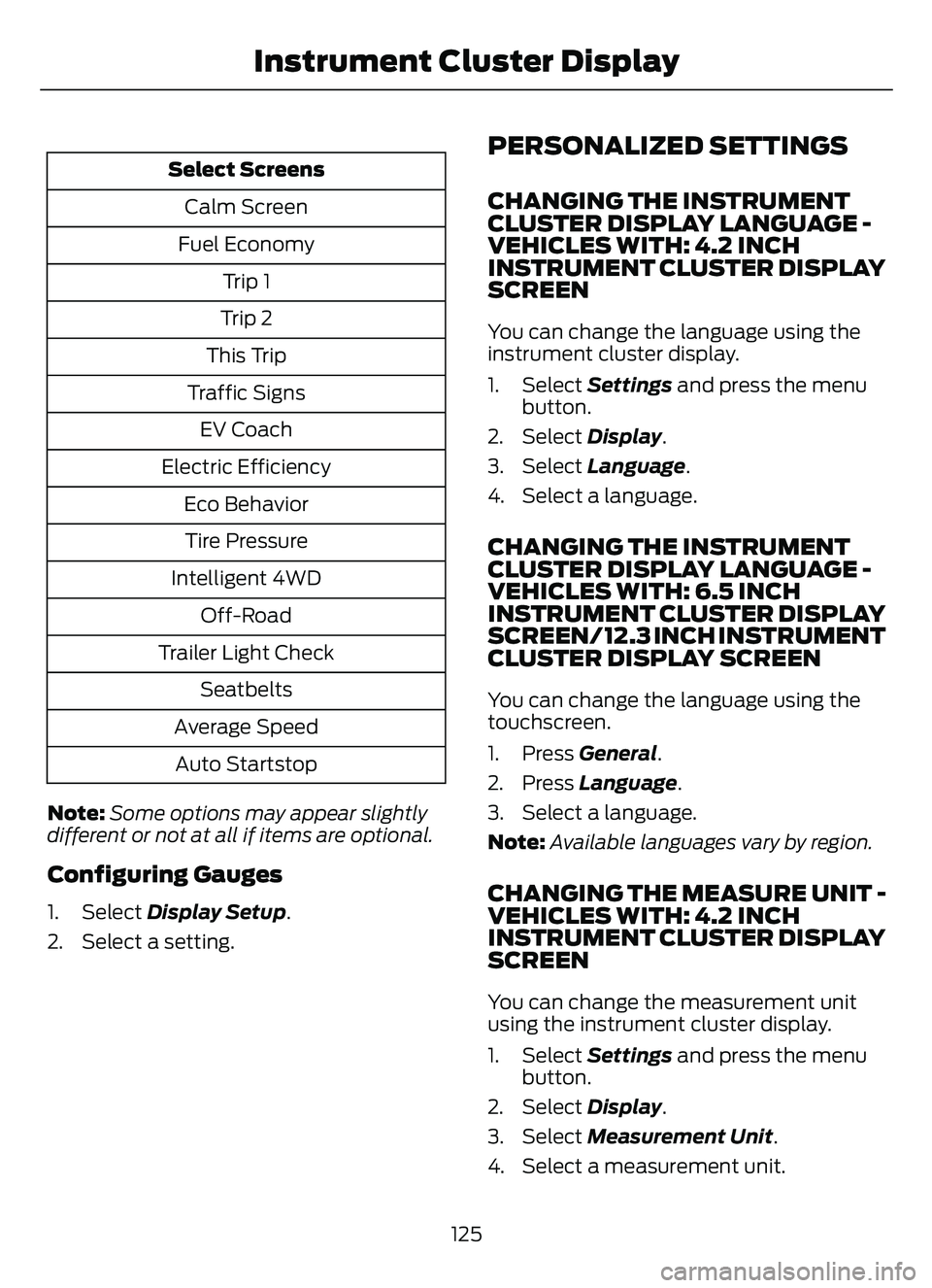
Select ScreensCalm Screen
Fuel Economy Trip 1
Trip 2
This Trip
Traffic Signs EV Coach
Electric Efficiency Eco BehaviorTire Pressure
Intelligent 4WD Off-Road
Trailer Light Check Seatbelts
Average Speed Auto Startstop
Note: Some options may appear slightly
different or not at all if items are optional.
Configuring Gauges
1. Select Display Setup .
2. Select a setting.
PERSONALIZED SETTINGS
CHANGING THE INSTRUMENT
CLUSTER DISPLAY LANGUAGE -
VEHICLES WITH: 4.2 INCH
INSTRUMENT CLUSTER DISPLAY
SCREEN
You can change the language using the
instrument cluster display.
1. Select Settings and press the menu
button.
2. Select Display.
3. Select Language.
4. Select a language.
CHANGING THE INSTRUMENT
CLUSTER DISPLAY LANGUAGE -
VEHICLES WITH: 6.5 INCH
INSTRUMENT CLUSTER DISPLAY
SCREEN/ 12.3 INCH INSTRUMENT
CLUSTER DISPLAY SCREEN
You can change the language using the
touchscreen.
1. Press General.
2. Press Language .
3. Select a language.
Note: Available languages vary by region.
CHANGING THE MEASURE UNIT -
VEHICLES WITH: 4.2 INCH
INSTRUMENT CLUSTER DISPLAY
SCREEN
You can change the measurement unit
using the instrument cluster display.
1. Select Settings and press the menu
button.
2. Select Display.
3. Select Measurement Unit .
4. Select a measurement unit.
125
Instrument Cluster Display
Page 129 of 585
CHANGING THE MEASURE UNIT -
VEHICLES WITH: 6.5 INCH
INSTRUMENT CLUSTER DISPLAY
SCREEN/ 12.3 INCH INSTRUMENT
CLUSTER DISPLAY SCREEN
You can change the measurement unit
using the touchscreen.
1. Press General.
2. Press Measurement Units.
3. Select a measurement unit.
CHANGING THE TEMPERATURE
UNIT - VEHICLES WITH: 4.2 INCH
INSTRUMENT CLUSTER DISPLAY
SCREEN
You can change the temperature unit using
the instrument cluster display.
1. Select Settings and press the menu
button.
2. Select Display.
3. Select Temperature Unit.
4. Select a temperature unit.
CHANGING THE TEMPERATURE
UNIT - VEHICLES WITH: 6.5 INCH
INSTRUMENT CLUSTER DISPLAY
SCREEN/ 12.3 INCH INSTRUMENT
CLUSTER DISPLAY SCREEN
You can change the temperature unit using
the touchscreen.
1. Press General.
2. Press Temperature Units .
3. Select a temperature unit.
CHANGING THE TIRE PRESSURE
UNIT - VEHICLES WITH: 4.2 INCH
INSTRUMENT CLUSTER DISPLAY
SCREEN
You can change the tire pressure unit using
the instrument cluster display.
1. Select Settings and press the menu
button.
2. Select Display.
3. Select Tire Pressure.
4. Select a tire pressure unit.
CHANGING THE TIRE PRESSURE
UNIT - VEHICLES WITH: 6.5 INCH
INSTRUMENT CLUSTER DISPLAY
SCREEN/ 12.3 INCH INSTRUMENT
CLUSTER DISPLAY SCREEN
You can change the tire pressure unit using
the touchscreen.
1. Press General.
2. Press Tire Pressure Units .
3. Select a pressure unit.
FUEL ECONOMY DISPLAY
An instant fuel economy gauge is provided
along with average fuel economy. Average
fuel economy is continuously averaged
since the last reset.
When the gasoline engine is off the instant
fuel economy gauges is replaced with an
electric driving message.
Note: Press and hold the OK button on the
controls on the steering wheel to reset your
average fuel economy.
126
Instrument Cluster Display
Page 130 of 585
FUEL ECONOMY DISPLAY -
PLUG-IN HYBRID ELECTRIC
VEHICLE (PHEV)
An instant fuel economy gauge is provided
along with average fuel economy. Average
fuel economy is continuously averaged
since the last reset.
Both the electric only and hybrid operation
are included in the calculation. More
electric only driving results in a greater
average fuel economy.
When the gasoline engine is off, the instant
fuel economy gauges are replaced with an
electric driving message.
Note:Press and hold the OK button on the
controls on the steering wheel to reset your
average fuel economy.
FUEL ECONOMY DISPLAY -
GASOLINE
An instant fuel economy gauge is provided
along with average fuel economy. Average
fuel economy is continuously averaged
since the last reset.
Note: Press and hold the OK button on the
controls on the steering wheel to reset your
average fuel economy.
EV COACH - HYBRID ELECTRIC
VEHICLE (HEV)/PLUG-IN
HYBRID ELECTRIC VEHICLE
(PHEV)
EV coach can help you get the most out of
your vehicle's electric driving capabilities.
Note: EV coach is a selectable screen. See
Customizing the Instrument Cluster
Display (page 124). When you are accelerating or maintaining
speed you see a blue or white solid bar
indicating vehicle power. You may also see
a blue rectangular box which shows the
power level at which the engine turns on.
• When the power level is within the box,
the color of the bar is blue. This means
you are in electric operation and the
engine is off.
• When the power level is outside of the box, the color of the bar is white. This
means you are in hybrid operation with
a combination of the electric motor
and the engine providing vehicle power.
When you are decelerating with either your
foot off the accelerator pedal or on the
brake pedal, a green or white solid bar
displays indicating the power being used
to slow down your vehicle. You may also
see a green rectangular box which shows
the amount of power that can be
recaptured by the regenerative braking
system and returned to the high voltage
battery.
• When the power level is within the box, the color of the bar will be all green.
This means that the regenerative
braking system is being used to
efficiently slow your vehicle down and
return the maximum percentage of
energy to the high voltage battery.
• When the power level is outside of the box, then the bar is white. This means
both the regenerative braking system
and conventional braking system are
being used.
127
Instrument Cluster Display
Page 131 of 585
WHAT IS ELECTRIC
EFFICIENCY - PLUG-IN HYBRID
ELECTRIC VEHICLE (PHEV)
This screen shows your average driving
distance per kilowatt-hour of electricity
used on your plug-in hybrid vehicle. The
value is calculated only when your
available electric range is being used and
the gasoline engine is off.
Distance per full charge is also shown. This
is an estimate of the electric range you
would have if you plugged in and fully
charged your vehicle right now. The higher
your electric efficiency, the higher your
distance per full charge.
Your electric efficiency is affected by your
driving style and route, climate control use,
outside temperature and other factors.
Best efficiency is achieved with mild to
moderate acceleration and braking,
moderate speeds and low climate control
usage.
Note:Electric efficiency is a selectable
screen. See Customizing the Instrument
Cluster Display (page 124).
WHAT IS BRAKE COACH -
HYBRID ELECTRIC VEHICLE
(HEV)/PLUG-IN HYBRID
ELECTRIC VEHICLE (PHEV)
The brake coach appears after your vehicle
has come to a stop. It coaches you to brake
in a manner that maximizes the amount
of energy returned through the
regenerative braking system. The percent displayed is an indication of
the regenerative braking efficiency with
100% representing the maximum amount
of energy re
covered. You can switch brake
coach on or off in the settings menu. See
Instrument Cluster Display Main Menu
(page 124).
WHAT IS THE TRIP SUMMARY
- HYBRID ELECTRIC VEHICLE
(HEV)/PLUG-IN HYBRID
ELECTRIC VEHICLE (PHEV)
The trip summary displays upon shutting
off your vehicle. The values are cumulative
since you last started your vehicle.
The information shown is the same as the
This Trip screen. See Trip Data (page 129).
VEHICLE CHARGING STATUS
- PLUG-IN HYBRID ELECTRIC
VEHICLE (PHEV)
The vehicle charge status displays when
you switch off your vehicle and when you
switch on your vehicle when plugged in.
Charging status includes the charge start
or charge end time as appropriate. You can
modify your charge settings though the
touchscreen. See SYNC™ 3 (page 431).
128
Instrument Cluster Display
Page 132 of 585
ACCESSING THE TRIP
COMPUTER - VEHICLES WITH:
4.2 INCH INSTRUMENT
CLUSTER DISPLAY SCREEN
1. Use the instrument cluster displaycontrols to navigate the home screen.
2. Select the trip screen.
3. Press the menu button on the steering wheel.
4. Select Trip 1 or Trip 2.
ACCESSING THE TRIP
COMPUTER - VEHICLES WITH:
6.5 INCH INSTRUMENT
CLUSTER DISPLAY SCREEN/
12.3 INCH INSTRUMENT
CLUSTER DISPLAY SCREEN
Using Select Screens
1. Use the instrument cluster display
controls to navigate the home menu.
2. Select Select Screens .
3. Use the control on the steering wheel to navigate the menu. See
Customizing the Instrument Cluster
Display (page 124).
Using the Home Screen
Once the screens have been added, use
the instrument cluster display controls on
the steering wheel to view each trip screen.
RESETTING THE TRIP
COMPUTER
1. Use the instrument cluster display
controls to navigate the home screen.
2. Select the trip screen you want to reset. 3. Press and hold the OK button until the
system reset confirmation appears.
RESETTING THE INDIVIDUAL
TRIP VALUES - VEHICLES
WITH: 4.2 INCH INSTRUMENT
CLUSTER DISPLAY SCREEN
1. Use the instrument cluster displaycontrols to navigate the home screen.
2. Select the trip screen.
3. Press the menu button on the steering wheel.
4. Select Reset Individual Values .
5. Select a trip value to reset.
6. Press and hold the OK button until the system reset confirmation appears.
CONFIGURING THE TRIP
COMPUTER - VEHICLES WITH:
4.2 INCH INSTRUMENT
CLUSTER DISPLAY SCREEN
1. Use the instrument cluster displaycontrols to navigate the home screen.
2. Select the trip screen.
3. Press the menu button on the steering wheel.
4. Select Configure View .
5. Select values to display.
TRIP DATA
Trip 1 and 2
Provides trip timer, trip average fuel
economy and total trip distance traveled.
For hybrid vehicles, the trip also shows the
distance traveled on electric power only.
129
Trip Computer
Page 133 of 585
Note:Trip 1 and 2 are selectable screens.
See Accessing the Trip Computer (page
129).
This Trip
Provides trip timer, trip average fuel
economy, total trip distance traveled, and
distance traveled on electric power only
with the engine off. If the gasoline engine
has not turned on during the trip then trip
average fuel economy is not shown. This
Trip resets each time you start your vehicle.
Note: This trip is a selectable screen. See
Accessing the Trip Computer (page 129).
130
Trip Computer
Page 174 of 585
STARTING AND STOPPING
THE ENGINE – PRECAUTIONS
WARNING: Extended idling at high
engine speeds can produce very high
temperatures in the engine and exhaust
system, creating the risk of fire or other
damage.
WARNING: Do not park, idle or
drive your vehicle on dry grass or other
dry ground cover. The emission system
heats up the engine compartment and
exhaust system, creating the risk of fire.
WARNING: Do not start the engine
in a closed garage or in other enclosed
areas. Exhaust fumes are toxic. Always
open the garage door before you start
the engine. Failure to follow this
instruction could result in personal injury
or death.
WARNING: Do not use starting
fluid, for example ether, in the air intake
system. Such fluid could cause
immediate explosive damage to the
engine and possible personal injury.
WARNING: Exhaust leaks may
result in entry of harmful and potentially
lethal fumes into the passenger
compartment. If you smell exhaust
fumes inside your vehicle, have your
vehicle inspected immediately. Do not
drive if you smell exhaust fumes.
The powertrain control system meets all
Canadian interference-causing equipment
standard requirements regulating the
impulse electrical field or radio noise. If you stop your vehicle and leave the
engine idling for long periods, we
recommend that you do one of the
following:
• Open the windows at least 1 in
(2.5 cm).
• Set your climate control to outside air.
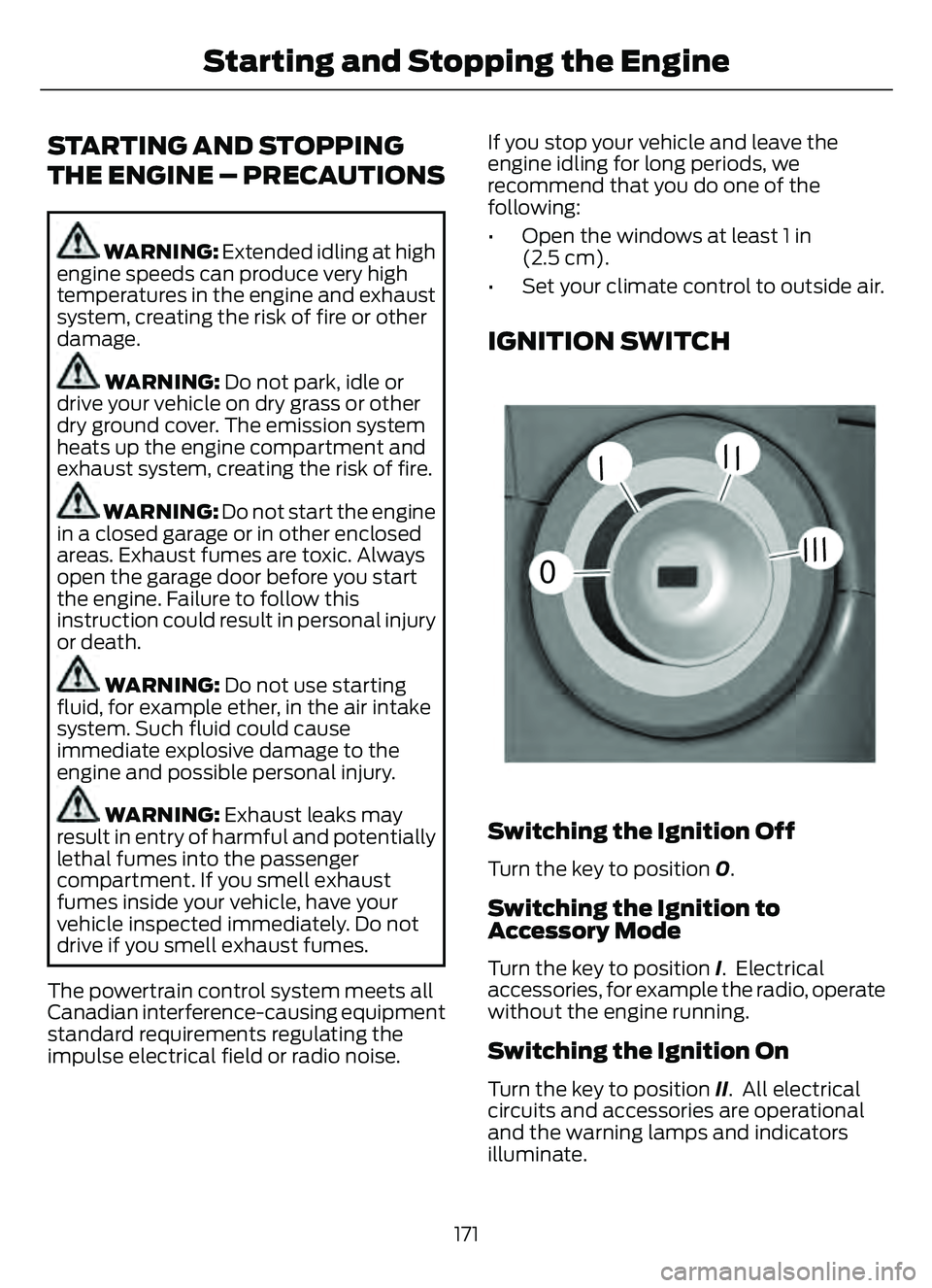
IGNITION SWITCH
55E252522
0
// /
///
Switching the Ignition Off
Turn the key to position 0.
Switching the Ignition to
Accessory Mode
Turn the key to position I. Electrical
accessories, for example the radio, operate
without the engine running.
Switching the Ignition On
Turn the key to position II. All electrical
circuits and accessories are operational
and the warning lamps and indicators
illuminate.
171
Starting and Stopping the Engine
Page 175 of 585
Starting the Engine
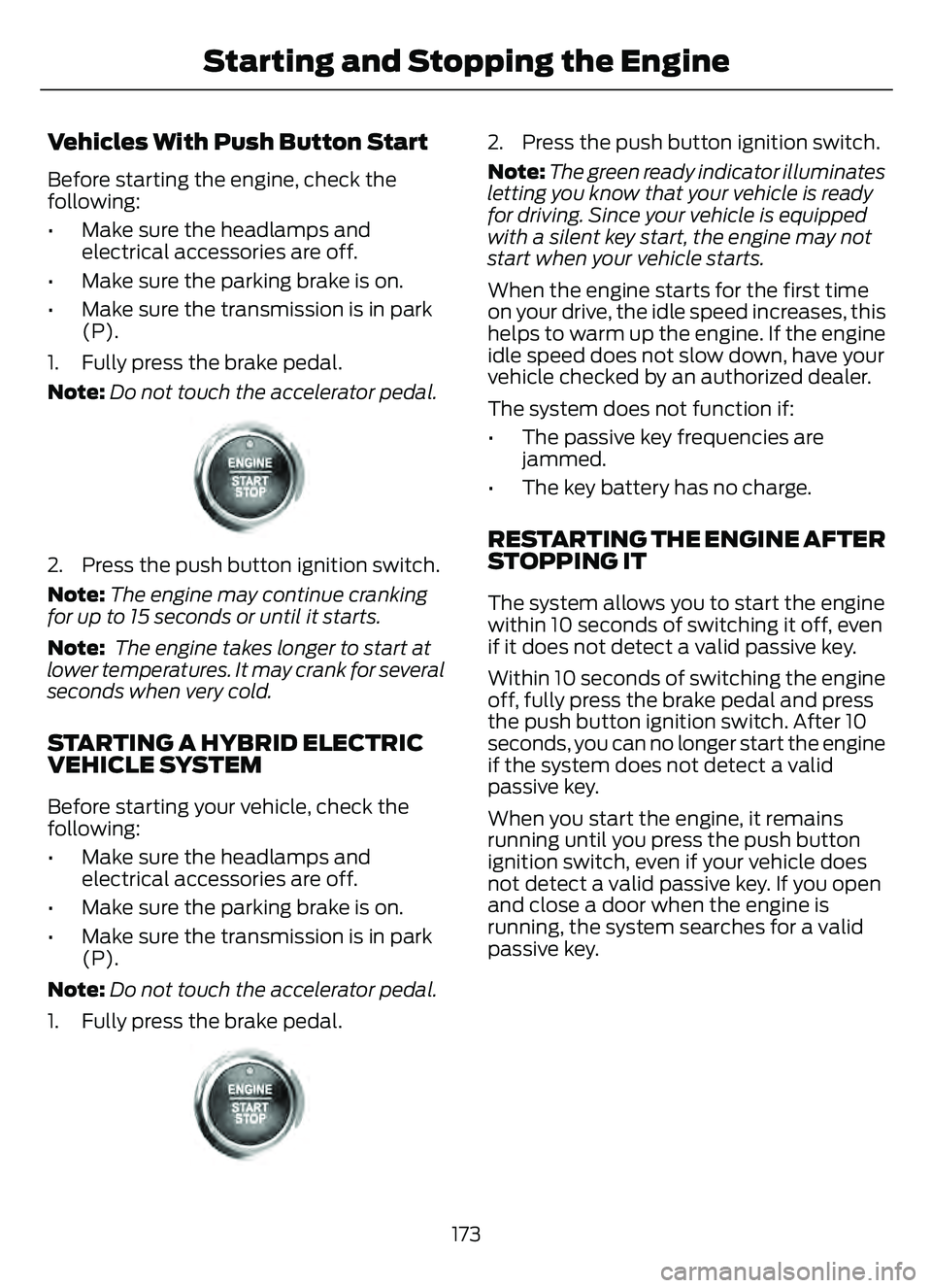
Turn the key to position III. Release the
key when the engine starts.
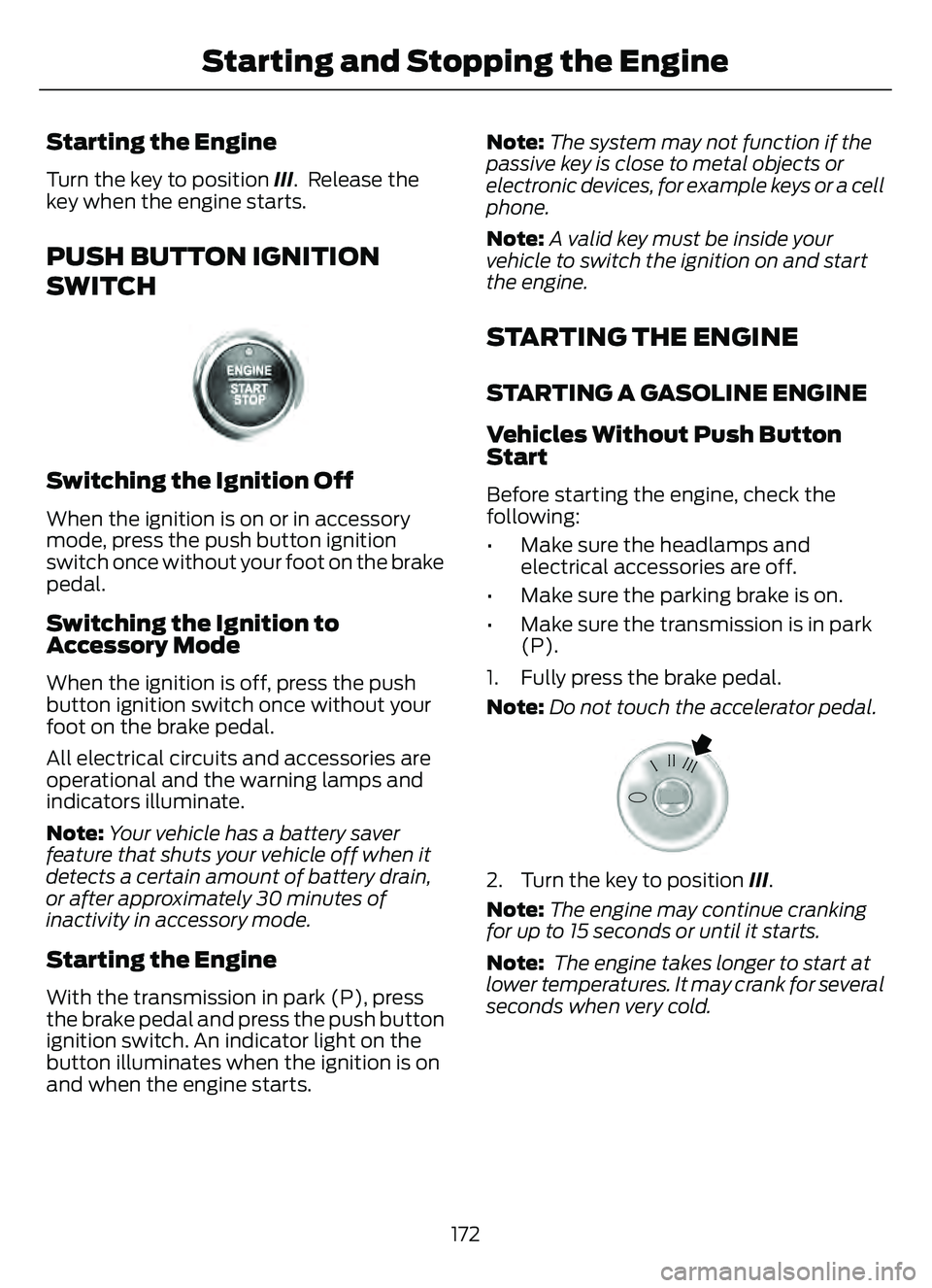
PUSH BUTTON IGNITION
SWITCH
E321258E321258
Switching the Ignition Off
When the ignition is on or in accessory
mode, press the push button ignition
switch once without your foot on the brake
pedal.
Switching the Ignition to
Accessory Mode
When the ignition is off, press the push
button ignition switch once without your
foot on the brake pedal.
All electrical circuits and accessories are
operational and the warning lamps and
indicators illuminate.
Note:Your vehicle has a battery saver
feature that shuts your vehicle off when it
detects a certain amount of battery drain,
or after approximately 30 minutes of
inactivity in accessory mode.
Starting the Engine
With the transmission in park (P), press
the brake pedal and press the push button
ignition switch. An indicator light on the
button illuminates when the ignition is on
and when the engine starts. Note:
The system may not function if the
passive key is close to metal objects or
electronic devices, for example keys or a cell
phone.
Note: A valid key must be inside your
vehicle to switch the ignition on and start
the engine.
STARTING THE ENGINE
STARTING A GASOLINE ENGINE
Vehicles Without Push Button
Start
Before starting the engine, check the
following:
• Make sure the headlamps and electrical accessories are off.
• Make sure the parking brake is on.
• Make sure the transmission is in park (P).
1. Fully press the brake pedal.
Note: Do not touch the accelerator pedal.
E322354E322354
2. Turn the key to position III.
Note: The engine may continue cranking
for up to 15 seconds or until it starts.
Note: The engine takes longer to start at
lower temperatures. It may crank for several
seconds when very cold.
172
Starting and Stopping the Engine
Page 176 of 585
Vehicles With Push Button Start
Before starting the engine, check the
following:
• Make sure the headlamps andelectrical accessories are off.
• Make sure the parking brake is on.
• Make sure the transmission is in park (P).
1. Fully press the brake pedal.
Note: Do not touch the accelerator pedal.
E321258E321258
2. Press the push button ignition switch.
Note:The engine may continue cranking
for up to 15 seconds or until it starts.
Note: The engine takes longer to start at
lower temperatures. It may crank for several
seconds when very cold.
STARTING A HYBRID ELECTRIC
VEHICLE SYSTEM
Before starting your vehicle, check the
following:
• Make sure the headlamps and electrical accessories are off.
• Make sure the parking brake is on.
• Make sure the transmission is in park (P).
Note: Do not touch the accelerator pedal.
1. Fully press the brake pedal.
E321258E321258
2. Press the push button ignition switch.
Note: The green ready indicator illuminates
letting you know that your vehicle is ready
for driving. Since your vehicle is equipped
with a silent key start, the engine may not
start when your vehicle starts.
When the engine starts for the first time
on your drive, the idle speed increases, this
helps to warm up the engine. If the engine
idle speed does not slow down, have your
vehicle checked by an authorized dealer.
The system does not function if:
• The passive key frequencies are jammed.
• The key battery has no charge.
RESTARTING THE ENGINE AFTER
STOPPING IT
The system allows you to start the engine
within 10 seconds of switching it off, even
if it does not detect a valid passive key.
Within 10 seconds of switching the engine
off, fully press the brake pedal and press
the push button ignition switch. After 10
seconds, you can no longer start the engine
if the system does not detect a valid
passive key.
When you start the engine, it remains
running until you press the push button
ignition switch, even if your vehicle does
not detect a valid passive key. If you open
and close a door when the engine is
running, the system searches for a valid
passive key.
173
Starting and Stopping the Engine