light FORD ESCAPE 2022 Service Manual
[x] Cancel search | Manufacturer: FORD, Model Year: 2022, Model line: ESCAPE, Model: FORD ESCAPE 2022Pages: 585, PDF Size: 6.15 MB
Page 197 of 585
E139203
A
B
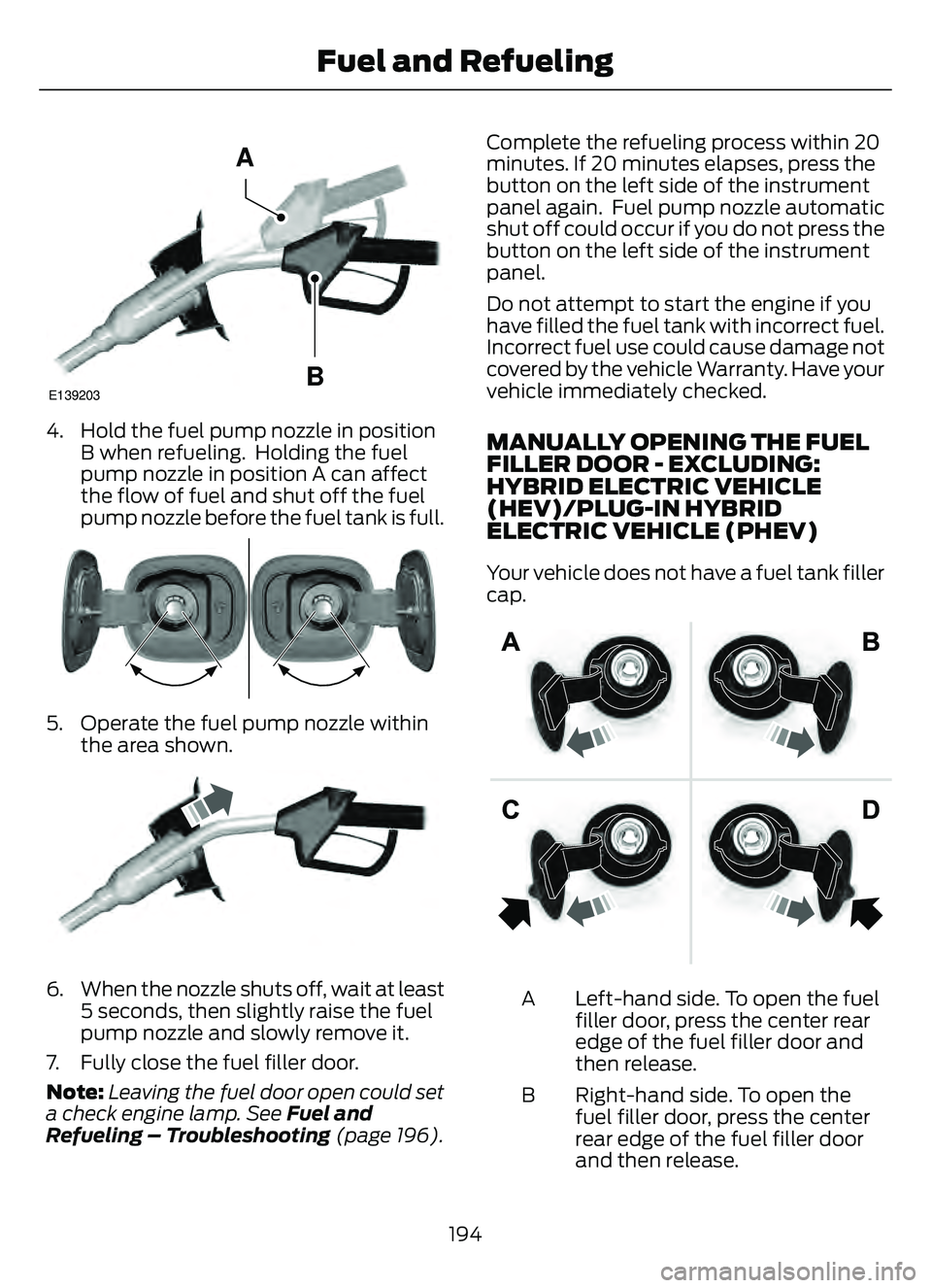
4. Hold the fuel pump nozzle in positionB when refueling. Holding the fuel
pump nozzle in position A can affect
the flow of fuel and shut off the fuel
pump nozzle before the fuel tank is full.
E337454E337454
5. Operate the fuel pump nozzle withinthe area shown.
E190819081
6. When the nozzle shuts off, wait at least5 seconds, then slightly raise the fuel
pump nozzle and slowly remove it.
7. Fully close the fuel filler door.
Note: Leaving the fuel door open could set
a check engine lamp. See Fuel and
Refueling – Troubleshooting (page 196). Complete the refueling process within 20
minutes. If 20 minutes elapses, press the
button on the left side of the instrument
panel again. Fuel pump nozzle automatic
shut off could occur if you do not press the
button on the left side of the instrument
panel.
Do not attempt to start the engine if you
have filled the fuel tank with incorrect fuel.
Incorrect fuel use could cause damage not
covered by
the vehicle Warranty. Have your
vehicle immediately checked.
MANUALLY OPENING THE FUEL
FILLER DOOR - EXCLUDING:
HYBRID ELECTRIC VEHICLE
(HEV)/PLUG-IN HYBRID
ELECTRIC VEHICLE (PHEV)
Your vehicle does not have a fuel tank filler
cap.
1
Left-hand side. To open the fuel
filler door, press the center rear
edge of the fuel filler door and
then release.
A
Right-hand side. To open the
fuel filler door, press the center
rear edge of the fuel filler door
and then release.
B
194
Fuel and Refueling
Page 199 of 585
In addition, the fuel tank contains an empty
reserve. The empty reserve is an
unspecified amount of fuel that remains
in the fuel tank when the fuel gauge
indicates empty.
Note:The amount of fuel in the empty
reserve varies and should not be relied upon
to increase driving range.FUEL AND REFUELING –
TROUBLESHOOTING
FUEL AND REFUELING –
WARNING LAMPS
If it illuminates when you are
driving, refuel as soon as
possible.
FUEL AND REFUELING – INFORMATION MESSAGES - EXCLUDING:
HYBRID ELECTRIC VEHICLE (HEV)/PLUG-IN HYBRID ELECTRIC VEHICLE
(PHEV)
Action
Message
An early reminder of a low fuel condition.
Fuel Level Low
The fuel fill inlet may not be properly closed.
Check Fuel Fill Inlet
A reminder to close the fuel door. Failure to follow this
instruction can cause the check engine light to illuminate.
Fuel door ajar Close fully
to avoid ""CheckEngine"" light
There is an error in attempting to refill your vehicle.
Refuel Error See Manual
196
Fuel and Refueling
Page 200 of 585
FUEL AND REFUELING – INFORMATION MESSAGES - HYBRID ELECTRIC
VEHICLE (HEV)/PLUG-IN HYBRID ELECTRIC VEHICLE (PHEV)
Action
Message
An early reminder of a low fuel condition.
Fuel Level Low
The fuel fill inlet may not be properly closed.
Check Fuel Fill Inlet
The information message appears while the fuel system is
depressurizing with the fuel filler door closed. Wait for the fuel
system to depressurize and for the fuel filler door to unlatch.
Please wait for fuel door
to open
The information message appears when the fuel system has
depressurized and opened the fuel filler door. Fully open the
fuel filler door to refuel and fully close the fuel filler door when
refueling is complete.
Fuel Door Open
Your vehicle is equipped with a sealed fuel system that
requires the fuel filler door to be fully closed after refueling.
This warning message appears when the fuel filler door is ajar.
Please fully close the fuel filler door to avoid a "Check Engine"
Light.
Fuel door ajar Close fully
to avoid ""CheckEngine"" light
If you see this message and a "Check Engine" lamp illumin-
ates, please fully close the fuel filler door. The "Check Engine"
Light should clear within five seconds. If the "Check Engine"
light persists, please see your dealer.
The information message appears when the fuel system fails
to depressurize, or the fuel filler door fails to open. You could
have to use the fuel filler door manual override lever when
opening the fuel door.
Refuel Error See Manual
197
Fuel and Refueling
Page 203 of 585
WHAT IS AC CHARGING
AC charging is the preferred method of
charging. AC charging preserves the health
of the battery for longer battery life.
CHARGING YOUR VEHICLE
PRECAUTIONS
WARNING: In Canada, do not use
the 120 volt convenience cord in
commercial garages.
WARNING: This equipment has
arcing or sparking parts. Do not expose
to flammable vapors. Position this
equipment at least 18 in (450 mm)
above the floor.
WARNING: The AC wall plug must
fit firmly into the AC outlet. If the
connection feels loose, worn or the AC
outlet is damaged, please have a
qualified electrician replace the AC
outlet. Using a convenience cord with a
worn outlet may cause burns, property
damage and increase the risk of electric
shock.
WARNING: Do not use the 120 V
convenience cord with an extension cord,
two-prong adapter, surge protector,
timer or other adapter.
WARNING: Do not allow charging
equipment to be immersed in water or
liquids. Failure to follow this warning
could result in fire, serious personal injury
or death.
WARNING: Do not attempt to open
the charging equipment. Failure to follow
this instruction could result in personal
injury, death or property damage.
WARNING: Do not use the charging
equipment if it is faulty or has been
damaged. Failure to follow this
instruction could result in personal injury,
death or property damage.
WARNING: You risk death or
serious injury to yourself and others if you
do not follow the instruction highlighted
by the warning symbol. Failure to follow
the specific warnings and instructions
could result in personal injury.
WARNING: Install charging
equipment in compliance with local
regulations. Failure to follow this warning
could result in fire, serious personal injury
or death.
WARNING: Do not use an
ungrounded wall outlet. If you suspect
that the wall outlet is not properly
grounded, have a qualified electrician
inspect the wall outlet. Failure to follow
this instruction could result in personal
injury or death.
WARNING: Do not modify the
convenience cord plug. If the
convenience cord plug does not properly
fit into the wall outlet, have a qualified
electrician install the correct wall outlet.
Failure to follow this instruction could
result in personal injury or death.
CHARGING EQUIPMENT
• Read all the instructions before using this product.
• Supervise this device when in use around children.
• Do not put fingers into the electric vehicle connector.
200
Charging Your Vehicle - Plug-In Hybrid Electric Vehicle (PHEV)
(If Equipped)
Page 204 of 585
• Do not use this product if the flexiblepower cord or electric vehicle cable has
broken insulation, or any other signs of
damage.
• Do not use this product if the enclosure or the electric vehicle connector is
broken, cracked, open, or shows any
other indication of damage.
Note: Ground this product. If it
malfunctions or breaks down, grounding
provides a path of least resistance for
electric current to reduce the risk of electric
shock. This product comes with a cord
having an equipment grounding conductor
and a grounding plug. Make sure you plug it
into an appropriate outlet that is properly
installed and grounded in accordance with
all local codes and ordinances.
Note: You need to plug the convenience
cord into a dedicated outlet.
Note: Firmly fit the AC wall plug into the
AC outlet. If the connection feels loose,
worn or the AC outlet is damaged, please
have a qualified electrician replace the AC
outlet. Using a convenience cord with a
worn outlet could cause burns, property
damage and increase the risk of electric
shock.
Note: Do not use the 120 volt convenience
cord with an extension cord, two-prong
adapter, surge protector, timer or other
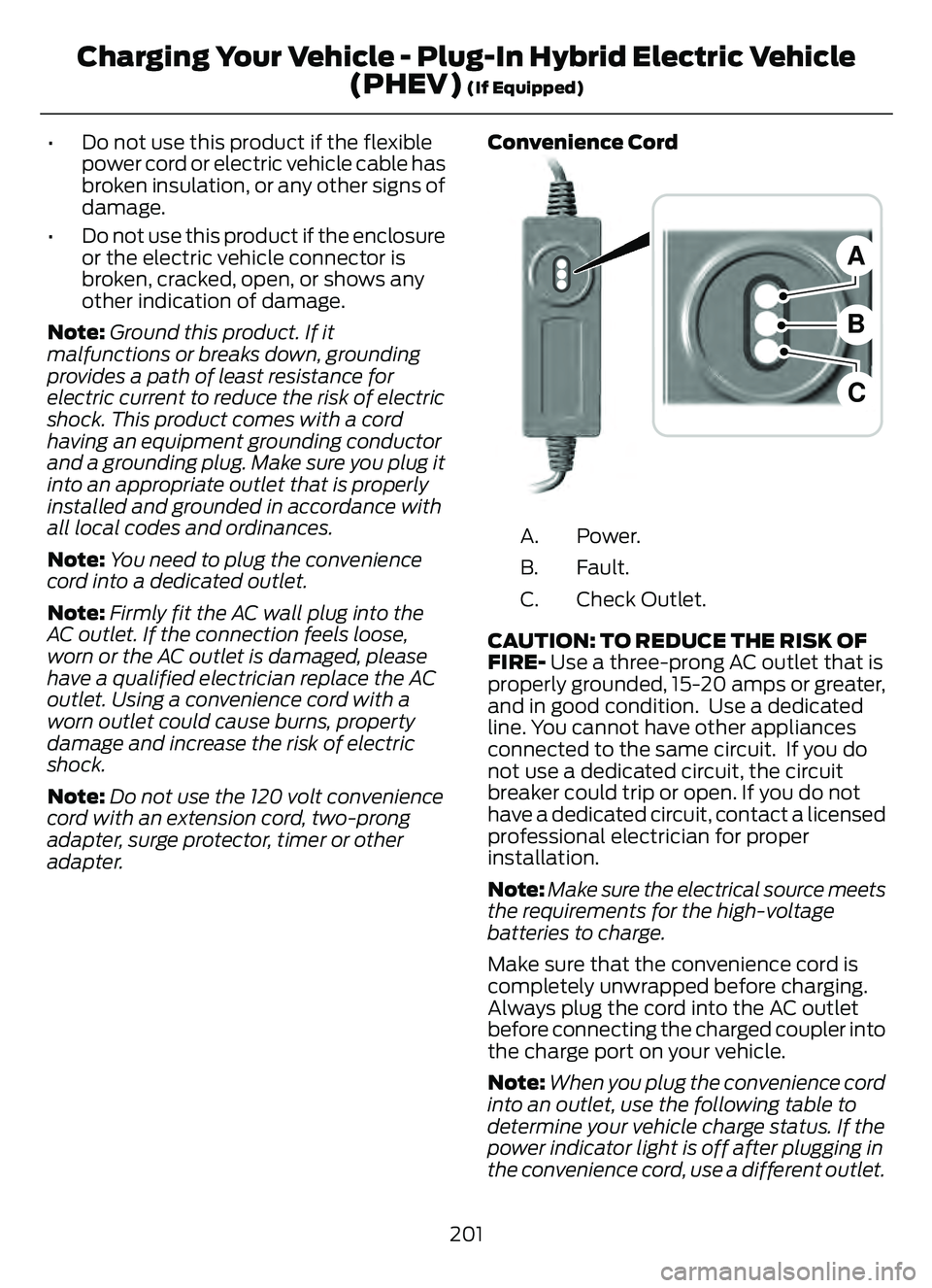
adapter. Convenience Cord
E299688E299688
B
A
C
Power.
A.
Fault.
B.
Check Outlet.
C.
CAUTION: TO REDUCE THE RISK OF
FIRE- Use a three-prong AC outlet that is
properly grounded, 15-20 amps or greater,
and in good condition. Use a dedicated
line. You cannot have other appliances
connected to the same circuit. If you do
not use a dedicated circuit, the circuit
breaker could trip or open. If you do not
have a dedicated circuit, contact a licensed
professional electrician for proper
installation.
Note: Make sure the electrical source meets
the requirements for the high-voltage
batteries to charge.
Make sure that the convenience cord is
completely unwrapped before charging.
Always plug the cord into the AC outlet
before connecting the charged coupler into
the charge port on your vehicle.
Note: When you plug the convenience cord
into an outlet, use the following table to
determine your vehicle charge status. If the
power indicator light is off after plugging in
the convenience cord, use a different outlet.
201
Charging Your Vehicle - Plug-In Hybrid Electric Vehicle (PHEV)
(If Equipped)
Page 207 of 585
E295258
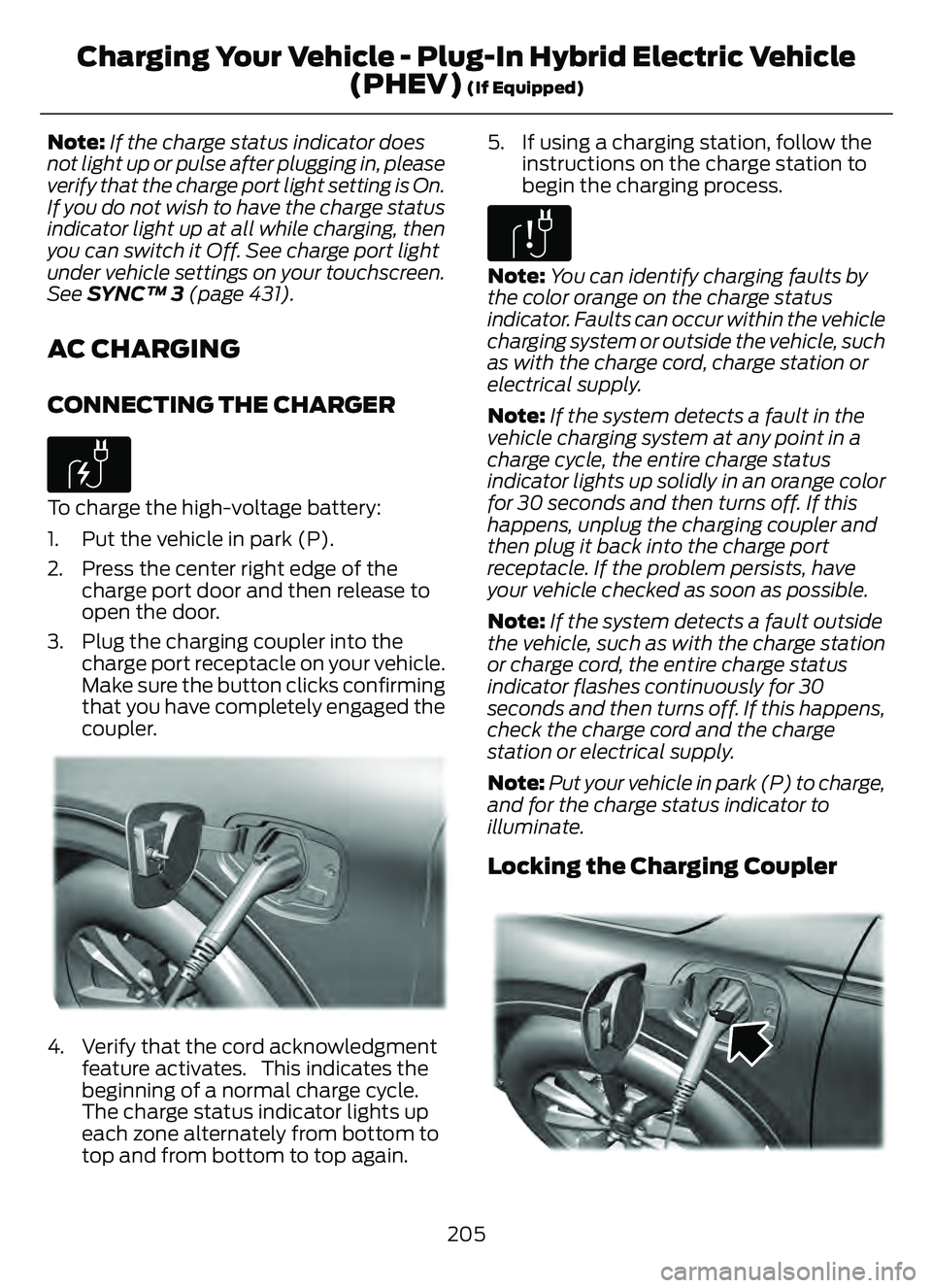
Note: Do not force the charge port door
open or closed. Forcing the door open or
closed damages the charge port.
CHARGE PORT INDICATORS
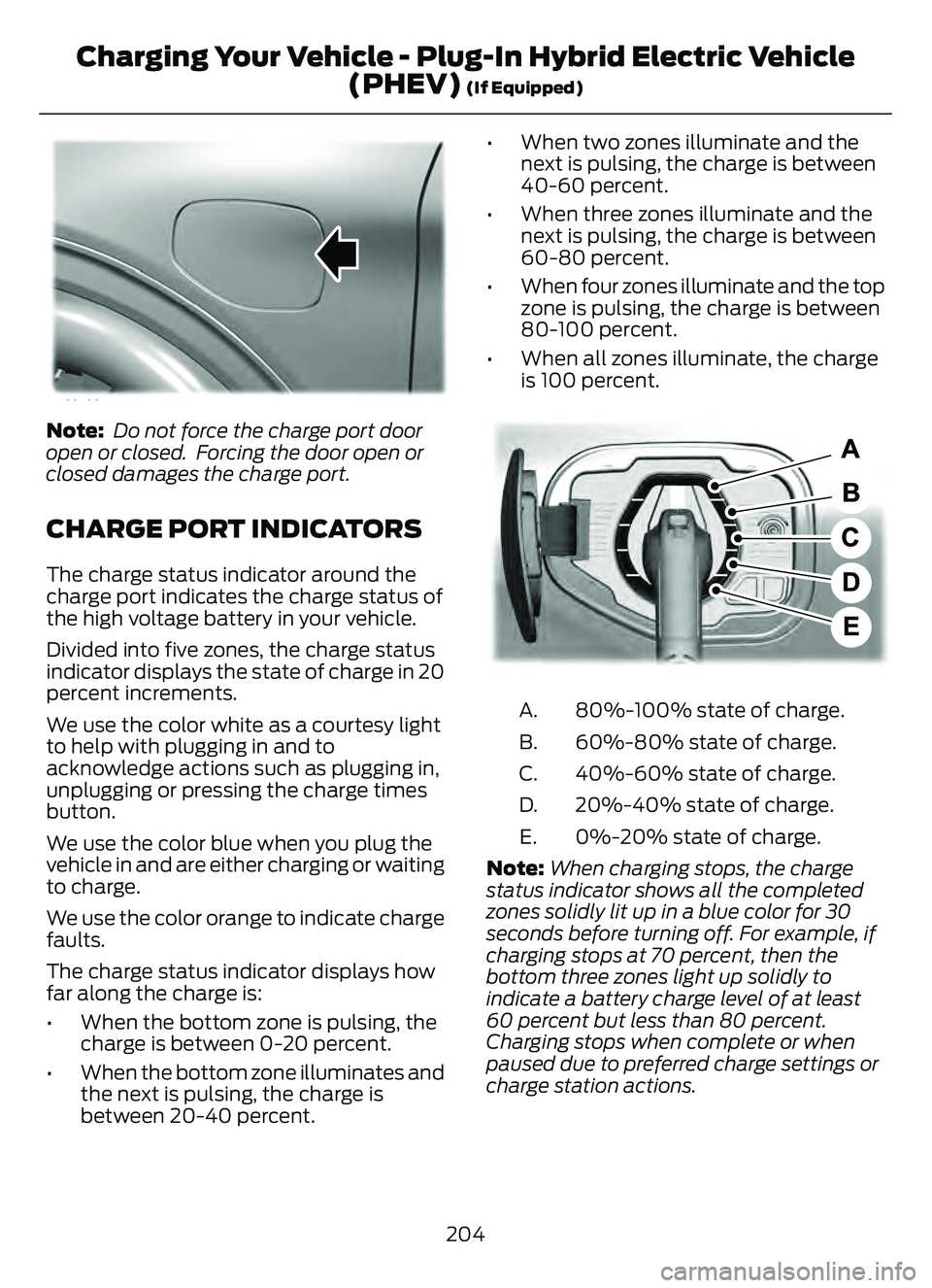
The charge status indicator around the
charge port indicates the charge status of
the high voltage battery in your vehicle.
Divided into five zones, the charge status
indicator displays the state of charge in 20
percent increments.
We use the color white as a courtesy light
to help with plugging in and to
acknowledge actions such as plugging in,
unplugging or pressing the charge times
button.
We use the color blue when you plug the
vehicle in and are either charging or waiting
to charge.
We use the color orange to indicate charge
faults.
The charge status indicator displays how
far along the charge is:
• When the bottom zone is pulsing, the charge is between 0-20 percent.
• When the bottom zone illuminates and the next is pulsing, the charge is
between 20-40 percent. • When two zones illuminate and the
next is pulsing, the charge is between
40-60 percent.
• When three zones illuminate and the next is pulsing, the charge is between
60-80 percent.
• When four zones illuminate and the top zone is pulsing, the charge is between
80-100 percent.
• When all zones illuminate, the charge is 100 percent.
E301E301E301E301E301E301E301301330133019719719719719719719719797197
80%-100% state of charge.
A.
60%-80% state of charge.
B.
40%-60% state of charge.
C.
20%-40% state of charge.
D.
0%-20% state of charge.
E.
Note: When charging stops, the charge
status indicator shows all the completed
zones solidly lit up in a blue color for 30
seconds before turning off. For example, if
charging stops at 70 percent, then the
bottom three zones light up solidly to
indicate a battery charge level of at least
60 percent but less than 80 percent.
Charging stops when complete or when
paused due to preferred charge settings or
charge station actions.
204
Charging Your Vehicle - Plug-In Hybrid Electric Vehicle (PHEV)
(If Equipped)
Page 208 of 585
Note:If the charge status indicator does
not light up or pulse after plugging in, please
verify that the charge port light setting is On.
If you do not wish to have the charge status
indicator light up at all while charging, then
you can switch it Off. See charge port light
under vehicle settings on your touchscreen.
See SYNC™ 3 (page 431).
AC CHARGING
CONNECTING THE CHARGER
E306676To charge the high-voltage battery:
1. Put the vehicle in park (P).
2. Press the center right edge of the
charge port door and then release to
open the door.
3. Plug the charging coupler into the charge port receptacle on your vehicle.
Make sure the button clicks confirming
that you have completely engaged the
coupler.
E295257E295257E29529522295229292929295295955295295292952992952295295995225725722577222557257257257225257252572572557
4. Verify that the cord acknowledgmentfeature activates. This indicates the
beginning of a normal charge cycle.
The charge status indicator lights up
each zone alternately from bottom to
top and from bottom to top again. 5. If using a charging station, follow the
instructions on the charge station to
begin the charging process.
E306677
Note: You can identify charging faults by
the color orange on the charge status
indicator. Faults can occur within the vehicle
charging system or outside the vehicle, such
as with the charge cord, charge station or
electrical supply.
Note: If the system detects a fault in the
vehicle charging system at any point in a
charge cycle, the entire charge status
indicator lights up solidly in an orange color
for 30 seconds and then turns off. If this
happens, unplug the charging coupler and
then plug it back into the charge port
receptacle. If the problem persists, have
your vehicle checked as soon as possible.
Note: If the system detects a fault outside
the vehicle, such as with the charge station
or charge cord, the entire charge status
indicator flashes continuously for 30
seconds and then turns off. If this happens,
check the charge cord and the charge
station or electrical supply.
Note: Put your vehicle in park (P) to charge,
and for the charge status indicator to
illuminate.
Locking the Charging Coupler
95 5E295451E295451
205
Charging Your Vehicle - Plug-In Hybrid Electric Vehicle (PHEV)
(If Equipped)
Page 209 of 585
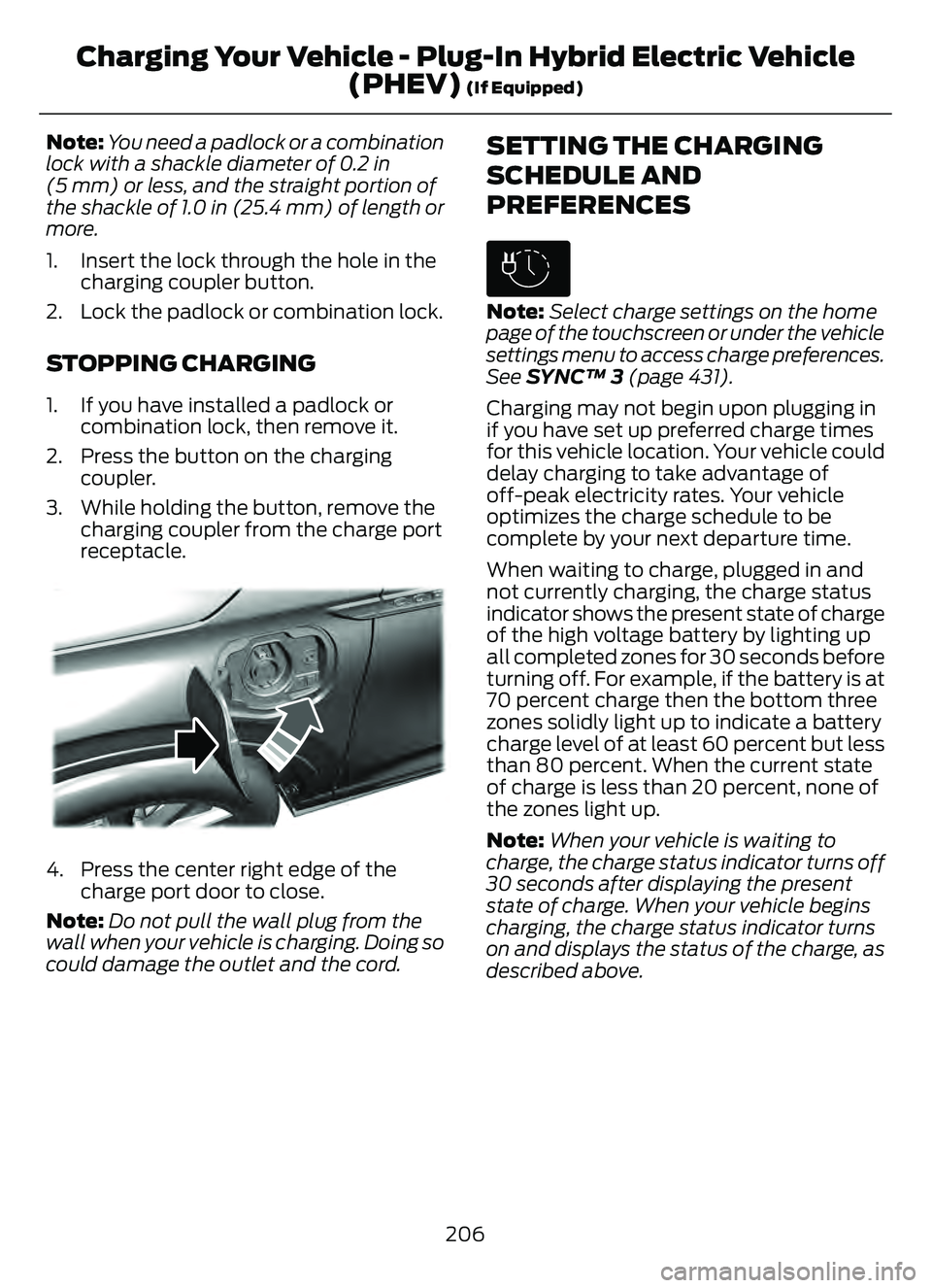
Note:You need a padlock or a combination
lock with a shackle diameter of 0.2 in
(5 mm) or less, and the straight portion of
the shackle of 1.0 in (25.4 mm) of length or
more.
1. Insert the lock through the hole in the charging coupler button.
2. Lock the padlock or combination lock.
STOPPING CHARGING
1. If you have installed a padlock or combination lock, then remove it.
2. Press the button on the charging coupler.
3. While holding the button, remove the charging coupler from the charge port
receptacle.
E295444E295444E295444
4. Press the center right edge of thecharge port door to close.
Note: Do not pull the wall plug from the
wall when your vehicle is charging. Doing so
could damage the outlet and the cord.
SETTING THE CHARGING
SCHEDULE AND
PREFERENCES
E306678
Note: Select charge settings on the home
page of the touchscreen or under the vehicle
settings menu to access charge preferences.
See SYNC™ 3 (page 431).
Charging may not begin upon plugging in
if you have set up preferred charge times
for this vehicle location. Your vehicle could
delay charging to take advantage of
off-peak electricity rates. Your vehicle
optimizes the charge schedule to be
complete by your next departure time.
When waiting to charge, plugged in and
not currently charging, the charge status
indicator shows the present state of charge
of the high voltage battery by lighting up
all completed zones for 30 seconds before
turning off. For example, if the battery is at
70 percent charge then the bottom three
zones solidly light up to indicate a battery
charge level of at least 60 percent but less
than 80 percent. When the current state
of charge is less than 20 percent, none of
the zones light up.
Note: When your vehicle is waiting to
charge, the charge status indicator turns off
30 seconds after displaying the present
state of charge. When your vehicle begins
charging, the charge status indicator turns
on and displays the status of the charge, as
described above.
206
Charging Your Vehicle - Plug-In Hybrid Electric Vehicle (PHEV)
(If Equipped)
Page 228 of 585
HOW DOES TRACTION
CONTROL WORK
If your vehicle begins to slide, the system
applies the brakes to individual wheels
and, when needed, reduces power at the
same time. If the wheels spin when
accelerating on slippery or loose surfaces,
the system reduces power in order to
increase traction.
SWITCHING TRACTION
CONTROL ON AND OFF
WARNING: The stability and
traction control light illuminates steadily
if the system detects a failure. Make sure
you did not manually disable the traction
control system using the information
display controls or the switch. If the
stability control and traction control light
is still illuminating steadily, have the
system serviced by an authorized dealer
immediately. Operating your vehicle with
the traction control disabled could lead
to an increased risk of loss of vehicle
control, vehicle rollover, personal injury
and death.
The traction control system turns on each
time you switch the power on.
If your vehicle is stuck in mud or snow,
switching traction control off may be
beneficial as this allows the wheels to spin. Note:
When you switch traction control off,
stability control remains fully active.
Your vehicle could have MyKey restrictions
regarding this feature. See What Is
MyKey (page 64).
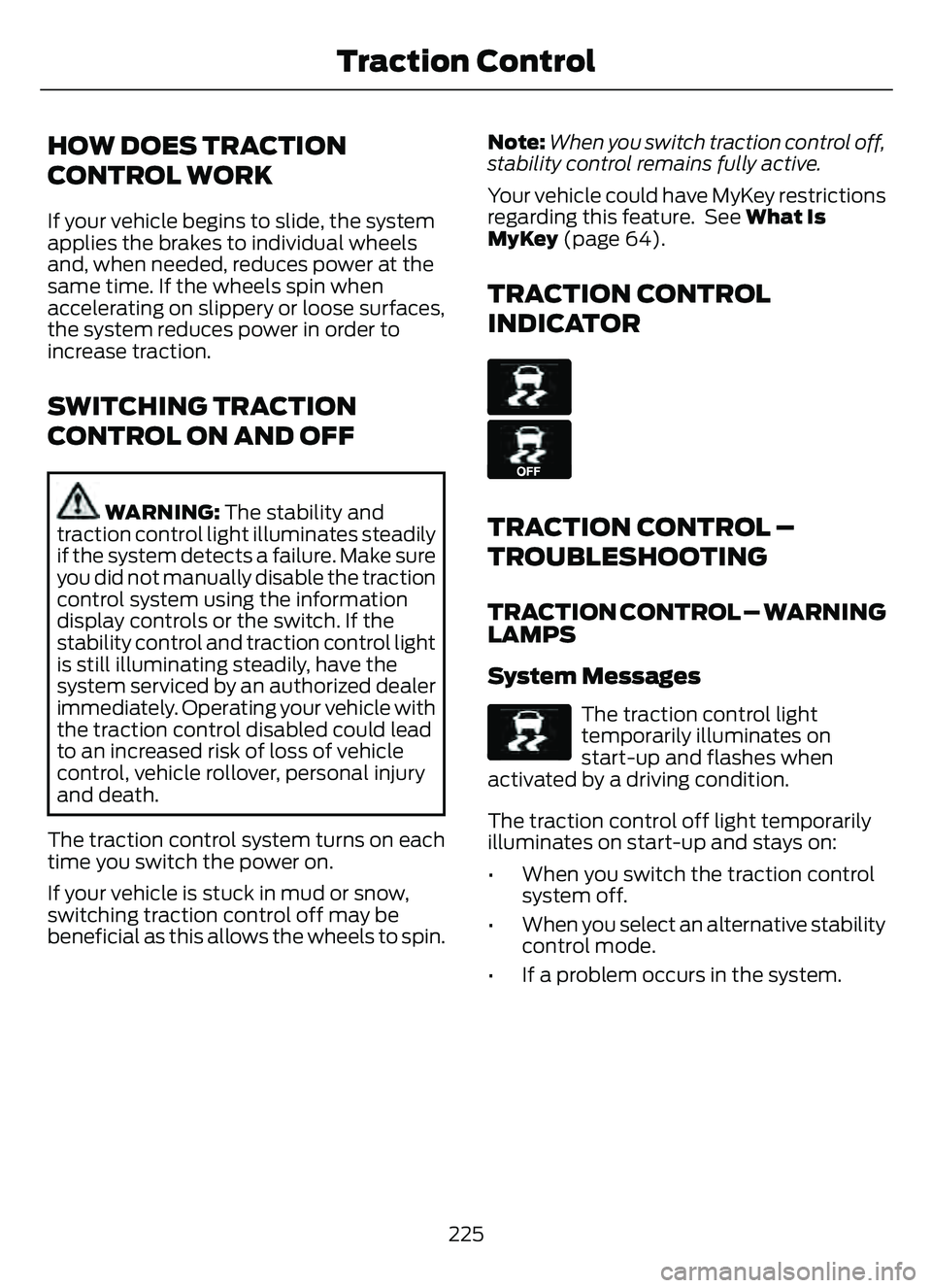
TRACTION CONTROL
INDICATOR
E138639
E130458
TRACTION CONTROL –
TROUBLESHOOTING
TRACTION CONTROL – WARNING
LAMPS
System Messages
E138639
The traction control light
temporarily illuminates on
start-up and flashes when
activated by a driving condition.
The traction control off light temporarily
illuminates on start-up and stays on:
• When you switch the traction control system off.
• When you select an alternative stability control mode.
• If a problem occurs in the system.
225
Traction Control
Page 230 of 585
HOW DOES STABILITY
CONTROL WORK
WARNING: Vehicle modifications
involving braking system, aftermarket
roof racks, suspension, steering system,
tire construction and wheel and tire size
may change the handling characteristics
of your vehicle and may adversely affect
the performance of the electronic
stability control system. In addition,
installing any stereo loudspeakers may
interfere with and adversely affect the
electronic stability control system. Install
any aftermarket stereo loudspeaker as
far as possible from the front center
console, the tunnel, and the front seats
in order to minimize the risk of interfering
with the electronic stability control
sensors. Reducing the effectiveness of
the electronic stability control system
could lead to an increased risk of loss of
vehicle control, vehicle rollover, personal
injury and death.
WARNING: Remember that even
advanced technology cannot defy the
laws of physics. It's always possible to
lose control of a vehicle due to
inappropriate driver input for the
conditions. Aggressive driving on any
road condition can cause you to lose
control of your vehicle increasing the risk
of personal injury or property damage.
Activation of the electronic stability
control system is an indication that at
least some of the tires have exceeded
their ability to grip the road; this could
reduce the operator's ability to control
the vehicle potentially resulting in a loss
of vehicle control, vehicle rollover,
personal injury and death. If your
electronic stability control system
activates, SLOW DOWN. If a driving condition activates either the
stability control or the traction control
system you may experience the following
conditions:
• The stability and traction control light
flashes.
• Your vehicle slows down.
• Reduced engine power.
The stability control system has several
features built into it to help you maintain
control of your vehicle:
Electronic Stability Control
Electronic stability control enhances your
vehicle’s ability to prevent skids or lateral
slides by applying brakes to one or more
of the wheels individually and, if necessary,
reducing engine power.
Roll Stability Control
Roll stability control enhances your
vehicle’s ability to prevent rollovers by
detecting your vehicle’s roll motion and
the rate at which it changes by applying
the brakes to one or more wheels
individually.
Curve Control
Curve control enhances your vehicle’s
ability to follow the road when cornering
severely or avoiding objects in the roadway.
Curve control operates by reducing engine
power and, if necessary, applying brakes
to one or more of the wheels individually.
Traction Control
Traction control enhances your vehicle’s
ability to maintain traction of the wheels
by detecting and controlling wheel spin.
See How Does Traction Control Work
(page 225).
227
Stability Control