lock FORD ESCORT 1999 6.G User Guide
[x] Cancel search | Manufacturer: FORD, Model Year: 1999, Model line: ESCORT, Model: FORD ESCORT 1999 6.GPages: 200, PDF Size: 1.82 MB
Page 48 of 200
Downloaded from www.Manualslib.com manuals search engine To return to a previously set speed
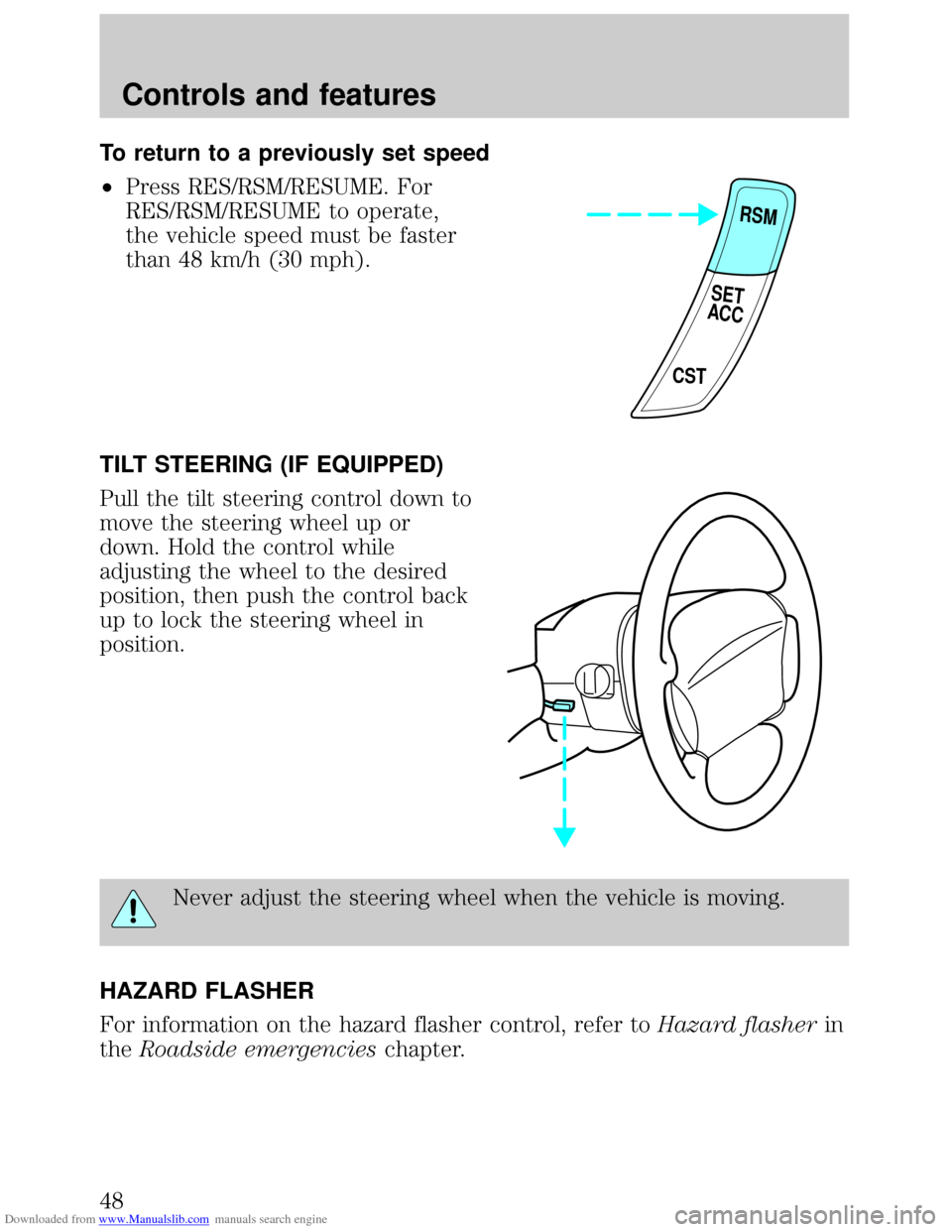
²Press RES/RSM/RESUME. For
RES/RSM/RESUME to operate,
the vehicle speed must be faster
than 48 km/h (30 mph).
TILT STEERING (IF EQUIPPED)
Pull the tilt steering control down to
move the steering wheel up or
down. Hold the control while
adjusting the wheel to the desired
position, then push the control back
up to lock the steering wheel in
position.
Never adjust the steering wheel when the vehicle is moving.
HAZARD FLASHER
For information on the hazard flasher control, refer toHazard flasherin
theRoadside emergencieschapter.
RSM
CST
SET
ACC
Controls and features
48
Page 52 of 200
Downloaded from www.Manualslib.com manuals search engine POWER DOOR LOCKS (IF EQUIPPED)
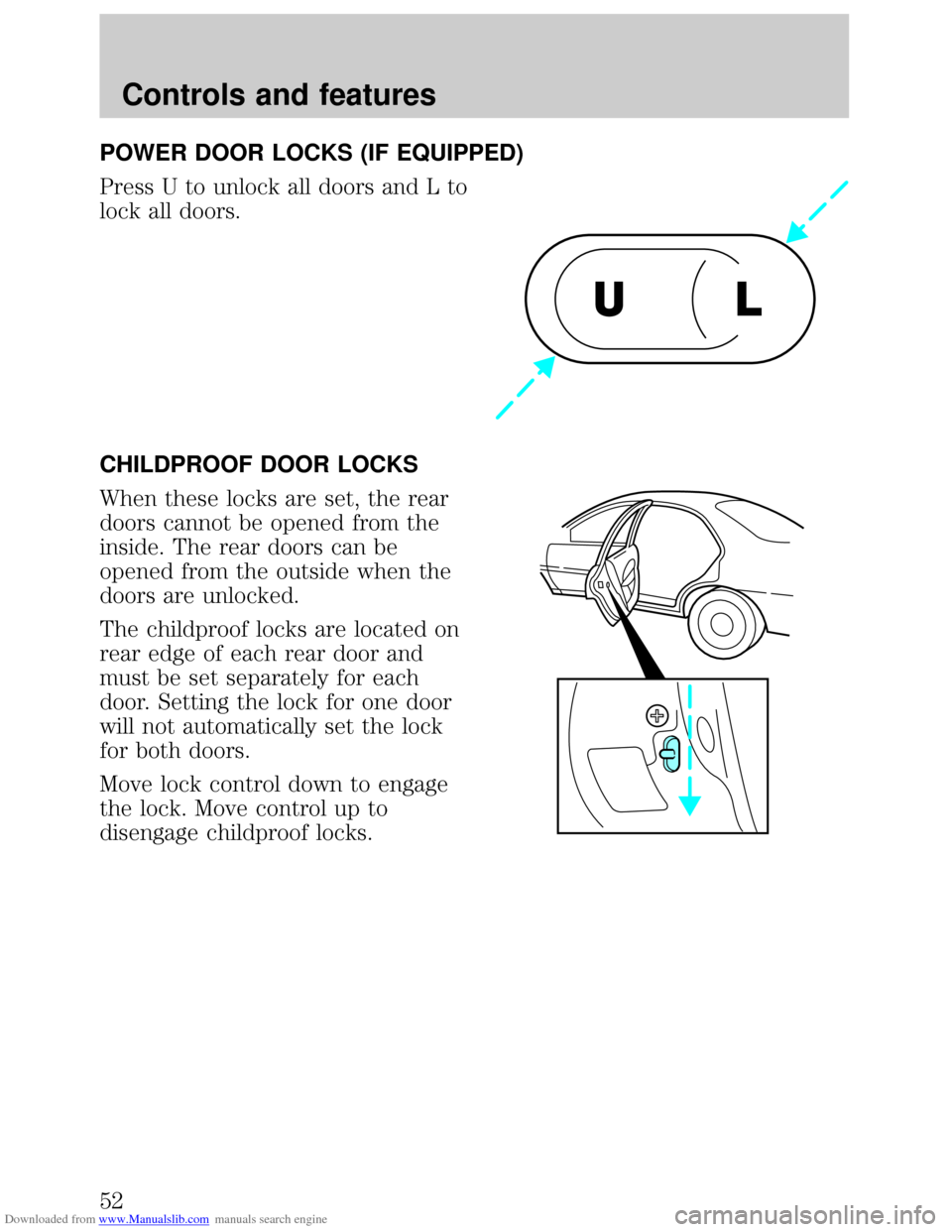
Press U to unlock all doors and L to
lock all doors.
CHILDPROOF DOOR LOCKS
When these locks are set, the rear
doors cannot be opened from the
inside. The rear doors can be
opened from the outside when the
doors are unlocked.
The childproof locks are located on
rear edge of each rear door and
must be set separately for each
door. Setting the lock for one door
will not automatically set the lock
for both doors.
Move lock control down to engage
the lock. Move control up to
disengage childproof locks.
UL
Controls and features
52
Page 54 of 200
Downloaded from www.Manualslib.com manuals search engine POSITIVE RETENTION FLOOR MAT
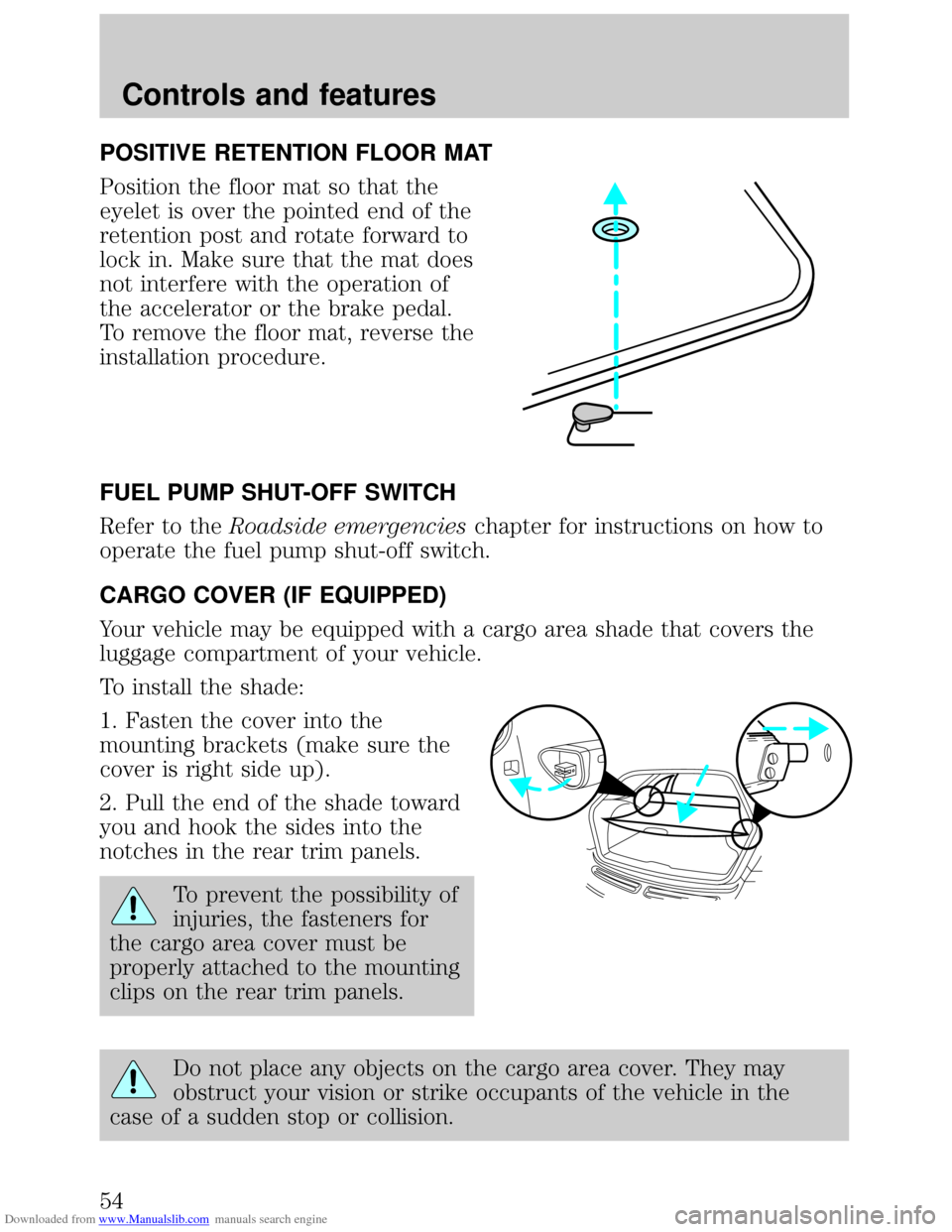
Position the floor mat so that the
eyelet is over the pointed end of the
retention post and rotate forward to
lock in. Make sure that the mat does
not interfere with the operation of
the accelerator or the brake pedal.
To remove the floor mat, reverse the
installation procedure.
FUEL PUMP SHUT-OFF SWITCH
Refer to theRoadside emergencieschapter for instructions on how to
operate the fuel pump shut-off switch.
CARGO COVER (IF EQUIPPED)
Your vehicle may be equipped with a cargo area shade that covers the
luggage compartment of your vehicle.
To install the shade:
1. Fasten the cover into the
mounting brackets (make sure the
cover is right side up).
2. Pull the end of the shade toward
you and hook the sides into the
notches in the rear trim panels.
To prevent the possibility of
injuries, the fasteners for
the cargo area cover must be
properly attached to the mounting
clips on the rear trim panels.
Do not place any objects on the cargo area cover. They may
obstruct your vision or strike occupants of the vehicle in the
case of a sudden stop or collision.
Controls and features
54
Page 55 of 200
Downloaded from www.Manualslib.com manuals search engine REMOTE ENTRY SYSTEM
Your vehicle may have an all-door remote entry system or a driver's door
only remote entry system.
The all-door remote entry system allows you to:
²lock or unlock all vehicle doors without a key.
²arm and disarm the anti-theft system. (For more information on the
anti-theft system, refer toAnti-theft systemin this chapter.)
²open the trunk or unlock liftgate (wagons).
²activate the panic alarm.
The driver's door only entry system allows you to:
²lock the driver's door and liftgate (wagons).
²unlock the driver's door only without a key.
²activate the panic alarm.
²open the trunk or unlock liftgate (wagons).
The remote entry features only operate with the ignition in the OFF
position.
If there is any potential remote keyless entry problem with your vehicle,
ensureALL key fobs(remote entry transmitters) are brought to the
dealership, to aid in troubleshooting.
Unlocking the doors
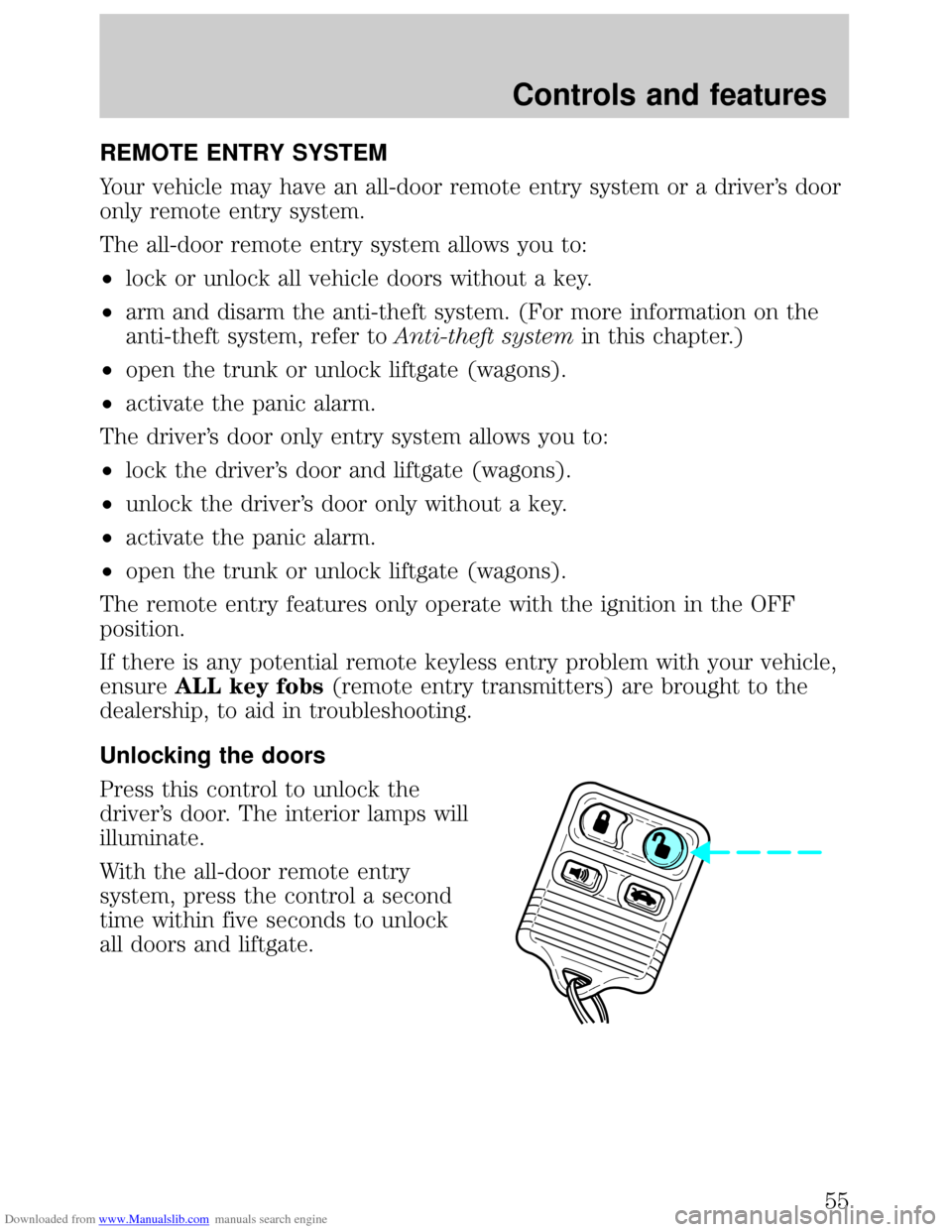
Press this control to unlock the
driver's door. The interior lamps will
illuminate.
With the all-door remote entry
system, press the control a second
time within five seconds to unlock
all doors and liftgate.
Controls and features
55
Page 56 of 200
Downloaded from www.Manualslib.com manuals search engine Locking the doors
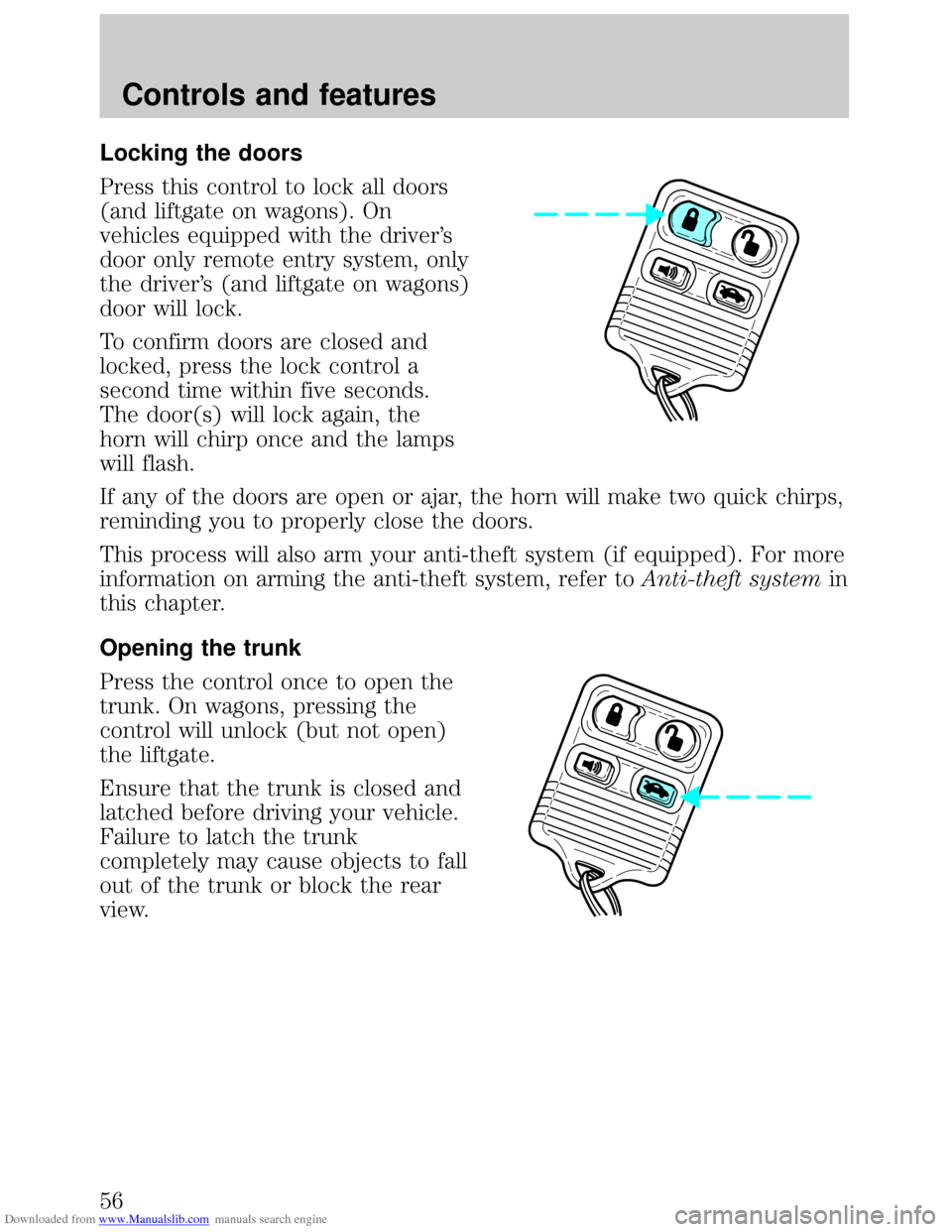
Press this control to lock all doors
(and liftgate on wagons). On
vehicles equipped with the driver's
door only remote entry system, only
the driver's (and liftgate on wagons)
door will lock.
To confirm doors are closed and
locked, press the lock control a
second time within five seconds.
The door(s) will lock again, the
horn will chirp once and the lamps
will flash.
If any of the doors are open or ajar, the horn will make two quick chirps,
reminding you to properly close the doors.
This process will also arm your anti-theft system (if equipped). For more
information on arming the anti-theft system, refer toAnti-theft systemin
this chapter.
Opening the trunk
Press the control once to open the
trunk. On wagons, pressing the
control will unlock (but not open)
the liftgate.
Ensure that the trunk is closed and
latched before driving your vehicle.
Failure to latch the trunk
completely may cause objects to fall
out of the trunk or block the rear
view.
Controls and features
56
Page 58 of 200
Downloaded from www.Manualslib.com manuals search engine Replacement of the battery willnotcause the remote transmitter to
become deprogrammed from your vehicle. The remote transmitter should
operate normally after battery replacement.
Replacing lost transmitters
Take all your vehicle's transmitters
to your dealer if service is required.
If you purchase additional
transmitters (up to four may be
programmed), perform the following
procedure:
To reprogram the transmitters, place
the key in the ignition and turn
from OFF to ON eight times in rapid
succession (within 10 seconds)
ending in ON. After doors lock/unlock, press any control on all
transmitters (up to four). With each control press of the transmitters,
the door should cycle (lock/unlock) to confirm programming. When
completed, turn the ignition to OFF. The door locks should cycle
(lock/unlock) one last time and the horn will chirp to confirm completion
of programming.
All transmitters must be programmed at the same time.
Illuminated entry
Interior lamps will illuminate when UNLOCK or PANIC control is
pressed. The lamps will illuminate for approximately 20 seconds or until
the key is inserted in the ignition and turned to ON or until LOCK
control is pressed. The dome lamp must be set to the DOOR position in
order for the illuminated entry system to operate.
ANTI-THEFT SYSTEM (IF EQUIPPED)
When armed, the anti-theft system will help prevent your vehicle from
unauthorized entry.
If there is any potential perimeter anti-theft problem with your vehicle,
ensureALL key fobs(remote entry transmitters) are brought to the
dealership, to aid in troubleshooting.
Controls and features
58
Page 59 of 200
Downloaded from www.Manualslib.com manuals search engine Arming the anti-theft system
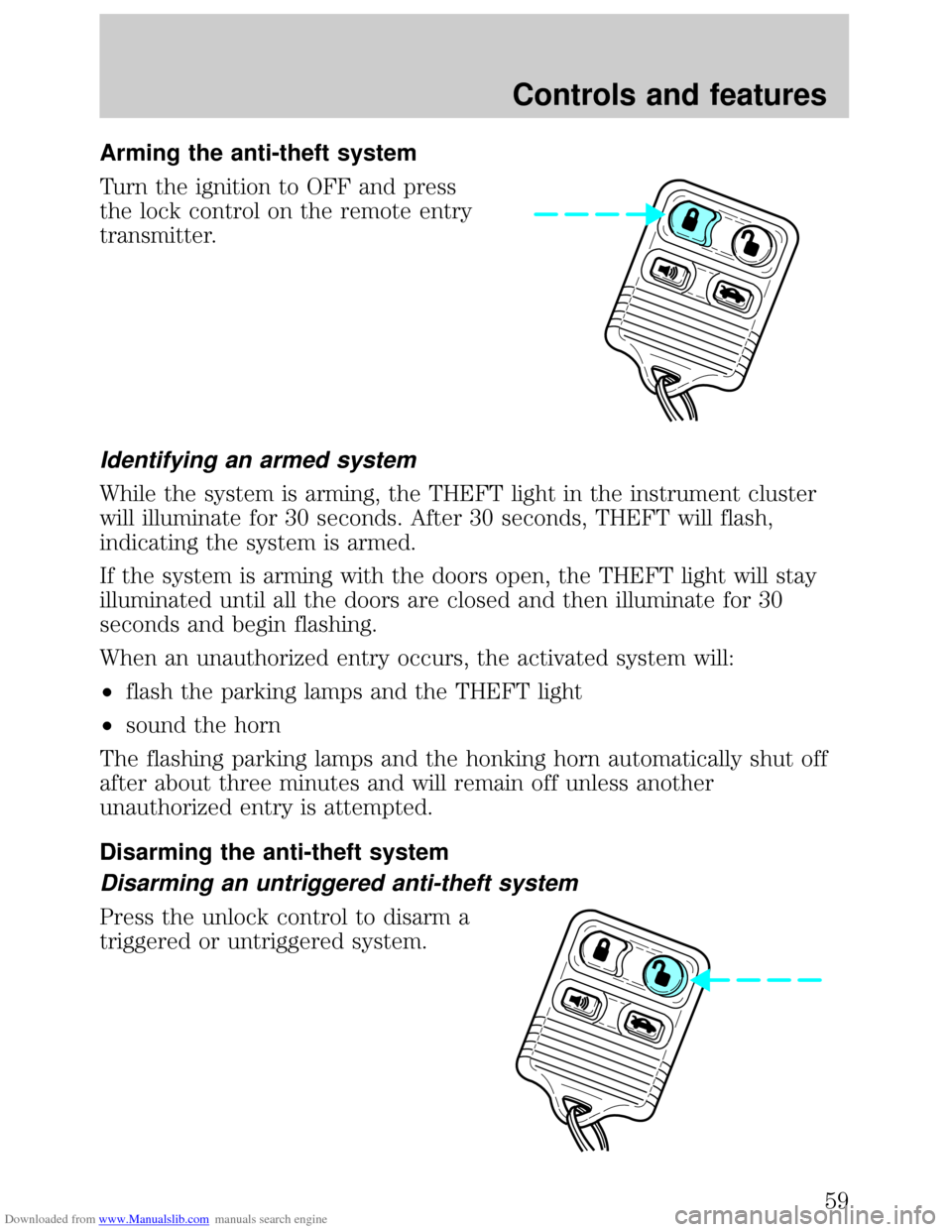
Turn the ignition to OFF and press
the lock control on the remote entry
transmitter.
Identifying an armed system
While the system is arming, the THEFT light in the instrument cluster
will illuminate for 30 seconds. After 30 seconds, THEFT will flash,
indicating the system is armed.
If the system is arming with the doors open, the THEFT light will stay
illuminated until all the doors are closed and then illuminate for 30
seconds and begin flashing.
When an unauthorized entry occurs, the activated system will:
²flash the parking lamps and the THEFT light
²sound the horn
The flashing parking lamps and the honking horn automatically shut off
after about three minutes and will remain off unless another
unauthorized entry is attempted.
Disarming the anti-theft system
Disarming an untriggered anti-theft system
Press the unlock control to disarm a
triggered or untriggered system.
Controls and features
59
Page 60 of 200
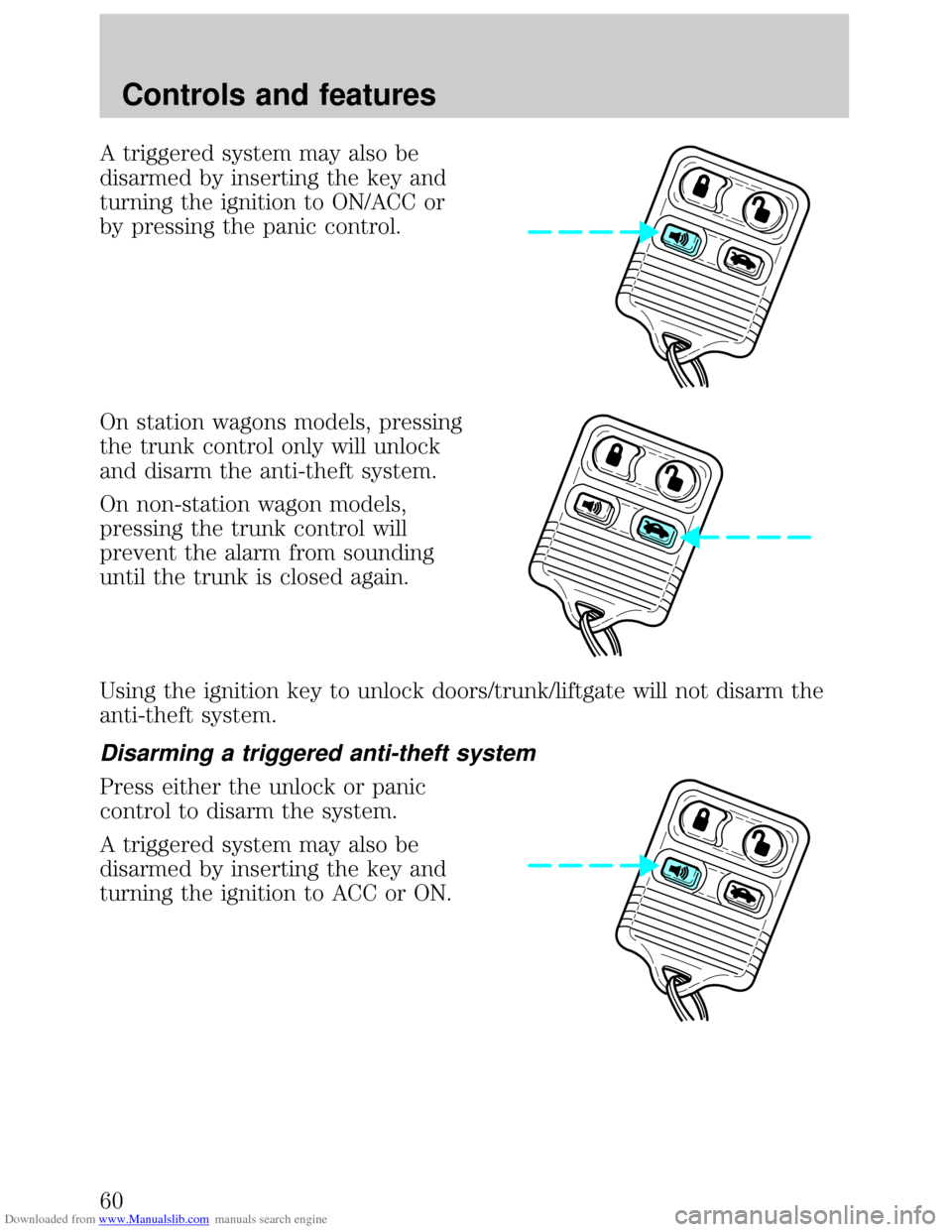
Downloaded from www.Manualslib.com manuals search engine A triggered system may also be
disarmed by inserting the key and
turning the ignition to ON/ACC or
by pressing the panic control.
On station wagons models, pressing
the trunk control only will unlock
and disarm the anti-theft system.
On non-station wagon models,
pressing the trunk control will
prevent the alarm from sounding
until the trunk is closed again.
Using the ignition key to unlock doors/trunk/liftgate will not disarm the
anti-theft system.
Disarming a triggered anti-theft system
Press either the unlock or panic
control to disarm the system.
A triggered system may also be
disarmed by inserting the key and
turning the ignition to ACC or ON.
Controls and features
60
Page 66 of 200
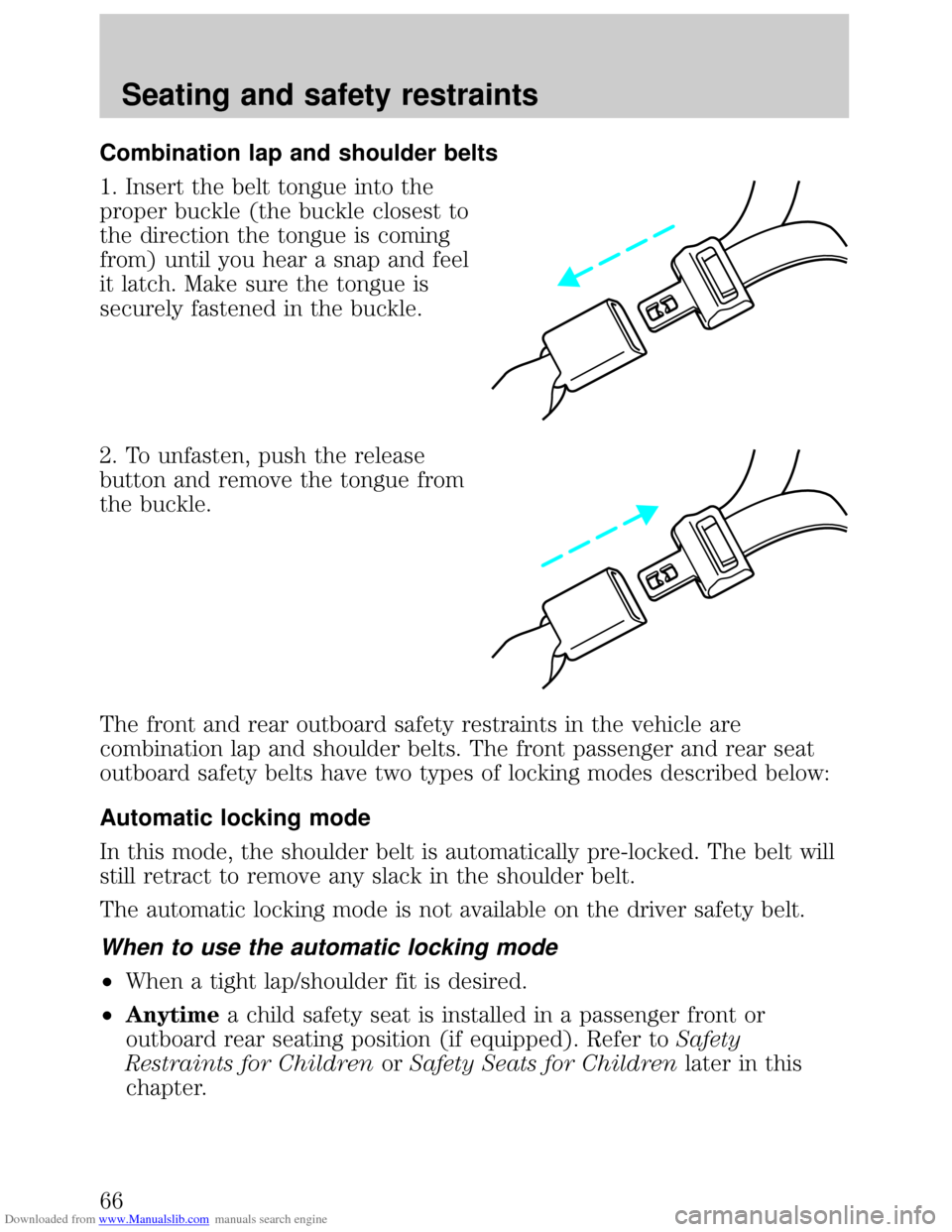
Downloaded from www.Manualslib.com manuals search engine Combination lap and shoulder belts
1. Insert the belt tongue into the
proper buckle (the buckle closest to
the direction the tongue is coming
from) until you hear a snap and feel
it latch. Make sure the tongue is
securely fastened in the buckle.
2. To unfasten, push the release
button and remove the tongue from
the buckle.
The front and rear outboard safety restraints in the vehicle are
combination lap and shoulder belts. The front passenger and rear seat
outboard safety belts have two types of locking modes described below:
Automatic locking mode
In this mode, the shoulder belt is automatically pre-locked. The belt will
still retract to remove any slack in the shoulder belt.
The automatic locking mode is not available on the driver safety belt.
When to use the automatic locking mode
²When a tight lap/shoulder fit is desired.
²Anytimea child safety seat is installed in a passenger front or
outboard rear seating position (if equipped). Refer toSafety
Restraints for ChildrenorSafety Seats for Childrenlater in this
chapter.
Seating and safety restraints
66
Page 67 of 200
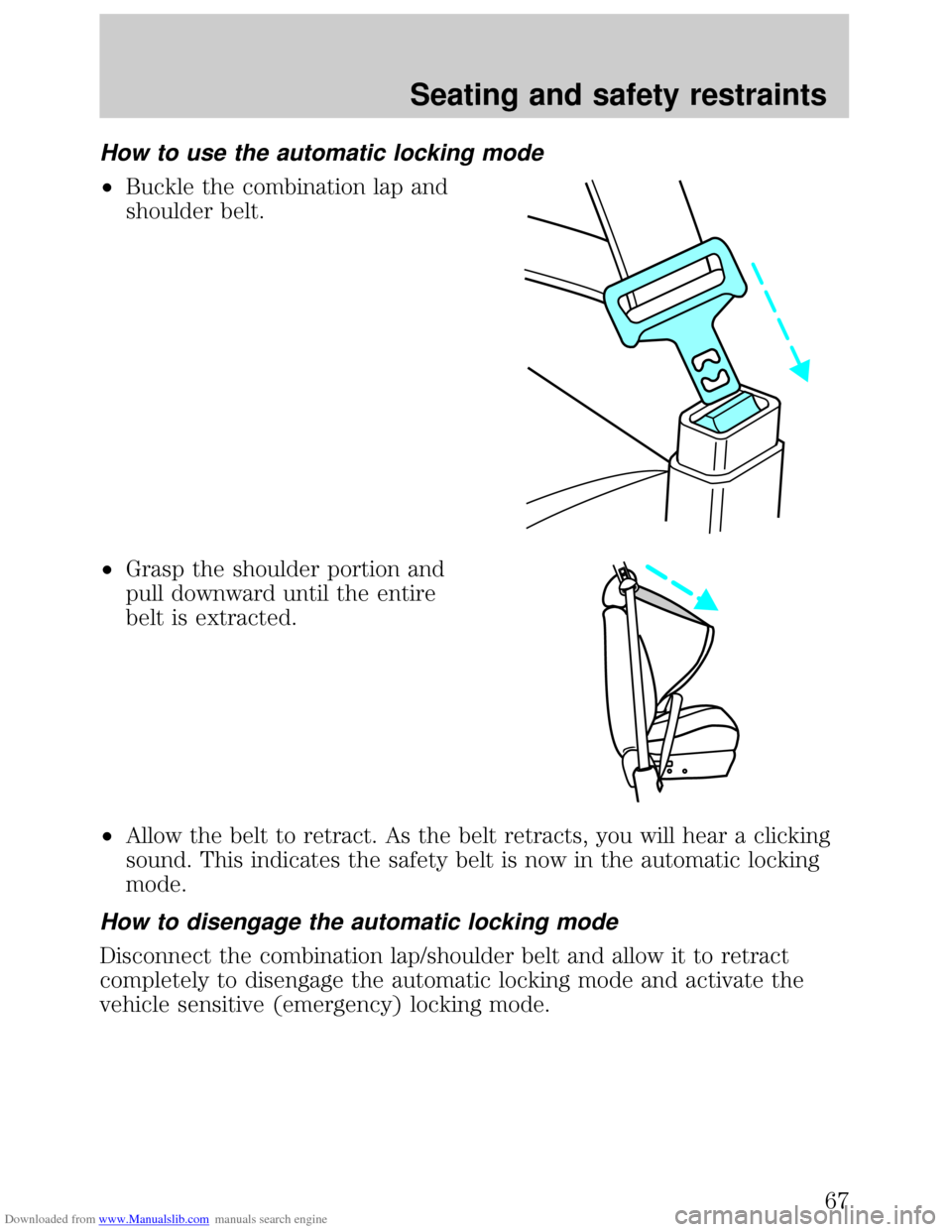
Downloaded from www.Manualslib.com manuals search engine How to use the automatic locking mode
²Buckle the combination lap and
shoulder belt.
²Grasp the shoulder portion and
pull downward until the entire
belt is extracted.
²Allow the belt to retract. As the belt retracts, you will hear a clicking
sound. This indicates the safety belt is now in the automatic locking
mode.
How to disengage the automatic locking mode
Disconnect the combination lap/shoulder belt and allow it to retract
completely to disengage the automatic locking mode and activate the
vehicle sensitive (emergency) locking mode.
Seating and safety restraints
67