CD changer FORD ESCORT 1999 6.G Owners Manual
[x] Cancel search | Manufacturer: FORD, Model Year: 1999, Model line: ESCORT, Model: FORD ESCORT 1999 6.GPages: 200, PDF Size: 1.82 MB
Page 26 of 200
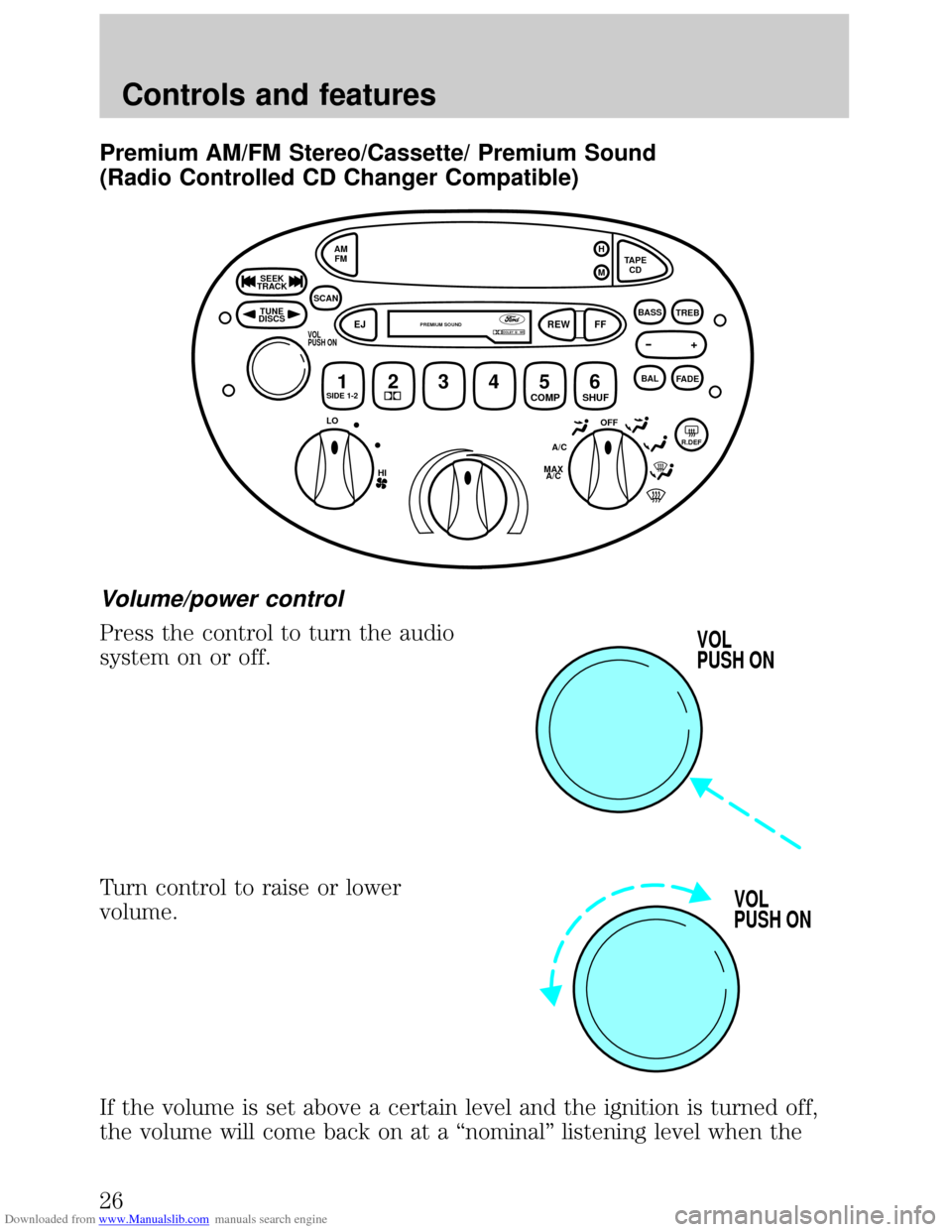
Downloaded from www.Manualslib.com manuals search engine Premium AM/FM Stereo/Cassette/ Premium Sound
(Radio Controlled CD Changer Compatible)
Volume/power control
Press the control to turn the audio
system on or off.
Turn control to raise or lower
volume.
If the volume is set above a certain level and the ignition is turned off,
the volume will come back on at a ªnominalº listening level when the
OFFR.DEFA/C
MAX
A/C HI
LO
TUNE
DISCS
SEEK
TRACK
SCANAM
FM
1SIDE 1-223456 COMP
SHUF EJREW
FF
PREMIUM SOUND
TAPE
CD H
M
+
BAL
FADE
BASS
TREBDOLBY B NRVOL
PUSH ON
VOL
PUSH ON
VOL
PUSH ON
Controls and features
26
Page 28 of 200
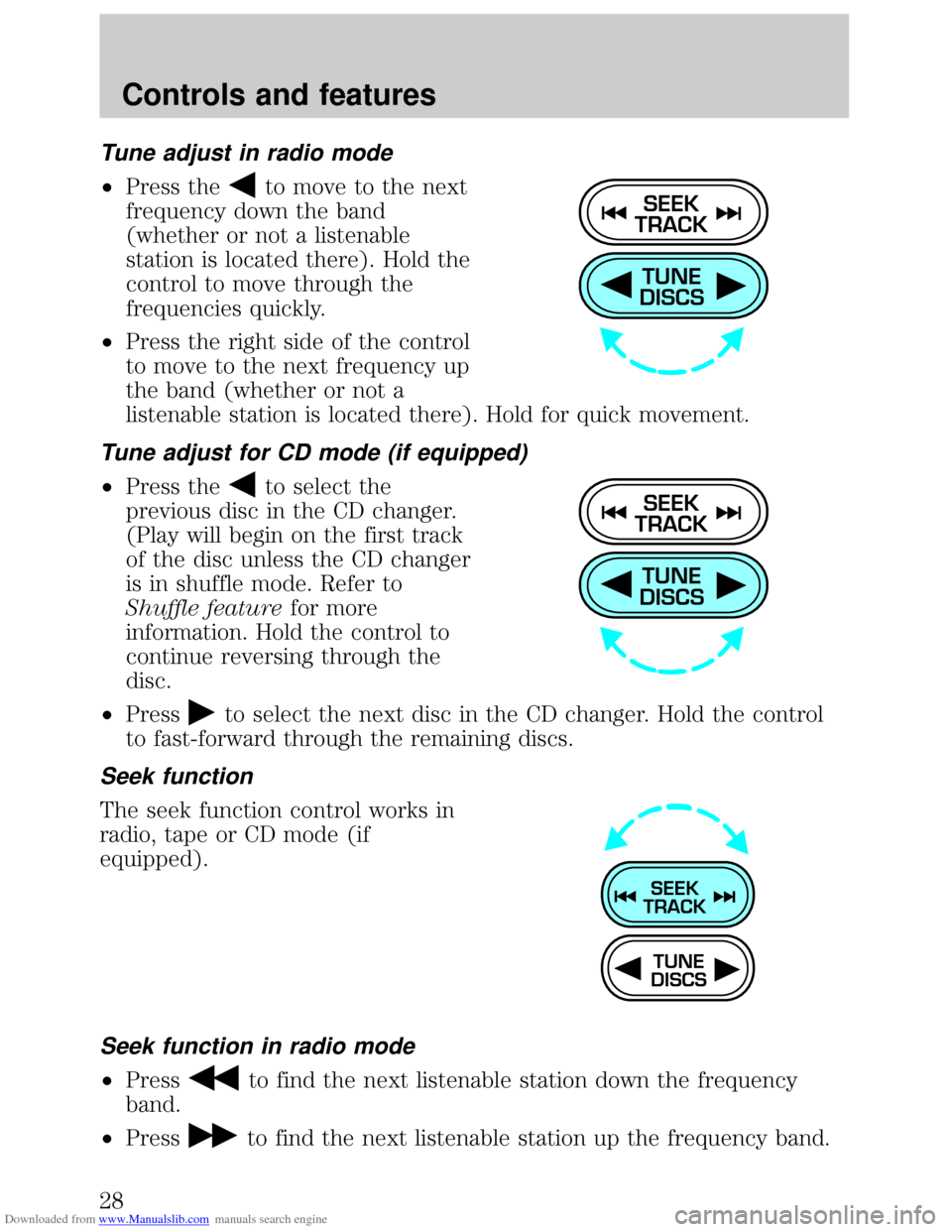
Downloaded from www.Manualslib.com manuals search engine Tune adjust in radio mode
²Press theto move to the next
frequency down the band
(whether or not a listenable
station is located there). Hold the
control to move through the
frequencies quickly.
²Press the right side of the control
to move to the next frequency up
the band (whether or not a
listenable station is located there). Hold for quick movement.
Tune adjust for CD mode (if equipped)
²Press theto select the
previous disc in the CD changer.
(Play will begin on the first track
of the disc unless the CD changer
is in shuffle mode. Refer to
Shuffle featurefor more
information. Hold the control to
continue reversing through the
disc.
²Press
to select the next disc in the CD changer. Hold the control
to fast-forward through the remaining discs.
Seek function
The seek function control works in
radio, tape or CD mode (if
equipped).
Seek function in radio mode
²Pressto find the next listenable station down the frequency
band.
²Press
to find the next listenable station up the frequency band.
TUNE
DISCS
SEEK
TRACK
TUNE
DISCS
SEEK
TRACK
TUNE
DISCS
SEEK
TRACK
Controls and features
28
Page 29 of 200
Downloaded from www.Manualslib.com manuals search engine Seek function in tape mode
²Pressto listen to the previous selection on the tape.
²Press
to listen to the next selection on the tape.
Seek function in CD mode (if equipped)
²Pressto seek to the previous track of the current disc. If a
selection has been playing for three seconds or more and you press
, the CD changer will replay that selection from the beginning.
²Press
to seek forward to the next track of the current disc. After
the last track has been completed, the first track of the current disc
will automatically replay.
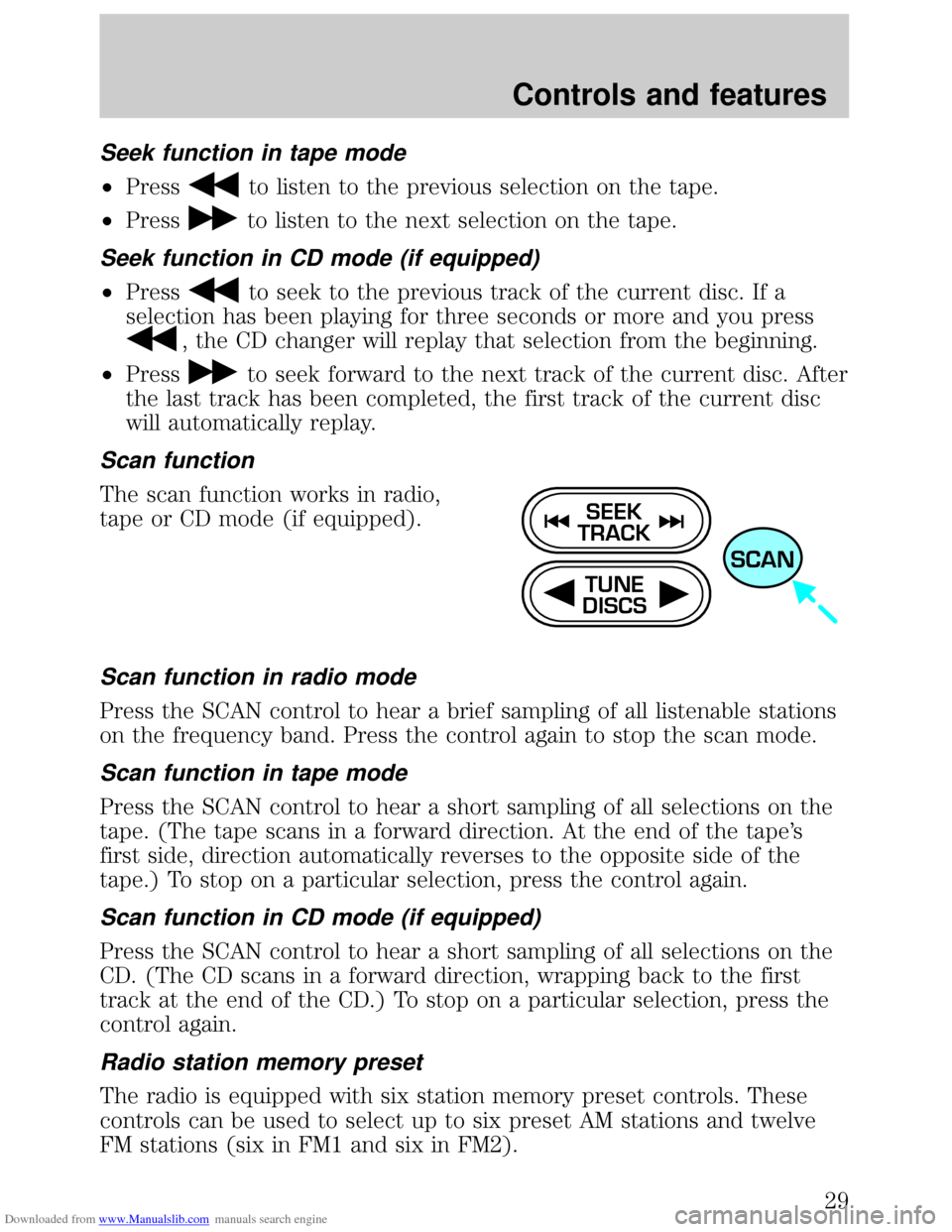
Scan function
The scan function works in radio,
tape or CD mode (if equipped).
Scan function in radio mode
Press the SCAN control to hear a brief sampling of all listenable stations
on the frequency band. Press the control again to stop the scan mode.
Scan function in tape mode
Press the SCAN control to hear a short sampling of all selections on the
tape. (The tape scans in a forward direction. At the end of the tape's
first side, direction automatically reverses to the opposite side of the
tape.) To stop on a particular selection, press the control again.
Scan function in CD mode (if equipped)
Press the SCAN control to hear a short sampling of all selections on the
CD. (The CD scans in a forward direction, wrapping back to the first
track at the end of the CD.) To stop on a particular selection, press the
control again.
Radio station memory preset
The radio is equipped with six station memory preset controls. These
controls can be used to select up to six preset AM stations and twelve
FM stations (six in FM1 and six in FM2).
TUNE
DISCS
SEEK
TRACK
SCAN
Controls and features
29
Page 33 of 200
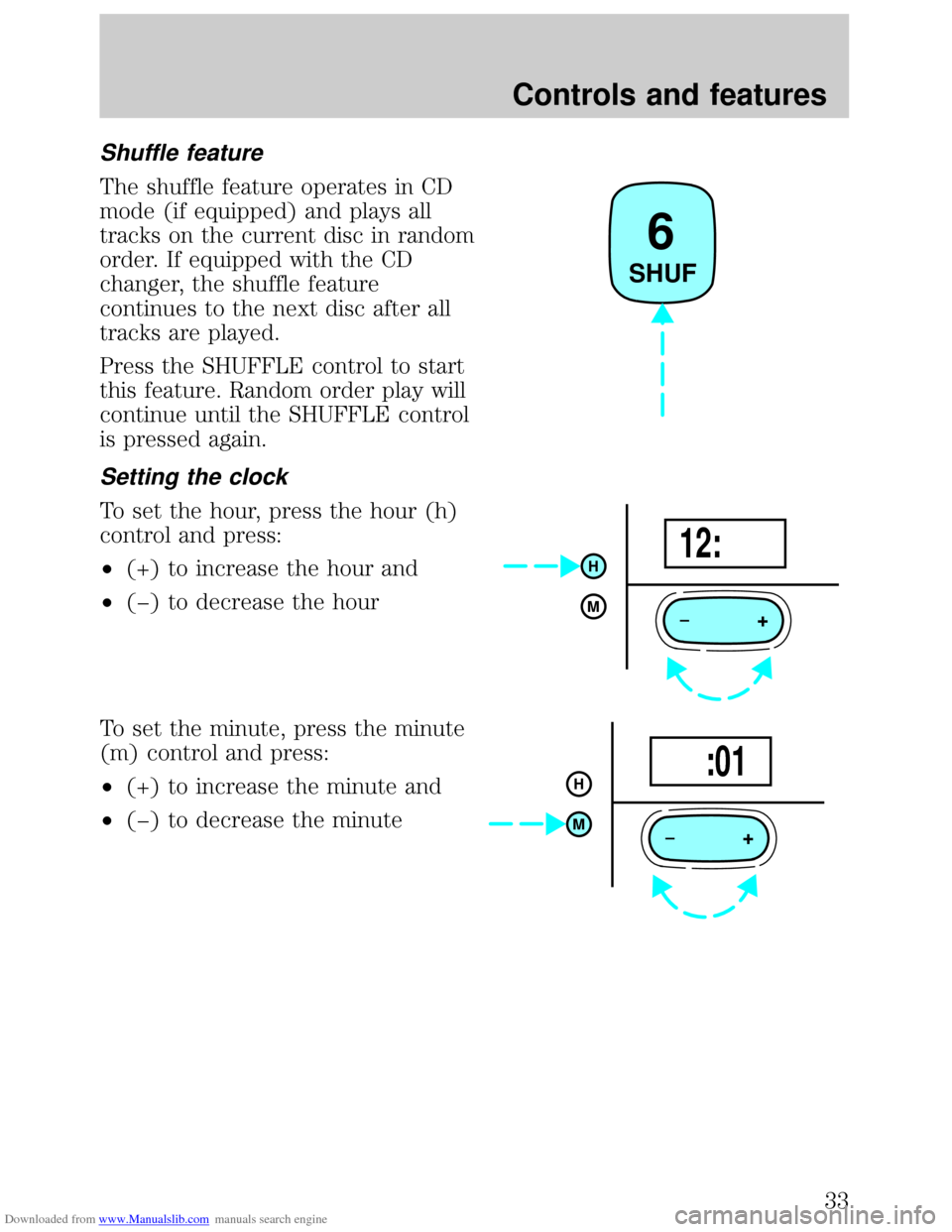
Downloaded from www.Manualslib.com manuals search engine Shuffle feature
The shuffle feature operates in CD
mode (if equipped) and plays all
tracks on the current disc in random
order. If equipped with the CD
changer, the shuffle feature
continues to the next disc after all
tracks are played.
Press the SHUFFLE control to start
this feature. Random order play will
continue until the SHUFFLE control
is pressed again.
Setting the clock
To set the hour, press the hour (h)
control and press:
²(+) to increase the hour and
²(þ) to decrease the hour
To set the minute, press the minute
(m) control and press:
²(+) to increase the minute and
²(þ) to decrease the minute
6
SHUF
+
H
M12:
+
H
M :01
Controls and features
33
Page 34 of 200
Downloaded from www.Manualslib.com manuals search engine CD changer (if equipped)
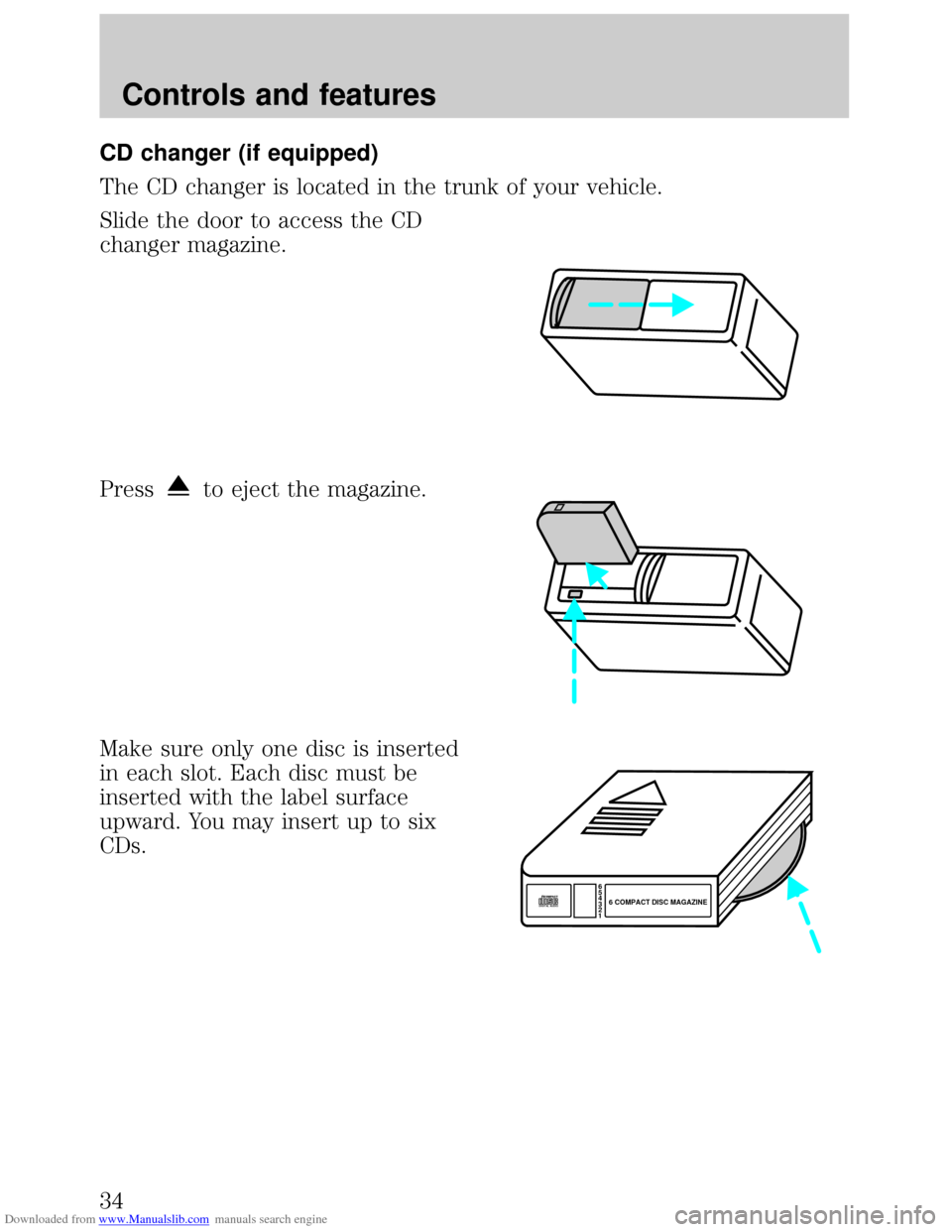
The CD changer is located in the trunk of your vehicle.
Slide the door to access the CD
changer magazine.
Press
to eject the magazine.
Make sure only one disc is inserted
in each slot. Each disc must be
inserted with the label surface
upward. You may insert up to six
CDs.
6
5
4
3
2
16 COMPACT DISC MAGAZINECOMPACT
DIGITAL AUDIO
Controls and features
34
Page 35 of 200
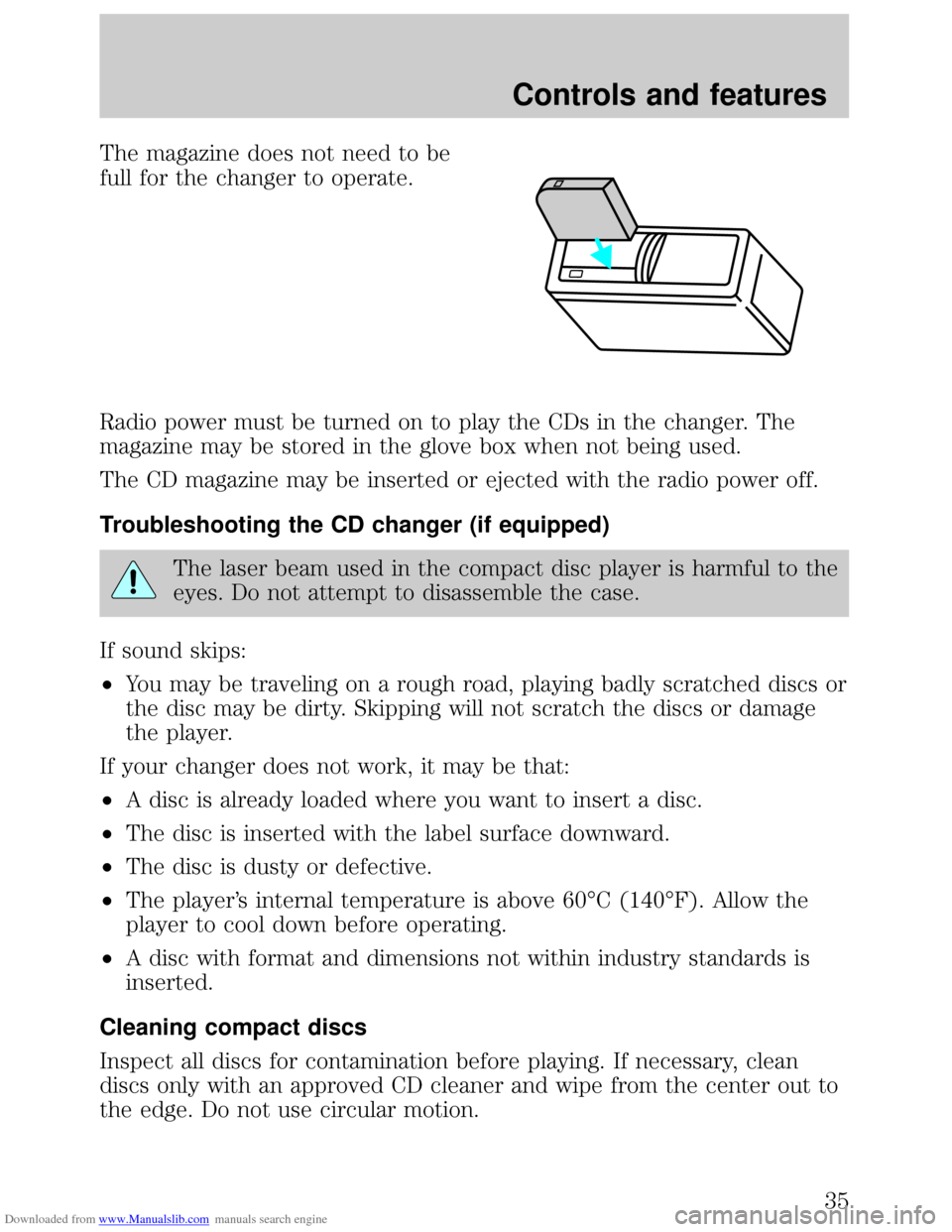
Downloaded from www.Manualslib.com manuals search engine The magazine does not need to be
full for the changer to operate.
Radio power must be turned on to play the CDs in the changer. The
magazine may be stored in the glove box when not being used.
The CD magazine may be inserted or ejected with the radio power off.
Troubleshooting the CD changer (if equipped)
The laser beam used in the compact disc player is harmful to the
eyes. Do not attempt to disassemble the case.
If sound skips:
²You may be traveling on a rough road, playing badly scratched discs or
the disc may be dirty. Skipping will not scratch the discs or damage
the player.
If your changer does not work, it may be that:
²A disc is already loaded where you want to insert a disc.
²The disc is inserted with the label surface downward.
²The disc is dusty or defective.
²The player's internal temperature is above 60ÉC (140ÉF). Allow the
player to cool down before operating.
²A disc with format and dimensions not within industry standards is
inserted.
Cleaning compact discs
Inspect all discs for contamination before playing. If necessary, clean
discs only with an approved CD cleaner and wipe from the center out to
the edge. Do not use circular motion.
Controls and features
35
Page 36 of 200
Downloaded from www.Manualslib.com manuals search engine CD and CD changer care
²Handle discs by their edges only. Never touch the playing surface.
²Do not expose discs to direct sunlight or heat sources for extended
periods of time.
²Do not insert more than one disc into each slot of the CD changer
magazine.
Cleaning cassette player (if equipped)
Clean the tape player head with a cassette cleaning cartridge after ten to
twelve hours of play in order to maintain the best sound and operation.
Cassette and cassette player care
²Use only cassettes that are 90 minutes long or less.
²Do not expose tapes to direct sunlight, high humidity, extreme heat or
extreme cold. Allow tapes that may have been exposed to extreme
temperatures to reach a moderate temperature before playing.
²Tighten very loose tapes by inserting a finger or pencil into the hole
and turning the hub.
²Remove loose labels before inserting tapes.
²Do not leave tapes in the cassette player for a long time when not
being played.
Radio frequency information
The Federal Communications Commission (FCC) and the Canadian Radio
and Telecommunications Commission(CRTC) establish the frequencies AM
and FM stations may use for their broadcasts. Allowable frequencies are:
AM 530, 540±1600, 1610 kHz
FM 87.9, 88.1±107.1, 107.9 MHz
Not all frequencies are used in a given area.
Radio reception factors
Three factors can affect radio reception:
²Distance/strength.The further an FM signal travels, the weaker it is.
The listenable range of the average FM station is approximately 40 km
(24 miles). This range can be affected by ªsignal modulationº. Signal
modulation is a process radio stations use to increase their
strength/volume relative to other stations.
Controls and features
36
Page 109 of 200
Downloaded from www.Manualslib.com manuals search engine Fuse/Relay
LocationFuse Amp
RatingDescription
SUN ROOF 15A Power Moonroof
ASC 10A Speed Control
P. WINDOW 30A CB Power Windows
CIGAR 20A Cigar Lighter
AIR BAG 10A Air Bags
FOG 10A Fog Lamps, Daytime Running Lamps (DRL)
AUDIO 15A Premium Sound Amplifier, CD Changer
FUEL INJ. 10A H02S, Evaporative Emission Purge Flow
Sensor
BLOWER 30A CB Blower Motor Relay
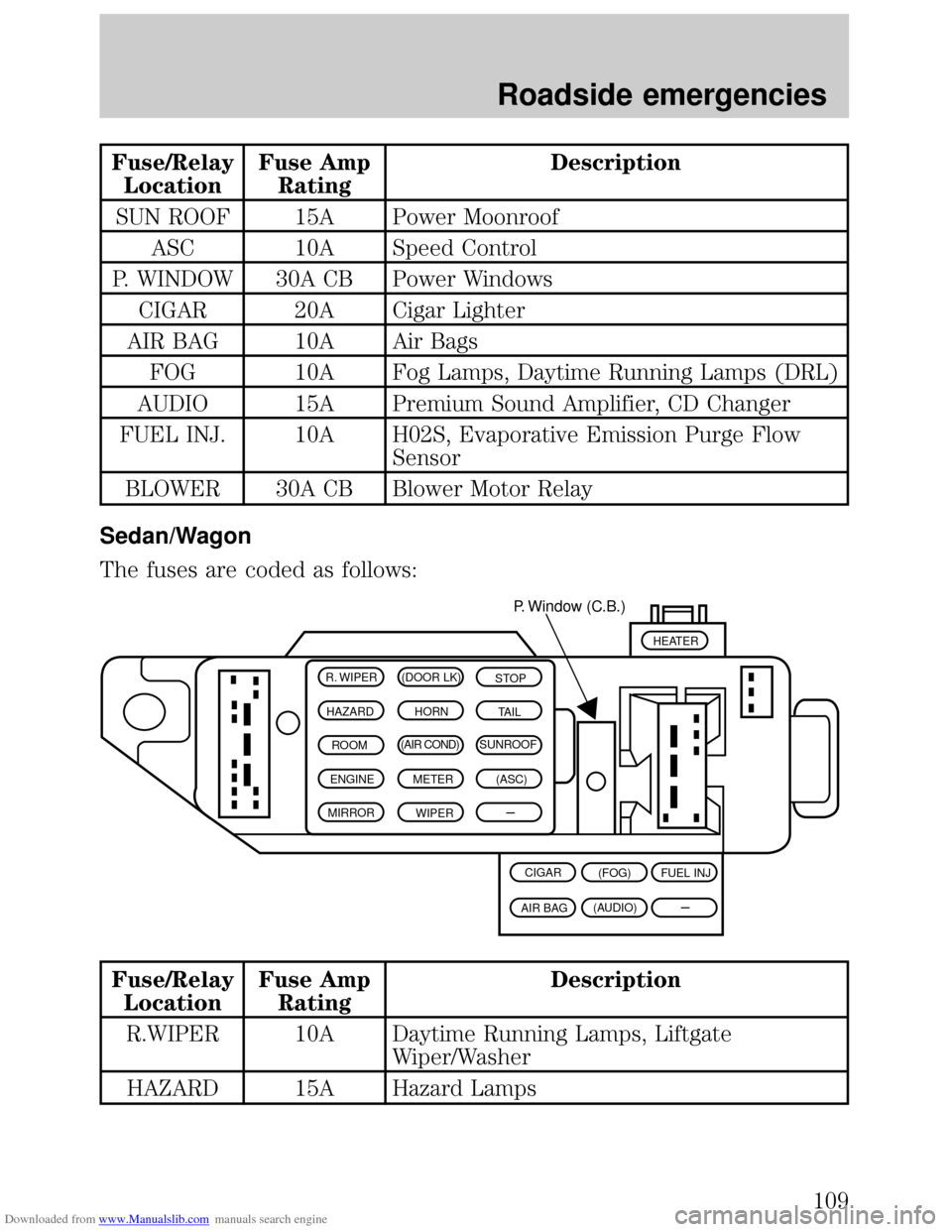
Sedan/Wagon
The fuses are coded as follows:
Fuse/Relay
LocationFuse Amp
RatingDescription
R.WIPER 10A Daytime Running Lamps, Liftgate
Wiper/Washer
HAZARD 15A Hazard Lamps
R. WIPER (DOOR LK)
STOP
HAZARD HORN
TAIL
ROOM(AIR COND)SUNROOF
ENGINE METER(ASC)
MIRROR
WIPER
–P. Window (C.B.)
(FOG) CIGAR
(AUDIO)
AIR BAGFUEL INJ
HEATER
–
Roadside emergencies
109