reset FORD ESCORT 2002 7.G Owners Manual
[x] Cancel search | Manufacturer: FORD, Model Year: 2002, Model line: ESCORT, Model: FORD ESCORT 2002 7.GPages: 216, PDF Size: 1.8 MB
Page 5 of 216
This Owner's Guide describes every option and model variant
available and therefore some of the items covered may not apply
to your particular vehicle. Furthermore, due to printing cycles it may
describe options before they are generally available.
Remember to pass on the Owner's Guide when reselling the
vehicle. It is an integral part of the vehicle.
Fuel pump shut-off switchIn the event of an accident the
safety switch will automatically cut off the fuel supply to the
engine. The switch can also be activated through sudden vibration (e.g.
collision when parking). To reset the switch, refer to theFuel pump
shut-off switchin theRoadside emergencieschapter.
SAFETY AND ENVIRONMENT PROTECTION
Warning symbols in this guide
How can you reduce the risk of personal injury and prevent possible
damage to others, your vehicle and its equipment? In this guide, answers
to such questions are contained in comments highlighted by the warning
triangle symbol. These comments should be read and observed.
Warning symbols on your vehicle
When you see this symbol, it is
imperative that you consult the
relevant section of this guide before
touching or attempting adjustment
of any kind.
Introduction
5
Page 8 of 216
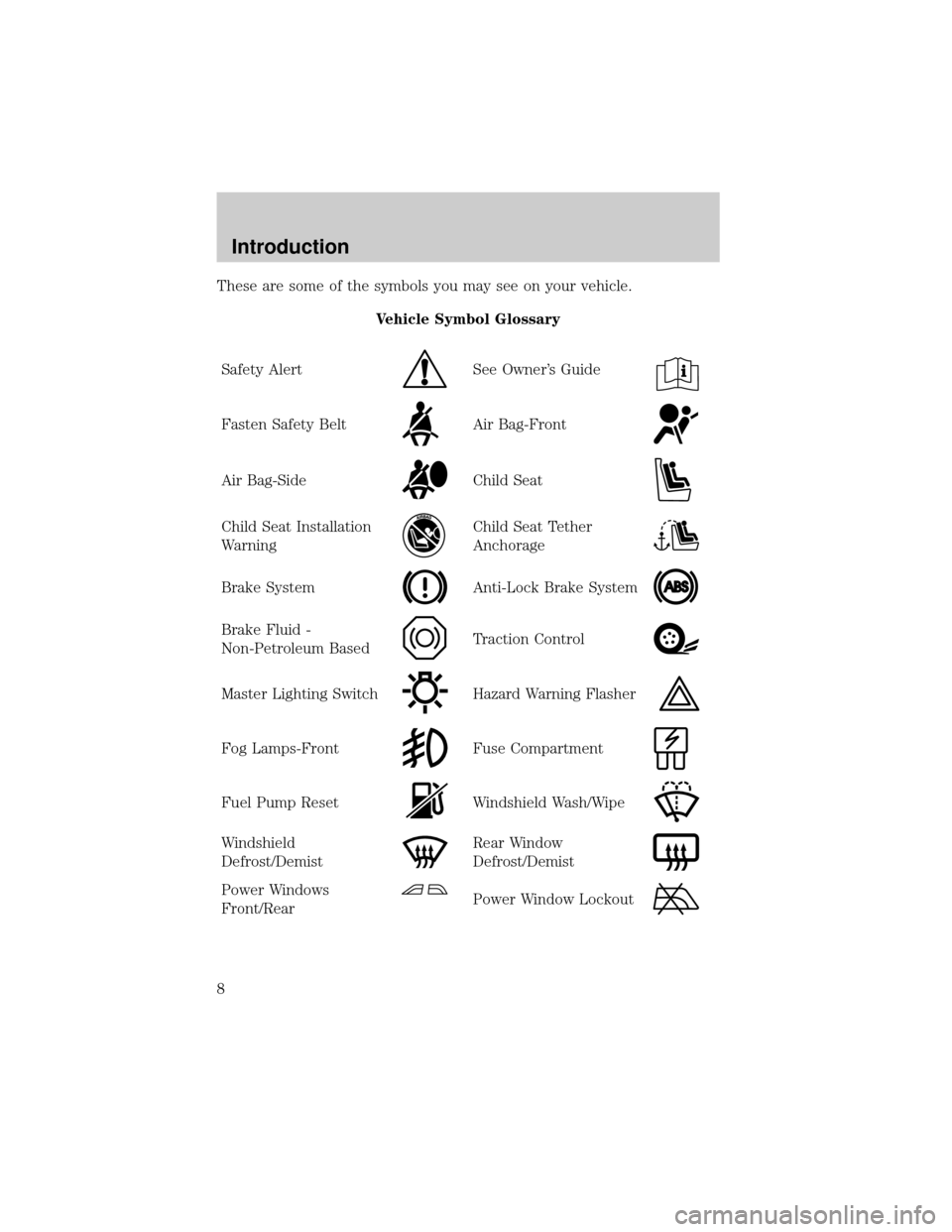
These are some of the symbols you may see on your vehicle.
Vehicle Symbol Glossary
Safety Alert
See Owner's Guide
Fasten Safety BeltAir Bag-Front
Air Bag-SideChild Seat
Child Seat Installation
WarningChild Seat Tether
Anchorage
Brake SystemAnti-Lock Brake System
Brake Fluid -
Non-Petroleum BasedTraction Control
Master Lighting SwitchHazard Warning Flasher
Fog Lamps-FrontFuse Compartment
Fuel Pump ResetWindshield Wash/Wipe
Windshield
Defrost/DemistRear Window
Defrost/Demist
Power Windows
Front/RearPower Window Lockout
Introduction
8
Page 17 of 216
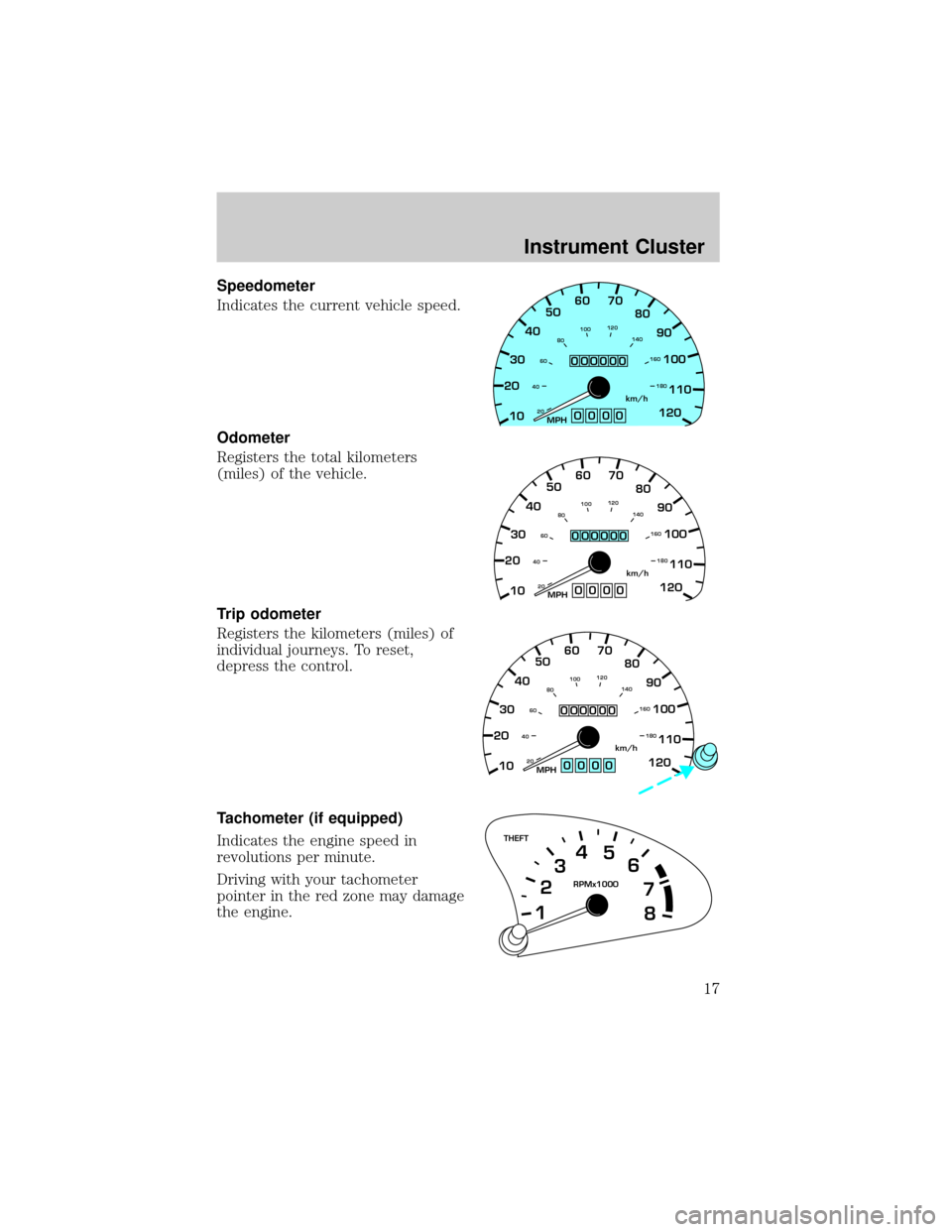
Speedometer
Indicates the current vehicle speed.
Odometer
Registers the total kilometers
(miles) of the vehicle.
Trip odometer
Registers the kilometers (miles) of
individual journeys. To reset,
depress the control.
Tachometer (if equipped)
Indicates the engine speed in
revolutions per minute.
Driving with your tachometer
pointer in the red zone may damage
the engine.
2030405060 70
80
90
100
110
120
10
20 406080100120
140
160
180MPHkm/h
0
000000
000
2030405060 70
80
90
100
110
120
10
20 406080100120
140
160
180MPHkm/h0
000000
000
0000
2030405060 70
80
90
100
110
120
10
20 406080100120
140
160
180MPHkm/h
000000
THEFT
RPMx1000
1234
5
6
7
8
Instrument Cluster
17
Page 18 of 216
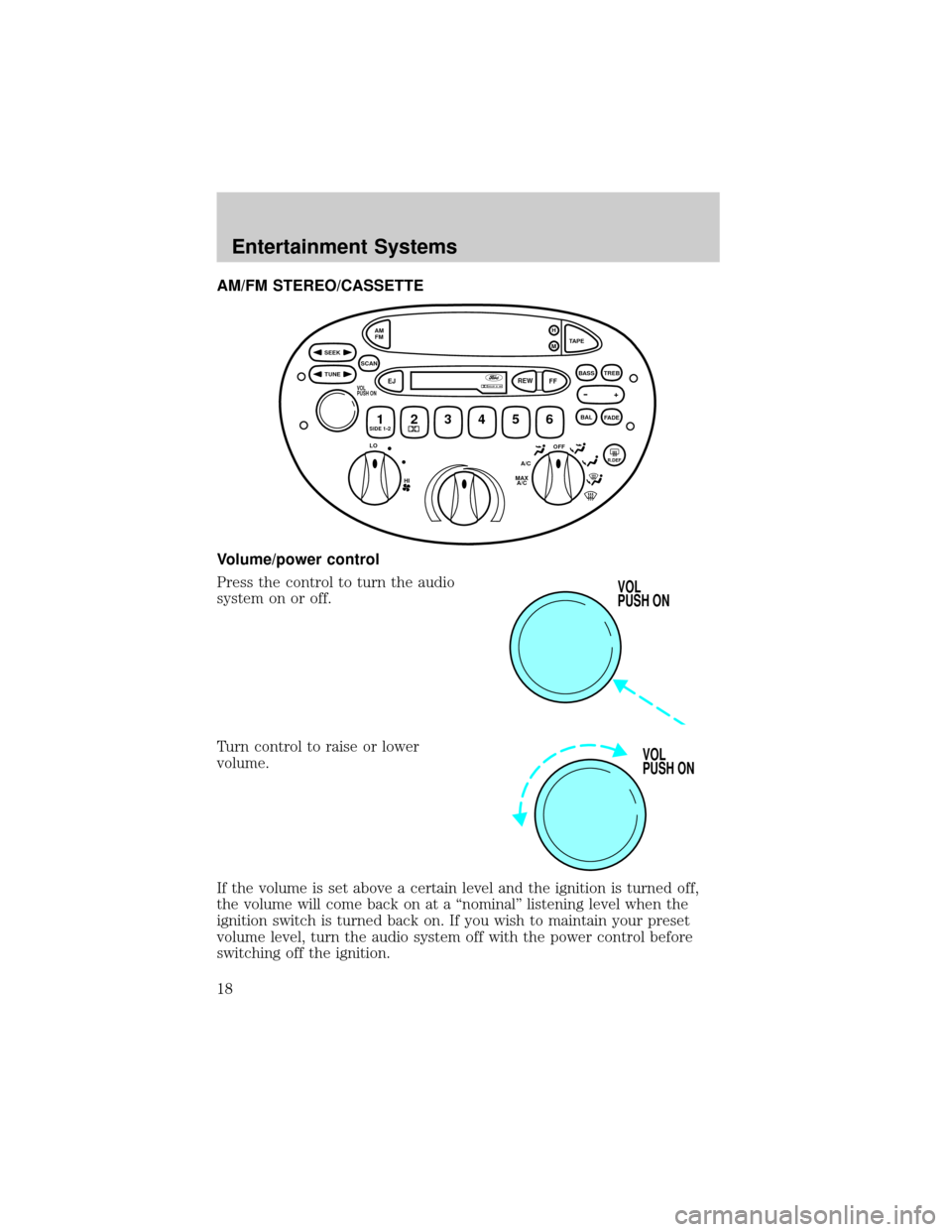
AM/FM STEREO/CASSETTE
Volume/power control
Press the control to turn the audio
system on or off.
Turn control to raise or lower
volume.
If the volume is set above a certain level and the ignition is turned off,
the volume will come back on at a ªnominalº listening level when the
ignition switch is turned back on. If you wish to maintain your preset
volume level, turn the audio system off with the power control before
switching off the ignition.
OFFR.DEFA/C
MAX
A/C HI
LO
TUNE SEEK
SCANAM
FM
1SIDE 1-223456
EJREW
FF
TAPE H
M
+
BAL
FADE
BASS
TREBDOLBY B NRVOL
PUSH ON
VOL
PUSH ON
VOL
PUSH ON
Entertainment Systems
18
Page 20 of 216
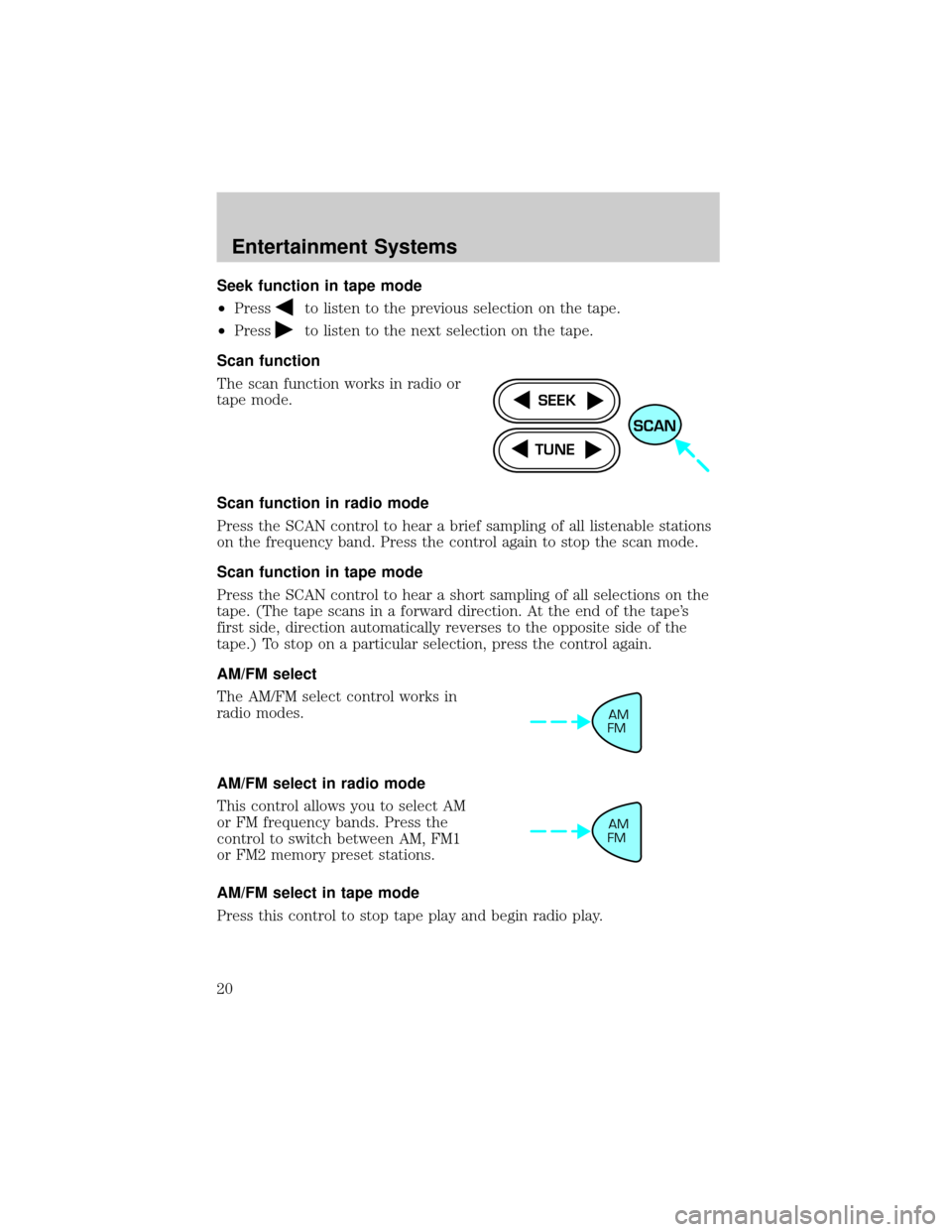
Seek function in tape mode
²Press
to listen to the previous selection on the tape.
²Press
to listen to the next selection on the tape.
Scan function
The scan function works in radio or
tape mode.
Scan function in radio mode
Press the SCAN control to hear a brief sampling of all listenable stations
on the frequency band. Press the control again to stop the scan mode.
Scan function in tape mode
Press the SCAN control to hear a short sampling of all selections on the
tape. (The tape scans in a forward direction. At the end of the tape's
first side, direction automatically reverses to the opposite side of the
tape.) To stop on a particular selection, press the control again.
AM/FM select
The AM/FM select control works in
radio modes.
AM/FM select in radio mode
This control allows you to select AM
or FM frequency bands. Press the
control to switch between AM, FM1
or FM2 memory preset stations.
AM/FM select in tape mode
Press this control to stop tape play and begin radio play.
TUNE
SEEK
SCAN
AM
FM
AM
FM
Entertainment Systems
20
Page 21 of 216
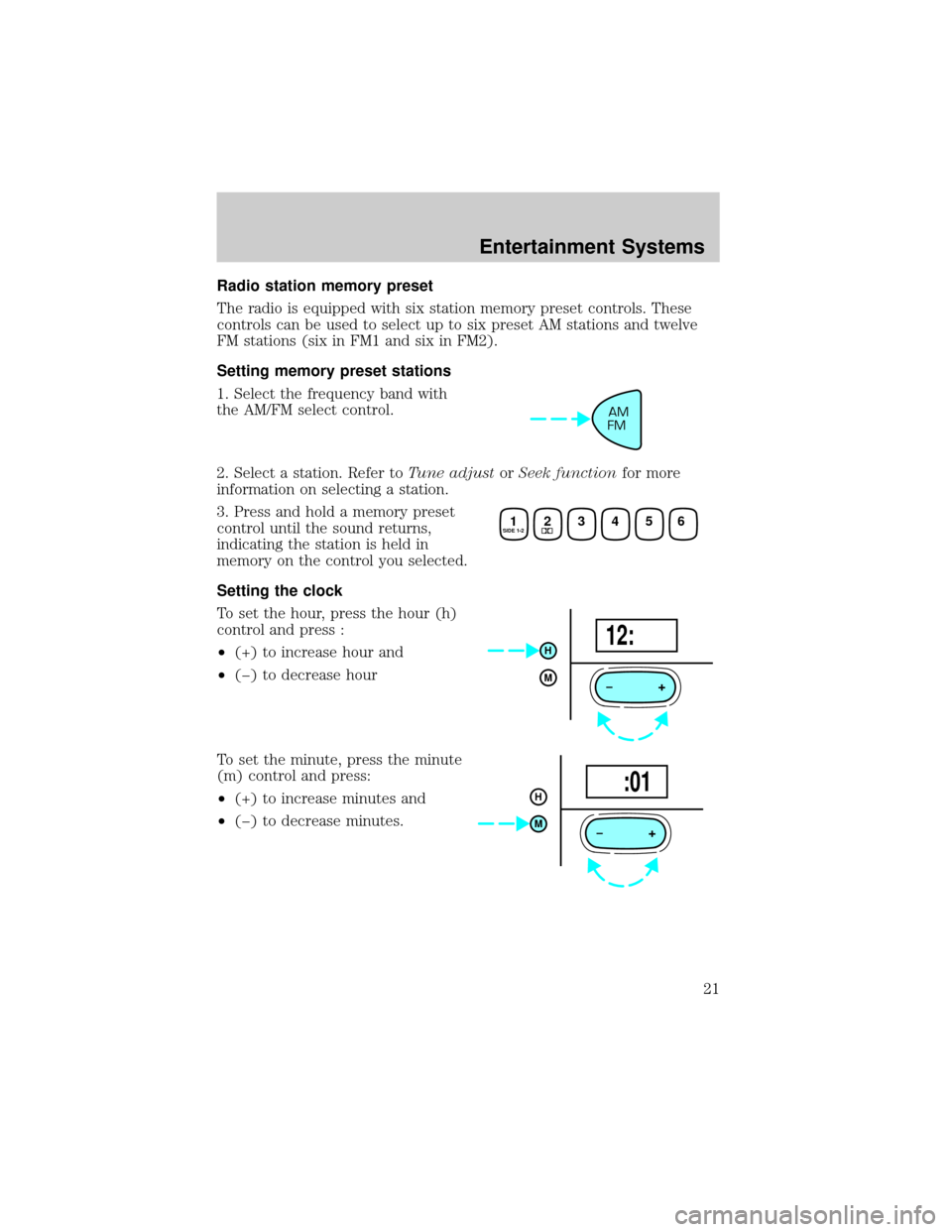
Radio station memory preset
The radio is equipped with six station memory preset controls. These
controls can be used to select up to six preset AM stations and twelve
FM stations (six in FM1 and six in FM2).
Setting memory preset stations
1. Select the frequency band with
the AM/FM select control.
2. Select a station. Refer toTune adjustorSeek functionfor more
information on selecting a station.
3. Press and hold a memory preset
control until the sound returns,
indicating the station is held in
memory on the control you selected.
Setting the clock
To set the hour, press the hour (h)
control and press :
²(+) to increase hour and
²(þ) to decrease hour
To set the minute, press the minute
(m) control and press:
²(+) to increase minutes and
²(þ) to decrease minutes.
AM
FM
1SIDE 1-223456
+
H
M12:
+
H
M :01
Entertainment Systems
21
Page 25 of 216
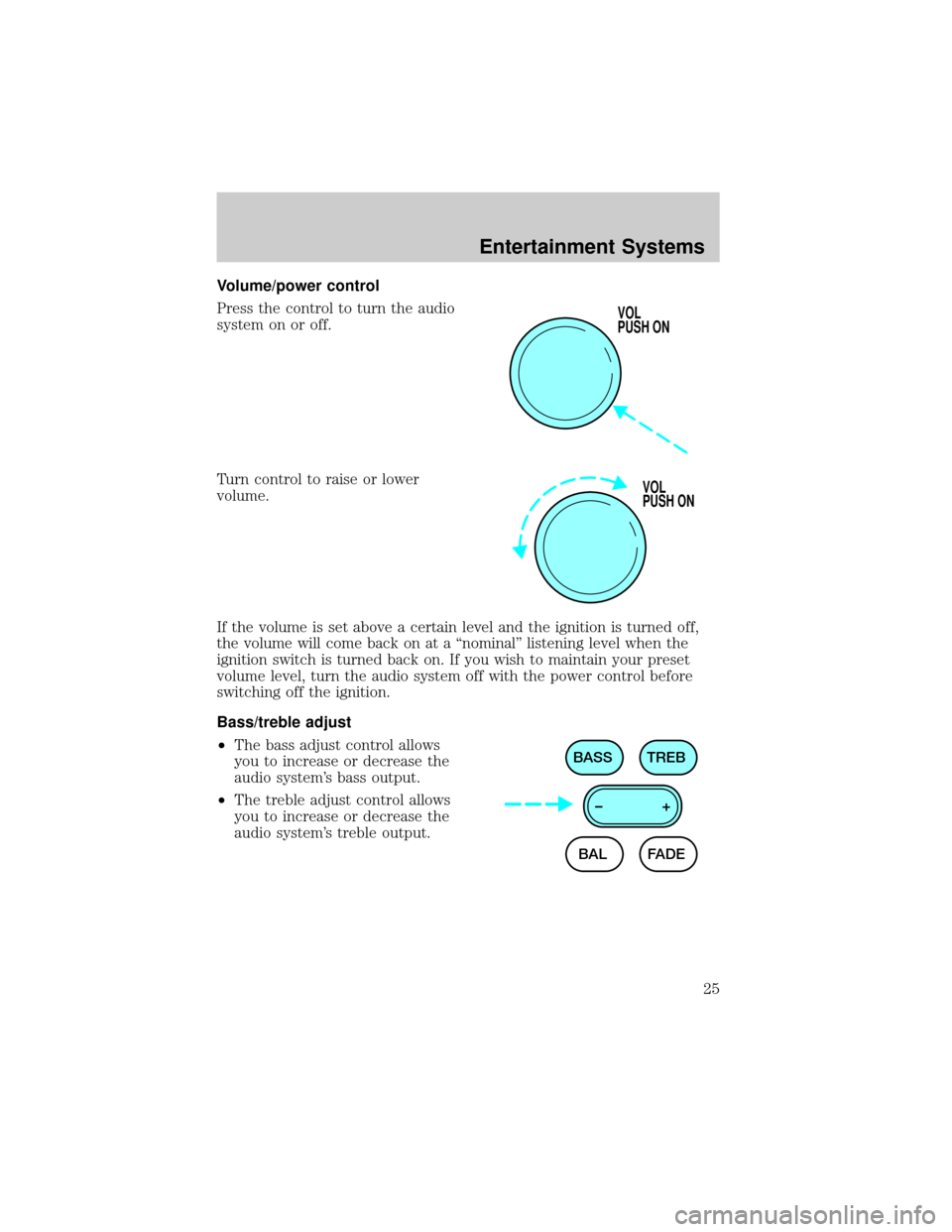
Volume/power control
Press the control to turn the audio
system on or off.
Turn control to raise or lower
volume.
If the volume is set above a certain level and the ignition is turned off,
the volume will come back on at a ªnominalº listening level when the
ignition switch is turned back on. If you wish to maintain your preset
volume level, turn the audio system off with the power control before
switching off the ignition.
Bass/treble adjust
²The bass adjust control allows
you to increase or decrease the
audio system's bass output.
²The treble adjust control allows
you to increase or decrease the
audio system's treble output.
VOL
PUSH ON
VOL
PUSH ON
BAL BASS TREB
FADE –+
Entertainment Systems
25
Page 27 of 216
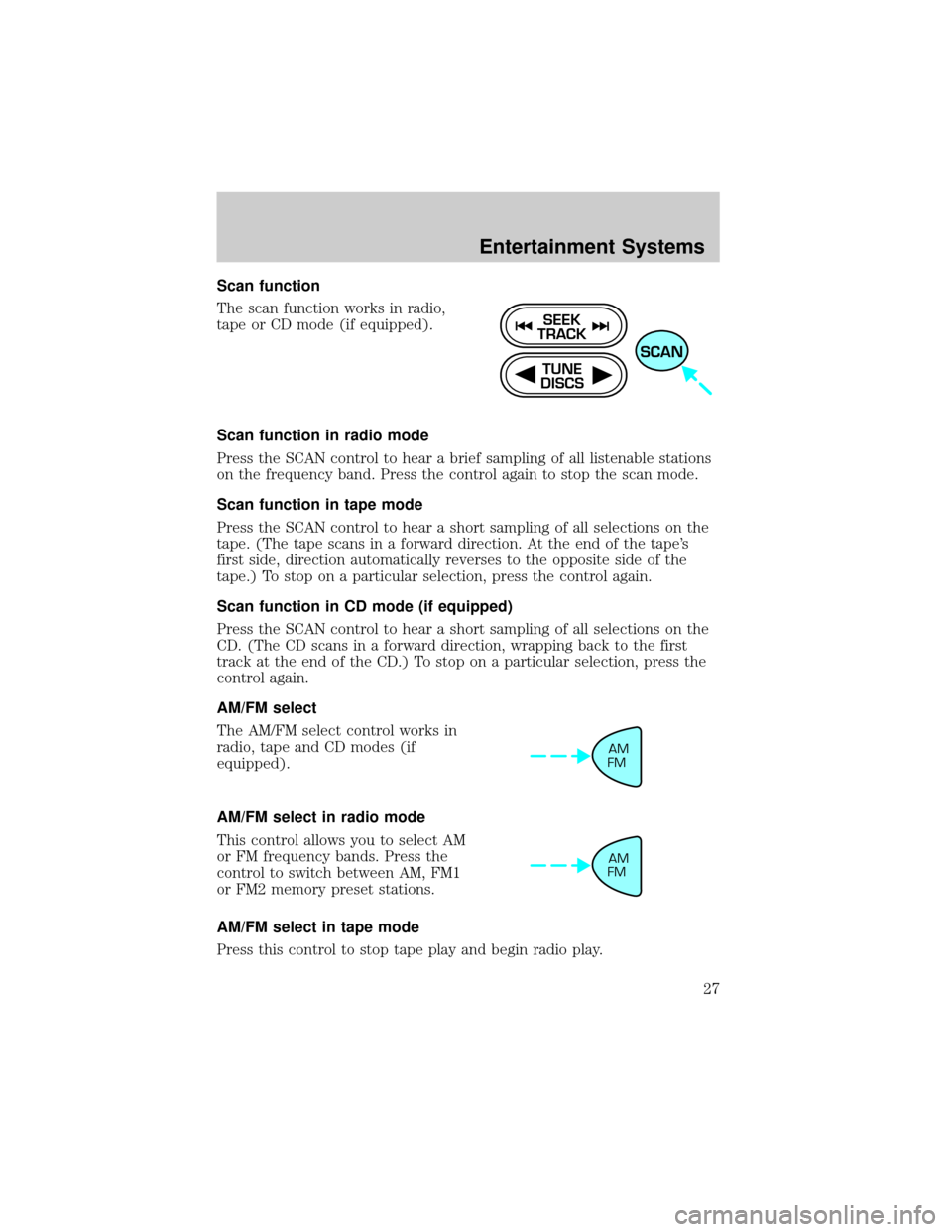
Scan function
The scan function works in radio,
tape or CD mode (if equipped).
Scan function in radio mode
Press the SCAN control to hear a brief sampling of all listenable stations
on the frequency band. Press the control again to stop the scan mode.
Scan function in tape mode
Press the SCAN control to hear a short sampling of all selections on the
tape. (The tape scans in a forward direction. At the end of the tape's
first side, direction automatically reverses to the opposite side of the
tape.) To stop on a particular selection, press the control again.
Scan function in CD mode (if equipped)
Press the SCAN control to hear a short sampling of all selections on the
CD. (The CD scans in a forward direction, wrapping back to the first
track at the end of the CD.) To stop on a particular selection, press the
control again.
AM/FM select
The AM/FM select control works in
radio, tape and CD modes (if
equipped).
AM/FM select in radio mode
This control allows you to select AM
or FM frequency bands. Press the
control to switch between AM, FM1
or FM2 memory preset stations.
AM/FM select in tape mode
Press this control to stop tape play and begin radio play.
TUNE
DISCS
SEEK
TRACK
SCAN
AM
FM
AM
FM
Entertainment Systems
27
Page 28 of 216
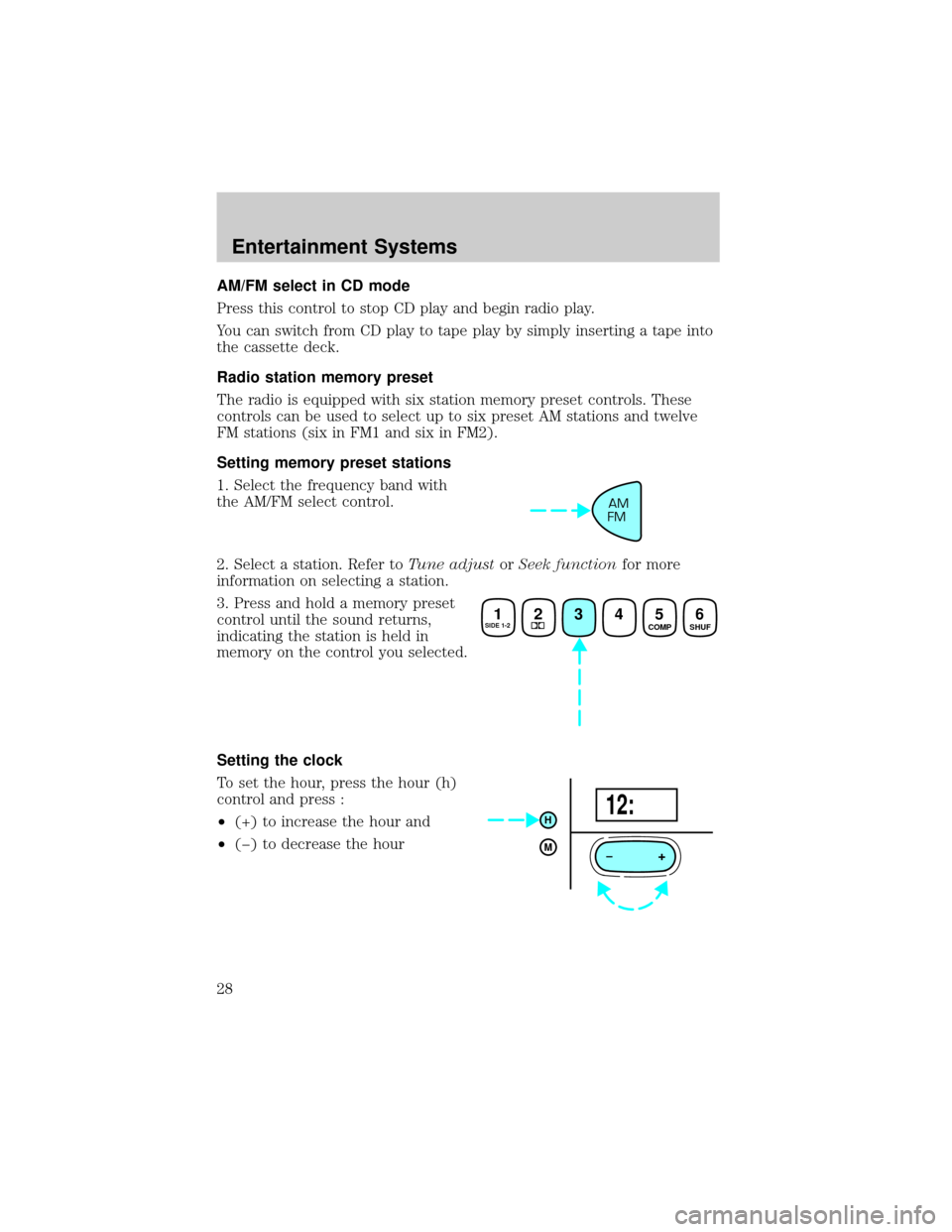
AM/FM select in CD mode
Press this control to stop CD play and begin radio play.
You can switch from CD play to tape play by simply inserting a tape into
the cassette deck.
Radio station memory preset
The radio is equipped with six station memory preset controls. These
controls can be used to select up to six preset AM stations and twelve
FM stations (six in FM1 and six in FM2).
Setting memory preset stations
1. Select the frequency band with
the AM/FM select control.
2. Select a station. Refer toTune adjustorSeek functionfor more
information on selecting a station.
3. Press and hold a memory preset
control until the sound returns,
indicating the station is held in
memory on the control you selected.
Setting the clock
To set the hour, press the hour (h)
control and press :
²(+) to increase the hour and
²(þ) to decrease the hour
AM
FM
1SIDE 1-223456 COMP
SHUF
+
H
M12:
Entertainment Systems
28
Page 119 of 216
ROADSIDE COVERAGE BEYOND BASIC WARRANTY
In the United States, you may purchase additional roadside assistance
coverage beyond this period through the Ford Auto Club by contacting
your Ford or Lincoln Mercury dealer.
Similarly in Canada, for uninterrupted Roadside Assistance coverage, you
may purchase extended coverage prior to your Basic Warranty's Roadside
Assistance expiring. For more information and enrollment, contact
1±877±294±2582 or visit our website at www.ford.ca.
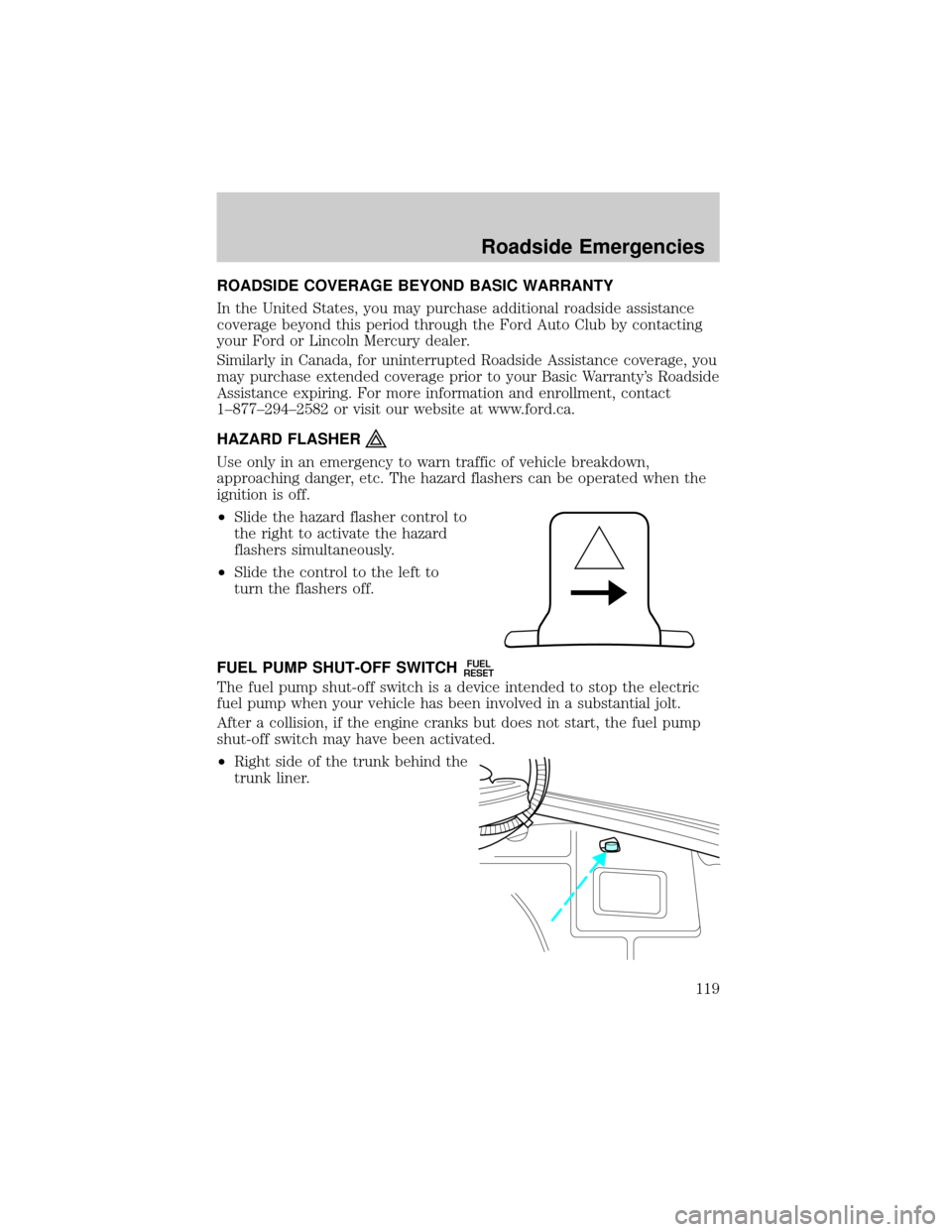
HAZARD FLASHER
Use only in an emergency to warn traffic of vehicle breakdown,
approaching danger, etc. The hazard flashers can be operated when the
ignition is off.
²Slide the hazard flasher control to
the right to activate the hazard
flashers simultaneously.
²Slide the control to the left to
turn the flashers off.
FUEL PUMP SHUT-OFF SWITCH
FUEL
RESET
The fuel pump shut-off switch is a device intended to stop the electric
fuel pump when your vehicle has been involved in a substantial jolt.
After a collision, if the engine cranks but does not start, the fuel pump
shut-off switch may have been activated.
²Right side of the trunk behind the
trunk liner.
Roadside Emergencies
119