reset FORD EXCURSION 2004 1.G User Guide
[x] Cancel search | Manufacturer: FORD, Model Year: 2004, Model line: EXCURSION, Model: FORD EXCURSION 2004 1.GPages: 272, PDF Size: 1.82 MB
Page 40 of 272
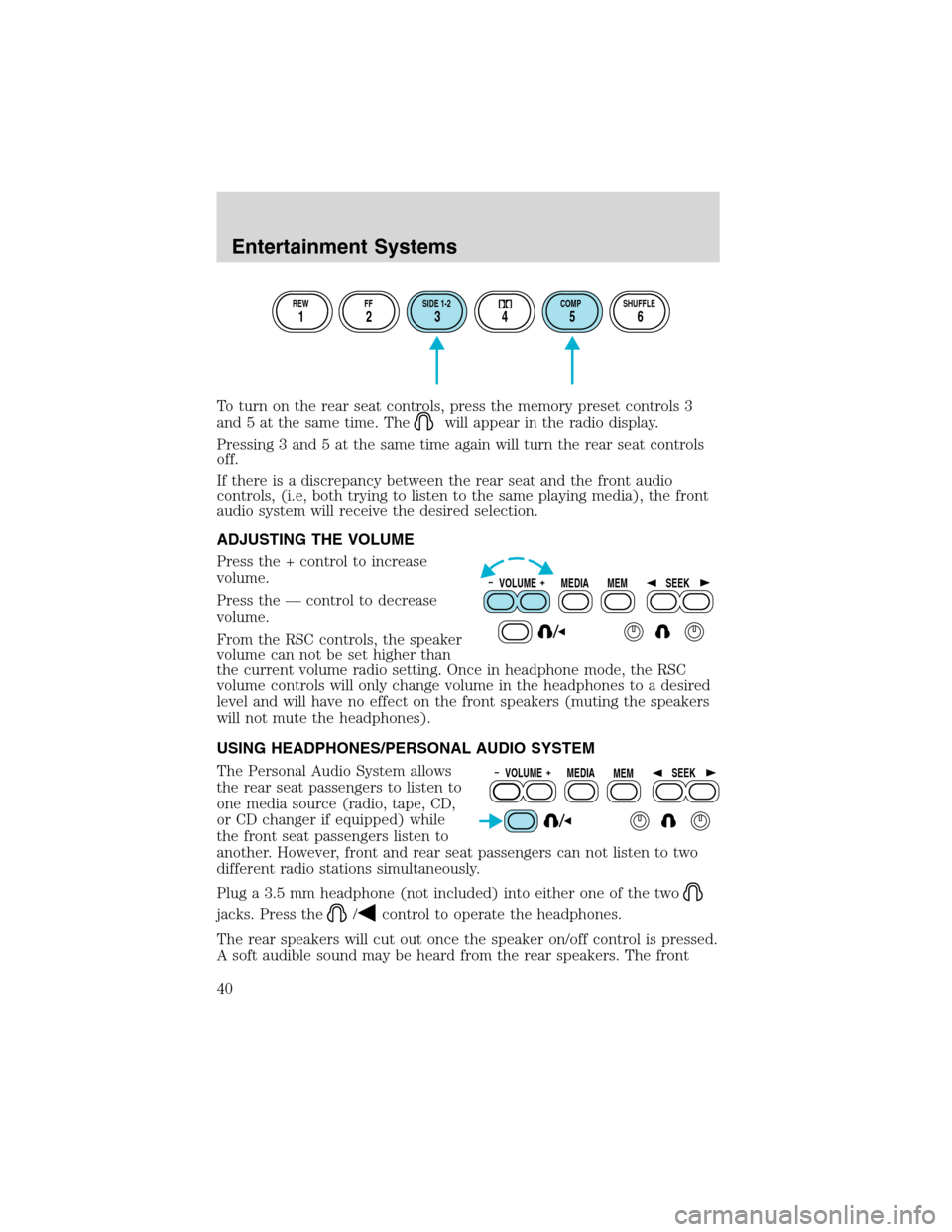
To turn on the rear seat controls, press the memory preset controls 3
and 5 at the same time. The
will appear in the radio display.
Pressing 3 and 5 at the same time again will turn the rear seat controls
off.
If there is a discrepancy between the rear seat and the front audio
controls, (i.e, both trying to listen to the same playing media), the front
audio system will receive the desired selection.
ADJUSTING THE VOLUME
Press the + control to increase
volume.
Press the — control to decrease
volume.
From the RSC controls, the speaker
volume can not be set higher than
the current volume radio setting. Once in headphone mode, the RSC
volume controls will only change volume in the headphones to a desired
level and will have no effect on the front speakers (muting the speakers
will not mute the headphones).
USING HEADPHONES/PERSONAL AUDIO SYSTEM
The Personal Audio System allows
the rear seat passengers to listen to
one media source (radio, tape, CD,
or CD changer if equipped) while
the front seat passengers listen to
another. However, front and rear seat passengers can not listen to two
different radio stations simultaneously.
Plug a 3.5 mm headphone (not included) into either one of the two
jacks. Press the/control to operate the headphones.
The rear speakers will cut out once the speaker on/off control is pressed.
A soft audible sound may be heard from the rear speakers. The front
REW FF SIDE 1-2 COMP SHUFFLE
12 3456
VOLUME MEDIA
MEMSEEK
VOLUME MEDIA
MEMSEEK
Entertainment Systems
40
Page 41 of 272
speaker will remain playing for the front passengers. Press the/
control again to deactivate the headphones (Personal Audio System).
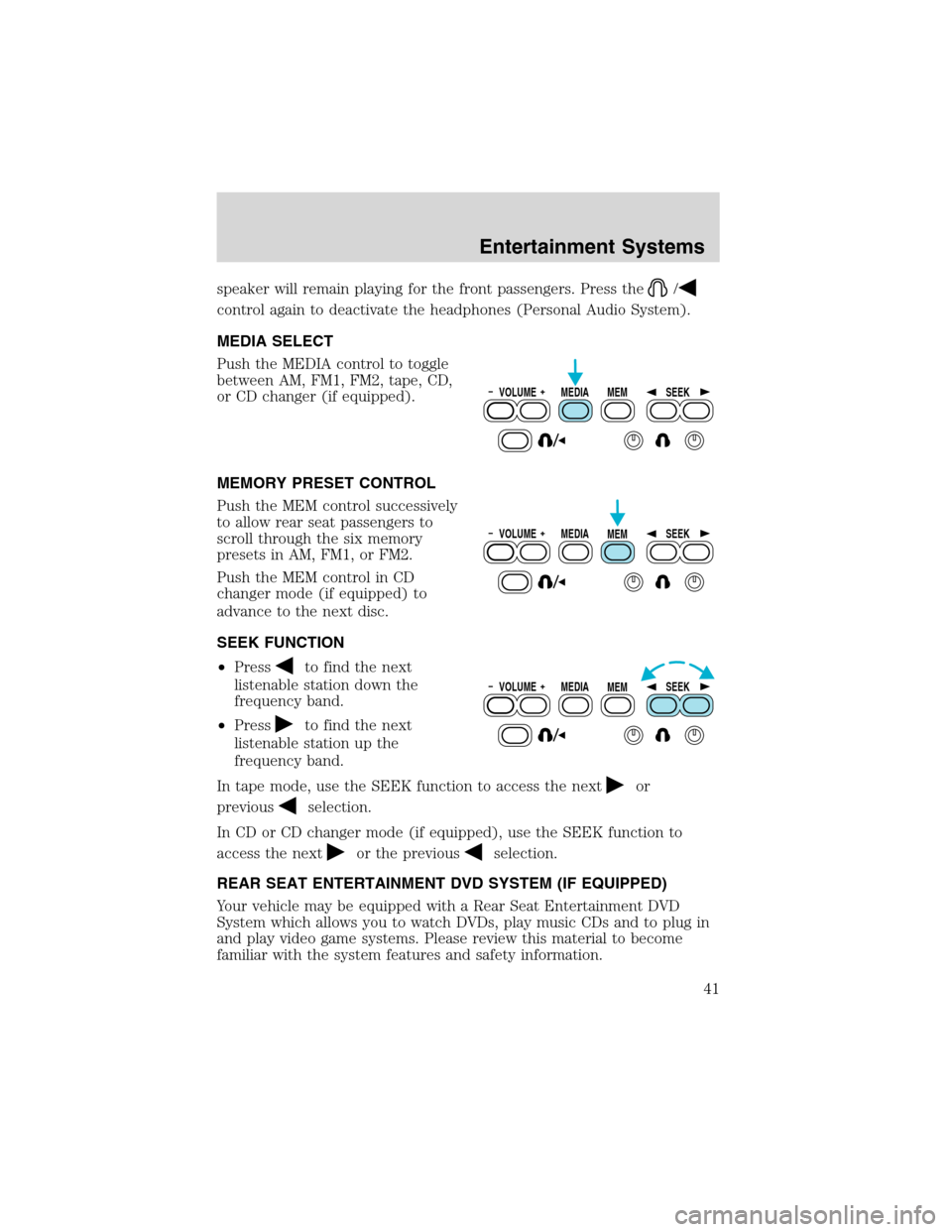
MEDIA SELECT
Push the MEDIA control to toggle
between AM, FM1, FM2, tape, CD,
or CD changer (if equipped).
MEMORY PRESET CONTROL
Push the MEM control successively
to allow rear seat passengers to
scroll through the six memory
presets in AM, FM1, or FM2.
Push the MEM control in CD
changer mode (if equipped) to
advance to the next disc.
SEEK FUNCTION
•Press
to find the next
listenable station down the
frequency band.
•Press
to find the next
listenable station up the
frequency band.
In tape mode, use the SEEK function to access the next
or
previous
selection.
In CD or CD changer mode (if equipped), use the SEEK function to
access the next
or the previousselection.
REAR SEAT ENTERTAINMENT DVD SYSTEM (IF EQUIPPED)
Your vehicle may be equipped with a Rear Seat Entertainment DVD
System which allows you to watch DVDs, play music CDs and to plug in
and play video game systems. Please review this material to become
familiar with the system features and safety information.
VOLUME MEDIA
MEMSEEK
VOLUME MEDIA
MEMSEEK
VOLUME MEDIA
MEMSEEK
Entertainment Systems
41
Page 46 of 272
2.FAST FORWARDcontrol
Press to advance the direction of the DVD movie.
3.PLAY/STOPcontrol
Press to play or stop the DVD movie.
4.SEEKcontrol
Press to reverse or advance the chapter of the DVD or the track of the
CD.
5.DISPLAY (DISP)control
Press to enable on screen display of player menu and user display
adjustments. Once the display is on, use SEEK to choose the desired
screen setting.
6.ENTER (ENT) MEMORYcontrol
In DVD playback mode, press the control to select a designated item in
menu mode.
In stop mode, press the control to select the next memory preset.
7.MNU/MODEcontrol
In DVD playback mode, press to access the disc menu.
In stop mode, press to change to rear seat mode (i.e. AM, FM, CD...)
8.VOLUMEcontrol
Press to increase (+) or decrease (-) volume level.
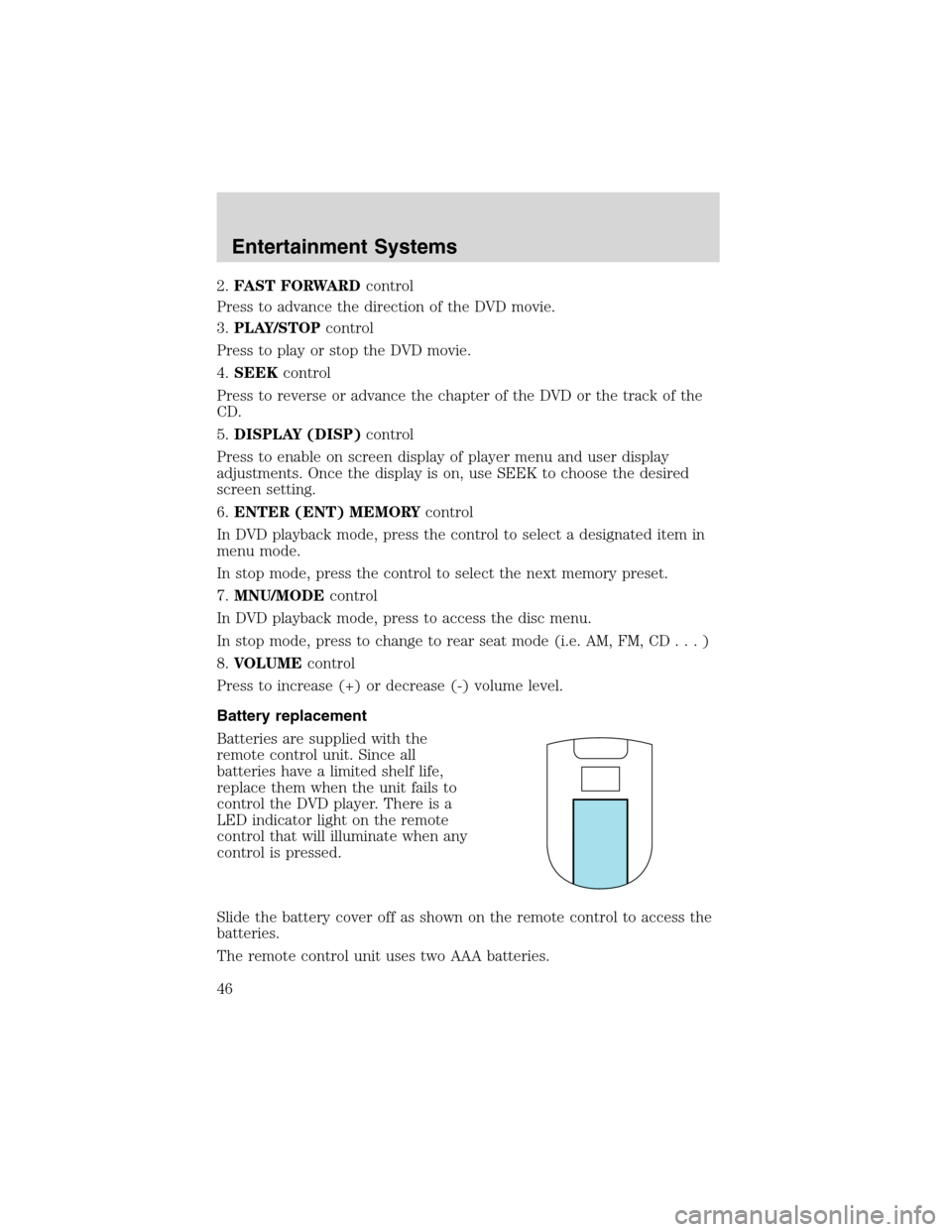
Battery replacement
Batteries are supplied with the
remote control unit. Since all
batteries have a limited shelf life,
replace them when the unit fails to
control the DVD player. There is a
LED indicator light on the remote
control that will illuminate when any
control is pressed.
Slide the battery cover off as shown on the remote control to access the
batteries.
The remote control unit uses two AAA batteries.
Entertainment Systems
46
Page 48 of 272
compact disc changer (if equipped)
•DVD/AUX
DVD player / Auxiliary line input
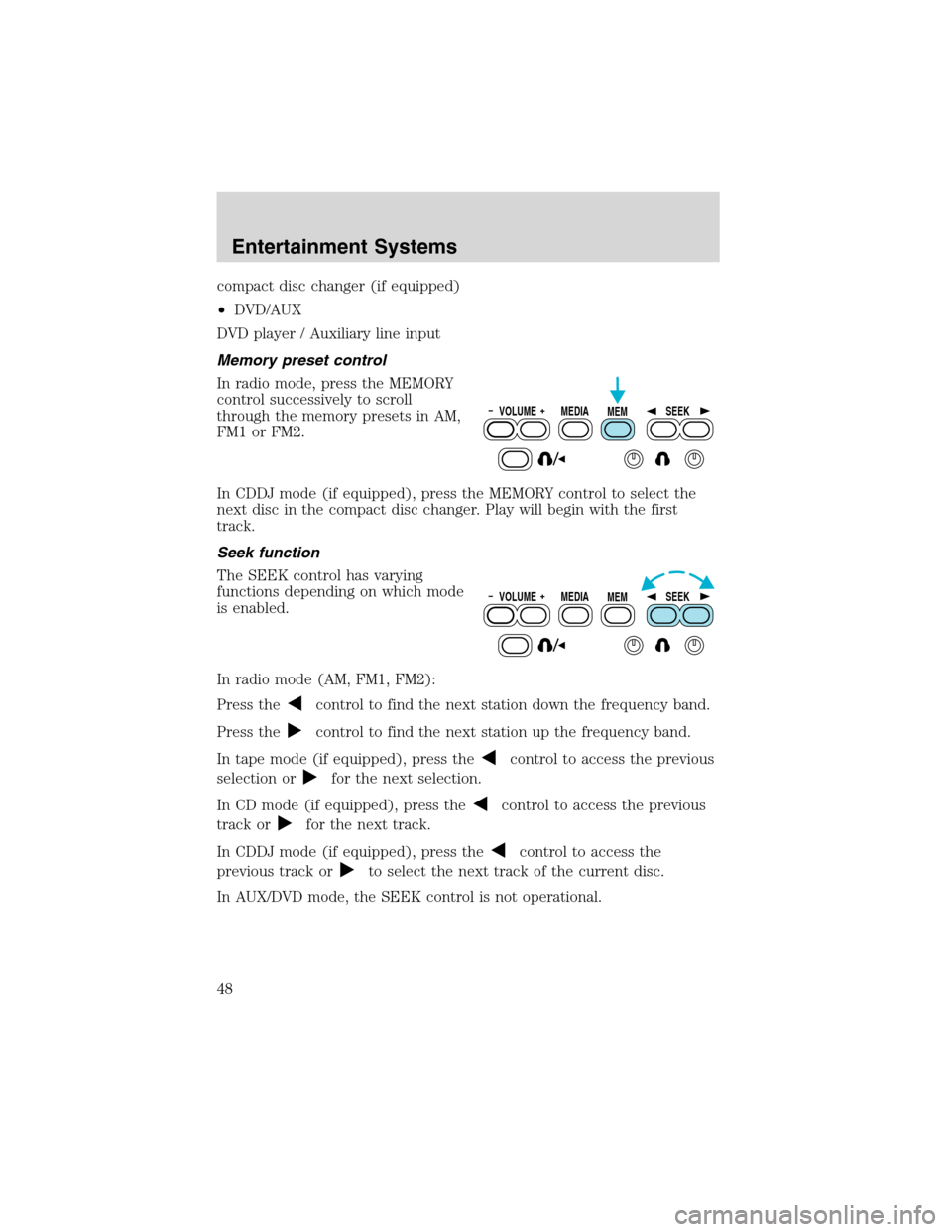
Memory preset control
In radio mode, press the MEMORY
control successively to scroll
through the memory presets in AM,
FM1 or FM2.
In CDDJ mode (if equipped), press the MEMORY control to select the
next disc in the compact disc changer. Play will begin with the first
track.
Seek function
The SEEK control has varying
functions depending on which mode
is enabled.
In radio mode (AM, FM1, FM2):
Press the
control to find the next station down the frequency band.
Press the
control to find the next station up the frequency band.
In tape mode (if equipped), press the
control to access the previous
selection or
for the next selection.
In CD mode (if equipped), press the
control to access the previous
track or
for the next track.
In CDDJ mode (if equipped), press the
control to access the
previous track or
to select the next track of the current disc.
In AUX/DVD mode, the SEEK control is not operational.
VOLUME MEDIA
MEMSEEK
VOLUME MEDIA
MEMSEEK
Entertainment Systems
48
Page 49 of 272
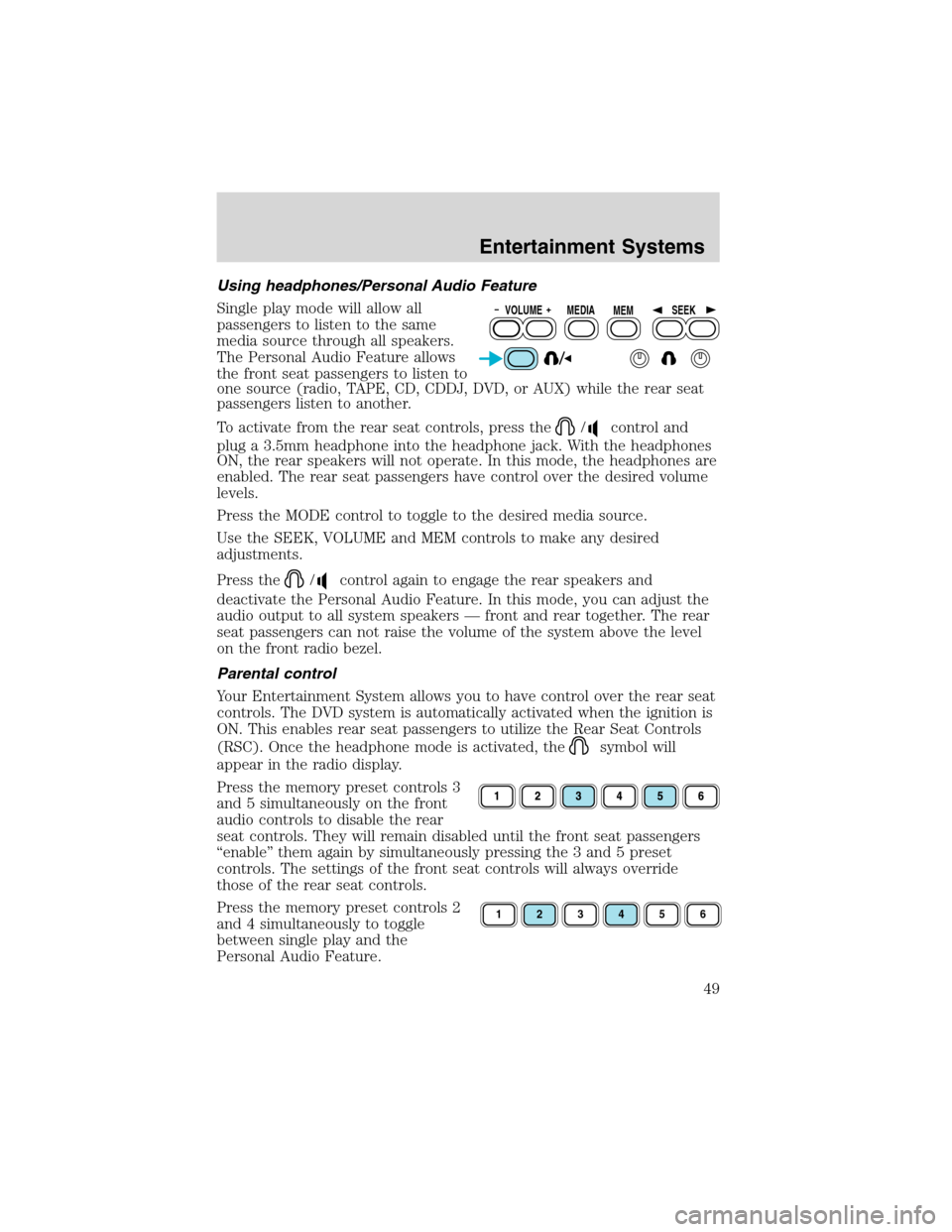
Using headphones/Personal Audio Feature
Single play mode will allow all
passengers to listen to the same
media source through all speakers.
The Personal Audio Feature allows
the front seat passengers to listen to
one source (radio, TAPE, CD, CDDJ, DVD, or AUX) while the rear seat
passengers listen to another.
To activate from the rear seat controls, press the
/control and
plug a 3.5mm headphone into the headphone jack. With the headphones
ON, the rear speakers will not operate. In this mode, the headphones are
enabled. The rear seat passengers have control over the desired volume
levels.
Press the MODE control to toggle to the desired media source.
Use the SEEK, VOLUME and MEM controls to make any desired
adjustments.
Press the
/control again to engage the rear speakers and
deactivate the Personal Audio Feature. In this mode, you can adjust the
audio output to all system speakers — front and rear together. The rear
seat passengers can not raise the volume of the system above the level
on the front radio bezel.
Parental control
Your Entertainment System allows you to have control over the rear seat
controls. The DVD system is automatically activated when the ignition is
ON. This enables rear seat passengers to utilize the Rear Seat Controls
(RSC). Once the headphone mode is activated, the
symbol will
appear in the radio display.
Press the memory preset controls 3
and 5 simultaneously on the front
audio controls to disable the rear
seat controls. They will remain disabled until the front seat passengers
“enable” them again by simultaneously pressing the 3 and 5 preset
controls. The settings of the front seat controls will always override
those of the rear seat controls.
Press the memory preset controls 2
and 4 simultaneously to toggle
between single play and the
Personal Audio Feature.
VOLUME MEDIA
MEMSEEK
123456
Entertainment Systems
49
Page 51 of 272
General operating tips
•When the engine is not running, use the system sparingly otherwise it
will run the battery down.
•When the ignition is turned to OFF, the Rear Seat Entertainment DVD
System is also turned OFF. When the ignition is turned ON, the
system will begin playback from the last selected media source when
the play control is pressed.
•To disable the DVD player, simultaneously press the 3 and 5 memory
presets on the radio face. To enable the DVD player again, press the 3
and 5 presets simultaneously.
•The DVD player is only capable of reading the bottom side of a disc.
When inserting a single sided disc, the label should be up. For a
multi-sided disc, the desired play side should be down when the disc
is inserted into the player.
•The DVD player is only capable of playback of DVDs and CDs. The
player is not compatible with CDR/RW media.
•DVDs are formatted by regions. This DVD system can only play region
1 DVDs (DVDs manufactured in U.S and Canada).
This unit is designed to play commercially pressed 12 cm (4.75
in) audio compact discs and DVDs only. Due to technical
incompatibility, certain recordable and re-recordable compact
discs may not function correctly when used in Ford DVD/CD
players. Irregular shaped discs, discs with a scratch protection
film attached, and discs with homemade paper (adhesive) labels
should not be inserted into the player. The label may peel and
cause the disc to become jammed. It is recommended that
homemade discs be identified with permanent felt tip marker
rather than adhesive labels. Ball point pens may damage discs.
Please contact your dealer for further information.
Inserting a CD/DVD
Inserting a CD/DVD into the DVD player automatically turns the power
ON and playback should begin.
The counter is automatically reset to 0:00:00.
Ensure that the overhead screen is down for viewing.
Removing a CD/DVD
1. Press the STOP/EJECT control to stop playback.
2. Press the STOP/EJECT control again to eject the CD/DVD.
Entertainment Systems
51
Page 83 of 272
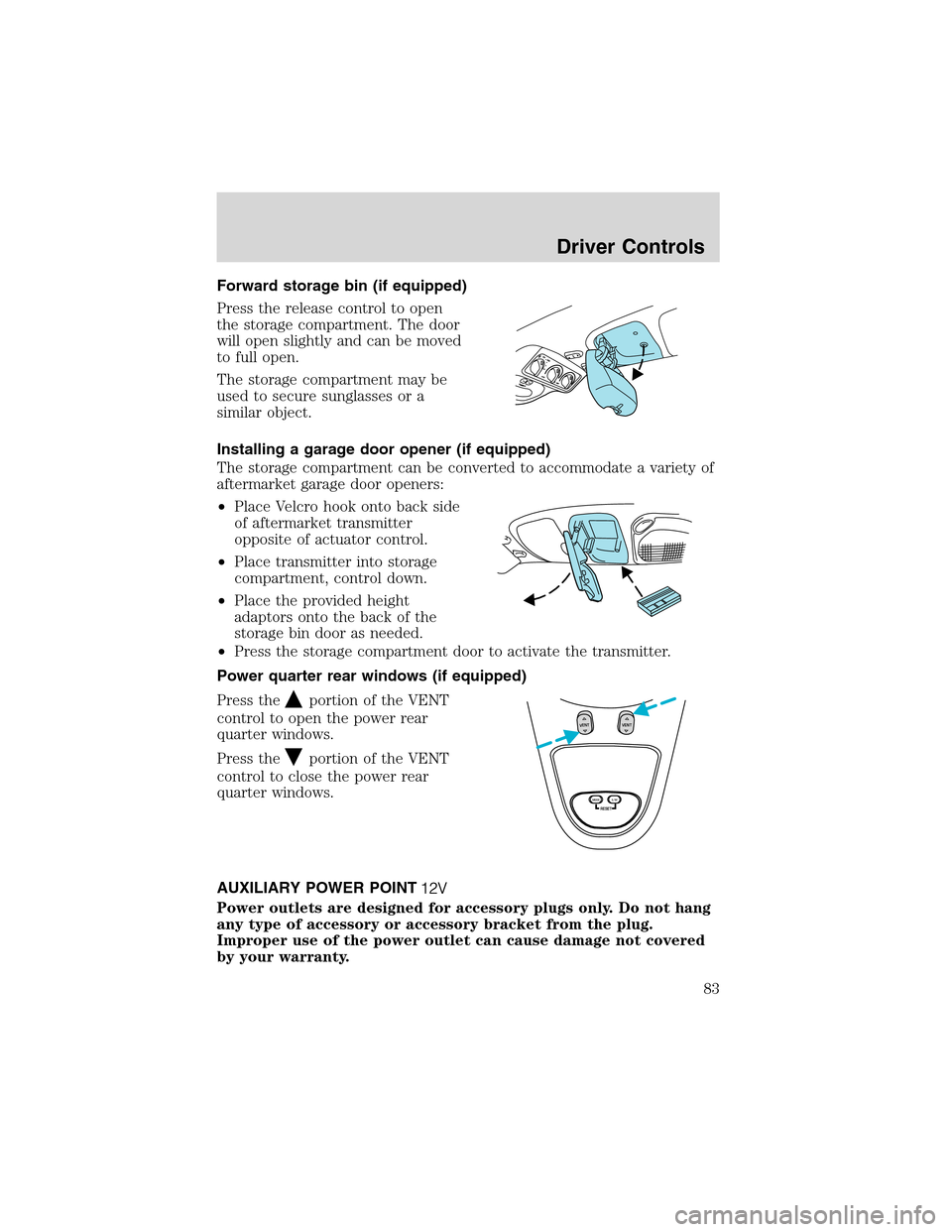
Forward storage bin (if equipped)
Press the release control to open
the storage compartment. The door
will open slightly and can be moved
to full open.
The storage compartment may be
used to secure sunglasses or a
similar object.
Installing a garage door opener (if equipped)
The storage compartment can be converted to accommodate a variety of
aftermarket garage door openers:
•Place Velcro hook onto back side
of aftermarket transmitter
opposite of actuator control.
•Place transmitter into storage
compartment, control down.
•Place the provided height
adaptors onto the back of the
storage bin door as needed.
•Press the storage compartment door to activate the transmitter.
Power quarter rear windows (if equipped)
Press the
portion of the VENT
control to open the power rear
quarter windows.
Press the
portion of the VENT
control to close the power rear
quarter windows.
AUXILIARY POWER POINT
Power outlets are designed for accessory plugs only. Do not hang
any type of accessory or accessory bracket from the plug.
Improper use of the power outlet can cause damage not covered
by your warranty.
RESET
VENTVENT
MODE E/M
Driver Controls
83
Page 93 of 272
Indicator light
This light comes on when either the
SET ACCEL or RES controls are
pressed. The vehicle speed must be
at or above 48 km/h (30 mph). It turns off when the speed control OFF
control is pressed, the brake is applied, or the ignition is turned to the
OFF position.
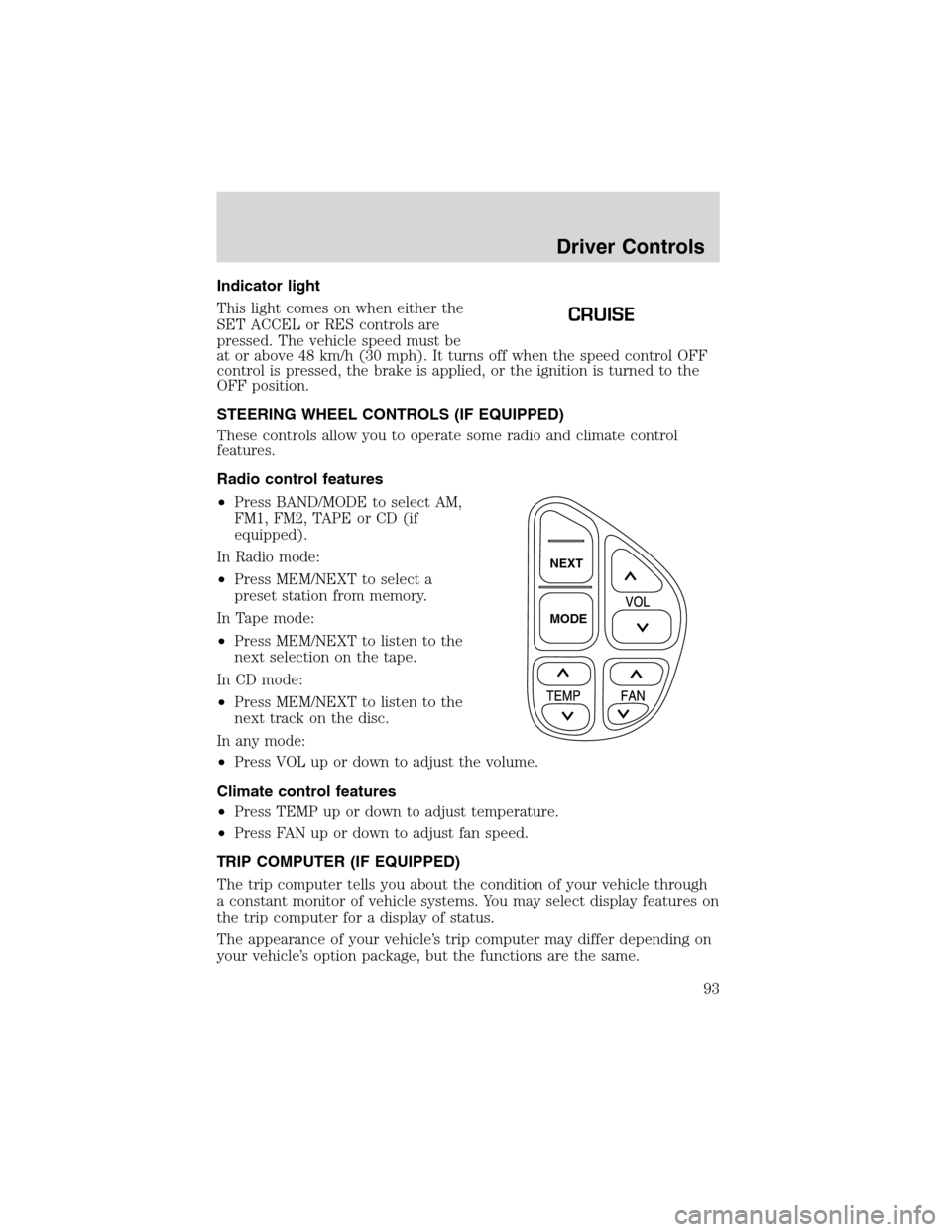
STEERING WHEEL CONTROLS (IF EQUIPPED)
These controls allow you to operate some radio and climate control
features.
Radio control features
•Press BAND/MODE to select AM,
FM1, FM2, TAPE or CD (if
equipped).
In Radio mode:
•Press MEM/NEXT to select a
preset station from memory.
In Tape mode:
•Press MEM/NEXT to listen to the
next selection on the tape.
In CD mode:
•Press MEM/NEXT to listen to the
next track on the disc.
In any mode:
•Press VOL up or down to adjust the volume.
Climate control features
•Press TEMP up or down to adjust temperature.
•Press FAN up or down to adjust fan speed.
TRIP COMPUTER (IF EQUIPPED)
The trip computer tells you about the condition of your vehicle through
a constant monitor of vehicle systems. You may select display features on
the trip computer for a display of status.
The appearance of your vehicle’s trip computer may differ depending on
your vehicle’s option package, but the functions are the same.
CRUISE
NEXT
MODE
Driver Controls
93
Page 94 of 272
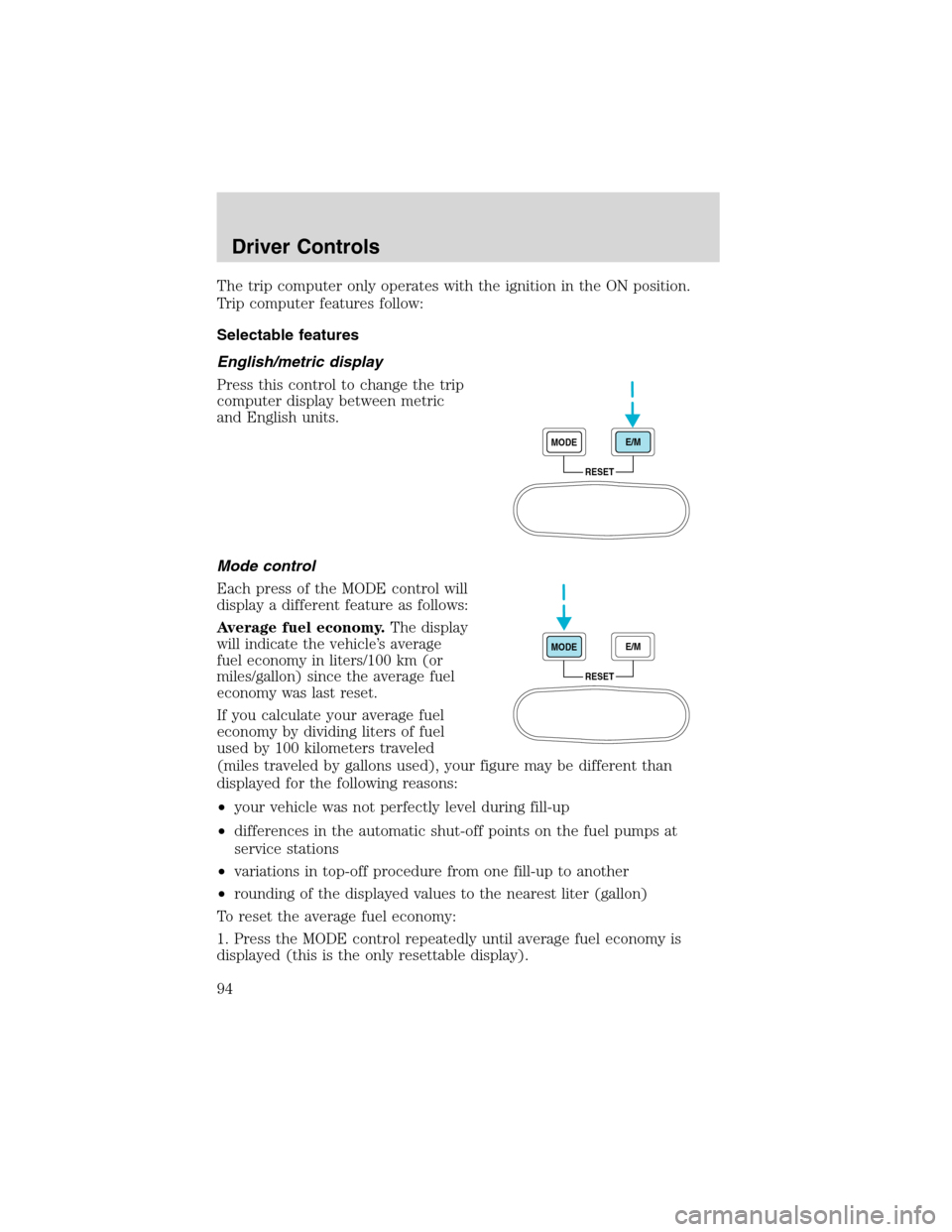
The trip computer only operates with the ignition in the ON position.
Trip computer features follow:
Selectable features
English/metric display
Press this control to change the trip
computer display between metric
and English units.
Mode control
Each press of the MODE control will
display a different feature as follows:
Average fuel economy.
The display
will indicate the vehicle’s average
fuel economy in liters/100 km (or
miles/gallon) since the average fuel
economy was last reset.
If you calculate your average fuel
economy by dividing liters of fuel
used by 100 kilometers traveled
(miles traveled by gallons used), your figure may be different than
displayed for the following reasons:
•your vehicle was not perfectly level during fill-up
•differences in the automatic shut-off points on the fuel pumps at
service stations
•variations in top-off procedure from one fill-up to another
•rounding of the displayed values to the nearest liter (gallon)
To reset the average fuel economy:
1. Press the MODE control repeatedly until average fuel economy is
displayed (this is the only resettable display).
RESET MODEE/M
RESET MODEE/M
Driver Controls
94
Page 95 of 272
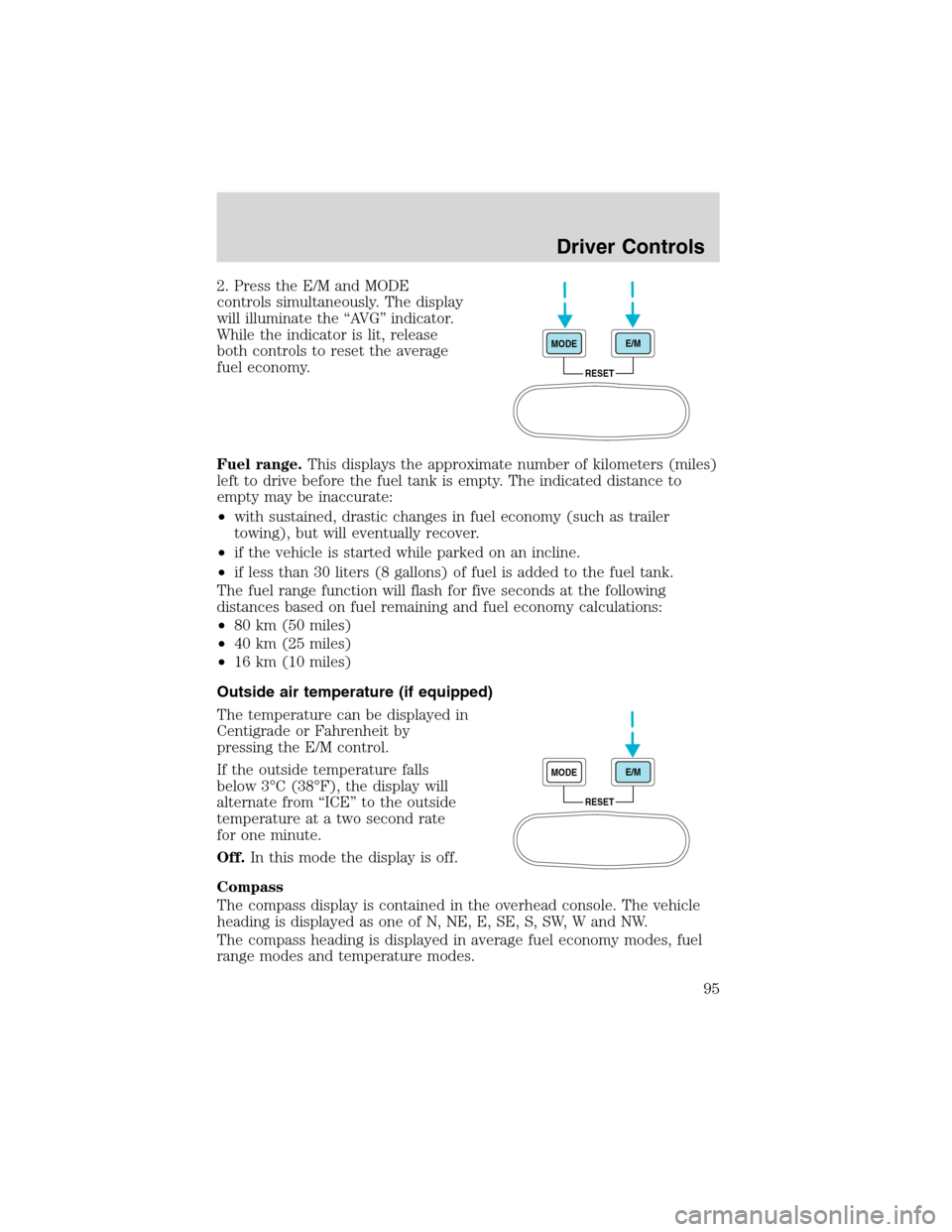
2. Press the E/M and MODE
controls simultaneously. The display
will illuminate the “AVG” indicator.
While the indicator is lit, release
both controls to reset the average
fuel economy.
Fuel range.This displays the approximate number of kilometers (miles)
left to drive before the fuel tank is empty. The indicated distance to
empty may be inaccurate:
•with sustained, drastic changes in fuel economy (such as trailer
towing), but will eventually recover.
•if the vehicle is started while parked on an incline.
•if less than 30 liters (8 gallons) of fuel is added to the fuel tank.
The fuel range function will flash for five seconds at the following
distances based on fuel remaining and fuel economy calculations:
•80 km (50 miles)
•40 km (25 miles)
•16 km (10 miles)
Outside air temperature (if equipped)
The temperature can be displayed in
Centigrade or Fahrenheit by
pressing the E/M control.
If the outside temperature falls
below 3°C (38°F), the display will
alternate from “ICE” to the outside
temperature at a two second rate
for one minute.
Off.In this mode the display is off.
Compass
The compass display is contained in the overhead console. The vehicle
heading is displayed as one of N, NE, E, SE, S, SW, W and NW.
The compass heading is displayed in average fuel economy modes, fuel
range modes and temperature modes.
RESET MODEE/M
RESET MODEE/M
Driver Controls
95