Seat FORD EXPEDITION 2001 1.G User Guide
[x] Cancel search | Manufacturer: FORD, Model Year: 2001, Model line: EXPEDITION, Model: FORD EXPEDITION 2001 1.GPages: 280, PDF Size: 1.79 MB
Page 59 of 280
•If your vehicle has been parked with the windows closed during warm
weather conditions, the air conditioner will perform more efficiently in
cooling the vehicle if driven for two or three minutes with the
windows open. This will force most of the hot, stale air out of the
vehicle. Once the vehicle has been“aired out”, operate the climate
control system as desired.
•Don’t put objects under the front seat that will interfere with the
airflow to the back seats.
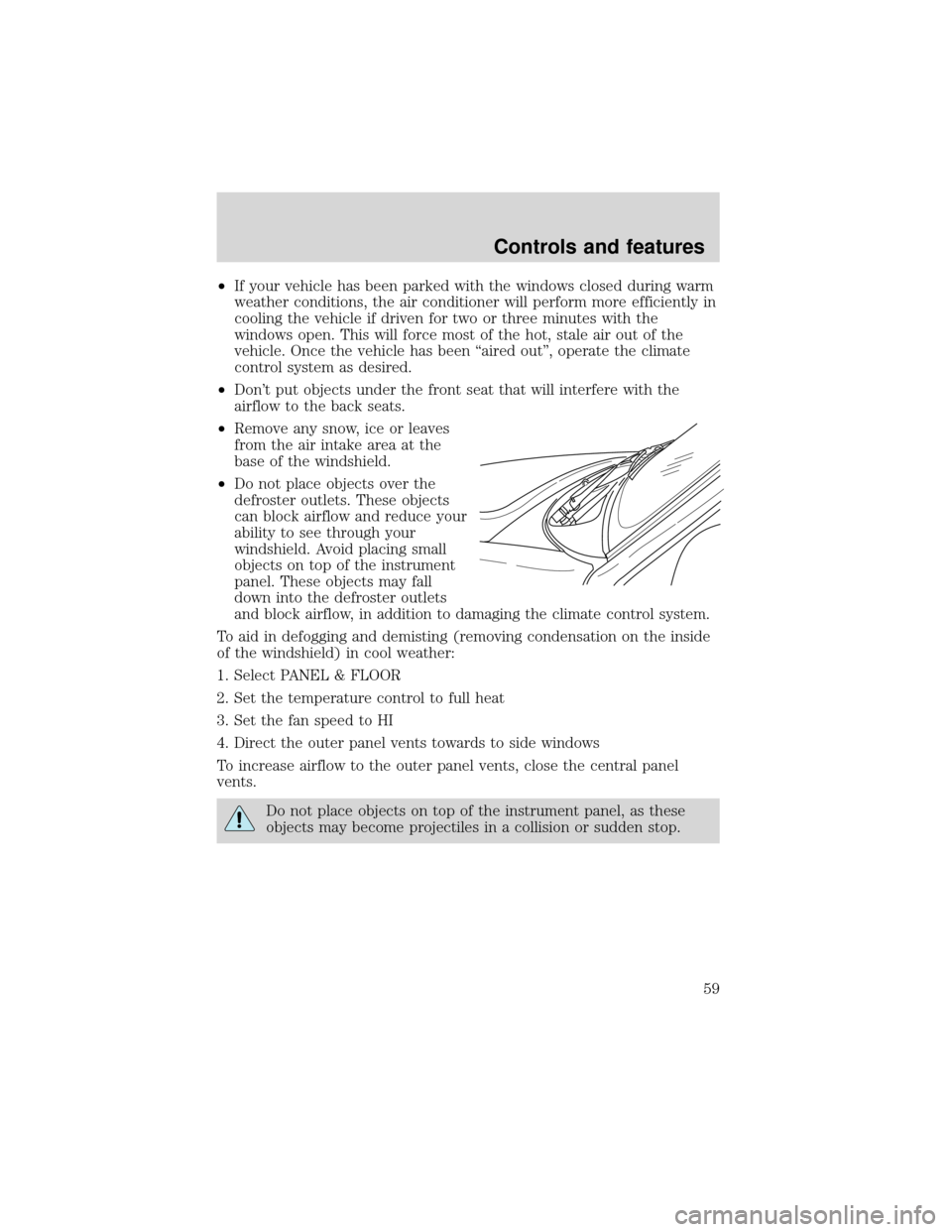
•Remove any snow, ice or leaves
from the air intake area at the
base of the windshield.
•Do not place objects over the
defroster outlets. These objects
can block airflow and reduce your
ability to see through your
windshield. Avoid placing small
objects on top of the instrument
panel. These objects may fall
down into the defroster outlets
and block airflow, in addition to damaging the climate control system.
To aid in defogging and demisting (removing condensation on the inside
of the windshield) in cool weather:
1. Select PANEL & FLOOR
2. Set the temperature control to full heat
3. Set the fan speed to HI
4. Direct the outer panel vents towards to side windows
To increase airflow to the outer panel vents, close the central panel
vents.
Do not place objects on top of the instrument panel, as these
objects may become projectiles in a collision or sudden stop.
Controls and features
59
Page 65 of 280
•Under snowy or dirty weather conditions, your vehicle’s climate
control system should be left in the OFF position when the vehicle is
parked. This allows the climate control system to be free from
contamination of outside pollutants.
•If your vehicle has been parked with the windows closed during warm
weather conditions, the air conditioner will perform more efficiently in
cooling the vehicle if driven for two or three minutes with the
windows open. This will force most of the hot, stale air out of the
vehicle. Once the vehicle has been“aired out”, operate the climate
control system as desired.
•Don’t put objects under the front seat that will interfere with the
airflow to the back seats.
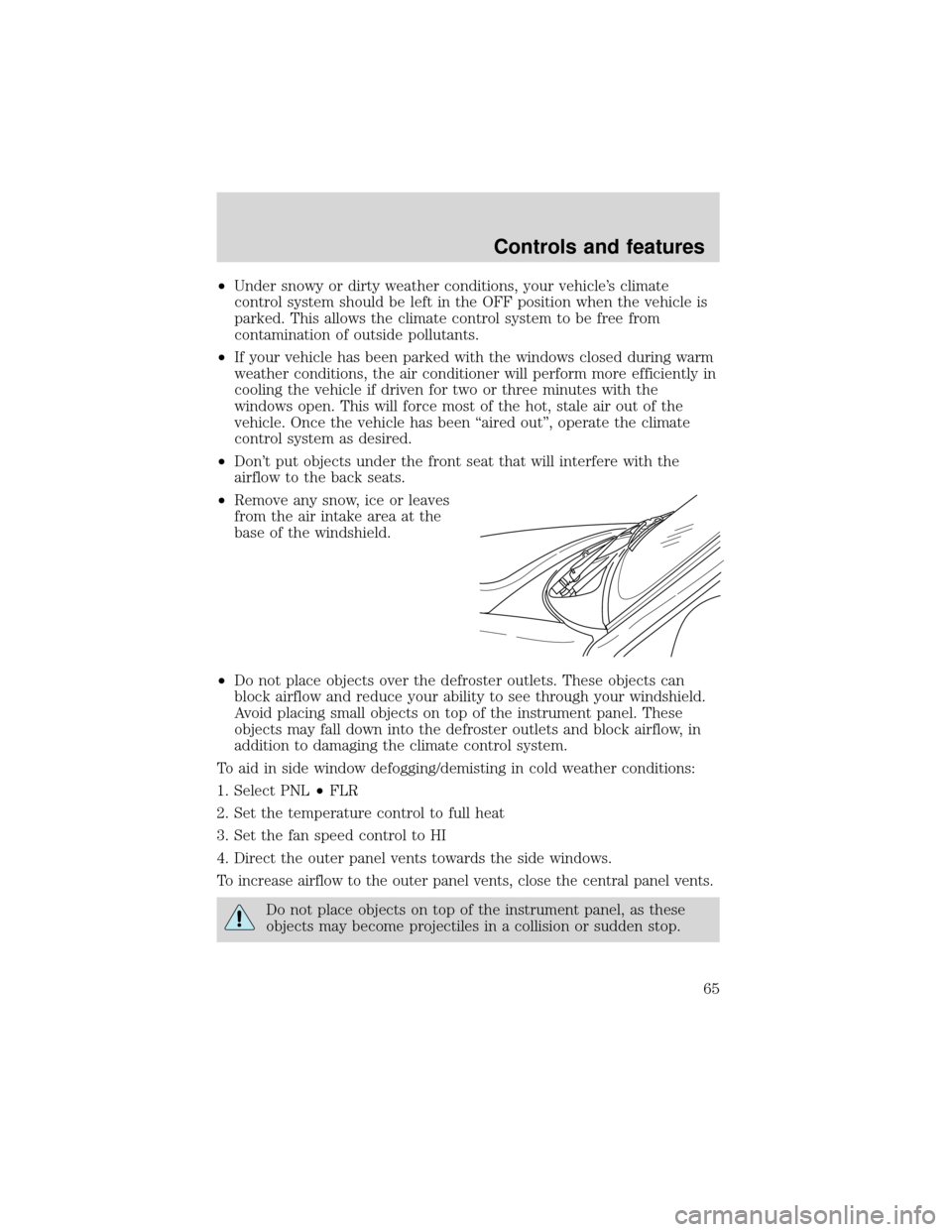
•Remove any snow, ice or leaves
from the air intake area at the
base of the windshield.
•Do not place objects over the defroster outlets. These objects can
block airflow and reduce your ability to see through your windshield.
Avoid placing small objects on top of the instrument panel. These
objects may fall down into the defroster outlets and block airflow, in
addition to damaging the climate control system.
To aid in side window defogging/demisting in cold weather conditions:
1. Select PNL•FLR
2. Set the temperature control to full heat
3. Set the fan speed control to HI
4. Direct the outer panel vents towards the side windows.
To increase airflow to the outer panel vents, close the central panel vents.
Do not place objects on top of the instrument panel, as these
objects may become projectiles in a collision or sudden stop.
Controls and features
65
Page 66 of 280
Auxiliary A/C-heater controls (if equipped)
Depending on your equipment package, your vehicle may be equipped
with auxiliary A/C-heater controls. The auxiliary A/C-heater feature
provides increased capacity to quickly heat or cool the vehicle. Besides
the driver’s control panel for the front seat occupants, the second row
auxiliary A/C-heater controls allow the rear passengers to control the
temperature in the rear of the vehicle through a second control panel
above the second row, or in the floor console.
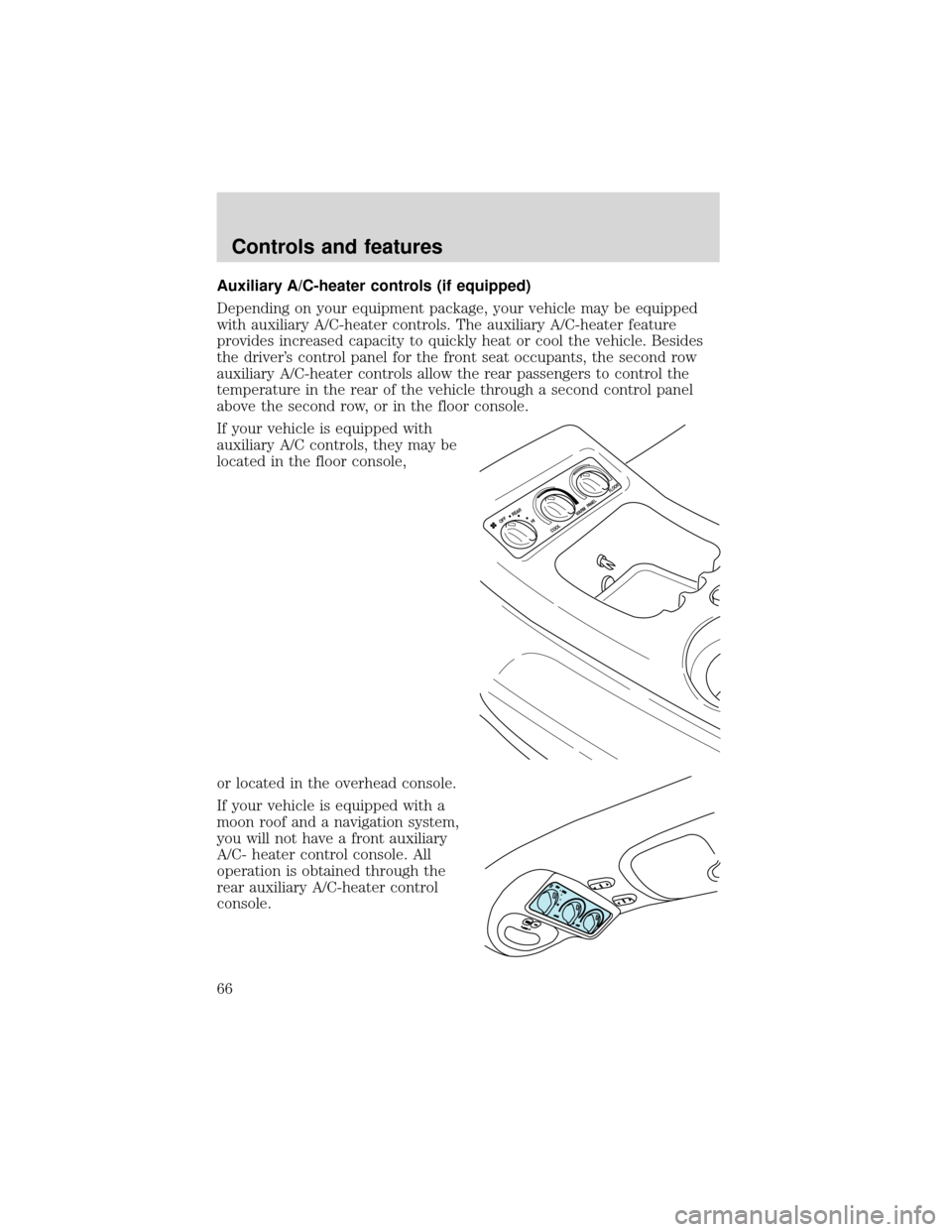
If your vehicle is equipped with
auxiliary A/C controls, they may be
located in the floor console,
or located in the overhead console.
If your vehicle is equipped with a
moon roof and a navigation system,
you will not have a front auxiliary
A/C- heater control console. All
operation is obtained through the
rear auxiliary A/C-heater control
console.
HI OFF
REARW
ARM
COOL
PA N E L
FLOOR
Controls and features
66
Page 67 of 280
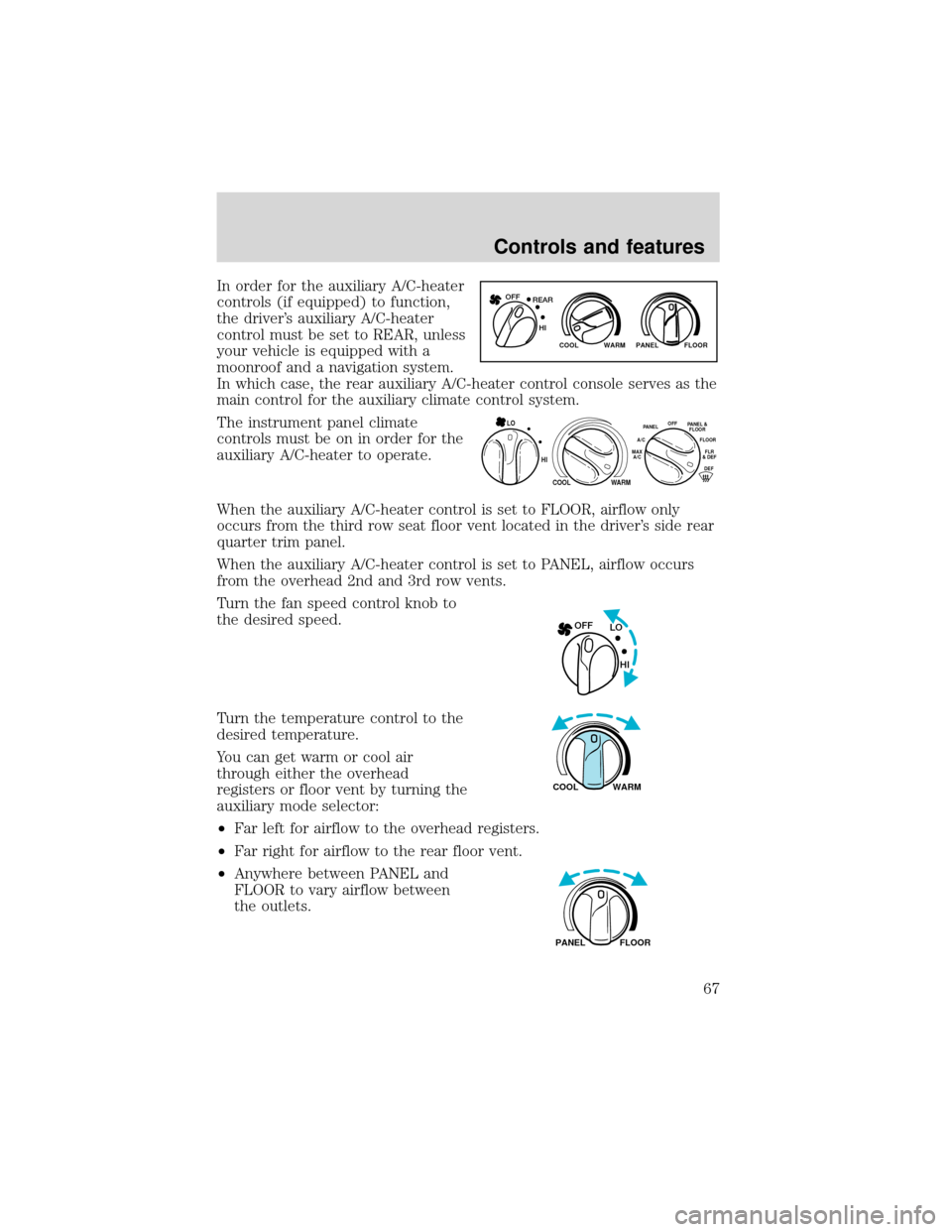
In order for the auxiliary A/C-heater
controls (if equipped) to function,
the driver’s auxiliary A/C-heater
control must be set to REAR, unless
your vehicle is equipped with a
moonroof and a navigation system.
In which case, the rear auxiliary A/C-heater control console serves as the
main control for the auxiliary climate control system.
The instrument panel climate
controls must be on in order for the
auxiliary A/C-heater to operate.
When the auxiliary A/C-heater control is set to FLOOR, airflow only
occurs from the third row seat floor vent located in the driver’s side rear
quarter trim panel.
When the auxiliary A/C-heater control is set to PANEL, airflow occurs
from the overhead 2nd and 3rd row vents.
Turn the fan speed control knob to
the desired speed.
Turn the temperature control to the
desired temperature.
You can get warm or cool air
through either the overhead
registers or floor vent by turning the
auxiliary mode selector:
•Far left for airflow to the overhead registers.
•Far right for airflow to the rear floor vent.
•Anywhere between PANEL and
FLOOR to vary airflow between
the outlets.
WARM PANEL FLOOR COOL
REAR OFF
HI
HI
COOL
WARM
OFFPANELFLOO
R
DEFFLR
& DEF A/C
M
AX
A/CPA
NEL &
FLOOR
LO
LO OFF
HI
WARM COOL
FLOOR PANEL
Controls and features
67
Page 96 of 280
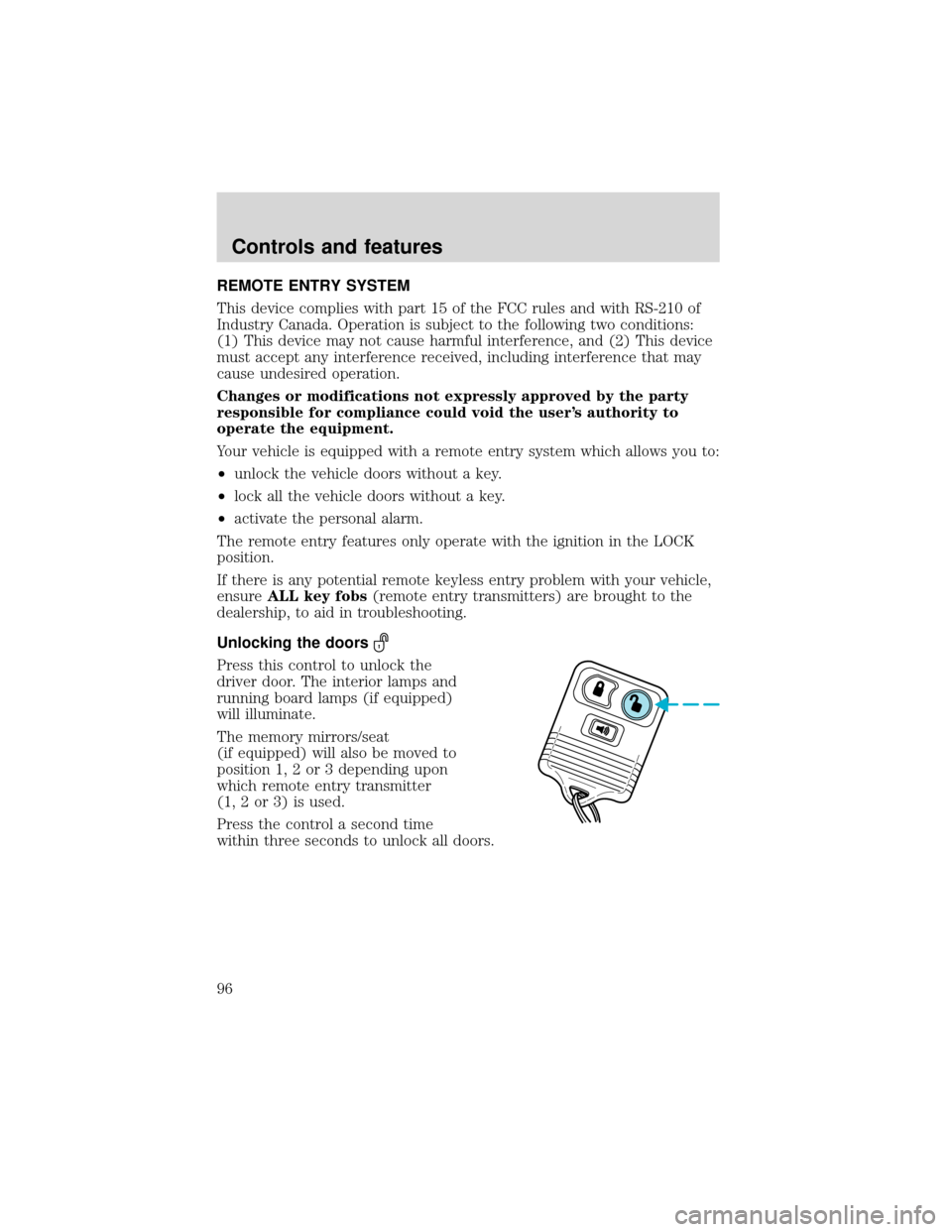
REMOTE ENTRY SYSTEM
This device complies with part 15 of the FCC rules and with RS-210 of
Industry Canada. Operation is subject to the following two conditions:
(1) This device may not cause harmful interference, and (2) This device
must accept any interference received, including interference that may
cause undesired operation.
Changes or modifications not expressly approved by the party
responsible for compliance could void the user’s authority to
operate the equipment.
Your vehicle is equipped with a remote entry system which allows you to:
•unlock the vehicle doors without a key.
•lock all the vehicle doors without a key.
•activate the personal alarm.
The remote entry features only operate with the ignition in the LOCK
position.
If there is any potential remote keyless entry problem with your vehicle,
ensureALL key fobs(remote entry transmitters) are brought to the
dealership, to aid in troubleshooting.
Unlocking the doors
Press this control to unlock the
driver door. The interior lamps and
running board lamps (if equipped)
will illuminate.
The memory mirrors/seat
(if equipped) will also be moved to
position 1, 2 or 3 depending upon
which remote entry transmitter
(1, 2 or 3) is used.
Press the control a second time
within three seconds to unlock all doors.
Controls and features
96
Page 100 of 280
The battery save feature will turn off the interior lights 45 minutes after
the last door is closed, even if the dimmer control is on.
Memory seat/mirrors/adjustable pedal feature (if equipped)
The memory feature allows automatic positioning of the driver seat, side
mirrors and adjustable pedals to three programmable positions.
•To program position one, move the driver seat, both side mirrors, and
adjustable pedals to the desired positions. Press the SET control. The
SET control indicator light will briefly illuminate. While the light is
illuminated, press control 1.
•
To program position two, repeat the previous procedure using control 2.
•To program position three, repeat the previous procedure but press
controls 1 and 2 simultaneously.
The memory feature also allows you to recall previously stored positions
with your remote transmitter(s). Up to three remote transmitters can be
activated to utilize the memory recall positions.
Press the memory feature control to move to the previously stored
seat/mirror/adjustable pedal positions.
Activating/deactivating the memory feature on your remote
transmitter
The memory feature from the remote transmitter can be turned off/on,
however, the memory control buttons will continue to operate. Before
following the procedure, make sure that the ignition is OFF and all doors
and the liftgate window are closed. You must complete steps 1–7 within
30 seconds or the procedure will have to be repeated. If the procedure
needs to be repeated, you must wait 30 seconds.
1. Turn the ignition key to ON.
2. Press the power door unlock control three times.
3. Turn the ignition key from ON to OFF.
4. Press the power door unlock control three times.
5. Turn the ignition back to ON. The horn will chirp.
6. Press the power door unlock control two times, then press the power
lock control once. The horn will chirp twice if the memory feature was
deactivated or three times (two short and one long) if the memory
feature was activated.
Controls and features
100
Page 104 of 280
SEATING
Adjustable head restraints (if equipped)
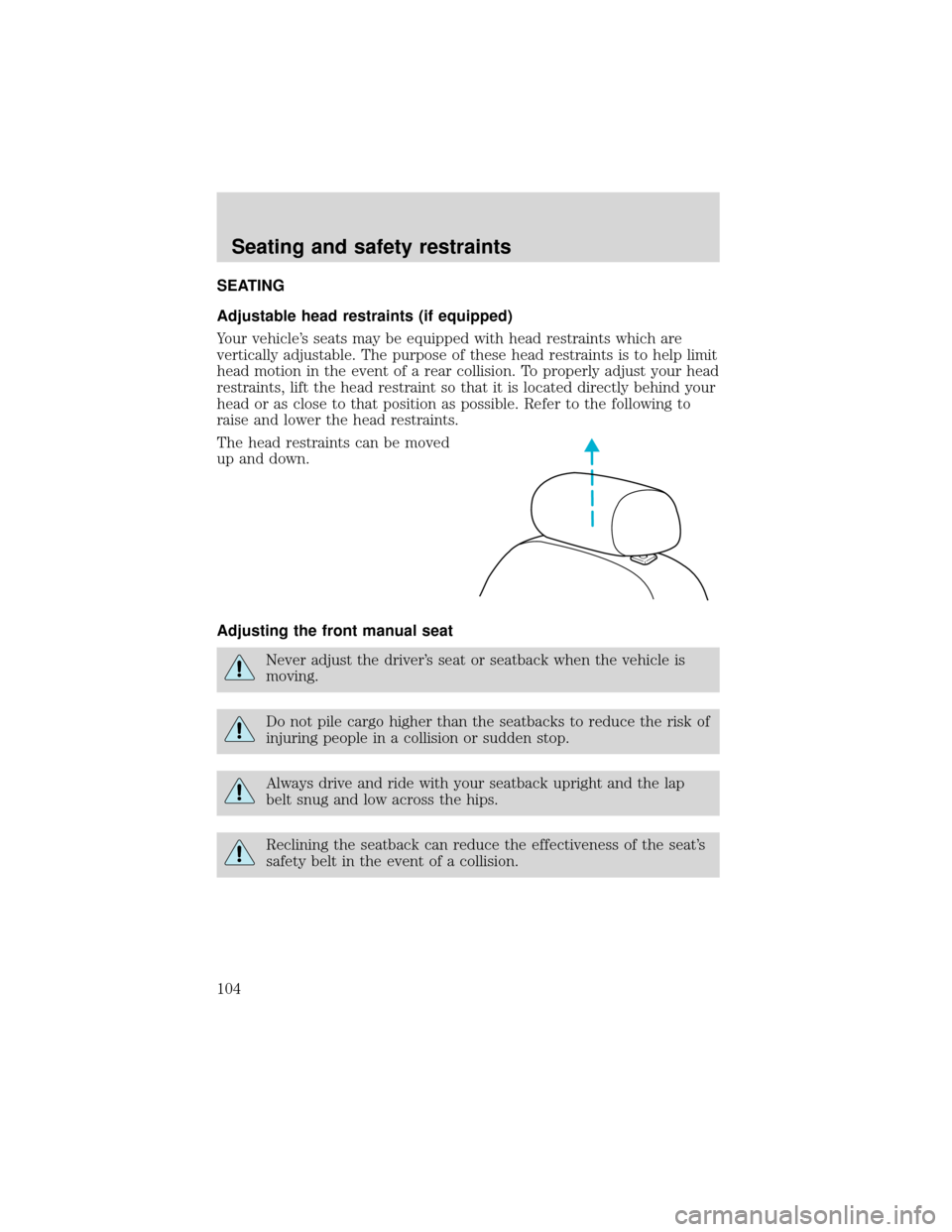
Your vehicle’s seats may be equipped with head restraints which are
vertically adjustable. The purpose of these head restraints is to help limit
head motion in the event of a rear collision. To properly adjust your head
restraints, lift the head restraint so that it is located directly behind your
head or as close to that position as possible. Refer to the following to
raise and lower the head restraints.
The head restraints can be moved
up and down.
Adjusting the front manual seat
Never adjust the driver’s seat or seatback when the vehicle is
moving.
Do not pile cargo higher than the seatbacks to reduce the risk of
injuring people in a collision or sudden stop.
Always drive and ride with your seatback upright and the lap
belt snug and low across the hips.
Reclining the seatback can reduce the effectiveness of the seat’s
safety belt in the event of a collision.
Seating and safety restraints
104
Page 105 of 280
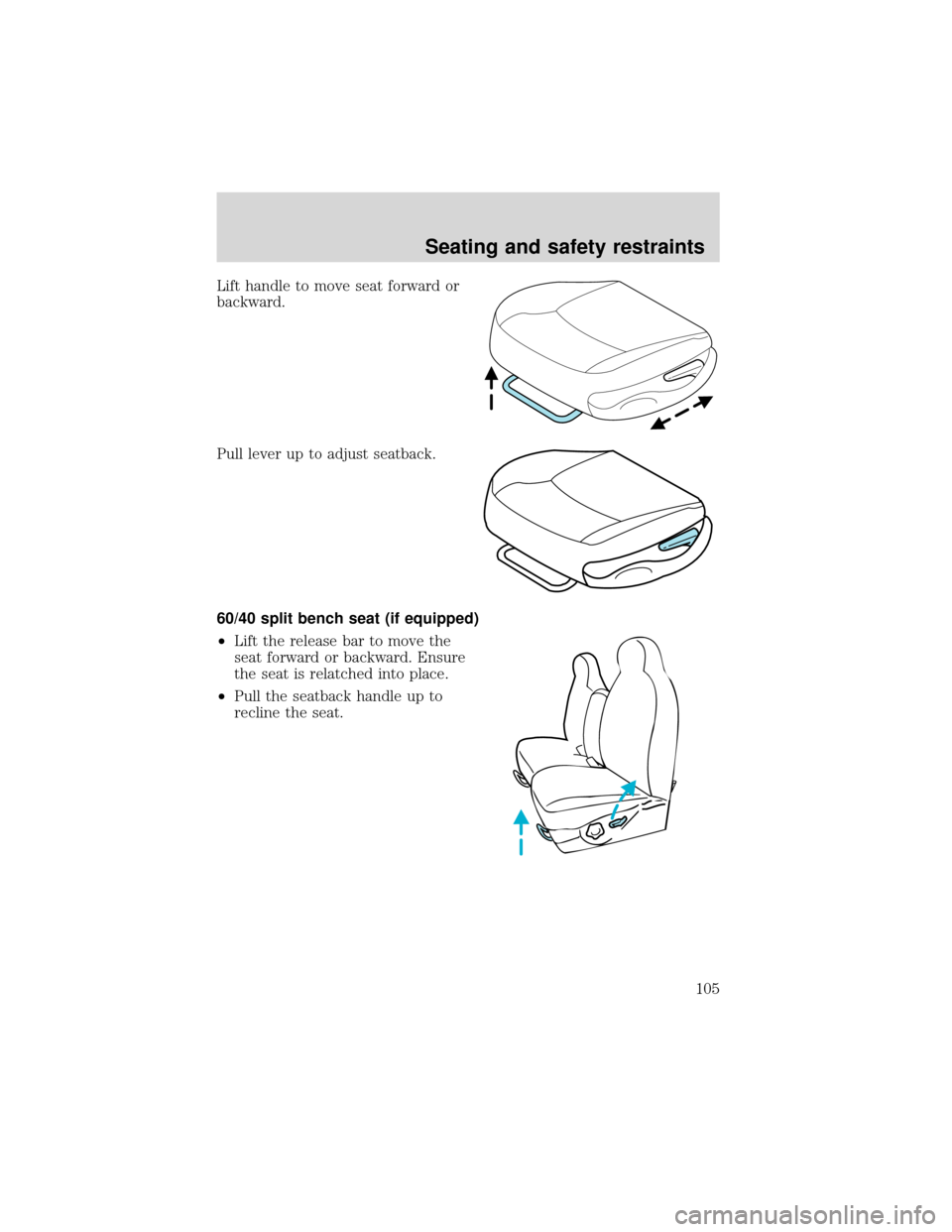
Lift handle to move seat forward or
backward.
Pull lever up to adjust seatback.
60/40 split bench seat (if equipped)
•Lift the release bar to move the
seat forward or backward. Ensure
the seat is relatched into place.
•Pull the seatback handle up to
recline the seat.
Seating and safety restraints
105
Page 106 of 280
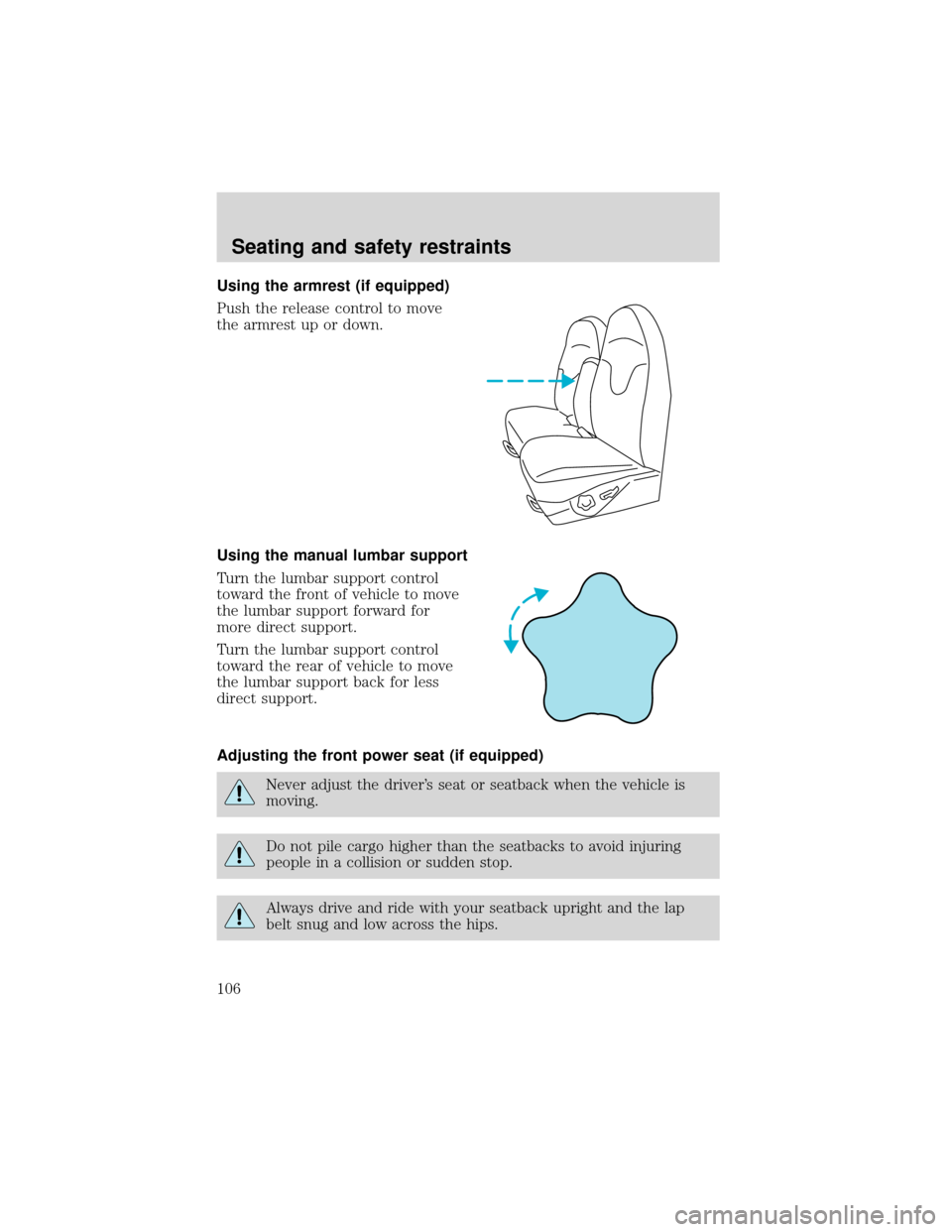
Using the armrest (if equipped)
Push the release control to move
the armrest up or down.
Using the manual lumbar support
Turn the lumbar support control
toward the front of vehicle to move
the lumbar support forward for
more direct support.
Turn the lumbar support control
toward the rear of vehicle to move
the lumbar support back for less
direct support.
Adjusting the front power seat (if equipped)
Never adjust the driver’s seat or seatback when the vehicle is
moving.
Do not pile cargo higher than the seatbacks to avoid injuring
people in a collision or sudden stop.
Always drive and ride with your seatback upright and the lap
belt snug and low across the hips.
Seating and safety restraints
106
Page 107 of 280
Reclining the seatback can reduce the effectiveness of the seat’s
safety belt in the event of a collision.
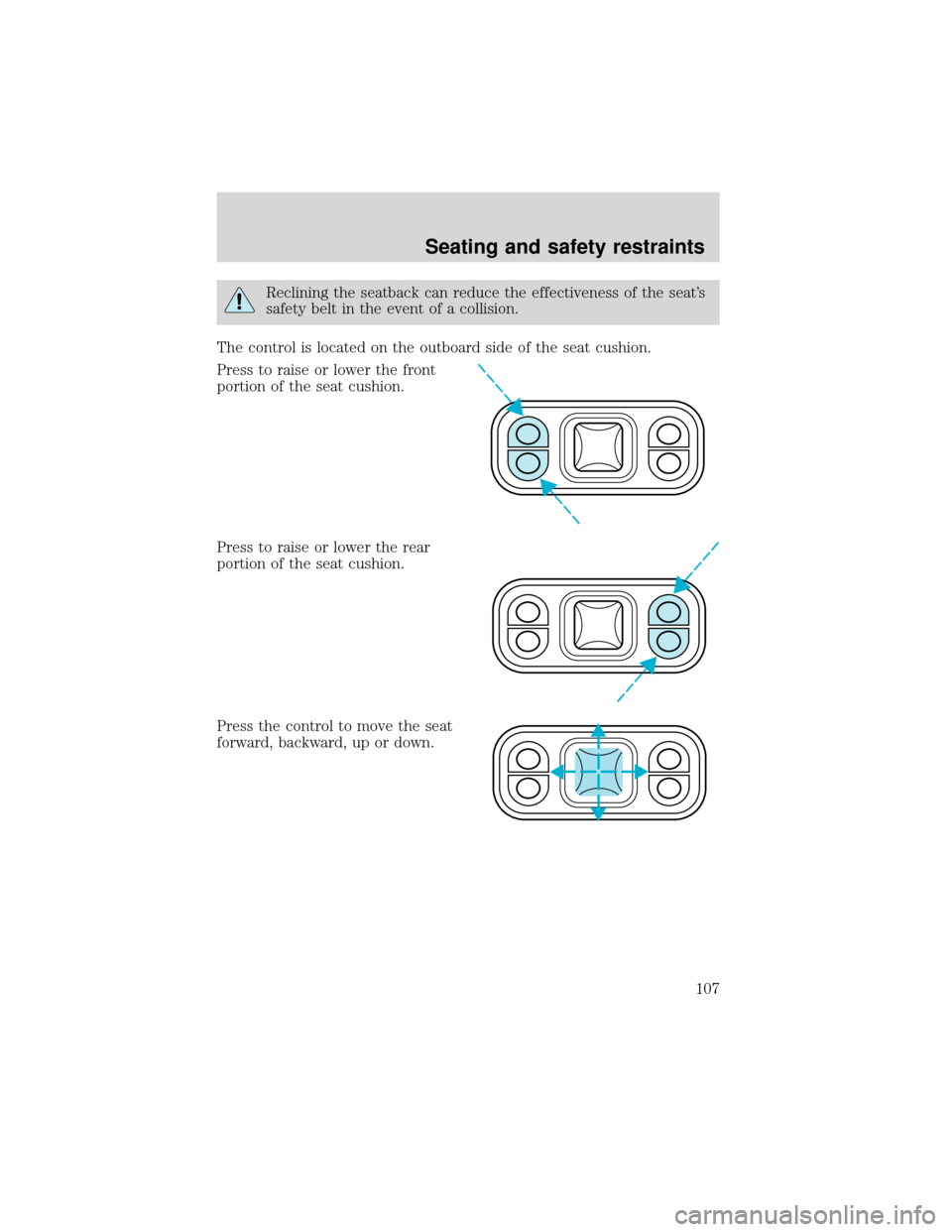
The control is located on the outboard side of the seat cushion.
Press to raise or lower the front
portion of the seat cushion.
Press to raise or lower the rear
portion of the seat cushion.
Press the control to move the seat
forward, backward, up or down.
Seating and safety restraints
107