navigation FORD EXPEDITION 2004 2.G User Guide
[x] Cancel search | Manufacturer: FORD, Model Year: 2004, Model line: EXPEDITION, Model: FORD EXPEDITION 2004 2.GPages: 344, PDF Size: 11.56 MB
Page 53 of 344
If a navigation CD is in the head unit and you press CD, the system will
automatically search for an audio CD in the CD DJ and begin play if it is
present.
Adjusting the levels
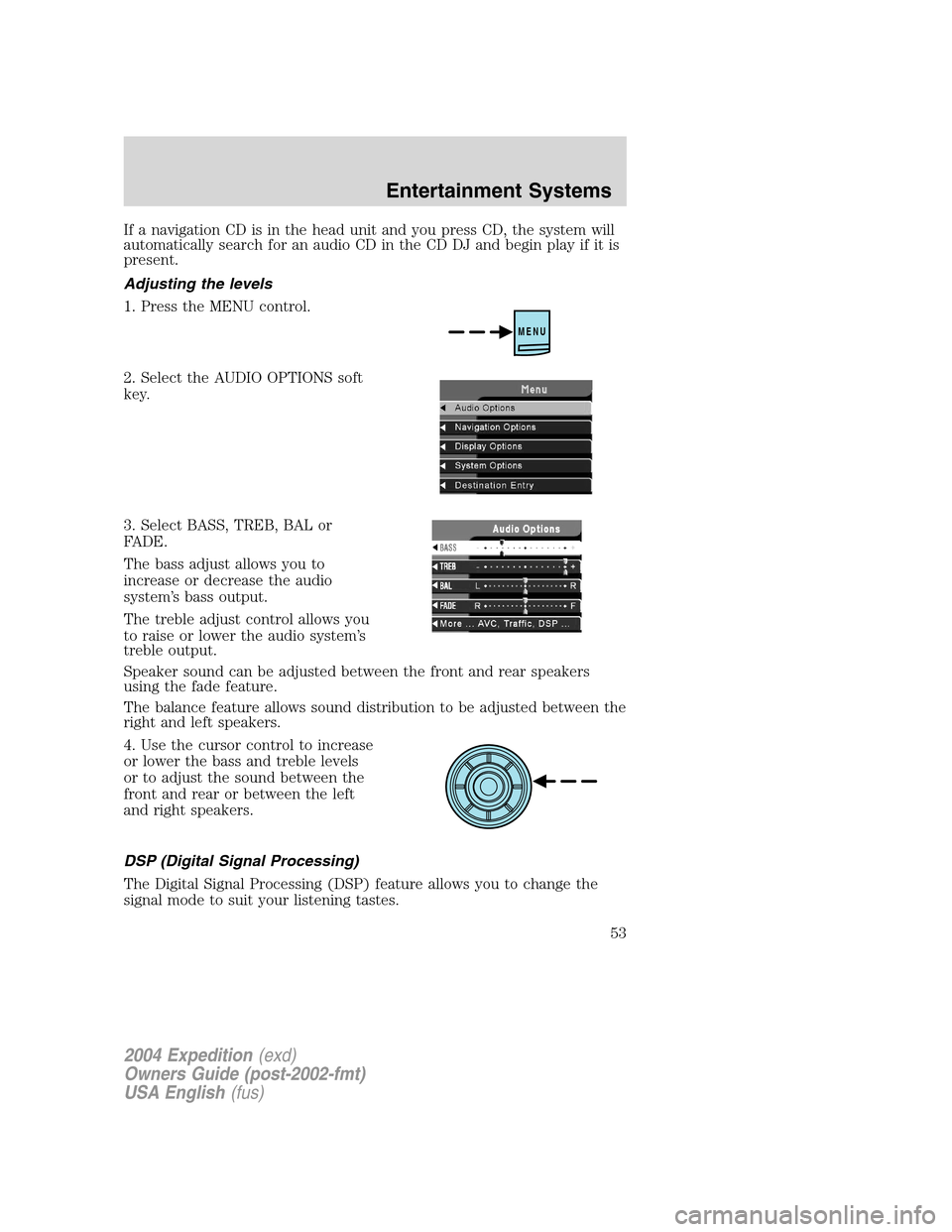
1. Press the MENU control.
2. Select the AUDIO OPTIONS soft
key.
3. Select BASS, TREB, BAL or
FADE.
The bass adjust allows you to
increase or decrease the audio
system’s bass output.
The treble adjust control allows you
to raise or lower the audio system’s
treble output.
Speaker sound can be adjusted between the front and rear speakers
using the fade feature.
The balance feature allows sound distribution to be adjusted between the
right and left speakers.
4. Use the cursor control to increase
or lower the bass and treble levels
or to adjust the sound between the
front and rear or between the left
and right speakers.
DSP (Digital Signal Processing)
The Digital Signal Processing (DSP) feature allows you to change the
signal mode to suit your listening tastes.
MENU
2004 Expedition(exd)
Owners Guide (post-2002-fmt)
USA English(fus)
Entertainment Systems
53
Page 55 of 344
Seek in CD or CD DJ mode
•Press
to seek to the previous track of the current disc. If a
selection has been playing for three seconds or more and you
press
, the CD changer will replay that selection from the
beginning.
•Press
to seek forward to the next track of the current disc. After
the last track has been completed, the first track of the current disc
will automatically replay.
Seek in navigation mode
•Press
orto access the next audio station if in radio mode, and
next track if in CD mode.
Radio station memory preset
The radio is equipped with six station memory preset controls. These
controls can be used to select up to six preset AM stations and twelve
FM stations (six in FM1 and six in FM2).
The presets will also allow you to access CDs which are loaded in the CD
DJ. When in CD mode, simply press the preset number which
corresponds to the desired disc.
Setting memory preset stations
1. Select the frequency band with the AM/FM select control.
2. Select a station. Refer toTune adjustorSeek functionfor more
information on selecting a station.
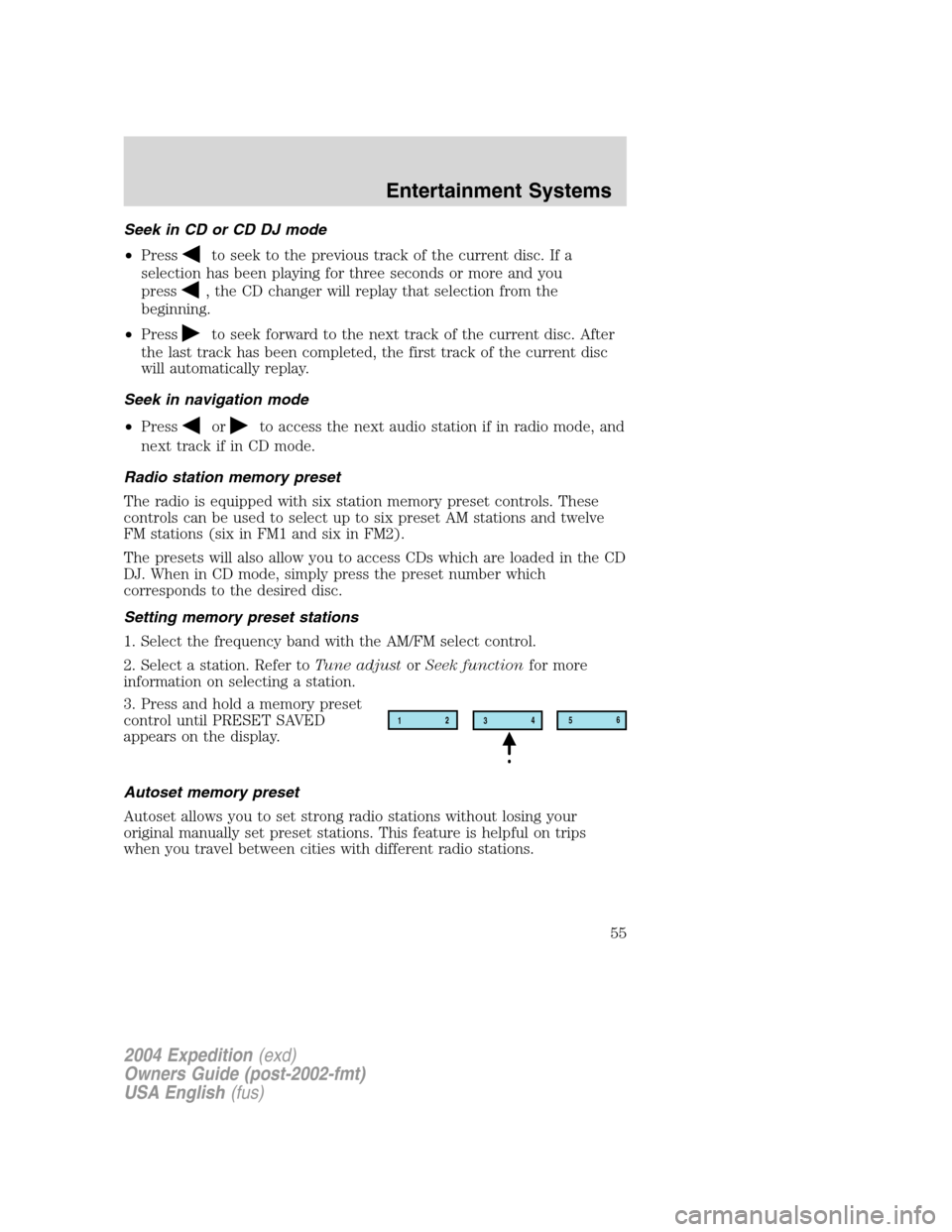
3. Press and hold a memory preset
control until PRESET SAVED
appears on the display.
Autoset memory preset
Autoset allows you to set strong radio stations without losing your
original manually set preset stations. This feature is helpful on trips
when you travel between cities with different radio stations.
12
3456
2004 Expedition(exd)
Owners Guide (post-2002-fmt)
USA English(fus)
Entertainment Systems
55
Page 58 of 344
Compression
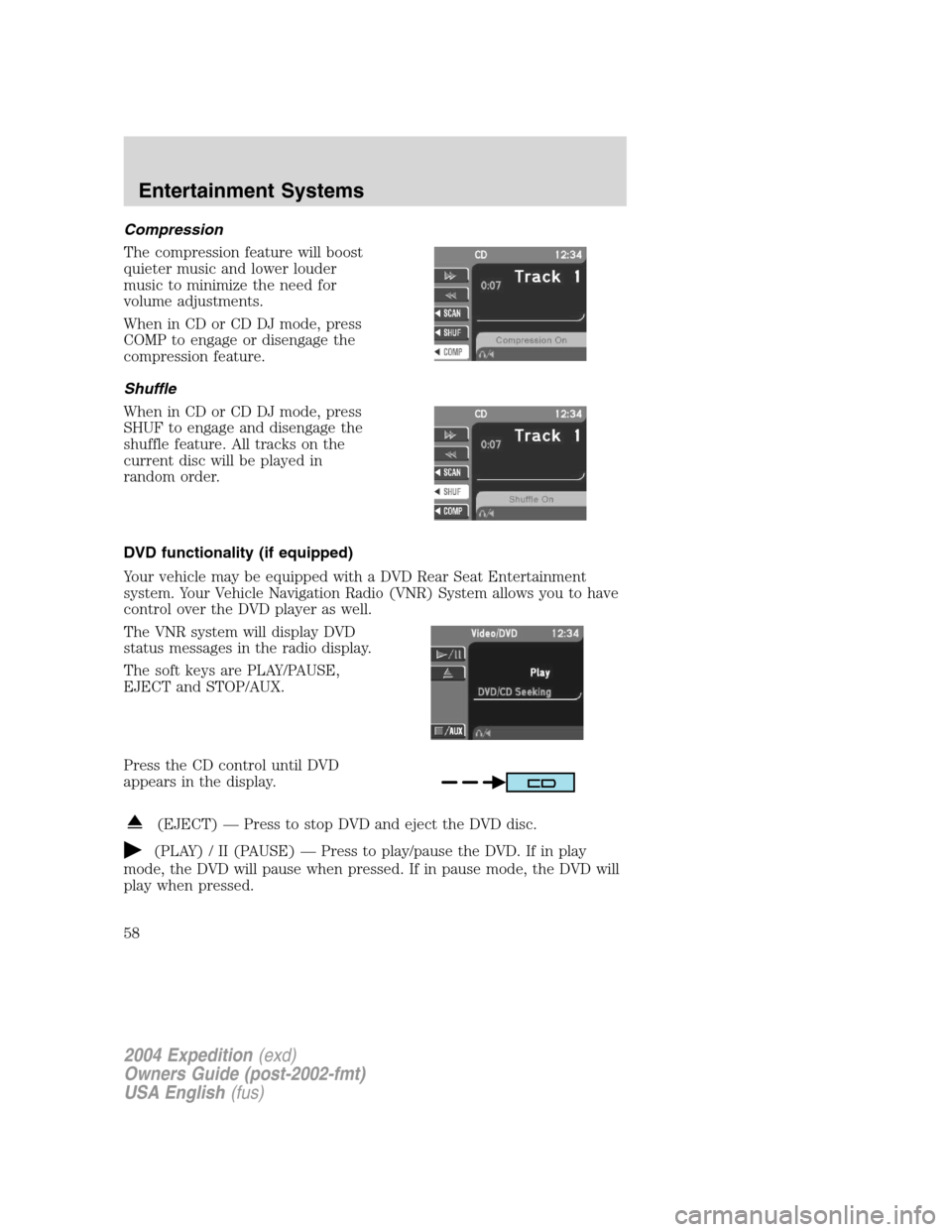
The compression feature will boost
quieter music and lower louder
music to minimize the need for
volume adjustments.
When in CD or CD DJ mode, press
COMP to engage or disengage the
compression feature.
Shuffle
When in CD or CD DJ mode, press
SHUF to engage and disengage the
shuffle feature. All tracks on the
current disc will be played in
random order.
DVD functionality (if equipped)
Your vehicle may be equipped with a DVD Rear Seat Entertainment
system. Your Vehicle Navigation Radio (VNR) System allows you to have
control over the DVD player as well.
The VNR system will display DVD
status messages in the radio display.
The soft keys are PLAY/PAUSE,
EJECT and STOP/AUX.
Press the CD control until DVD
appears in the display.
(EJECT)—Press to stop DVD and eject the DVD disc.
(PLAY) / II (PAUSE)—Press to play/pause the DVD. If in play
mode, the DVD will pause when pressed. If in pause mode, the DVD will
play when pressed.
2004 Expedition(exd)
Owners Guide (post-2002-fmt)
USA English(fus)
Entertainment Systems
58
Page 62 of 344
CD DJ information screen
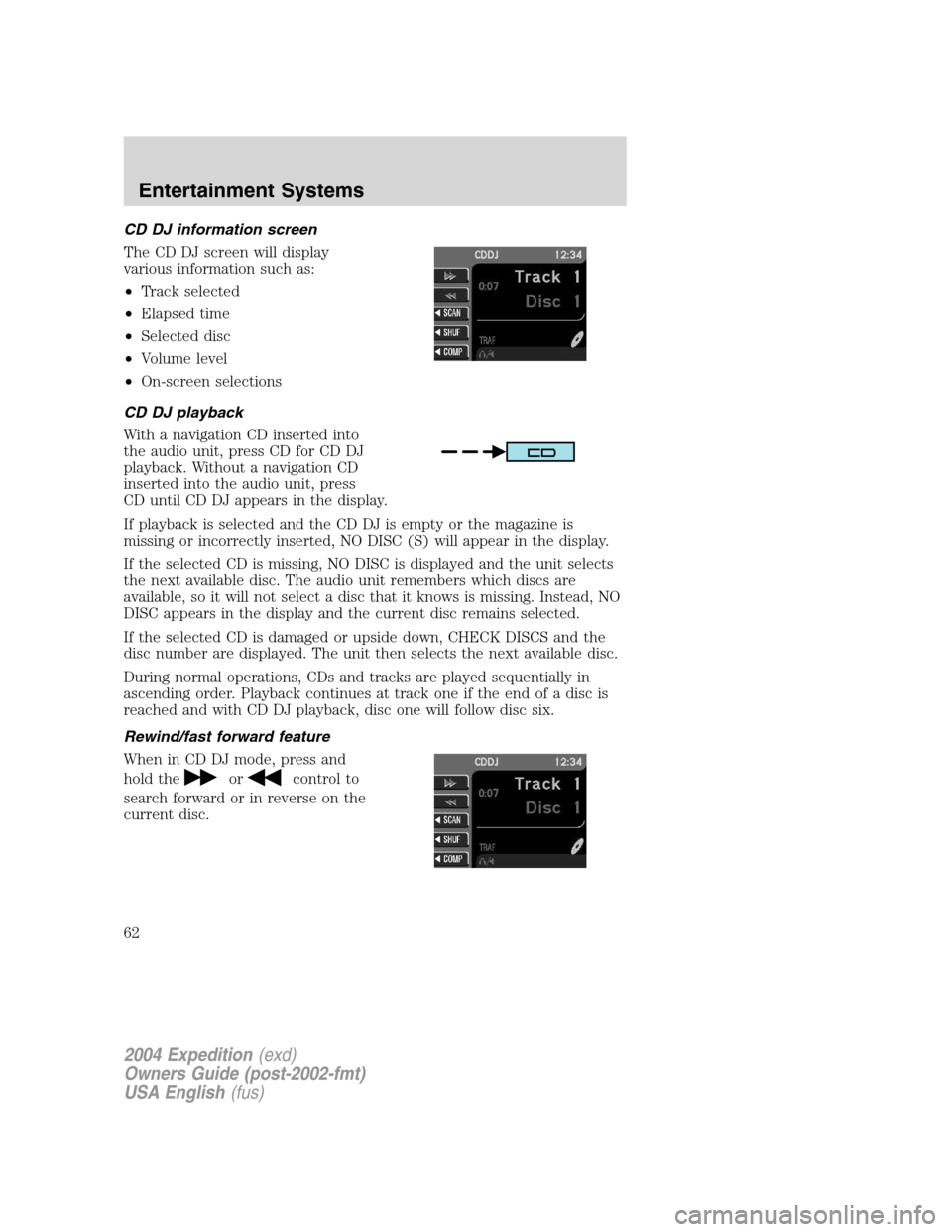
The CD DJ screen will display
various information such as:
•Track selected
•Elapsed time
•Selected disc
•Volume level
•On-screen selections
CD DJ playback
With a navigation CD inserted into
the audio unit, press CD for CD DJ
playback. Without a navigation CD
inserted into the audio unit, press
CD until CD DJ appears in the display.
If playback is selected and the CD DJ is empty or the magazine is
missing or incorrectly inserted, NO DISC (S) will appear in the display.
If the selected CD is missing, NO DISC is displayed and the unit selects
the next available disc. The audio unit remembers which discs are
available, so it will not select a disc that it knows is missing. Instead, NO
DISC appears in the display and the current disc remains selected.
If the selected CD is damaged or upside down, CHECK DISCS and the
disc number are displayed. The unit then selects the next available disc.
During normal operations, CDs and tracks are played sequentially in
ascending order. Playback continues at track one if the end of a disc is
reached and with CD DJ playback, disc one will follow disc six.
Rewind/fast forward feature
When in CD DJ mode, press and
hold the
orcontrol to
search forward or in reverse on the
current disc.
2004 Expedition(exd)
Owners Guide (post-2002-fmt)
USA English(fus)
Entertainment Systems
62
Page 64 of 344
will disable rear seat control (headphone/speaker icon on display will
appear with a red slash through it).
When RSC is active, pressing presets 2 and 4 simultaneously on the radio
will enable Dual Play mode (or the RSC can enable Dual Play mode by
pressing the
/button). The front speakers play the selected media
and the rear speakers mute. In this mode, the rear passengers may
adjust the volume and other levels using the rear seat control.
Additionally in Dual Play mode, the front and rear seat passengers can
listen to the same playing media. However, rear seat passengers listen to
the media over their headphones (thereby being able to adjust the
volume) and the front seat passengers listen via the front seat speakers.
Press the headphone/speaker control again to disengage the rear seat
controls (and Dual Play mode). The system returns to Single Play mode.
Front and rear speakers will play the selected media.
For further information on the rear seat controls, refer toRear Seat
Controlssection found earlier in this chapter.
Navigation features
The route guidance navigation system in your audio unit will not function
unless a navigation CD is inserted.
Ensure that you follow highway code restrictions and do not take
any risks. For example, if you are unable to make a U-turn,
continue on your journey. The navigation system will recalculate
your route to get you back to an appropriate road to your
destination.
For road safety reasons, information should only be entered
when the vehicle is stationary.
2004 Expedition(exd)
Owners Guide (post-2002-fmt)
USA English(fus)
Entertainment Systems
64
Page 65 of 344
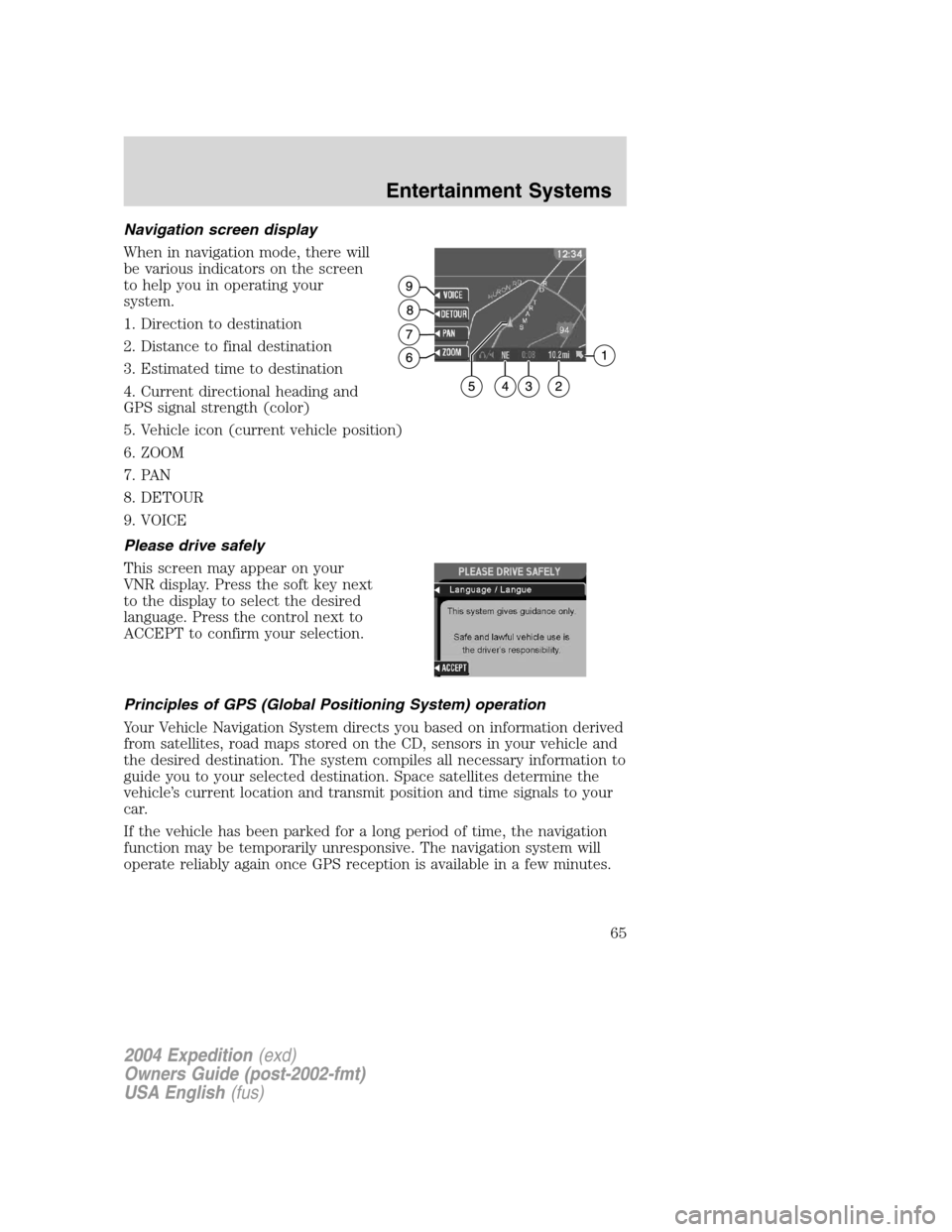
Navigation screen display
When in navigation mode, there will
be various indicators on the screen
to help you in operating your
system.
1. Direction to destination
2. Distance to final destination
3. Estimated time to destination
4. Current directional heading and
GPS signal strength (color)
5. Vehicle icon (current vehicle position)
6. ZOOM
7. PAN
8. DETOUR
9. VOICE
Please drive safely
This screen may appear on your
VNR display. Press the soft key next
to the display to select the desired
language. Press the control next to
ACCEPT to confirm your selection.
Principles of GPS (Global Positioning System) operation
Your Vehicle Navigation System directs you based on information derived
from satellites, road maps stored on the CD, sensors in your vehicle and
the desired destination. The system compiles all necessary information to
guide you to your selected destination. Space satellites determine the
vehicle’s current location and transmit position and time signals to your
car.
If the vehicle has been parked for a long period of time, the navigation
function may be temporarily unresponsive. The navigation system will
operate reliably again once GPS reception is available in a few minutes.
2004 Expedition(exd)
Owners Guide (post-2002-fmt)
USA English(fus)
Entertainment Systems
65
Page 66 of 344
Limited GPS reception
System performance may be adversely affected if GPS reception is
interrupted or interference occurs over a distance of several miles. The
following are possible causes for GPS reception being interrupted. If the
vehicle is:
•in multi-story parking garages
•in tunnels and under bridges
•in between high buildings
•by forests or tree-lined avenues
•in heavy rain showers and thunderstorms
•in valleys and in mountainous regions
The GPS signal strength may vary. The directional heading indicator at
the bottom of the screen might change color to indicate this signal
strength. The colors are as follows:
•Green—A clear GPS signal is being received.
•Yellow—The GPS signal is partially blocked.
•Red—The GPS signal is unavailable and may be temporarily blocked.
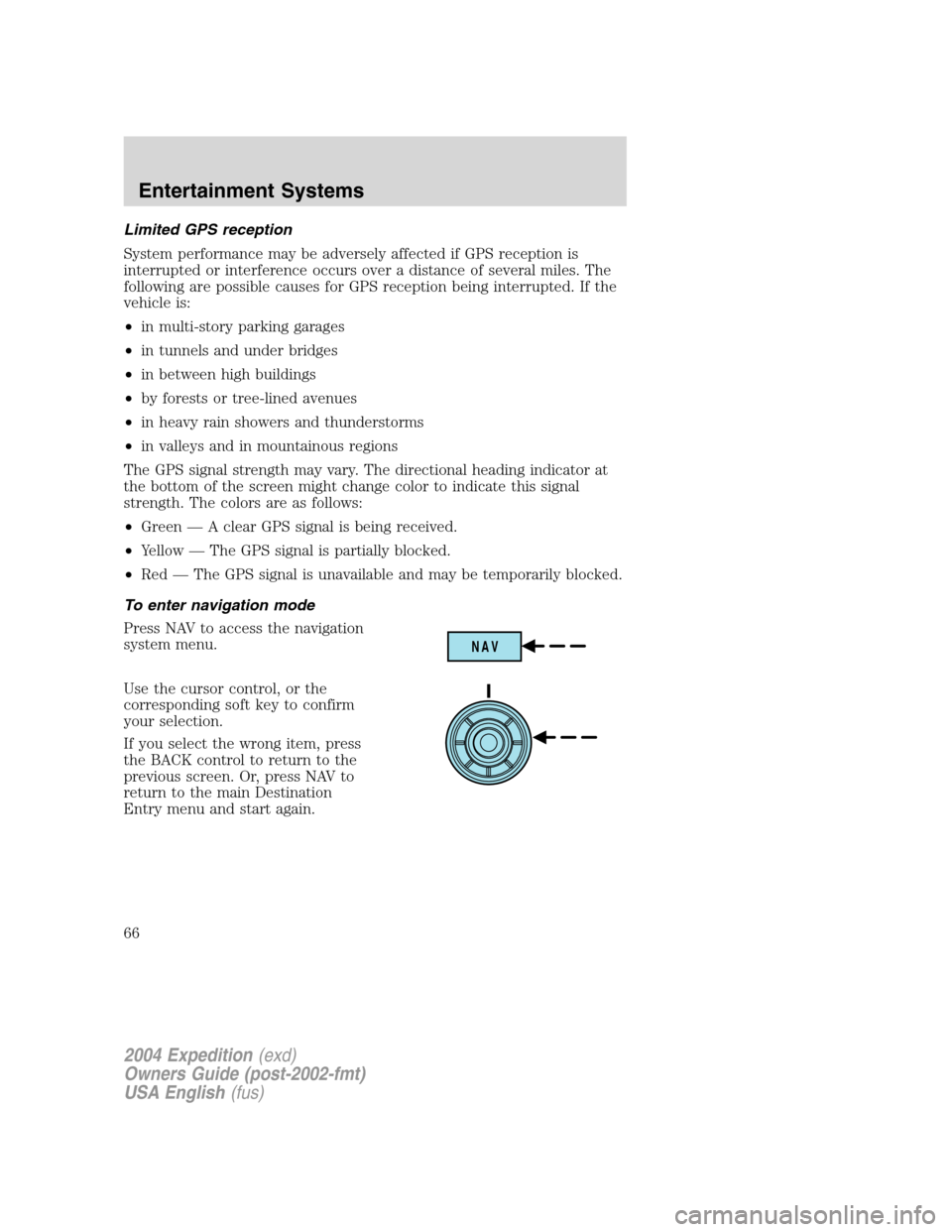
To enter navigation mode
Press NAV to access the navigation
system menu.
Use the cursor control, or the
corresponding soft key to confirm
your selection.
If you select the wrong item, press
the BACK control to return to the
previous screen. Or, press NAV to
return to the main Destination
Entry menu and start again.
NAV
2004 Expedition(exd)
Owners Guide (post-2002-fmt)
USA English(fus)
Entertainment Systems
66
Page 67 of 344
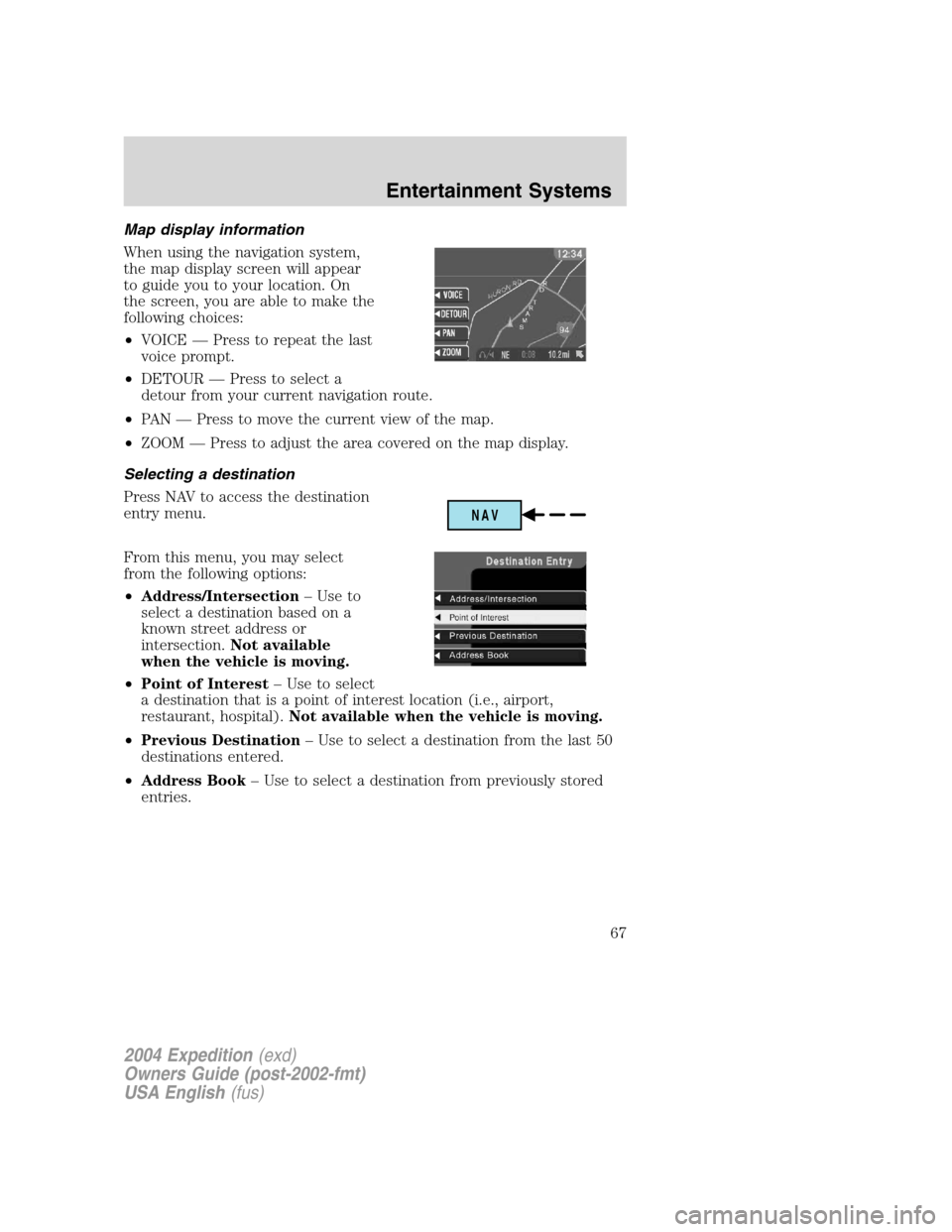
Map display information
When using the navigation system,
the map display screen will appear
to guide you to your location. On
the screen, you are able to make the
following choices:
•VOICE—Press to repeat the last
voice prompt.
•DETOUR—Press to select a
detour from your current navigation route.
•PA N—Press to move the current view of the map.
•ZOOM—Press to adjust the area covered on the map display.
Selecting a destination
Press NAV to access the destination
entry menu.
From this menu, you may select
from the following options:
•Address/Intersection–Use to
select a destination based on a
known street address or
intersection.Not available
when the vehicle is moving.
•Point of Interest–Use to select
a destination that is a point of interest location (i.e., airport,
restaurant, hospital).Not available when the vehicle is moving.
•Previous Destination–Use to select a destination from the last 50
destinations entered.
•Address Book–Use to select a destination from previously stored
entries.
NAV
2004 Expedition(exd)
Owners Guide (post-2002-fmt)
USA English(fus)
Entertainment Systems
67
Page 69 of 344
•Within a Town/City–Lists entries for a specific city in alphabetical
order.
Certain categories may not be available in some areas and POIs may not
all be listed. Up to date information also depends upon using the latest
navigation CD available.
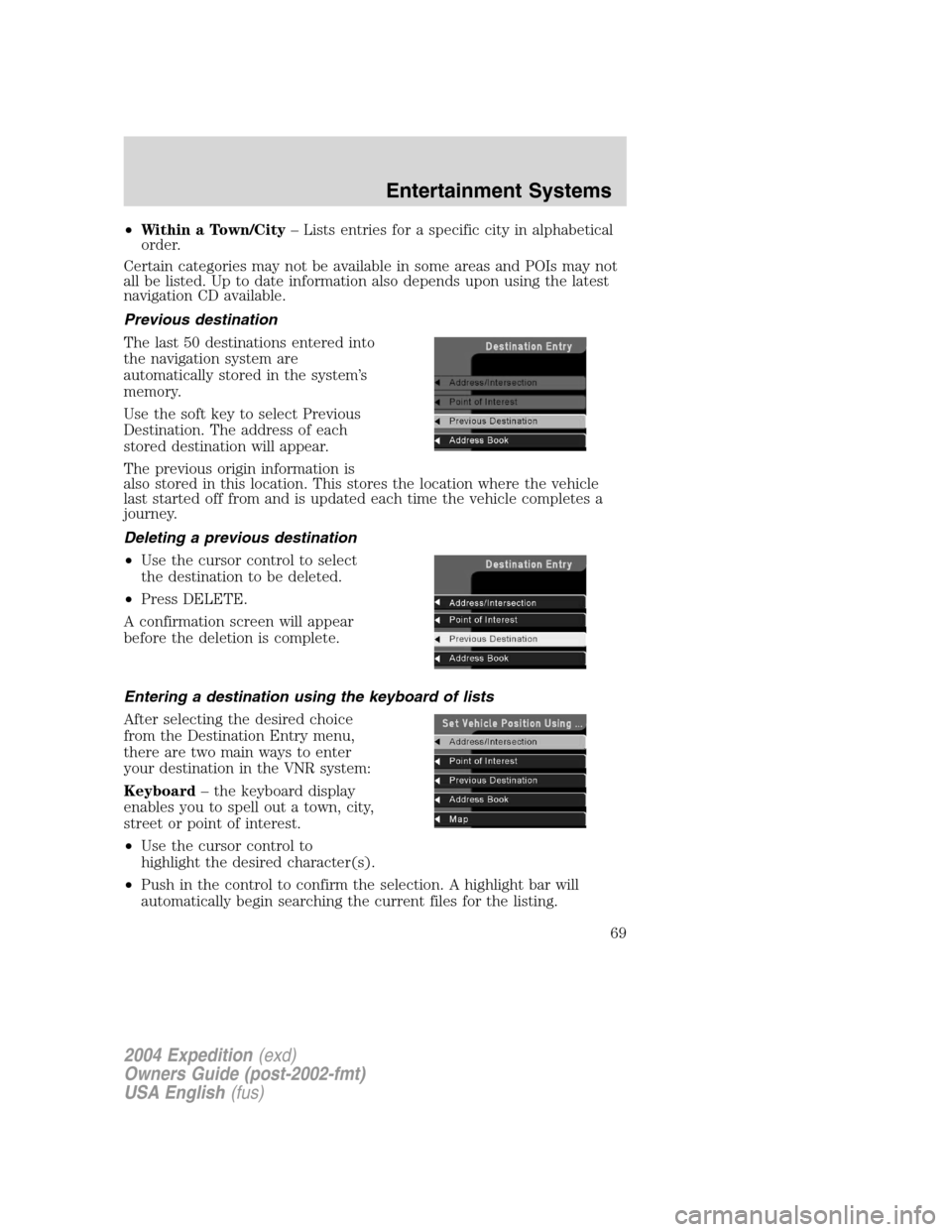
Previous destination
The last 50 destinations entered into
the navigation system are
automatically stored in the system’s
memory.
Use the soft key to select Previous
Destination. The address of each
stored destination will appear.
The previous origin information is
also stored in this location. This stores the location where the vehicle
last started off from and is updated each time the vehicle completes a
journey.
Deleting a previous destination
•Use the cursor control to select
the destination to be deleted.
•Press DELETE.
A confirmation screen will appear
before the deletion is complete.
Entering a destination using the keyboard of lists
After selecting the desired choice
from the Destination Entry menu,
there are two main ways to enter
your destination in the VNR system:
Keyboard–the keyboard display
enables you to spell out a town, city,
street or point of interest.
•Use the cursor control to
highlight the desired character(s).
•Push in the control to confirm the selection. A highlight bar will
automatically begin searching the current files for the listing.
2004 Expedition(exd)
Owners Guide (post-2002-fmt)
USA English(fus)
Entertainment Systems
69
Page 70 of 344
•To move back to previously selected characters, press DELETE.
List–Your VNR system shows a list of town/cities, streets or points of
interest and a highlight bar indicates the line selected. You may choose
any of these for a destination.
•Press LIST to enter list mode.
•Use the cursor control to scroll through the selections.
•Press in the cursor control to confirm the selection.
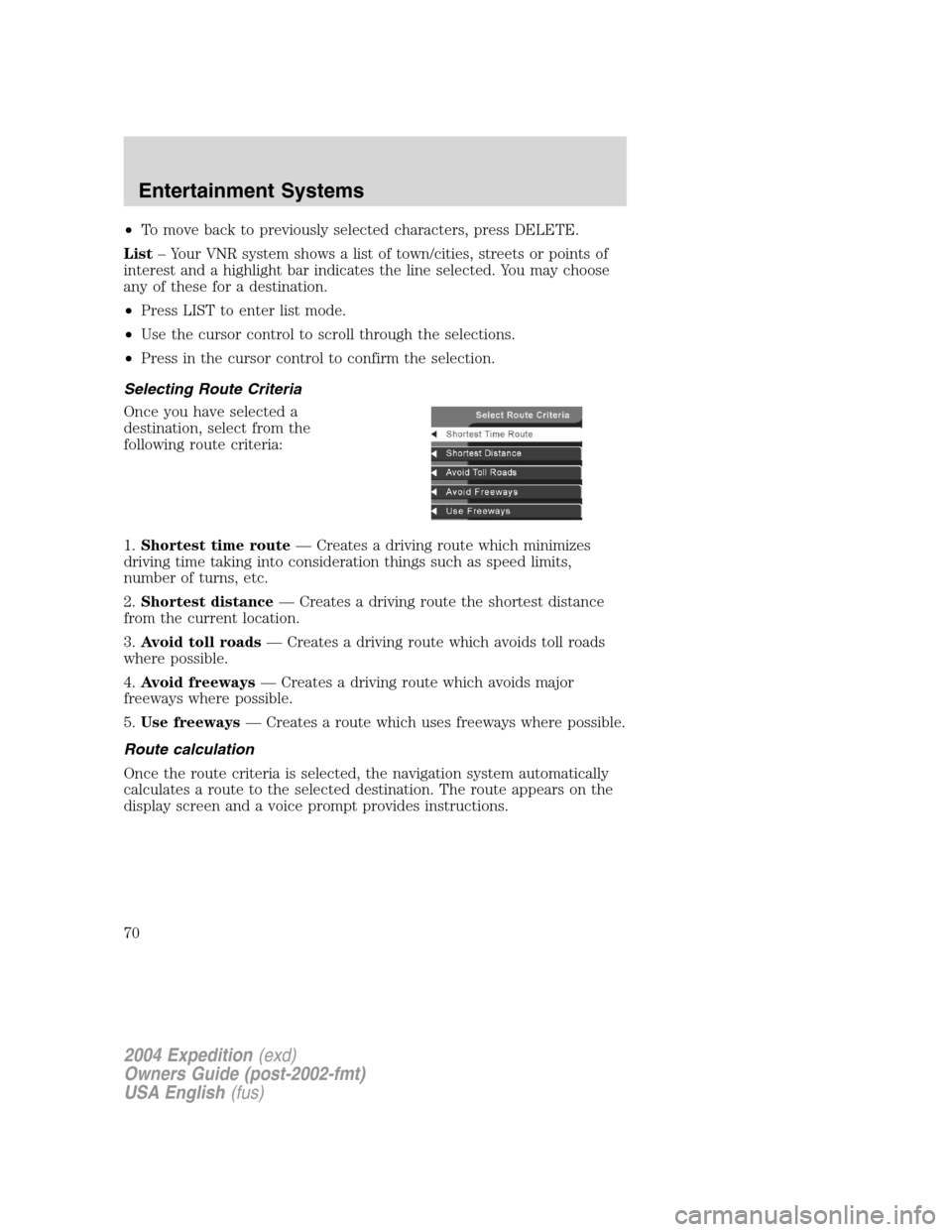
Selecting Route Criteria
Once you have selected a
destination, select from the
following route criteria:
1.Shortest time route—Creates a driving route which minimizes
driving time taking into consideration things such as speed limits,
number of turns, etc.
2.Shortest distance—Creates a driving route the shortest distance
from the current location.
3.Avoid toll roads—Creates a driving route which avoids toll roads
where possible.
4.Avoid freeways—Creates a driving route which avoids major
freeways where possible.
5.Use freeways—Creates a route which uses freeways where possible.
Route calculation
Once the route criteria is selected, the navigation system automatically
calculates a route to the selected destination. The route appears on the
display screen and a voice prompt provides instructions.
2004 Expedition(exd)
Owners Guide (post-2002-fmt)
USA English(fus)
Entertainment Systems
70