ignition FORD EXPEDITION 2009 3.G Service Manual
[x] Cancel search | Manufacturer: FORD, Model Year: 2009, Model line: EXPEDITION, Model: FORD EXPEDITION 2009 3.GPages: 416, PDF Size: 3.39 MB
Page 151 of 416
System warnings
System warnings alert you to possible problems or malfunctions in your
vehicle’s operating systems.
In the event of a multiple warning situation, the message center will
cycle the display to show all warnings by displaying each one for four
seconds.
The message center will display the last selected feature if there are no
more warning messages. This allows you to use the full functionality of
the message center after you acknowledge the warning by pressing the
RESET control and clearing the warning message.
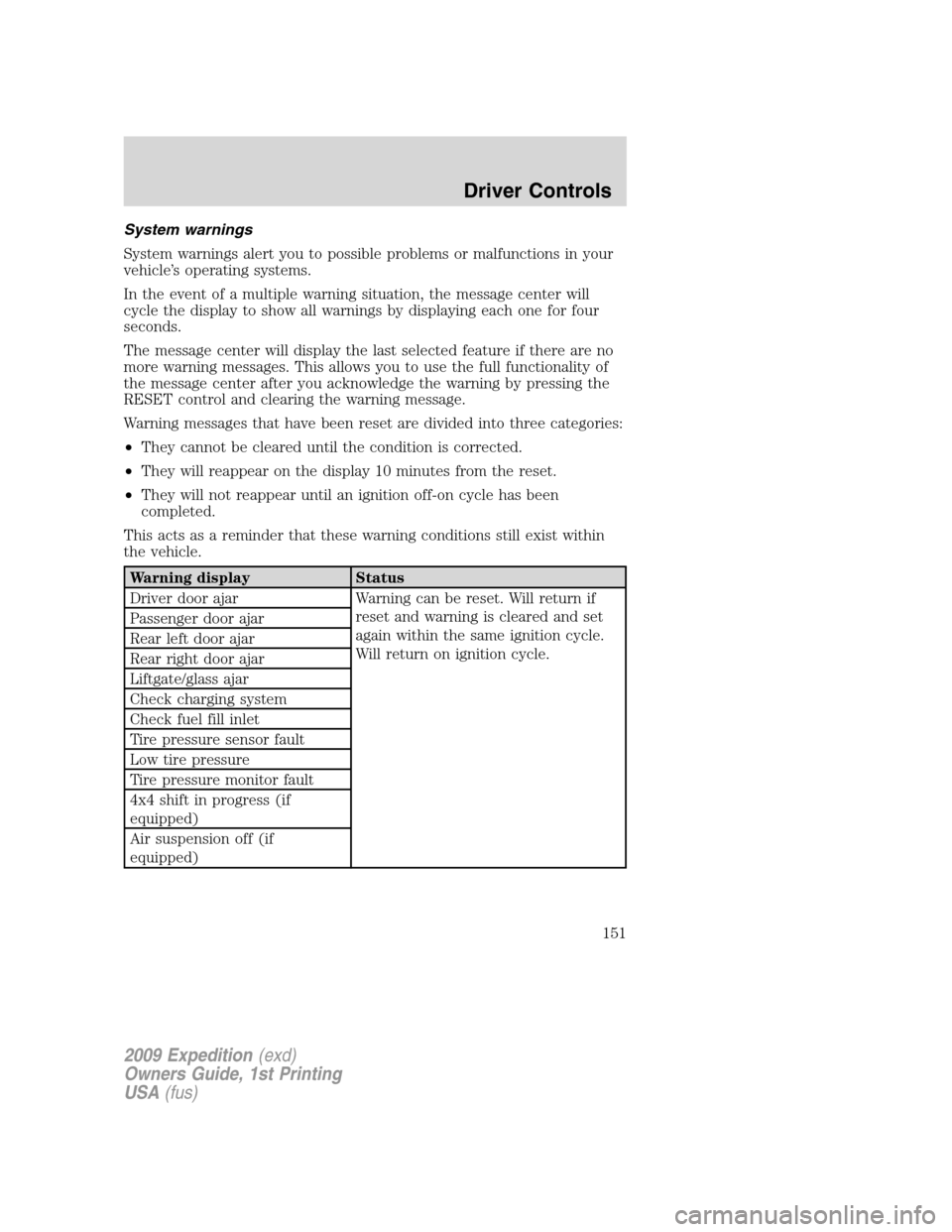
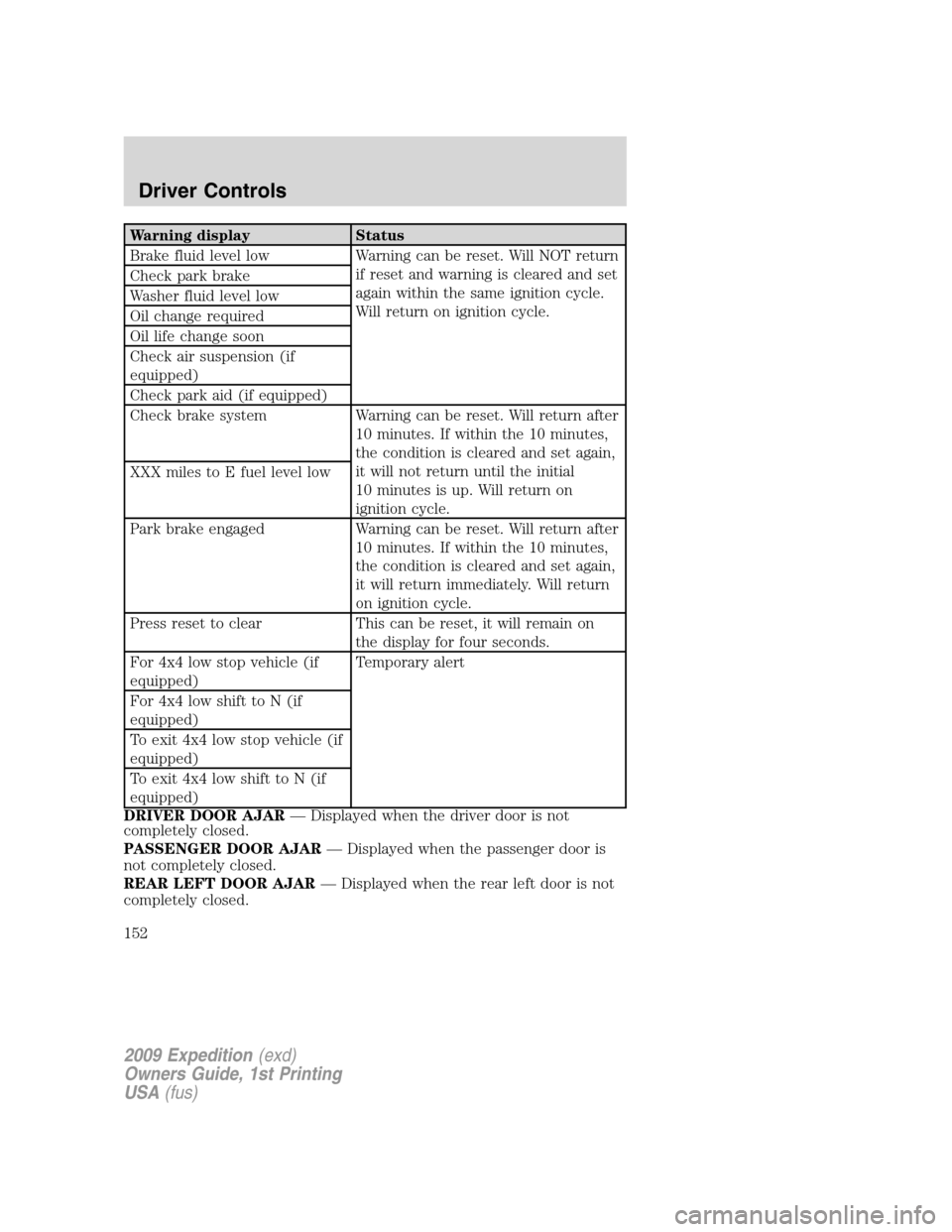
Warning messages that have been reset are divided into three categories:
•They cannot be cleared until the condition is corrected.
•They will reappear on the display 10 minutes from the reset.
•They will not reappear until an ignition off-on cycle has been
completed.
This acts as a reminder that these warning conditions still exist within
the vehicle.
Warning display Status
Driver door ajar Warning can be reset. Will return if
reset and warning is cleared and set
again within the same ignition cycle.
Will return on ignition cycle. Passenger door ajar
Rear left door ajar
Rear right door ajar
Liftgate/glass ajar
Check charging system
Check fuel fill inlet
Tire pressure sensor fault
Low tire pressure
Tire pressure monitor fault
4x4 shift in progress (if
equipped)
Air suspension off (if
equipped)
2009 Expedition(exd)
Owners Guide, 1st Printing
USA(fus)
Driver Controls
151
Page 152 of 416
Warning display Status
Brake fluid level low Warning can be reset. Will NOT return
if reset and warning is cleared and set
again within the same ignition cycle.
Will return on ignition cycle. Check park brake
Washer fluid level low
Oil change required
Oil life change soon
Check air suspension (if
equipped)
Check park aid (if equipped)
Check brake system Warning can be reset. Will return after
10 minutes. If within the 10 minutes,
the condition is cleared and set again,
it will not return until the initial
10 minutes is up. Will return on
ignition cycle. XXX miles to E fuel level low
Park brake engaged Warning can be reset. Will return after
10 minutes. If within the 10 minutes,
the condition is cleared and set again,
it will return immediately. Will return
on ignition cycle.
Press reset to clear This can be reset, it will remain on
the display for four seconds.
For 4x4 low stop vehicle (if
equipped)Temporary alert
For 4x4 low shift to N (if
equipped)
To exit 4x4 low stop vehicle (if
equipped)
To exit 4x4 low shift to N (if
equipped)
DRIVER DOOR AJAR— Displayed when the driver door is not
completely closed.
PASSENGER DOOR AJAR— Displayed when the passenger door is
not completely closed.
REAR LEFT DOOR AJAR— Displayed when the rear left door is not
completely closed.
2009 Expedition(exd)
Owners Guide, 1st Printing
USA(fus)
Driver Controls
152
Page 156 of 416
The liftgate will only operate with the vehicle in P (Park). The chime will
beep once if conditions are not correct to start an operation. These
conditions include:
•or the ignition is in on and the transmission is not in P (Park)
•or the battery voltage is below the minimum operating voltage
•the vehicle speed is at or above 3 mph (5 km/h)
If the liftgate reverses and starts to close after a open request, a fast
continuous chime indicates excessive load on the gate or a possible strut
failure. If any excessive load is removed and you still have a faster
chime, have the system serviced immediately by your authorized dealer.
Do not attempt to manually force the liftgate to travel faster than the
power system will permit. This will activate the obstacle detection
feature.
Note:Cycling the ignition prior to completely latching the liftgate could
result in damage to the liftgate and/or its power components. Make sure
the liftgate is fully latched before operating the vehicle.
Care should be exercised in starting the engine before the liftgate is fully
closed (latched). If the ignition is cycled during a Liftgate Power Close
cycle and the liftgate is 6-10 inches (15–24 cm) from being latched, the
liftgate may reverse to the full open position. Verify that the gate is
closed before operating or moving the vehicle, especially in an enclosure,
like a garage or a parking structure. The liftgate or it components could
be damaged in an enclosure, if the liftgate is open.
When power operating the liftgate at temperatures below 32° F (0° C),
the liftgate may stop about 5 inches (12.7 cm) from the full open
position. The liftgate can be fully opened by pushing it upward to the
maximum open position.
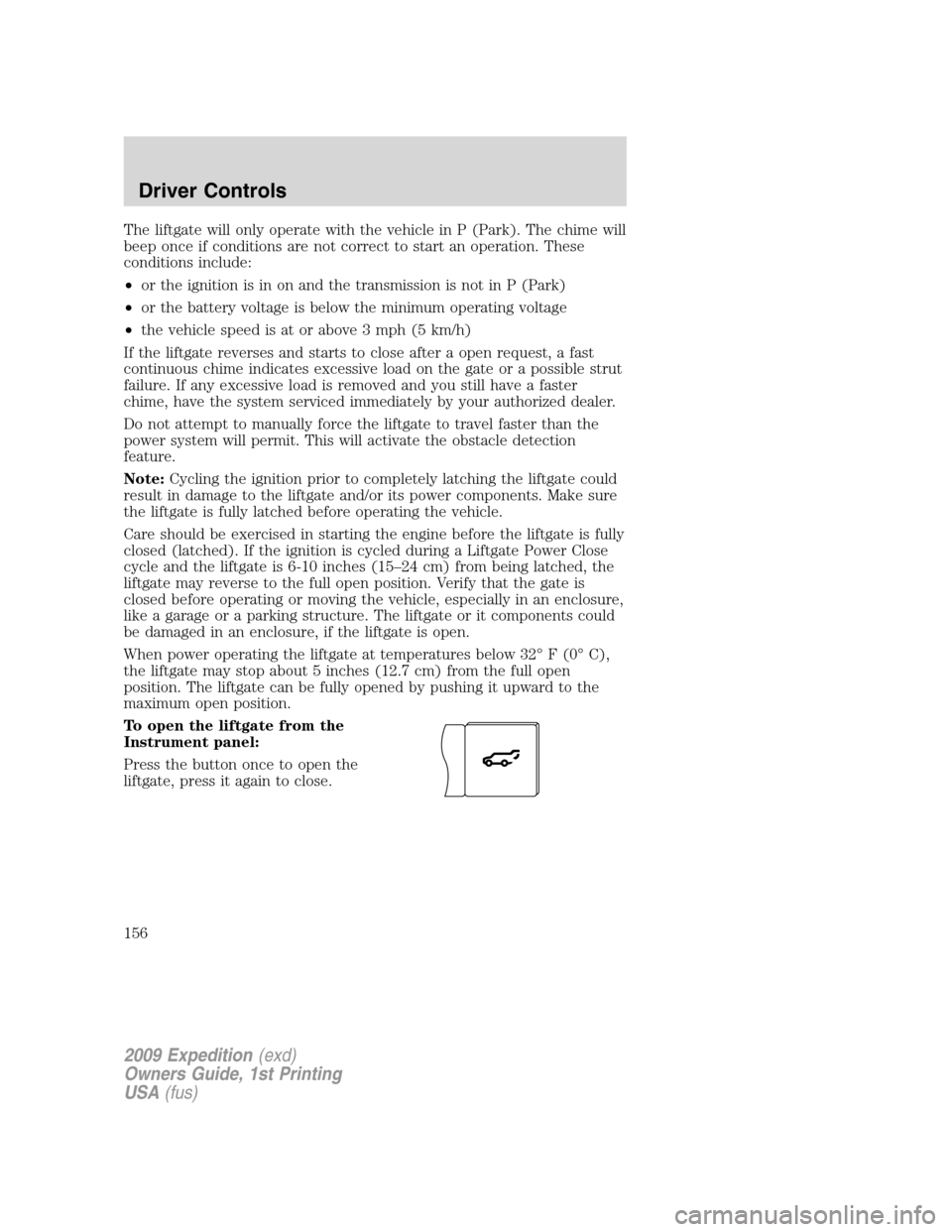
To open the liftgate from the
Instrument panel:
Press the button once to open the
liftgate, press it again to close.
2009 Expedition(exd)
Owners Guide, 1st Printing
USA(fus)
Driver Controls
156
Page 163 of 416
KEYS
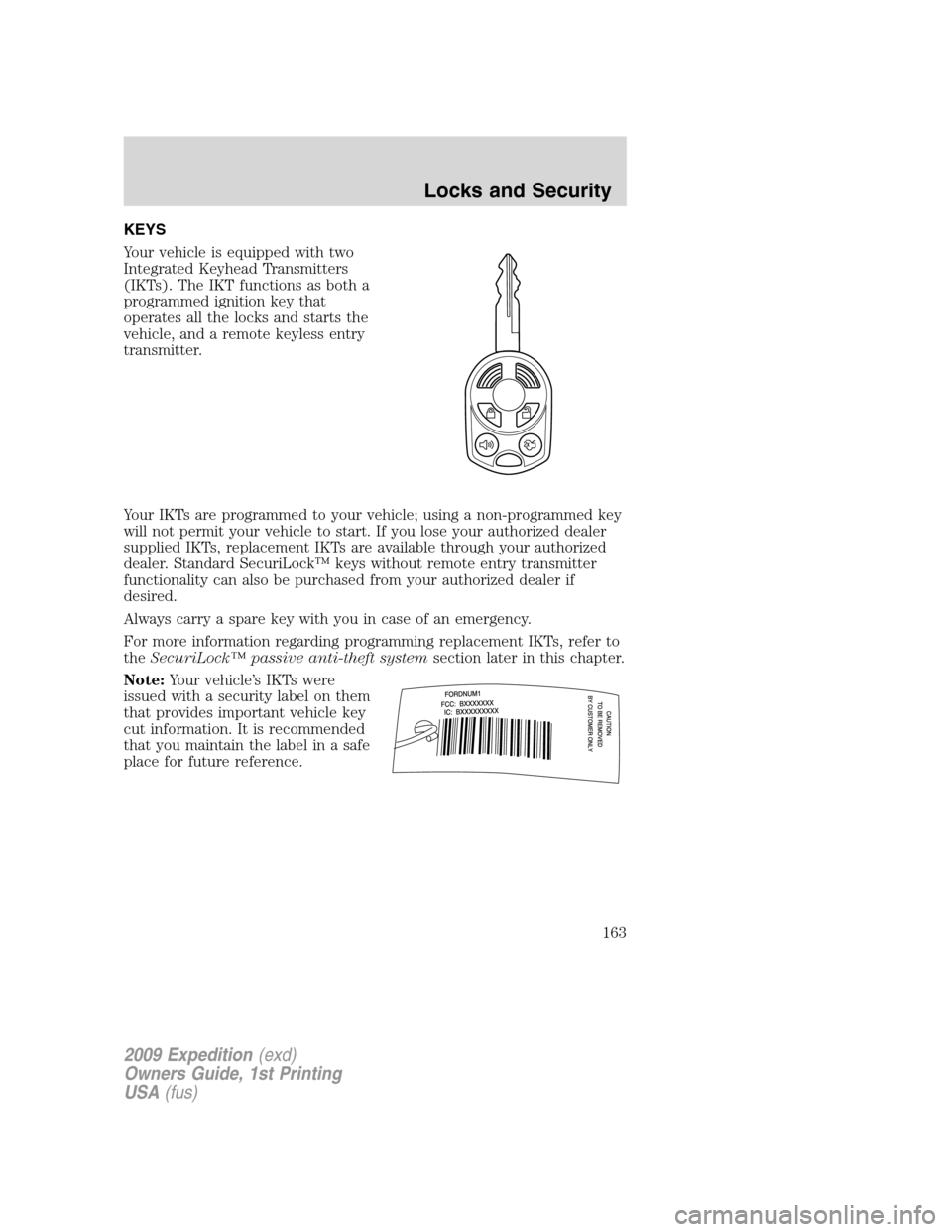
Your vehicle is equipped with two
Integrated Keyhead Transmitters
(IKTs). The IKT functions as both a
programmed ignition key that
operates all the locks and starts the
vehicle, and a remote keyless entry
transmitter.
Your IKTs are programmed to your vehicle; using a non-programmed key
will not permit your vehicle to start. If you lose your authorized dealer
supplied IKTs, replacement IKTs are available through your authorized
dealer. Standard SecuriLock™ keys without remote entry transmitter
functionality can also be purchased from your authorized dealer if
desired.
Always carry a spare key with you in case of an emergency.
For more information regarding programming replacement IKTs, refer to
theSecuriLock™ passive anti-theft systemsection later in this chapter.
Note:Your vehicle’s IKTs were
issued with a security label on them
that provides important vehicle key
cut information. It is recommended
that you maintain the label in a safe
place for future reference.
2009 Expedition(exd)
Owners Guide, 1st Printing
USA(fus)
Locks and Security
163
Page 164 of 416
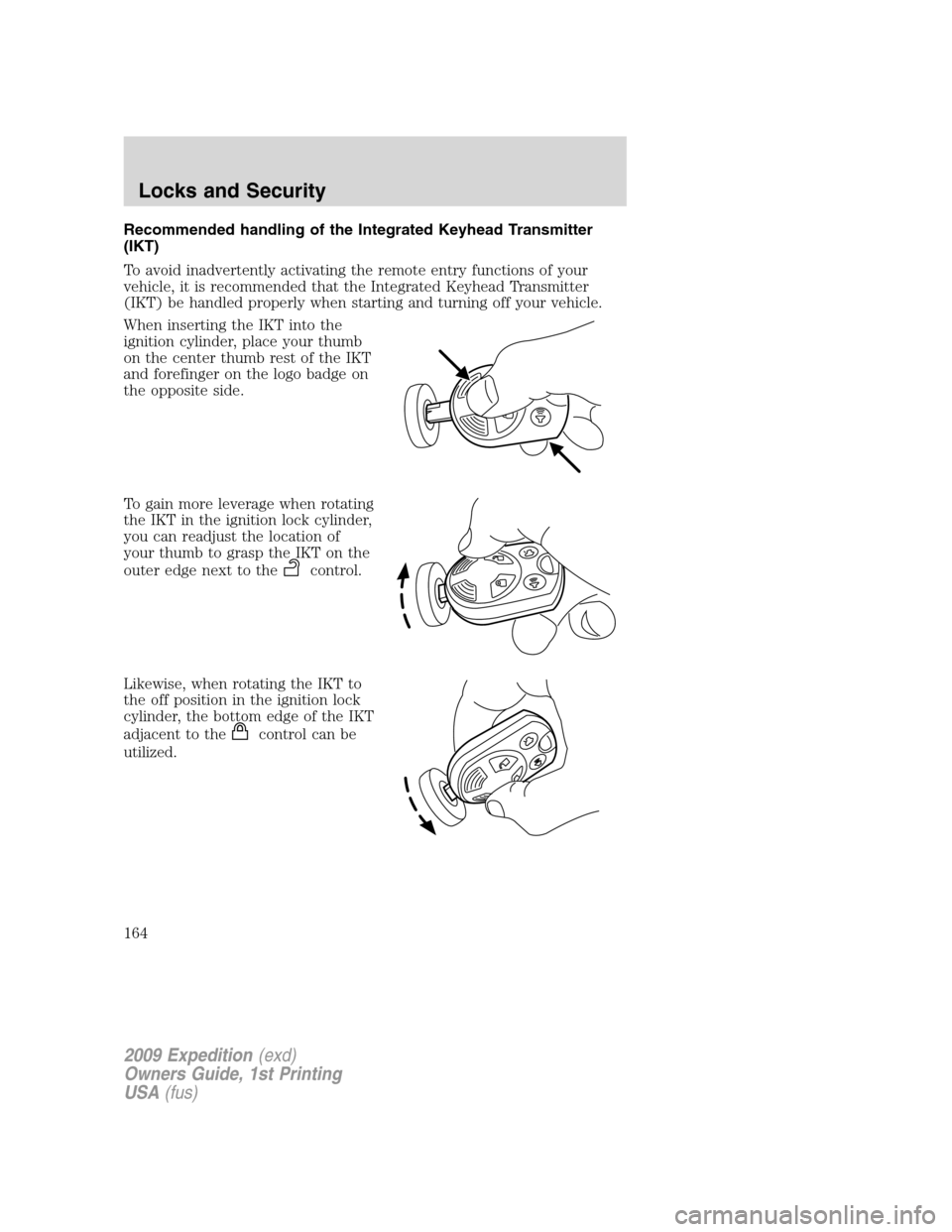
Recommended handling of the Integrated Keyhead Transmitter
(IKT)
To avoid inadvertently activating the remote entry functions of your
vehicle, it is recommended that the Integrated Keyhead Transmitter
(IKT) be handled properly when starting and turning off your vehicle.
When inserting the IKT into the
ignition cylinder, place your thumb
on the center thumb rest of the IKT
and forefinger on the logo badge on
the opposite side.
To gain more leverage when rotating
the IKT in the ignition lock cylinder,
you can readjust the location of
your thumb to grasp the IKT on the
outer edge next to the
control.
Likewise, when rotating the IKT to
the off position in the ignition lock
cylinder, the bottom edge of the IKT
adjacent to the
control can be
utilized.
2009 Expedition(exd)
Owners Guide, 1st Printing
USA(fus)
Locks and Security
164
Page 165 of 416
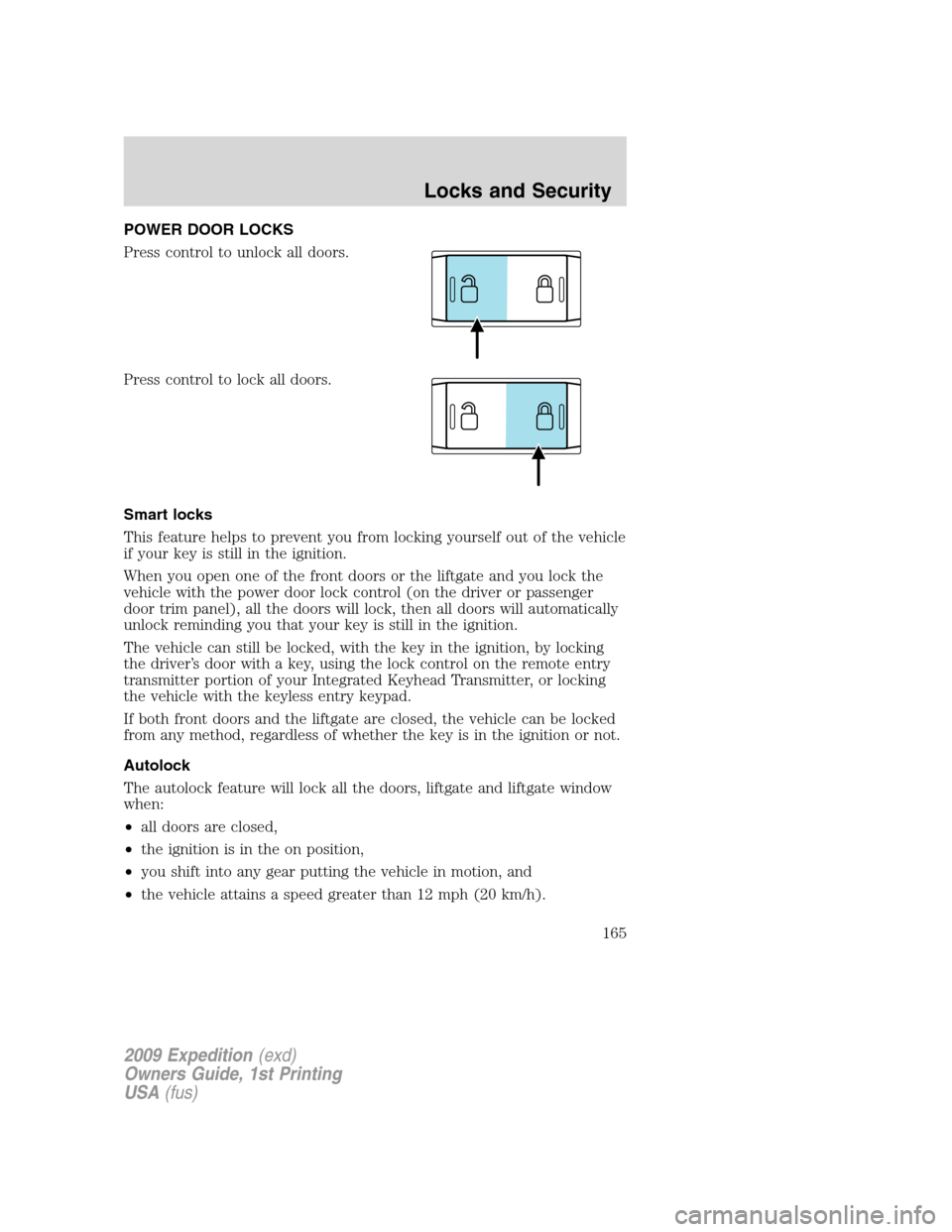
POWER DOOR LOCKS
Press control to unlock all doors.
Press control to lock all doors.
Smart locks
This feature helps to prevent you from locking yourself out of the vehicle
if your key is still in the ignition.
When you open one of the front doors or the liftgate and you lock the
vehicle with the power door lock control (on the driver or passenger
door trim panel), all the doors will lock, then all doors will automatically
unlock reminding you that your key is still in the ignition.
The vehicle can still be locked, with the key in the ignition, by locking
the driver’s door with a key, using the lock control on the remote entry
transmitter portion of your Integrated Keyhead Transmitter, or locking
the vehicle with the keyless entry keypad.
If both front doors and the liftgate are closed, the vehicle can be locked
from any method, regardless of whether the key is in the ignition or not.
Autolock
The autolock feature will lock all the doors, liftgate and liftgate window
when:
•all doors are closed,
•the ignition is in the on position,
•you shift into any gear putting the vehicle in motion, and
•the vehicle attains a speed greater than 12 mph (20 km/h).
2009 Expedition(exd)
Owners Guide, 1st Printing
USA(fus)
Locks and Security
165
Page 166 of 416
The autolock feature repeats when:
•any door is opened then closed while the ignition is in the on position
and the vehicle speed is 9 mph (15 km/h) or lower, and
•the vehicle attains a speed greater than 12 mph (20 km/h).
Deactivating/activating autolock
Your vehicle comes with the autolock feature enabled. There are four
methods to enable/disable this feature:
•Through your authorized dealer, or
•Performing the power door lock control procedure,
•Performing the keyless entry keypad (if equipped) procedure, or
•Performing the message center (if equipped) procedure.
Before following the activation or deactivation procedures, make sure
that the anti-theft system is not armed, ignition is in the off position, and
all vehicle doors, liftgate and liftgate window are closed.
Power door unlock/lock procedure
You must complete Steps 1-5 within 30 seconds or the procedure will
have to be repeated. If the procedure needs to be repeated, you must
wait 30 seconds.Note: Alldoors must be closed and remain closed
throughout the configuration process.
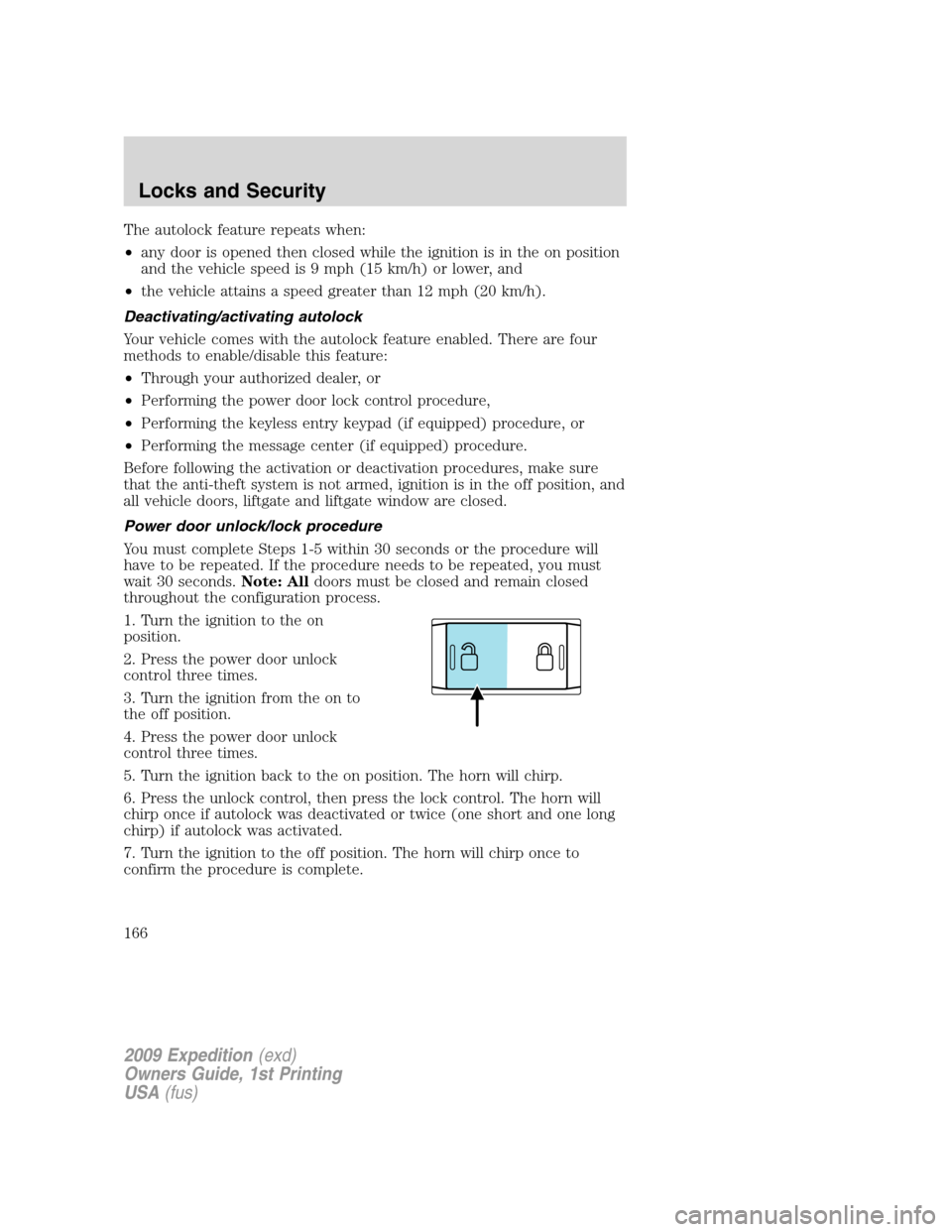
1. Turn the ignition to the on
position.
2. Press the power door unlock
control three times.
3. Turn the ignition from the on to
the off position.
4. Press the power door unlock
control three times.
5. Turn the ignition back to the on position. The horn will chirp.
6. Press the unlock control, then press the lock control. The horn will
chirp once if autolock was deactivated or twice (one short and one long
chirp) if autolock was activated.
7. Turn the ignition to the off position. The horn will chirp once to
confirm the procedure is complete.
2009 Expedition(exd)
Owners Guide, 1st Printing
USA(fus)
Locks and Security
166
Page 167 of 416
Keyless entry keypad procedure
1. Turn the ignition to the off position.
2. Close all doors, the liftgate and liftgate window.
3. Enter 5–digit entry code
4. Press and hold the 3•4. While holding the 3•4pressthe7•8.
5. Release the 7•8.
6. Release the 3•4.
The user should receive a horn chirp to indicate the system has been
disabled or a chirp followed by a honk to indicate the system has been
enabled.
Message center procedure
For information on activating/deactivating the autolock feature using the
vehicle’s message center (if equipped), refer toMessage center
information in theDriver Controlschapter.
Autounlock feature
The autounlock feature will unlock all the doors, liftgate, and liftgate
window when:
•the ignition is in the on position, all the doors are closed, and the
vehicle has been in motion at a speed greater than 12 mph (20 km/h);
•the vehicle has then come to a stop and the ignition is turned to the
off or accessory position; and
•the driver door is opened within 10 minutes of the ignition being
transitioned to the off or accessory position.
Note:The doors will not autounlock if the vehicle has been
electronically locked before the driver door is opened.
Deactivating/activating autounlock feature
Your vehicle comes with the autounlock features activated; there are four
methods to enable/disable this feature:
•Through your authorized dealer,
•by using a power door unlock/lock sequence,
•using a keypad procedure (if equipped), or
•by using the instrument cluster message center (if equipped). Refer to
Message centerin theDriver Controlschapter.
Note:The autounlock feature can be activated/deactivated
independently of the autolock feature.
2009 Expedition(exd)
Owners Guide, 1st Printing
USA(fus)
Locks and Security
167
Page 168 of 416
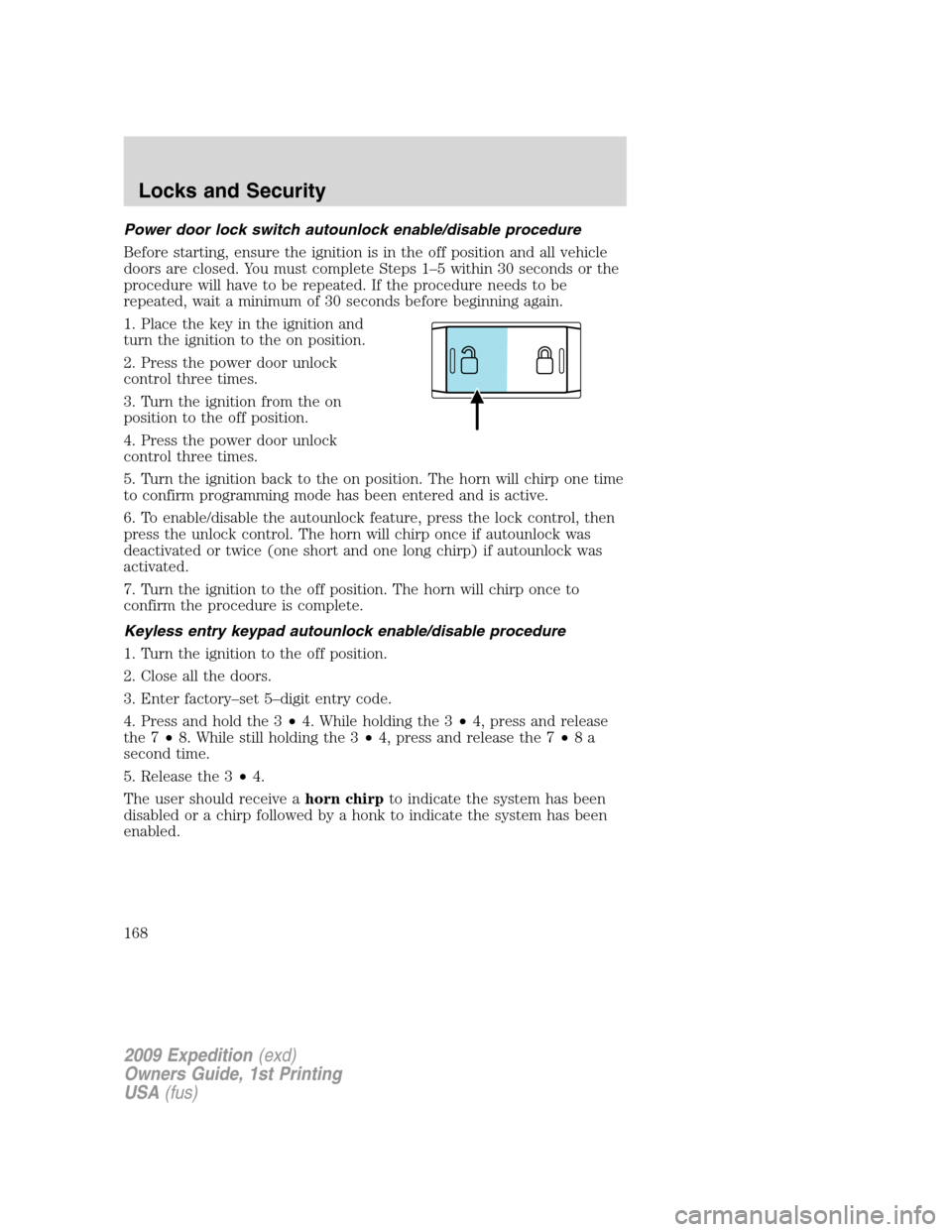
Power door lock switch autounlock enable/disable procedure
Before starting, ensure the ignition is in the off position and all vehicle
doors are closed. You must complete Steps 1–5 within 30 seconds or the
procedure will have to be repeated. If the procedure needs to be
repeated, wait a minimum of 30 seconds before beginning again.
1. Place the key in the ignition and
turn the ignition to the on position.
2. Press the power door unlock
control three times.
3. Turn the ignition from the on
position to the off position.
4. Press the power door unlock
control three times.
5. Turn the ignition back to the on position. The horn will chirp one time
to confirm programming mode has been entered and is active.
6. To enable/disable the autounlock feature, press the lock control, then
press the unlock control. The horn will chirp once if autounlock was
deactivated or twice (one short and one long chirp) if autounlock was
activated.
7. Turn the ignition to the off position. The horn will chirp once to
confirm the procedure is complete.
Keyless entry keypad autounlock enable/disable procedure
1. Turn the ignition to the off position.
2. Close all the doors.
3. Enter factory–set 5–digit entry code.
4. Press and hold the 3•4. While holding the 3•4, press and release
the 7•8. While still holding the 3•4, press and release the 7•8a
second time.
5. Release the 3•4.
The user should receive ahorn chirpto indicate the system has been
disabled or a chirp followed by a honk to indicate the system has been
enabled.
2009 Expedition(exd)
Owners Guide, 1st Printing
USA(fus)
Locks and Security
168
Page 170 of 416
The typical operating range for your IKT is approximately 33 feet
(10 meters). A decrease in operating range could be caused by:
•weather conditions,
•nearby radio towers,
•structures around the vehicle, or
•other vehicles parked next to your vehicle.
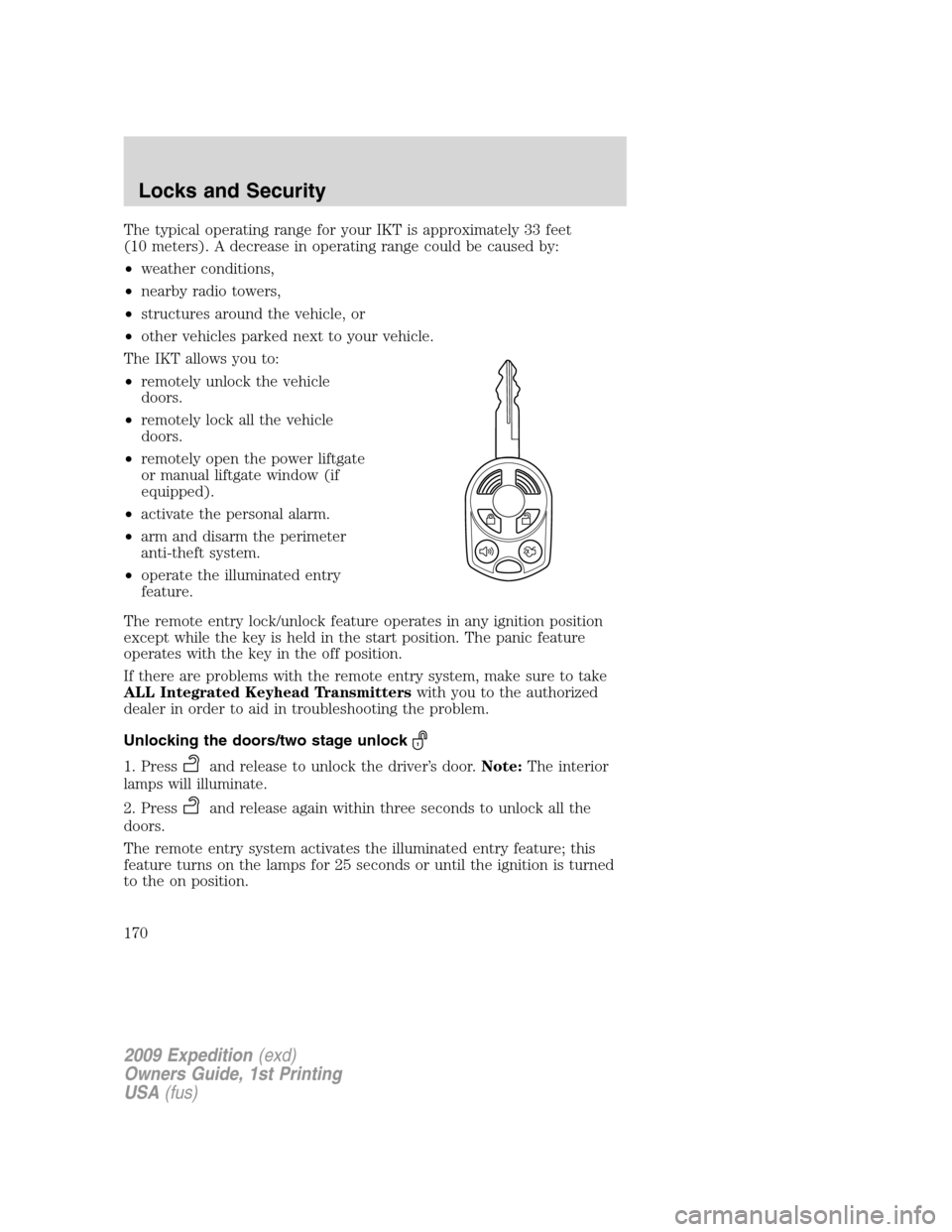
The IKT allows you to:
•remotely unlock the vehicle
doors.
•remotely lock all the vehicle
doors.
•remotely open the power liftgate
or manual liftgate window (if
equipped).
•activate the personal alarm.
•arm and disarm the perimeter
anti-theft system.
•operate the illuminated entry
feature.
The remote entry lock/unlock feature operates in any ignition position
except while the key is held in the start position. The panic feature
operates with the key in the off position.
If there are problems with the remote entry system, make sure to take
ALL Integrated Keyhead Transmitterswith you to the authorized
dealer in order to aid in troubleshooting the problem.
Unlocking the doors/two stage unlock
1. Pressand release to unlock the driver’s door.Note:The interior
lamps will illuminate.
2. Press
and release again within three seconds to unlock all the
doors.
The remote entry system activates the illuminated entry feature; this
feature turns on the lamps for 25 seconds or until the ignition is turned
to the on position.
2009 Expedition(exd)
Owners Guide, 1st Printing
USA(fus)
Locks and Security
170