air condition FORD EXPEDITION 2014 3.G User Guide
[x] Cancel search | Manufacturer: FORD, Model Year: 2014, Model line: EXPEDITION, Model: FORD EXPEDITION 2014 3.GPages: 519, PDF Size: 6.9 MB
Page 124 of 519
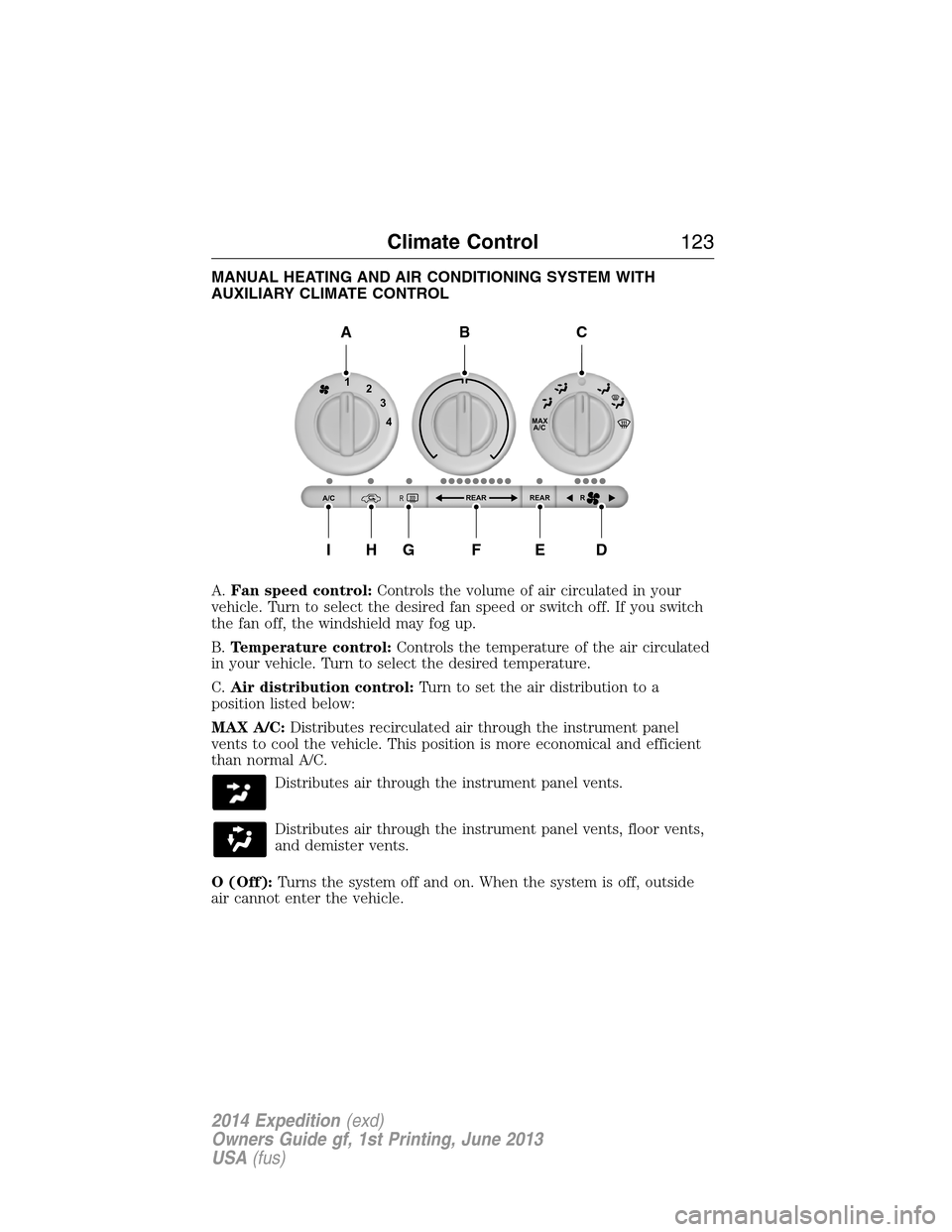
MANUAL HEATING AND AIR CONDITIONING SYSTEM WITH
AUXILIARY CLIMATE CONTROL
A.Fan speed control:Controls the volume of air circulated in your
vehicle. Turn to select the desired fan speed or switch off. If you switch
the fan off, the windshield may fog up.
B.Temperature control:Controls the temperature of the air circulated
in your vehicle. Turn to select the desired temperature.
C.Air distribution control:Turn to set the air distribution to a
position listed below:
MAX A/C:Distributes recirculated air through the instrument panel
vents to cool the vehicle. This position is more economical and efficient
than normal A/C.
Distributes air through the instrument panel vents.
Distributes air through the instrument panel vents, floor vents,
and demister vents.
O (Off):Turns the system off and on. When the system is off, outside
air cannot enter the vehicle.
MAX
A/C
REAR R REAR
1
2
3
4
A/CR
A
IHGFED
BC
Climate Control123
2014 Expedition(exd)
Owners Guide gf, 1st Printing, June 2013
USA(fus)
Page 125 of 519
Distributes air through the floor vents.
Distributes air through the windshield defroster vents, demister
vents and floor vents.
Distributes air through the windshield defroster vents and
demister vents. This setting can also be used to defog and clear
the windshield of a thin covering of ice.
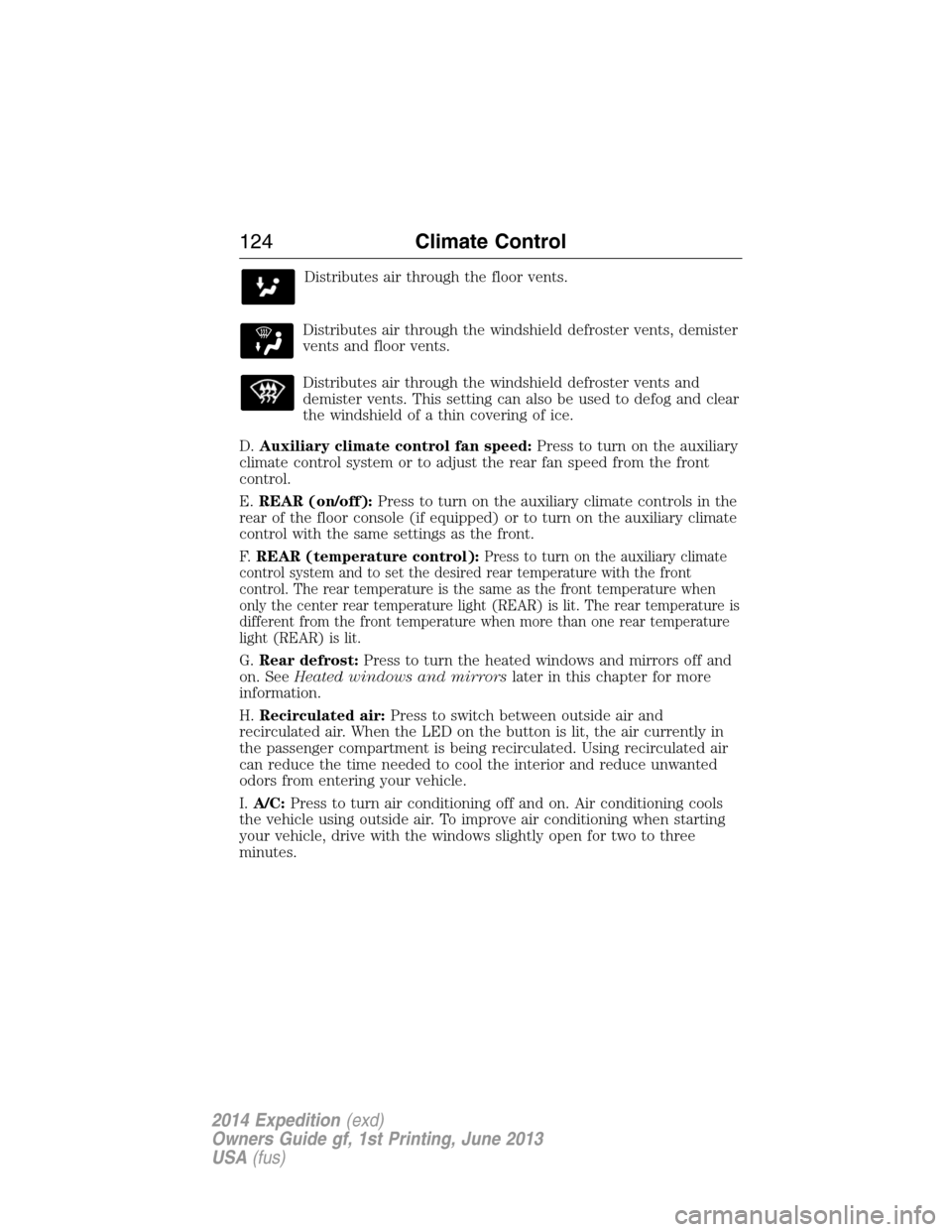
D.Auxiliary climate control fan speed:Press to turn on the auxiliary
climate control system or to adjust the rear fan speed from the front
control.
E.REAR (on/off):Press to turn on the auxiliary climate controls in the
rear of the floor console (if equipped) or to turn on the auxiliary climate
control with the same settings as the front.
F.REAR (temperature control):
Press to turn on the auxiliary climate
control system and to set the desired rear temperature with the front
control. The rear temperature is the same as the front temperature when
only the center rear temperature light (REAR) is lit. The rear temperature is
different from the front temperature when more than one rear temperature
light (REAR) is lit.
G.Rear defrost:Press to turn the heated windows and mirrors off and
on. SeeHeated windows and mirrorslater in this chapter for more
information.
H.Recirculated air:Press to switch between outside air and
recirculated air. When the LED on the button is lit, the air currently in
the passenger compartment is being recirculated. Using recirculated air
can reduce the time needed to cool the interior and reduce unwanted
odors from entering your vehicle.
I.A/C:Press to turn air conditioning off and on. Air conditioning cools
the vehicle using outside air. To improve air conditioning when starting
your vehicle, drive with the windows slightly open for two to three
minutes.
124Climate Control
2014 Expedition(exd)
Owners Guide gf, 1st Printing, June 2013
USA(fus)
Page 127 of 519
When this button is pressed, the display only shows the rear temperature
setting. After the rear setting changes are completed on the front
control, the display automatically shows both climate settings.
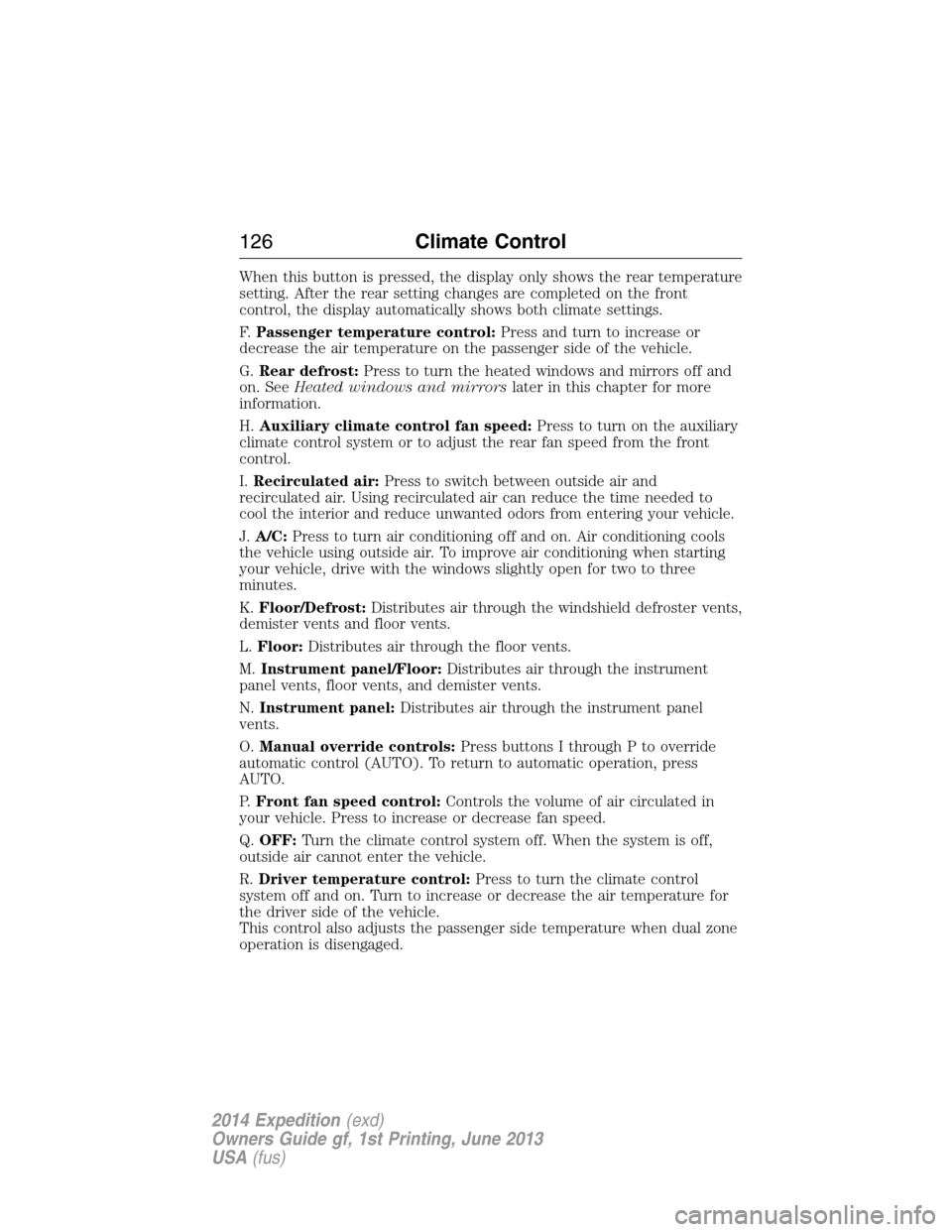
F.Passenger temperature control:Press and turn to increase or
decrease the air temperature on the passenger side of the vehicle.
G.Rear defrost:Press to turn the heated windows and mirrors off and
on. SeeHeated windows and mirrorslater in this chapter for more
information.
H.Auxiliary climate control fan speed:Press to turn on the auxiliary
climate control system or to adjust the rear fan speed from the front
control.
I.Recirculated air:Press to switch between outside air and
recirculated air. Using recirculated air can reduce the time needed to
cool the interior and reduce unwanted odors from entering your vehicle.
J.A/C:Press to turn air conditioning off and on. Air conditioning cools
the vehicle using outside air. To improve air conditioning when starting
your vehicle, drive with the windows slightly open for two to three
minutes.
K.Floor/Defrost:Distributes air through the windshield defroster vents,
demister vents and floor vents.
L.Floor:Distributes air through the floor vents.
M.Instrument panel/Floor:Distributes air through the instrument
panel vents, floor vents, and demister vents.
N.Instrument panel:Distributes air through the instrument panel
vents.
O.Manual override controls:Press buttons I through P to override
automatic control (AUTO). To return to automatic operation, press
AUTO.
P.Front fan speed control:Controls the volume of air circulated in
your vehicle. Press to increase or decrease fan speed.
Q.OFF:Turn the climate control system off. When the system is off,
outside air cannot enter the vehicle.
R.Driver temperature control:Press to turn the climate control
system off and on. Turn to increase or decrease the air temperature for
the driver side of the vehicle.
This control also adjusts the passenger side temperature when dual zone
operation is disengaged.
126Climate Control
2014 Expedition(exd)
Owners Guide gf, 1st Printing, June 2013
USA(fus)
Page 128 of 519
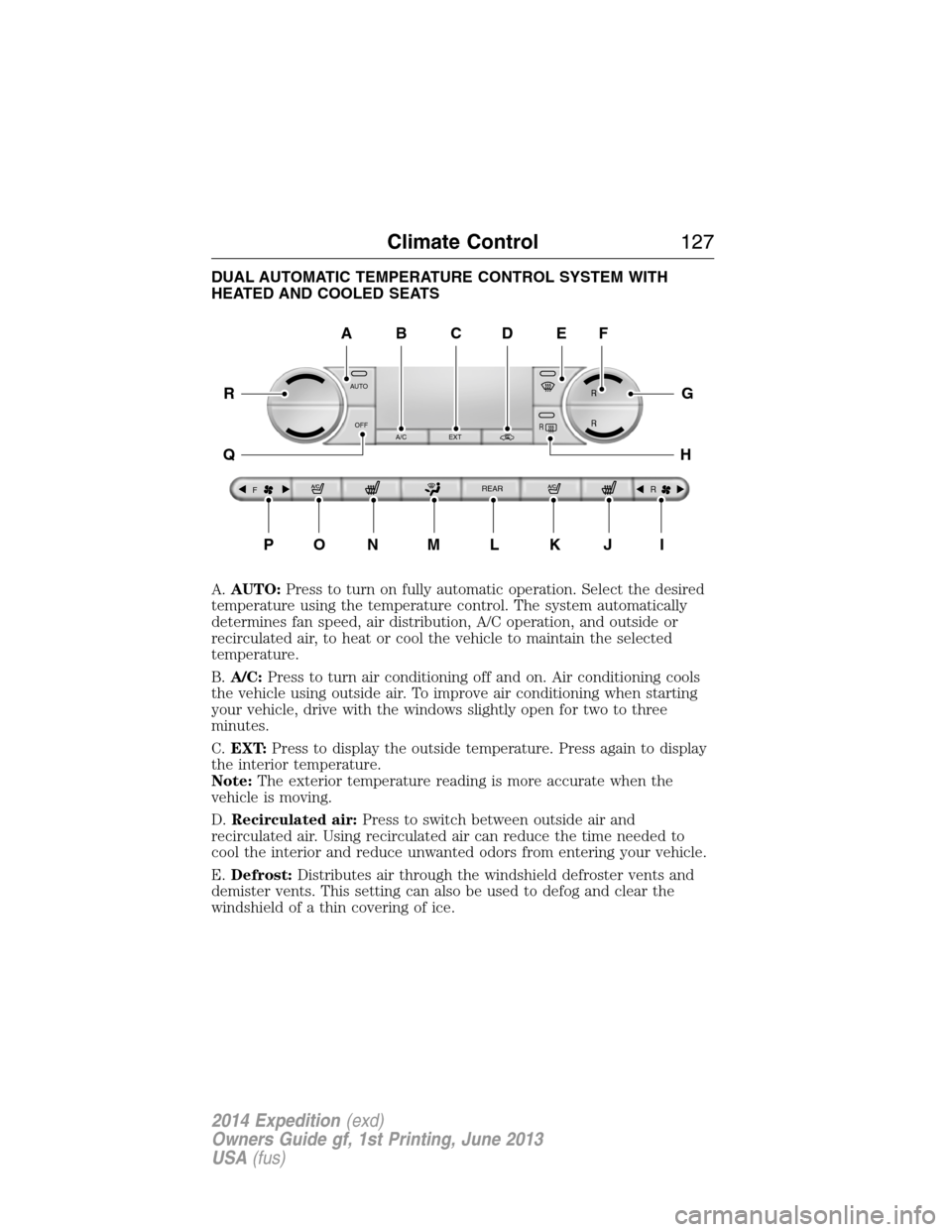
DUAL AUTOMATIC TEMPERATURE CONTROL SYSTEM WITH
HEATED AND COOLED SEATS
A.AUTO:Press to turn on fully automatic operation. Select the desired
temperature using the temperature control. The system automatically
determines fan speed, air distribution, A/C operation, and outside or
recirculated air, to heat or cool the vehicle to maintain the selected
temperature.
B.A/C:Press to turn air conditioning off and on. Air conditioning cools
the vehicle using outside air. To improve air conditioning when starting
your vehicle, drive with the windows slightly open for two to three
minutes.
C.EXT:Press to display the outside temperature. Press again to display
the interior temperature.
Note:The exterior temperature reading is more accurate when the
vehicle is moving.
D.Recirculated air:Press to switch between outside air and
recirculated air. Using recirculated air can reduce the time needed to
cool the interior and reduce unwanted odors from entering your vehicle.
E.Defrost:Distributes air through the windshield defroster vents and
demister vents. This setting can also be used to defog and clear the
windshield of a thin covering of ice.
AUTO
OFF
A/C EXT
FREAR
R
R R
R
A
PONMLKJI
EF
G
H
R
Q
BDC
Climate Control127
2014 Expedition(exd)
Owners Guide gf, 1st Printing, June 2013
USA(fus)
Page 131 of 519
GENERAL OPERATING TIPS
Manual Heating and Air Conditioning System
•To reduce fog build-up on the windshield during humid weather,
select Defrost. Temperature and fan speed can also be increased to
improve clearing.
•To reduce humidity build-up inside the vehicle, do not drive with the
system off or with recirculated air engaged.
•Do not put objects under the front seats that will interfere with the
airflow to the back seats.
•Remove any snow, ice or leaves from the air intake area at the base
of the windshield.
Cooling the interior quickly:
1. Adjust the fan speed to the highest speed setting initially and then
adjust it to suit the desired comfort level.
2. Adjust the temperature control to the lowest temperature setting.
3. Adjust the air distribution control toMAX A/C.
Recommended settings for cooling:
1. Select Panel/Floor.
2. SelectA/C.
3. Adjust the temperature control to maintain comfort.
If your vehicle stationary for extended periods during extreme high
ambient temperatures
•SelectMAX A/C.
For maximum cooling performance, turn the air distribution control to
MAX A/C.
To aid in side window defogging and demisting in cold or humid weather:
1. Select Panel/Floor.
2. SelectA/C.
3. Adjust the temperature control to maintain comfort.
4. Set the fan speed to the highest setting.
5. Direct the outer instrument panel vents toward the side windows.
6. To increase airflow to the outer instrument panel vents, close the
vents located in the middle of the instrument panel.
130Climate Control
2014 Expedition(exd)
Owners Guide gf, 1st Printing, June 2013
USA(fus)
Page 172 of 519
Failure to Start
If you cannot start the engine after three attempts, wait 10 seconds and
follow this procedure:
1. Fully press the brake pedal.
2. Fully press the accelerator pedal and hold it there.
3. Start the engine.
Stopping the Engine When Your Vehicle is Stationary
1. Move the transmission selector lever to positionP.
2. Turn the key to the off position.
Stopping the Engine When Your Vehicle is Moving
WARNING:When you switch off the engine when your vehicle is
still moving, this results in a loss of brake and steering assistance.
The steering does not lock, but higher effort is required. When you
switch off the ignition, some electrical circuits, warning lamps and
indicators may also be off.
1. Move the transmission selector lever to positionNand use the brakes
to bring your vehicle to a safe stop.
2. When your vehicle has stopped, move the transmission selector lever
to positionPand turn the key to the off position.
Cold Weather Starting (Flexible Fuel Vehicles Only)
The starting characteristics of all grades of E-85 ethanol make it
unsuitable for use when ambient temperatures fall below 0°F (-18°C).
Consult your fuel distributor for the availability of winter grade ethanol.
As the outside temperature approaches freezing, ethanol fuel distributors
should supply winter grade ethanol (same as with unleaded gasoline). If
summer grade ethanol is used in cold weather conditions, 0°F to 32°F
(-18°C to 0°C), you may experience increased cranking times, rough idle
or hesitation until the engine has warmed up.
You may experience a decrease in peak performance when the engine is
cold when operating on E-85 ethanol.
Do not crank the engine for more than 10 seconds at a time as starter
damage may occur. If the engine fails to start, turn the key to off and
wait 30 seconds before trying again.
Do not use starting fluid such as ether in the air intake system. Such
fluid could cause immediate explosive damage to the engine and possible
personal injury.
Starting and Stopping the Engine171
2014 Expedition(exd)
Owners Guide gf, 1st Printing, June 2013
USA(fus)
Page 177 of 519
Choosing the Right Fuel With a Flex Fuel Vehicle (If Equipped)
Use only UNLEADED gasoline or UNLEADED gasoline blended with a
maximum of 85% ethanol (E-85) in your Flex Fuel Vehicle (FFV). If
your vehicle is flex fuel capable, it will have a yellow bezel placed over
the fuel fill inlet.
Do not use:
•fuels containing more than 85% ethanol or E-100 fuel
•fuels containing methanol
•fuels containing metallic based additives, including manganese-based
compounds
•fuels containing the octane booster additive, methylcyclopentadienyl
manganese tricarbonyl (MMT)
•leaded-fuel (The use of leaded fuel is prohibited by law)
Use of any fuel other than recommended fuel can cause powertrain
damage, impair the emission control system or cause loss of vehicle
performance. Any damage to a vehicle that is caused by use of fuel not
recommended will not be covered under warranty.
Octane Recommendations
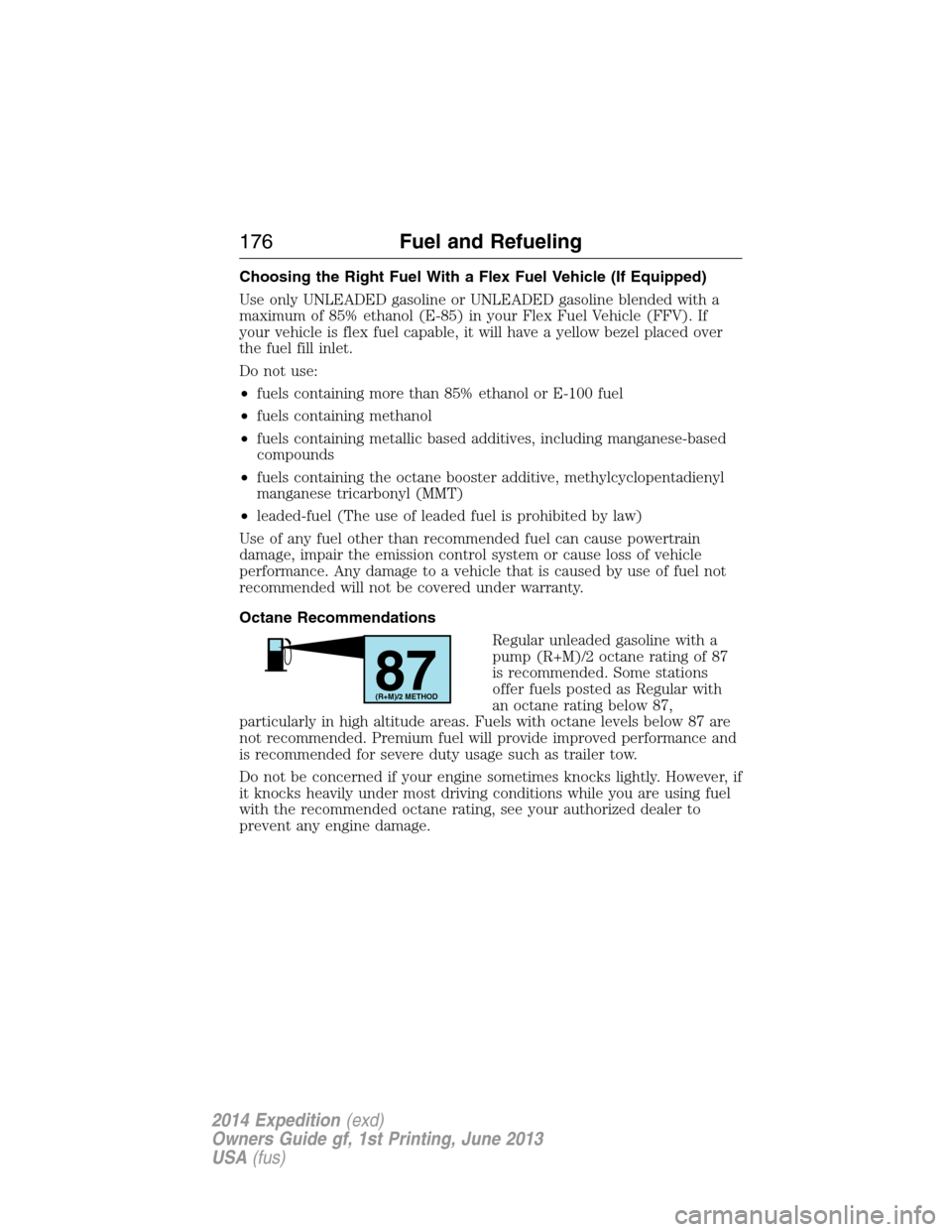
Regular unleaded gasoline with a
pump (R+M)/2 octane rating of 87
is recommended. Some stations
offer fuels posted as Regular with
an octane rating below 87,
particularly in high altitude areas. Fuels with octane levels below 87 are
not recommended. Premium fuel will provide improved performance and
is recommended for severe duty usage such as trailer tow.
Do not be concerned if your engine sometimes knocks lightly. However, if
it knocks heavily under most driving conditions while you are using fuel
with the recommended octane rating, see your authorized dealer to
prevent any engine damage.
87(R+M)/2 METHOD
176Fuel and Refueling
2014 Expedition(exd)
Owners Guide gf, 1st Printing, June 2013
USA(fus)
Page 194 of 519
How Your Vehicle Differs From Other Vehicles
WARNING:Vehicles with a higher center of gravity such as
utility and four-wheel drive vehicles handle differently than
vehicles with a lower center of gravity. Utility and four-wheel drive
vehicles arenotdesigned for cornering at speeds as high as passenger
cars any more than low-slung sports cars are designed to perform
satisfactorily under off-road conditions. Avoid sharp turns, excessive
speed and abrupt maneuvers in these vehicles. Failure to drive
cautiously could result in an increased risk of loss of vehicle control,
vehicle rollover, personal injury and death.
Truck and utility vehicles can differ from some other vehicles. Your
vehicle may be higher to allow it to travel over rough terrain without
getting hung up or damaging underbody components.
The differences that make your vehicle so versatile also make it handle
differently than an ordinary passenger car.
Maintain steering wheel control at all times, especially in rough terrain.
Since sudden changes in terrain can result in abrupt steering wheel
motion, make sure you grip the steering wheel from the outside. Do not
grip the spokes.
Drive cautiously to avoid vehicle damage from concealed objects such as
rocks and stumps.
You should either know the terrain or examine maps of the area before
driving. Map out your route before driving in the area. To maintain
steering and braking control of your vehicle, you must have all four
wheels on the ground and they must be rolling, not sliding or spinning.
Driving Off-Road With Truck and Utility Vehicles
Note:On some 4WD models, the initial shift from two-wheel drive to
four-wheel drive while the vehicle is moving can cause some momentary
clunk and ratcheting sounds. This is the front drivetrain coming up to
speed and the automatic locking hubs engaging and is not cause for
concern.
Note:Your vehicle may be equipped with a front air dam that can
become damaged (due to reduced ground clearance) when taking your
vehicle off-road. This air dam can be taken off by removing two bolts.
4WD vehicles are specially equipped for driving on sand, snow, mud and
rough terrain and have operating characteristics that are somewhat
different from conventional vehicles, both on and off the road.
Four-Wheel Drive (If Equipped)193
2014 Expedition(exd)
Owners Guide gf, 1st Printing, June 2013
USA(fus)
Page 237 of 519
The gain should be set to provide the maximum trailer braking assistance
while making sure the trailer wheels do not lock when using the brakes.
Locked trailer wheels may lead to trailer instability.
1. Make sure the trailer brakes are in good working condition,
functioning normally and properly adjusted. See your trailer dealer if
necessary.
2. Hook up the trailer and make the electrical connections according to
the trailer manufacturer’s instructions.
3. When you plug in a trailer with electric or electric-over-hydraulic
brakes,TRAILER CONNECTEDappears in the information display.
4. Use the gain adjustment (+ and -) buttons to increase or decrease
the gain setting to the desired starting point. A gain setting of 6.0 is a
good starting point for heavier loads.
5. In a traffic-free environment, tow the trailer on a dry, level surface at
a speed of 20–25 mph (30–40 km/h) and squeeze the manual control
lever completely.
6. If the trailer wheels lock up, indicated by squealing tires, reduce the
gain setting. If the trailer wheels turn freely, increase the gain setting.
Repeat Steps 5 and 6 until the gain setting is at a point just below
trailer wheel lock-up. If towing a heavier trailer, trailer wheel lock-up
may not be attainable even with the maximum gain setting of 10.
Explanation of Information Display Warning Messages
Note:An authorized dealer can diagnose the trailer brake controller to
determine exactly which trailer fault has occurred. However, your Ford
warranty doesnotcover this diagnosis if the fault is with the trailer.
TRAILER BRAKE MODULE FAULT:Displays in response to faults
sensed by the trailer brake controller, accompanied by a single chime.
If this message appears, contact an authorized dealer as soon as possible
for diagnosis and repair. The controller may still function, but
performance may be degraded.
WIRING FAULT ON TRAILER:Displays when there is a short circuit
on the electric brake output wire. If theWIRING FAULT ON TRAILER
message displays, accompanied by a single chime, with no trailer
connected, the problem is with your vehicle wiring between the trailer
brake controller and the 7–pin connector at the bumper. If the message
only displays with a trailer connected, the problem is with the trailer
wiring. Consult your trailer dealer for assistance. This can be a short to
ground (such as a chaffed wire), short to voltage (such as a pulled pin
on trailer emergency breakaway battery) or the trailer brakes may be
drawing too much current.
236Towing
2014 Expedition(exd)
Owners Guide gf, 1st Printing, June 2013
USA(fus)
Page 240 of 519
•If you are towing a trailer frequently in hot weather, hilly conditions,
at the gross combined weight rating (or any combination of these
factors), consider refilling your rear axle with synthetic gear lubricant
(if the axle is not already filled with it). See theCapacities and
Specificationschapter for the lubricant specification.
•Allow more distance for stopping with a trailer attached. Anticipate
stops and brake gradually.
•Avoid parking on a grade. However, if you must park on a grade:
1. Turn the steering wheel to point your vehicle tires away from
traffic flow.
2. Set your vehicle parking brake.
3. Place the automatic transmission in positionP.
4. Place wheel chocks in front and back of the trailer wheels.
(Chocks not included with vehicle.)
Your vehicle may be equipped with a temporary or conventional spare
tire. A “temporary” spare tire is different in size (diameter or width),
tread-type (All-Season or All-Terrain) or is from a different manufacturer
than the road tires on your vehicle. Consult information on the tire label
or Safety Compliance label for limitations when using.
Launching or Retrieving a Boat or Personal Watercraft (PWC)
Note:Disconnect the wiring to the trailerbeforebacking the trailer into
the water.
Note:Reconnect the wiring to the trailerafterremoving the trailer from
the water.
When backing down a ramp during boat launching or retrieval:
•Do not allow the static water level to rise above the bottom edge of
the rear bumper.
•Do not allow waves to break higher than 6 inches (15 centimeters)
above the bottom edge of the rear bumper.
Exceeding these limits may allow water to enter vehicle components:
•Causing internal damage to the components.
•Affecting driveability, emissions, and reliability.
Replace the rear axle lubricant anytime the rear axle submerges in
water. Water may have contaminated the rear axle lubricant, which does
not normally require checking or changing unless it is leaking or other
axle repair is required.
Towing239
2014 Expedition(exd)
Owners Guide gf, 1st Printing, June 2013
USA(fus)