tow FORD EXPEDITION 2014 3.G User Guide
[x] Cancel search | Manufacturer: FORD, Model Year: 2014, Model line: EXPEDITION, Model: FORD EXPEDITION 2014 3.GPages: 519, PDF Size: 6.9 MB
Page 94 of 519
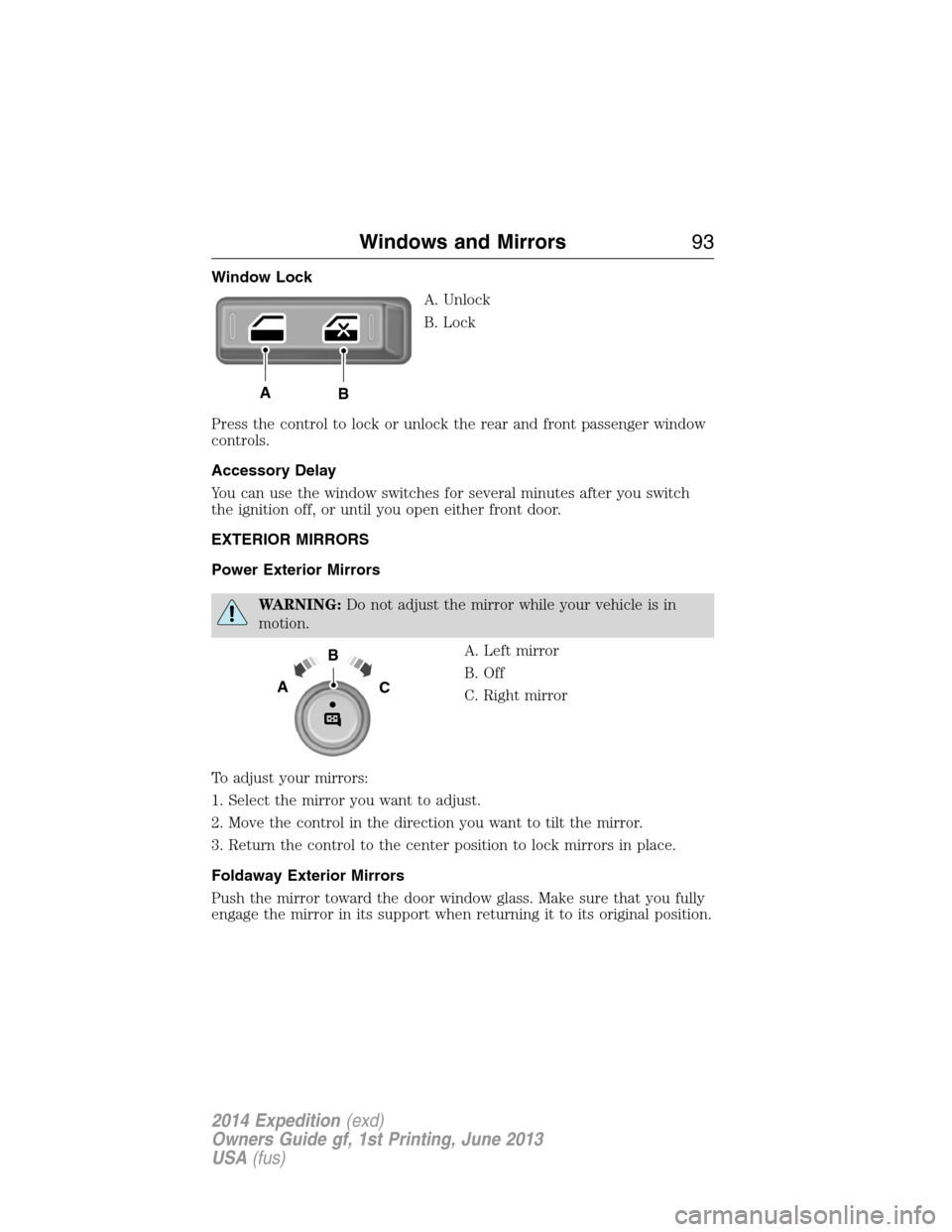
Window Lock
A. Unlock
B. Lock
Press the control to lock or unlock the rear and front passenger window
controls.
Accessory Delay
You can use the window switches for several minutes after you switch
the ignition off, or until you open either front door.
EXTERIOR MIRRORS
Power Exterior Mirrors
WARNING:Do not adjust the mirror while your vehicle is in
motion.
A. Left mirror
B. Off
C. Right mirror
To adjust your mirrors:
1. Select the mirror you want to adjust.
2. Move the control in the direction you want to tilt the mirror.
3. Return the control to the center position to lock mirrors in place.
Foldaway Exterior Mirrors
Push the mirror toward the door window glass. Make sure that you fully
engage the mirror in its support when returning it to its original position.
AB
B
AC
Windows and Mirrors93
2014 Expedition(exd)
Owners Guide gf, 1st Printing, June 2013
USA(fus)
Page 95 of 519
Power-Folding Mirrors (If Equipped)
Note:Using the mirrors 10 or more times within one minute, or
repeated folding and unfolding of the mirrors while holding the control
down during full travel, may disable the system to protect motors from
overheating. Wait approximately three minutes with your vehicle running,
and up to 10 minutes with your vehicle off, for the system to reset and
for function to return to normal.
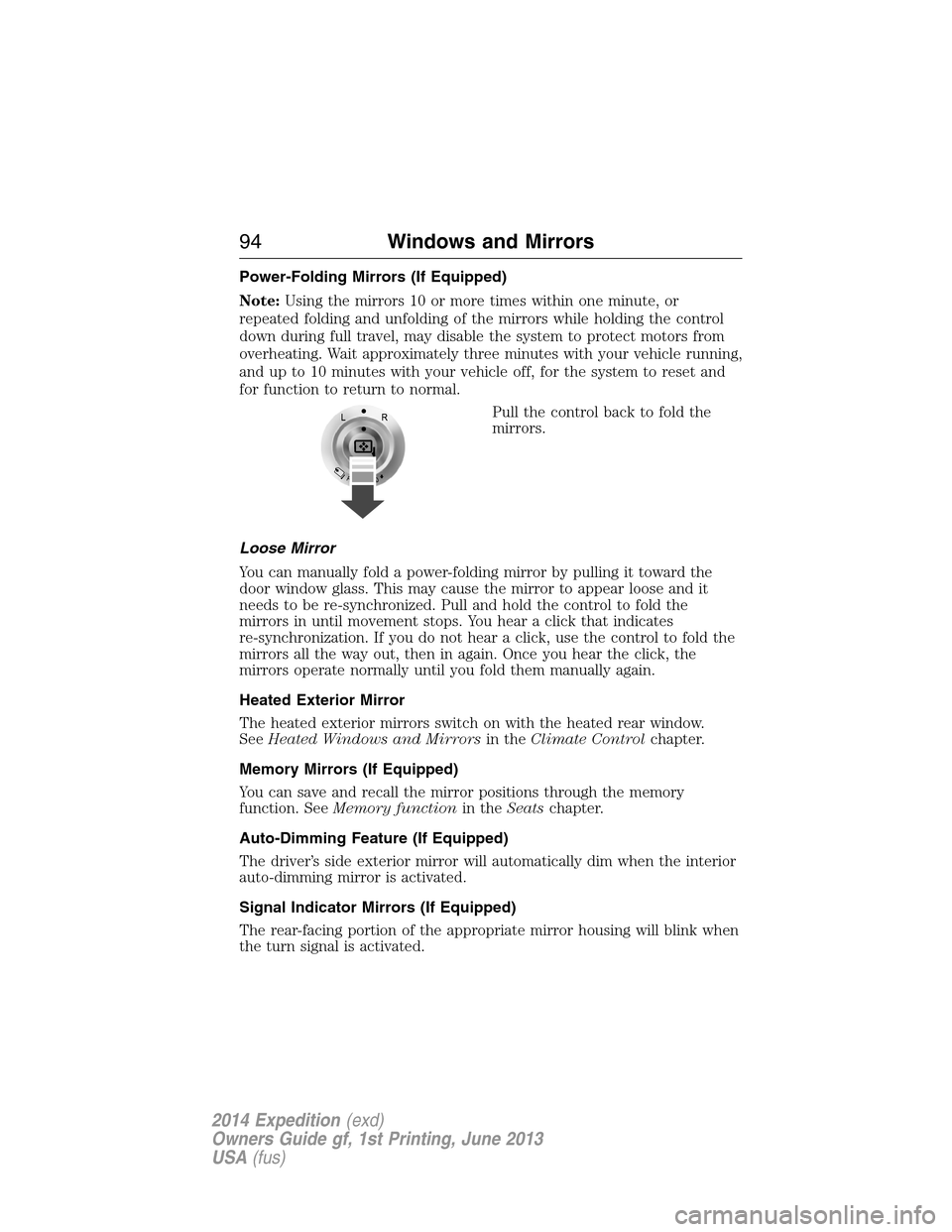
Pull the control back to fold the
mirrors.
Loose Mirror
You can manually fold a power-folding mirror by pulling it toward the
door window glass. This may cause the mirror to appear loose and it
needs to be re-synchronized. Pull and hold the control to fold the
mirrors in until movement stops. You hear a click that indicates
re-synchronization. If you do not hear a click, use the control to fold the
mirrors all the way out, then in again. Once you hear the click, the
mirrors operate normally until you fold them manually again.
Heated Exterior Mirror
The heated exterior mirrors switch on with the heated rear window.
SeeHeated Windows and Mirrorsin theClimate Controlchapter.
Memory Mirrors (If Equipped)
You can save and recall the mirror positions through the memory
function. SeeMemory functionin theSeatschapter.
Auto-Dimming Feature (If Equipped)
The driver’s side exterior mirror will automatically dim when the interior
auto-dimming mirror is activated.
Signal Indicator Mirrors (If Equipped)
The rear-facing portion of the appropriate mirror housing will blink when
the turn signal is activated.
94Windows and Mirrors
2014 Expedition(exd)
Owners Guide gf, 1st Printing, June 2013
USA(fus)
Page 98 of 519
REAR QUARTER WINDOWS (IF EQUIPPED)
WARNING:Do not leave children unattended in the vehicle and
do not let children play with the power rear quarter windows.
They may seriously injure themselves.
WARNING:When closing the power rear quarter windows, you
should verify that it is free of obstructions and ensure that
children and/or pets are not in the proximity of the window opening.
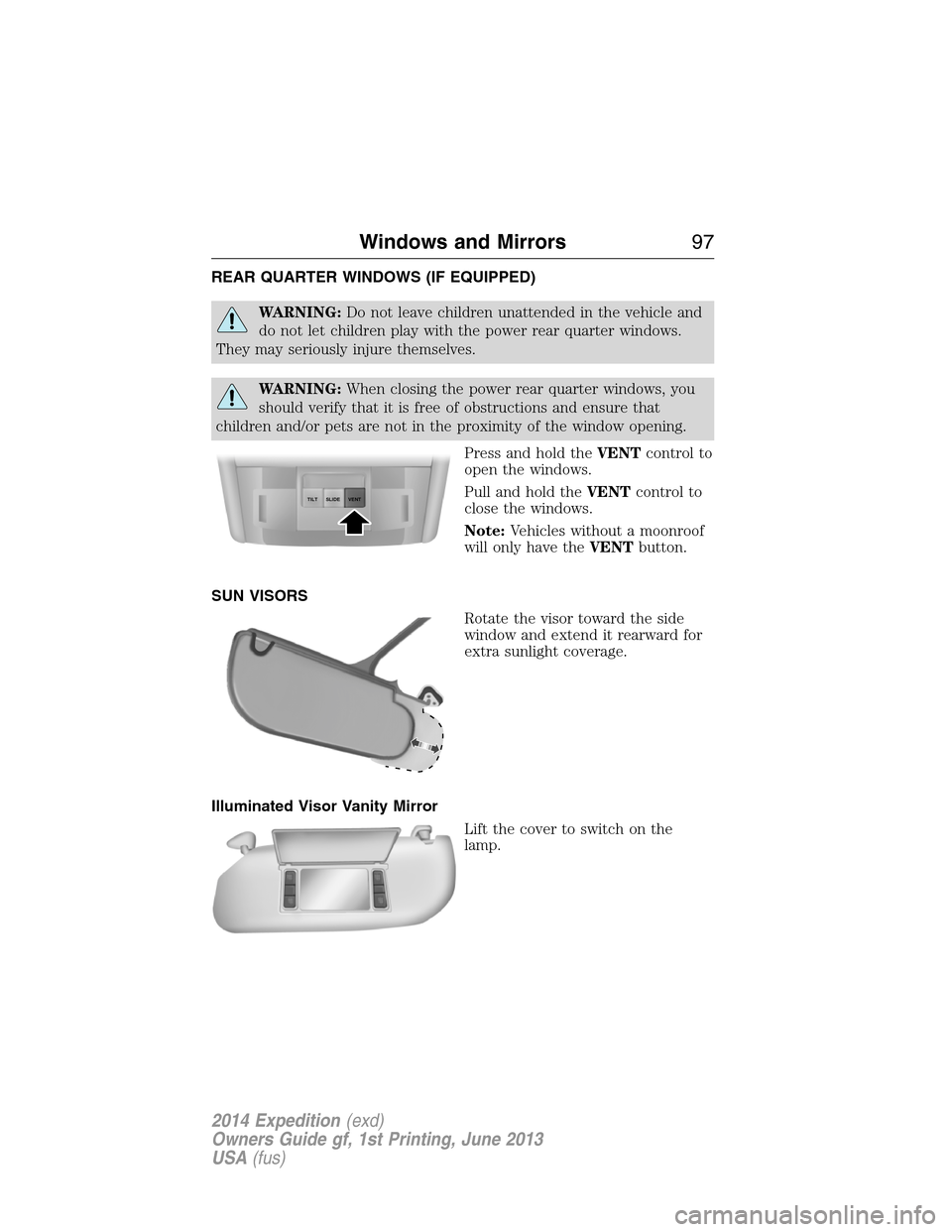
Press and hold theVENTcontrol to
open the windows.
Pull and hold theVENTcontrol to
close the windows.
Note:Vehicles without a moonroof
will only have theVENTbutton.
SUN VISORS
Rotate the visor toward the side
window and extend it rearward for
extra sunlight coverage.
Illuminated Visor Vanity Mirror
Lift the cover to switch on the
lamp.
SLIDE TILTVENT
Windows and Mirrors97
2014 Expedition(exd)
Owners Guide gf, 1st Printing, June 2013
USA(fus)
Page 99 of 519
MOONROOF (IF EQUIPPED)
WARNING:Do not let children play with the moonroof or leave
children unattended in the vehicle. They may seriously hurt
themselves.
WARNING:When closing the moonroof, you should verify that it
is free of obstructions and ensure that children and/or pets are
not in the proximity of the moonroof opening.
The sliding shade can be manually opened or closed when the moonroof
is closed. Pull the shade toward the front of the vehicle to close it.
The moonroof control is located on the overhead console.
The moonroof has a one-touch open and close feature. To stop its motion
during the one-touch operation, press the control a second time.
Opening and Closing the Moonroof
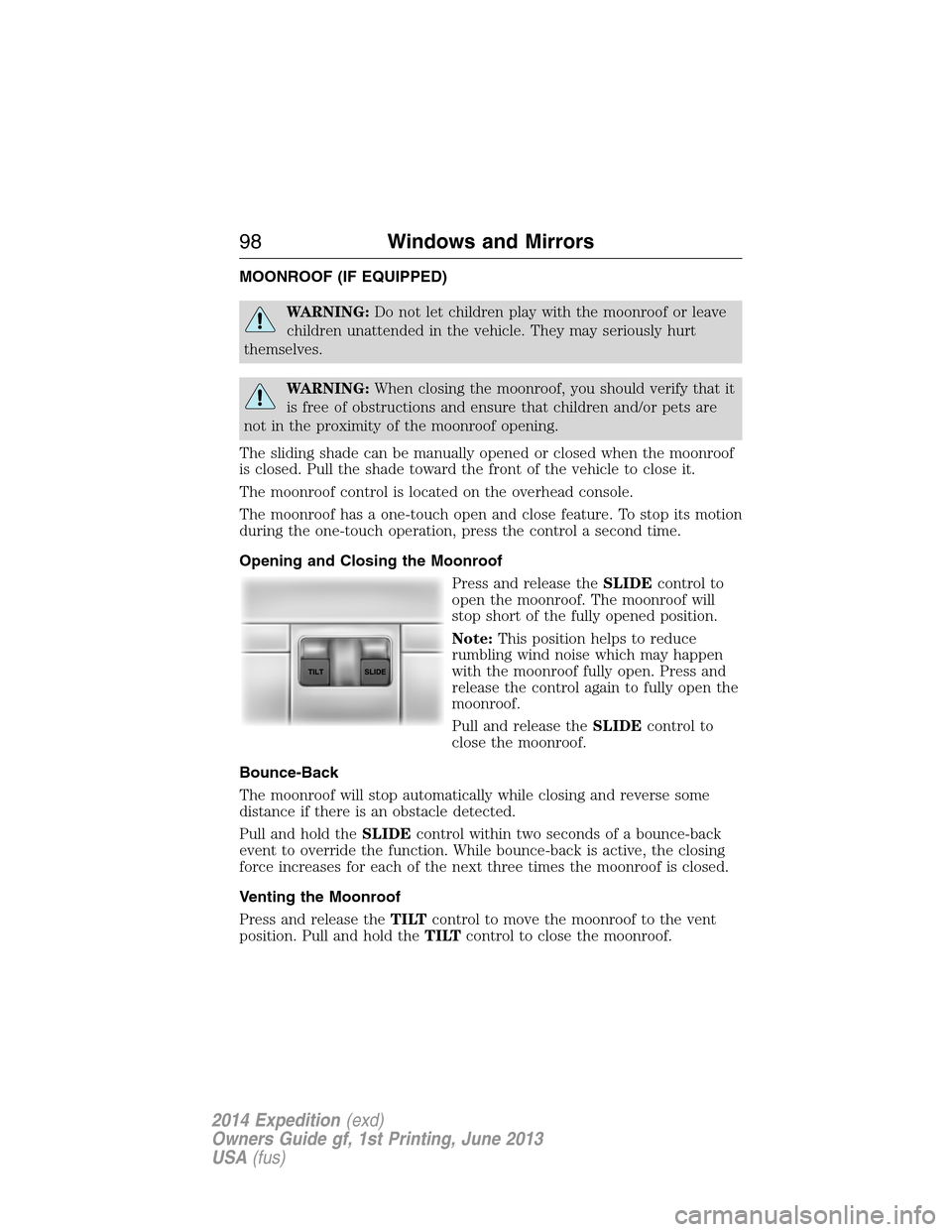
Press and release theSLIDEcontrol to
open the moonroof. The moonroof will
stop short of the fully opened position.
Note:This position helps to reduce
rumbling wind noise which may happen
with the moonroof fully open. Press and
release the control again to fully open the
moonroof.
Pull and release theSLIDEcontrol to
close the moonroof.
Bounce-Back
The moonroof will stop automatically while closing and reverse some
distance if there is an obstacle detected.
Pull and hold theSLIDEcontrol within two seconds of a bounce-back
event to override the function. While bounce-back is active, the closing
force increases for each of the next three times the moonroof is closed.
Venting the Moonroof
Press and release theTILTcontrol to move the moonroof to the vent
position. Pull and hold theTILTcontrol to close the moonroof.
98Windows and Mirrors
2014 Expedition(exd)
Owners Guide gf, 1st Printing, June 2013
USA(fus)
Page 105 of 519
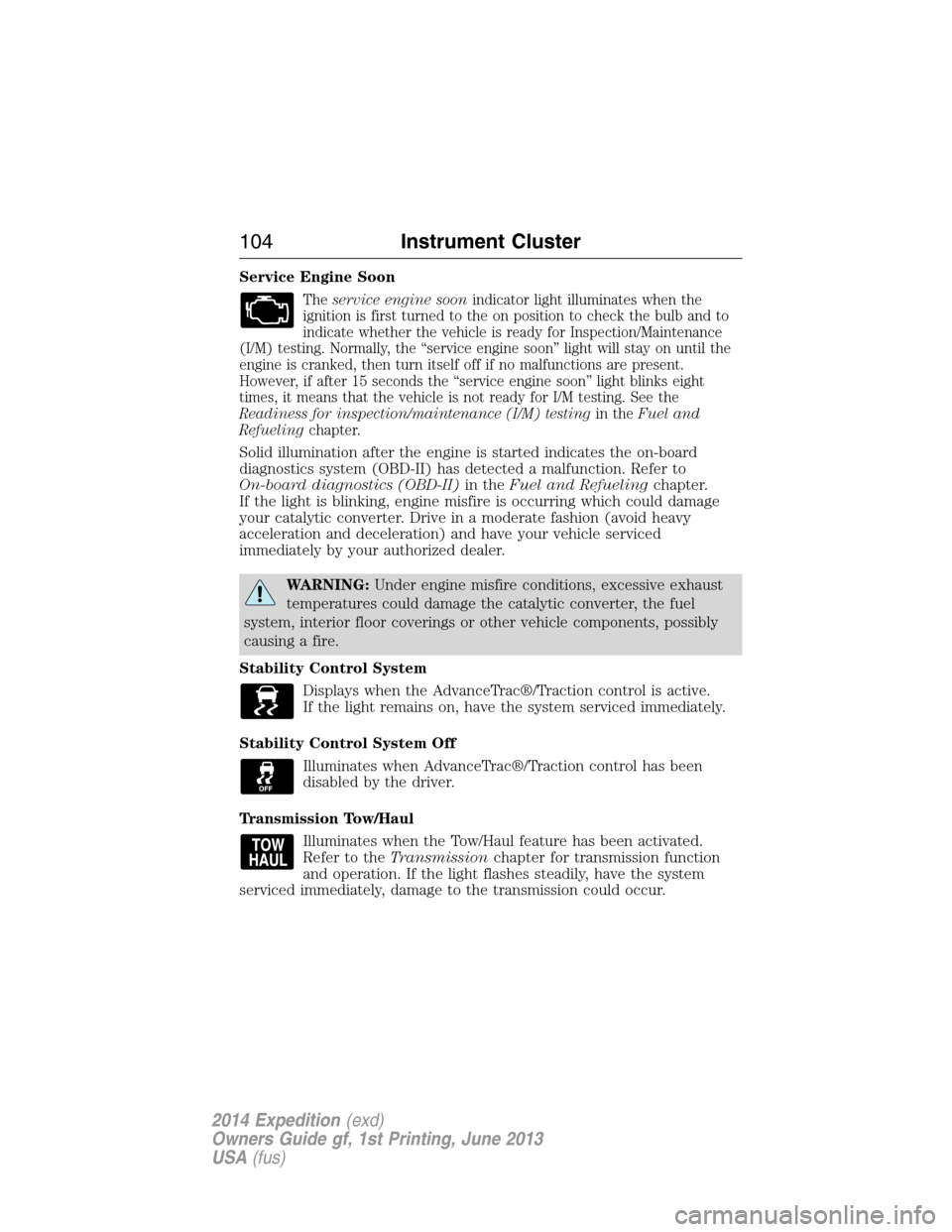
Service Engine Soon
Theservice engine soonindicator light illuminates when the
ignition is first turned to the on position to check the bulb and to
indicate whether the vehicle is ready for Inspection/Maintenance
(I/M) testing. Normally, the “service engine soon” light will stay on until the
engine is cranked, then turn itself off if no malfunctions are present.
However, if after 15 seconds the “service engine soon” light blinks eight
times, it means that the vehicle is not ready for I/M testing. See the
Readiness for inspection/maintenance (I/M) testingin theFuel and
Refuelingchapter.
Solid illumination after the engine is started indicates the on-board
diagnostics system (OBD-II) has detected a malfunction. Refer to
On-board diagnostics (OBD-II)in theFuel and Refuelingchapter.
If the light is blinking, engine misfire is occurring which could damage
your catalytic converter. Drive in a moderate fashion (avoid heavy
acceleration and deceleration) and have your vehicle serviced
immediately by your authorized dealer.
WARNING:Under engine misfire conditions, excessive exhaust
temperatures could damage the catalytic converter, the fuel
system, interior floor coverings or other vehicle components, possibly
causing a fire.
Stability Control System
Displays when the AdvanceTrac®/Traction control is active.
If the light remains on, have the system serviced immediately.
Stability Control System Off
Illuminates when AdvanceTrac®/Traction control has been
disabled by the driver.
Transmission Tow/Haul
Illuminates when the Tow/Haul feature has been activated.
Refer to theTransmissionchapter for transmission function
and operation. If the light flashes steadily, have the system
serviced immediately, damage to the transmission could occur.
104Instrument Cluster
2014 Expedition(exd)
Owners Guide gf, 1st Printing, June 2013
USA(fus)
Page 115 of 519
To reset the oil monitoring system to 100% after each oil change,
perform the following:
1. Press and release the SETUP button to display “OIL LIFE XXX%
HOLD RESET = NEW”.
2. Press and hold the RESET button for two seconds and release to reset
the oil life to 100%.
Note:To change oil life 100% value (if equipped with this feature) to
another value, proceed to Step 3.
3. Once “OIL LIFE SET TO XXX%” is displayed, release and press the
RESET button to change the Oil Life Start Value. Each release and press
will reduce the value by 10%.
•UNITS: Displays the current units in English or Metric.
•AUTOLAMP (SEC): This feature keeps your headlights on for up to
three minutes after the ignition is switched off.
•AUTOLOCK: This feature automatically locks all vehicle doors when
the vehicle is shifted into any gear, putting the vehicle in motion.
•AUTOUNLOCK: This feature automatically unlocks all vehicle doors
when the driver’s door is opened within 10 minutes of the ignition
being turned off.
•RUNNING BOARDS (if equipped): This feature automatically deploys
the side running boards for easy entry/exit from the vehicle or for
cleaning.
Auto: The running boards will automatically deploy when a door is
opened and automatically retract when the door is closed
Out: The running boards will remain deployed regardless of the doors
being open/closed. This setting can be used when washing the vehicle,
or accessing the roof rack. The running boards will stow and enter
AUTO mode when the vehicle speed exceeds 5 mph (8 km/h).
Off: The running boards will remain in regardless of the doors being
open/closed.
•POWER LIFTGATE (if equipped): This feature allows users to
open/close the rear liftgate at the touch of a button. If disabled, the
outside release handle and the rear cargo area control button are off.
The instrument panel button will continue to function the liftgate in
power mode.
•EASY ENTRY / EXIT (if equipped): This feature automatically moves
the driver’s seat rearward for easy exit/entry from the vehicle.
11 4Information Displays
2014 Expedition(exd)
Owners Guide gf, 1st Printing, June 2013
USA(fus)
Page 131 of 519
GENERAL OPERATING TIPS
Manual Heating and Air Conditioning System
•To reduce fog build-up on the windshield during humid weather,
select Defrost. Temperature and fan speed can also be increased to
improve clearing.
•To reduce humidity build-up inside the vehicle, do not drive with the
system off or with recirculated air engaged.
•Do not put objects under the front seats that will interfere with the
airflow to the back seats.
•Remove any snow, ice or leaves from the air intake area at the base
of the windshield.
Cooling the interior quickly:
1. Adjust the fan speed to the highest speed setting initially and then
adjust it to suit the desired comfort level.
2. Adjust the temperature control to the lowest temperature setting.
3. Adjust the air distribution control toMAX A/C.
Recommended settings for cooling:
1. Select Panel/Floor.
2. SelectA/C.
3. Adjust the temperature control to maintain comfort.
If your vehicle stationary for extended periods during extreme high
ambient temperatures
•SelectMAX A/C.
For maximum cooling performance, turn the air distribution control to
MAX A/C.
To aid in side window defogging and demisting in cold or humid weather:
1. Select Panel/Floor.
2. SelectA/C.
3. Adjust the temperature control to maintain comfort.
4. Set the fan speed to the highest setting.
5. Direct the outer instrument panel vents toward the side windows.
6. To increase airflow to the outer instrument panel vents, close the
vents located in the middle of the instrument panel.
130Climate Control
2014 Expedition(exd)
Owners Guide gf, 1st Printing, June 2013
USA(fus)
Page 132 of 519
Dual Automatic Temperature Control System
•To reduce fog build-up on the windshield during humid weather,
select Defrost. Temperature and fan speed can also be increased to
improve clearing.
•To reduce humidity build-up inside the vehicle, do not drive with the
system off or with recirculated air engaged.
•Do not put objects under the front seats that will interfere with the
airflow to the back seats.
•Remove any snow, ice or leaves from the air intake area at the base
of the windshield.
Cooling the interior quickly:
1. Adjust the fan speed to the highest speed setting initially and then
adjust it to suit the desired comfort level.
2. Adjust the temperature control to the lowest temperature setting.
3. Adjust the air distribution control toMAX A/C.
Recommended settings for cooling:
1. Select Panel/Floor.
2. SelectA/C.
3. Adjust the temperature control to maintain comfort.
If your vehicle stationary for extended periods during extreme high
ambient temperatures
•SelectMAX A/C.
For maximum cooling performance in manual override control:
1. Choose Panel, A/C, and recirc controls.
2. Set the temperature to LO.
3. Set the fan to the highest blower setting.
To aid in side window defogging and demisting in cold or humid weather:
1. Select Panel/Floor.
2. SelectA/C.
3. Adjust the temperature control to maintain comfort.
4. Set the fan speed to the highest setting.
5. Direct the outer instrument panel vents toward the side windows.
6. To increase airflow to the outer instrument panel vents, close the
vents located in the middle of the instrument panel.
Climate Control131
2014 Expedition(exd)
Owners Guide gf, 1st Printing, June 2013
USA(fus)
Page 145 of 519
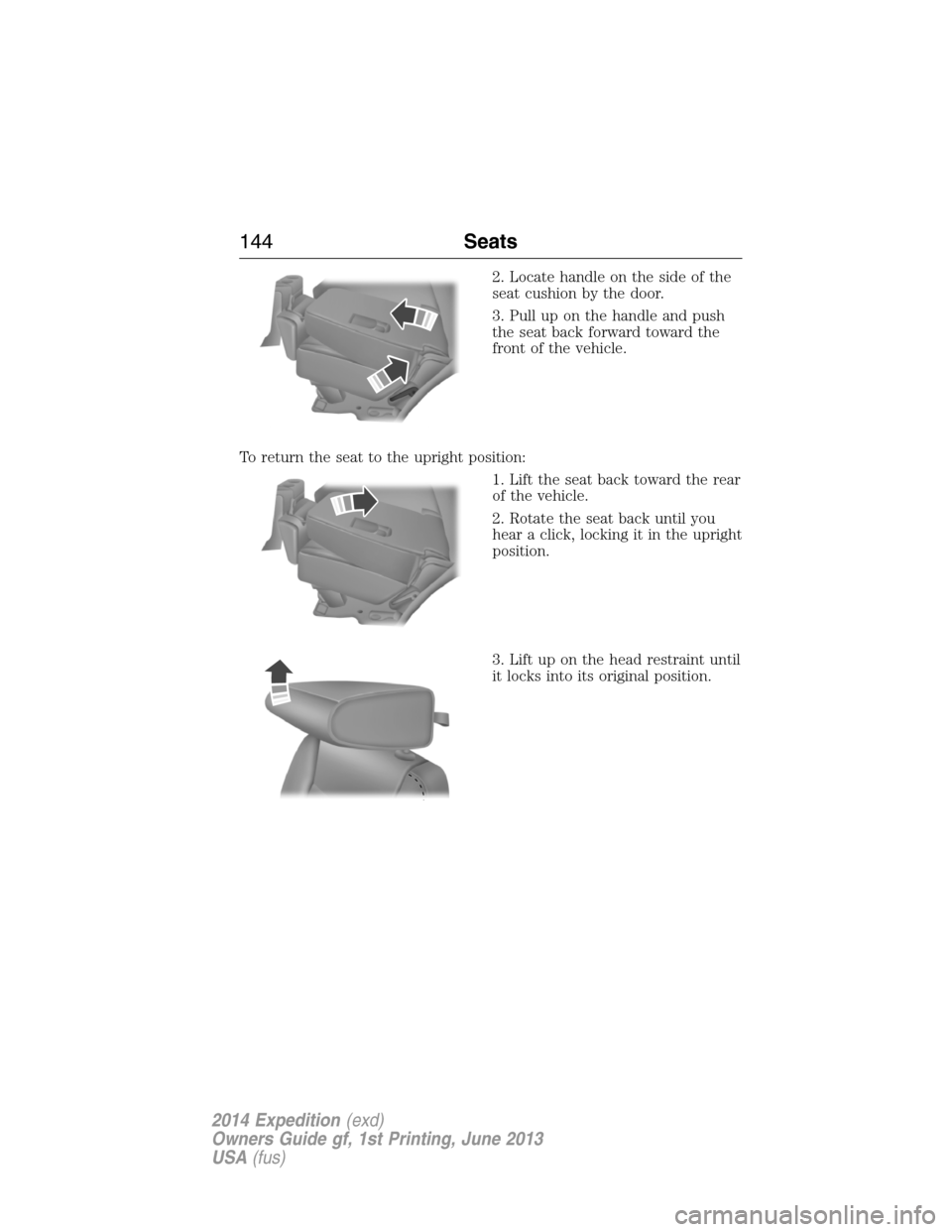
2. Locate handle on the side of the
seat cushion by the door.
3. Pull up on the handle and push
the seat back forward toward the
front of the vehicle.
To return the seat to the upright position:
1. Lift the seat back toward the rear
of the vehicle.
2. Rotate the seat back until you
hear a click, locking it in the upright
position.
3. Lift up on the head restraint until
it locks into its original position.
144Seats
2014 Expedition(exd)
Owners Guide gf, 1st Printing, June 2013
USA(fus)
Page 149 of 519
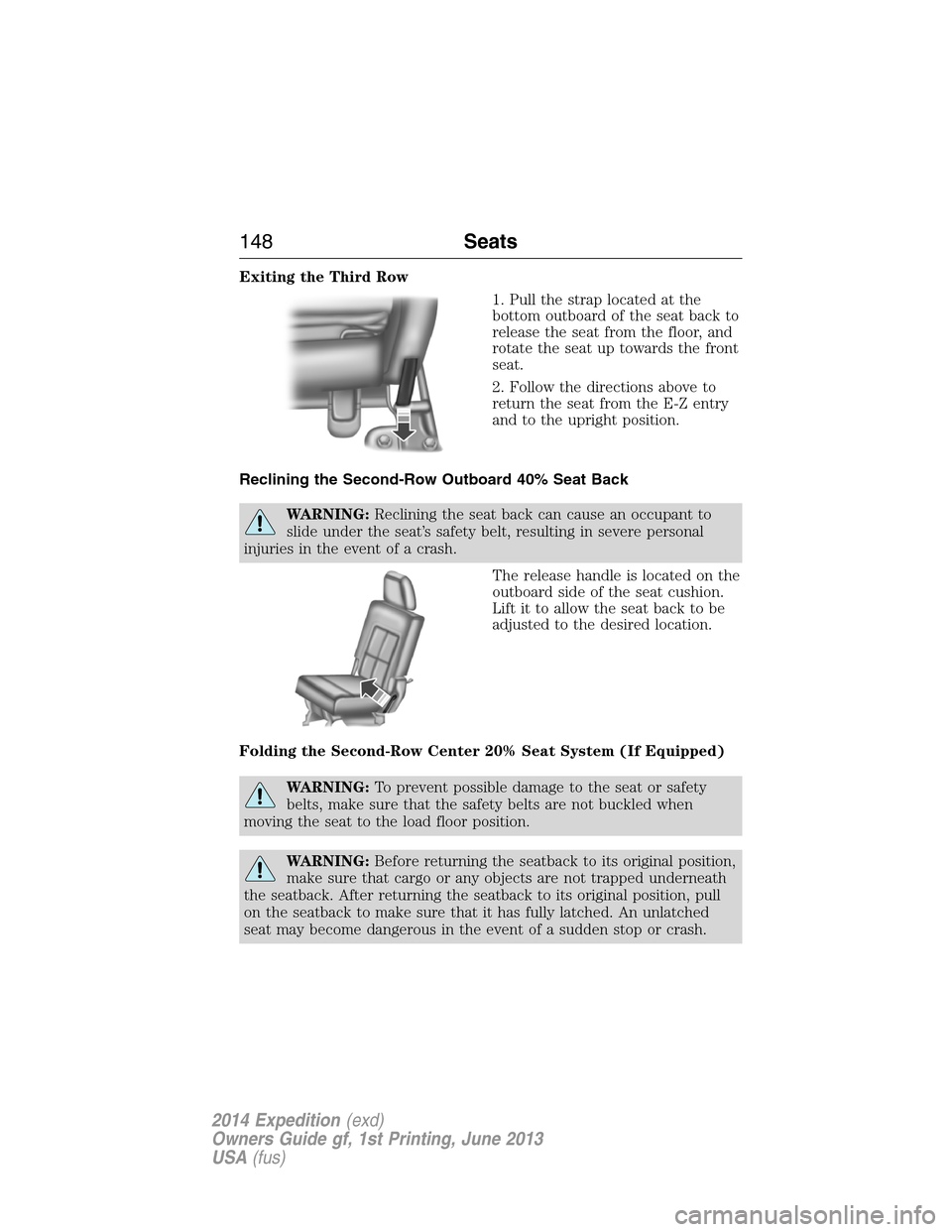
Exiting the Third Row
1. Pull the strap located at the
bottom outboard of the seat back to
release the seat from the floor, and
rotate the seat up towards the front
seat.
2. Follow the directions above to
return the seat from the E-Z entry
and to the upright position.
Reclining the Second-Row Outboard 40% Seat Back
WARNING:Reclining the seat back can cause an occupant to
slide under the seat’s safety belt, resulting in severe personal
injuries in the event of a crash.
The release handle is located on the
outboard side of the seat cushion.
Lift it to allow the seat back to be
adjusted to the desired location.
Folding the Second-Row Center 20% Seat System (If Equipped)
WARNING:To prevent possible damage to the seat or safety
belts, make sure that the safety belts are not buckled when
moving the seat to the load floor position.
WARNING:Before returning the seatback to its original position,
make sure that cargo or any objects are not trapped underneath
the seatback. After returning the seatback to its original position, pull
on the seatback to make sure that it has fully latched. An unlatched
seat may become dangerous in the event of a sudden stop or crash.
148Seats
2014 Expedition(exd)
Owners Guide gf, 1st Printing, June 2013
USA(fus)