reset FORD EXPEDITION 2014 3.G Owners Manual
[x] Cancel search | Manufacturer: FORD, Model Year: 2014, Model line: EXPEDITION, Model: FORD EXPEDITION 2014 3.GPages: 519, PDF Size: 6.9 MB
Page 12 of 519
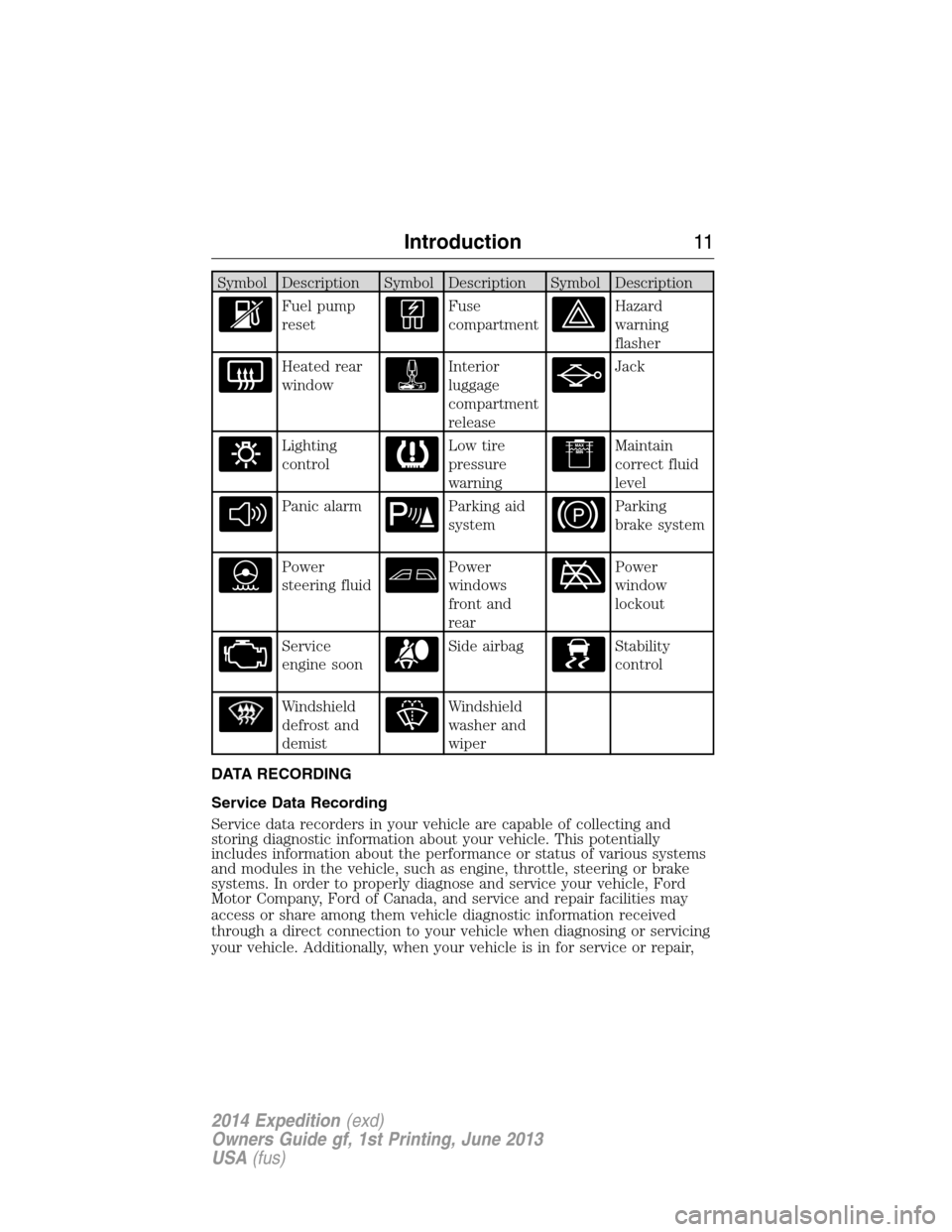
Symbol Description Symbol Description Symbol Description
Fuel pump
resetFuse
compartmentHazard
warning
flasher
Heated rear
windowInterior
luggage
compartment
releaseJack
Lighting
controlLow tire
pressure
warningMaintain
correct fluid
level
Panic alarmParking aid
systemParking
brake system
Power
steering fluidPower
windows
front and
rearPower
window
lockout
Service
engine soonSide airbagStability
control
Windshield
defrost and
demistWindshield
washer and
wiper
DATA RECORDING
Service Data Recording
Service data recorders in your vehicle are capable of collecting and
storing diagnostic information about your vehicle. This potentially
includes information about the performance or status of various systems
and modules in the vehicle, such as engine, throttle, steering or brake
systems. In order to properly diagnose and service your vehicle, Ford
Motor Company, Ford of Canada, and service and repair facilities may
access or share among them vehicle diagnostic information received
through a direct connection to your vehicle when diagnosing or servicing
your vehicle. Additionally, when your vehicle is in for service or repair,
Introduction11
2014 Expedition(exd)
Owners Guide gf, 1st Printing, June 2013
USA(fus)
Page 62 of 519
•Audio system maximum volume of 45%. A message will be shown in
the display when you attempt to exceed the limited volume. Also, the
speed-sensitive or compensated automatic volume control will be
disabled.
•Always on setting. When this is selected, you will not be able to turn
off AdvanceTrac (if your vehicle is equipped with this feature).
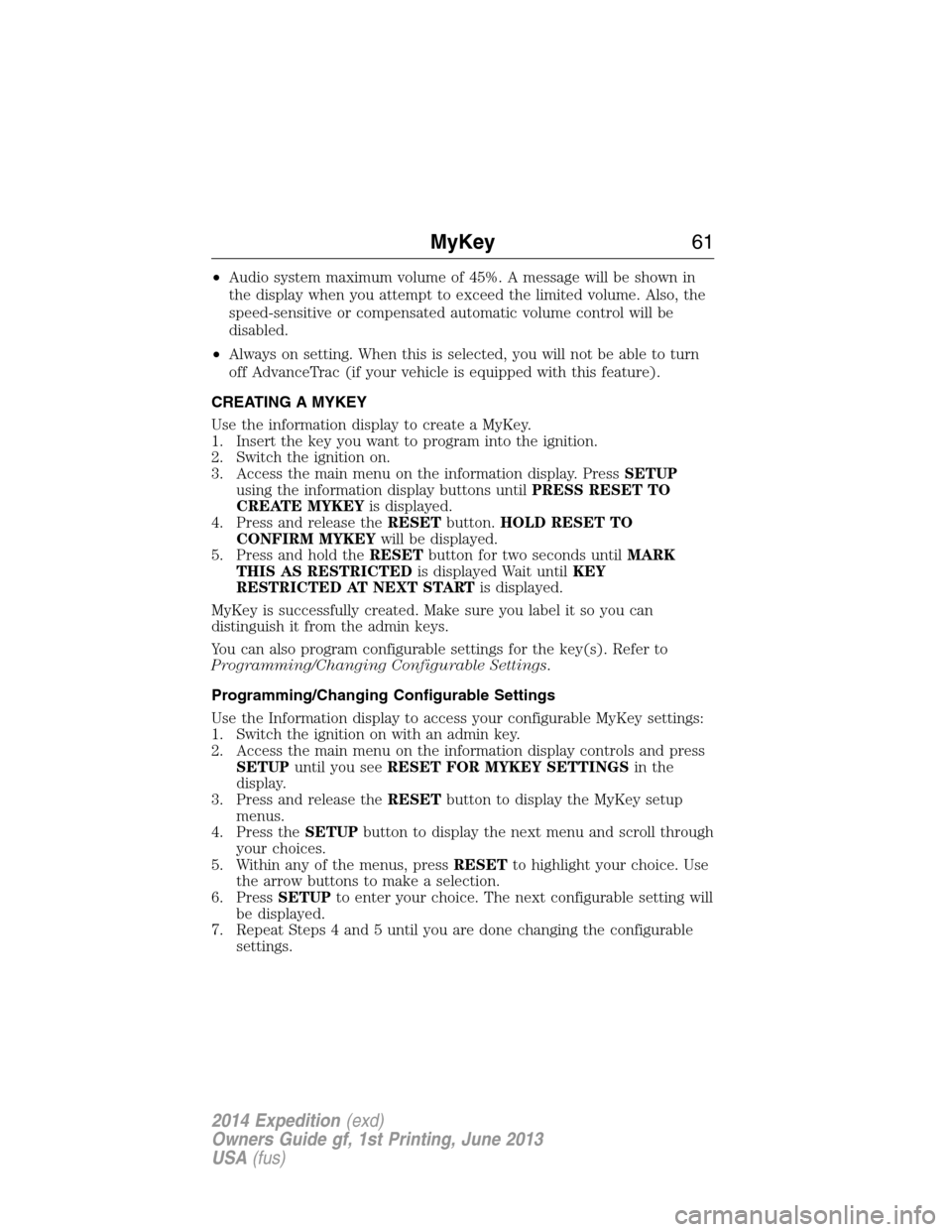
CREATING A MYKEY
Use the information display to create a MyKey.
1. Insert the key you want to program into the ignition.
2. Switch the ignition on.
3. Access the main menu on the information display. PressSETUP
using the information display buttons untilPRESS RESET TO
CREATE MYKEYis displayed.
4. Press and release theRESETbutton.HOLD RESET TO
CONFIRM MYKEYwill be displayed.
5. Press and hold theRESETbutton for two seconds untilMARK
THIS AS RESTRICTEDis displayed Wait untilKEY
RESTRICTED AT NEXT STARTis displayed.
MyKey is successfully created. Make sure you label it so you can
distinguish it from the admin keys.
You can also program configurable settings for the key(s). Refer to
Programming/Changing Configurable Settings.
Programming/Changing Configurable Settings
Use the Information display to access your configurable MyKey settings:
1. Switch the ignition on with an admin key.
2. Access the main menu on the information display controls and press
SETUPuntil you seeRESET FOR MYKEY SETTINGSin the
display.
3. Press and release theRESETbutton to display the MyKey setup
menus.
4. Press theSETUPbutton to display the next menu and scroll through
your choices.
5. Within any of the menus, pressRESETto highlight your choice. Use
the arrow buttons to make a selection.
6. PressSETUPto enter your choice. The next configurable setting will
be displayed.
7. Repeat Steps 4 and 5 until you are done changing the configurable
settings.
MyKey61
2014 Expedition(exd)
Owners Guide gf, 1st Printing, June 2013
USA(fus)
Page 63 of 519
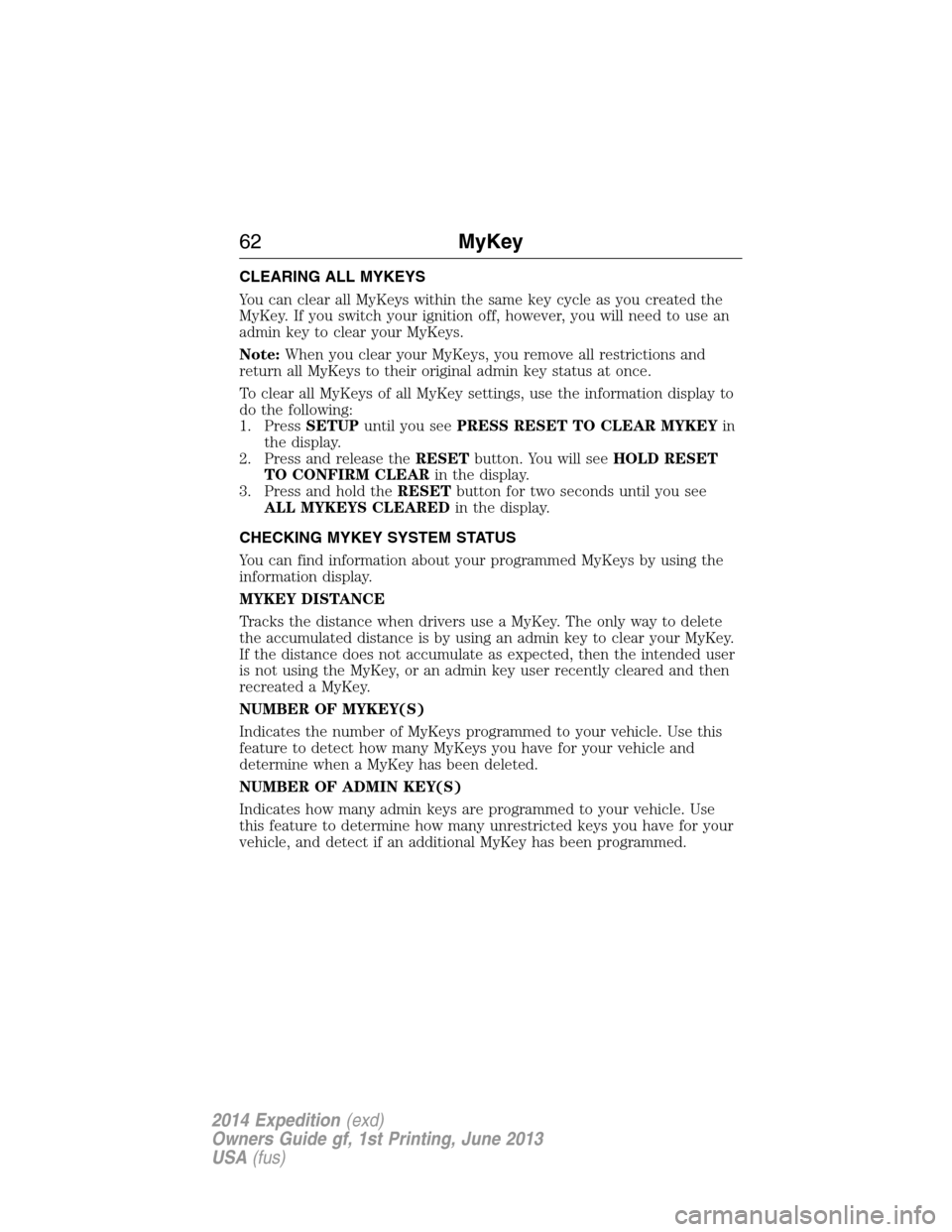
CLEARING ALL MYKEYS
You can clear all MyKeys within the same key cycle as you created the
MyKey. If you switch your ignition off, however, you will need to use an
admin key to clear your MyKeys.
Note:When you clear your MyKeys, you remove all restrictions and
return all MyKeys to their original admin key status at once.
To clear all MyKeys of all MyKey settings, use the information display to
do the following:
1. PressSETUPuntil you seePRESS RESET TO CLEAR MYKEYin
the display.
2. Press and release theRESETbutton. You will seeHOLD RESET
TO CONFIRM CLEARin the display.
3. Press and hold theRESETbutton for two seconds until you see
ALL MYKEYS CLEAREDin the display.
CHECKING MYKEY SYSTEM STATUS
You can find information about your programmed MyKeys by using the
information display.
MYKEY DISTANCE
Tracks the distance when drivers use a MyKey. The only way to delete
the accumulated distance is by using an admin key to clear your MyKey.
If the distance does not accumulate as expected, then the intended user
is not using the MyKey, or an admin key user recently cleared and then
recreated a MyKey.
NUMBER OF MYKEY(S)
Indicates the number of MyKeys programmed to your vehicle. Use this
feature to detect how many MyKeys you have for your vehicle and
determine when a MyKey has been deleted.
NUMBER OF ADMIN KEY(S)
Indicates how many admin keys are programmed to your vehicle. Use
this feature to determine how many unrestricted keys you have for your
vehicle, and detect if an additional MyKey has been programmed.
62MyKey
2014 Expedition(exd)
Owners Guide gf, 1st Printing, June 2013
USA(fus)
Page 67 of 519
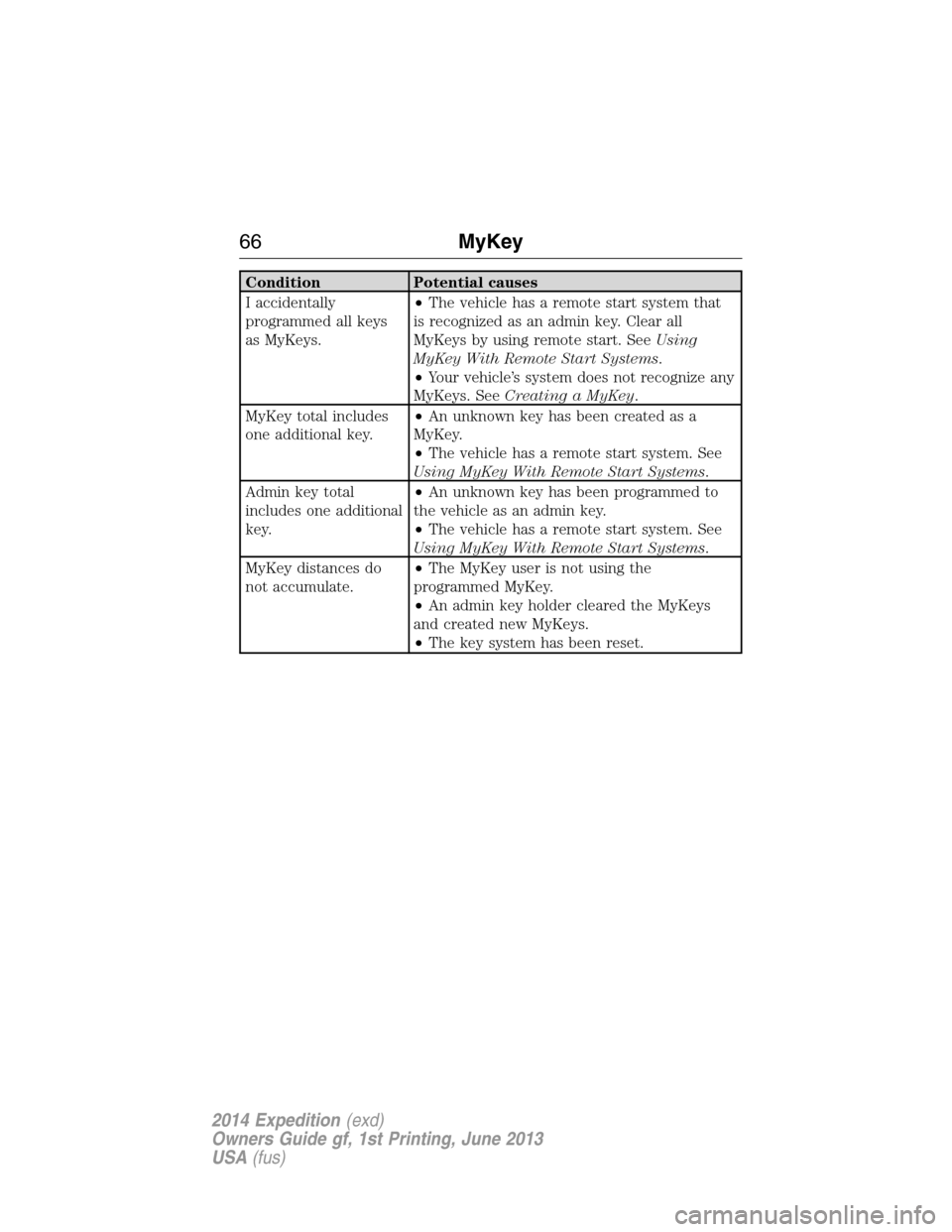
Condition Potential causes
I accidentally
programmed all keys
as MyKeys.•The vehicle has a remote start system that
is recognized as an admin key. Clear all
MyKeys by using remote start. SeeUsing
MyKey With Remote Start Systems.
•Your vehicle’s system does not recognize any
MyKeys. SeeCreating a MyKey.
MyKey total includes
one additional key.•An unknown key has been created as a
MyKey.
•The vehicle has a remote start system. See
Using MyKey With Remote Start Systems.
Admin key total
includes one additional
key.•An unknown key has been programmed to
the vehicle as an admin key.
•The vehicle has a remote start system. See
Using MyKey With Remote Start Systems.
MyKey distances do
not accumulate.•The MyKey user is not using the
programmed MyKey.
•An admin key holder cleared the MyKeys
and created new MyKeys.
•The key system has been reset.
66MyKey
2014 Expedition(exd)
Owners Guide gf, 1st Printing, June 2013
USA(fus)
Page 76 of 519
Resetting the Power Liftgate
If any of these conditions occur, the power liftgate may not operate and
must be reset:
•A low voltage or dead battery
•Disconnected battery
•The liftgate is manually closed and left ajar (unlatched)
To reset the power liftgate:
1. Disconnect the battery for 20 seconds then, reconnect the battery.
2. Manually close and fully latch the liftgate.
3. Power open the liftgate by using the remote entry transmitter or
instrument panel button.
Note:If the power liftgate system is turned off in the message center,
the system cannot be activated with the outside release handle or rear
cargo area control button. The system will need to be turned on to
resume operation with the outside release handle or rear cargo area
control button. The power liftgate is still operational through the use of
the remote entry transmitter and instrument panel button when the
power liftgate is turned off in the message center.
Liftgate Ajar Signal
If the liftgate or liftgate glass are not fully latched, you will receive a
message on the instrument panel. If you see this message, check both
the liftgate glass and liftgate door to ensure they are fully latched.
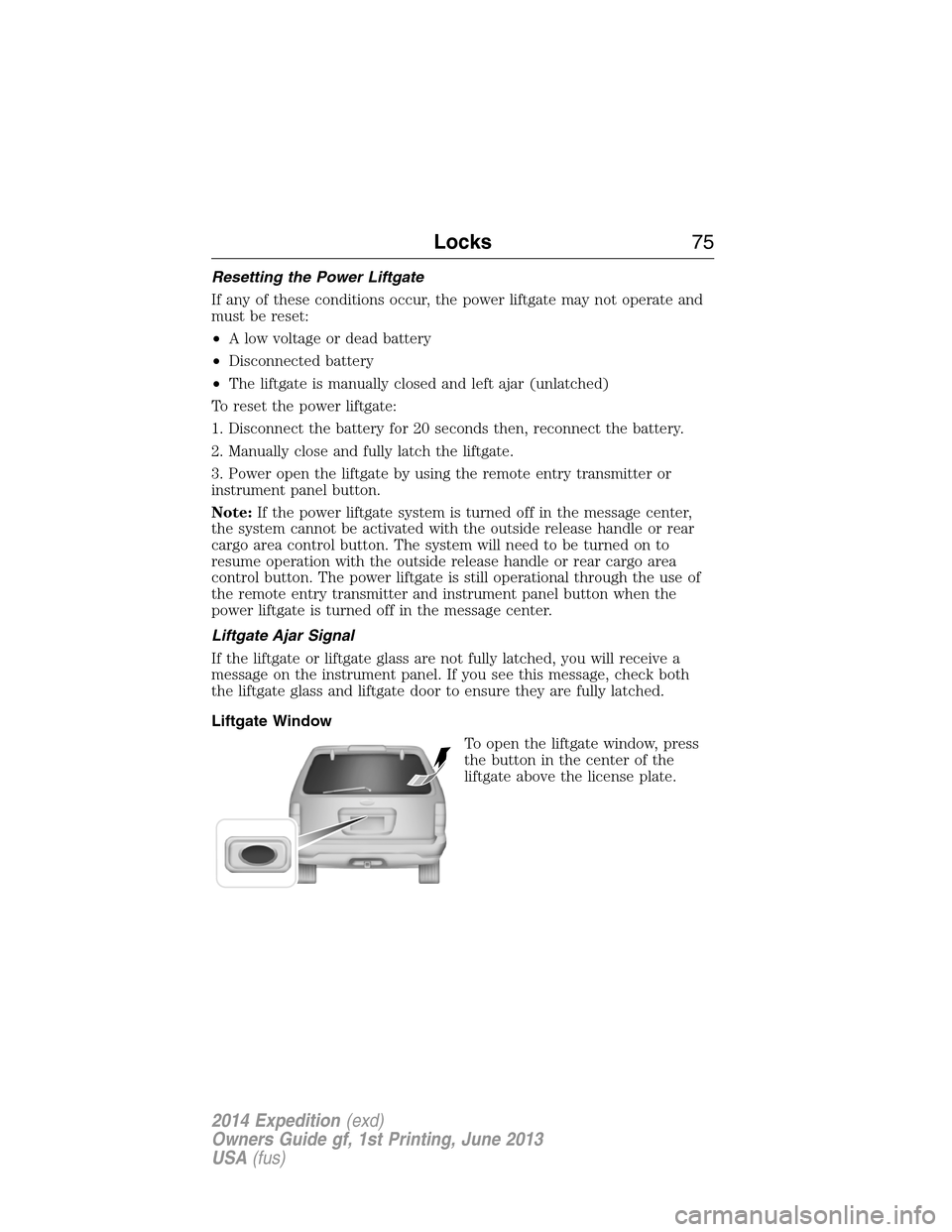
Liftgate Window
To open the liftgate window, press
the button in the center of the
liftgate above the license plate.
Locks75
2014 Expedition(exd)
Owners Guide gf, 1st Printing, June 2013
USA(fus)
Page 83 of 519
ADJUSTING THE STEERING WHEEL
WARNING:Do not adjust the steering wheel when your vehicle
is moving.
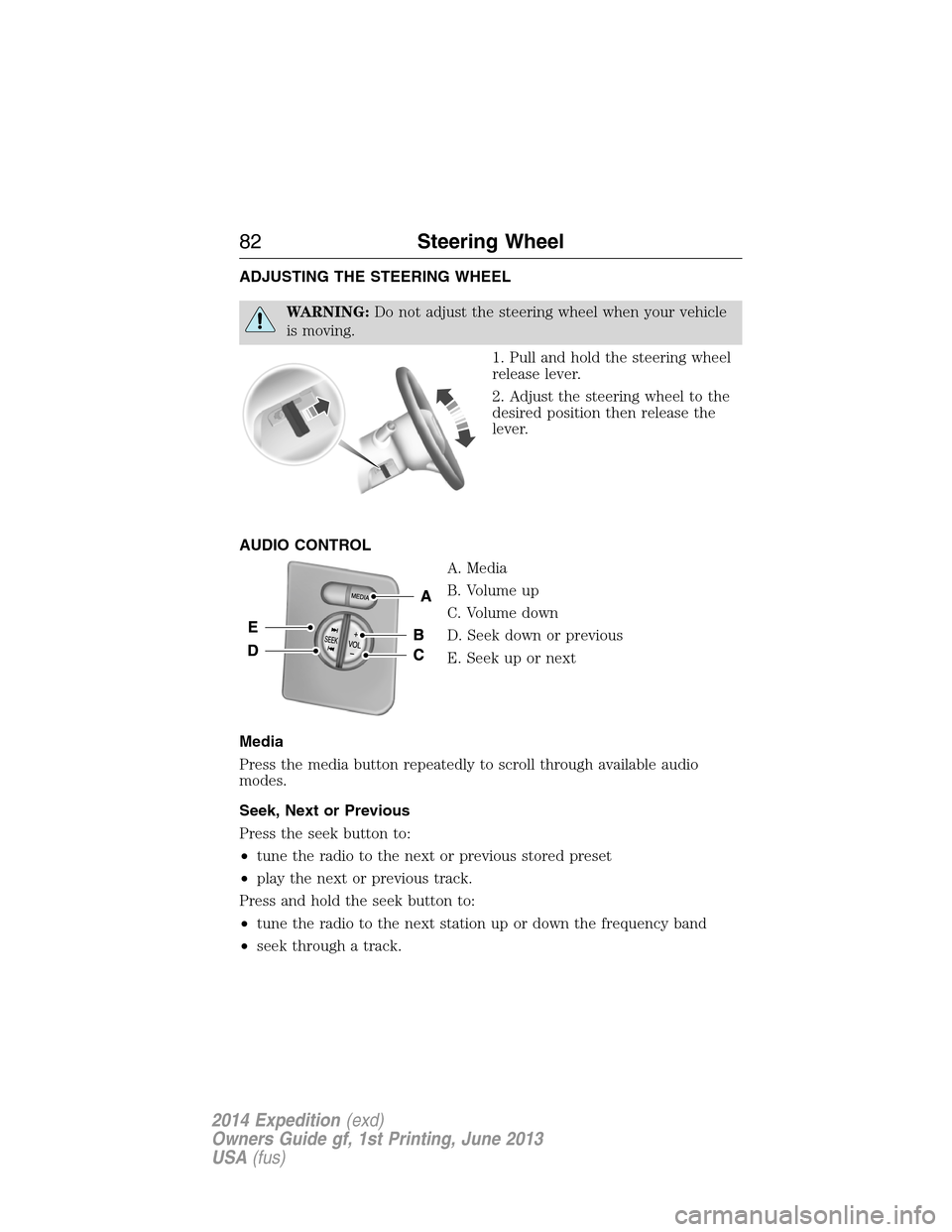
1. Pull and hold the steering wheel
release lever.
2. Adjust the steering wheel to the
desired position then release the
lever.
AUDIO CONTROL
A. Media
B. Volume up
C. Volume down
D. Seek down or previous
E. Seek up or next
Media
Press the media button repeatedly to scroll through available audio
modes.
Seek, Next or Previous
Press the seek button to:
•tune the radio to the next or previous stored preset
•play the next or previous track.
Press and hold the seek button to:
•tune the radio to the next station up or down the frequency band
•seek through a track.
82Steering Wheel
2014 Expedition(exd)
Owners Guide gf, 1st Printing, June 2013
USA(fus)
Page 89 of 519
AUTOLAMPS
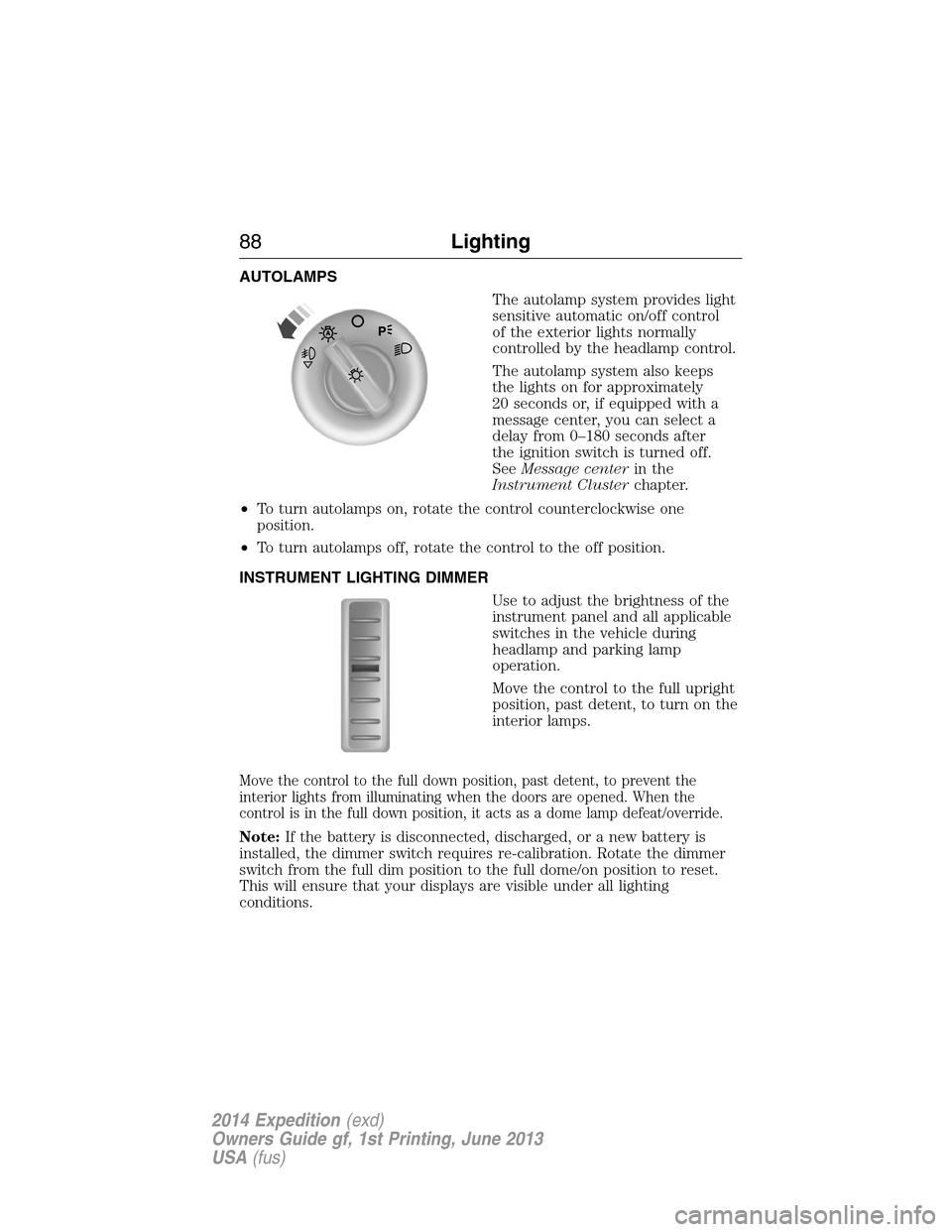
The autolamp system provides light
sensitive automatic on/off control
of the exterior lights normally
controlled by the headlamp control.
The autolamp system also keeps
the lights on for approximately
20 seconds or, if equipped with a
message center, you can select a
delay from 0–180 seconds after
the ignition switch is turned off.
SeeMessage centerin the
Instrument Clusterchapter.
•To turn autolamps on, rotate the control counterclockwise one
position.
•To turn autolamps off, rotate the control to the off position.
INSTRUMENT LIGHTING DIMMER
Use to adjust the brightness of the
instrument panel and all applicable
switches in the vehicle during
headlamp and parking lamp
operation.
Move the control to the full upright
position, past detent, to turn on the
interior lamps.
Move the control to the full down position, past detent, to prevent the
interior lights from illuminating when the doors are opened. When the
control is in the full down position, it acts as a dome lamp defeat/override.
Note:If the battery is disconnected, discharged, or a new battery is
installed, the dimmer switch requires re-calibration. Rotate the dimmer
switch from the full dim position to the full dome/on position to reset.
This will ensure that your displays are visible under all lighting
conditions.
88Lighting
2014 Expedition(exd)
Owners Guide gf, 1st Printing, June 2013
USA(fus)
Page 95 of 519
Power-Folding Mirrors (If Equipped)
Note:Using the mirrors 10 or more times within one minute, or
repeated folding and unfolding of the mirrors while holding the control
down during full travel, may disable the system to protect motors from
overheating. Wait approximately three minutes with your vehicle running,
and up to 10 minutes with your vehicle off, for the system to reset and
for function to return to normal.
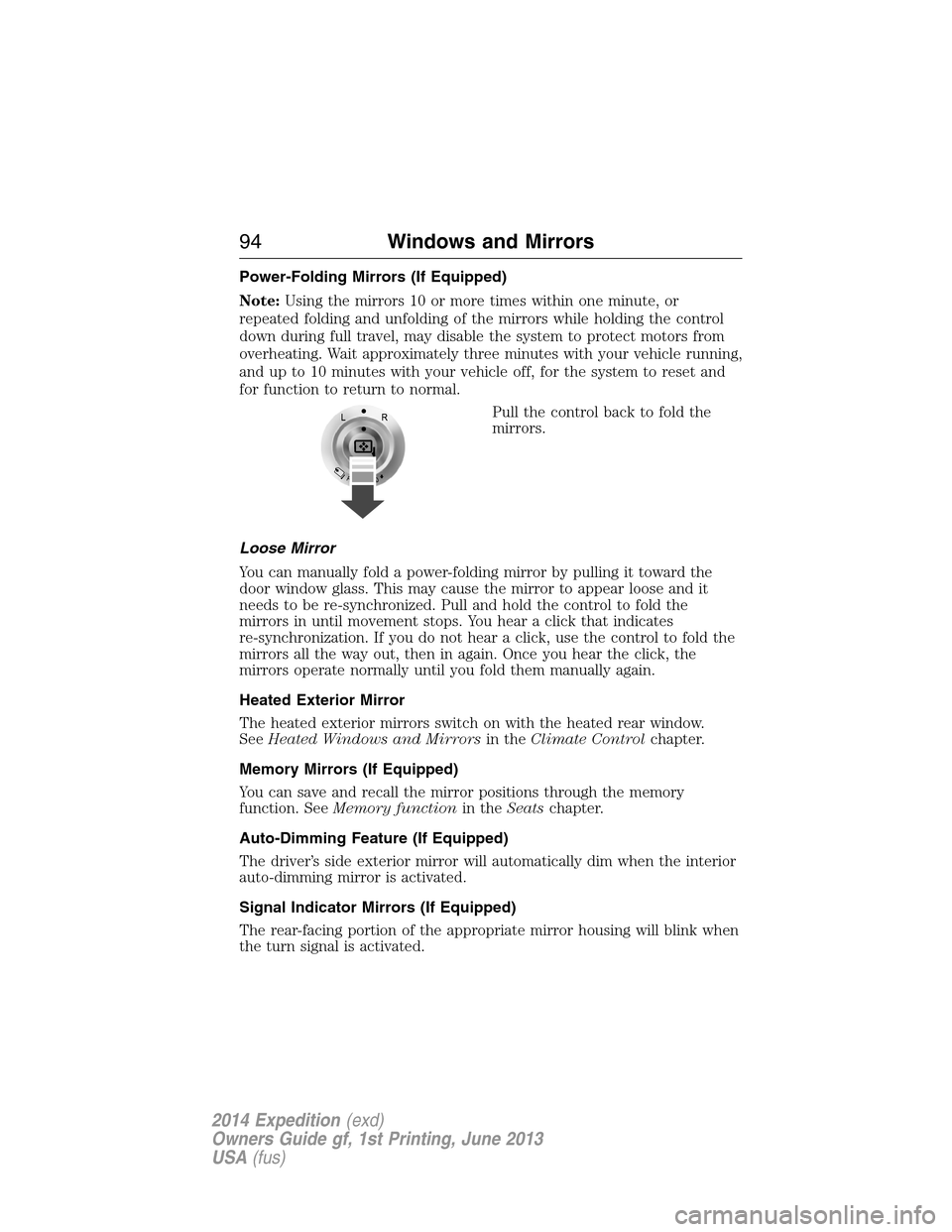
Pull the control back to fold the
mirrors.
Loose Mirror
You can manually fold a power-folding mirror by pulling it toward the
door window glass. This may cause the mirror to appear loose and it
needs to be re-synchronized. Pull and hold the control to fold the
mirrors in until movement stops. You hear a click that indicates
re-synchronization. If you do not hear a click, use the control to fold the
mirrors all the way out, then in again. Once you hear the click, the
mirrors operate normally until you fold them manually again.
Heated Exterior Mirror
The heated exterior mirrors switch on with the heated rear window.
SeeHeated Windows and Mirrorsin theClimate Controlchapter.
Memory Mirrors (If Equipped)
You can save and recall the mirror positions through the memory
function. SeeMemory functionin theSeatschapter.
Auto-Dimming Feature (If Equipped)
The driver’s side exterior mirror will automatically dim when the interior
auto-dimming mirror is activated.
Signal Indicator Mirrors (If Equipped)
The rear-facing portion of the appropriate mirror housing will blink when
the turn signal is activated.
94Windows and Mirrors
2014 Expedition(exd)
Owners Guide gf, 1st Printing, June 2013
USA(fus)
Page 107 of 519
GENERAL INFORMATION
WARNING:Driving while distracted can result in loss of vehicle
control, crash and injury. We strongly recommend that you use
extreme caution when using any device that may take your focus off
the road. Your primary responsibility is the safe operation of your
vehicle. We recommend against the use of any handheld device while
driving and encourage the use of voice-operated systems when possible.
Make sure you are aware of all applicable local laws that may affect the
use of electronic devices while driving..
Various systems on your vehicle can be controlled using the information
display controls on the steering wheel. Corresponding information is
displayed in the information display.
Information Display (Type 1)
Press and release the SELECT/RESET stem, located in the speedometer,
to choose settings and confirm messages. Select or reset the function by
holding the SELECT/RESET stem for more than two seconds.
Note:Some options may appear slightly different or not at all if the
items are optional.
INFO
TRIP
MYKEY MILES (km) (if programmed)
MILES (km) TO E
AVG MPG (L/100km)
XX°F / XX°C
COMPASS DISPLAY (if equipped)
TBC GAIN (if equipped)
•TRIP: Registers the distance of individual journeys. Press and release
the SELECT/RESET stem on the cluster to toggle between odometer
and trip odometer display
•MYKEY MILES (km) (if programmed): For more information, refer to
theMyKey®chapter.
106Information Displays
2014 Expedition(exd)
Owners Guide gf, 1st Printing, June 2013
USA(fus)
Page 108 of 519
•MILES (km) TO E: This displays an estimate of approximately how far
you can drive with the fuel remaining in your tank under normal
driving conditions. Remember to turn the ignition off when refueling
to allow this feature to correctly detect the added fuel. Distance to
empty is calculated using a running average fuel economy, which is
based on your recent driving history of 500 miles (800 km). This value
is not the same as the average fuel economy display. The running
average fuel economy is re-initialized to a factory default value if the
battery is disconnected.
•AVG MPG (L/100km): Average fuel economy displays your average fuel
economy in miles/gallon or liters/100 km.
•XX°F / XX°C: The outside air temperature is shown together with the
compass heading in the bottom row of the message center display.
Refer toUnitsin this section for information on selecting °F or °C.
•
COMPASS DISPLAY (if equipped): Displays the vehicle’s heading direction.
The compass reading may be affected when you drive near large
buildings, bridges, power lines and powerful broadcast antenna. Magnetic
or metallic objects placed in, on or near the vehicle may also affect
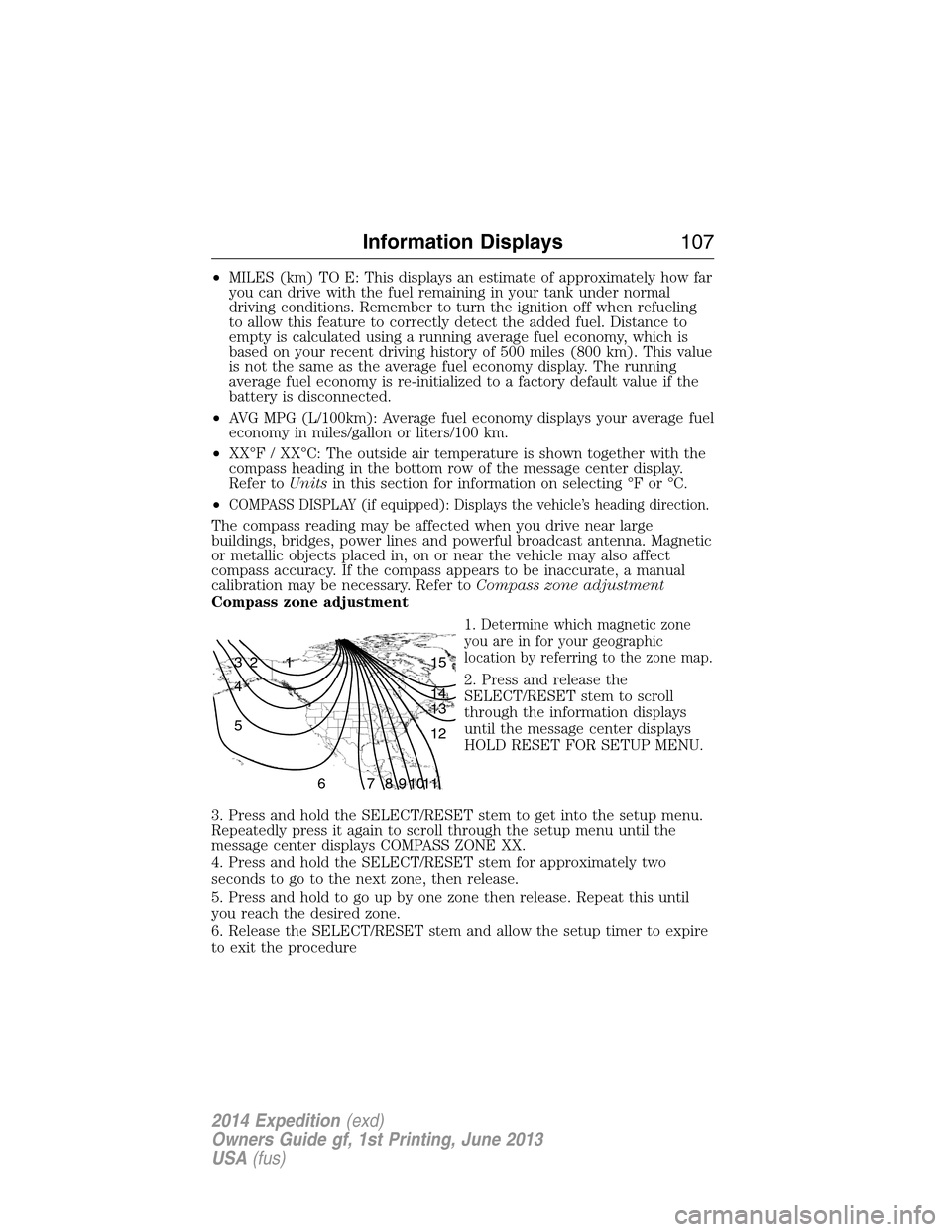
compass accuracy. If the compass appears to be inaccurate, a manual
calibration may be necessary. Refer toCompass zone adjustment
Compass zone adjustment
1. Determine which magnetic zone
you are in for your geographic
location by referring to the zone map.
2. Press and release the
SELECT/RESET stem to scroll
through the information displays
until the message center displays
HOLD RESET FOR SETUP MENU.
3. Press and hold the SELECT/RESET stem to get into the setup menu.
Repeatedly press it again to scroll through the setup menu until the
message center displays COMPASS ZONE XX.
4. Press and hold the SELECT/RESET stem for approximately two
seconds to go to the next zone, then release.
5. Press and hold to go up by one zone then release. Repeat this until
you reach the desired zone.
6. Release the SELECT/RESET stem and allow the setup timer to expire
to exit the procedure
1 2 3
4
5
6 7 8 9 101112 13 14 15
Information Displays107
2014 Expedition(exd)
Owners Guide gf, 1st Printing, June 2013
USA(fus)