ignition FORD EXPEDITION 2017 3.G Manual PDF
[x] Cancel search | Manufacturer: FORD, Model Year: 2017, Model line: EXPEDITION, Model: FORD EXPEDITION 2017 3.GPages: 500, PDF Size: 4.83 MB
Page 225 of 500
This program is separate from the New
Vehicle Limited Warranty, but the coverage
is concurrent with the powertrain coverage
period of your vehicle.
Canadian customers who require roadside
assistance, call 1-800-665-2006.
Vehicles Sold in Canada: Using
Roadside Assistance
Complete the roadside assistance
identification card and place it in your
wallet for quick reference.
In Canada, this card is found in the
Warranty Guide in the glove compartment
of your vehicle.
Vehicles Sold in Canada: Roadside
Assistance Program Coverage
The service is available 24 hours a day,
seven days a week.
Canadian roadside coverage and benefits
may differ from the U.S. coverage.
For complete program coverage details
you may contact your dealer, you can call
us in Canada at 1-800-665-2006, or visit
our website at www.ford.ca.
HAZARD WARNING FLASHERS
Note:
If used when the vehicle is not
running, the battery will lose charge. There
may be insufficient power to restart your
vehicle. The hazard warning button is
located on the instrument panel.
Use it when your vehicle is
creating a safety hazard for other
motorists.
• Press the button to turn on the hazard
warning function, and the front and
rear direction indicators will flash.
• Press the button again to turn them
off. FUEL SHUTOFF WARNING
Failure to inspect and, if necessary,
repair fuel leaks after a collision may
increase the risk of fire and serious
injury. Ford Motor Company recommends
that the fuel system be inspected by an
authorized dealer after any collision. In the event of a moderate to severe
collision, this vehicle includes a fuel pump
shutoff feature that stops the flow of fuel
to the engine. Not every impact will cause
a shutoff.
Should your vehicle shut off after a
collision, you may restart your vehicle. For
vehicles equipped with a key system:
1. Switch off the ignition.
2. Switch on the ignition.
3. Repeat Steps 1 and 2 to re-enable the
fuel pump.
For vehicles equipped with a push button
start system:
1. Press the START/STOP button to
switch off the ignition.
2. Press the brake pedal and press the START/STOP
button to switch on the
ignition.
3. Remove your foot from the brake pedal
and press the
START/STOP button
to switch off the ignition.
4. You can either attempt to start the engine by pressing the brake pedal and
the
START/STOP button, or switch
on the ignition only by pressing the
START/STOP
button without
pressing the brake pedal. Both ways
re-enable the fuel system.
222
Expedition (TB7) Canada/United States of America, enUSA, Edition date: 03/2016, First Printing Roadside Emergencies
Page 239 of 500
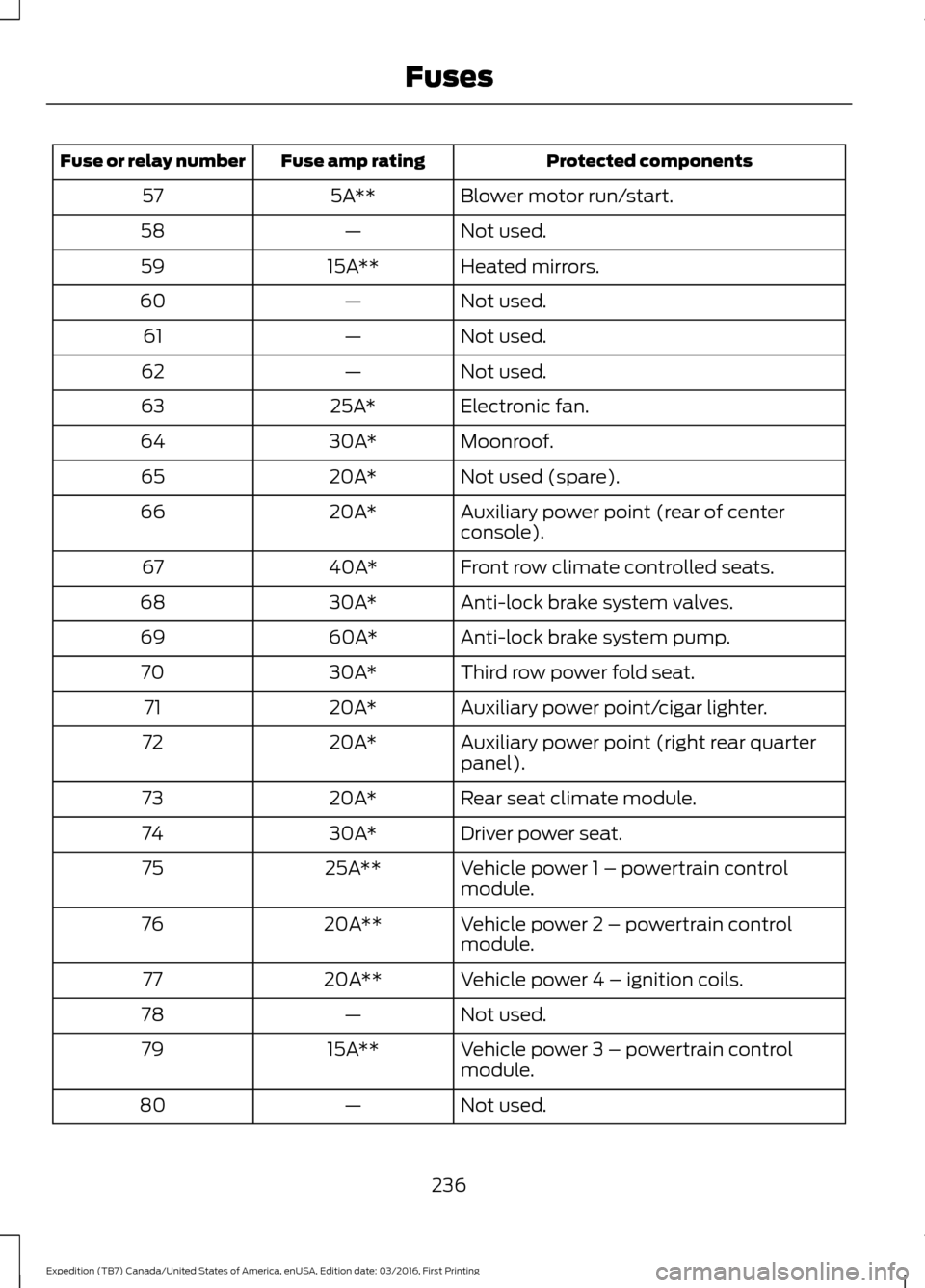
Protected components
Fuse amp rating
Fuse or relay number
Blower motor run/start.
5A**
57
Not used.
—
58
Heated mirrors.
15A**
59
Not used.
—
60
Not used.
—
61
Not used.
—
62
Electronic fan.
25A*
63
Moonroof.
30A*
64
Not used (spare).
20A*
65
Auxiliary power point (rear of center
console).
20A*
66
Front row climate controlled seats.
40A*
67
Anti-lock brake system valves.
30A*
68
Anti-lock brake system pump.
60A*
69
Third row power fold seat.
30A*
70
Auxiliary power point/cigar lighter.
20A*
71
Auxiliary power point (right rear quarter
panel).
20A*
72
Rear seat climate module.
20A*
73
Driver power seat.
30A*
74
Vehicle power 1 – powertrain control
module.
25A**
75
Vehicle power 2 – powertrain control
module.
20A**
76
Vehicle power 4 – ignition coils.
20A**
77
Not used.
—
78
Vehicle power 3 – powertrain control
module.
15A**
79
Not used.
—
80
236
Expedition (TB7) Canada/United States of America, enUSA, Edition date: 03/2016, First Printing Fuses
Page 243 of 500
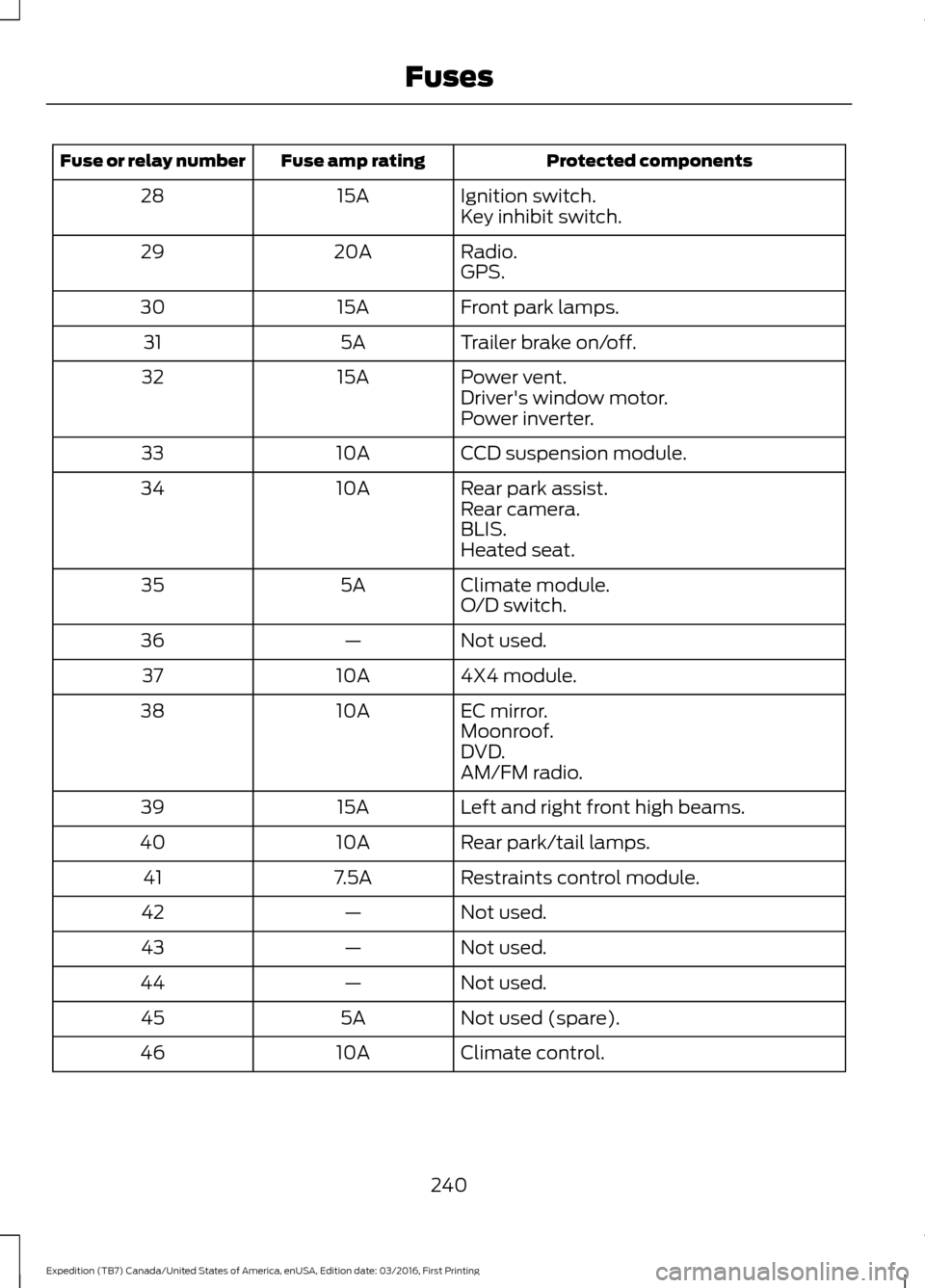
Protected components
Fuse amp rating
Fuse or relay number
Ignition switch.
15A
28
Key inhibit switch.
Radio.
20A
29
GPS.
Front park lamps.
15A
30
Trailer brake on/off.
5A
31
Power vent.
15A
32
Driver's window motor.
Power inverter.
CCD suspension module.
10A
33
Rear park assist.
10A
34
Rear camera.
BLIS.
Heated seat.
Climate module.
5A
35
O/D switch.
Not used.
—
36
4X4 module.
10A
37
EC mirror.
10A
38
Moonroof.
DVD.
AM/FM radio.
Left and right front high beams.
15A
39
Rear park/tail lamps.
10A
40
Restraints control module.
7.5A
41
Not used.
—
42
Not used.
—
43
Not used.
—
44
Not used (spare).
5A
45
Climate control.
10A
46
240
Expedition (TB7) Canada/United States of America, enUSA, Edition date: 03/2016, First Printing Fuses
Page 258 of 500
After battery replacement, or in some
cases after charging the battery with an
external charger, the battery management
system requires eight hours of vehicle sleep
time to relearn the battery state of charge.
During this time your vehicle must remain
fully locked with the ignition switched off.
Note:
Prior to relearning the battery state
of charge, the battery management system
may temporarily disable some electrical
systems.
Electrical Accessory Installation
To make sure the battery management
system works correctly, do not connect an
electrical device ground connection
directly to the battery negative post. This
can cause inaccurate measurements of
the battery condition and potential
incorrect system operation.
Note: If you add electrical accessories or
components to the vehicle, it may adversely
affect battery performance and durability.
This may also affect the performance of
other electrical systems in the vehicle.
CHECKING THE WIPER
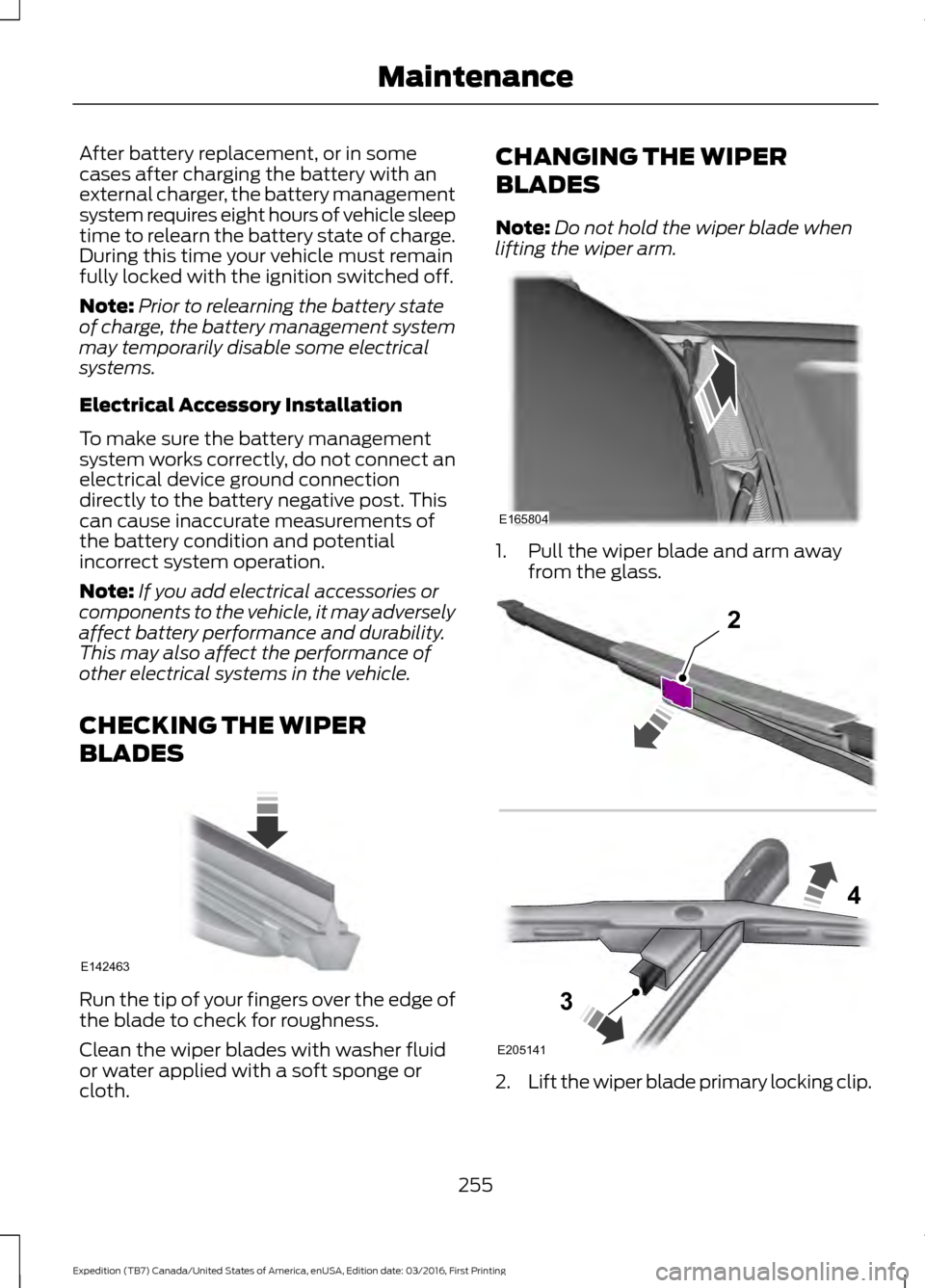
BLADES Run the tip of your fingers over the edge of
the blade to check for roughness.
Clean the wiper blades with washer fluid
or water applied with a soft sponge or
cloth. CHANGING THE WIPER
BLADES
Note:
Do not hold the wiper blade when
lifting the wiper arm. 1. Pull the wiper blade and arm away
from the glass. 2.
Lift the wiper blade primary locking clip.
255
Expedition (TB7) Canada/United States of America, enUSA, Edition date: 03/2016, First Printing MaintenanceE142463 E165804 E205141
2
3
4
Page 260 of 500
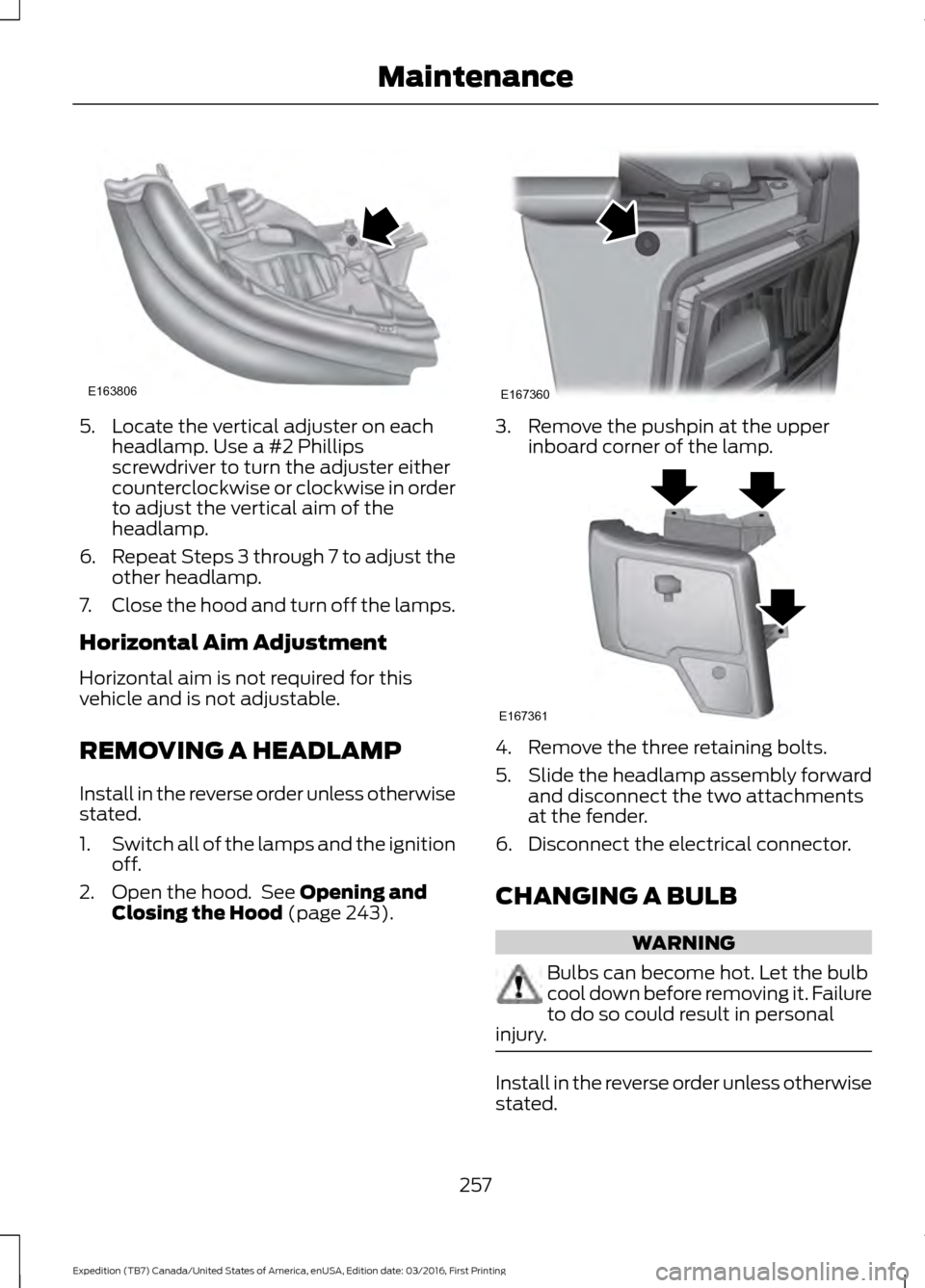
5. Locate the vertical adjuster on each
headlamp. Use a #2 Phillips
screwdriver to turn the adjuster either
counterclockwise or clockwise in order
to adjust the vertical aim of the
headlamp.
6. Repeat Steps 3 through 7 to adjust the
other headlamp.
7. Close the hood and turn off the lamps.
Horizontal Aim Adjustment
Horizontal aim is not required for this
vehicle and is not adjustable.
REMOVING A HEADLAMP
Install in the reverse order unless otherwise
stated.
1. Switch all of the lamps and the ignition
off.
2. Open the hood. See Opening and
Closing the Hood (page 243). 3. Remove the pushpin at the upper
inboard corner of the lamp. 4. Remove the three retaining bolts.
5.
Slide the headlamp assembly forward
and disconnect the two attachments
at the fender.
6. Disconnect the electrical connector.
CHANGING A BULB WARNING
Bulbs can become hot. Let the bulb
cool down before removing it. Failure
to do so could result in personal
injury. Install in the reverse order unless otherwise
stated.
257
Expedition (TB7) Canada/United States of America, enUSA, Edition date: 03/2016, First Printing MaintenanceE163806 E167360 E167361
Page 261 of 500
Note:
If the bulb is accidentally touched,
clean it with rubbing alcohol before
installing it.
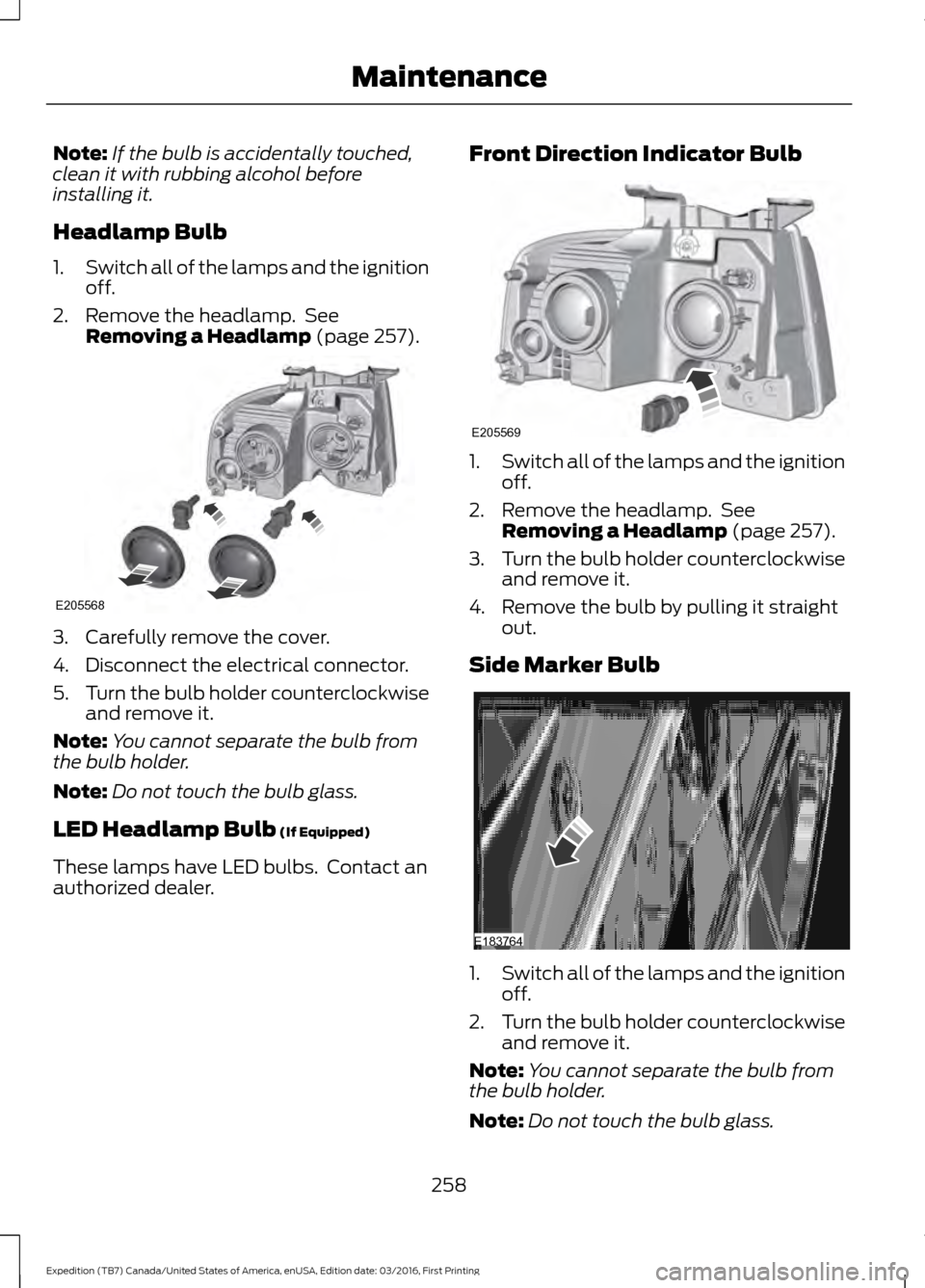
Headlamp Bulb
1. Switch all of the lamps and the ignition
off.
2. Remove the headlamp. See Removing a Headlamp (page 257). 3. Carefully remove the cover.
4. Disconnect the electrical connector.
5.
Turn the bulb holder counterclockwise
and remove it.
Note: You cannot separate the bulb from
the bulb holder.
Note: Do not touch the bulb glass.
LED Headlamp Bulb
(If Equipped)
These lamps have LED bulbs. Contact an
authorized dealer. Front Direction Indicator Bulb 1.
Switch all of the lamps and the ignition
off.
2. Remove the headlamp. See Removing a Headlamp
(page 257).
3. Turn the bulb holder counterclockwise
and remove it.
4. Remove the bulb by pulling it straight out.
Side Marker Bulb 1.
Switch all of the lamps and the ignition
off.
2. Turn the bulb holder counterclockwise
and remove it.
Note: You cannot separate the bulb from
the bulb holder.
Note: Do not touch the bulb glass.
258
Expedition (TB7) Canada/United States of America, enUSA, Edition date: 03/2016, First Printing MaintenanceE205568 E205569 E183764
Page 262 of 500
LED Direction Indicator and Side
Marker Bulbs (If Equipped)
These lamps have LED bulbs. Contact an
authorized dealer.
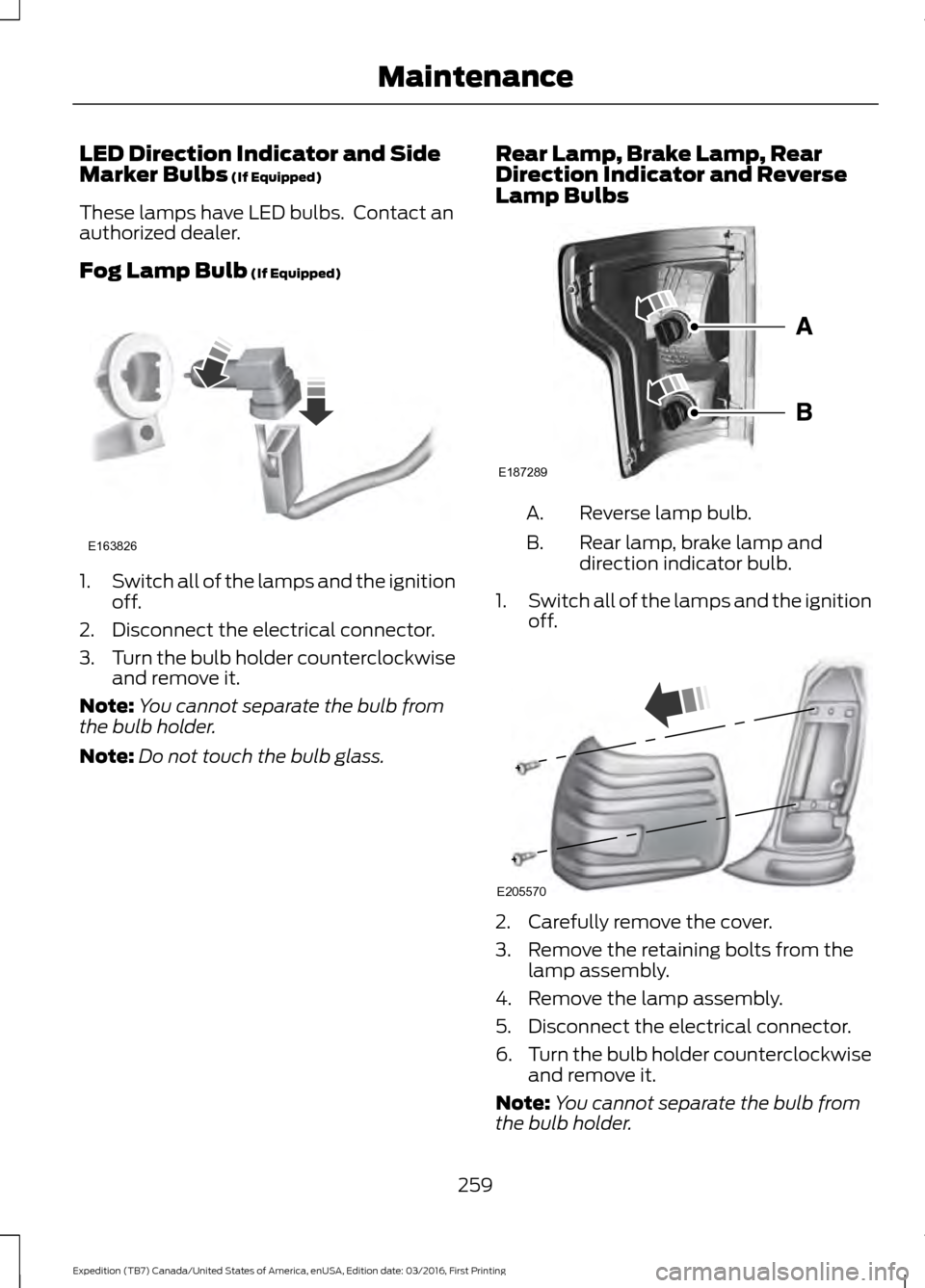
Fog Lamp Bulb
(If Equipped) 1.
Switch all of the lamps and the ignition
off.
2. Disconnect the electrical connector.
3. Turn the bulb holder counterclockwise
and remove it.
Note: You cannot separate the bulb from
the bulb holder.
Note: Do not touch the bulb glass. Rear Lamp, Brake Lamp, Rear
Direction Indicator and Reverse
Lamp Bulbs Reverse lamp bulb.
A.
Rear lamp, brake lamp and
direction indicator bulb.
B.
1. Switch all of the lamps and the ignition
off. 2. Carefully remove the cover.
3. Remove the retaining bolts from the
lamp assembly.
4. Remove the lamp assembly.
5. Disconnect the electrical connector.
6. Turn the bulb holder counterclockwise
and remove it.
Note: You cannot separate the bulb from
the bulb holder.
259
Expedition (TB7) Canada/United States of America, enUSA, Edition date: 03/2016, First Printing MaintenanceE163826 E187289 E205570
Page 263 of 500
LED Rear Lamp, Brake Lamp, Rear
Direction Indicator and Reverse
Lamp Bulbs (If Equipped)
These lamps have LED bulbs. Contact an
authorized dealer.
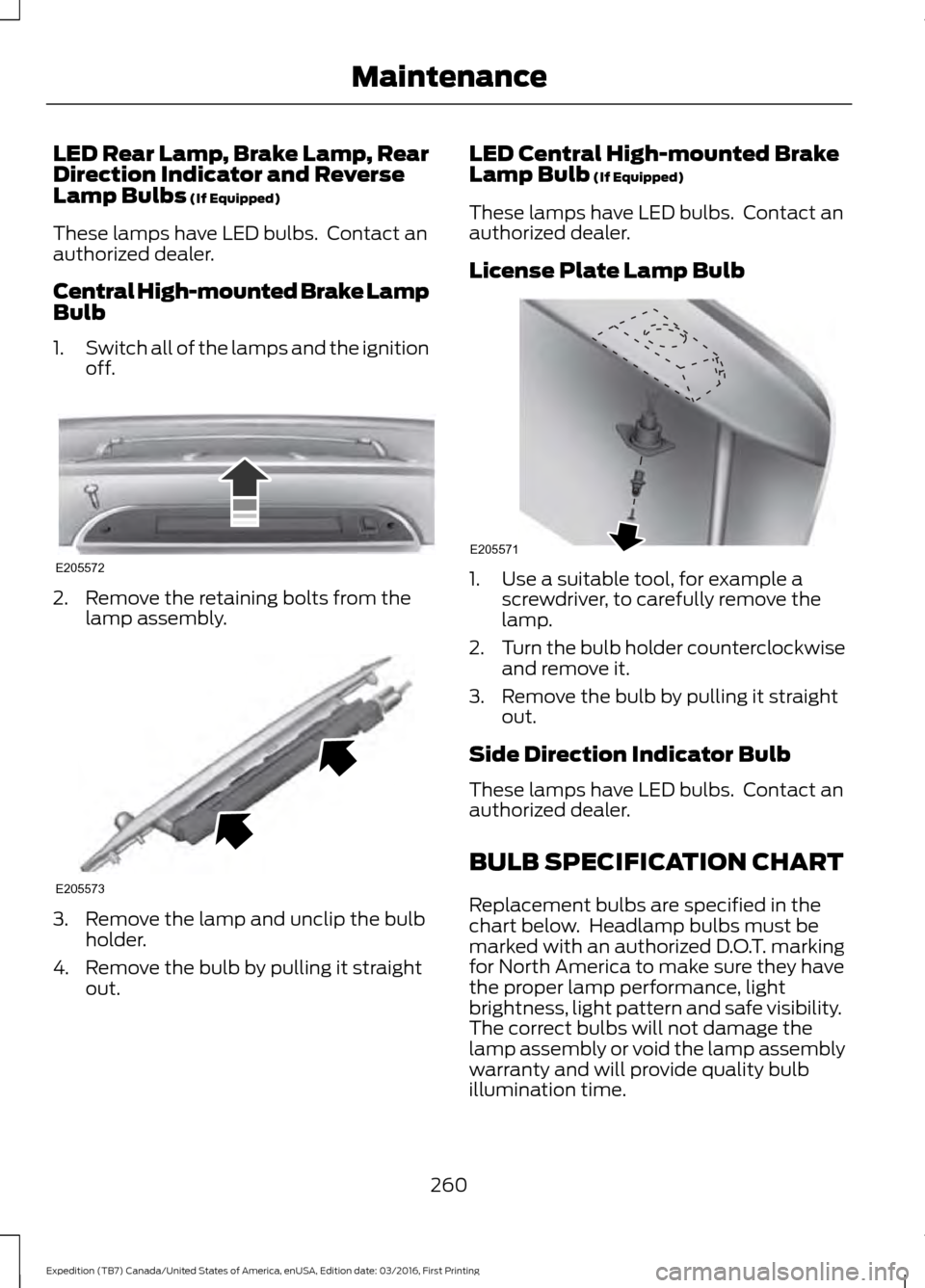
Central High-mounted Brake Lamp
Bulb
1. Switch all of the lamps and the ignition
off. 2. Remove the retaining bolts from the
lamp assembly. 3. Remove the lamp and unclip the bulb
holder.
4. Remove the bulb by pulling it straight out. LED Central High-mounted Brake
Lamp Bulb (If Equipped)
These lamps have LED bulbs. Contact an
authorized dealer.
License Plate Lamp Bulb 1. Use a suitable tool, for example a
screwdriver, to carefully remove the
lamp.
2. Turn the bulb holder counterclockwise
and remove it.
3. Remove the bulb by pulling it straight out.
Side Direction Indicator Bulb
These lamps have LED bulbs. Contact an
authorized dealer.
BULB SPECIFICATION CHART
Replacement bulbs are specified in the
chart below. Headlamp bulbs must be
marked with an authorized D.O.T. marking
for North America to make sure they have
the proper lamp performance, light
brightness, light pattern and safe visibility.
The correct bulbs will not damage the
lamp assembly or void the lamp assembly
warranty and will provide quality bulb
illumination time.
260
Expedition (TB7) Canada/United States of America, enUSA, Edition date: 03/2016, First Printing MaintenanceE205572 E205573 E205571
Page 270 of 500
•
Never wash or rinse any ignition coil,
spark plug wire or spark plug well, or
the area in and around these locations.
• Cover the battery, power distribution
box, and air filter assembly to prevent
water damage when cleaning the
engine.
CLEANING THE WINDOWS AND
WIPER BLADES
Car wash chemicals and environmental
fallout can result in windshield and wiper
blade contamination. Dirty windshield and
wipers will result in poor windshield wiper
operation. Keep the windshield and wiper
blades clean to maintain windshield wiper
performance.
To clean the windshield and wiper blades:
• Clean the windshield with a
non-abrasive glass cleaner. When
cleaning the interior of the windshield,
avoid getting any glass cleaner on the
instrument panel or door panels. Wipe
any glass cleaner off these surfaces
immediately.
• For windshields contaminated with
tree sap, chemicals, wax or bugs, clean
the entire windshield using steel wool
(no greater than 0000 grade) in a
circular motion and rinse with water.
• Clean the wiper blades with isopropyl
rubbing alcohol or windshield washer
concentrate.
Note: Do not use razor blades or other
sharp objects to clean or remove decals
from the inside of the heated rear window.
The vehicle warranty does not cover
damage caused to the heated rear window
grid lines. CLEANING THE INTERIOR WARNINGS
Do not use cleaning solvents, bleach
or dye on the vehicle
’s safety belts,
as these actions may weaken the
belt webbing. On vehicles equipped with
seat-mounted airbags, do not use
chemical solvents or strong
detergents. Such products could
contaminate the side airbag system and
affect performance of the side airbag in a
collision. For fabric, carpets, cloth seats, safety belts
and seats equipped with side airbags:
•
Remove dust and loose dirt with a
vacuum cleaner.
• Remove light stains and soil with
Motorcraft Professional Strength
Carpet & Upholstery Cleaner.
• If grease or tar is present on the
material, spot-clean the area first with
Motorcraft Spot and Stain Remover. In
Canada, use Motorcraft Multi-Purpose
Cleaner.
• If a ring forms on the fabric after spot
cleaning, clean the entire area
immediately (but do not oversaturate)
or the ring will set.
• Do not use household cleaning
products or glass cleaners, which can
stain and discolor the fabric and affect
the flame retardant abilities of the seat
materials.
267
Expedition (TB7) Canada/United States of America, enUSA, Edition date: 03/2016, First Printing Vehicle Care
Page 299 of 500
•
To reduce the chances of interference
from another vehicle, perform the
system reset procedure at least three
feet (one meter) away from another
Ford Motor Company vehicle
undergoing the system reset procedure
at the same time.
• Do not wait more than two minutes
between resetting each tire sensor or
the system will time-out and the entire
procedure will have to be repeated on
all four wheels.
• A double horn will sound indicating the
need to repeat the procedure.
Performing the System Reset Procedure
Read the entire procedure before
attempting.
1. Drive the vehicle above 20 mph (32 km/h) for at least two minutes, then
park in a safe location where you can
easily get to all four tires and have
access to an air pump.
2. Place the ignition in the off position and
keep the key in the ignition.
3. Cycle the ignition to the on position with the engine off.
4. Turn the hazard flashers on then off three times. You must accomplish this
within 10 seconds. If the reset mode
has been entered successfully, the horn
will sound once, the system indicator
will flash and a message is shown in
the information display. If this does not
occur, please try again starting at Step
2. If after repeated attempts to enter
the reset mode, the horn does not
sound, the system indicator does not
flash and no message is shown in the
information display, seek service from
your authorized dealer. 5. Train the tire pressure monitoring
system sensors in the tires using the
following system reset sequence
starting with the left front tire in the
following clockwise order: Left front
(driver's side front tire), Right front
(passenger's side front tire), Right rear
(passenger's side rear tire), Left rear
(driver's side rear tire).
6. Remove the valve cap from the valve stem on the left front tire. Decrease the
air pressure until the horn sounds.
Note: The single horn chirp confirms that
the sensor identification code has been
learned by the module for this position. If a
double horn is heard, the reset procedure
was unsuccessful, and you must repeat it.
7. Remove the valve cap from the valve stem on the right front tire. Decrease
the air pressure until the horn sounds.
8. Remove the valve cap from the valve stem on the right rear tire. Decrease the
air pressure until the horn sounds.
9. Remove the valve cap from the valve stem on the left rear tire. Decrease the
air pressure until the horn sounds.
Training is complete after the horn
sounds for the last tire trained (driver's
side rear tire), the system indicator
stops flashing, and a message is shown
in the information display.
10. Turn the ignition off. If two short horn
beeps are heard, the reset procedure
was unsuccessful and you must
repeat it. If after repeating the
procedure and two short beeps are
heard when the ignition is turned to
off, seek assistance from your
authorized dealer.
296
Expedition (TB7) Canada/United States of America, enUSA, Edition date: 03/2016, First Printing Wheels and Tires