ECO mode FORD EXPEDITION 2019 Owner's Manual
[x] Cancel search | Manufacturer: FORD, Model Year: 2019, Model line: EXPEDITION, Model: FORD EXPEDITION 2019Pages: 583, PDF Size: 6.71 MB
Page 96 of 583
In these conditions, you can do the
following:
•
Lower the sensitivity of the autowipers
to reduce the amount of smearing on
the windshield.
• Switch to normal or high-speed wipe.
• Switch autowipers off.
Autowipers Settings
Autowipers default to on and remain on
until you switch them off in the information
display. When you switch off autowipers,
the wipers operate in intermittent mode.
WINDSHIELD WASHERS
Note: Do not operate the wipers on a dry
windshield. This may scratch the glass,
damage the wiper blades or cause the wiper
motor to burn out. Always use the
windshield washers before wiping a dry
windshield.
Note: Do not operate the washers when
the washer reservoir is empty. This may
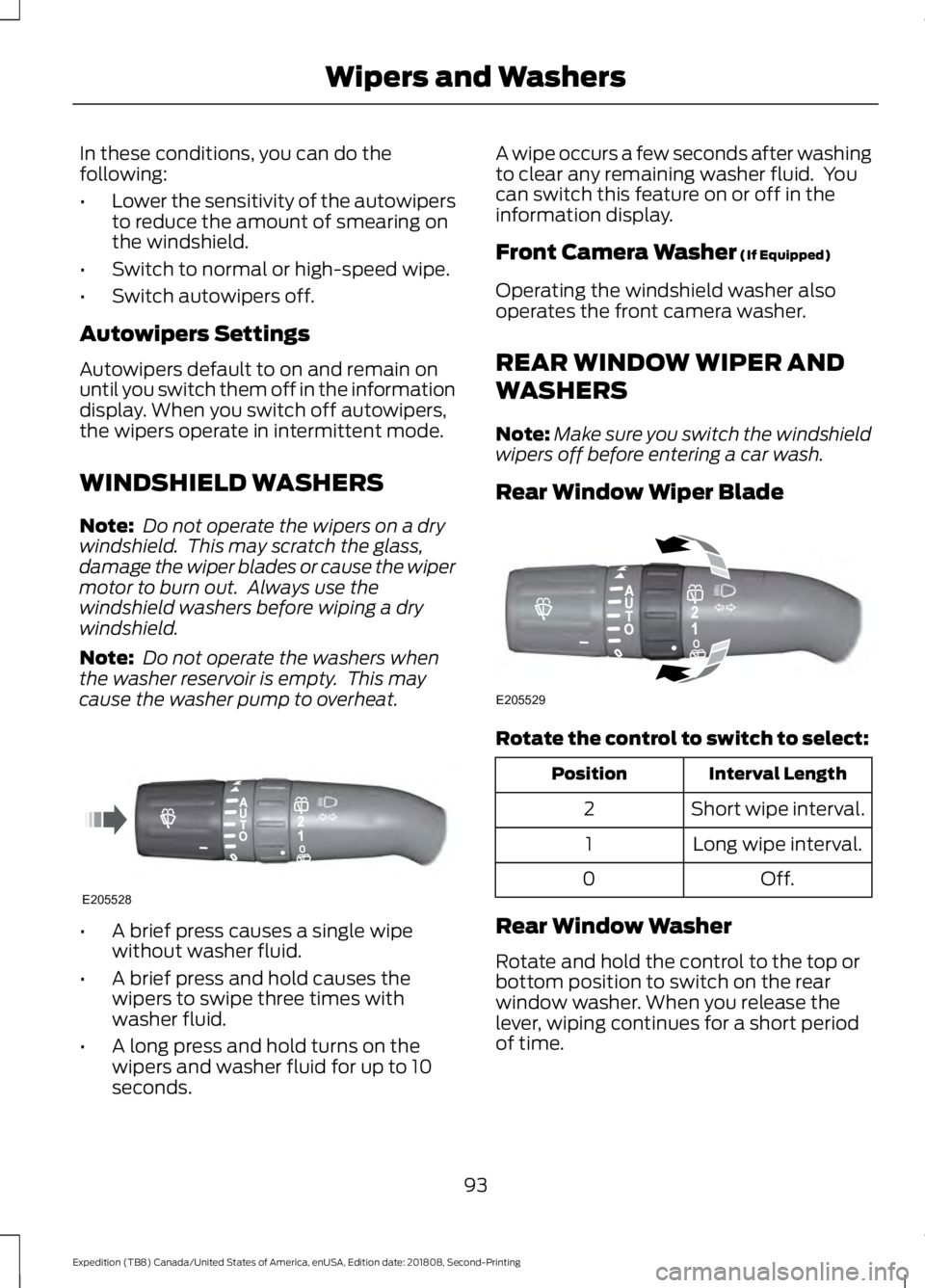
cause the washer pump to overheat. •
A brief press causes a single wipe
without washer fluid.
• A brief press and hold causes the
wipers to swipe three times with
washer fluid.
• A long press and hold turns on the
wipers and washer fluid for up to 10
seconds. A wipe occurs a few seconds after washing
to clear any remaining washer fluid. You
can switch this feature on or off in the
information display.
Front Camera Washer (If Equipped)
Operating the windshield washer also
operates the front camera washer.
REAR WINDOW WIPER AND
WASHERS
Note: Make sure you switch the windshield
wipers off before entering a car wash.
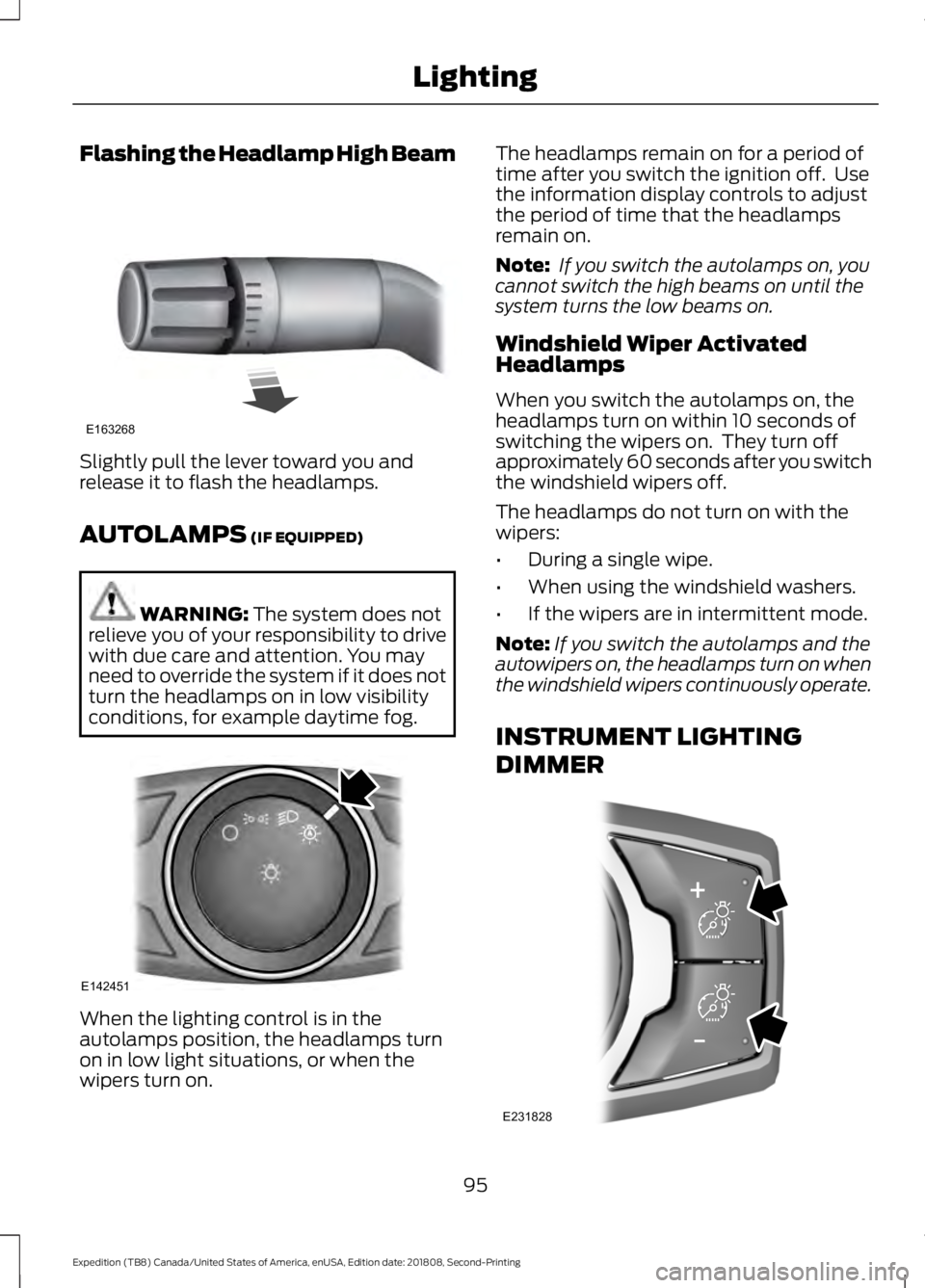
Rear Window Wiper Blade Rotate the control to switch to select:
Interval Length
Position
Short wipe interval.
2
Long wipe interval.
1
Off.
0
Rear Window Washer
Rotate and hold the control to the top or
bottom position to switch on the rear
window washer. When you release the
lever, wiping continues for a short period
of time.
93
Expedition (TB8) Canada/United States of America, enUSA, Edition date: 201808, Second-Printing Wipers and WashersE205528 E205529
Page 98 of 583
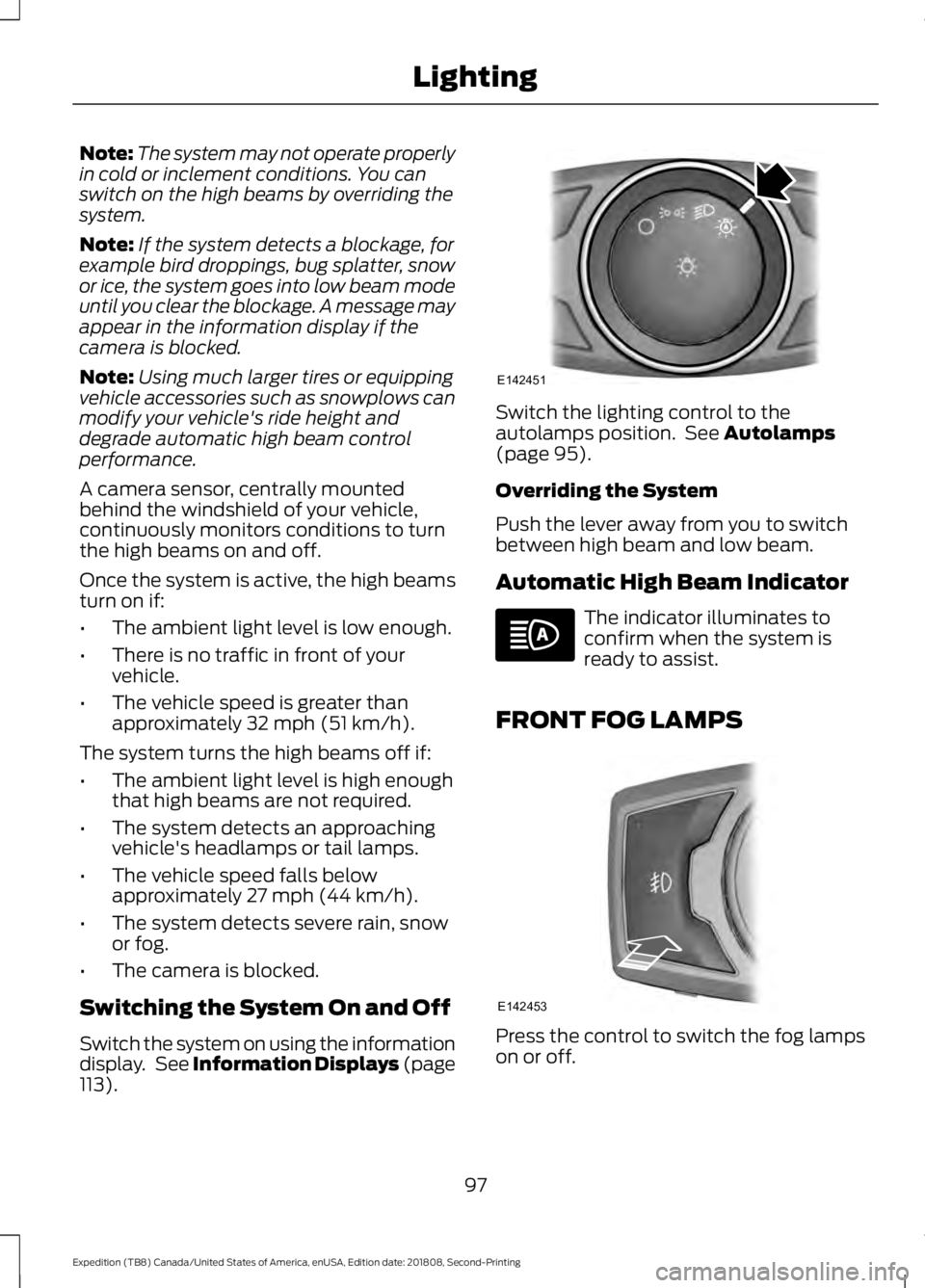
Flashing the Headlamp High Beam
Slightly pull the lever toward you and
release it to flash the headlamps.
AUTOLAMPS (IF EQUIPPED)
WARNING:
The system does not
relieve you of your responsibility to drive
with due care and attention. You may
need to override the system if it does not
turn the headlamps on in low visibility
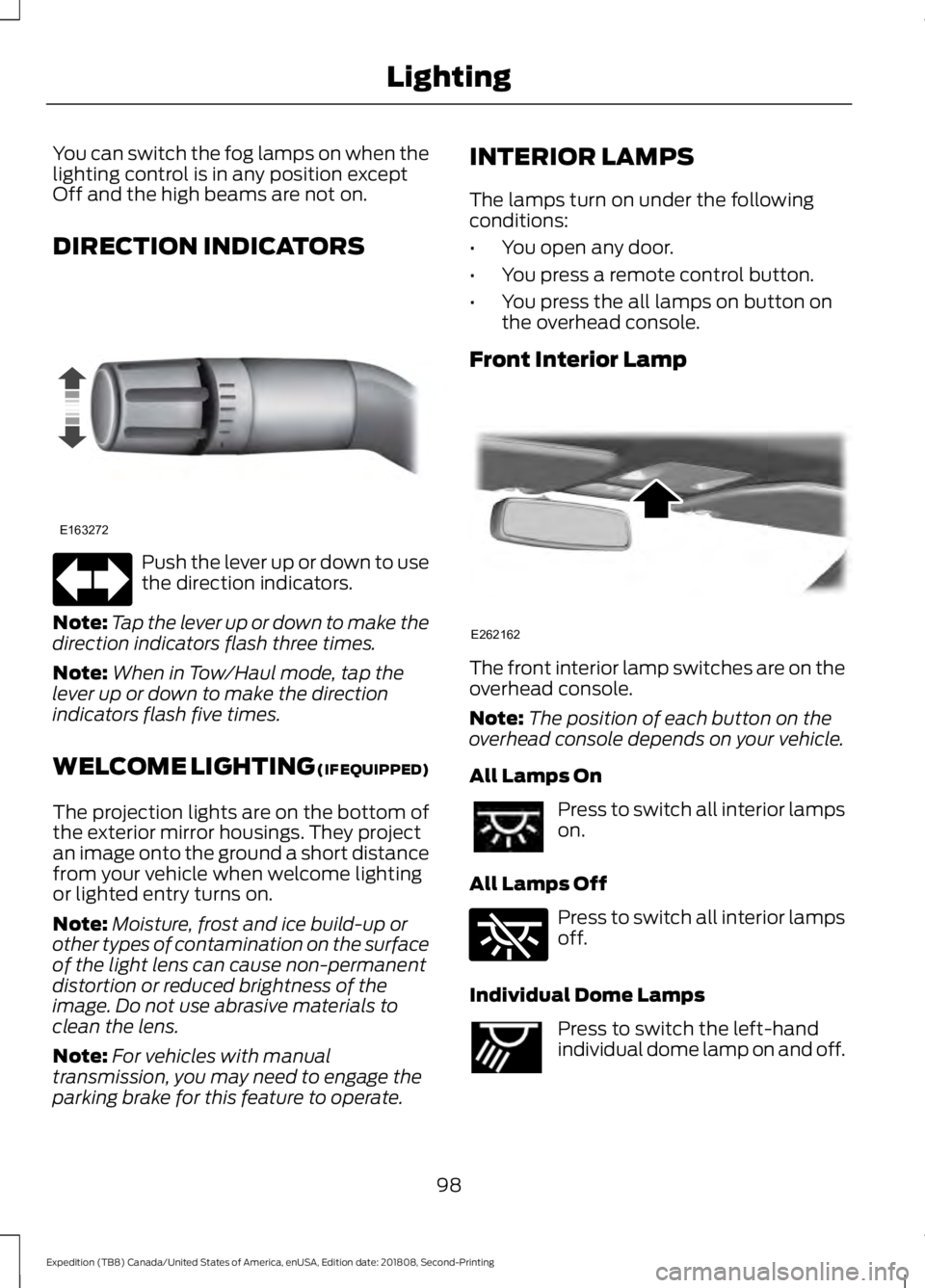
conditions, for example daytime fog. When the lighting control is in the
autolamps position, the headlamps turn
on in low light situations, or when the
wipers turn on. The headlamps remain on for a period of
time after you switch the ignition off. Use
the information display controls to adjust
the period of time that the headlamps
remain on.
Note:
If you switch the autolamps on, you
cannot switch the high beams on until the
system turns the low beams on.
Windshield Wiper Activated
Headlamps
When you switch the autolamps on, the
headlamps turn on within 10 seconds of
switching the wipers on. They turn off
approximately 60 seconds after you switch
the windshield wipers off.
The headlamps do not turn on with the
wipers:
• During a single wipe.
• When using the windshield washers.
• If the wipers are in intermittent mode.
Note: If you switch the autolamps and the
autowipers on, the headlamps turn on when
the windshield wipers continuously operate.
INSTRUMENT LIGHTING
DIMMER 95
Expedition (TB8) Canada/United States of America, enUSA, Edition date: 201808, Second-Printing LightingE163268 E142451 E231828
Page 100 of 583
Note:
The system may not operate properly
in cold or inclement conditions. You can
switch on the high beams by overriding the
system.
Note: If the system detects a blockage, for
example bird droppings, bug splatter, snow
or ice, the system goes into low beam mode
until you clear the blockage. A message may
appear in the information display if the
camera is blocked.
Note: Using much larger tires or equipping
vehicle accessories such as snowplows can
modify your vehicle's ride height and
degrade automatic high beam control
performance.
A camera sensor, centrally mounted
behind the windshield of your vehicle,
continuously monitors conditions to turn
the high beams on and off.
Once the system is active, the high beams
turn on if:
• The ambient light level is low enough.
• There is no traffic in front of your
vehicle.
• The vehicle speed is greater than
approximately 32 mph (51 km/h).
The system turns the high beams off if:
• The ambient light level is high enough
that high beams are not required.
• The system detects an approaching
vehicle's headlamps or tail lamps.
• The vehicle speed falls below
approximately
27 mph (44 km/h).
• The system detects severe rain, snow
or fog.
• The camera is blocked.
Switching the System On and Off
Switch the system on using the information
display. See Information Displays (page
113
). Switch the lighting control to the
autolamps position. See
Autolamps
(page 95).
Overriding the System
Push the lever away from you to switch
between high beam and low beam.
Automatic High Beam Indicator The indicator illuminates to
confirm when the system is
ready to assist.
FRONT FOG LAMPS Press the control to switch the fog lamps
on or off.
97
Expedition (TB8) Canada/United States of America, enUSA, Edition date: 201808, Second-Printing LightingE142451 E142453
Page 101 of 583
You can switch the fog lamps on when the
lighting control is in any position except
Off and the high beams are not on.
DIRECTION INDICATORS
Push the lever up or down to use
the direction indicators.
Note: Tap the lever up or down to make the
direction indicators flash three times.
Note: When in Tow/Haul mode, tap the
lever up or down to make the direction
indicators flash five times.
WELCOME LIGHTING (IF EQUIPPED)
The projection lights are on the bottom of
the exterior mirror housings. They project
an image onto the ground a short distance
from your vehicle when welcome lighting
or lighted entry turns on.
Note: Moisture, frost and ice build-up or
other types of contamination on the surface
of the light lens can cause non-permanent
distortion or reduced brightness of the
image. Do not use abrasive materials to
clean the lens.
Note: For vehicles with manual
transmission, you may need to engage the
parking brake for this feature to operate. INTERIOR LAMPS
The lamps turn on under the following
conditions:
•
You open any door.
• You press a remote control button.
• You press the all lamps on button on
the overhead console.
Front Interior Lamp The front interior lamp switches are on the
overhead console.
Note:
The position of each button on the
overhead console depends on your vehicle.
All Lamps On Press to switch all interior lamps
on.
All Lamps Off Press to switch all interior lamps
off.
Individual Dome Lamps Press to switch the left-hand
individual dome lamp on and off.
98
Expedition (TB8) Canada/United States of America, enUSA, Edition date: 201808, Second-Printing LightingE163272 E262162 E262185 E262193
Page 112 of 583
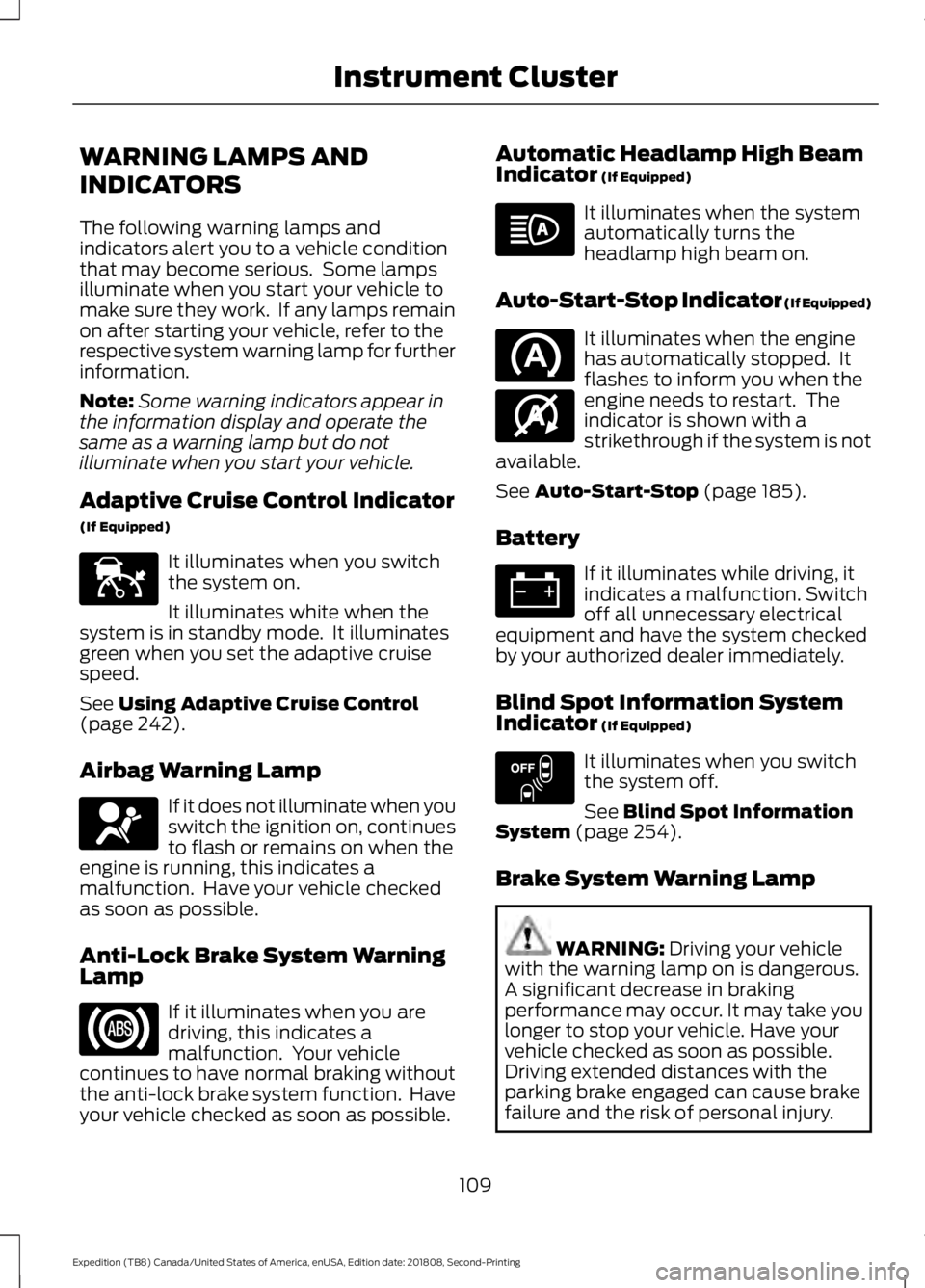
WARNING LAMPS AND
INDICATORS
The following warning lamps and
indicators alert you to a vehicle condition
that may become serious. Some lamps
illuminate when you start your vehicle to
make sure they work. If any lamps remain
on after starting your vehicle, refer to the
respective system warning lamp for further
information.
Note:
Some warning indicators appear in
the information display and operate the
same as a warning lamp but do not
illuminate when you start your vehicle.
Adaptive Cruise Control Indicator
(If Equipped) It illuminates when you switch
the system on.
It illuminates white when the
system is in standby mode. It illuminates
green when you set the adaptive cruise
speed.
See Using Adaptive Cruise Control
(page 242).
Airbag Warning Lamp If it does not illuminate when you
switch the ignition on, continues
to flash or remains on when the
engine is running, this indicates a
malfunction. Have your vehicle checked
as soon as possible.
Anti-Lock Brake System Warning
Lamp If it illuminates when you are
driving, this indicates a
malfunction. Your vehicle
continues to have normal braking without
the anti-lock brake system function. Have
your vehicle checked as soon as possible. Automatic Headlamp High Beam
Indicator
(If Equipped) It illuminates when the system
automatically turns the
headlamp high beam on.
Auto-Start-Stop Indicator (If Equipped) It illuminates when the engine
has automatically stopped. It
flashes to inform you when the
engine needs to restart. The
indicator is shown with a
strikethrough if the system is not
available.
See
Auto-Start-Stop (page 185).
Battery If it illuminates while driving, it
indicates a malfunction. Switch
off all unnecessary electrical
equipment and have the system checked
by your authorized dealer immediately.
Blind Spot Information System
Indicator
(If Equipped) It illuminates when you switch
the system off.
See
Blind Spot Information
System (page 254).
Brake System Warning Lamp WARNING:
Driving your vehicle
with the warning lamp on is dangerous.
A significant decrease in braking
performance may occur. It may take you
longer to stop your vehicle. Have your
vehicle checked as soon as possible.
Driving extended distances with the
parking brake engaged can cause brake
failure and the risk of personal injury.
109
Expedition (TB8) Canada/United States of America, enUSA, Edition date: 201808, Second-Printing Instrument ClusterE144524 E67017 E146361 E151262
Page 114 of 583
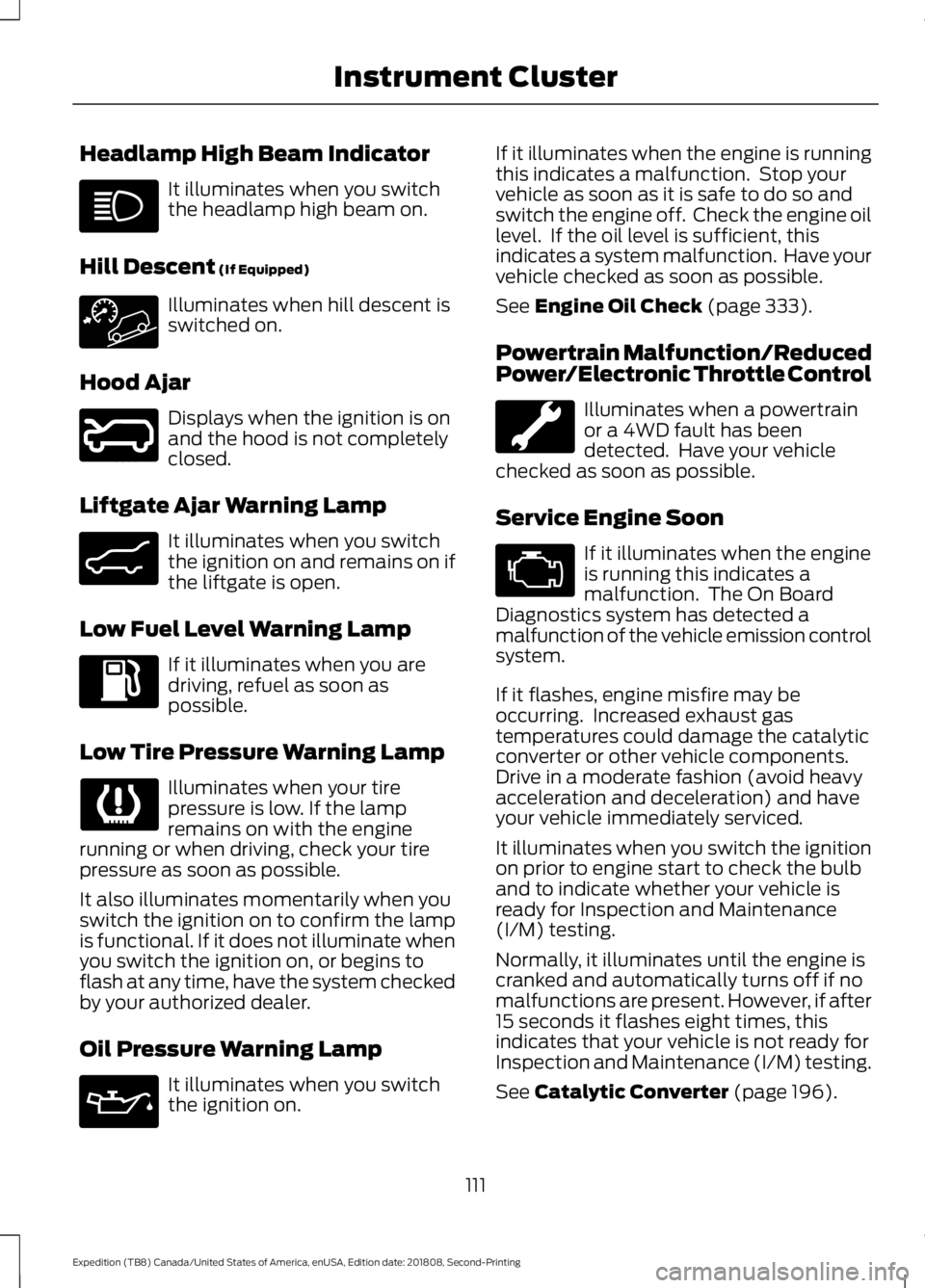
Headlamp High Beam Indicator
It illuminates when you switch
the headlamp high beam on.
Hill Descent (If Equipped) Illuminates when hill descent is
switched on.
Hood Ajar Displays when the ignition is on
and the hood is not completely
closed.
Liftgate Ajar Warning Lamp It illuminates when you switch
the ignition on and remains on if
the liftgate is open.
Low Fuel Level Warning Lamp If it illuminates when you are
driving, refuel as soon as
possible.
Low Tire Pressure Warning Lamp Illuminates when your tire
pressure is low. If the lamp
remains on with the engine
running or when driving, check your tire
pressure as soon as possible.
It also illuminates momentarily when you
switch the ignition on to confirm the lamp
is functional. If it does not illuminate when
you switch the ignition on, or begins to
flash at any time, have the system checked
by your authorized dealer.
Oil Pressure Warning Lamp It illuminates when you switch
the ignition on. If it illuminates when the engine is running
this indicates a malfunction. Stop your
vehicle as soon as it is safe to do so and
switch the engine off. Check the engine oil
level. If the oil level is sufficient, this
indicates a system malfunction. Have your
vehicle checked as soon as possible.
See
Engine Oil Check (page 333).
Powertrain Malfunction/Reduced
Power/Electronic Throttle Control Illuminates when a powertrain
or a 4WD fault has been
detected. Have your vehicle
checked as soon as possible.
Service Engine Soon If it illuminates when the engine
is running this indicates a
malfunction. The On Board
Diagnostics system has detected a
malfunction of the vehicle emission control
system.
If it flashes, engine misfire may be
occurring. Increased exhaust gas
temperatures could damage the catalytic
converter or other vehicle components.
Drive in a moderate fashion (avoid heavy
acceleration and deceleration) and have
your vehicle immediately serviced.
It illuminates when you switch the ignition
on prior to engine start to check the bulb
and to indicate whether your vehicle is
ready for Inspection and Maintenance
(I/M) testing.
Normally, it illuminates until the engine is
cranked and automatically turns off if no
malfunctions are present. However, if after
15 seconds it flashes eight times, this
indicates that your vehicle is not ready for
Inspection and Maintenance (I/M) testing.
See
Catalytic Converter (page 196).
111
Expedition (TB8) Canada/United States of America, enUSA, Edition date: 201808, Second-Printing Instrument Cluster E246598 E162453
Page 119 of 583
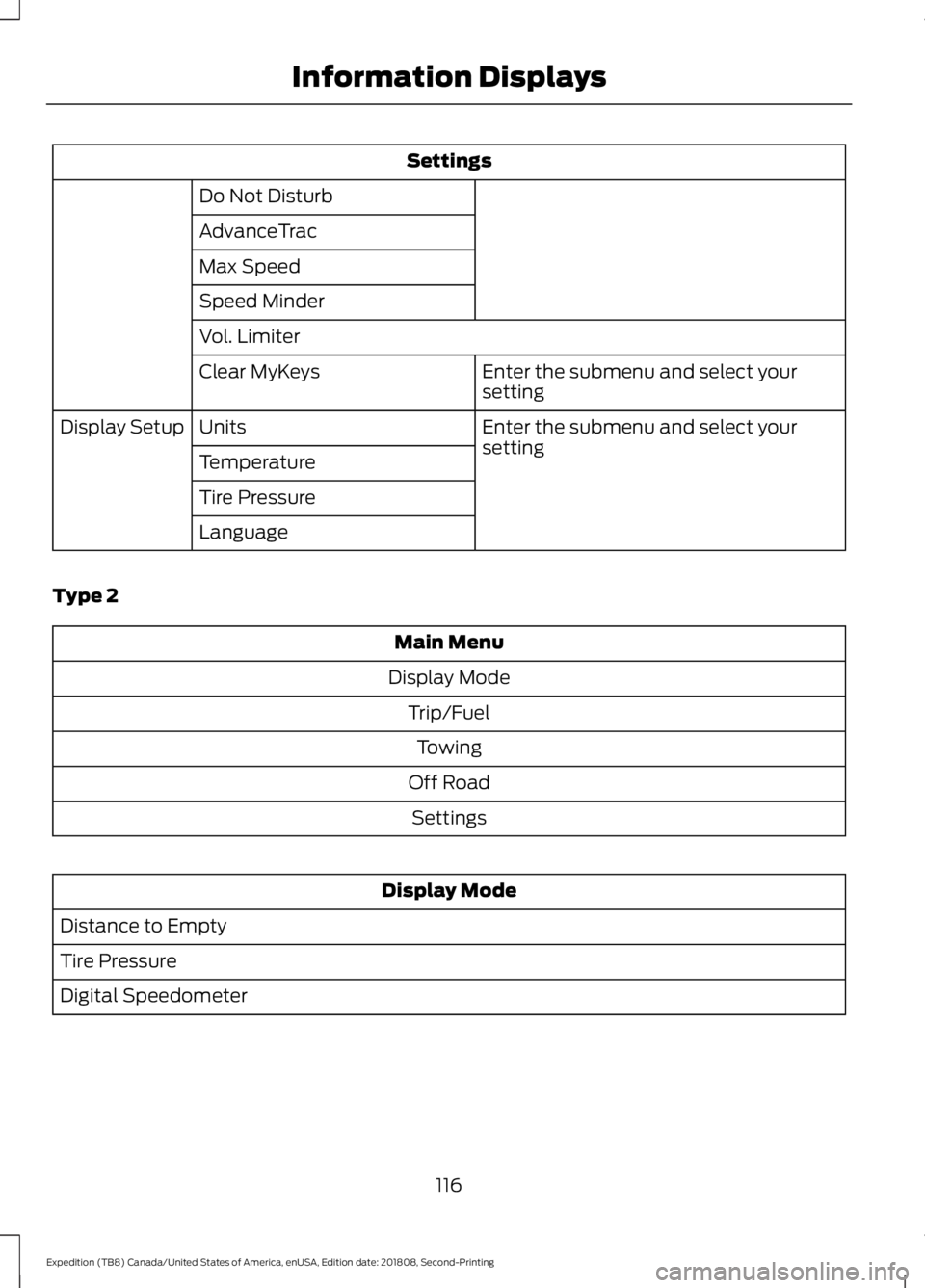
Settings
Do Not Disturb
AdvanceTrac
Max Speed
Speed Minder
Vol. Limiter Enter the submenu and select your
setting
Clear MyKeys
Enter the submenu and select your
setting
Units
Display Setup
Temperature
Tire Pressure
Language
Type 2 Main Menu
Display Mode Trip/FuelTowing
Off Road Settings Display Mode
Distance to Empty
Tire Pressure
Digital Speedometer
116
Expedition (TB8) Canada/United States of America, enUSA, Edition date: 201808, Second-Printing Information Displays
Page 120 of 583
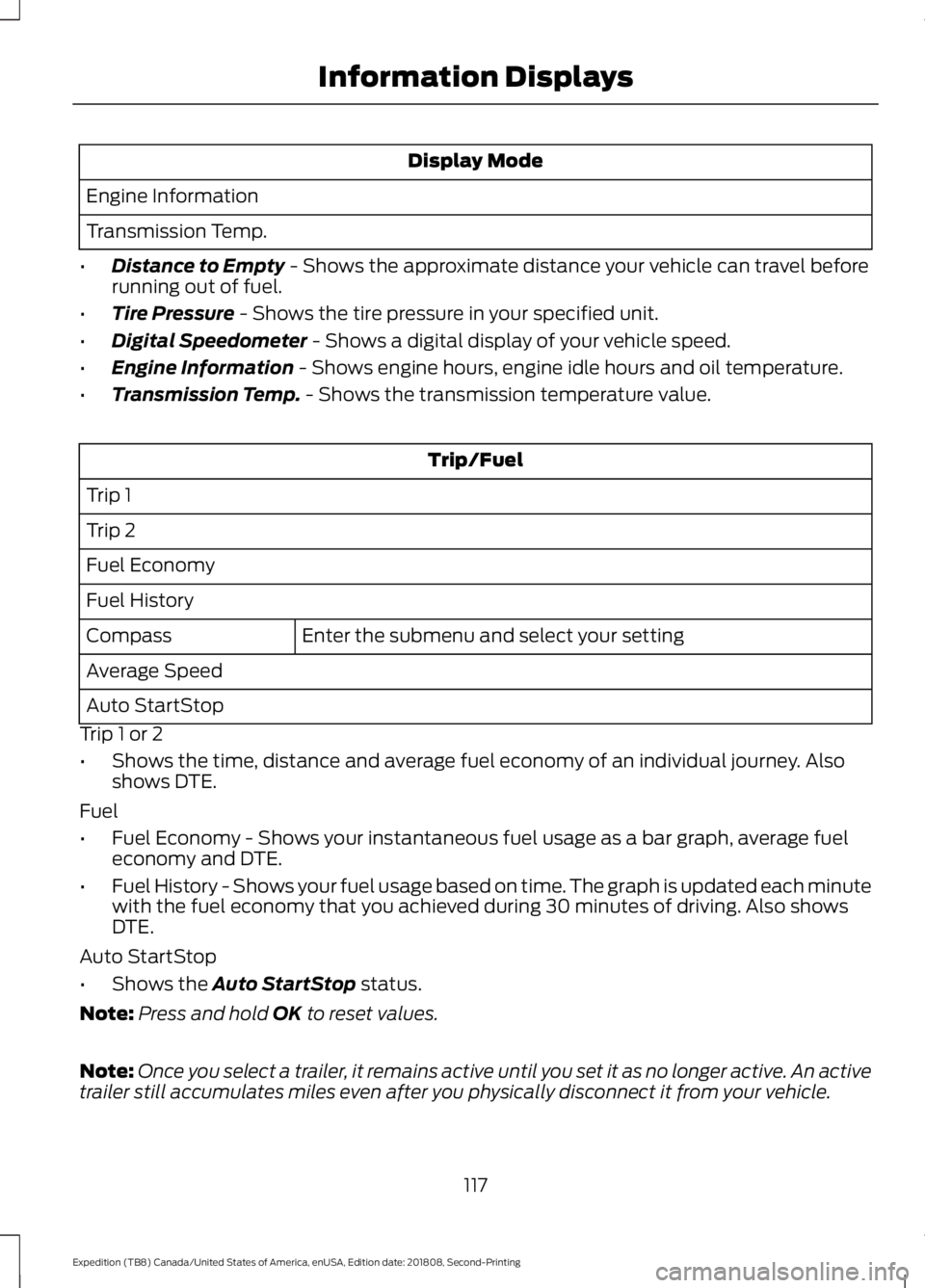
Display Mode
Engine Information
Transmission Temp.
• Distance to Empty - Shows the approximate distance your vehicle can travel before
running out of fuel.
• Tire Pressure
- Shows the tire pressure in your specified unit.
• Digital Speedometer
- Shows a digital display of your vehicle speed.
• Engine Information
- Shows engine hours, engine idle hours and oil temperature.
• Transmission Temp.
- Shows the transmission temperature value. Trip/Fuel
Trip 1
Trip 2
Fuel Economy
Fuel History Enter the submenu and select your setting
Compass
Average Speed
Auto StartStop
Trip 1 or 2
• Shows the time, distance and average fuel economy of an individual journey. Also
shows DTE.
Fuel
• Fuel Economy - Shows your instantaneous fuel usage as a bar graph, average fuel
economy and DTE.
• Fuel History - Shows your fuel usage based on time. The graph is updated each minute
with the fuel economy that you achieved during 30 minutes of driving. Also shows
DTE.
Auto StartStop
• Shows the
Auto StartStop status.
Note: Press and hold
OK to reset values.
Note: Once you select a trailer, it remains active until you set it as no longer active. An active
trailer still accumulates miles even after you physically disconnect it from your vehicle.
117
Expedition (TB8) Canada/United States of America, enUSA, Edition date: 201808, Second-Printing Information Displays
Page 127 of 583
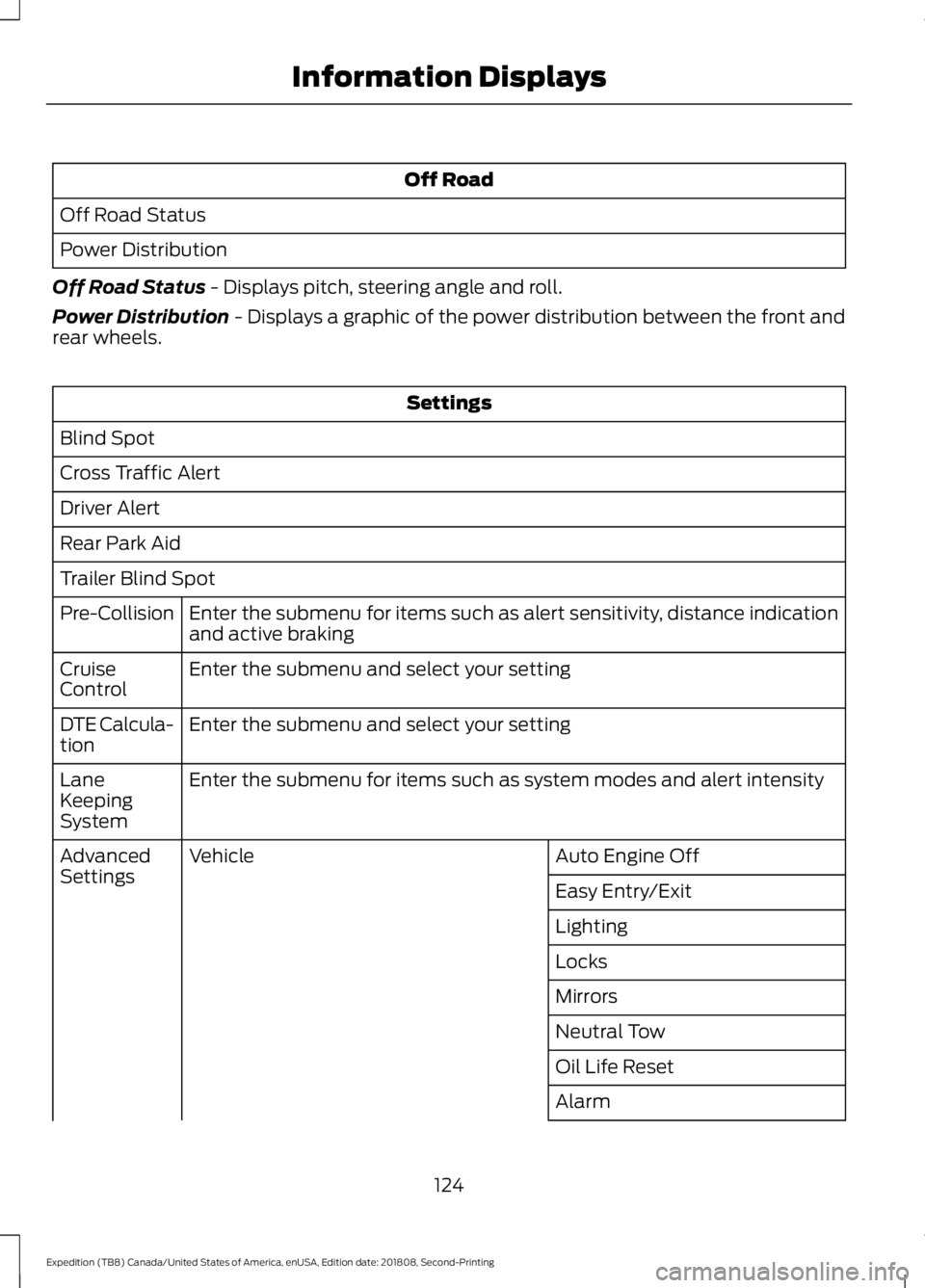
Off Road
Off Road Status
Power Distribution
Off Road Status - Displays pitch, steering angle and roll.
Power Distribution
- Displays a graphic of the power distribution between the front and
rear wheels. Settings
Blind Spot
Cross Traffic Alert
Driver Alert
Rear Park Aid
Trailer Blind Spot Enter the submenu for items such as alert sensitivity, distance indication
and active braking
Pre-Collision
Enter the submenu and select your setting
Cruise
Control
Enter the submenu and select your setting
DTE Calcula-
tion
Enter the submenu for items such as system modes and alert intensity
Lane
Keeping
System
Auto Engine Off
Vehicle
Advanced
Settings
Easy Entry/Exit
Lighting
Locks
Mirrors
Neutral Tow
Oil Life Reset
Alarm
124
Expedition (TB8) Canada/United States of America, enUSA, Edition date: 201808, Second-Printing Information Displays
Page 130 of 583
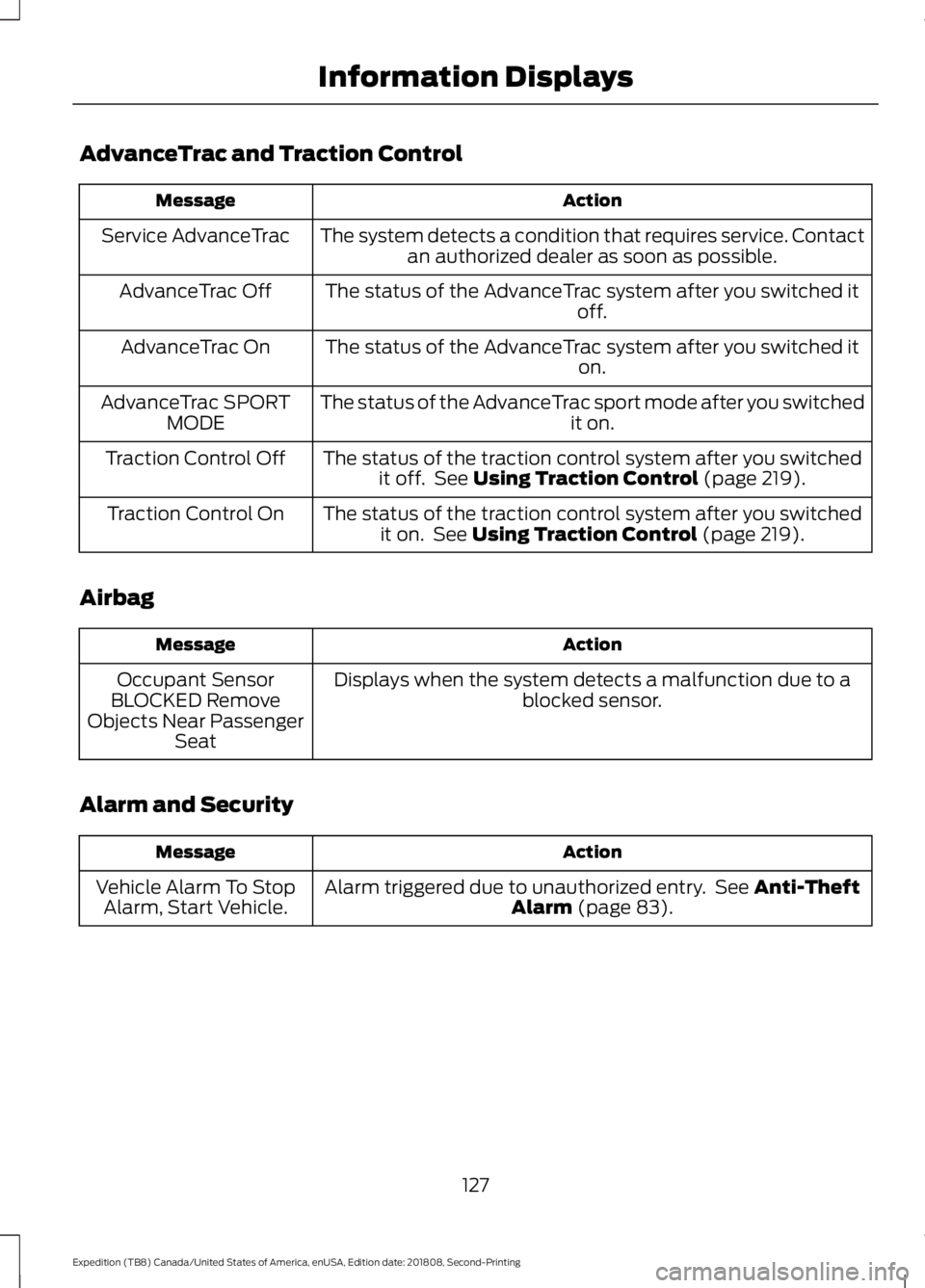
AdvanceTrac and Traction Control
Action
Message
The system detects a condition that requires service. Contactan authorized dealer as soon as possible.
Service AdvanceTrac
The status of the AdvanceTrac system after you switched it off.
AdvanceTrac Off
The status of the AdvanceTrac system after you switched it on.
AdvanceTrac On
The status of the AdvanceTrac sport mode after you switched it on.
AdvanceTrac SPORT
MODE
The status of the traction control system after you switchedit off. See Using Traction Control (page 219).
Traction Control Off
The status of the traction control system after you switchedit on. See
Using Traction Control (page 219).
Traction Control On
Airbag Action
Message
Displays when the system detects a malfunction due to a blocked sensor.
Occupant Sensor
BLOCKED Remove
Objects Near Passenger Seat
Alarm and Security Action
Message
Alarm triggered due to unauthorized entry. See
Anti-Theft
Alarm (page 83).
Vehicle Alarm To Stop
Alarm, Start Vehicle.
127
Expedition (TB8) Canada/United States of America, enUSA, Edition date: 201808, Second-Printing Information Displays