clock FORD EXPEDITION 2020 User Guide
[x] Cancel search | Manufacturer: FORD, Model Year: 2020, Model line: EXPEDITION, Model: FORD EXPEDITION 2020Pages: 542, PDF Size: 6.73 MB
Page 378 of 542
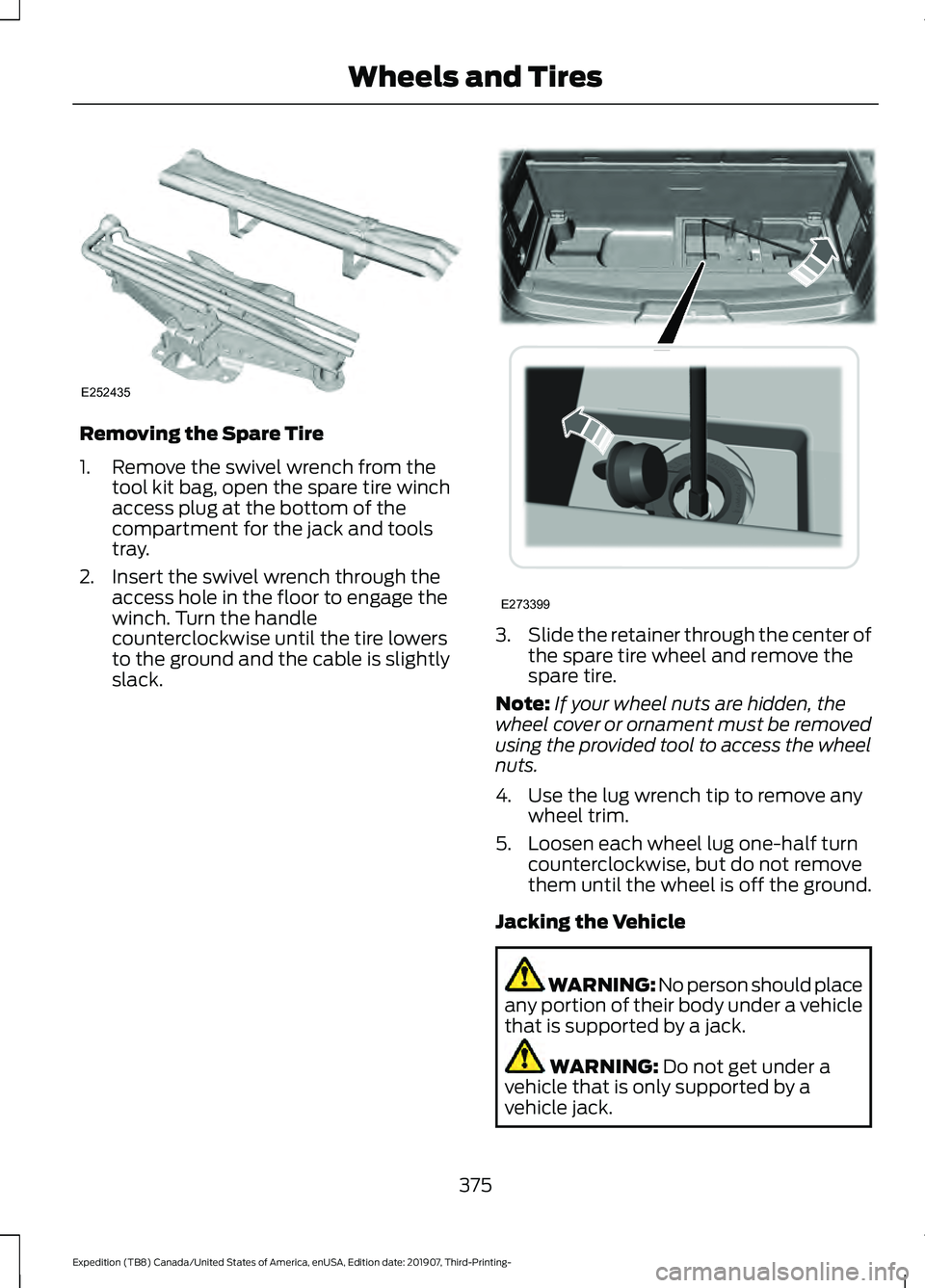
Removing the Spare Tire
1. Remove the swivel wrench from the
tool kit bag, open the spare tire winch
access plug at the bottom of the
compartment for the jack and tools
tray.
2. Insert the swivel wrench through the access hole in the floor to engage the
winch. Turn the handle
counterclockwise until the tire lowers
to the ground and the cable is slightly
slack. 3.
Slide the retainer through the center of
the spare tire wheel and remove the
spare tire.
Note: If your wheel nuts are hidden, the
wheel cover or ornament must be removed
using the provided tool to access the wheel
nuts.
4. Use the lug wrench tip to remove any wheel trim.
5. Loosen each wheel lug one-half turn counterclockwise, but do not remove
them until the wheel is off the ground.
Jacking the Vehicle WARNING: No person should place
any portion of their body under a vehicle
that is supported by a jack. WARNING: Do not get under a
vehicle that is only supported by a
vehicle jack.
375
Expedition (TB8) Canada/United States of America, enUSA, Edition date: 201907, Third-Printing- Wheels and TiresE252435 E273399
Page 379 of 542
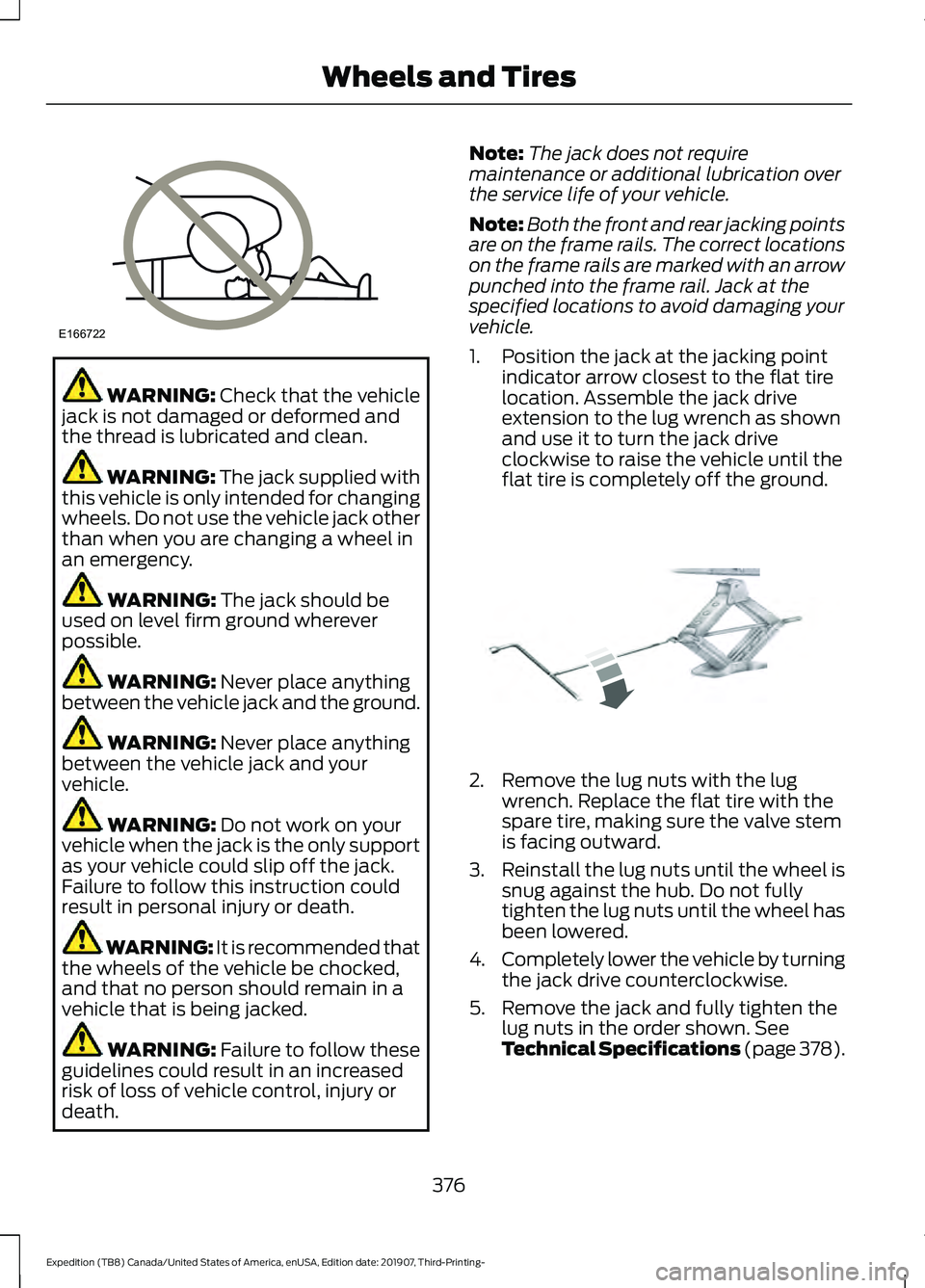
WARNING: Check that the vehicle
jack is not damaged or deformed and
the thread is lubricated and clean. WARNING: The jack supplied with
this vehicle is only intended for changing
wheels. Do not use the vehicle jack other
than when you are changing a wheel in
an emergency. WARNING:
The jack should be
used on level firm ground wherever
possible. WARNING:
Never place anything
between the vehicle jack and the ground. WARNING:
Never place anything
between the vehicle jack and your
vehicle. WARNING:
Do not work on your
vehicle when the jack is the only support
as your vehicle could slip off the jack.
Failure to follow this instruction could
result in personal injury or death. WARNING: It is recommended that
the wheels of the vehicle be chocked,
and that no person should remain in a
vehicle that is being jacked. WARNING:
Failure to follow these
guidelines could result in an increased
risk of loss of vehicle control, injury or
death. Note:
The jack does not require
maintenance or additional lubrication over
the service life of your vehicle.
Note: Both the front and rear jacking points
are on the frame rails. The correct locations
on the frame rails are marked with an arrow
punched into the frame rail. Jack at the
specified locations to avoid damaging your
vehicle.
1. Position the jack at the jacking point indicator arrow closest to the flat tire
location. Assemble the jack drive
extension to the lug wrench as shown
and use it to turn the jack drive
clockwise to raise the vehicle until the
flat tire is completely off the ground. 2. Remove the lug nuts with the lug
wrench. Replace the flat tire with the
spare tire, making sure the valve stem
is facing outward.
3. Reinstall the lug nuts until the wheel is
snug against the hub. Do not fully
tighten the lug nuts until the wheel has
been lowered.
4. Completely lower the vehicle by turning
the jack drive counterclockwise.
5. Remove the jack and fully tighten the lug nuts in the order shown. See
Technical Specifications (page 378).
376
Expedition (TB8) Canada/United States of America, enUSA, Edition date: 201907, Third-Printing- Wheels and TiresE166722 E325278
Page 380 of 542
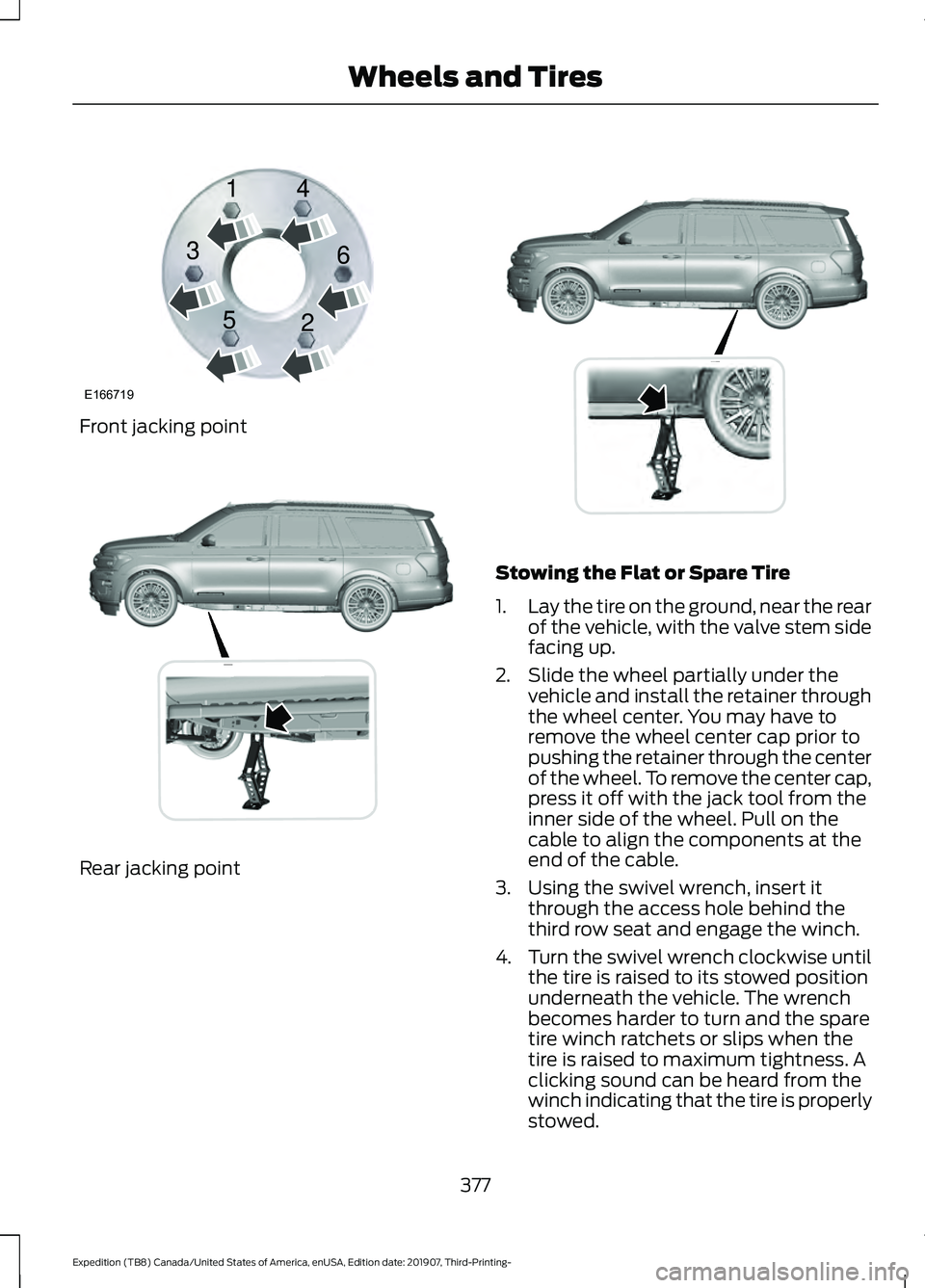
Front jacking point
Rear jacking point Stowing the Flat or Spare Tire
1.
Lay the tire on the ground, near the rear
of the vehicle, with the valve stem side
facing up.
2. Slide the wheel partially under the vehicle and install the retainer through
the wheel center. You may have to
remove the wheel center cap prior to
pushing the retainer through the center
of the wheel. To remove the center cap,
press it off with the jack tool from the
inner side of the wheel. Pull on the
cable to align the components at the
end of the cable.
3. Using the swivel wrench, insert it through the access hole behind the
third row seat and engage the winch.
4. Turn the swivel wrench clockwise until
the tire is raised to its stowed position
underneath the vehicle. The wrench
becomes harder to turn and the spare
tire winch ratchets or slips when the
tire is raised to maximum tightness. A
clicking sound can be heard from the
winch indicating that the tire is properly
stowed.
377
Expedition (TB8) Canada/United States of America, enUSA, Edition date: 201907, Third-Printing- Wheels and TiresE166719
1
3
5 4
6
2 E325274 E325281
Page 429 of 542
GENERAL INFORMATION
WARNING: Driving while distracted
can result in loss of vehicle control, crash
and injury. We strongly recommend that
you use extreme caution when using any
device that may take your focus off the
road. Your primary responsibility is the
safe operation of your vehicle. We
recommend against the use of any
hand-held device while driving and
encourage the use of voice-operated
systems when possible. Make sure you
are aware of all applicable local laws
that may affect the use of electronic
devices while driving.
About SYNC
The system allows you to interact with the
entertainment, information and
communication systems on your vehicle
using voice commands and a touchscreen.
The system provides easy interaction with
audio, phone, navigation, mobile apps and
settings.
Note: You can switch the system on and
use it for up to an hour without switching
the ignition on.
Note: You can use the system after you
switch the ignition off for up to 10 minutes
or until you open a door.
Note: For your safety, some features are
speed-dependent. Their use is limited to
when your vehicle speed is less than 3 mph
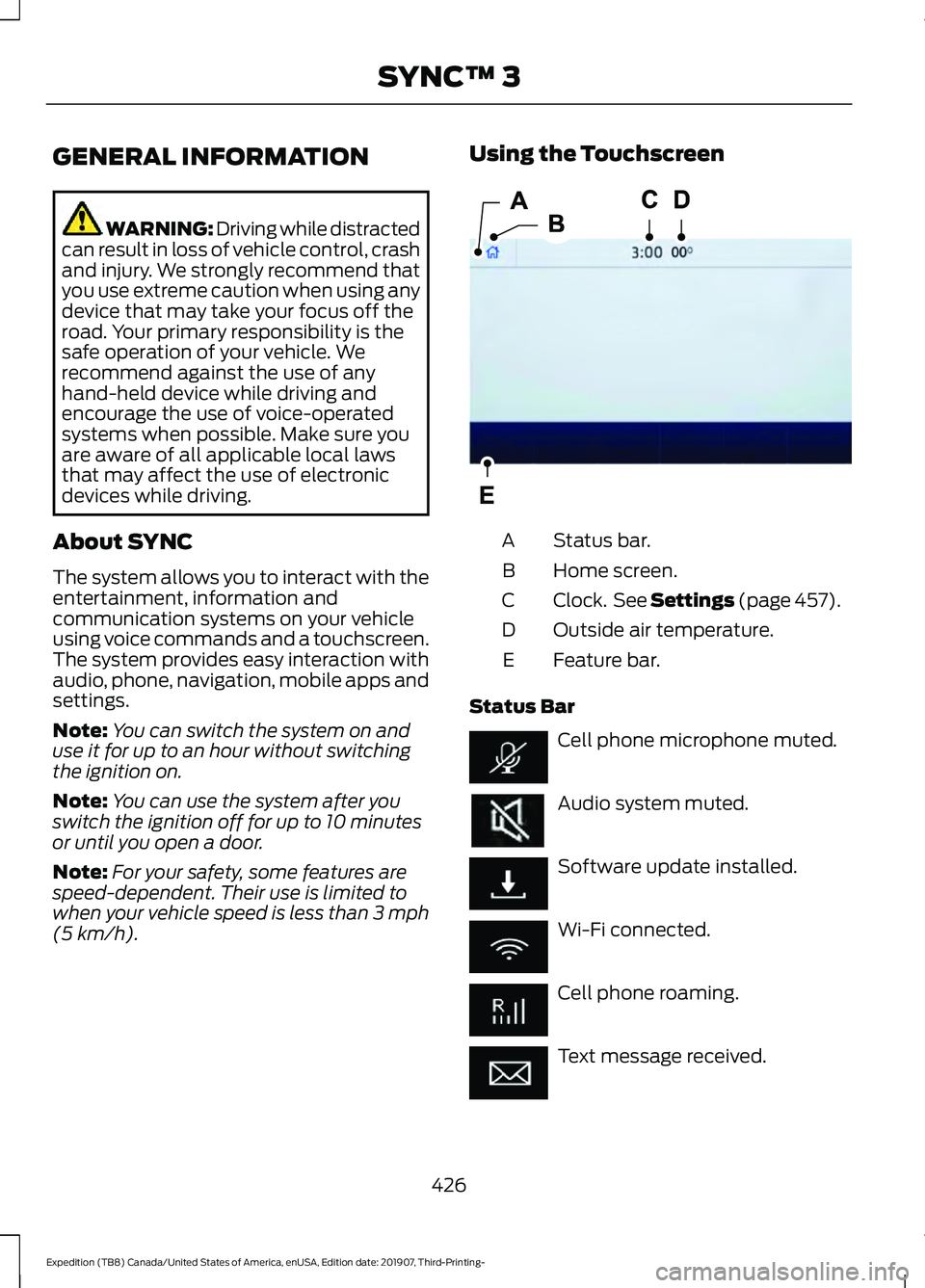
(5 km/h). Using the Touchscreen
Status bar.
A
Home screen.
B
Clock. See Settings (page 457).
C
Outside air temperature.
D
Feature bar.
E
Status Bar Cell phone microphone muted.
Audio system muted.
Software update installed.
Wi-Fi connected.
Cell phone roaming.
Text message received.
426
Expedition (TB8) Canada/United States of America, enUSA, Edition date: 201907, Third-Printing- SYNC™ 3E293823
Page 460 of 542
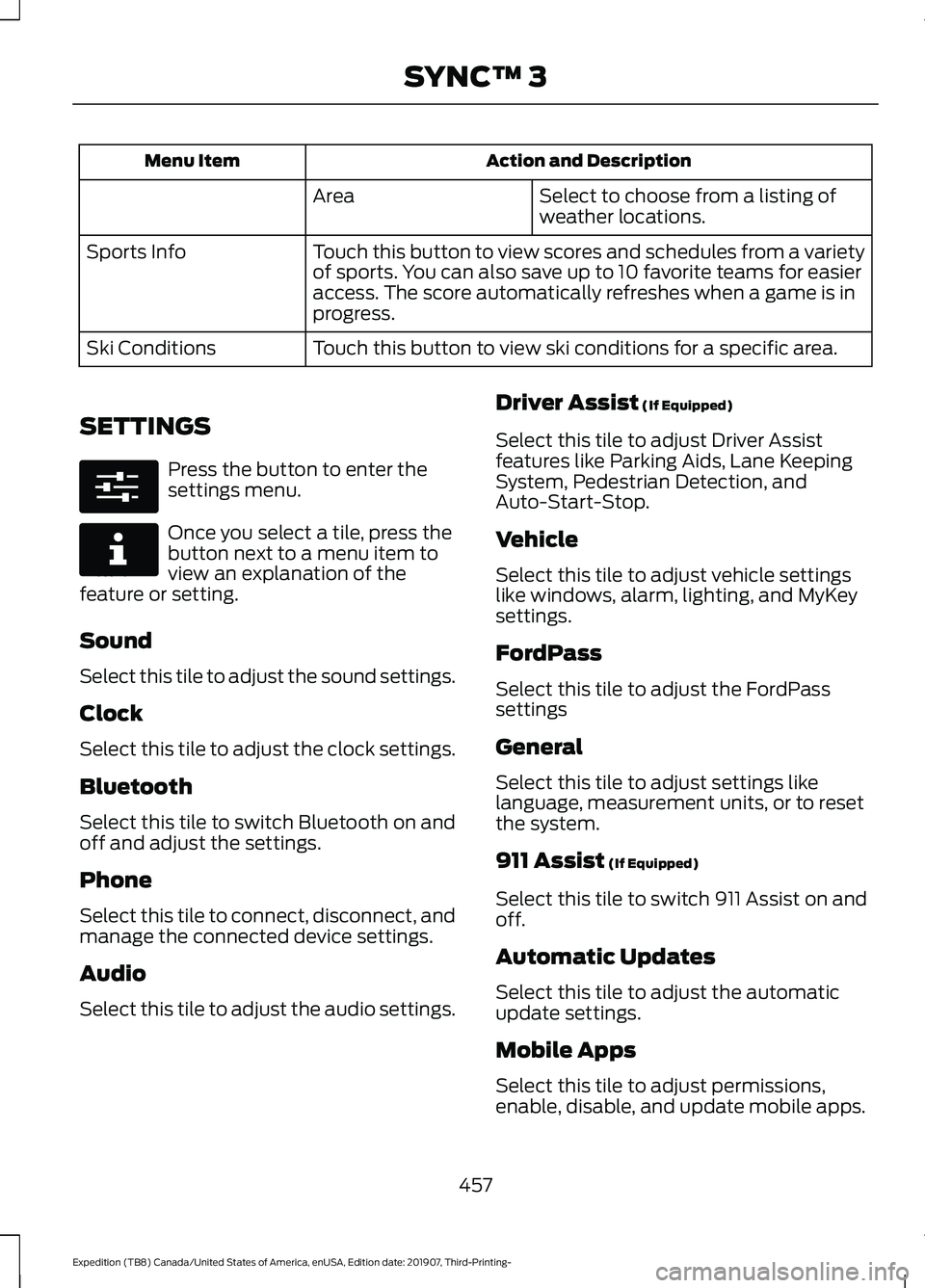
Action and Description
Menu Item
Select to choose from a listing of
weather locations.
Area
Touch this button to view scores and schedules from a variety
of sports. You can also save up to 10 favorite teams for easier
access. The score automatically refreshes when a game is in
progress.
Sports Info
Touch this button to view ski conditions for a specific area.
Ski Conditions
SETTINGS Press the button to enter the
settings menu.
Once you select a tile, press the
button next to a menu item to
view an explanation of the
feature or setting.
Sound
Select this tile to adjust the sound settings.
Clock
Select this tile to adjust the clock settings.
Bluetooth
Select this tile to switch Bluetooth on and
off and adjust the settings.
Phone
Select this tile to connect, disconnect, and
manage the connected device settings.
Audio
Select this tile to adjust the audio settings. Driver Assist (If Equipped)
Select this tile to adjust Driver Assist
features like Parking Aids, Lane Keeping
System, Pedestrian Detection, and
Auto-Start-Stop.
Vehicle
Select this tile to adjust vehicle settings
like windows, alarm, lighting, and MyKey
settings.
FordPass
Select this tile to adjust the FordPass
settings
General
Select this tile to adjust settings like
language, measurement units, or to reset
the system.
911 Assist
(If Equipped)
Select this tile to switch 911 Assist on and
off.
Automatic Updates
Select this tile to adjust the automatic
update settings.
Mobile Apps
Select this tile to adjust permissions,
enable, disable, and update mobile apps.
457
Expedition (TB8) Canada/United States of America, enUSA, Edition date: 201907, Third-Printing- SYNC™ 3E280315 E268570
Page 538 of 542
Rear Window Wiper Blade...............................
93
Recommended Towing Weights...........286
Reduced Engine Performance...............299
Refueling..........................................................185 Refueling System Overview........................... 185
Refueling System Warning.............................. 187
Refueling Your Vehicle...................................... 185
Remote Control
..............................................56
Car Finder................................................................. 61
Integrated Keyhead Transmitter.................... 56
Intelligent Access Key......................................... 57
Remote Start.......................................................... 61
Replacing the Battery......................................... 58
Sounding the Panic Alarm................................. 61
Using the Key Blade............................................ 58
Remote Start.................................................148 Automatic Settings............................................ 148
Heated and Cooled Features......................... 149
Last Settings........................................................ 149
Removing a Headlamp.............................340
Repairing Minor Paint Damage..............348
Replacement Parts Recommendation........................................14
Collision Repairs.................................................... 14
Scheduled Maintenance and Mechanical Repairs.................................................................. 14
Warranty on Replacement Parts..................... 14
Replacing a Lost Key or Remote Control............................................................63
Reporting Safety Defects (Canada Only)...............................................................313
Reporting Safety Defects (U.S. Only)...............................................................313
Resuming the Set Speed...........................237
Roadside Assistance
..................................302
Vehicles Sold in Canada: Getting Roadside
Assistance....................................................... 303
Vehicles Sold in the United States: Getting Roadside Assistance................................... 302
Vehicles Sold in the United States: Using Roadside Assistance................................... 302
Roadside Emergencies..............................302
Roof Racks and Load Carriers................268 Adjusting the Crossbar.................................... 269
Maximum Recommended Load Amounts.......................................................... 268
Running-In See: Breaking-In................................................ 300Running Out of Fuel....................................183
Adding Fuel From a Portable Fuel
Container.......................................................... 184
Filling a Portable Fuel Container.................. 183
S
Safety Canopy ™
.............................................53
Safety Precautions.......................................182
Satellite Radio..............................................405
Satellite Radio Electronic Serial Number
(ESN)................................................................ 406
Satellite Radio Reception Factors..............405
SiriusXM Satellite Radio Service.................405
Troubleshooting................................................ 406
Scheduled Maintenance Record
...........483
Scheduled Maintenance...........................475
Seatbelt Extensions
......................................45
Seatbelt Height Adjustment......................42
Seatbelt Reminder........................................43
Front Seats............................................................. 43
Seatbelt Monitor.................................................. 44
Seatbelt Status..................................................... 44
Seatbelts............................................................37 Principle of Operation......................................... 37
Seatbelt Warning Lamp and Indicator Chime..............................................................43
Conditions of operation..................................... 43
Seats.................................................................150
Security...............................................................81
Settings............................................................457 911 Assist............................................................... 457
Ambient Lighting............................................... 458
Audio....................................................................... 457
Automatic Updates........................................... 457
Bluetooth.............................................................. 457
Charge Settings................................................. 458
Clock....................................................................... 457
Display................................................................... 458
Driver Assist.......................................................... 457
FordPass................................................................ 457
General.................................................................. 457
Message Center................................................. 458
Mobile Apps......................................................... 457
Multi Contour Seats......................................... 458
Navigation............................................................ 458
Personal Profiles................................................ 458
Phone..................................................................... 457
535
Expedition (TB8) Canada/United States of America, enUSA, Edition date: 201907, Third-Printing- Index