park assist FORD EXPEDITION 2020 Owner's Manual
[x] Cancel search | Manufacturer: FORD, Model Year: 2020, Model line: EXPEDITION, Model: FORD EXPEDITION 2020Pages: 542, PDF Size: 6.73 MB
Page 298 of 542
When Towing a Trailer
•
Do not tow during the first 1,000 mi
(1,600 km).
• Do not make full-throttle starts.
• Check your hitch, electrical connections
and trailer wheel lug nuts thoroughly
after you have traveled 50 mi (80 km).
• When stopped in congested or heavy
traffic during hot weather, place the
transmission in park (P) to aid engine
and transmission cooling and to help
A/C performance.
• Turn off the speed control with heavy
loads or in hilly terrain. The speed
control may turn off automatically
when you are towing on long, steep
slopes.
• Shift to a lower gear when driving down
a long or steep hill. Do not apply the
brakes continuously, as they may
overheat and become less effective.
• If your transmission is equipped with a
Grade Assist or Tow/Haul feature, use
this feature when towing. This provides
engine braking and helps eliminate
excessive transmission shifting for
optimum fuel economy and
transmission cooling.
• If your vehicle is equipped with
AdvanceTrac with RSC, this system
may turn on during typical cornering
maneuvers with a heavily loaded trailer.
This is normal. Turning the corner at a
slower speed when towing may reduce
this tendency.
• If you are towing a trailer frequently in
hot weather, hilly conditions, at the
gross combined weight rating (or any
combination of these factors), consider
refilling your rear axle with synthetic
gear lubricant if the axle is not already
filled with it. See
Capacities and
Specifications (page 380). •
Allow more distance for stopping with
a trailer attached. Anticipate stops and
brake gradually.
• Avoid parking on a slope. However, if
you must park on a slope:
1. Turn the steering wheel to point your vehicle tires away from traffic flow.
2. Set your vehicle parking brake.
3. Place the transmission in park (P).
4. Place wheel chocks in front and back of the trailer wheels. Chocks are not
included with your vehicle.
Your vehicle may be equipped with a
temporary or conventional spare tire. A
temporary spare tire is different in size,
tread-type, or is from a different
manufacturer than the road tires on your
vehicle. Consult information on the tire
label or Safety Compliance label for
limitations when using these tires.
Launching or Retrieving a Boat or
Personal Watercraft (PWC)
Note: Disconnect the wiring to the trailer
before backing the trailer into the water.
Note: Reconnect the wiring to the trailer
after removing the trailer from the water.
When backing down a ramp during boat
launching or retrieval:
• Do not allow the static water level to
rise above the bottom edge of the rear
bumper.
• Do not allow waves to break higher
than
6 in (15 cm) above the bottom
edge of the rear bumper.
Exceeding these limits may allow water to
enter vehicle components:
• Causing internal damage to the
components.
• Affecting driveability, emissions and
reliability.
295
Expedition (TB8) Canada/United States of America, enUSA, Edition date: 201907, Third-Printing- Towing
Page 320 of 542
Protected Component
Fuse Rating
Fuse
Number
Heated backlight relay coil.
Heated mirror relay coil.
Heated wiper park relay coil.
Transmission isolation relay coil.
Not used (spare).
15A
14
Voltage quality module run/start power.
15A
15
Blindspot information system.
Image processing module B.
Front view camera.
Rear view camera.
Cruise control module.
Powertrain control module run/start feed.
10A
16
Anti-lock brake system run/start feed.
10A
17
Electronic power assist steering run/start feed.
10A
18
Not used.
—
19
Front blower.
40A
20
Passenger seat motors.
40A
21
Not used.
—
22
Alternator A-line.
10A
23
Trailer brake control module.
30A
24
Body control module power 1.
50A
25
Electronic fan 3.
50A
26
Driver seat motors.
40A
27
Rear heated seats.
15A
28
Rear seat climate control module.
Integrated wheel end solenoid.
10A
29
Trailer tow class II-IV battery charge.
25A
30
Power folding seat module.
50A
31
A/C clutch.
10A
32
Not used.
—
33
317
Expedition (TB8) Canada/United States of America, enUSA, Edition date: 201907, Third-Printing- Fuses
Page 326 of 542
Protected Component
Fuse Rating
Fuse
Number
Run/start relay.
30A
34
Not used (spare).
5A
35
Image processing module A.
15A
36
Automated park assist module.
Continuous control damping module.
Heated steering wheel.
20A
37
Left-hand rear power window.
30A Circuit
Breaker
38
Right-hand rear power window.
Note: Spare fuse amperage may vary.
CHANGING A FUSE
Fuses WARNING: Always replace a fuse
with one that has the specified
amperage rating. Using a fuse with a
higher amperage rating can cause severe
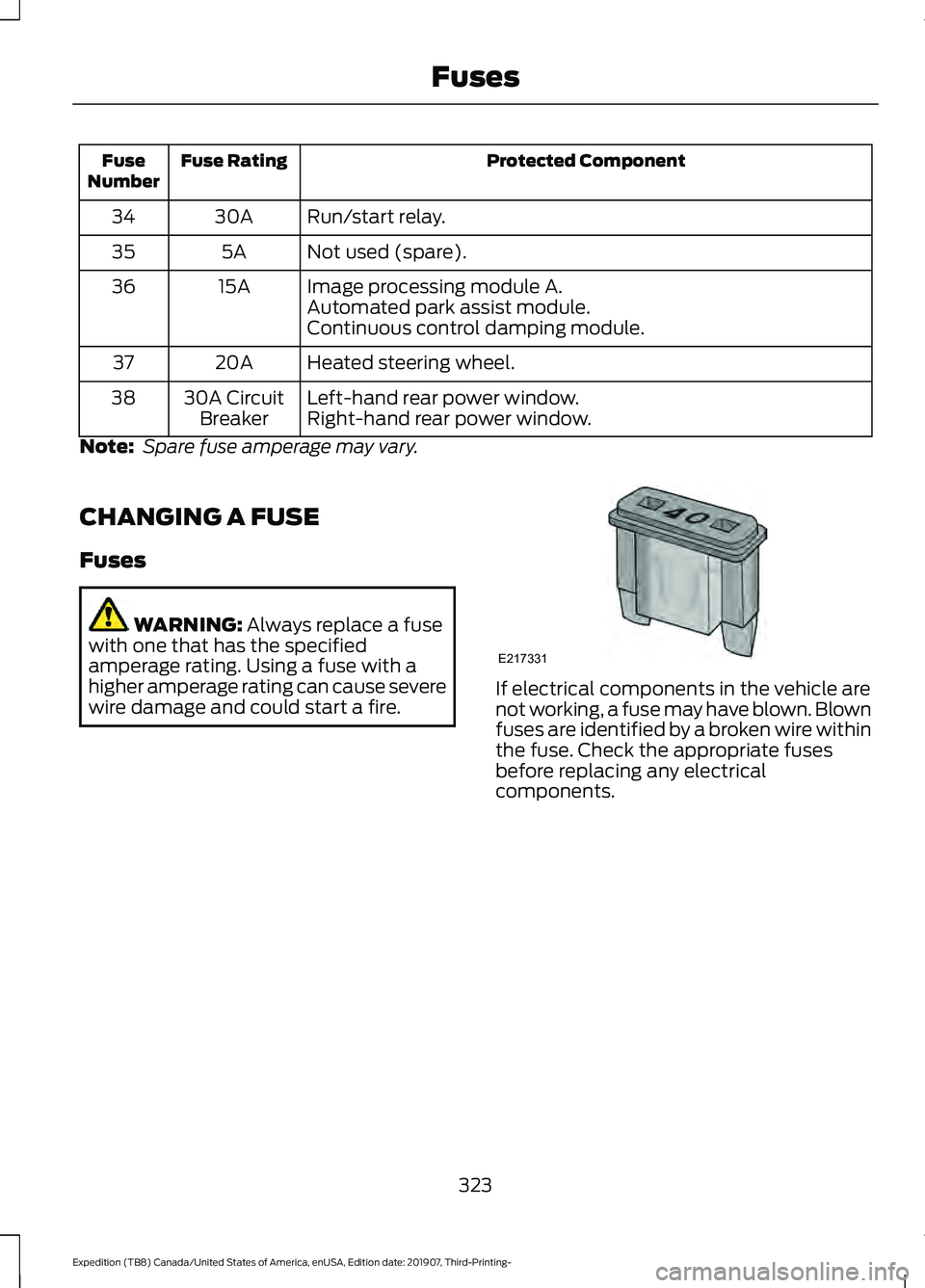
wire damage and could start a fire. If electrical components in the vehicle are
not working, a fuse may have blown. Blown
fuses are identified by a broken wire within
the fuse. Check the appropriate fuses
before replacing any electrical
components.
323
Expedition (TB8) Canada/United States of America, enUSA, Edition date: 201907, Third-Printing- FusesE217331
Page 460 of 542
Action and Description
Menu Item
Select to choose from a listing of
weather locations.
Area
Touch this button to view scores and schedules from a variety
of sports. You can also save up to 10 favorite teams for easier
access. The score automatically refreshes when a game is in
progress.
Sports Info
Touch this button to view ski conditions for a specific area.
Ski Conditions
SETTINGS Press the button to enter the
settings menu.
Once you select a tile, press the
button next to a menu item to
view an explanation of the
feature or setting.
Sound
Select this tile to adjust the sound settings.
Clock
Select this tile to adjust the clock settings.
Bluetooth
Select this tile to switch Bluetooth on and
off and adjust the settings.
Phone
Select this tile to connect, disconnect, and
manage the connected device settings.
Audio
Select this tile to adjust the audio settings. Driver Assist (If Equipped)
Select this tile to adjust Driver Assist
features like Parking Aids, Lane Keeping
System, Pedestrian Detection, and
Auto-Start-Stop.
Vehicle
Select this tile to adjust vehicle settings
like windows, alarm, lighting, and MyKey
settings.
FordPass
Select this tile to adjust the FordPass
settings
General
Select this tile to adjust settings like
language, measurement units, or to reset
the system.
911 Assist
(If Equipped)
Select this tile to switch 911 Assist on and
off.
Automatic Updates
Select this tile to adjust the automatic
update settings.
Mobile Apps
Select this tile to adjust permissions,
enable, disable, and update mobile apps.
457
Expedition (TB8) Canada/United States of America, enUSA, Edition date: 201907, Third-Printing- SYNC™ 3E280315 E268570
Page 477 of 542
Less Cost to Properly Maintain Your
Vehicle
Ford Protect extended service plan also
offers a Premium Maintenance Plan that
covers all scheduled maintenance, and
selected wear items. The coverage is
prepaid, so you never have to worry about
the cost of your vehicle
’s maintenance.
Covered maintenance includes:
• Windshield wiper blades.
• Spark plugs.
• The clutch disc (if equipped).
• Brake pads and linings.
• Shock absorbers.
• Struts.
• Engine Belts.
• Engine coolant hoses, clamps and
o-rings.
• Diesel exhaust fluid replenishment (if
equipped).
• Cabin air filter replacement every
20,000 mi (32,000 km) (electric
vehicles only).
Interest Free Finance Options
Just a 5% down payment will provide you
with an affordable, no interest, no fee
payment program allowing you all the
security and benefits Ford Protect
extended service plan has to offer while
paying over time. You are pre-approved
with no credit check or hassles. To learn
more, call our Ford Protect extended
service plan specialists at 800-367-3377.
Ford Protect Extended Service Plan
P.O. Box 321067
Detroit, MI 48232 Ford Protect Extended Service
Plan (CANADA ONLY)
You can get more protection for your
vehicle by purchasing a Ford Protect
extended service plan. Ford Protect
extended service plan is the only service
contract backed by Ford Motor Company
of Canada, Limited. Depending on the plan
you purchase, Ford Protect extended
service plan provides benefits such as:
•
Rental reimbursement.
• Coverage for certain maintenance and
wear items.
• Protection against repair costs after
your New Vehicle Limited Warranty
Coverage expires.
• Roadside Assistance benefits.
There are several Ford Protect extended
service plans available in various time,
distance and deductible combinations.
Each plan is tailored to fit your own driving
needs, including reimbursement for towing
and rental. When you purchase Ford
Protect extended service plan, you receive
added peace-of-mind protection
throughout Canada, the United States and
Mexico, provided by a network of
participating authorized Ford Motor
Company dealers.
Note: Repairs performed outside of Canada
and the United States are not eligible for
Ford Protect extended service plan
coverage.
This information is subject to change. For
more information; visit your local Ford of
Canada dealer or www.ford.ca to find the
Ford Protect extended service plan that is
right for you.
474
Expedition (TB8) Canada/United States of America, enUSA, Edition date: 201907, Third-Printing- Ford Protect
Page 528 of 542
3
360 Degree Camera...................................233
Advanced Camera Views................................ 233
Camera Views..................................................... 233
Front Camera...................................................... 234
Keep Out Zone.................................................... 234
Side Camera........................................................ 234
4
4WD See: Four-Wheel Drive.................................... 200
A
A/C See: Climate Control......................................... 139
About This Manual...........................................7
ABS See: Brakes.......................................................... 209
ABS driving hints See: Hints on Driving With Anti-Lock
Brakes............................................................... 209
Accessories.....................................................472
Accessories See: Replacement Parts
Recommendation............................................ 14
ACC See: Using Adaptive Cruise Control............237
Active Park Assist.........................................223 Using Active Park Assist.................................. 224
Adjustable Pedals...........................................91
Adjusting the Headlamps.........................337 Horizontal Aim Adjustment........................... 338
Vertical Aim Adjustment................................. 337
Adjusting the Pedals......................................91
Adjusting the Steering Wheel - Vehicles With: Manual Adjustable Steering
Column............................................................87
Adjusting the Steering Wheel - Vehicles With: Power Adjustable Steering
Column............................................................87
End of Travel Position........................................ 88
Memory Feature................................................... 88
Airbag Disposal...............................................55
Air Conditioning See: Climate Control......................................... 139Air Filter
See: Changing the Engine Air Filter.............329
Alarm See: Anti-Theft Alarm........................................ 83
Ambient Lighting
...........................................98
Adjusting the Brightness................................... 98
Switching Ambient Lighting Off..................... 98
Switching Ambient Lighting On..................... 98
Anti-Theft Alarm............................................83 Arming the Alarm................................................ 84
Disarming the Alarm........................................... 84
Using the System................................................. 83
Appendices....................................................494
Apps.................................................................454 SiriusXM Traffic and Travel Link.................. 456
Using Apps on an Android Device...............455
Using Apps on an iOS Device........................ 455
Using Mobile Navigation on an Android Device............................................................... 455
At a Glance........................................................18
Audible Warnings and Indicators.............113 Direction Indicator Tone.................................... 113
Headlamps On Warning Tone......................... 113
Key in Ignition Warning Tone........................... 113
Keyless Warning Alert........................................ 113
Parking Brake On Warning Tone.................... 113
Audio Control
..................................................88
You can operate the following functions
with the control:.............................................. 88
Audio System
...............................................398
General Information......................................... 398
Audio Unit - Vehicles With: Touchscreen Display...........................................................401
Accessing the Sound Settings...................... 401
Adjusting the Volume....................................... 401
Changing Radio Stations............................... 402
Muting the Audio............................................... 402
Playing or Pausing Media............................... 402
Setting the Memory Presets......................... 402
Switching the Audio Unit On and Off........402
Switching the Display On and Off..............402
Using Seek, Fast Forward and Reverse............................................................. 402
Audio Unit - Vehicles Without: Touchscreen Display
...............................398
Accessing the Settings Menu....................... 399
Accessing the Sound Settings..................... 399
Adjusting the Volume...................................... 399
525
Expedition (TB8) Canada/United States of America, enUSA, Edition date: 201907, Third-Printing- Index
Page 533 of 542
Trailer Towing Connector (Vehicles with a
Trailer Towing Package and 7 –Pin
Connector)...................................................... 289
When Towing a Trailer..................................... 295
Event Data Recording See: Data Recording.............................................. 9
Export Unique Options.................................16
Exterior Mirrors..............................................102
360-Degree Camera......................................... 103
Auto-Dimming Feature.................................... 103
Auto-Folding Mirrors......................................... 102
Blind Spot Monitor............................................. 103
Fold-Away Exterior Mirrors............................. 102
Heated Exterior Mirrors.................................... 103
Memory Mirrors................................................... 103
Power Exterior Mirrors.......................................102
Puddle Lamps .................................................... 103
Signal Indicator Mirrors.................................... 103
F
Fastening the Seatbelts..............................38 Rear Inflatable Seatbelt..................................... 41
Seatbelt Locking Modes................................... 40
Using Seatbelts During Pregnancy................39
Flat Tire See: Changing a Road Wheel........................ 372
Floor Mats......................................................300
Fog Lamps - Front See: Front Fog Lamps........................................ 96
Foot Pedals See: Adjusting the Pedals.................................. 91
Ford Credit
.........................................................13
US Only..................................................................... 13
Ford Protect...................................................473 Ford Protect Extended Service Plan
(CANADA ONLY)........................................... 474
Ford Protect Extended Service Plans (U.S. Only).................................................................. 473
Four-Wheel Drive
........................................200
Front Fog Lamps............................................96 Front Fog Lamp Indicator.................................. 97
Switching the Front Fog Lamps On or Off........................................................................\
. 96
Front Parking Aid.........................................220 Object Distance Indicator................................ 221
Front Passenger Sensing System............50
Fuel and Refueling
.......................................182 Fuel Consumption........................................187
Advertised Capacity........................................... 187
Calculating Fuel Economy.............................. 188
Filling the Fuel Tank.......................................... 188
Fuel Filler Funnel Location........................183
Fuel Filter
........................................................339
Fuel Quality.....................................................182
Choosing the Right Fuel................................... 182
Fuel Shutoff
...................................................303
Fuse Box Locations......................................315 Engine Compartment Fuse Box.................... 315
Passenger Compartment Fuse Box.............315
Fuses.................................................................315
Fuse Specification Chart
...........................315
Engine Compartment Fuse Box.................... 315
Passenger Compartment Fuse Box.............321
G
Garage Door Opener
...................................165
Garage Door Opener See: Universal Garage Door Opener...........165
Gauges..............................................................107 4 Inch Display....................................................... 107
8 Inch Display...................................................... 108
Configurable Gauge.......................................... 109
Engine Coolant Temperature Gauge..........109
Engine Oil Pressure Gauge............................. 109
Fuel Gauge............................................................ 109
Gearbox See: Transmission.............................................. 193
General Information on Radio Frequencies...................................................56
Intelligent Access................................................. 56
General Maintenance Information
........475
Multi-Point Inspection...................................... 477
Owner Checks and Services.......................... 476
Protecting Your Investment........................... 475
Why Maintain Your Vehicle?.......................... 475
Why Maintain Your Vehicle at Your Dealership?..................................................... 475
Getting Assistance Outside the U.S. and Canada...........................................................311
Getting the Services You Need..............308 Away From Home............................................. 308
Global Opening and Closing.....................101 Closing the Windows........................................ 102
Opening the Windows...................................... 102
530
Expedition (TB8) Canada/United States of America, enUSA, Edition date: 201907, Third-Printing- Index
Page 534 of 542
H
Hazard Flashers...........................................303
Headlamp Adjusting See: Adjusting the Headlamps..................... 337
Headlamp Exit Delay
....................................95
Headlamp Removal See: Removing a Headlamp......................... 340
Headrest See: Head Restraints........................................ 150
Head Restraints............................................150 Adjusting the Head Restraint.......................... 151
Front Seat Manual Head Restraints.............151
Heated Exterior Mirrors..............................148
Heated Rear Window..................................148
Heated Steering Wheel...............................89
Heated Windshield
.......................................147
Windshield Wiper De-Icer................................ 147
Heating See: Climate Control......................................... 139
Hill Descent Control
.....................................217
Principle of Operation........................................ 217
Hill Start Assist...............................................211 Switching the System On and Off................212
Using Hill Start Assist........................................ 212
Hints on Controlling the Interior Climate - Vehicles With: Automatic
Temperature Control
................................143
Defogging the Side Windows in Cold
Weather............................................................. 144
General Hints........................................................ 143
Quickly Cooling the Interior............................ 144
Quickly Heating the Interior............................ 144
Recommended Settings for Cooling...........144
Recommended Settings for Heating..........144
Hints on Controlling the Interior Climate - Vehicles With: Manual Temperature
Control...........................................................144
Defogging the Side Windows in Cold Weather............................................................. 145
General Hints....................................................... 144
Quickly Cooling the Interior............................. 145
Quickly Heating the Interior............................ 144
Recommended Settings for Cooling...........145
Recommended Settings for Heating..........145
Vehicle Stationary for Extended Periods During Extreme High Ambient
Temperatures.................................................. 145Hints on Driving With Anti-Lock
Brakes...........................................................209
Hood Lock See: Opening and Closing the Hood..........325
Horn....................................................................90
I
Ignition Switch
................................................173
In California (U.S. Only)............................309
Information Display Control......................89
Information Displays....................................114 General Information........................................... 114
Information Messages................................123 Active Park............................................................. 123
Adaptive Cruise Control................................... 124
AdvanceTrac and Traction Control..............124
Airbag...................................................................... 125
Alarm and Security............................................. 125
Automatic Engine Shutdown......................... 125
Battery and Charging System........................ 126
Blind Spot Information and Cross Traffic Alert System.................................................... 126
Doors and Locks.................................................. 127
Driver Alert............................................................. 127
Drivetrain................................................................ 128
Engine..................................................................... 129
Four-Wheel Drive................................................ 129
Fuel........................................................................\
.. 130
Keys and Intelligent Access............................ 130
Lane Keeping System......................................... 131
Maintenance.......................................................... 131
MyKey...................................................................... 132
Off Road................................................................. 132
Park Aid................................................................... 133
Park Brake............................................................. 134
Power Steering.................................................... 134
Pre-Collision Assist............................................ 135
Pro Trailer Backup Assist™............................. 135
Remote Start........................................................ 136
Seats....................................................................... 136
Starting System .................................................. 137
Tire Pressure Monitoring System.................. 137
Trailer....................................................................... 137
Transmission........................................................ 138
Installing Child Restraints...........................22 Child Seats.............................................................. 22
531
Expedition (TB8) Canada/United States of America, enUSA, Edition date: 201907, Third-Printing- Index
Page 537 of 542
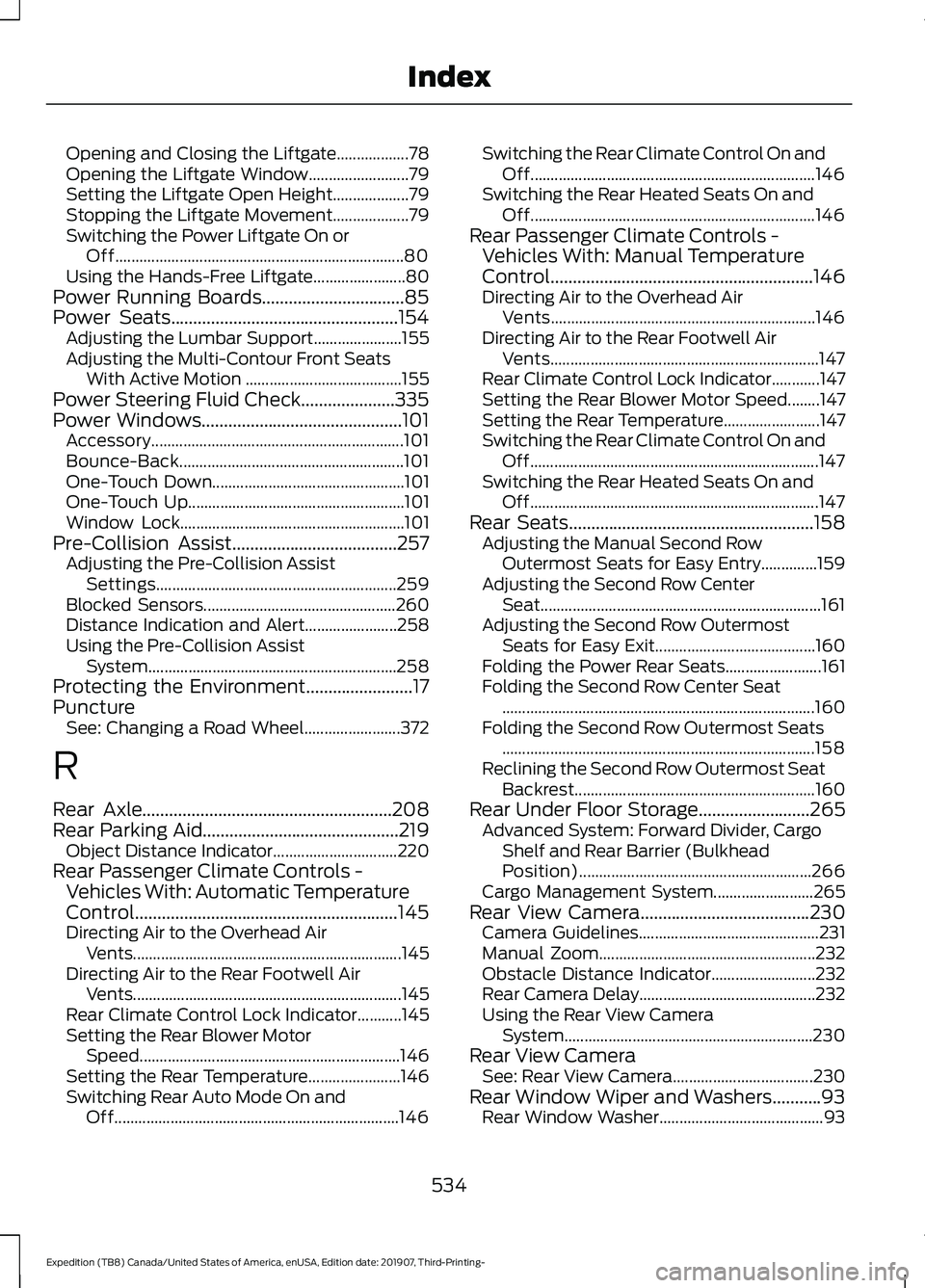
Opening and Closing the Liftgate..................
78
Opening the Liftgate Window......................... 79
Setting the Liftgate Open Height................... 79
Stopping the Liftgate Movement................... 79
Switching the Power Liftgate On or Off........................................................................\
80
Using the Hands-Free Liftgate....................... 80
Power Running Boards................................85
Power Seats...................................................154
Adjusting the Lumbar Support...................... 155
Adjusting the Multi-Contour Front Seats With Active Motion ....................................... 155
Power Steering Fluid Check.....................335
Power Windows
.............................................101
Accessory............................................................... 101
Bounce-Back
........................................................ 101
One-Touch Down................................................ 101
One-Touch Up...................................................... 101
Window Lock........................................................ 101
Pre-Collision Assist
.....................................257
Adjusting the Pre-Collision Assist
Settings............................................................ 259
Blocked Sensors................................................ 260
Distance Indication and Alert....................... 258
Using the Pre-Collision Assist System.............................................................. 258
Protecting the Environment........................17
Puncture See: Changing a Road Wheel........................ 372
R
Rear Axle
........................................................208
Rear Parking Aid............................................219 Object Distance Indicator............................... 220
Rear Passenger Climate Controls - Vehicles With: Automatic Temperature
Control...........................................................145
Directing Air to the Overhead Air Vents................................................................... 145
Directing Air to the Rear Footwell Air Vents................................................................... 145
Rear Climate Control Lock Indicator...........145
Setting the Rear Blower Motor Speed................................................................. 146
Setting the Rear Temperature....................... 146
Switching Rear Auto Mode On and Off....................................................................... 146Switching the Rear Climate Control On and
Off....................................................................... 146
Switching the Rear Heated Seats On and Off....................................................................... 146
Rear Passenger Climate Controls - Vehicles With: Manual Temperature
Control...........................................................146
Directing Air to the Overhead Air Vents.................................................................. 146
Directing Air to the Rear Footwell Air Vents................................................................... 147
Rear Climate Control Lock Indicator............147
Setting the Rear Blower Motor Speed........147
Setting the Rear Temperature........................ 147
Switching the Rear Climate Control On and Off........................................................................\
147
Switching the Rear Heated Seats On and Off........................................................................\
147
Rear Seats
.......................................................158
Adjusting the Manual Second Row
Outermost Seats for Easy Entry..............159
Adjusting the Second Row Center Seat...................................................................... 161
Adjusting the Second Row Outermost Seats for Easy Exit........................................ 160
Folding the Power Rear Seats........................ 161
Folding the Second Row Center Seat ........................................................................\
...... 160
Folding the Second Row Outermost Seats ........................................................................\
...... 158
Reclining the Second Row Outermost Seat Backrest............................................................ 160
Rear Under Floor Storage.........................265 Advanced System: Forward Divider, Cargo
Shelf and Rear Barrier (Bulkhead
Position).......................................................... 266
Cargo Management System......................... 265
Rear View Camera
......................................230
Camera Guidelines............................................. 231
Manual Zoom...................................................... 232
Obstacle Distance Indicator.......................... 232
Rear Camera Delay............................................ 232
Using the Rear View Camera System.............................................................. 230
Rear View Camera See: Rear View Camera................................... 230
Rear Window Wiper and Washers
...........93
Rear Window Washer......................................... 93
534
Expedition (TB8) Canada/United States of America, enUSA, Edition date: 201907, Third-Printing- Index
Page 540 of 542
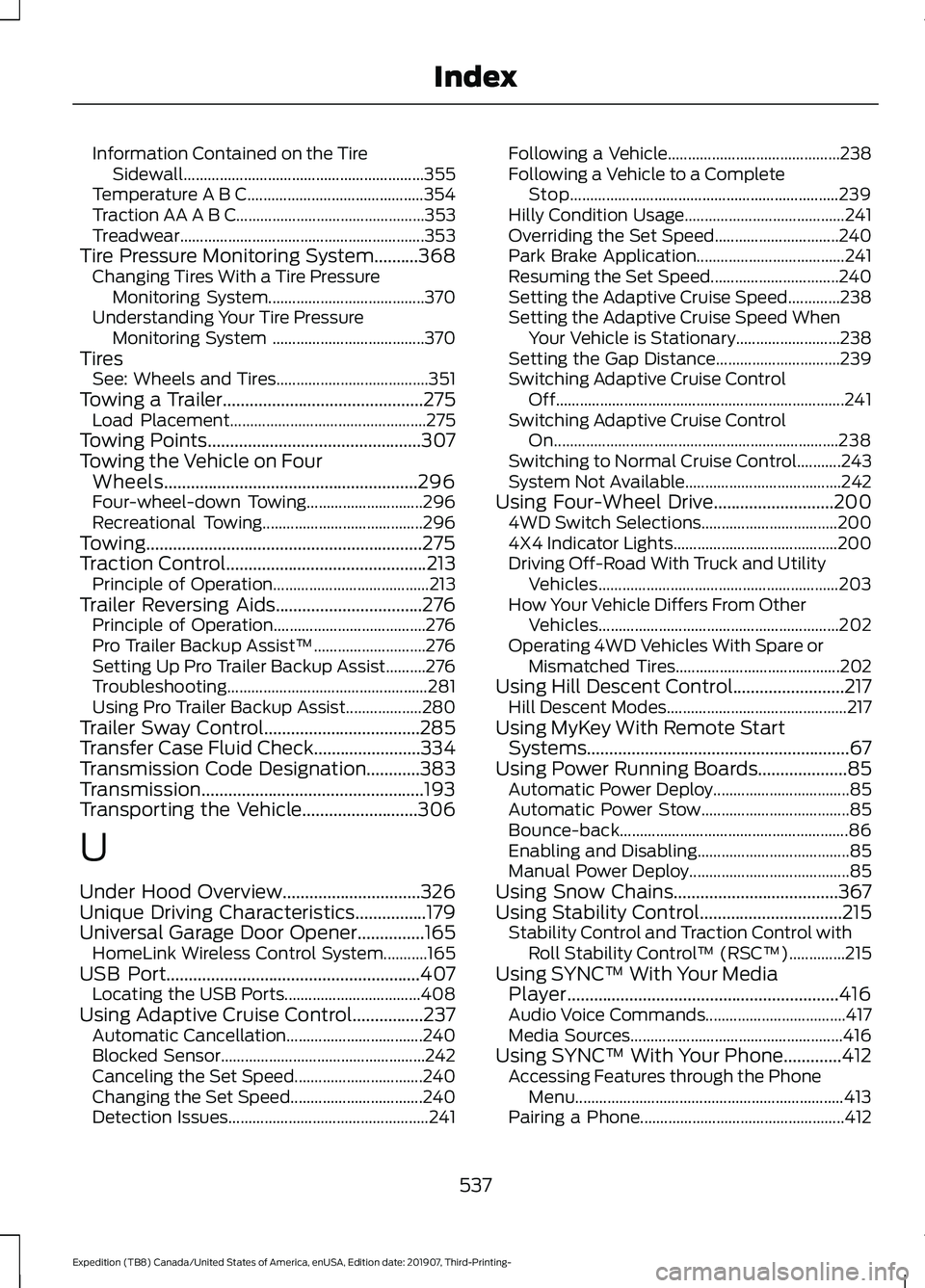
Information Contained on the Tire
Sidewall ............................................................ 355
Temperature A B C............................................ 354
Traction AA A B C............................................... 353
Treadwear............................................................. 353
Tire Pressure Monitoring System..........368 Changing Tires With a Tire Pressure
Monitoring System....................................... 370
Understanding Your Tire Pressure Monitoring System ...................................... 370
Tires See: Wheels and Tires...................................... 351
Towing a Trailer.............................................275 Load Placement................................................. 275
Towing Points................................................307
Towing the Vehicle on Four Wheels.........................................................296
Four-wheel-down Towing............................. 296
Recreational Towing........................................ 296
Towing
..............................................................275
Traction Control.............................................213
Principle of Operation....................................... 213
Trailer Reversing Aids
.................................276
Principle of Operation...................................... 276
Pro Trailer Backup Assist™............................ 276
Setting Up Pro Trailer Backup Assist..........276
Troubleshooting.................................................. 281
Using Pro Trailer Backup Assist................... 280
Trailer Sway Control...................................285
Transfer Case Fluid Check........................334
Transmission Code Designation............383
Transmission..................................................193
Transporting the Vehicle..........................306
U
Under Hood Overview...............................326
Unique Driving Characteristics
................179
Universal Garage Door Opener...............165 HomeLink Wireless Control System...........165
USB Port.........................................................407 Locating the USB Ports.................................. 408
Using Adaptive Cruise Control................237 Automatic Cancellation.................................. 240
Blocked Sensor................................................... 242
Canceling the Set Speed................................ 240
Changing the Set Speed................................. 240
Detection Issues.................................................. 241Following a Vehicle...........................................
238
Following a Vehicle to a Complete Stop................................................................... 239
Hilly Condition Usage........................................ 241
Overriding the Set Speed............................... 240
Park Brake Application..................................... 241
Resuming the Set Speed................................ 240
Setting the Adaptive Cruise Speed.............238
Setting the Adaptive Cruise Speed When Your Vehicle is Stationary.......................... 238
Setting the Gap Distance............................... 239
Switching Adaptive Cruise Control Off........................................................................\
241
Switching Adaptive Cruise Control On....................................................................... 238
Switching to Normal Cruise Control...........243
System Not Available....................................... 242
Using Four-Wheel Drive...........................200 4WD Switch Selections.................................. 200
4X4 Indicator Lights......................................... 200
Driving Off-Road With Truck and Utility Vehicles............................................................ 203
How Your Vehicle Differs From Other Vehicles............................................................ 202
Operating 4WD Vehicles With Spare or Mismatched Tires......................................... 202
Using Hill Descent Control.........................217 Hill Descent Modes............................................. 217
Using MyKey With Remote Start Systems...........................................................67
Using Power Running Boards
....................85
Automatic Power Deploy.................................. 85
Automatic Power Stow..................................... 85
Bounce-back......................................................... 86
Enabling and Disabling...................................... 85
Manual Power Deploy........................................ 85
Using Snow Chains.....................................367
Using Stability Control................................215 Stability Control and Traction Control with
Roll Stability Control ™ (RSC™)..............215
Using SYNC™ With Your Media Player.............................................................416
Audio Voice Commands................................... 417
Media Sources..................................................... 416
Using SYNC™ With Your Phone.............412 Accessing Features through the Phone
Menu................................................................... 413
Pairing a Phone................................................... 412
537
Expedition (TB8) Canada/United States of America, enUSA, Edition date: 201907, Third-Printing- Index