spare wheel FORD EXPEDITION 2020 Owner's Manual
[x] Cancel search | Manufacturer: FORD, Model Year: 2020, Model line: EXPEDITION, Model: FORD EXPEDITION 2020Pages: 542, PDF Size: 6.73 MB
Page 377 of 542
as possible. Use of any tire or wheel not
recommended by Ford can affect the
safety and performance of your vehicle,
which could result in an increased risk of
loss of vehicle control, vehicle rollover,
personal injury and death.
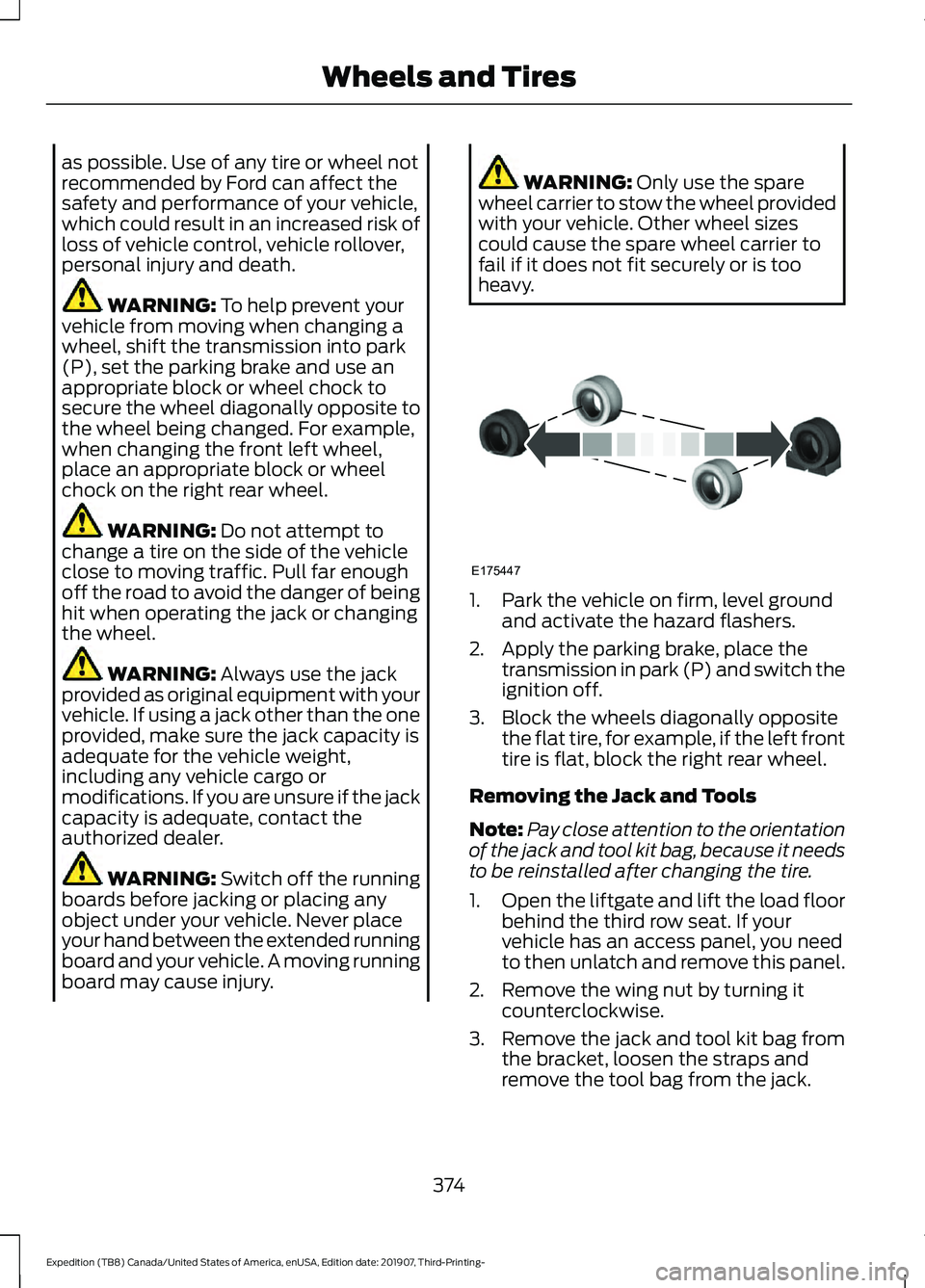
WARNING: To help prevent your
vehicle from moving when changing a
wheel, shift the transmission into park
(P), set the parking brake and use an
appropriate block or wheel chock to
secure the wheel diagonally opposite to
the wheel being changed. For example,
when changing the front left wheel,
place an appropriate block or wheel
chock on the right rear wheel. WARNING:
Do not attempt to
change a tire on the side of the vehicle
close to moving traffic. Pull far enough
off the road to avoid the danger of being
hit when operating the jack or changing
the wheel. WARNING:
Always use the jack
provided as original equipment with your
vehicle. If using a jack other than the one
provided, make sure the jack capacity is
adequate for the vehicle weight,
including any vehicle cargo or
modifications. If you are unsure if the jack
capacity is adequate, contact the
authorized dealer. WARNING:
Switch off the running
boards before jacking or placing any
object under your vehicle. Never place
your hand between the extended running
board and your vehicle. A moving running
board may cause injury. WARNING:
Only use the spare
wheel carrier to stow the wheel provided
with your vehicle. Other wheel sizes
could cause the spare wheel carrier to
fail if it does not fit securely or is too
heavy. 1. Park the vehicle on firm, level ground
and activate the hazard flashers.
2. Apply the parking brake, place the transmission in park (P) and switch the
ignition off.
3. Block the wheels diagonally opposite the flat tire, for example, if the left front
tire is flat, block the right rear wheel.
Removing the Jack and Tools
Note: Pay close attention to the orientation
of the jack and tool kit bag, because it needs
to be reinstalled after changing the tire.
1. Open the liftgate and lift the load floor
behind the third row seat. If your
vehicle has an access panel, you need
to then unlatch and remove this panel.
2. Remove the wing nut by turning it counterclockwise.
3. Remove the jack and tool kit bag from the bracket, loosen the straps and
remove the tool bag from the jack.
374
Expedition (TB8) Canada/United States of America, enUSA, Edition date: 201907, Third-Printing- Wheels and TiresE175447
Page 378 of 542
Removing the Spare Tire
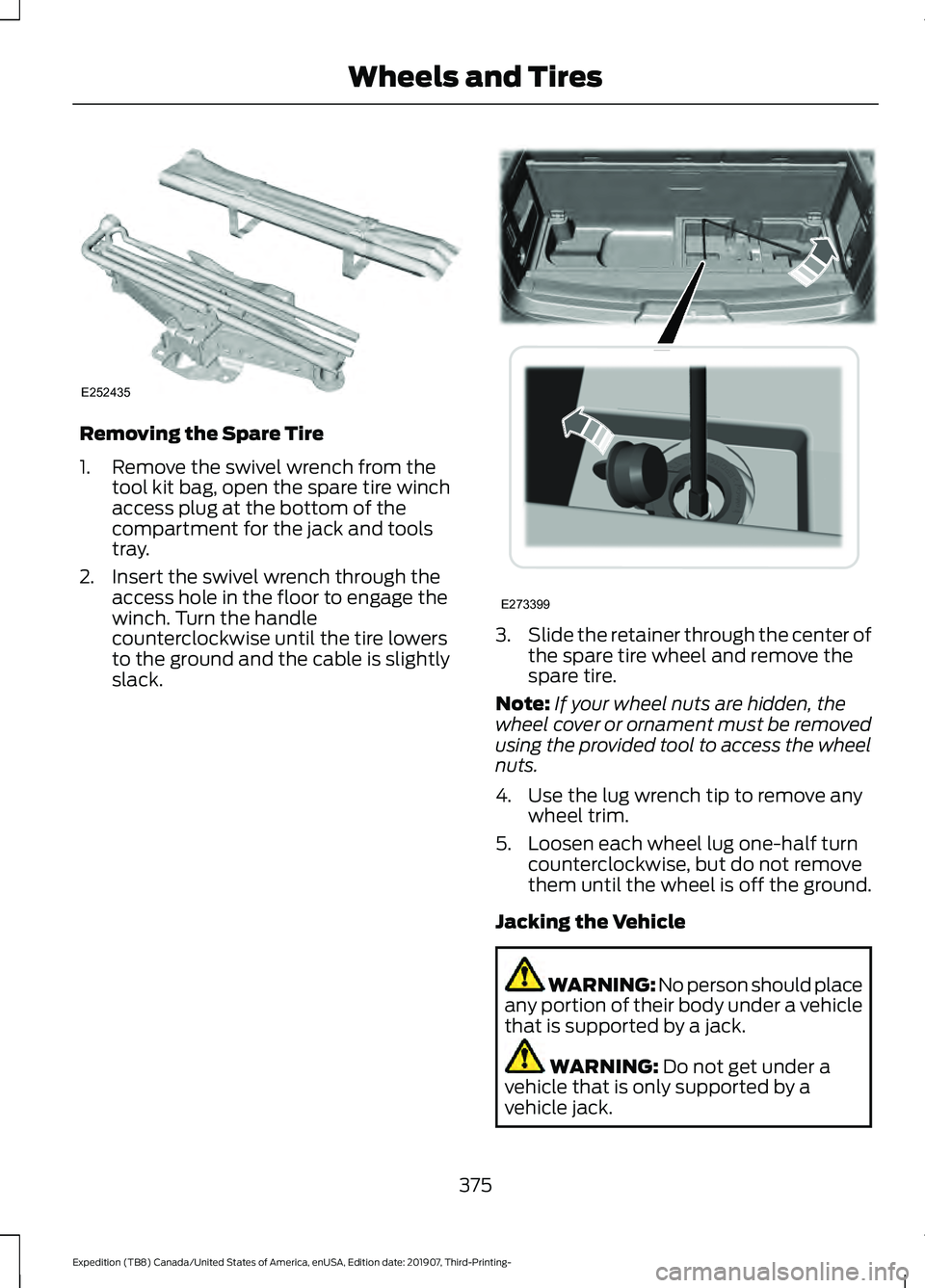
1. Remove the swivel wrench from the
tool kit bag, open the spare tire winch
access plug at the bottom of the
compartment for the jack and tools
tray.
2. Insert the swivel wrench through the access hole in the floor to engage the
winch. Turn the handle
counterclockwise until the tire lowers
to the ground and the cable is slightly
slack. 3.
Slide the retainer through the center of
the spare tire wheel and remove the
spare tire.
Note: If your wheel nuts are hidden, the
wheel cover or ornament must be removed
using the provided tool to access the wheel
nuts.
4. Use the lug wrench tip to remove any wheel trim.
5. Loosen each wheel lug one-half turn counterclockwise, but do not remove
them until the wheel is off the ground.
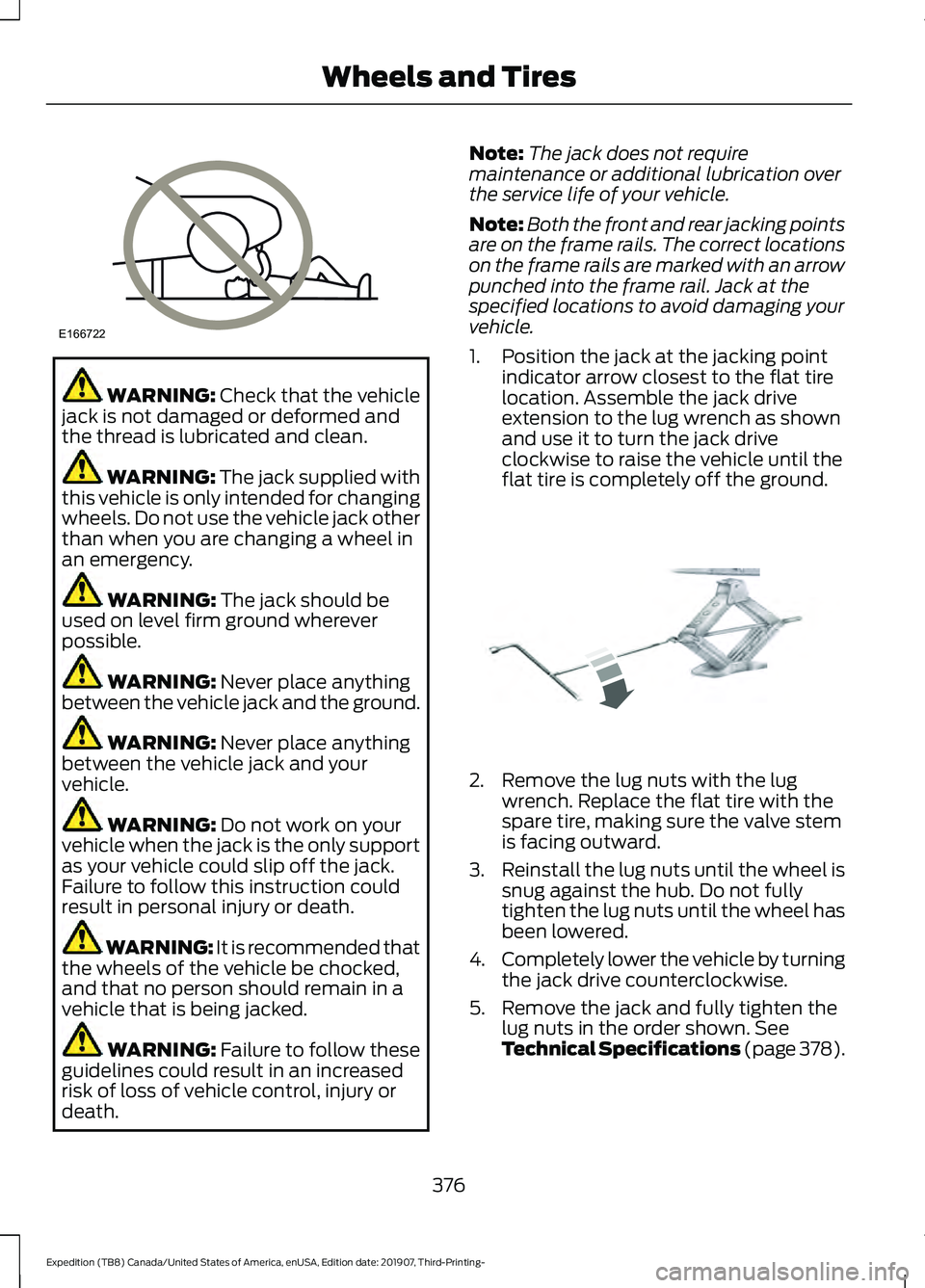
Jacking the Vehicle WARNING: No person should place
any portion of their body under a vehicle
that is supported by a jack. WARNING: Do not get under a
vehicle that is only supported by a
vehicle jack.
375
Expedition (TB8) Canada/United States of America, enUSA, Edition date: 201907, Third-Printing- Wheels and TiresE252435 E273399
Page 379 of 542
WARNING: Check that the vehicle
jack is not damaged or deformed and
the thread is lubricated and clean. WARNING: The jack supplied with
this vehicle is only intended for changing
wheels. Do not use the vehicle jack other
than when you are changing a wheel in
an emergency. WARNING:
The jack should be
used on level firm ground wherever
possible. WARNING:
Never place anything
between the vehicle jack and the ground. WARNING:
Never place anything
between the vehicle jack and your
vehicle. WARNING:
Do not work on your
vehicle when the jack is the only support
as your vehicle could slip off the jack.
Failure to follow this instruction could
result in personal injury or death. WARNING: It is recommended that
the wheels of the vehicle be chocked,
and that no person should remain in a
vehicle that is being jacked. WARNING:
Failure to follow these
guidelines could result in an increased
risk of loss of vehicle control, injury or
death. Note:
The jack does not require
maintenance or additional lubrication over
the service life of your vehicle.
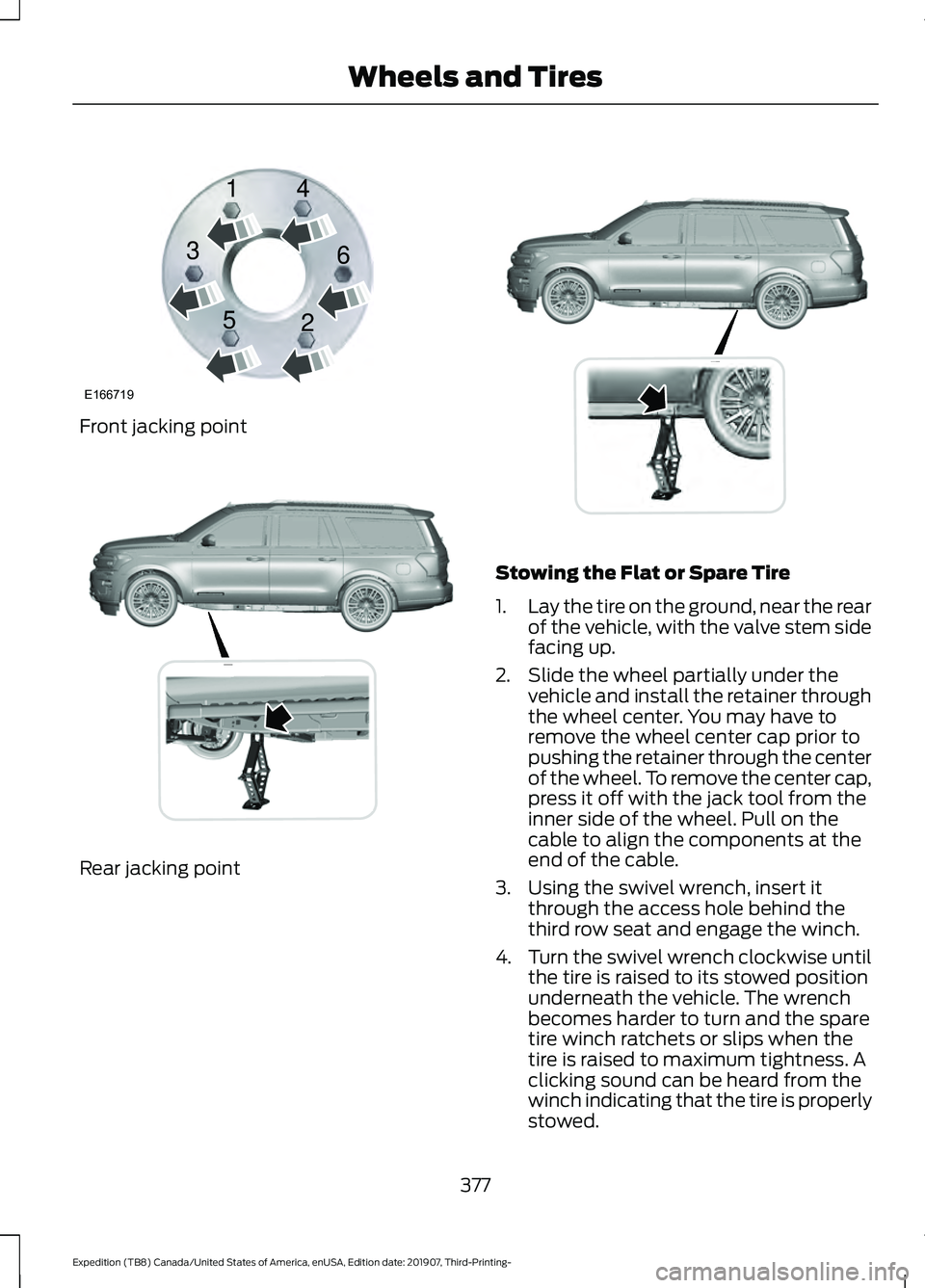
Note: Both the front and rear jacking points
are on the frame rails. The correct locations
on the frame rails are marked with an arrow
punched into the frame rail. Jack at the
specified locations to avoid damaging your
vehicle.
1. Position the jack at the jacking point indicator arrow closest to the flat tire
location. Assemble the jack drive
extension to the lug wrench as shown
and use it to turn the jack drive
clockwise to raise the vehicle until the
flat tire is completely off the ground. 2. Remove the lug nuts with the lug
wrench. Replace the flat tire with the
spare tire, making sure the valve stem
is facing outward.
3. Reinstall the lug nuts until the wheel is
snug against the hub. Do not fully
tighten the lug nuts until the wheel has
been lowered.
4. Completely lower the vehicle by turning
the jack drive counterclockwise.
5. Remove the jack and fully tighten the lug nuts in the order shown. See
Technical Specifications (page 378).
376
Expedition (TB8) Canada/United States of America, enUSA, Edition date: 201907, Third-Printing- Wheels and TiresE166722 E325278
Page 380 of 542
Front jacking point
Rear jacking point Stowing the Flat or Spare Tire
1.
Lay the tire on the ground, near the rear
of the vehicle, with the valve stem side
facing up.
2. Slide the wheel partially under the vehicle and install the retainer through
the wheel center. You may have to
remove the wheel center cap prior to
pushing the retainer through the center
of the wheel. To remove the center cap,
press it off with the jack tool from the
inner side of the wheel. Pull on the
cable to align the components at the
end of the cable.
3. Using the swivel wrench, insert it through the access hole behind the
third row seat and engage the winch.
4. Turn the swivel wrench clockwise until
the tire is raised to its stowed position
underneath the vehicle. The wrench
becomes harder to turn and the spare
tire winch ratchets or slips when the
tire is raised to maximum tightness. A
clicking sound can be heard from the
winch indicating that the tire is properly
stowed.
377
Expedition (TB8) Canada/United States of America, enUSA, Edition date: 201907, Third-Printing- Wheels and TiresE166719
1
3
5 4
6
2 E325274 E325281
Page 530 of 542
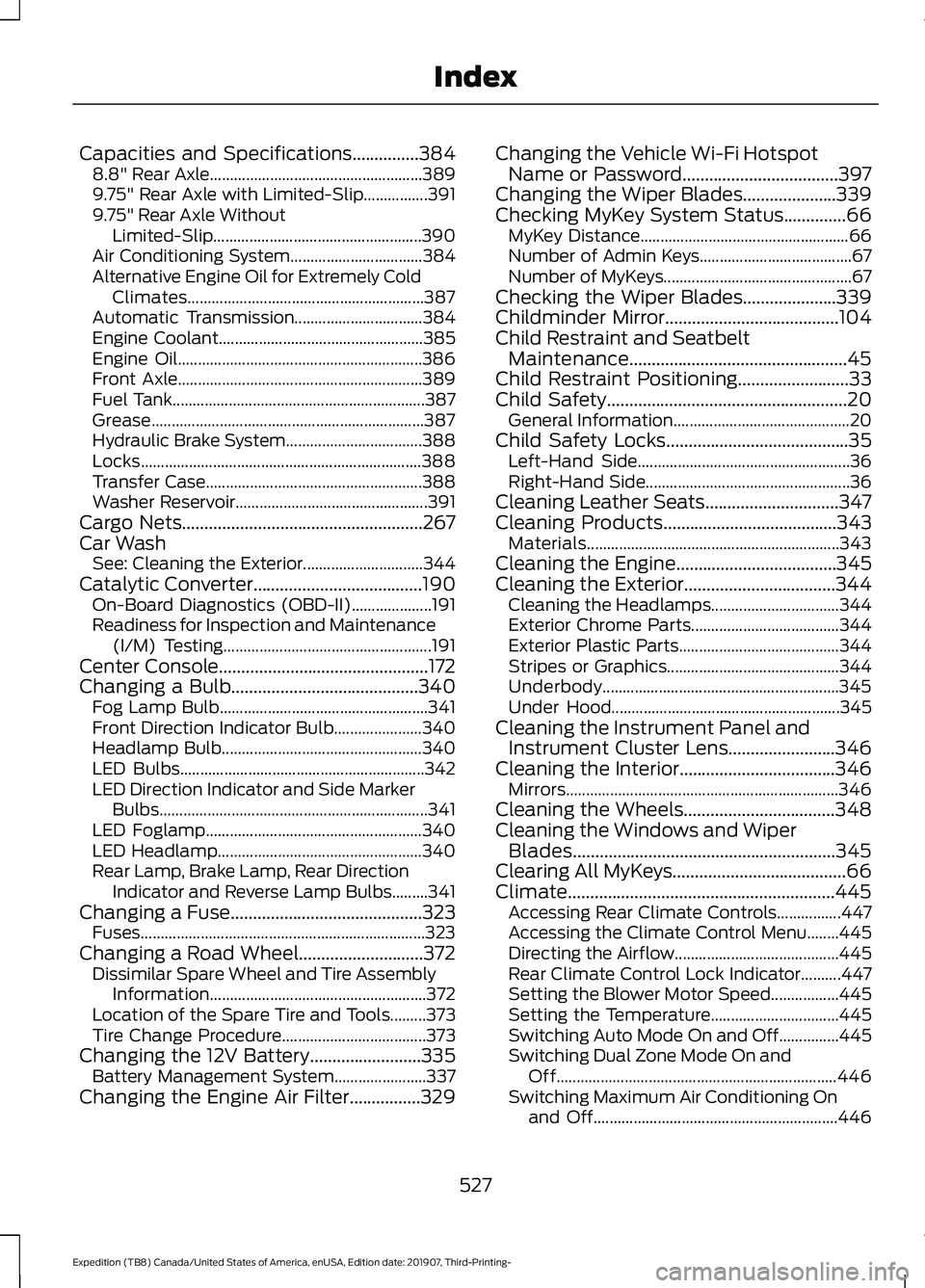
Capacities and Specifications...............384
8.8" Rear Axle..................................................... 389
9.75" Rear Axle with Limited-Slip................391
9.75" Rear Axle Without Limited-Slip.................................................... 390
Air Conditioning System................................. 384
Alternative Engine Oil for Extremely Cold Climates........................................................... 387
Automatic Transmission................................ 384
Engine Coolant................................................... 385
Engine Oil............................................................. 386
Front Axle............................................................. 389
Fuel Tank............................................................... 387
Grease.................................................................... 387
Hydraulic Brake System.................................. 388
Locks...................................................................... 388
Transfer Case...................................................... 388
Washer Reservoir................................................ 391
Cargo Nets......................................................267
Car Wash See: Cleaning the Exterior.............................. 344
Catalytic Converter......................................190 On-Board Diagnostics (OBD-II).................... 191
Readiness for Inspection and Maintenance (I/M) Testing.................................................... 191
Center Console...............................................172
Changing a Bulb..........................................340 Fog Lamp Bulb.................................................... 341
Front Direction Indicator Bulb...................... 340
Headlamp Bulb.................................................. 340
LED Bulbs............................................................. 342
LED Direction Indicator and Side Marker Bulbs................................................................... 341
LED Foglamp...................................................... 340
LED Headlamp................................................... 340
Rear Lamp, Brake Lamp, Rear Direction Indicator and Reverse Lamp Bulbs.........341
Changing a Fuse
...........................................323
Fuses....................................................................... 323
Changing a Road Wheel............................372 Dissimilar Spare Wheel and Tire Assembly
Information...................................................... 372
Location of the Spare Tire and Tools.........373
Tire Change Procedure.................................... 373
Changing the 12V Battery
.........................335
Battery Management System....................... 337
Changing the Engine Air Filter
................329 Changing the Vehicle Wi-Fi Hotspot
Name or Password
...................................397
Changing the Wiper Blades.....................339
Checking MyKey System Status..............66 MyKey Distance.................................................... 66
Number of Admin Keys...................................... 67
Number of MyKeys............................................... 67
Checking the Wiper Blades
.....................339
Childminder Mirror.......................................104
Child Restraint and Seatbelt Maintenance.................................................45
Child Restraint Positioning
.........................33
Child Safety......................................................20 General Information............................................ 20
Child Safety Locks
.........................................35
Left-Hand Side..................................................... 36
Right-Hand Side................................................... 36
Cleaning Leather Seats..............................347
Cleaning Products
.......................................343
Materials............................................................... 343
Cleaning the Engine....................................345
Cleaning the Exterior..................................344 Cleaning the Headlamps................................ 344
Exterior Chrome Parts..................................... 344
Exterior Plastic Parts........................................ 344
Stripes or Graphics........................................... 344
Underbody........................................................... 345
Under Hood......................................................... 345
Cleaning the Instrument Panel and Instrument Cluster Lens........................346
Cleaning the Interior
...................................346
Mirrors.................................................................... 346
Cleaning the Wheels..................................348
Cleaning the Windows and Wiper Blades...........................................................345
Clearing All MyKeys.......................................66
Climate............................................................445 Accessing Rear Climate Controls................447
Accessing the Climate Control Menu........445
Directing the Airflow......................................... 445
Rear Climate Control Lock Indicator..........447
Setting the Blower Motor Speed.................445
Setting the Temperature................................ 445
Switching Auto Mode On and Off...............445
Switching Dual Zone Mode On and Off...................................................................... 446
Switching Maximum Air Conditioning On and Off............................................................. 446
527
Expedition (TB8) Canada/United States of America, enUSA, Edition date: 201907, Third-Printing- Index
Page 535 of 542
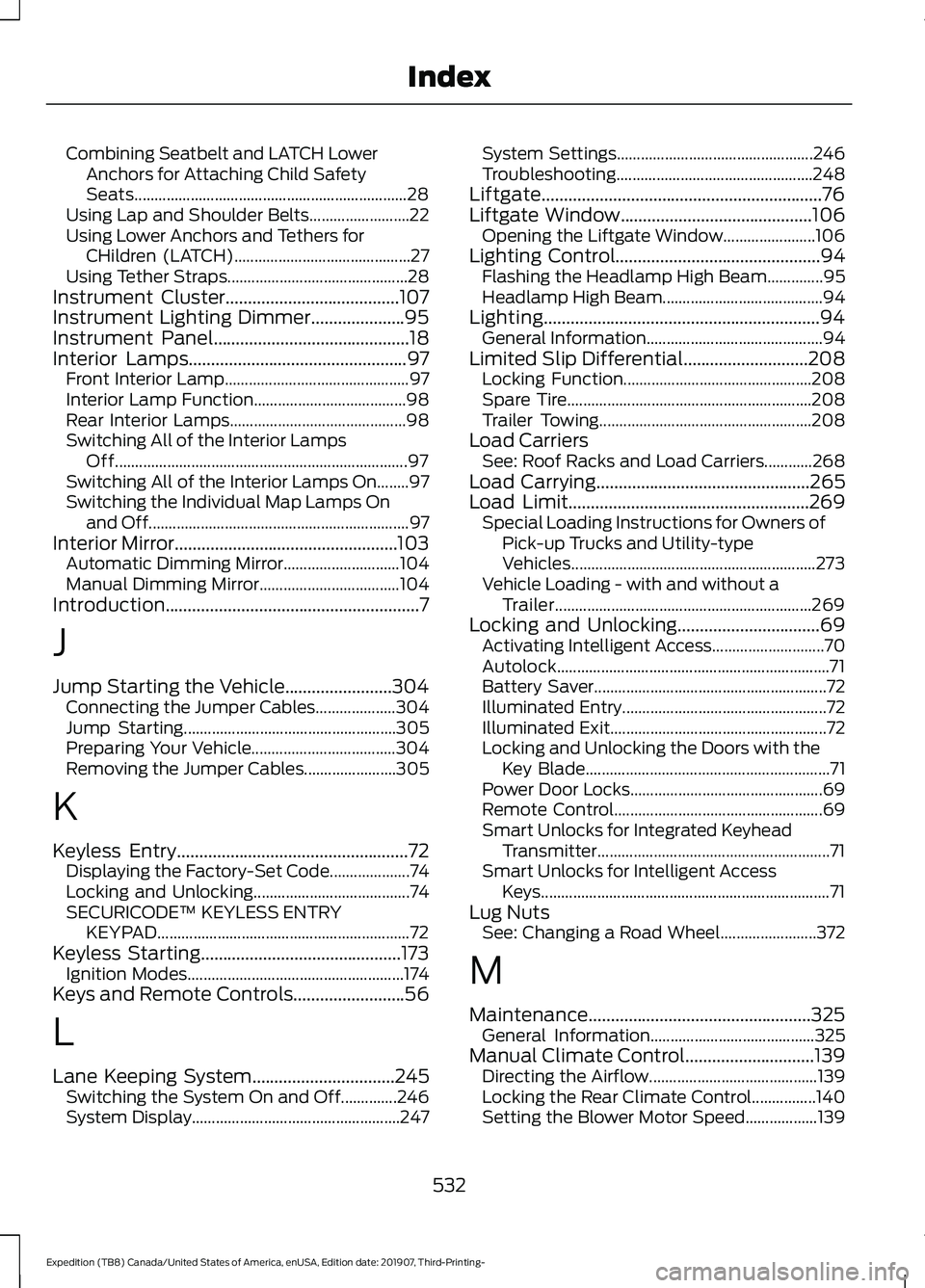
Combining Seatbelt and LATCH Lower
Anchors for Attaching Child Safety
Seats.................................................................... 28
Using Lap and Shoulder Belts......................... 22
Using Lower Anchors and Tethers for CHildren (LATCH)............................................ 27
Using Tether Straps............................................. 28
Instrument Cluster.......................................107
Instrument Lighting Dimmer.....................95
Instrument Panel
............................................18
Interior Lamps.................................................97
Front Interior Lamp.............................................. 97
Interior Lamp Function...................................... 98
Rear Interior Lamps............................................ 98
Switching All of the Interior Lamps Off........................................................................\
. 97
Switching All of the Interior Lamps On........97
Switching the Individual Map Lamps On and Off................................................................. 97
Interior Mirror..................................................103 Automatic Dimming Mirror............................. 104
Manual Dimming Mirror................................... 104
Introduction.........................................................7
J
Jump Starting the Vehicle........................304 Connecting the Jumper Cables.................... 304
Jump Starting..................................................... 305
Preparing Your Vehicle.................................... 304
Removing the Jumper Cables....................... 305
K
Keyless Entry
....................................................72
Displaying the Factory-Set Code.................... 74
Locking and Unlocking....................................... 74
SECURICODE™ KEYLESS ENTRY KEYPAD............................................................... 72
Keyless Starting
.............................................173
Ignition Modes...................................................... 174
Keys and Remote Controls.........................56
L
Lane Keeping System
................................245
Switching the System On and Off..............246
System Display.................................................... 247System Settings.................................................
246
Troubleshooting................................................. 248
Liftgate...............................................................76
Liftgate Window
...........................................106
Opening the Liftgate Window....................... 106
Lighting Control
..............................................94
Flashing the Headlamp High Beam..............95
Headlamp High Beam........................................ 94
Lighting..............................................................94 General Information............................................ 94
Limited Slip Differential
............................208
Locking Function............................................... 208
Spare Tire............................................................. 208
Trailer Towing..................................................... 208
Load Carriers See: Roof Racks and Load Carriers............268
Load Carrying
................................................265
Load Limit......................................................269 Special Loading Instructions for Owners of
Pick-up Trucks and Utility-type
Vehicles............................................................. 273
Vehicle Loading - with and without a Trailer................................................................ 269
Locking and Unlocking................................69 Activating Intelligent Access............................ 70
Autolock.................................................................... 71
Battery Saver.......................................................... 72
Illuminated Entry................................................... 72
Illuminated Exit...................................................... 72
Locking and Unlocking the Doors with the Key Blade............................................................. 71
Power Door Locks................................................ 69
Remote Control.................................................... 69
Smart Unlocks for Integrated Keyhead Transmitter.......................................................... 71
Smart Unlocks for Intelligent Access Keys........................................................................\
71
Lug Nuts See: Changing a Road Wheel........................ 372
M
Maintenance..................................................325 General Information......................................... 325
Manual Climate Control
.............................139
Directing the Airflow.......................................... 139
Locking the Rear Climate Control................140
Setting the Blower Motor Speed.................. 139
532
Expedition (TB8) Canada/United States of America, enUSA, Edition date: 201907, Third-Printing- Index
Page 539 of 542
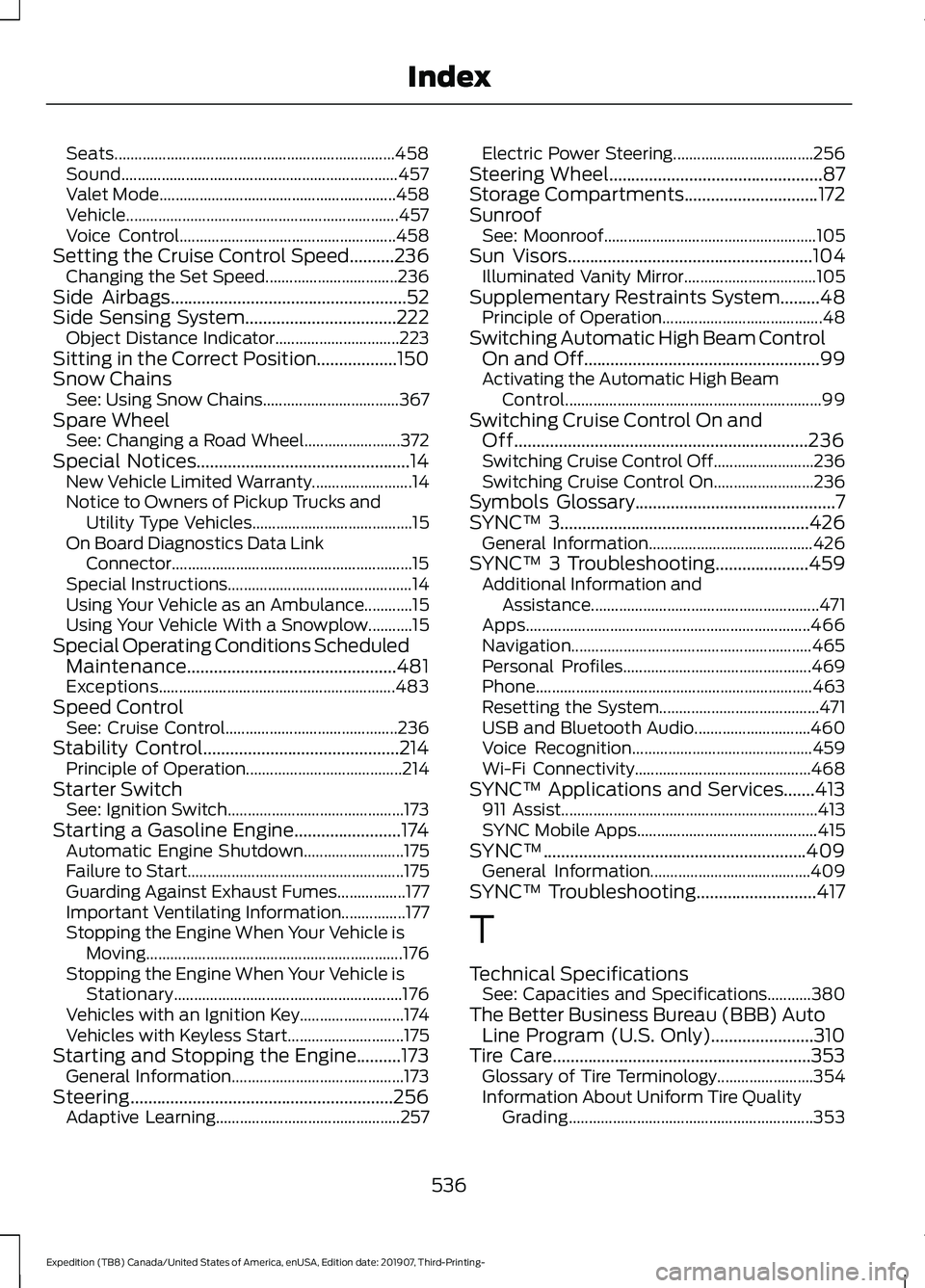
Seats......................................................................
458
Sound..................................................................... 457
Valet Mode........................................................... 458
Vehicle.................................................................... 457
Voice Control...................................................... 458
Setting the Cruise Control Speed..........236 Changing the Set Speed................................. 236
Side Airbags.....................................................52
Side Sensing System..................................222
Object Distance Indicator............................... 223
Sitting in the Correct Position
..................150
Snow Chains See: Using Snow Chains.................................. 367
Spare Wheel See: Changing a Road Wheel........................ 372
Special Notices
................................................14
New Vehicle Limited Warranty......................... 14
Notice to Owners of Pickup Trucks and Utility Type Vehicles........................................ 15
On Board Diagnostics Data Link Connector............................................................ 15
Special Instructions.............................................. 14
Using Your Vehicle as an Ambulance............15
Using Your Vehicle With a Snowplow...........15
Special Operating Conditions Scheduled Maintenance...............................................481
Exceptions........................................................... 483
Speed Control See: Cruise Control........................................... 236
Stability Control............................................214 Principle of Operation....................................... 214
Starter Switch See: Ignition Switch............................................ 173
Starting a Gasoline Engine........................174 Automatic Engine Shutdown......................... 175
Failure to Start...................................................... 175
Guarding Against Exhaust Fumes.................177
Important Ventilating Information................177
Stopping the Engine When Your Vehicle is Moving................................................................ 176
Stopping the Engine When Your Vehicle is Stationary......................................................... 176
Vehicles with an Ignition Key.......................... 174
Vehicles with Keyless Start............................. 175
Starting and Stopping the Engine
..........173
General Information........................................... 173
Steering...........................................................256 Adaptive Learning.............................................. 257Electric Power Steering...................................
256
Steering Wheel................................................87
Storage Compartments
..............................172
Sunroof See: Moonroof..................................................... 105
Sun Visors
.......................................................104
Illuminated Vanity Mirror................................. 105
Supplementary Restraints System.........48 Principle of Operation........................................ 48
Switching Automatic High Beam Control On and Off.....................................................99
Activating the Automatic High Beam Control................................................................ 99
Switching Cruise Control On and Off..................................................................236
Switching Cruise Control Off......................... 236
Switching Cruise Control On......................... 236
Symbols Glossary
.............................................7
SYNC™ 3........................................................426
General Information......................................... 426
SYNC™ 3 Troubleshooting.....................459 Additional Information and
Assistance......................................................... 471
Apps....................................................................... 466
Navigation............................................................ 465
Personal Profiles............................................... 469
Phone..................................................................... 463
Resetting the System........................................ 471
USB and Bluetooth Audio............................. 460
Voice Recognition............................................. 459
Wi-Fi Connectivity............................................ 468
SYNC™ Applications and Services
.......413
911 Assist................................................................ 413
SYNC Mobile Apps............................................. 415
SYNC™...........................................................409 General Information........................................ 409
SYNC™ Troubleshooting
...........................417
T
Technical Specifications See: Capacities and Specifications...........380
The Better Business Bureau (BBB) Auto Line Program (U.S. Only).......................310
Tire Care
..........................................................353
Glossary of Tire Terminology........................ 354
Information About Uniform Tire Quality Grading............................................................. 353
536
Expedition (TB8) Canada/United States of America, enUSA, Edition date: 201907, Third-Printing- Index
Page 540 of 542
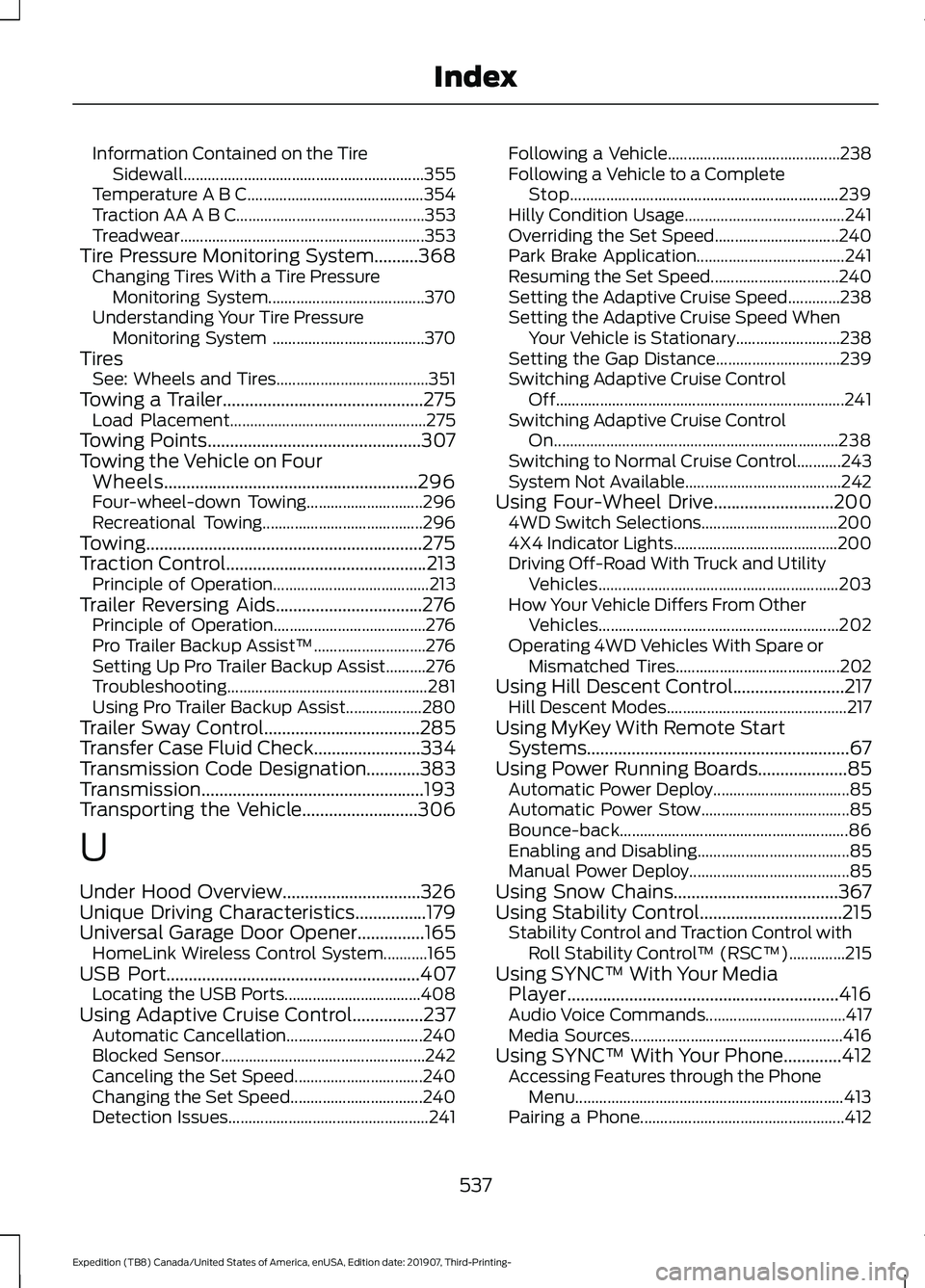
Information Contained on the Tire
Sidewall ............................................................ 355
Temperature A B C............................................ 354
Traction AA A B C............................................... 353
Treadwear............................................................. 353
Tire Pressure Monitoring System..........368 Changing Tires With a Tire Pressure
Monitoring System....................................... 370
Understanding Your Tire Pressure Monitoring System ...................................... 370
Tires See: Wheels and Tires...................................... 351
Towing a Trailer.............................................275 Load Placement................................................. 275
Towing Points................................................307
Towing the Vehicle on Four Wheels.........................................................296
Four-wheel-down Towing............................. 296
Recreational Towing........................................ 296
Towing
..............................................................275
Traction Control.............................................213
Principle of Operation....................................... 213
Trailer Reversing Aids
.................................276
Principle of Operation...................................... 276
Pro Trailer Backup Assist™............................ 276
Setting Up Pro Trailer Backup Assist..........276
Troubleshooting.................................................. 281
Using Pro Trailer Backup Assist................... 280
Trailer Sway Control...................................285
Transfer Case Fluid Check........................334
Transmission Code Designation............383
Transmission..................................................193
Transporting the Vehicle..........................306
U
Under Hood Overview...............................326
Unique Driving Characteristics
................179
Universal Garage Door Opener...............165 HomeLink Wireless Control System...........165
USB Port.........................................................407 Locating the USB Ports.................................. 408
Using Adaptive Cruise Control................237 Automatic Cancellation.................................. 240
Blocked Sensor................................................... 242
Canceling the Set Speed................................ 240
Changing the Set Speed................................. 240
Detection Issues.................................................. 241Following a Vehicle...........................................
238
Following a Vehicle to a Complete Stop................................................................... 239
Hilly Condition Usage........................................ 241
Overriding the Set Speed............................... 240
Park Brake Application..................................... 241
Resuming the Set Speed................................ 240
Setting the Adaptive Cruise Speed.............238
Setting the Adaptive Cruise Speed When Your Vehicle is Stationary.......................... 238
Setting the Gap Distance............................... 239
Switching Adaptive Cruise Control Off........................................................................\
241
Switching Adaptive Cruise Control On....................................................................... 238
Switching to Normal Cruise Control...........243
System Not Available....................................... 242
Using Four-Wheel Drive...........................200 4WD Switch Selections.................................. 200
4X4 Indicator Lights......................................... 200
Driving Off-Road With Truck and Utility Vehicles............................................................ 203
How Your Vehicle Differs From Other Vehicles............................................................ 202
Operating 4WD Vehicles With Spare or Mismatched Tires......................................... 202
Using Hill Descent Control.........................217 Hill Descent Modes............................................. 217
Using MyKey With Remote Start Systems...........................................................67
Using Power Running Boards
....................85
Automatic Power Deploy.................................. 85
Automatic Power Stow..................................... 85
Bounce-back......................................................... 86
Enabling and Disabling...................................... 85
Manual Power Deploy........................................ 85
Using Snow Chains.....................................367
Using Stability Control................................215 Stability Control and Traction Control with
Roll Stability Control ™ (RSC™)..............215
Using SYNC™ With Your Media Player.............................................................416
Audio Voice Commands................................... 417
Media Sources..................................................... 416
Using SYNC™ With Your Phone.............412 Accessing Features through the Phone
Menu................................................................... 413
Pairing a Phone................................................... 412
537
Expedition (TB8) Canada/United States of America, enUSA, Edition date: 201907, Third-Printing- Index