seats FORD EXPEDITION 2020 Workshop Manual
[x] Cancel search | Manufacturer: FORD, Model Year: 2020, Model line: EXPEDITION, Model: FORD EXPEDITION 2020Pages: 542, PDF Size: 6.73 MB
Page 322 of 542
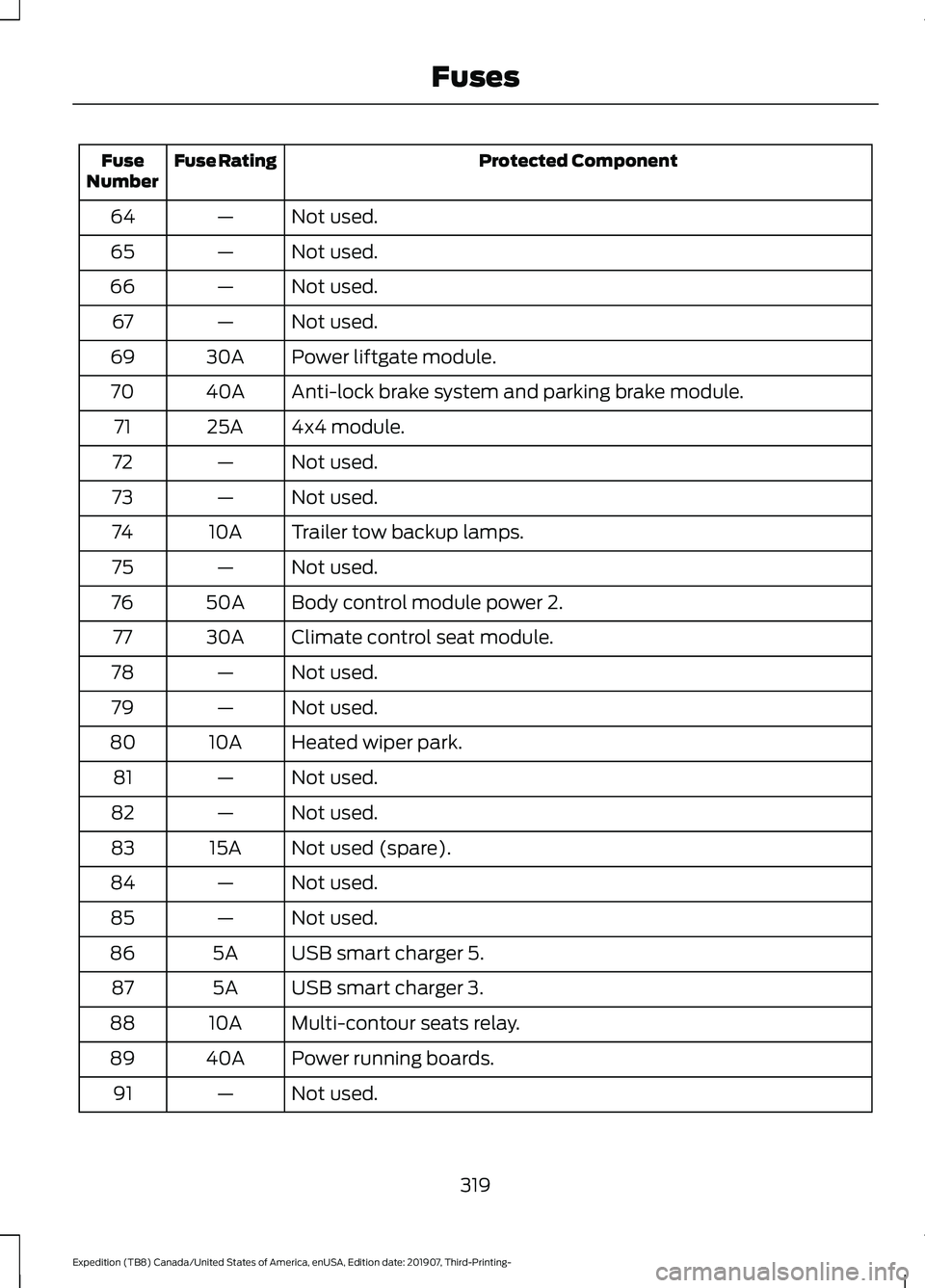
Protected Component
Fuse Rating
Fuse
Number
Not used.
—
64
Not used.
—
65
Not used.
—
66
Not used.
—
67
Power liftgate module.
30A
69
Anti-lock brake system and parking brake module.
40A
70
4x4 module.
25A
71
Not used.
—
72
Not used.
—
73
Trailer tow backup lamps.
10A
74
Not used.
—
75
Body control module power 2.
50A
76
Climate control seat module.
30A
77
Not used.
—
78
Not used.
—
79
Heated wiper park.
10A
80
Not used.
—
81
Not used.
—
82
Not used (spare).
15A
83
Not used.
—
84
Not used.
—
85
USB smart charger 5.
5A
86
USB smart charger 3.
5A
87
Multi-contour seats relay.
10A
88
Power running boards.
40A
89
Not used.
—
91
319
Expedition (TB8) Canada/United States of America, enUSA, Edition date: 201907, Third-Printing- Fuses
Page 340 of 542
Make sure that you dispose of old batteries
in an environmentally friendly way. Seek
advice from your local authority about
recycling old batteries.
If storing your vehicle for more than 30
days without recharging the battery, we
recommend that you disconnect the
negative battery cable to maintain battery
charge for quick starting.
Battery Management System (If
Equipped)
The battery management system monitors
battery conditions and takes actions to
extend battery life. If excessive battery
drain is detected, the system temporarily
disables some electrical systems to
protect the battery.
Systems included are:
• Heated rear window.
• Heated seats.
• Climate control.
• Heated steering wheel.
• Audio unit.
• Navigation system.
A message may appear in the information
displays to alert you that battery
protection actions are active. These
messages are only for notification that an
action is taking place, and not intended to
indicate an electrical problem or that the
battery requires replacement.
After battery replacement, or in some
cases after charging the battery with an
external charger, the battery management
system requires eight hours of vehicle sleep
time to relearn the battery state of charge.
During this time your vehicle must remain
fully locked with the ignition switched off.
Note: Prior to relearning the battery state
of charge, the battery management system
may temporarily disable some electrical
systems. Electrical Accessory Installation
To make sure the battery management
system works correctly, do not connect an
electrical device ground connection
directly to the battery negative post. This
can cause inaccurate measurements of
the battery condition and potential
incorrect system operation.
Note:
If you add electrical accessories or
components to the vehicle, it may adversely
affect battery performance and durability.
This may also affect the performance of
other electrical systems in the vehicle.
ADJUSTING THE HEADLAMPS
Vertical Aim Adjustment
The headlamps on your vehicle are
properly aimed at the assembly plant. If
your vehicle has been in an accident,
contact an authorized dealer to check and
realign your headlamps.
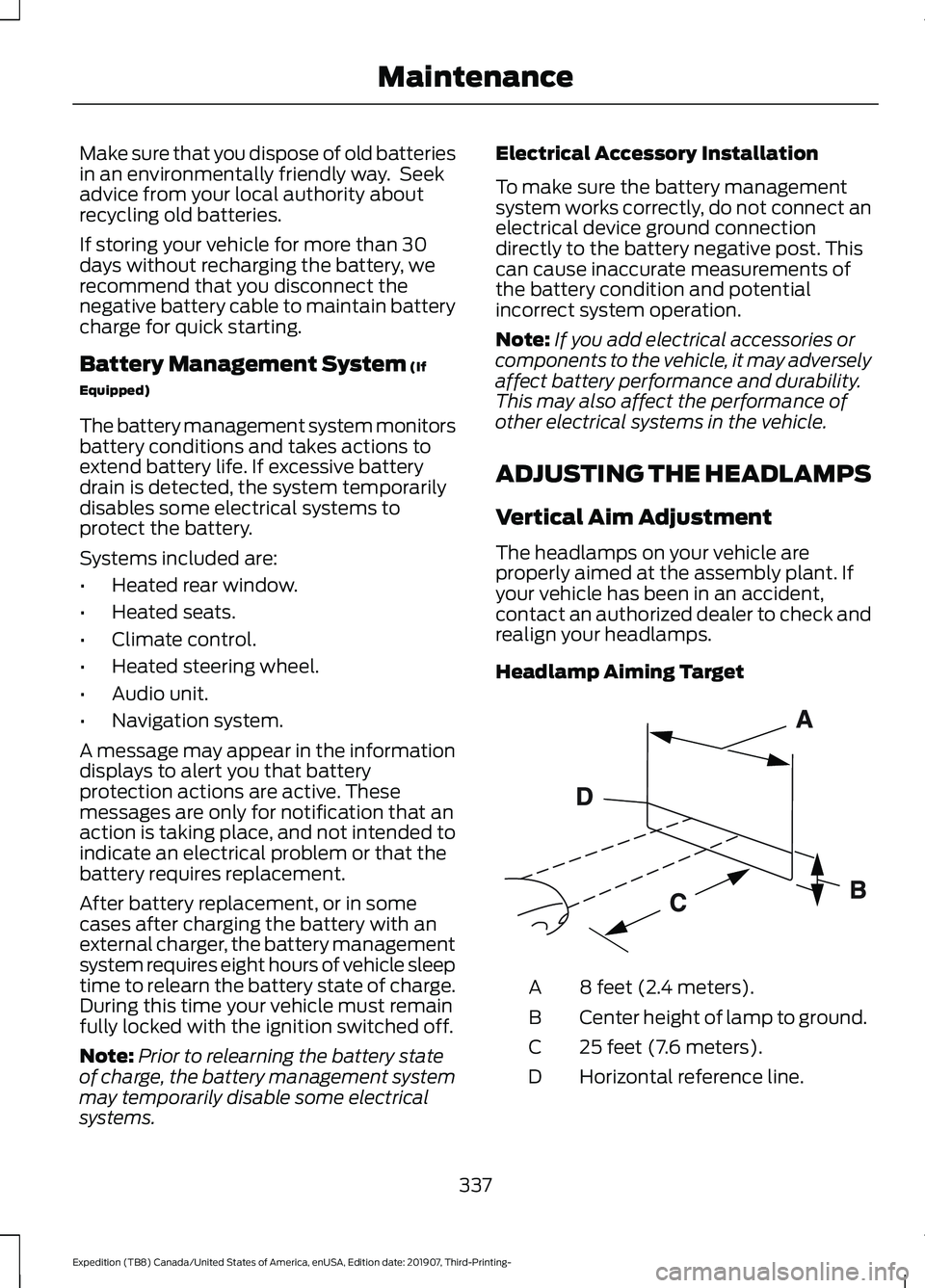
Headlamp Aiming Target 8 feet (2.4 meters).
A
Center height of lamp to ground.
B
25 feet (7.6 meters).
C
Horizontal reference line.
D
337
Expedition (TB8) Canada/United States of America, enUSA, Edition date: 201907, Third-Printing- MaintenanceE142592
Page 349 of 542
To clean the windshield and wiper blades:
•
Clean the windshield with a
non-abrasive glass cleaner. When
cleaning the interior of the windshield,
avoid getting any glass cleaner on the
instrument panel or door panels. Wipe
any glass cleaner off these surfaces
immediately.
• For windshields contaminated with
tree sap, chemicals, wax or bugs, clean
the entire windshield using steel wool
(no greater than 0000 grade) in a
circular motion and rinse with water.
• Clean the wiper blades with isopropyl
rubbing alcohol or windshield washer
concentrate.
Note: Do not use razor blades or other
sharp objects to clean or remove decals
from the inside of the heated rear window.
The vehicle warranty does not cover
damage caused to the heated rear window
grid lines.
CLEANING THE INTERIOR WARNING: Do not use cleaning
solvents, bleach or dye on the vehicle's
seatbelts, as these actions may weaken
the belt webbing. WARNING:
On vehicles equipped
with seat-mounted airbags, do not use
chemical solvents or strong detergents.
Such products could contaminate the
side airbag system and affect
performance of the side airbag in a crash.
For fabric, carpets, cloth seats and seats
equipped with side airbags:
• Remove dust and loose dirt with a
vacuum cleaner.
• Remove light stains and soil with
Motorcraft Professional Strength
Carpet & Upholstery Cleaner. •
If grease or tar is present on the
material, spot-clean the area first with
Motorcraft Spot and Stain Remover. In
Canada, use Motorcraft Multi-Purpose
Cleaner.
• If a ring forms on the fabric after spot
cleaning, clean the entire area
immediately (but do not oversaturate)
or the ring will set.
• Do not use household cleaning
products or glass cleaners, which can
stain and discolor the fabric and affect
the flame retardant abilities of the seat
materials.
Mirrors
Do not clean the housing or glass of any
mirror with harsh abrasives, fuel or other
petroleum or ammonia-based cleaning
products.
CLEANING THE INSTRUMENT
PANEL AND INSTRUMENT
CLUSTER LENS WARNING:
Do not use chemical
solvents or strong detergents when
cleaning the steering wheel or
instrument panel to avoid contamination
of the airbag system.
Note: Follow the same procedure as
cleaning leather seats for cleaning leather
instrument panels and leather interior trim
surfaces. See
Cleaning Leather Seats
(page 347).
Clean the instrument panel and cluster
lens with a clean, damp and soft cloth,
then use a clean, dry and soft cloth to dry
these areas.
346
Expedition (TB8) Canada/United States of America, enUSA, Edition date: 201907, Third-Printing- Vehicle Care
Page 350 of 542
•
Avoid cleaners or polishes that increase
the gloss of the upper portion of the
instrument panel. The dull finish in this
area helps protect you from
undesirable windshield reflection.
• Do not use any household cleaning
products or glass cleaners as these
may damage the finish of the
instrument panel, interior trim and
cluster lens.
• Wash or wipe your hands clean if you
have been in contact with certain
products such as insect repellent and
suntan lotion to avoid possible damage
to the interior painted surfaces.
• Do not allow air fresheners and hand
sanitizers to spill onto interior surfaces.
If a spill occurs, wipe off immediately.
Your warranty may not cover these
damages.
If a staining liquid like coffee or juice has
been spilled on the instrument panel or on
interior trim surfaces:
1. Wipe up spilled liquid using a clean, soft cloth as quickly as possible.
2. Use Motorcraft Premium Leather and Vinyl Cleaner or a commercially
available leather cleaning product for
automotive interiors. Test any cleaner
or stain remover on an inconspicuous
area.
3. Alternatively, wipe the surface with a clean, soft cloth and a mild soap and
water solution. Dry the area with a
clean, soft cloth.
4. If necessary, apply more soap and water solution or cleaning product to
a clean, soft cloth and press it onto the
soiled area. Allow this to set at room
temperature for 30 minutes.
5. Remove the soaked cloth, then with a clean, damp cloth, use a rubbing
motion for 60 seconds on the soiled
area. 6. Dry the area with a clean, soft cloth.
CLEANING LEATHER SEATS (IF
EQUIPPED)
Note: Follow the same procedure as
cleaning leather seats for cleaning leather
instrument panels and leather interior trim
surfaces.
For routine cleaning, wipe the surface with
a soft, damp cloth and a mild soap and
water solution. Dry the area with a clean,
soft cloth.
For cleaning and removing stains such as
dye transfer, use Motorcraft Premium
Leather and Vinyl Cleaner or a
commercially available leather cleaning
product for automotive interiors.
Note: Test any cleaner or stain remover on
an inconspicuous area.
You should:
• Remove dust and loose dirt with a
vacuum cleaner.
• Clean and treat spills and stains as
soon as possible.
Do not use the following products as these
may damage the leather:
• Oil and petroleum or silicone-based
leather conditioners.
• Household cleaners.
• Alcohol solutions.
• Solvents or cleaners intended
specifically for rubber, vinyl and
plastics.
347
Expedition (TB8) Canada/United States of America, enUSA, Edition date: 201907, Third-Printing- Vehicle Care
Page 412 of 542
GENERAL INFORMATION
SYNC is an in-vehicle communications
system that works with your Bluetooth
enabled cellular phone and portable media
player. This allows you to:
•
Make and receive calls.
• Access and play music from your
portable music player.
• Use 911 Assist or Emergency Assistance
and applications via SYNC AppLink. *
• Access phonebook contacts and music
using voice commands.
• Stream music from your connected
phone.
• Text message.
• Use the advanced voice recognition
system.
• Charge your USB device (if your device
supports this).
* These features are not available in all
markets and may require activation.
Available AppLink enabled apps vary by
market.
Make sure that you review your device's
manual before using it with SYNC.
Support
SYNC support is available at your regional
Ford website. See SYNC™
Troubleshooting (page 417).
SYNC Owner Account
Why do I need a SYNC owner account?
• Essential for keeping up with the latest
software downloads available for
SYNC.
• Access to customer support for any
questions you may have. Driving Restrictions
For your safety, certain features are
speed-dependent and restricted when your
vehicle is traveling over
3 mph (5 km/h).
Safety Information WARNING: Driving while distracted
can result in loss of vehicle control, crash
and injury. We strongly recommend that
you use extreme caution when using any
device that may take your focus off the
road. Your primary responsibility is the
safe operation of your vehicle. We
recommend against the use of any
hand-held device while driving and
encourage the use of voice-operated
systems when possible. Make sure you
are aware of all applicable local laws
that may affect the use of electronic
devices while driving.
When using SYNC:
• Do not operate playing devices if the
power cords or cables are broken, split
or damaged. Place cords and cables
out of the way, so they do not interfere
with the operation of pedals, seats,
compartments or safe driving abilities.
• Do not leave playing devices in your
vehicle during extreme conditions as it
could cause them damage. See your
device's manual for further information.
• Do not attempt to service or repair the
system. See an authorized dealer.
Privacy Information
When a cellular phone is connected to
SYNC, the system creates a profile within
your vehicle that is linked to that cellular
phone. This profile is created in order to
offer you more cellular features and to
operate more efficiently. Among other
things, this profile may contain data about
your cellular phone book, text messages
409
Expedition (TB8) Canada/United States of America, enUSA, Edition date: 201907, Third-Printing- SYNC™
Page 449 of 542
A/C: Touch to switch the air conditioning
on or off. Use A/C with recirculated air to
improve cooling performance and
efficiency.
Note: In certain conditions, such as
maximum defrost, the air conditioning
compressor may continue to operate even
though you switch off the air conditioning.
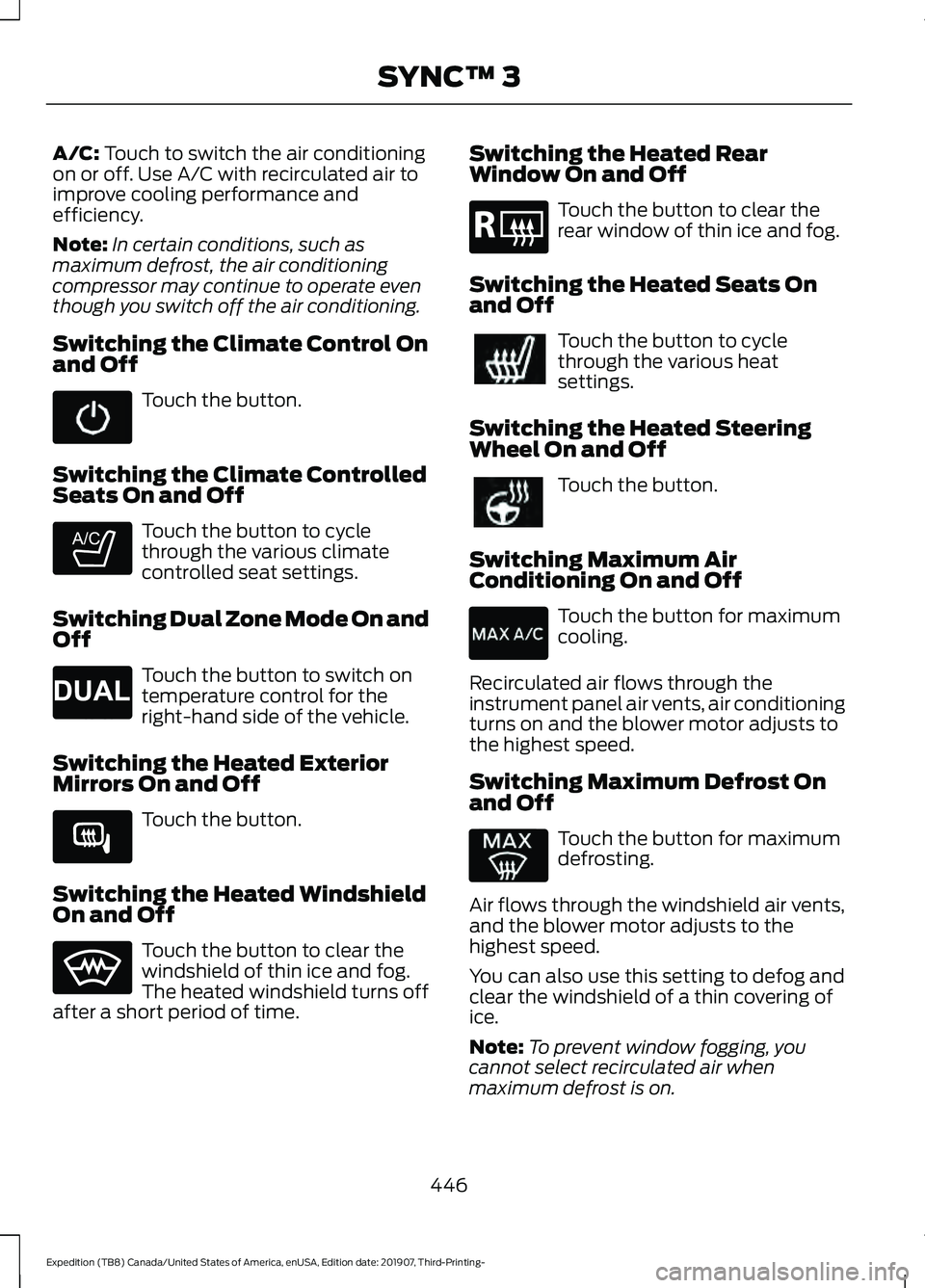
Switching the Climate Control On
and Off Touch the button.
Switching the Climate Controlled
Seats On and Off Touch the button to cycle
through the various climate
controlled seat settings.
Switching Dual Zone Mode On and
Off Touch the button to switch on
temperature control for the
right-hand side of the vehicle.
Switching the Heated Exterior
Mirrors On and Off Touch the button.
Switching the Heated Windshield
On and Off Touch the button to clear the
windshield of thin ice and fog.
The heated windshield turns off
after a short period of time. Switching the Heated Rear
Window On and Off Touch the button to clear the
rear window of thin ice and fog.
Switching the Heated Seats On
and Off Touch the button to cycle
through the various heat
settings.
Switching the Heated Steering
Wheel On and Off Touch the button.
Switching Maximum Air
Conditioning On and Off Touch the button for maximum
cooling.
Recirculated air flows through the
instrument panel air vents, air conditioning
turns on and the blower motor adjusts to
the highest speed.
Switching Maximum Defrost On
and Off Touch the button for maximum
defrosting.
Air flows through the windshield air vents,
and the blower motor adjusts to the
highest speed.
You can also use this setting to defog and
clear the windshield of a thin covering of
ice.
Note: To prevent window fogging, you
cannot select recirculated air when
maximum defrost is on.
446
Expedition (TB8) Canada/United States of America, enUSA, Edition date: 201907, Third-Printing- SYNC™ 3 E265282 E265280 E266189 E184884
Page 450 of 542
Note:
The heated rear window also turns
on when you select maximum defrost.
Switching Recirculated Air On and
Off Touch the button to switch
between outside air and
recirculated air.
The air currently in the passenger
compartment recirculates. This may
reduce the time needed to cool the interior,
when used with A/C, and reduce unwanted
odors from entering your vehicle.
Note: Recirculated air may turn off, or
prevent you from switching on, in all air flow
modes except MAX A/C to reduce the risk
of fogging. Recirculation may also turn on
and off in various air distribution control
combinations during hot weather to improve
cooling efficiency.
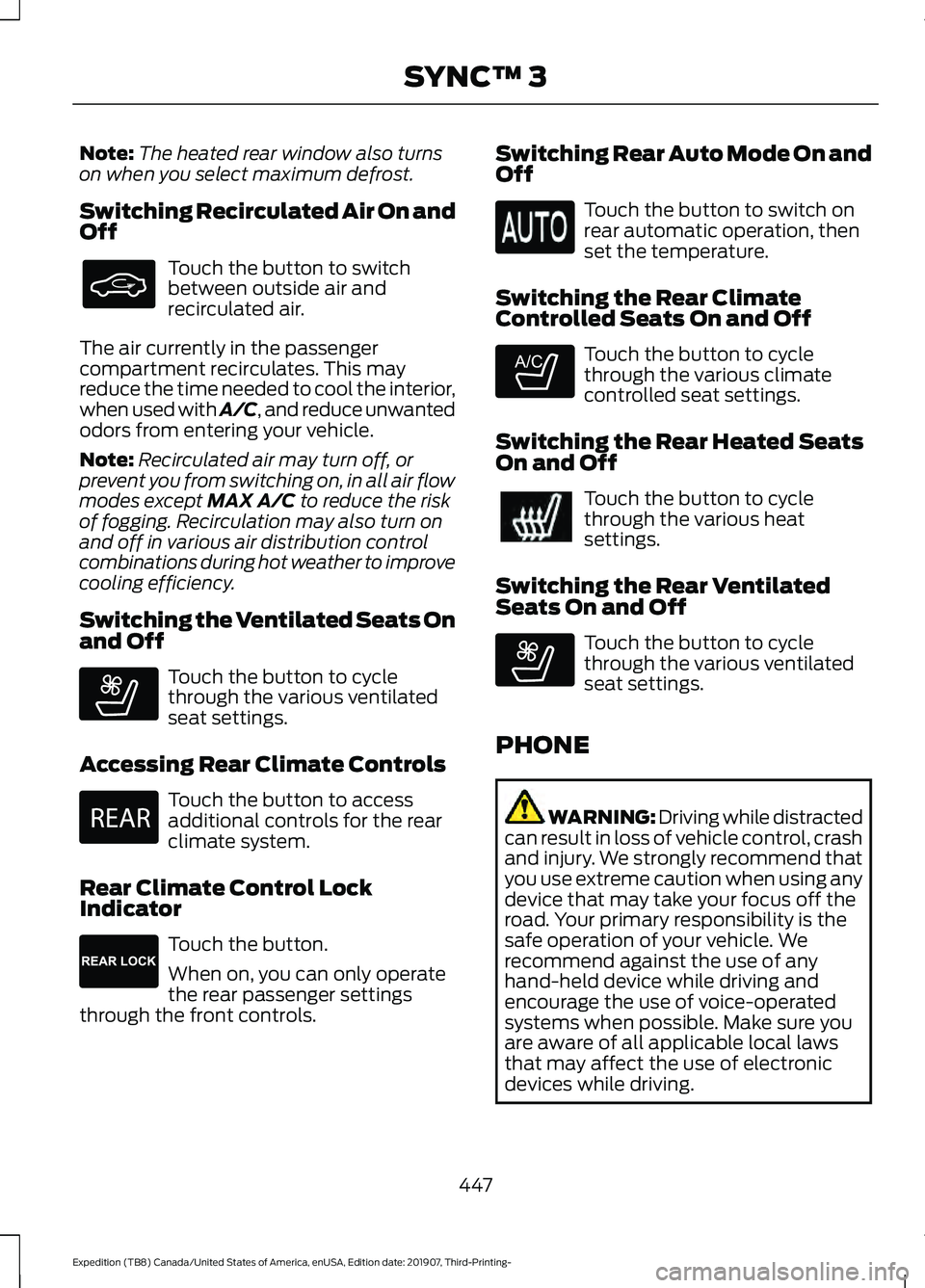
Switching the Ventilated Seats On
and Off Touch the button to cycle
through the various ventilated
seat settings.
Accessing Rear Climate Controls Touch the button to access
additional controls for the rear
climate system.
Rear Climate Control Lock
Indicator Touch the button.
When on, you can only operate
the rear passenger settings
through the front controls. Switching Rear Auto Mode On and
Off Touch the button to switch on
rear automatic operation, then
set the temperature.
Switching the Rear Climate
Controlled Seats On and Off Touch the button to cycle
through the various climate
controlled seat settings.
Switching the Rear Heated Seats
On and Off Touch the button to cycle
through the various heat
settings.
Switching the Rear Ventilated
Seats On and Off Touch the button to cycle
through the various ventilated
seat settings.
PHONE WARNING: Driving while distracted
can result in loss of vehicle control, crash
and injury. We strongly recommend that
you use extreme caution when using any
device that may take your focus off the
road. Your primary responsibility is the
safe operation of your vehicle. We
recommend against the use of any
hand-held device while driving and
encourage the use of voice-operated
systems when possible. Make sure you
are aware of all applicable local laws
that may affect the use of electronic
devices while driving.
447
Expedition (TB8) Canada/United States of America, enUSA, Edition date: 201907, Third-Printing- SYNC™ 3 E268558 E270447 E265289 E265282 E268558
Page 461 of 542
Display
Select this tile to adjust display settings
like brightness and auto dim.
Charge Settings (If Equipped)
Select this tile to adjust the electric vehicle
charge settings.
Voice Control
Select this tile to adjust voice control
settings like command confirmations and
displayed lists.
Navigation
(If Equipped)
Select this tile to adjust navigation settings
like map preferences and route guidance.
Multi Contour Seats
(If Equipped)
Select this tile to adjust the position and
massage function of your multi contour
seats. Seats
(If Equipped)
Select this tile to adjust the lumbar
function of your seats.
Message Center
(If Equipped)
Select this tile to view vehicle messages.
Personal Profiles
(If Equipped)
Select this tile to adjust recalled memory
features when using personal profiles.
Valet Mode
(If Equipped)
Select this tile to enable and disable valet
mode.
Ambient Lighting
(If Equipped)
Select this tile to change the color or
intensity of the interior lighting.
458
Expedition (TB8) Canada/United States of America, enUSA, Edition date: 201907, Third-Printing- SYNC™ 3
Page 529 of 542
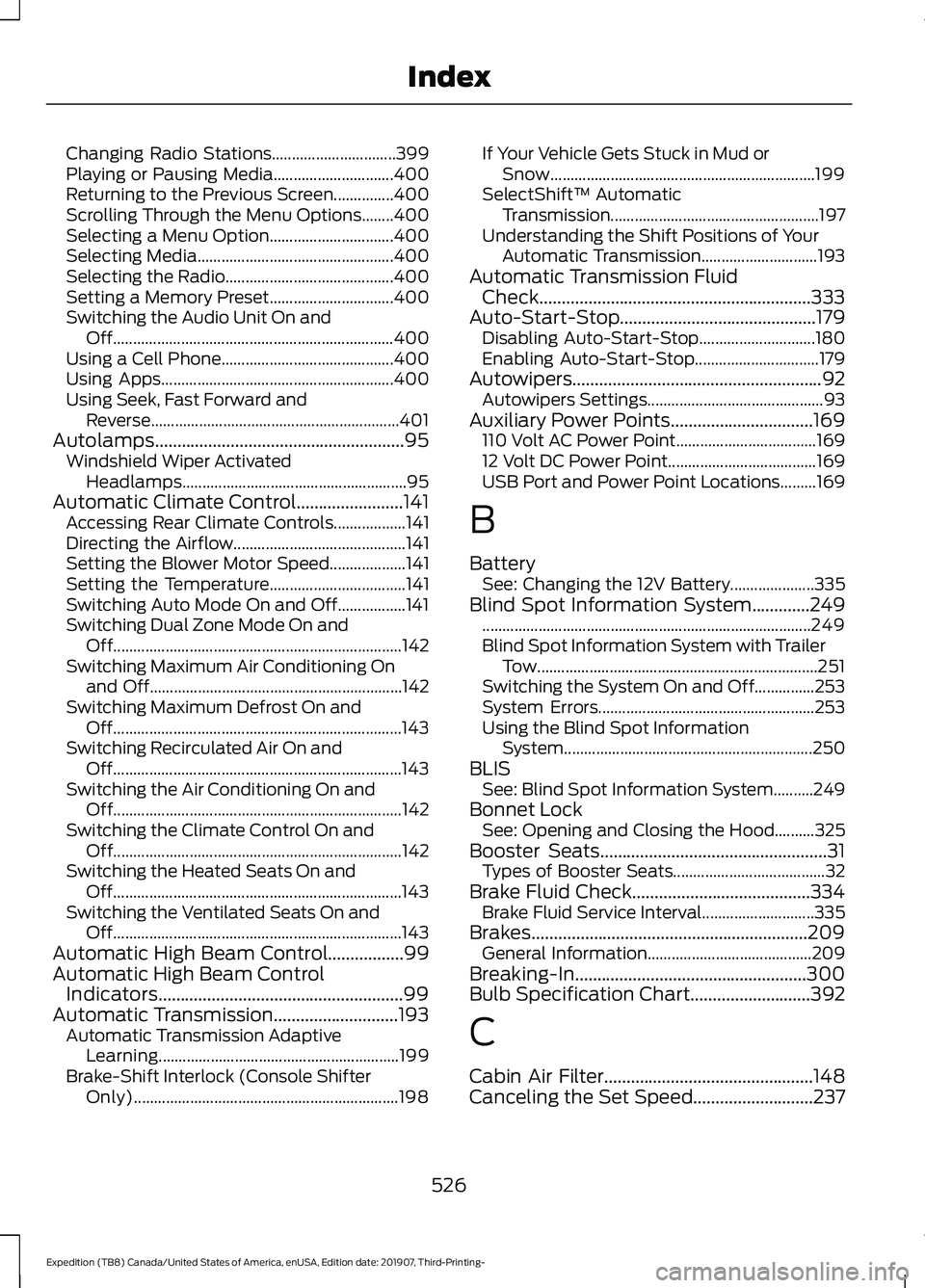
Changing Radio Stations...............................
399
Playing or Pausing Media.............................. 400
Returning to the Previous Screen...............400
Scrolling Through the Menu Options........400
Selecting a Menu Option............................... 400
Selecting Media................................................. 400
Selecting the Radio.......................................... 400
Setting a Memory Preset............................... 400
Switching the Audio Unit On and Off...................................................................... 400
Using a Cell Phone........................................... 400
Using Apps.......................................................... 400
Using Seek, Fast Forward and Reverse.............................................................. 401
Autolamps........................................................95 Windshield Wiper Activated
Headlamps........................................................ 95
Automatic Climate Control........................141 Accessing Rear Climate Controls.................. 141
Directing the Airflow........................................... 141
Setting the Blower Motor Speed................... 141
Setting the Temperature.................................. 141
Switching Auto Mode On and Off.................141
Switching Dual Zone Mode On and Off........................................................................\
142
Switching Maximum Air Conditioning On and Off............................................................... 142
Switching Maximum Defrost On and Off........................................................................\
143
Switching Recirculated Air On and Off........................................................................\
143
Switching the Air Conditioning On and Off........................................................................\
142
Switching the Climate Control On and Off........................................................................\
142
Switching the Heated Seats On and Off........................................................................\
143
Switching the Ventilated Seats On and Off........................................................................\
143
Automatic High Beam Control.................99
Automatic High Beam Control Indicators.......................................................99
Automatic Transmission............................193
Automatic Transmission Adaptive
Learning............................................................ 199
Brake-Shift Interlock (Console Shifter Only).................................................................. 198If Your Vehicle Gets Stuck in Mud or
Snow.................................................................. 199
SelectShift™ Automatic Transmission.................................................... 197
Understanding the Shift Positions of Your Automatic Transmission............................. 193
Automatic Transmission Fluid Check.............................................................333
Auto-Start-Stop............................................179 Disabling Auto-Start-Stop............................. 180
Enabling Auto-Start-Stop............................... 179
Autowipers
........................................................92
Autowipers Settings............................................ 93
Auxiliary Power Points
................................169
110 Volt AC Power Point................................... 169
12 Volt DC Power Point..................................... 169
USB Port and Power Point Locations.........169
B
Battery See: Changing the 12V Battery..................... 335
Blind Spot Information System.............249 ........................................................................\
.......... 249
Blind Spot Information System with Trailer Tow...................................................................... 251
Switching the System On and Off...............253
System Errors...................................................... 253
Using the Blind Spot Information System.............................................................. 250
BLIS See: Blind Spot Information System..........249
Bonnet Lock See: Opening and Closing the Hood..........325
Booster Seats
...................................................31
Types of Booster Seats...................................... 32
Brake Fluid Check........................................334 Brake Fluid Service Interval............................ 335
Brakes..............................................................209 General Information......................................... 209
Breaking-In
....................................................300
Bulb Specification Chart...........................392
C
Cabin Air Filter...............................................148
Canceling the Set Speed
...........................237
526
Expedition (TB8) Canada/United States of America, enUSA, Edition date: 201907, Third-Printing- Index
Page 530 of 542
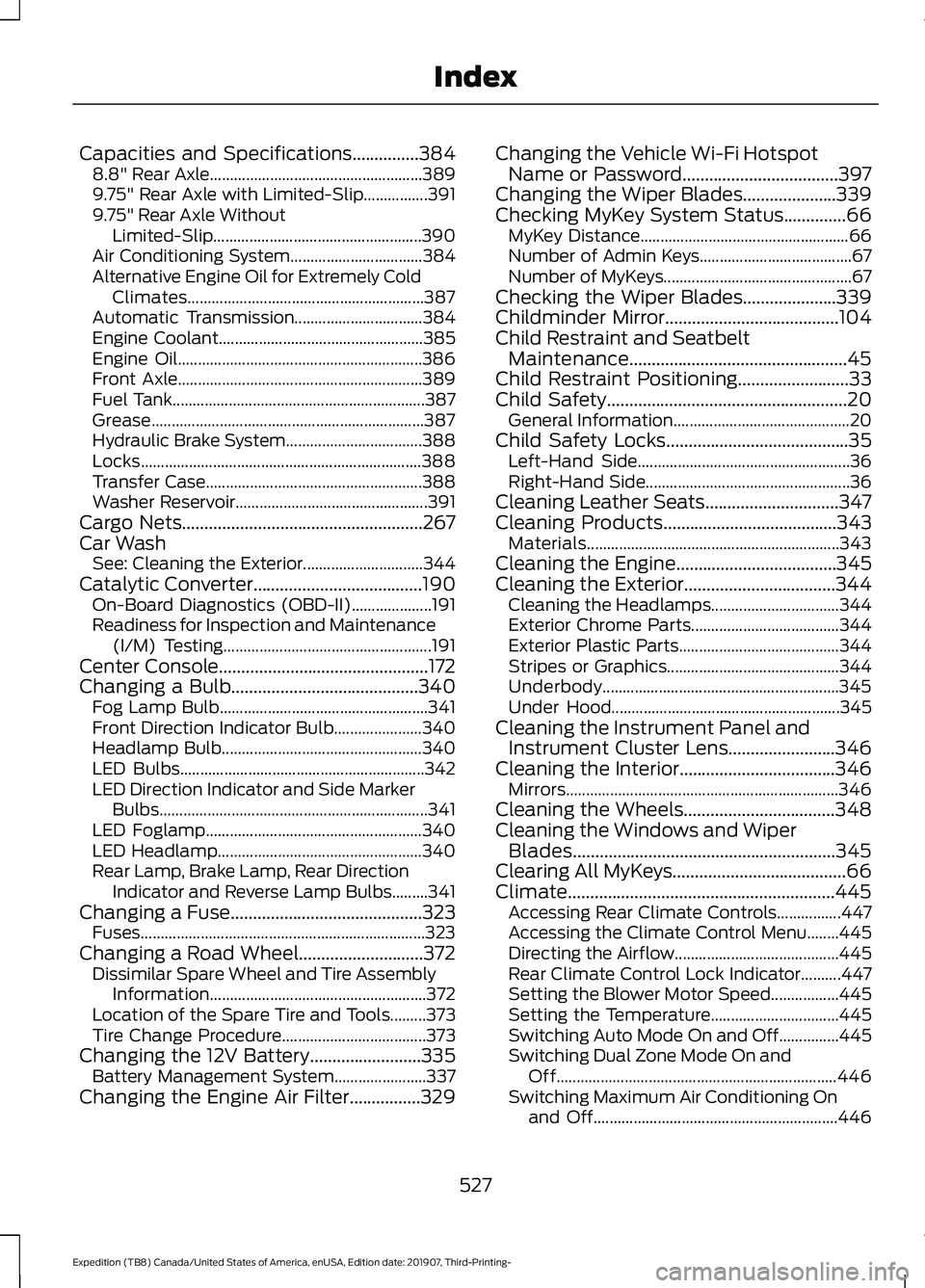
Capacities and Specifications...............384
8.8" Rear Axle..................................................... 389
9.75" Rear Axle with Limited-Slip................391
9.75" Rear Axle Without Limited-Slip.................................................... 390
Air Conditioning System................................. 384
Alternative Engine Oil for Extremely Cold Climates........................................................... 387
Automatic Transmission................................ 384
Engine Coolant................................................... 385
Engine Oil............................................................. 386
Front Axle............................................................. 389
Fuel Tank............................................................... 387
Grease.................................................................... 387
Hydraulic Brake System.................................. 388
Locks...................................................................... 388
Transfer Case...................................................... 388
Washer Reservoir................................................ 391
Cargo Nets......................................................267
Car Wash See: Cleaning the Exterior.............................. 344
Catalytic Converter......................................190 On-Board Diagnostics (OBD-II).................... 191
Readiness for Inspection and Maintenance (I/M) Testing.................................................... 191
Center Console...............................................172
Changing a Bulb..........................................340 Fog Lamp Bulb.................................................... 341
Front Direction Indicator Bulb...................... 340
Headlamp Bulb.................................................. 340
LED Bulbs............................................................. 342
LED Direction Indicator and Side Marker Bulbs................................................................... 341
LED Foglamp...................................................... 340
LED Headlamp................................................... 340
Rear Lamp, Brake Lamp, Rear Direction Indicator and Reverse Lamp Bulbs.........341
Changing a Fuse
...........................................323
Fuses....................................................................... 323
Changing a Road Wheel............................372 Dissimilar Spare Wheel and Tire Assembly
Information...................................................... 372
Location of the Spare Tire and Tools.........373
Tire Change Procedure.................................... 373
Changing the 12V Battery
.........................335
Battery Management System....................... 337
Changing the Engine Air Filter
................329 Changing the Vehicle Wi-Fi Hotspot
Name or Password
...................................397
Changing the Wiper Blades.....................339
Checking MyKey System Status..............66 MyKey Distance.................................................... 66
Number of Admin Keys...................................... 67
Number of MyKeys............................................... 67
Checking the Wiper Blades
.....................339
Childminder Mirror.......................................104
Child Restraint and Seatbelt Maintenance.................................................45
Child Restraint Positioning
.........................33
Child Safety......................................................20 General Information............................................ 20
Child Safety Locks
.........................................35
Left-Hand Side..................................................... 36
Right-Hand Side................................................... 36
Cleaning Leather Seats..............................347
Cleaning Products
.......................................343
Materials............................................................... 343
Cleaning the Engine....................................345
Cleaning the Exterior..................................344 Cleaning the Headlamps................................ 344
Exterior Chrome Parts..................................... 344
Exterior Plastic Parts........................................ 344
Stripes or Graphics........................................... 344
Underbody........................................................... 345
Under Hood......................................................... 345
Cleaning the Instrument Panel and Instrument Cluster Lens........................346
Cleaning the Interior
...................................346
Mirrors.................................................................... 346
Cleaning the Wheels..................................348
Cleaning the Windows and Wiper Blades...........................................................345
Clearing All MyKeys.......................................66
Climate............................................................445 Accessing Rear Climate Controls................447
Accessing the Climate Control Menu........445
Directing the Airflow......................................... 445
Rear Climate Control Lock Indicator..........447
Setting the Blower Motor Speed.................445
Setting the Temperature................................ 445
Switching Auto Mode On and Off...............445
Switching Dual Zone Mode On and Off...................................................................... 446
Switching Maximum Air Conditioning On and Off............................................................. 446
527
Expedition (TB8) Canada/United States of America, enUSA, Edition date: 201907, Third-Printing- Index