audio FORD EXPEDITION 2021 Owners Manual
[x] Cancel search | Manufacturer: FORD, Model Year: 2021, Model line: EXPEDITION, Model: FORD EXPEDITION 2021Pages: 574, PDF Size: 8.33 MB
Page 5 of 574
Security
Passive Anti-Theft System
.......................85
Anti-Theft Alarm ...........................................
87
Power Running Boards
Using Power Running Boards ...................
89
Steering Wheel
Adjusting the Steering Wheel - Vehicles With: Manual Adjustable Steering
Column ..........................................................
91
Adjusting the Steering Wheel - Vehicles With: Power Adjustable Steering
Column ..........................................................
91
Audio Control ..................................................
92
Voice Control ..................................................
93
Cruise Control - Vehicles With: Adaptive Cruise Control .............................................
93
Cruise Control - Vehicles With: Cruise Control ..........................................................
93
Information Display Control ......................
93
Heated Steering Wheel ..............................
93
Horn ...................................................................
94
Adjustable Pedals
Adjusting the Pedals ....................................
95
Wipers and Washers
Windshield Wipers .......................................
96
Autowipers ......................................................
96
Windshield Washers ....................................
97
Rear Window Wiper and Washers ..........
97
Lighting
General Information ....................................
98
Lighting Control .............................................
98
Autolamps .......................................................
99
Instrument Lighting Dimmer ....................
99
Headlamp Exit Delay ...................................
99Daytime Running Lamps - Vehicles With:
Configurable Daytime Running Lamps
........................................................................\
100
Daytime Running Lamps - Vehicles With: Daytime Running Lamps (DRL) ........
100
Front Fog Lamps .........................................
100
Direction Indicators ......................................
101
Interior Lamps ...............................................
101
Ambient Lighting .........................................
102
Automatic High Beam Control
What Is Automatic High Beam Control ........................................................................\
.
103
Switching Automatic High Beam Control On and Off .................................................
103
Automatic High Beam Control Indicators ........................................................................\
.
103
Overriding Automatic High Beam Control ........................................................................\
.
103
Windows and Mirrors
Power Windows ...........................................
105
Global Opening ............................................
105
Exterior Mirrors .............................................
106
Interior Mirror .................................................
107
Childminder Mirror ......................................
108
Sun Visors ......................................................
108
Moonroof ........................................................
109
Liftgate Window ..........................................
109
Instrument Cluster
Gauges - Vehicles With: 4 Inch Information and Entertainment Display
Screen ............................................................
111
Gauges - Vehicles With: 8 Inch Information and Entertainment Display
Screen ...........................................................
113
Warning Lamps and Indicators ...............
115
Audible Warnings and Indicators ...........
118
2
Expedition (TB8) Canada/United States of America, enUSA, First-Printing Table of Contents
Page 9 of 574
Removing a Headlamp
............................350
Changing a Bulb .........................................
350
Vehicle Care
General Information ..................................
353
Cleaning Products ......................................
353
Cleaning the Exterior .................................
354
Waxing ............................................................
355
Cleaning the Engine ...................................
355
Cleaning the Windows and Wiper Blades ........................................................................\
356
Cleaning the Interior ..................................
356
Cleaning the Instrument Panel and Instrument Cluster Lens .......................
357
Cleaning Leather Seats .............................
357
Repairing Minor Paint Damage .............
358
Cleaning the Wheels .................................
358
Vehicle Storage ...........................................
358
Body Styling Kits ........................................
360
Wheels and Tires
General Information ...................................
361
Tire Care .........................................................
363
Using Snow Chains .....................................
377
Tire Pressure Monitoring System ..........
378
Changing a Road Wheel ..........................
382
Technical Specifications .........................
388
Capacities and Specifications
Engine Specifications ...............................
390
Motorcraft Parts .........................................
390
Vehicle Identification Number ...............
392
Capacities and Specifications ...............
392
Bulb Specification Chart ..........................
401
Connected Vehicle
Connected Vehicle Requirements .......
403
Connected Vehicle Limitations .............
403Connecting the Vehicle to a Mobile
Network .....................................................
403
Connecting the Vehicle to a Wi-Fi Network - Vehicles With: SYNC 3 .....
403
Connected Vehicle – Troubleshooting - Vehicles With: Modem .........................
404
Connected Vehicle – Troubleshooting - Vehicles With: SYNC 3 .........................
405
Vehicle Wi-Fi Hotspot
Creating a Vehicle Wi-Fi Hotspot .........
407
Changing the Vehicle Wi-Fi Hotspot Name or Password ................................
407
Audio System
General Information .................................
408
Audio Unit - Vehicles Without: Touchscreen Display ............................
408
Audio Unit - Vehicles With: Touchscreen Display ..........................................................
411
Digital Radio ..................................................
412
Satellite Radio ..............................................
415
USB Port ..........................................................
417
SYNC™
General Information ...................................
419
Using Voice Recognition ..........................
420
Using SYNC™ With Your Phone ...........
422
SYNC™ Applications and Services ......
423
Using SYNC™ With Your Media Player ........................................................................\
425
SYNC™ Troubleshooting ........................
425
SYNC™ 3
General Information ..................................
434
Using Voice Recognition ..........................
436
Entertainment .............................................
443
Climate ...........................................................
453
Phone ..............................................................
455
Navigation .....................................................
457
Apps ................................................................
462
6
Expedition (TB8) Canada/United States of America, enUSA, First-Printing Table of Contents
Page 23 of 574
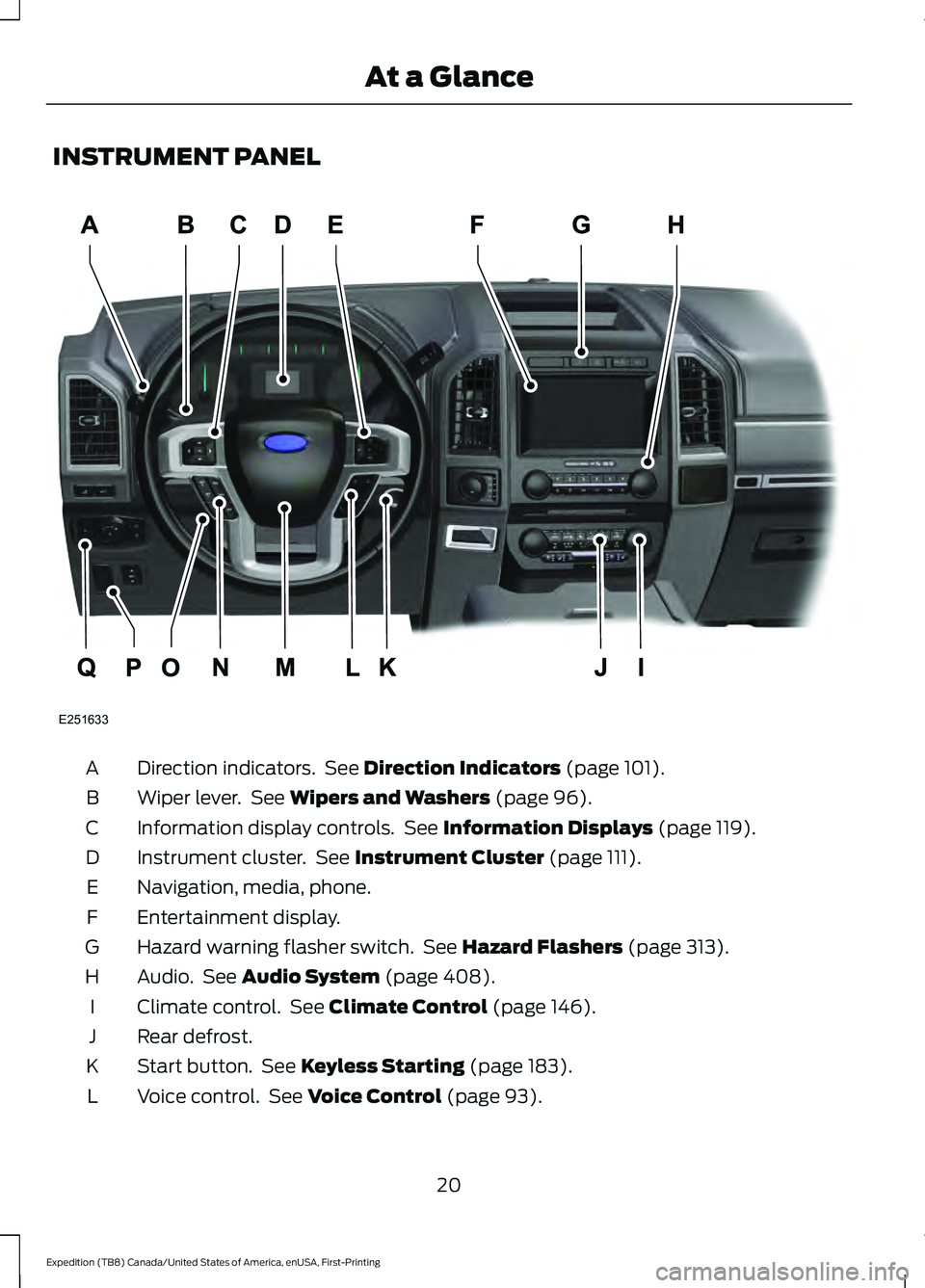
INSTRUMENT PANEL
Direction indicators. See Direction Indicators (page 101).
A
Wiper lever. See
Wipers and Washers (page 96).
B
Information display controls. See
Information Displays (page 119).
C
Instrument cluster. See
Instrument Cluster (page 111).
D
Navigation, media, phone.
E
Entertainment display.
F
Hazard warning flasher switch. See
Hazard Flashers (page 313).
G
Audio. See
Audio System (page 408).
H
Climate control. See
Climate Control (page 146).
I
Rear defrost.
J
Start button. See
Keyless Starting (page 183).
K
Voice control. See
Voice Control (page 93).
L
20
Expedition (TB8) Canada/United States of America, enUSA, First-Printing At a GlanceE251633
Page 48 of 574
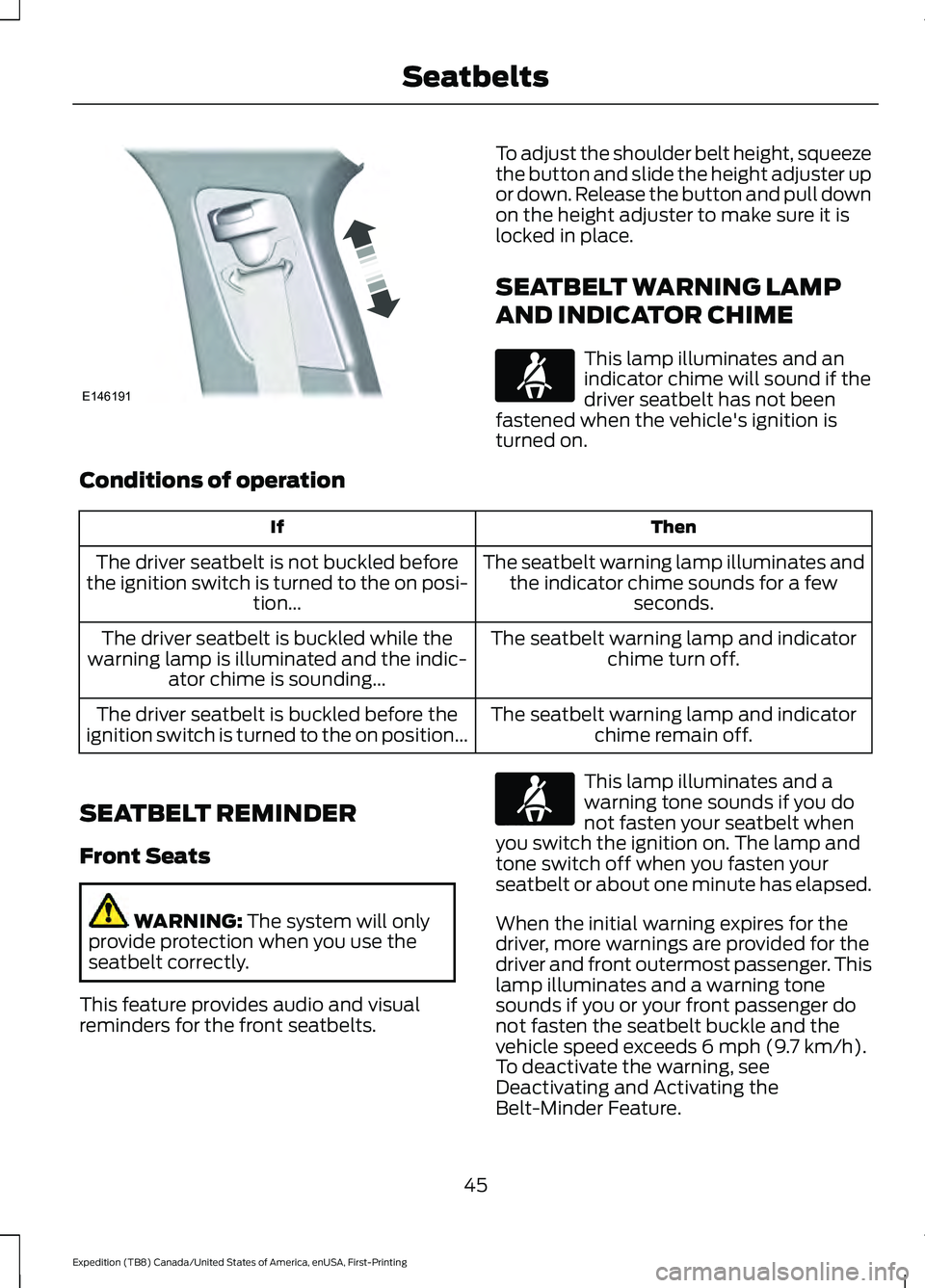
To adjust the shoulder belt height, squeeze
the button and slide the height adjuster up
or down. Release the button and pull down
on the height adjuster to make sure it is
locked in place.
SEATBELT WARNING LAMP
AND INDICATOR CHIME
This lamp illuminates and an
indicator chime will sound if the
driver seatbelt has not been
fastened when the vehicle's ignition is
turned on.
Conditions of operation Then
If
The seatbelt warning lamp illuminates andthe indicator chime sounds for a few seconds.
The driver seatbelt is not buckled before
the ignition switch is turned to the on posi- tion...
The seatbelt warning lamp and indicatorchime turn off.
The driver seatbelt is buckled while the
warning lamp is illuminated and the indic- ator chime is sounding...
The seatbelt warning lamp and indicatorchime remain off.
The driver seatbelt is buckled before the
ignition switch is turned to the on position...
SEATBELT REMINDER
Front Seats WARNING: The system will only
provide protection when you use the
seatbelt correctly.
This feature provides audio and visual
reminders for the front seatbelts. This lamp illuminates and a
warning tone sounds if you do
not fasten your seatbelt when
you switch the ignition on. The lamp and
tone switch off when you fasten your
seatbelt or about one minute has elapsed.
When the initial warning expires for the
driver, more warnings are provided for the
driver and front outermost passenger. This
lamp illuminates and a warning tone
sounds if you or your front passenger do
not fasten the seatbelt buckle and the
vehicle speed exceeds
6 mph (9.7 km/h).
To deactivate the warning, see
Deactivating and Activating the
Belt-Minder Feature.
45
Expedition (TB8) Canada/United States of America, enUSA, First-Printing SeatbeltsE146191 E71880 E71880
Page 71 of 574
PRINCIPLE OF OPERATION
MyKey allows you to program keys with
restricted driving modes to promote good
driving habits. You can program the
restrictions to all keys except one. Any keys
that you did not program are administrator
keys or admin keys.
You can use admin keys to:
•
Create a MyKey with certain vehicle
restrictions.
• Program certain MyKey settings.
• Clear all MyKey restrictions.
After you program a MyKey, you can view
the following information through the
information display:
• The total number of admin keys and
MyKeys for your vehicle.
• The total distance a MyKey driver
traveled with your vehicle.
Note: Every MyKey receives the same
restrictions and settings. You cannot
program them individually.
Note: For vehicles equipped with a
push-button start switch: When both a
MyKey and an admin key are present when
you start your vehicle, the system recognizes
the admin key only. Standard Settings
Not every vehicle includes the features
listed below. If your vehicle has this
equipment, then you cannot change the
following settings when using a MyKey:
•
Seatbelt reminder or Belt-Minder™.
MyKey mutes the audio system until
drivers, and in some instances,
passengers, fasten their seatbelts.
Note: If your vehicle includes an
AM/FM radio or a very basic audio
system, then the radio may not mute.
• Earlier low-fuel warning. The low-fuel
warning activates earlier for MyKey
drivers, giving them more time to refuel.
• Certain driver alerts, stability systems
or parking aids turn on automatically
when you use the MyKey system. For
example, Blind Spot Information
System (BLIS), cross traffic alert, lane
departure warning or forward collision
warning. Note:
MyKey drivers may be
able to turn the lane departure warning
feature off, but this feature turns back
on automatically with every new key
cycle.
• Restricted touchscreen operation in
some markets. For example, MyKey
may prevent manual navigation
destination input while the vehicle is in
any gear other than park (P) or when
the vehicle reaches a certain rate of
speed.
• Satellite radio adult content
restrictions, if this feature is available
in your market.
Optional Settings
You can configure certain vehicle feature
settings when you first create a MyKey. You
can also change the settings afterward
with an admin key.
68
Expedition (TB8) Canada/United States of America, enUSA, First-Printing MyKey
™
Page 72 of 574
Note:
Not every feature applies to every
vehicle in every market. When they are
available for your vehicle, then they appear
in your information display, providing
choices to switch them on or off, or to select
a more specific setting.
• Various vehicle speed limits so the
MyKey driver cannot exceed certain
speeds. The information display shows
warnings followed by an audible tone
when the MyKey driver reaches the set
speed. You cannot override the set
speed by fully depressing the
accelerator pedal. WARNING: Do not set MyKey
maximum speed limit to a limit that will
prevent the driver from maintaining a
safe speed considering posted speed
limits and prevailing road conditions. The
driver is always responsible to drive in
accordance with local laws and
prevailing conditions. Failure to do so
could result in accident or injury. •
Various vehicle speed reminders so
MyKey drivers know when their vehicle
speed approaches the limits. Warnings
appear in your information display and
a tone sounds when the MyKey drivers
exceed the set vehicle speed.
• The audio system's maximum volume
limits to 45% so MyKey drivers can
concentrate on the road. A message
appears in the information display
when MyKey drivers attempt to exceed
the limited volume. MyKey also
disables the automatic volume control.
Note:
If your vehicle includes an
AM/FM radio or a very basic audio
system, then the radio may not limit.
• Always on setting. This setting forces
certain features to remain on and
active for MyKey drivers. For example,
E911 or emergency assistance and the
do not disturb features stay on even if
a MyKey driver uses the feature's
control to switch it off. When selected,
you will not be able to turn off Advance
Trac or traction control (if your vehicle
has this feature).
CREATING A MYKEY
Use the information display to create a
MyKey:
1. Insert the key you want to program into
the ignition. If your vehicle has a
push-button start, place the remote
control into the backup slot. See
Starting a Gasoline Engine
(page
184).
2. Switch the ignition on.
3. Access the main menu in the information display and then scroll
through the menus to change the
settings of your MyKey. From the
MyKey menu select the option Create
MyKey. See
Information Displays
(page 119).
69
Expedition (TB8) Canada/United States of America, enUSA, First-Printing MyKey
™
Page 95 of 574
End of Travel Position
The steering column sets a stopping
position just short of the end of the column
position to prevent damage to the steering
column. A new stopping position sets if
the steering column encounters an object
when tilting or telescoping.
To reset the steering column to its normal
stopping position:
1. Confirm there is nothing obstructing
the motion of the steering column.
2. Press and hold the steering column control until the steering column stops
moving.
3. Press the steering column control again.
Note: The steering column may begin to
move again.
4. When the steering column stops, continue holding the control for a few
seconds.
5. Repeat for each direction as necessary.
A new stopping position sets. The next
time you tilt or telescope the steering
column, it stops just short of the end of the
column position.
Memory Feature (If Equipped)
You can save and recall the steering
column position with the memory
function. See
Memory Function (page
164).
Pressing the adjustment control during a
memory recall cancels the operation.
Easy Entry and Exit Feature
The column moves up when you switch
the ignition off. Switch the ignition on to
return the system to its previous settings.
You can switch this feature on or off in the
information display. See
Information
Displays (page 119). Note:
If you press any adjustment or
memory button when in easy exit mode, the
system cancels the operation.
Note: Depending on your vehicle, the
column may move up and in.
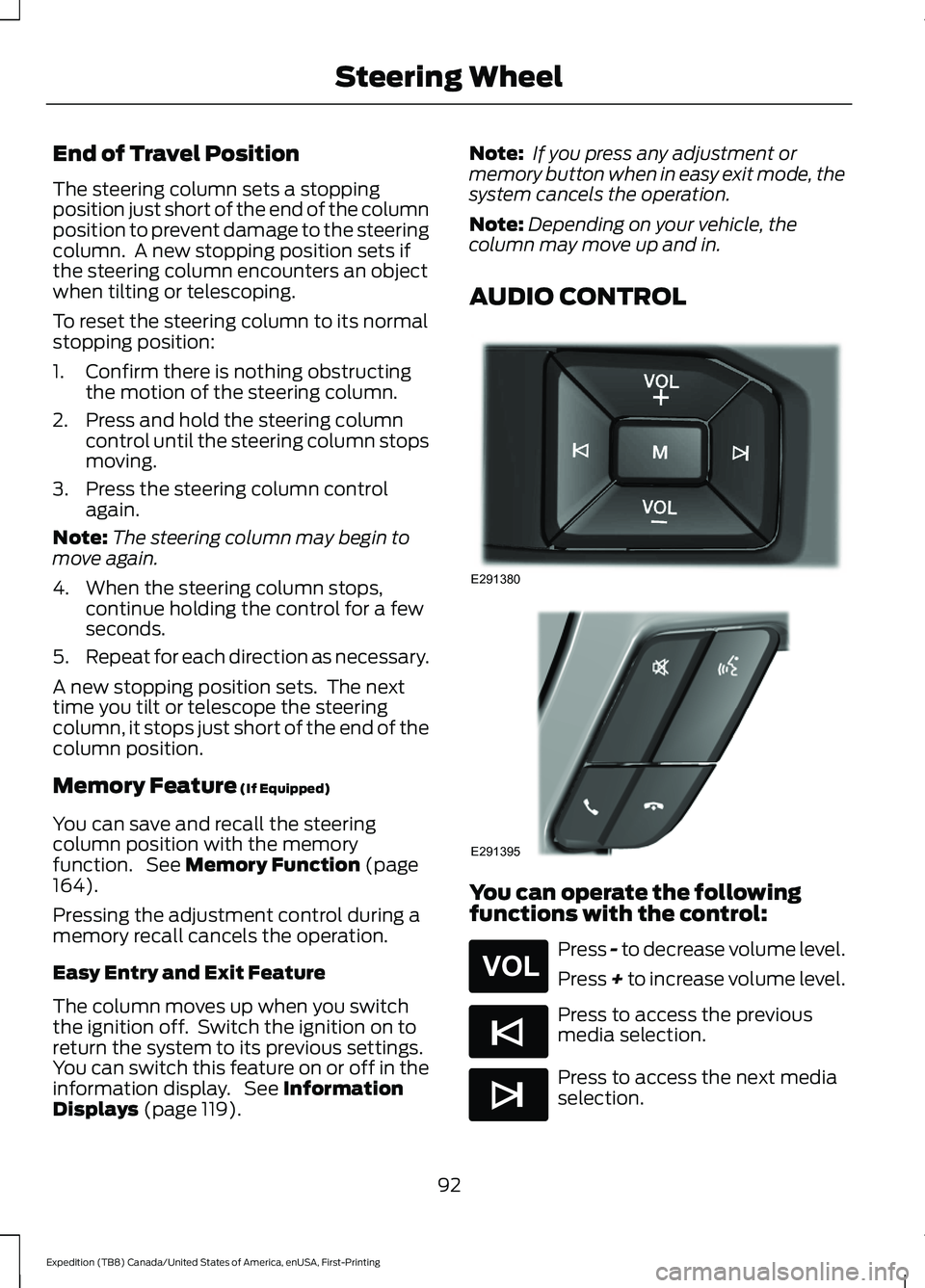
AUDIO CONTROL You can operate the following
functions with the control:
Press - to decrease volume level.
Press + to increase volume level.
Press to access the previous
media selection.
Press to access the next media
selection.
92
Expedition (TB8) Canada/United States of America, enUSA, First-Printing Steering WheelE291380 E291395 E265304 E265045 E265044
Page 96 of 574
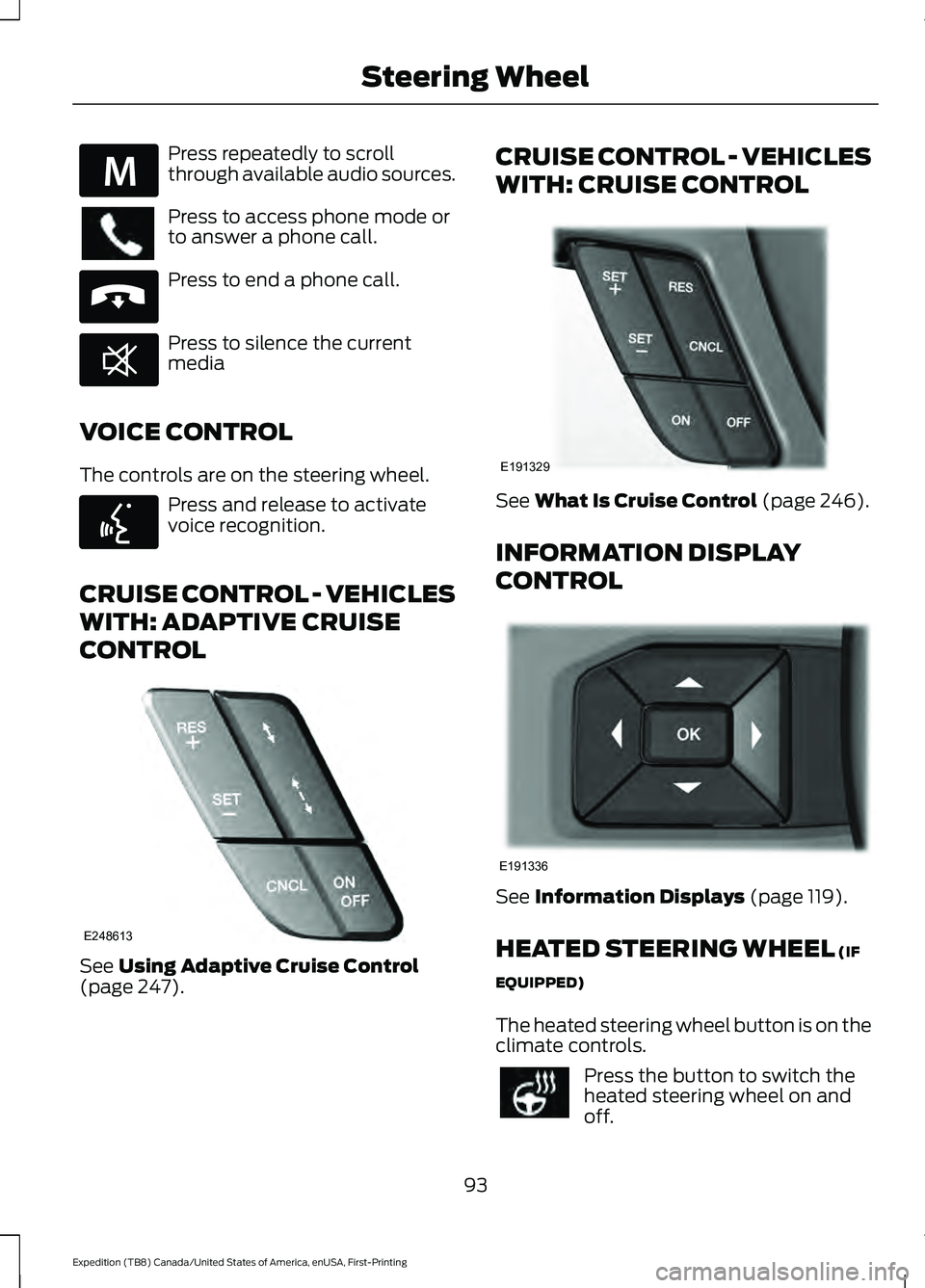
Press repeatedly to scroll
through available audio sources.
Press to access phone mode or
to answer a phone call.
Press to end a phone call.
Press to silence the current
media
VOICE CONTROL
The controls are on the steering wheel. Press and release to activate
voice recognition.
CRUISE CONTROL - VEHICLES
WITH: ADAPTIVE CRUISE
CONTROL See Using Adaptive Cruise Control
(page 247). CRUISE CONTROL - VEHICLES
WITH: CRUISE CONTROL
See
What Is Cruise Control (page 246).
INFORMATION DISPLAY
CONTROL See
Information Displays (page 119).
HEATED STEERING WHEEL
(IF
EQUIPPED)
The heated steering wheel button is on the
climate controls. Press the button to switch the
heated steering wheel on and
off.
93
Expedition (TB8) Canada/United States of America, enUSA, First-Printing Steering WheelE289636 E265040 E268549 E142599 E248613 E191329 E191336
Page 142 of 574
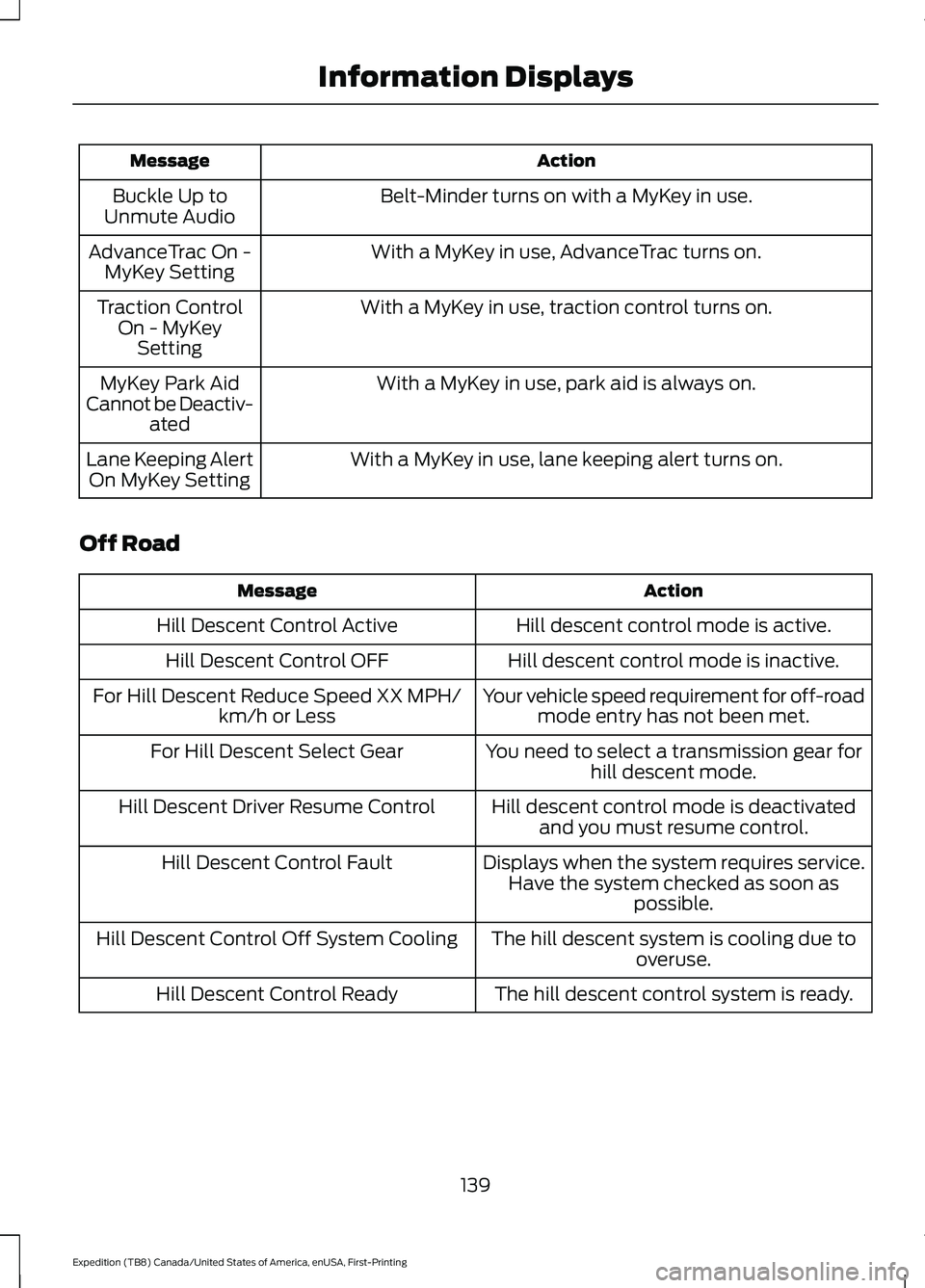
Action
Message
Belt-Minder turns on with a MyKey in use.
Buckle Up to
Unmute Audio
With a MyKey in use, AdvanceTrac turns on.
AdvanceTrac On -
MyKey Setting
With a MyKey in use, traction control turns on.
Traction Control
On - MyKeySetting
With a MyKey in use, park aid is always on.
MyKey Park Aid
Cannot be Deactiv- ated
With a MyKey in use, lane keeping alert turns on.
Lane Keeping Alert
On MyKey Setting
Off Road Action
Message
Hill descent control mode is active.
Hill Descent Control Active
Hill descent control mode is inactive.
Hill Descent Control OFF
Your vehicle speed requirement for off-roadmode entry has not been met.
For Hill Descent Reduce Speed XX MPH/
km/h or Less
You need to select a transmission gear forhill descent mode.
For Hill Descent Select Gear
Hill descent control mode is deactivatedand you must resume control.
Hill Descent Driver Resume Control
Displays when the system requires service.Have the system checked as soon as possible.
Hill Descent Control Fault
The hill descent system is cooling due tooveruse.
Hill Descent Control Off System Cooling
The hill descent control system is ready.
Hill Descent Control Ready
139
Expedition (TB8) Canada/United States of America, enUSA, First-Printing Information Displays
Page 175 of 574
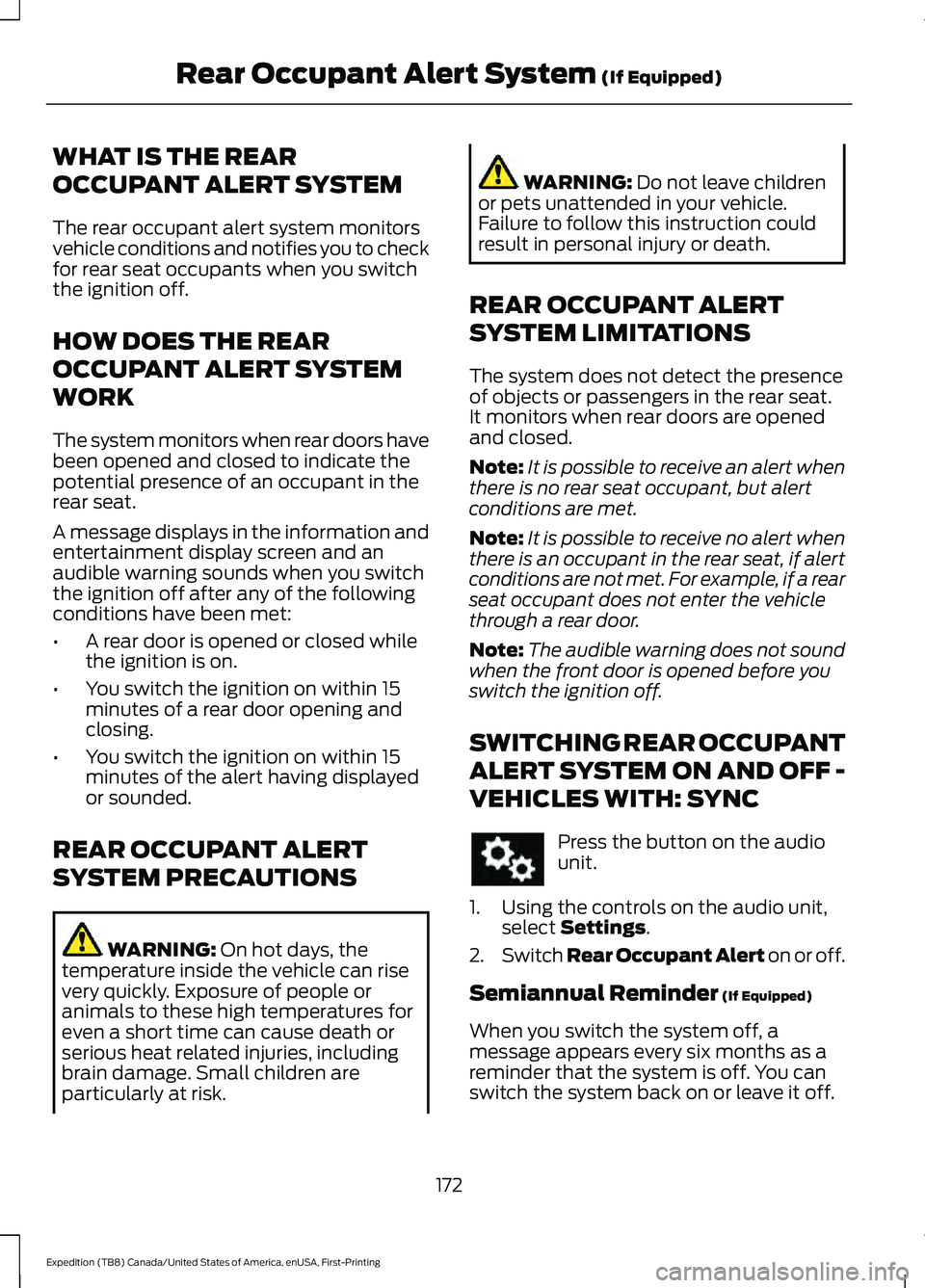
WHAT IS THE REAR
OCCUPANT ALERT SYSTEM
The rear occupant alert system monitors
vehicle conditions and notifies you to check
for rear seat occupants when you switch
the ignition off.
HOW DOES THE REAR
OCCUPANT ALERT SYSTEM
WORK
The system monitors when rear doors have
been opened and closed to indicate the
potential presence of an occupant in the
rear seat.
A message displays in the information and
entertainment display screen and an
audible warning sounds when you switch
the ignition off after any of the following
conditions have been met:
•
A rear door is opened or closed while
the ignition is on.
• You switch the ignition on within 15
minutes of a rear door opening and
closing.
• You switch the ignition on within 15
minutes of the alert having displayed
or sounded.
REAR OCCUPANT ALERT
SYSTEM PRECAUTIONS WARNING: On hot days, the
temperature inside the vehicle can rise
very quickly. Exposure of people or
animals to these high temperatures for
even a short time can cause death or
serious heat related injuries, including
brain damage. Small children are
particularly at risk. WARNING:
Do not leave children
or pets unattended in your vehicle.
Failure to follow this instruction could
result in personal injury or death.
REAR OCCUPANT ALERT
SYSTEM LIMITATIONS
The system does not detect the presence
of objects or passengers in the rear seat.
It monitors when rear doors are opened
and closed.
Note: It is possible to receive an alert when
there is no rear seat occupant, but alert
conditions are met.
Note: It is possible to receive no alert when
there is an occupant in the rear seat, if alert
conditions are not met. For example, if a rear
seat occupant does not enter the vehicle
through a rear door.
Note: The audible warning does not sound
when the front door is opened before you
switch the ignition off.
SWITCHING REAR OCCUPANT
ALERT SYSTEM ON AND OFF -
VEHICLES WITH: SYNC Press the button on the audio
unit.
1. Using the controls on the audio unit, select
Settings.
2. Switch Rear Occupant Alert on or off.
Semiannual Reminder
(If Equipped)
When you switch the system off, a
message appears every six months as a
reminder that the system is off. You can
switch the system back on or leave it off.
172
Expedition (TB8) Canada/United States of America, enUSA, First-Printing Rear Occupant Alert System
(If Equipped)