engine FORD EXPEDITION EL 2009 User Guide
[x] Cancel search | Manufacturer: FORD, Model Year: 2009, Model line: EXPEDITION EL, Model: FORD EXPEDITION EL 2009Pages: 415, PDF Size: 5.4 MB
Page 17 of 415
Turn signal chime: Sounds when the turn signal lever has been
activated to signal a turn and not turned off after the vehicle is driven
more than 1.5 miles (2.4 km).
Message center activation chime: Sounds when some warning
messages appear in the message center display for the first time.
Reverse warning chime (if equipped): Sounds when the vehicle is in
R (Reverse). Refer to the Driving chapter for more information.
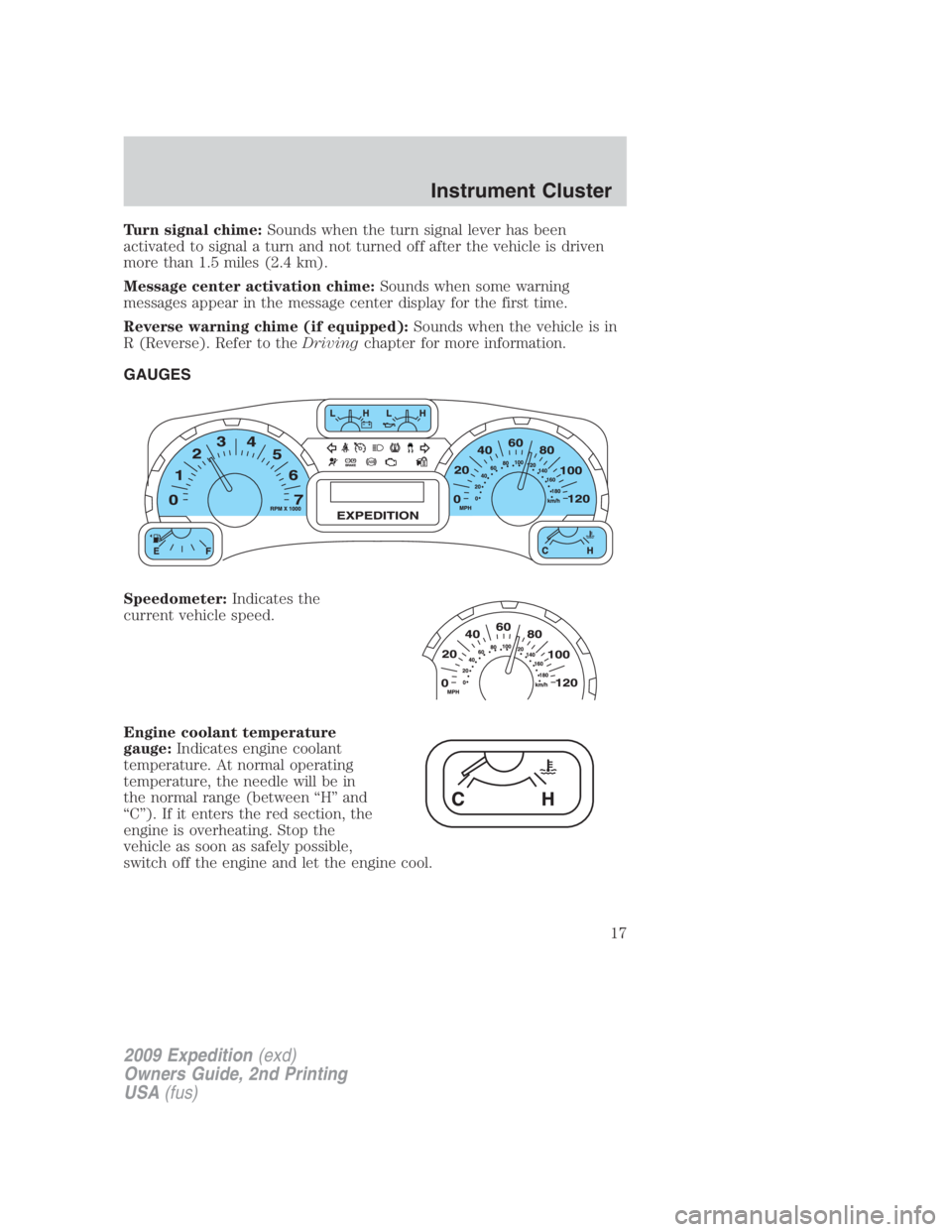
GAUGES
Speedometer: Indicates the
current vehicle speed.
Engine coolant temperature
gauge: Indicates engine coolant
temperature. At normal operating
temperature, the needle will be in
the normal range (between “H” and
“C”). If it enters the red section, the
engine is overheating. Stop the
vehicle as soon as safely possible,
switch off the engine and let the engine cool.
2009 Expedition (exd)
Owners Guide, 2nd Printing
USA (fus) Instrument Cluster
17
Page 18 of 415
WARNING: Never remove the coolant reservoir cap while the
engine is running or hot.
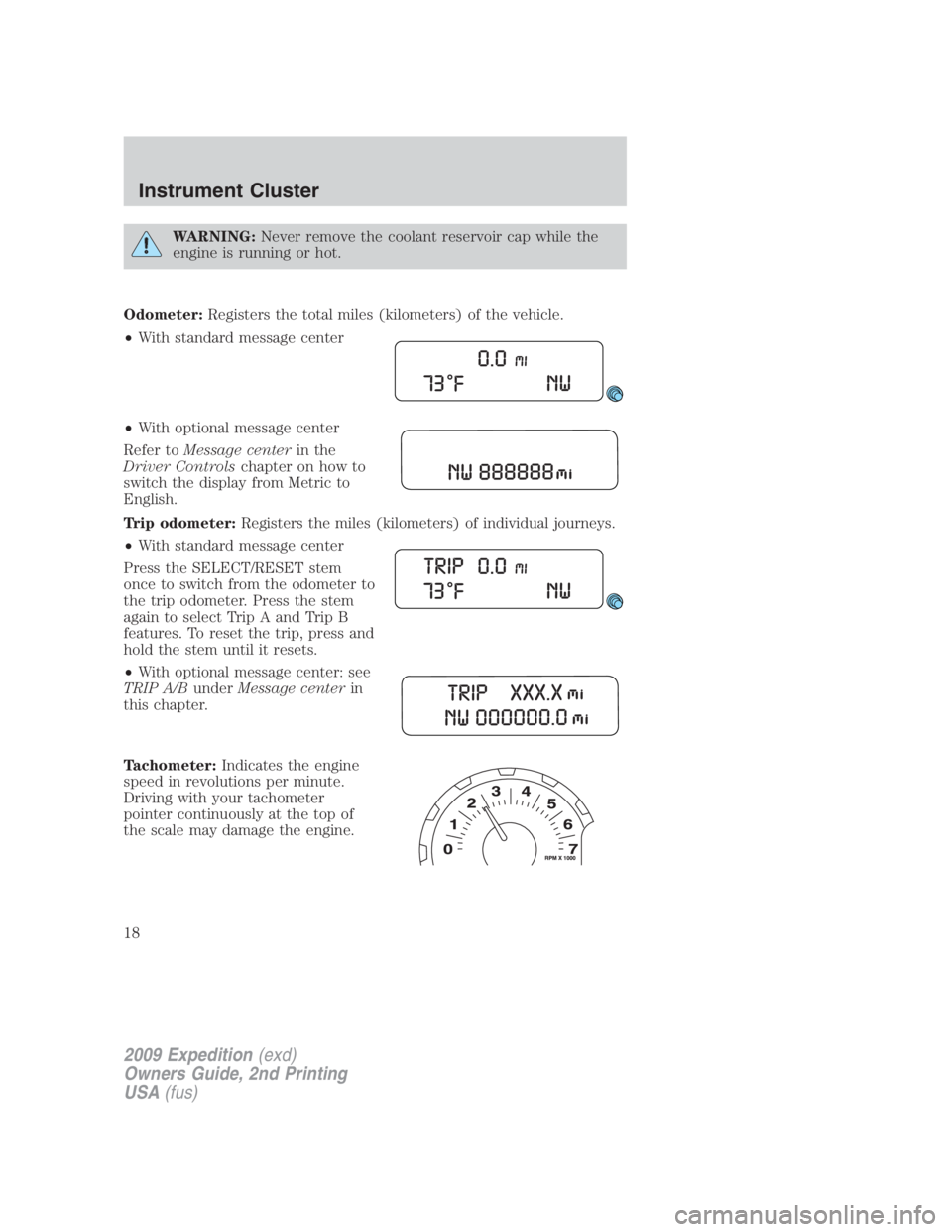
Odometer: Registers the total miles (kilometers) of the vehicle.
• With standard message center
• With optional message center
Refer to Message center in the
Driver Controls chapter on how to
switch the display from Metric to
English.
Trip odometer: Registers the miles (kilometers) of individual journeys.
• With standard message center
Press the SELECT/RESET stem
once to switch from the odometer to
the trip odometer. Press the stem
again to select Trip A and Trip B
features. To reset the trip, press and
hold the stem until it resets.
• With optional message center: see
TRIP A/B under Message center in
this chapter.
Tachometer: Indicates the engine
speed in revolutions per minute.
Driving with your tachometer
pointer continuously at the top of
the scale may damage the engine.
2009 Expedition (exd)
Owners Guide, 2nd Printing
USA (fus)Instrument Cluster
18
Page 19 of 415
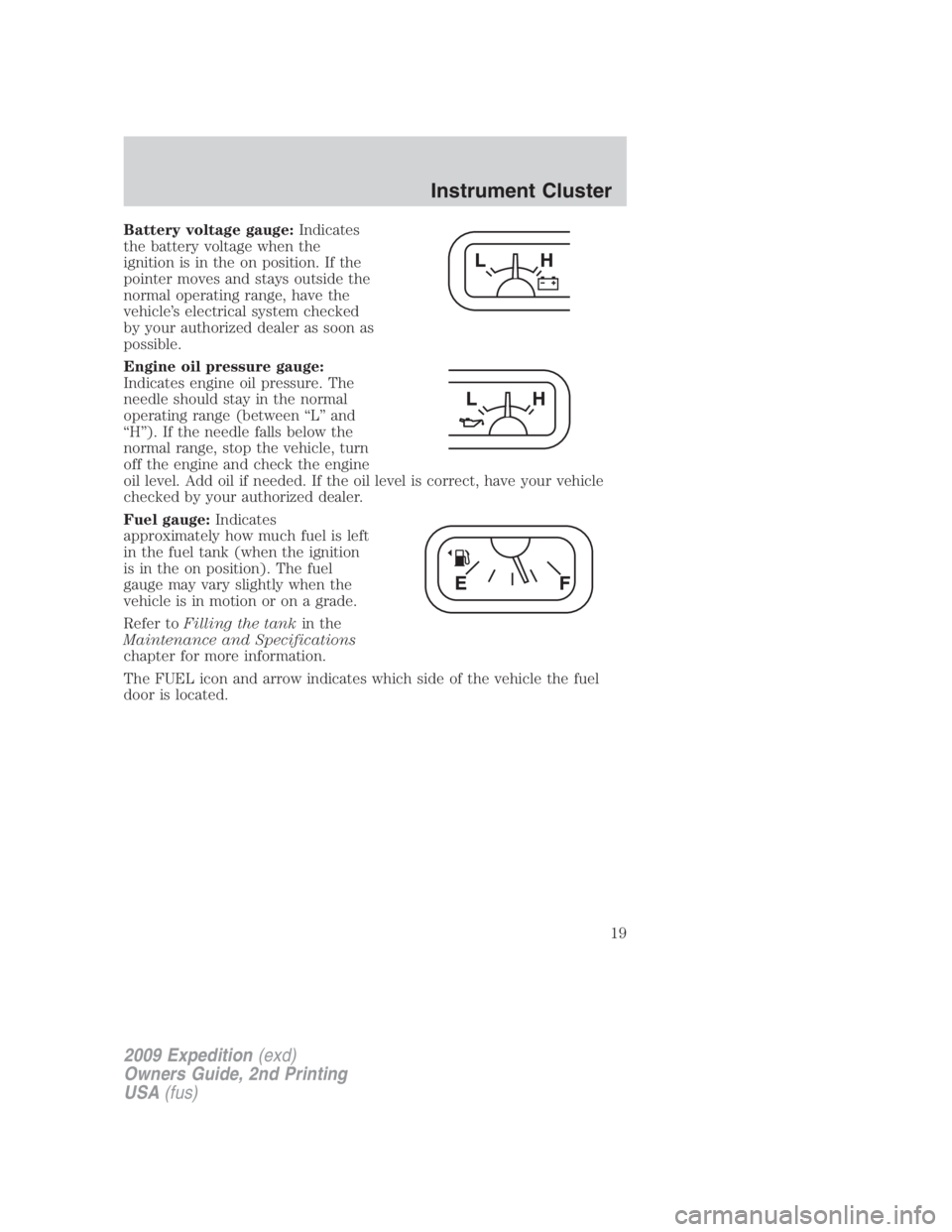
Battery voltage gauge: Indicates
the battery voltage when the
ignition is in the on position. If the
pointer moves and stays outside the
normal operating range, have the
vehicle’s electrical system checked
by your authorized dealer as soon as
possible.
Engine oil pressure gauge:
Indicates engine oil pressure. The
needle should stay in the normal
operating range (between “L” and
“H”). If the needle falls below the
normal range, stop the vehicle, turn
off the engine and check the engine
oil level. Add oil if needed. If the oil level is correct, have your vehicle
checked by your authorized dealer.
Fuel gauge: Indicates
approximately how much fuel is left
in the fuel tank (when the ignition
is in the on position). The fuel
gauge may vary slightly when the
vehicle is in motion or on a grade.
Refer to Filling the tank in the
Maintenance and Specifications
chapter for more information.
The FUEL icon and arrow indicates which side of the vehicle the fuel
door is located.
2009 Expedition (exd)
Owners Guide, 2nd Printing
USA (fus) Instrument Cluster
19
Page 78 of 415
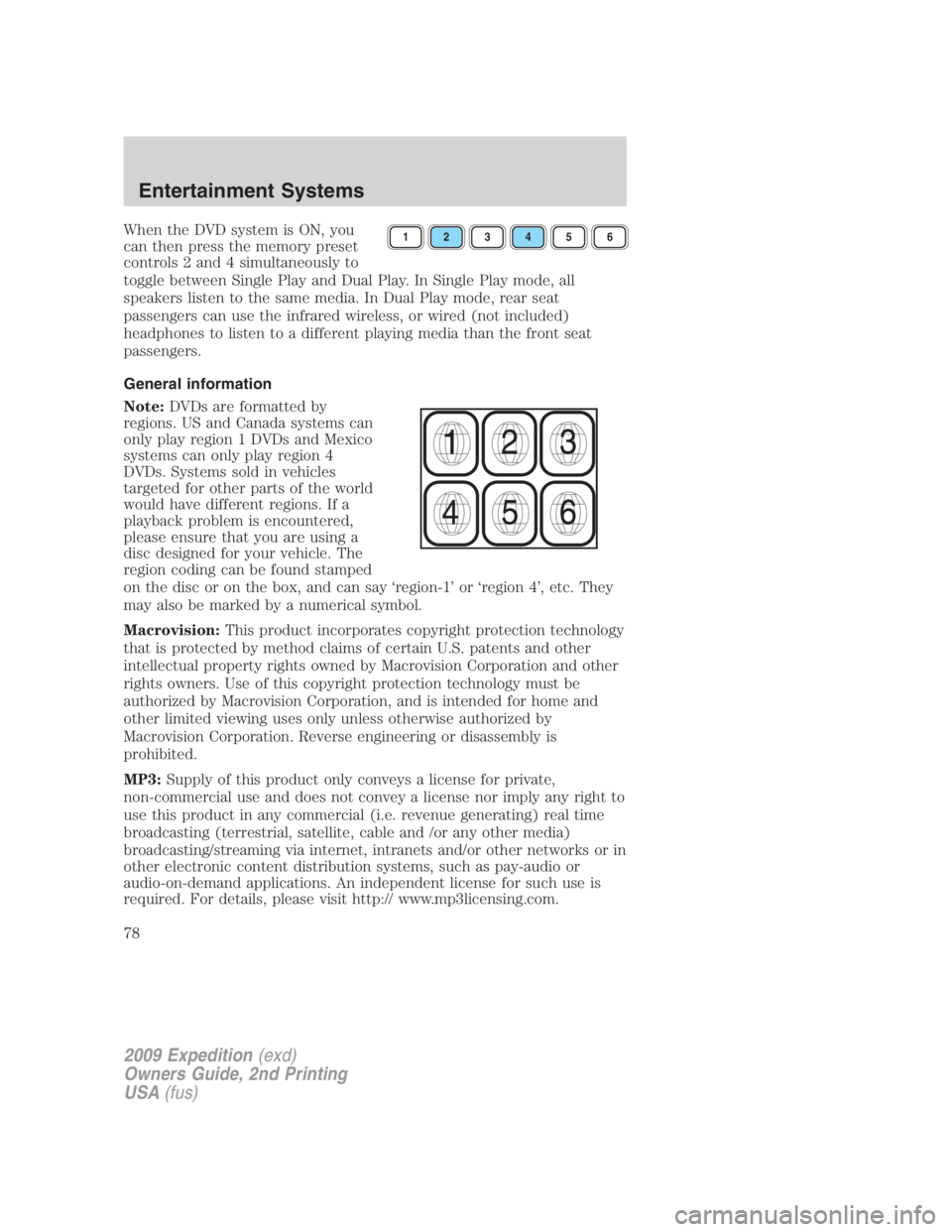
When the DVD system is ON, you
can then press the memory preset
controls 2 and 4 simultaneously to
toggle between Single Play and Dual Play. In Single Play mode, all
speakers listen to the same media. In Dual Play mode, rear seat
passengers can use the infrared wireless, or wired (not included)
headphones to listen to a different playing media than the front seat
passengers.
General information
Note: DVDs are formatted by
regions. US and Canada systems can
only play region 1 DVDs and Mexico
systems can only play region 4
DVDs. Systems sold in vehicles
targeted for other parts of the world
would have different regions. If a
playback problem is encountered,
please ensure that you are using a
disc designed for your vehicle. The
region coding can be found stamped
on the disc or on the box, and can say ‘region-1’ or ‘region 4’, etc. They
may also be marked by a numerical symbol.
Macrovision: This product incorporates copyright protection technology
that is protected by method claims of certain U.S. patents and other
intellectual property rights owned by Macrovision Corporation and other
rights owners. Use of this copyright protection technology must be
authorized by Macrovision Corporation, and is intended for home and
other limited viewing uses only unless otherwise authorized by
Macrovision Corporation. Reverse engineering or disassembly is
prohibited.
MP3: Supply of this product only conveys a license for private,
non-commercial use and does not convey a license nor imply any right to
use this product in any commercial (i.e. revenue generating) real time
broadcasting (terrestrial, satellite, cable and /or any other media)
broadcasting/streaming via internet, intranets and/or other networks or in
other electronic content distribution systems, such as pay-audio or
audio-on-demand applications. An independent license for such use is
required. For details, please visit http:// www.mp3licensing.com. 1 2 3 4 5 6
2009 Expedition (exd)
Owners Guide, 2nd Printing
USA (fus)Entertainment Systems
78
Page 93 of 415
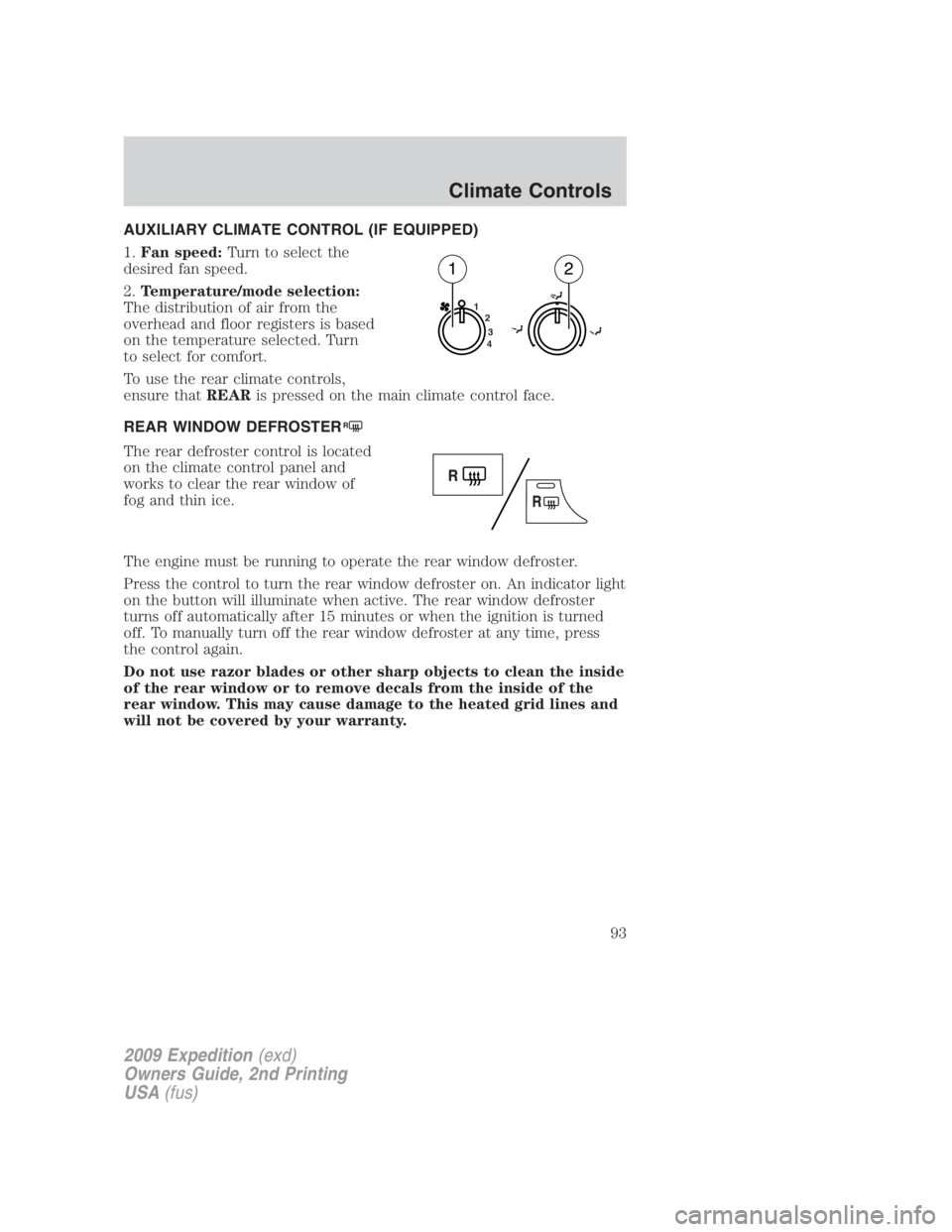
AUXILIARY CLIMATE CONTROL (IF EQUIPPED)
1. Fan speed: Turn to select the
desired fan speed.
2. Temperature/mode selection:
The distribution of air from the
overhead and floor registers is based
on the temperature selected. Turn
to select for comfort.
To use the rear climate controls,
ensure that REAR is pressed on the main climate control face.
REAR WINDOW DEFROSTER R
The rear defroster control is located
on the climate control panel and
works to clear the rear window of
fog and thin ice.
The engine must be running to operate the rear window defroster.
Press the control to turn the rear window defroster on. An indicator light
on the button will illuminate when active. The rear window defroster
turns off automatically after 15 minutes or when the ignition is turned
off. To manually turn off the rear window defroster at any time, press
the control again.
Do not use razor blades or other sharp objects to clean the inside
of the rear window or to remove decals from the inside of the
rear window. This may cause damage to the heated grid lines and
will not be covered by your warranty. 1
2
3
4
1 2
2009 Expedition (exd)
Owners Guide, 2nd Printing
USA (fus) Climate Controls
93
Page 111 of 415
To have full capacity usage of your power point, the engine is required to
be running to avoid unintentional discharge of the battery. To prevent
the battery from being discharged:
• do not use the power point longer than necessary when the engine is
not running,
• do not leave battery chargers, video game adapters, computers and
other devices plugged in overnight or when the vehicle is parked for
extended periods.
Always keep the power point caps closed when not being used.
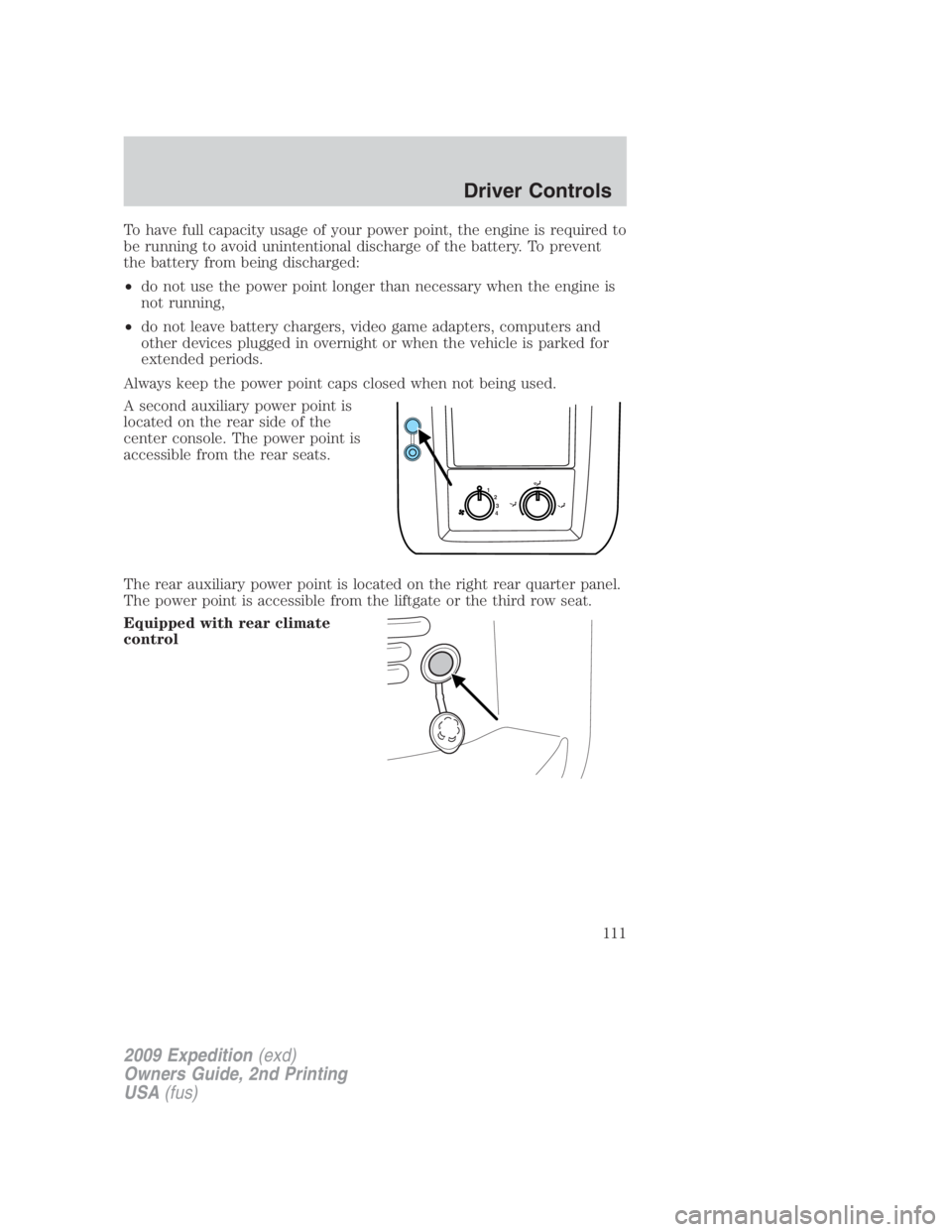
A second auxiliary power point is
located on the rear side of the
center console. The power point is
accessible from the rear seats.
The rear auxiliary power point is located on the right rear quarter panel.
The power point is accessible from the liftgate or the third row seat.
Equipped with rear climate
control 1
2
3
4
2009 Expedition (exd)
Owners Guide, 2nd Printing
USA (fus) Driver Controls
111
Page 135 of 415
Pressing the RESET stem cycles the message center through each of the
systems being monitored. If the RESET stem is not pressed, the display
will automatically scroll through each of the systems being monitored:
1. OIL LIFE
2. CHARGING SYSTEM
3. WASHER FLUID LEVEL
4. DOOR/LIFTGATE/GLASS AJAR
5. BRAKE SYSTEM
6. FUEL LEVEL (will only display if 50 miles or less to empty)
Oil life
An oil change is required whenever indicated by the message center and
according to the recommended maintenance schedule. USE ONLY
RECOMMENDED ENGINE OILS.
To reset the oil monitoring system to 100% after each oil change
(approximately 7,500 miles [12,000 km] or six months) perform the
following:
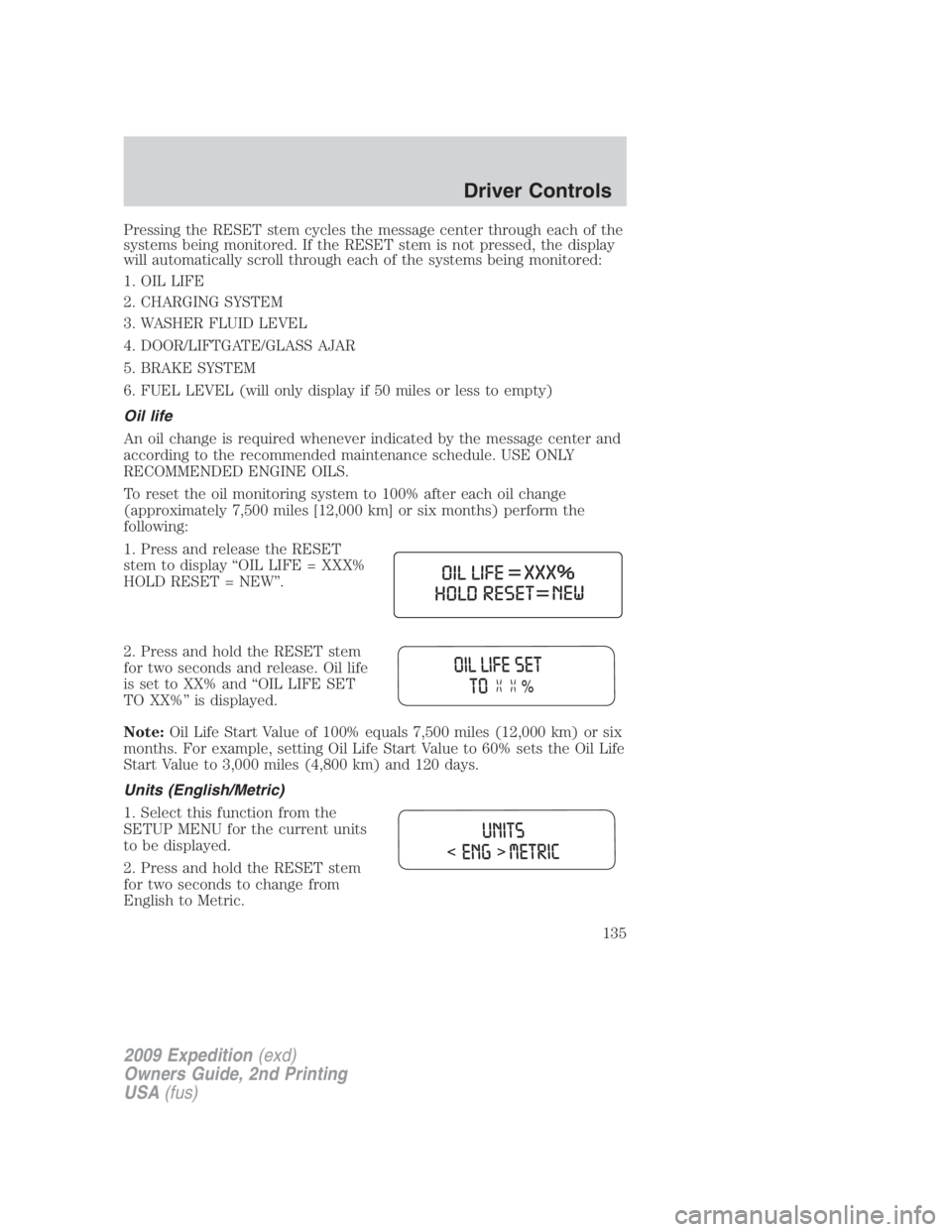
1. Press and release the RESET
stem to display “OIL LIFE = XXX%
HOLD RESET = NEW”.
2. Press and hold the RESET stem
for two seconds and release. Oil life
is set to XX% and “OIL LIFE SET
TO XX%” is displayed.
Note: Oil Life Start Value of 100% equals 7,500 miles (12,000 km) or six
months. For example, setting Oil Life Start Value to 60% sets the Oil Life
Start Value to 3,000 miles (4,800 km) and 120 days.
Units (English/Metric)
1. Select this function from the
SETUP MENU for the current units
to be displayed.
2. Press and hold the RESET stem
for two seconds to change from
English to Metric.
2009 Expedition (exd)
Owners Guide, 2nd Printing
USA (fus) Driver Controls
135
Page 139 of 415
CHECK CHARGING SYSTEM — Displayed when the electrical system
is not maintaining proper voltage when the engine is running. If you are
operating electrical accessories when the engine is idling at a low speed,
turn off as many of the electrical loads as soon as possible. If the
warning stays on or comes on when the engine is operating at normal
speeds, have the electrical system checked as soon as possible.
PARK BRAKE ENGAGED — Displayed when the manual park brake is
set, the engine is running and the vehicle is driven more than 3 mph
(5 km/h). If the warning stays on after the park brake is released,
contact your authorized dealer as soon as possible.
CHECK BRAKE SYSTEM — Displayed when the braking system is not
operating properly. If the warning stays on or continues to come on,
contact your authorized dealer as soon as possible.
CHECK FUEL FILL INLET — Displayed when the fuel fill inlet may
not be properly closed. Refer to Easy Fuel™ “no cap” fuel system in
the Maintenance and Specifications chapter.
LOW TIRE PRESSURE — Displayed when one or more tires on your
vehicle have low tire pressure. Refer to Inflating your tires in the Tires,
Wheels and Loading chapter.
TIRE PRESSURE MONITOR FAULT — Displayed when the Tire
Pressure Monitoring System is malfunctioning. If the warning stays on or
continues to come on, contact your authorized dealer as soon as
possible.
TIRE PRESSURE SENSOR FAULT — Displayed when a tire pressure
sensor is malfunctioning, or your spare tire is in use. For more
information on how the system operates under these conditions, refer to
Understanding your Tire Pressure Monitoring System (TPMS) in the
Tires, Wheels and Loading chapter. If the warning stays on or
continues to come on, contact your authorized dealer as soon as
possible.
4X4 SHIFT IN PROGRESS — Displayed on 4x4 vehicles only when
4x4 Low, 4x4 High or 4x4 Auto Range is selected. For further
information, refer to Control Trac four-wheel drive (4x4) operation in
the Driving chapter.
BRAKE FLUID LEVEL LOW — Indicates the brake fluid level is low
and the brake system should be inspected immediately. Refer to Brake
fluid in the Maintenance and Specifications chapter.
CHECK PARK BRAKE — Displayed when the park brake is engaged. If
the warning stays on after the park brake is off, contact your authorized
dealer as soon as possible.
2009 Expedition (exd)
Owners Guide, 2nd Printing
USA (fus) Driver Controls
139
Page 140 of 415
XXX MILES TO E FUEL LEVEL LOW — Displayed as an early
reminder of a low fuel condition.
WASHER FLUID LEVEL LOW — Indicates the washer fluid reservoir
is less than one quarter full. Check the washer fluid level. Refer to
Windshield washer fluid in the Maintenance and Specifications
chapter.
OIL LIFE CHANGE SOON — Displayed when the engine oil life
remaining is 10% or less. When oil life left is between 10% and 0%, the
XX% OIL LIFE CHANGE SOON message will be displayed.
OIL CHANGE REQUIRED — Displayed when the oil life left reaches
0%, the OIL CHANGE REQUIRED message will be displayed.
OPTIONAL MESSAGE CENTER (IF EQUIPPED)
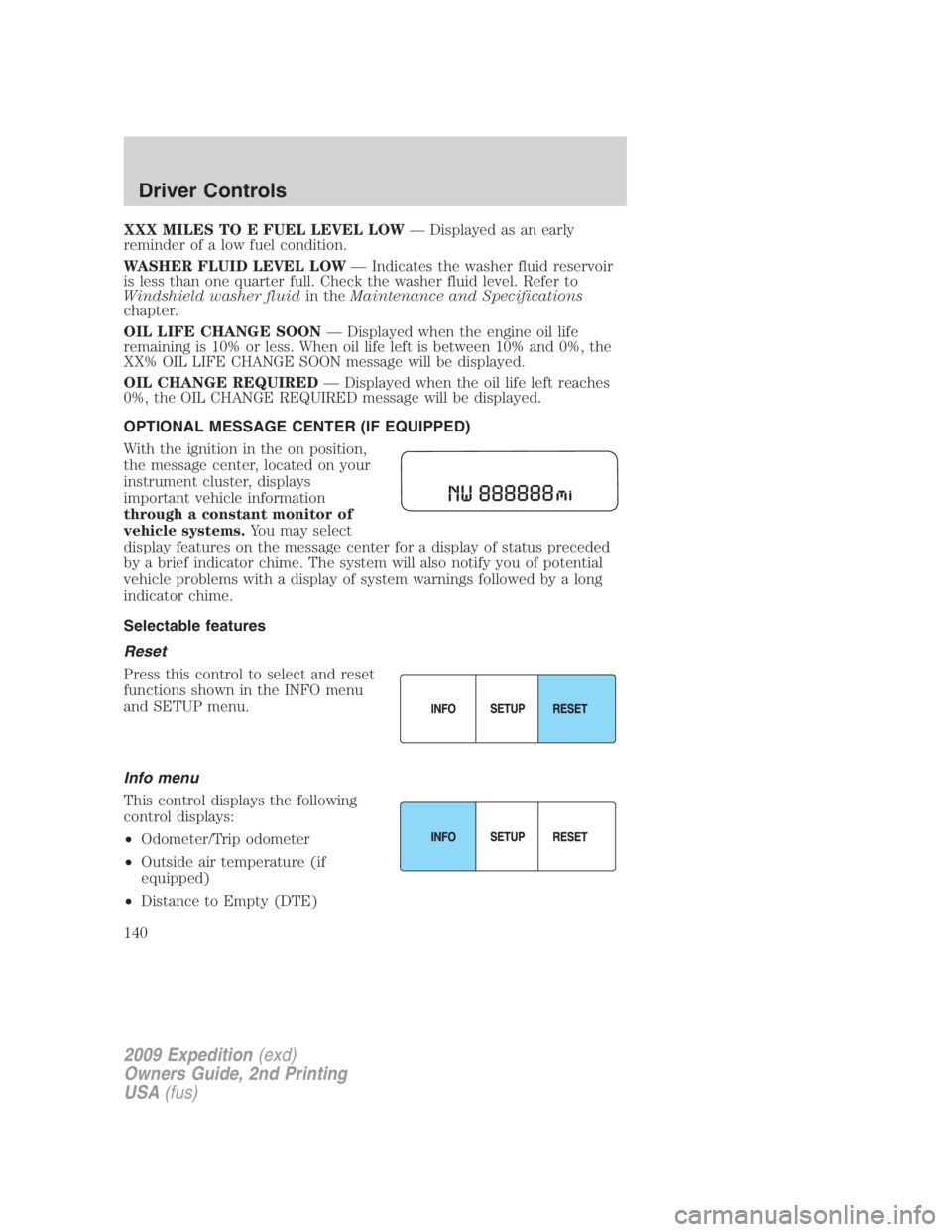
With the ignition in the on position,
the message center, located on your
instrument cluster, displays
important vehicle information
through a constant monitor of
vehicle systems. You may select
display features on the message center for a display of status preceded
by a brief indicator chime. The system will also notify you of potential
vehicle problems with a display of system warnings followed by a long
indicator chime.
Selectable features
Reset
Press this control to select and reset
functions shown in the INFO menu
and SETUP menu.
Info menu
This control displays the following
control displays:
• Odometer/Trip odometer
• Outside air temperature (if
equipped)
• Distance to Empty (DTE)
2009 Expedition (exd)
Owners Guide, 2nd Printing
USA (fus)Driver Controls
140
Page 144 of 415
The sequence of the system check report and how it appears in the
message center is as follows:
1. OIL LIFE
2. CHARGING SYSTEM
3. WASHER FLUID LEVEL
4. DOOR STATUS
5. LIFTGATE/GLASS
6. BRAKE FLUID LEVEL
7. AIR SUSPENSION SYSTEM (if equipped)
8. FUEL LEVEL
Oil life
An oil change is required whenever indicated by the message center and
according to the recommended maintenance schedule. USE ONLY
RECOMMENDED ENGINE OILS.
To reset the oil monitoring system to 100% after each oil change
(approximately 7,500 miles [12,000 km] or six months) perform the
following:
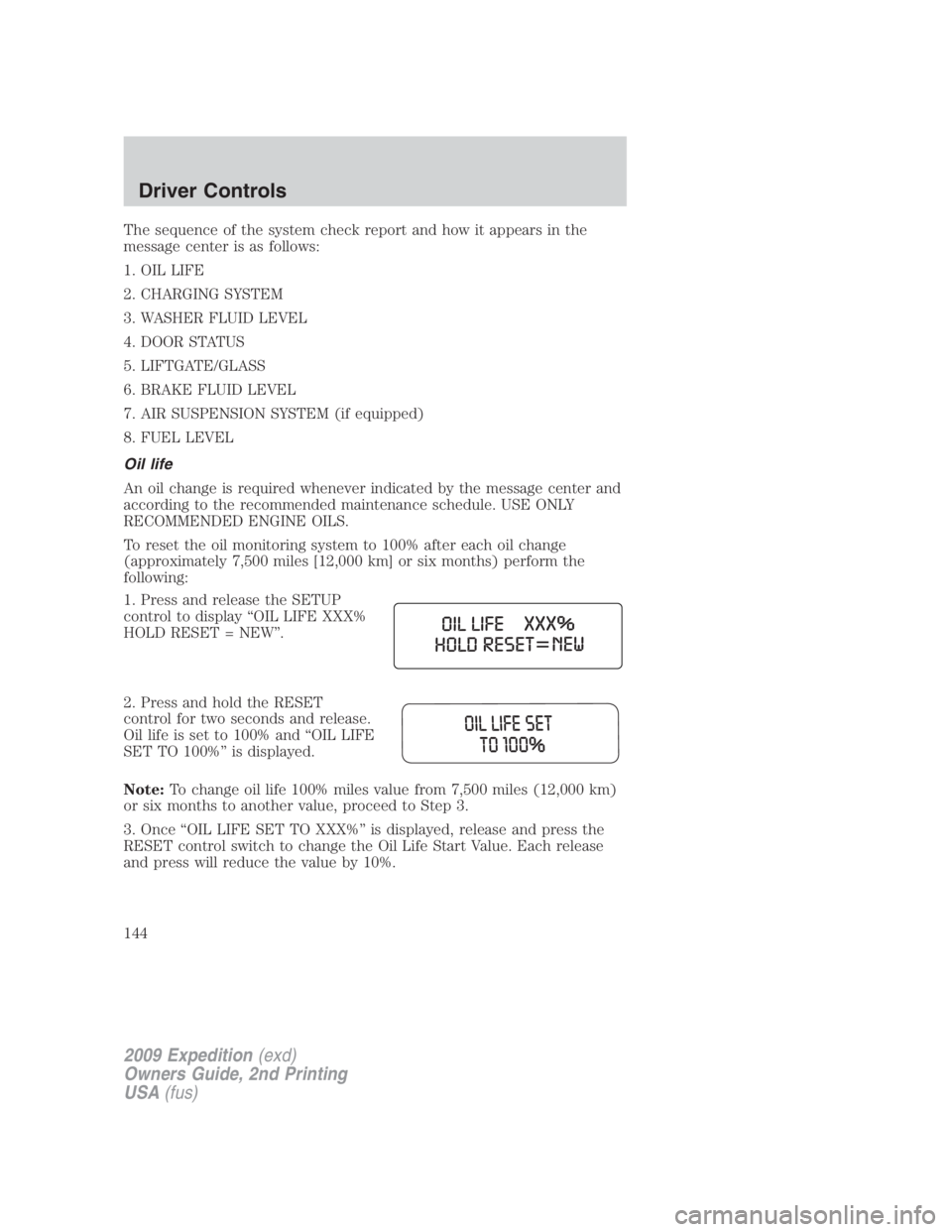
1. Press and release the SETUP
control to display “OIL LIFE XXX%
HOLD RESET = NEW”.
2. Press and hold the RESET
control for two seconds and release.
Oil life is set to 100% and “OIL LIFE
SET TO 100%” is displayed.
Note: To change oil life 100% miles value from 7,500 miles (12,000 km)
or six months to another value, proceed to Step 3.
3. Once “OIL LIFE SET TO XXX%” is displayed, release and press the
RESET control switch to change the Oil Life Start Value. Each release
and press will reduce the value by 10%.
2009 Expedition (exd)
Owners Guide, 2nd Printing
USA (fus)Driver Controls
144