ECO mode FORD EXPEDITION EL 2009 Owners Manual
[x] Cancel search | Manufacturer: FORD, Model Year: 2009, Model line: EXPEDITION EL, Model: FORD EXPEDITION EL 2009Pages: 415, PDF Size: 5.4 MB
Page 12 of 415
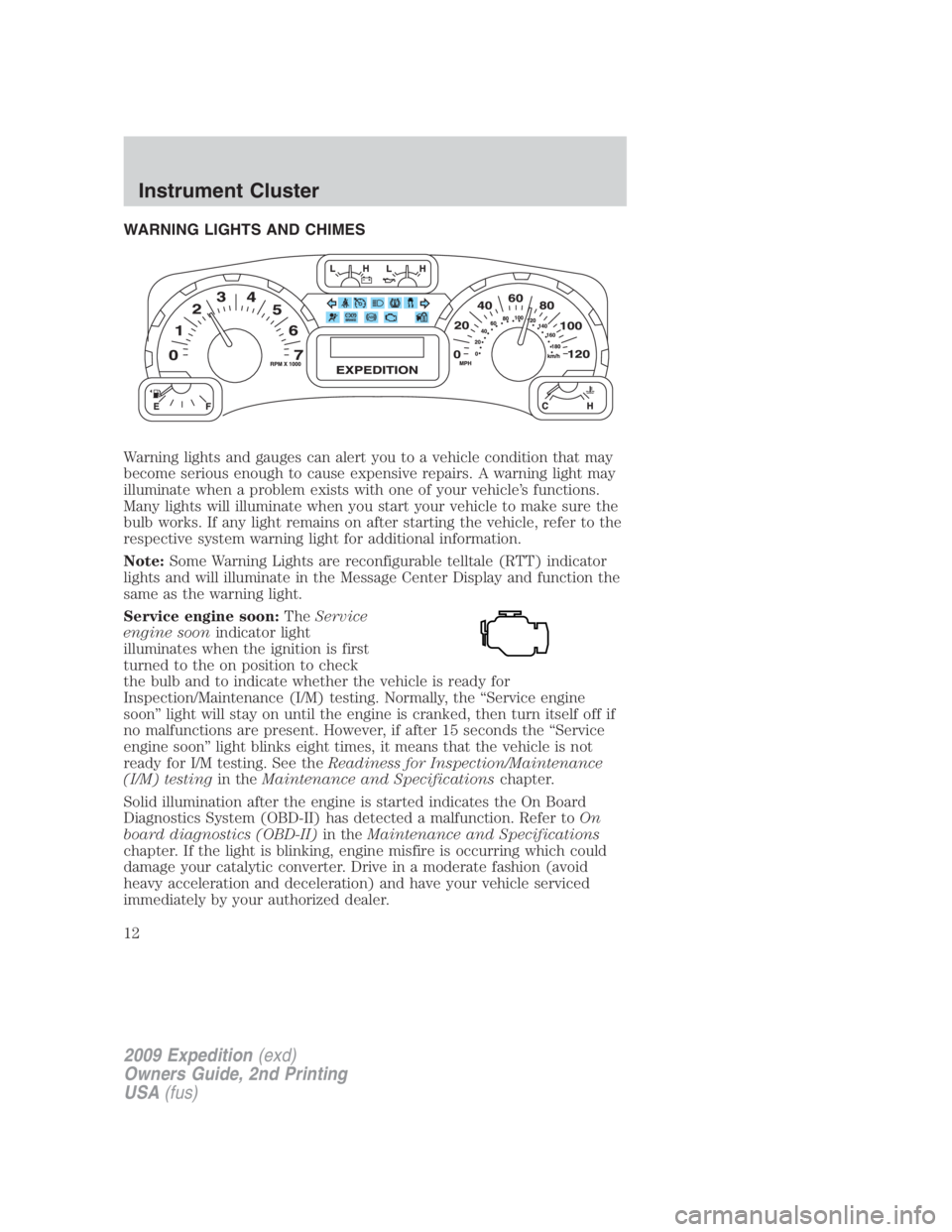
WARNING LIGHTS AND CHIMES
Warning lights and gauges can alert you to a vehicle condition that may
become serious enough to cause expensive repairs. A warning light may
illuminate when a problem exists with one of your vehicle’s functions.
Many lights will illuminate when you start your vehicle to make sure the
bulb works. If any light remains on after starting the vehicle, refer to the
respective system warning light for additional information.
Note: Some Warning Lights are reconfigurable telltale (RTT) indicator
lights and will illuminate in the Message Center Display and function the
same as the warning light.
Service engine soon: The Service
engine soon indicator light
illuminates when the ignition is first
turned to the on position to check
the bulb and to indicate whether the vehicle is ready for
Inspection/Maintenance (I/M) testing. Normally, the “Service engine
soon” light will stay on until the engine is cranked, then turn itself off if
no malfunctions are present. However, if after 15 seconds the “Service
engine soon” light blinks eight times, it means that the vehicle is not
ready for I/M testing. See the Readiness for Inspection/Maintenance
(I/M) testing in the Maintenance and Specifications chapter.
Solid illumination after the engine is started indicates the On Board
Diagnostics System (OBD-II) has detected a malfunction. Refer to On
board diagnostics (OBD-II) in the Maintenance and Specifications
chapter. If the light is blinking, engine misfire is occurring which could
damage your catalytic converter. Drive in a moderate fashion (avoid
heavy acceleration and deceleration) and have your vehicle serviced
immediately by your authorized dealer.
2009 Expedition (exd)
Owners Guide, 2nd Printing
USA (fus)Instrument Cluster
12
Page 20 of 415
AUDIO SYSTEMS
Quick start — How to get going
WARNING: Driving while distracted can result in loss of vehicle
control, accident and injury. Ford strongly recommends that
drivers use extreme caution when using any device that may take their
focus off the road. The drivers primary responsibility is the safe
operation of their vehicle. Only use cell phones and other devices not
essential to the driving task when it is safe to do so.
Listening to the radio
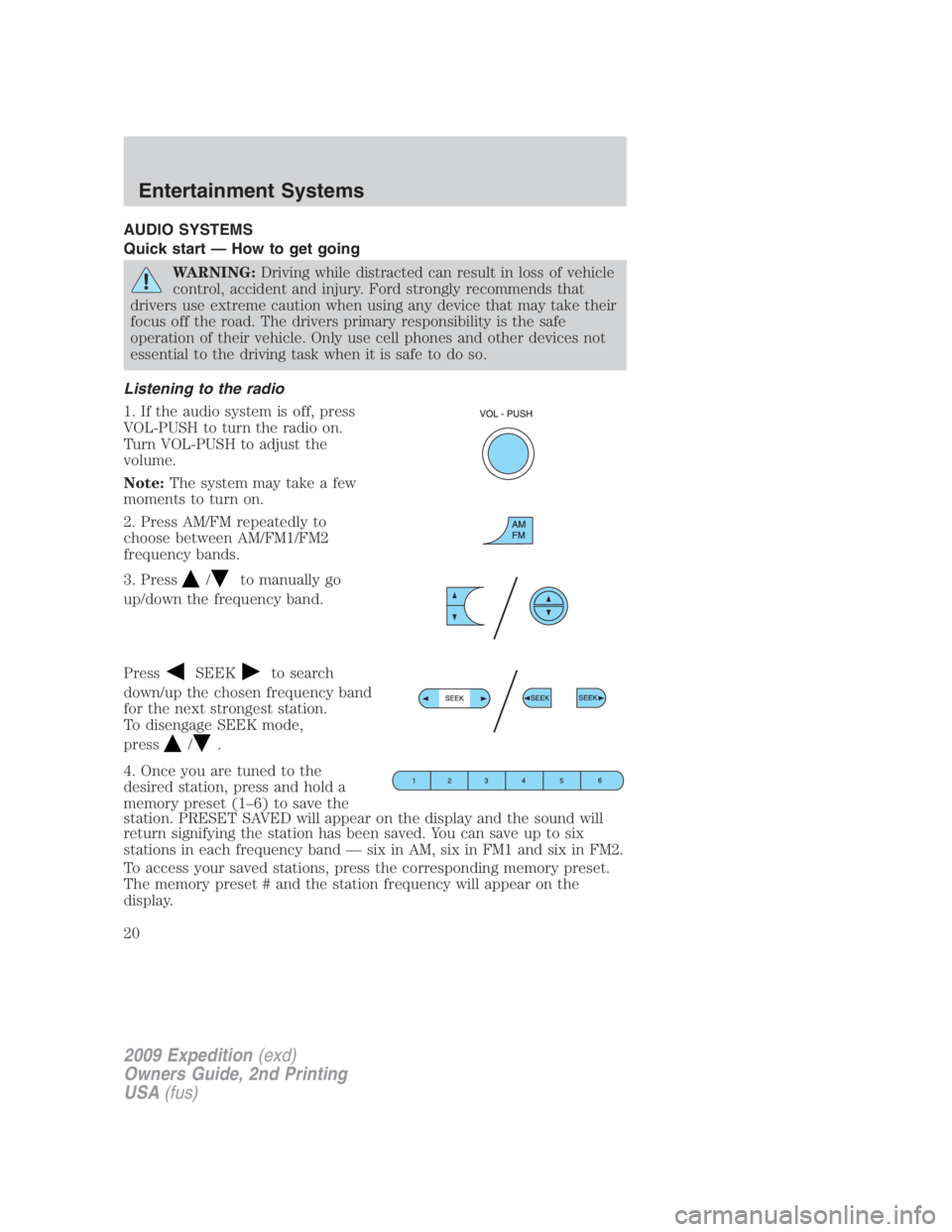
1. If the audio system is off, press
VOL-PUSH to turn the radio on.
Turn VOL-PUSH to adjust the
volume.
Note: The system may take a few
moments to turn on.
2. Press AM/FM repeatedly to
choose between AM/FM1/FM2
frequency bands.
3. Press / to manually go
up/down the frequency band.
Press SEEK to search
down/up the chosen frequency band
for the next strongest station.
To disengage SEEK mode,
press / .
4. Once you are tuned to the
desired station, press and hold a
memory preset (1–6) to save the
station. PRESET SAVED will appear on the display and the sound will
return signifying the station has been saved. You can save up to six
stations in each frequency band — six in AM, six in FM1 and six in FM2.
To access your saved stations, press the corresponding memory preset.
The memory preset # and the station frequency will appear on the
display.
2009 Expedition (exd)
Owners Guide, 2nd Printing
USA (fus)Entertainment Systems
20
Page 22 of 415
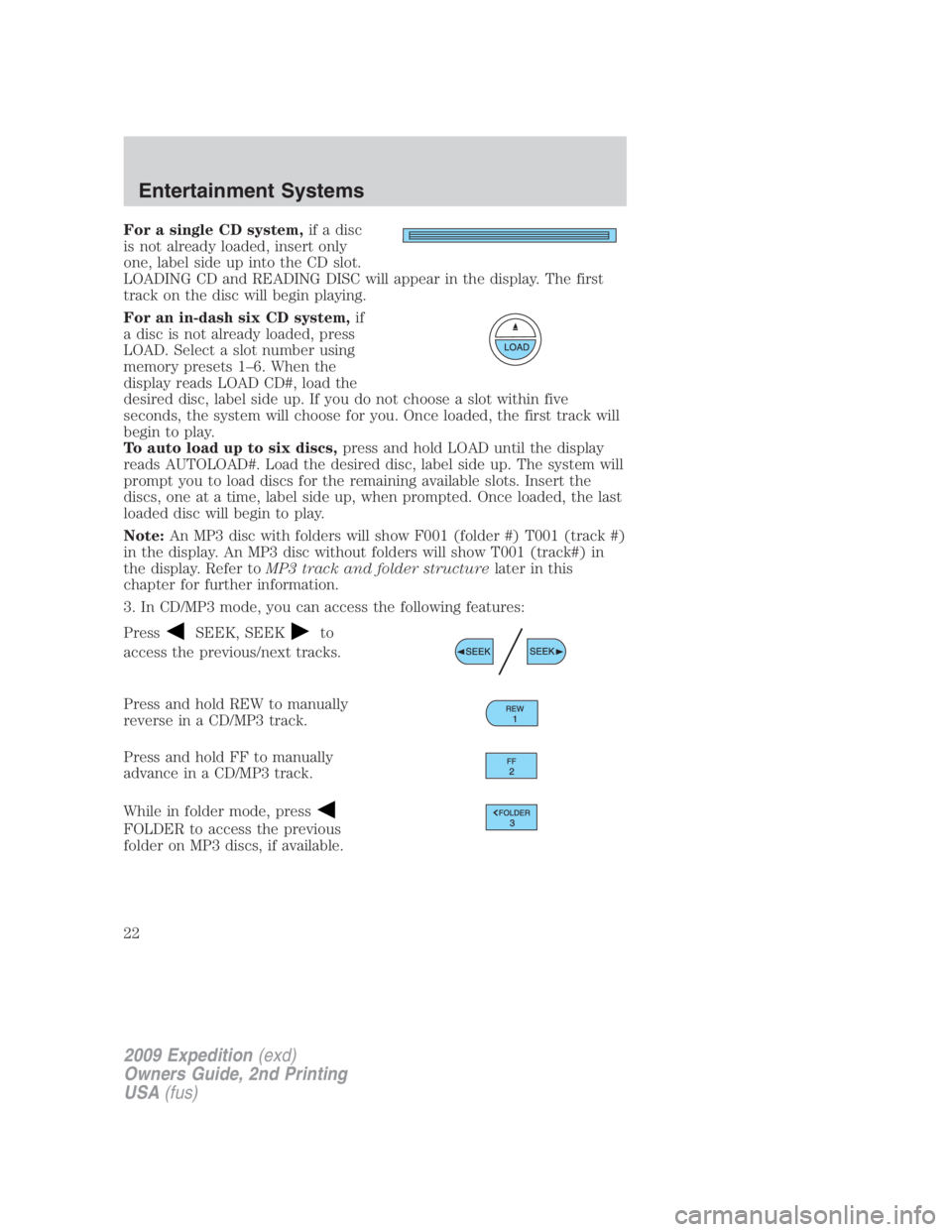
For a single CD system, if a disc
is not already loaded, insert only
one, label side up into the CD slot.
LOADING CD and READING DISC will appear in the display. The first
track on the disc will begin playing.
For an in-dash six CD system, if
a disc is not already loaded, press
LOAD. Select a slot number using
memory presets 1–6. When the
display reads LOAD CD#, load the
desired disc, label side up. If you do not choose a slot within five
seconds, the system will choose for you. Once loaded, the first track will
begin to play.
To auto load up to six discs, press and hold LOAD until the display
reads AUTOLOAD#. Load the desired disc, label side up. The system will
prompt you to load discs for the remaining available slots. Insert the
discs, one at a time, label side up, when prompted. Once loaded, the last
loaded disc will begin to play.
Note: An MP3 disc with folders will show F001 (folder #) T001 (track #)
in the display. An MP3 disc without folders will show T001 (track#) in
the display. Refer to MP3 track and folder structure later in this
chapter for further information.
3. In CD/MP3 mode, you can access the following features:
Press SEEK, SEEK to
access the previous/next tracks.
Press and hold REW to manually
reverse in a CD/MP3 track.
Press and hold FF to manually
advance in a CD/MP3 track.
While in folder mode, press
FOLDER to access the previous
folder on MP3 discs, if available.
2009 Expedition (exd)
Owners Guide, 2nd Printing
USA (fus)Entertainment Systems
22
Page 23 of 415
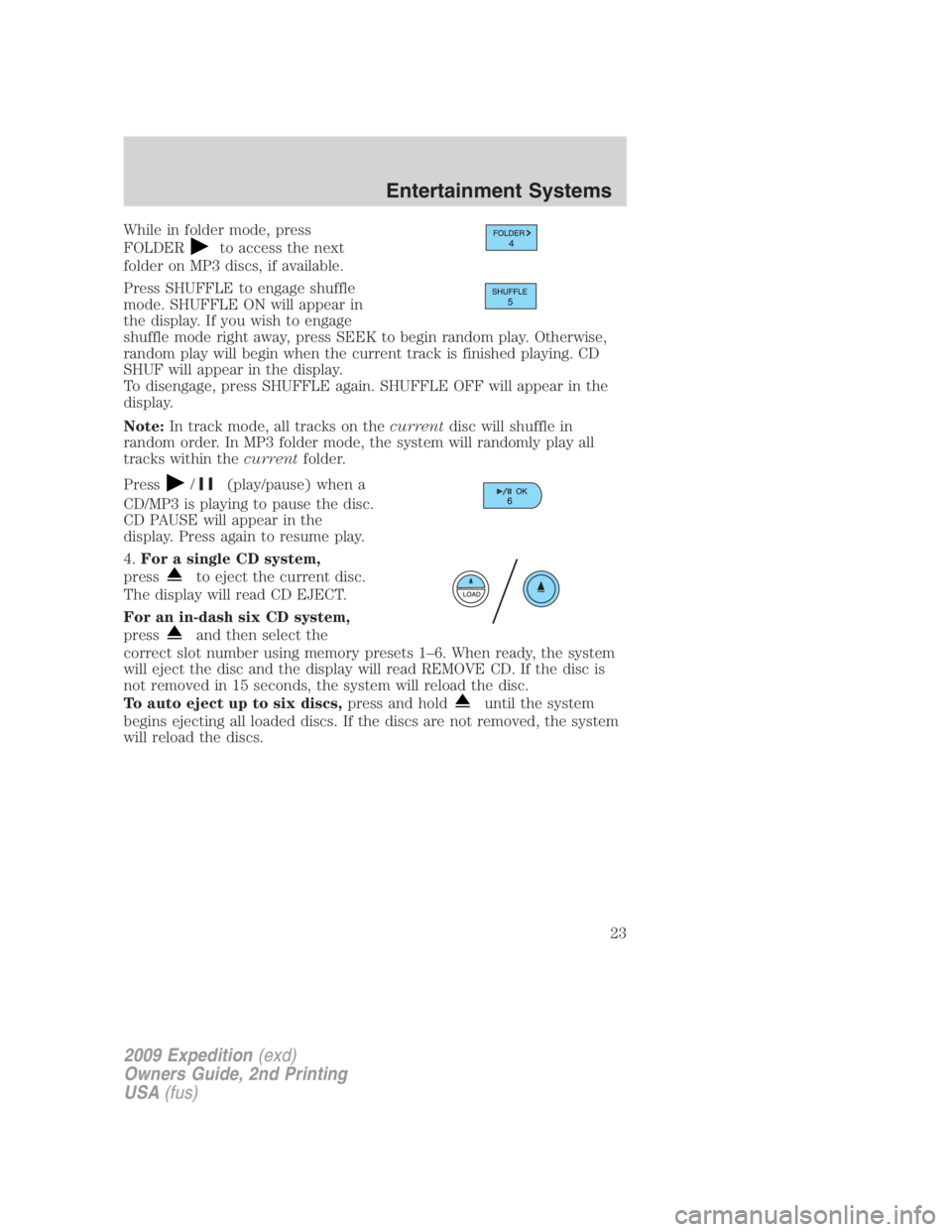
While in folder mode, press
FOLDER to access the next
folder on MP3 discs, if available.
Press SHUFFLE to engage shuffle
mode. SHUFFLE ON will appear in
the display. If you wish to engage
shuffle mode right away, press SEEK to begin random play. Otherwise,
random play will begin when the current track is finished playing. CD
SHUF will appear in the display.
To disengage, press SHUFFLE again. SHUFFLE OFF will appear in the
display.
Note: In track mode, all tracks on the current disc will shuffle in
random order. In MP3 folder mode, the system will randomly play all
tracks within the current folder.
Press / (play/pause) when a
CD/MP3 is playing to pause the disc.
CD PAUSE will appear in the
display. Press again to resume play.
4. For a single CD system,
press to eject the current disc.
The display will read CD EJECT.
For an in-dash six CD system,
press and then select the
correct slot number using memory presets 1–6. When ready, the system
will eject the disc and the display will read REMOVE CD. If the disc is
not removed in 15 seconds, the system will reload the disc.
To auto eject up to six discs, press and hold until the system
begins ejecting all loaded discs. If the discs are not removed, the system
will reload the discs.
2009 Expedition (exd)
Owners Guide, 2nd Printing
USA (fus) Entertainment Systems
23
Page 24 of 415
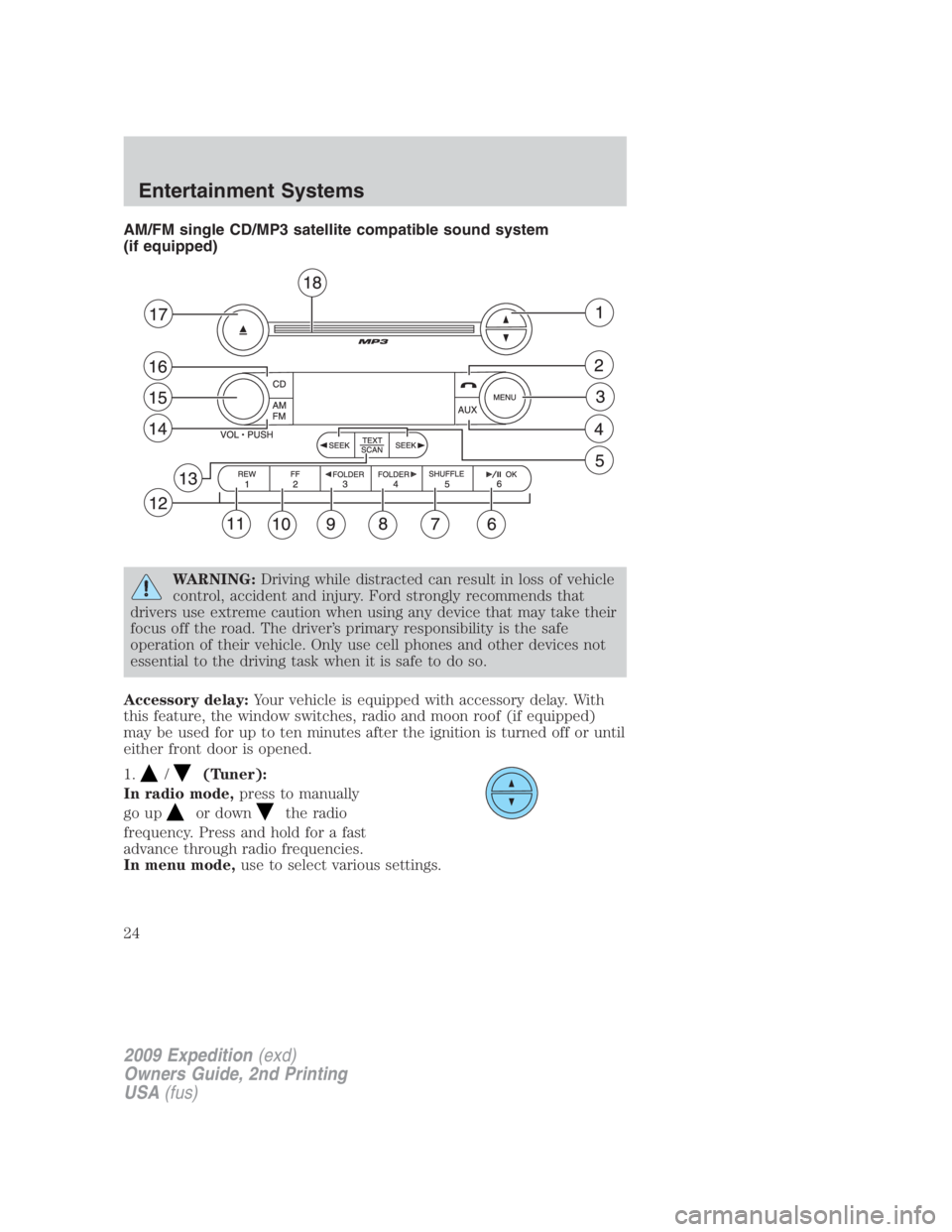
AM/FM single CD/MP3 satellite compatible sound system
(if equipped)
WARNING: Driving while distracted can result in loss of vehicle
control, accident and injury. Ford strongly recommends that
drivers use extreme caution when using any device that may take their
focus off the road. The driver’s primary responsibility is the safe
operation of their vehicle. Only use cell phones and other devices not
essential to the driving task when it is safe to do so.
Accessory delay: Your vehicle is equipped with accessory delay. With
this feature, the window switches, radio and moon roof (if equipped)
may be used for up to ten minutes after the ignition is turned off or until
either front door is opened.
1. / (Tuner):
In radio mode, press to manually
go up or down the radio
frequency. Press and hold for a fast
advance through radio frequencies.
In menu mode, use to select various settings.
2009 Expedition (exd)
Owners Guide, 2nd Printing
USA (fus)Entertainment Systems
24
Page 32 of 415
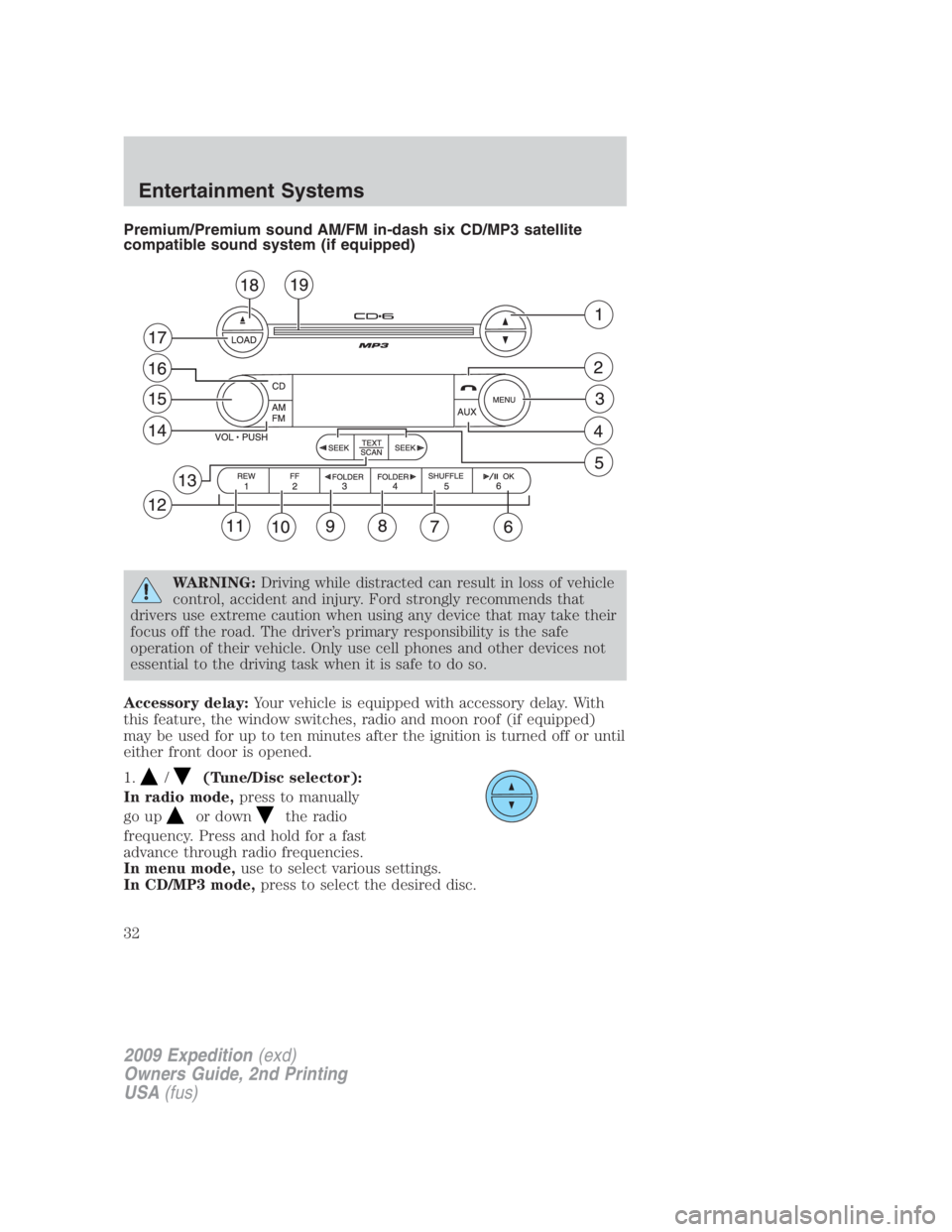
Premium/Premium sound AM/FM in-dash six CD/MP3 satellite
compatible sound system (if equipped)
WARNING: Driving while distracted can result in loss of vehicle
control, accident and injury. Ford strongly recommends that
drivers use extreme caution when using any device that may take their
focus off the road. The driver’s primary responsibility is the safe
operation of their vehicle. Only use cell phones and other devices not
essential to the driving task when it is safe to do so.
Accessory delay: Your vehicle is equipped with accessory delay. With
this feature, the window switches, radio and moon roof (if equipped)
may be used for up to ten minutes after the ignition is turned off or until
either front door is opened.
1. / (Tune/Disc selector):
In radio mode, press to manually
go up or down the radio
frequency. Press and hold for a fast
advance through radio frequencies.
In menu mode, use to select various settings.
In CD/MP3 mode, press to select the desired disc.
2009 Expedition (exd)
Owners Guide, 2nd Printing
USA (fus)Entertainment Systems
32
Page 35 of 415
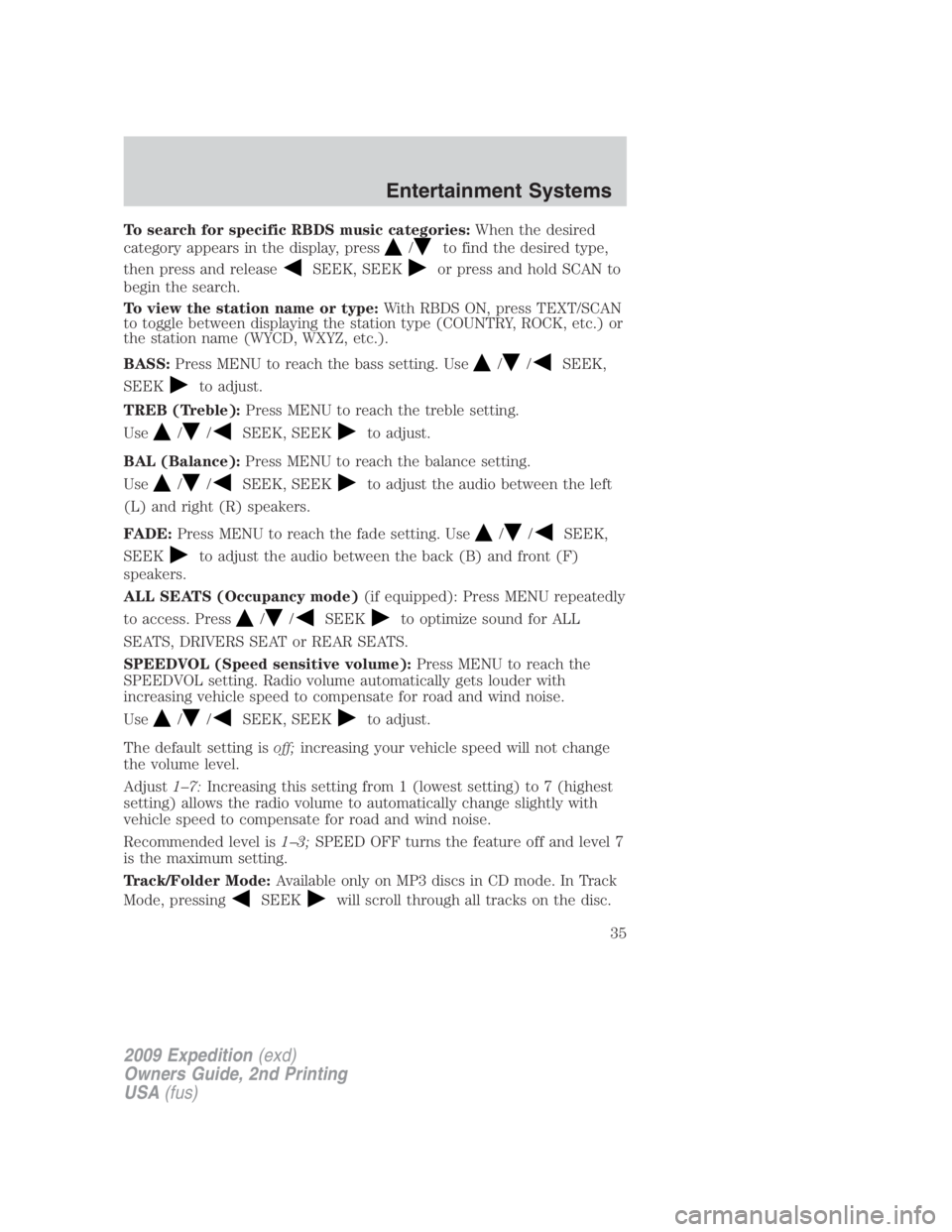
To search for specific RBDS music categories: When the desired
category appears in the display, press / to find the desired type,
then press and release SEEK, SEEK or press and hold SCAN to
begin the search.
To view the station name or type: With RBDS ON, press TEXT/SCAN
to toggle between displaying the station type (COUNTRY, ROCK, etc.) or
the station name (WYCD, WXYZ, etc.).
BASS: Press MENU to reach the bass setting. Use / / SEEK,
SEEK to adjust.
TREB (Treble): Press MENU to reach the treble setting.
Use / / SEEK, SEEK to adjust.
BAL (Balance): Press MENU to reach the balance setting.
Use / / SEEK, SEEK to adjust the audio between the left
(L) and right (R) speakers.
FADE: Press MENU to reach the fade setting. Use / / SEEK,
SEEK to adjust the audio between the back (B) and front (F)
speakers.
ALL SEATS (Occupancy mode) (if equipped): Press MENU repeatedly
to access. Press / / SEEK to optimize sound for ALL
SEATS, DRIVERS SEAT or REAR SEATS.
SPEEDVOL (Speed sensitive volume): Press MENU to reach the
SPEEDVOL setting. Radio volume automatically gets louder with
increasing vehicle speed to compensate for road and wind noise.
Use / / SEEK, SEEK to adjust.
The default setting is off; increasing your vehicle speed will not change
the volume level.
Adjust 1–7: Increasing this setting from 1 (lowest setting) to 7 (highest
setting) allows the radio volume to automatically change slightly with
vehicle speed to compensate for road and wind noise.
Recommended level is 1–3; SPEED OFF turns the feature off and level 7
is the maximum setting.
Track/Folder Mode: Available only on MP3 discs in CD mode. In Track
Mode, pressing SEEK will scroll through all tracks on the disc.
2009 Expedition (exd)
Owners Guide, 2nd Printing
USA (fus) Entertainment Systems
35
Page 39 of 415
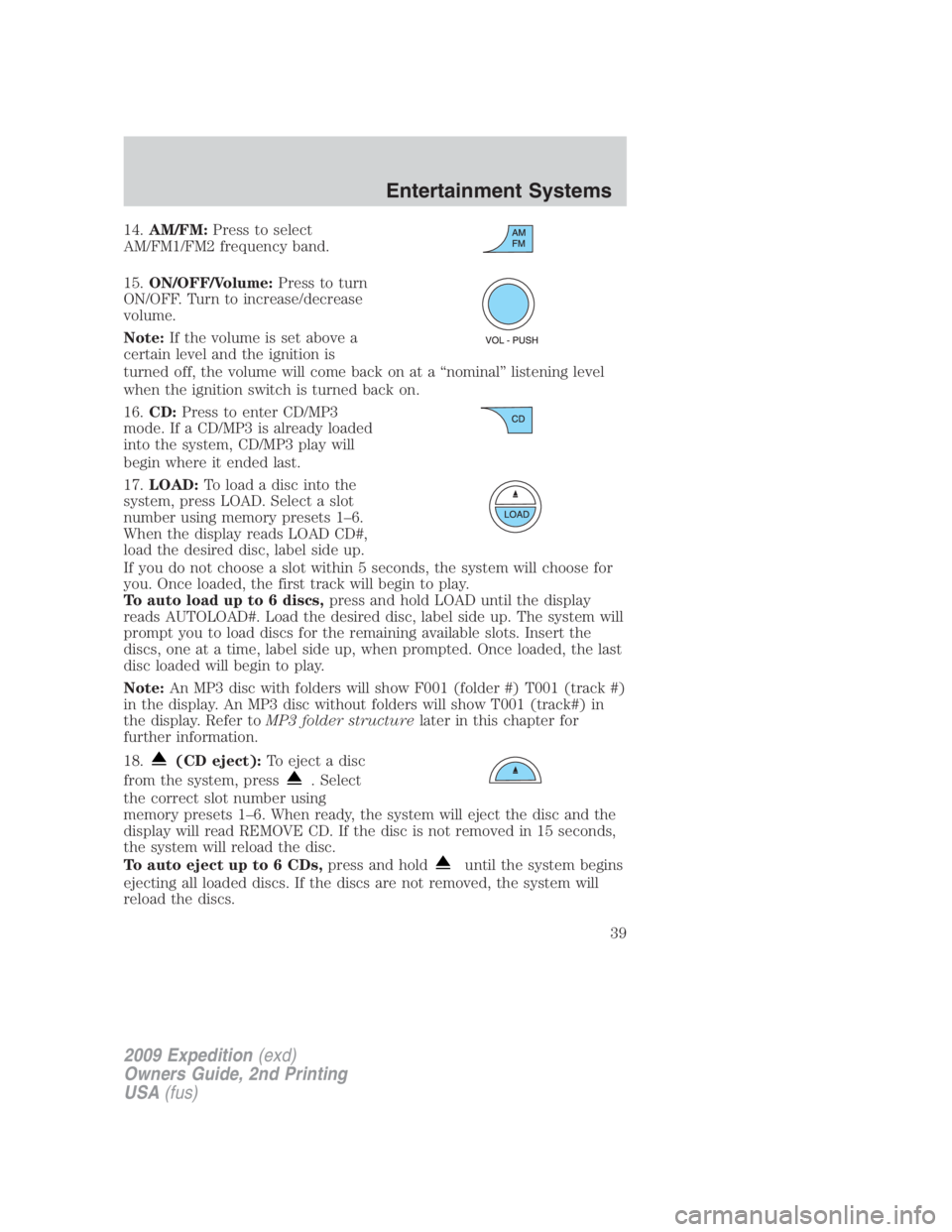
14. AM/FM: Press to select
AM/FM1/FM2 frequency band.
15. ON/OFF/Volume: Press to turn
ON/OFF. Turn to increase/decrease
volume.
Note: If the volume is set above a
certain level and the ignition is
turned off, the volume will come back on at a “nominal” listening level
when the ignition switch is turned back on.
16. CD: Press to enter CD/MP3
mode. If a CD/MP3 is already loaded
into the system, CD/MP3 play will
begin where it ended last.
17. LOAD: Toloadadiscintothe
system, press LOAD. Select a slot
number using memory presets 1–6.
When the display reads LOAD CD#,
load the desired disc, label side up.
If you do not choose a slot within 5 seconds, the system will choose for
you. Once loaded, the first track will begin to play.
To auto load up to 6 discs, press and hold LOAD until the display
reads AUTOLOAD#. Load the desired disc, label side up. The system will
prompt you to load discs for the remaining available slots. Insert the
discs, one at a time, label side up, when prompted. Once loaded, the last
disc loaded will begin to play.
Note: An MP3 disc with folders will show F001 (folder #) T001 (track #)
in the display. An MP3 disc without folders will show T001 (track#) in
the display. Refer to MP3 folder structure later in this chapter for
further information.
18.
(CD eject): To eject a disc
from the system, press . Select
the correct slot number using
memory presets 1–6. When ready, the system will eject the disc and the
display will read REMOVE CD. If the disc is not removed in 15 seconds,
the system will reload the disc.
To auto eject up to 6 CDs, press and hold until the system begins
ejecting all loaded discs. If the discs are not removed, the system will
reload the discs.
2009 Expedition (exd)
Owners Guide, 2nd Printing
USA (fus) Entertainment Systems
39
Page 44 of 415
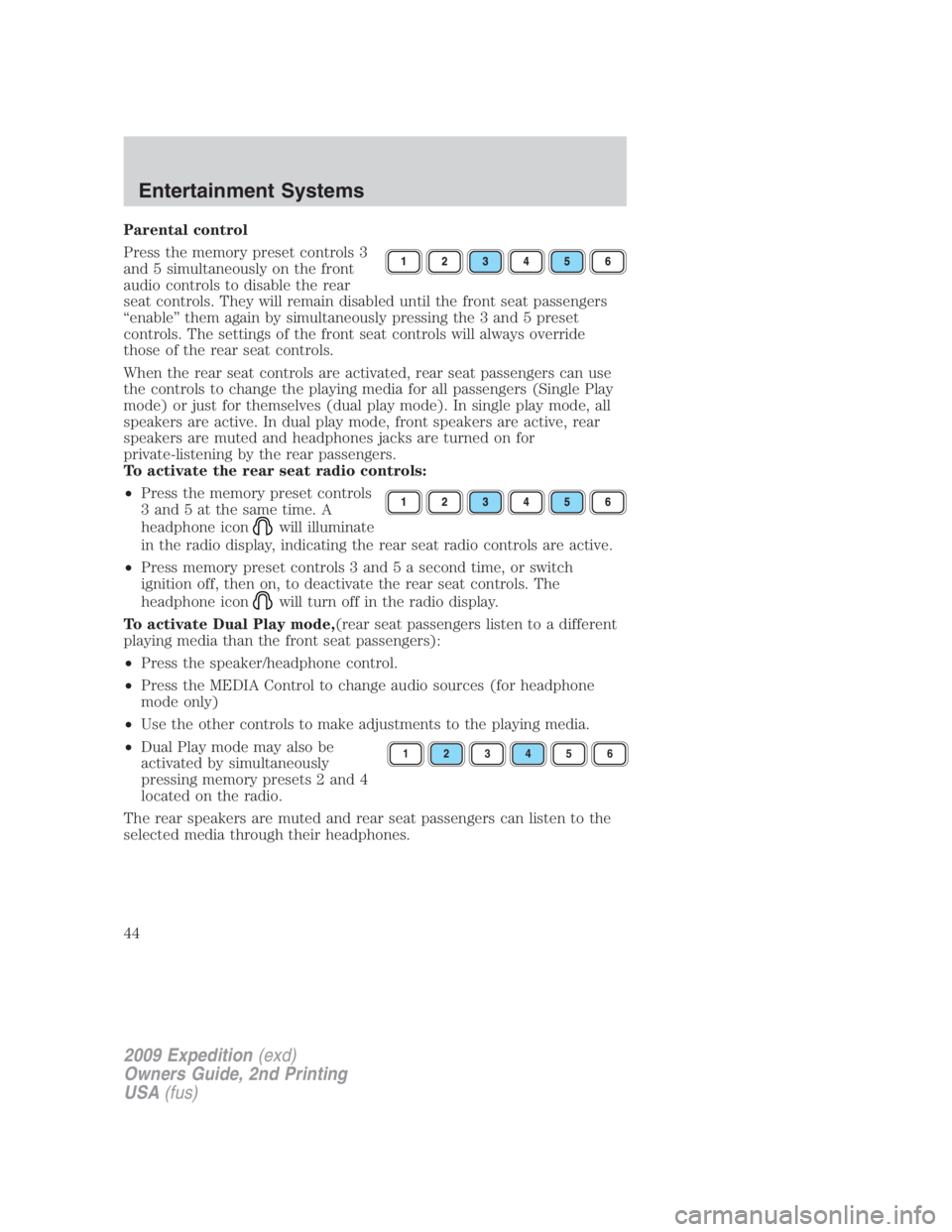
Parental control
Press the memory preset controls 3
and 5 simultaneously on the front
audio controls to disable the rear
seat controls. They will remain disabled until the front seat passengers
“enable” them again by simultaneously pressing the 3 and 5 preset
controls. The settings of the front seat controls will always override
those of the rear seat controls.
When the rear seat controls are activated, rear seat passengers can use
the controls to change the playing media for all passengers (Single Play
mode) or just for themselves (dual play mode). In single play mode, all
speakers are active. In dual play mode, front speakers are active, rear
speakers are muted and headphones jacks are turned on for
private-listening by the rear passengers.
To activate the rear seat radio controls:
• Press the memory preset controls
3 and 5 at the same time. A
headphone icon will illuminate
in the radio display, indicating the rear seat radio controls are active.
• Press memory preset controls 3 and 5 a second time, or switch
ignition off, then on, to deactivate the rear seat controls. The
headphone icon will turn off in the radio display.
To activate Dual Play mode, (rear seat passengers listen to a different
playing media than the front seat passengers):
• Press the speaker/headphone control.
• Press the MEDIA Control to change audio sources (for headphone
mode only)
• Use the other controls to make adjustments to the playing media.
• Dual Play mode may also be
activated by simultaneously
pressing memory presets 2 and 4
located on the radio.
The rear speakers are muted and rear seat passengers can listen to the
selected media through their headphones. 1 2 3 4 5 6
2009 Expedition (exd)
Owners Guide, 2nd Printing
USA (fus)Entertainment Systems
44
Page 45 of 415
Using headphones/Dual Play mode
WARNING: Do not leave children unattended in the vehicle and
do not let children operate the system while unsupervised. If
wired headphones or auxiliary systems are used, children may become
entangled in the cords and seriously injure themselves.
Plug a 3.5 mm headphone (not included) into the jack. Press the
speaker button, or the 2/4 preset buttons simultaneously on the radio to
activate the headphones. The words DUAL PLAY will illuminate on the
radio display, sound will no longer be heard from the rear speakers and
the fade control will be disabled, signaling that Dual Play has been
activated.
The front speakers remain playing for the front passengers. Press the
speaker button, or the 2/4 preset buttons simultaneously on the radio
again to deactivate the headphones and dual play mode. The words
SINGLE PLAY will illuminate on the radio display and fade control and
sound from rear speakers will be restored, signaling that Dual Play mode
has been deactivated.
To use any rear controls, whether in single or dual play mode, the rear
seat controls must be active. To enable Dual Play, the rear seat controls
must be active and illuminated in the radio display. See To activate
the rear seat radio controls previously.
GENERAL AUDIO INFORMATION
Radio frequencies:
AM and FM frequencies are established by the Federal Communications
Commission (FCC) and the Canadian Radio and Telecommunications
Commission (CRTC). Those frequencies are:
AM: 530, 540–1700, 1710 kHz
FM: 87.7, 87.9–107.7, 107.9 MHz
Radio reception factors:
There are three factors that can affect radio reception:
• Distance/strength: The further you travel from an FM station, the
weaker the signal and the weaker the reception.
• Terrain: Hills, mountains, tall buildings, power lines, electric fences,
traffic lights and thunderstorms can interfere with your reception.
• Station overload: When you pass a broadcast tower, a stronger signal
may overtake a weaker one and play while the weak station frequency
is displayed.
2009 Expedition (exd)
Owners Guide, 2nd Printing
USA (fus) Entertainment Systems
45