glove box FORD EXPEDITION EL 2009 Owners Manual
[x] Cancel search | Manufacturer: FORD, Model Year: 2009, Model line: EXPEDITION EL, Model: FORD EXPEDITION EL 2009Pages: 415, PDF Size: 5.4 MB
Page 41 of 415
2. Ensure that the battery in your portable music player is new or fully
charged and that the device is turned off.
3. Attach one end of the audio extension cable to the headphone output
of your player and the other end of the audio extension cable to the AIJ
in your vehicle.
4. Turn the radio on, using either a tuned FM station or a CD loaded into
the system. Adjust the volume to a comfortable listening level.
5. Turn the portable music player on and adjust the volume to 1/2 the
volume.
6. Press AUX on the vehicle radio repeatedly until LINE, LINE IN or
SYNC LINE IN appears in the display.
You should hear audio from your portable music player although it may
be low.
7. Adjust the sound on your portable music player until it reaches the
level of the FM station or CD by switching back and forth between the
AUX and FM or CD controls.
Troubleshooting:
1. Do not connect the audio input jack to a line level output. Line level
outputs are intended for connection to a home stereo and are not
compatible with the AIJ. The AIJ will only work correctly with devices
that have a headphone output with a volume control.
2. Do not set the portable music player’s volume level higher than is
necessary to match the volume of the CD or FM radio in your audio
system as this will cause distortion and will reduce sound quality. Many
portable music players have different output levels, so not all players
should be set at the same levels. Some players will sound best at full
volume and others will need to be set at a lower volume.
3. If the music sounds distorted at lower listening levels, turn the
portable music player volume down. If the problems persists, replace or
recharge the batteries in the portable music player.
4. The portable music player must be controlled in the same manner
when it is used with headphones as the AIJ does not provide control
(play, pause, etc.) over the attached portable music player.
5. For safety reasons, connecting or adjusting the settings on your
portable music player should not be attempted while the vehicle is
moving. Also, the portable music player should be stored in a secure
location, such as the center console or the glove box, when the vehicle is
in motion. The audio extension cable must be long enough to allow the
portable music player to be safely stored while the vehicle is in motion.
2009 Expedition (exd)
Owners Guide, 2nd Printing
USA (fus) Entertainment Systems
41
Page 175 of 415
The lights will turn off if all the doors remain closed and
• 25 seconds elapse, or
• the key is inserted in the ignition.
Battery saver
The battery saver will shut off the interior lamps 10 minutes after the
ignition has been turned to the off position.
• If the dome lamps were turned on using the panel dimmer control, the
battery saver will shut them off 10 minutes after the ignition has been
turned to the off position.
• If the courtesy lamps were turned on because one of the vehicle doors
or the liftgate was opened, the battery saver will shut them off
10 minutes after the ignition has been turned to the off position.
• The battery saver will shut off the headlamps 10 minutes after the
ignition has been turned to the off position.
SECURICODE™ KEYLESS ENTRY SYSTEM (IF EQUIPPED)
You can use the keyless entry keypad to:
• lock or unlock the doors without using a key,
• activate or deactivate the Autolock feature if equipped
• release the liftgate glass,
The keypad can be operated with the factory set 5–digit entry code; this
code is located on the owner’s wallet card in the glove box and is
available from your authorized dealer. You can also create your own
5–digit personal entry code.
When pressing the controls on the keyless entry keypad, press the
middle of the controls to ensure a good activation.
Programming your own personal entry code
To create your own personal entry code:
1. Enter the factory set code.
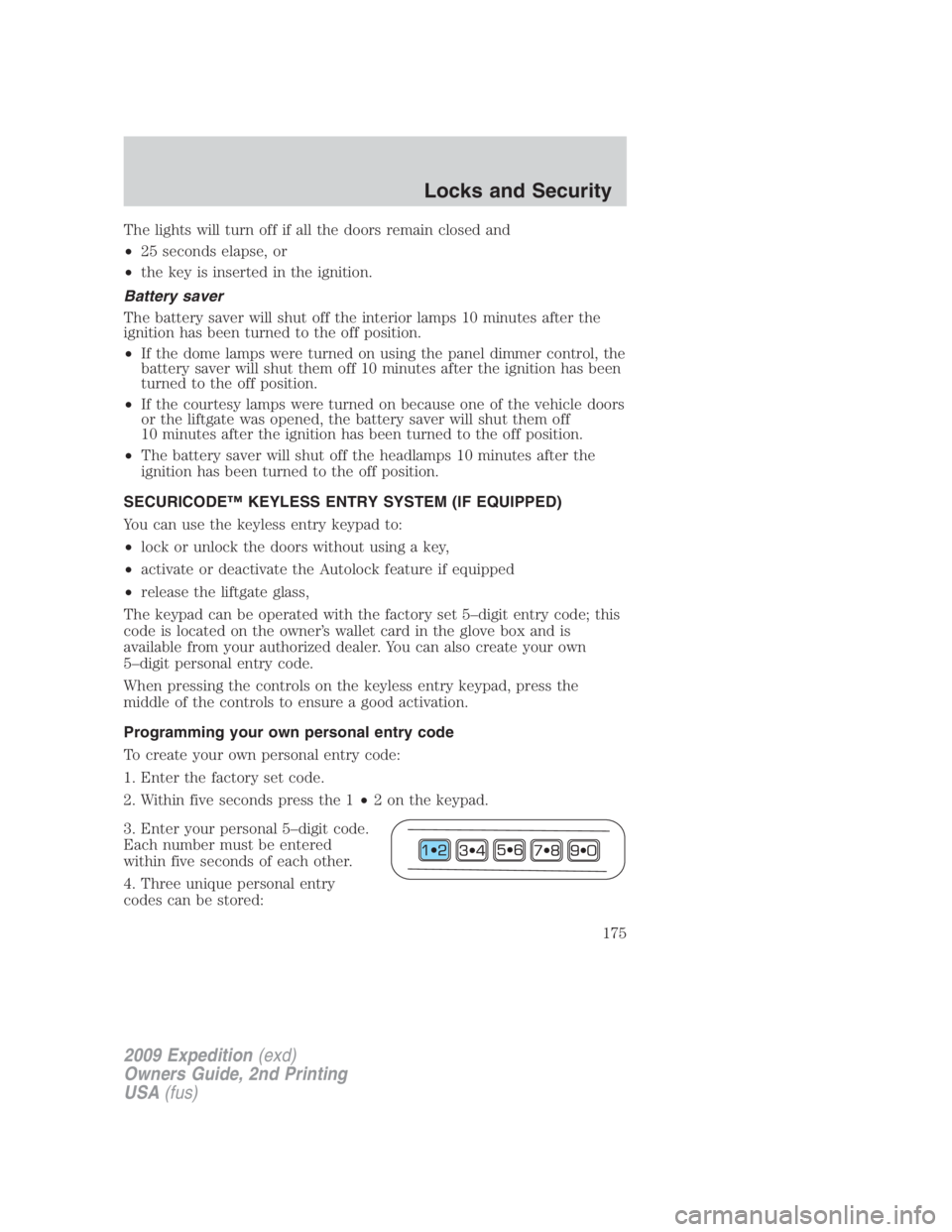
2. Within five seconds press the 1 • 2 on the keypad.
3. Enter your personal 5–digit code.
Each number must be entered
within five seconds of each other.
4. Three unique personal entry
codes can be stored:
2009 Expedition (exd)
Owners Guide, 2nd Printing
USA (fus) Locks and Security
175
Page 324 of 415

The fuses are coded as follows:
Fuse/Relay
Location Fuse Amp
Rating Protected Circuits
1 30A Smart window #1
2 15A Driver side memory module
3 15A FES, Audio rear seat controls, SDARS,
SYNC
4 30A Smart window #2
5 10A Keypad illumination, 3rd row seat
enable, Brake Shift Interlock (BSI),
SPDJB
6 20A Turn signals
7 10A Low beam headlamps (left)
8 10A Low beam headlamps (right)
9 15A Interior lights
10 15A Backlighting, Puddle lamps
11 10A Not used (spare)
12 7.5A Power mirror switch, Driver seat memory
switch
13 5A Not used (Spare)
14 10A Power liftgate module – keep-alive power
15 10A Climate control
16 15A Not used (Spare)
17 20A All lock motor feeds, Liftgate release,
Liftglass release
18 20A Second row heated seats
19 25A Rear wiper
20 15A Adjustable pedals, Datalink
21 15A Fog lamps, Cornering lamps
22 15A Park lamps relay
23 15A High beam headlamps
24 20A Horn relay
25 10A Demand lamps, Glovebox, Visor
26 10A Instrument panel cluster
2009 Expedition (exd)
Owners Guide, 2nd Printing
USA (fus)Roadside Emergencies
324