rear view mirror FORD EXPEDITION EL 2009 Owners Manual
[x] Cancel search | Manufacturer: FORD, Model Year: 2009, Model line: EXPEDITION EL, Model: FORD EXPEDITION EL 2009Pages: 415, PDF Size: 5.4 MB
Page 109 of 415
Conversation mirror (if equipped)
On double bin overhead consoles, the conversation mirror allows the
driver to view the rear seating area.
WARNING: Do not use the conversation mirror to view
rearward traffic, do not allow rear passengers to distract you
from the driving task, and make sure the rear view mirror has a clear
view of rearward traffic. Failure to do so could increase the risk of a
crash from an unseen vehicle, which may result in serious injury.
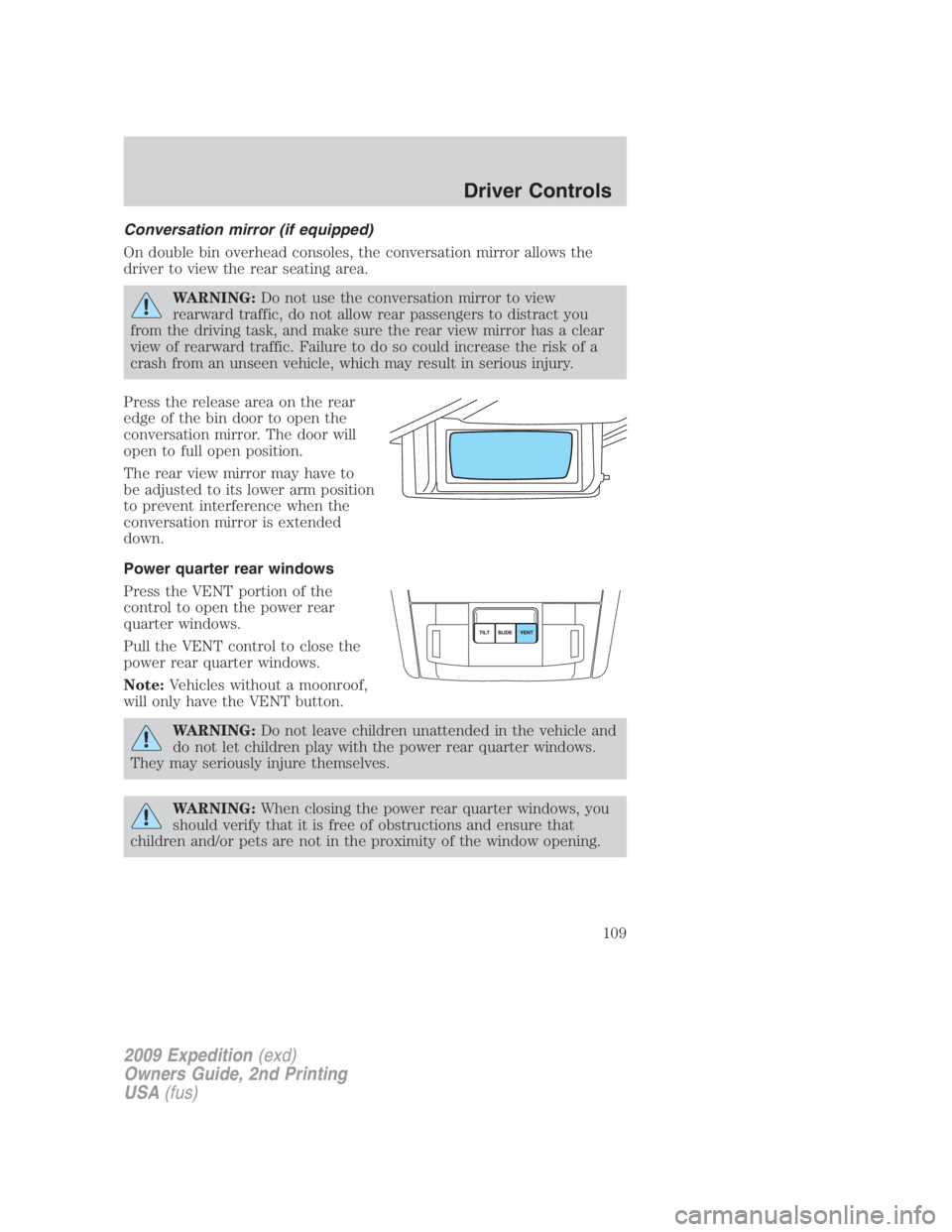
Press the release area on the rear
edge of the bin door to open the
conversation mirror. The door will
open to full open position.
The rear view mirror may have to
be adjusted to its lower arm position
to prevent interference when the
conversation mirror is extended
down.
Power quarter rear windows
Press the VENT portion of the
control to open the power rear
quarter windows.
Pull the VENT control to close the
power rear quarter windows.
Note: Vehicles without a moonroof,
will only have the VENT button.
WARNING: Do not leave children unattended in the vehicle and
do not let children play with the power rear quarter windows.
They may seriously injure themselves.
WARNING: When closing the power rear quarter windows, you
should verify that it is free of obstructions and ensure that
children and/or pets are not in the proximity of the window opening.
2009 Expedition (exd)
Owners Guide, 2nd Printing
USA (fus) Driver Controls
109
Page 114 of 415
Bounce-Back (Driver’s window only)
When an obstacle has been detected in the window opening as the
window is moving upward, the window will automatically reverse
direction and move down. This is known as “bounce-back”. If the ignition
is turned off (without accessory delay being active) during bounce-back,
the window will move down until the bounce-back position is reached.
Security Override
To override a bounce-back condition, within two seconds after the
window reaches the bounce-back position, pull and hold the switch up
and the window will travel up with no bounce-back or pinch
protection. If the switch is released before the window is fully closed,
the window will stop. For example, this can be used to overcome the
resistance of ice on the window or seals.
Window lock
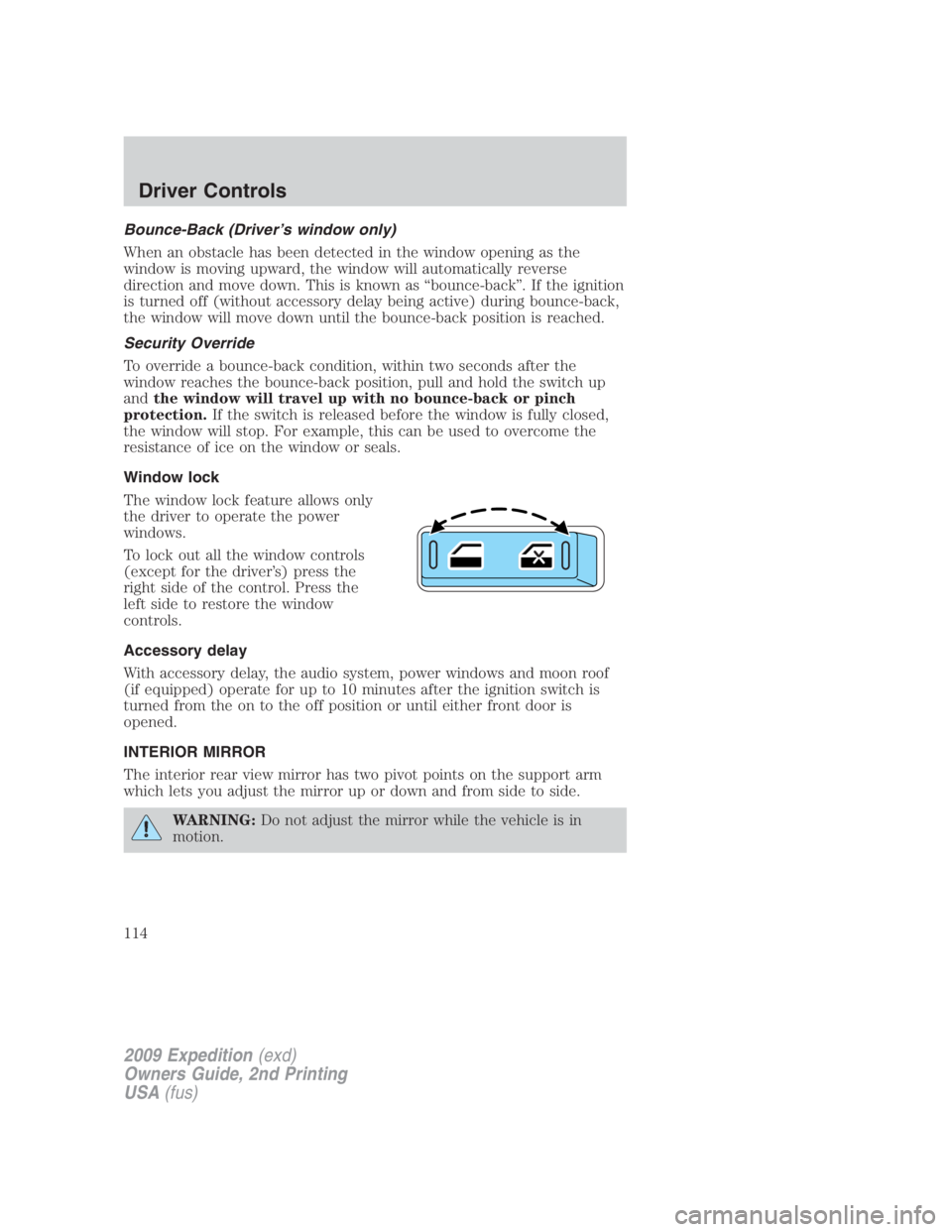
The window lock feature allows only
the driver to operate the power
windows.
To lock out all the window controls
(except for the driver’s) press the
right side of the control. Press the
left side to restore the window
controls.
Accessory delay
With accessory delay, the audio system, power windows and moon roof
(if equipped) operate for up to 10 minutes after the ignition switch is
turned from the on to the off position or until either front door is
opened.
INTERIOR MIRROR
The interior rear view mirror has two pivot points on the support arm
which lets you adjust the mirror up or down and from side to side.
WARNING: Do not adjust the mirror while the vehicle is in
motion.
2009 Expedition (exd)
Owners Guide, 2nd Printing
USA (fus)Driver Controls
114
Page 115 of 415
Automatic dimming interior rear view mirror
Your vehicle is equipped with an interior rear view mirror which has an
auto-dimming function. The electronic day/night mirror will change from
the normal (high reflective) state to the non-glare (darkened) state
when bright lights (glare) reach the mirror. When the mirror detects
bright light from behind the vehicle, it will automatically adjust (darken)
to minimize glare.
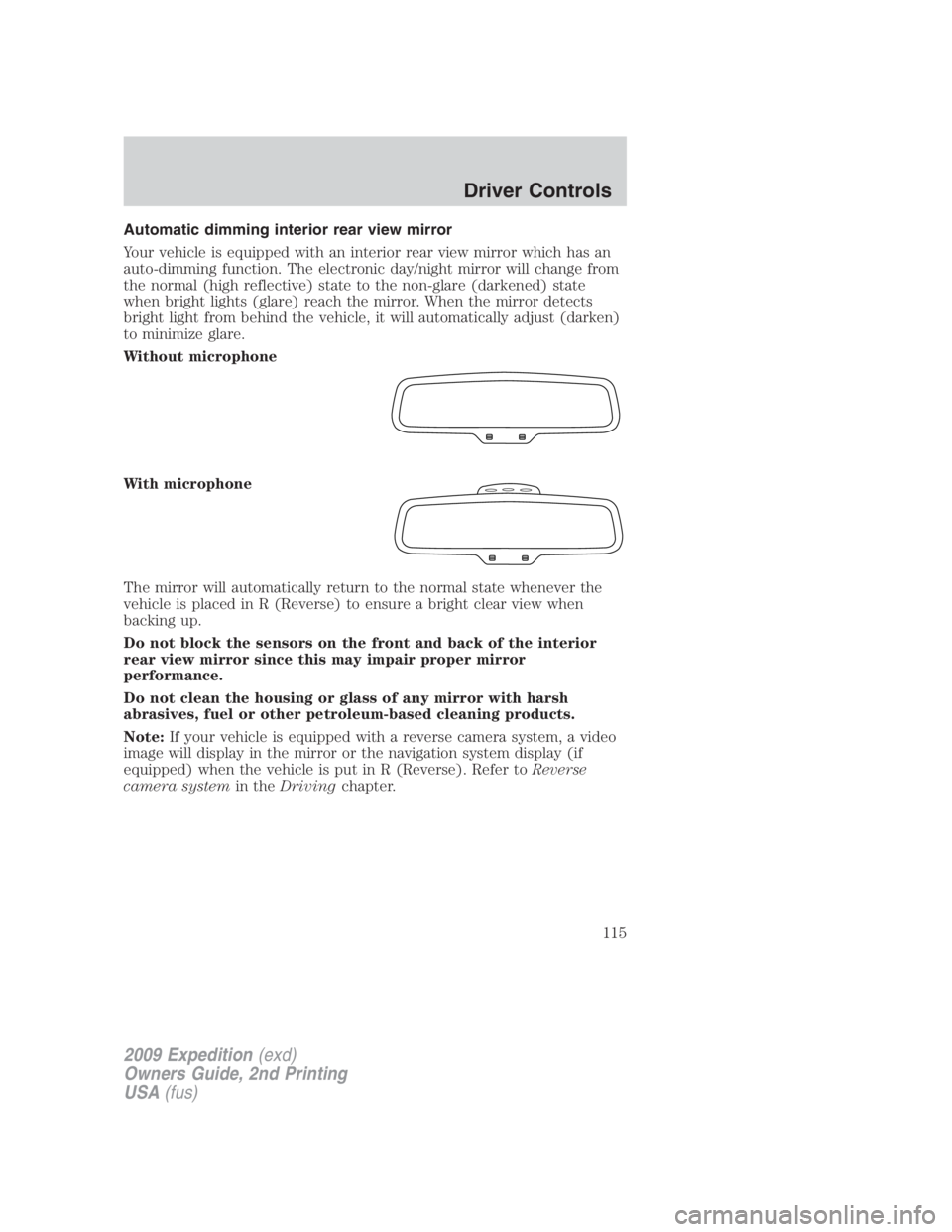
Without microphone
With microphone
The mirror will automatically return to the normal state whenever the
vehicle is placed in R (Reverse) to ensure a bright clear view when
backing up.
Do not block the sensors on the front and back of the interior
rear view mirror since this may impair proper mirror
performance.
Do not clean the housing or glass of any mirror with harsh
abrasives, fuel or other petroleum-based cleaning products.
Note: If your vehicle is equipped with a reverse camera system, a video
image will display in the mirror or the navigation system display (if
equipped) when the vehicle is put in R (Reverse). Refer to Reverse
camera system in the Driving chapter.
2009 Expedition (exd)
Owners Guide, 2nd Printing
USA (fus) Driver Controls
115
Page 190 of 415
Memory seat/power mirrors/adjustable pedals (if equipped)
This system allows automatic
positioning of the driver seat,
outside rearview mirrors and
adjustable pedals to two
programmable positions.
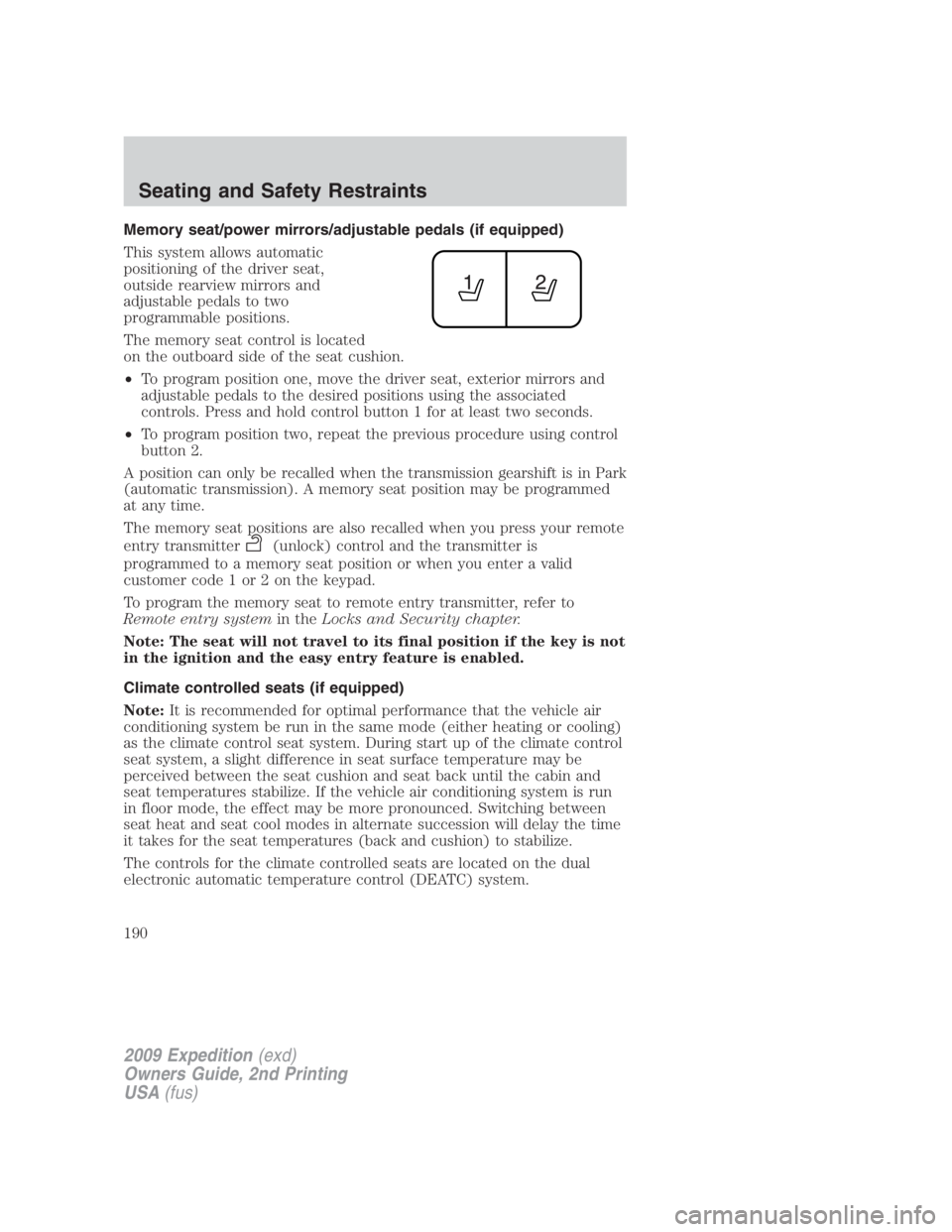
The memory seat control is located
on the outboard side of the seat cushion.
• To program position one, move the driver seat, exterior mirrors and
adjustable pedals to the desired positions using the associated
controls. Press and hold control button 1 for at least two seconds.
• To program position two, repeat the previous procedure using control
button 2.
A position can only be recalled when the transmission gearshift is in Park
(automatic transmission). A memory seat position may be programmed
at any time.
The memory seat positions are also recalled when you press your remote
entry transmitter (unlock) control and the transmitter is
programmed to a memory seat position or when you enter a valid
customer code 1 or 2 on the keypad.
To program the memory seat to remote entry transmitter, refer to
Remote entry system in the Locks and Security chapter.
Note: The seat will not travel to its final position if the key is not
in the ignition and the easy entry feature is enabled.
Climate controlled seats (if equipped)
Note: It is recommended for optimal performance that the vehicle air
conditioning system be run in the same mode (either heating or cooling)
as the climate control seat system. During start up of the climate control
seat system, a slight difference in seat surface temperature may be
perceived between the seat cushion and seat back until the cabin and
seat temperatures stabilize. If the vehicle air conditioning system is run
in floor mode, the effect may be more pronounced. Switching between
seat heat and seat cool modes in alternate succession will delay the time
it takes for the seat temperatures (back and cushion) to stabilize.
The controls for the climate controlled seats are located on the dual
electronic automatic temperature control (DEATC) system.
2009 Expedition (exd)
Owners Guide, 2nd Printing
USA (fus)Seating and Safety Restraints
190
Page 307 of 415
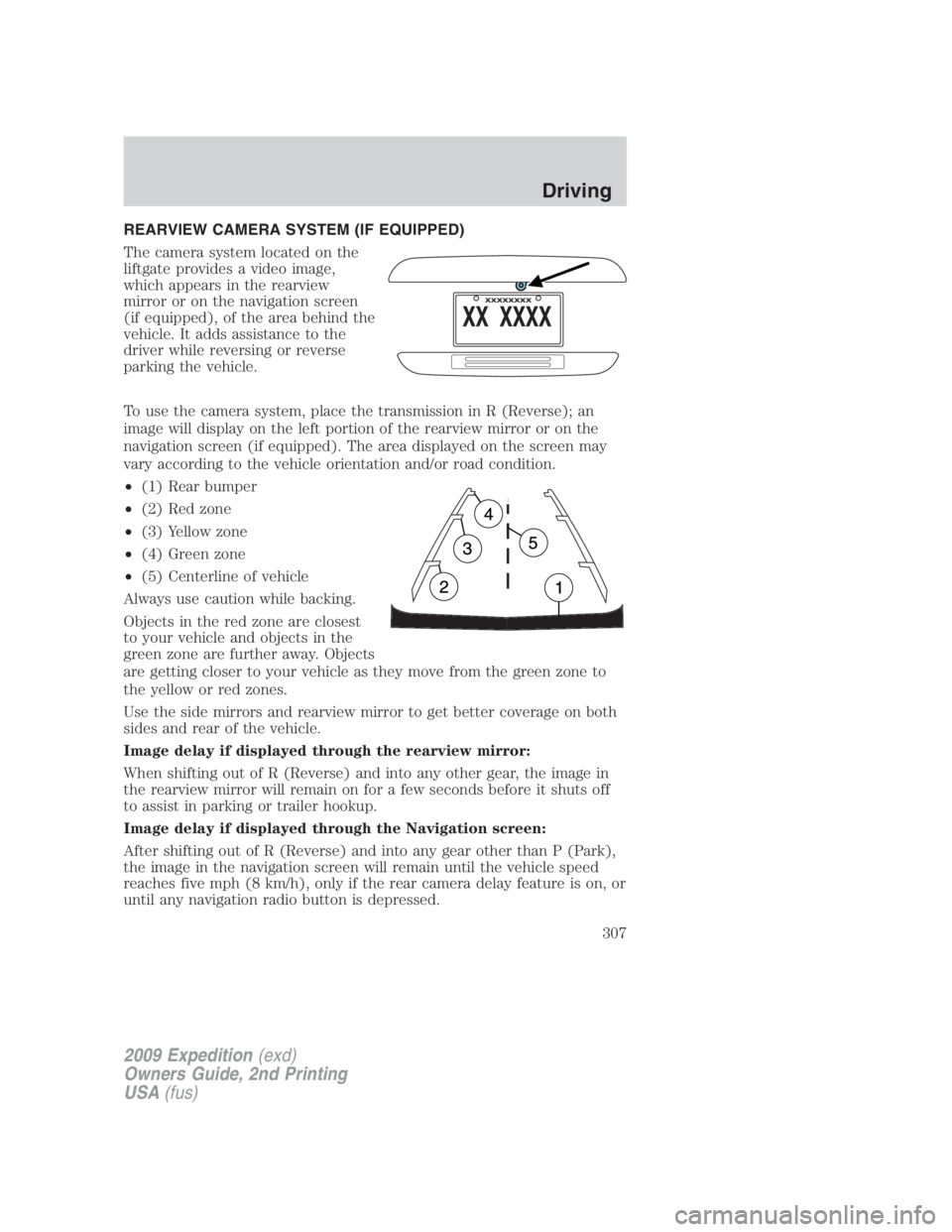
REARVIEW CAMERA SYSTEM (IF EQUIPPED)
The camera system located on the
liftgate provides a video image,
which appears in the rearview
mirror or on the navigation screen
(if equipped), of the area behind the
vehicle. It adds assistance to the
driver while reversing or reverse
parking the vehicle.
To use the camera system, place the transmission in R (Reverse); an
image will display on the left portion of the rearview mirror or on the
navigation screen (if equipped). The area displayed on the screen may
vary according to the vehicle orientation and/or road condition.
• (1) Rear bumper
• (2) Red zone
• (3) Yellow zone
• (4) Green zone
• (5) Centerline of vehicle
Always use caution while backing.
Objects in the red zone are closest
to your vehicle and objects in the
green zone are further away. Objects
are getting closer to your vehicle as they move from the green zone to
the yellow or red zones.
Use the side mirrors and rearview mirror to get better coverage on both
sides and rear of the vehicle.
Image delay if displayed through the rearview mirror:
When shifting out of R (Reverse) and into any other gear, the image in
the rearview mirror will remain on for a few seconds before it shuts off
to assist in parking or trailer hookup.
Image delay if displayed through the Navigation screen:
After shifting out of R (Reverse) and into any gear other than P (Park),
the image in the navigation screen will remain until the vehicle speed
reaches five mph (8 km/h), only if the rear camera delay feature is on, or
until any navigation radio button is depressed.
2009 Expedition (exd)
Owners Guide, 2nd Printing
USA (fus) Driving
307
Page 308 of 415
Note: The default setting for the camera delay is off. Push the “Settings”
button found on the navigation screen (if equipped) to set the camera
delay feature to on or off.
When towing, the camera system will only see what is being towed
behind the vehicle; this might not provide adequate coverage as it
usually provides in normal operation and some objects might not be
seen.
The camera lens for the reverse camera system is located on the liftgate,
above the license plate. Keep the lens clean so the video image remains
clear and undistorted. Clean the lens with a soft, lint-free cloth and
non-abrasive cleaner.
Note: If the camera system image is not clear or seems distorted, it may
be covered with water droplets, snow, mud or any other substance. If
this occurs, clean the camera lens before using the reverse camera
system.
WARNING: The camera system is a reverse aid supplement
device that still requires the driver to use it in conjunction with
the rearview mirror and the side mirrors for maximum coverage.
WARNING: Objects that are close to either corner of the
bumper or under the bumper, might not be seen on the screen
due to the limited coverage of the camera system.
WARNING: Backup as slow as possible since higher speeds
might limit your reaction time to stop the vehicle.
WARNING: Do not use the camera system with the liftgate
open.
If the back end of the vehicle is hit or damaged, then check with your
authorized dealer to have your rear video system checked for proper
coverage and operation.
Night time and dark area use
At night time or in dark areas, the reverse camera system relies on the
reverse lamp lighting to produce an image. Therefore it is necessary that
both reverse lamps are operating in order to get a clear image in the
dark. If either of the lamps are not operating, stop using the camera
system, at least in the dark, until the lamp(s) are replaced and
functioning.
2009 Expedition (exd)
Owners Guide, 2nd Printing
USA (fus)Driving
308
Page 325 of 415
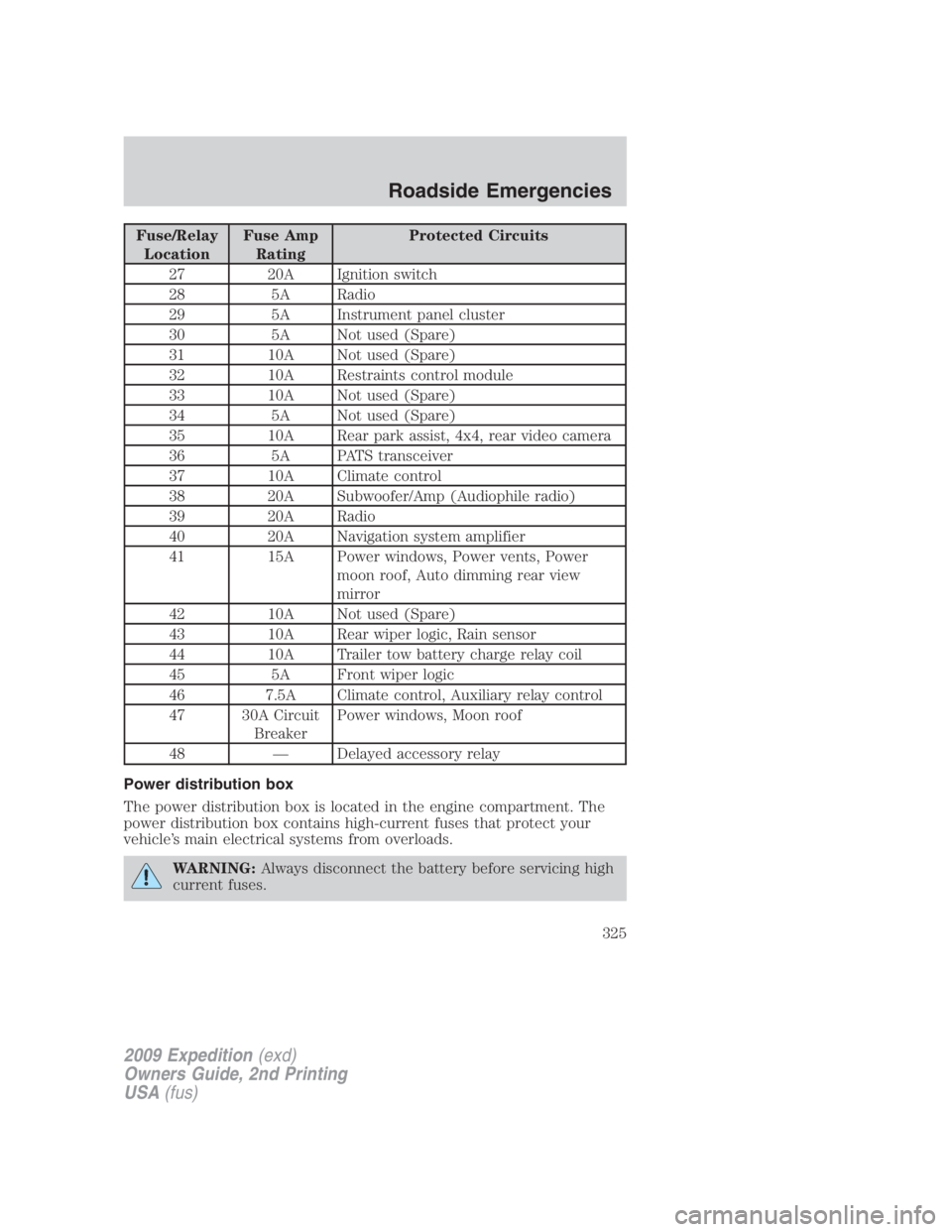
Fuse/Relay
Location Fuse Amp
Rating Protected Circuits
27 20A Ignition switch
28 5A Radio
29 5A Instrument panel cluster
30 5A Not used (Spare)
31 10A Not used (Spare)
32 10A Restraints control module
33 10A Not used (Spare)
34 5A Not used (Spare)
35 10A Rear park assist, 4x4, rear video camera
36 5A PATS transceiver
37 10A Climate control
38 20A Subwoofer/Amp (Audiophile radio)
39 20A Radio
40 20A Navigation system amplifier
41 15A Power windows, Power vents, Power
moon roof, Auto dimming rear view
mirror
42 10A Not used (Spare)
43 10A Rear wiper logic, Rain sensor
44 10A Trailer tow battery charge relay coil
45 5A Front wiper logic
46 7.5A Climate control, Auxiliary relay control
47 30A Circuit
Breaker Power windows, Moon roof
48 — Delayed accessory relay
Power distribution box
The power distribution box is located in the engine compartment. The
power distribution box contains high-current fuses that protect your
vehicle’s main electrical systems from overloads.
WARNING: Always disconnect the battery before servicing high
current fuses.
2009 Expedition (exd)
Owners Guide, 2nd Printing
USA (fus) Roadside Emergencies
325
Page 412 of 415
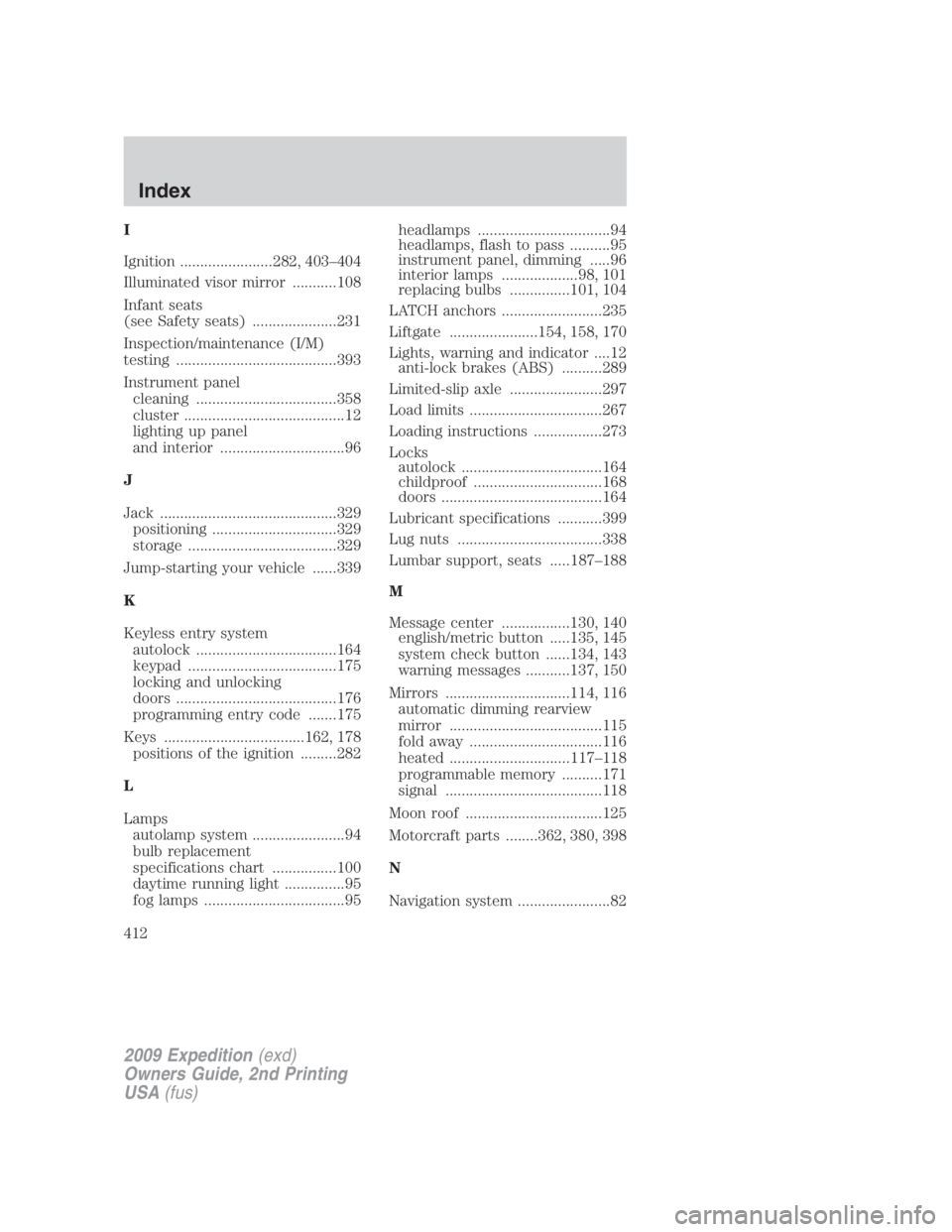
I
Ignition .......................282, 403–404
Illuminated visor mirror ...........108
Infant seats
(see Safety seats) .....................231
Inspection/maintenance (I/M)
testing ........................................393
Instrument panel
cleaning ...................................358
cluster ........................................12
lighting up panel
and interior ...............................96
J
Jack ............................................329
positioning ...............................329
storage .....................................329
Jump-starting your vehicle ......339
K
Keyless entry system
autolock ...................................164
keypad .....................................175
locking and unlocking
doors ........................................176
programming entry code .......175
Keys ...................................162, 178
positions of the ignition .........282
L
Lamps
autolamp system .......................94
bulb replacement
specifications chart ................100
daytime running light ...............95
fog lamps ...................................95 headlamps .................................94
headlamps, flash to pass ..........95
instrument panel, dimming .....96
interior lamps ...................98, 101
replacing bulbs ...............101, 104
LATCH anchors .........................235
Liftgate ......................154, 158, 170
Lights, warning and indicator ....12
anti-lock brakes (ABS) ..........289
Limited-slip axle .......................297
Load limits .................................267
Loading instructions .................273
Locks
autolock ...................................164
childproof ................................168
doors ........................................164
Lubricant specifications ...........399
Lug nuts ....................................338
Lumbar support, seats .....187–188
M
Message center .................130, 140
english/metric button .....135, 145
system check button ......134, 143
warning messages ...........137, 150
Mirrors ...............................114, 116
automatic dimming rearview
mirror ......................................115
fold away .................................116
heated ..............................117–118
programmable memory ..........171
signal .......................................118
Moon roof ..................................125
Motorcraft parts ........362, 380, 398
N
Navigation system .......................82
2009 Expedition (exd)
Owners Guide, 2nd Printing
USA (fus)Index
412