ESP FORD EXPEDITION EL 2016 User Guide
[x] Cancel search | Manufacturer: FORD, Model Year: 2016, Model line: EXPEDITION EL, Model: FORD EXPEDITION EL 2016Pages: 421, PDF Size: 7.39 MB
Page 60 of 421
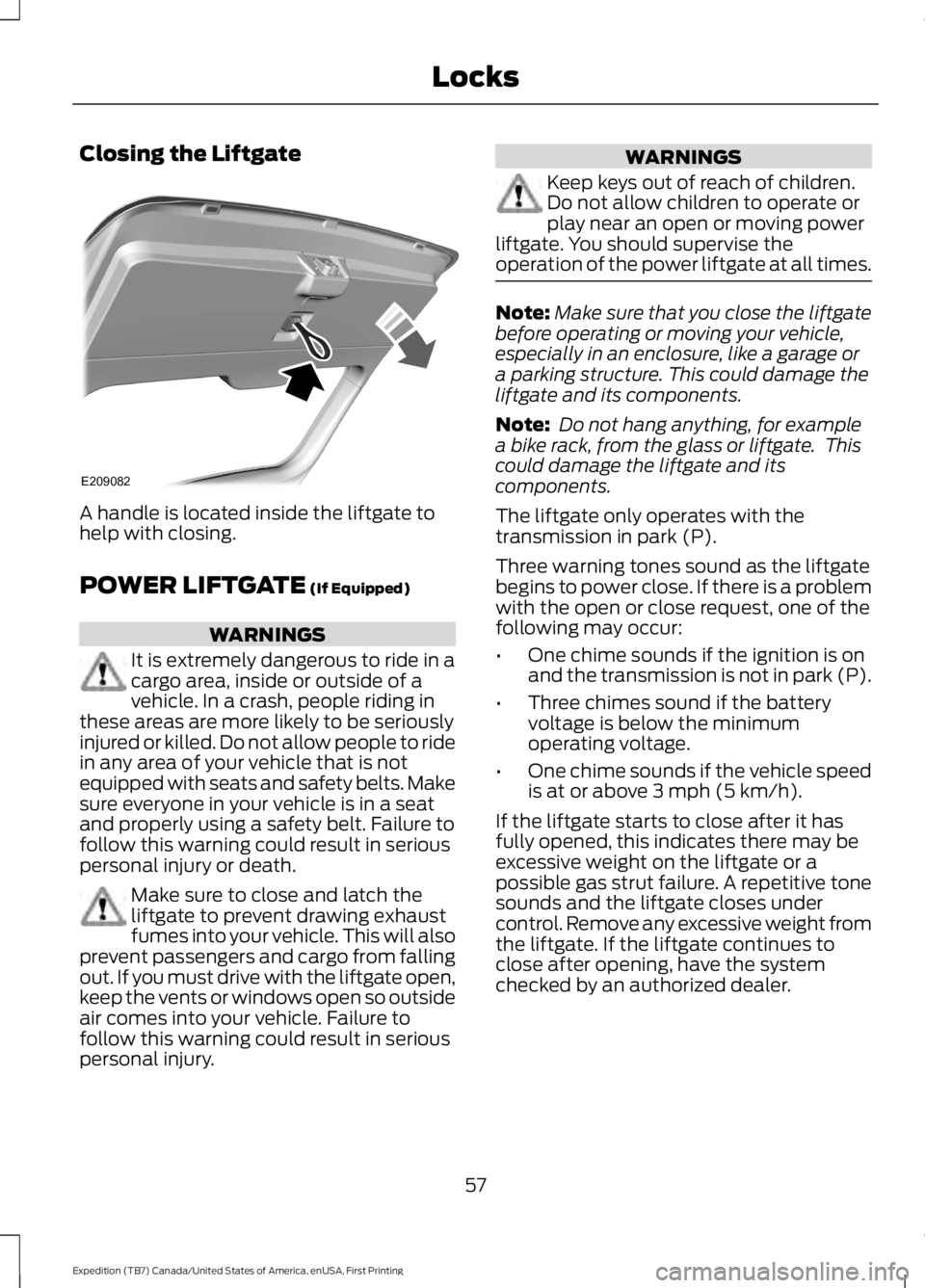
Closing the Liftgate
A handle is located inside the liftgate tohelp with closing.
POWER LIFTGATE (If Equipped)
WARNINGS
It is extremely dangerous to ride in acargo area, inside or outside of avehicle. In a crash, people riding inthese areas are more likely to be seriouslyinjured or killed. Do not allow people to ridein any area of your vehicle that is notequipped with seats and safety belts. Makesure everyone in your vehicle is in a seatand properly using a safety belt. Failure tofollow this warning could result in seriouspersonal injury or death.
Make sure to close and latch theliftgate to prevent drawing exhaustfumes into your vehicle. This will alsoprevent passengers and cargo from fallingout. If you must drive with the liftgate open,keep the vents or windows open so outsideair comes into your vehicle. Failure tofollow this warning could result in seriouspersonal injury.
WARNINGS
Keep keys out of reach of children.Do not allow children to operate orplay near an open or moving powerliftgate. You should supervise theoperation of the power liftgate at all times.
Note:Make sure that you close the liftgatebefore operating or moving your vehicle,especially in an enclosure, like a garage ora parking structure. This could damage theliftgate and its components.
Note: Do not hang anything, for examplea bike rack, from the glass or liftgate. Thiscould damage the liftgate and itscomponents.
The liftgate only operates with thetransmission in park (P).
Three warning tones sound as the liftgatebegins to power close. If there is a problemwith the open or close request, one of thefollowing may occur:
•One chime sounds if the ignition is onand the transmission is not in park (P).
•Three chimes sound if the batteryvoltage is below the minimumoperating voltage.
•One chime sounds if the vehicle speedis at or above 3 mph (5 km/h).
If the liftgate starts to close after it hasfully opened, this indicates there may beexcessive weight on the liftgate or apossible gas strut failure. A repetitive tonesounds and the liftgate closes undercontrol. Remove any excessive weight fromthe liftgate. If the liftgate continues toclose after opening, have the systemchecked by an authorized dealer.
57
Expedition (TB7) Canada/United States of America, enUSA, First Printing
LocksE209082
Page 91 of 421
WARNING LAMPS AND
INDICATORS
The following warning lamps andindicators alert you to a vehicle conditionthat may become serious. Some lampsilluminate when you start your vehicle tomake sure they work. If any lamps remainon after starting your vehicle, refer to therespective system warning lamp for furtherinformation.
Note:Some warning indicators appear inthe information display and function thesame as a warning lamp but do not displaywhen you start your vehicle.
Anti-Lock Braking System
If it illuminates when you aredriving, this indicates amalfunction. You continue tohave the normal braking system (withoutABS) unless the brake warning lamp is alsoilluminated. Have the system checked byan authorized dealer.
Battery
If it illuminates while driving, itindicates a malfunction. Switchoff all unnecessary electricalequipment and have the system checkedby an authorized dealer.
Brake System
It illuminates when you engagethe parking brake and theignition is on.
If it illuminates when you are driving, checkthat the parking brake is not engaged. Ifthe parking brake is not engaged, thisindicates low brake fluid level or a brakesystem malfunction. Have the systemchecked immediately by an authorizeddealer.
WARNING
Driving a vehicle with the brakesystem warning light on is dangerous.A significant decrease in brakingperformance may occur. It will take youlonger to stop the vehicle. Have the vehiclechecked by your authorized dealer as soonas possible. Driving extended distanceswith the parking brake engaged can causebrake failure and the risk of personal injury.
Cruise Control
It illuminates when you switchthis feature on. See UsingCruise Control (page 186).
Direction Indicator
Illuminates when you switch theleft or right direction indicator orthe hazard warning flasher on. Ifthe indicators stay on or flash faster, checkfor a burned out bulb.
Door Ajar
Displays when the ignition is onand any door is not completelyclosed.
Engine Coolant Temperature
Illuminates when the enginecoolant temperature is high.Stop the vehicle as soon aspossible, switch off the engine and let cool.See Engine Coolant Check (page 247).
88
Expedition (TB7) Canada/United States of America, enUSA, First Printing
Instrument Cluster E144522 E71340
Page 92 of 421
Engine Oil
If it illuminates with the enginerunning or when you are driving,this indicates a malfunction.Stop your vehicle as soon as it is safe todo so and switch the engine off. Check theengine oil level. See Engine Oil Check(page 245).
Note:Do not resume your journey if itilluminates despite the level being correct.Have the system checked by an authorizeddealer.
Fasten Safety Belt
It illuminates and a chimesounds to remind you to fastenyour safety belt.
Front Airbag
If it fails to illuminate on startup,continues to flash or remains on,it indicates a malfunction. Havethe system checked by an authorizeddealer. A chime sounds when there is amalfunction in the indicator light.
Front Fog Lamps (If Equipped)
It illuminates when you switchthe front fog lamps on.
High Beam
It illuminates when you switchthe headlamp high beam on. Itflashes when you use theheadlamp flasher.
Hill Descent (If Equipped)
Illuminates when you switch hilldescent on.
Liftgate Ajar
Lights when the liftgate is notcompletely closed.
Low Fuel Level
It illuminates when the fuel levelis low or near empty. Refuel assoon as possible.
Low Tire Pressure Warning
It illuminates when your tirepressure is low. If the lampremains on with the enginerunning or when driving, check your tirepressure as soon as possible.
The lamp also illuminates momentarilywhen you switch the ignition on to confirmthe lamp is functional. If it does notilluminate when you switch the ignition on,or begins to flash at any time, have thesystem checked by an authorized dealer.
Low Washer Fluid
It illuminates when thewindshield washer fluid is low.
Parking Lamps
It illuminates when you switchthe parking lamps on.
Powertrain Fault
Illuminates when a powertrainfault has been detected. Contactan authorized dealer as soon aspossible.
89
Expedition (TB7) Canada/United States of America, enUSA, First Printing
Instrument Cluster E163171 E162453 E132353
Page 95 of 421
GENERAL INFORMATION
WARNING
Driving while distracted can result inloss of vehicle control, crash andinjury. We strongly recommend thatyou use extreme caution when using anydevice that may take your focus off theroad. Your primary responsibility is the safeoperation of your vehicle. We recommendagainst the use of any handheld devicewhile driving and encourage the use ofvoice-operated systems when possible.Make sure you are aware of all applicablelocal laws that may affect the use ofelectronic devices while driving.
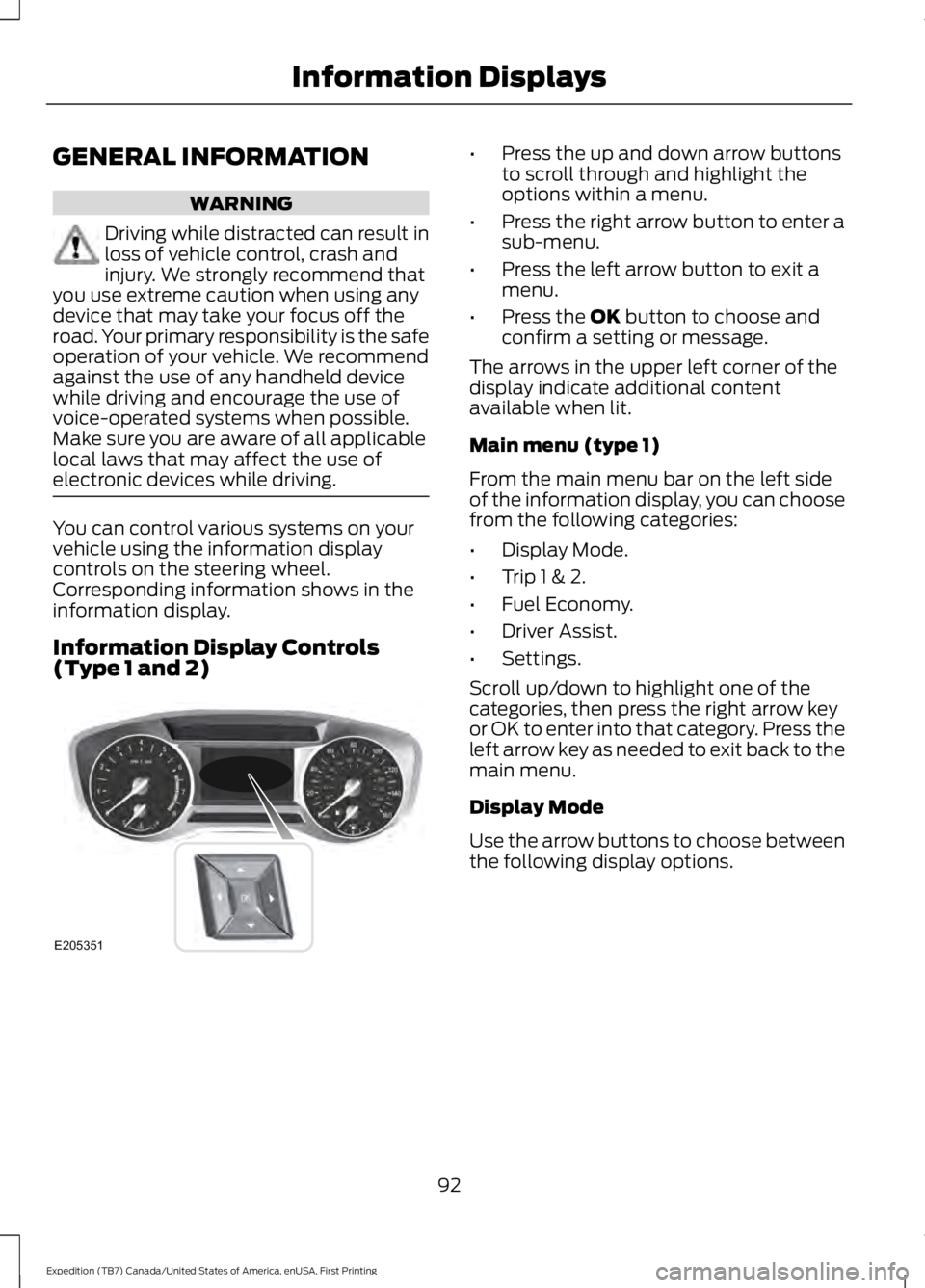
You can control various systems on yourvehicle using the information displaycontrols on the steering wheel.Corresponding information shows in theinformation display.
Information Display Controls(Type 1 and 2)
•Press the up and down arrow buttonsto scroll through and highlight theoptions within a menu.
•Press the right arrow button to enter asub-menu.
•Press the left arrow button to exit amenu.
•Press the OK button to choose andconfirm a setting or message.
The arrows in the upper left corner of thedisplay indicate additional contentavailable when lit.
Main menu (type 1)
From the main menu bar on the left sideof the information display, you can choosefrom the following categories:
•Display Mode.
•Trip 1 & 2.
•Fuel Economy.
•Driver Assist.
•Settings.
Scroll up/down to highlight one of thecategories, then press the right arrow keyor OK to enter into that category. Press theleft arrow key as needed to exit back to themain menu.
Display Mode
Use the arrow buttons to choose betweenthe following display options.
92
Expedition (TB7) Canada/United States of America, enUSA, First Printing
Information DisplaysE205351
Page 113 of 421
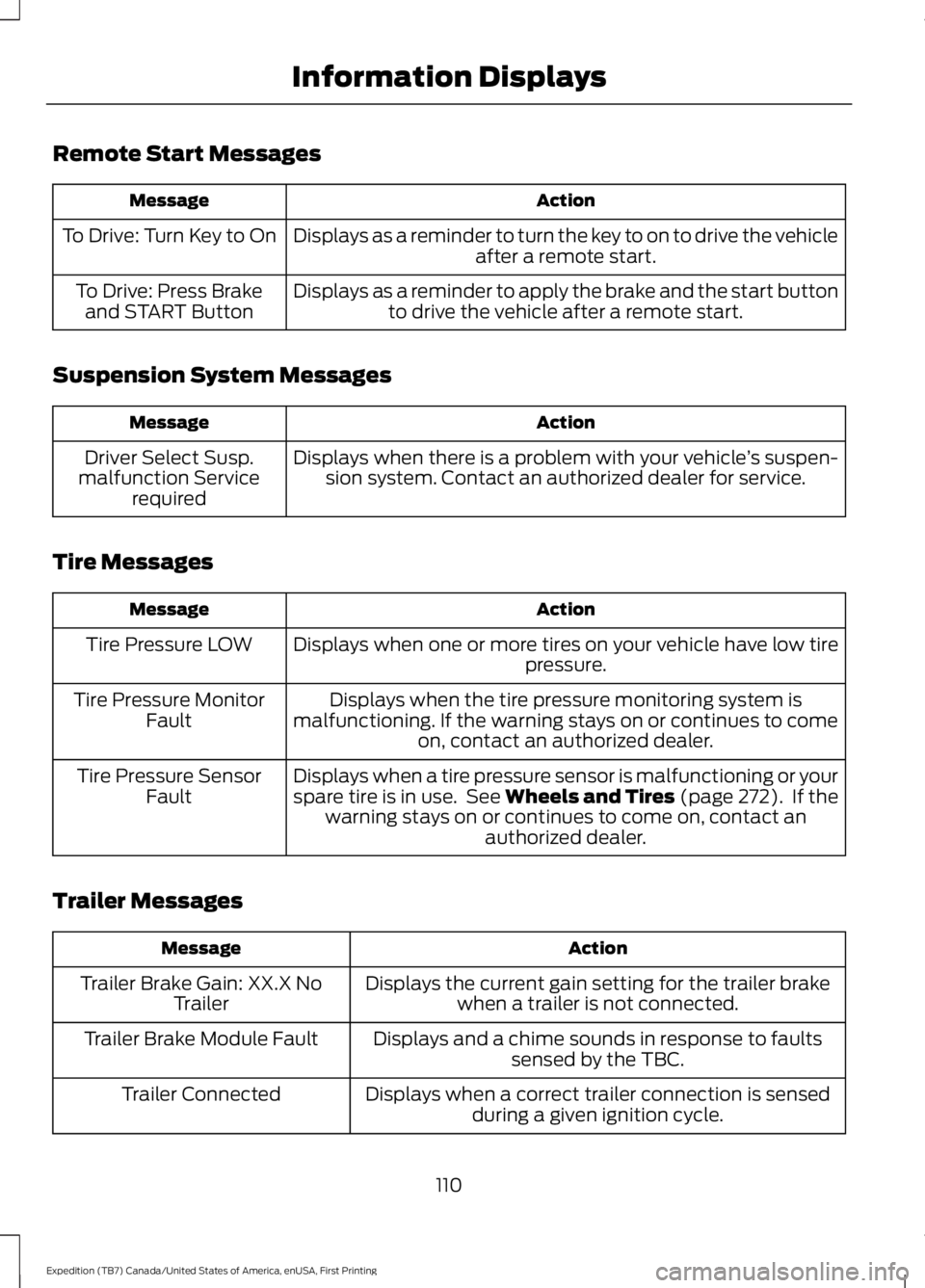
Remote Start Messages
ActionMessage
Displays as a reminder to turn the key to on to drive the vehicleafter a remote start.To Drive: Turn Key to On
Displays as a reminder to apply the brake and the start buttonto drive the vehicle after a remote start.To Drive: Press Brakeand START Button
Suspension System Messages
ActionMessage
Displays when there is a problem with your vehicle’s suspen-sion system. Contact an authorized dealer for service.Driver Select Susp.malfunction Servicerequired
Tire Messages
ActionMessage
Displays when one or more tires on your vehicle have low tirepressure.Tire Pressure LOW
Displays when the tire pressure monitoring system ismalfunctioning. If the warning stays on or continues to comeon, contact an authorized dealer.
Tire Pressure MonitorFault
Displays when a tire pressure sensor is malfunctioning or yourspare tire is in use. See Wheels and Tires (page 272). If thewarning stays on or continues to come on, contact anauthorized dealer.
Tire Pressure SensorFault
Trailer Messages
ActionMessage
Displays the current gain setting for the trailer brakewhen a trailer is not connected.Trailer Brake Gain: XX.X NoTrailer
Displays and a chime sounds in response to faultssensed by the TBC.Trailer Brake Module Fault
Displays when a correct trailer connection is sensedduring a given ignition cycle.Trailer Connected
110
Expedition (TB7) Canada/United States of America, enUSA, First Printing
Information Displays
Page 136 of 421
To return the seatback to its originalposition, lift the seatback until it latchesinto place.
PowerFold™ Third Row Seat (If
Equipped)
Note:The power fold down seats operatefor 10 minutes after you switch the ignitionoff. The transmission must be in park (P)and the liftgate, or liftgate glass must beopen. Similar to the battery saver feature,the power third row seat disables 10 minutesafter you switch the ignition off.
Note:Be sure that the head restraints arefolded down before powering the third rowseat down.
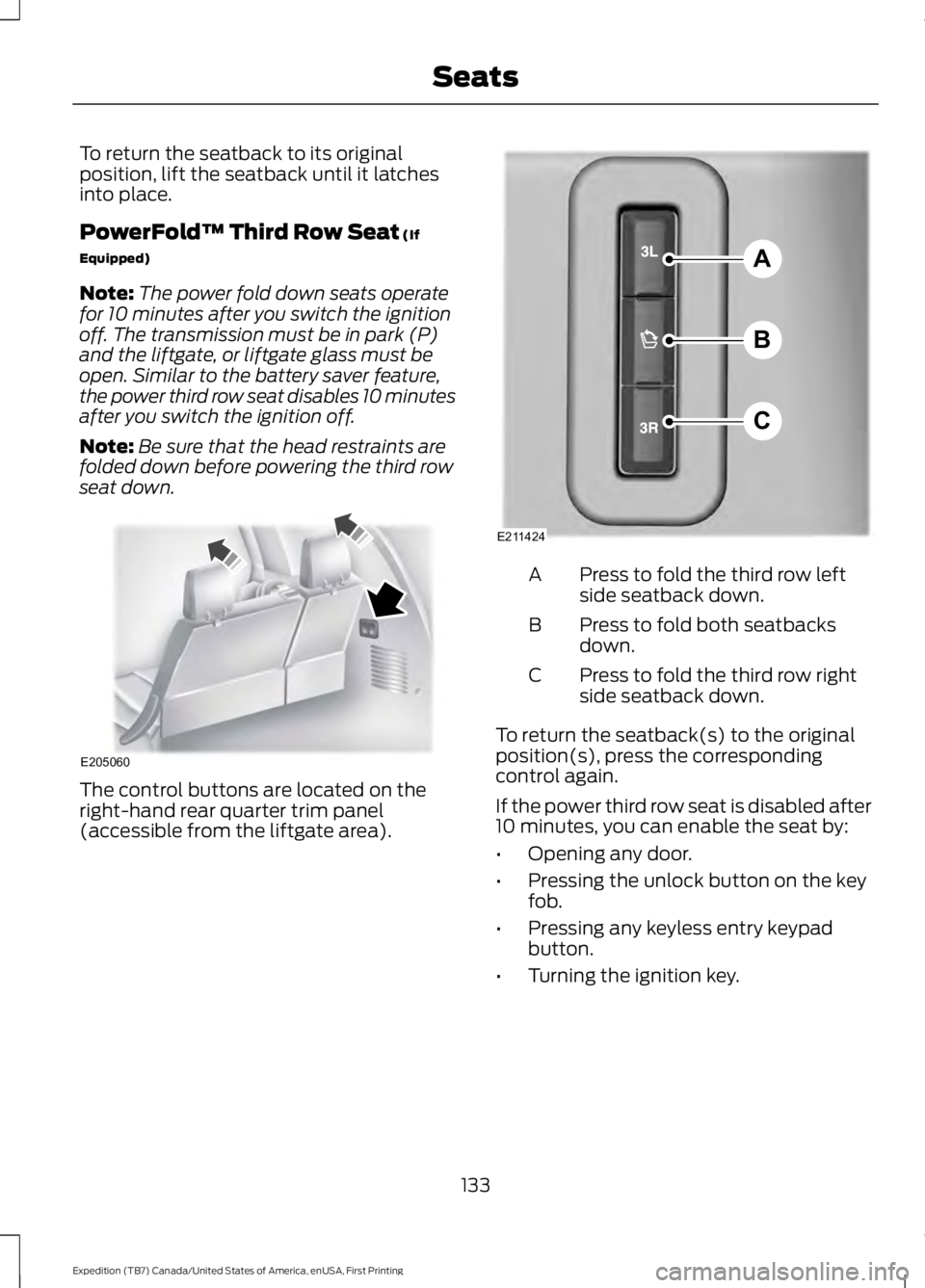
The control buttons are located on theright-hand rear quarter trim panel(accessible from the liftgate area).
Press to fold the third row leftside seatback down.A
Press to fold both seatbacksdown.B
Press to fold the third row rightside seatback down.C
To return the seatback(s) to the originalposition(s), press the correspondingcontrol again.
If the power third row seat is disabled after10 minutes, you can enable the seat by:
•Opening any door.
•Pressing the unlock button on the keyfob.
•Pressing any keyless entry keypadbutton.
•Turning the ignition key.
133
Expedition (TB7) Canada/United States of America, enUSA, First Printing
SeatsE205060 A
B
C
E211424
Page 137 of 421
HEATED SEATS (If Equipped)
Front Seats
WARNING
People who are unable to feel painto their skin because of advancedage, chronic illness, diabetes, spinalcord injury, medication, alcohol use,exhaustion or other physical conditions,must exercise care when using the heatedseat. The heated seat may cause burnseven at low temperatures, especially ifused for long periods of time. Do not placeanything on the seat that insulates againstheat, such as a blanket or cushion. Thismay cause the heated seat to overheat.Do not puncture the seat with pins, needlesor other pointed objects. This may damagethe heating element which may cause theheated seat to overheat. An overheatedseat may cause serious personal injury.
Do not do the following:
•Place heavy objects on the seat.
•Operate the heated seat if water or anyother liquid spills on the seat. Allow theseat to dry thoroughly.
•Operate the heated seats unless theengine is running. Doing so can causethe battery to lose charge.
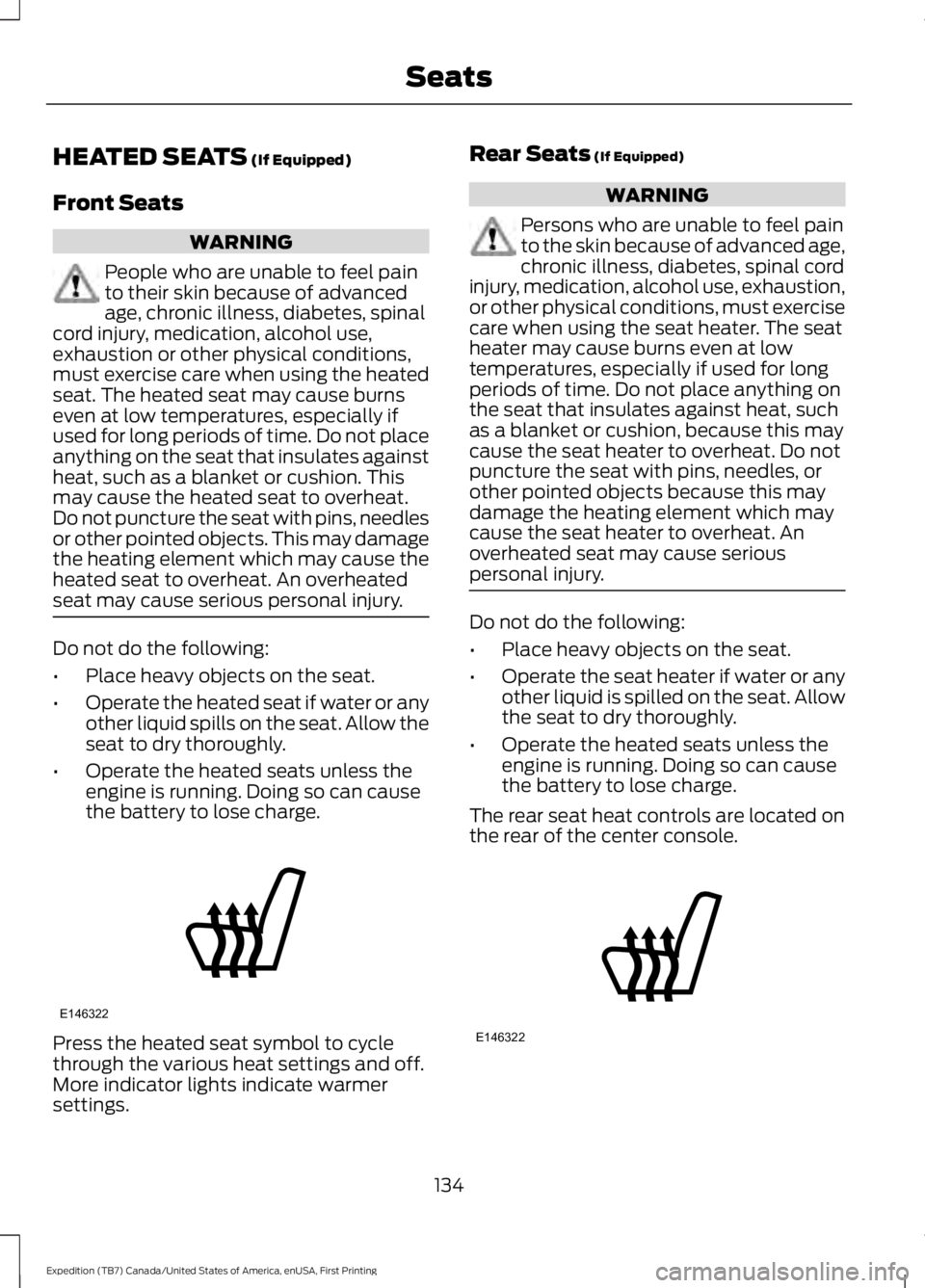
Press the heated seat symbol to cyclethrough the various heat settings and off.More indicator lights indicate warmersettings.
Rear Seats (If Equipped)
WARNING
Persons who are unable to feel painto the skin because of advanced age,chronic illness, diabetes, spinal cordinjury, medication, alcohol use, exhaustion,or other physical conditions, must exercisecare when using the seat heater. The seatheater may cause burns even at lowtemperatures, especially if used for longperiods of time. Do not place anything onthe seat that insulates against heat, suchas a blanket or cushion, because this maycause the seat heater to overheat. Do notpuncture the seat with pins, needles, orother pointed objects because this maydamage the heating element which maycause the seat heater to overheat. Anoverheated seat may cause seriouspersonal injury.
Do not do the following:
•Place heavy objects on the seat.
•Operate the seat heater if water or anyother liquid is spilled on the seat. Allowthe seat to dry thoroughly.
•Operate the heated seats unless theengine is running. Doing so can causethe battery to lose charge.
The rear seat heat controls are located onthe rear of the center console.
134
Expedition (TB7) Canada/United States of America, enUSA, First Printing
SeatsE146322 E146322
Page 138 of 421
Press the heated seat symbol to cyclethrough the various heat settings and off.More indicator lights indicate warmersettings.
The heated seat module resets at everyignition run cycle. While the ignition is on,press the high or low heated seat switchto enable heating mode. When activated,they will turn off automatically when youturn the engine off.
CLIMATE CONTROLLED SEATS
(If Equipped)
Heated Seats
WARNING
Persons who are unable to feel painto the skin because of advanced age,chronic illness, diabetes, spinal cordinjury, medication, alcohol use, exhaustion,or other physical conditions, must exercisecare when using the seat heater. The seatheater may cause burns even at lowtemperatures, especially if used for longperiods of time. Do not place anything onthe seat that insulates against heat, suchas a blanket or cushion, because this maycause the seat heater to overheat. Do notpuncture the seat with pins, needles, orother pointed objects because this maydamage the heating element which maycause the seat heater to overheat. Anoverheated seat may cause seriouspersonal injury.
Note:Do not do the following:
•Place heavy objects on the seat.
•Operate the seat heater if water or anyother liquid spill on the seat. Allow theseat to dry thoroughly.
The heated seats will only function whenthe engine is running.
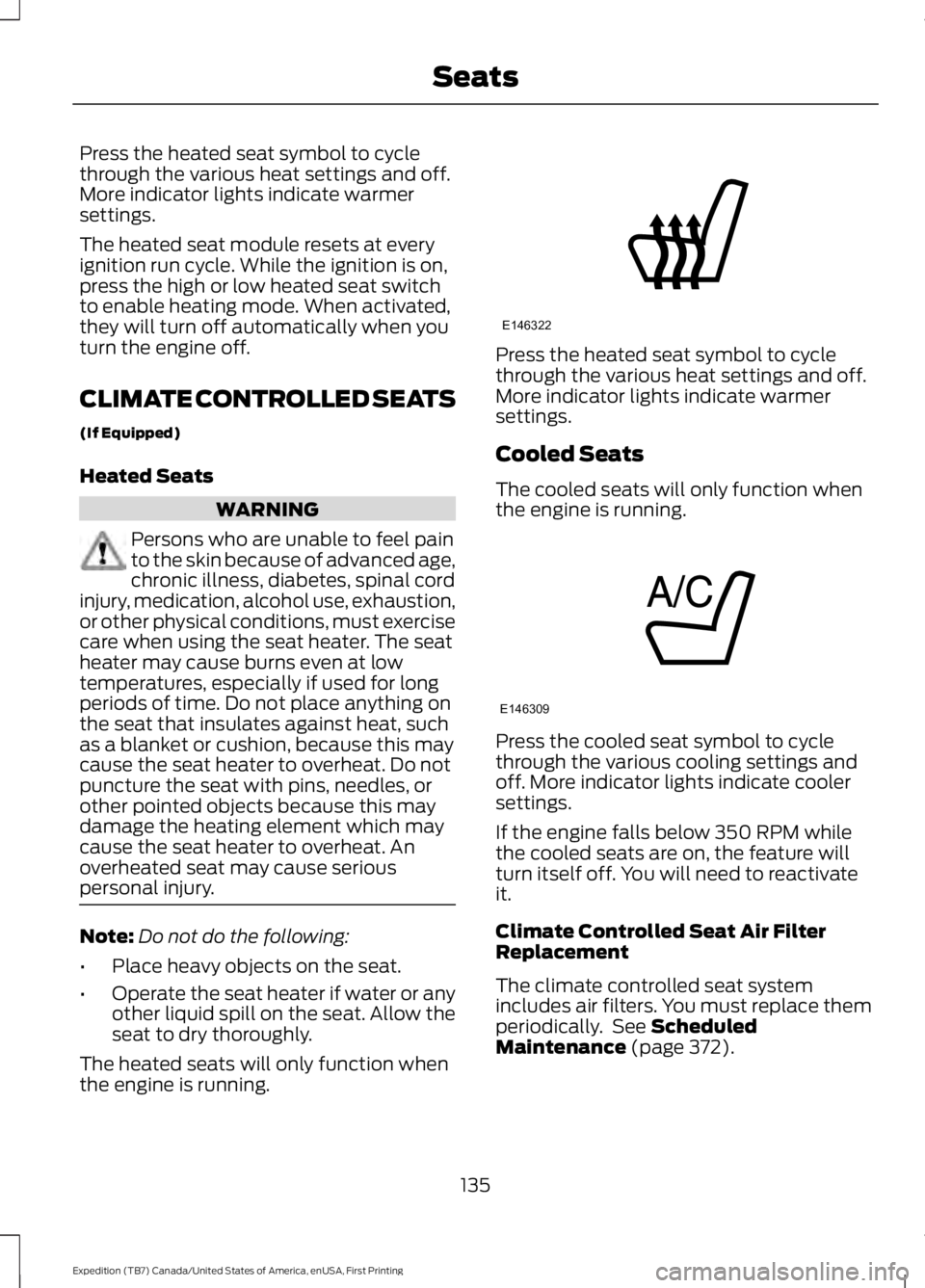
Press the heated seat symbol to cyclethrough the various heat settings and off.More indicator lights indicate warmersettings.
Cooled Seats
The cooled seats will only function whenthe engine is running.
Press the cooled seat symbol to cyclethrough the various cooling settings andoff. More indicator lights indicate coolersettings.
If the engine falls below 350 RPM whilethe cooled seats are on, the feature willturn itself off. You will need to reactivateit.
Climate Controlled Seat Air FilterReplacement
The climate controlled seat systemincludes air filters. You must replace themperiodically. See ScheduledMaintenance (page 372).
135
Expedition (TB7) Canada/United States of America, enUSA, First Printing
SeatsE146322 E146309
Page 144 of 421
5. Press and hold the previouslyprogrammed button on the visor for 2seconds. Repeat this step up to 3 timesuntil the garage door moves.
Programming is now complete.
Clearing a HomeLink Device
To erase programming from the threeHomeLink buttons press and hold the twoouter HomeLink buttons until the indicatorlight begins to flash. The indicator light willbegin flashing in 10 to 20 seconds, at whichtime both buttons should be released.Programming has now been erased, andthe indicator light should blink slowly toindicate the device is in train mode whenany of the three HomeLink buttons arepressed.
FCC and RSS-210 Industry CanadaCompliance
This device complies with Part 15 of theFCC Rules and with RSS-210 of IndustryCanada. Operation is subject to thefollowing two conditions: (1) this devicemay not cause harmful interference, and(2) this device must accept anyinterference received, includinginterference that may cause undesiredoperation.
Changes or modifications to your devicenot expressly approved by the partyresponsible for compliance can void theuser’s authority to operate the equipment.
141
Expedition (TB7) Canada/United States of America, enUSA, First Printing
Universal Garage Door Opener (If Equipped)
Page 145 of 421
12 Volt DC Power Point
WARNINGS
Do not plug optional electricalaccessories into the cigar lightersocket. Incorrect use of the cigarlighter can cause damage not covered bythe vehicle warranty, and can result in fireor serious injury.
Do not use a power point foroperating a cigar lighter. Incorrectuse of the power points can causedamage not covered by the vehiclewarranty, and can result in fire or seriousinjury.
Note:When you switch the ignition on, youcan use the socket to power 12 voltappliances with a maximum current ratingof 15 amps.
If the power supply does not work after youswitch the ignition off, switch the ignitionon.Note:Do not hang any accessory from theaccessory plug.
Note:Do not use the power point over thevehicle capacity of 12 volt DC 180 watts ora fuse may blow.
Note:Always keep the power point capsclosed when not in use.
Do not insert objects other than anaccessory plug into the power point. Thiswill damage the power point and blow thefuse.
Run the vehicle for full capacity use of thepower point.
To prevent the battery from running out ofcharge:
•Do not use the power point longer thannecessary when the vehicle is notrunning.
•Do not leave devices plugged inovernight or when you park your vehiclefor extended periods.
Locations
Power points may be in the followinglocations:
•On the lower instrument panel.
•Inside the center console.
•On the rear of the center console.
•In the rear cargo area.
110 Volt AC Power Point (If Equipped)
WARNING
Do not keep electrical devicesplugged in the power point wheneverthe device is not in use. Do not useany extension cord with the 110 volt ACpower point, since it will defeat the safetyprotection design. Doing so may cause thepower point to overload due to poweringmultiple devices that can reach beyondthe 150 watt load limit and could result infire or serious injury.
Note:The power point will turn off whenthe ignition is switched off or the batteryvoltage drops below 11 volts.
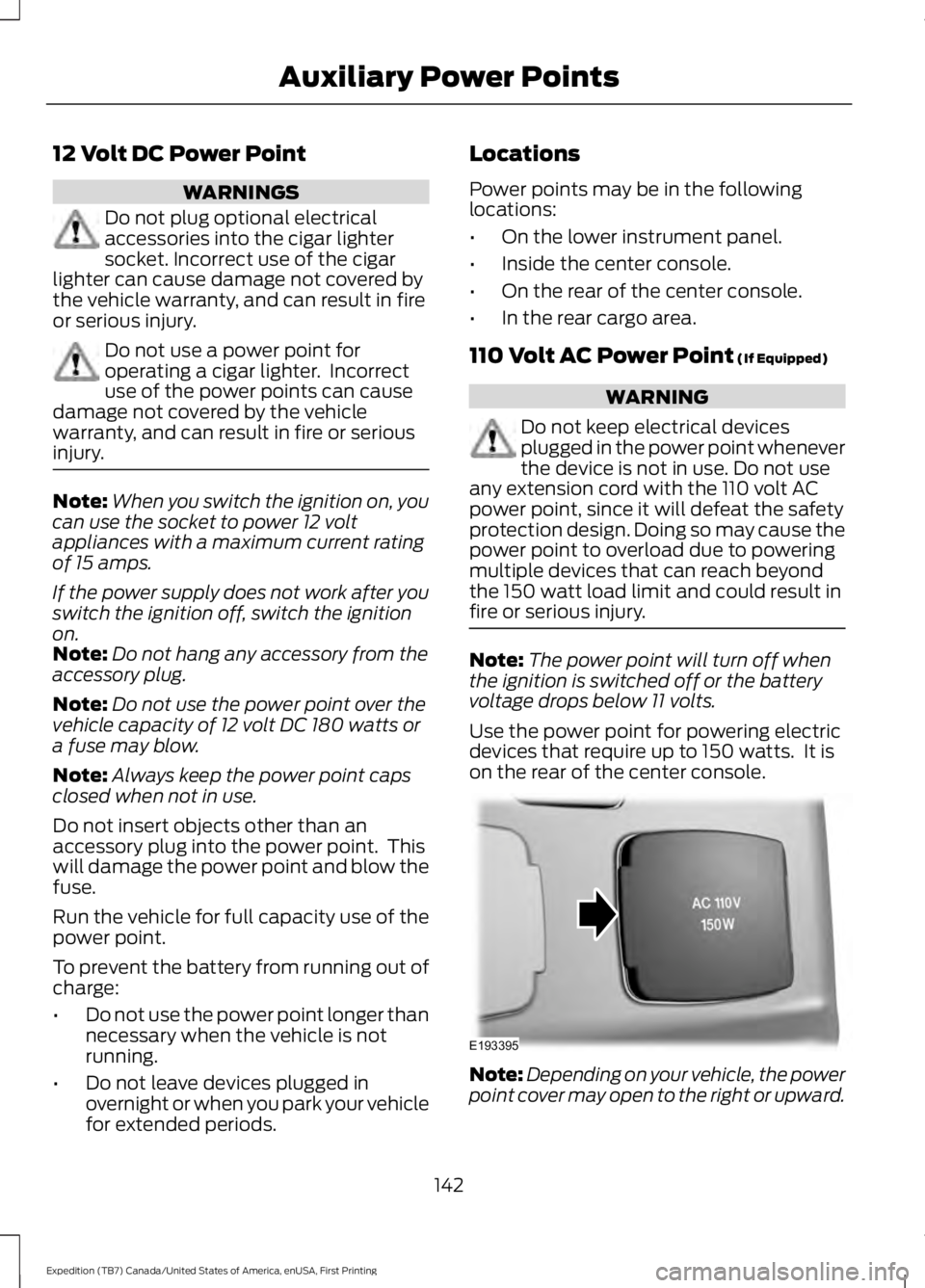
Use the power point for powering electricdevices that require up to 150 watts. It ison the rear of the center console.
Note:Depending on your vehicle, the powerpoint cover may open to the right or upward.
142
Expedition (TB7) Canada/United States of America, enUSA, First Printing
Auxiliary Power PointsE193395