park assist FORD EXPEDITION EL 2017 User Guide
[x] Cancel search | Manufacturer: FORD, Model Year: 2017, Model line: EXPEDITION EL, Model: FORD EXPEDITION EL 2017Pages: 500, PDF Size: 6.13 MB
Page 232 of 500
UTILIZING THE
MEDIATION/ARBITRATION
PROGRAM (CANADA ONLY)
For vehicles delivered to authorizedCanadian dealers. In those cases whereyou continue to feel that the efforts by Fordof Canada and the authorized dealer toresolve a factory-related vehicle serviceconcern have been unsatisfactory, Ford ofCanada participates in an impartial thirdparty mediation/arbitration programadministered by the Canadian MotorVehicle Arbitration Plan (CAMVAP).
The CAMVAP program is a straight forwardand relatively speedy alternative to resolvea disagreement when all other efforts toproduce a settlement have failed. Thisprocedure is without cost to you and isdesigned to eliminate the need for lengthyand expensive legal proceedings.
In the CAMVAP program, impartialthird-party arbitrators conduct hearings atmutually convenient times and places inan informal environment. These impartialarbitrators review the positions of theparties, make decisions and, whenappropriate, render awards to resolvedisputes. CAMVAP decisions are fast, fair,and final as the arbitrator’s award isbinding on both you and Ford of Canada.
CAMVAP services are available in allCanadian territories and provinces. Formore information, without charge orobligation, call your CAMVAP ProvincialAdministrator directly at 1-800-207-0685or visit www.camvap.ca.
GETTING ASSISTANCE
OUTSIDE THE U.S. AND
CANADA
Before exporting your vehicle to a foreigncountry, contact the appropriate foreignembassy or consulate. These officials caninform you of local vehicle registrationregulations and where to find unleadedfuel.
If you cannot find unleaded fuel or can onlyget fuel with an anti-knock index lowerthan is recommended for your vehicle,contact our Customer Relationship Center.
The use of leaded fuel in your vehiclewithout proper conversion may damagethe effectiveness of your emission controlsystem and may cause engine knocking orserious engine damage. Ford MotorCompany or Ford of Canada is notresponsible for any damage caused by useof improper fuel. Using leaded fuel mayalso result in difficulty importing yourvehicle back into the United States.
If your vehicle must be serviced while youare traveling or living in Asia-Pacific Region,Sub-Saharan Africa, U.S. Virgin Islands,Central America, the Caribbean, and Israel,contact the nearest authorized dealer. Ifthe authorized dealer cannot help you,contact:
FORD MOTOR COMPANYCustomer Relationship Center1555 Fairlane DriveFairlane Business Park #3Allen Park, Michigan 48101U.S.A.Telephone: (313) 594-4857Fax: (313) 390-0804Email: [email protected]
229
Expedition (TB7) Canada/United States of America, enUSA, Edition date: 03/2016, First Printing
Customer Assistance
Page 233 of 500
For customers in Guam, theCommonwealth of the Northern MarianaIslands (CNMI), America Samoa, and theU.S. Virgin Islands, please feel free to callour Toll-Free Number: (800) 841-FORD(3673).
If your vehicle must be serviced while youare traveling or living in Puerto Rico,contact the nearest authorized dealer. Ifthe authorized dealer cannot help you,contact:
FORD MOTOR COMPANYCustomer Relationship Center1555 Fairlane DriveFairlane Business Park #3Allen Park, Michigan 48101U.S.A.Telephone: (800) 841-FORD (3673)FAX: (313) 390-0804Email: [email protected]
If your vehicle must be serviced while youare traveling or living in the Middle East,contact the nearest authorized dealer. Ifthe authorized dealer cannot help you,contact:
FORD MOTOR COMPANYCustomer Relationship Center1555 Fairlane DriveFairlane Business Park #3Allen Park, Michigan 48101U.S.A.
Ford: 80004443673Lincoln: 80004441067If calling from the UAE: 80004441066If calling from the Kingdom of SaudiArabia: 8008443673If calling from Kuwait: 22280384
FAX: +971 4 3327266Email: [email protected]
If you buy your vehicle in North Americaand then relocate to any of the abovelocations, register your vehicleidentification number (VIN) and newaddress with Ford Motor Company byemailing [email protected].
If you are in another foreign country,contact the nearest authorized dealer. Inthe event your inquiry is unresolved,communicate your concern with thedealership’s Sales Manager, ServiceManager or Customer Relations Manager.If you require additional assistance orclarification, please contact the respectiveCustomer Relationship Center aspreviously listed.
Customers in the U.S. should call1-800-392-3673.
ORDERING ADDITIONAL
OWNER'S LITERATURE
To order the publications in this portfolio,contact Helm, Incorporated at:
HELM, INCORPORATED47911 Halyard DrivePlymouth, Michigan 48170Attention: Customer Service
Or to order a free publication catalog, calltoll free: 1-800-782-4356
Monday-Friday 8:00 a.m. - 6:00 p.m. EST
Helm, Incorporated can also be reachedby their website:
www.helminc.com
(Items in this catalog may be purchasedby credit card, check or money order.)
230
Expedition (TB7) Canada/United States of America, enUSA, Edition date: 03/2016, First Printing
Customer Assistance
Page 243 of 500
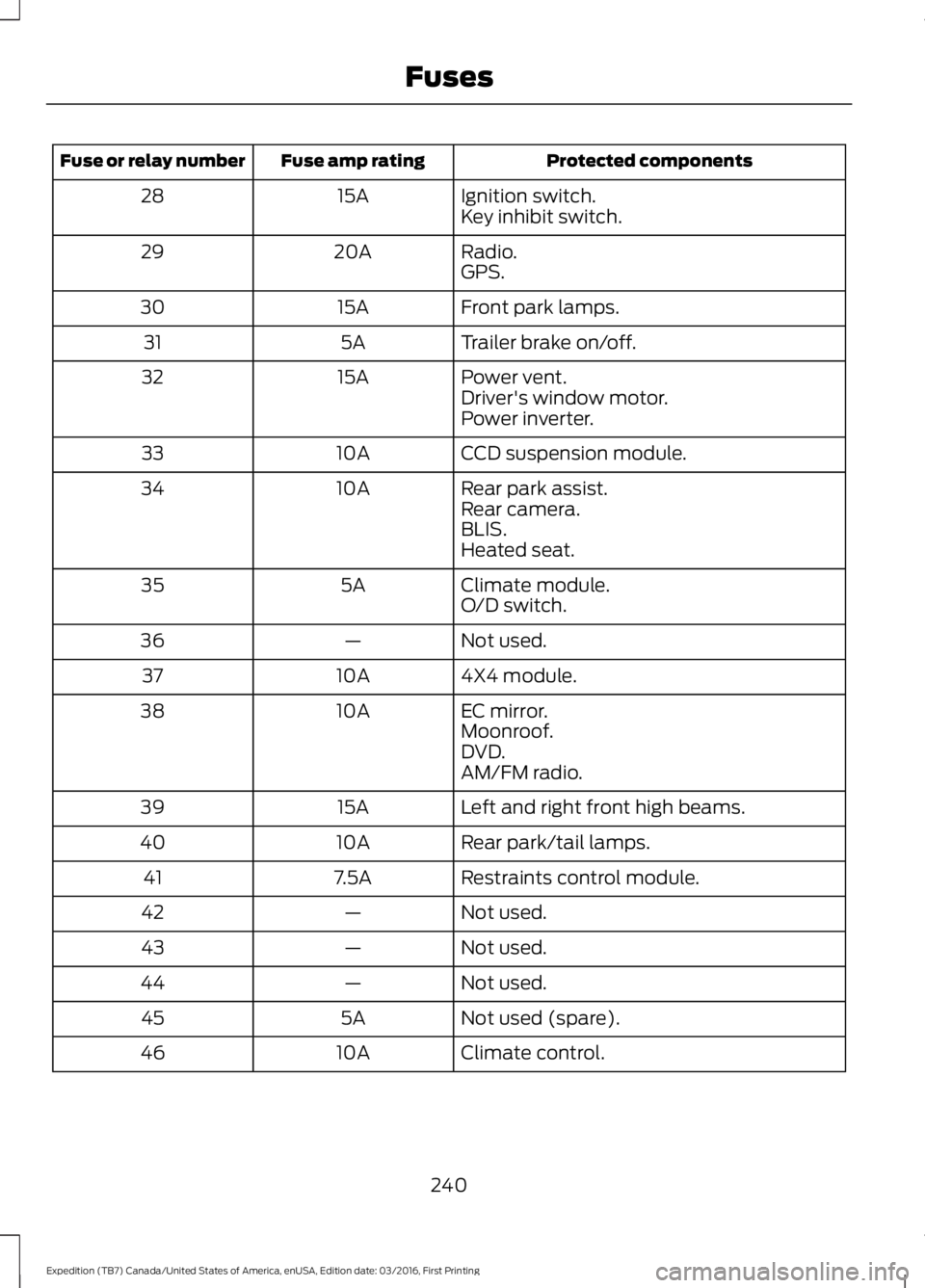
Protected componentsFuse amp ratingFuse or relay number
Ignition switch.15A28Key inhibit switch.
Radio.20A29GPS.
Front park lamps.15A30
Trailer brake on/off.5A31
Power vent.15A32Driver's window motor.Power inverter.
CCD suspension module.10A33
Rear park assist.10A34Rear camera.BLIS.Heated seat.
Climate module.5A35O/D switch.
Not used.—36
4X4 module.10A37
EC mirror.10A38Moonroof.DVD.AM/FM radio.
Left and right front high beams.15A39
Rear park/tail lamps.10A40
Restraints control module.7.5A41
Not used.—42
Not used.—43
Not used.—44
Not used (spare).5A45
Climate control.10A46
240
Expedition (TB7) Canada/United States of America, enUSA, Edition date: 03/2016, First Printing
Fuses
Page 253 of 500
Your vehicle has limited engine powerwhen in the fail-safe mode, drive yourvehicle with caution. Your vehicle does notmaintain high-speed operation and theengine may operate poorly.
Remember that the engine is capable ofautomatically shutting down to preventengine damage. In this situation:
1. Pull off the road as soon as safelypossible and switch the engine off.
2. If you are a member of a roadsideassistance program, we recommendthat you contact your roadsideassistance service provider.
3. If this is not possible, wait a shortperiod for the engine to cool.
4. Check the coolant level. If the coolantlevel is at or below the minimum mark,add prediluted coolant immediately.
5. When the engine temperature cools,you can re-start the engine. Have yourvehicle checked as soon as possible tominimize engine damage.
Note:Driving your vehicle without repairincreases the chance of engine damage.
Engine Coolant TemperatureManagement (If Equipped)
WARNING
To reduce the risk of crash and injury,be prepared that the vehicle speedmay reduce and the vehicle may notbe able to accelerate with full power untilthe coolant temperature reduces.
If you tow a trailer with your vehicle, theengine may temporarily reach higher atemperature during severe operatingconditions, for example ascending a longor steep grade in high ambienttemperatures.
At this time, you may notice the coolanttemperature gauge moves toward the redzone and a message may appear in theinformation display.
You may notice a reduction in vehiclespeed caused by reduced engine power.In order to manage the engine coolanttemperature. Your vehicle may enter thismode if certain high-temperature andhigh-load conditions take place. Theamount of speed reduction depends onvehicle loading, grade and ambienttemperature. If this occurs, there is no needto pull off the road. You can continue todrive your vehicle.
The air conditioning may automaticallyturn on and off during severe operatingconditions to protect the engine fromoverheating. When the coolanttemperature decreases to the normaloperating temperature, the air conditioningturns on.
If the coolant temperature gauge movesfully into the red zone, or if the coolanttemperature warning or service enginesoon messages appear in your informationdisplay, do the following:
1. Pull off the road as soon as safelypossible and shift the transmission intopark (P).
2. Leave the engine running until thecoolant temperature gauge needlereturns to the normal position. Afterseveral minutes, if the temperaturedoes not drop, follow the remainingsteps.
3.Switch the engine off and wait for it tocool. Check the coolant level.
4. If the coolant level is at or below theminimum mark, add prediluted coolantimmediately.
5. If the coolant level is normal, restartthe engine and continue.
250
Expedition (TB7) Canada/United States of America, enUSA, Edition date: 03/2016, First Printing
Maintenance
Page 299 of 500
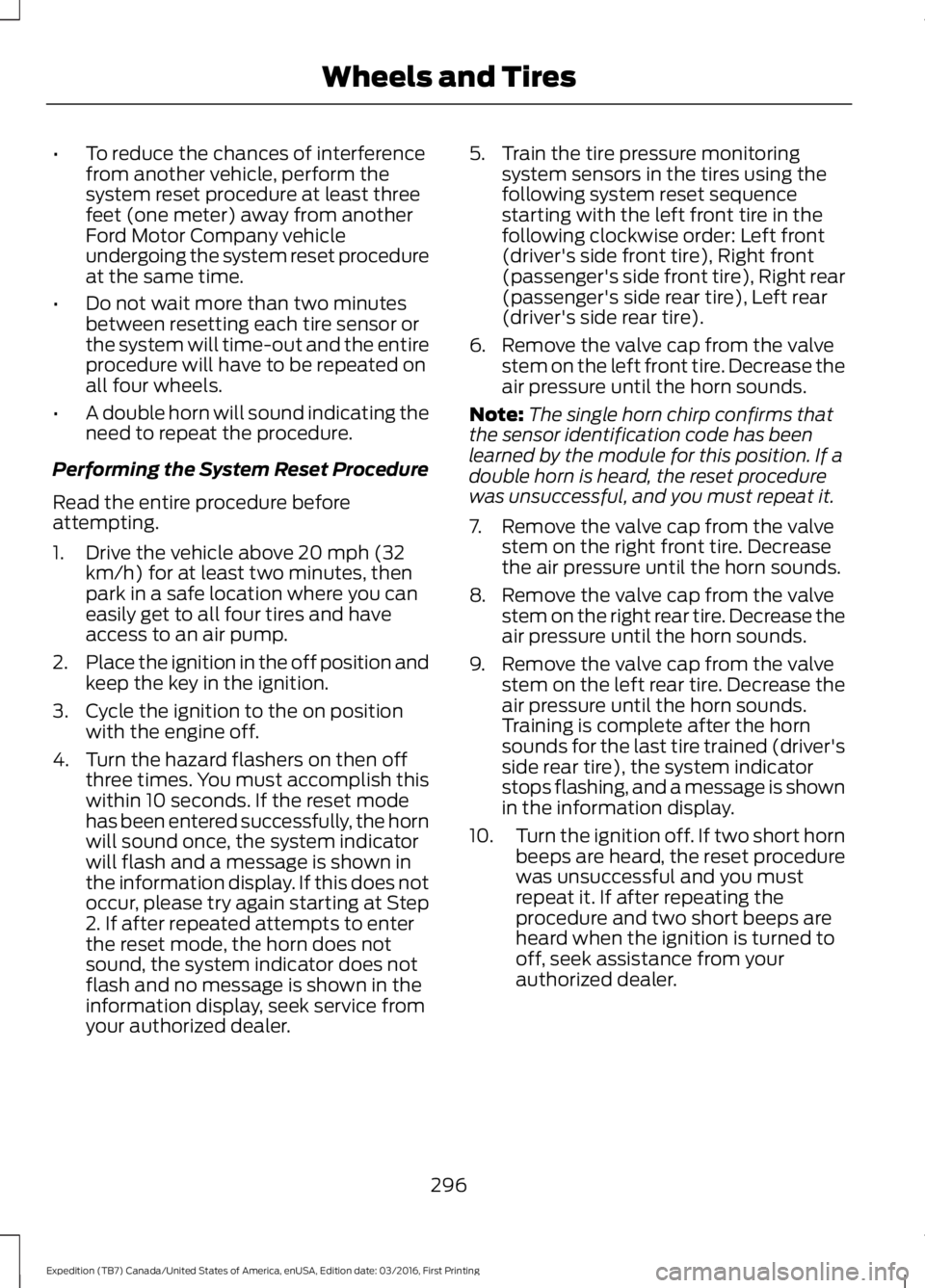
•To reduce the chances of interferencefrom another vehicle, perform thesystem reset procedure at least threefeet (one meter) away from anotherFord Motor Company vehicleundergoing the system reset procedureat the same time.
•Do not wait more than two minutesbetween resetting each tire sensor orthe system will time-out and the entireprocedure will have to be repeated onall four wheels.
•A double horn will sound indicating theneed to repeat the procedure.
Performing the System Reset Procedure
Read the entire procedure beforeattempting.
1. Drive the vehicle above 20 mph (32km/h) for at least two minutes, thenpark in a safe location where you caneasily get to all four tires and haveaccess to an air pump.
2.Place the ignition in the off position andkeep the key in the ignition.
3. Cycle the ignition to the on positionwith the engine off.
4. Turn the hazard flashers on then offthree times. You must accomplish thiswithin 10 seconds. If the reset modehas been entered successfully, the hornwill sound once, the system indicatorwill flash and a message is shown inthe information display. If this does notoccur, please try again starting at Step2. If after repeated attempts to enterthe reset mode, the horn does notsound, the system indicator does notflash and no message is shown in theinformation display, seek service fromyour authorized dealer.
5. Train the tire pressure monitoringsystem sensors in the tires using thefollowing system reset sequencestarting with the left front tire in thefollowing clockwise order: Left front(driver's side front tire), Right front(passenger's side front tire), Right rear(passenger's side rear tire), Left rear(driver's side rear tire).
6. Remove the valve cap from the valvestem on the left front tire. Decrease theair pressure until the horn sounds.
Note:The single horn chirp confirms thatthe sensor identification code has beenlearned by the module for this position. If adouble horn is heard, the reset procedurewas unsuccessful, and you must repeat it.
7. Remove the valve cap from the valvestem on the right front tire. Decreasethe air pressure until the horn sounds.
8. Remove the valve cap from the valvestem on the right rear tire. Decrease theair pressure until the horn sounds.
9. Remove the valve cap from the valvestem on the left rear tire. Decrease theair pressure until the horn sounds.Training is complete after the hornsounds for the last tire trained (driver'sside rear tire), the system indicatorstops flashing, and a message is shownin the information display.
10.Turn the ignition off. If two short hornbeeps are heard, the reset procedurewas unsuccessful and you mustrepeat it. If after repeating theprocedure and two short beeps areheard when the ignition is turned tooff, seek assistance from yourauthorized dealer.
296
Expedition (TB7) Canada/United States of America, enUSA, Edition date: 03/2016, First Printing
Wheels and Tires
Page 378 of 500
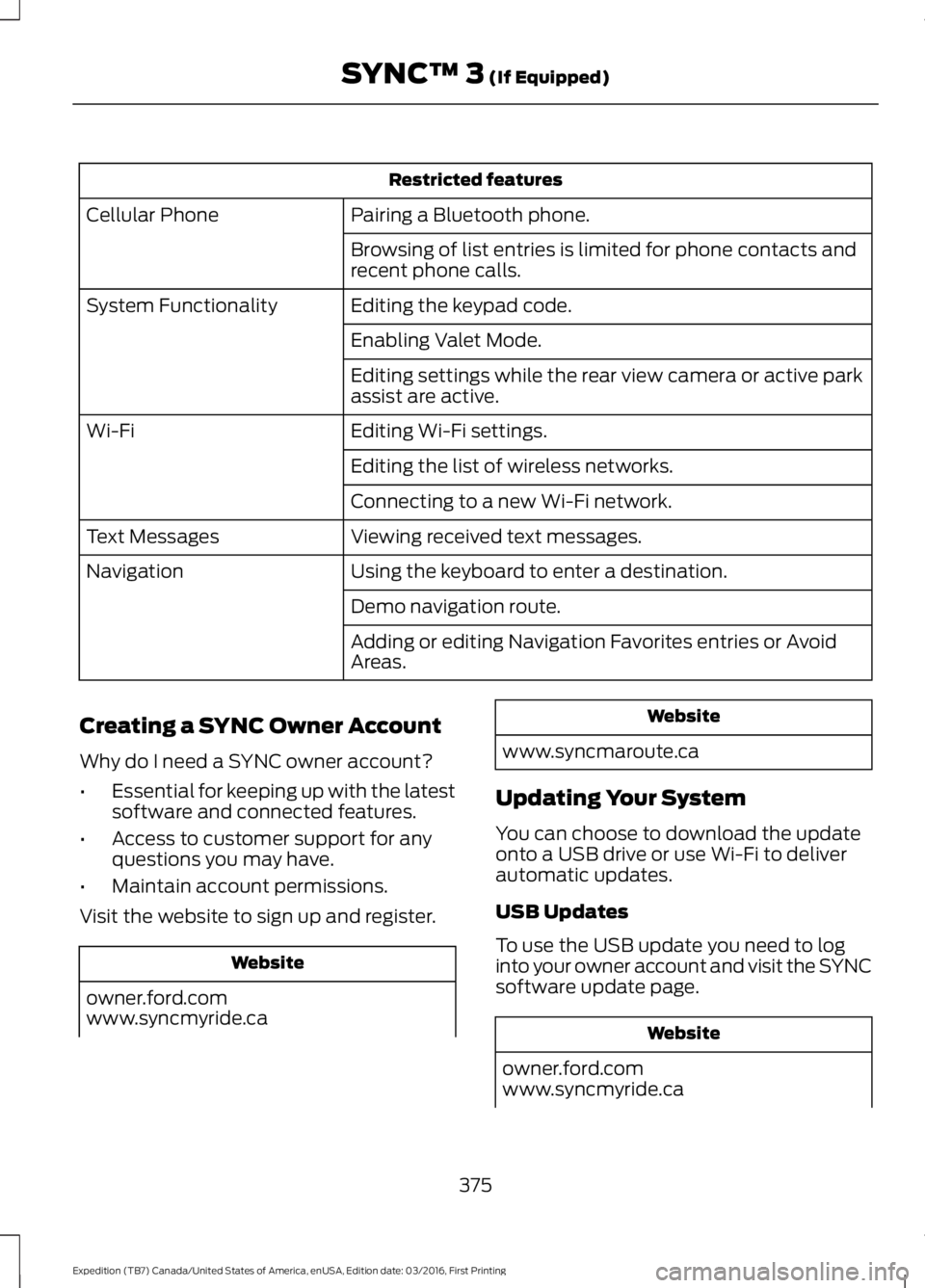
Restricted features
Pairing a Bluetooth phone.Cellular Phone
Browsing of list entries is limited for phone contacts andrecent phone calls.
Editing the keypad code.System Functionality
Enabling Valet Mode.
Editing settings while the rear view camera or active parkassist are active.
Editing Wi-Fi settings.Wi-Fi
Editing the list of wireless networks.
Connecting to a new Wi-Fi network.
Viewing received text messages.Text Messages
Using the keyboard to enter a destination.Navigation
Demo navigation route.
Adding or editing Navigation Favorites entries or AvoidAreas.
Creating a SYNC Owner Account
Why do I need a SYNC owner account?
•Essential for keeping up with the latestsoftware and connected features.
•Access to customer support for anyquestions you may have.
•Maintain account permissions.
Visit the website to sign up and register.
Website
owner.ford.comwww.syncmyride.ca
Website
www.syncmaroute.ca
Updating Your System
You can choose to download the updateonto a USB drive or use Wi-Fi to deliverautomatic updates.
USB Updates
To use the USB update you need to loginto your owner account and visit the SYNCsoftware update page.
Website
owner.ford.comwww.syncmyride.ca
375
Expedition (TB7) Canada/United States of America, enUSA, Edition date: 03/2016, First Printing
SYNC™ 3 (If Equipped)
Page 442 of 500
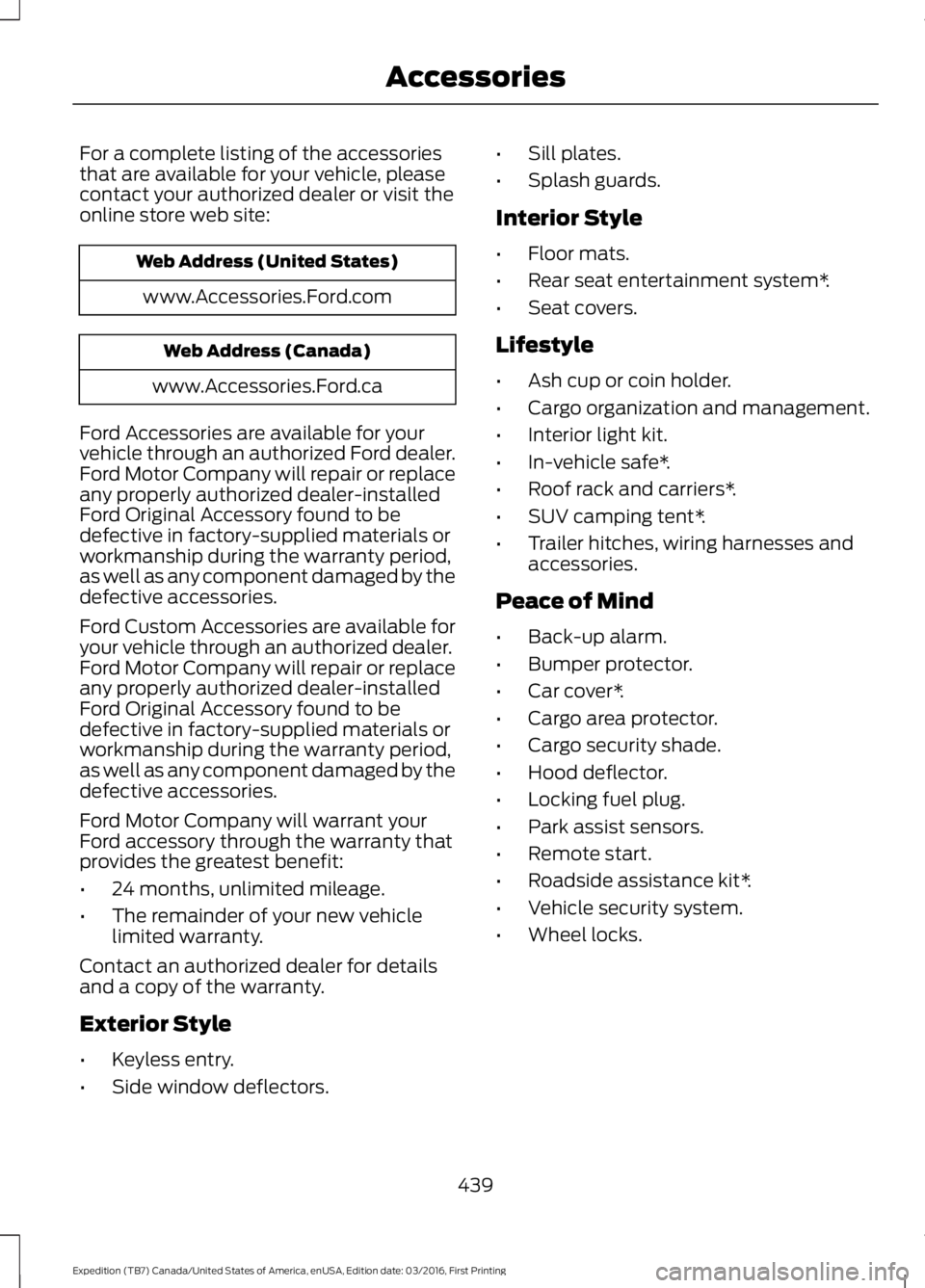
For a complete listing of the accessoriesthat are available for your vehicle, pleasecontact your authorized dealer or visit theonline store web site:
Web Address (United States)
www.Accessories.Ford.com
Web Address (Canada)
www.Accessories.Ford.ca
Ford Accessories are available for yourvehicle through an authorized Ford dealer.Ford Motor Company will repair or replaceany properly authorized dealer-installedFord Original Accessory found to bedefective in factory-supplied materials orworkmanship during the warranty period,as well as any component damaged by thedefective accessories.
Ford Custom Accessories are available foryour vehicle through an authorized dealer.Ford Motor Company will repair or replaceany properly authorized dealer-installedFord Original Accessory found to bedefective in factory-supplied materials orworkmanship during the warranty period,as well as any component damaged by thedefective accessories.
Ford Motor Company will warrant yourFord accessory through the warranty thatprovides the greatest benefit:
•24 months, unlimited mileage.
•The remainder of your new vehiclelimited warranty.
Contact an authorized dealer for detailsand a copy of the warranty.
Exterior Style
•Keyless entry.
•Side window deflectors.
•Sill plates.
•Splash guards.
Interior Style
•Floor mats.
•Rear seat entertainment system*.
•Seat covers.
Lifestyle
•Ash cup or coin holder.
•Cargo organization and management.
•Interior light kit.
•In-vehicle safe*.
•Roof rack and carriers*.
•SUV camping tent*.
•Trailer hitches, wiring harnesses andaccessories.
Peace of Mind
•Back-up alarm.
•Bumper protector.
•Car cover*.
•Cargo area protector.
•Cargo security shade.
•Hood deflector.
•Locking fuel plug.
•Park assist sensors.
•Remote start.
•Roadside assistance kit*.
•Vehicle security system.
•Wheel locks.
439
Expedition (TB7) Canada/United States of America, enUSA, Edition date: 03/2016, First Printing
Accessories
Page 445 of 500
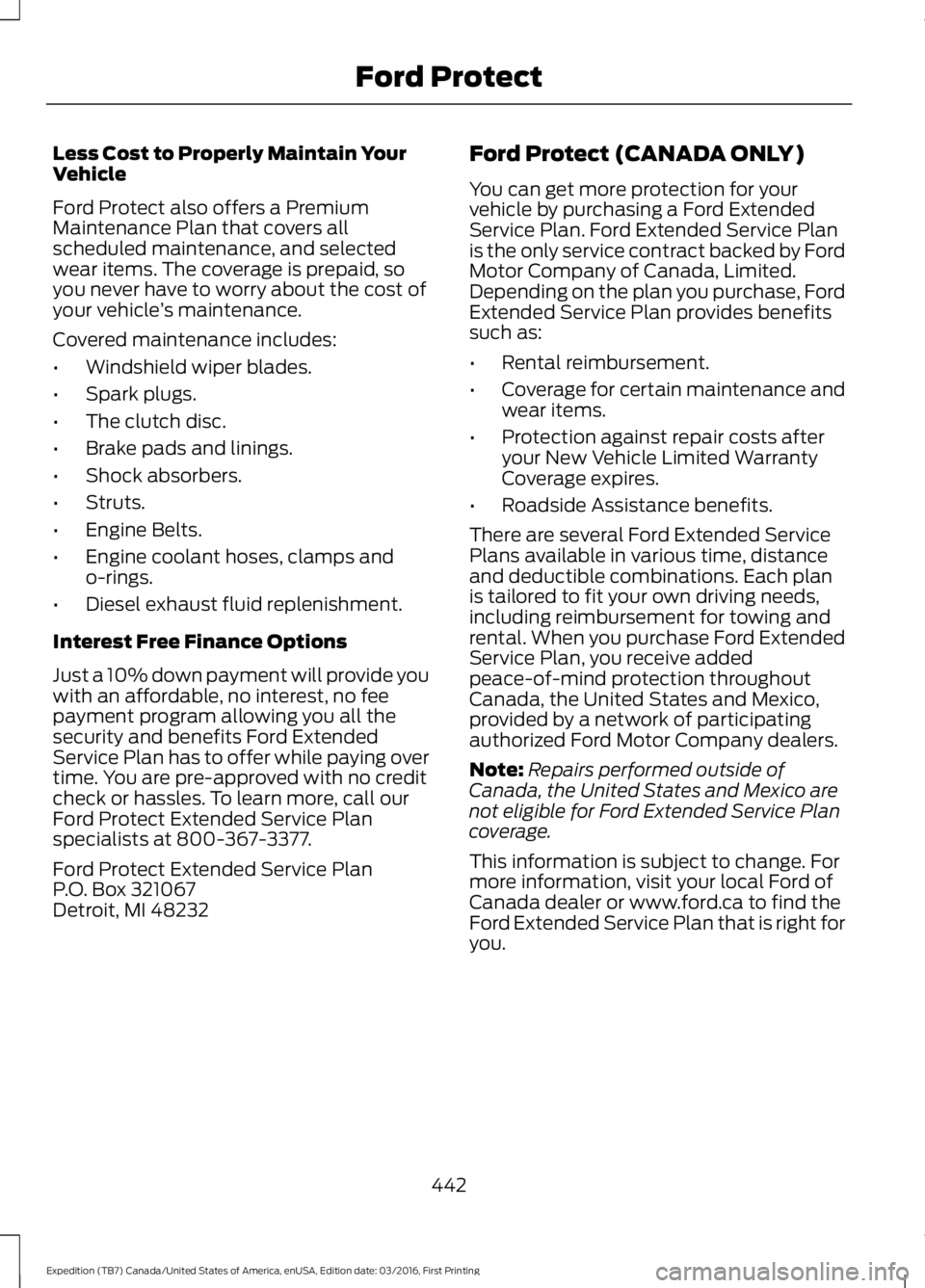
Less Cost to Properly Maintain YourVehicle
Ford Protect also offers a PremiumMaintenance Plan that covers allscheduled maintenance, and selectedwear items. The coverage is prepaid, soyou never have to worry about the cost ofyour vehicle’s maintenance.
Covered maintenance includes:
•Windshield wiper blades.
•Spark plugs.
•The clutch disc.
•Brake pads and linings.
•Shock absorbers.
•Struts.
•Engine Belts.
•Engine coolant hoses, clamps ando-rings.
•Diesel exhaust fluid replenishment.
Interest Free Finance Options
Just a 10% down payment will provide youwith an affordable, no interest, no feepayment program allowing you all thesecurity and benefits Ford ExtendedService Plan has to offer while paying overtime. You are pre-approved with no creditcheck or hassles. To learn more, call ourFord Protect Extended Service Planspecialists at 800-367-3377.
Ford Protect Extended Service PlanP.O. Box 321067Detroit, MI 48232
Ford Protect (CANADA ONLY)
You can get more protection for yourvehicle by purchasing a Ford ExtendedService Plan. Ford Extended Service Planis the only service contract backed by FordMotor Company of Canada, Limited.Depending on the plan you purchase, FordExtended Service Plan provides benefitssuch as:
•Rental reimbursement.
•Coverage for certain maintenance andwear items.
•Protection against repair costs afteryour New Vehicle Limited WarrantyCoverage expires.
•Roadside Assistance benefits.
There are several Ford Extended ServicePlans available in various time, distanceand deductible combinations. Each planis tailored to fit your own driving needs,including reimbursement for towing andrental. When you purchase Ford ExtendedService Plan, you receive addedpeace-of-mind protection throughoutCanada, the United States and Mexico,provided by a network of participatingauthorized Ford Motor Company dealers.
Note:Repairs performed outside ofCanada, the United States and Mexico arenot eligible for Ford Extended Service Plancoverage.
This information is subject to change. Formore information, visit your local Ford ofCanada dealer or www.ford.ca to find theFord Extended Service Plan that is right foryou.
442
Expedition (TB7) Canada/United States of America, enUSA, Edition date: 03/2016, First Printing
Ford Protect
Page 493 of 500
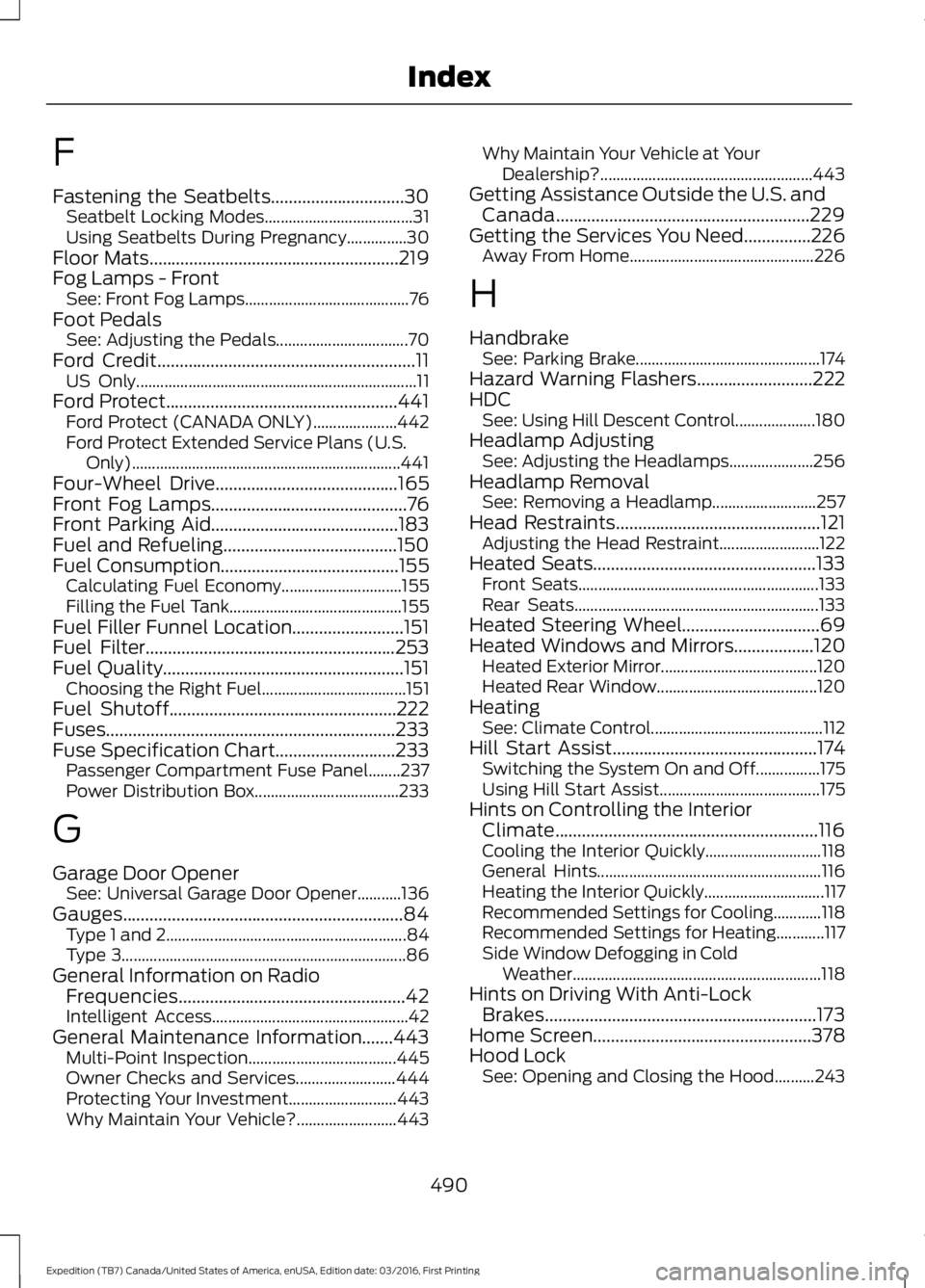
F
Fastening the Seatbelts..............................30Seatbelt Locking Modes.....................................31Using Seatbelts During Pregnancy...............30Floor Mats........................................................219Fog Lamps - FrontSee: Front Fog Lamps.........................................76Foot PedalsSee: Adjusting the Pedals.................................70Ford Credit..........................................................11US Only......................................................................11Ford Protect....................................................441Ford Protect (CANADA ONLY).....................442Ford Protect Extended Service Plans (U.S.Only)...................................................................441Four-Wheel Drive.........................................165Front Fog Lamps............................................76Front Parking Aid..........................................183Fuel and Refueling.......................................150Fuel Consumption........................................155Calculating Fuel Economy..............................155Filling the Fuel Tank...........................................155Fuel Filler Funnel Location.........................151Fuel Filter........................................................253Fuel Quality......................................................151Choosing the Right Fuel....................................151Fuel Shutoff...................................................222Fuses.................................................................233Fuse Specification Chart...........................233Passenger Compartment Fuse Panel........237Power Distribution Box....................................233
G
Garage Door OpenerSee: Universal Garage Door Opener...........136Gauges...............................................................84Type 1 and 2............................................................84Type 3.......................................................................86General Information on RadioFrequencies...................................................42Intelligent Access.................................................42General Maintenance Information.......443Multi-Point Inspection.....................................445Owner Checks and Services.........................444Protecting Your Investment...........................443Why Maintain Your Vehicle?.........................443
Why Maintain Your Vehicle at YourDealership?.....................................................443Getting Assistance Outside the U.S. andCanada.........................................................229Getting the Services You Need...............226Away From Home..............................................226
H
HandbrakeSee: Parking Brake..............................................174Hazard Warning Flashers..........................222HDCSee: Using Hill Descent Control....................180Headlamp AdjustingSee: Adjusting the Headlamps.....................256Headlamp RemovalSee: Removing a Headlamp..........................257Head Restraints..............................................121Adjusting the Head Restraint.........................122Heated Seats..................................................133Front Seats............................................................133Rear Seats.............................................................133Heated Steering Wheel...............................69Heated Windows and Mirrors..................120Heated Exterior Mirror.......................................120Heated Rear Window........................................120HeatingSee: Climate Control...........................................112Hill Start Assist..............................................174Switching the System On and Off................175Using Hill Start Assist........................................175Hints on Controlling the InteriorClimate...........................................................116Cooling the Interior Quickly.............................118General Hints........................................................116Heating the Interior Quickly..............................117Recommended Settings for Cooling............118Recommended Settings for Heating............117Side Window Defogging in ColdWeather..............................................................118Hints on Driving With Anti-LockBrakes.............................................................173Home Screen.................................................378Hood LockSee: Opening and Closing the Hood..........243
490
Expedition (TB7) Canada/United States of America, enUSA, Edition date: 03/2016, First Printing
Index
Page 496 of 500
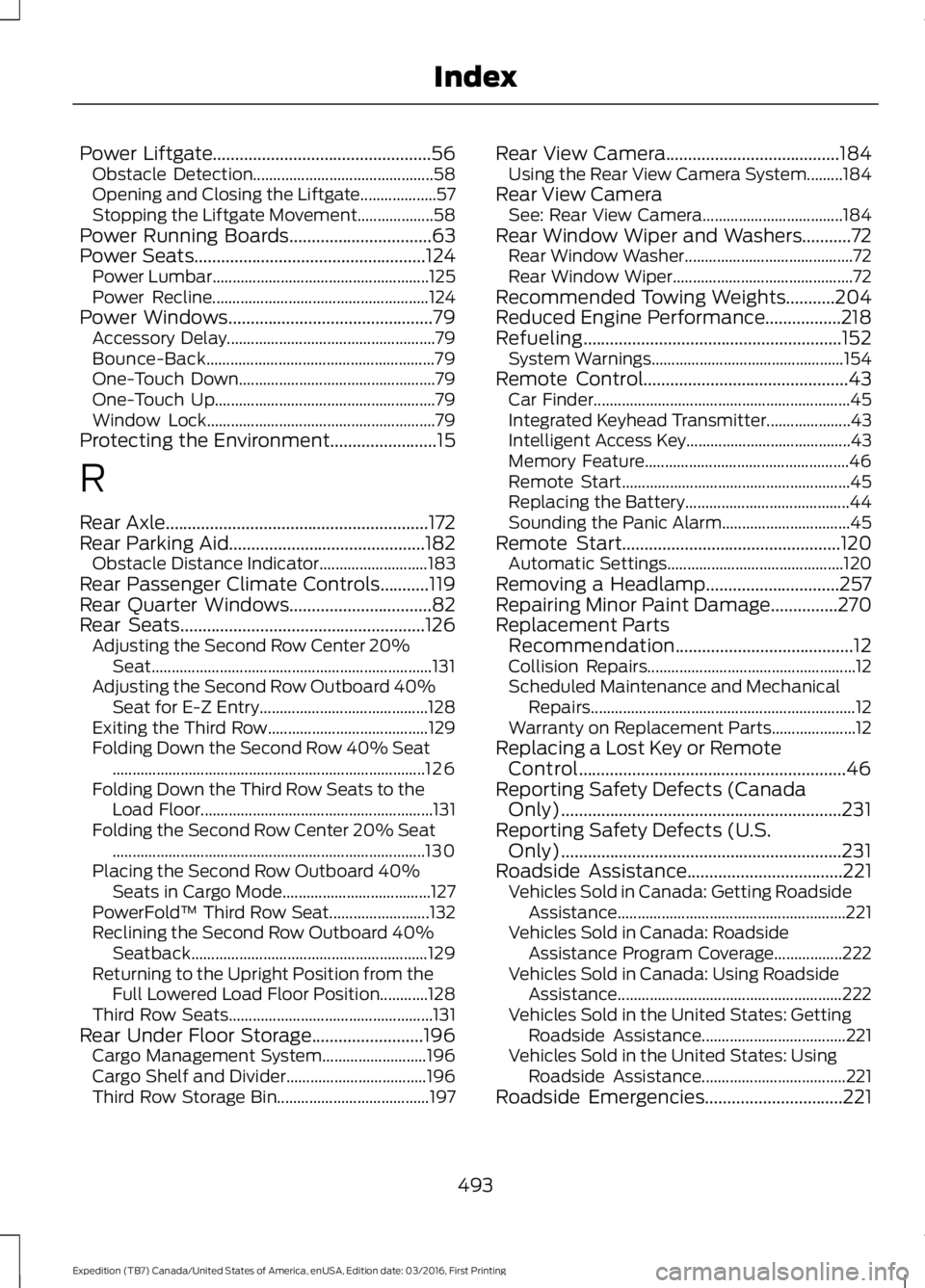
Power Liftgate.................................................56Obstacle Detection.............................................58Opening and Closing the Liftgate...................57Stopping the Liftgate Movement...................58Power Running Boards................................63Power Seats....................................................124Power Lumbar......................................................125Power Recline......................................................124Power Windows..............................................79Accessory Delay....................................................79Bounce-Back.........................................................79One-Touch Down.................................................79One-Touch Up.......................................................79Window Lock.........................................................79Protecting the Environment........................15
R
Rear Axle...........................................................172Rear Parking Aid............................................182Obstacle Distance Indicator...........................183Rear Passenger Climate Controls...........119Rear Quarter Windows................................82Rear Seats.......................................................126Adjusting the Second Row Center 20%Seat......................................................................131Adjusting the Second Row Outboard 40%Seat for E-Z Entry..........................................128Exiting the Third Row........................................129Folding Down the Second Row 40% Seat..............................................................................126Folding Down the Third Row Seats to theLoad Floor..........................................................131Folding the Second Row Center 20% Seat..............................................................................130Placing the Second Row Outboard 40%Seats in Cargo Mode.....................................127PowerFold™ Third Row Seat.........................132Reclining the Second Row Outboard 40%Seatback...........................................................129Returning to the Upright Position from theFull Lowered Load Floor Position............128Third Row Seats...................................................131Rear Under Floor Storage.........................196Cargo Management System..........................196Cargo Shelf and Divider...................................196Third Row Storage Bin......................................197
Rear View Camera.......................................184Using the Rear View Camera System.........184Rear View CameraSee: Rear View Camera...................................184Rear Window Wiper and Washers...........72Rear Window Washer..........................................72Rear Window Wiper.............................................72Recommended Towing Weights...........204Reduced Engine Performance.................218Refueling..........................................................152System Warnings................................................154Remote Control..............................................43Car Finder................................................................45Integrated Keyhead Transmitter.....................43Intelligent Access Key.........................................43Memory Feature...................................................46Remote Start.........................................................45Replacing the Battery.........................................44Sounding the Panic Alarm................................45Remote Start.................................................120Automatic Settings............................................120Removing a Headlamp..............................257Repairing Minor Paint Damage...............270Replacement PartsRecommendation........................................12Collision Repairs....................................................12Scheduled Maintenance and MechanicalRepairs..................................................................12Warranty on Replacement Parts.....................12Replacing a Lost Key or RemoteControl............................................................46Reporting Safety Defects (CanadaOnly)...............................................................231Reporting Safety Defects (U.S.Only)...............................................................231Roadside Assistance...................................221Vehicles Sold in Canada: Getting RoadsideAssistance.........................................................221Vehicles Sold in Canada: RoadsideAssistance Program Coverage.................222Vehicles Sold in Canada: Using RoadsideAssistance........................................................222Vehicles Sold in the United States: GettingRoadside Assistance....................................221Vehicles Sold in the United States: UsingRoadside Assistance....................................221Roadside Emergencies...............................221
493
Expedition (TB7) Canada/United States of America, enUSA, Edition date: 03/2016, First Printing
Index