remote start FORD EXPEDITION EL 2017 User Guide
[x] Cancel search | Manufacturer: FORD, Model Year: 2017, Model line: EXPEDITION EL, Model: FORD EXPEDITION EL 2017Pages: 500, PDF Size: 6.13 MB
Page 65 of 500
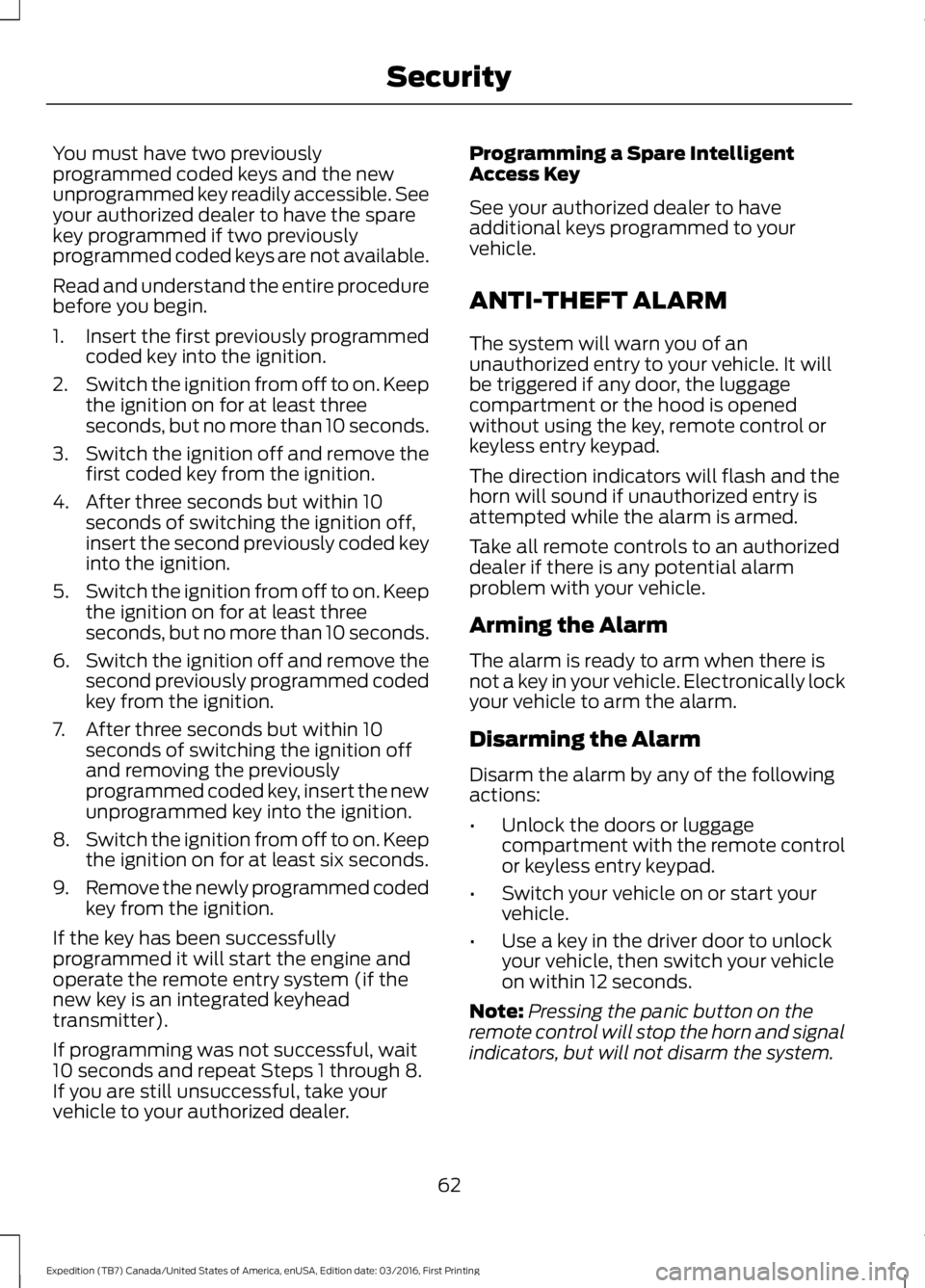
You must have two previouslyprogrammed coded keys and the newunprogrammed key readily accessible. Seeyour authorized dealer to have the sparekey programmed if two previouslyprogrammed coded keys are not available.
Read and understand the entire procedurebefore you begin.
1.Insert the first previously programmedcoded key into the ignition.
2.Switch the ignition from off to on. Keepthe ignition on for at least threeseconds, but no more than 10 seconds.
3.Switch the ignition off and remove thefirst coded key from the ignition.
4. After three seconds but within 10seconds of switching the ignition off,insert the second previously coded keyinto the ignition.
5.Switch the ignition from off to on. Keepthe ignition on for at least threeseconds, but no more than 10 seconds.
6.Switch the ignition off and remove thesecond previously programmed codedkey from the ignition.
7. After three seconds but within 10seconds of switching the ignition offand removing the previouslyprogrammed coded key, insert the newunprogrammed key into the ignition.
8.Switch the ignition from off to on. Keepthe ignition on for at least six seconds.
9.Remove the newly programmed codedkey from the ignition.
If the key has been successfullyprogrammed it will start the engine andoperate the remote entry system (if thenew key is an integrated keyheadtransmitter).
If programming was not successful, wait10 seconds and repeat Steps 1 through 8.If you are still unsuccessful, take yourvehicle to your authorized dealer.
Programming a Spare IntelligentAccess Key
See your authorized dealer to haveadditional keys programmed to yourvehicle.
ANTI-THEFT ALARM
The system will warn you of anunauthorized entry to your vehicle. It willbe triggered if any door, the luggagecompartment or the hood is openedwithout using the key, remote control orkeyless entry keypad.
The direction indicators will flash and thehorn will sound if unauthorized entry isattempted while the alarm is armed.
Take all remote controls to an authorizeddealer if there is any potential alarmproblem with your vehicle.
Arming the Alarm
The alarm is ready to arm when there isnot a key in your vehicle. Electronically lockyour vehicle to arm the alarm.
Disarming the Alarm
Disarm the alarm by any of the followingactions:
•Unlock the doors or luggagecompartment with the remote controlor keyless entry keypad.
•Switch your vehicle on or start yourvehicle.
•Use a key in the driver door to unlockyour vehicle, then switch your vehicleon within 12 seconds.
Note:Pressing the panic button on theremote control will stop the horn and signalindicators, but will not disarm the system.
62
Expedition (TB7) Canada/United States of America, enUSA, Edition date: 03/2016, First Printing
Security
Page 104 of 500
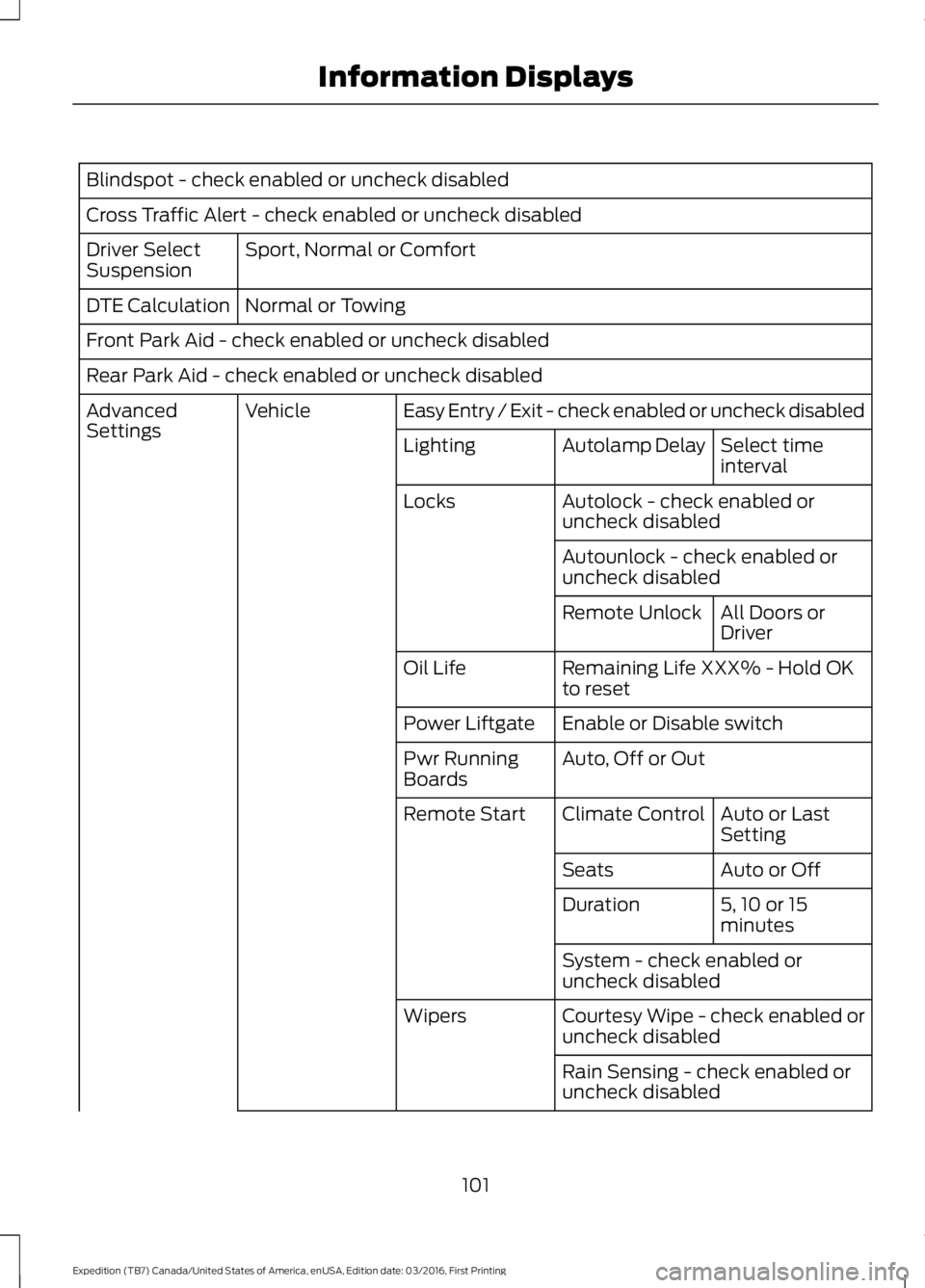
Blindspot - check enabled or uncheck disabled
Cross Traffic Alert - check enabled or uncheck disabled
Sport, Normal or ComfortDriver SelectSuspension
Normal or TowingDTE Calculation
Front Park Aid - check enabled or uncheck disabled
Rear Park Aid - check enabled or uncheck disabled
Easy Entry / Exit - check enabled or uncheck disabledVehicleAdvancedSettingsSelect timeintervalAutolamp DelayLighting
Autolock - check enabled oruncheck disabledLocks
Autounlock - check enabled oruncheck disabled
All Doors orDriverRemote Unlock
Remaining Life XXX% - Hold OKto resetOil Life
Enable or Disable switchPower Liftgate
Auto, Off or OutPwr RunningBoards
Auto or LastSettingClimate ControlRemote Start
Auto or OffSeats
5, 10 or 15minutesDuration
System - check enabled oruncheck disabled
Courtesy Wipe - check enabled oruncheck disabledWipers
Rain Sensing - check enabled oruncheck disabled
101
Expedition (TB7) Canada/United States of America, enUSA, Edition date: 03/2016, First Printing
Information Displays
Page 112 of 500
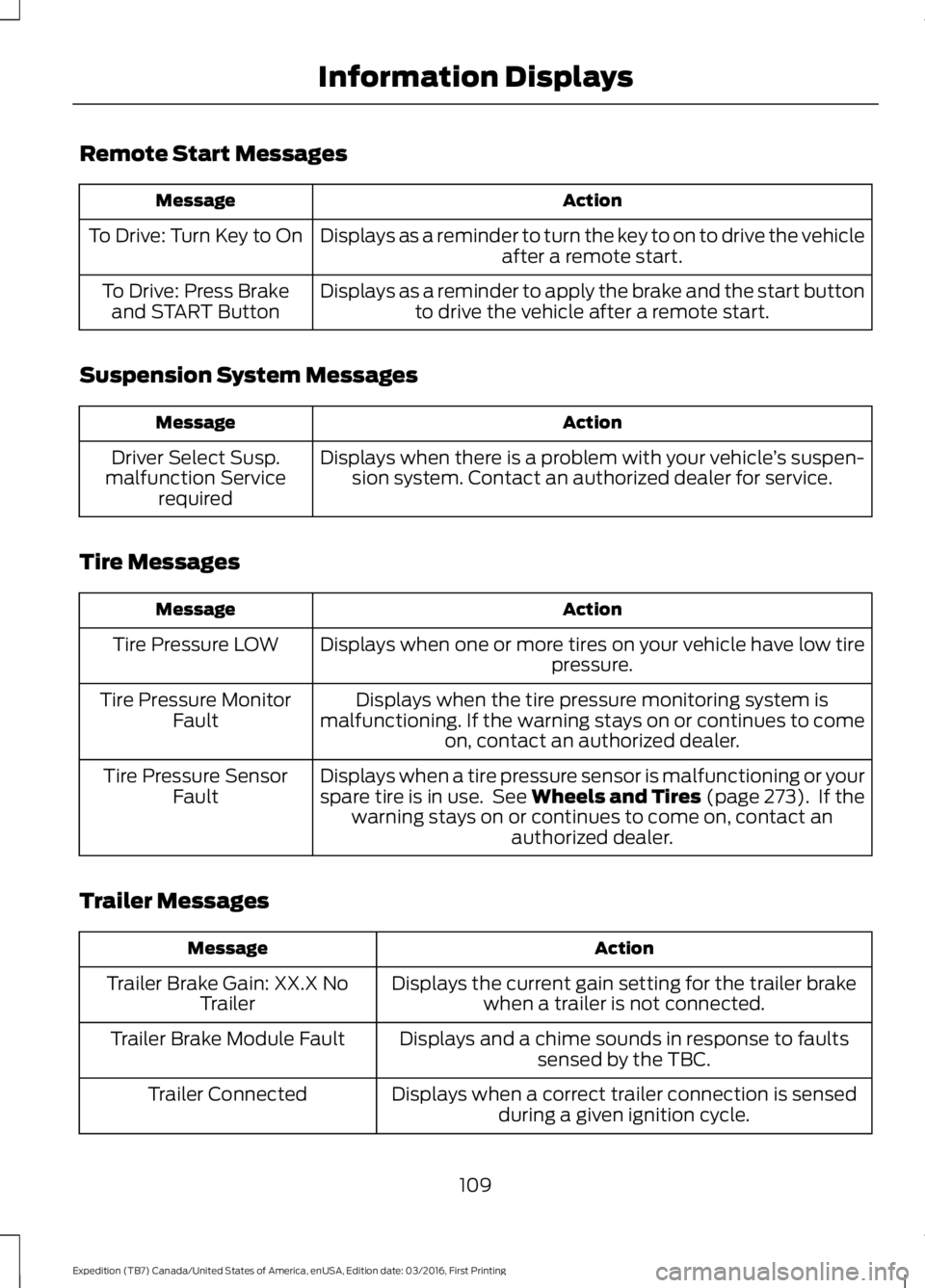
Remote Start Messages
ActionMessage
Displays as a reminder to turn the key to on to drive the vehicleafter a remote start.To Drive: Turn Key to On
Displays as a reminder to apply the brake and the start buttonto drive the vehicle after a remote start.To Drive: Press Brakeand START Button
Suspension System Messages
ActionMessage
Displays when there is a problem with your vehicle’s suspen-sion system. Contact an authorized dealer for service.Driver Select Susp.malfunction Servicerequired
Tire Messages
ActionMessage
Displays when one or more tires on your vehicle have low tirepressure.Tire Pressure LOW
Displays when the tire pressure monitoring system ismalfunctioning. If the warning stays on or continues to comeon, contact an authorized dealer.
Tire Pressure MonitorFault
Displays when a tire pressure sensor is malfunctioning or yourspare tire is in use. See Wheels and Tires (page 273). If thewarning stays on or continues to come on, contact anauthorized dealer.
Tire Pressure SensorFault
Trailer Messages
ActionMessage
Displays the current gain setting for the trailer brakewhen a trailer is not connected.Trailer Brake Gain: XX.X NoTrailer
Displays and a chime sounds in response to faultssensed by the TBC.Trailer Brake Module Fault
Displays when a correct trailer connection is sensedduring a given ignition cycle.Trailer Connected
109
Expedition (TB7) Canada/United States of America, enUSA, Edition date: 03/2016, First Printing
Information Displays
Page 123 of 500
HEATED WINDOWS AND
MIRRORS
Heated Rear Window
Note:Make sure the engine is runningbefore operating the heated windows.
Press the button to clear theheated rear window of thin iceand fog. The heated rear windowwill automatically turn off after a shortperiod of time. Start the engine before youswitch the heated rear window on.
Note:Do not use razor blades or othersharp objects to clean or remove decalsfrom the inside of the heated rear window.The vehicle warranty does not coverdamage caused to the heated rear windowgrid lines.
Heated Exterior Mirror (If Equipped)
When you switch the heated rear windowon, the heated exterior mirrors willautomatically turn on.
Note:Do not remove ice from the mirrorswith a scraper or adjust the mirror glasswhen it is frozen in place.
Note:Do not clean the mirror housing orglass with harsh abrasives, fuel or otherpetroleum-based cleaning products.
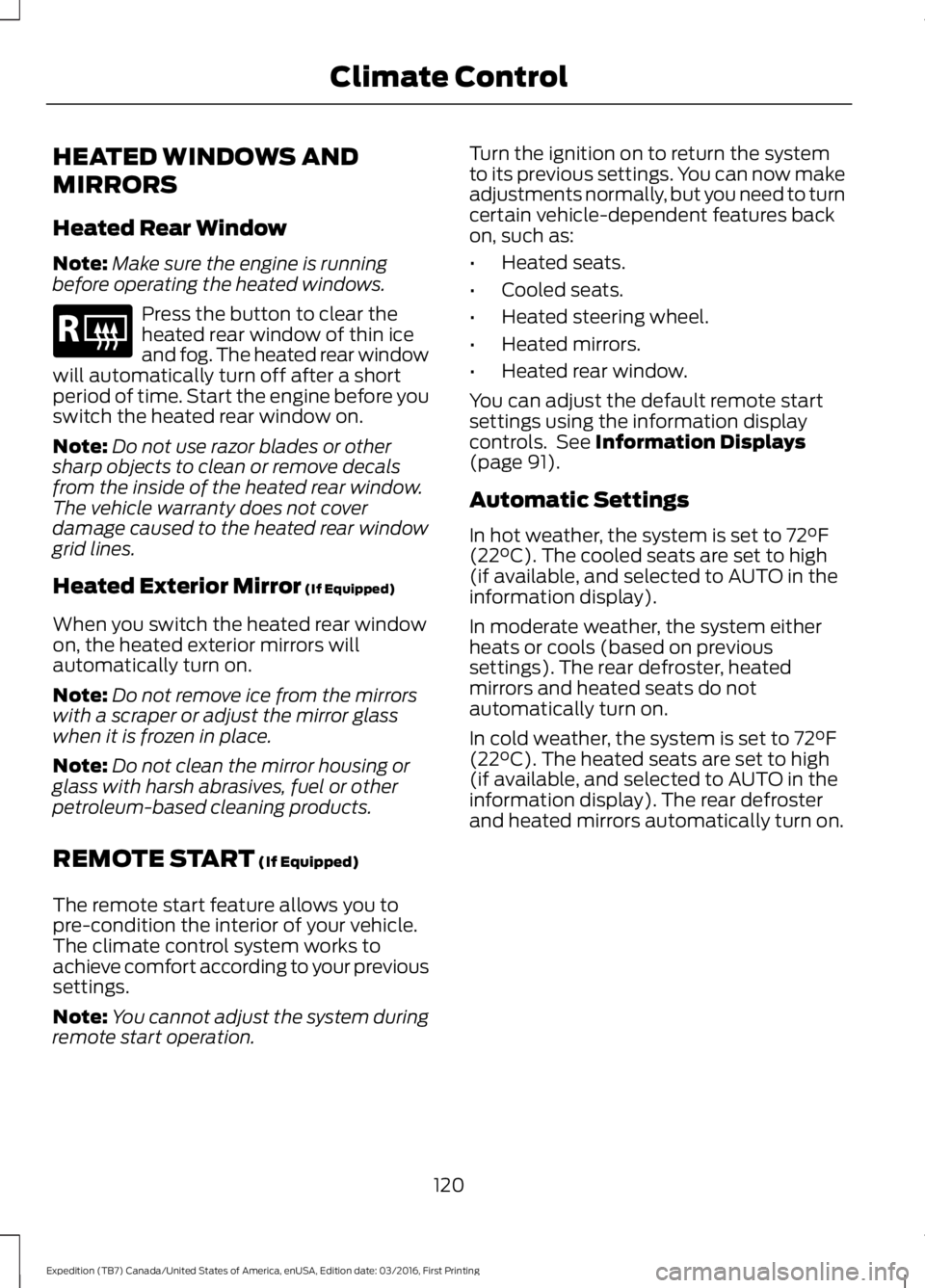
REMOTE START (If Equipped)
The remote start feature allows you topre-condition the interior of your vehicle.The climate control system works toachieve comfort according to your previoussettings.
Note:You cannot adjust the system duringremote start operation.
Turn the ignition on to return the systemto its previous settings. You can now makeadjustments normally, but you need to turncertain vehicle-dependent features backon, such as:
•Heated seats.
•Cooled seats.
•Heated steering wheel.
•Heated mirrors.
•Heated rear window.
You can adjust the default remote startsettings using the information displaycontrols. See Information Displays(page 91).
Automatic Settings
In hot weather, the system is set to 72°F(22°C). The cooled seats are set to high(if available, and selected to AUTO in theinformation display).
In moderate weather, the system eitherheats or cools (based on previoussettings). The rear defroster, heatedmirrors and heated seats do notautomatically turn on.
In cold weather, the system is set to 72°F(22°C). The heated seats are set to high(if available, and selected to AUTO in theinformation display). The rear defrosterand heated mirrors automatically turn on.
120
Expedition (TB7) Canada/United States of America, enUSA, Edition date: 03/2016, First Printing
Climate ControlE184884
Page 400 of 500
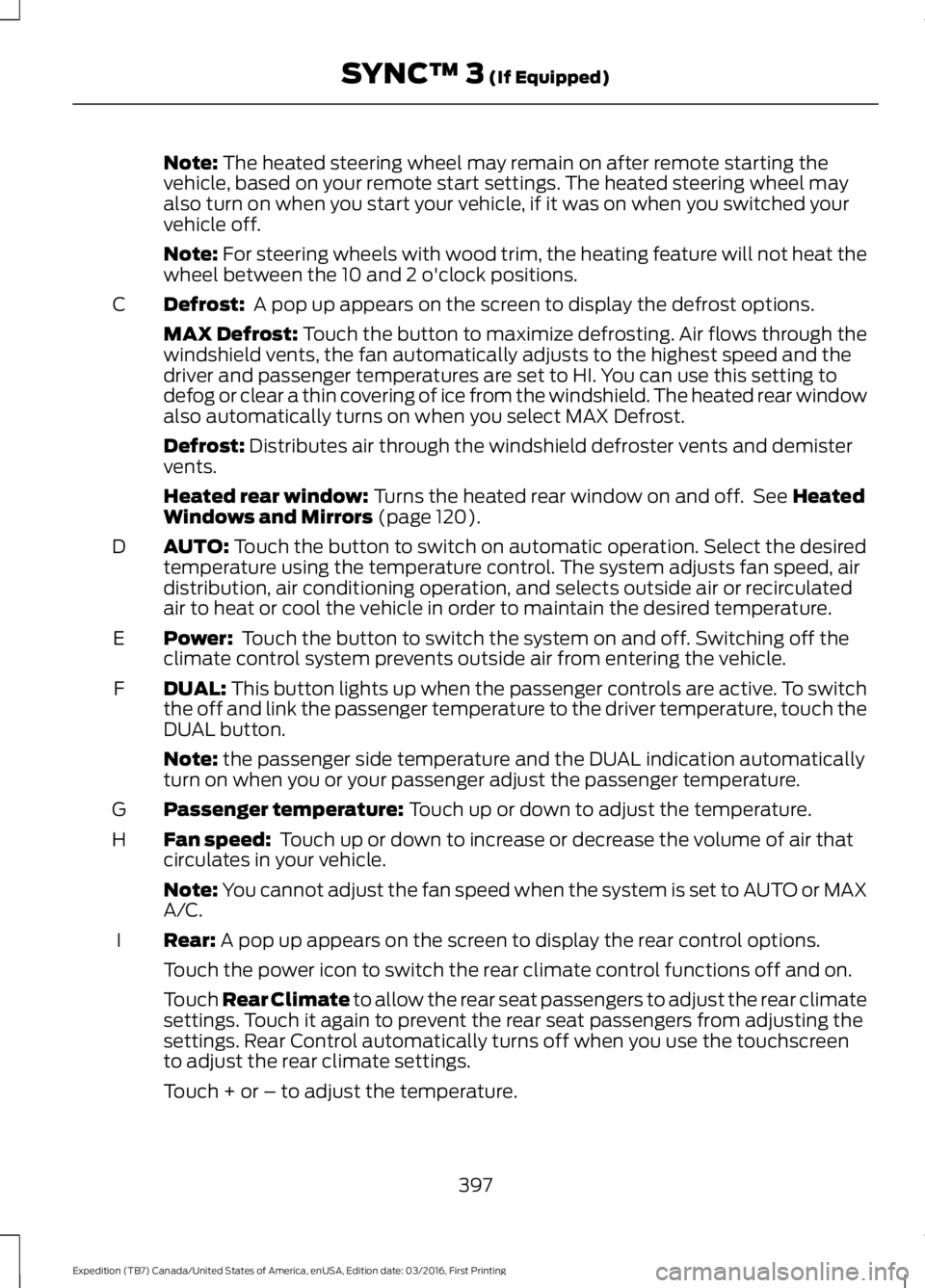
Note: The heated steering wheel may remain on after remote starting thevehicle, based on your remote start settings. The heated steering wheel mayalso turn on when you start your vehicle, if it was on when you switched yourvehicle off.
Note: For steering wheels with wood trim, the heating feature will not heat thewheel between the 10 and 2 o'clock positions.
Defrost: A pop up appears on the screen to display the defrost options.C
MAX Defrost: Touch the button to maximize defrosting. Air flows through thewindshield vents, the fan automatically adjusts to the highest speed and thedriver and passenger temperatures are set to HI. You can use this setting todefog or clear a thin covering of ice from the windshield. The heated rear windowalso automatically turns on when you select MAX Defrost.
Defrost: Distributes air through the windshield defroster vents and demistervents.
Heated rear window: Turns the heated rear window on and off. See HeatedWindows and Mirrors (page 120).
AUTO: Touch the button to switch on automatic operation. Select the desiredtemperature using the temperature control. The system adjusts fan speed, airdistribution, air conditioning operation, and selects outside air or recirculatedair to heat or cool the vehicle in order to maintain the desired temperature.
D
Power: Touch the button to switch the system on and off. Switching off theclimate control system prevents outside air from entering the vehicle.E
DUAL: This button lights up when the passenger controls are active. To switchthe off and link the passenger temperature to the driver temperature, touch theDUAL button.
F
Note: the passenger side temperature and the DUAL indication automaticallyturn on when you or your passenger adjust the passenger temperature.
Passenger temperature: Touch up or down to adjust the temperature.G
Fan speed: Touch up or down to increase or decrease the volume of air thatcirculates in your vehicle.H
Note: You cannot adjust the fan speed when the system is set to AUTO or MAXA/C.
Rear: A pop up appears on the screen to display the rear control options.I
Touch the power icon to switch the rear climate control functions off and on.
Touch Rear Climate to allow the rear seat passengers to adjust the rear climatesettings. Touch it again to prevent the rear seat passengers from adjusting thesettings. Rear Control automatically turns off when you use the touchscreento adjust the rear climate settings.
Touch + or – to adjust the temperature.
397
Expedition (TB7) Canada/United States of America, enUSA, Edition date: 03/2016, First Printing
SYNC™ 3 (If Equipped)
Page 442 of 500
For a complete listing of the accessoriesthat are available for your vehicle, pleasecontact your authorized dealer or visit theonline store web site:
Web Address (United States)
www.Accessories.Ford.com
Web Address (Canada)
www.Accessories.Ford.ca
Ford Accessories are available for yourvehicle through an authorized Ford dealer.Ford Motor Company will repair or replaceany properly authorized dealer-installedFord Original Accessory found to bedefective in factory-supplied materials orworkmanship during the warranty period,as well as any component damaged by thedefective accessories.
Ford Custom Accessories are available foryour vehicle through an authorized dealer.Ford Motor Company will repair or replaceany properly authorized dealer-installedFord Original Accessory found to bedefective in factory-supplied materials orworkmanship during the warranty period,as well as any component damaged by thedefective accessories.
Ford Motor Company will warrant yourFord accessory through the warranty thatprovides the greatest benefit:
•24 months, unlimited mileage.
•The remainder of your new vehiclelimited warranty.
Contact an authorized dealer for detailsand a copy of the warranty.
Exterior Style
•Keyless entry.
•Side window deflectors.
•Sill plates.
•Splash guards.
Interior Style
•Floor mats.
•Rear seat entertainment system*.
•Seat covers.
Lifestyle
•Ash cup or coin holder.
•Cargo organization and management.
•Interior light kit.
•In-vehicle safe*.
•Roof rack and carriers*.
•SUV camping tent*.
•Trailer hitches, wiring harnesses andaccessories.
Peace of Mind
•Back-up alarm.
•Bumper protector.
•Car cover*.
•Cargo area protector.
•Cargo security shade.
•Hood deflector.
•Locking fuel plug.
•Park assist sensors.
•Remote start.
•Roadside assistance kit*.
•Vehicle security system.
•Wheel locks.
439
Expedition (TB7) Canada/United States of America, enUSA, Edition date: 03/2016, First Printing
Accessories
Page 494 of 500
I
Ignition Switch...............................................144In California (U.S. Only).............................227Information Display Control......................69Information Displays......................................91General Information.............................................91Information Messages................................1024WD Messages......................................................111AdvanceTrac™ / Traction ControlMessages..........................................................103Alarm Messages.................................................103Battery and Charging SystemMessages..........................................................103Blind Spot Information SystemMessages..........................................................104Brake System Messages..................................104Door Messages....................................................104Engine Messages................................................105Fuel Messages.....................................................105Keys and Intelligent AccessMessages..........................................................105Maintenance Messages...................................106MyKey™ Messages............................................107Off Road Messages............................................107Park Aid Messages.............................................108Power Steering Messages..............................108Remote Start Messages..................................109Suspension System Messages.....................109Tire Messages......................................................109Trailer Messages.................................................109Transmission Messages....................................110Installing Child Restraints.............................17Child Seats...............................................................17Combining Seatbelt and LATCH LowerAnchors for Attaching Child SafetySeats.....................................................................21Using Lap and Shoulder Belts .........................18Using Lower Anchors and Tethers forCHildren (LATCH)...........................................20Using Tether Straps..............................................21Instrument Cluster........................................84Instrument Lighting Dimmer......................75Interior Lamps..................................................77Front Row Map and Dome Lamps.................77Front Row Map Lamps........................................77Rear Cargo Lamp..................................................78Second Row Map Lamps...................................77
Interior Mirror....................................................81Auto-Dimming Mirror...........................................81Introduction.........................................................7
J
Jump Starting the Vehicle.........................223Connecting the Jumper Cables....................223Jump Starting......................................................224Preparing Your Vehicle.....................................223Removing the Jumper Cables.......................224
K
Keyless Entry...................................................58SECURICODE™ KEYLESS ENTRYKEYPAD..............................................................58Unlocking and Locking the Doors..................60Keyless Starting............................................144Ignition Modes.....................................................145Keys and Remote Controls.........................42Principle of Operation.........................................42
L
Lighting Control...............................................73Headlamp Flasher................................................74High Beams.............................................................73Lighting...............................................................73General Information............................................73Limited Slip Differential..............................172Load CarriersSee: Roof Racks and Load Carriers..............197Load Carrying.................................................196Load Limit.......................................................198Special Loading Instructions for Owners ofPick-up Trucks and Utility-typeVehicles............................................................202Vehicle Loading - with and without aTrailer.................................................................198Locking and Unlocking.................................52Activating Intelligent Access............................52Autolock...................................................................53Auto Relock............................................................53Autounlock.............................................................54Battery Saver.........................................................54Enabling or Disabling Autolock andAutounlock........................................................54
491
Expedition (TB7) Canada/United States of America, enUSA, Edition date: 03/2016, First Printing
Index
Page 496 of 500
Power Liftgate.................................................56Obstacle Detection.............................................58Opening and Closing the Liftgate...................57Stopping the Liftgate Movement...................58Power Running Boards................................63Power Seats....................................................124Power Lumbar......................................................125Power Recline......................................................124Power Windows..............................................79Accessory Delay....................................................79Bounce-Back.........................................................79One-Touch Down.................................................79One-Touch Up.......................................................79Window Lock.........................................................79Protecting the Environment........................15
R
Rear Axle...........................................................172Rear Parking Aid............................................182Obstacle Distance Indicator...........................183Rear Passenger Climate Controls...........119Rear Quarter Windows................................82Rear Seats.......................................................126Adjusting the Second Row Center 20%Seat......................................................................131Adjusting the Second Row Outboard 40%Seat for E-Z Entry..........................................128Exiting the Third Row........................................129Folding Down the Second Row 40% Seat..............................................................................126Folding Down the Third Row Seats to theLoad Floor..........................................................131Folding the Second Row Center 20% Seat..............................................................................130Placing the Second Row Outboard 40%Seats in Cargo Mode.....................................127PowerFold™ Third Row Seat.........................132Reclining the Second Row Outboard 40%Seatback...........................................................129Returning to the Upright Position from theFull Lowered Load Floor Position............128Third Row Seats...................................................131Rear Under Floor Storage.........................196Cargo Management System..........................196Cargo Shelf and Divider...................................196Third Row Storage Bin......................................197
Rear View Camera.......................................184Using the Rear View Camera System.........184Rear View CameraSee: Rear View Camera...................................184Rear Window Wiper and Washers...........72Rear Window Washer..........................................72Rear Window Wiper.............................................72Recommended Towing Weights...........204Reduced Engine Performance.................218Refueling..........................................................152System Warnings................................................154Remote Control..............................................43Car Finder................................................................45Integrated Keyhead Transmitter.....................43Intelligent Access Key.........................................43Memory Feature...................................................46Remote Start.........................................................45Replacing the Battery.........................................44Sounding the Panic Alarm................................45Remote Start.................................................120Automatic Settings............................................120Removing a Headlamp..............................257Repairing Minor Paint Damage...............270Replacement PartsRecommendation........................................12Collision Repairs....................................................12Scheduled Maintenance and MechanicalRepairs..................................................................12Warranty on Replacement Parts.....................12Replacing a Lost Key or RemoteControl............................................................46Reporting Safety Defects (CanadaOnly)...............................................................231Reporting Safety Defects (U.S.Only)...............................................................231Roadside Assistance...................................221Vehicles Sold in Canada: Getting RoadsideAssistance.........................................................221Vehicles Sold in Canada: RoadsideAssistance Program Coverage.................222Vehicles Sold in Canada: Using RoadsideAssistance........................................................222Vehicles Sold in the United States: GettingRoadside Assistance....................................221Vehicles Sold in the United States: UsingRoadside Assistance....................................221Roadside Emergencies...............................221
493
Expedition (TB7) Canada/United States of America, enUSA, Edition date: 03/2016, First Printing
Index
Page 498 of 500
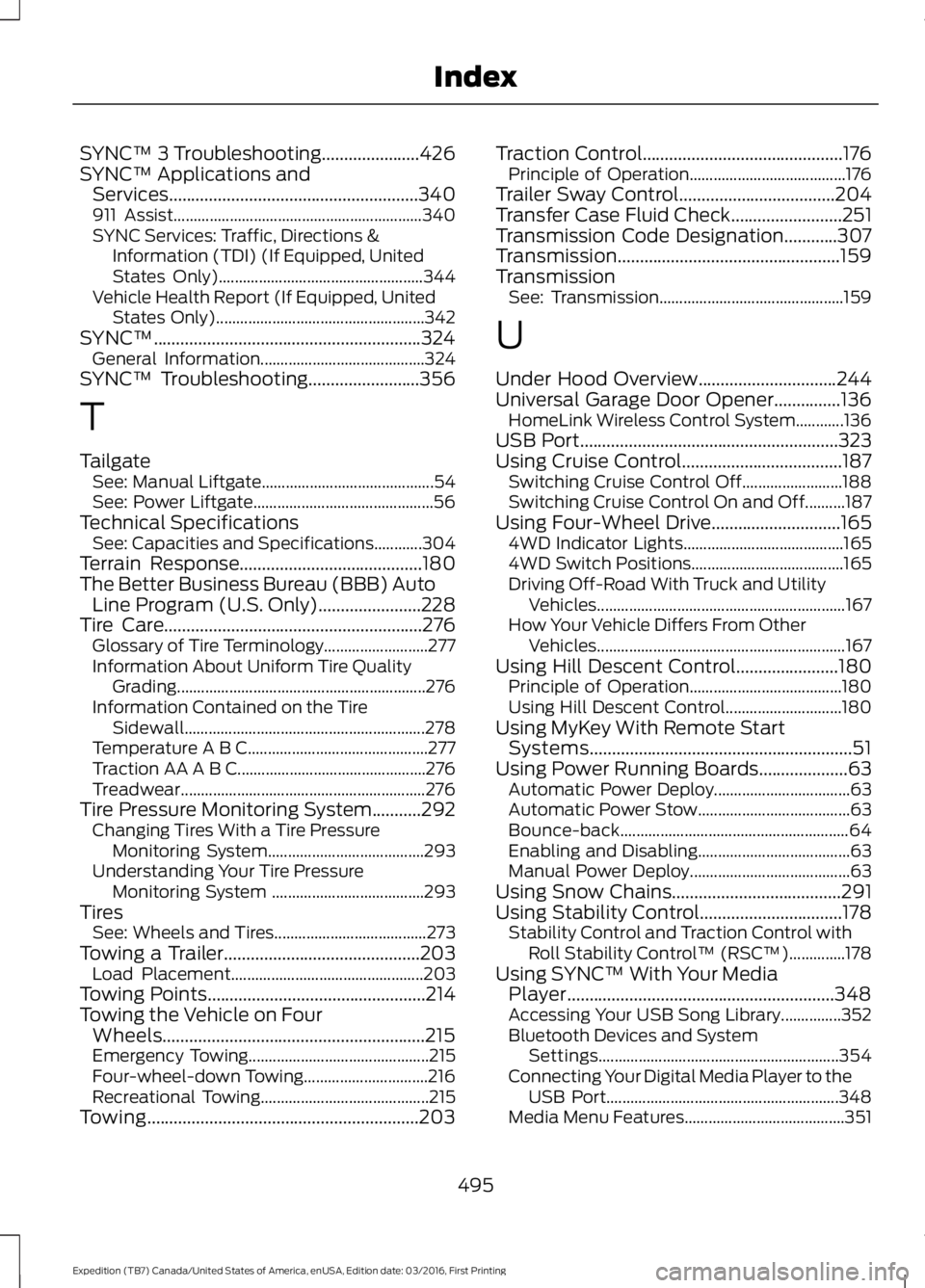
SYNC™ 3 Troubleshooting......................426SYNC™ Applications andServices........................................................340911 Assist..............................................................340SYNC Services: Traffic, Directions &Information (TDI) (If Equipped, UnitedStates Only)...................................................344Vehicle Health Report (If Equipped, UnitedStates Only)....................................................342SYNC™............................................................324General Information.........................................324SYNC™ Troubleshooting.........................356
T
TailgateSee: Manual Liftgate...........................................54See: Power Liftgate.............................................56Technical SpecificationsSee: Capacities and Specifications............304Terrain Response.........................................180The Better Business Bureau (BBB) AutoLine Program (U.S. Only).......................228Tire Care..........................................................276Glossary of Tire Terminology..........................277Information About Uniform Tire QualityGrading..............................................................276Information Contained on the TireSidewall............................................................278Temperature A B C.............................................277Traction AA A B C...............................................276Treadwear.............................................................276Tire Pressure Monitoring System...........292Changing Tires With a Tire PressureMonitoring System.......................................293Understanding Your Tire PressureMonitoring System ......................................293TiresSee: Wheels and Tires......................................273Towing a Trailer............................................203Load Placement................................................203Towing Points.................................................214Towing the Vehicle on FourWheels...........................................................215Emergency Towing.............................................215Four-wheel-down Towing...............................216Recreational Towing..........................................215Towing.............................................................203
Traction Control.............................................176Principle of Operation.......................................176Trailer Sway Control...................................204Transfer Case Fluid Check.........................251Transmission Code Designation............307Transmission..................................................159TransmissionSee: Transmission..............................................159
U
Under Hood Overview...............................244Universal Garage Door Opener...............136HomeLink Wireless Control System............136USB Port..........................................................323Using Cruise Control....................................187Switching Cruise Control Off.........................188Switching Cruise Control On and Off..........187Using Four-Wheel Drive.............................1654WD Indicator Lights........................................1654WD Switch Positions......................................165Driving Off-Road With Truck and UtilityVehicles..............................................................167How Your Vehicle Differs From OtherVehicles..............................................................167Using Hill Descent Control.......................180Principle of Operation......................................180Using Hill Descent Control.............................180Using MyKey With Remote StartSystems...........................................................51Using Power Running Boards....................63Automatic Power Deploy..................................63Automatic Power Stow......................................63Bounce-back.........................................................64Enabling and Disabling......................................63Manual Power Deploy........................................63Using Snow Chains......................................291Using Stability Control................................178Stability Control and Traction Control withRoll Stability Control™ (RSC™)..............178Using SYNC™ With Your MediaPlayer............................................................348Accessing Your USB Song Library...............352Bluetooth Devices and SystemSettings............................................................354Connecting Your Digital Media Player to theUSB Port..........................................................348Media Menu Features........................................351
495
Expedition (TB7) Canada/United States of America, enUSA, Edition date: 03/2016, First Printing
Index