child seat FORD EXPEDITION EL 2017 Owner's Manual
[x] Cancel search | Manufacturer: FORD, Model Year: 2017, Model line: EXPEDITION EL, Model: FORD EXPEDITION EL 2017Pages: 500, PDF Size: 6.13 MB
Page 40 of 500
Restraint Safety System
The restraint safety system provides animproved overall level of frontal crashprotection to front seat occupants and isdesigned to help further reduce the risk ofairbag-related injuries. The system is ableto analyze different occupant conditionsand crash severity before activating theappropriate safety devices to help betterprotect a range of occupants in a varietyof frontal crash situations.
Your vehicle restraint safety systemconsists of:
•Driver and passenger dual-stage airbagsupplemental restraints.
•Front outboard safety belts withpretensioners, energy managementretractors (first row only), and safetybelt usage sensors.
•Driver seat position sensor.
•Front crash severity sensors.
•Restraints control module with impactand safing sensors.
•Restraint system warning light andbackup tone.
•The electrical wiring for the airbags,crash sensor(s), safety beltpretensioners, front safety belt usagesensors, driver seat position sensor, andindicator lights.
How does the restraint safety systemwork?
The restraint safety system can adapt thedeployment strategy of your vehicle’ssafety devices according to crash severityand occupant conditions. A collection ofcrash and occupant sensors providesinformation to the restraints control
module. During a crash, the restraintscontrol module may activate the safetybelt pretensioners and/or either one orboth stages of the dual-stage airbagsupplemental restraints based on crashseverity and occupant conditions.
DRIVER AND PASSENGER
AIRBAGS
WARNINGS
Never place your arm or any objectsover an airbag module. Placing yourarm over a deploying airbag canresult in serious arm fractures or otherinjuries. Objects placed on or over theairbag inflation area may cause thoseobjects to be propelled by the airbag intoyour face and torso causing serious injury.
Airbags can kill or injure a child in achild seat. Never place a rear-facingchild seat in front of an active airbag.If you must use a forward-facing child seatin the front seat, move the seat upon whichthe child seat is installed all the way back.
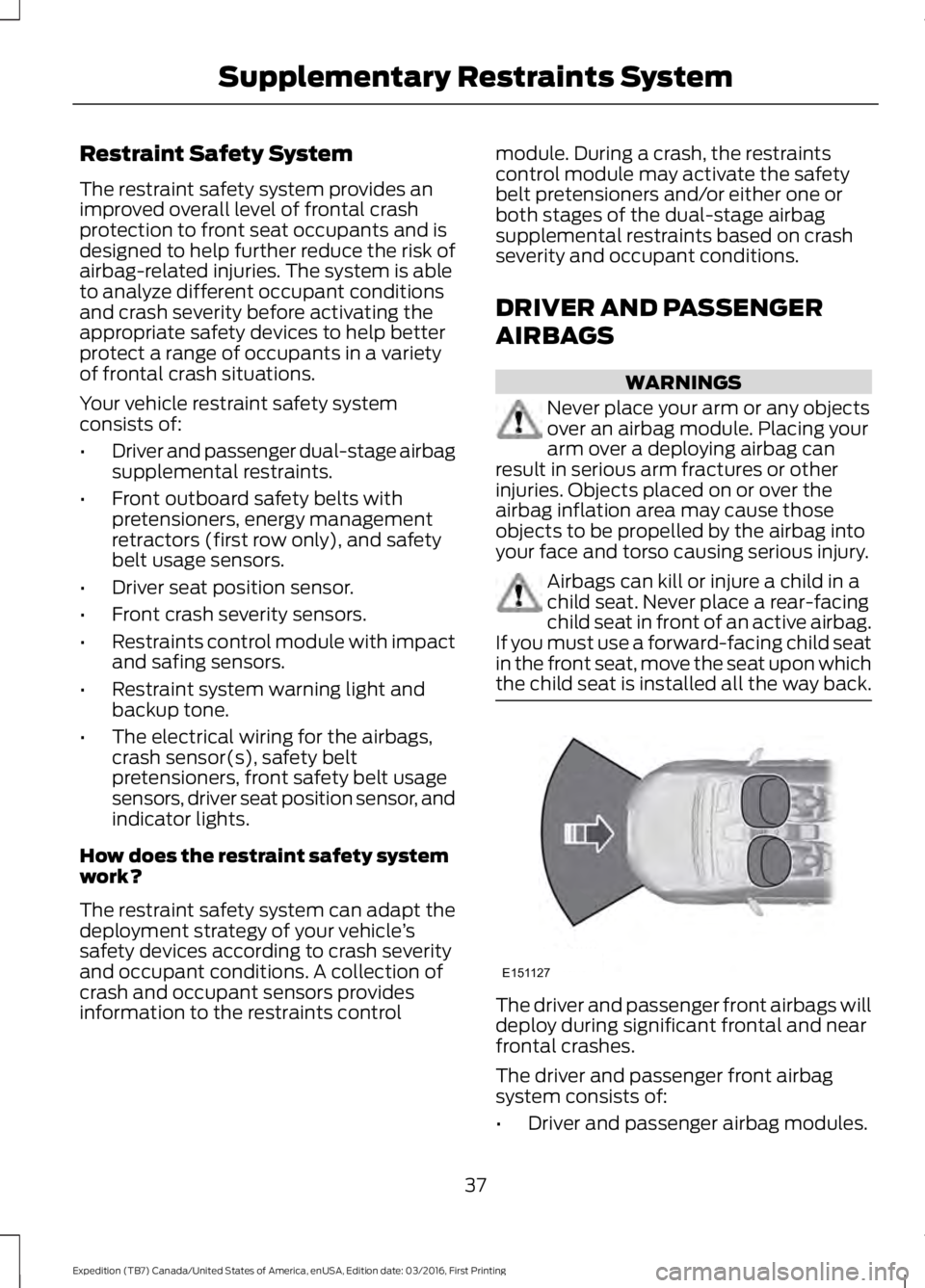
The driver and passenger front airbags willdeploy during significant frontal and nearfrontal crashes.
The driver and passenger front airbagsystem consists of:
•Driver and passenger airbag modules.
37
Expedition (TB7) Canada/United States of America, enUSA, Edition date: 03/2016, First Printing
Supplementary Restraints SystemE151127
Page 41 of 500
· Crash sensors and monitoringsystem with readiness indicator.See Crash Sensors and AirbagIndicator (page 40).
Proper Driver and Front PassengerSeating Adjustment
WARNING
The National Highway Traffic SafetyAdministration recommends aminimum distance of at least 10 in(25 cm) between an occupant’s chest andthe driver airbag module.
To properly position yourself away fromthe airbag:
•Move your seat to the rear as far as youcan while still reaching the pedalscomfortably.
•Recline the seat slightly (one or twodegrees) from the upright position.
After all occupants have adjusted theirseats and put on safety belts, it is veryimportant that they continue to sitproperly. Properly seated occupants situpright, lean against the seat back, andcenter themselves on the seat cushion,with their feet comfortably extended onthe floor. Sitting improperly can increasethe chance of injury in a crash event. Forexample, if an occupant slouches, liesdown, turns sideways, sits forward, leansforward or sideways, or puts one or bothfeet up, the chance of injury during a crashis greatly increased.
Children and Airbags
WARNING
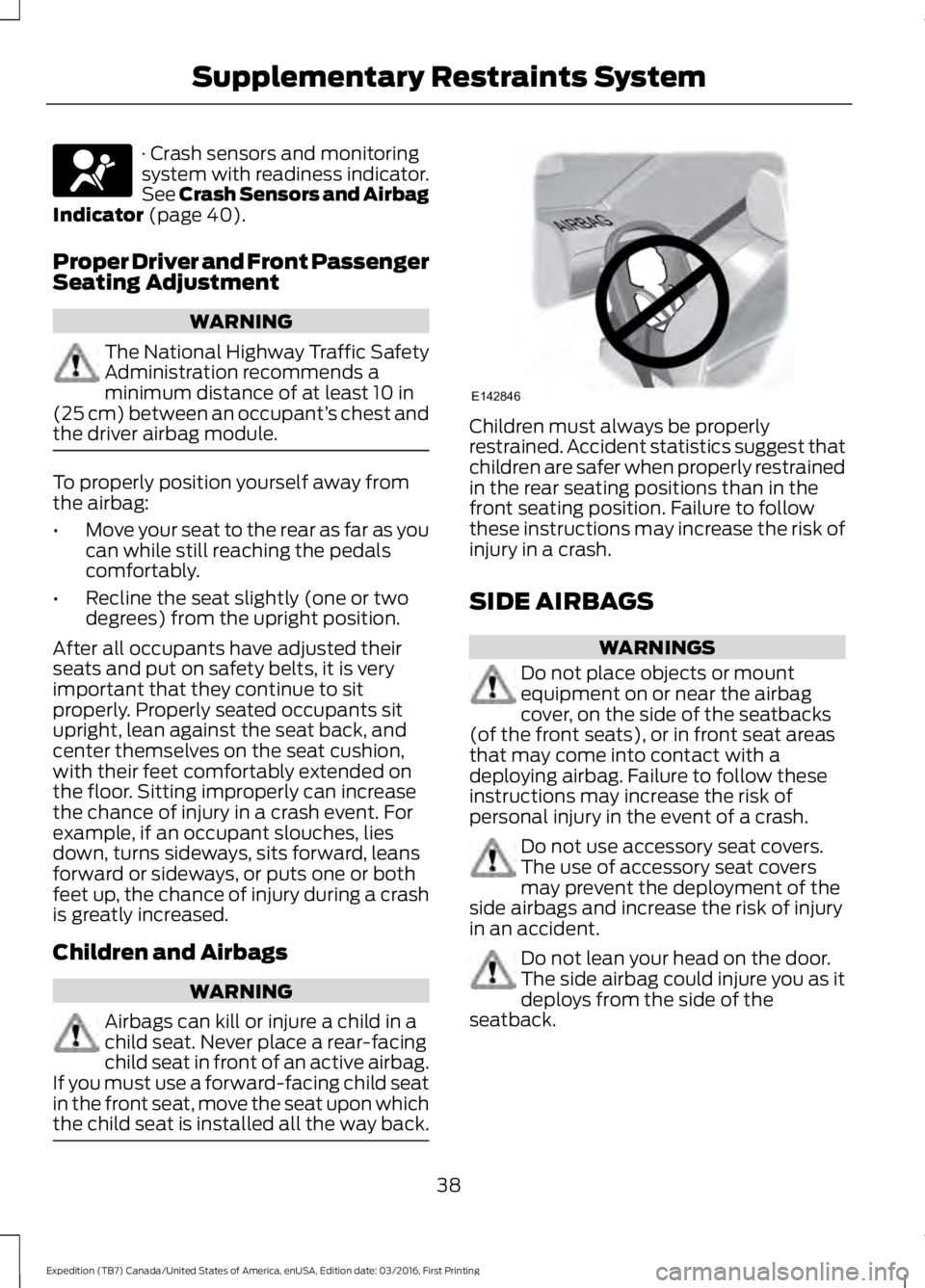
Airbags can kill or injure a child in achild seat. Never place a rear-facingchild seat in front of an active airbag.If you must use a forward-facing child seatin the front seat, move the seat upon whichthe child seat is installed all the way back.
Children must always be properlyrestrained. Accident statistics suggest thatchildren are safer when properly restrainedin the rear seating positions than in thefront seating position. Failure to followthese instructions may increase the risk ofinjury in a crash.
SIDE AIRBAGS
WARNINGS
Do not place objects or mountequipment on or near the airbagcover, on the side of the seatbacks(of the front seats), or in front seat areasthat may come into contact with adeploying airbag. Failure to follow theseinstructions may increase the risk ofpersonal injury in the event of a crash.
Do not use accessory seat covers.The use of accessory seat coversmay prevent the deployment of theside airbags and increase the risk of injuryin an accident.
Do not lean your head on the door.The side airbag could injure you as itdeploys from the side of theseatback.
38
Expedition (TB7) Canada/United States of America, enUSA, Edition date: 03/2016, First Printing
Supplementary Restraints System E142846
Page 43 of 500
WARNINGS
To reduce risk of injury, do notobstruct or place objects in thedeployment path of the curtainairbag.
If the curtain airbags have deployed,the curtain airbags will not functionagain. The curtain airbags (includingthe A, B and C pillar trim and headliner)must be inspected and serviced by anauthorized dealer. If the curtain airbag isnot replaced, the unrepaired area willincrease the risk of injury in a crash.
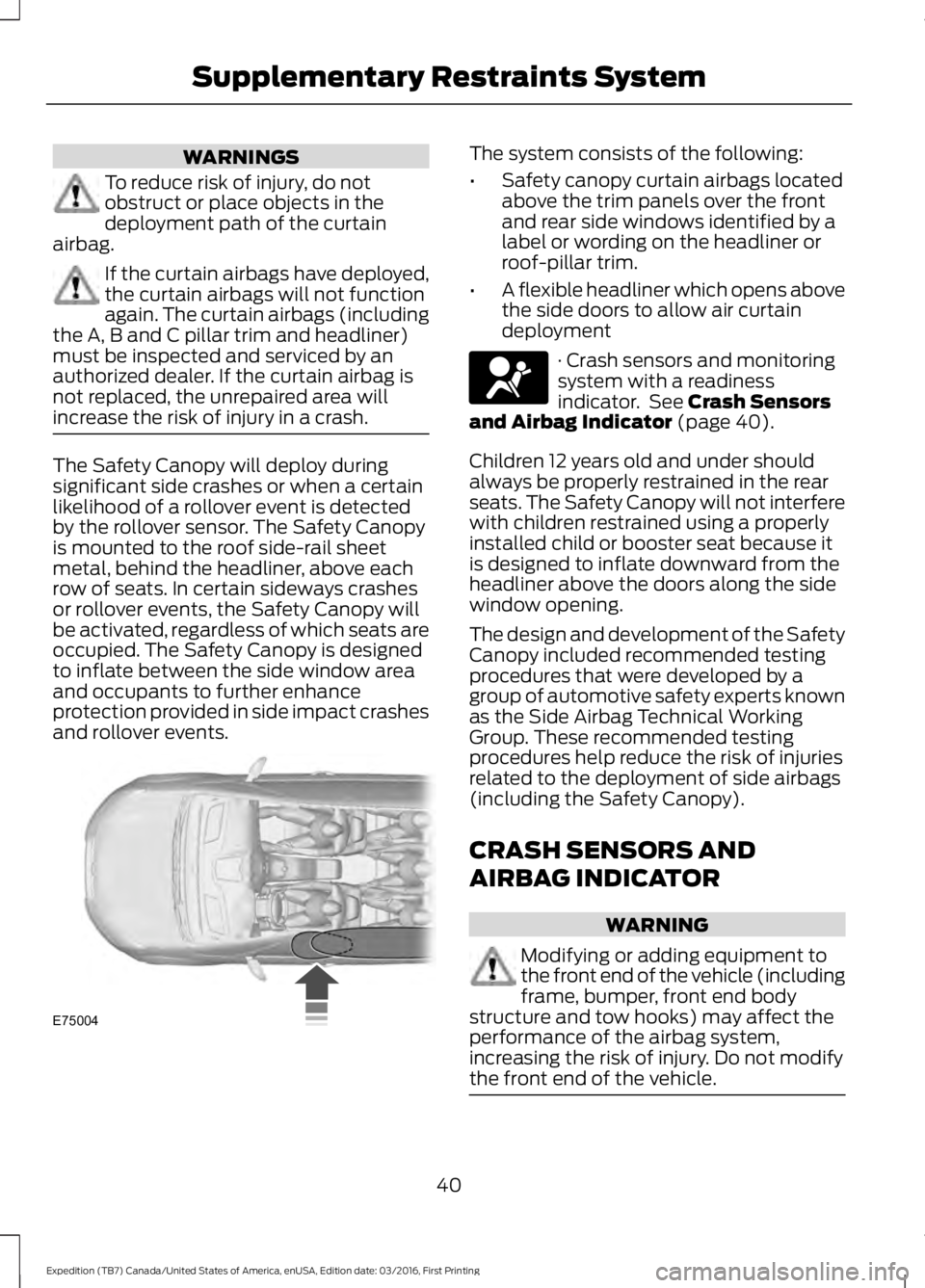
The Safety Canopy will deploy duringsignificant side crashes or when a certainlikelihood of a rollover event is detectedby the rollover sensor. The Safety Canopyis mounted to the roof side-rail sheetmetal, behind the headliner, above eachrow of seats. In certain sideways crashesor rollover events, the Safety Canopy willbe activated, regardless of which seats areoccupied. The Safety Canopy is designedto inflate between the side window areaand occupants to further enhanceprotection provided in side impact crashesand rollover events.
The system consists of the following:
•Safety canopy curtain airbags locatedabove the trim panels over the frontand rear side windows identified by alabel or wording on the headliner orroof-pillar trim.
•A flexible headliner which opens abovethe side doors to allow air curtaindeployment
· Crash sensors and monitoringsystem with a readinessindicator. See Crash Sensorsand Airbag Indicator (page 40).
Children 12 years old and under shouldalways be properly restrained in the rearseats. The Safety Canopy will not interferewith children restrained using a properlyinstalled child or booster seat because itis designed to inflate downward from theheadliner above the doors along the sidewindow opening.
The design and development of the SafetyCanopy included recommended testingprocedures that were developed by agroup of automotive safety experts knownas the Side Airbag Technical WorkingGroup. These recommended testingprocedures help reduce the risk of injuriesrelated to the deployment of side airbags(including the Safety Canopy).
CRASH SENSORS AND
AIRBAG INDICATOR
WARNING
Modifying or adding equipment tothe front end of the vehicle (includingframe, bumper, front end bodystructure and tow hooks) may affect theperformance of the airbag system,increasing the risk of injury. Do not modifythe front end of the vehicle.
40
Expedition (TB7) Canada/United States of America, enUSA, Edition date: 03/2016, First Printing
Supplementary Restraints SystemE75004
Page 59 of 500
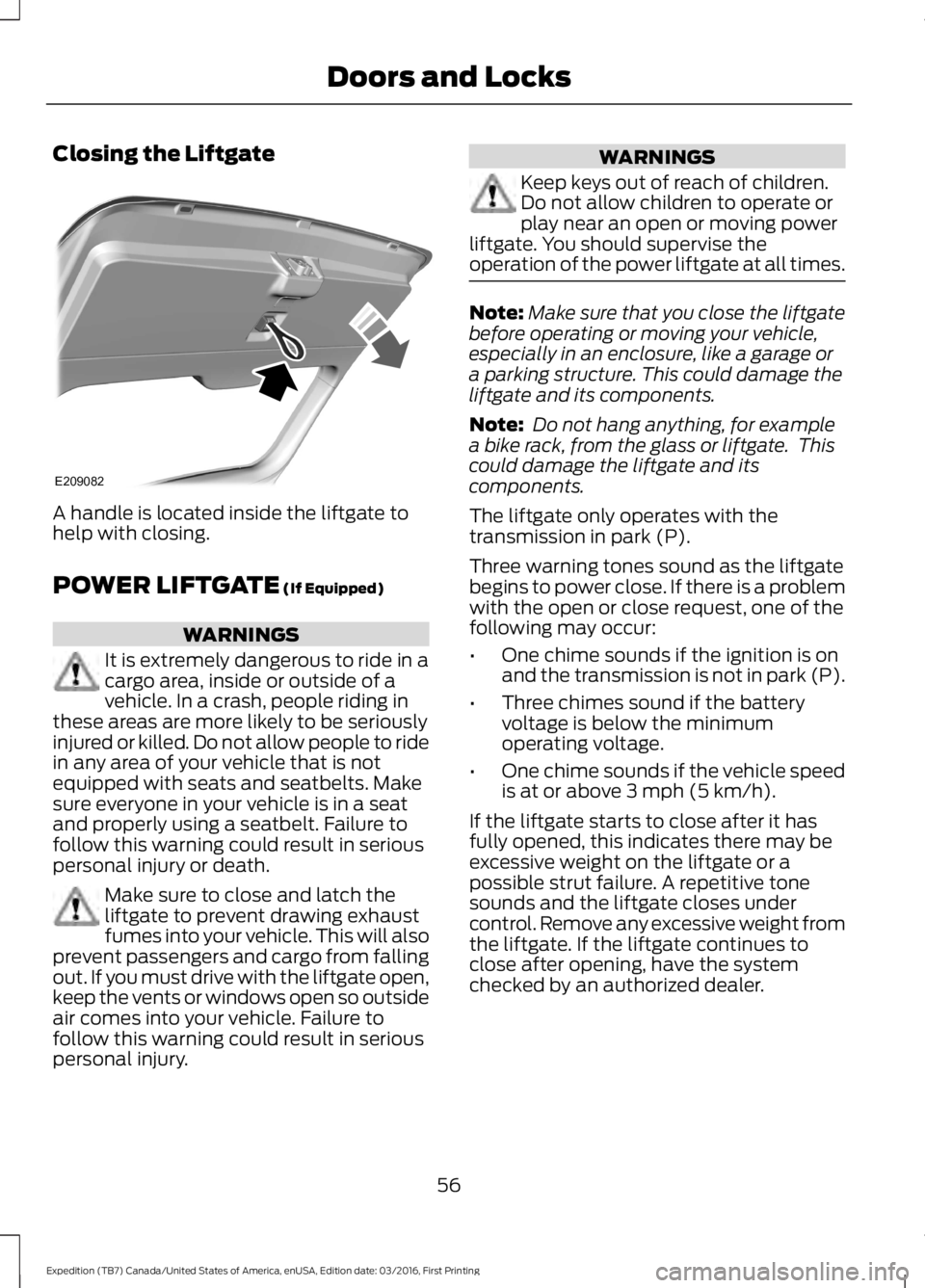
Closing the Liftgate
A handle is located inside the liftgate tohelp with closing.
POWER LIFTGATE (If Equipped)
WARNINGS
It is extremely dangerous to ride in acargo area, inside or outside of avehicle. In a crash, people riding inthese areas are more likely to be seriouslyinjured or killed. Do not allow people to ridein any area of your vehicle that is notequipped with seats and seatbelts. Makesure everyone in your vehicle is in a seatand properly using a seatbelt. Failure tofollow this warning could result in seriouspersonal injury or death.
Make sure to close and latch theliftgate to prevent drawing exhaustfumes into your vehicle. This will alsoprevent passengers and cargo from fallingout. If you must drive with the liftgate open,keep the vents or windows open so outsideair comes into your vehicle. Failure tofollow this warning could result in seriouspersonal injury.
WARNINGS
Keep keys out of reach of children.Do not allow children to operate orplay near an open or moving powerliftgate. You should supervise theoperation of the power liftgate at all times.
Note:Make sure that you close the liftgatebefore operating or moving your vehicle,especially in an enclosure, like a garage ora parking structure. This could damage theliftgate and its components.
Note: Do not hang anything, for examplea bike rack, from the glass or liftgate. Thiscould damage the liftgate and itscomponents.
The liftgate only operates with thetransmission in park (P).
Three warning tones sound as the liftgatebegins to power close. If there is a problemwith the open or close request, one of thefollowing may occur:
•One chime sounds if the ignition is onand the transmission is not in park (P).
•Three chimes sound if the batteryvoltage is below the minimumoperating voltage.
•One chime sounds if the vehicle speedis at or above 3 mph (5 km/h).
If the liftgate starts to close after it hasfully opened, this indicates there may beexcessive weight on the liftgate or apossible strut failure. A repetitive tonesounds and the liftgate closes undercontrol. Remove any excessive weight fromthe liftgate. If the liftgate continues toclose after opening, have the systemchecked by an authorized dealer.
56
Expedition (TB7) Canada/United States of America, enUSA, Edition date: 03/2016, First Printing
Doors and LocksE209082
Page 84 of 500
Heated Exterior Mirrors
See Heated Windows and Mirrors (page120).
Memory Mirrors (If Equipped)
You can save and recall the mirrorpositions through the memory function.See Memory Function (page 125).
Auto-Dimming Feature
The driver exterior mirror automaticallydims with the auto-dimming interior mirror.
Signal Indicator Mirrors (If Equipped)
The outer portion of the appropriate mirrorhousing blinks when you switch on thedirection indicator.
Blind Spot Monitor (If Equipped)
See Blind Spot Information System(page 189).
INTERIOR MIRROR
WARNING
Do not adjust the mirror when yourvehicle is moving.
Note:Do not clean the housing or glass ofany mirror with harsh abrasives, fuel or otherpetroleum or ammonia-based cleaningproducts.
You can adjust the interior mirror to yourpreference. Some mirrors also have asecond pivot point. This lets you move themirror head up or down and from side toside.
Auto-Dimming Mirror
Note:Do not block the sensors on the frontand back of the mirror. Mirror performancemay be affected. A rear center passenger orraised rear center head restraint may alsoblock light from reaching the sensor.
The mirror will dim automatically to reduceglare when bright lights are detected frombehind your vehicle. It will automaticallyreturn to normal reflection when you selectreverse gear to make sure you have a clearview when backing up.
CHILDMINDER MIRROR
On double bin overhead consoles, theconversation mirror allows the driver toview the rear seating area.
WARNING
Do not use the childminder mirror toview rearward traffic, do not allowrear passengers to distract you fromthe driving task, and make sure the rearview mirror has a clear view of rearwardtraffic. Failure to do so could increase therisk of a crash from an unseen vehicle,which may result in serious injury.
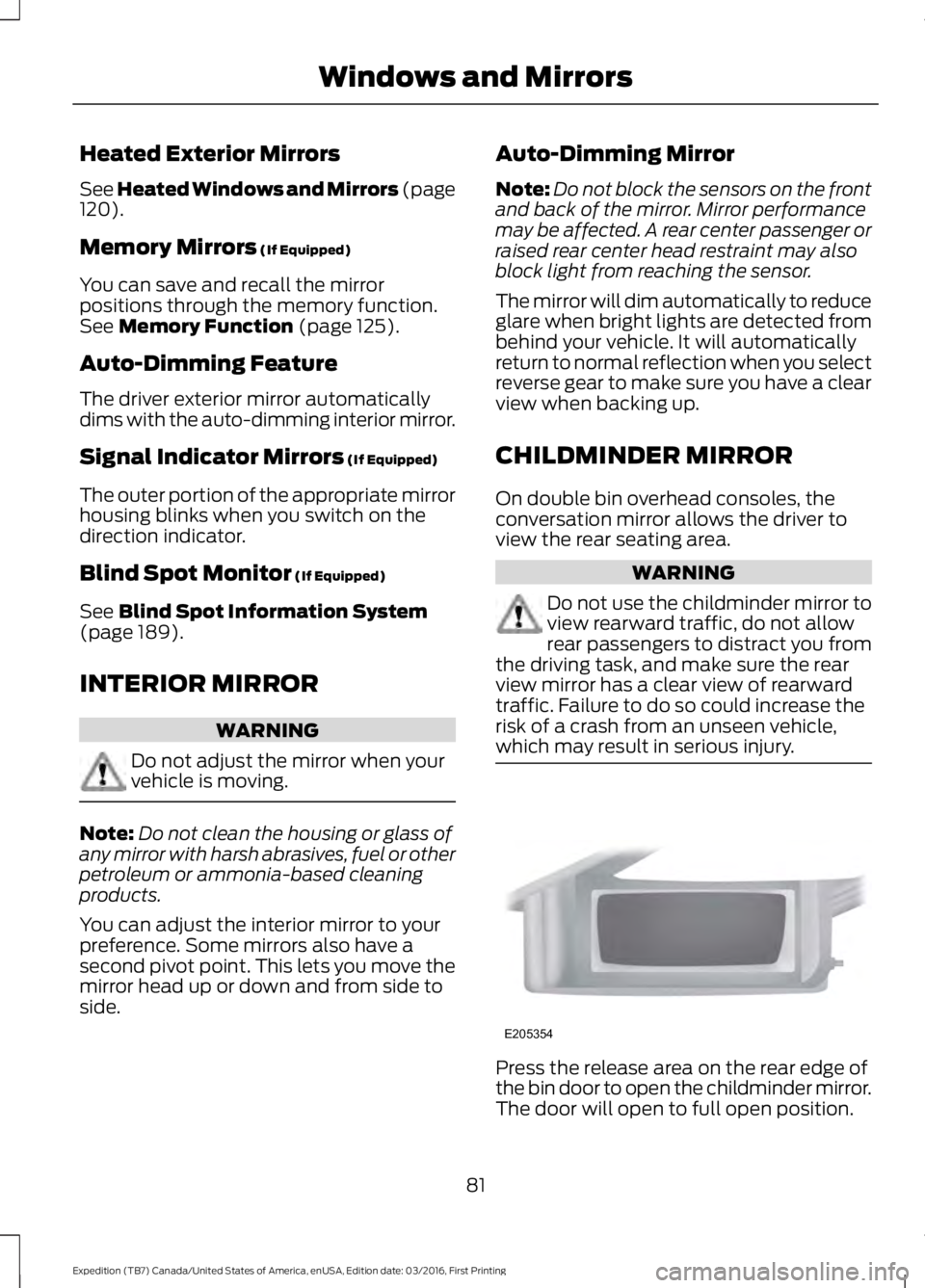
Press the release area on the rear edge ofthe bin door to open the childminder mirror.The door will open to full open position.
81
Expedition (TB7) Canada/United States of America, enUSA, Edition date: 03/2016, First Printing
Windows and MirrorsE205354
Page 134 of 500
3. To return the seat to the uprightposition, lift the seatback until the latchis fully engaged.
Adjusting the Second Row Center20% Seat (If Equipped)
Note:Move this seat forward to keep achild in a child restraint close to the frontseat occupants. Move the seat to the fullrearward position when it is occupied byolder children or adults, including childrenin booster seats.
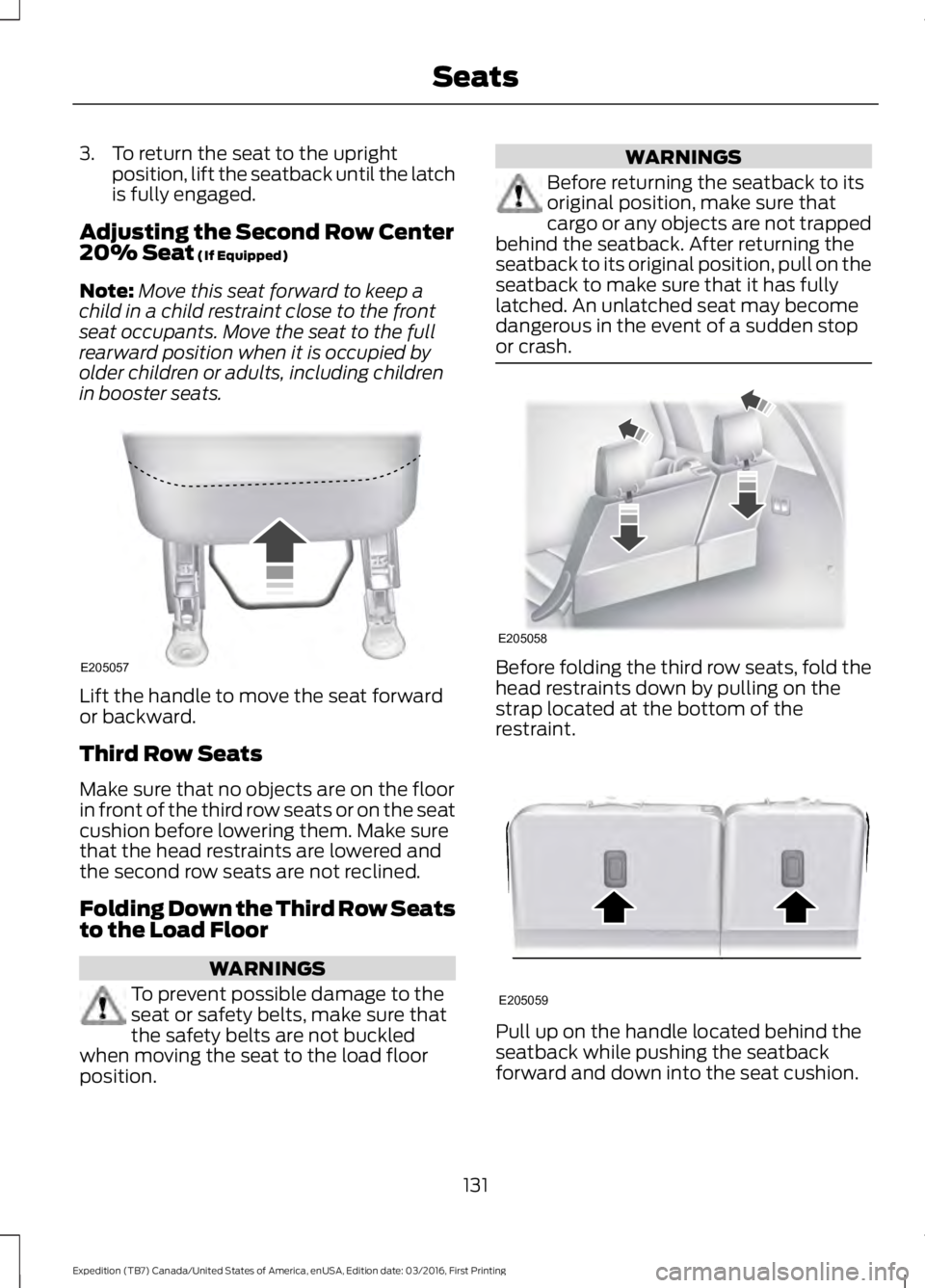
Lift the handle to move the seat forwardor backward.
Third Row Seats
Make sure that no objects are on the floorin front of the third row seats or on the seatcushion before lowering them. Make surethat the head restraints are lowered andthe second row seats are not reclined.
Folding Down the Third Row Seatsto the Load Floor
WARNINGS
To prevent possible damage to theseat or safety belts, make sure thatthe safety belts are not buckledwhen moving the seat to the load floorposition.
WARNINGS
Before returning the seatback to itsoriginal position, make sure thatcargo or any objects are not trappedbehind the seatback. After returning theseatback to its original position, pull on theseatback to make sure that it has fullylatched. An unlatched seat may becomedangerous in the event of a sudden stopor crash.
Before folding the third row seats, fold thehead restraints down by pulling on thestrap located at the bottom of therestraint.
Pull up on the handle located behind theseatback while pushing the seatbackforward and down into the seat cushion.
131
Expedition (TB7) Canada/United States of America, enUSA, Edition date: 03/2016, First Printing
SeatsE205057 E205058 E205059
Page 276 of 500
GENERAL INFORMATION
Use only approved wheel and tire sizes,using other sizes could damage yourvehicle. If you change the diameter of thetires from that fitted at the factory, thespeedometer may not display the correctspeed. Take your vehicle to an authorizedFord dealer to have the systemreprogrammed. If you intend to change thesize of the wheels from that fitted by themanufacturer, you can check the suitabilitywith an authorized dealer.
Additional information related to thefunctionality and maintenance of your tirescan be found later in this chapter. See TireCare (page 276).
The Ford recommended tire inflationpressures can be found on the Tire Label,which is located on the B-pillar or the edgeof the driver's door. This information canalso be found on the Safety ComplianceCertification Label (affixed to either thedoor hinge pillar, door-latch post, or thedoor edge that meets the door last post;next to the driver’s seating position).
Ford strongly recommends maintainingthese tire pressures at all times. Failure tofollow the tire pressure recommendationscan cause uneven treadwear patterns,reduced fuel economy, and adverselyaffect the way your vehicle handles.
Note:Check and set the tire pressure at theambient temperature in which you areintending to drive your vehicle and when thetires are cold.
Note:Check your tire pressures at leastonce per month.
Set the pressure for your spare tire to thehighest value given for your vehicle and tiresize combination (if equipped).
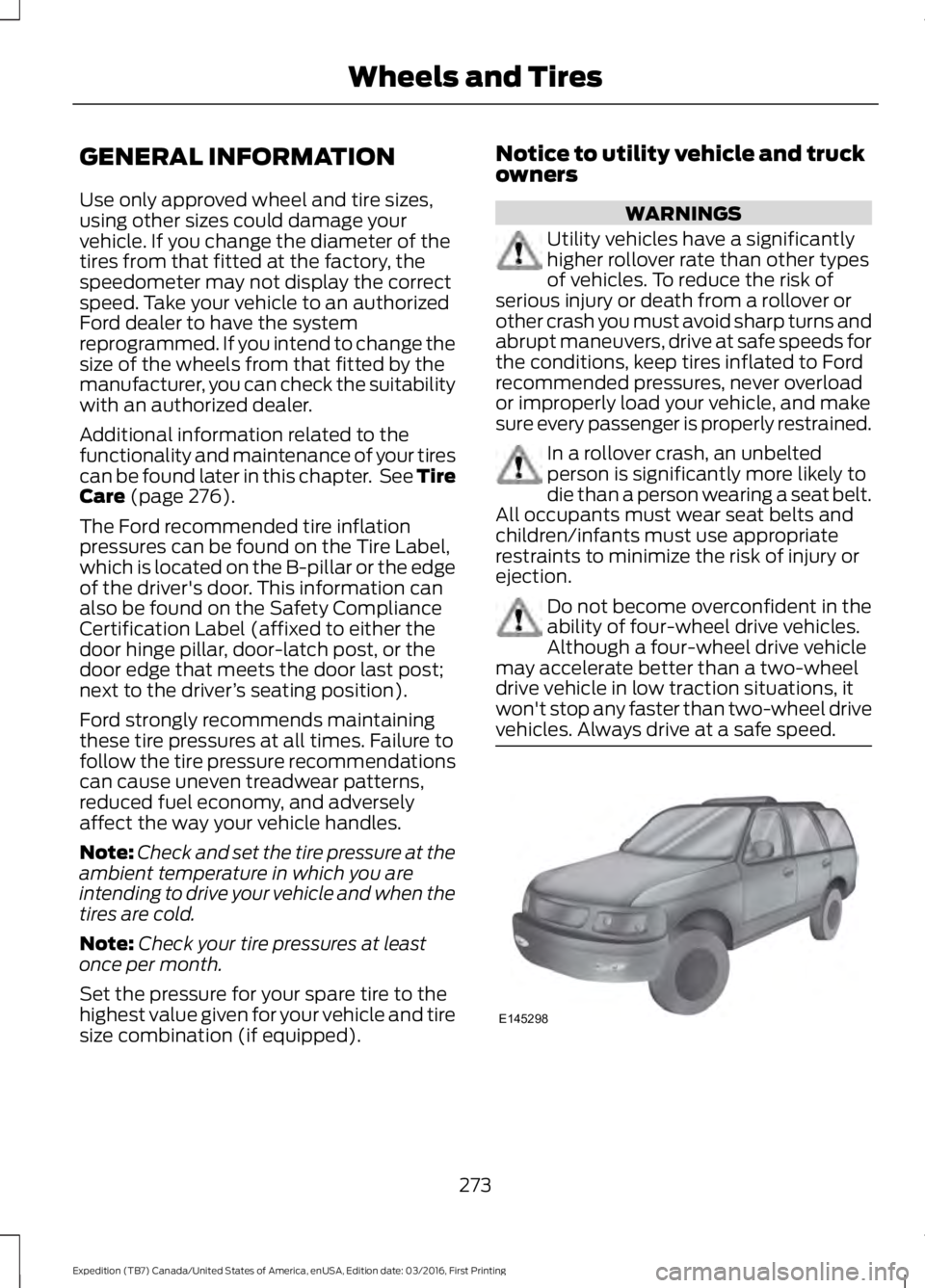
Notice to utility vehicle and truckowners
WARNINGS
Utility vehicles have a significantlyhigher rollover rate than other typesof vehicles. To reduce the risk ofserious injury or death from a rollover orother crash you must avoid sharp turns andabrupt maneuvers, drive at safe speeds forthe conditions, keep tires inflated to Fordrecommended pressures, never overloador improperly load your vehicle, and makesure every passenger is properly restrained.
In a rollover crash, an unbeltedperson is significantly more likely todie than a person wearing a seat belt.All occupants must wear seat belts andchildren/infants must use appropriaterestraints to minimize the risk of injury orejection.
Do not become overconfident in theability of four-wheel drive vehicles.Although a four-wheel drive vehiclemay accelerate better than a two-wheeldrive vehicle in low traction situations, itwon't stop any faster than two-wheel drivevehicles. Always drive at a safe speed.
273
Expedition (TB7) Canada/United States of America, enUSA, Edition date: 03/2016, First Printing
Wheels and TiresE145298
Page 491 of 500
Blind Spot Information System..............189False Alerts...........................................................192Switching the System Off and On...............193System Errors.......................................................192System Limitations............................................192Using the System...............................................189Bonnet LockSee: Opening and Closing the Hood..........243Booster Seats..................................................24Types of Booster Seats......................................25Brake Fluid Check........................................252Brakes................................................................173General Information...........................................173Breaking-In......................................................218Bulb Specification Chart..........................260
C
California Proposition 65..............................11Capacities and Specifications...............308Specifications.....................................................309Car WashSee: Cleaning the Exterior..............................265Center Console..............................................143Changing a Bulb...........................................257Central High-mounted Brake LampBulb...................................................................260Fog Lamp Bulb...................................................259Front Direction Indicator Bulb.......................258Headlamp Bulb..................................................258LED Central High-mounted Brake LampBulb...................................................................260LED Direction Indicator and Side MarkerBulbs..................................................................259LED Headlamp Bulb.........................................258LED Rear Lamp, Brake Lamp, Rear DirectionIndicator and Reverse LampBulbs.................................................................260License Plate Lamp Bulb...............................260Rear Lamp, Brake Lamp, Rear DirectionIndicator and Reverse LampBulbs..................................................................259Side Direction Indicator Bulb........................260Side Marker Bulb...............................................258Changing a Fuse............................................241Fuses.......................................................................241
Changing a Road Wheel............................297Dissimilar Spare Wheel and Tire AssemblyInformation......................................................297Location of the Spare Tire and Tools.........298Tire Change Procedure....................................299Changing the 12V Battery.........................253Battery Management System.......................254Changing the Engine Air Filter.................262Changing the Wiper Blades.....................255Checking MyKey System Status..............50Checking the Wiper Blades......................255Childminder Mirror..........................................81Child Restraint and SeatbeltMaintenance.................................................35Child Restraint Positioning.........................26Child Safety.......................................................16General Information.............................................16Child Safety Locks..........................................27Cleaning Leather Seats.............................268With King Ranch Edition.................................269Without King Ranch Edition..........................268Cleaning Products.......................................264Cleaning the Alloy Wheels.......................270Cleaning the Engine...................................266Cleaning the Exterior..................................265Exterior Chrome Parts......................................265Exterior Plastic Parts........................................265Stripes or Graphics............................................265Underbody...........................................................266Under Hood.........................................................266Cleaning the Instrument Panel andInstrument Cluster Lens........................268Cleaning the Interior....................................267Cleaning the Windows and WiperBlades............................................................267Clearing All MyKeys.......................................49Climate............................................................396Climate Control..............................................112Climate Controlled Seats..........................134Cooled Seats........................................................134Coolant CheckSee: Engine Coolant Check............................247Crash Sensors and Airbag Indicator.......40Creating a MyKey...........................................48Programming/Changing ConfigurableSettings...............................................................48Cruise Control.................................................69Principle of Operation.......................................187
488
Expedition (TB7) Canada/United States of America, enUSA, Edition date: 03/2016, First Printing
Index
Page 492 of 500
Cruise controlSee: Using Cruise Control................................187Customer Assistance.................................226
D
Data Recording..................................................9Event Data Recording..........................................10Service Data Recording........................................9Daytime Running Lamps.............................75Type 1 - Conventional(Non-Configurable)........................................75Type 2 - Configurable..........................................75Digital Radio...................................................318HD Radio Reception and StationTroubleshooting.............................................319Direction Indicators........................................76Lane Change..........................................................76Doors and Locks.............................................52Drive Control..................................................194Driver Select Suspension................................194Driver and Passenger Airbags....................37Children and Airbags..........................................38Proper Driver and Front Passenger SeatingAdjustment........................................................38Driving Aids.....................................................189Driving Hints...................................................218Driving Through Water................................219DRLSee: Daytime Running Lamps.........................75
E
Economical Driving......................................218Emission Control System..........................156On-Board Diagnostics (OBD-II)....................157Readiness for Inspection and Maintenance(I/M) Testing....................................................157End User License Agreement.................462VEHICLE SOFTWARE END USER LICENSEAGREEMENT (EULA) .................................462Engine Block Heater....................................148Using the Engine Block Heater......................149Engine Coolant Check................................247Adding Coolant...................................................247Coolant Change.................................................249Engine Coolant TemperatureManagement..................................................250
Fail-Safe Cooling...............................................249Recycled Coolant..............................................248Severe Climates.................................................249Engine ImmobilizerSee: Passive Anti-Theft System......................61Engine Oil Check..........................................245Adding Engine Oil..............................................245Engine Oil Dipstick......................................245Engine Specifications................................304Drivebelt Routing...............................................304Entertainment..............................................386AM/FM Radio......................................................387Apps.......................................................................395Bluetooth Stereo or USB................................394CD (If equipped)................................................393HD Radio™ Information (IfAvailable)........................................................390SIRIUS® Satellite Radio (IfActivated).......................................................388Sources.................................................................386Supported Media Players, Formats andMetadata Information................................395USB Ports.............................................................395Environment......................................................15Essential Towing Checks..........................207Before Towing a Trailer.....................................213Hitches...................................................................207Launching or Retrieving a Boat or PersonalWatercraft (PWC).........................................214Safety Chains......................................................209Trailer Brakes........................................................210Trailer Lamps........................................................213Trailer Towing Connector (Vehicles with aTrailer Towing Package and 7–PinConnector)......................................................207When Towing a Trailer.......................................213Event Data RecordingSee: Data Recording..............................................9Export Unique Options..................................13Exterior Mirrors...............................................80Auto-Dimming Feature.......................................81Blind Spot Monitor...............................................81Fold-Away Exterior Mirrors..............................80Heated Exterior Mirrors.......................................81Memory Mirrors......................................................81Power Exterior Mirrors........................................80Power-Folding Mirrors.......................................80Signal Indicator Mirrors.......................................81
489
Expedition (TB7) Canada/United States of America, enUSA, Edition date: 03/2016, First Printing
Index
Page 494 of 500
I
Ignition Switch...............................................144In California (U.S. Only).............................227Information Display Control......................69Information Displays......................................91General Information.............................................91Information Messages................................1024WD Messages......................................................111AdvanceTrac™ / Traction ControlMessages..........................................................103Alarm Messages.................................................103Battery and Charging SystemMessages..........................................................103Blind Spot Information SystemMessages..........................................................104Brake System Messages..................................104Door Messages....................................................104Engine Messages................................................105Fuel Messages.....................................................105Keys and Intelligent AccessMessages..........................................................105Maintenance Messages...................................106MyKey™ Messages............................................107Off Road Messages............................................107Park Aid Messages.............................................108Power Steering Messages..............................108Remote Start Messages..................................109Suspension System Messages.....................109Tire Messages......................................................109Trailer Messages.................................................109Transmission Messages....................................110Installing Child Restraints.............................17Child Seats...............................................................17Combining Seatbelt and LATCH LowerAnchors for Attaching Child SafetySeats.....................................................................21Using Lap and Shoulder Belts .........................18Using Lower Anchors and Tethers forCHildren (LATCH)...........................................20Using Tether Straps..............................................21Instrument Cluster........................................84Instrument Lighting Dimmer......................75Interior Lamps..................................................77Front Row Map and Dome Lamps.................77Front Row Map Lamps........................................77Rear Cargo Lamp..................................................78Second Row Map Lamps...................................77
Interior Mirror....................................................81Auto-Dimming Mirror...........................................81Introduction.........................................................7
J
Jump Starting the Vehicle.........................223Connecting the Jumper Cables....................223Jump Starting......................................................224Preparing Your Vehicle.....................................223Removing the Jumper Cables.......................224
K
Keyless Entry...................................................58SECURICODE™ KEYLESS ENTRYKEYPAD..............................................................58Unlocking and Locking the Doors..................60Keyless Starting............................................144Ignition Modes.....................................................145Keys and Remote Controls.........................42Principle of Operation.........................................42
L
Lighting Control...............................................73Headlamp Flasher................................................74High Beams.............................................................73Lighting...............................................................73General Information............................................73Limited Slip Differential..............................172Load CarriersSee: Roof Racks and Load Carriers..............197Load Carrying.................................................196Load Limit.......................................................198Special Loading Instructions for Owners ofPick-up Trucks and Utility-typeVehicles............................................................202Vehicle Loading - with and without aTrailer.................................................................198Locking and Unlocking.................................52Activating Intelligent Access............................52Autolock...................................................................53Auto Relock............................................................53Autounlock.............................................................54Battery Saver.........................................................54Enabling or Disabling Autolock andAutounlock........................................................54
491
Expedition (TB7) Canada/United States of America, enUSA, Edition date: 03/2016, First Printing
Index