key FORD EXPLORER 1997 2.G Owner's Manual
[x] Cancel search | Manufacturer: FORD, Model Year: 1997, Model line: EXPLORER, Model: FORD EXPLORER 1997 2.GPages: 236, PDF Size: 2.43 MB
Page 74 of 236

The system has shut down if the
keypad light is out. If the keyless
entry system does not work, use
the key or remote entry
transmitter(s).
1. To unlock the driver door, enter
one of the two codes. After
pressing the fifth number, the
driver door unlocks.
2. To unlock the passenger door(s)
and liftgate, press the 3/4 button
within five seconds of unlocking
the driver door.
Programming your own entry
code
This code does not replace the
permanent code from the
dealership.
To program your own code:
1. Select five digits for your
personal code.
2. Enter the permanent code that
the dealership gave you.
3. Within five seconds, press 1/2.
4. Within five seconds of pressing
1/2, enter your personal code,
pressing each digit within five
seconds of the previous digit.
You can now use either code. The
system remembers only one
personal code at a time.
To erase your personal code:
123
45678
90
123
45678
90
com_keyless_programming.01
Controls and features
75
Page 75 of 236
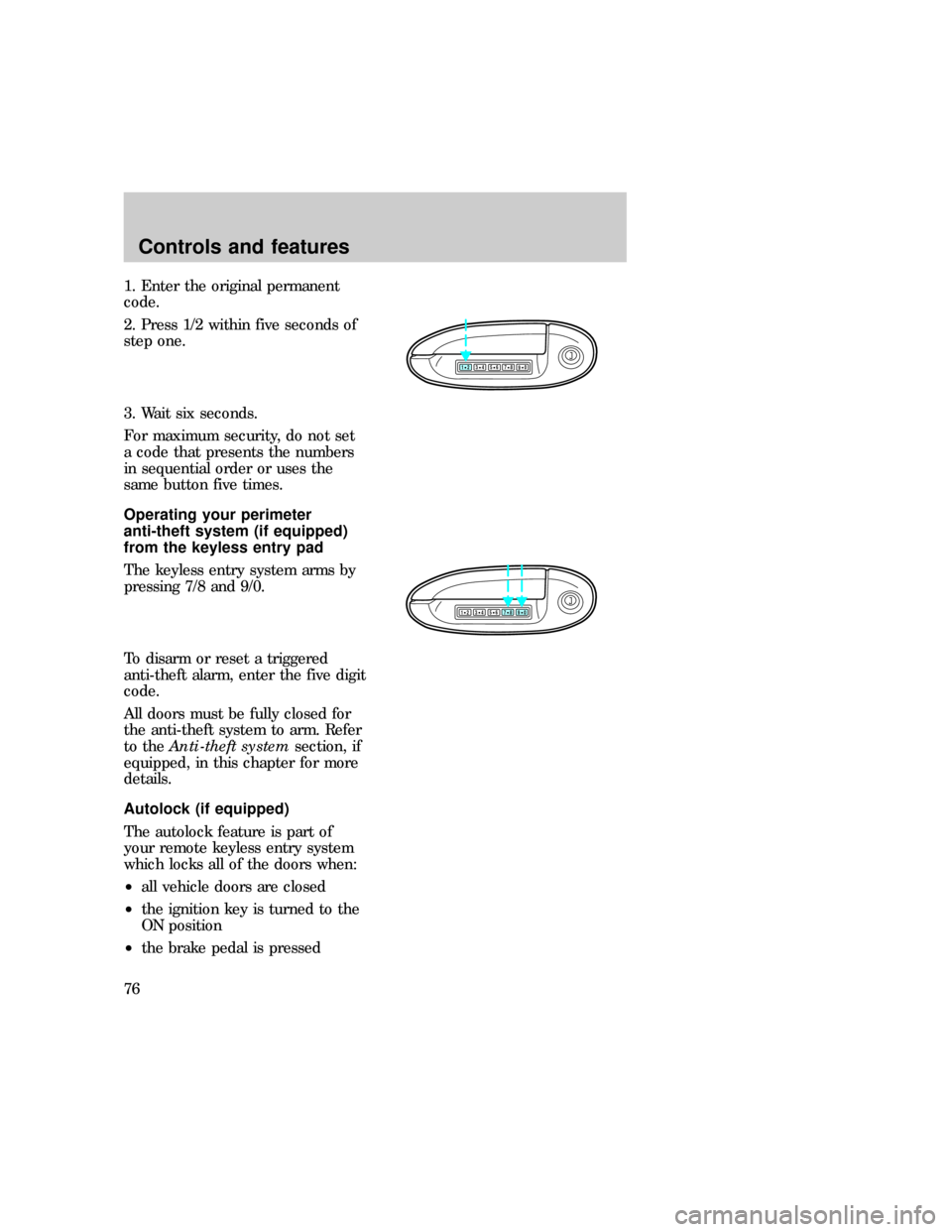
1. Enter the original permanent
code.
2. Press 1/2 within five seconds of
step one.
3. Wait six seconds.
For maximum security, do not set
a code that presents the numbers
in sequential order or uses the
same button five times.
Operating your perimeter
anti-theft system (if equipped)
from the keyless entry pad
The keyless entry system arms by
pressing 7/8 and 9/0.
To disarm or reset a triggered
anti-theft alarm, enter the five digit
code.
All doors must be fully closed for
the anti-theft system to arm. Refer
to theAnti-theft systemsection, if
equipped, in this chapter for more
details.
Autolock (if equipped)
The autolock feature is part of
your remote keyless entry system
which locks all of the doors when:
²all vehicle doors are closed
²the ignition key is turned to the
ON position
²the brake pedal is pressed
123
45678
90
123
45678
90
com_keyless_perimeter.01
uno_keyless_autolock
Controls and features
76
Page 76 of 236

²you shift through R (reverse)
²one second has elapsed after the
brake pedal is released.
The autolock feature repeats when:
²a door is opened and then all
doors are closed
²the brake pedal is released.
The autolock feature can be
disabled (or reenabled) by using
the keyless entry system:
1. Enter your permanent five-digit
entry code (not the user code you
may have set).
2. Within five seconds, press and
hold 7/8.
3. Within five more seconds, press
and release 3/4.
4. Release 7/8.
To reactivate the system, repeat
the system deactivating
instructions.
123
45678
90
Controls and features
77
Page 87 of 236
Conditions of operation
If......Then.....
The driver's safety belt is not
buckled before the ignition key
is turned to On. .The safety belt indicator illuminates
for 1-2 minutes and the warning
chime sounds for 4- 8 seconds.
The driver's safety belt is
buckled while the indicator
light is illuminated and the
reminder chime is sounding . .
.The safety belt indicator light and
reminder chime turn off.
The driver's safety belt is
buckled before the ignition key
is turned to On. . .The safety belt indicator light and
reminder chime remain off.
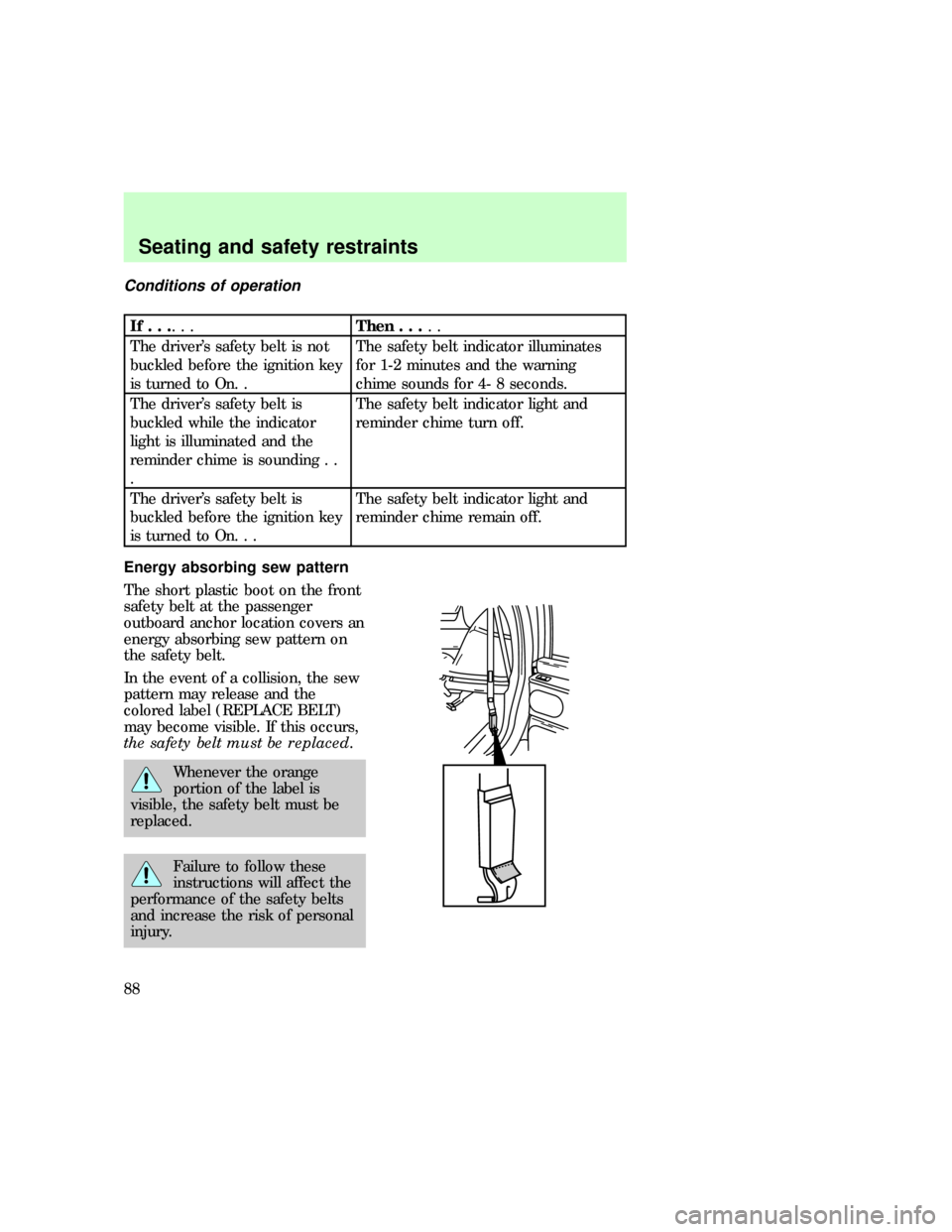
Energy absorbing sew pattern
The short plastic boot on the front
safety belt at the passenger
outboard anchor location covers an
energy absorbing sew pattern on
the safety belt.
In the event of a collision, the sew
pattern may release and the
colored label (REPLACE BELT)
may become visible. If this occurs,
the safety belt must be replaced.
Whenever the orange
portion of the label is
visible, the safety belt must be
replaced.
Failure to follow these
instructions will affect the
performance of the safety belts
and increase the risk of personal
injury.
uno_sbelt_maint
uno_sbelt_extension
Seating and safety restraints
88
Page 113 of 236
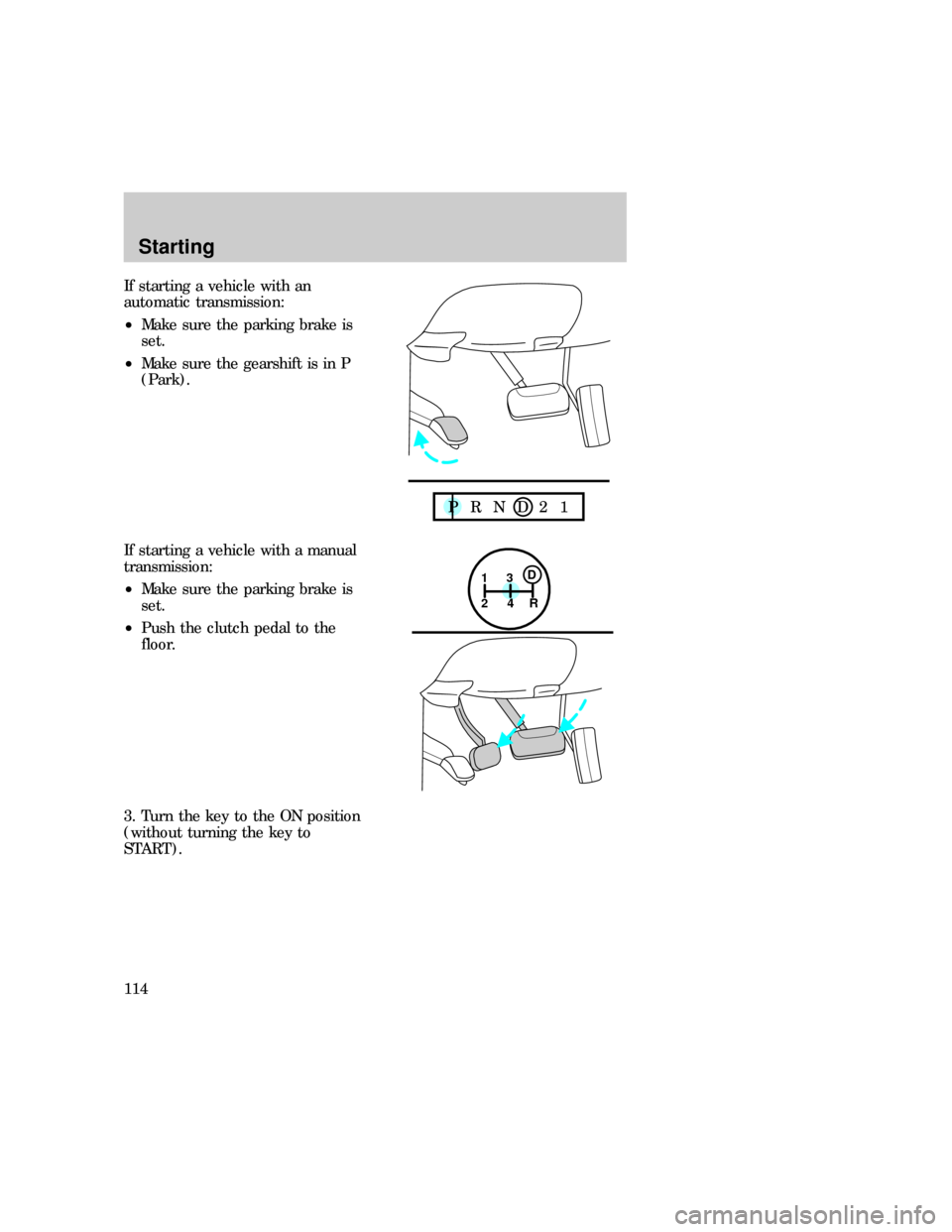
If starting a vehicle with an
automatic transmission:
²Make sure the parking brake is
set.
²Make sure the gearshift is in P
(Park).
If starting a vehicle with a manual
transmission:
²Make sure the parking brake is
set.
²Push the clutch pedal to the
floor.
3. Turn the key to the ON position
(without turning the key to
START).
P R N D 2 1
1
24R3D
Starting
114
Page 114 of 236
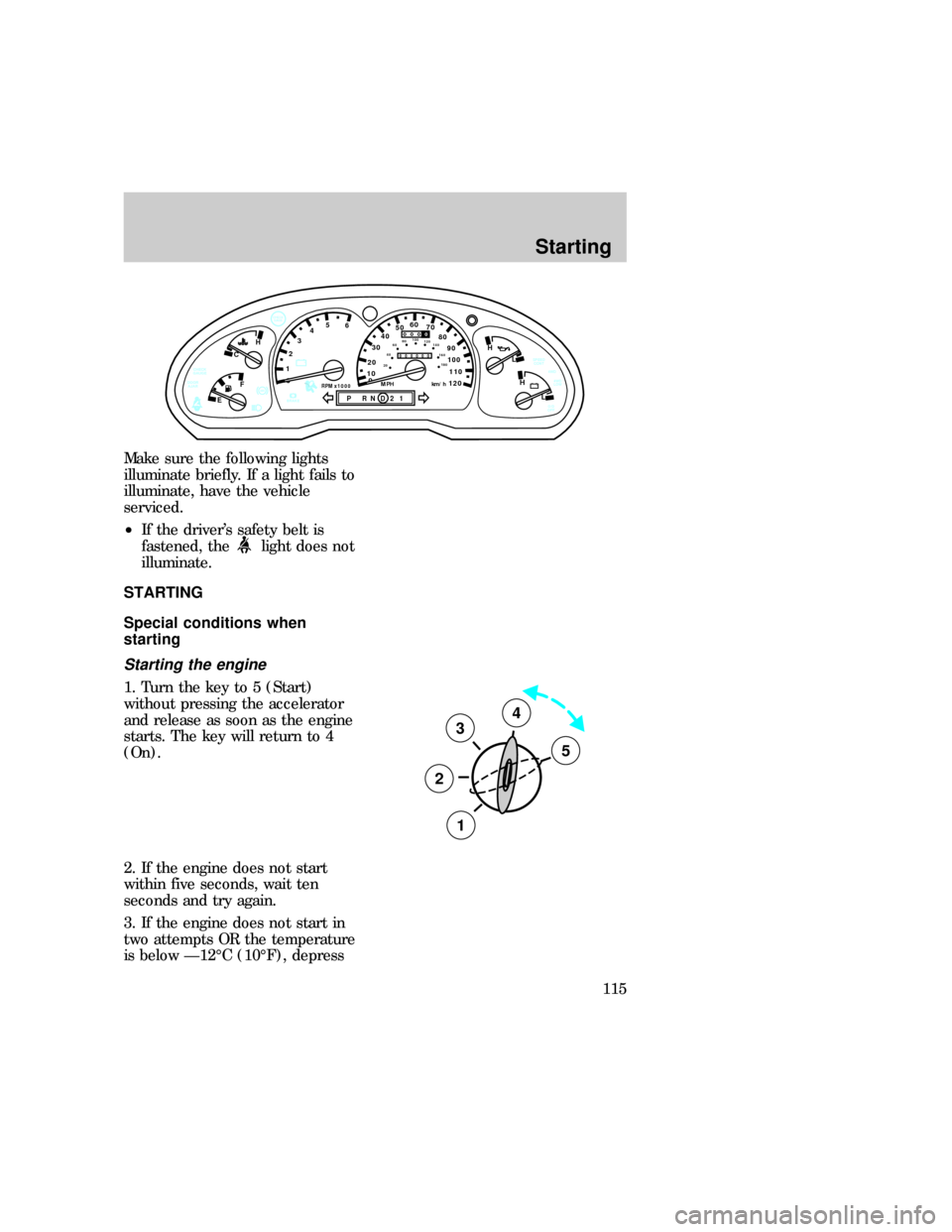
Make sure the following lights
illuminate briefly. If a light fails to
illuminate, have the vehicle
serviced.
²If the driver's safety belt is
fastened, the
light does not
illuminate.
STARTING
Special conditions when
starting
Starting the engine
1. Turn the key to 5 (Start)
without pressing the accelerator
and release as soon as the engine
starts. The key will return to 4
(On).
2. If the engine does not start
within five seconds, wait ten
seconds and try again.
3. If the engine does not start in
two attempts OR the temperature
is below Ð12ÉC (10ÉF), depress
0ABS
- +
P RND21RPM x 1000
12345
6- +
H
H
L LH
C
F
E
!BRAKE
CHECK
GAGE
0
20
1030405060
70
80
90
110
120000000
oooo
10020406080100
120
140
160
180
MPH km/hDOOR
AJARCHECK
GAUGE
O/D
OFF4WD
LOW 4WD SPEED
CONT
3
2
1
5
4
uno_special_conditions_title
uno_starting_vehicle
Starting
115
Page 121 of 236

the brake pedal is depressed. If
you cannot move the gearshift
lever from P (Park) with the brake
pedal depressed:
1. Apply the parking brake.
2. Turn the ignition key to Lock,
then remove the key.
3. Insert the key and turn the
ignition off.
4. Apply the brake pedal and shift
into N (Neutral).
5. Start the vehicle.
If it is necessary to use this
procedure to move the gearshift
lever , it is possible that a fuse
may have blown and the vehicle's
brakelamps may not be working.
Refer toFuses and relaysin the
Roadside emergencieschapter.
Driving (4R70W
transmission-5.0L engines only)
DOverdriveThe normal driving
position for the best fuel economy.
Transmission operates in gears one
through four.
Dcan be deactivated by pressing
the switch selector lever. The
O/D
OFFlight will illuminate.
D DriveNot shown on the display.
Activate by pressing the
transmission control switch.
O/D
OFFwill illuminate in the
instrument cluster. Transmission
operates in gears one through
three. D (Drive) provides more
engine braking than
D(Overdrive) and is useful when
uno_4r70w
Driving
122
Page 147 of 236
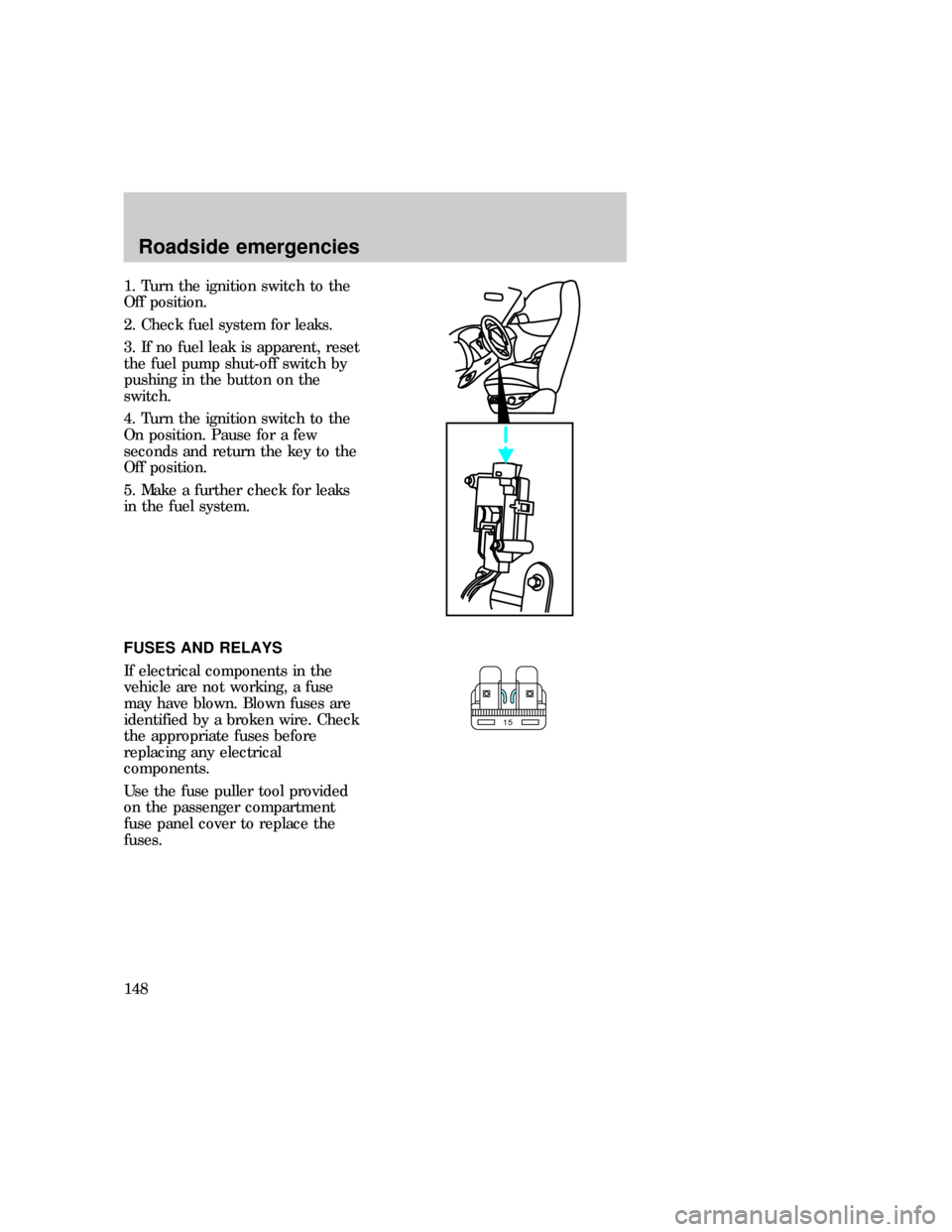
1. Turn the ignition switch to the
Off position.
2. Check fuel system for leaks.
3. If no fuel leak is apparent, reset
the fuel pump shut-off switch by
pushing in the button on the
switch.
4. Turn the ignition switch to the
On position. Pause for a few
seconds and return the key to the
Off position.
5. Make a further check for leaks
in the fuel system.
FUSES AND RELAYS
If electrical components in the
vehicle are not working, a fuse
may have blown. Blown fuses are
identified by a broken wire. Check
the appropriate fuses before
replacing any electrical
components.
Use the fuse puller tool provided
on the passenger compartment
fuse panel cover to replace the
fuses.
15
uno_fuses_relays_title
Roadside emergencies
148
Page 165 of 236
could get caught in moving
parts. Take precautions with
long hair.
²Do not work on a vehicle with
the engine running in an
enclosed space, unless you are
sure you have enough
ventilation.
²Keep all lit cigarettes, open
flames and other lit material
away from the battery and all
fuel related parts.
If you disconnect the battery, the
engine must ªrelearnº its idle
conditions before your vehicle will
drive properly, as explained in
Batteryin this chapter.
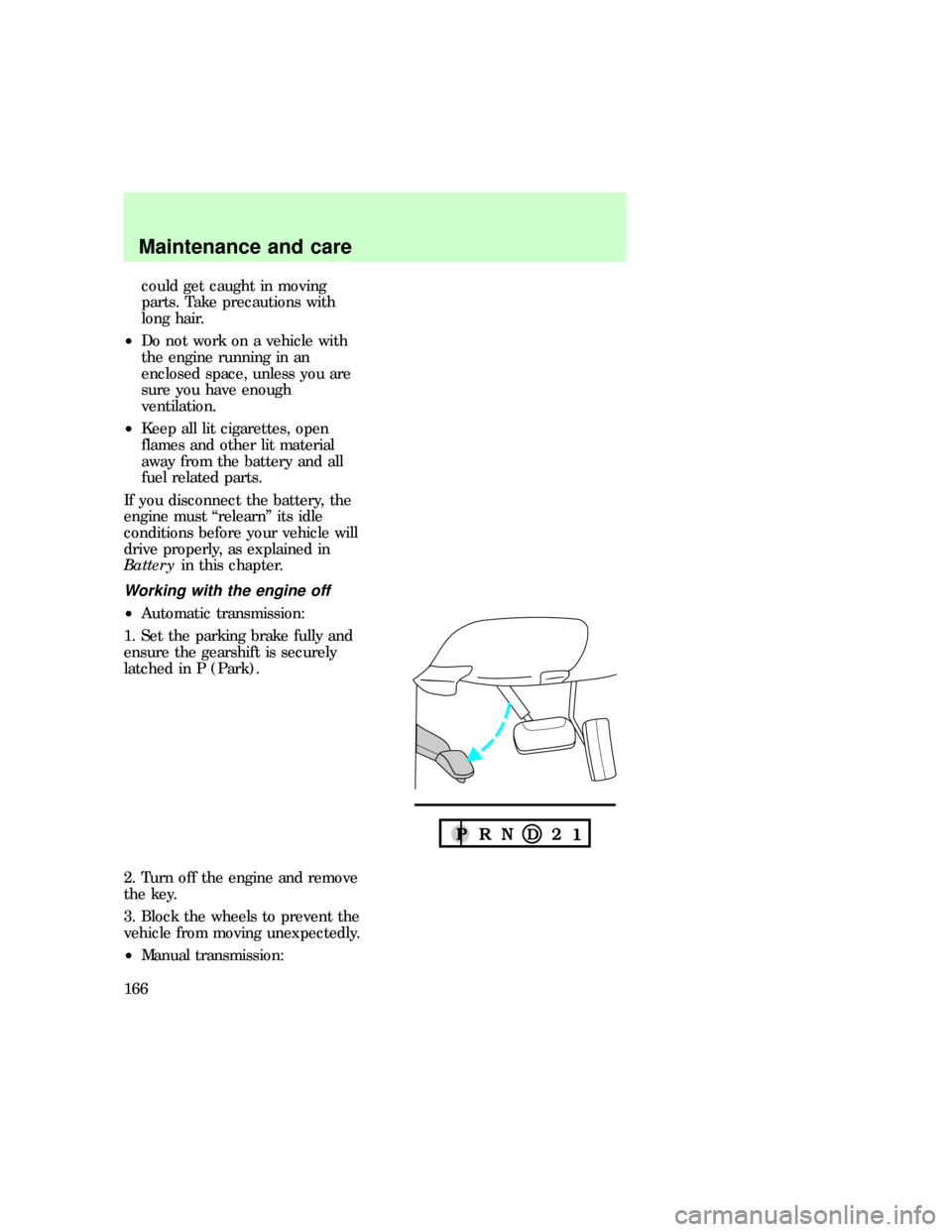
Working with the engine off
²Automatic transmission:
1. Set the parking brake fully and
ensure the gearshift is securely
latched in P (Park).
2. Turn off the engine and remove
the key.
3. Block the wheels to prevent the
vehicle from moving unexpectedly.
²Manual transmission:
uno_working_off
Maintenance and care
166
Page 166 of 236
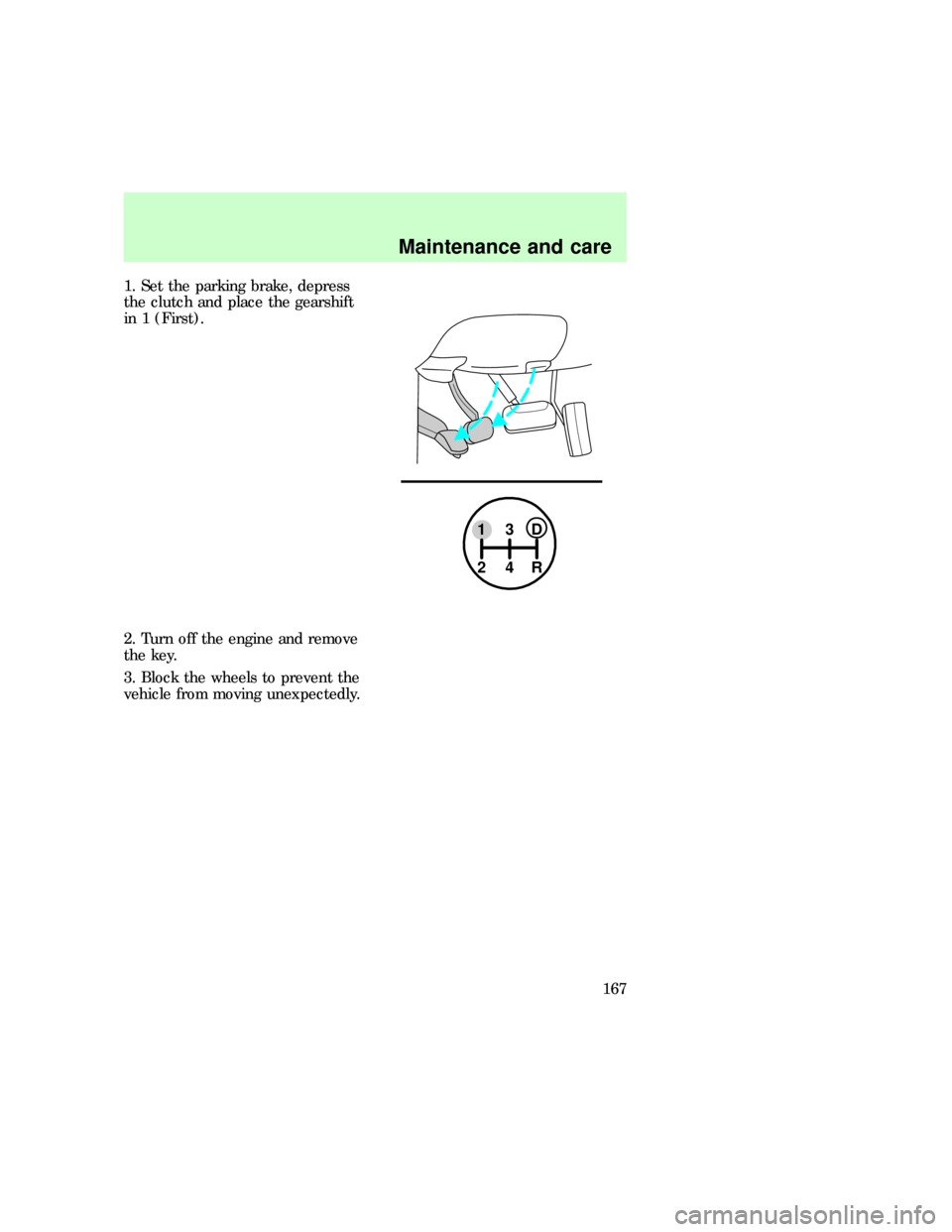
1. Set the parking brake, depress
the clutch and place the gearshift
in 1 (First).
2. Turn off the engine and remove
the key.
3. Block the wheels to prevent the
vehicle from moving unexpectedly.
13D
24R
uno_working_on
Maintenance and care
167