reset FORD EXPLORER 1998 2.G Owners Manual
[x] Cancel search | Manufacturer: FORD, Model Year: 1998, Model line: EXPLORER, Model: FORD EXPLORER 1998 2.GPages: 210, PDF Size: 1.65 MB
Page 6 of 210
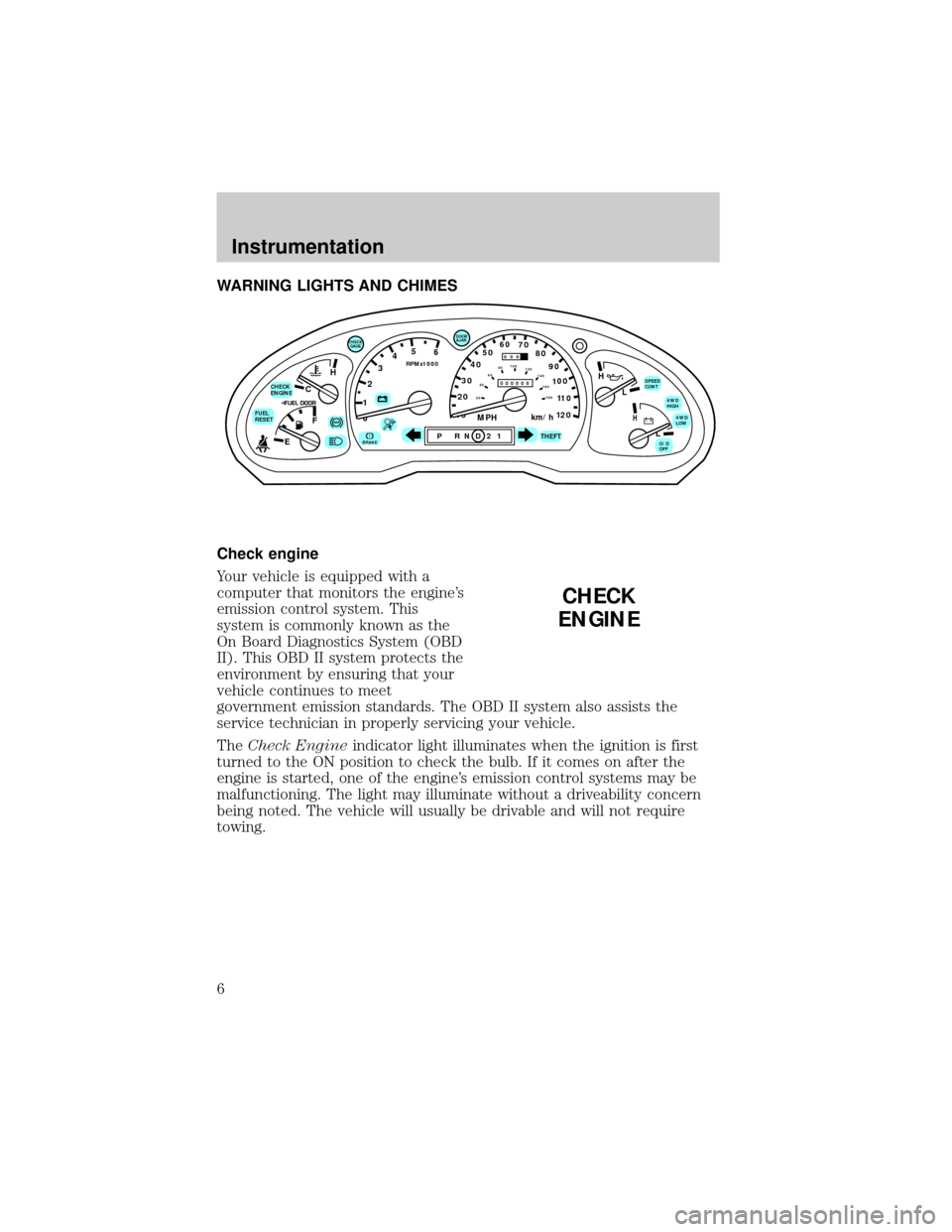
WARNING LIGHTS AND CHIMES
Check engine
Your vehicle is equipped with a
computer that monitors the engine's
emission control system. This
system is commonly known as the
On Board Diagnostics System (OBD
II). This OBD II system protects the
environment by ensuring that your
vehicle continues to meet
government emission standards. The OBD II system also assists the
service technician in properly servicing your vehicle.
TheCheck Engineindicator light illuminates when the ignition is first
turned to the ON position to check the bulb. If it comes on after the
engine is started, one of the engine's emission control systems may be
malfunctioning. The light may illuminate without a driveability concern
being noted. The vehicle will usually be drivable and will not require
towing.
C
012345
6
RPMx1000
ABS!BRAKE
CHECK
ENGINE
FUEL
RESET
EFH
H
H
PRN D 2 1THEFT
SPEED
CONT
4WD
HIGH
4WD
LOW
O/D
OFFL
L
10MPH 205060
70
304080
90
km/h
0 0 0
10 100
1
20
1
0 0 0 0 0 0406080100
120
140
160
180
20
DOOR
AJAR
CHECK
GAGE
CHECK
ENGINE
Instrumentation
6
Page 7 of 210
What you should do if the check engine light illuminates
Light turns on solid:
This means that the OBD II system has detected a malfunction.
Temporary malfunctions may cause yourCheck Enginelight to
illuminate. Examples are:
1. The vehicle has run out of fuel. (The engine may misfire or run
poorly.)
2. Poor fuel quality or water in the fuel.
3. The fuel cap may not have been properly installed and securely
tightened.
These temporary malfunctions can be corrected by filling the fuel tank
with good quality fuel and/or properly installing and securely tightening
the gas cap. After three driving cycles without these or any other
temporary malfunctions present, theCheck Enginelight should turn off.
(A driving cycle consists of a cold engine startup followed by mixed
city/highway driving.) No additional vehicle service is required.
If theCheck Enginelight remains on, have your vehicle serviced at the
first available opportunity.
Light is blinking:
Engine misfire is occurring which could damage your catalytic converter.
You should drive in a moderate fashion (avoid heavy acceleration and
deceleration) and have your vehicle serviced at the first available
opportunity.
Under engine misfire conditions, excessive exhaust temperatures
could damage the catalytic converter, the fuel system, interior
floor coverings or other vehicle components, possibly causing a fire.
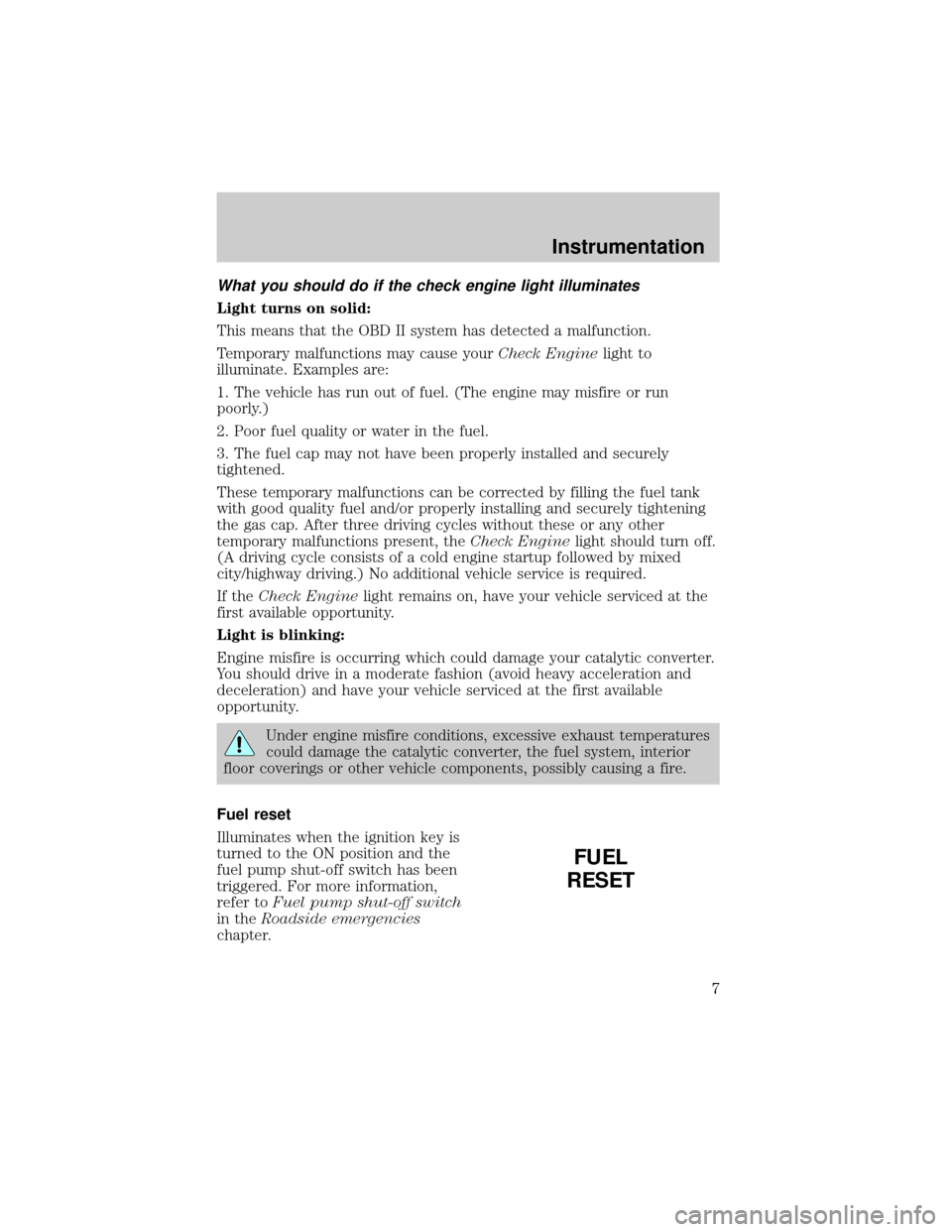
Fuel reset
Illuminates when the ignition key is
turned to the ON position and the
fuel pump shut-off switch has been
triggered. For more information,
refer toFuel pump shut-off switch
in theRoadside emergencies
chapter.
FUEL
RESET
Instrumentation
7
Page 12 of 210
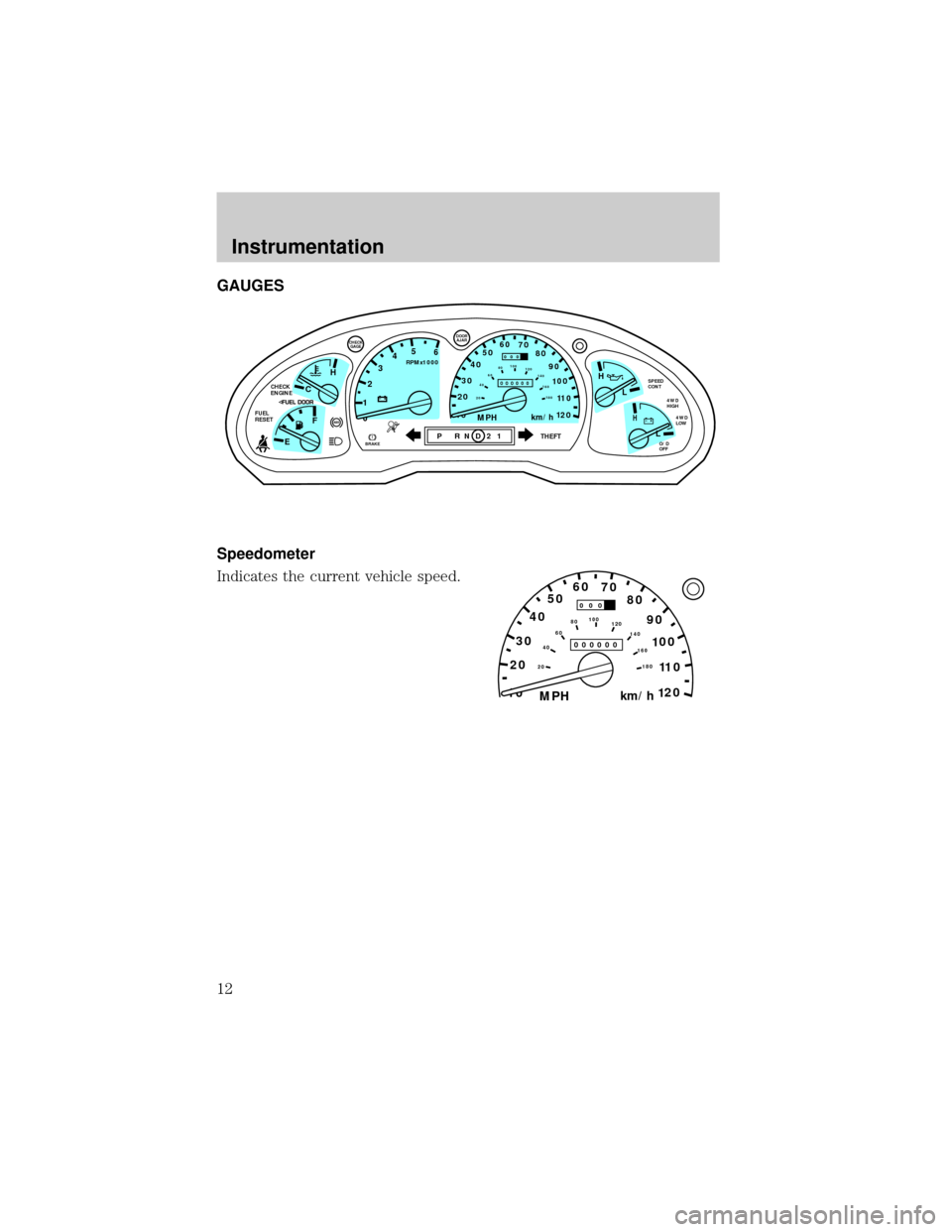
GAUGES
Speedometer
Indicates the current vehicle speed.
C
012345
6
RPMx1000
ABS
CHECK
ENGINE
FUEL
RESET
EFH
H
H
PRN D 2 1THEFT
SPEED
CONT
4WD
HIGH
4WD
LOW
O/D
OFFL
L
10MPH 205060
70
304080
90
km/h
0 0 0
10 100
1
20
1
0 0 0 0 0 0406080100
120
140
160
180
20
DOOR
AJAR
CHECK
GAGE
!BRAKE
10MPH 205060
70
304080
90
km/h
0 0 0
10 100
1
20
1
0 0 0 0 0 0406080100
120
140
160
180
20
Instrumentation
12
Page 14 of 210
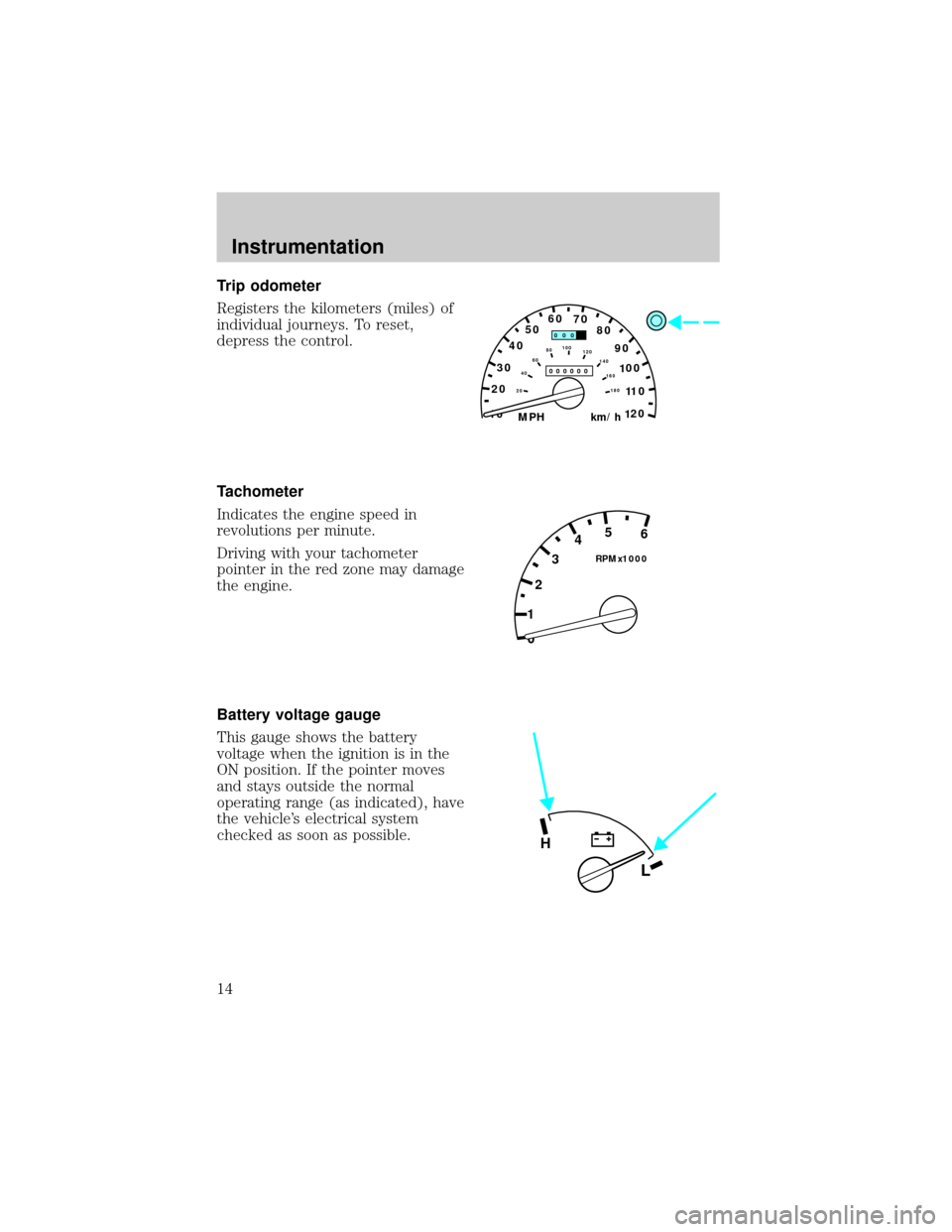
Trip odometer
Registers the kilometers (miles) of
individual journeys. To reset,
depress the control.
Tachometer
Indicates the engine speed in
revolutions per minute.
Driving with your tachometer
pointer in the red zone may damage
the engine.
Battery voltage gauge
This gauge shows the battery
voltage when the ignition is in the
ON position. If the pointer moves
and stays outside the normal
operating range (as indicated), have
the vehicle's electrical system
checked as soon as possible.
10MPH 205060
70
304080
90
km/h
0 0 0
10 100
1
20
1
0 0 0 0 0 0406080100
120
140
160
180
20
0 12345
6
RPMx1000
L
H
Instrumentation
14
Page 16 of 210
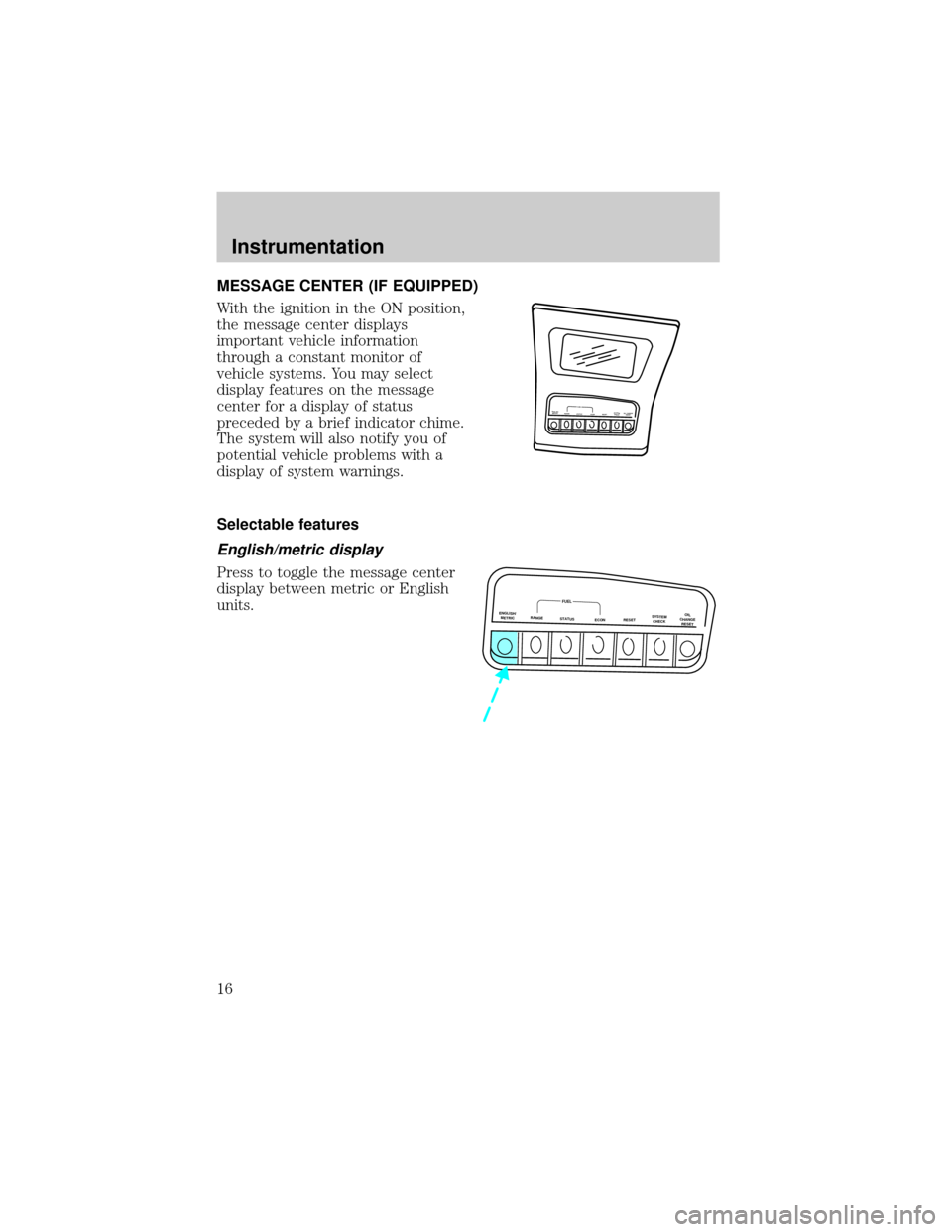
MESSAGE CENTER (IF EQUIPPED)
With the ignition in the ON position,
the message center displays
important vehicle information
through a constant monitor of
vehicle systems. You may select
display features on the message
center for a display of status
preceded by a brief indicator chime.
The system will also notify you of
potential vehicle problems with a
display of system warnings.
Selectable features
English/metric display
Press to toggle the message center
display between metric or English
units.
ENGLISH
METRICRANGESTATUS
ECONRESETSYSTEM
CHECKOIL CHANGE
RESETFUEL
ENGLISH/
METRICRANGESTATUS
ECONRESETSYSTEM
CHECKOIL
CHANGE
RESET
FUEL
Instrumentation
16
Page 17 of 210
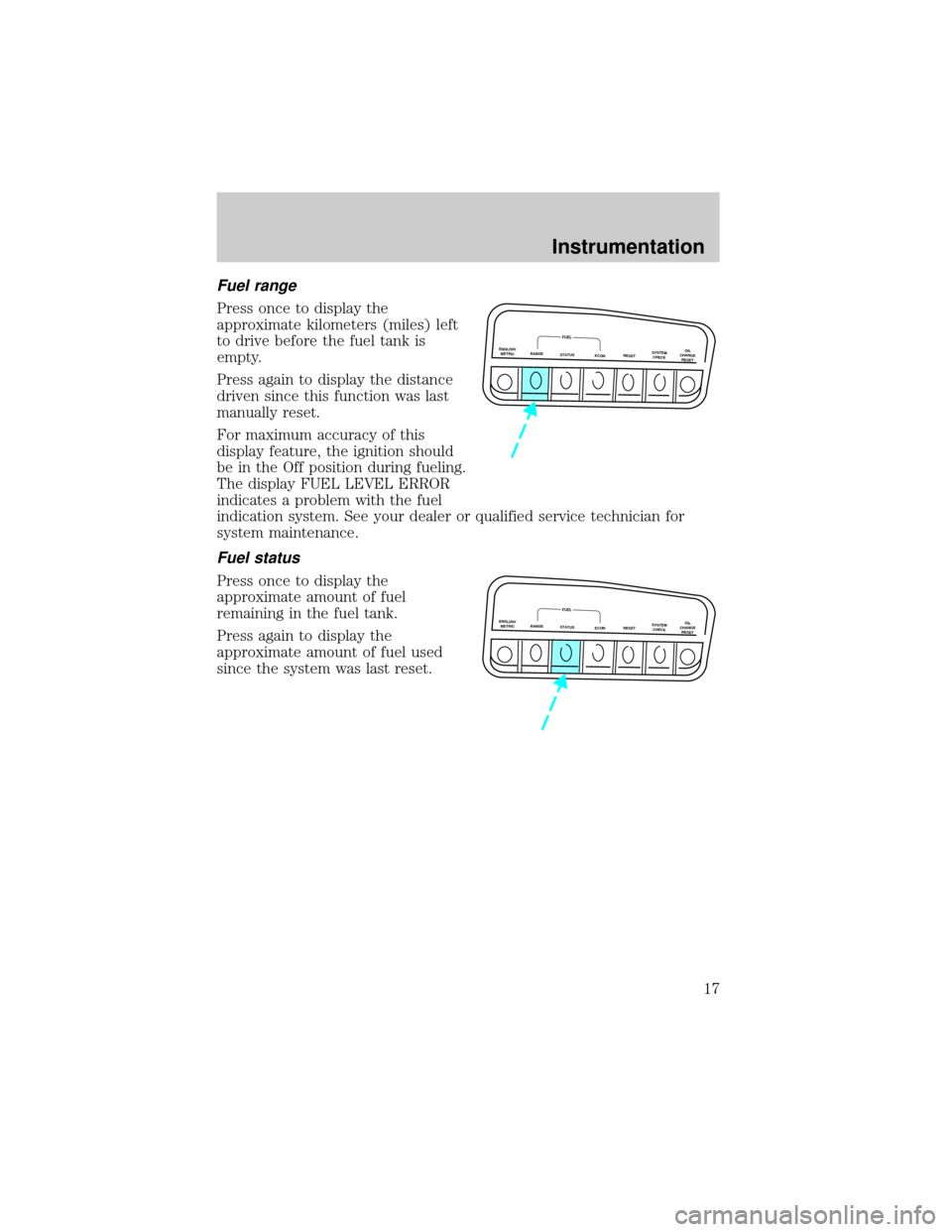
Fuel range
Press once to display the
approximate kilometers (miles) left
to drive before the fuel tank is
empty.
Press again to display the distance
driven since this function was last
manually reset.
For maximum accuracy of this
display feature, the ignition should
be in the Off position during fueling.
The display FUEL LEVEL ERROR
indicates a problem with the fuel
indication system. See your dealer or qualified service technician for
system maintenance.
Fuel status
Press once to display the
approximate amount of fuel
remaining in the fuel tank.
Press again to display the
approximate amount of fuel used
since the system was last reset.
ENGLISH/
METRICRANGESTATUS
ECONRESETSYSTEM
CHECKOIL
CHANGE
RESET
FUEL
ENGLISH/
METRICRANGESTATUS
ECONRESETSYSTEM
CHECKOIL
CHANGE
RESET
FUEL
Instrumentation
17
Page 18 of 210
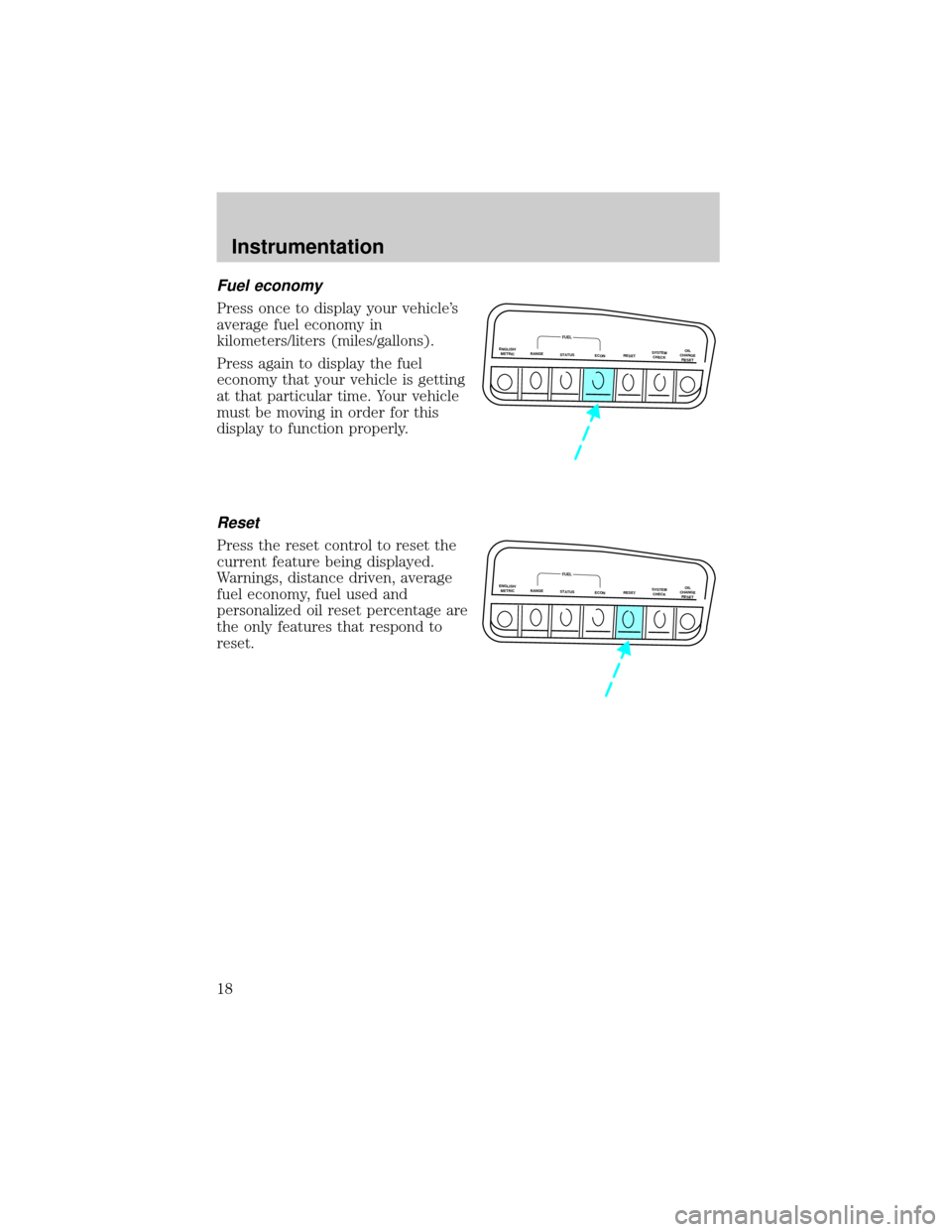
Fuel economy
Press once to display your vehicle's
average fuel economy in
kilometers/liters (miles/gallons).
Press again to display the fuel
economy that your vehicle is getting
at that particular time. Your vehicle
must be moving in order for this
display to function properly.
Reset
Press the reset control to reset the
current feature being displayed.
Warnings, distance driven, average
fuel economy, fuel used and
personalized oil reset percentage are
the only features that respond to
reset.
ENGLISH/
METRICRANGESTATUS
ECONRESETSYSTEM
CHECKOIL
CHANGE
RESET
FUEL
ENGLISH/
METRICRANGESTATUS
ECONRESETSYSTEM
CHECKOIL
CHANGE
RESET
FUEL
Instrumentation
18
Page 19 of 210

System check
Press the system check control to
display the status of the following
systems:
²engine oil life left
²engine oil level
²voltage level
²engine coolant temperature
²washer fluid level
²automatic ride control
(if equipped)
²fuel level
The engine oil life left has two phases. The first display will indicate the
oil change status (OK, SOON, REQUIRED). The second display will
indicate the percentage of oil life remaining. The display OIL TEMP
SIGNAL ERROR indicates a problem with the system. Following this
display, contact your dealer or qualified service technician for system
maintenance.
Operating the message center during system check
The message center controls can be operated as follows during the
system check sequence:
1. Press the system check controls to advance to the next display.
2. Press the reset control to immediately conclude the system check.
3. Press the range, fuel status or fuel economy control to conclude the
system check and display the requested feature.
4. Press the metric/English control to conclude the system check and
change the previous display to the new mode.
5. Press the oil change reset control to conclude the system check and
begin the oil change reset procedure.
An oil change is recommended whenever indicated by the message
center. Use only recommended engine oils.
The message center will tell you the percent of oil life left during system
check. This percentage is based on your driving history and the time
since your last oil change. In order to ensure accurate oil life left
ENGLISH/
METRICRANGESTATUS
ECONRESETSYSTEM
CHECKOIL
CHANGE
RESET
FUEL
Instrumentation
19
Page 20 of 210
indications, you should only perform the following procedure after you
have the oil changed.
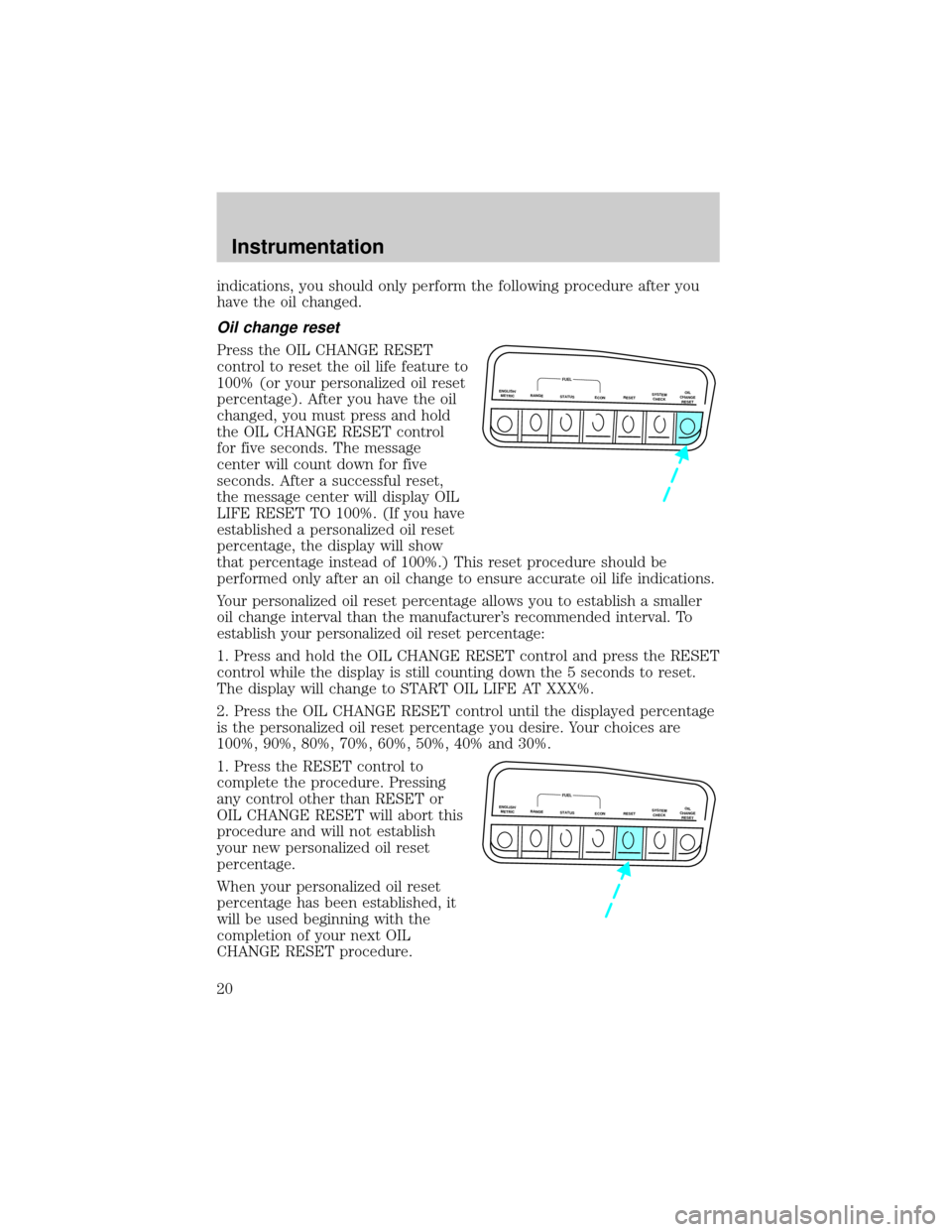
Oil change reset
Press the OIL CHANGE RESET
control to reset the oil life feature to
100% (or your personalized oil reset
percentage). After you have the oil
changed, you must press and hold
the OIL CHANGE RESET control
for five seconds. The message
center will count down for five
seconds. After a successful reset,
the message center will display OIL
LIFE RESET TO 100%. (If you have
established a personalized oil reset
percentage, the display will show
that percentage instead of 100%.) This reset procedure should be
performed only after an oil change to ensure accurate oil life indications.
Your personalized oil reset percentage allows you to establish a smaller
oil change interval than the manufacturer's recommended interval. To
establish your personalized oil reset percentage:
1. Press and hold the OIL CHANGE RESET control and press the RESET
control while the display is still counting down the 5 seconds to reset.
The display will change to START OIL LIFE AT XXX%.
2. Press the OIL CHANGE RESET control until the displayed percentage
is the personalized oil reset percentage you desire. Your choices are
100%, 90%, 80%, 70%, 60%, 50%, 40% and 30%.
1. Press the RESET control to
complete the procedure. Pressing
any control other than RESET or
OIL CHANGE RESET will abort this
procedure and will not establish
your new personalized oil reset
percentage.
When your personalized oil reset
percentage has been established, it
will be used beginning with the
completion of your next OIL
CHANGE RESET procedure.
ENGLISH/
METRICRANGESTATUS
ECONRESETSYSTEM
CHECKOIL
CHANGE
RESET
FUEL
ENGLISH/
METRICRANGESTATUS
ECONRESETSYSTEM
CHECKOIL
CHANGE
RESET
FUEL
Instrumentation
20
Page 43 of 210
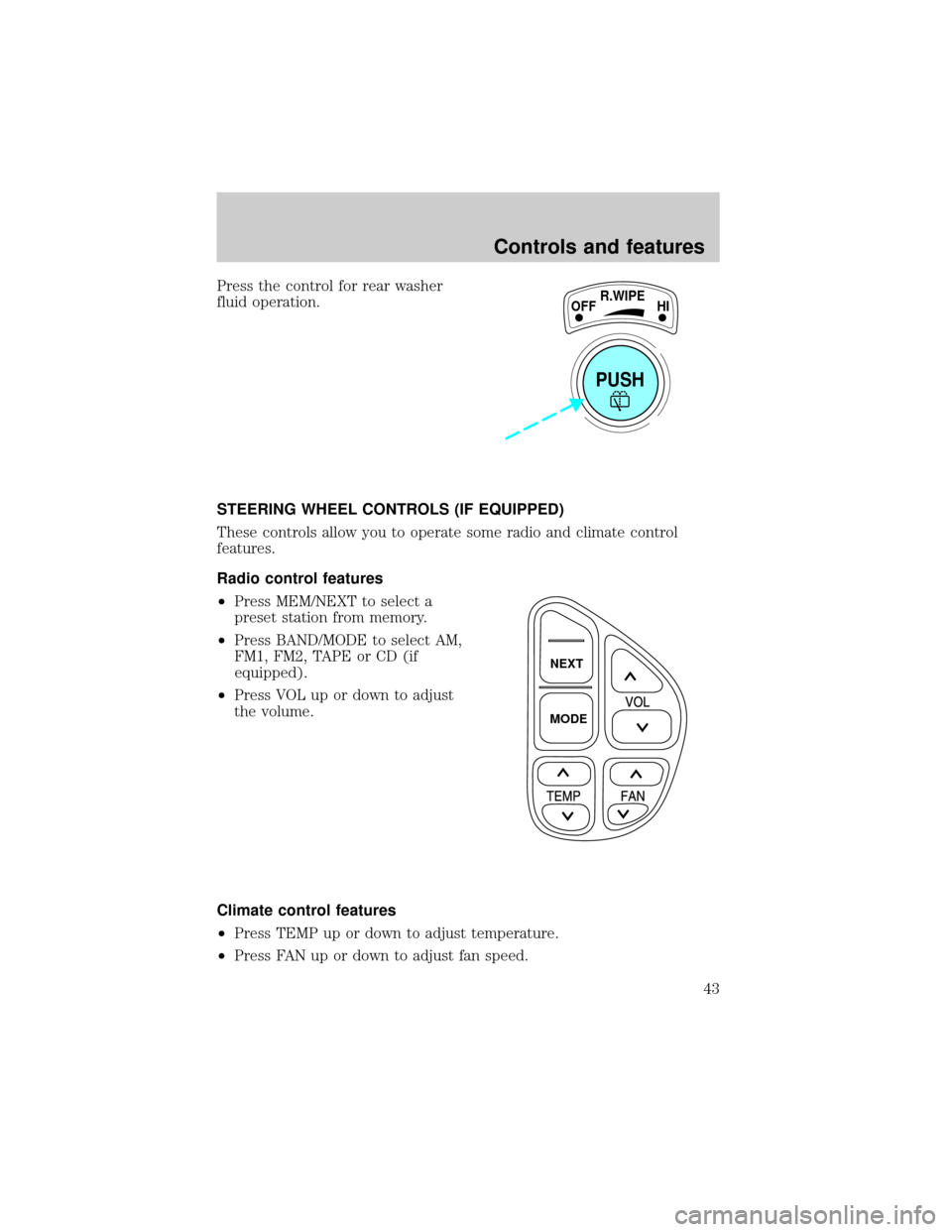
Press the control for rear washer
fluid operation.
STEERING WHEEL CONTROLS (IF EQUIPPED)
These controls allow you to operate some radio and climate control
features.
Radio control features
²Press MEM/NEXT to select a
preset station from memory.
²Press BAND/MODE to select AM,
FM1, FM2, TAPE or CD (if
equipped).
²Press VOL up or down to adjust
the volume.
Climate control features
²Press TEMP up or down to adjust temperature.
²Press FAN up or down to adjust fan speed.
PUSH
OFFR.WIPE
HI
NEXT
MODE
Controls and features
43