door lock FORD EXPLORER 2002 3.G User Guide
[x] Cancel search | Manufacturer: FORD, Model Year: 2002, Model line: EXPLORER, Model: FORD EXPLORER 2002 3.GPages: 312, PDF Size: 3.28 MB
Page 122 of 312
either code to unlock your vehicle. If a second personal code is entered,
the module will erase the first personal code in favor of the new code.
To exit, press 7/8 and 9/0 simultaneously or allow more than 5 seconds
to elapse since a button press occured and the 5 digit keycode will be
programed.
If you wish to erase your personal code, use the following instructions:
Erasing personal code
1. Enter the factory-set code.
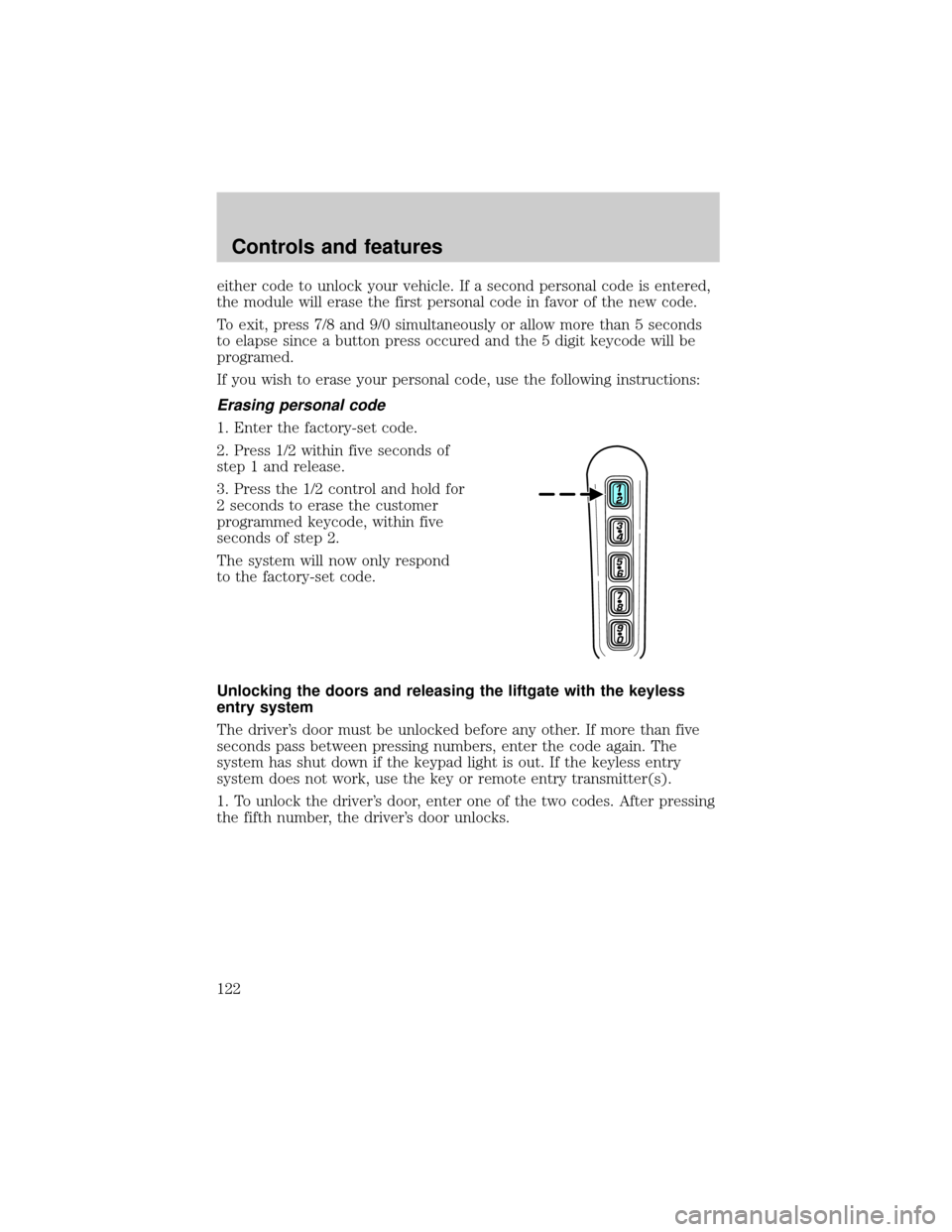
2. Press 1/2 within five seconds of
step 1 and release.
3. Press the 1/2 control and hold for
2 seconds to erase the customer
programmed keycode, within five
seconds of step 2.
The system will now only respond
to the factory-set code.
Unlocking the doors and releasing the liftgate with the keyless
entry system
The driver's door must be unlocked before any other. If more than five
seconds pass between pressing numbers, enter the code again. The
system has shut down if the keypad light is out. If the keyless entry
system does not work, use the key or remote entry transmitter(s).
1. To unlock the driver's door, enter one of the two codes. After pressing
the fifth number, the driver's door unlocks.
Controls and features
122
Page 123 of 312
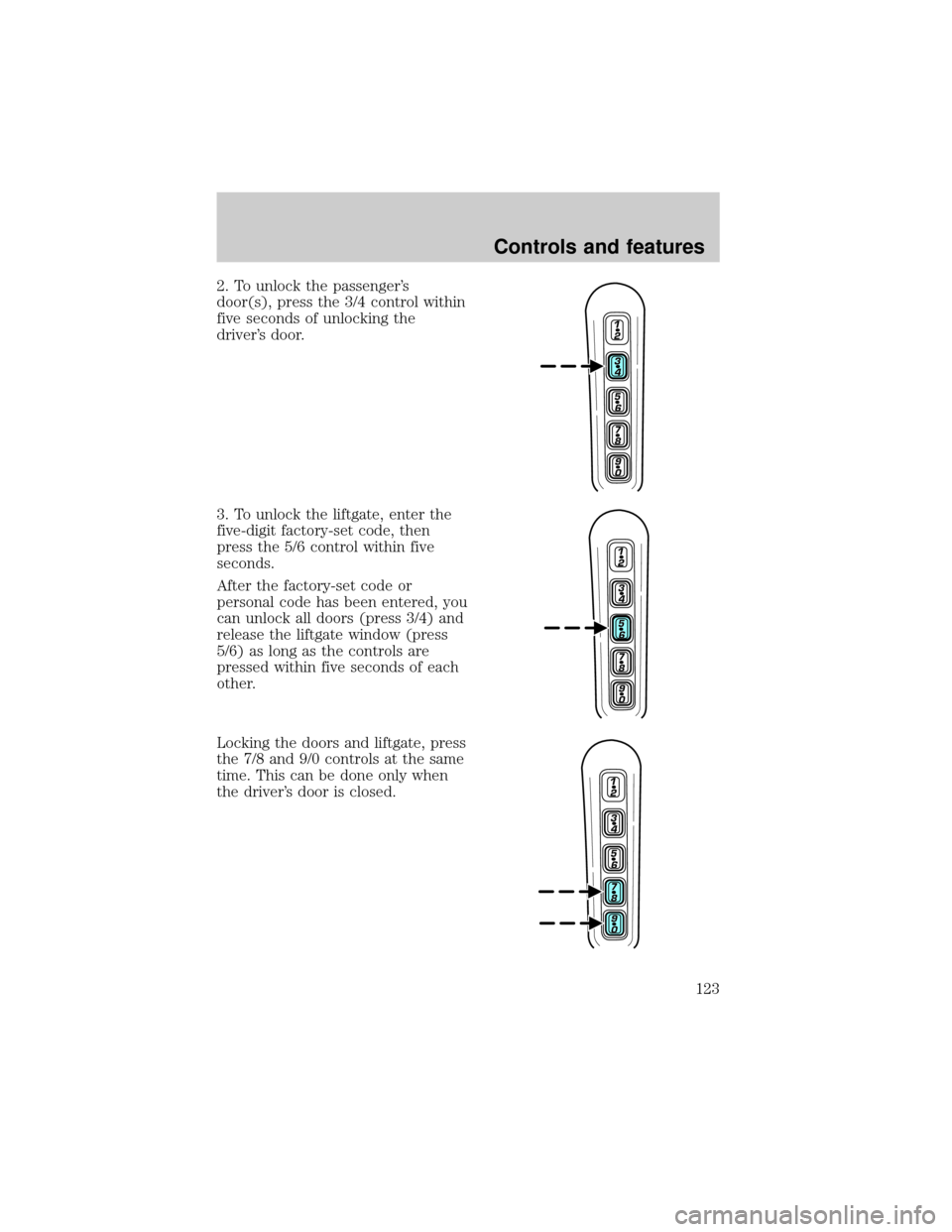
2. To unlock the passenger's
door(s), press the 3/4 control within
five seconds of unlocking the
driver's door.
3. To unlock the liftgate, enter the
five-digit factory-set code, then
press the 5/6 control within five
seconds.
After the factory-set code or
personal code has been entered, you
can unlock all doors (press 3/4) and
release the liftgate window (press
5/6) as long as the controls are
pressed within five seconds of each
other.
Locking the doors and liftgate, press
the 7/8 and 9/0 controls at the same
time. This can be done only when
the driver's door is closed.
Controls and features
123
Page 124 of 312

Autolock
The autolock feature will lock all of the vehicle doors when:
²all doors are closed
²the engine is running and
²you shift into any gear putting the vehicle in motion
The autolock feature repeats when:
²any door, except the drivers door, is opened then closed while the
engine is running and
²you put the vehicle in motion
Deactivating/activating autolock
There are 2 methods to enable/disable this feature. One through your
dealer and the second with a door lock sequence using the following
instructions:
1. Turn the ignition key to RUN, then press the door UNLOCK control
button 3 times.
2. Turn the ignition key to OFF, then press the door UNLOCK control
button 3 times.
3. Turn the ignition key to RUN, within five seconds press the door
UNLOCK control button 1 time.
The user should receive ahorn chirpto indicate the system has been
altered.
Pressing the power door UNLOCK control button again will toggle the
Autolock/Relock states.
²Turn ignition to OFF to exit.
Deactivating/activating horn chirp
There are 2 methods to enable/disable this feature. One through your
dealer and the second with a door lock sequence using the following
instructions:
1. Turn the ignition key to RUN, then press the door UNLOCK control
button 3 times.
2. Turn the ignition key to OFF, then press the door UNLOCK control
button 3 times.
3. Turn the ignition key to RUN, within five seconds press the door
UNLOCK control button 2 times.
Controls and features
124
Page 125 of 312
The user should receive twohorn chirpsto indicate the system had
been altered.
Pressing the power door UNLOCK control button two times again will
toggle the Autolock/Relock states.
²Turn ignition to OFF to exit.
PERIMETER ALARM SYSTEM (IF EQUIPPED)
The perimeter anti-theft system will help prevent your vehicle from
unauthorized entry.
If there is any potential perimeter anti-theft problem with your vehicle,
ensureALL key fobs(remote entry transmitters) are brought to the
dealership, to aid in troubleshooting.
Arming the system
When armed, this system will help protect your vehicle from
unauthorized entry. When unauthorized entry occurs, the system will
flash the headlamps and/or parking lamps, and will chirp the horn.
The system is ready to arm whenever the key is removed from the
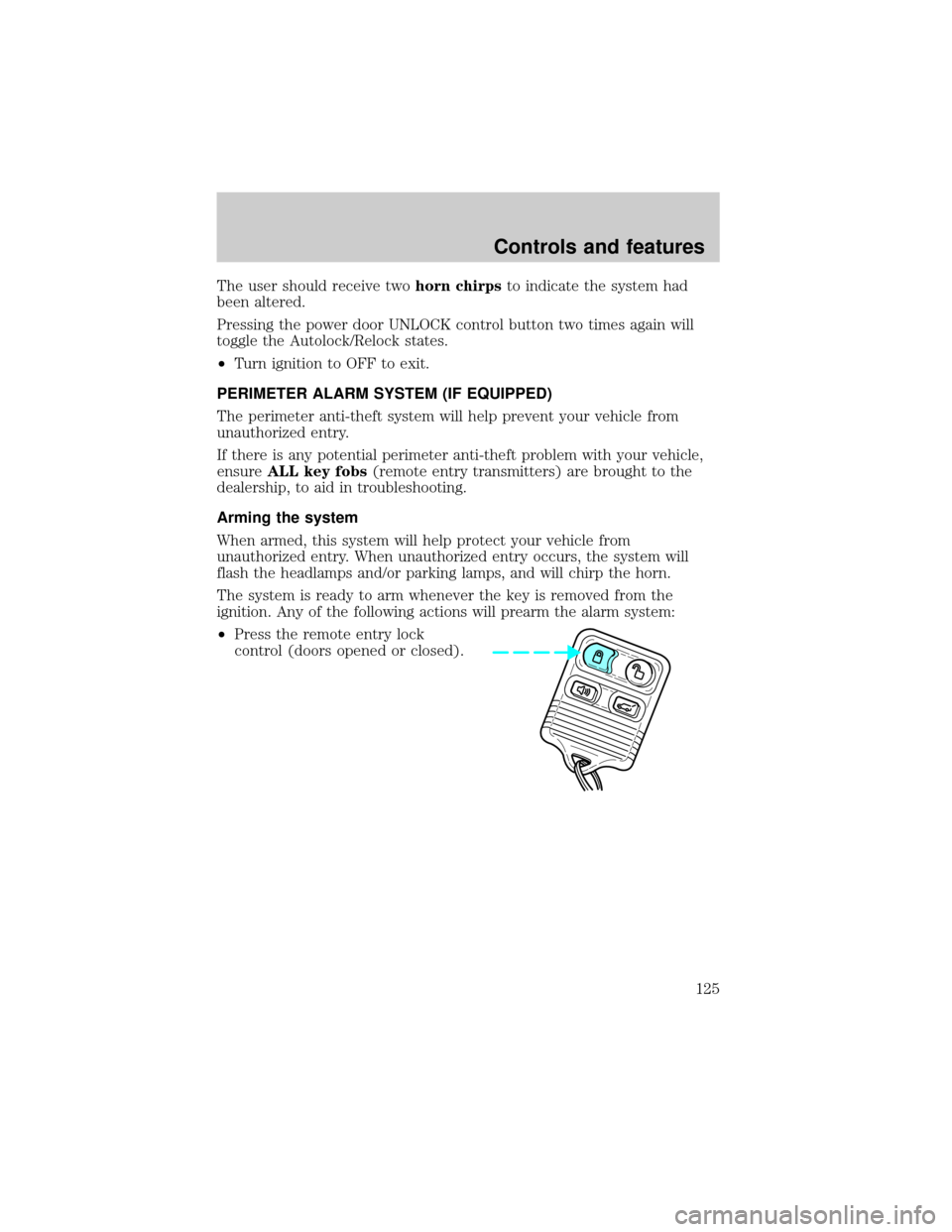
ignition. Any of the following actions will prearm the alarm system:
²Press the remote entry lock
control (doors opened or closed).
Controls and features
125
Page 126 of 312
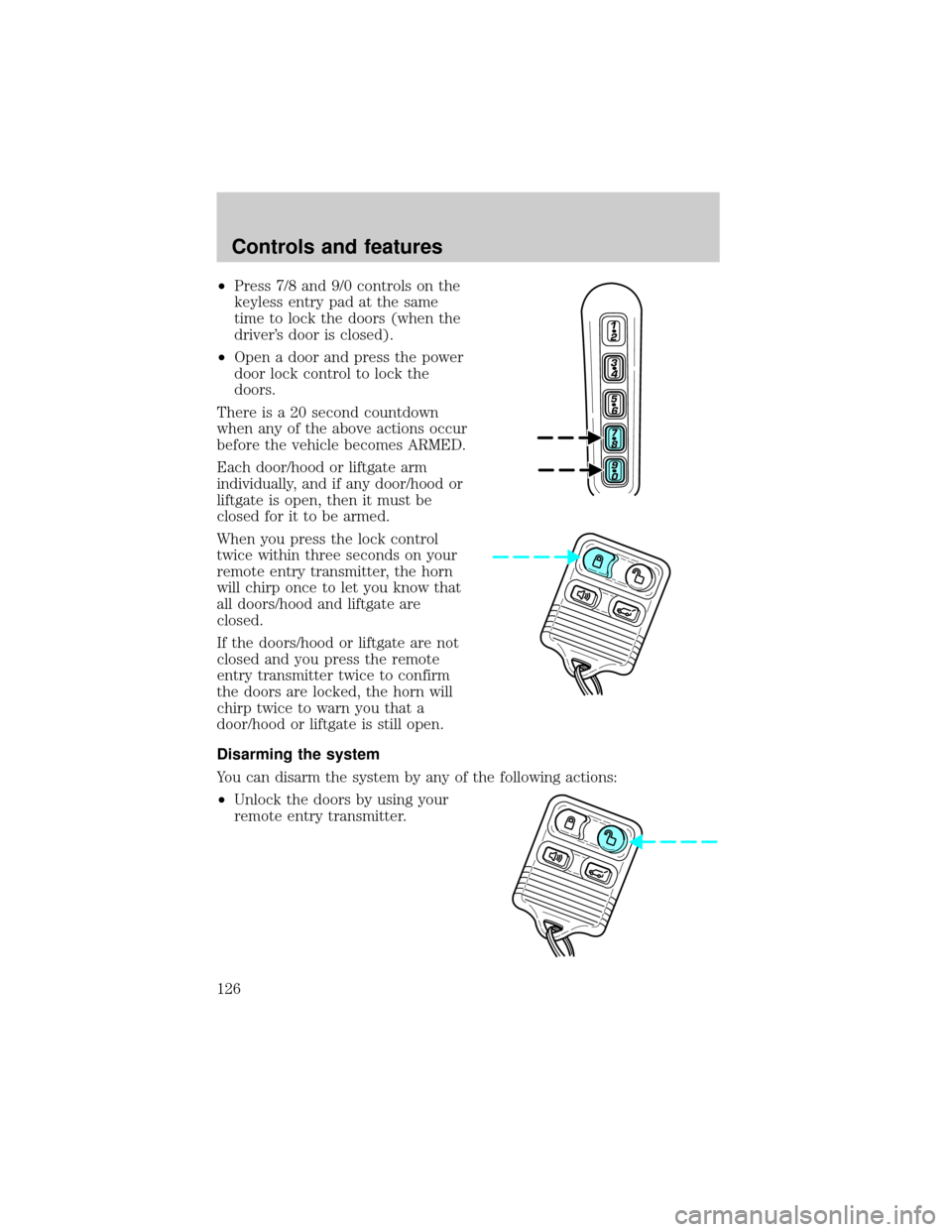
²Press 7/8 and 9/0 controls on the
keyless entry pad at the same
time to lock the doors (when the
driver's door is closed).
²Open a door and press the power
door lock control to lock the
doors.
There is a 20 second countdown
when any of the above actions occur
before the vehicle becomes ARMED.
Each door/hood or liftgate arm
individually, and if any door/hood or
liftgate is open, then it must be
closed for it to be armed.
When you press the lock control
twice within three seconds on your
remote entry transmitter, the horn
will chirp once to let you know that
all doors/hood and liftgate are
closed.
If the doors/hood or liftgate are not
closed and you press the remote
entry transmitter twice to confirm
the doors are locked, the horn will
chirp twice to warn you that a
door/hood or liftgate is still open.
Disarming the system
You can disarm the system by any of the following actions:
²Unlock the doors by using your
remote entry transmitter.
Controls and features
126
Page 127 of 312
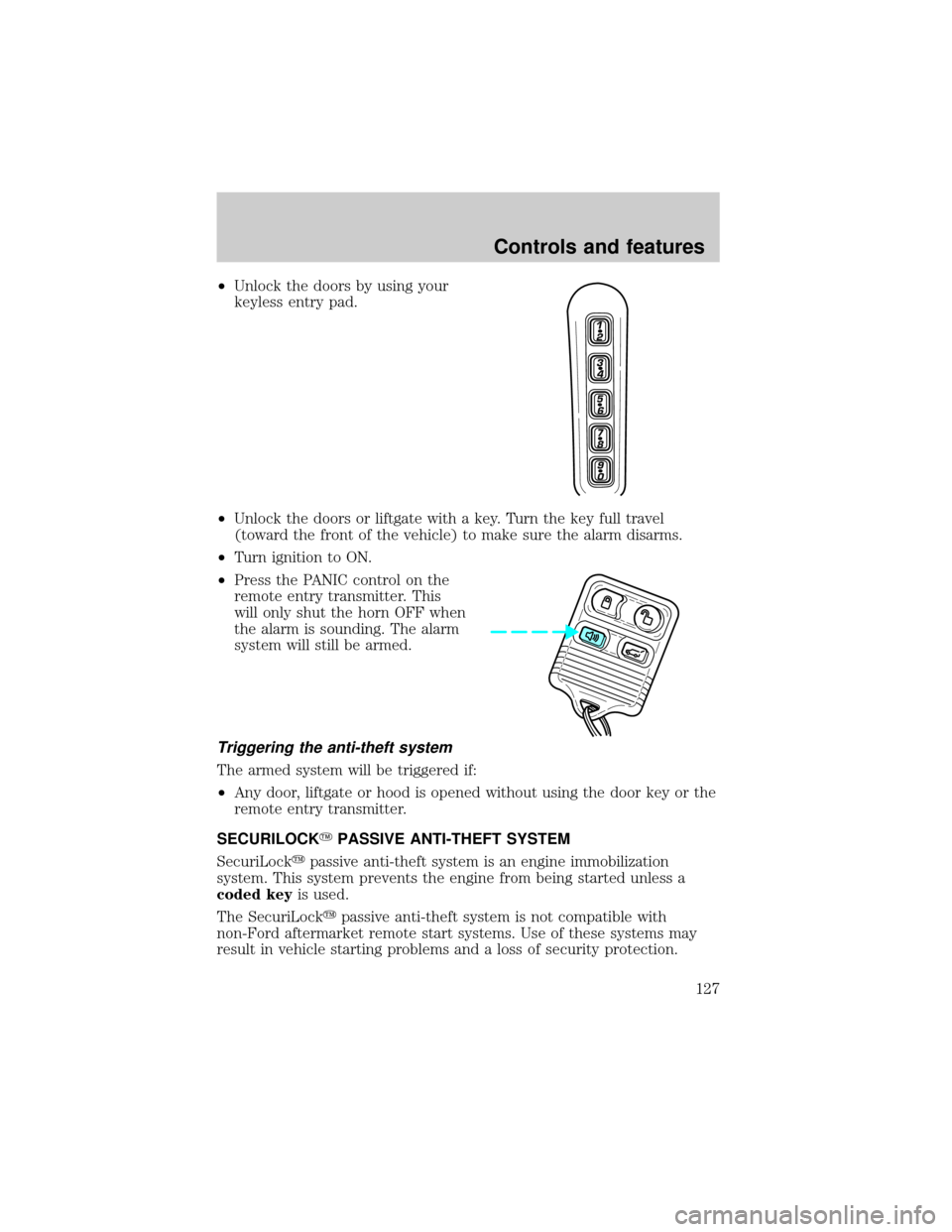
²Unlock the doors by using your
keyless entry pad.
²Unlock the doors or liftgate with a key. Turn the key full travel
(toward the front of the vehicle) to make sure the alarm disarms.
²Turn ignition to ON.
²Press the PANIC control on the
remote entry transmitter. This
will only shut the horn OFF when
the alarm is sounding. The alarm
system will still be armed.
Triggering the anti-theft system
The armed system will be triggered if:
²Any door, liftgate or hood is opened without using the door key or the
remote entry transmitter.
SECURILOCKYPASSIVE ANTI-THEFT SYSTEM
SecuriLockypassive anti-theft system is an engine immobilization
system. This system prevents the engine from being started unless a
coded keyis used.
The SecuriLockypassive anti-theft system is not compatible with
non-Ford aftermarket remote start systems. Use of these systems may
result in vehicle starting problems and a loss of security protection.
Controls and features
127
Page 134 of 312
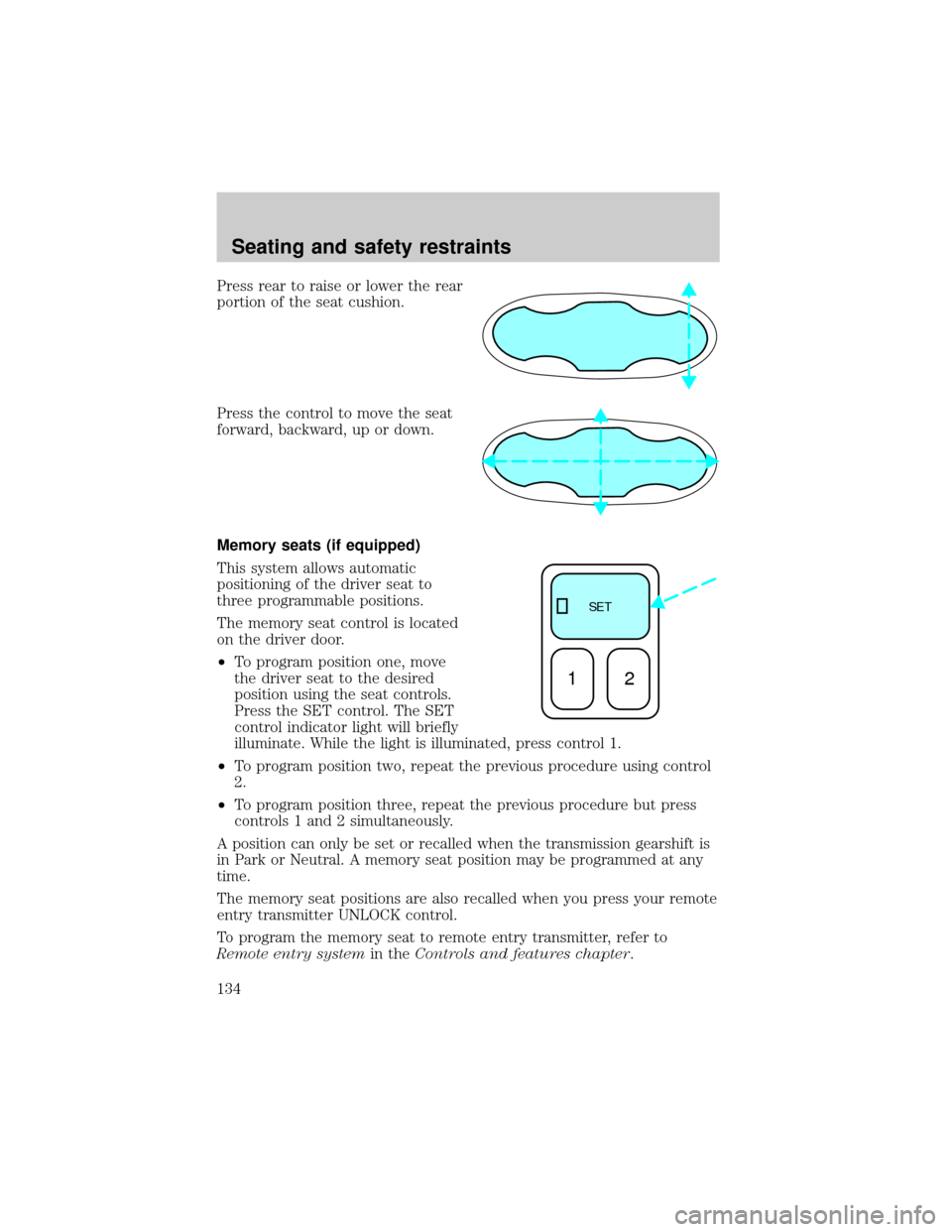
Press rear to raise or lower the rear
portion of the seat cushion.
Press the control to move the seat
forward, backward, up or down.
Memory seats (if equipped)
This system allows automatic
positioning of the driver seat to
three programmable positions.
The memory seat control is located
on the driver door.
²To program position one, move
the driver seat to the desired
position using the seat controls.
Press the SET control. The SET
control indicator light will briefly
illuminate. While the light is illuminated, press control 1.
²To program position two, repeat the previous procedure using control
2.
²To program position three, repeat the previous procedure but press
controls 1 and 2 simultaneously.
A position can only be set or recalled when the transmission gearshift is
in Park or Neutral. A memory seat position may be programmed at any
time.
The memory seat positions are also recalled when you press your remote
entry transmitter UNLOCK control.
To program the memory seat to remote entry transmitter, refer to
Remote entry systemin theControls and features chapter.
SE T
12
Seating and safety restraints
134
Page 137 of 312
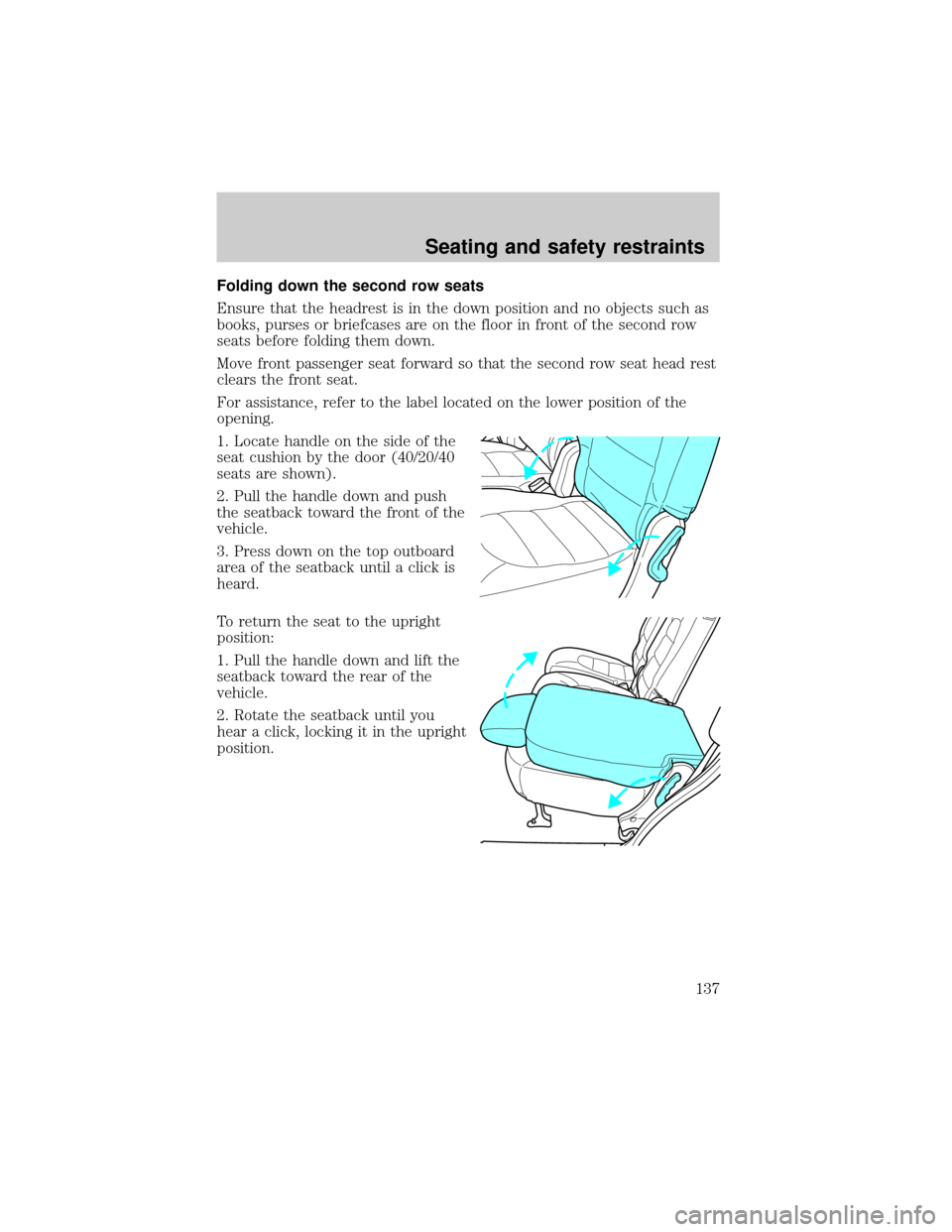
Folding down the second row seats
Ensure that the headrest is in the down position and no objects such as
books, purses or briefcases are on the floor in front of the second row
seats before folding them down.
Move front passenger seat forward so that the second row seat head rest
clears the front seat.
For assistance, refer to the label located on the lower position of the
opening.
1. Locate handle on the side of the
seat cushion by the door (40/20/40
seats are shown).
2. Pull the handle down and push
the seatback toward the front of the
vehicle.
3. Press down on the top outboard
area of the seatback until a click is
heard.
To return the seat to the upright
position:
1. Pull the handle down and lift the
seatback toward the rear of the
vehicle.
2. Rotate the seatback until you
hear a click, locking it in the upright
position.
Seating and safety restraints
137
Page 214 of 312
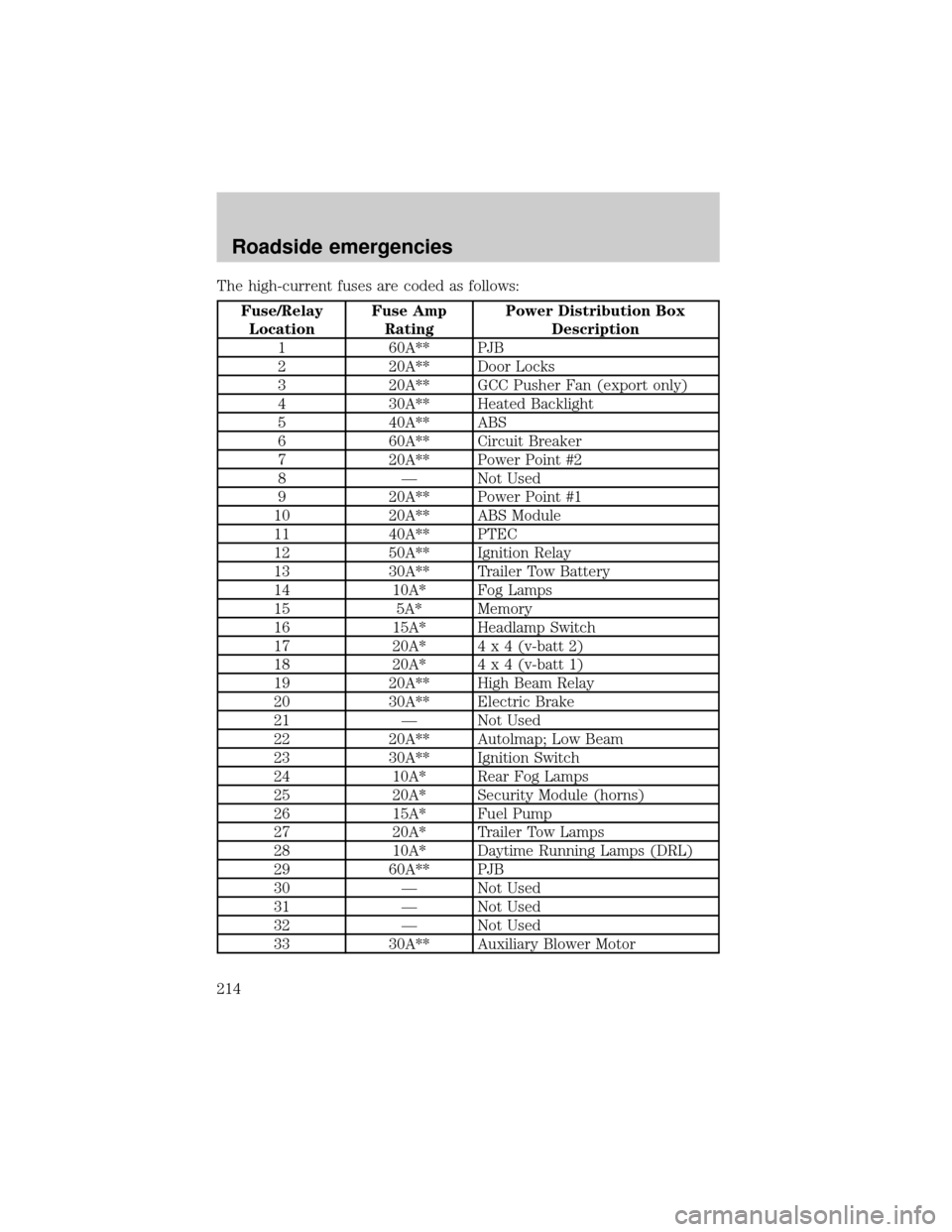
The high-current fuses are coded as follows:
Fuse/Relay
LocationFuse Amp
RatingPower Distribution Box
Description
1 60A** PJB
2 20A** Door Locks
3 20A** GCC Pusher Fan (export only)
4 30A** Heated Backlight
5 40A** ABS
6 60A** Circuit Breaker
7 20A** Power Point #2
8 Ð Not Used
9 20A** Power Point #1
10 20A** ABS Module
11 40A** PTEC
12 50A** Ignition Relay
13 30A** Trailer Tow Battery
14 10A* Fog Lamps
15 5A* Memory
16 15A* Headlamp Switch
17 20A*4 x 4 (v-batt 2)
18 20A*4 x 4 (v-batt 1)
19 20A** High Beam Relay
20 30A** Electric Brake
21 Ð Not Used
22 20A** Autolmap; Low Beam
23 30A** Ignition Switch
24 10A* Rear Fog Lamps
25 20A* Security Module (horns)
26 15A* Fuel Pump
27 20A* Trailer Tow Lamps
28 10A* Daytime Running Lamps (DRL)
29 60A** PJB
30 Ð Not Used
31 Ð Not Used
32 Ð Not Used
33 30A** Auxiliary Blower Motor
Roadside emergencies
214
Page 301 of 312

Protection and appearance equipment
Air bag anti-theft locks
Cargo liners, interior
Carpet floor mats
Cleaners, waxes and polishes
Door edge guards
Front end covers (full and sport)
Bug deflectors
Instrument panel trim (simulated wood)
Locking gas cap
Lubricants and oils
Molded splash guards
Molded vinyl floor mats
Rear spoiler
Side window air deflectors
Skid plate
Touch-up paint
Tow hooks
Truck cover
Universal floor mats
For maximum vehicle performance, keep the following information in
mind when adding accessories or equipment to your vehicle:
²When adding accessories, equipment, passengers and luggage to your
vehicle, do not exceed the total weight capacity of the vehicle or of
the front or rear axle (GVWR or GAWR as indicated on the Safety
compliance certification label). Consult your dealer for specific weight
information.
²
The Federal Communications Commission (FCC) and Canadian Radio
Telecommunications Commission (CRTC) regulate the use of mobile
communications systems - such as two-way radios, telephones and theft
alarms - that are equipped with radio transmitters. Any such equipment
installed in your vehicle should comply with FCC or CRTC regulations
and should be installed only by a qualified service technician.
Customer assistance
301