key FORD EXPLORER 2002 3.G User Guide
[x] Cancel search | Manufacturer: FORD, Model Year: 2002, Model line: EXPLORER, Model: FORD EXPLORER 2002 3.GPages: 312, PDF Size: 3.28 MB
Page 124 of 312

Autolock
The autolock feature will lock all of the vehicle doors when:
²all doors are closed
²the engine is running and
²you shift into any gear putting the vehicle in motion
The autolock feature repeats when:
²any door, except the drivers door, is opened then closed while the
engine is running and
²you put the vehicle in motion
Deactivating/activating autolock
There are 2 methods to enable/disable this feature. One through your
dealer and the second with a door lock sequence using the following
instructions:
1. Turn the ignition key to RUN, then press the door UNLOCK control
button 3 times.
2. Turn the ignition key to OFF, then press the door UNLOCK control
button 3 times.
3. Turn the ignition key to RUN, within five seconds press the door
UNLOCK control button 1 time.
The user should receive ahorn chirpto indicate the system has been
altered.
Pressing the power door UNLOCK control button again will toggle the
Autolock/Relock states.
²Turn ignition to OFF to exit.
Deactivating/activating horn chirp
There are 2 methods to enable/disable this feature. One through your
dealer and the second with a door lock sequence using the following
instructions:
1. Turn the ignition key to RUN, then press the door UNLOCK control
button 3 times.
2. Turn the ignition key to OFF, then press the door UNLOCK control
button 3 times.
3. Turn the ignition key to RUN, within five seconds press the door
UNLOCK control button 2 times.
Controls and features
124
Page 125 of 312
The user should receive twohorn chirpsto indicate the system had
been altered.
Pressing the power door UNLOCK control button two times again will
toggle the Autolock/Relock states.
²Turn ignition to OFF to exit.
PERIMETER ALARM SYSTEM (IF EQUIPPED)
The perimeter anti-theft system will help prevent your vehicle from
unauthorized entry.
If there is any potential perimeter anti-theft problem with your vehicle,
ensureALL key fobs(remote entry transmitters) are brought to the
dealership, to aid in troubleshooting.
Arming the system
When armed, this system will help protect your vehicle from
unauthorized entry. When unauthorized entry occurs, the system will
flash the headlamps and/or parking lamps, and will chirp the horn.
The system is ready to arm whenever the key is removed from the
ignition. Any of the following actions will prearm the alarm system:
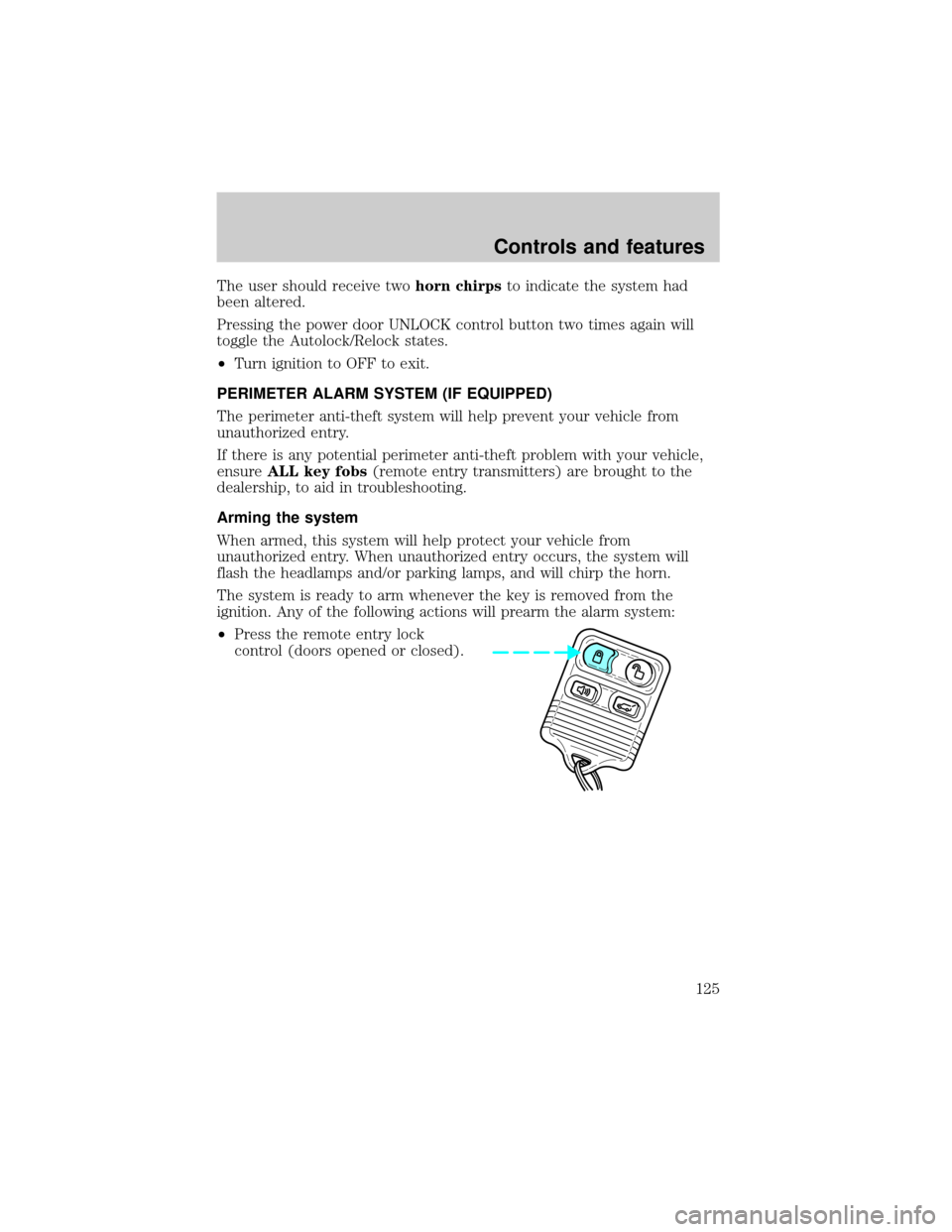
²Press the remote entry lock
control (doors opened or closed).
Controls and features
125
Page 126 of 312
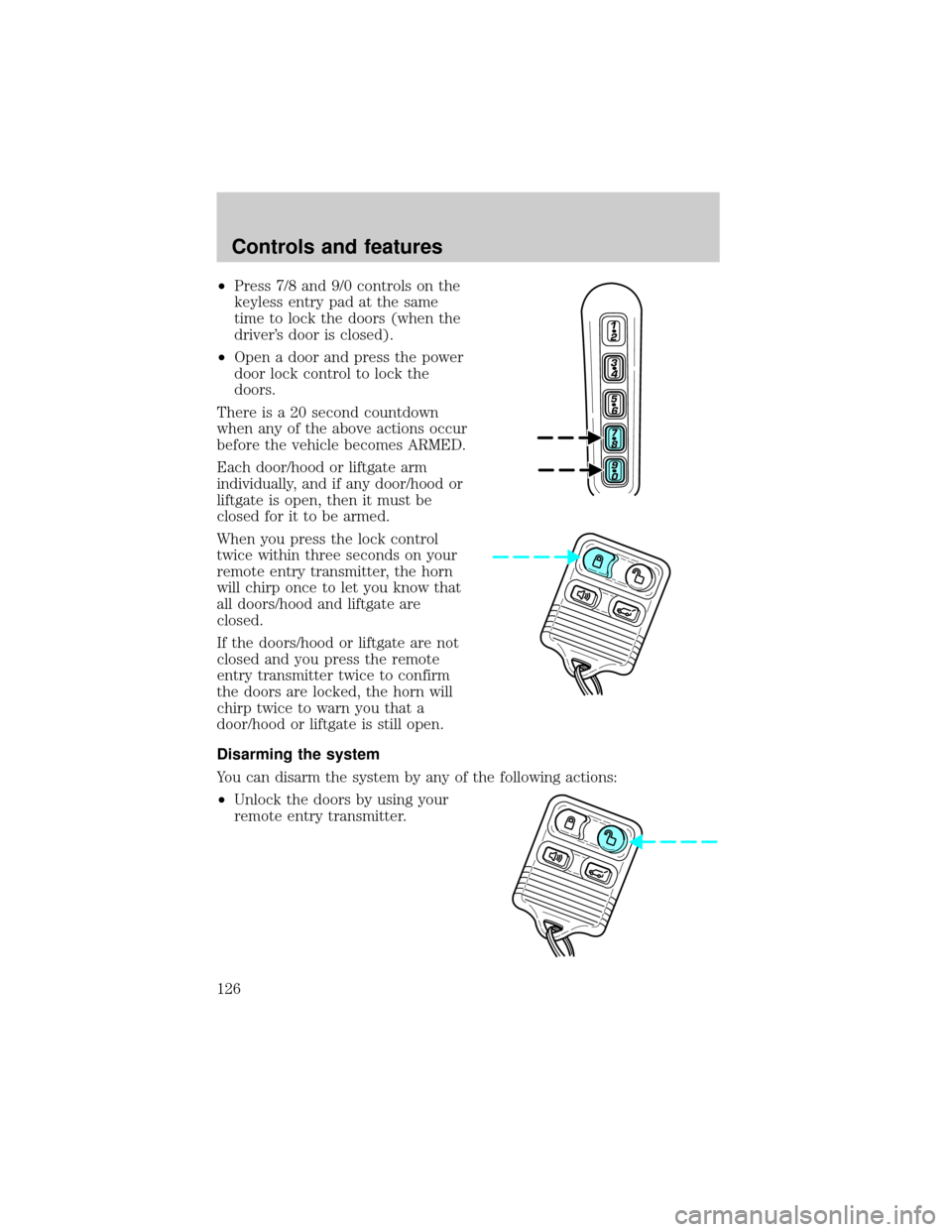
²Press 7/8 and 9/0 controls on the
keyless entry pad at the same
time to lock the doors (when the
driver's door is closed).
²Open a door and press the power
door lock control to lock the
doors.
There is a 20 second countdown
when any of the above actions occur
before the vehicle becomes ARMED.
Each door/hood or liftgate arm
individually, and if any door/hood or
liftgate is open, then it must be
closed for it to be armed.
When you press the lock control
twice within three seconds on your
remote entry transmitter, the horn
will chirp once to let you know that
all doors/hood and liftgate are
closed.
If the doors/hood or liftgate are not
closed and you press the remote
entry transmitter twice to confirm
the doors are locked, the horn will
chirp twice to warn you that a
door/hood or liftgate is still open.
Disarming the system
You can disarm the system by any of the following actions:
²Unlock the doors by using your
remote entry transmitter.
Controls and features
126
Page 127 of 312
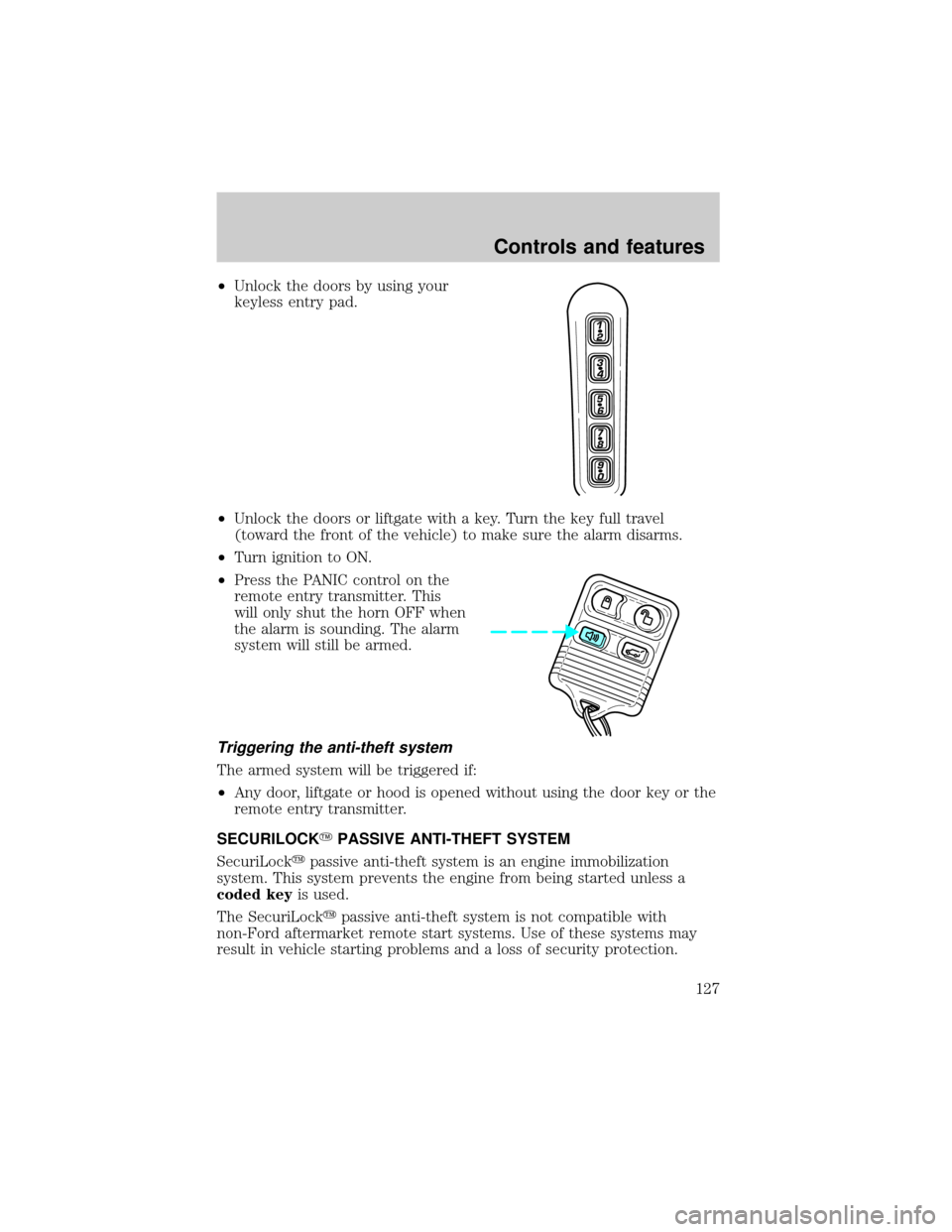
²Unlock the doors by using your
keyless entry pad.
²Unlock the doors or liftgate with a key. Turn the key full travel
(toward the front of the vehicle) to make sure the alarm disarms.
²Turn ignition to ON.
²Press the PANIC control on the
remote entry transmitter. This
will only shut the horn OFF when
the alarm is sounding. The alarm
system will still be armed.
Triggering the anti-theft system
The armed system will be triggered if:
²Any door, liftgate or hood is opened without using the door key or the
remote entry transmitter.
SECURILOCKYPASSIVE ANTI-THEFT SYSTEM
SecuriLockypassive anti-theft system is an engine immobilization
system. This system prevents the engine from being started unless a
coded keyis used.
The SecuriLockypassive anti-theft system is not compatible with
non-Ford aftermarket remote start systems. Use of these systems may
result in vehicle starting problems and a loss of security protection.
Controls and features
127
Page 128 of 312
Automatic arming
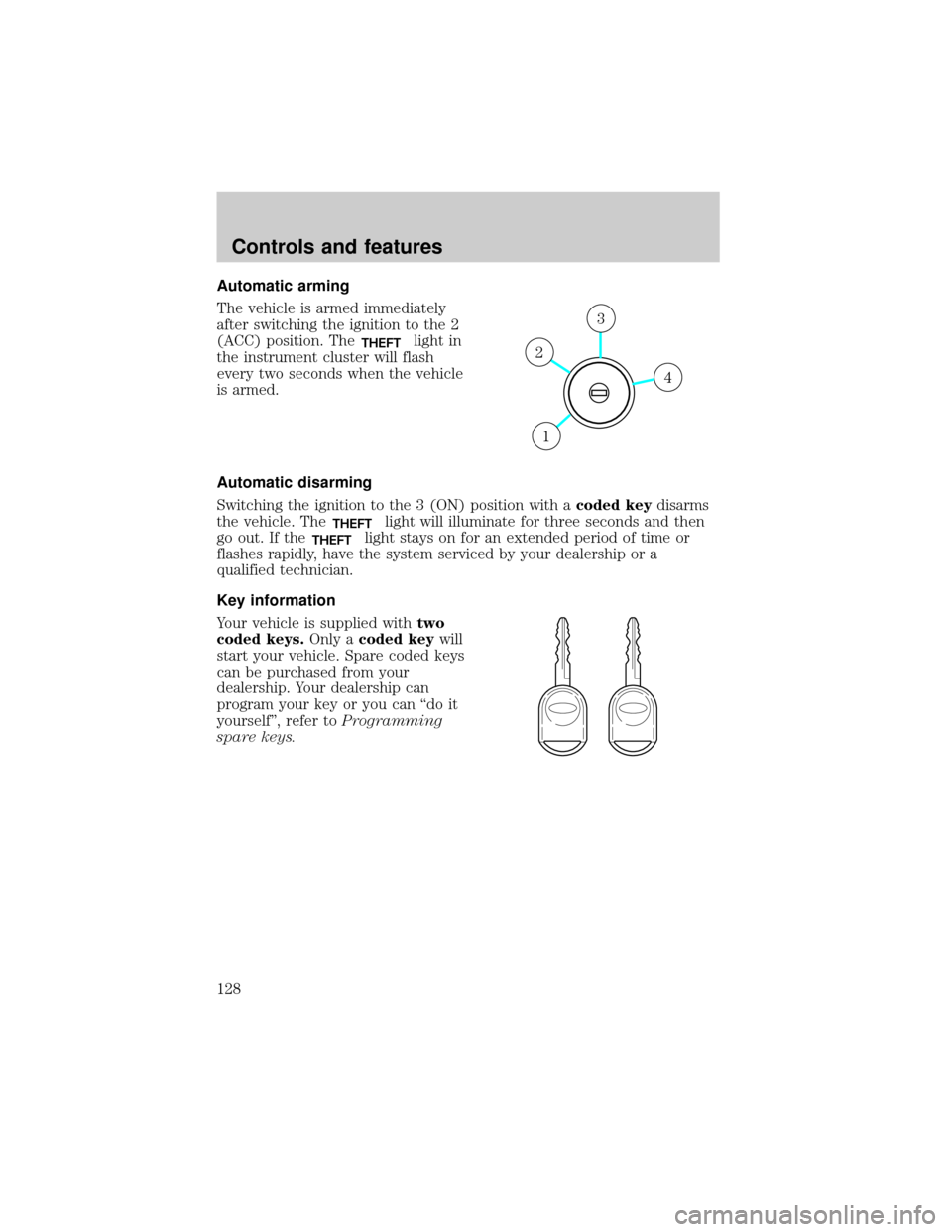
The vehicle is armed immediately
after switching the ignition to the 2
(ACC) position. The
THEFTlight in
the instrument cluster will flash
every two seconds when the vehicle
is armed.
Automatic disarming
Switching the ignition to the 3 (ON) position with acoded keydisarms
the vehicle. The
THEFTlight will illuminate for three seconds and then
go out. If the
THEFTlight stays on for an extended period of time or
flashes rapidly, have the system serviced by your dealership or a
qualified technician.
Key information
Your vehicle is supplied withtwo
coded keys.Only acoded keywill
start your vehicle. Spare coded keys
can be purchased from your
dealership. Your dealership can
program your key or you can ªdo it
yourselfº, refer toProgramming
spare keys.
4
3
2
1
Controls and features
128
Page 129 of 312
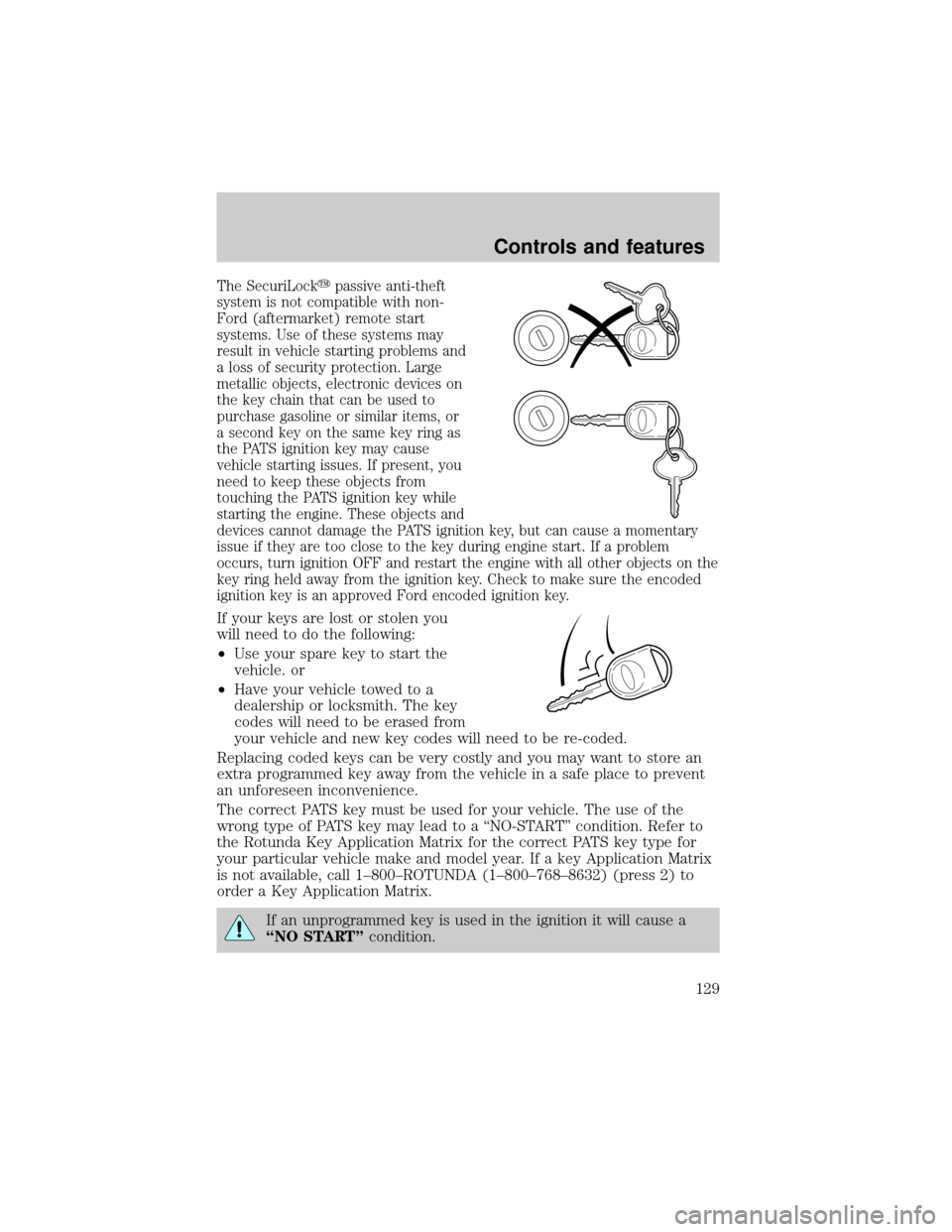
The SecuriLockypassive anti-theft
system is not compatible with non-
Ford (aftermarket) remote start
systems. Use of these systems may
result in vehicle starting problems and
a loss of security protection. Large
metallic objects, electronic devices on
the key chain that can be used to
purchase gasoline or similar items, or
a second key on the same key ring as
the PATS ignition key may cause
vehicle starting issues. If present, you
need to keep these objects from
touching the PATS ignition key while
starting the engine. These objects and
devices cannot damage the PATS ignition key, but can cause a momentary
issue if they are too close to the key during engine start. If a problem
occurs, turn ignition OFF and restart the engine with all other objects on the
key ring held away from the ignition key. Check to make sure the encoded
ignition key is an approved Ford encoded ignition key.
If your keys are lost or stolen you
will need to do the following:
²Use your spare key to start the
vehicle. or
²Have your vehicle towed to a
dealership or locksmith. The key
codes will need to be erased from
your vehicle and new key codes will need to be re-coded.
Replacing coded keys can be very costly and you may want to store an
extra programmed key away from the vehicle in a safe place to prevent
an unforeseen inconvenience.
The correct PATS key must be used for your vehicle. The use of the
wrong type of PATS key may lead to a ªNO-STARTº condition. Refer to
the Rotunda Key Application Matrix for the correct PATS key type for
your particular vehicle make and model year. If a key Application Matrix
is not available, call 1±800±ROTUNDA (1±800±768±8632) (press 2) to
order a Key Application Matrix.
If an unprogrammed key is used in the ignition it will cause a
ªNO STARTºcondition.
Controls and features
129
Page 130 of 312
Programming spare keys
A maximum of eight keys can be coded to your vehicle. Only
SecuriLockykeys can be used. To program acoded keyyourself, you
will need two previously programmedcoded keys(keys that already
operate your vehicle's engine) and the new unprogrammed key(s) readily
accessible for timely implementation of each step in the procedure.
If two previously programmed coded keys are not available (one or both
of your original keys were lost or stolen), you must bring your vehicle to
your dealership to have the spare coded key(s) programmed.
Please read and understand the entire procedure before you begin.
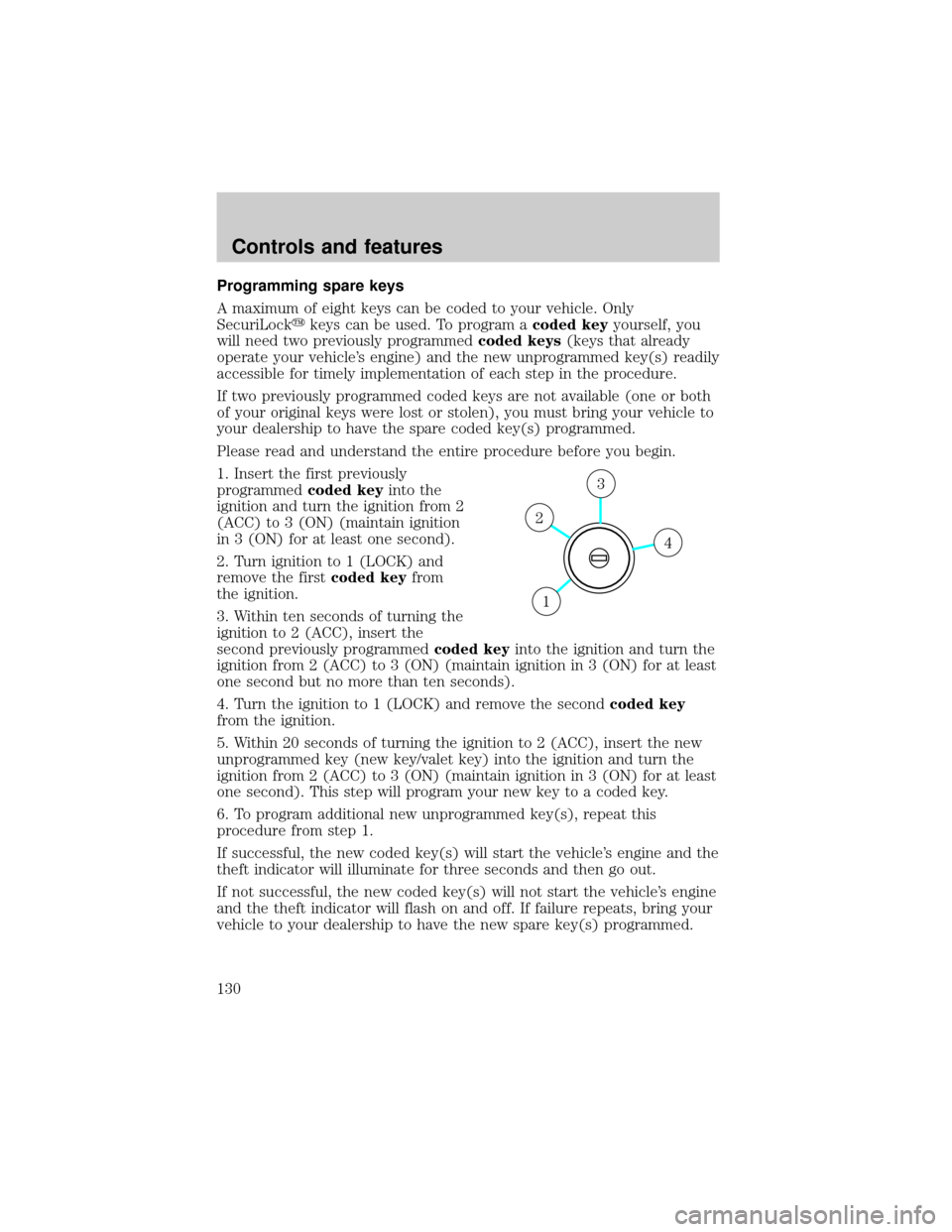
1. Insert the first previously
programmedcoded keyinto the
ignition and turn the ignition from 2
(ACC) to 3 (ON) (maintain ignition
in 3 (ON) for at least one second).
2. Turn ignition to 1 (LOCK) and
remove the firstcoded keyfrom
the ignition.
3. Within ten seconds of turning the
ignition to 2 (ACC), insert the
second previously programmedcoded keyinto the ignition and turn the
ignition from 2 (ACC) to 3 (ON) (maintain ignition in 3 (ON) for at least
one second but no more than ten seconds).
4. Turn the ignition to 1 (LOCK) and remove the secondcoded key
from the ignition.
5. Within 20 seconds of turning the ignition to 2 (ACC), insert the new
unprogrammed key (new key/valet key) into the ignition and turn the
ignition from 2 (ACC) to 3 (ON) (maintain ignition in 3 (ON) for at least
one second). This step will program your new key to a coded key.
6. To program additional new unprogrammed key(s), repeat this
procedure from step 1.
If successful, the new coded key(s) will start the vehicle's engine and the
theft indicator will illuminate for three seconds and then go out.
If not successful, the new coded key(s) will not start the vehicle's engine
and the theft indicator will flash on and off. If failure repeats, bring your
vehicle to your dealership to have the new spare key(s) programmed.
4
3
2
1
Controls and features
130
Page 172 of 312
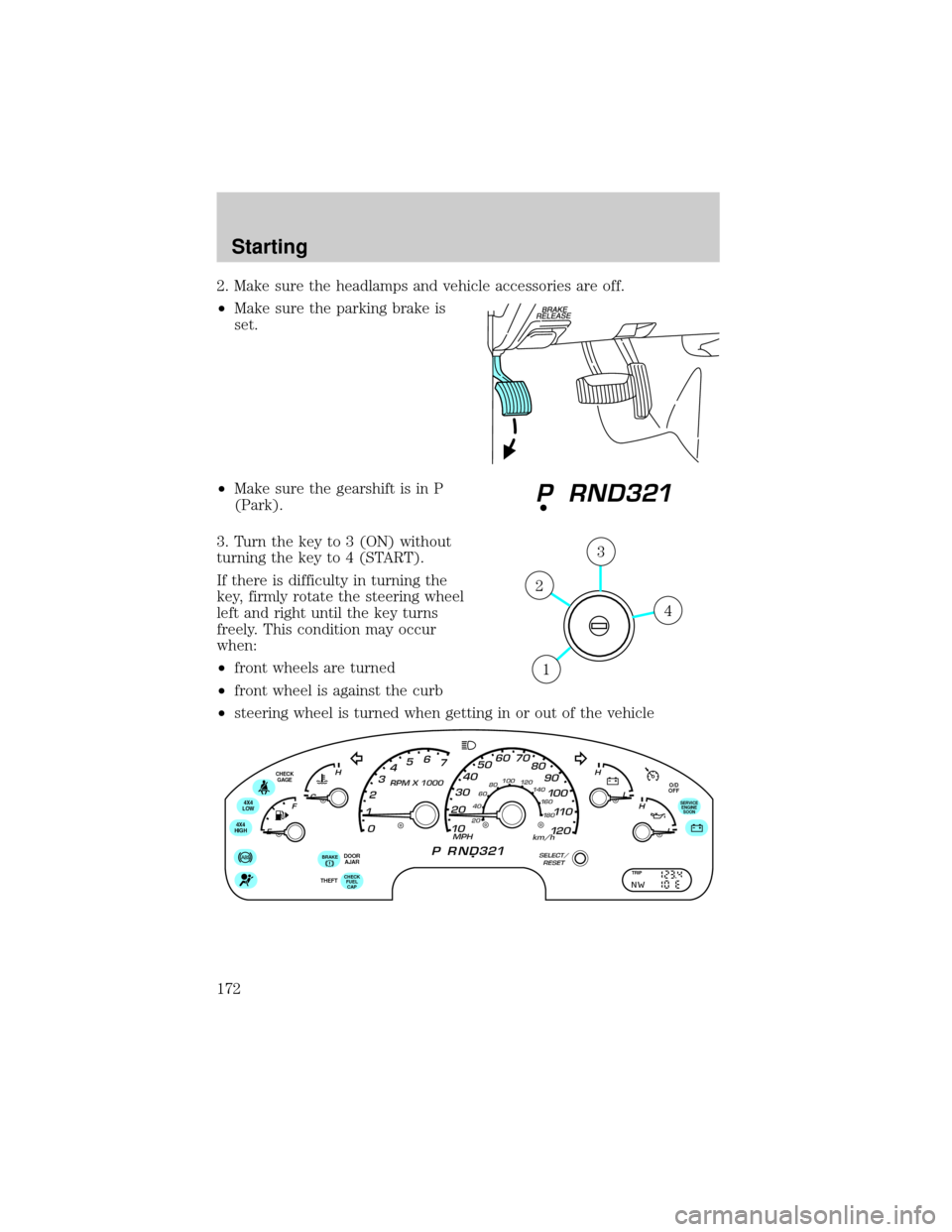
2. Make sure the headlamps and vehicle accessories are off.
²Make sure the parking brake is
set.
²Make sure the gearshift is in P
(Park).
3. Turn the key to 3 (ON) without
turning the key to 4 (START).
If there is difficulty in turning the
key, firmly rotate the steering wheel
left and right until the key turns
freely. This condition may occur
when:
²front wheels are turned
²front wheel is against the curb
²steering wheel is turned when getting in or out of the vehicle
4
3
2
1
O/D
OFF
DOOR
AJARCHECK
GAGE
4X4
LOW
4X4
HIGH
CHECK
FUEL
CAPTHEFT
BRAKE
SERVICE
ENGINE
SOON
TRIP
Starting
172
Page 173 of 312
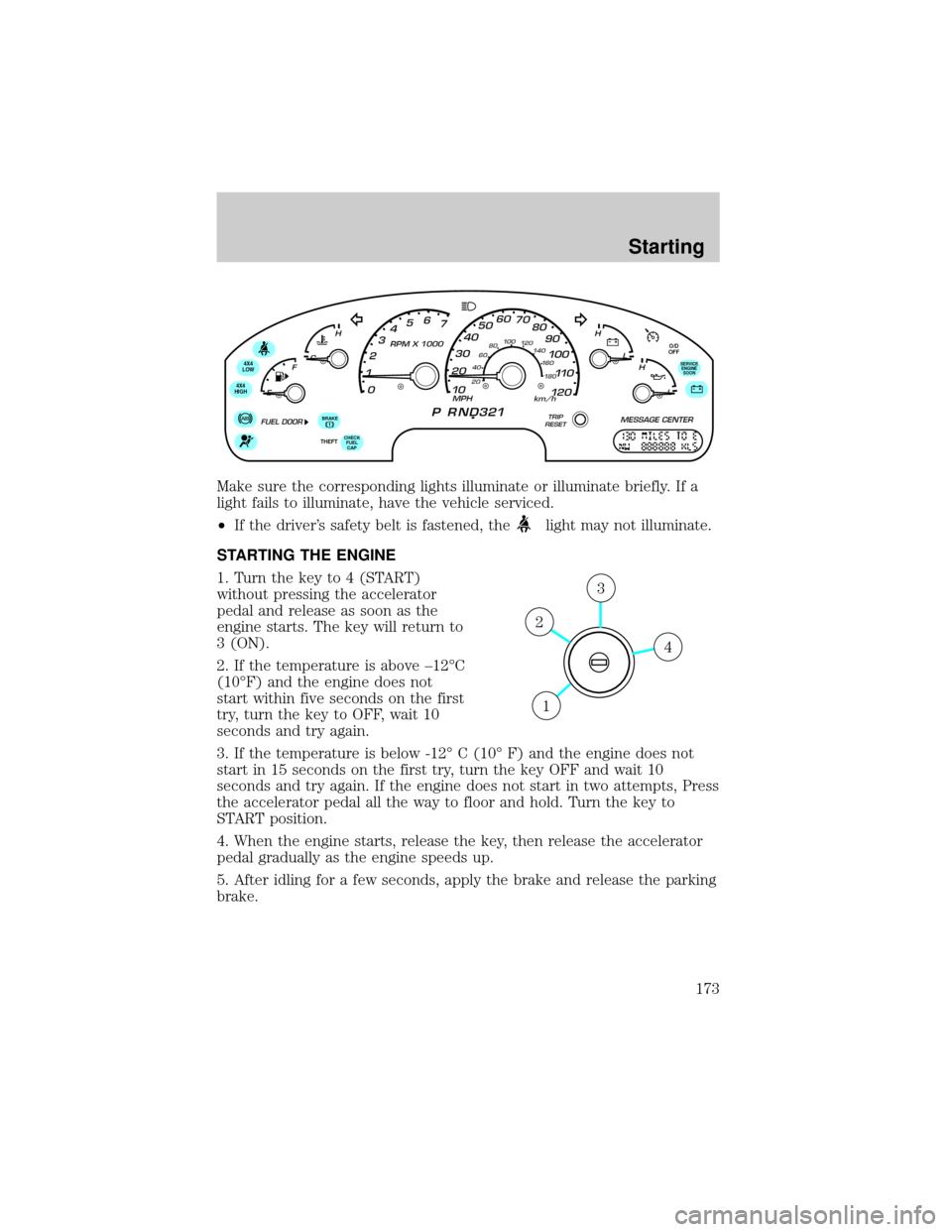
Make sure the corresponding lights illuminate or illuminate briefly. If a
light fails to illuminate, have the vehicle serviced.
²If the driver's safety belt is fastened, the
light may not illuminate.
STARTING THE ENGINE
1. Turn the key to 4 (START)
without pressing the accelerator
pedal and release as soon as the
engine starts. The key will return to
3 (ON).
2. If the temperature is above ±12ÉC
(10ÉF) and the engine does not
start within five seconds on the first
try, turn the key to OFF, wait 10
seconds and try again.
3. If the temperature is below -12É C (10É F) and the engine does not
start in 15 seconds on the first try, turn the key OFF and wait 10
seconds and try again. If the engine does not start in two attempts, Press
the accelerator pedal all the way to floor and hold. Turn the key to
START position.
4. When the engine starts, release the key, then release the accelerator
pedal gradually as the engine speeds up.
5. After idling for a few seconds, apply the brake and release the parking
brake.
O/D
OFF
4X4
LOW
4X4
HIGH
CHECK
FUEL
CAPTHEFT
BRAKE
SERVICE
ENGINE
SOON
4
3
2
1
Starting
173
Page 174 of 312

Cold weather starting (flexible fuel vehicles only)
As the outside temperature approaches freezing, ethanol fuel distributors
should supply winter grade ethanol (same as with unleaded gasoline). If
summer grade ethanol is used in cold weather conditions, you may
experience increased cranking times, rough idle or hesitation until the
engine has warmed up. Consult your fuel distributor for the availability of
winter grade ethanol.
Do not crank the engine for more than 30 seconds at a time as starter
damage may occur. If the engine fails to start, turn the key to OFF and
wait 30 seconds before trying again.
Do not use starting fluid such as ether in the air intake system (see Air
Cleaner Decal). Such fluid could cause immediate explosive damage to
the engine and possible personal injury.
If you should experience cold weather starting problems on ethanol, and
neither an alternative brand of ethanol nor an engine block heater is
available, the addition of unleaded gasoline to your tank will improve
cold starting performance. Your vehicle is designed to operate on ethanol
alone, unleaded gasoline alone, or any mixture of the two.
SeeChoosing the right fuelin theMaintenance and carechapter for
more information on diesel fuel.
If the engine fails to start using the preceding instructions
1. Press the accelerator pedal 1/3 to 1/2 of the way to floor and hold.
2. Turn the key to START position.
3. When the engine starts, release the key, then release the accelerator
pedal gradually as the engine speeds up.
4. If the engine still fails to start, repeat steps one through three.
5. After the engine starts, hold your foot on the brake pedal, put the
gearshift lever in gear and release the parking brake. Slowly release the
brake pedal and drive away in a normal manner.
Using the engine block heater (if equipped)
An engine block heater warms the engine coolant, which improves
starting, warms up the engine faster and allows the heater-defroster
system to respond quickly. Use of an engine block heater is strongly
recommended if you live in a region where temperatures reach -23ÉC
(-10ÉF) or below.
Starting
174