ESP FORD EXPLORER 2008 4.G User Guide
[x] Cancel search | Manufacturer: FORD, Model Year: 2008, Model line: EXPLORER, Model: FORD EXPLORER 2008 4.GPages: 384, PDF Size: 3.31 MB
Page 75 of 384
Safety information
Driving while distracted can result in loss of vehicle control,
accident and injury. Ford strongly recommends that drivers use
extreme caution when using any device that may take their focus off
the road. The drivers primary responsibility is the safe operation of
their vehicle. Only use cell phones and other devices not essential to
the driving task when it is safe to do so.
Read all of the safety and operating instructions before operating the
system and retain for future reference.
Do not attempt to service, repair or modify the Family Entertainment
System (FES). See your dealer.
Do not insert foreign objects into the DVD compartment.
Do not leave children unattended in the vehicle and do not let
children operate the system while unsupervised. If wired
headphones or auxiliary systems are used, children may become
entangled in the cords and seriously injure themselves.
The front glass on the liquid crystal display (LCD) flip-down
screen may break when hit with a hard surface. If the glass
breaks, do not touch the liquid crystalline material. In case of contact
with skin, wash immediately with soap and water.
The driver should not attempt to operate any function of the
DVD system while the vehicle is in motion. Give full attention to
driving and to the road. Pull off the road in a safe place before
inserting or extracting DVDs from the system. A remote control is
included in the system to allow the rear seat occupants to operate the
FES functions without distracting the driver.
Do not expose the liquid crystal display (LCD) flip-down screen
to direct sunlight or intensive ultraviolet rays for extensive
periods of time. Ultraviolet rays deteriorate the liquid crystal.
Be sure to review User Manuals for video games and video game
equipment when used as auxiliary inputs for your Family Entertainment
System (FES).
2008 Explorer(exp)
Owners Guide (post-2002-fmt)
USA(fus)
Entertainment Systems
75
Page 77 of 384
Temperature extremes
When the vehicle is parked under direct sunlight or in an extremely cold
place for a long period of time, wait until the cabin temperature of the
vehicle is at normal temperature before operating the system.
Humidity and moisture condensation
Moisture in the air will condense in the DVD player under extremely
humid conditions or when moving from a cold place to a warm one.
Moisture condensation may cause damage to the DVD and/or player. If
moisture condensation occurs, do not insert a CD or DVD into the
player. If one is already in the player, remove it. Turn the DVD player ON
to dry the moisture before inserting a DVD. This could take an hour or
more.
Foreign substances
Exercise care to prevent dirt and foreign objects from entering the DVD
player compartment. Be especially careful not to spill liquids of any kind
onto the media controls or into the system. If liquid is accidentally
spilled onto the system, immediately turn the system OFF and consult a
qualified service technician.
Cleaning the liquid crystal display (LCD) flip-down screen
Clean the display screen by applying a small amount of water or any
ammonia-based household glass cleaner directly to a soft cloth. Rub the
screen gently until the dust, dirt or fingerprints are removed. Do not
spray the screen directly with water or glass cleaning solvents. Overspray
from these fluids could drip down into the internal electronics of the
screen and cause damage. Do not apply excessive pressure while
cleaning the screen.
Cleaning DVD and CD discs
Inspect all discs for contamination before playing. If necessary, clean
discs only with an approved DVD and CD cleaner and wipe from the
center out to the edge. Do not use circular motion.
Compatibility with aftermarket audio systems (headphone only mode)
When the Family Entertainment System (FES) detects that the original
radio supplied by Ford Motor Company has been removed from the
vehicle, the FES will work in a state referred to as “Headphone Only
Mode.” This mode allows the FES to operate as a standalone system,
without interface to the radio.
2008 Explorer(exp)
Owners Guide (post-2002-fmt)
USA(fus)
Entertainment Systems
77
Page 108 of 384
Turning off speed control
There are two ways to turn off the speed control:
•Depress the brake pedal. This will not erase your vehicle’s previously
set speed.
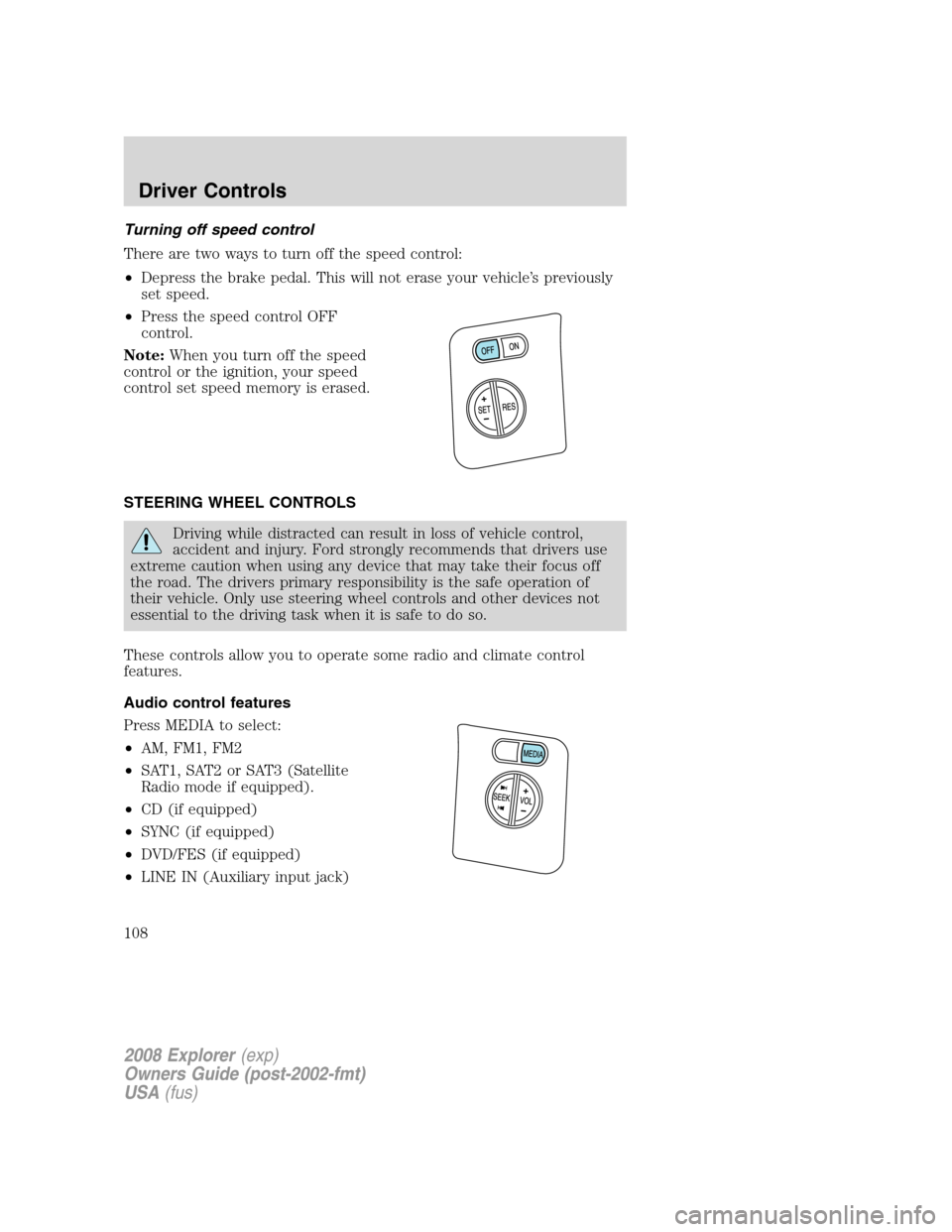
•Press the speed control OFF
control.
Note:When you turn off the speed
control or the ignition, your speed
control set speed memory is erased.
STEERING WHEEL CONTROLS
Driving while distracted can result in loss of vehicle control,
accident and injury. Ford strongly recommends that drivers use
extreme caution when using any device that may take their focus off
the road. The drivers primary responsibility is the safe operation of
their vehicle. Only use steering wheel controls and other devices not
essential to the driving task when it is safe to do so.
These controls allow you to operate some radio and climate control
features.
Audio control features
Press MEDIA to select:
•AM, FM1, FM2
•SAT1, SAT2 or SAT3 (Satellite
Radio mode if equipped).
•CD (if equipped)
•SYNC (if equipped)
•DVD/FES (if equipped)
•LINE IN (Auxiliary input jack)
2008 Explorer(exp)
Owners Guide (post-2002-fmt)
USA(fus)
Driver Controls
108
Page 151 of 384
CHILDPROOF DOOR LOCKS
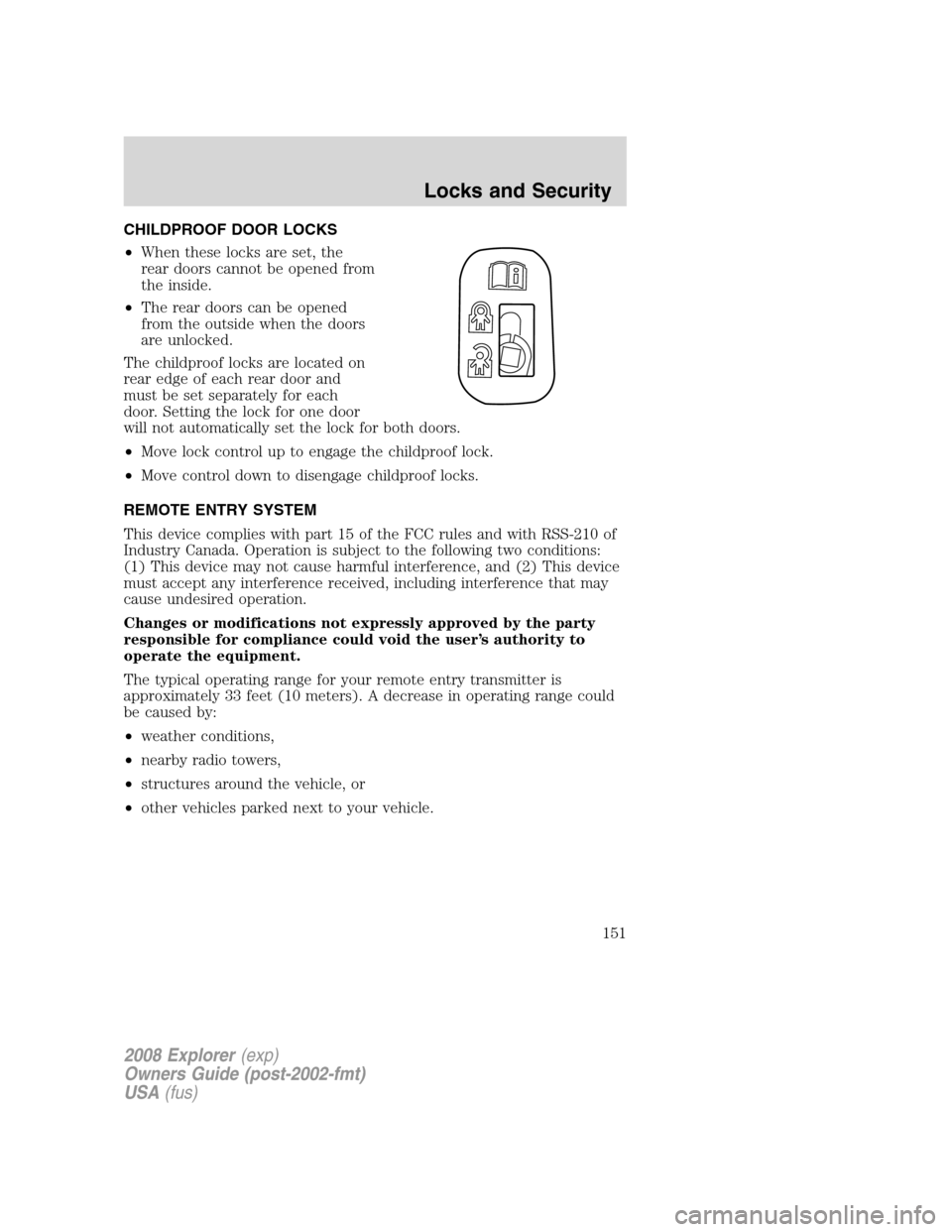
•When these locks are set, the
rear doors cannot be opened from
the inside.
•The rear doors can be opened
from the outside when the doors
are unlocked.
The childproof locks are located on
rear edge of each rear door and
must be set separately for each
door. Setting the lock for one door
will not automatically set the lock for both doors.
•Move lock control up to engage the childproof lock.
•Move control down to disengage childproof locks.
REMOTE ENTRY SYSTEM
This device complies with part 15 of the FCC rules and with RSS-210 of
Industry Canada. Operation is subject to the following two conditions:
(1) This device may not cause harmful interference, and (2) This device
must accept any interference received, including interference that may
cause undesired operation.
Changes or modifications not expressly approved by the party
responsible for compliance could void the user’s authority to
operate the equipment.
The typical operating range for your remote entry transmitter is
approximately 33 feet (10 meters). A decrease in operating range could
be caused by:
•weather conditions,
•nearby radio towers,
•structures around the vehicle, or
•other vehicles parked next to your vehicle.
2008 Explorer(exp)
Owners Guide (post-2002-fmt)
USA(fus)
Locks and Security
151
Page 154 of 384
Memory seats/adjustable pedals/easy entry-exit feature
(if equipped)
The remote entry system can also control the memory seat /adjustable
pedals/easy entry-exit feature.
Press
to automatically move the seat and adjustable pedals to the
desired memory position (the seat position corresponds to the
transmitter being used).
Activating the memory seat feature
To activate this feature:
1. Position the seat and adjustable pedals to the position desired.
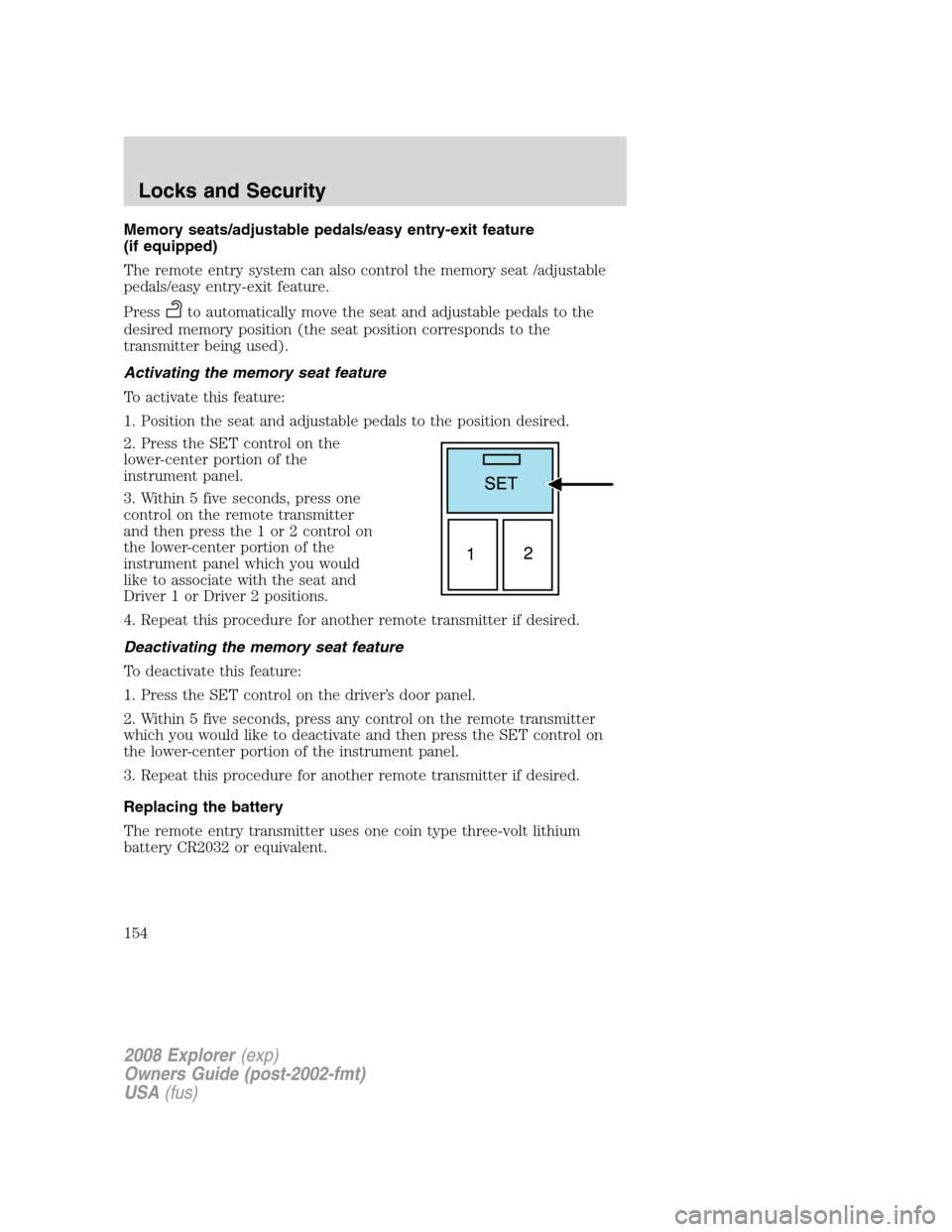
2. Press the SET control on the
lower-center portion of the
instrument panel.
3. Within 5 five seconds, press one
control on the remote transmitter
and then press the 1 or 2 control on
the lower-center portion of the
instrument panel which you would
like to associate with the seat and
Driver 1 or Driver 2 positions.
4. Repeat this procedure for another remote transmitter if desired.
Deactivating the memory seat feature
To deactivate this feature:
1. Press the SET control on the driver’s door panel.
2. Within 5 five seconds, press any control on the remote transmitter
which you would like to deactivate and then press the SET control on
the lower-center portion of the instrument panel.
3. Repeat this procedure for another remote transmitter if desired.
Replacing the battery
The remote entry transmitter uses one coin type three-volt lithium
battery CR2032 or equivalent.
2008 Explorer(exp)
Owners Guide (post-2002-fmt)
USA(fus)
Locks and Security
154
Page 168 of 384
A position can be recalled:
•in any gearshift position if the ignition isnotin the RUN position.
•only in Park or Neutral if the ignition is in the RUN position.
A memory seat position may be programmed at any time.
The memory positions are also recalled when you press your remote
entry transmitter UNLOCK control if the transmitter is programmed to a
memory position or when you enter a valid personal entry code that is
programmed to a memory position.
To program the memory feature to a remote entry transmitter and for
more information on how to use the keypad, refer toRemote entry
systemandKeyless entry systemin theLocks and Securitychapter.
Heated seats (if equipped)
Persons who are unable to feel pain to the skin because of
advanced age, chronic illness, diabetes, spinal cord injury,
medication, alcohol use, exhaustion, or other physical conditions, must
exercise care when using the seat heater. The seat heater may cause
burns even at low temperatures, especially if used for long periods of
time. Do not place anything on the seat that insulates against heat,
such as a blanket or cushion, because this may cause the seat heater
to overheat.
Do not puncture the seat with pins, needles, or other pointed
objects.
Note:Do not do the following:
•Place heavy objects on the seat
•Operate the seat heater if water or any other liquid is spilled on the
seat. Allow the seat to dry thoroughly.
The heated seat control is located in the lower center of the instrument
panel.
2008 Explorer(exp)
Owners Guide (post-2002-fmt)
USA(fus)
Seating and Safety Restraints
168
Page 179 of 384
Air bags can kill or injure a child in a child seat.NEVERplace a
rear-facing child seat in front of an active air bag. If you must
use a forward-facing child seat in the front seat, move the seat all the
way back.
Always transport children 12 years old and under in the back
seat and always properly use appropriate child restraints.
The front passenger sensing system can automatically turn off the front
passenger airbag and passenger seat-mounted side airbag. The system is
designed to help protect small (child size) occupants from frontal airbag
deployments when they are seated or restrained in the front passenger
seat contrary to proper child-seating or restraint usage
recommendations. Even with this technology, parents areSTRONGLY
encouraged to always properly restrain children in the rear seat. The
sensor also turns off the passenger front airbag and passenger
seat-mounted side airbag when the passenger seat is empty.
Front safety belt usage sensors
The front safety belt usage sensors detect whether or not the driver and
front outboard passenger safety belts are fastened. This information
allows your Personal Safety System™ to tailor the airbag deployment
and safety belt pretensioner activation depending upon safety belt usage.
Refer toSafety restraintssection in this chapter.
Front safety belt pretensioners
The safety belt pretensioners at the front outboard seating positions are
designed to tighten the safety belts firmly against the occupant’s body
during frontal collisions, and in side collisions and rollovers. This helps
increase the effectiveness of the safety belts. In frontal collisions, the
safety belt pretensioners can be activated alone or, if the collision is of
sufficient severity, together with the front airbags.
Front safety belt energy management retractors
The front outboard safety belt energy management retractors allow webbing
to be pulled out of the retractor in a gradual and controlled manner in
response to the occupant’s forward momentum. This helps reduce the risk
of force-related injuries to the occupant’s chest by limiting the load on the
occupant. Refer toSafety restraintssection in this chapter.
2008 Explorer(exp)
Owners Guide (post-2002-fmt)
USA(fus)
Seating and Safety Restraints
179
Page 182 of 384
Combination lap and shoulder belts
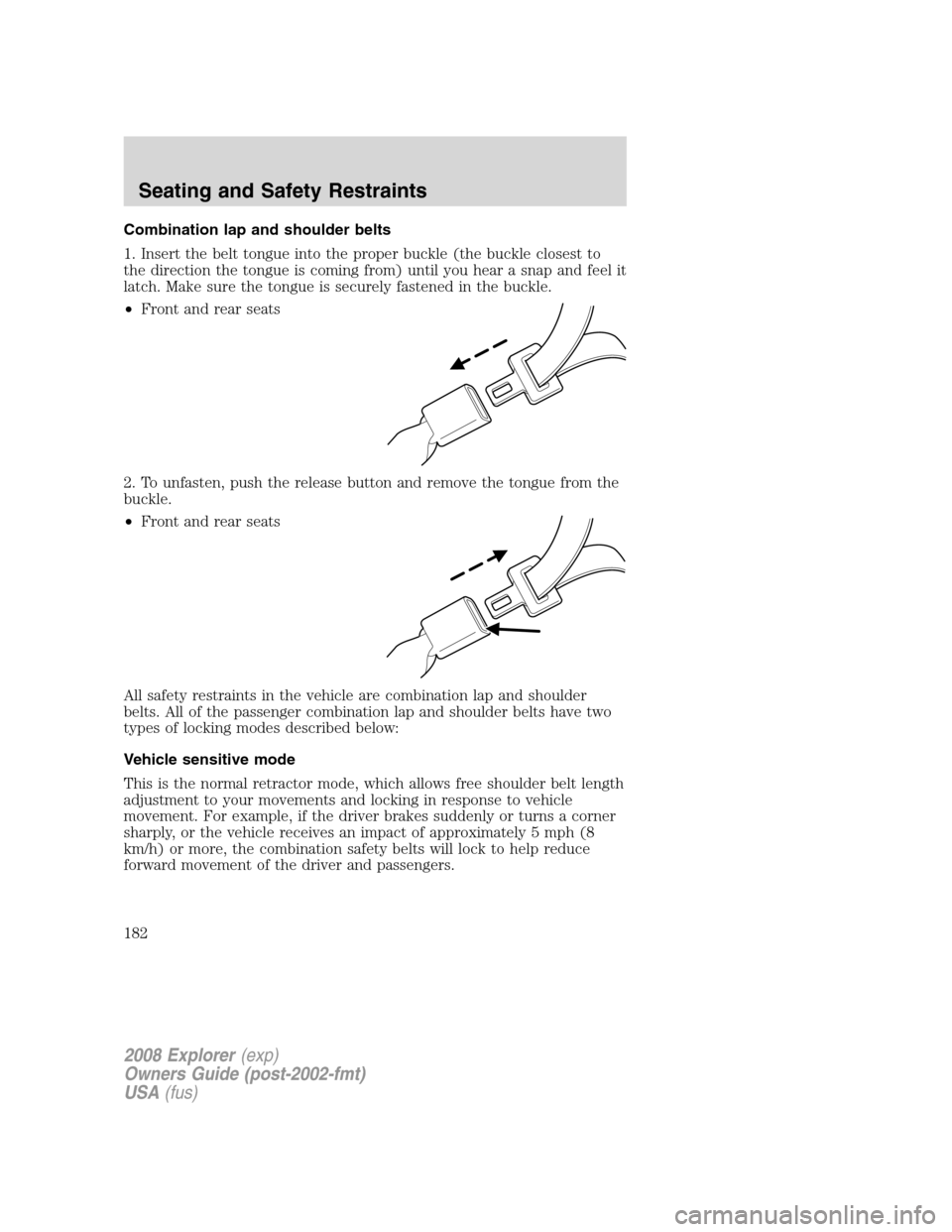
1. Insert the belt tongue into the proper buckle (the buckle closest to
the direction the tongue is coming from) until you hear a snap and feel it
latch. Make sure the tongue is securely fastened in the buckle.
•Front and rear seats
2. To unfasten, push the release button and remove the tongue from the
buckle.
•Front and rear seats
All safety restraints in the vehicle are combination lap and shoulder
belts. All of the passenger combination lap and shoulder belts have two
types of locking modes described below:
Vehicle sensitive mode
This is the normal retractor mode, which allows free shoulder belt length
adjustment to your movements and locking in response to vehicle
movement. For example, if the driver brakes suddenly or turns a corner
sharply, or the vehicle receives an impact of approximately 5 mph (8
km/h) or more, the combination safety belts will lock to help reduce
forward movement of the driver and passengers.
2008 Explorer(exp)
Owners Guide (post-2002-fmt)
USA(fus)
Seating and Safety Restraints
182
Page 184 of 384
•Allow the belt to retract. As the belt retracts, you will hear a clicking
sound. This indicates the safety belt is now in the automatic locking
mode.
How to disengage the automatic locking mode
Unbuckle the combination lap and shoulder belt and allow it to retract
completely to disengage the automatic locking mode and activate the
vehicle sensitive mode.
After any vehicle collision, the combination lap and shoulder belt
system at all passenger seating positions must be checked by an
authorized dealer to verify that the “automatic locking retractor”
feature for child seats is still functioning properly, in addition to other
checks for proper safety belt system function.
BELT AND RETRACTOR ASSEMBLY MUST BE REPLACED if
the safety belt assembly “automatic locking retractor” feature or
any other safety belt function is not operating properly. In addition, all
safety belts should be checked for proper function. Failure to replace
the belt and retractor assembly could increase the risk of injury in
collisions.
Safety belt pretensioner
Your vehicle is equipped with safety belt pretensioners at the driver and
right front passenger seating positions.
The safety belt pretensioner tightens the safety belts firmly against the
occupant’s body at the start of the crash.
When the Safety Canopy™ system, seat-mounted side airbags, and/or the
front airbags are activated, the safety belt pretensioners for the driver
and right front passenger seating positions will be activated when the
respective seatbelt is properly buckled.
The driver and front passenger safety belt system (including
retractors, buckles and height adjusters) must be replaced if the
vehicle is involved in a collision that results in deployment of front
airbags, seat-mounted side airbags and Safety Canopy™, and safety
belt pretensioners.
Refer to theSafety belt maintenancesection in this chapter.
2008 Explorer(exp)
Owners Guide (post-2002-fmt)
USA(fus)
Seating and Safety Restraints
184
Page 206 of 384
Determining if the system is operational
The SRS uses a readiness light in the instrument cluster or a tone to
indicate the condition of the system. Refer to theAirbag readiness
section in theInstrument Clusterchapter. Routine maintenance of the
airbag is not required.
Any difficulty with the system is indicated by one or more of the
following:
•The readiness light (same light as for front airbag system) will either
flash or stay lit.
•The readiness light will not illuminate immediately after ignition is
turned on.
•A series of five beeps will be heard. The tone pattern will repeat
periodically until the problem and light are repaired.
If any of these things happen, even intermittently, have the SRS serviced
at authorized dealer immediately. Unless serviced, the system may not
function properly in the event of a collision or rollover event.
Disposal of airbags and airbag equipped vehicles (including
pretensioners)
See your authorized dealer. Airbags MUST BE disposed of by qualified
personnel.
SAFETY RESTRAINTS FOR CHILDREN
See the following sections for directions on how to properly use safety
restraints for children. Also seeAirbag supplemental restraint system
(SRS)in this chapter for special instructions about using airbags.
Important child restraint precautions
You are required by law to use safety restraints for children in the U.S.
and Canada. If small children (generally children who are four years old
or younger and who weigh 40 lb. [18 kg] or less) ride in your vehicle, you
must put them in safety seats made especially for children. Many states
require that children use approved booster seats until they are eight
years old. Check your local and state or provincial laws for specific
requirements regarding the safety of children in your vehicle. When
possible, always place children under age 12 in the rear seat of your
vehicle. Accident statistics suggest that children are safer when properly
restrained in the rear seating positions than in the front seating position.
2008 Explorer(exp)
Owners Guide (post-2002-fmt)
USA(fus)
Seating and Safety Restraints
206