oil FORD EXPLORER 2008 4.G User Guide
[x] Cancel search | Manufacturer: FORD, Model Year: 2008, Model line: EXPLORER, Model: FORD EXPLORER 2008 4.GPages: 384, PDF Size: 3.31 MB
Page 126 of 384
CHECK TURN LAMP.Displayed when the turn lamps are activated and
at least one bulb is burned out. Check the lamps as soon as possible and
have the burned out lamp replaced. Refer toReplacing headlamp bulbs
in theLightschapter.
WASHER FLUID LEVEL LOW.Indicates the washer fluid reservoir is
less than one quarter full. Check the washer fluid level. Refer to
Windshield washer fluidin theMaintenance and Specifications
chapter.
OIL CHANGE REQUIRED.Displayed when the engine oil life
remaining is 0%.
An oil change is required whenever indicated by the message center and
according to the recommended maintenance schedule. USE ONLY
RECOMMENDED ENGINE OILS.
ENGINE OIL CHANGE SOON.Displayed when the engine oil life
reaches 5% or less of the Oil Life Start Value.
LIFTGATE/GLASS AJAR.Displayed when the liftgate or the liftgate
glass is not completely closed.
FOR 4X4 LOW STOP VEHICLE (if equipped).Displayed when 4X4
LOW is selected while the vehicle is moving. For more information, refer
toControl trac four-wheel drive (4x4) operationin theDriving
chapter.
FOR 4X4 LOW SHIFT TO N (if equipped).Displayed when 4X4 LOW
is selected and the vehicle is stopped. For more information, refer to
Control trac four-wheel drive (4x4) operationin theDrivingchapter.
TO EXIT 4X4 LOW STOP VEHICLE (if equipped).Displayed when
2WD is selected while the vehicle is operating in 4X4 LOW. For more
information, refer toControl trac four-wheel drive (4x4) operationin
theDrivingchapter.
TO EXIT 4X4 LOW SHIFT TO N (if equipped).Displayed when 2WD
is selected while the vehicle has been stopped in 4X4 LOW. For more
information, refer toControl trac four-wheel drive (4x4) operationin
theDrivingchapter.
2008 Explorer(exp)
Owners Guide (post-2002-fmt)
USA(fus)
Driver Controls
126
Page 130 of 384
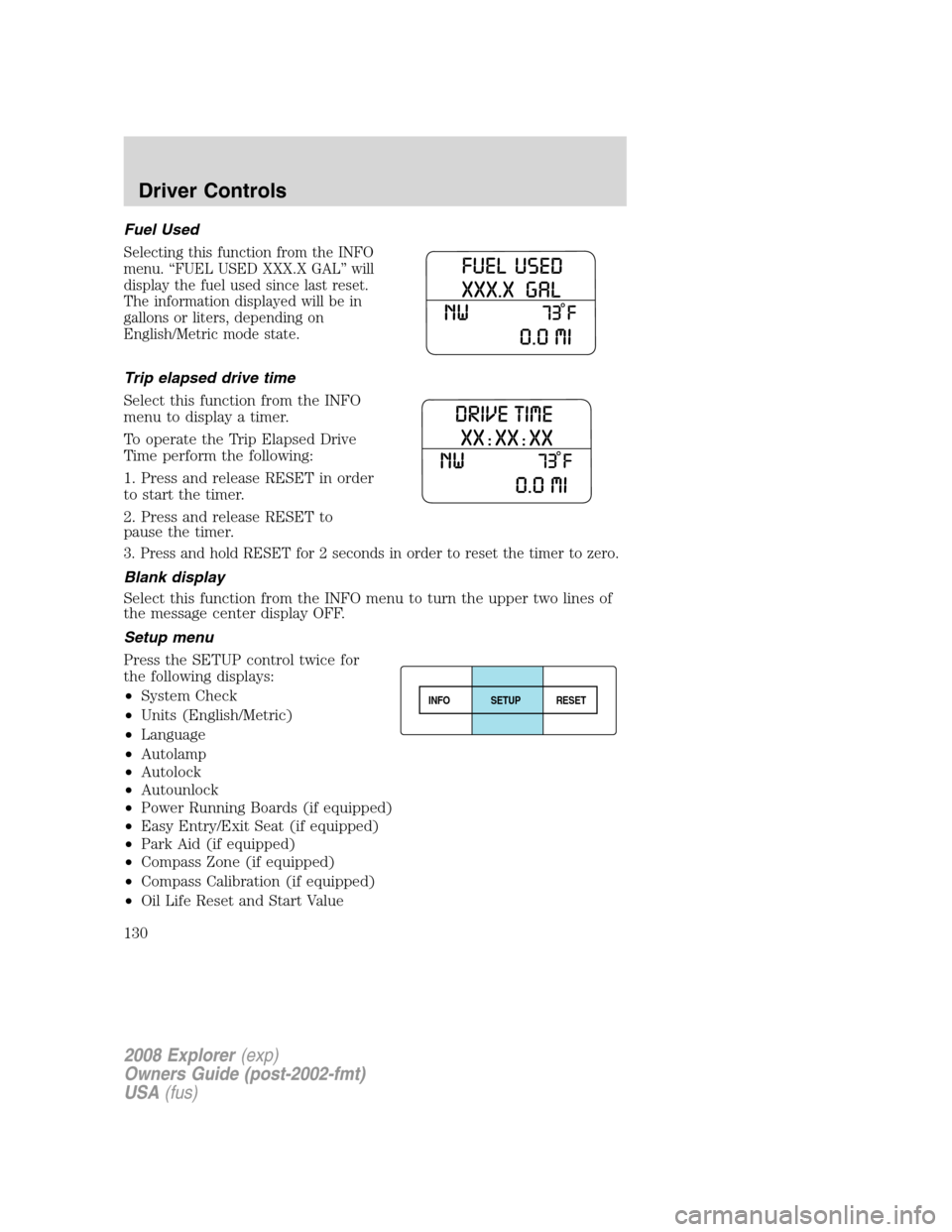
Fuel Used
Selecting this function from the INFO
menu. “FUEL USED XXX.X GAL” will
display the fuel used since last reset.
The information displayed will be in
gallons or liters, depending on
English/Metric mode state.
Trip elapsed drive time
Select this function from the INFO
menu to display a timer.
To operate the Trip Elapsed Drive
Time perform the following:
1. Press and release RESET in order
to start the timer.
2. Press and release RESET to
pause the timer.
3. Press and hold RESET for 2 seconds in order to reset the timer to zero.
Blank display
Select this function from the INFO menu to turn the upper two lines of
the message center display OFF.
Setup menu
Press the SETUP control twice for
the following displays:
•System Check
•Units (English/Metric)
•Language
•Autolamp
•Autolock
•Autounlock
•Power Running Boards (if equipped)
•Easy Entry/Exit Seat (if equipped)
•Park Aid (if equipped)
•Compass Zone (if equipped)
•Compass Calibration (if equipped)
•Oil Life Reset and Start Value
INFOSETUP
RESET
2008 Explorer(exp)
Owners Guide (post-2002-fmt)
USA(fus)
Driver Controls
130
Page 131 of 384
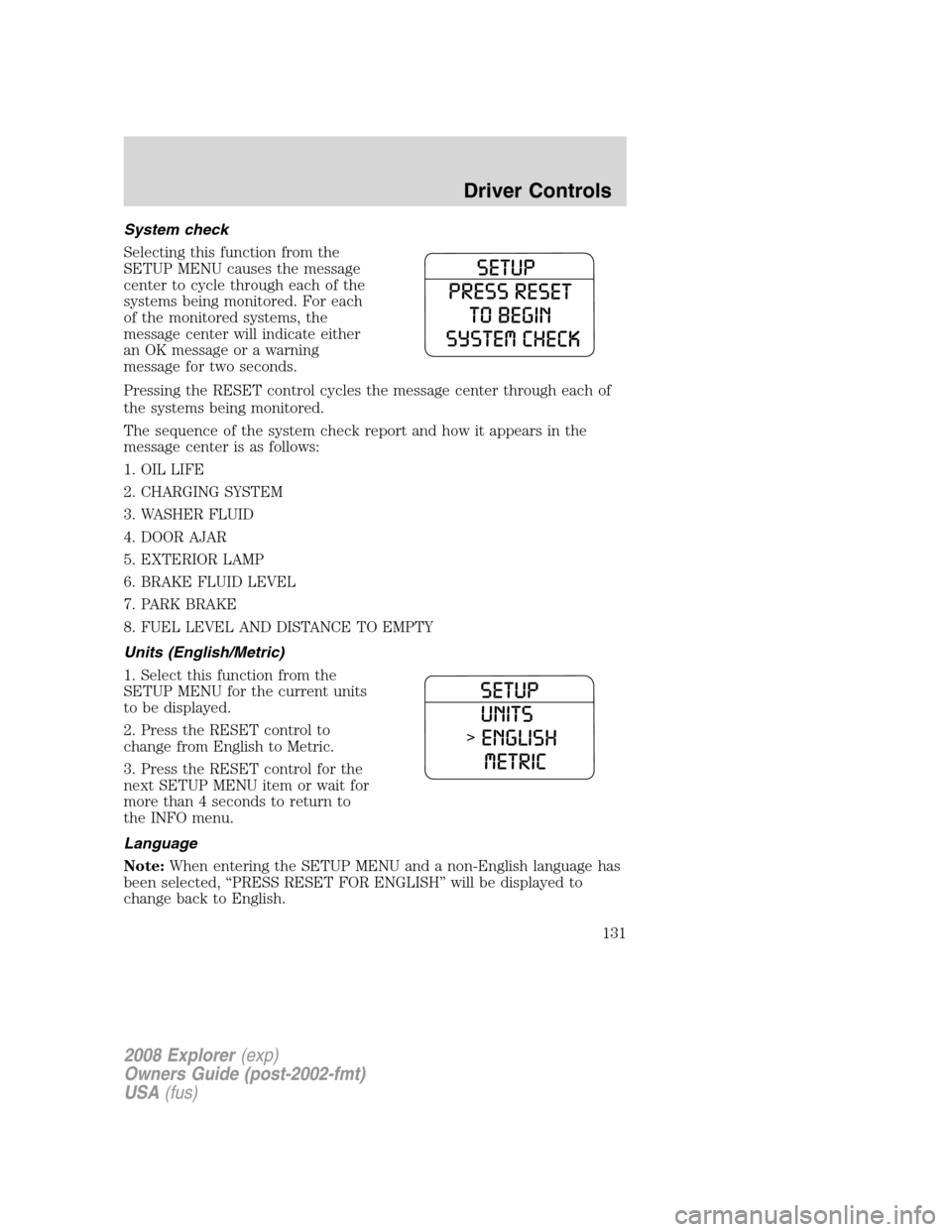
System check
Selecting this function from the
SETUP MENU causes the message
center to cycle through each of the
systems being monitored. For each
of the monitored systems, the
message center will indicate either
an OK message or a warning
message for two seconds.
Pressing the RESET control cycles the message center through each of
the systems being monitored.
The sequence of the system check report and how it appears in the
message center is as follows:
1. OIL LIFE
2. CHARGING SYSTEM
3. WASHER FLUID
4. DOOR AJAR
5. EXTERIOR LAMP
6. BRAKE FLUID LEVEL
7. PARK BRAKE
8. FUEL LEVEL AND DISTANCE TO EMPTY
Units (English/Metric)
1. Select this function from the
SETUP MENU for the current units
to be displayed.
2. Press the RESET control to
change from English to Metric.
3. Press the RESET control for the
next SETUP MENU item or wait for
more than 4 seconds to return to
the INFO menu.
Language
Note:When entering the SETUP MENU and a non-English language has
been selected, “PRESS RESET FOR ENGLISH” will be displayed to
change back to English.
2008 Explorer(exp)
Owners Guide (post-2002-fmt)
USA(fus)
Driver Controls
131
Page 136 of 384
Compass calibration adjustment
Perform compass calibration in an open area free from steel structures
and high voltage lines. For optimum calibration, turn off all electrical
accessories (heater/air conditioning, wipers, etc.) and make sure all
vehicle doors are shut.
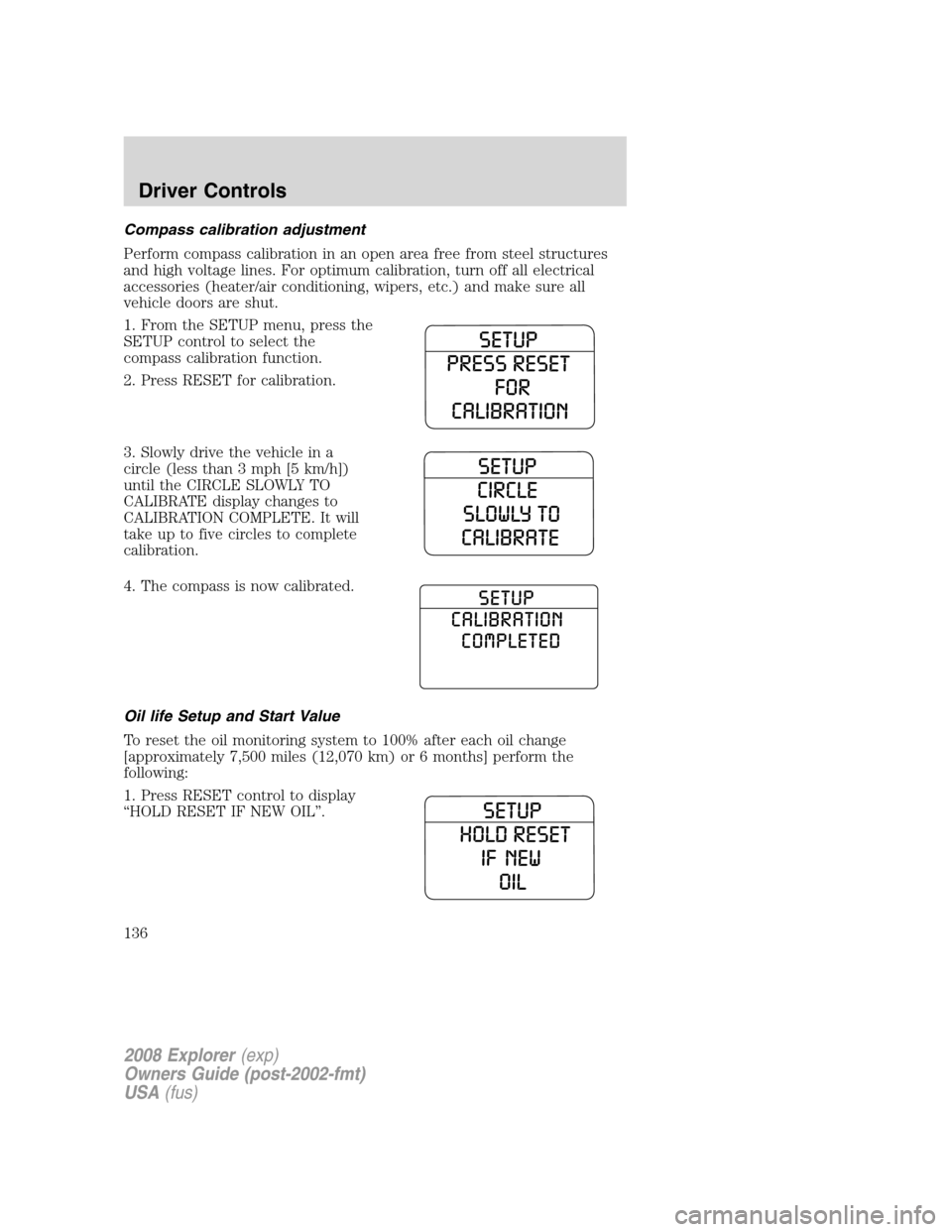
1. From the SETUP menu, press the
SETUP control to select the
compass calibration function.
2. Press RESET for calibration.
3. Slowly drive the vehicle in a
circle (less than 3 mph [5 km/h])
until the CIRCLE SLOWLY TO
CALIBRATE display changes to
CALIBRATION COMPLETE. It will
take up to five circles to complete
calibration.
4. The compass is now calibrated.
Oil life Setup and Start Value
To reset the oil monitoring system to 100% after each oil change
[approximately 7,500 miles (12,070 km) or 6 months] perform the
following:
1. Press RESET control to display
“HOLD RESET IF NEW OIL”.
2008 Explorer(exp)
Owners Guide (post-2002-fmt)
USA(fus)
Driver Controls
136
Page 137 of 384
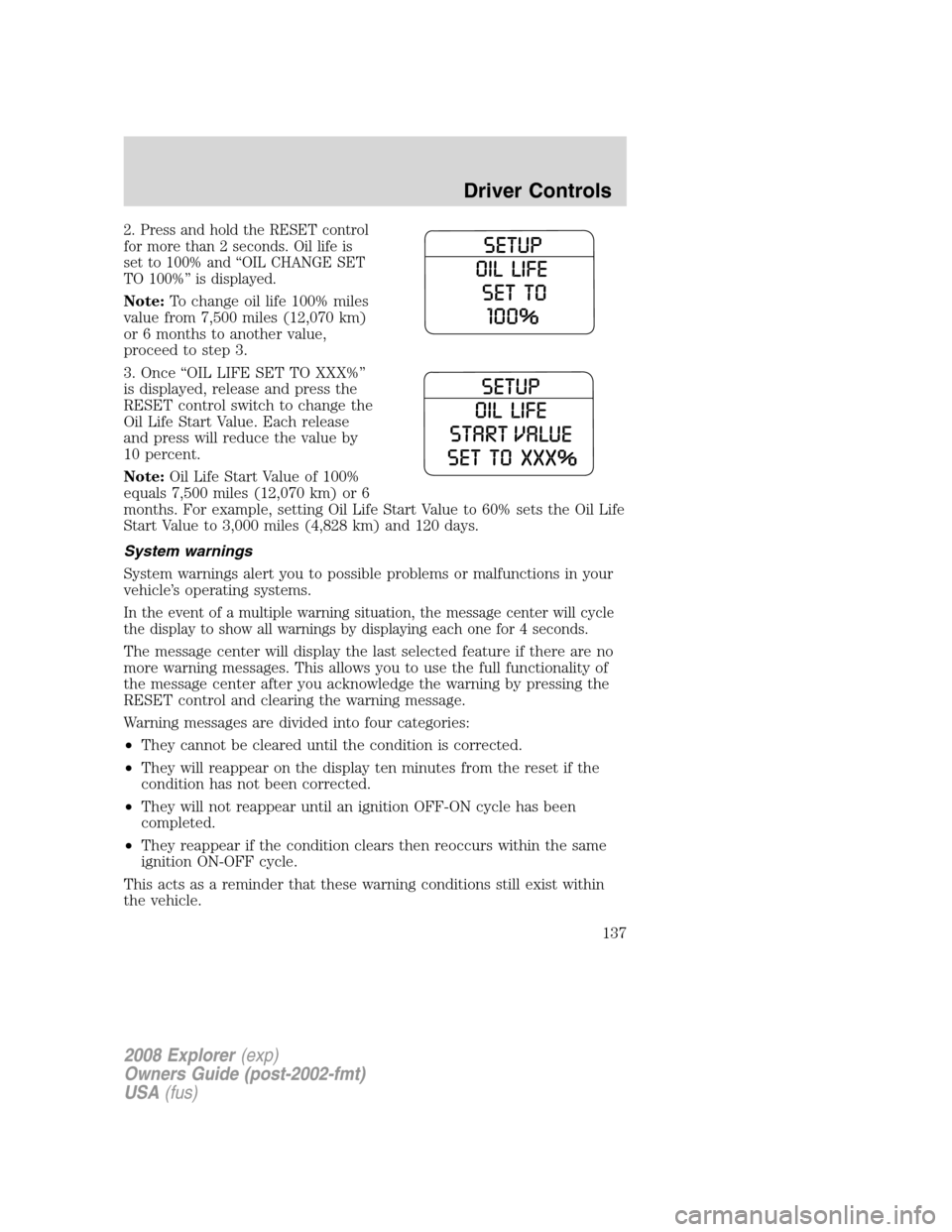
2. Press and hold the RESET control
for more than 2 seconds. Oil life is
set to 100% and “OIL CHANGE SET
TO 100%” is displayed.
Note:To change oil life 100% miles
value from 7,500 miles (12,070 km)
or 6 months to another value,
proceed to step 3.
3. Once “OIL LIFE SET TO XXX%”
is displayed, release and press the
RESET control switch to change the
Oil Life Start Value. Each release
and press will reduce the value by
10 percent.
Note:Oil Life Start Value of 100%
equals 7,500 miles (12,070 km) or 6
months. For example, setting Oil Life Start Value to 60% sets the Oil Life
Start Value to 3,000 miles (4,828 km) and 120 days.
System warnings
System warnings alert you to possible problems or malfunctions in your
vehicle’s operating systems.
In the event of a multiple warning situation, the message center will cycle
the display to show all warnings by displaying each one for 4 seconds.
The message center will display the last selected feature if there are no
more warning messages. This allows you to use the full functionality of
the message center after you acknowledge the warning by pressing the
RESET control and clearing the warning message.
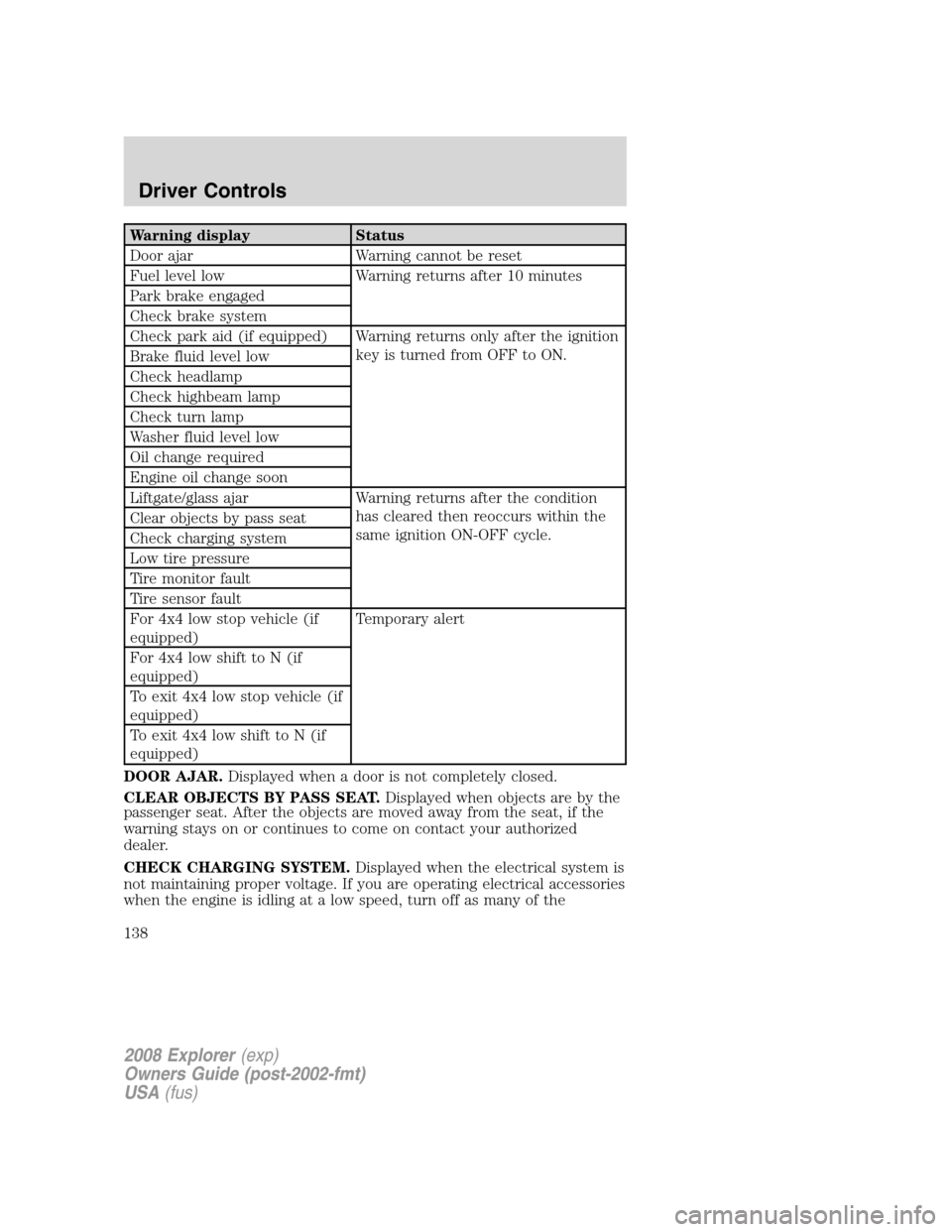
Warning messages are divided into four categories:
•They cannot be cleared until the condition is corrected.
•They will reappear on the display ten minutes from the reset if the
condition has not been corrected.
•They will not reappear until an ignition OFF-ON cycle has been
completed.
•They reappear if the condition clears then reoccurs within the same
ignition ON-OFF cycle.
This acts as a reminder that these warning conditions still exist within
the vehicle.
2008 Explorer(exp)
Owners Guide (post-2002-fmt)
USA(fus)
Driver Controls
137
Page 138 of 384
Warning display Status
Door ajar Warning cannot be reset
Fuel level low Warning returns after 10 minutes
Park brake engaged
Check brake system
Check park aid (if equipped) Warning returns only after the ignition
key is turned from OFF to ON.
Brake fluid level low
Check headlamp
Check highbeam lamp
Check turn lamp
Washer fluid level low
Oil change required
Engine oil change soon
Liftgate/glass ajar Warning returns after the condition
has cleared then reoccurs within the
same ignition ON-OFF cycle. Clear objects by pass seat
Check charging system
Low tire pressure
Tire monitor fault
Tire sensor fault
For 4x4 low stop vehicle (if
equipped)Temporary alert
For 4x4 low shift to N (if
equipped)
To exit 4x4 low stop vehicle (if
equipped)
To exit 4x4 low shift to N (if
equipped)
DOOR AJAR.Displayed when a door is not completely closed.
CLEAR OBJECTS BY PASS SEAT.Displayed when objects are by the
passenger seat. After the objects are moved away from the seat, if the
warning stays on or continues to come on contact your authorized
dealer.
CHECK CHARGING SYSTEM.Displayed when the electrical system is
not maintaining proper voltage. If you are operating electrical accessories
when the engine is idling at a low speed, turn off as many of the
2008 Explorer(exp)
Owners Guide (post-2002-fmt)
USA(fus)
Driver Controls
138
Page 140 of 384
CHECK TURN LAMP.Displayed when the turn lamps are activated and
at least one bulb is burned out. Check the lamps as soon as possible and
have the burned out lamp replaced. Refer toReplacing headlamp bulbs
in theLightschapter.
WASHER FLUID LEVEL LOW.Indicates the washer fluid reservoir is
less than one quarter full. Check the washer fluid level. Refer to
Windshield washer fluidin theMaintenance and Specifications
chapter.
OIL CHANGE REQUIRED.Displayed when the engine oil life
remaining is 0%.
An oil change is required whenever indicated by the message center and
according to the recommended maintenance schedule. USE ONLY
RECOMMENDED ENGINE OILS.
ENGINE OIL CHANGE SOON.Displayed when the engine oil life
reaches 5% or less of the Oil Life Start Value.
LIFTGATE/GLASS AJAR.Displayed when the liftgate or the liftgate
glass is not completely closed.
FOR 4X4 LOW STOP VEHICLE (if equipped).Displayed when 4X4
LOW is selected while the vehicle is moving. For more information, refer
toControl trac four-wheel drive (4x4) operationin theDriving
chapter.
FOR 4X4 LOW SHIFT TO N (if equipped).Displayed when 4X4 LOW
is selected and the vehicle is stopped. For more information, refer to
Control trac four-wheel drive (4x4) operationin theDrivingchapter.
TO EXIT 4X4 LOW STOP VEHICLE (if equipped).Displayed when
2WD is selected while the vehicle is operating in 4X4 LOW. For more
information, refer toControl trac four-wheel drive (4x4) operationin
theDrivingchapter.
TO EXIT 4X4 LOW SHIFT TO N (if equipped).Displayed when 2WD
is selected while the vehicle has been stopped in 4X4 LOW. For more
information, refer toControl trac four-wheel drive (4x4) operationin
theDrivingchapter.
2008 Explorer(exp)
Owners Guide (post-2002-fmt)
USA(fus)
Driver Controls
140
Page 192 of 384
Safety belt maintenance
Inspect the safety belt systems periodically to make sure they work
properly and are not damaged. Inspect the safety belts to make sure
there are no nicks, tears or cuts. Replace if necessary. All safety belt
assemblies, including retractors, buckles, front safety belt buckle
assemblies, buckle support assemblies (slide bar-if equipped), shoulder
belt height adjusters (if equipped), shoulder belt guide on seatback (if
equipped), child safety seat LATCH and tether anchors, and attaching
hardware, should be inspected after a collision. Ford Motor Company
recommends that all safety belt assemblies in use in vehicles involved in
a collision be replaced. However, if the collision was minor and an
authorized dealer finds that the belts do not show damage and continue
to operate properly, they do not need to be replaced. Safety belt
assemblies not in use during a collision should also be inspected and
replaced if either damage or improper operation is noted.
Failure to inspect and if necessary replace the safety belt
assembly under the above conditions could result in severe
personal injuries in the event of a collision.
For proper care of soiled safety belts, refer toInteriorin theCleaning
chapter.
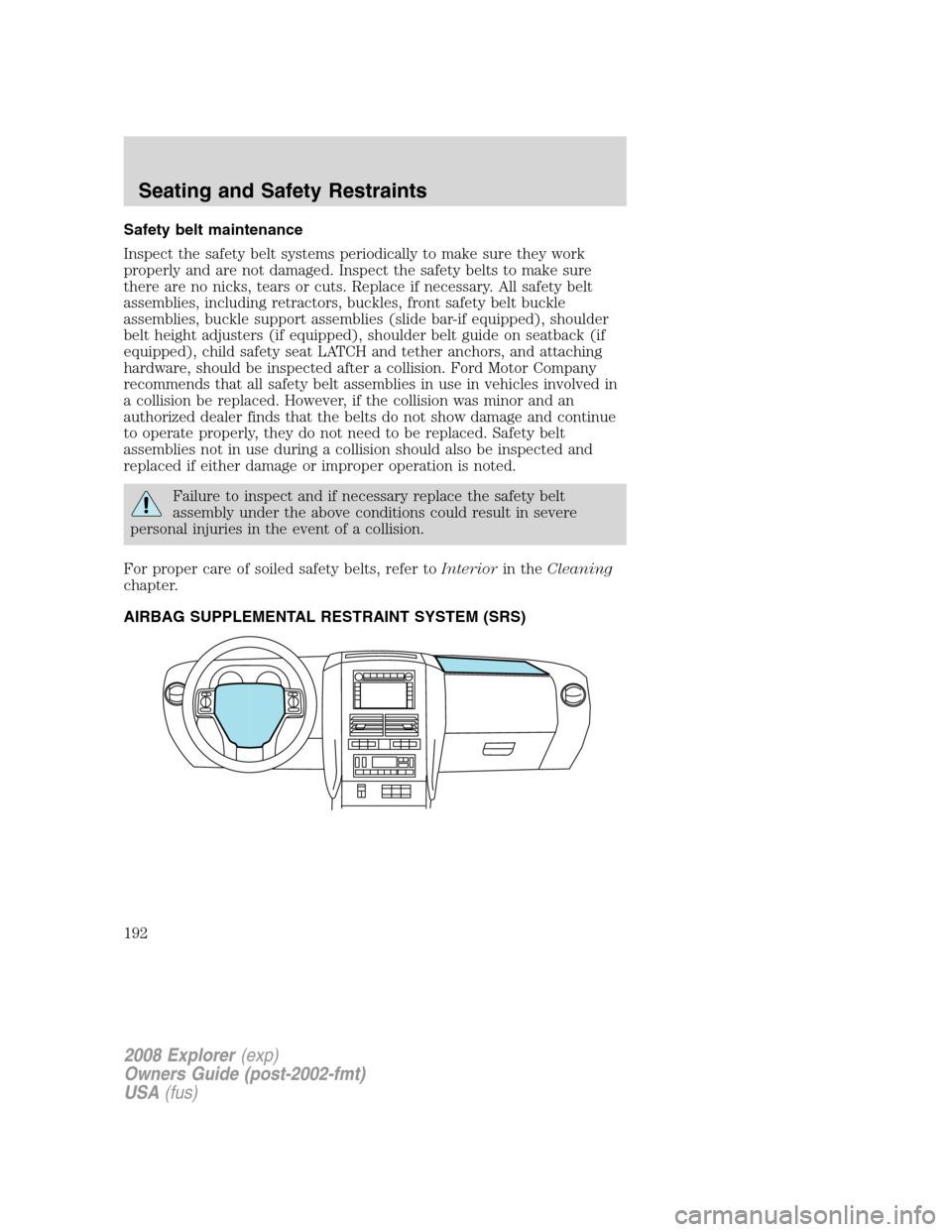
AIRBAG SUPPLEMENTAL RESTRAINT SYSTEM (SRS)
2008 Explorer(exp)
Owners Guide (post-2002-fmt)
USA(fus)
Seating and Safety Restraints
192
Page 300 of 384
Fuse/Relay
LocationFuse Amp
RatingPower Distribution Box
Description
40 15A* Fan clutch, PCV valve (4.0L
engine only), AC clutch relay,
GCC fan
41 15A* SDARS, DVD, SYNC
42 15A* Redundant brake switch, EVMV,
MAFS, HEGO, EVR, VCT1 (4.6L
engine only), VCT2 (4.6L engine
only), CMCV (4.6L engine only),
CMS
43 15A* Coil on plug (4.6L engine only),
Coil tower (4.0L engine only)
44 15A* Injectors
45B — GCC fan relay
45A — Not used
46B — Not used
46A — Not used
49 — Fuel pump relay
50B — A/C clutch relay
50A — Fog lamps relay
51 — Not used
52 — A/C clutch (diode)
53 — One Touch Integrated Start
(OTIS) (diode)
54 — Trailer battery charger relay
55B — Front wiper relay
55A — PCM relay
56B — Starter relay
56A — Blower relay
* Mini Fuses ** Cartridge Fuses
2008 Explorer(exp)
Owners Guide (post-2002-fmt)
USA(fus)
Roadside Emergencies
300
Page 331 of 384
If a staining liquid like coffee/juice has been spilled on the instrument
panel or on interior trim surfaces, clean as follows:
1. Wipe up spilled liquid using a clean, white, cotton cloth.
2. Apply Motorcraft Deluxe Leather and Vinyl Cleaner (ZC-11-A) [In
Canada use Motorcraft Multi-Purpose Cleaner (CXC-101)] to the wiped
area and spread around evenly.
3. Apply more Motorcraft cleaner to a clean, white, cotton cloth and
press the cloth onto the soiled area–allow this to set at room
temperature for 30 minutes.
4. Remove the soaked cloth, and if it is not soiled badly, use this cloth to
clean the area by using a rubbing motion for 60 seconds.
5. Following this, wipe area dry with a clean, white, cotton cloth.
INTERIOR
For fabric, carpets, cloth seats, safety belts and seats equipped with side
airbags:
•Remove dust and loose dirt with a vacuum cleaner.
•Remove light stains and soil with Motorcraft Professional Strength
Carpet & Upholstery Cleaner (ZC-54).
•If grease or tar is present on the material, spot-clean the area first
with Motorcraft Spot and Stain Remover (ZC-14).
•If a ring forms on the fabric after spot cleaning, clean the entire area
immediately (but do not oversaturate) or the ring will set.
•Do not use household cleaning products or glass cleaners, which can
stain and discolor the fabric and affect the flame retardant abilities of
the seat materials.
Do not use cleaning solvents, bleach or dye on the vehicle’s
safety belts, as these actions may weaken the belt webbing.
Do not use chemical solvents or strong detergents when cleaning
the seat-mounted side airbag (vehicles equipped with
seat-mounted side airbags only). Such products could contaminate the
side airbag system and affect performance of the side airbag in a
collision.
2008 Explorer(exp)
Owners Guide (post-2002-fmt)
USA(fus)
Cleaning
331