transmission FORD EXPLORER 2008 4.G User Guide
[x] Cancel search | Manufacturer: FORD, Model Year: 2008, Model line: EXPLORER, Model: FORD EXPLORER 2008 4.GPages: 384, PDF Size: 3.31 MB
Page 245 of 384
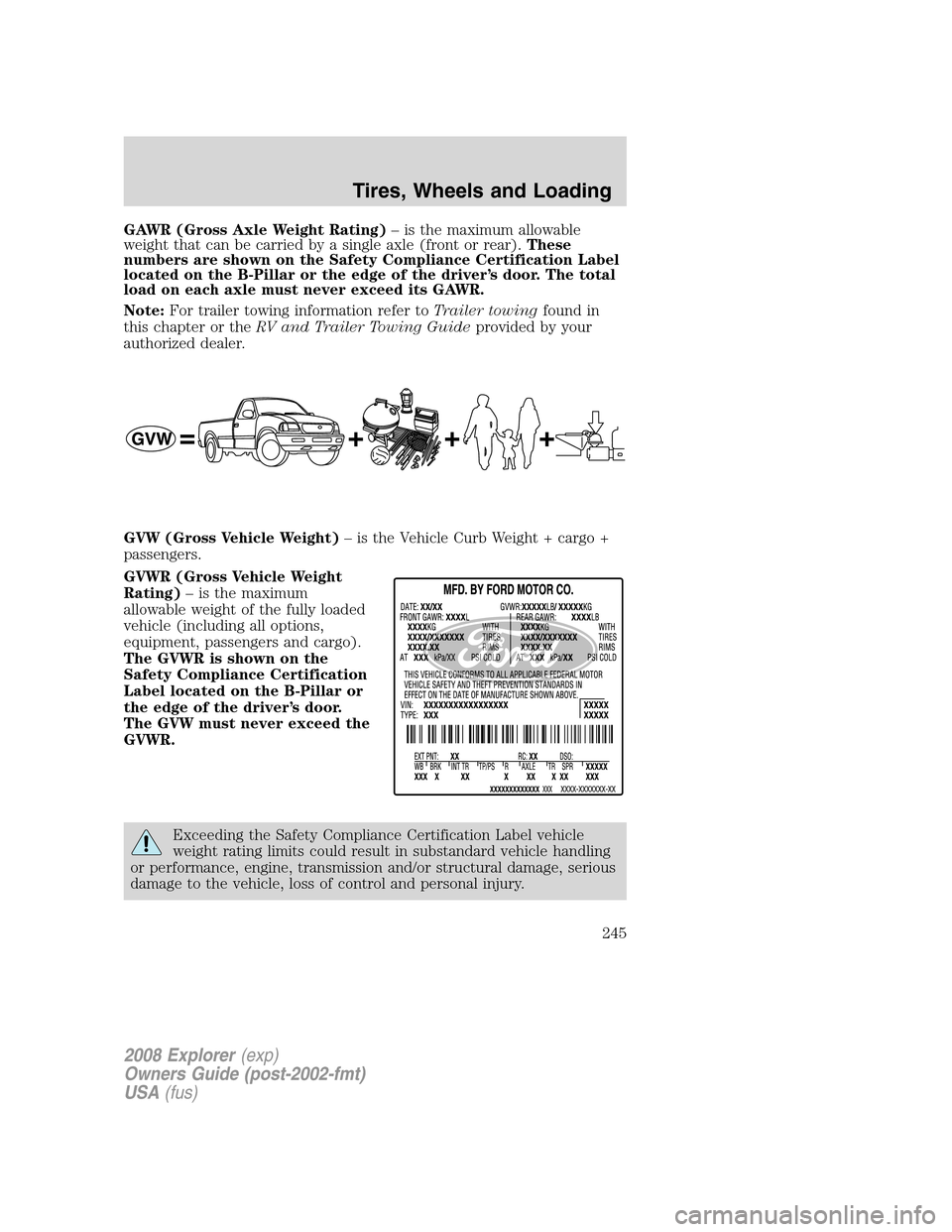
GAWR (Gross Axle Weight Rating)– is the maximum allowable
weight that can be carried by a single axle (front or rear).These
numbers are shown on the Safety Compliance Certification Label
located on the B-Pillar or the edge of the driver’s door. The total
load on each axle must never exceed its GAWR.
Note:For trailer towing information refer toTrailer towingfound in
this chapter or theRV and Trailer Towing Guideprovided by your
authorized dealer.
GVW (Gross Vehicle Weight)– is the Vehicle Curb Weight + cargo +
passengers.
GVWR (Gross Vehicle Weight
Rating)– is the maximum
allowable weight of the fully loaded
vehicle (including all options,
equipment, passengers and cargo).
The GVWR is shown on the
Safety Compliance Certification
Label located on the B-Pillar or
the edge of the driver’s door.
The GVW must never exceed the
GVWR.
Exceeding the Safety Compliance Certification Label vehicle
weight rating limits could result in substandard vehicle handling
or performance, engine, transmission and/or structural damage, serious
damage to the vehicle, loss of control and personal injury.
2008 Explorer(exp)
Owners Guide (post-2002-fmt)
USA(fus)
Tires, Wheels and Loading
245
Page 249 of 384
TRAILER TOWING
Trailer towing with your vehicle may require the use of a trailer tow
option package.
Trailer towing puts additional loads on your vehicle’s engine,
transmission, axle, brakes, tires, and suspension. For your safety and to
maximize vehicle performance, be sure to use the proper equipment
while towing.
Follow these guidelines to ensure safe towing procedure:
•Do not tow a trailer until your vehicle has been driven at least 500
miles (800 km).
•Stay within your vehicle’s load limits.
•Thoroughly prepare your vehicle for towing. Refer toPreparing to
towin this chapter.
•Use extra caution when driving while trailer towing. Refer toDriving
while you towin this chapter.
•Service your vehicle more frequently if you tow a trailer. Refer to the
severe duty schedule in thescheduled maintenance information.
•Refer to the instructions included with towing accessories for the
proper installation and adjustment specifications.
Do not exceed the maximum loads listed on the Safety Compliance
Certification label. For load specification terms found on the label, refer
toVehicle loadingin this chapter when figuring the total weight of your
vehicle.
Your vehicle is equipped with a standard Class II integrated hitch and
requires only a draw bar and ball with a 19 mm (3/4 inch) shank
diameter. An optional Class III/Class IV hitch is also available.
Note:Do not exceed the GVWR or the GAWR specified on the
certification label.
Towing trailers beyond the maximum recommended gross trailer
weight exceeds the limit of the vehicle and could result in
engine damage, transmission damage, structural damage, loss of vehicle
control, vehicle rollover and personal injury.
2008 Explorer(exp)
Owners Guide (post-2002-fmt)
USA(fus)
Tires, Wheels and Loading
249
Page 253 of 384
Driving while you tow
When towing a trailer:
•To ensure proper “break-in” of powertrain components, do not trailer
tow during the first 1,000 miles (1600 km) of a new vehicle.
•To ensure proper “break-in” of powertrain components during the first
500 miles (800 km) of trailer towing, drive no faster than 70 mph (112
km/h) with no full throttle starts.
•Turn off the speed control. The speed control may shut off
automatically when you are towing on long, steep grades.
•Consult your local motor vehicle speed regulations for towing a trailer.
•To eliminate excessive shifting, use a lower gear. This will also assist
in transmission cooling. (For additional information, refer to the
Driving with an automatic transmissionsection in theDriving
chapter.)
•Under extreme conditions with large frontal trailers, high outside
temperatures and highway speeds, the coolant gauge may indicate
higher than normal coolant temperatures. If this occurs, reduce speed
until the coolant temperature returns to the normal range. Refer to
Engine coolant temperature gaugein theInstrument Cluster
chapter.
•Anticipate stops and brake gradually.
•Do not exceed the GCWR rating or transmission damage may occur.
Servicing after towing
If you tow a trailer for long distances, your vehicle will require more
frequent service intervals. Refer to yourscheduled maintenance
informationfor more information.
Trailer towing tips
•Practice turning, stopping and backing up before starting on a trip to
get the feel of the vehicle trailer combination. When turning, make
wider turns so the trailer wheels will clear curbs and other obstacles.
•Allow more distance for stopping with a trailer attached.
•If you are driving down a long or steep hill, shift to a lower gear. Do
not apply the brakes continuously, as they may overheat and become
less effective.
•The trailer tongue weight should be 10–15% of the loaded trailer
weight.
2008 Explorer(exp)
Owners Guide (post-2002-fmt)
USA(fus)
Tires, Wheels and Loading
253
Page 254 of 384
•If you will be towing a trailer frequently in hot weather, hilly
conditions, at GCWR, or any combination of these factors, consider
refilling your rear axle with synthetic gear lube if not already so
equipped. Refer to theMaintenance and Specificationschapter for
the lubricant specification. Remember that regardless of the rear axle
lube used, do not tow a trailer for the first 1,000 miles (1600 km) of a
new vehicle, and that the first 500 miles (800 km) of towing be done
at no faster than 70 mph (112 km/h) with no full throttle starts.
•After you have traveled 50 miles (80 km), thoroughly check your
hitch, electrical connections and trailer wheel lug nuts.
•To aid in engine/transmission cooling and A/C efficiency during hot
weather while stopped in traffic, place the gearshift lever in P (Park).
•Vehicles with trailers should not be parked on a grade. If you must
park on a grade, place wheel chocks under the trailer’s wheels.
Launching or retrieving a boat
Disconnect the wiring to the trailer before backing the trailer
into the water. Reconnect the wiring to the trailer after the
trailer is removed from the water.
When backing down a ramp during boat launching or retrieval:
•do not allow the static water level to rise above the bottom edge of
the rear bumper.
•do not allow waves to break higher than 6 inches (15 cm) above the
bottom edge of the rear bumper.
Exceeding these limits may allow water to enter vehicle components:
•causing internal damage to the components.
•affecting driveability, emissions and reliability.
Replace the rear axle lubricant any time the axle has been submerged in
water. Rear axle lubricant quantities are not to be checked or changed
unless a leak is suspected or repair required.
RECREATIONAL TOWING (ALL WHEELS ON THE GROUND)
Follow these guidelines for your specific powertrain combination to tow
your vehicle with all four wheels on the ground (such as behind a
recreational vehicle).
These guidelines are designed to ensure that your transmission is not
damaged due to insufficient lubrication.
2008 Explorer(exp)
Owners Guide (post-2002-fmt)
USA(fus)
Tires, Wheels and Loading
254
Page 255 of 384
Rear Wheel Drive (RWD) 4x2 vehicles:
This applies to all 4x2 trucks/sport utilities with rear wheel drive
capability.
•Place the transmission in N (Neutral).
•Maximum speed is 35 mph (56 km/h).
•Maximum distance is 50 miles (80 km).
If a distance of 50 miles (80 km) or a speed of 35 mph (56 km/h) must
be exceeded, you must disconnect the driveshaft. Ford recommends the
driveshaft be removed/installed only by a qualified technican at an
authorized dealer. See your authorized dealer for driveshaft
removal/installation.
Improper removal/installation of the driveshaft can cause
transmission fluid loss, damage to the driveshaft and internal
transmission components.
4WD vehicles with electronic shift transfer case (Neutral tow kit
accessory):
On vehicles equipped with 4WD, an accessory is available that allows you
to tow your vehicle, behind another vehicle, with all the wheels on the
ground. Contact your authorized dealer for more details. Do not tow your
vehicle with all wheels on the ground unless you install the neutral tow
kit as vehicle damage may occur.
2008 Explorer(exp)
Owners Guide (post-2002-fmt)
USA(fus)
Tires, Wheels and Loading
255
Page 269 of 384
Vehicles with a higher center of gravity such as utility vehicles
and trucks handle differently than vehicles with a lower center
of gravity. Utility vehicles and trucks arenotdesigned for cornering at
speeds as high as passenger cars any more than low-slung sports cars
are designed to perform satisfactorily under off-road conditions. Avoid
sharp turns, excessive speed or abrupt maneuvers in these vehicles.
Failure to drive cautiously could result in an increased risk of loss of
vehicle control, vehicle rollover, personal injury and death.
Loaded vehicles, with a higher center of gravity, may handle
differently than unloaded vehicles. Do not overload your vehicle
and use extra precautions, such as driving at slower speeds, avoiding
abrupt steering changes and allowing for increased stopping distance,
when driving a heavily loaded vehicle. Over-loading or loading the
vehicle improperly can deteriorate handling capability and contribute
to loss of vehicle control and vehicle rollover.
AUTOMATIC TRANSMISSION OPERATION
Brake-shift interlock
This vehicle is equipped with a brake-shift interlock feature that prevents
the gearshift lever from being moved from P (Park) when the ignition is
in the ON position unless brake pedal is depressed.
If you cannot move the gearshift lever out of P (Park) with ignition in
the ON position and the brake pedal depressed:
1. Apply the parking brake, turn ignition key to LOCK, then remove the
key.
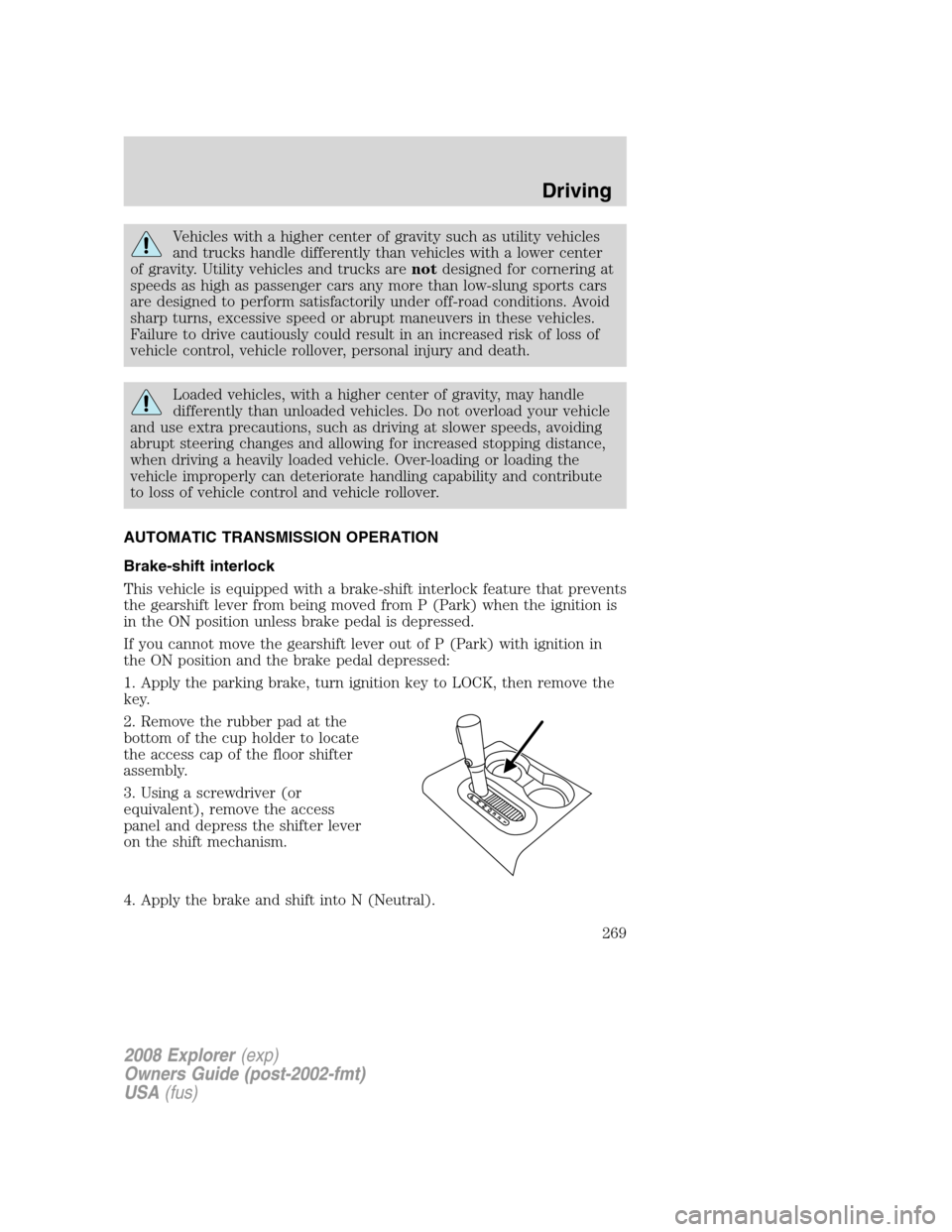
2. Remove the rubber pad at the
bottom of the cup holder to locate
the access cap of the floor shifter
assembly.
3. Using a screwdriver (or
equivalent), remove the access
panel and depress the shifter lever
on the shift mechanism.
4. Apply the brake and shift into N (Neutral).
2008 Explorer(exp)
Owners Guide (post-2002-fmt)
USA(fus)
Driving
269
Page 271 of 384
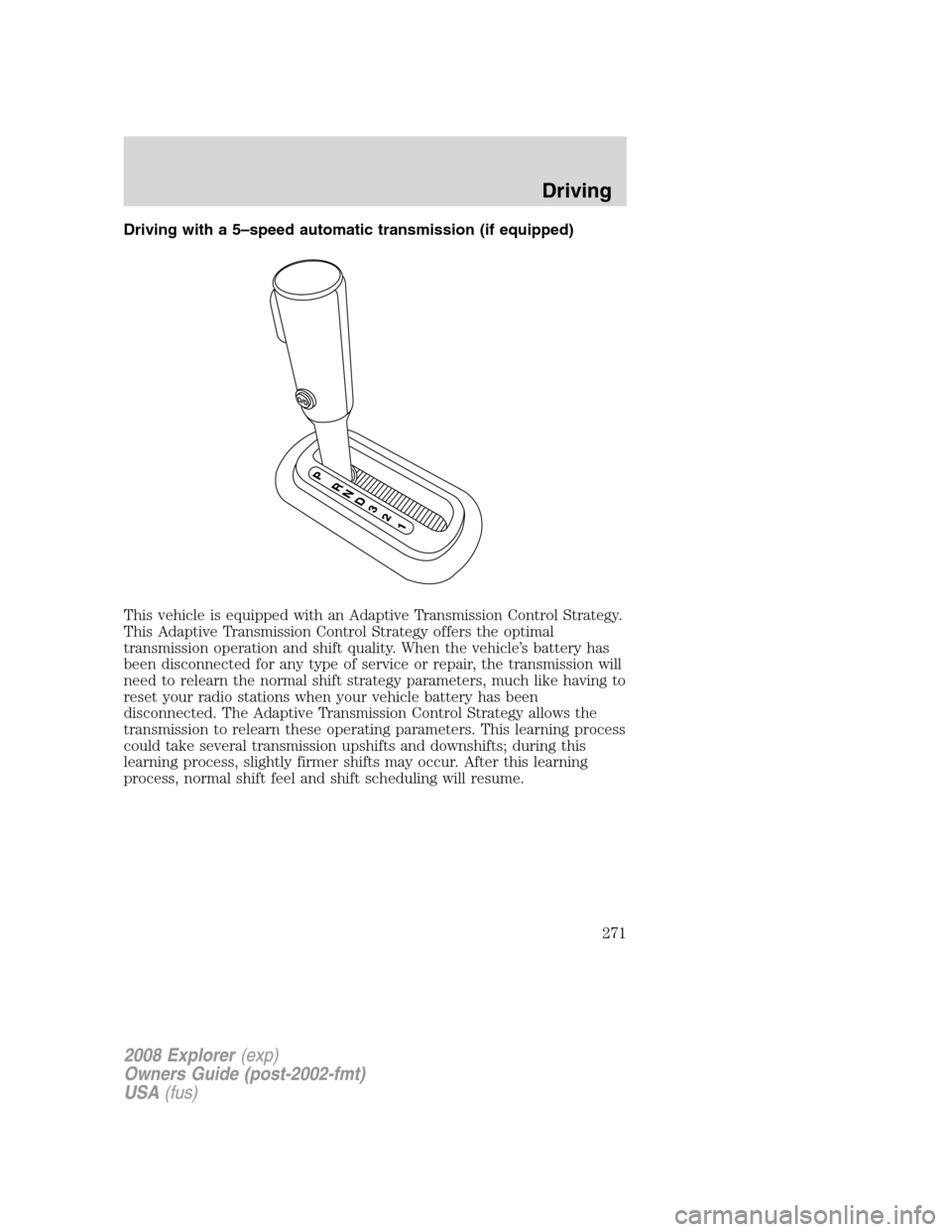
Driving with a 5–speed automatic transmission (if equipped)
This vehicle is equipped with an Adaptive Transmission Control Strategy.
This Adaptive Transmission Control Strategy offers the optimal
transmission operation and shift quality. When the vehicle’s battery has
been disconnected for any type of service or repair, the transmission will
need to relearn the normal shift strategy parameters, much like having to
reset your radio stations when your vehicle battery has been
disconnected. The Adaptive Transmission Control Strategy allows the
transmission to relearn these operating parameters. This learning process
could take several transmission upshifts and downshifts; during this
learning process, slightly firmer shifts may occur. After this learning
process, normal shift feel and shift scheduling will resume.
2008 Explorer(exp)
Owners Guide (post-2002-fmt)
USA(fus)
Driving
271
Page 272 of 384
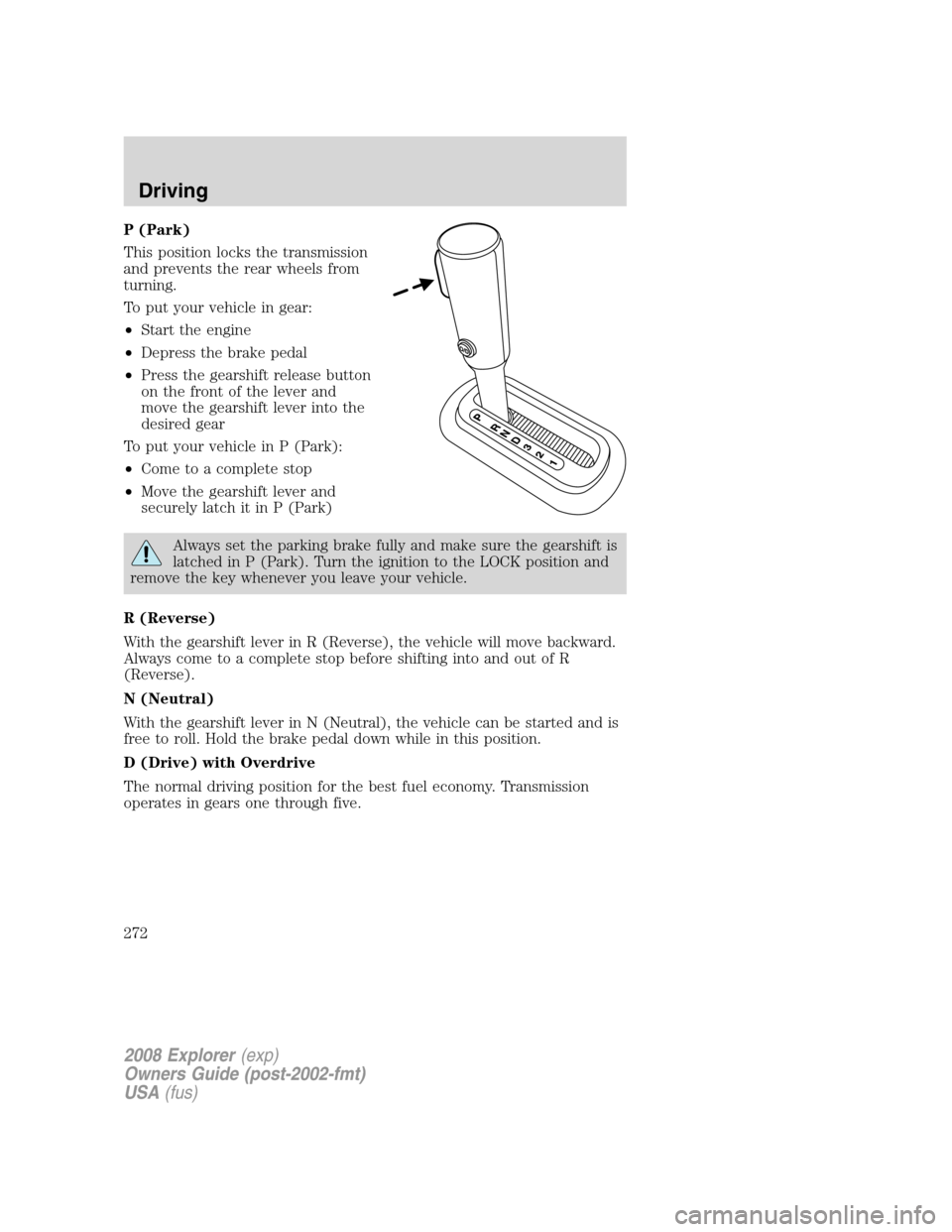
P (Park)
This position locks the transmission
and prevents the rear wheels from
turning.
To put your vehicle in gear:
•Start the engine
•Depress the brake pedal
•Press the gearshift release button
on the front of the lever and
move the gearshift lever into the
desired gear
To put your vehicle in P (Park):
•Come to a complete stop
•Move the gearshift lever and
securely latch it in P (Park)
Always set the parking brake fully and make sure the gearshift is
latched in P (Park). Turn the ignition to the LOCK position and
remove the key whenever you leave your vehicle.
R (Reverse)
With the gearshift lever in R (Reverse), the vehicle will move backward.
Always come to a complete stop before shifting into and out of R
(Reverse).
N (Neutral)
With the gearshift lever in N (Neutral), the vehicle can be started and is
free to roll. Hold the brake pedal down while in this position.
D (Drive) with Overdrive
The normal driving position for the best fuel economy. Transmission
operates in gears one through five.
2008 Explorer(exp)
Owners Guide (post-2002-fmt)
USA(fus)
Driving
272
Page 273 of 384
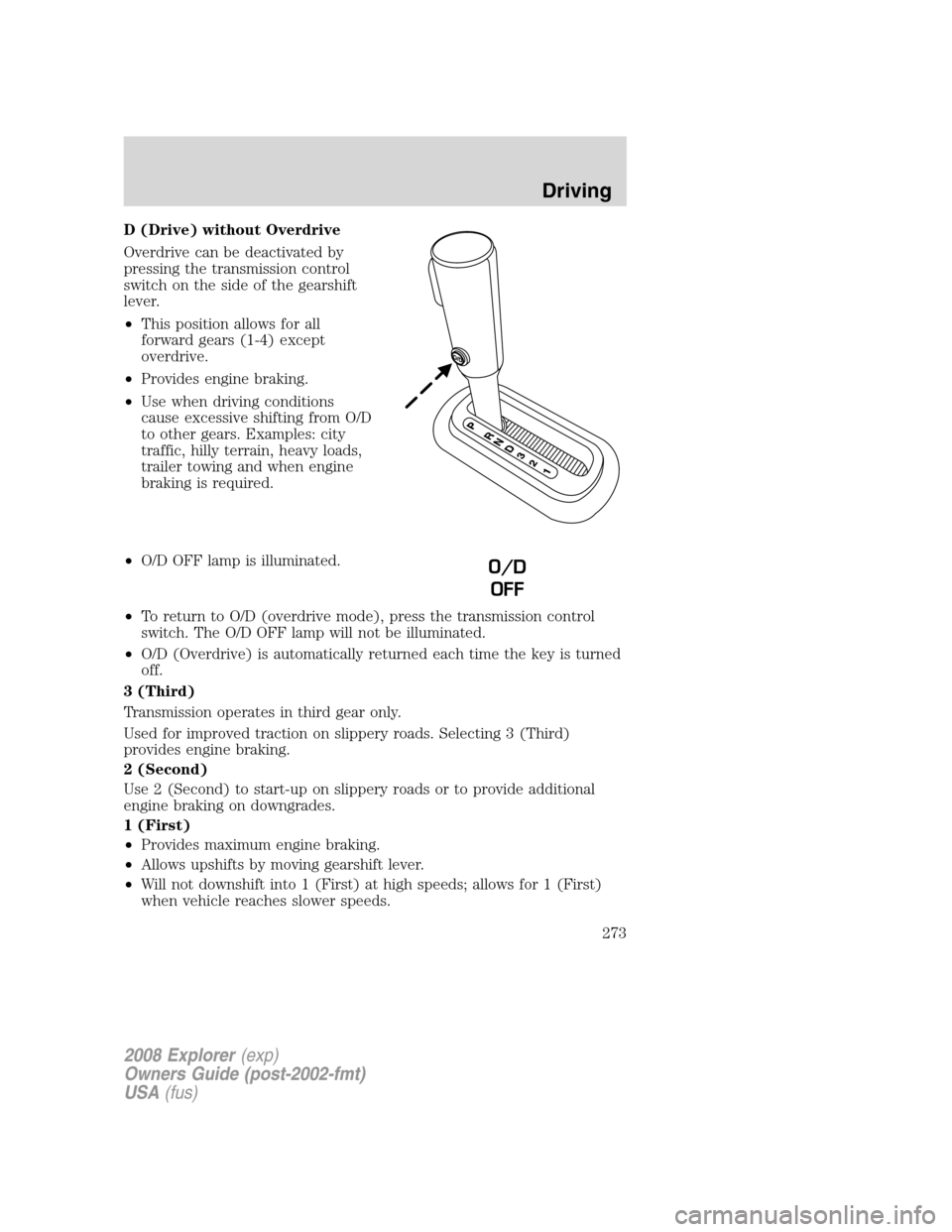
D (Drive) without Overdrive
Overdrive can be deactivated by
pressing the transmission control
switch on the side of the gearshift
lever.
•This position allows for all
forward gears (1-4) except
overdrive.
•Provides engine braking.
•Use when driving conditions
cause excessive shifting from O/D
to other gears. Examples: city
traffic, hilly terrain, heavy loads,
trailer towing and when engine
braking is required.
•O/D OFF lamp is illuminated.
•To return to O/D (overdrive mode), press the transmission control
switch. The O/D OFF lamp will not be illuminated.
•O/D (Overdrive) is automatically returned each time the key is turned
off.
3 (Third)
Transmission operates in third gear only.
Used for improved traction on slippery roads. Selecting 3 (Third)
provides engine braking.
2 (Second)
Use 2 (Second) to start-up on slippery roads or to provide additional
engine braking on downgrades.
1 (First)
•Provides maximum engine braking.
•Allows upshifts by moving gearshift lever.
•Will not downshift into 1 (First) at high speeds; allows for 1 (First)
when vehicle reaches slower speeds.
O/D
OFF
2008 Explorer(exp)
Owners Guide (post-2002-fmt)
USA(fus)
Driving
273
Page 274 of 384
Forced downshifts
•Allowed in D (Overdrive) or Drive.
•Depress the accelerator to the floor.
•Allows transmission to select an appropriate gear.
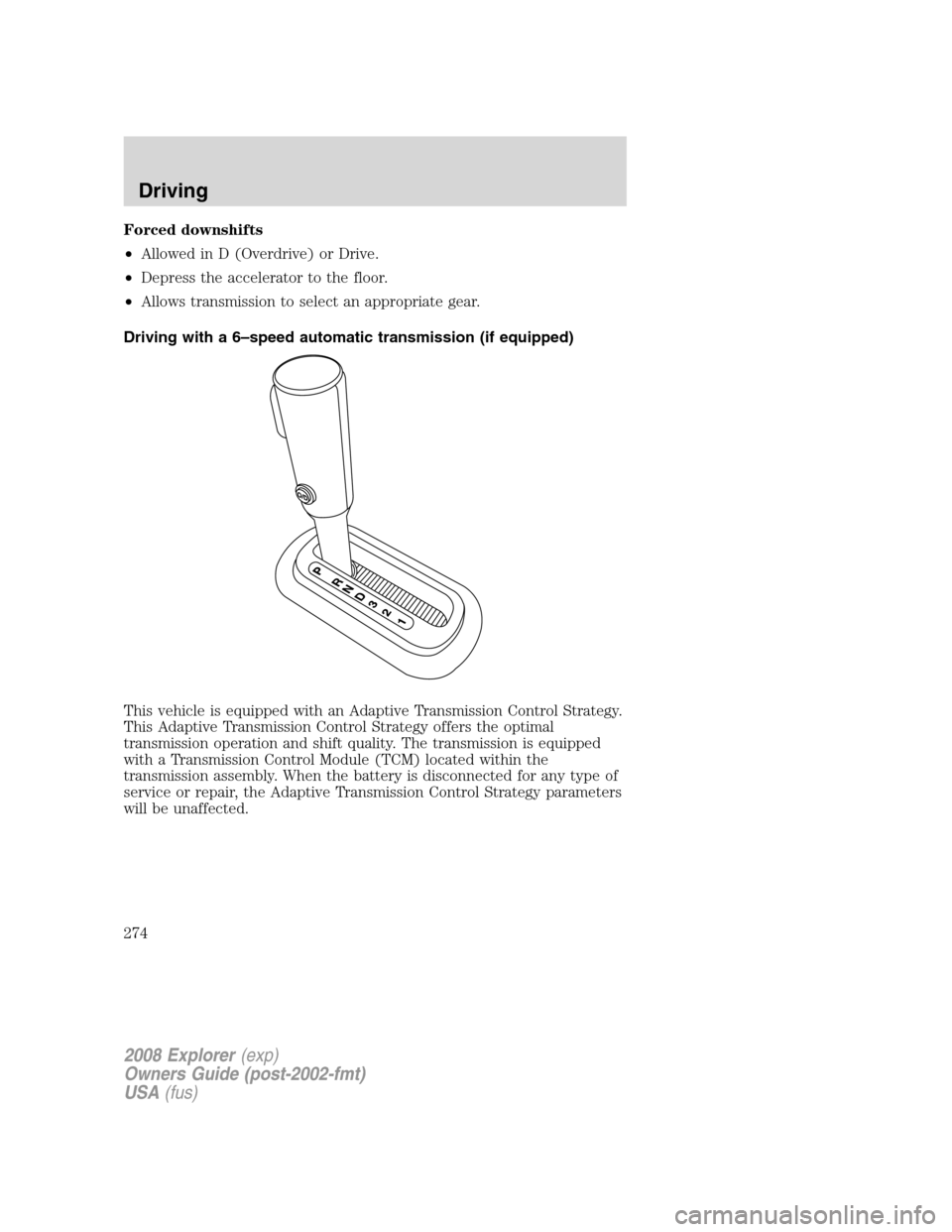
Driving with a 6–speed automatic transmission (if equipped)
This vehicle is equipped with an Adaptive Transmission Control Strategy.
This Adaptive Transmission Control Strategy offers the optimal
transmission operation and shift quality. The transmission is equipped
with a Transmission Control Module (TCM) located within the
transmission assembly. When the battery is disconnected for any type of
service or repair, the Adaptive Transmission Control Strategy parameters
will be unaffected.
2008 Explorer(exp)
Owners Guide (post-2002-fmt)
USA(fus)
Driving
274