lock FORD EXPLORER 2008 4.G Service Manual
[x] Cancel search | Manufacturer: FORD, Model Year: 2008, Model line: EXPLORER, Model: FORD EXPLORER 2008 4.GPages: 384, PDF Size: 3.31 MB
Page 158 of 384
Programming a personal entry code
Up to three personal entry codes may be programmed to the vehicle. To
create your own personal entry code:
1. Enter the factory set code.
2. Within five seconds press the 1•2 on the keypad.
3. Enter your personal 5-digit code. Each number must be entered
within five seconds of each other.
4. Press 1•2, 3•4or5•6 to indicate which of the three personal
entry code positions you wish to use.
5. The doors will again lock then unlock to confirm that your personal
key code has been programmed to the module.
Tips:
•Do not set a code that uses five of the same number.
•Do not use five numbers in sequential order.
•The factory set code will work even if you have set your own personal
code.
•If you program a code to a position that already contains a set code,
the previously-set code will be erased.
Erasing personal code
1. Enter the factory set 5–digit code.
2. Within five seconds, press the 1•2 on the keypad and release.
3. Press and hold the 1•2 for two seconds. This must be done within
five seconds of completing Step 2.
Allpersonal codes are now erased and only the factory set 5–digit code
will work.
Anti-scan feature
If the wrong code has been entered 7 times (35 consecutive button
presses), the keypad will go into an anti-scan mode. This mode disables
the keypad for one minute and the keypad lamp will flash.
The anti-scan feature will turn off after:
•one minute of keypad inactivity.
•pressing the UNLOCK
control on the remote entry transmitter.
•the ignition is turned to the 3 (ON) position.
2008 Explorer(exp)
Owners Guide (post-2002-fmt)
USA(fus)
Locks and Security
158
Page 159 of 384
Unlocking and locking the doors, liftgate and liftgate window using
keyless entry
To unlock the driver’s door,enter the factory set 5-digit code or one
of the vehicle’s personal codes. Each number must be pressed within five
seconds of each other. The interior lamps will illuminate.
To unlock all doors and liftgate,press the 3•4 control within five
seconds.
To open the liftgate window,press the 5•6 control within five
seconds.
To lock all doors, liftgate and liftgate window,press the 7•8 and
the 9•0 at the same time.Note:The driver’s door must be closed. You
do notneed to enter the keypad code first.
SECURILOCK™ PASSIVE ANTI-THEFT SYSTEM
SecuriLock™ passive anti-theft system is an engine immobilization
system. This system is designed to help prevent the engine from being
started unless acoded key programmed to your vehicleis used. The
use of the wrong type of coded key may lead to a “no-start” condition.
Your vehicle comes with two coded keys; additional coded keys may be
purchased from your authorized dealer. The authorized dealer can
program your spare keys to your vehicle or you can program the keys
yourself. Refer toProgramming spare keysfor instructions on how to
program the coded key.
Note:The SecuriLock™ passive anti-theft system is not compatible with
non-Ford aftermarket remote start systems. Use of these systems may
result in vehicle starting problems and a loss of security protection.
Note:Large metallic objects, electronic devices that are used to
purchase gasoline or similar items, or a second coded key on the same
key chain may cause vehicle starting issues. You need to prevent these
objects from touching the coded key while starting the engine. These
objects will not cause damage to the coded key, but may cause a
momentary issue if they are too close to the key when starting the
engine. If a problem occurs, turn the ignition off, remove all objects on
the key chain away from the coded key and restart the engine.
2008 Explorer(exp)
Owners Guide (post-2002-fmt)
USA(fus)
Locks and Security
159
Page 160 of 384
Anti-theft indicator
The anti-theft indicator is located on top of the instrument panel.
•When the ignition is in the 1 (OFF/LOCK) position, the indicator will
flash once every 2 seconds to indicate the SecuriLock™ system is
functioning as a theft deterrent.
•When the ignition is in the 3 (ON) position, the indicator will glow for
3 seconds to indicate normal system functionality.
If a problem occurs with the SecuriLock™ system, the indicator will flash
rapidly or glow steadily when the ignition is in the 3 (ON) position. If
this occurs, the vehicle should be taken to an authorized dealer for
service.
Automatic arming
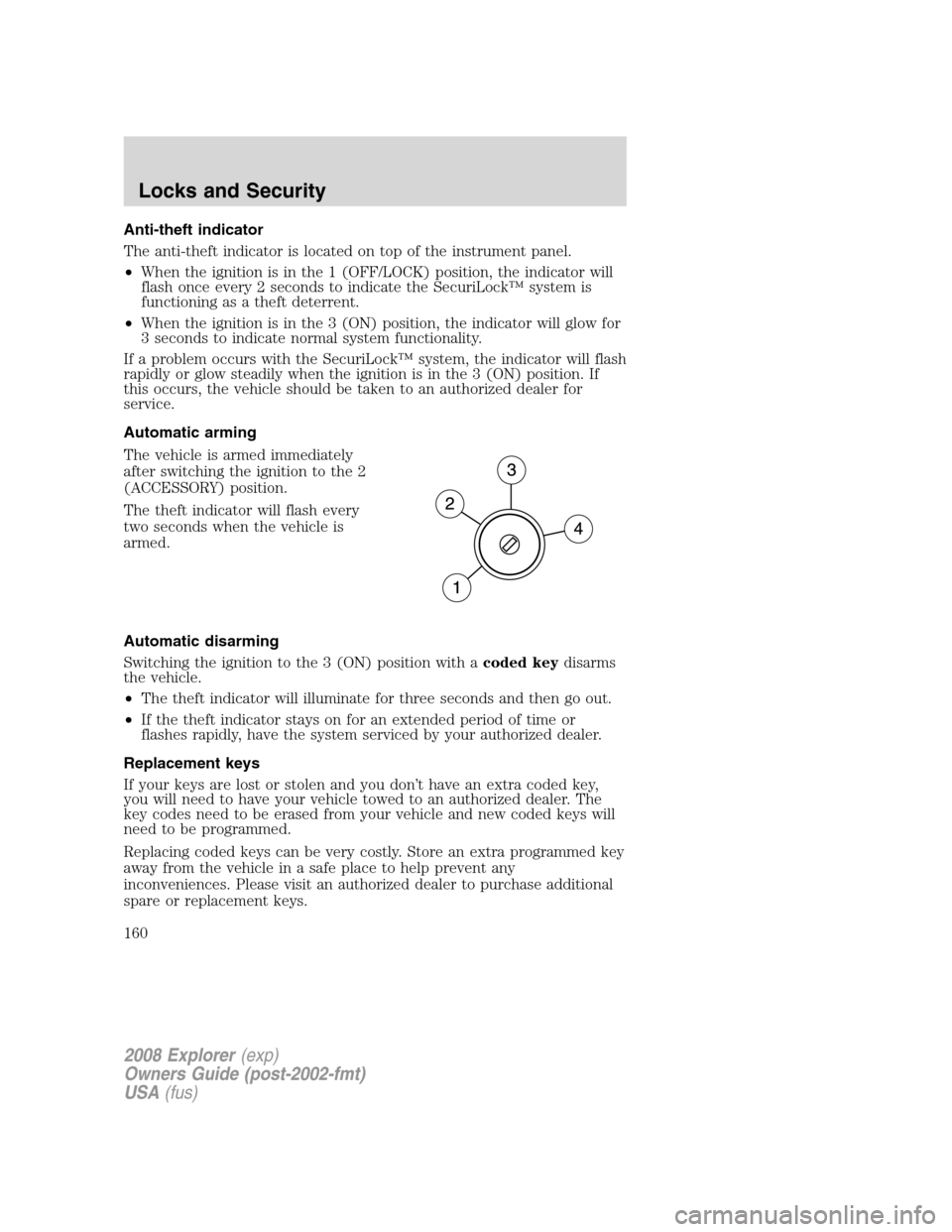
The vehicle is armed immediately
after switching the ignition to the 2
(ACCESSORY) position.
The theft indicator will flash every
two seconds when the vehicle is
armed.
Automatic disarming
Switching the ignition to the 3 (ON) position with acoded keydisarms
the vehicle.
•The theft indicator will illuminate for three seconds and then go out.
•If the theft indicator stays on for an extended period of time or
flashes rapidly, have the system serviced by your authorized dealer.
Replacement keys
If your keys are lost or stolen and you don’t have an extra coded key,
you will need to have your vehicle towed to an authorized dealer. The
key codes need to be erased from your vehicle and new coded keys will
need to be programmed.
Replacing coded keys can be very costly. Store an extra programmed key
away from the vehicle in a safe place to help prevent any
inconveniences. Please visit an authorized dealer to purchase additional
spare or replacement keys.
2008 Explorer(exp)
Owners Guide (post-2002-fmt)
USA(fus)
Locks and Security
160
Page 161 of 384
Programming spare keys
You can program your own coded keys to your vehicle.
Tips:
•A maximum of eight keys can be coded to your vehicle.
•Only use SecuriLock™ keys.
•You must have two previously programmed coded keys (keys that
already operate your vehicle’s engine) and the new unprogrammed
key(s) readily accessible.
•If two previously programmed coded keys are not available, you must
take your vehicle to your authorized dealer to have the spare key(s)
programmed.
Please read and understand the
entire procedure before you begin.
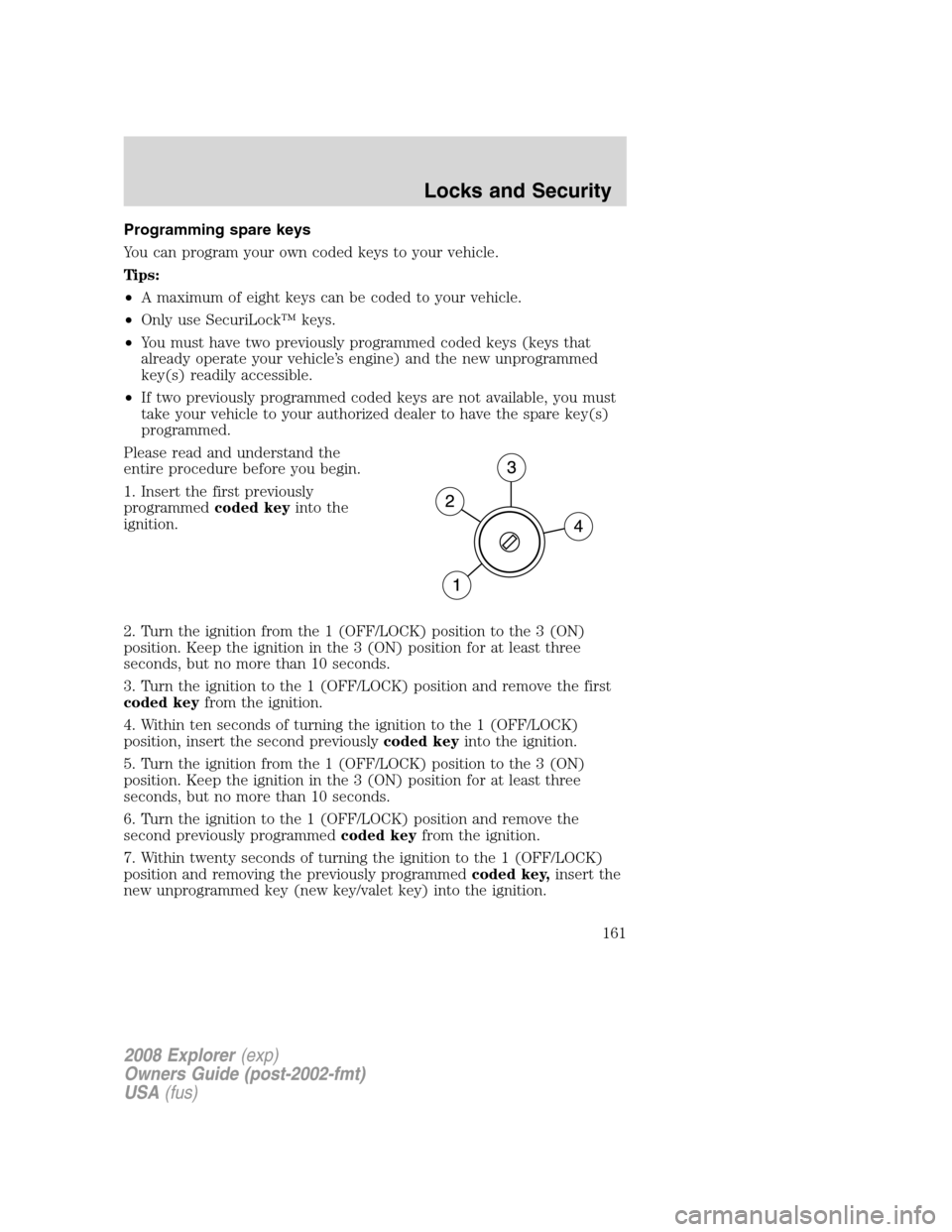
1. Insert the first previously
programmedcoded keyinto the
ignition.
2. Turn the ignition from the 1 (OFF/LOCK) position to the 3 (ON)
position. Keep the ignition in the 3 (ON) position for at least three
seconds, but no more than 10 seconds.
3. Turn the ignition to the 1 (OFF/LOCK) position and remove the first
coded keyfrom the ignition.
4. Within ten seconds of turning the ignition to the 1 (OFF/LOCK)
position, insert the second previouslycoded keyinto the ignition.
5. Turn the ignition from the 1 (OFF/LOCK) position to the 3 (ON)
position. Keep the ignition in the 3 (ON) position for at least three
seconds, but no more than 10 seconds.
6. Turn the ignition to the 1 (OFF/LOCK) position and remove the
second previously programmedcoded keyfrom the ignition.
7. Within twenty seconds of turning the ignition to the 1 (OFF/LOCK)
position and removing the previously programmedcoded key,insert the
new unprogrammed key (new key/valet key) into the ignition.
2008 Explorer(exp)
Owners Guide (post-2002-fmt)
USA(fus)
Locks and Security
161
Page 162 of 384
8. Turn the ignition from the 1 (OFF/LOCK) position to the 3 (ON)
position. Keep the ignition in the 3 (ON) position for at least three
seconds, but not more than 10 seconds.
9. Remove the newly programmedcoded keyfrom the ignition.
If the key has been successfully programmed it will start the vehicle’s
engine and the theft indicator light will illuminate for three seconds and
then go out.
If the key was not successfully programmed, it will not start your
vehicle’s engine and the theft indicator light will flash on and off, and
you may repeat Steps 1 through 5. If failure repeats, bring your vehicle
to your authorized dealer to have the new key(s) programmed.
To program additional new unprogrammed key(s), wait twenty seconds
and then repeat this procedure from Step 1.
2008 Explorer(exp)
Owners Guide (post-2002-fmt)
USA(fus)
Locks and Security
162
Page 168 of 384
A position can be recalled:
•in any gearshift position if the ignition isnotin the RUN position.
•only in Park or Neutral if the ignition is in the RUN position.
A memory seat position may be programmed at any time.
The memory positions are also recalled when you press your remote
entry transmitter UNLOCK control if the transmitter is programmed to a
memory position or when you enter a valid personal entry code that is
programmed to a memory position.
To program the memory feature to a remote entry transmitter and for
more information on how to use the keypad, refer toRemote entry
systemandKeyless entry systemin theLocks and Securitychapter.
Heated seats (if equipped)
Persons who are unable to feel pain to the skin because of
advanced age, chronic illness, diabetes, spinal cord injury,
medication, alcohol use, exhaustion, or other physical conditions, must
exercise care when using the seat heater. The seat heater may cause
burns even at low temperatures, especially if used for long periods of
time. Do not place anything on the seat that insulates against heat,
such as a blanket or cushion, because this may cause the seat heater
to overheat.
Do not puncture the seat with pins, needles, or other pointed
objects.
Note:Do not do the following:
•Place heavy objects on the seat
•Operate the seat heater if water or any other liquid is spilled on the
seat. Allow the seat to dry thoroughly.
The heated seat control is located in the lower center of the instrument
panel.
2008 Explorer(exp)
Owners Guide (post-2002-fmt)
USA(fus)
Seating and Safety Restraints
168
Page 170 of 384
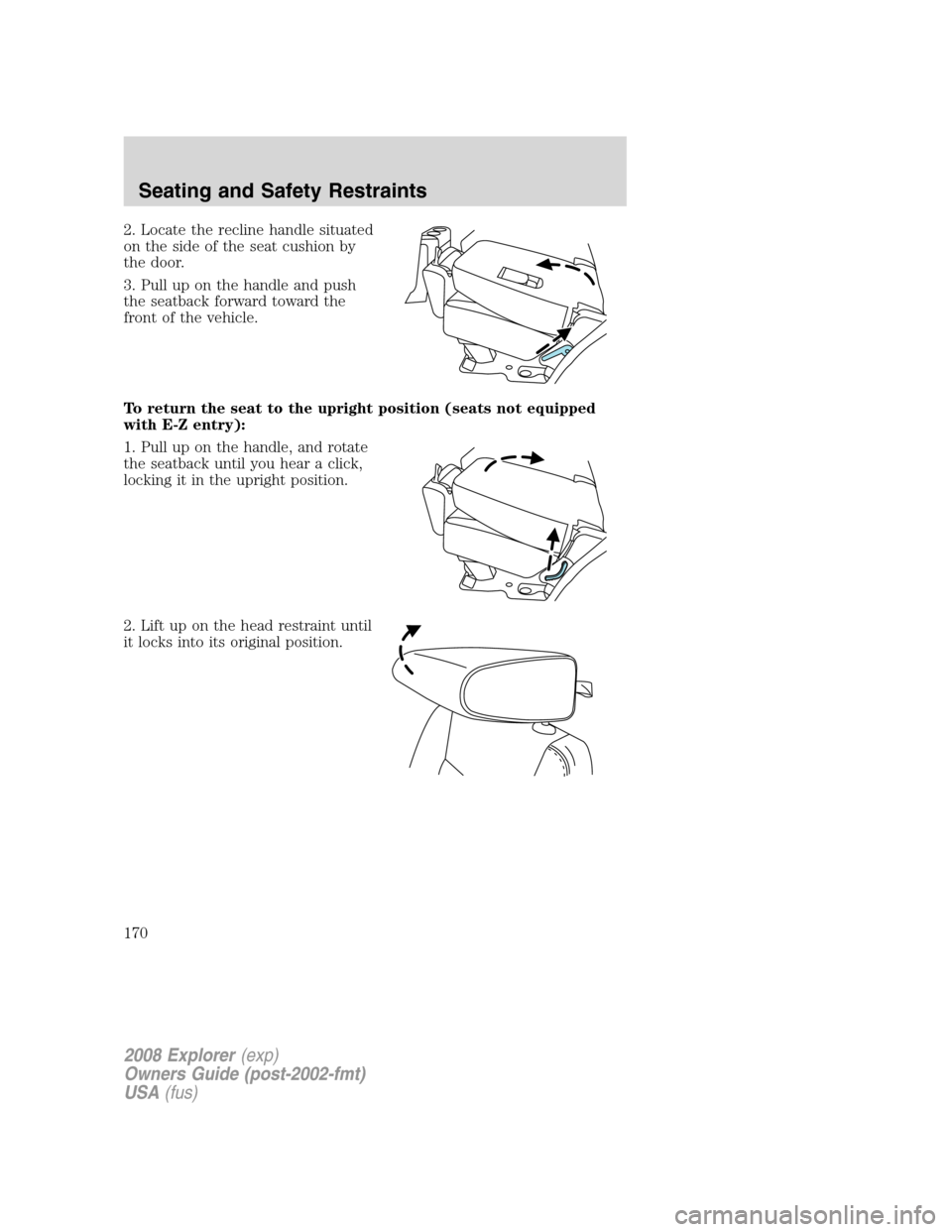
2. Locate the recline handle situated
on the side of the seat cushion by
the door.
3. Pull up on the handle and push
the seatback forward toward the
front of the vehicle.
To return the seat to the upright position (seats not equipped
with E-Z entry):
1. Pull up on the handle, and rotate
the seatback until you hear a click,
locking it in the upright position.
2. Lift up on the head restraint until
it locks into its original position.
2008 Explorer(exp)
Owners Guide (post-2002-fmt)
USA(fus)
Seating and Safety Restraints
170
Page 171 of 384
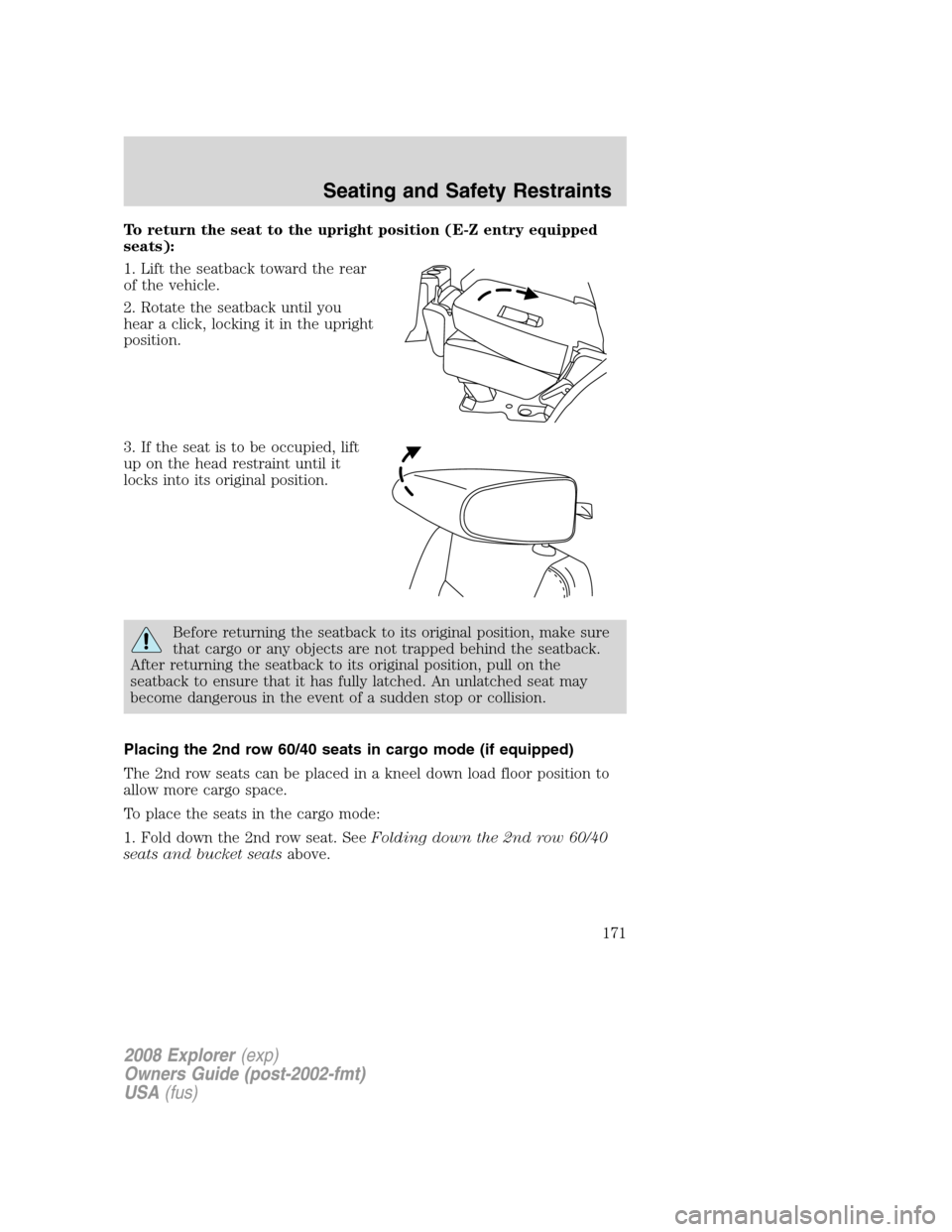
To return the seat to the upright position (E-Z entry equipped
seats):
1. Lift the seatback toward the rear
of the vehicle.
2. Rotate the seatback until you
hear a click, locking it in the upright
position.
3. If the seat is to be occupied, lift
up on the head restraint until it
locks into its original position.
Before returning the seatback to its original position, make sure
that cargo or any objects are not trapped behind the seatback.
After returning the seatback to its original position, pull on the
seatback to ensure that it has fully latched. An unlatched seat may
become dangerous in the event of a sudden stop or collision.
Placing the 2nd row 60/40 seats in cargo mode (if equipped)
The 2nd row seats can be placed in a kneel down load floor position to
allow more cargo space.
To place the seats in the cargo mode:
1. Fold down the 2nd row seat. SeeFolding down the 2nd row 60/40
seats and bucket seatsabove.
2008 Explorer(exp)
Owners Guide (post-2002-fmt)
USA(fus)
Seating and Safety Restraints
171
Page 172 of 384
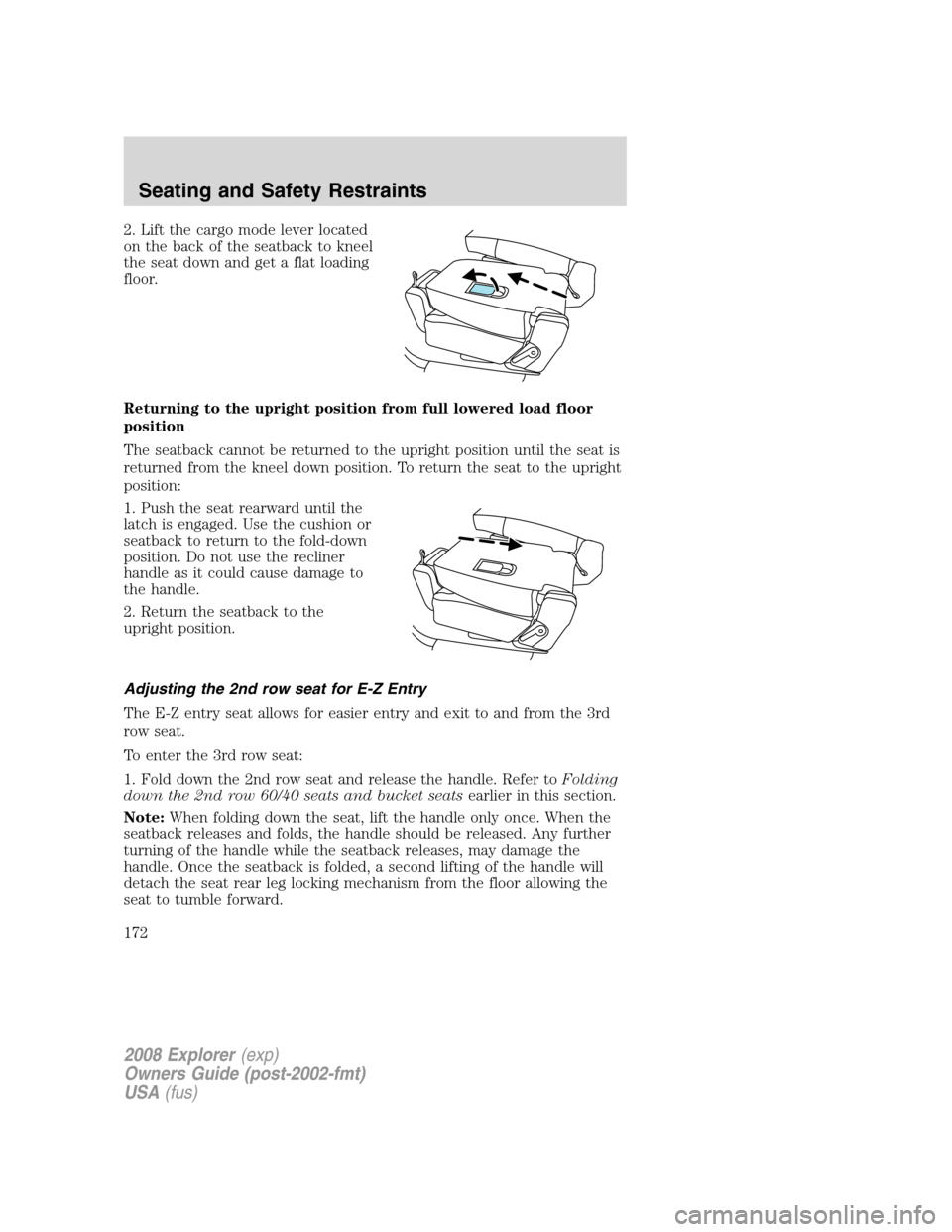
2. Lift the cargo mode lever located
on the back of the seatback to kneel
the seat down and get a flat loading
floor.
Returning to the upright position from full lowered load floor
position
The seatback cannot be returned to the upright position until the seat is
returned from the kneel down position. To return the seat to the upright
position:
1. Push the seat rearward until the
latch is engaged. Use the cushion or
seatback to return to the fold-down
position. Do not use the recliner
handle as it could cause damage to
the handle.
2. Return the seatback to the
upright position.
Adjusting the 2nd row seat for E-Z Entry
The E-Z entry seat allows for easier entry and exit to and from the 3rd
row seat.
To enter the 3rd row seat:
1. Fold down the 2nd row seat and release the handle. Refer toFolding
down the 2nd row 60/40 seats and bucket seatsearlier in this section.
Note:When folding down the seat, lift the handle only once. When the
seatback releases and folds, the handle should be released. Any further
turning of the handle while the seatback releases, may damage the
handle. Once the seatback is folded, a second lifting of the handle will
detach the seat rear leg locking mechanism from the floor allowing the
seat to tumble forward.
2008 Explorer(exp)
Owners Guide (post-2002-fmt)
USA(fus)
Seating and Safety Restraints
172
Page 173 of 384
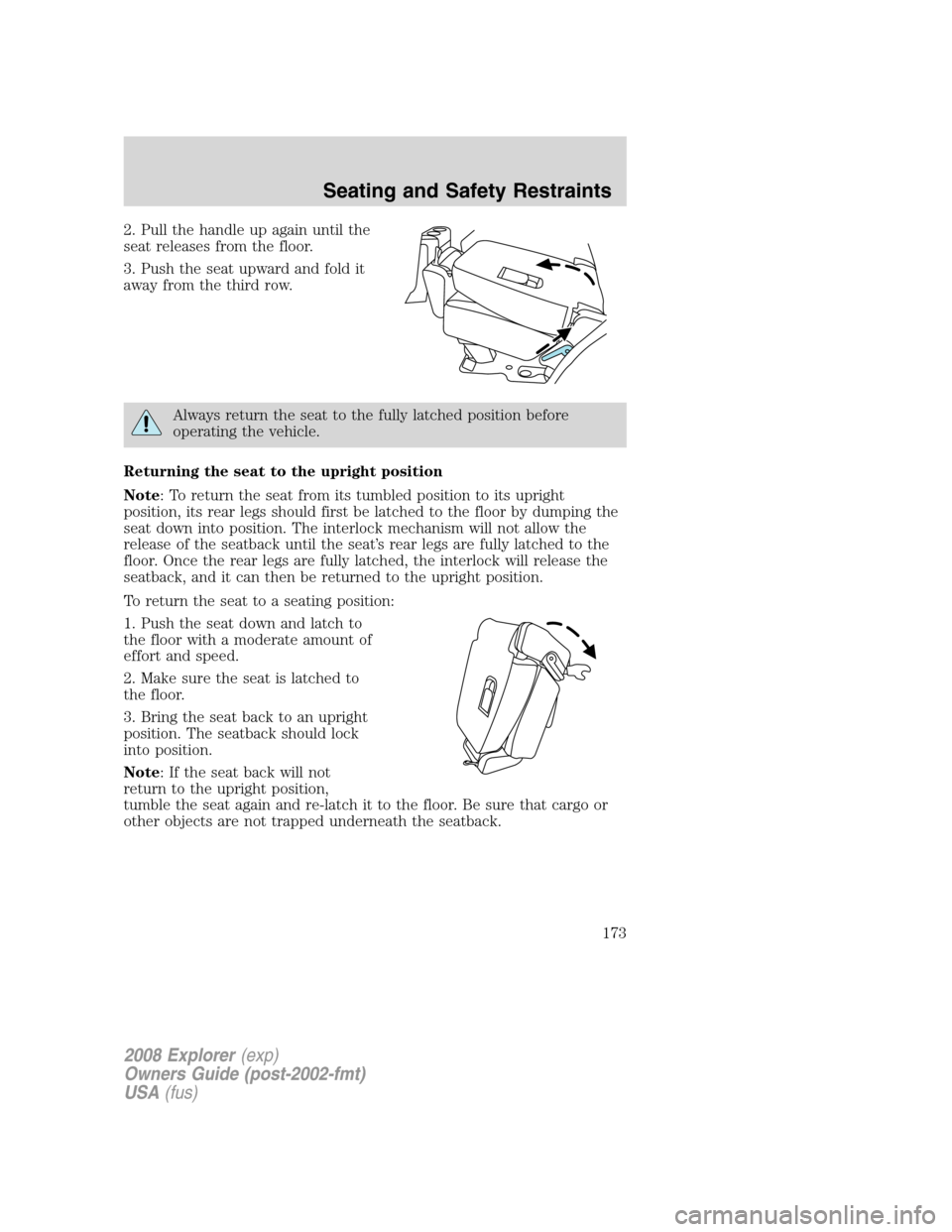
2. Pull the handle up again until the
seat releases from the floor.
3. Push the seat upward and fold it
away from the third row.
Always return the seat to the fully latched position before
operating the vehicle.
Returning the seat to the upright position
Note: To return the seat from its tumbled position to its upright
position, its rear legs should first be latched to the floor by dumping the
seat down into position. The interlock mechanism will not allow the
release of the seatback until the seat’s rear legs are fully latched to the
floor. Once the rear legs are fully latched, the interlock will release the
seatback, and it can then be returned to the upright position.
To return the seat to a seating position:
1. Push the seat down and latch to
the floor with a moderate amount of
effort and speed.
2. Make sure the seat is latched to
the floor.
3. Bring the seat back to an upright
position. The seatback should lock
into position.
Note: If the seat back will not
return to the upright position,
tumble the seat again and re-latch it to the floor. Be sure that cargo or
other objects are not trapped underneath the seatback.
2008 Explorer(exp)
Owners Guide (post-2002-fmt)
USA(fus)
Seating and Safety Restraints
173