navigation system FORD EXPLORER 2009 4.G User Guide
[x] Cancel search | Manufacturer: FORD, Model Year: 2009, Model line: EXPLORER, Model: FORD EXPLORER 2009 4.GPages: 407, PDF Size: 3.47 MB
Page 73 of 407
CD, MP3 and CD player care
•Handle discs by their edges only. Never touch the playing surface.
•Do not expose discs to direct sunlight or heat sources for extended
periods of time.
•Do not insert more than one disc into the slot of the CD player (if
equipped).
•Always store discs out of direct sunlight. Excessive heat may damage
or warp discs.
•Use care when handling and playing CD-R and CD-RW discs, which
are more susceptible to damage from heat, light and stress than are
regular CDs.
•Always insert and remove a disc by holding the disc flat, with the
playing surface facing down, in order to prevent damage to the disc or
the player.
•Never insert any object other than a compact disc (CD) or digital
versatile disc (DVD) into the player, as doing so may damage the
player and may cause injury to you.
•Do not disassemble the player. The laser used in disc playback is
extremely harmful to the eyes.
The FES DVD system is designed to play commercially pressed
12 cm (4.75 in) audio compact discs and digital versatile discs
(DVD), DVD-R and R/W discs only. Due to technical
incompatibility, certain recordable and re-recordable compact
discs may not function correctly when used in Ford CD and DVD
players. Irregular shaped CDs or DVDs, CDs or DVDs with a
scratch protection film attached, and CDs with homemade paper
(adhesive) labels should not be inserted into the FES DVD
system. The label may peel and cause the CD or DVD to become
jammed. It is recommended that homemade CDs or DVDs be
identified with permanent felt tip marker rather than adhesive
labels. Ball point pens may damage CDs or DVDs. Please contact
your authorized dealer for further information.
Playing a DVD
1. Ensure that the vehicle is on or the ignition is in accessory mode.
2. Ensure that the navigation system is on.
3. Insert a DVD label-side up into the system.
2009 Explorer(exp)
Owners Guide, 1st Printing
USA(fus)
Entertainment Systems
73
Page 81 of 407
While operating in Headphone Only Mode, the system will have limited
functionality.
•The system will only output audio to the headphones. It will not be
capable of providing audio to the speakers.
•The available sources in FES Headphone Only Mode are DVD-DISC
and DVD-AUX, regardless of headphone channel (A or B).
•When a disc is inserted into the FES while in Headphone Only Mode,
both headphone channels (A and B) will be connected to FES-DISC.
NAVIGATION SYSTEM (IF EQUIPPED)
Your vehicle may be equipped with a navigation system. Refer to the
Navigation systemsupplement for further information.
SYNC (IF EQUIPPED)
Your vehicle may be equipped with SYNC, a hands-free communications
and entertainment system with special phone and media features. For
more information, please refer to theSYNCsupplement or to theSYNC
section in theNavigation systemsupplement (if equipped).
2009 Explorer(exp)
Owners Guide, 1st Printing
USA(fus)
Entertainment Systems
81
Page 115 of 407
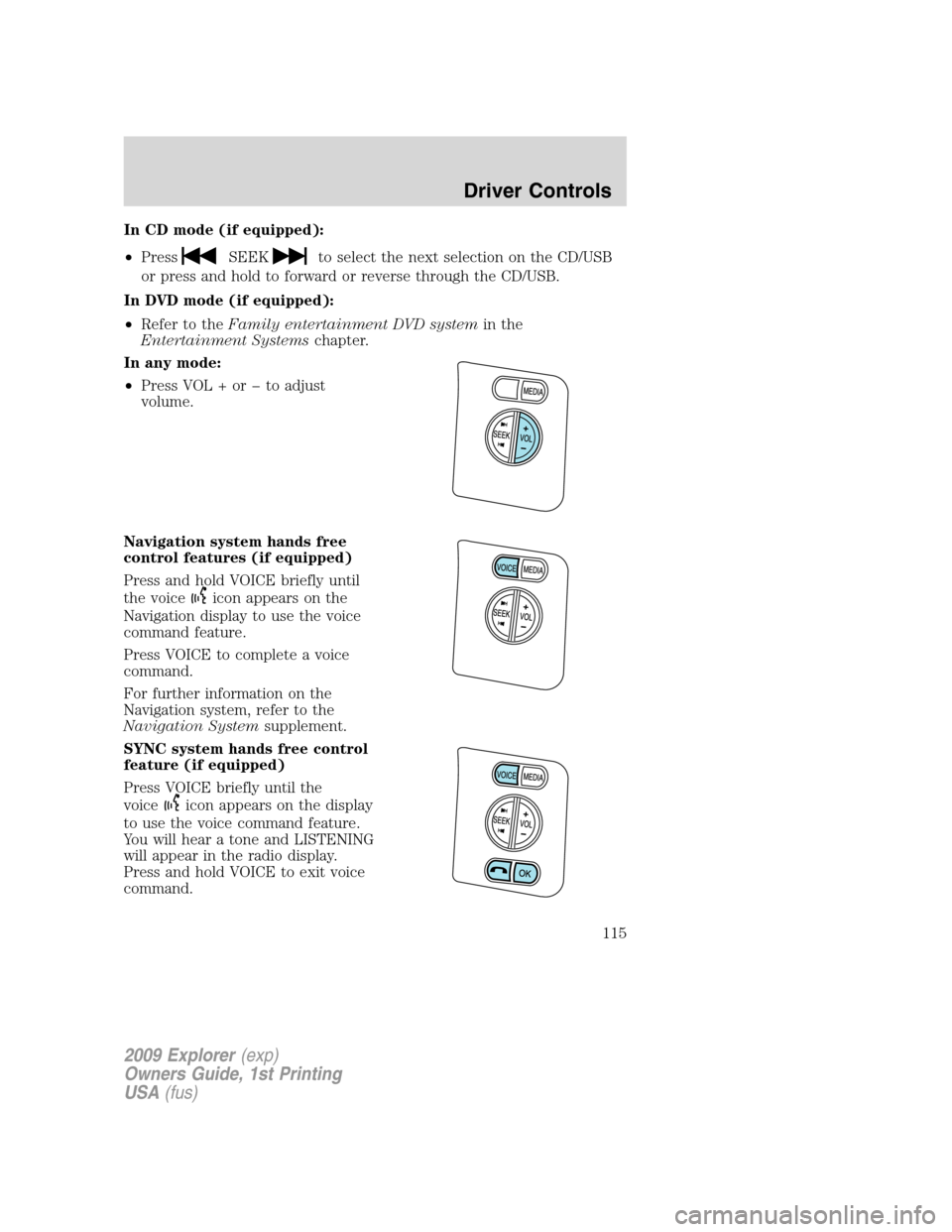
In CD mode (if equipped):
•Press
SEEKto select the next selection on the CD/USB
or press and hold to forward or reverse through the CD/USB.
In DVD mode (if equipped):
•Refer to theFamily entertainment DVD systemin the
Entertainment Systemschapter.
In any mode:
•Press VOL + or to adjust
volume.
Navigation system hands free
control features (if equipped)
Press and hold VOICE briefly until
the voice
icon appears on the
Navigation display to use the voice
command feature.
Press VOICE to complete a voice
command.
For further information on the
Navigation system, refer to the
Navigation Systemsupplement.
SYNC system hands free control
feature (if equipped)
Press VOICE briefly until the
voice
icon appears on the display
to use the voice command feature.
You will hear a tone and LISTENING
will appear in the radio display.
Press and hold VOICE to exit voice
command.
2009 Explorer(exp)
Owners Guide, 1st Printing
USA(fus)
Driver Controls
115
Page 116 of 407
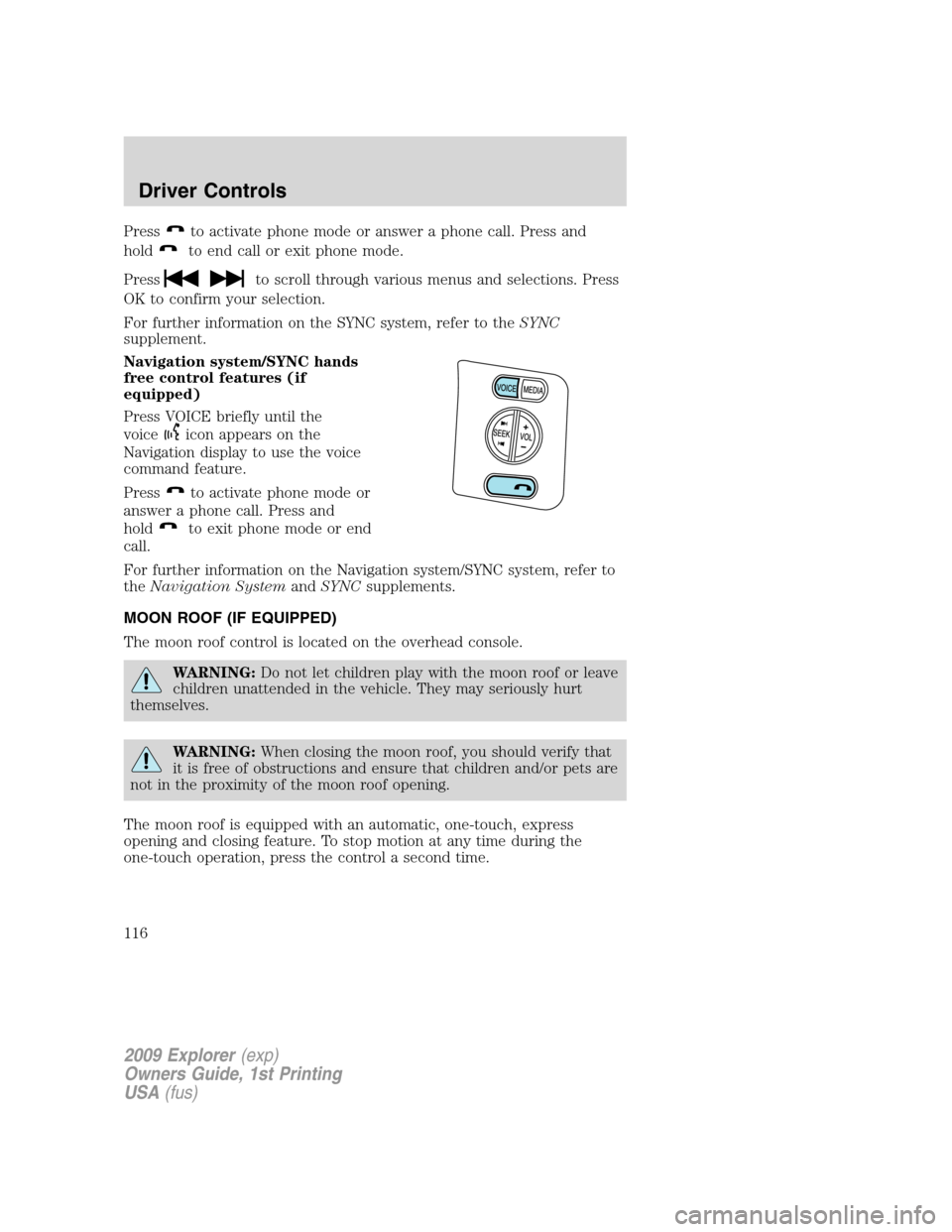
Pressto activate phone mode or answer a phone call. Press and
hold
to end call or exit phone mode.
Press
to scroll through various menus and selections. Press
OK to confirm your selection.
For further information on the SYNC system, refer to theSYNC
supplement.
Navigation system/SYNC hands
free control features (if
equipped)
Press VOICE briefly until the
voice
icon appears on the
Navigation display to use the voice
command feature.
Press
to activate phone mode or
answer a phone call. Press and
hold
to exit phone mode or end
call.
For further information on the Navigation system/SYNC system, refer to
theNavigation SystemandSYNCsupplements.
MOON ROOF (IF EQUIPPED)
The moon roof control is located on the overhead console.
WARNING:Do not let children play with the moon roof or leave
children unattended in the vehicle. They may seriously hurt
themselves.
WARNING:When closing the moon roof, you should verify that
it is free of obstructions and ensure that children and/or pets are
not in the proximity of the moon roof opening.
The moon roof is equipped with an automatic, one-touch, express
opening and closing feature. To stop motion at any time during the
one-touch operation, press the control a second time.
2009 Explorer(exp)
Owners Guide, 1st Printing
USA(fus)
Driver Controls
116
Page 404 of 407
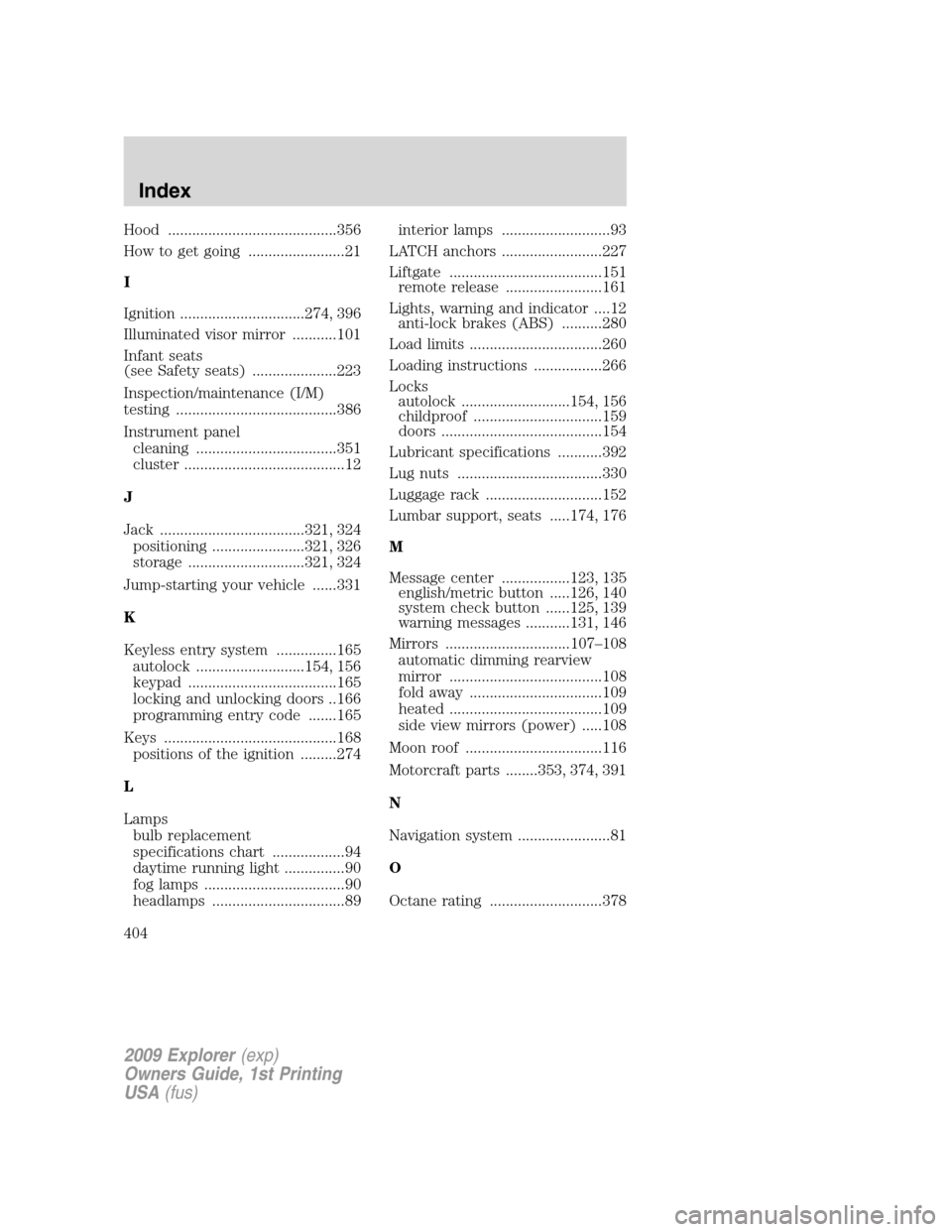
Hood ..........................................356
How to get going ........................21
I
Ignition ...............................274, 396
Illuminated visor mirror ...........101
Infant seats
(see Safety seats) .....................223
Inspection/maintenance (I/M)
testing ........................................386
Instrument panel
cleaning ...................................351
cluster ........................................12
J
Jack ....................................321, 324
positioning .......................321, 326
storage .............................321, 324
Jump-starting your vehicle ......331
K
Keyless entry system ...............165
autolock ...........................154, 156
keypad .....................................165
locking and unlocking doors ..166
programming entry code .......165
Keys ...........................................168
positions of the ignition .........274
L
Lamps
bulb replacement
specifications chart ..................94
daytime running light ...............90
fog lamps ...................................90
headlamps .................................89interior lamps ...........................93
LATCH anchors .........................227
Liftgate ......................................151
remote release ........................161
Lights, warning and indicator ....12
anti-lock brakes (ABS) ..........280
Load limits .................................260
Loading instructions .................266
Locks
autolock ...........................154, 156
childproof ................................159
doors ........................................154
Lubricant specifications ...........392
Lug nuts ....................................330
Luggage rack .............................152
Lumbar support, seats .....174, 176
M
Message center .................123, 135
english/metric button .....126, 140
system check button ......125, 139
warning messages ...........131, 146
Mirrors ...............................107–108
automatic dimming rearview
mirror ......................................108
fold away .................................109
heated ......................................109
side view mirrors (power) .....108
Moon roof ..................................116
Motorcraft parts ........353, 374, 391
N
Navigation system .......................81
O
Octane rating ............................378
2009 Explorer(exp)
Owners Guide, 1st Printing
USA(fus)
Index
404