instrument panel FORD EXPLORER 2012 5.G User Guide
[x] Cancel search | Manufacturer: FORD, Model Year: 2012, Model line: EXPLORER, Model: FORD EXPLORER 2012 5.GPages: 439, PDF Size: 3.63 MB
Page 79 of 439
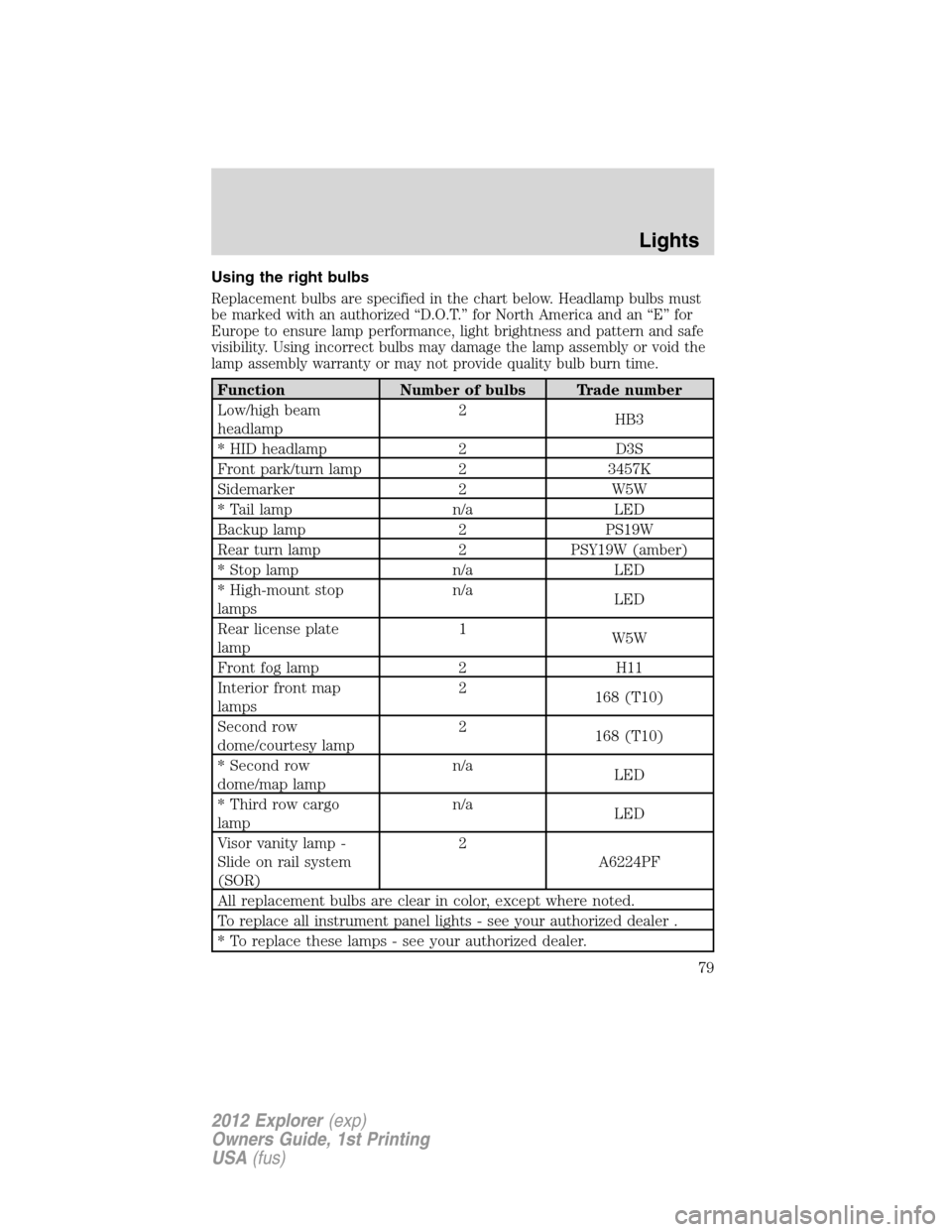
Using the right bulbs
Replacement bulbs are specified in the chart below. Headlamp bulbs must
be marked with an authorized “D.O.T.” for North America and an “E” for
Europe to ensure lamp performance, light brightness and pattern and safe
visibility. Using incorrect bulbs may damage the lamp assembly or void the
lamp assembly warranty or may not provide quality bulb burn time.
Function Number of bulbs Trade number
Low/high beam
headlamp2
HB3
* HID headlamp 2 D3S
Front park/turn lamp 2 3457K
Sidemarker 2 W5W
* Tail lamp n/a LED
Backup lamp 2 PS19W
Rear turn lamp 2 PSY19W (amber)
* Stop lamp n/a LED
* High-mount stop
lampsn/a
LED
Rear license plate
lamp1
W5W
Front fog lamp 2 H11
Interior front map
lamps2
168 (T10)
Second row
dome/courtesy lamp2
168 (T10)
* Second row
dome/map lampn/a
LED
* Third row cargo
lampn/a
LED
Visor vanity lamp -
Slide on rail system
(SOR)2
A6224PF
All replacement bulbs are clear in color, except where noted.
To replace all instrument panel lights - see your authorized dealer .
* To replace these lamps - see your authorized dealer.
Lights
79
2012 Explorer(exp)
Owners Guide, 1st Printing
USA(fus)
Page 120 of 439

WARNING:Make sure that the liftgate is closed to prevent
exhaust fumes from being drawn into the vehicle. This will also
prevent passengers and cargo from falling out. If you must drive with
the liftgate door open, keep the vehicle well ventilated so outside air
comes into the vehicle.
Liftgate ajar signal
If the liftgate is not fully latched, you will receive a “LIFTGATE AJAR”
message on the instrument panel. If you see this message, check the
liftgate door to ensure it is fully latched.
Note:In the event of a power failure, the latch can be accessed and
released from the inside using the access panel on the liftgate trim.
POWER LIFTGATE (IF EQUIPPED)
You can power open or close the liftgate with the following controls:
•Instrument panel control button
•Transmitter button
•Outside liftgate control button
•Control button on the liftgate
Opening and closing the power liftgate:
WARNING:Make sure all persons are clear of the power liftgate
area before using the power liftgate control.
WARNING:Keep keys out of reach of children. Do not allow
children to play near an open or moving power liftgate.
The liftgate will only operate with the vehicle in P (Park).
When the liftgate is being power closed, a chime will sound three times
as the liftgate begins to power close. A single chime indicates a problem
with the close request, caused by:
•the ignition is on and the transmission is not in P (Park);
•or the battery voltage is below the minimum operating voltage;
•or the vehicle speed is at or above 3 mph (5 km/h).
Driver Controls
120
2012 Explorer(exp)
Owners Guide, 1st Printing
USA(fus)
Page 121 of 439
If the liftgate reverses and starts to close after an open request, a fast
continuous chime indicates excessive load on the gate or a possible strut
failure. If any excessive load is removed and you still have a faster
chime, have the system serviced immediately by your authorized dealer.
Do not attempt to manually force the liftgate to travel faster than the
power system will permit. This will activate the obstacle detection
feature.
Note:Cycling the ignition prior to completely latching the liftgate could
result in damage to the liftgate and/or its power components. Make sure
the liftgate is fully latched before operating the vehicle.
Care should be exercised in starting the engine before the liftgate is fully
closed (latched). If the ignition is cycled during a liftgate power close
cycle and the liftgate is 6-10 inches (15–24 cm) from being latched, the
liftgate may reverse to the full open position. Verify that the gate is
closed before operating or moving the vehicle, especially in an enclosure,
like a garage or a parking structure. The liftgate or its components could
be damaged in an enclosure if the liftgate is open while the vehicle is
being operated.
When operating the power liftgate after a lower height than full-open has
been programmed, the liftgate can be fully opened by manually pushing
it upward to the maximum open position.
The power liftgate feature can be enabled or disabled using the message
center controls. With the setting turned off, power operation is disabled
from the liftgate handle button and from the control button on the
liftgate. The transmitter and instrument panel switch will still continue to
operate the liftgate regardless of the position state of the message
center. Refer toMessage centerin theInstrument Clusterchapter.
To power open or close the
liftgate from the instrument
panel:
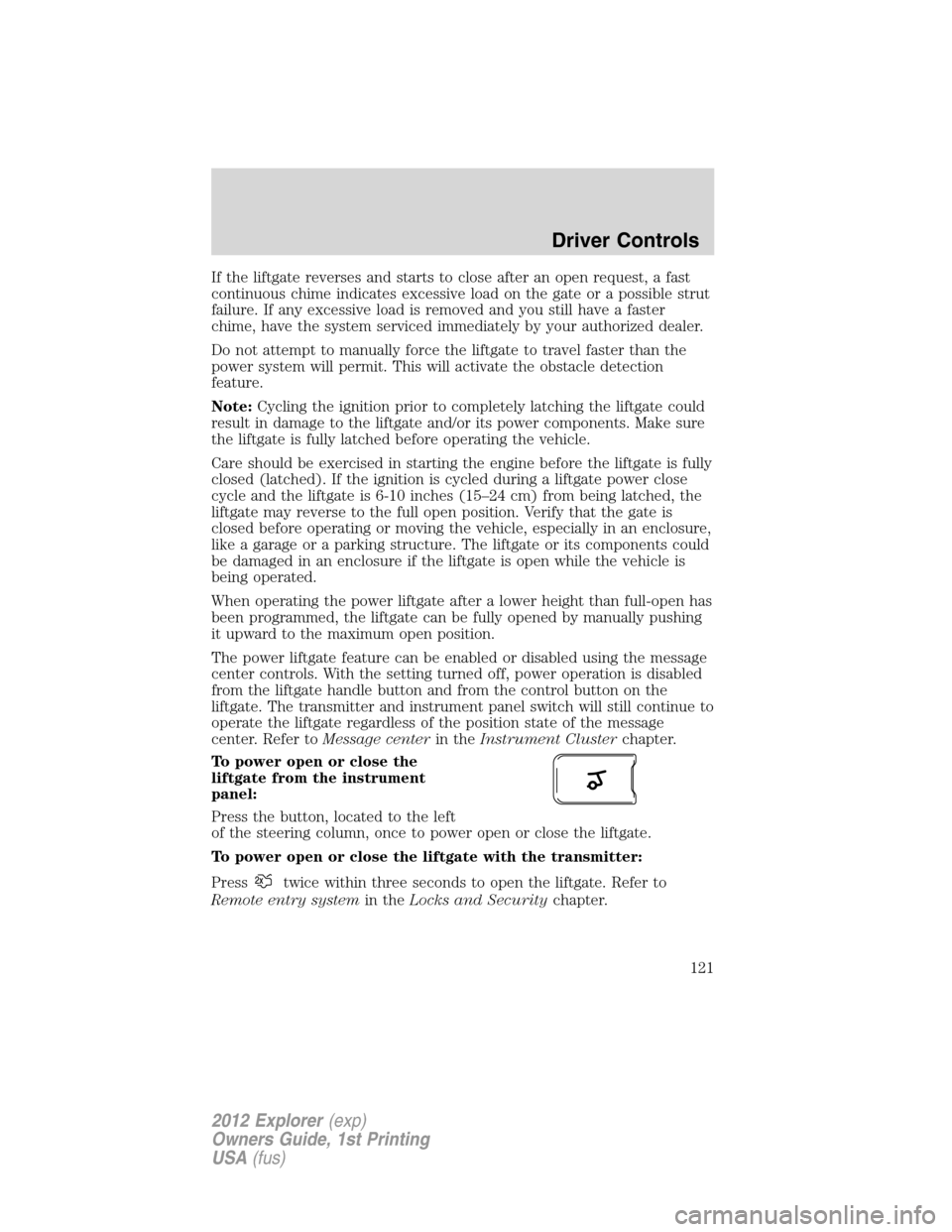
Press the button, located to the left
of the steering column, once to power open or close the liftgate.
To power open or close the liftgate with the transmitter:
Press
twice within three seconds to open the liftgate. Refer to
Remote entry systemin theLocks and Securitychapter.
Driver Controls
121
2012 Explorer(exp)
Owners Guide, 1st Printing
USA(fus)
Page 122 of 439
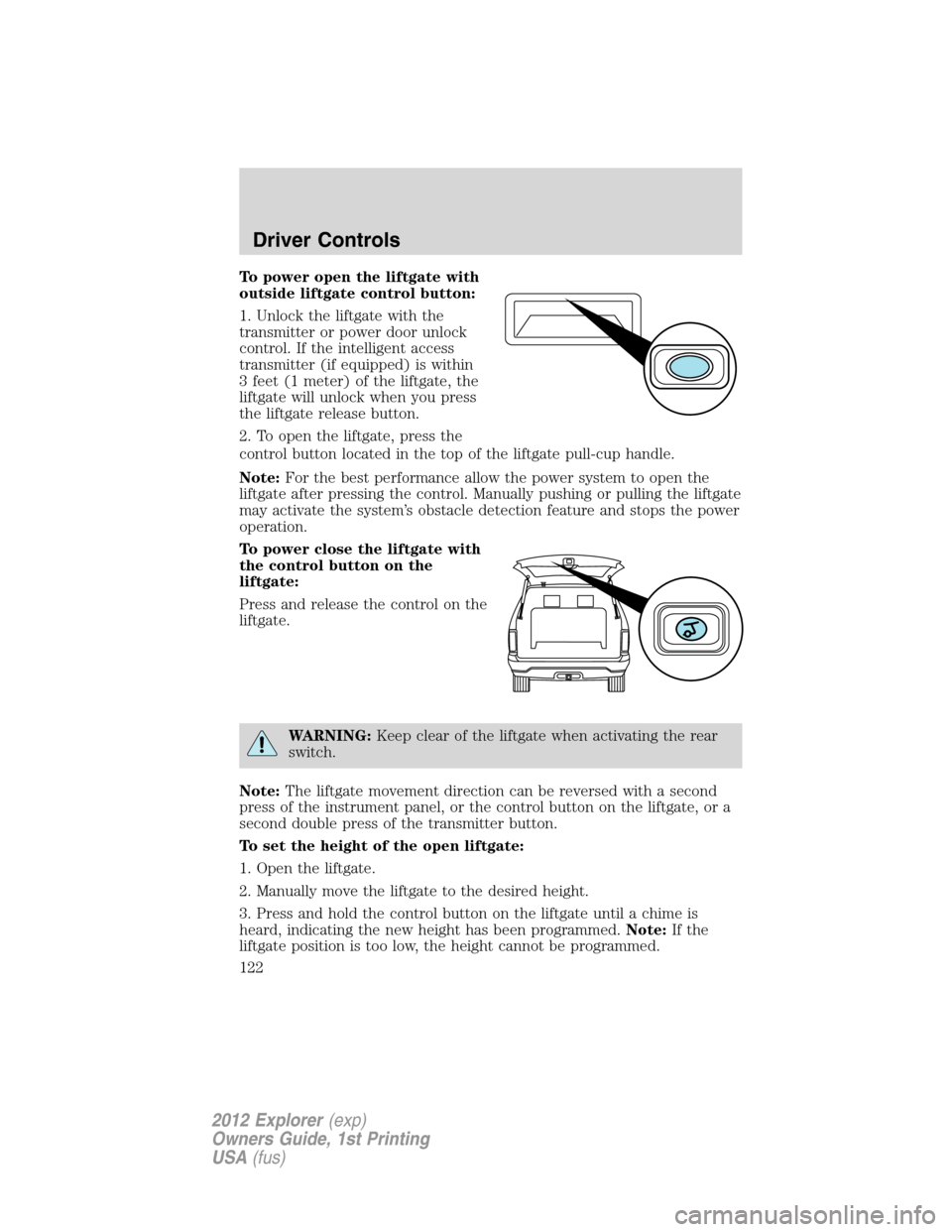
To power open the liftgate with
outside liftgate control button:
1. Unlock the liftgate with the
transmitter or power door unlock
control. If the intelligent access
transmitter (if equipped) is within
3 feet (1 meter) of the liftgate, the
liftgate will unlock when you press
the liftgate release button.
2. To open the liftgate, press the
control button located in the top of the liftgate pull-cup handle.
Note:For the best performance allow the power system to open the
liftgate after pressing the control. Manually pushing or pulling the liftgate
may activate the system’s obstacle detection feature and stops the power
operation.
To power close the liftgate with
the control button on the
liftgate:
Press and release the control on the
liftgate.
WARNING:Keep clear of the liftgate when activating the rear
switch.
Note:The liftgate movement direction can be reversed with a second
press of the instrument panel, or the control button on the liftgate, or a
second double press of the transmitter button.
To set the height of the open liftgate:
1. Open the liftgate.
2. Manually move the liftgate to the desired height.
3. Press and hold the control button on the liftgate until a chime is
heard, indicating the new height has been programmed.Note:If the
liftgate position is too low, the height cannot be programmed.
Driver Controls
122
2012 Explorer(exp)
Owners Guide, 1st Printing
USA(fus)
Page 123 of 439
The new open liftgate height will now be recalled when the power
liftgate is opened. To change the programmed height, repeat the above
procedure. Once the power liftgate is opened it can be manually moved
to a different height.
Note:Do not drive with the liftgate open without first disabling the
power function and securing the liftgate to the vehicle.
Note:The new liftgate height will be retained even if the battery is
disconnected.
To manually operate the liftgate:
1. Disable the liftgate power function. Refer to theMessage centerin the
Instrument Clusterchapter.
2. Open and close the liftgate as you would a standard liftgate. Refer to
Manual liftgatein this chapter.
Note:In case of operation in extreme cold -40°F (-40°C), or on extreme
inclines, manual operation of the liftgate is suggested.
Obstacle detection
The power liftgate system is equipped with an obstacle detection feature.
If the power liftgate is closing, the system will reverse to full open when
it detects an obstacle. A chime will sound three times when an obstacle
is detected as the liftgate begins to reopen. Once the obstacle is
removed, the liftgate can be closed under power.
If the power liftgate is opening, the system will stop and a chime will
sound three times when an obstacle is detected. Once the obstacle is
removed, the liftgate can again be operated normally.
Resetting the power liftgate:
The power liftgate may not operate properly and may need to be reset if
any of these conditions occur:
•a low voltage or dead battery
•disconnected battery
•the liftgate is manually closed and left ajar (unlatched)
To reset the power liftgate:
1. Disconnect the battery for 20 seconds then, reconnect the battery.
2. Manually close and fully latch the liftgate.
3. Power open the liftgate by using the transmitter, or the instrument
panel control button.
Driver Controls
123
2012 Explorer(exp)
Owners Guide, 1st Printing
USA(fus)
Page 124 of 439
Note:If the power liftgate system is turned off in the message center,
the system cannot be activated with the outside release handle or
control button on the liftgate. The system will need to be turned on to
resume operation with the outside release handle or control button on
the liftgate. The power liftgate is still operational through the use of the
transmitter and instrument panel button when the power liftgate is
turned off in the message center.
ROOF RACK SYSTEM (IF EQUIPPED)
Loads should never be placed directly on the roof panel. For proper
function of the roof rack system, loads must be placed directly on
crossbars affixed to the roof rack side rails. Your vehicle may be
equipped with factory-installed crossbars. Ford Genuine Accessory
crossbars, designed specifically for your vehicle, are also recommended
for use with your roof rack system.
The vehicle’s roof panel isNOTdesigned to directly carry a load.The
maximum recommended load is 100 lb (45 kg), evenly distributed
on the crossbars.Ensure that the load is securely fastened. When the
rail system is loaded, check the tightness of the load before driving and
at each fuel stop.
WARNING:When loading the roof rail crossbars, it is
recommended to evenly distribute the load, as well as maintain a
low center of gravity. Loaded vehicles, with higher centers of gravity,
may handle differently than unloaded vehicles. Extra precautions, such
as slower speeds and increased stopping distance, should be taken
when driving a heavily loaded vehicle.
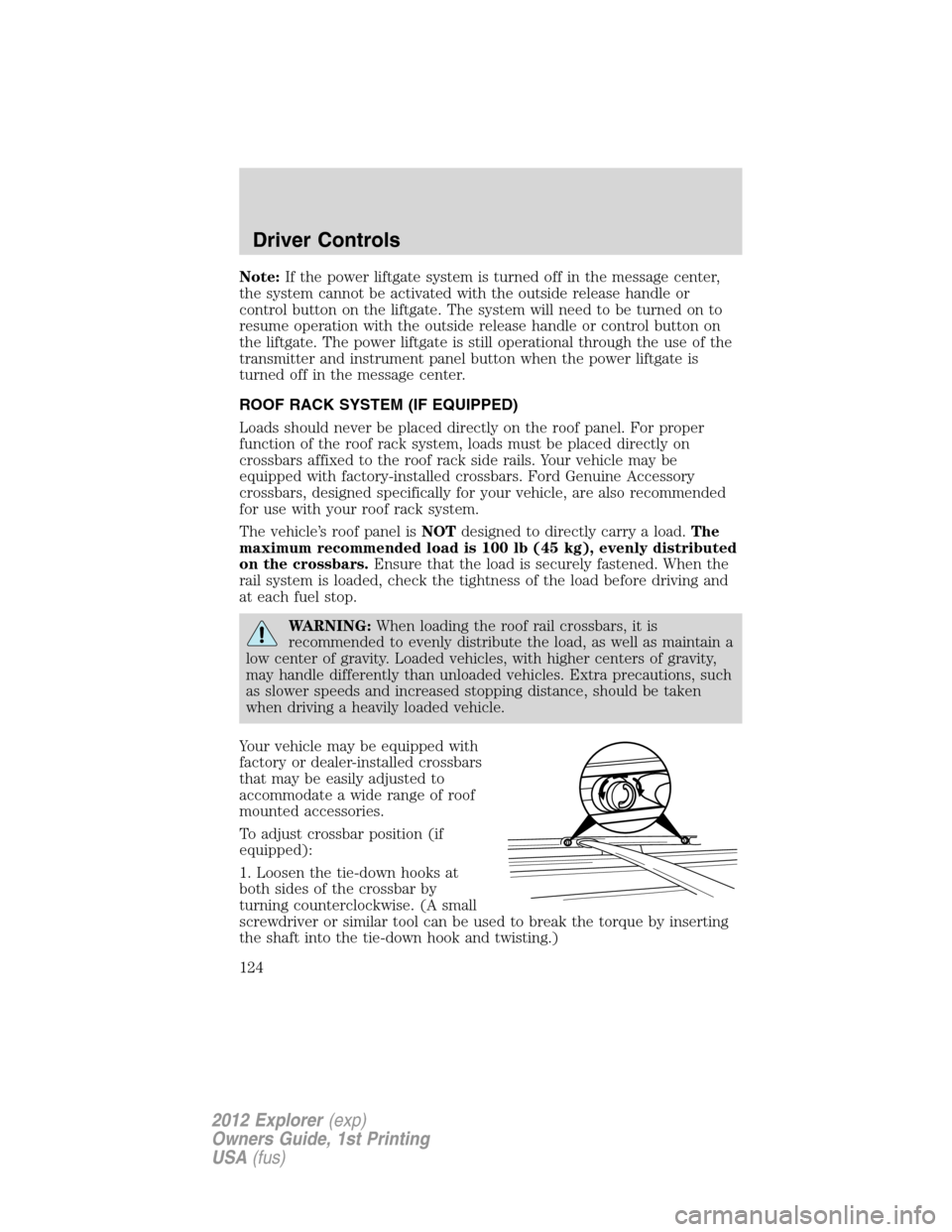
Your vehicle may be equipped with
factory or dealer-installed crossbars
that may be easily adjusted to
accommodate a wide range of roof
mounted accessories.
To adjust crossbar position (if
equipped):
1. Loosen the tie-down hooks at
both sides of the crossbar by
turning counterclockwise. (A small
screwdriver or similar tool can be used to break the torque by inserting
the shaft into the tie-down hook and twisting.)
Driver Controls
124
2012 Explorer(exp)
Owners Guide, 1st Printing
USA(fus)
Page 145 of 439
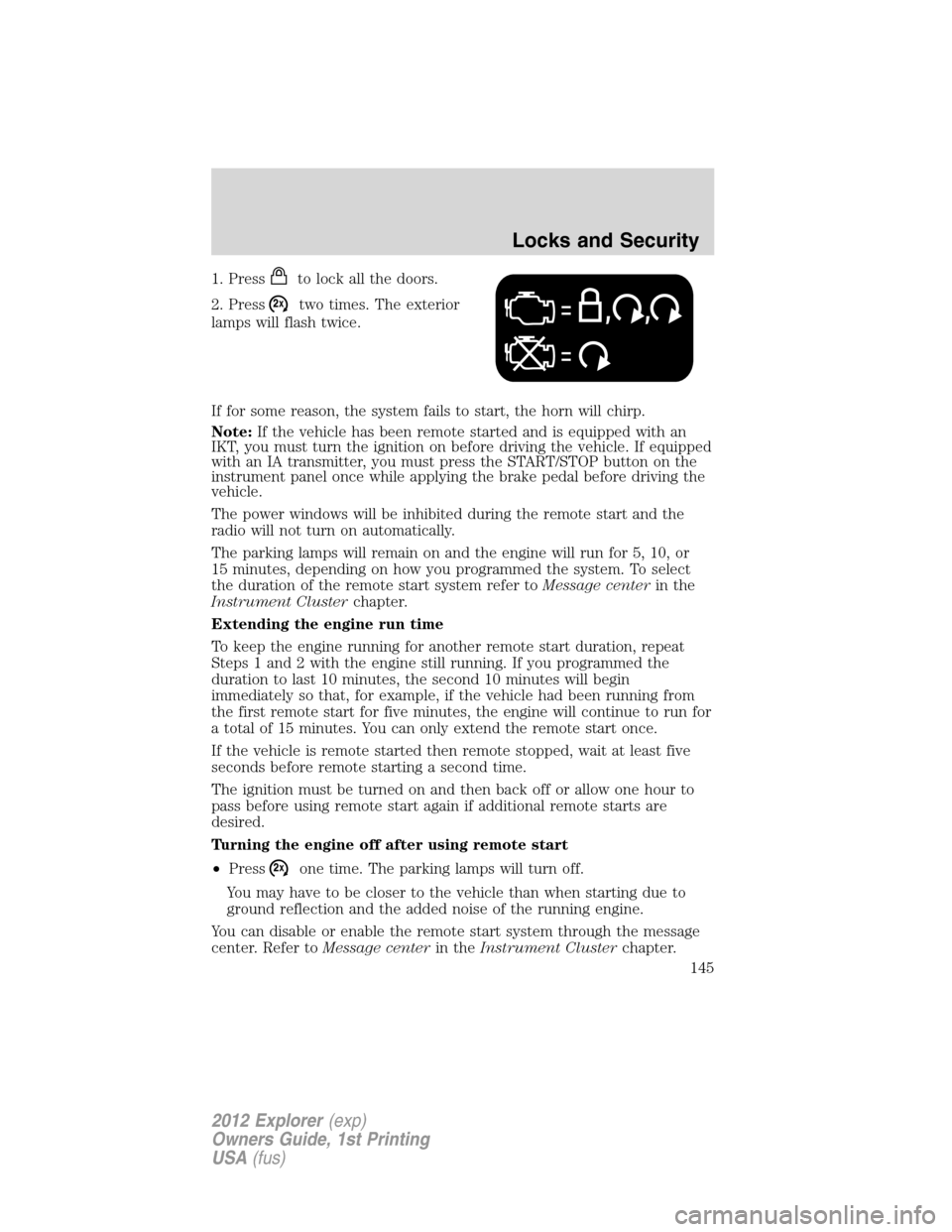
1. Pressto lock all the doors.
2. Press
two times. The exterior
lamps will flash twice.
If for some reason, the system fails to start, the horn will chirp.
Note:If the vehicle has been remote started and is equipped with an
IKT, you must turn the ignition on before driving the vehicle. If equipped
with an IA transmitter, you must press the START/STOP button on the
instrument panel once while applying the brake pedal before driving the
vehicle.
The power windows will be inhibited during the remote start and the
radio will not turn on automatically.
The parking lamps will remain on and the engine will run for 5, 10, or
15 minutes, depending on how you programmed the system. To select
the duration of the remote start system refer toMessage centerin the
Instrument Clusterchapter.
Extending the engine run time
To keep the engine running for another remote start duration, repeat
Steps 1 and 2 with the engine still running. If you programmed the
duration to last 10 minutes, the second 10 minutes will begin
immediately so that, for example, if the vehicle had been running from
the first remote start for five minutes, the engine will continue to run for
a total of 15 minutes. You can only extend the remote start once.
If the vehicle is remote started then remote stopped, wait at least five
seconds before remote starting a second time.
The ignition must be turned on and then back off or allow one hour to
pass before using remote start again if additional remote starts are
desired.
Turning the engine off after using remote start
•Press
one time. The parking lamps will turn off.
You may have to be closer to the vehicle than when starting due to
ground reflection and the added noise of the running engine.
You can disable or enable the remote start system through the message
center. Refer toMessage centerin theInstrument Clusterchapter.
Locks and Security
145
2012 Explorer(exp)
Owners Guide, 1st Printing
USA(fus)
Page 194 of 439
WARNING:Do not place any object between an occupant and
an airbag or near any other airbag covering. The airbag may not
inflate properly and might force an object into that person causing
severe injury or death. The instrument panel grab handle should never
be used for storage. The path of an inflating airbag must be kept clear
at all times.
WARNING:All occupants of the vehicle, including the driver,
should always properly wear their safety belts, even when an air
bag supplemental restraint system (SRS) is provided.
WARNING:When possible, all children 12 years old and under
should be properly restrained in a rear seating position.
WARNING:The National Highway Traffic Safety Administration
(NHTSA) recommends a minimum distance of at least 10 inches
(25 cm) between an occupant’s chest and the driver airbag module.
WARNING:Never place your arm over the air bag module as a
deploying air bag can result in serious arm fractures or other
injuries.
To properly position yourself away from the airbag:
•Move your seat to the rear as far as you can while still reaching the
pedals comfortably.
•Recline the seat slightly one or two degrees from the upright position.
WARNING:Do not put anything on or over the air bag module.
Placing objects on or over the air bag inflation area may cause
those objects to be propelled by the air bag into your face and torso
causing serious injury.
WARNING:Do not attempt to service, repair, or modify the
airbag supplemental restraint systems or its fuses. See your
authorized dealer.
Seating and Safety Restraints
194
2012 Explorer(exp)
Owners Guide, 1st Printing
USA(fus)
Page 198 of 439
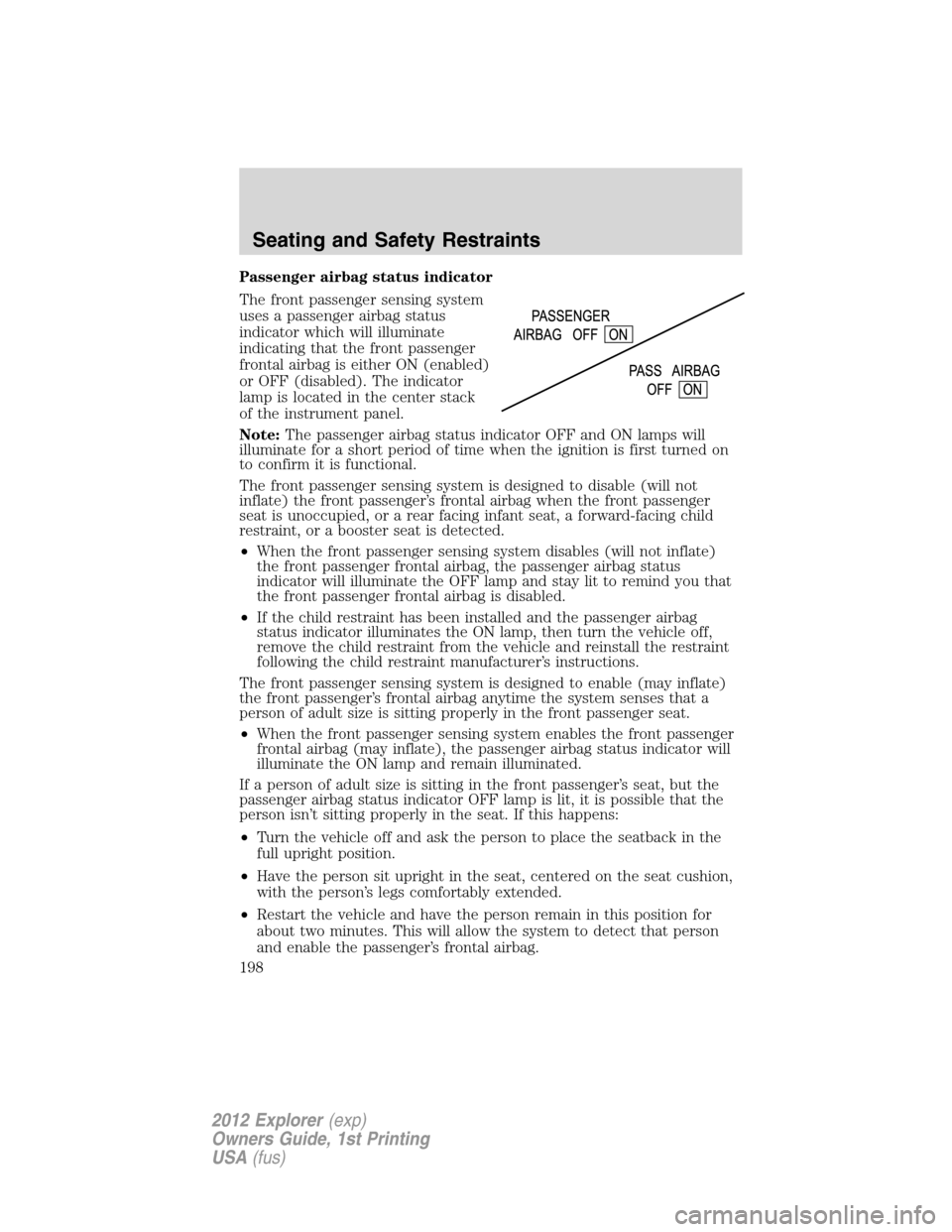
Passenger airbag status indicator
The front passenger sensing system
uses a passenger airbag status
indicator which will illuminate
indicating that the front passenger
frontal airbag is either ON (enabled)
or OFF (disabled). The indicator
lamp is located in the center stack
of the instrument panel.
Note:The passenger airbag status indicator OFF and ON lamps will
illuminate for a short period of time when the ignition is first turned on
to confirm it is functional.
The front passenger sensing system is designed to disable (will not
inflate) the front passenger’s frontal airbag when the front passenger
seat is unoccupied, or a rear facing infant seat, a forward-facing child
restraint, or a booster seat is detected.
•When the front passenger sensing system disables (will not inflate)
the front passenger frontal airbag, the passenger airbag status
indicator will illuminate the OFF lamp and stay lit to remind you that
the front passenger frontal airbag is disabled.
•If the child restraint has been installed and the passenger airbag
status indicator illuminates the ON lamp, then turn the vehicle off,
remove the child restraint from the vehicle and reinstall the restraint
following the child restraint manufacturer’s instructions.
The front passenger sensing system is designed to enable (may inflate)
the front passenger’s frontal airbag anytime the system senses that a
person of adult size is sitting properly in the front passenger seat.
•When the front passenger sensing system enables the front passenger
frontal airbag (may inflate), the passenger airbag status indicator will
illuminate the ON lamp and remain illuminated.
If a person of adult size is sitting in the front passenger’s seat, but the
passenger airbag status indicator OFF lamp is lit, it is possible that the
person isn’t sitting properly in the seat. If this happens:
•Turn the vehicle off and ask the person to place the seatback in the
full upright position.
•Have the person sit upright in the seat, centered on the seat cushion,
with the person’s legs comfortably extended.
•Restart the vehicle and have the person remain in this position for
about two minutes. This will allow the system to detect that person
and enable the passenger’s frontal airbag.
Seating and Safety Restraints
198
2012 Explorer(exp)
Owners Guide, 1st Printing
USA(fus)
Page 267 of 439
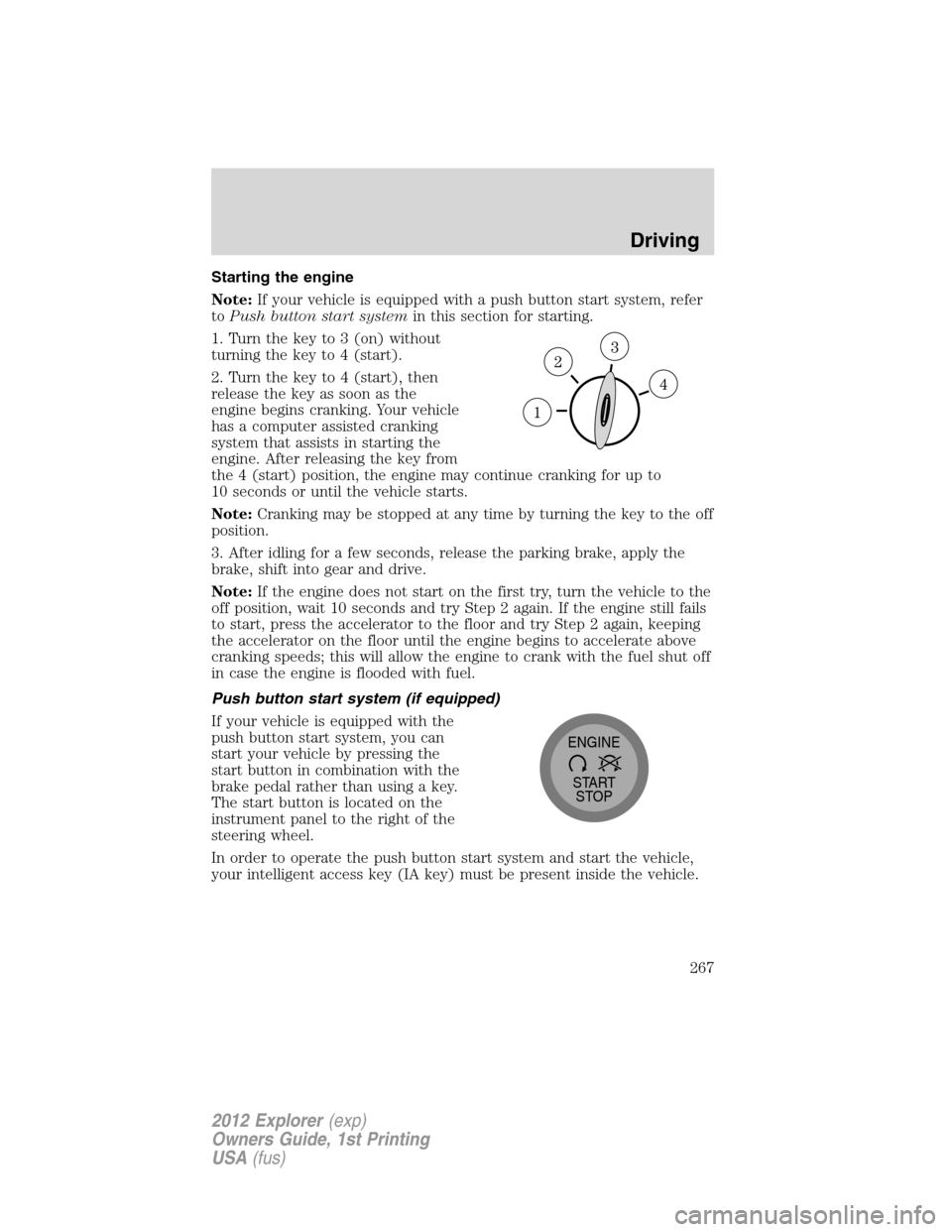
Starting the engine
Note:If your vehicle is equipped with a push button start system, refer
toPush button start systemin this section for starting.
1. Turn the key to 3 (on) without
turning the key to 4 (start).
2. Turn the key to 4 (start), then
release the key as soon as the
engine begins cranking. Your vehicle
has a computer assisted cranking
system that assists in starting the
engine. After releasing the key from
the 4 (start) position, the engine may continue cranking for up to
10 seconds or until the vehicle starts.
Note:Cranking may be stopped at any time by turning the key to the off
position.
3. After idling for a few seconds, release the parking brake, apply the
brake, shift into gear and drive.
Note:If the engine does not start on the first try, turn the vehicle to the
off position, wait 10 seconds and try Step 2 again. If the engine still fails
to start, press the accelerator to the floor and try Step 2 again, keeping
the accelerator on the floor until the engine begins to accelerate above
cranking speeds; this will allow the engine to crank with the fuel shut off
in case the engine is flooded with fuel.
Push button start system (if equipped)
If your vehicle is equipped with the
push button start system, you can
start your vehicle by pressing the
start button in combination with the
brake pedal rather than using a key.
The start button is located on the
instrument panel to the right of the
steering wheel.
In order to operate the push button start system and start the vehicle,
your intelligent access key (IA key) must be present inside the vehicle.
START
STOP ENGINE
Driving
267
2012 Explorer(exp)
Owners Guide, 1st Printing
USA(fus)