display FORD EXPLORER 2013 5.G Owners Manual
[x] Cancel search | Manufacturer: FORD, Model Year: 2013, Model line: EXPLORER, Model: FORD EXPLORER 2013 5.GPages: 576, PDF Size: 6.87 MB
Page 522 of 576
Sports-related commands
“NBA”
“NFL”
“NHL”
“WNBA”
“Help”
Additional sports-related voice commands
“Baseball headlines” “Motor sports schedule”
“Baseball schedule” “My team headlines”
“Baseball scores” “My teams schedule”
“College basketball schedule” “My teams scores”
“College basketball scores” “NBA headlines”
“College football headlines” “NBA schedule”
“College football schedule” “NBA scores”
“College football scores” “NFL headlines”
“Golf headlines” “NFL schedule”
“Golf leaderboard” “NFL scores”
“Golf schedule” “NHL headlines”
“MLS headlines” “NHL schedule”
“MLS schedule” “NHL scores”
“MLS scores” “WNBA headlines”
“Motor sports headlines” “WNBA schedule”
“Motor sports order” “WNBA scores”
“Help”
Notifications
Press the information button, then select Notifications. You can
select a message and choose to:
•View the complete message
•Delete the message
•Delete All messages
This screen displays any system messages such as an SD card fault, etc.
Note:The system alerts you to any messages by turning the information icon
yellow. When the messages are read or deleted, the icon returns to white.
522MyFord Touch™
2013 Explorer(exp)
Owners Guide gf, 1st Printing
USA(fus)
Page 523 of 576
Calendar
Press the information button, then select Calendar. You can
view the current calendar by day, week or month.
911 Assist™ (If Equipped)
WARNING:Unless the 911 Assist setting is set on prior to a crash,
the system will not dial for help which could delay response time,
potentially increasing the risk of serious injury or death after a crash.
WARNING:Do not wait for 911 Assist to make an emergency call if
you can do it yourself. Dial emergency services immediately to avoid
delayed response time which could increase the risk of serious injury or
death after a crash. If you do not hear 911 Assist within five seconds of the
crash, the system or phone may be damaged or non-functional.
WARNING:Always place your phone in a secure location in the
vehicle so it does not become a projectile or get damaged in a
collision. Failure to do so may cause serious injury to someone or damage
the phone which could prevent 911 Assist from working properly.
Note:SYNC 911 Assist feature must be set on prior to the incident.
Note:Before setting this feature on, ensure that you read the 911 Assist
privacy notice later in this section for important information.
Note:If 911 Assist is turned on or off by any user, that setting applies
for all paired phones. If 911 Assist is turned off, a voice message plays
and/or a display message/icon comes on when the vehicle is started after
a previously paired phone connects.
Note:Every phone operates differently. While SYNC 911 Assist works
with most cellular phones, some may have trouble using this feature.
If a crash deploys an airbag or activates the fuel pump shut-off, your
SYNC-equipped vehicle may be able to contact emergency services by
dialing 911 through a paired and connected Bluetooth-enabled phone.
For more information about 911 Assist, visit www.SYNCMyRide.com or
www.syncmaroute.ca.
•For information on airbag deployment, refer to theSupplementary
Restraints Systemchapter.
•For information on the fuel pump shut-off, refer to theRoadside
Emergencieschapter.
MyFord Touch™523
2013 Explorer(exp)
Owners Guide gf, 1st Printing
USA(fus)
Page 527 of 576
MENU
Under the menu setting, you can set your clock, access and make
adjustments to the display, sound and vehicle settings as well as access
settings for specific modes or the help feature.
Setting the Clock
Note:The date is set by your vehicle’s GPS; you cannot manually set the
date.
Note:If the battery has been disconnected, the vehicle needs to acquire
a GPS signal to update the clock. Once your vehicle acquires the signal,
it may take a few minutes for the update to display the correct time.
1. Press MENU > Clock.
2. Press + and to adjust the time.
From this screen, you can also make other adjustments such as 12– or
24–hour mode, activate GPS time synchronization and have the system
automatically update new time zones.
Once you update any settings they will be automatically saved.
Display Settings
To access and make adjustments to the touchscreen display, using the
touchscreen:
Press Menu > Display, then choose any of the following:
•Brightness
•Auto Dim On/Off
•Mode: Auto, Day or Night
•Edit Wallpaper
To access and make adjustments to the touchscreen display
using voice commands, press the voice button on your steering
wheel controls and when prompted, say “Display Settings”.
Uploading Photos for Your Home Screen Wallpaper
Your system allows you to upload and view up to 32 photos.
To access:
Note:You cannot load photos directly from your camera. You must
access the photos from either your USB mass storage device or from an
SD card.
To upload photos, press Menu > Display > Edit Wallpaper, then follow
the system prompts to upload your photographs.
MyFord Touch™527
2013 Explorer(exp)
Owners Guide gf, 1st Printing
USA(fus)
Page 528 of 576
Photo Display Limitations
Only the photograph(s) which meet the following conditions are
displayed:
•Compatible file formats are as follows: .jpg, .gif, .png, .bmp
•Each file must be 1.5 MB or less.
•Recommended dimensions: 800 x 378
Photographs with extremely large dimensions (i.e., 2048 x 1536) may not
be compatible and appear as a blank (black) image on the display.
Sound
Press Menu > Sound to access settings for:
Sound settings
Bass THX Deep Note Demo*
Treble DSP*
Midrange Occupancy Mode*
Balance and Fade Speed Compensated Volume
*If equipped
Ambient Lighting (If Equipped)
When activated, ambient lighting illuminates footwells and cupholders
with a choice of colors. To access and make adjustments:
1. Press Menu > Vehicle > Ambient Lighting.
2. Touch the desired color.
3. Use the scroll bar to increase or decrease the intensity.
To turn the feature on or off, press the power button.
Rear View Camera (If Equipped)
This menu allows you to access settings for your rear view camera.
Press Menu > Vehicle > Reverse camera, then select from the following
settings
•Rear Camera Delay
•Guideline
•Visual Park Aid Alert
528MyFord Touch™
2013 Explorer(exp)
Owners Guide gf, 1st Printing
USA(fus)
Page 529 of 576
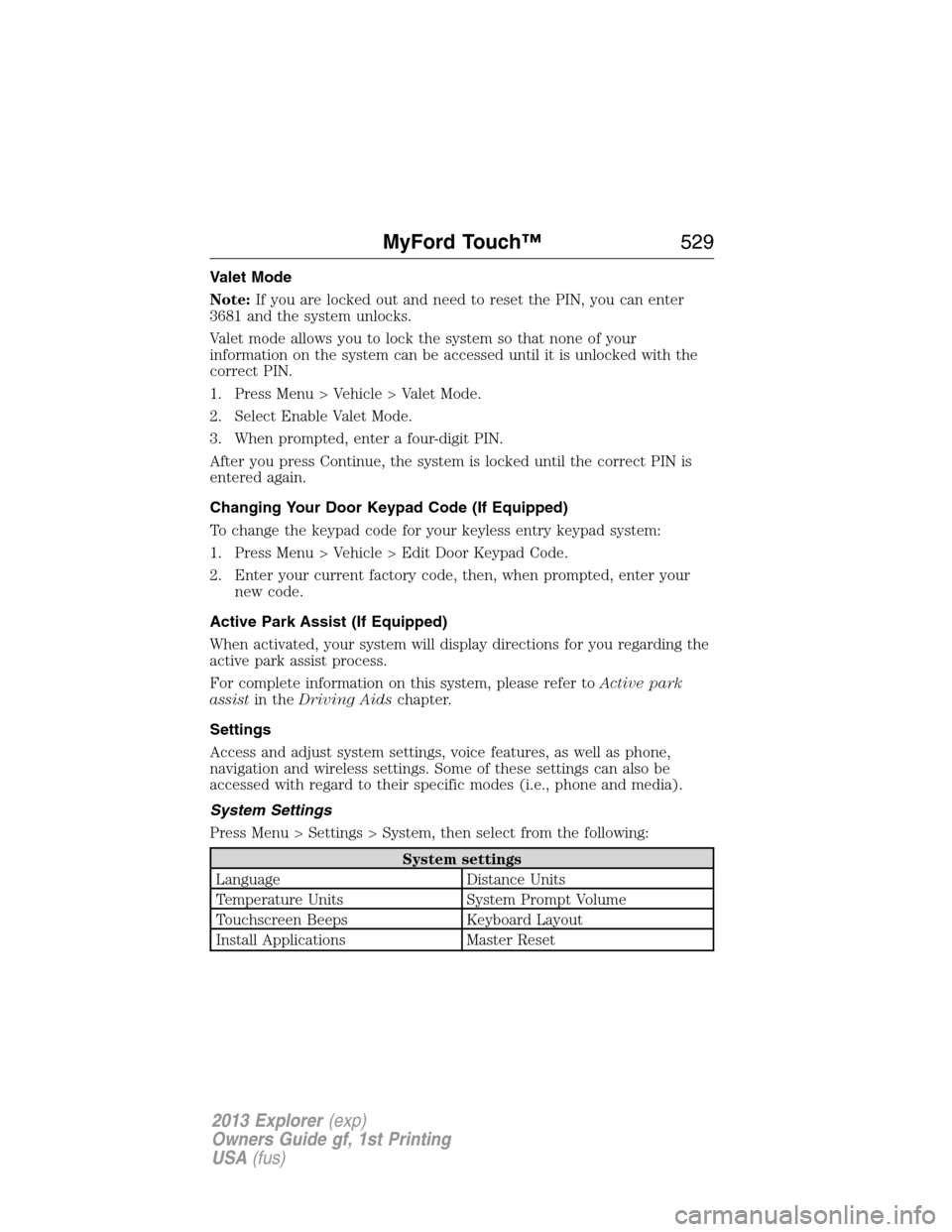
Valet Mode
Note:If you are locked out and need to reset the PIN, you can enter
3681 and the system unlocks.
Valet mode allows you to lock the system so that none of your
information on the system can be accessed until it is unlocked with the
correct PIN.
1. Press Menu > Vehicle > Valet Mode.
2. Select Enable Valet Mode.
3. When prompted, enter a four-digit PIN.
After you press Continue, the system is locked until the correct PIN is
entered again.
Changing Your Door Keypad Code (If Equipped)
To change the keypad code for your keyless entry keypad system:
1. Press Menu > Vehicle > Edit Door Keypad Code.
2. Enter your current factory code, then, when prompted, enter your
new code.
Active Park Assist (If Equipped)
When activated, your system will display directions for you regarding the
active park assist process.
For complete information on this system, please refer toActive park
assistin theDriving Aidschapter.
Settings
Access and adjust system settings, voice features, as well as phone,
navigation and wireless settings. Some of these settings can also be
accessed with regard to their specific modes (i.e., phone and media).
System Settings
Press Menu > Settings > System, then select from the following:
System settings
Language Distance Units
Temperature Units System Prompt Volume
Touchscreen Beeps Keyboard Layout
Install Applications Master Reset
MyFord Touch™529
2013 Explorer(exp)
Owners Guide gf, 1st Printing
USA(fus)
Page 532 of 576
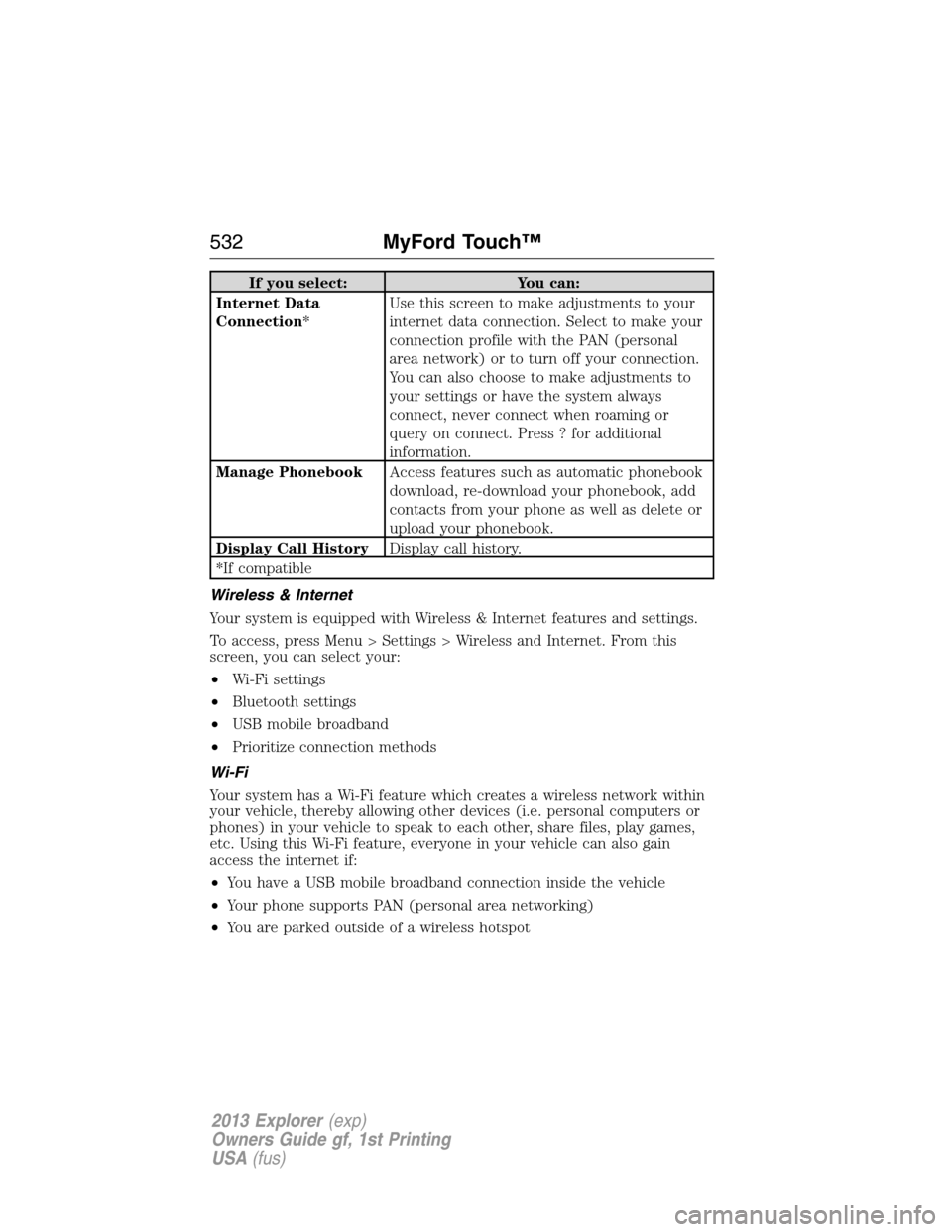
If you select: You can:
Internet Data
Connection*Use this screen to make adjustments to your
internet data connection. Select to make your
connection profile with the PAN (personal
area network) or to turn off your connection.
You can also choose to make adjustments to
your settings or have the system always
connect, never connect when roaming or
query on connect. Press ? for additional
information.
Manage PhonebookAccess features such as automatic phonebook
download, re-download your phonebook, add
contacts from your phone as well as delete or
upload your phonebook.
Display Call HistoryDisplay call history.
*If compatible
Wireless & Internet
Your system is equipped with Wireless & Internet features and settings.
To access, press Menu > Settings > Wireless and Internet. From this
screen, you can select your:
•Wi-Fi settings
•Bluetooth settings
•USB mobile broadband
•Prioritize connection methods
Wi-Fi
Your system has a Wi-Fi feature which creates a wireless network within
your vehicle, thereby allowing other devices (i.e. personal computers or
phones) in your vehicle to speak to each other, share files, play games,
etc. Using this Wi-Fi feature, everyone in your vehicle can also gain
access the internet if:
•You have a USB mobile broadband connection inside the vehicle
•Your phone supports PAN (personal area networking)
•You are parked outside of a wireless hotspot
532MyFord Touch™
2013 Explorer(exp)
Owners Guide gf, 1st Printing
USA(fus)
Page 534 of 576
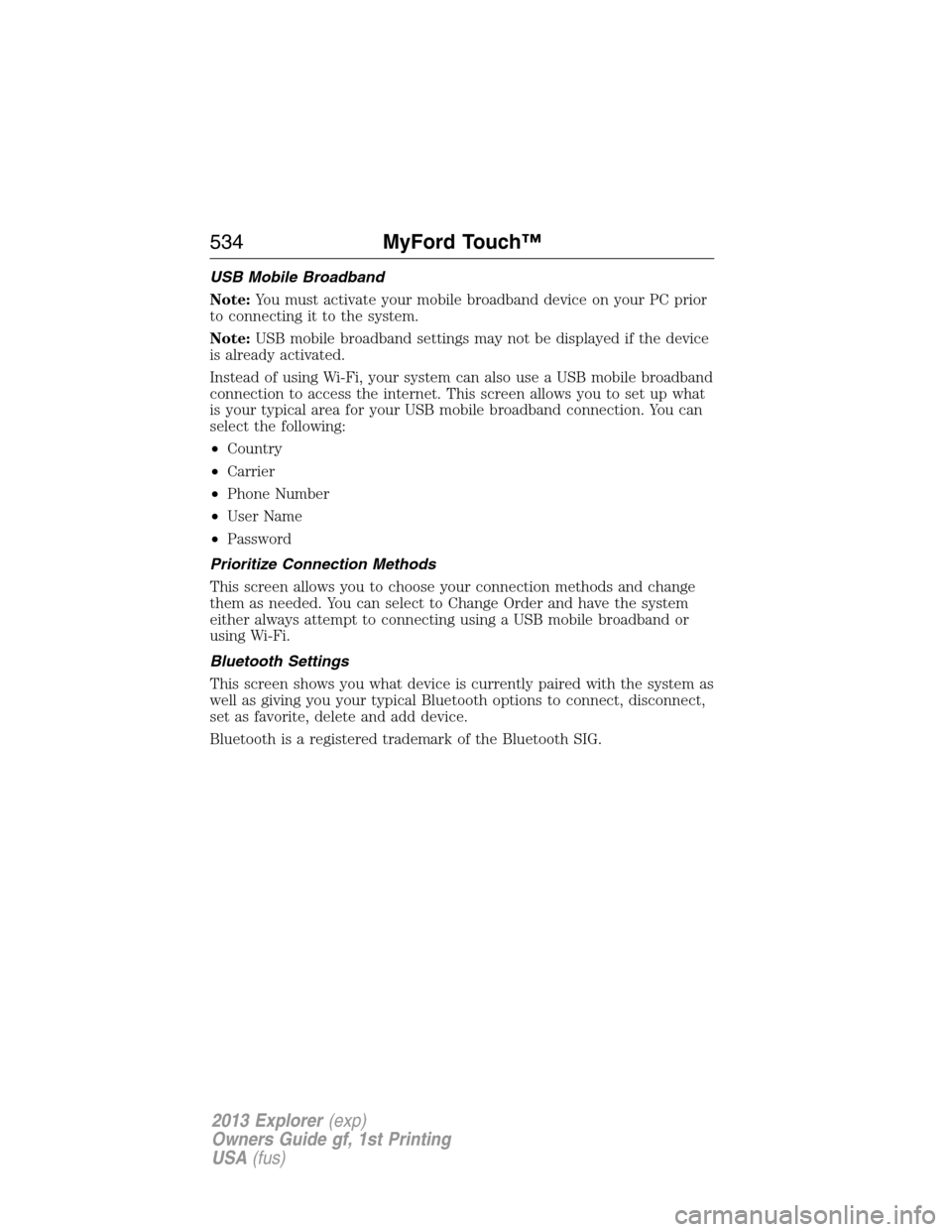
USB Mobile Broadband
Note:You must activate your mobile broadband device on your PC prior
to connecting it to the system.
Note:USB mobile broadband settings may not be displayed if the device
is already activated.
Instead of using Wi-Fi, your system can also use a USB mobile broadband
connection to access the internet. This screen allows you to set up what
is your typical area for your USB mobile broadband connection. You can
select the following:
•Country
•Carrier
•Phone Number
•User Name
•Password
Prioritize Connection Methods
This screen allows you to choose your connection methods and change
them as needed. You can select to Change Order and have the system
either always attempt to connecting using a USB mobile broadband or
using Wi-Fi.
Bluetooth Settings
This screen shows you what device is currently paired with the system as
well as giving you your typical Bluetooth options to connect, disconnect,
set as favorite, delete and add device.
Bluetooth is a registered trademark of the Bluetooth SIG.
534MyFord Touch™
2013 Explorer(exp)
Owners Guide gf, 1st Printing
USA(fus)
Page 542 of 576

cityseekr (If Available)
Note:cityseekr point of interest (POI) information is limited to
approximately 154 cities (132 in the U.S., 13 in Canada and 9 in Mexico).
cityseekr is a service which provides
additional information about certain POIs
such as restaurants, hotels and attractions.
When you have selected a POI, the
location and information appear, such as
address and phone number. If the POI is
listed with cityseekr, you also see
information such as a brief description,
check-in and check-out times, when the restaurant is open, etc.
Press More Information for a longer review, a list of services and
facilities, the average room or meal price as well as the website.
This screen displays the POI icon such as:
Hotel
Coffeehouse
Food & Drink
Nightlife
Attraction
This icon appears when your selection exists in multiple
categories within the system.
542MyFord Touch™
2013 Explorer(exp)
Owners Guide gf, 1st Printing
USA(fus)
Page 544 of 576
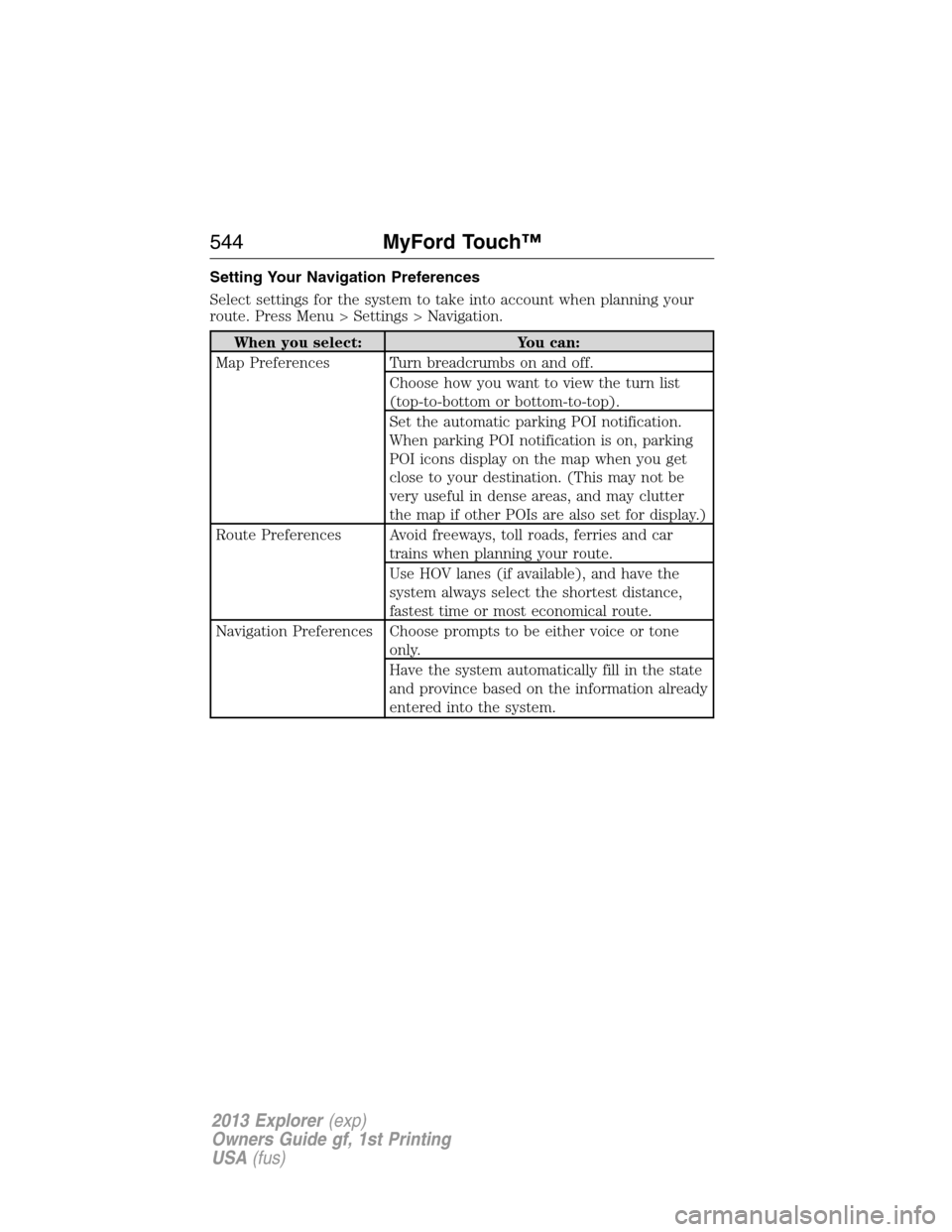
Setting Your Navigation Preferences
Select settings for the system to take into account when planning your
route. Press Menu > Settings > Navigation.
When you select: You can:
Map Preferences Turn breadcrumbs on and off.
Choose how you want to view the turn list
(top-to-bottom or bottom-to-top).
Set the automatic parking POI notification.
When parking POI notification is on, parking
POI icons display on the map when you get
close to your destination. (This may not be
very useful in dense areas, and may clutter
the map if other POIs are also set for display.)
Route Preferences Avoid freeways, toll roads, ferries and car
trains when planning your route.
Use HOV lanes (if available), and have the
system always select the shortest distance,
fastest time or most economical route.
Navigation Preferences Choose prompts to be either voice or tone
only.
Have the system automatically fill in the state
and province based on the information already
entered into the system.
544MyFord Touch™
2013 Explorer(exp)
Owners Guide gf, 1st Printing
USA(fus)
Page 546 of 576
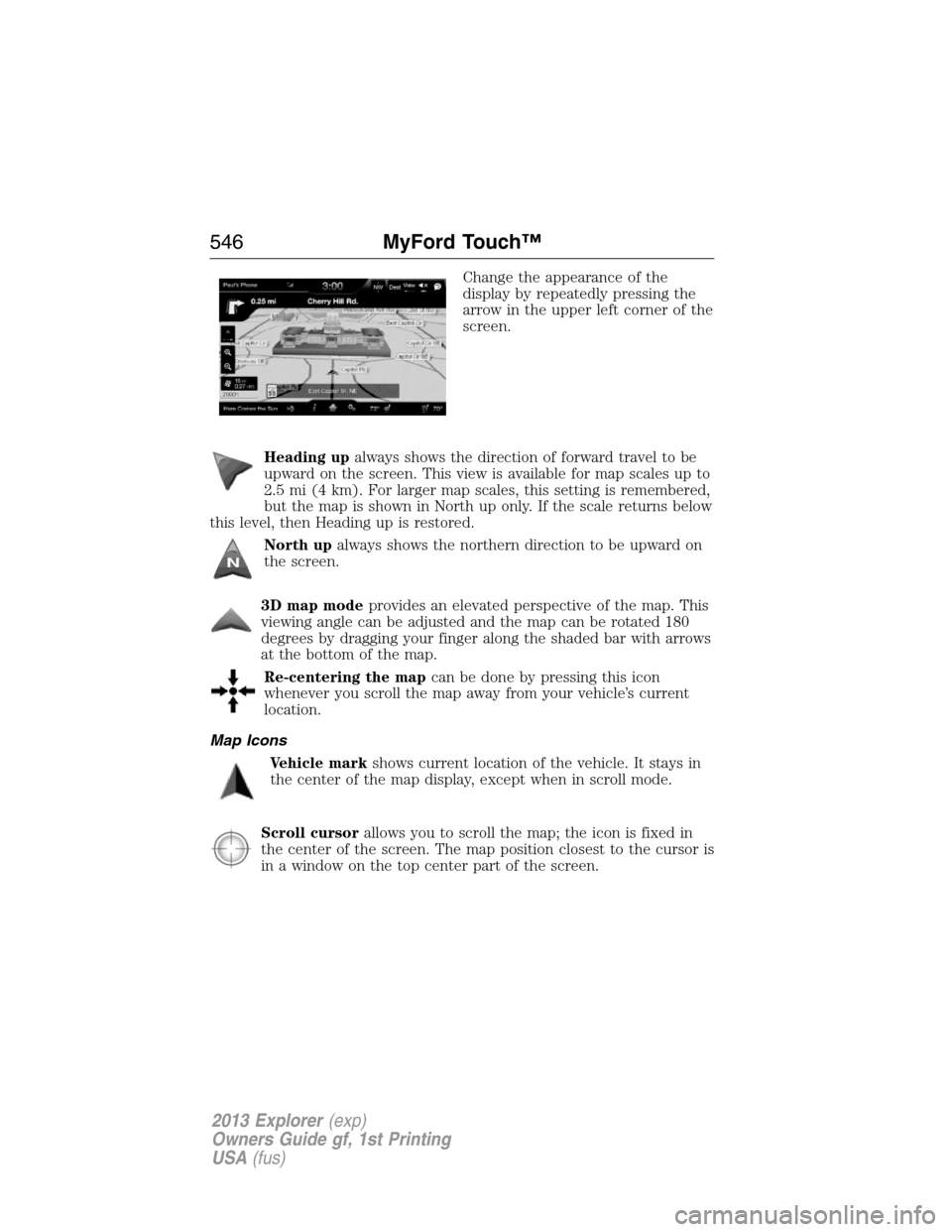
Change the appearance of the
display by repeatedly pressing the
arrow in the upper left corner of the
screen.
Heading upalways shows the direction of forward travel to be
upward on the screen. This view is available for map scales up to
2.5 mi (4 km). For larger map scales, this setting is remembered,
but the map is shown in North up only. If the scale returns below
this level, then Heading up is restored.
North upalways shows the northern direction to be upward on
the screen.
3D map modeprovides an elevated perspective of the map. This
viewing angle can be adjusted and the map can be rotated 180
degrees by dragging your finger along the shaded bar with arrows
at the bottom of the map.
Re-centering the mapcan be done by pressing this icon
whenever you scroll the map away from your vehicle’s current
location.
Map Icons
Vehicle markshows current location of the vehicle. It stays in
the center of the map display, except when in scroll mode.
Scroll cursorallows you to scroll the map; the icon is fixed in
the center of the screen. The map position closest to the cursor is
in a window on the top center part of the screen.
546MyFord Touch™
2013 Explorer(exp)
Owners Guide gf, 1st Printing
USA(fus)