center console FORD EXPLORER 2014 5.G Owners Manual
[x] Cancel search | Manufacturer: FORD, Model Year: 2014, Model line: EXPLORER, Model: FORD EXPLORER 2014 5.GPages: 586, PDF Size: 9.07 MB
Page 5 of 586
Universal Garage Door Opener (If Equipped) 178
HomeLink® wireless control system.......................178
Auxiliary Power Points 183
Storage Compartments 186
Center console.......................................186
Overhead console.....................................187
Starting and Stopping the Engine 188
Ignition switch.......................................189
Engine block heater...................................193
Fuel and Refueling 195
Fuel quality.........................................196
Running out of fuel....................................197
Refueling...........................................198
Fuel consumption.....................................201
Transmission 206
Automatic transmission.................................206
Hill start assist.......................................212
Four-Wheel Drive (If Equipped) 214
Four wheel drive.....................................214
Brakes 221
Brakes.............................................221
Hints on driving with anti-lock brakes......................222
Parking brake........................................222
Traction Control 223
TractionControl™ ....................................223
Stability Control 224
AdvanceTrac®.......................................225
4Table of Contents
2014 Explorer(exp)
Owners Guide gf, 1st Printing, April 2013
USA(fus)
Page 85 of 586
Displaying the Factory Set Code
With Integrated Keyhead Transmitters
Note:You will need to have two programmed passive anti-theft keys for
this procedure.
To display the factory-set code in the information display:
1. Insert a key into the ignition and switch the ignition on for a few
seconds.
2. Switch the ignition off and remove the key.
3. Insert the second key into the ignition and switch the ignition on.
The factory-set code will display for a few seconds.
Note:The code may not display until after any other warning messages
first display.
With Intelligent Access Keys
Note:You will need to have two programmed intelligent access keys for
this procedure.
To display the factory-set code in the information display:
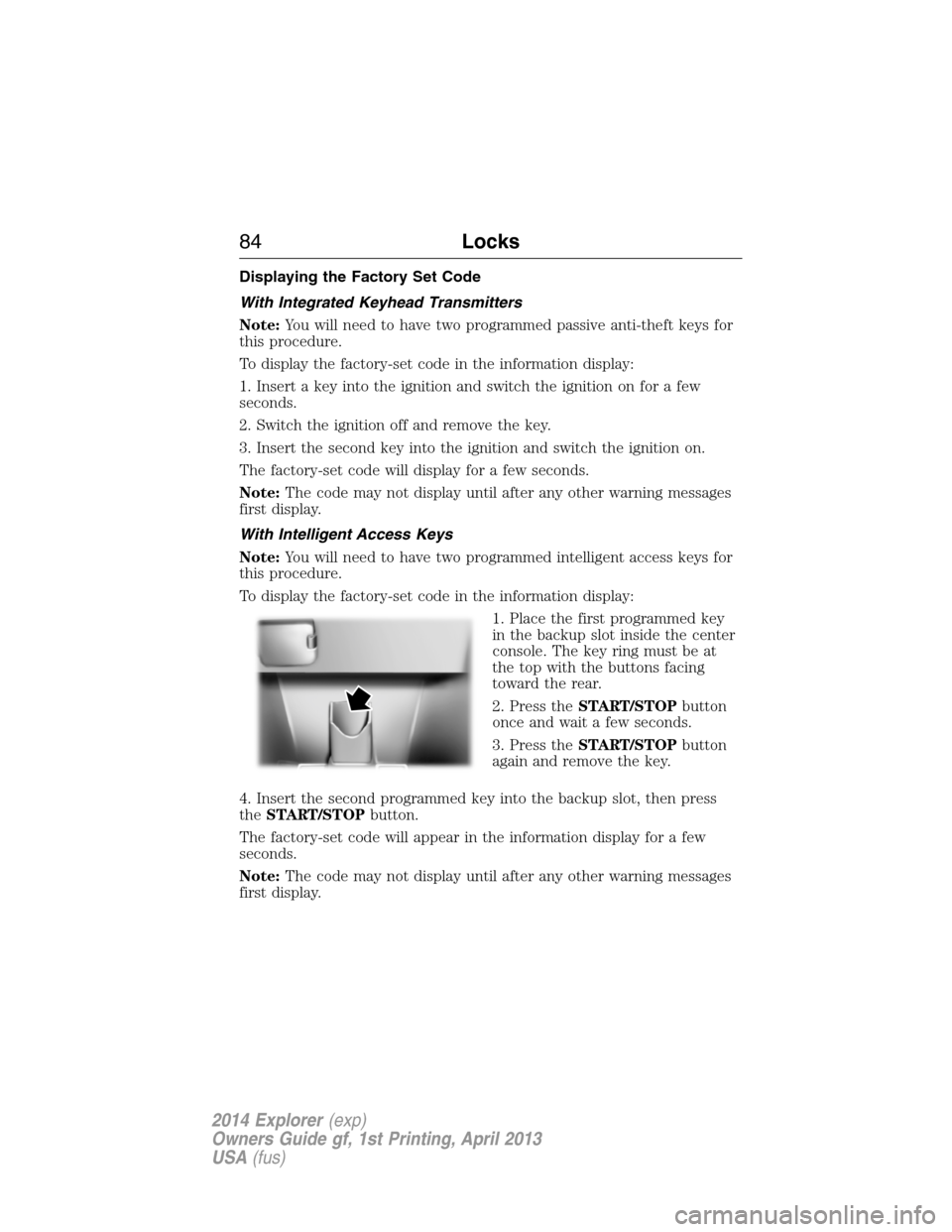
1. Place the first programmed key
in the backup slot inside the center
console. The key ring must be at
the top with the buttons facing
toward the rear.
2. Press theSTART/STOPbutton
once and wait a few seconds.
3. Press theSTART/STOPbutton
again and remove the key.
4. Insert the second programmed key into the backup slot, then press
theSTART/STOPbutton.
The factory-set code will appear in the information display for a few
seconds.
Note:The code may not display until after any other warning messages
first display.
84Locks
2014 Explorer(exp)
Owners Guide gf, 1st Printing, April 2013
USA(fus)
Page 88 of 586
Wait 20 seconds and repeat Steps 1 through 8 if programming the key
was not successful. Take your vehicle to an authorized dealer to have the
new key programmed if you are still unsuccessful.
Wait 20 seconds and then repeat this procedure from Step 1 to program
an additional key.
Programming a Spare Intelligent Access Key (if equipped)
Note:You can program a maximum of four intelligent access keys to
your vehicle. You must take your vehicle and all access keys to an
authorized dealer to have them erased and reprogrammed if you would
like to replace a previously programmed access key with a new access
key, or if you already have four access keys programmed to your vehicle.
You must have two previously programmed intelligent access keys inside
the vehicle and the new unprogrammed intelligent access keys readily
accessible. See an authorized dealer to have the spare key programmed
if two previously programmed keys are not available.
Make sure that the vehicle is off before beginning this procedure. Make
sure to close all the doors before beginning and that they remain closed
throughout the procedure. Perform all steps within 30 seconds of
starting the sequence. Stop and wait for at least one minute before
starting again if you perform any steps out of sequence.
Read and understand the entire procedure before you begin.
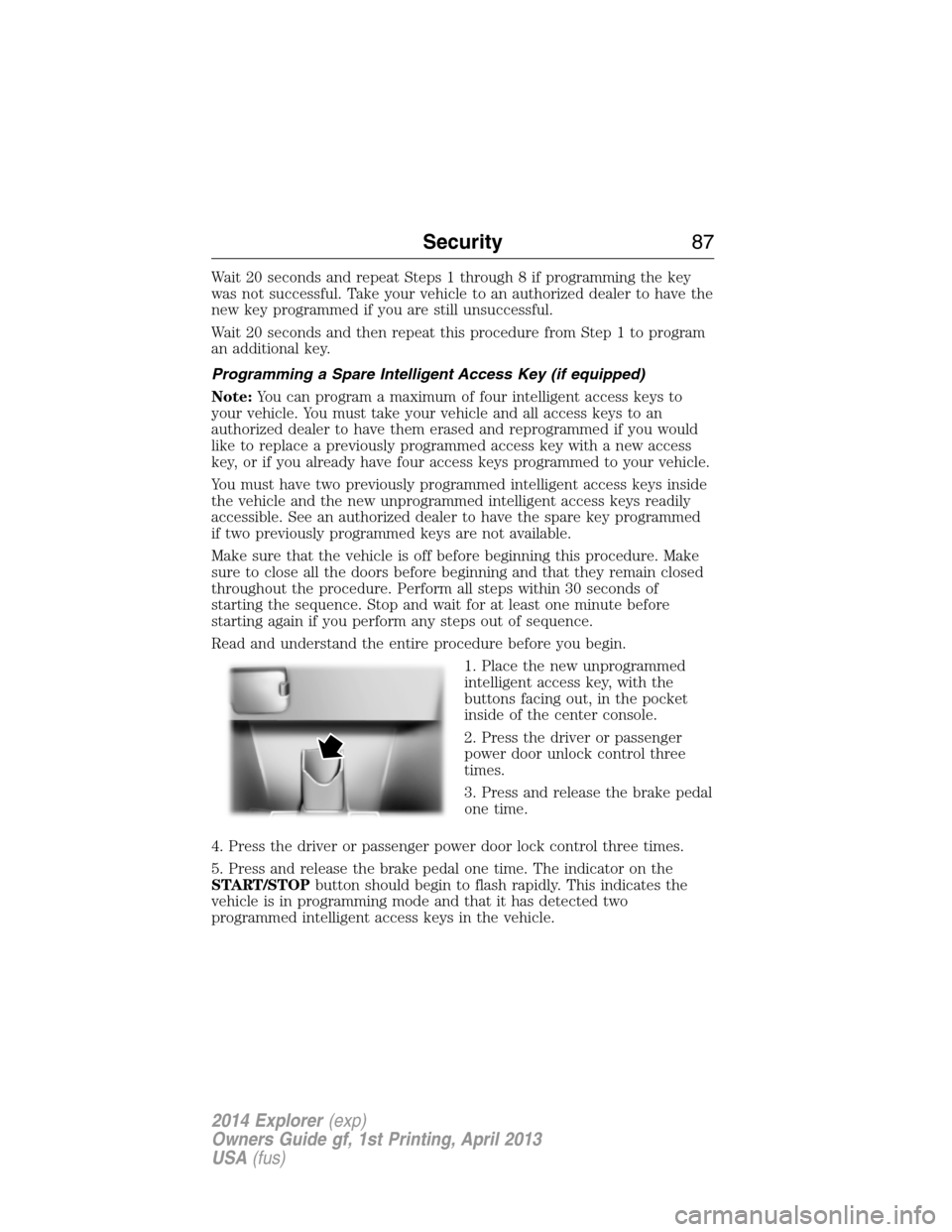
1. Place the new unprogrammed
intelligent access key, with the
buttons facing out, in the pocket
inside of the center console.
2. Press the driver or passenger
power door unlock control three
times.
3. Press and release the brake pedal
one time.
4. Press the driver or passenger power door lock control three times.
5. Press and release the brake pedal one time. The indicator on the
START/STOPbutton should begin to flash rapidly. This indicates the
vehicle is in programming mode and that it has detected two
programmed intelligent access keys in the vehicle.
Security87
2014 Explorer(exp)
Owners Guide gf, 1st Printing, April 2013
USA(fus)
Page 89 of 586
6. Press theSTART/STOPbutton within one minute. A message will
appear in the information display indicating that the new intelligent
access key was programmed.
7. Remove the intelligent access key from the center console pocket and
press the unlock button on the newly programmed intelligent access key
to exit programming mode.
8. Verify that the remote entry functions operate (press lock then
unlock, making sure you end in unlock) and that the vehicle starts with
new intelligent access key.
ANTI-THEFT ALARM (IF EQUIPPED)
The system will warn you of unauthorized entry to your vehicle.
The turn signal lamps will flash and sound the horn up to a total of 10
times when:
•any door, the hood or the luggage compartment is opened without
using the keypad, the remote control or the intelligent access
transmitter (if equipped)
•the ignition is turned on with an invalid key.
Take all keys and remote controls to an authorized dealer if there is any
potential alarm problem with your vehicle.
Arming the Alarm
The system is ready to arm whenever the ignition is off. Lock the vehicle
to arm the alarm.
The turn signal lamps will flash once after locking the vehicle to indicate
the alarm is in the pre-armed mode. It will become fully armed in
20 seconds.
88Security
2014 Explorer(exp)
Owners Guide gf, 1st Printing, April 2013
USA(fus)
Page 169 of 586
Note:Do not do the following:
•Place heavy objects on the seat
•Operate the seat heater if water or any other liquid is spilled on the
seat. Allow the seat to dry thoroughly.
The heated seats only operate when the ignition is on.
To operate the heated seats:
Press the button located on the rear of the floor console to
cycle through the various heat settings and off. Warmer
settings are indicated by more indicator lights.
When activated, the heated seats will turn off automatically when the
engine is turned off.
Third Row Seats
Third-Row Seat Access (Manual Seats)
WARNING:Before returning the seatback to its original position,
make sure that cargo or any objects are not trapped behind the
seatback. After returning the seatback to its original position, pull on
the seatback to make sure that it has fully latched. An unlatched seat
may become dangerous in the event of a sudden stop or crash.
WARNING:Do not adjust or release the seat floor latch while
vehicle is in motion. Do not operate the vehicle with seats in
tumbled position. Always latch the vehicle seat to the floor, whether the
seat is occupied or empty. If not latched or if the seat is tumbled, the
seat may cause injury during a sudden stop.
Note:Remove items from the second-row seat and make sure that no
bulky objects such as purses or briefcases are on the floor in front of the
second-row seats before tumbling them.
Note:For second-row bench seats, make sure the center safety belt is
unbuckled before folding the seatback.
Note:You may have to move the front-row seat forward to allow the
second-row seat to be fully tumbled.
Note:You may have to lower the center head restraint. SeeHead
restraintsearlier.
168Seats
2014 Explorer(exp)
Owners Guide gf, 1st Printing, April 2013
USA(fus)
Page 184 of 586
AUXILIARY POWER POINTS
WARNING:Do not plug optional electrical accessories into the
cigarette lighter socket (if equipped). Improper use of the lighter
can cause damage not covered by your warranty, and can result in fire
or serious injury.
Note:If used when the engine is not running, the battery will discharge.
There may be insufficient power to restart your engine.
Note:Do not insert objects other than an accessory plug into the power
point. This will damage the outlet and blow the fuse.
Note:Do not hang any type of accessory or accessory bracket from the
plug.
Note:Do not use the power point over the vehicle capacity of 12 volts
DC180 watts or a fuse may blow.
Note:Do not use the power point for operating a cigarette lighter
element.
Note:Improper use of the power outlet can cause damage not covered
by your warranty.
Note:Always keep the power point caps closed when not being used.
Run the engine for full capacity use of the power point . To prevent the
battery from being discharged:
•Do not use the power point longer than necessary when the engine is
not running.
•Do not leave devices plugged in overnight or when the vehicle is
parked for extended periods.
Locations
Power points may be found:
•on the front of the center console
•inside the utility compartment
•on the rear of the console, accessible from the rear seats
•in the cargo area.
Auxiliary Power Points183
2014 Explorer(exp)
Owners Guide gf, 1st Printing, April 2013
USA(fus)
Page 185 of 586
110 Volt AC Power Point (If Equipped)
WARNING:Do not keep electrical devices plugged in the power
point whenever the device is not in use. Do not use any
extension cord with the 110 volt AC power point, since it will defeat
the safety protection design. Doing so may cause the power point to
overload due to powering multiple devices that can reach beyond the
150–watt load limit and could result in fire or serious injury.
Note:The cap should always be closed whenever the power point outlet
is not in use.
Note:The power point will turn off after 13 minutes if the ignition is on
without the engine running. Keep the engine running to use the power
point.
The 110–volt AC power point outlet is used for powering electrical
devices that require up to 150 watts. Exceeding the 150–watt limit will
cause the power point to cut off the power temporarily to provide
overload protection.
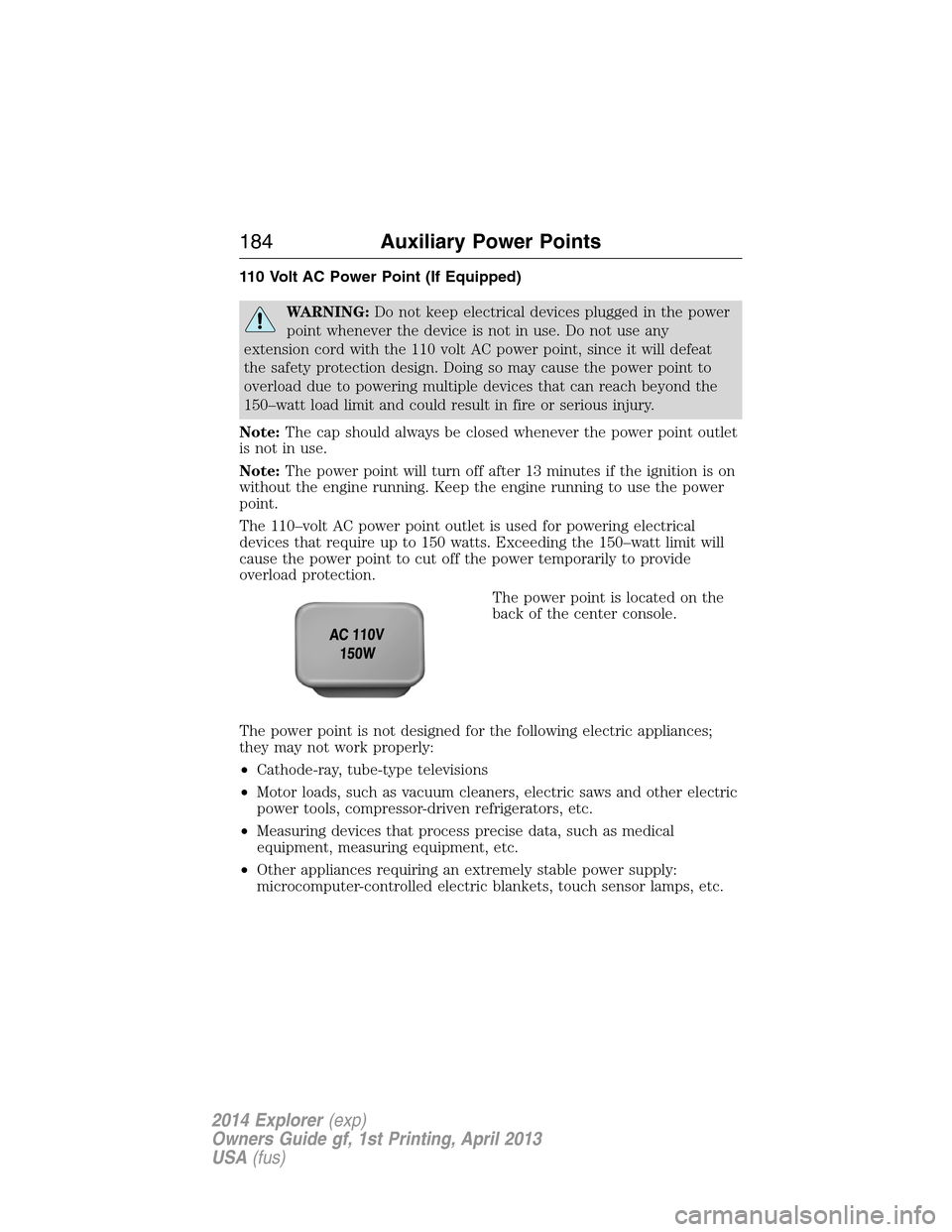
The power point is located on the
back of the center console.
The power point is not designed for the following electric appliances;
they may not work properly:
•Cathode-ray, tube-type televisions
•Motor loads, such as vacuum cleaners, electric saws and other electric
power tools, compressor-driven refrigerators, etc.
•Measuring devices that process precise data, such as medical
equipment, measuring equipment, etc.
•Other appliances requiring an extremely stable power supply:
microcomputer-controlled electric blankets, touch sensor lamps, etc.
184Auxiliary Power Points
2014 Explorer(exp)
Owners Guide gf, 1st Printing, April 2013
USA(fus)
Page 187 of 586
CENTER CONSOLE
WARNING:Use only soft cups in the cupholder. Hard objects
can injure you in a collision.
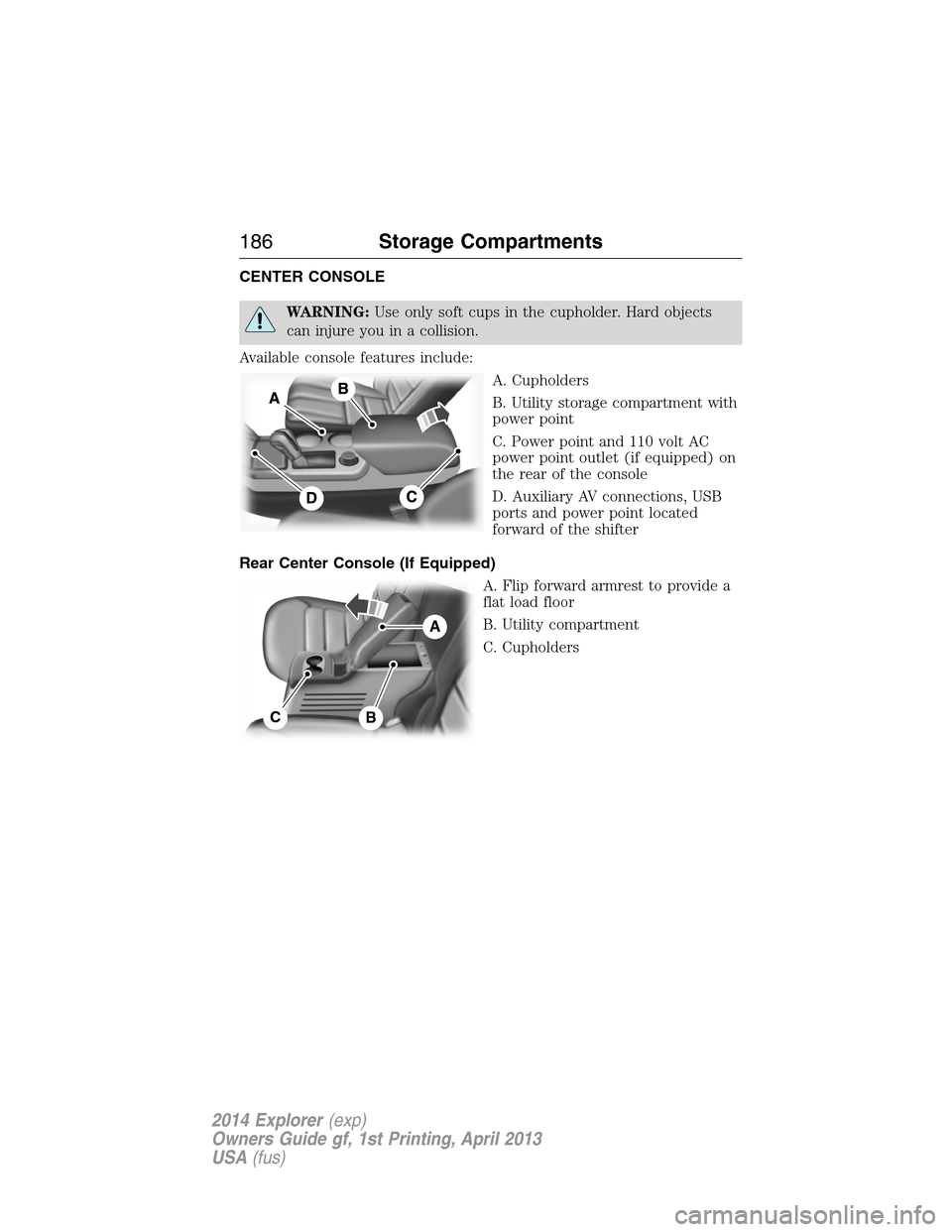
Available console features include:
A. Cupholders
B. Utility storage compartment with
power point
C. Power point and 110 volt AC
power point outlet (if equipped) on
the rear of the console
D. Auxiliary AV connections, USB
ports and power point located
forward of the shifter
Rear Center Console (If Equipped)
A. Flip forward armrest to provide a
flat load floor
B. Utility compartment
C. Cupholders
A
CB
186Storage Compartments
2014 Explorer(exp)
Owners Guide gf, 1st Printing, April 2013
USA(fus)
Page 192 of 586
Vehicles with an Ignition Key
Note:Do not touch the accelerator pedal.
1. Fully press the brake pedal.
2. Turn the key to the start position. Release the key when the engine
starts.
Note:The engine may continue cranking for up to 15 seconds or until it
starts.
Note:If you cannot start the engine on the first try, wait for a short
period and try again.
Vehicles with Keyless Start
Note:Do not touch the accelerator pedal.
1. Fully press the brake pedal.
2. Press the button.
The system does not function if:
•The key frequencies are jammed.
•The key battery has no charge.
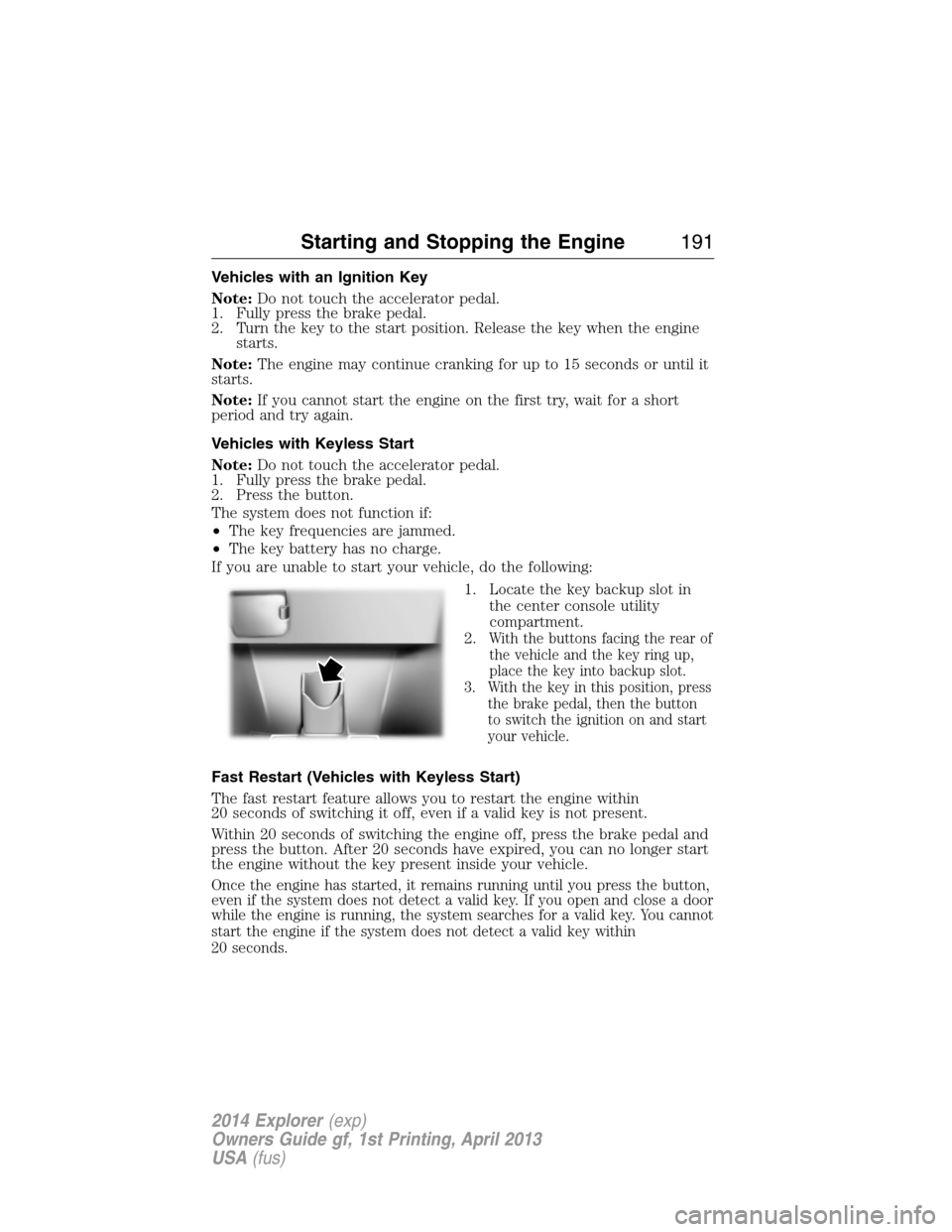
If you are unable to start your vehicle, do the following:
1. Locate the key backup slot in
the center console utility
compartment.
2.
With the buttons facing the rear of
the vehicle and the key ring up,
place the key into backup slot.
3. With the key in this position, press
the brake pedal, then the button
to switch the ignition on and start
your vehicle.
Fast Restart (Vehicles with Keyless Start)
The fast restart feature allows you to restart the engine within
20 seconds of switching it off, even if a valid key is not present.
Within 20 seconds of switching the engine off, press the brake pedal and
press the button. After 20 seconds have expired, you can no longer start
the engine without the key present inside your vehicle.
Once the engine has started, it remains running until you press the button,
even if the system does not detect a valid key. If you open and close a door
while the engine is running, the system searches for a valid key. You cannot
start the engine if the system does not detect a valid key within
20 seconds.
Starting and Stopping the Engine191
2014 Explorer(exp)
Owners Guide gf, 1st Printing, April 2013
USA(fus)
Page 225 of 586
PRINCIPLES OF OPERATION
WARNING:Vehicle modifications involving braking system,
aftermarket roof racks, suspension, steering system, tire
construction and wheel or tire size may change the handling
characteristics of the vehicle and may adversely affect the performance
of the AdvanceTrac® system. In addition, installing any stereo
loudspeakers may interfere with and adversely affect the AdvanceTrac®
system. Install any aftermarket stereo loudspeaker as far as possible
from the front center console, the tunnel, and the front seats in order
to minimize the risk of interfering with the AdvanceTrac® sensors.
Reducing the effectiveness of the AdvanceTrac® system could lead to
an increased risk of loss of vehicle control, vehicle rollover, personal
injury and death.
WARNING:Remember that even advanced technology cannot
defy the laws of physics. It’s always possible to lose control of a
vehicle due to inappropriate driver input for the conditions. Aggressive
driving on any road condition can cause you to lose control of your
vehicle increasing the risk of personal injury or property damage.
Activation of the AdvanceTrac® system is an indication that at least
some of the tires have exceeded their ability to grip the road; this could
reduce the operator’s ability to control the vehicle potentially resulting
in a loss of vehicle control, vehicle rollover, personal injury and death. If
your AdvanceTrac® system activates, SLOW DOWN.
The AdvanceTrac® with Roll Stability Control™ system helps you keep
control of your vehicle when on a slippery surface. The electronic
stability control portion of the system helps avoid skids and lateral slides,
curve control assists in vehicle handling in following the road during
adverse maneuvering and roll stability control helps avoid a vehicle
rollover. The traction control system helps avoid drive wheel spin and
loss of traction. See theTraction Controlchapter for details on traction
control system operation.
224Stability Control
2014 Explorer(exp)
Owners Guide gf, 1st Printing, April 2013
USA(fus)