climate settings FORD EXPLORER 2017 5.G User Guide
[x] Cancel search | Manufacturer: FORD, Model Year: 2017, Model line: EXPLORER, Model: FORD EXPLORER 2017 5.GPages: 541, PDF Size: 6.81 MB
Page 156 of 541
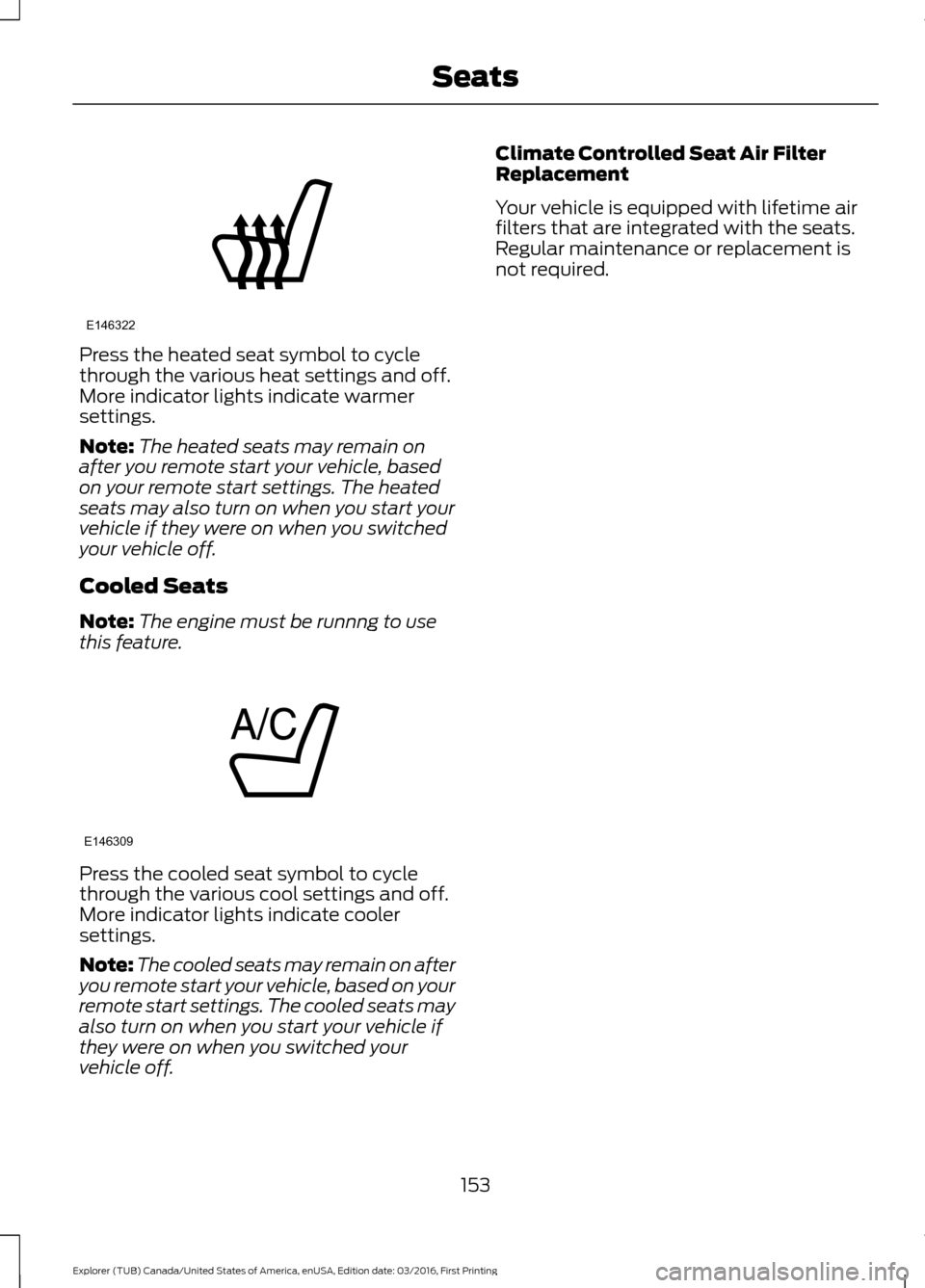
Press the heated seat symbol to cycle
through the various heat settings and off.
More indicator lights indicate warmer
settings.
Note:
The heated seats may remain on
after you remote start your vehicle, based
on your remote start settings. The heated
seats may also turn on when you start your
vehicle if they were on when you switched
your vehicle off.
Cooled Seats
Note: The engine must be runnng to use
this feature. Press the cooled seat symbol to cycle
through the various cool settings and off.
More indicator lights indicate cooler
settings.
Note:
The cooled seats may remain on after
you remote start your vehicle, based on your
remote start settings. The cooled seats may
also turn on when you start your vehicle if
they were on when you switched your
vehicle off. Climate Controlled Seat Air Filter
Replacement
Your vehicle is equipped with lifetime air
filters that are integrated with the seats.
Regular maintenance or replacement is
not required.
153
Explorer (TUB) Canada/United States of America, enUSA, Edition date: 03/2016, First Printing SeatsE146322 E146309
Page 408 of 541
Action and Description
Menu Item
Item
This bar displays icons and messages pertaining to current
system activities including climate settings, voice
commands and phone functions such as text messages.
Status Bar
A
This button is available on the main screens. Pressing it
takes you to the home screen view.
Home
B
This shows the current time. You can set the clock manually
or have it controlled by the vehicle's GPS location. See
Settings (page 454).
Clock
C
This displays the current outside temperature.
Outside
Temperature
D
You can touch any of the buttons on this bar to select a
feature.
Feature Bar
E
The touchscreen allows you quick access
to all of your comfort, navigation,
communication and entertainment
options. Using the status and feature bar
you can quickly select the feature you want
to use.
Note: Your system is equipped with a
feature that allows you to access and
control audio features for 10 minutes after
you switch the ignition off (and no doors
open). The Status Bar
Additional icons also display in the status
bar depending on market, vehicle options
and current operation. If a feature is not
active, the icon does not display. Certain
icons may move to the left or right
depending on what options are active.
405
Explorer (TUB) Canada/United States of America, enUSA, Edition date: 03/2016, First Printing SYNC™ 3
Page 415 of 541
•
Power: Switch the audio system on
and off.
• VOL:
Control the volume of playing
audio.
• Seek
and Tune: se as you normally
would in audio modes.
• Eject:
Eject a CD from the audio
system.
• SOURCE
or MEDIA: Press repeatedly
to advance through available media
modes.
• SOUND:
Press to access the Sound
menu where you can adjust sound and
other audio settings.
• 1-6:
Press and hold to store or press to
select an AM, FM or SIRIUS memory
preset. See Audio System (page 351).
• DISP:
Switch the display on or off. You
can also touch the screen to switch the
display back on.
• Temperature, fan and climate
control buttons:
Control the
temperature, fan speed or settings of
the climate control system. See
Climate Control
(page 127).
911 Assist WARNINGS
Unless the 911 Assist setting is set on
before a crash, the system will not
dial for help which could delay
response time, potentially increasing the
risk of serious injury or death after a crash.
setting is set on before a crash, the system
will not dial for help which could delay
response time, potentially increasing the
risk of serious injury or death after a crash. WARNINGS
Do not wait for 911 Assist to make an
emergency call if you can do it
yourself. Dial emergency services
immediately to avoid delayed response
time which could increase the risk of
serious injury or death after a crash. If you
do not hear 911 Assist within five seconds
of the crash, the system or phone may be
damaged or non-functional. Always place your phone in a secure
location in your vehicle so it does not
become a projectile or get damaged
in a crash. Failure to do so may cause
serious injury to someone or damage the
phone which could prevent 911 Assist from
working properly. Note:
The SYNC 911 Assist feature must be
set on before the incident.
Note: The SYNC 911 Assist feature only
operates in the U.S., Canada or in a territory
in which 911 is the emergency number.
Note: Before setting this feature on, make
sure that you read the 911 Assist Privacy
Notice later in this section for important
information.
Note: If any user sets 911 Assist to on or off,
that setting applies for all paired phones. If
911 Assist is switched off and the phone is
connected to SYNC, an icon displays on the
status bar.
Note: Every phone operates differently.
While SYNC 911 Assist works with most
cellular phones, some may have trouble
using this feature.
412
Explorer (TUB) Canada/United States of America, enUSA, Edition date: 03/2016, First Printing SYNC™ 3
Page 424 of 541
Climate Voice Commands
You can control the temperature of the
vehicle using voice commands.
___ is a dynamic listing, meaning that for
climate voice commands it can be the
desired degrees for the temperature
setting.
To adjust the temperature, say: Description
Voice command
Adjust the temperature between 59.0°F
(15°C)-86.0°F (30°C).
Climate Set Temperature ___
Climate Help
Phone Voice Commands
Pairing a Phone
You can use voice commands to connect
your Bluetooth-enabled phone to the
system.
To pair your phone, press the voice button and when prompted, say: Description
Voice command
Follow the on-screen instructions to complete the pairingprocess. See
Settings (page 454).
Pair Phone
Making Calls
___ is a dynamic listing, meaning that for
phone voice commands it can be the name
of the contact you wish to call or the digits
you want to dial.
Press the voice button and say a command similar to the following: Description
Voice command
Allows you to call a specific contact from your phonebook
such as "Call Jenny".
Call ___
Allows you to call a specific contact from your phonebook
at a specific location such as "Call Jenny at Home".
Call ___ at ___
Allows you to dial a specific number such as “Dial 867-5309”.
Dial ___
421
Explorer (TUB) Canada/United States of America, enUSA, Edition date: 03/2016, First Printing SYNC™ 3
Page 428 of 541
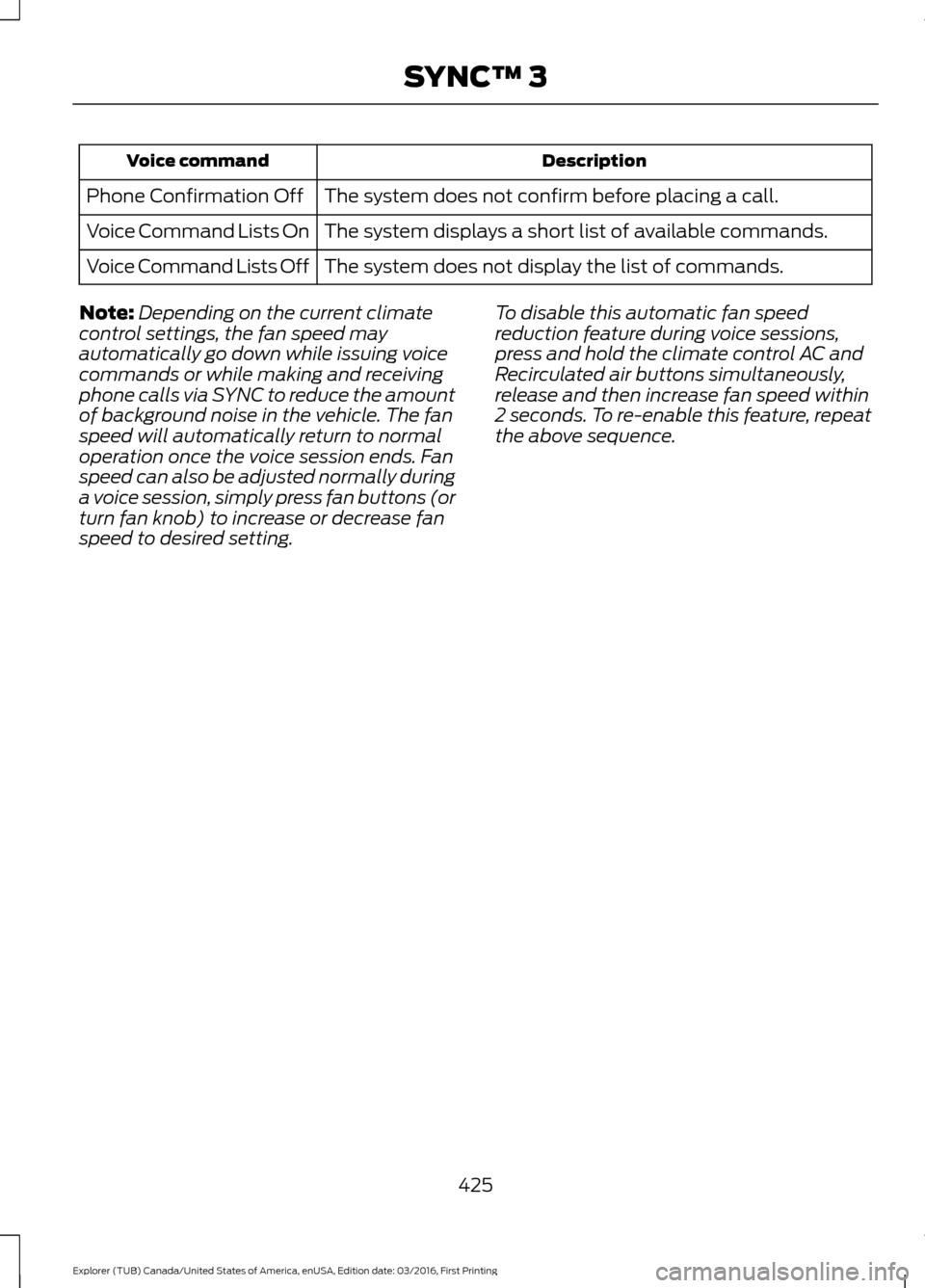
Description
Voice command
The system does not confirm before placing a call.
Phone Confirmation Off
The system displays a short list of available commands.
Voice Command Lists On
The system does not display the list of commands.
Voice Command Lists Off
Note: Depending on the current climate
control settings, the fan speed may
automatically go down while issuing voice
commands or while making and receiving
phone calls via SYNC to reduce the amount
of background noise in the vehicle. The fan
speed will automatically return to normal
operation once the voice session ends. Fan
speed can also be adjusted normally during
a voice session, simply press fan buttons (or
turn fan knob) to increase or decrease fan
speed to desired setting. To disable this automatic fan speed
reduction feature during voice sessions,
press and hold the climate control AC and
Recirculated air buttons simultaneously,
release and then increase fan speed within
2 seconds. To re-enable this feature, repeat
the above sequence.
425
Explorer (TUB) Canada/United States of America, enUSA, Edition date: 03/2016, First Printing SYNC™ 3
Page 439 of 541

CLIMATE
Touch the climate button on the
touchscreen to access your climate control
features. Depending on your vehicle line
and option package, your climate screen
may look different from one of the screens
shown below. Your screen may not contain
all of the features shown.
Note:
You can switch temperature units
between Fahrenheit and Celsius. See
Settings (page 454). Driver temperature:
Touch up or down to adjust the temperature.
A
Heated steering wheel:
B
Note:
This feature only functions when you switch the engine on.
Touch this icon to switch the heated steering wheel on and off. It takes about
5 minutes to warm the steering wheel to 74°F in temperatures as low as -4°F.
The wheel maintains an approximate temperature of 90°F and operates
independently from the heated seats and other climate-control functions. The
heating element is in between the leather covering and foam core to help provide
maximum heat without adversely affecting the feel of the steering wheel.
436
Explorer (TUB) Canada/United States of America, enUSA, Edition date: 03/2016, First Printing SYNC™ 3E223958
Page 440 of 541
Note: The heated steering wheel may remain on after remote starting the
vehicle, based on your remote start settings. The heated steering wheel may
also turn on when you start your vehicle, if it was on when you switched your
vehicle off.
Note:
For steering wheels with wood trim, the heating feature will not heat the
wheel between the 10 and 2 o'clock positions.
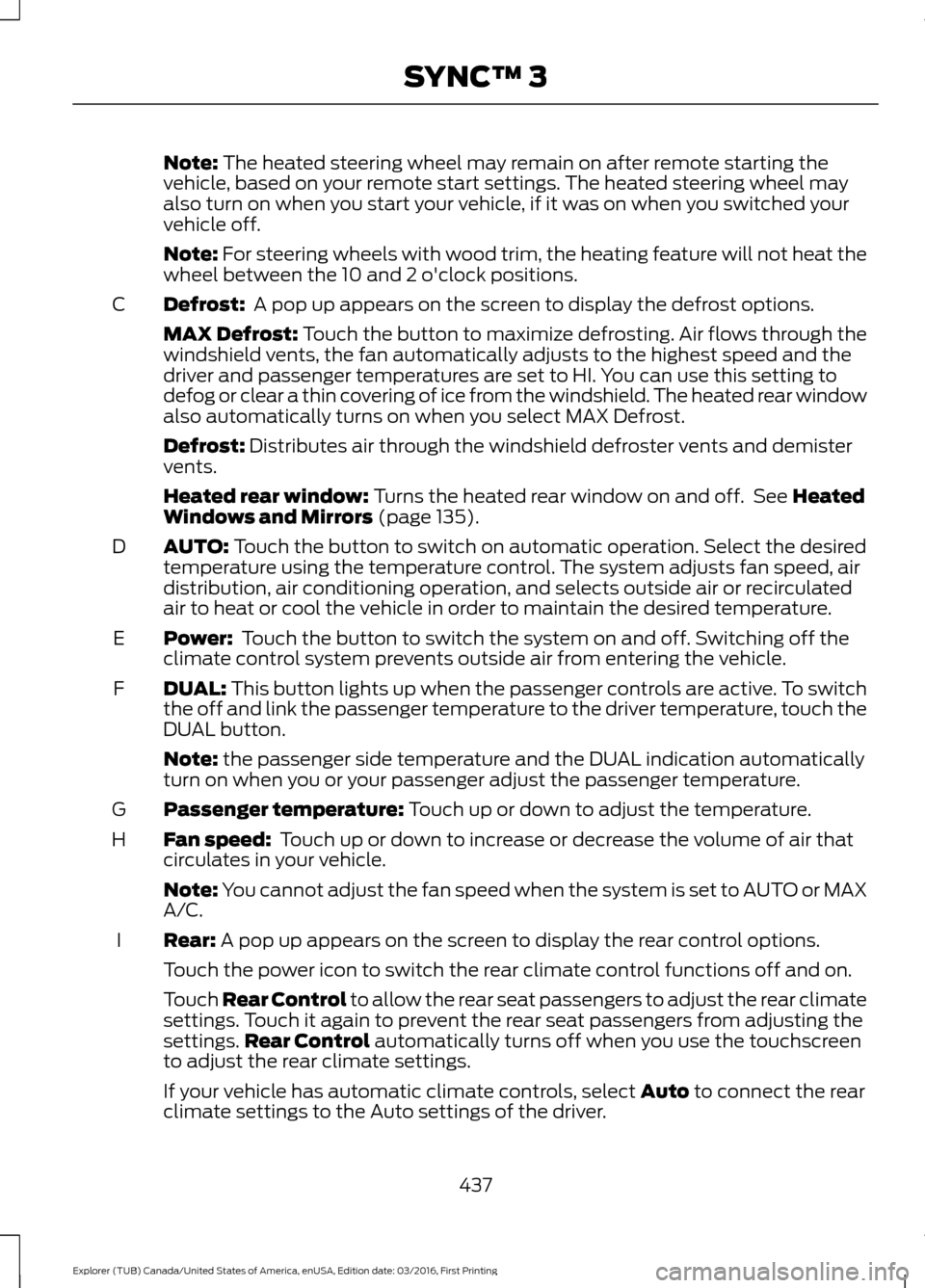
Defrost:
A pop up appears on the screen to display the defrost options.
C
MAX Defrost: Touch the button to maximize defrosting. Air flows through the
windshield vents, the fan automatically adjusts to the highest speed and the
driver and passenger temperatures are set to HI. You can use this setting to
defog or clear a thin covering of ice from the windshield. The heated rear window
also automatically turns on when you select MAX Defrost.
Defrost:
Distributes air through the windshield defroster vents and demister
vents.
Heated rear window:
Turns the heated rear window on and off. See Heated
Windows and Mirrors (page 135).
AUTO:
Touch the button to switch on automatic operation. Select the desired
temperature using the temperature control. The system adjusts fan speed, air
distribution, air conditioning operation, and selects outside air or recirculated
air to heat or cool the vehicle in order to maintain the desired temperature.
D
Power:
Touch the button to switch the system on and off. Switching off the
climate control system prevents outside air from entering the vehicle.
E
DUAL:
This button lights up when the passenger controls are active. To switch
the off and link the passenger temperature to the driver temperature, touch the
DUAL button.
F
Note:
the passenger side temperature and the DUAL indication automatically
turn on when you or your passenger adjust the passenger temperature.
Passenger temperature:
Touch up or down to adjust the temperature.
G
Fan speed:
Touch up or down to increase or decrease the volume of air that
circulates in your vehicle.
H
Note:
You cannot adjust the fan speed when the system is set to AUTO or MAX
A/C.
Rear:
A pop up appears on the screen to display the rear control options.
I
Touch the power icon to switch the rear climate control functions off and on.
Touch Rear Control to allow the rear seat passengers to adjust the rear climate
settings. Touch it again to prevent the rear seat passengers from adjusting the
settings. Rear Control
automatically turns off when you use the touchscreen
to adjust the rear climate settings.
If your vehicle has automatic climate controls, select
Auto to connect the rear
climate settings to the Auto settings of the driver.
437
Explorer (TUB) Canada/United States of America, enUSA, Edition date: 03/2016, First Printing SYNC™ 3
Page 532 of 541
Cleaning the Alloy Wheels.......................302
Cleaning the Engine...................................299
Cleaning the Exterior..................................298
Exterior Chrome Parts..................................... 298
Exterior Plastic Parts........................................ 298
Stripes or Graphics........................................... 298
Underbody........................................................... 299
Under Hood......................................................... 299
Cleaning the Instrument Panel and Instrument Cluster Lens.........................301
Cleaning the Interior..................................300
Cleaning the Windows and Wiper Blades..........................................................300
Clearing All MyKeys........................................57
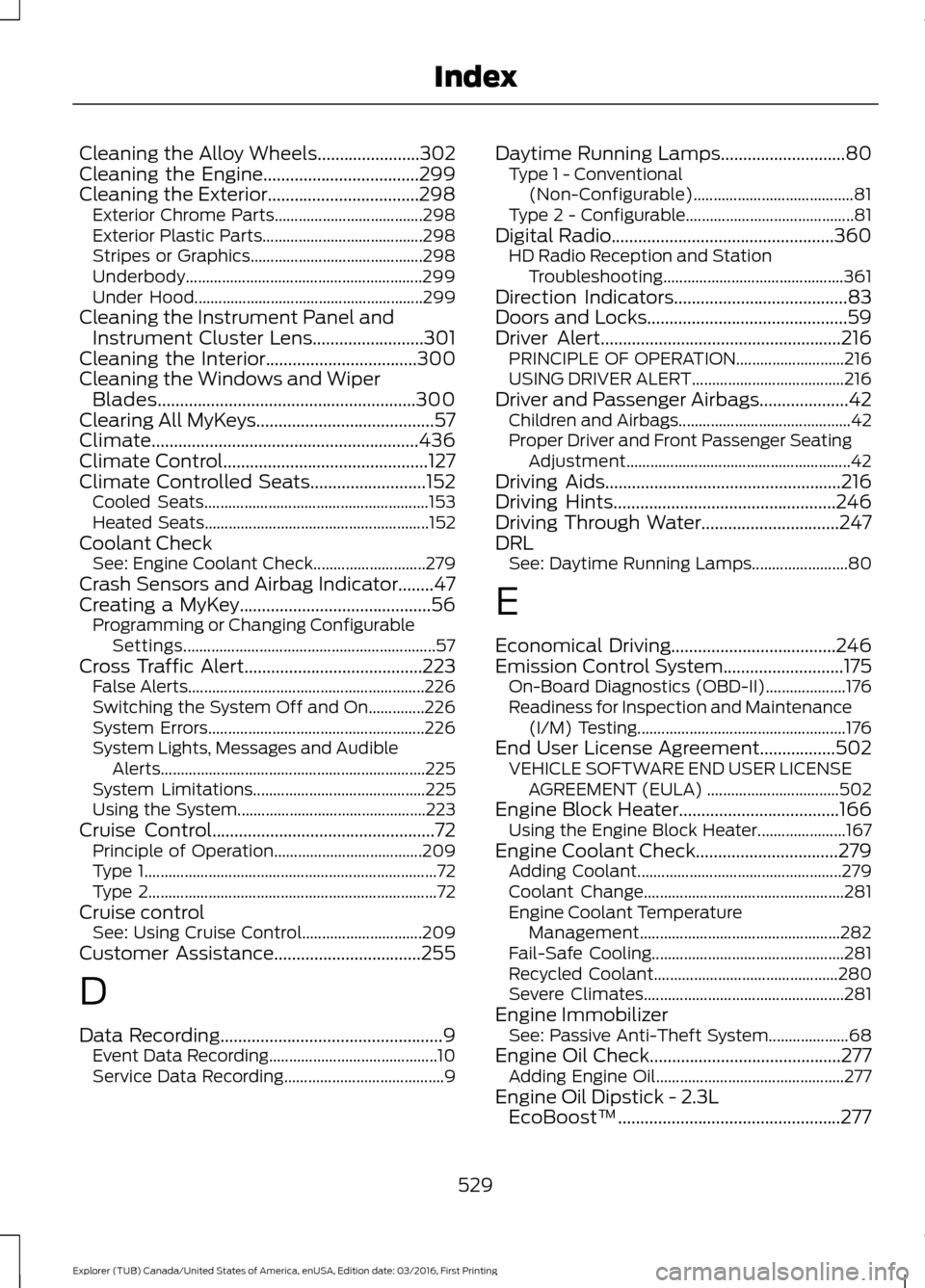
Climate............................................................436
Climate Control..............................................127
Climate Controlled Seats
..........................152
Cooled Seats........................................................ 153
Heated Seats........................................................ 152
Coolant Check See: Engine Coolant Check............................ 279
Crash Sensors and Airbag Indicator........47
Creating a MyKey...........................................56 Programming or Changing Configurable
Settings............................................................... 57
Cross Traffic Alert
........................................223
False Alerts........................................................... 226
Switching the System Off and On..............226
System Errors...................................................... 226
System Lights, Messages and Audible Alerts.................................................................. 225
System Limitations........................................... 225
Using the System............................................... 223
Cruise Control
..................................................72
Principle of Operation..................................... 209
Type 1........................................................................\
. 72
Type 2........................................................................\
72
Cruise control See: Using Cruise Control.............................. 209
Customer Assistance
.................................255
D
Data Recording
..................................................9
Event Data Recording.......................................... 10
Service Data Recording........................................ 9Daytime Running Lamps............................80
Type 1 - Conventional
(Non-Configurable)........................................ 81
Type 2 - Configurable.......................................... 81
Digital Radio..................................................360 HD Radio Reception and Station
Troubleshooting............................................. 361
Direction Indicators.......................................83
Doors and Locks
.............................................59
Driver Alert......................................................216
PRINCIPLE OF OPERATION........................... 216
USING DRIVER ALERT...................................... 216
Driver and Passenger Airbags....................42 Children and Airbags........................................... 42
Proper Driver and Front Passenger Seating Adjustment........................................................ 42
Driving Aids
.....................................................216
Driving Hints..................................................246
Driving Through Water...............................247
DRL See: Daytime Running Lamps........................ 80
E
Economical Driving
.....................................246
Emission Control System...........................175 On-Board Diagnostics (OBD-II).................... 176
Readiness for Inspection and Maintenance (I/M) Testing.................................................... 176
End User License Agreement.................502 VEHICLE SOFTWARE END USER LICENSE
AGREEMENT (EULA) ................................. 502
Engine Block Heater....................................166 Using the Engine Block Heater...................... 167
Engine Coolant Check
................................279
Adding Coolant................................................... 279
Coolant Change.................................................. 281
Engine Coolant Temperature Management.................................................. 282
Fail-Safe Cooling................................................ 281
Recycled Coolant.............................................. 280
Severe Climates.................................................. 281
Engine Immobilizer See: Passive Anti-Theft System.................... 68
Engine Oil Check...........................................277 Adding Engine Oil............................................... 277
Engine Oil Dipstick - 2.3L EcoBoost™..................................................277
529
Explorer (TUB) Canada/United States of America, enUSA, Edition date: 03/2016, First Printing Index
Page 534 of 541

Type 1........................................................................\
.
91
Type 2....................................................................... 92
Type 3....................................................................... 93
General Information on Radio Frequencies...................................................49
Intelligent Access................................................. 49
General Maintenance Information.......483
Multi-Point Inspection..................................... 485
Owner Checks and Services......................... 484
Protecting Your Investment.......................... 483
Why Maintain Your Vehicle?......................... 483
Why Maintain Your Vehicle at Your Dealership?..................................................... 483
Getting Assistance Outside the U.S. and Canada.........................................................258
Getting the Services You Need...............255 Away From Home.............................................. 255
Global Opening..............................................86 Opening the Windows....................................... 86
H
Handbrake See: Parking Brake.............................................. 187
Hazard Warning Flashers
.........................250
HDC See: Using Hill Descent Control.................... 193
Headlamp Adjusting See: Adjusting the Headlamps.................... 288
Headlamp Exit Delay
...................................80
Headlamp Removal See: Removing a Headlamp......................... 290
Head Restraints
.............................................137
Adjusting the Head Restraint......................... 138
Tilting Head Restraints .................................... 139
Heated Seats...................................................151 Front Seats............................................................. 151
Second Row Heated Seats............................. 152
Heated Steering Wheel
................................73
Heated Windows and Mirrors..................135 Heated Exterior Mirrors..................................... 135
Heated Rear Window........................................ 135
Heated Wiper Park............................................. 135
Heating See: Climate Control.......................................... 127
Hill Start Assist..............................................187 Switching the System On and Off...............188
Using Hill Start Assist........................................ 187Hints on Controlling the Interior
Climate..........................................................132
Cooling the Interior Quickly............................. 133
General Hints........................................................ 132
Heating the Interior Quickly............................ 132
Recommended Settings for Cooling...........133
Recommended Settings for Heating...........133
Side Window Defogging in Cold Weather............................................................. 134
Hints on Driving With Anti-Lock Brakes............................................................186
Home Screen
.................................................418
Hood Lock See: Opening and Closing the Hood...........272
I
Ignition Switch
...............................................162
In California (U.S. Only)............................256
Information Display Control
.......................73
Information Displays....................................99 General Information........................................... 99
Information Messages
.................................113
4WD........................................................................\
.. 113
Adaptive Cruise Control.................................... 114
AdvanceTrac ™..................................................... 114
Alarm........................................................................\
114
Automatic Engine Shutdown.......................... 115
Automatic High Beam Control....................... 115
Battery and Charging System......................... 116
Blind Spot Information and Cross Traffic Alert System..................................................... 116
Brake System......................................................... 117
Collision Warning System................................. 117
Doors and Locks................................................... 117
Driver Alert............................................................. 118
Electronic Stability Control.............................. 118
Engine...................................................................... 118
Fuel........................................................................\
... 119
Hill Descent Control........................................... 119
Hill Start Assist..................................................... 119
Keys and Intelligent Access............................ 120
Lane Keeping System......................................... 121
Maintenance.......................................................... 121
MyKey...................................................................... 122
Park Aid................................................................... 122
Park Brake.............................................................. 122
Power Steering..................................................... 123
531
Explorer (TUB) Canada/United States of America, enUSA, Edition date: 03/2016, First Printing Index
Page 537 of 541
Power Seats.....................................................141
Multi-Contour Front Seats With Active
Motion ............................................................... 142
Power Lumbar..................................................... 142
Power Steering Fluid Check....................285
Power Windows.............................................85 Accessory Delay................................................... 85
Bounce-Back......................................................... 85
One-Touch Down................................................. 85
One-Touch Up....................................................... 85
Window Lock......................................................... 85
Pre-Collision Assist
......................................227
Using the Pre-Collision Assist
System.............................................................. 228
Protecting the Environment........................15
R
Rear Parking Aid............................................195 Obstacle Distance Indicator.......................... 196
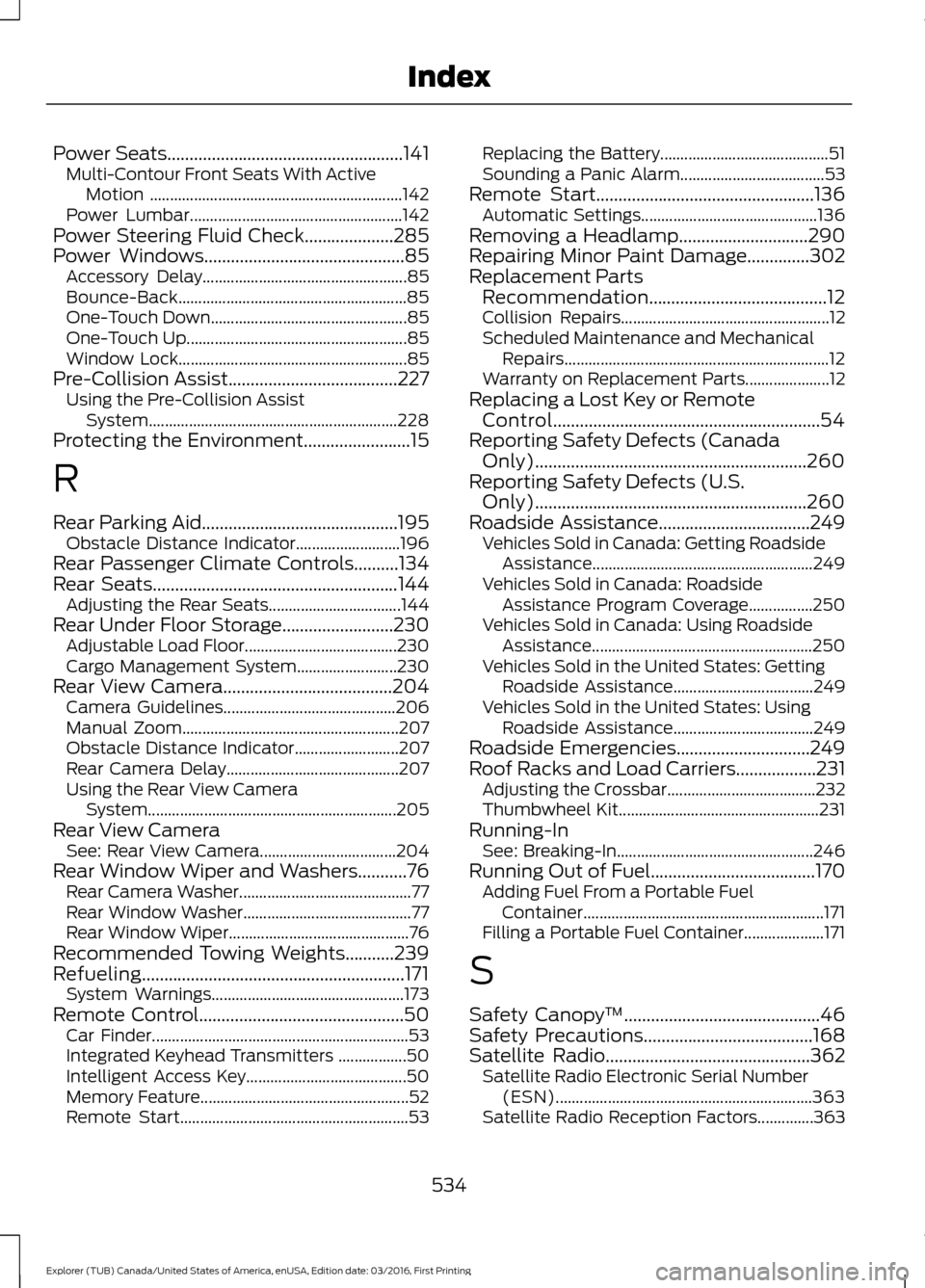
Rear Passenger Climate Controls..........134
Rear Seats
.......................................................144
Adjusting the Rear Seats................................. 144
Rear Under Floor Storage.........................230 Adjustable Load Floor...................................... 230
Cargo Management System......................... 230
Rear View Camera
......................................204
Camera Guidelines........................................... 206
Manual Zoom...................................................... 207
Obstacle Distance Indicator.......................... 207
Rear Camera Delay........................................... 207
Using the Rear View Camera System.............................................................. 205
Rear View Camera See: Rear View Camera.................................. 204
Rear Window Wiper and Washers
...........76
Rear Camera Washer........................................... 77
Rear Window Washer.......................................... 77
Rear Window Wiper............................................. 76
Recommended Towing Weights
...........239
Refueling...........................................................171 System Warnings................................................ 173
Remote Control..............................................50 Car Finder................................................................ 53
Integrated Keyhead Transmitters .................50
Intelligent Access Key........................................ 50
Memory Feature.................................................... 52
Remote Start......................................................... 53Replacing the Battery..........................................
51
Sounding a Panic Alarm.................................... 53
Remote Start.................................................136 Automatic Settings............................................ 136
Removing a Headlamp.............................290
Repairing Minor Paint Damage..............302
Replacement Parts Recommendation........................................12
Collision Repairs.................................................... 12
Scheduled Maintenance and Mechanical Repairs.................................................................. 12
Warranty on Replacement Parts..................... 12
Replacing a Lost Key or Remote Control............................................................54
Reporting Safety Defects (Canada Only).............................................................260
Reporting Safety Defects (U.S. Only).............................................................260
Roadside Assistance
..................................249
Vehicles Sold in Canada: Getting Roadside
Assistance....................................................... 249
Vehicles Sold in Canada: Roadside Assistance Program Coverage................250
Vehicles Sold in Canada: Using Roadside Assistance....................................................... 250
Vehicles Sold in the United States: Getting Roadside Assistance................................... 249
Vehicles Sold in the United States: Using Roadside Assistance................................... 249
Roadside Emergencies..............................249
Roof Racks and Load Carriers
..................231
Adjusting the Crossbar..................................... 232
Thumbwheel Kit.................................................. 231
Running-In See: Breaking-In................................................. 246
Running Out of Fuel
.....................................170
Adding Fuel From a Portable Fuel
Container............................................................ 171
Filling a Portable Fuel Container.................... 171
S
Safety Canopy ™
............................................46
Safety Precautions......................................168
Satellite Radio..............................................362
Satellite Radio Electronic Serial Number
(ESN)................................................................ 363
Satellite Radio Reception Factors..............363
534
Explorer (TUB) Canada/United States of America, enUSA, Edition date: 03/2016, First Printing Index