manual transmission FORD EXPLORER 2017 5.G User Guide
[x] Cancel search | Manufacturer: FORD, Model Year: 2017, Model line: EXPLORER, Model: FORD EXPLORER 2017 5.GPages: 541, PDF Size: 6.81 MB
Page 210 of 541
The fixed and active guidelines fade in and
out depending on the steering wheel
position. The active guidelines do not
display when the steering wheel position
is straight.
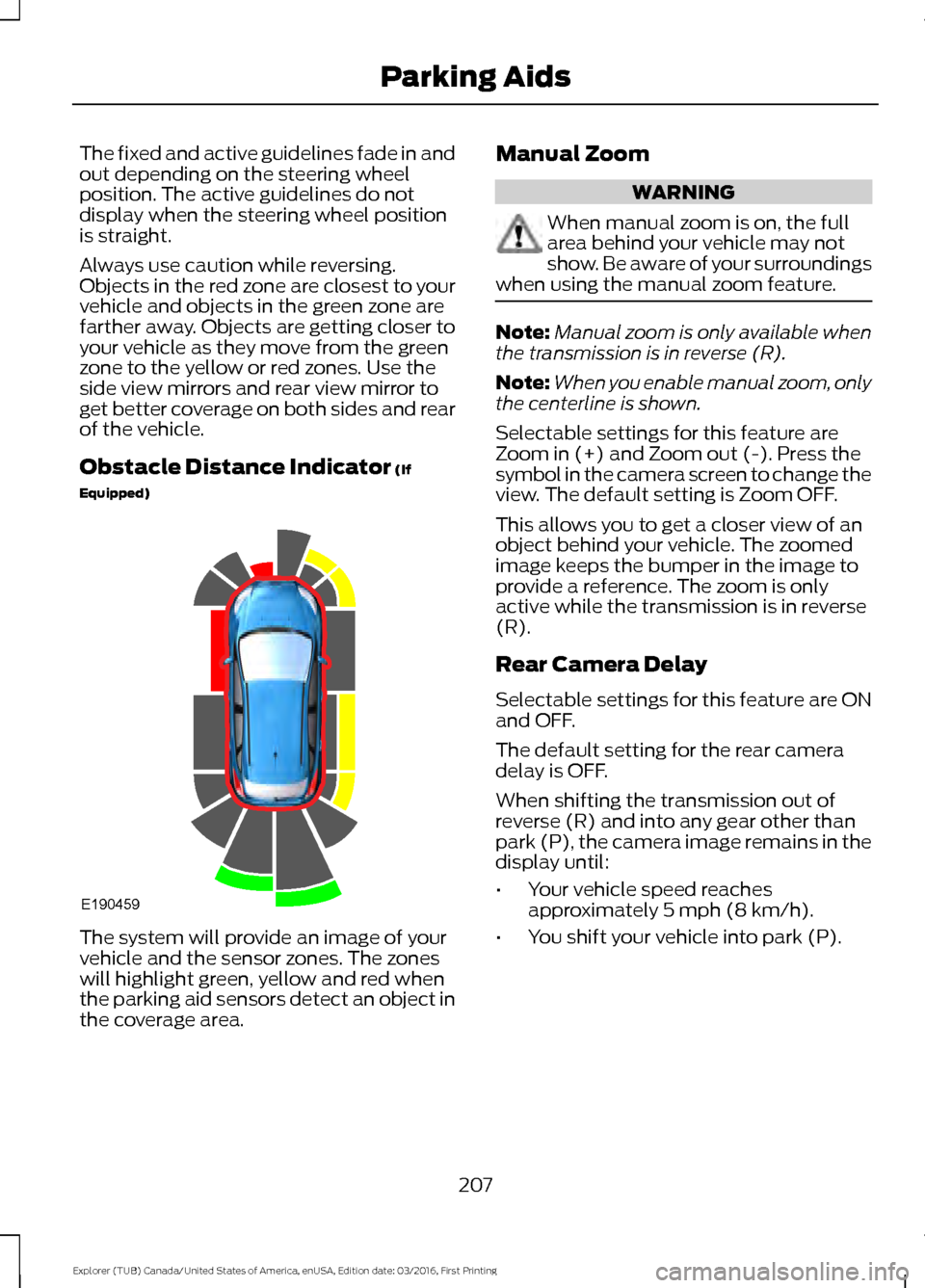
Always use caution while reversing.
Objects in the red zone are closest to your
vehicle and objects in the green zone are
farther away. Objects are getting closer to
your vehicle as they move from the green
zone to the yellow or red zones. Use the
side view mirrors and rear view mirror to
get better coverage on both sides and rear
of the vehicle.
Obstacle Distance Indicator (If
Equipped) The system will provide an image of your
vehicle and the sensor zones. The zones
will highlight green, yellow and red when
the parking aid sensors detect an object in
the coverage area. Manual Zoom WARNING
When manual zoom is on, the full
area behind your vehicle may not
show. Be aware of your surroundings
when using the manual zoom feature. Note:
Manual zoom is only available when
the transmission is in reverse (R).
Note: When you enable manual zoom, only
the centerline is shown.
Selectable settings for this feature are
Zoom in (+) and Zoom out (-). Press the
symbol in the camera screen to change the
view. The default setting is Zoom OFF.
This allows you to get a closer view of an
object behind your vehicle. The zoomed
image keeps the bumper in the image to
provide a reference. The zoom is only
active while the transmission is in reverse
(R).
Rear Camera Delay
Selectable settings for this feature are ON
and OFF.
The default setting for the rear camera
delay is OFF.
When shifting the transmission out of
reverse (R) and into any gear other than
park (P), the camera image remains in the
display until:
• Your vehicle speed reaches
approximately
5 mph (8 km/h).
• You shift your vehicle into park (P).
207
Explorer (TUB) Canada/United States of America, enUSA, Edition date: 03/2016, First Printing Parking AidsE190459
Page 224 of 541
Note:
The Blind Spot Information System
does not prevent contact with other vehicles
or objects; nor detect parked vehicles,
people, animals or infrastructure (fences,
guardrails, trees). It’ s only designed to alert
you to vehicles in the blind spot zones.
Note: When a vehicle passes quickly
through the blind spot zone, typically fewer
than two seconds, the system does not
trigger.
Using the System
The Blind Spot Information System turns
on when you start the engine and you drive
your vehicle forward above 5 mph
(8 km/h).
For automatic transmissions, the Blind
Spot Information System remains on while
the transmission is in drive (D). If shifted
into reverse (R) or park (P) the Blind Spot
Information System turns off. Once shifted
back into drive (D), the Blind Spot
Information System turns back on when
you drive your vehicle above
5 mph
(8 km/h).
For manual transmissions, the Blind Spot
Information System is on for all gears
except the reverse (R).
Note: The Blind Spot Information System
does not function in reverse (R) or park (P).
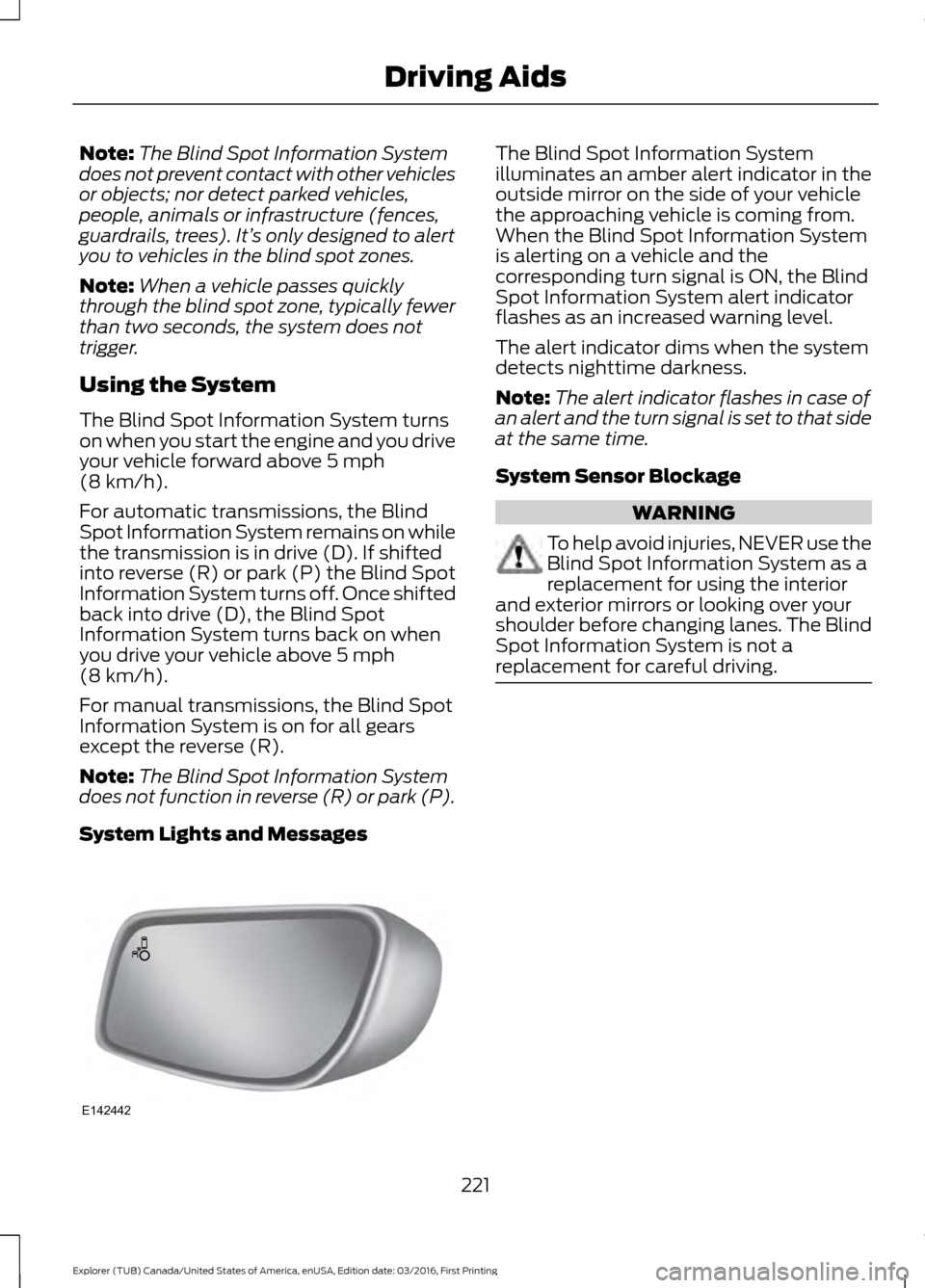
System Lights and Messages The Blind Spot Information System
illuminates an amber alert indicator in the
outside mirror on the side of your vehicle
the approaching vehicle is coming from.
When the Blind Spot Information System
is alerting on a vehicle and the
corresponding turn signal is ON, the Blind
Spot Information System alert indicator
flashes as an increased warning level.
The alert indicator dims when the system
detects nighttime darkness.
Note:
The alert indicator flashes in case of
an alert and the turn signal is set to that side
at the same time.
System Sensor Blockage WARNING
To help avoid injuries, NEVER use the
Blind Spot Information System as a
replacement for using the interior
and exterior mirrors or looking over your
shoulder before changing lanes. The Blind
Spot Information System is not a
replacement for careful driving. 221
Explorer (TUB) Canada/United States of America, enUSA, Edition date: 03/2016, First Printing Driving AidsE142442
Page 229 of 541
The following are other situations that may
limit the Cross Traffic Alert performance:
•
Adjacently parked vehicles or objects
obstructing the sensors.
• Approaching vehicles passing at
speeds greater than 37 mph
(60 km/h).
• Driving in reverse faster than
7 mph
(12 km/h).
• Backing out of an angled parking spot.
False Alerts
Note: If your vehicle has a tow bar with a
factory equipped trailer tow module and it
is towing a trailer, the sensors will
automatically turn the Cross Traffic Alert
off. If your vehicle has a tow bar but no
factory equipped trailer tow module, it is
recommended to turn the Cross Traffic Alert
off manually. Operating Cross Traffic Alert
with a trailer attached will cause poor Cross
Traffic Alert performance.
There may be certain instances when there
is a false alert by the Cross Traffic Alert
system that illuminates the alert indicator
with no vehicle in the coverage zone. Some
amount of false alerts are normal; they are
temporary and self-correct.
System Errors
If Cross Traffic Alert senses a problem with
the left or right sensor a message will
appear in the information display. See
Information Messages
(page 113).
Switching the System Off and On
You can temporarily switch Cross Traffic
Alert off in the information display. See
General Information
(page 99). When
you switch Cross Traffic Alert off, you will
not receive alerts and the information
display will display a system off message. Note:
The Cross Traffic Alert switches on
whenever the ignition is switched on and
ready to provide appropriate alerts when
the transmission is in reverse (R). Cross
Traffic Alert will not remember the last
selected on or off setting.
You can also have Cross Traffic Alert
switched off permanently at an authorized
dealer. Once switched off permanently,
the system can only be switched back on
at an authorized dealer.
STEERING
Electric Power Steering WARNINGS
The electric power steering system
has diagnostic checks that
continuously monitor the system. If
a fault is detected, a message displays in
the information display. Stop your vehicle
as soon as it is safe to do so. Switch the
ignition off. After at least 10 seconds,
switch the ignition on and watch the
information display for a steering system
warning message. If a steering system
warning message returns, have the system
checked by an authorized dealer. If the system detects an error, you
may not feel a difference in the
steering, however a serious condition
may exist. Obtain immediate service from
an authorized dealer, failure to do so may
result in loss of steering control. Your vehicle has an electric power steering
system. There is no fluid reservoir. No
maintenance is required.
If your vehicle loses electrical power while
you are driving, electric power steering
assistance is lost. The steering system still
operates and you can steer your vehicle
manually. Manually steering your vehicle
requires more effort.
226
Explorer (TUB) Canada/United States of America, enUSA, Edition date: 03/2016, First Printing Driving Aids
Page 241 of 541
TOWING A TRAILER
WARNING
Towing trailers beyond the
maximum recommended
gross trailer weight exceeds the
limit of your vehicle and could
result in engine damage,
transmission damage, structural
damage, loss of vehicle control,
vehicle rollover and personal
injury. Note:
Do not exceed the GVWR or
the GAWR specified on the
certification label. See
Recommended Towing Weights
(page
239).
Your vehicle may have electrical
items, such as fuses or relays,
related to towing. See
Fuses
(page 262).
Your vehicle's load capacity
designation is by weight, not by
volume, so you cannot necessarily
use all available space when
loading a vehicle or trailer.
Towing a trailer places an extra
load on your vehicle's engine,
transmission, axle, brakes, tires
and suspension. Inspect these
components periodically during,
and after, any towing operation. Load Placement
To help minimize how trailer
movement affects your vehicle
when driving:
•
Load the heaviest items closest
to the trailer floor.
• Load the heaviest items
centered between the left and
right side trailer tires.
• Load the heaviest items above
the trailer axles or just slightly
forward toward the trailer
tongue. Do not allow the final
trailer tongue weight to go
above or below 10-15% of the
loaded trailer weight.
• Select a ball mount with the
correct rise or drop. When both
the loaded vehicle and trailer
are connected, the trailer frame
should be level, or slightly
angled down toward your
vehicle, when viewed from the
side.
When driving with a trailer or
payload, a slight takeoff vibration
or shudder may be present due to
the increased payload weight.
Additional information regarding
proper trailer loading and setting
your vehicle up for towing is
located in another chapter of this
manual. See
Load Limit (page
232).
You can also find information in
the
RV & Trailer Towing Guide
available at your authorized
dealer, or online.
238
Explorer (TUB) Canada/United States of America, enUSA, Edition date: 03/2016, First Printing Towing
Page 245 of 541
Trailer Brakes
WARNING
Do not connect a trailer's hydraulic
brake system directly to your
vehicle's brake system. Your vehicle
may not have enough braking power and
your chances of having a collision greatly
increase. Electric brakes and manual, automatic or
surge-type trailer brakes are safe if you
install them properly and adjust them to
the manufacturer's specifications. The
trailer brakes must meet local and federal
regulations.
The rating for the tow vehicle's braking
system operation is at the gross vehicle
weight rating, not the gross combined
weight rating.
Separate functioning brake systems
are required for safe control of towed
vehicles and trailers weighing more
than 1500 pounds (680 kilograms)
when loaded.
Trailer Lamps
WARNING
Never connect any trailer lamp wiring
to the vehicle's tail lamp wiring; this
may damage the electrical system
resulting in fire. Contact your authorized
dealer as soon as possible for assistance
in proper trailer tow wiring installation.
Additional electrical equipment may be
required. Trailer lamps are required on most towed
vehicles. Make sure all running lights, brake
lights, turn signals and hazard lights are
working. Before Towing a Trailer
Practice turning, stopping and backing up
to get the feel of your vehicle-trailer
combination before starting on a trip.
When turning, make wider turns so the
trailer wheels clear curbs and other
obstacles.
When Towing a Trailer
•
Do not drive faster than 70 mph
(113 km/h) during the first 500 mi
(800 km).
• Do not make full-throttle starts.
• Check your hitch, electrical connections
and trailer wheel lug nuts thoroughly
after you have traveled 50 mi (80 km).
• When stopped in congested or heavy
traffic during hot weather, place the
gearshift in position P to aid engine and
transmission cooling and to help A/C
performance.
• Turn off the speed control with heavy
loads or in hilly terrain. The speed
control may turn off automatically
when you are towing on long, steep
grades.
• Shift to a lower gear when driving down
a long or steep hill. Do not apply the
brakes continuously, as they may
overheat and become less effective.
• If your transmission is equipped with a
Grade Assist or Tow/Haul feature, use
this feature when towing. This provides
engine braking and helps eliminate
excessive transmission shifting for
optimum fuel economy and
transmission cooling.
• Allow more distance for stopping with
a trailer attached. Anticipate stops and
brake gradually.
• Avoid parking on a grade. However, if
you must park on a grade:
1. Turn the steering wheel to point your vehicle tires away from traffic flow.
242
Explorer (TUB) Canada/United States of America, enUSA, Edition date: 03/2016, First Printing Towing
Page 373 of 541
To adjust this setting press the voice button, when prompted say:
Action and Description
Voice Command
voice settings
Then any of the following: When enabled, this feature will prompt you
to confirm any voice initiated call command
prior to the call being placed.
phone confirmation on
The system will make a best guess; you
may still occasionally be asked to confirm
settings.
phone confirmation off
Changing the Voice Settings
In addition to using voice commands to
change the voice settings, you can also use
the menu in the audio display.
To change the voice settings press the
Menu button then select: Menu Item
SYNC-Settings
Voice settings
USING SYNC™ WITH YOUR
PHONE
Hands-free calling is one of the main
features of SYNC. While the system
supports a variety of features, many are
dependent on your cellular phone's
functionality. At a minimum, most cellular
phones with Bluetooth wireless technology
support the following functions:
• Answering an incoming call.
• Ending a call.
• Using privacy mode.
• Dialing a number.
• Redialing. •
Call waiting notification.
• Caller ID.
Other features, such as text messaging
using Bluetooth and automatic phonebook
download, are phone-dependent features.
To check your phone's compatibility, see
your phone's manual and visit
www.SYNCMyRide.com,
www.SYNCMyRide.ca or
www.syncmaroute.ca.
Pairing a Phone for the First Time
Wirelessly pairing your phone with SYNC
allows you to make and receive hands-free
calls.
Note: SYNC can support downloading up
to approximately 4000 entries per
Bluetooth-enabled cellular phone.
Note: Make sure to switch on the ignition
and the radio. Shift the transmission into
park (P) for automatic transmission or first
gear for manual transmission.
Using the Audio System
Note: To scroll through the menus, press
the up and down arrows on your audio
system.
370
Explorer (TUB) Canada/United States of America, enUSA, Edition date: 03/2016, First Printing SYNC™ (If Equipped)
Page 374 of 541
1. Make sure to switch on your phone's
Bluetooth feature before starting the
search. See your device's manual if
necessary.
2. Press the PHONE button. When the
audio display indicates there is no
paired phone, select the option to add.
3. When a message to begin pairing appears in the audio display, search for
SYNC on your phone to start the pairing
process.
4. When prompted on your cell phone ’s
display, confirm that the PIN provided
by SYNC matches the PIN displayed
on your cell phone. Your phone is now
paired and the display indicates that
the pairing was successful. If you are
prompted to enter a PIN on your device,
enter the PIN displayed on the screen.
The display indicates when the pairing
is successful.
Depending on your phone's capability and
your market, the system may prompt you
with questions, such as setting the current
phone as the primary phone (the phone
SYNC automatically tries to connect with
first upon vehicle start-up) and
downloading your phonebook.
Using Voice Commands Make sure to switch on your
phone's Bluetooth feature
before starting the search. See
your device's manual if necessary. Press the voice and when prompted
say: Action and Descrip-
tion
Voice Command
Follow the instruc-
tions on the audio
display.
(pair ([Bluetooth]
device | phone |
Bluetooth audio) |
add phone)
You can say any of the voice commands
that appear within open and close brackets
that are separated by |. For example,
where; (what's | what is) appears you say;
what's or what is.
The commands that have [ ] around the
word means that the word is optional.
Depending on your phone's capability and
your market, the system may prompt you
with questions, such as setting the current
phone as the primary phone (the phone
SYNC automatically tries to connect with
first upon vehicle start-up) and
downloading your phonebook.
Pairing Subsequent Phones
Note: Make sure to switch on the ignition
and the radio. Shift the transmission into
park (P) for automatic transmission or first
gear for manual transmission.
Note: To scroll through the menus, press
the up and down arrows on your audio
system.
1. Make sure to switch on your phone's Bluetooth feature before starting the
search. See your device's manual if
necessary.
2. Press the
PHONE button.
3. Select the option for Bluetooth Devices.
4. Press the
OK button.
371
Explorer (TUB) Canada/United States of America, enUSA, Edition date: 03/2016, First Printing SYNC™
(If Equipped)E142599
Page 530 of 541
1
180 Degree Camera...................................208
Camera Views.................................................... 208
Using the 180 degree camera system.............................................................. 208
4
4WD See: Four-Wheel Drive....................................... 181
A
A/C See: Climate Control.......................................... 127
About This Manual...........................................7
ABS See: Brakes........................................................... 186
ABS driving hints See: Hints on Driving With Anti-Lock
Brakes................................................................ 186
Accessories....................................................479 Exterior Style....................................................... 479
Interior Style......................................................... 479
Lifestyle................................................................. 479
Peace of Mind..................................................... 479
Accessories See: Replacement Parts
Recommendation............................................ 12
ACC See: Using Adaptive Cruise Control.............210
Active Park Assist.........................................199 Deactivating the Active Park Assist
Feature............................................................. 203
Parallel Parking, Perpendicular Parking, Parallel Park Out Assist.............................. 199
Troubleshooting the System......................... 203
Adjusting the Headlamps
........................288
Vertical Aim Adjustment................................ 288
Adjusting the Pedals.....................................74
Adjusting the Steering Wheel - Vehicles With: Manual Adjustable Steering
Column............................................................70
Adjusting the Steering Wheel - Vehicles With: Power Adjustable Steering
Column............................................................70
Easy Entry and Exit Feature............................... 71End of Travel Position..........................................
71
Memory Feature..................................................... 71
Airbag Disposal..............................................48
Air Conditioning See: Climate Control.......................................... 127
Air Filter See: Changing the Engine Air Filter............296
Alarm See: Anti-Theft Alarm........................................ 69
Anti-Theft Alarm............................................69 Arming the Alarm................................................ 69
Disarming the Alarm........................................... 69
Appendices....................................................502
Apps..................................................................452 ........................................................................\
.......... 452
SiriusXM Traffic and Travel Link................... 453
Audible Warnings and Indicators
.............98
Automatic Transmission Warning
Chime
.................................................................. 98
Engine On Warning Chime............................... 98
Headlamps On Warning Chime..................... 98
Key in Ignition Warning Chime........................ 98
Keyless Warning Alert ....................................... 98
Parking Brake On Warning Chime.................98
Audio Control....................................................71 Seek and Media..................................................... 72
Type 1........................................................................\
.. 71
Type 2........................................................................\
. 71
Audio System
.................................................351
General Information.......................................... 351
Audio Unit - Vehicles With: AM/FM/CD/ SYNC.............................................................352
Audio Unit - Vehicles With: Premium AM/FM/CD..................................................355
Audio Unit - Vehicles With: Sony AM/ FM/CD
...........................................................356
Menu Structure.................................................. 358
Autolamps........................................................79 Windshield Wiper Activated
Headlamps........................................................ 79
Automatic Climate Control - Vehicles With: Premium AM/FM/CD...................128
Automatic Climate Control - Vehicles With: Sony Audio System.......................130
Automatic High Beam Control..................81 Activating the System........................................ 82
Manually Overriding the System.................... 82
527
Explorer (TUB) Canada/United States of America, enUSA, Edition date: 03/2016, First Printing Index
Page 535 of 541
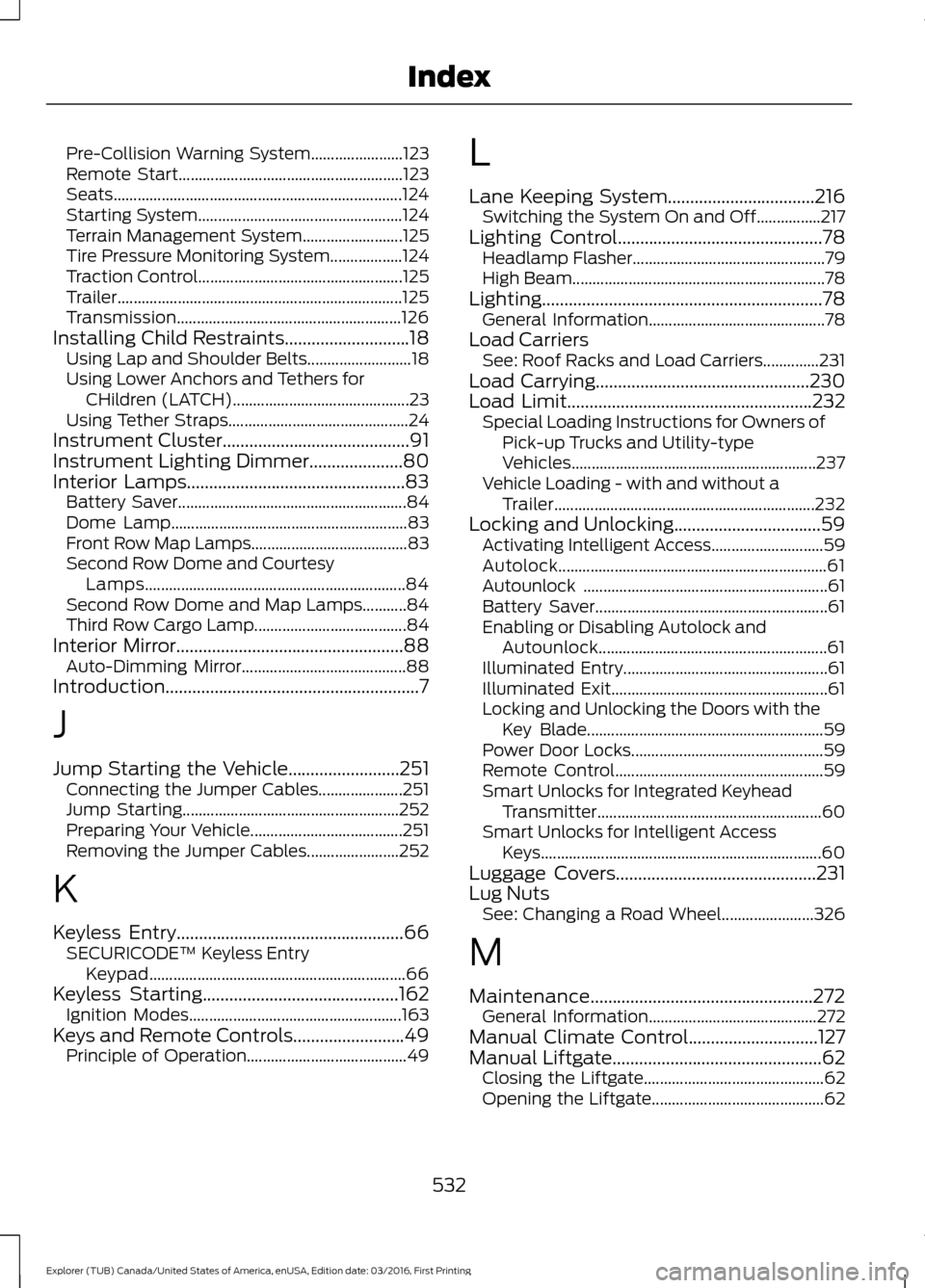
Pre-Collision Warning System.......................
123
Remote Start........................................................ 123
Seats........................................................................\
124
Starting System................................................... 124
Terrain Management System......................... 125
Tire Pressure Monitoring System.................. 124
Traction Control................................................... 125
Trailer....................................................................... 125
Transmission........................................................ 126
Installing Child Restraints............................18
Using Lap and Shoulder Belts.......................... 18
Using Lower Anchors and Tethers for CHildren (LATCH)............................................ 23
Using Tether Straps............................................. 24
Instrument Cluster
..........................................91
Instrument Lighting Dimmer.....................80
Interior Lamps
.................................................83
Battery Saver......................................................... 84
Dome Lamp........................................................... 83
Front Row Map Lamps....................................... 83
Second Row Dome and Courtesy Lamps................................................................. 84
Second Row Dome and Map Lamps...........84
Third Row Cargo Lamp...................................... 84
Interior Mirror...................................................88 Auto-Dimming Mirror......................................... 88
Introduction.........................................................7
J
Jump Starting the Vehicle.........................251 Connecting the Jumper Cables..................... 251
Jump Starting...................................................... 252
Preparing Your Vehicle...................................... 251
Removing the Jumper Cables....................... 252
K
Keyless Entry...................................................66 SECURICODE™ Keyless Entry
Keypad................................................................ 66
Keyless Starting
............................................162
Ignition Modes..................................................... 163
Keys and Remote Controls.........................49 Principle of Operation........................................ 49L
Lane Keeping System.................................216
Switching the System On and Off................217
Lighting Control
..............................................78
Headlamp Flasher................................................ 79
High Beam............................................................... 78
Lighting...............................................................78 General Information............................................ 78
Load Carriers See: Roof Racks and Load Carriers..............231
Load Carrying
................................................230
Load Limit.......................................................232
Special Loading Instructions for Owners of
Pick-up Trucks and Utility-type
Vehicles............................................................. 237
Vehicle Loading - with and without a Trailer................................................................. 232
Locking and Unlocking.................................59 Activating Intelligent Access............................ 59
Autolock................................................................... 61
Autounlock ............................................................. 61
Battery Saver.......................................................... 61
Enabling or Disabling Autolock and Autounlock......................................................... 61
Illuminated Entry................................................... 61
Illuminated Exit...................................................... 61
Locking and Unlocking the Doors with the Key Blade........................................................... 59
Power Door Locks................................................ 59
Remote Control.................................................... 59
Smart Unlocks for Integrated Keyhead Transmitter........................................................ 60
Smart Unlocks for Intelligent Access Keys...................................................................... 60
Luggage Covers
.............................................231
Lug Nuts See: Changing a Road Wheel....................... 326
M
Maintenance..................................................272 General Information.......................................... 272
Manual Climate Control
.............................127
Manual Liftgate...............................................62
Closing the Liftgate............................................. 62
Opening the Liftgate........................................... 62
532
Explorer (TUB) Canada/United States of America, enUSA, Edition date: 03/2016, First Printing Index
Page 539 of 541
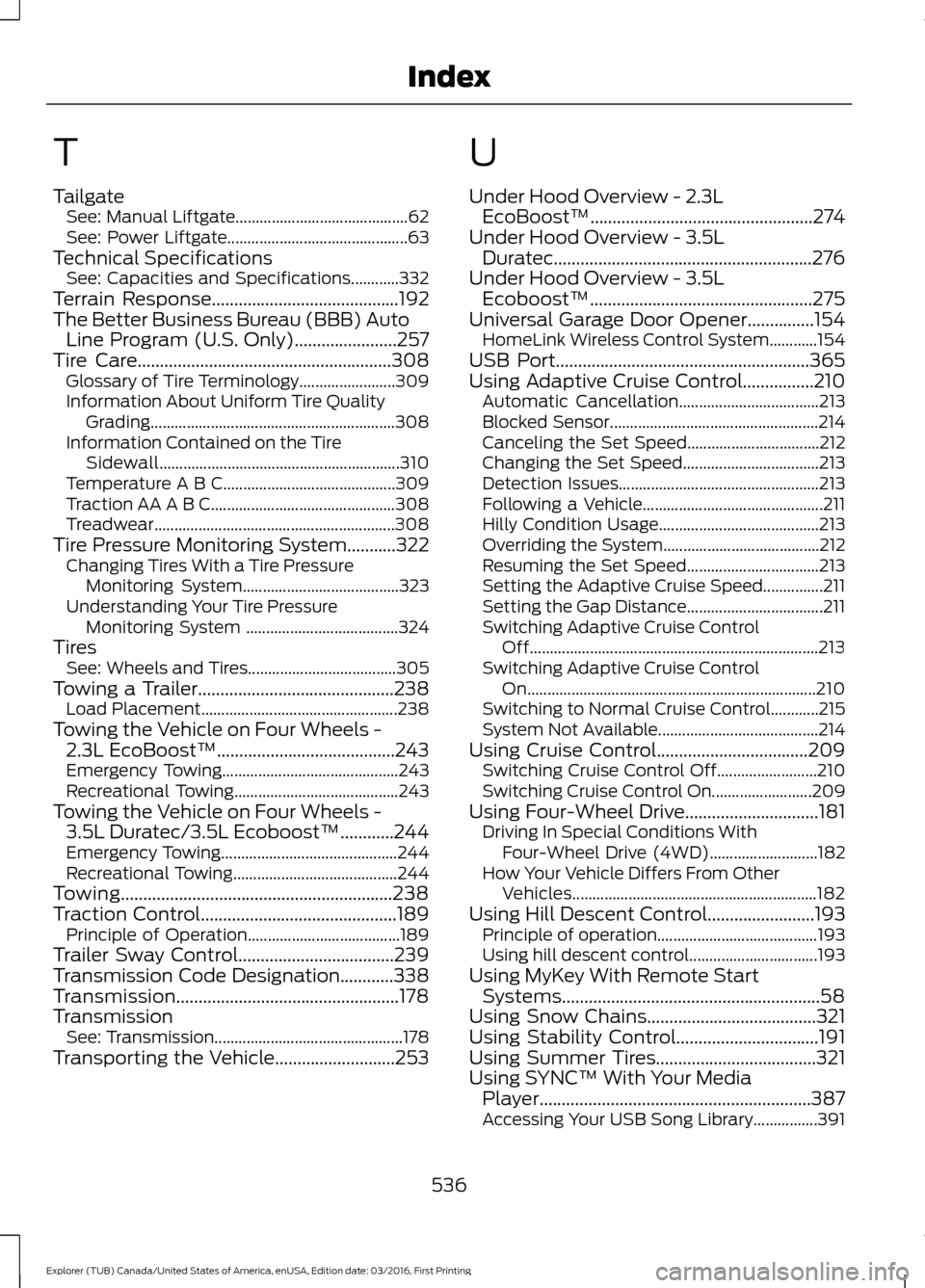
T
Tailgate
See: Manual Liftgate........................................... 62
See: Power Liftgate............................................. 63
Technical Specifications See: Capacities and Specifications............332
Terrain Response..........................................192
The Better Business Bureau (BBB) Auto Line Program (U.S. Only).......................257
Tire Care.........................................................308
Glossary of Tire Terminology........................ 309
Information About Uniform Tire Quality Grading............................................................. 308
Information Contained on the Tire Sidewall............................................................ 310
Temperature A B C........................................... 309
Traction AA A B C.............................................. 308
Treadwear............................................................ 308
Tire Pressure Monitoring System...........322 Changing Tires With a Tire Pressure
Monitoring System....................................... 323
Understanding Your Tire Pressure Monitoring System ...................................... 324
Tires See: Wheels and Tires..................................... 305
Towing a Trailer............................................238 Load Placement................................................. 238
Towing the Vehicle on Four Wheels - 2.3L EcoBoost™........................................243
Emergency Towing............................................ 243
Recreational Towing......................................... 243
Towing the Vehicle on Four Wheels - 3.5L Duratec/3.5L Ecoboost™............244
Emergency Towing............................................ 244
Recreational Towing......................................... 244
Towing.............................................................238
Traction Control
............................................189
Principle of Operation...................................... 189
Trailer Sway Control...................................239
Transmission Code Designation............338
Transmission..................................................178
Transmission See: Transmission............................................... 178
Transporting the Vehicle
...........................253 U
Under Hood Overview - 2.3L
EcoBoost™..................................................274
Under Hood Overview - 3.5L Duratec..........................................................276
Under Hood Overview - 3.5L Ecoboost™..................................................275
Universal Garage Door Opener...............154 HomeLink Wireless Control System............154
USB Port
.........................................................365
Using Adaptive Cruise Control................210 Automatic Cancellation................................... 213
Blocked Sensor.................................................... 214
Canceling the Set Speed................................. 212
Changing the Set Speed.................................. 213
Detection Issues.................................................. 213
Following a Vehicle............................................. 211
Hilly Condition Usage........................................ 213
Overriding the System....................................... 212
Resuming the Set Speed................................. 213
Setting the Adaptive Cruise Speed...............211
Setting the Gap Distance.................................. 211
Switching Adaptive Cruise Control Off........................................................................\
213
Switching Adaptive Cruise Control On........................................................................\
210
Switching to Normal Cruise Control............215
System Not Available........................................ 214
Using Cruise Control
..................................209
Switching Cruise Control Off......................... 210
Switching Cruise Control On......................... 209
Using Four-Wheel Drive..............................181 Driving In Special Conditions With
Four-Wheel Drive (4WD)........................... 182
How Your Vehicle Differs From Other Vehicles............................................................. 182
Using Hill Descent Control
........................193
Principle of operation........................................ 193
Using hill descent control................................ 193
Using MyKey With Remote Start Systems..........................................................58
Using Snow Chains
......................................321
Using Stability Control................................191
Using Summer Tires....................................321
Using SYNC™ With Your Media Player.............................................................387
Accessing Your USB Song Library................391
536
Explorer (TUB) Canada/United States of America, enUSA, Edition date: 03/2016, First Printing Index