instrument cluster FORD EXPLORER 2017 5.G Owner's Manual
[x] Cancel search | Manufacturer: FORD, Model Year: 2017, Model line: EXPLORER, Model: FORD EXPLORER 2017 5.GPages: 541, PDF Size: 6.81 MB
Page 282 of 541
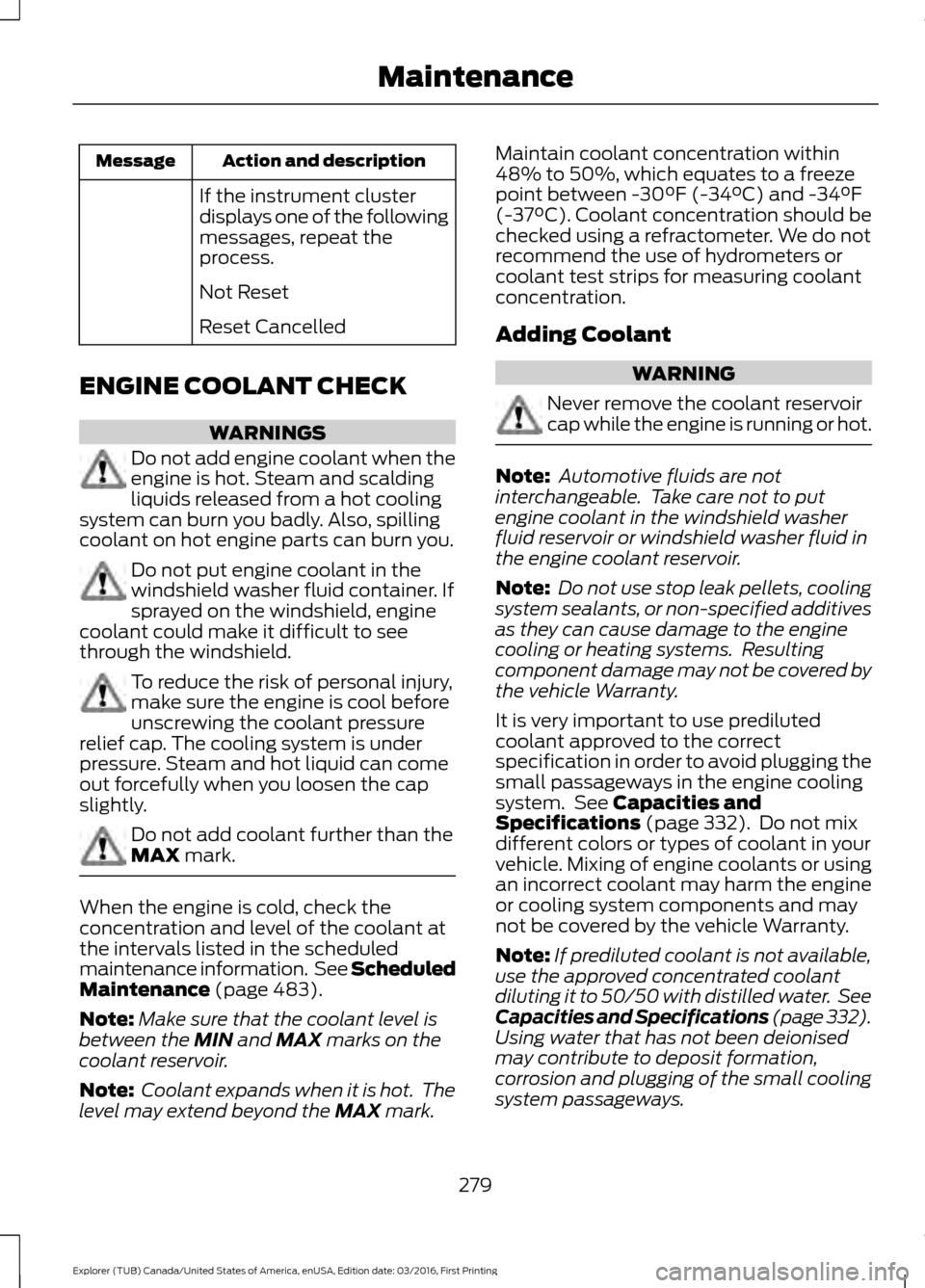
Action and description
Message
If the instrument cluster
displays one of the following
messages, repeat the
process.
Not Reset
Reset Cancelled
ENGINE COOLANT CHECK WARNINGS
Do not add engine coolant when the
engine is hot. Steam and scalding
liquids released from a hot cooling
system can burn you badly. Also, spilling
coolant on hot engine parts can burn you. Do not put engine coolant in the
windshield washer fluid container. If
sprayed on the windshield, engine
coolant could make it difficult to see
through the windshield. To reduce the risk of personal injury,
make sure the engine is cool before
unscrewing the coolant pressure
relief cap. The cooling system is under
pressure. Steam and hot liquid can come
out forcefully when you loosen the cap
slightly. Do not add coolant further than the
MAX mark.
When the engine is cold, check the
concentration and level of the coolant at
the intervals listed in the scheduled
maintenance information. See Scheduled
Maintenance
(page 483).
Note: Make sure that the coolant level is
between the
MIN and MAX marks on the
coolant reservoir.
Note: Coolant expands when it is hot. The
level may extend beyond the
MAX mark. Maintain coolant concentration within
48% to 50%, which equates to a freeze
point between -30°F (-34°C) and -34°F
(-37°C). Coolant concentration should be
checked using a refractometer. We do not
recommend the use of hydrometers or
coolant test strips for measuring coolant
concentration.
Adding Coolant
WARNING
Never remove the coolant reservoir
cap while the engine is running or hot.
Note:
Automotive fluids are not
interchangeable. Take care not to put
engine coolant in the windshield washer
fluid reservoir or windshield washer fluid in
the engine coolant reservoir.
Note: Do not use stop leak pellets, cooling
system sealants, or non-specified additives
as they can cause damage to the engine
cooling or heating systems. Resulting
component damage may not be covered by
the vehicle Warranty.
It is very important to use prediluted
coolant approved to the correct
specification in order to avoid plugging the
small passageways in the engine cooling
system. See
Capacities and
Specifications (page 332). Do not mix
different colors or types of coolant in your
vehicle. Mixing of engine coolants or using
an incorrect coolant may harm the engine
or cooling system components and may
not be covered by the vehicle Warranty.
Note: If prediluted coolant is not available,
use the approved concentrated coolant
diluting it to 50/50 with distilled water. See
Capacities and Specifications (page 332).
Using water that has not been deionised
may contribute to deposit formation,
corrosion and plugging of the small cooling
system passageways.
279
Explorer (TUB) Canada/United States of America, enUSA, Edition date: 03/2016, First Printing Maintenance
Page 304 of 541
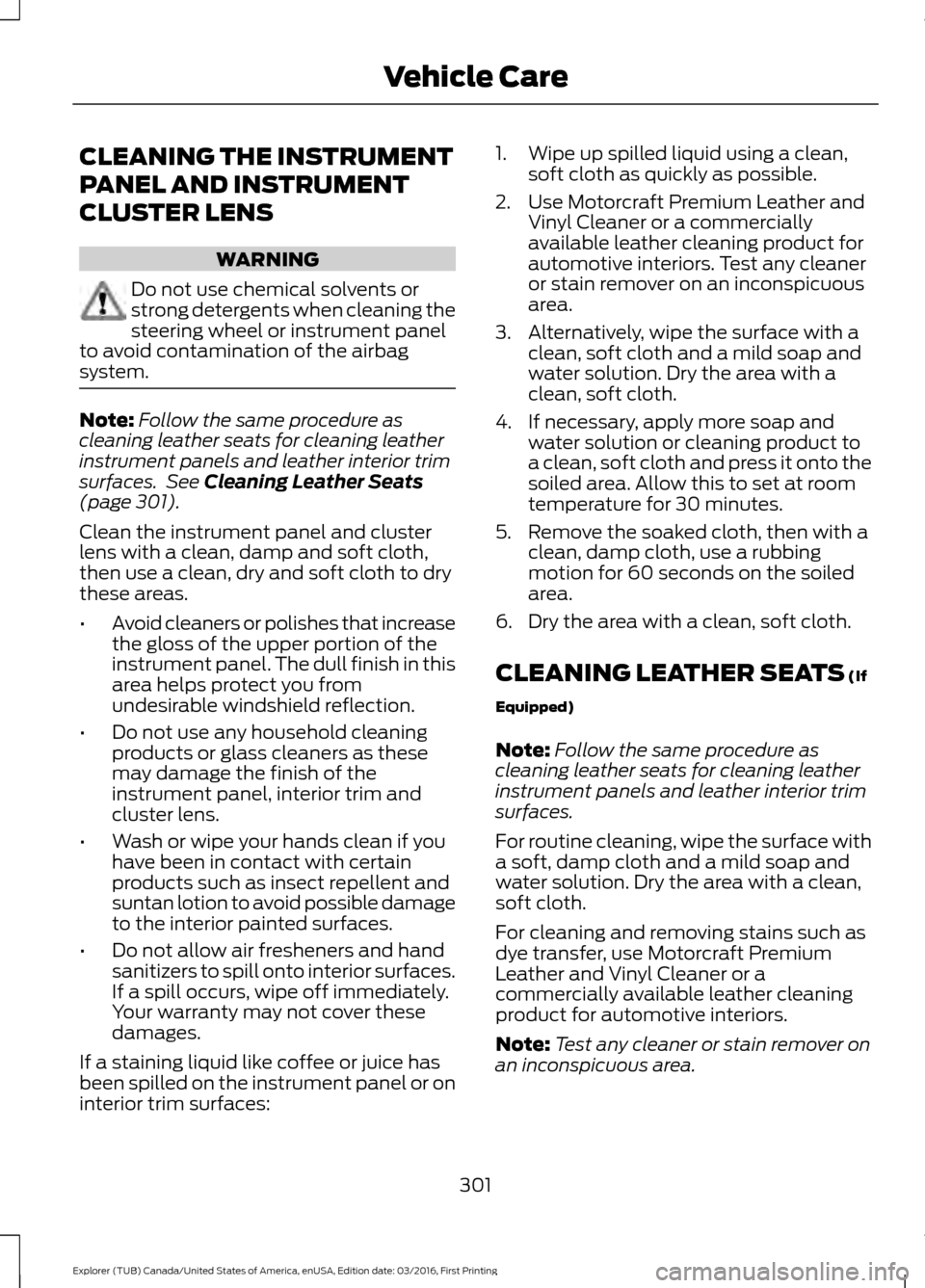
CLEANING THE INSTRUMENT
PANEL AND INSTRUMENT
CLUSTER LENS
WARNING
Do not use chemical solvents or
strong detergents when cleaning the
steering wheel or instrument panel
to avoid contamination of the airbag
system. Note:
Follow the same procedure as
cleaning leather seats for cleaning leather
instrument panels and leather interior trim
surfaces. See Cleaning Leather Seats
(page 301).
Clean the instrument panel and cluster
lens with a clean, damp and soft cloth,
then use a clean, dry and soft cloth to dry
these areas.
• Avoid cleaners or polishes that increase
the gloss of the upper portion of the
instrument panel. The dull finish in this
area helps protect you from
undesirable windshield reflection.
• Do not use any household cleaning
products or glass cleaners as these
may damage the finish of the
instrument panel, interior trim and
cluster lens.
• Wash or wipe your hands clean if you
have been in contact with certain
products such as insect repellent and
suntan lotion to avoid possible damage
to the interior painted surfaces.
• Do not allow air fresheners and hand
sanitizers to spill onto interior surfaces.
If a spill occurs, wipe off immediately.
Your warranty may not cover these
damages.
If a staining liquid like coffee or juice has
been spilled on the instrument panel or on
interior trim surfaces: 1. Wipe up spilled liquid using a clean,
soft cloth as quickly as possible.
2. Use Motorcraft Premium Leather and Vinyl Cleaner or a commercially
available leather cleaning product for
automotive interiors. Test any cleaner
or stain remover on an inconspicuous
area.
3. Alternatively, wipe the surface with a clean, soft cloth and a mild soap and
water solution. Dry the area with a
clean, soft cloth.
4. If necessary, apply more soap and water solution or cleaning product to
a clean, soft cloth and press it onto the
soiled area. Allow this to set at room
temperature for 30 minutes.
5. Remove the soaked cloth, then with a clean, damp cloth, use a rubbing
motion for 60 seconds on the soiled
area.
6. Dry the area with a clean, soft cloth.
CLEANING LEATHER SEATS
(If
Equipped)
Note: Follow the same procedure as
cleaning leather seats for cleaning leather
instrument panels and leather interior trim
surfaces.
For routine cleaning, wipe the surface with
a soft, damp cloth and a mild soap and
water solution. Dry the area with a clean,
soft cloth.
For cleaning and removing stains such as
dye transfer, use Motorcraft Premium
Leather and Vinyl Cleaner or a
commercially available leather cleaning
product for automotive interiors.
Note: Test any cleaner or stain remover on
an inconspicuous area.
301
Explorer (TUB) Canada/United States of America, enUSA, Edition date: 03/2016, First Printing Vehicle Care
Page 481 of 541
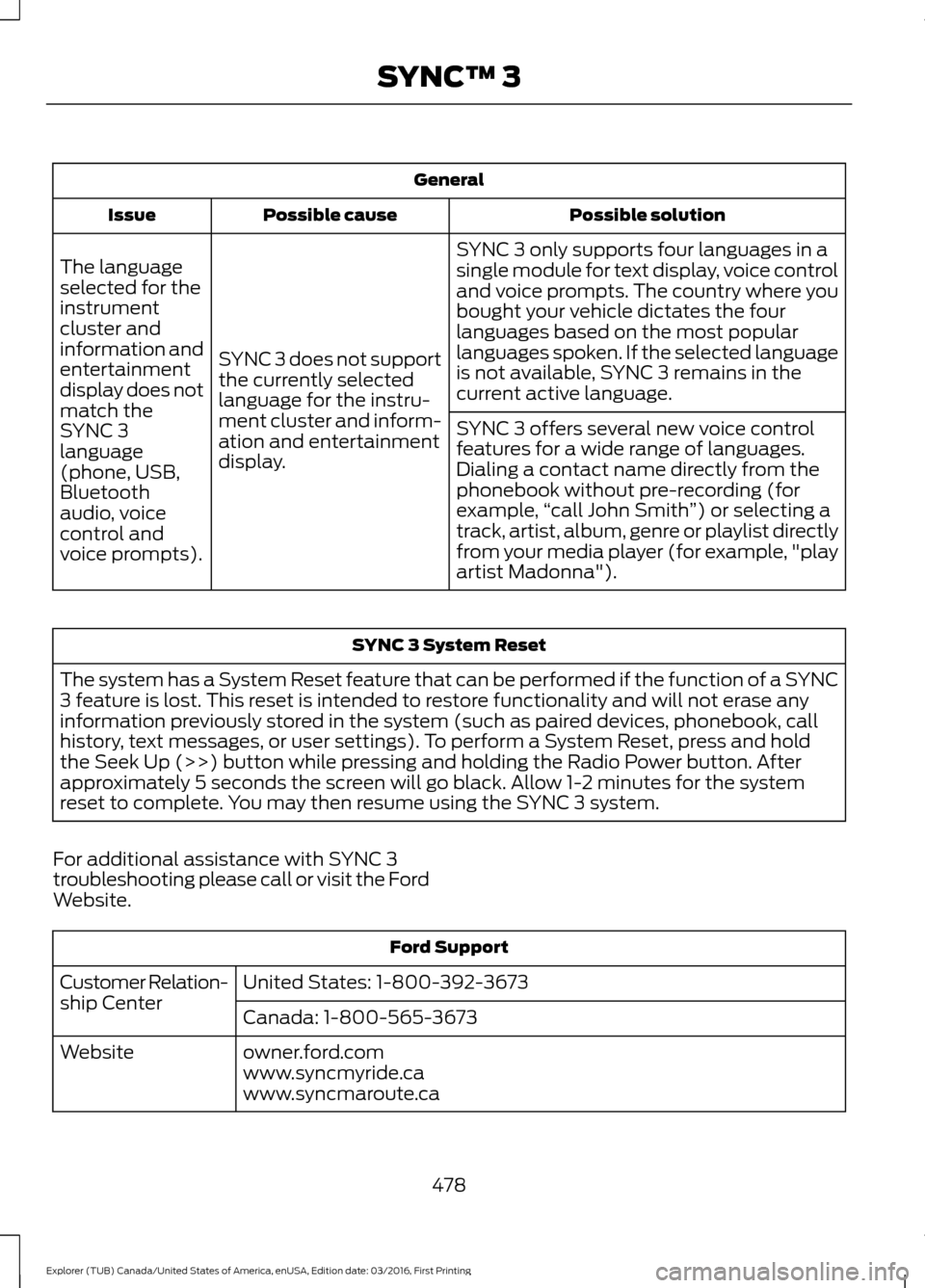
General
Possible solution
Possible cause
Issue
SYNC 3 only supports four languages in a
single module for text display, voice control
and voice prompts. The country where you
bought your vehicle dictates the four
languages based on the most popular
languages spoken. If the selected language
is not available, SYNC 3 remains in the
current active language.
SYNC 3 does not support
the currently selected
language for the instru-
ment cluster and inform-
ation and entertainment
display.
The language
selected for the
instrument
cluster and
information and
entertainment
display does not
match the
SYNC 3
SYNC 3 offers several new voice control
features for a wide range of languages.
Dialing a contact name directly from the
phonebook without pre-recording (for
example,
“call John Smith ”) or selecting a
track, artist, album, genre or playlist directly
from your media player (for example, "play
artist Madonna").
language
(phone, USB,
Bluetooth
audio, voice
control and
voice prompts). SYNC 3 System Reset
The system has a System Reset feature that can be performed if the function of a SYNC
3 feature is lost. This reset is intended to restore functionality and will not erase any
information previously stored in the system (such as paired devices, phonebook, call
history, text messages, or user settings). To perform a System Reset, press and hold
the Seek Up (>>) button while pressing and holding the Radio Power button. After
approximately 5 seconds the screen will go black. Allow 1-2 minutes for the system
reset to complete. You may then resume using the SYNC 3 system.
For additional assistance with SYNC 3
troubleshooting please call or visit the Ford
Website. Ford Support
United States: 1-800-392-3673
Customer Relation-
ship Center
Canada: 1-800-565-3673
owner.ford.com
Website
www.syncmyride.ca
www.syncmaroute.ca
478
Explorer (TUB) Canada/United States of America, enUSA, Edition date: 03/2016, First Printing SYNC™ 3
Page 532 of 541
Cleaning the Alloy Wheels.......................302
Cleaning the Engine...................................299
Cleaning the Exterior..................................298
Exterior Chrome Parts..................................... 298
Exterior Plastic Parts........................................ 298
Stripes or Graphics........................................... 298
Underbody........................................................... 299
Under Hood......................................................... 299
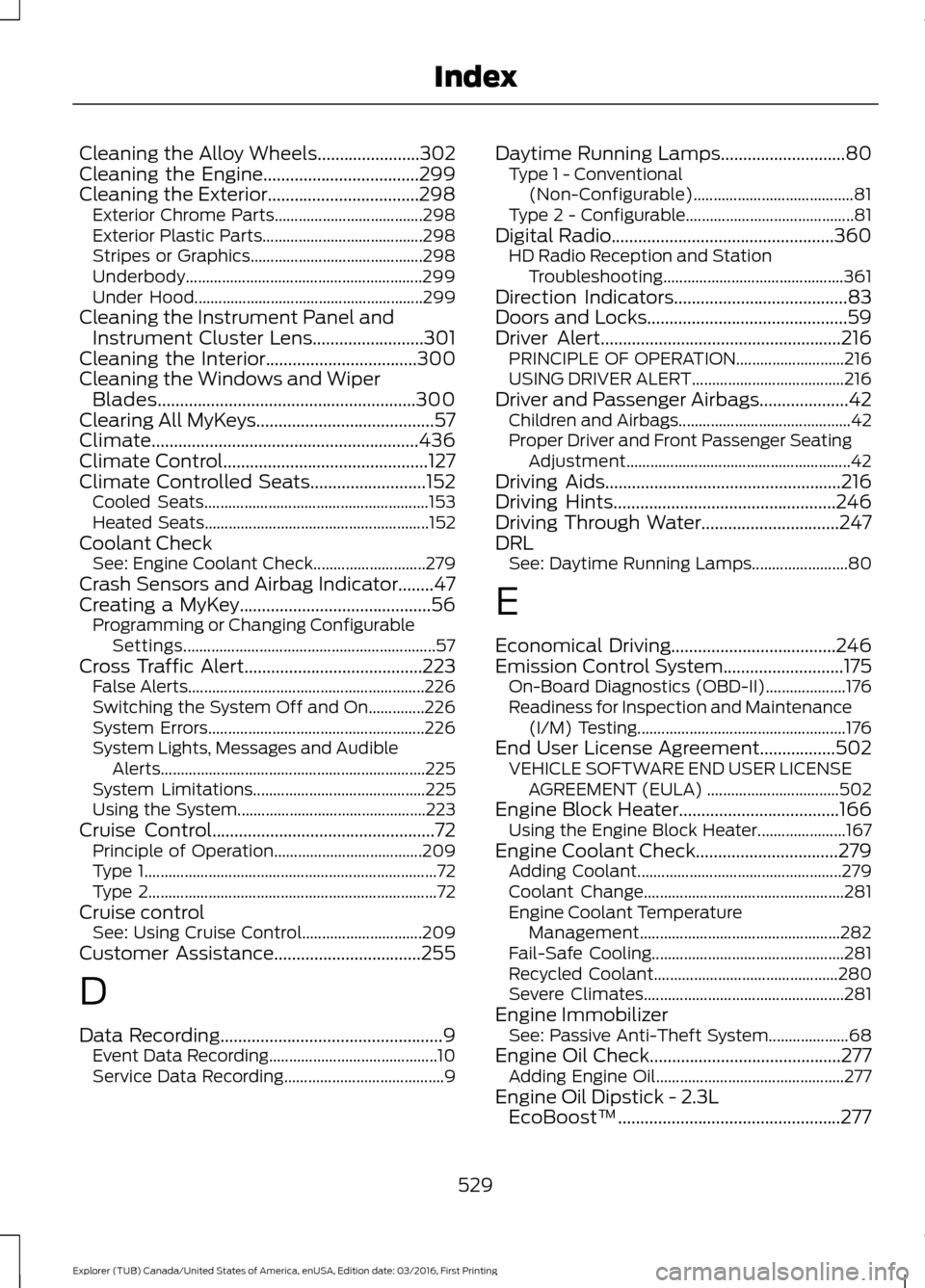
Cleaning the Instrument Panel and Instrument Cluster Lens.........................301
Cleaning the Interior..................................300
Cleaning the Windows and Wiper Blades..........................................................300
Clearing All MyKeys........................................57
Climate............................................................436
Climate Control..............................................127
Climate Controlled Seats
..........................152
Cooled Seats........................................................ 153
Heated Seats........................................................ 152
Coolant Check See: Engine Coolant Check............................ 279
Crash Sensors and Airbag Indicator........47
Creating a MyKey...........................................56 Programming or Changing Configurable
Settings............................................................... 57
Cross Traffic Alert
........................................223
False Alerts........................................................... 226
Switching the System Off and On..............226
System Errors...................................................... 226
System Lights, Messages and Audible Alerts.................................................................. 225
System Limitations........................................... 225
Using the System............................................... 223
Cruise Control
..................................................72
Principle of Operation..................................... 209
Type 1........................................................................\
. 72
Type 2........................................................................\
72
Cruise control See: Using Cruise Control.............................. 209
Customer Assistance
.................................255
D
Data Recording
..................................................9
Event Data Recording.......................................... 10
Service Data Recording........................................ 9Daytime Running Lamps............................80
Type 1 - Conventional
(Non-Configurable)........................................ 81
Type 2 - Configurable.......................................... 81
Digital Radio..................................................360 HD Radio Reception and Station
Troubleshooting............................................. 361
Direction Indicators.......................................83
Doors and Locks
.............................................59
Driver Alert......................................................216
PRINCIPLE OF OPERATION........................... 216
USING DRIVER ALERT...................................... 216
Driver and Passenger Airbags....................42 Children and Airbags........................................... 42
Proper Driver and Front Passenger Seating Adjustment........................................................ 42
Driving Aids
.....................................................216
Driving Hints..................................................246
Driving Through Water...............................247
DRL See: Daytime Running Lamps........................ 80
E
Economical Driving
.....................................246
Emission Control System...........................175 On-Board Diagnostics (OBD-II).................... 176
Readiness for Inspection and Maintenance (I/M) Testing.................................................... 176
End User License Agreement.................502 VEHICLE SOFTWARE END USER LICENSE
AGREEMENT (EULA) ................................. 502
Engine Block Heater....................................166 Using the Engine Block Heater...................... 167
Engine Coolant Check
................................279
Adding Coolant................................................... 279
Coolant Change.................................................. 281
Engine Coolant Temperature Management.................................................. 282
Fail-Safe Cooling................................................ 281
Recycled Coolant.............................................. 280
Severe Climates.................................................. 281
Engine Immobilizer See: Passive Anti-Theft System.................... 68
Engine Oil Check...........................................277 Adding Engine Oil............................................... 277
Engine Oil Dipstick - 2.3L EcoBoost™..................................................277
529
Explorer (TUB) Canada/United States of America, enUSA, Edition date: 03/2016, First Printing Index
Page 535 of 541
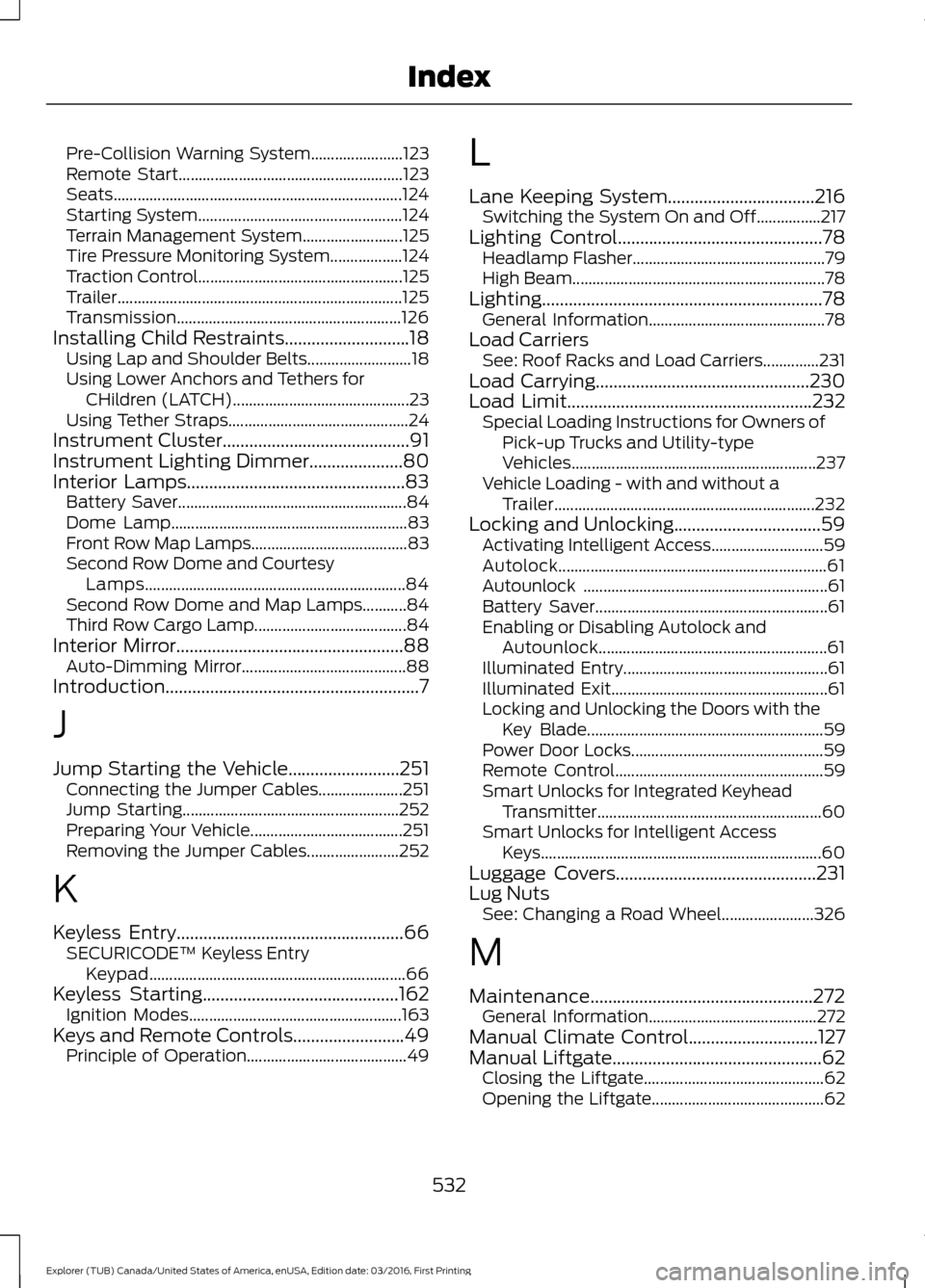
Pre-Collision Warning System.......................
123
Remote Start........................................................ 123
Seats........................................................................\
124
Starting System................................................... 124
Terrain Management System......................... 125
Tire Pressure Monitoring System.................. 124
Traction Control................................................... 125
Trailer....................................................................... 125
Transmission........................................................ 126
Installing Child Restraints............................18
Using Lap and Shoulder Belts.......................... 18
Using Lower Anchors and Tethers for CHildren (LATCH)............................................ 23
Using Tether Straps............................................. 24
Instrument Cluster
..........................................91
Instrument Lighting Dimmer.....................80
Interior Lamps
.................................................83
Battery Saver......................................................... 84
Dome Lamp........................................................... 83
Front Row Map Lamps....................................... 83
Second Row Dome and Courtesy Lamps................................................................. 84
Second Row Dome and Map Lamps...........84
Third Row Cargo Lamp...................................... 84
Interior Mirror...................................................88 Auto-Dimming Mirror......................................... 88
Introduction.........................................................7
J
Jump Starting the Vehicle.........................251 Connecting the Jumper Cables..................... 251
Jump Starting...................................................... 252
Preparing Your Vehicle...................................... 251
Removing the Jumper Cables....................... 252
K
Keyless Entry...................................................66 SECURICODE™ Keyless Entry
Keypad................................................................ 66
Keyless Starting
............................................162
Ignition Modes..................................................... 163
Keys and Remote Controls.........................49 Principle of Operation........................................ 49L
Lane Keeping System.................................216
Switching the System On and Off................217
Lighting Control
..............................................78
Headlamp Flasher................................................ 79
High Beam............................................................... 78
Lighting...............................................................78 General Information............................................ 78
Load Carriers See: Roof Racks and Load Carriers..............231
Load Carrying
................................................230
Load Limit.......................................................232
Special Loading Instructions for Owners of
Pick-up Trucks and Utility-type
Vehicles............................................................. 237
Vehicle Loading - with and without a Trailer................................................................. 232
Locking and Unlocking.................................59 Activating Intelligent Access............................ 59
Autolock................................................................... 61
Autounlock ............................................................. 61
Battery Saver.......................................................... 61
Enabling or Disabling Autolock and Autounlock......................................................... 61
Illuminated Entry................................................... 61
Illuminated Exit...................................................... 61
Locking and Unlocking the Doors with the Key Blade........................................................... 59
Power Door Locks................................................ 59
Remote Control.................................................... 59
Smart Unlocks for Integrated Keyhead Transmitter........................................................ 60
Smart Unlocks for Intelligent Access Keys...................................................................... 60
Luggage Covers
.............................................231
Lug Nuts See: Changing a Road Wheel....................... 326
M
Maintenance..................................................272 General Information.......................................... 272
Manual Climate Control
.............................127
Manual Liftgate...............................................62
Closing the Liftgate............................................. 62
Opening the Liftgate........................................... 62
532
Explorer (TUB) Canada/United States of America, enUSA, Edition date: 03/2016, First Printing Index