lights FORD EXPLORER 2017 5.G Owner's Manual
[x] Cancel search | Manufacturer: FORD, Model Year: 2017, Model line: EXPLORER, Model: FORD EXPLORER 2017 5.GPages: 541, PDF Size: 6.81 MB
Page 250 of 541
•
Transmissions give their best fuel
economy when operated in the top
cruise gear and with steady pressure
on the gas pedal.
• Four-wheel-drive operation (if
equipped) is less fuel efficient than
two-wheel-drive operation.
• Close the windows for high-speed
driving.
DRIVING THROUGH WATER WARNING
Do not drive through flowing or deep
water as you may lose control of your
vehicle.
Note:
Driving through standing water can
cause vehicle damage.
Note: Engine damage can occur if water
enters the air filter.
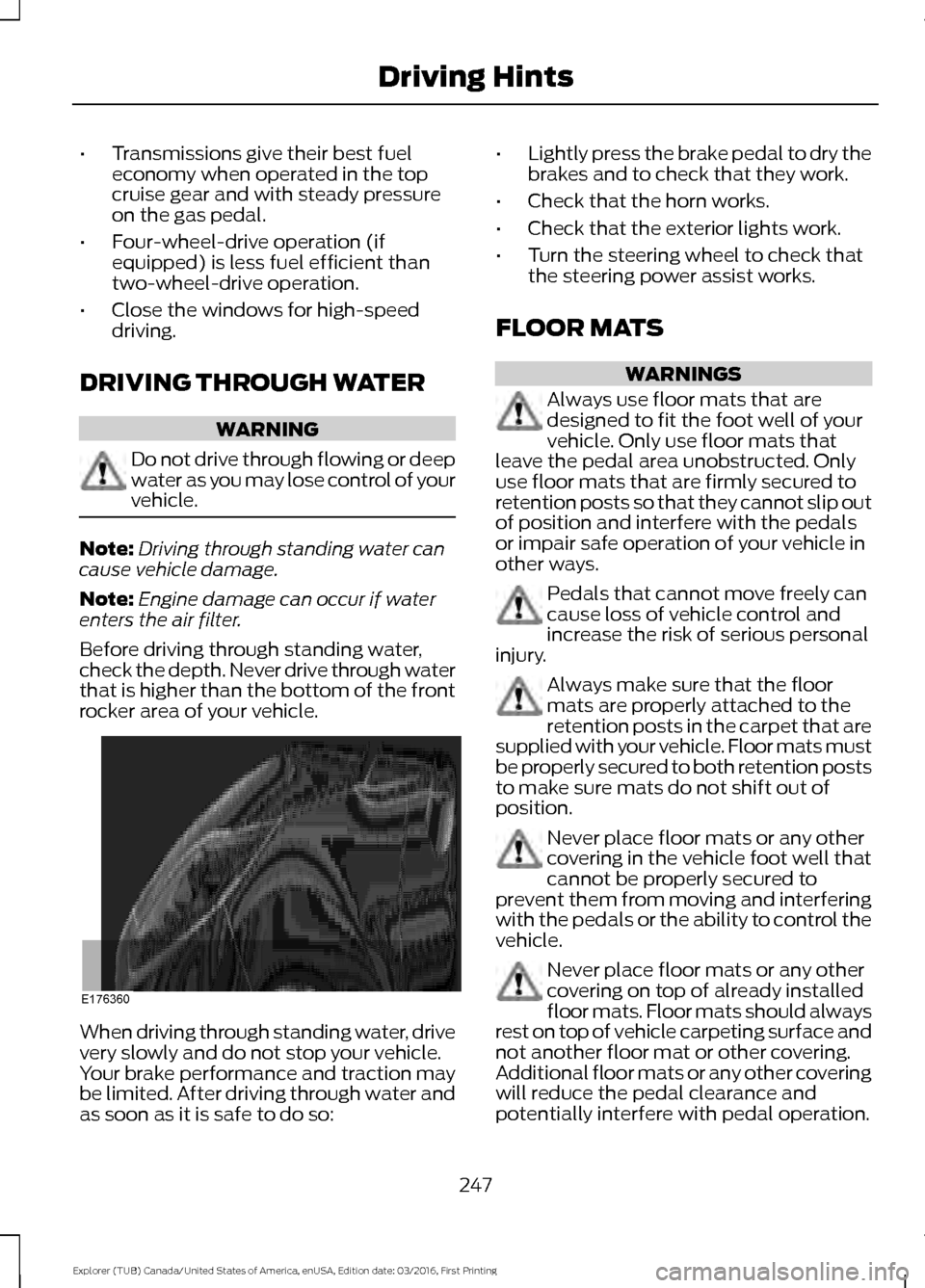
Before driving through standing water,
check the depth. Never drive through water
that is higher than the bottom of the front
rocker area of your vehicle. When driving through standing water, drive
very slowly and do not stop your vehicle.
Your brake performance and traction may
be limited. After driving through water and
as soon as it is safe to do so: •
Lightly press the brake pedal to dry the
brakes and to check that they work.
• Check that the horn works.
• Check that the exterior lights work.
• Turn the steering wheel to check that
the steering power assist works.
FLOOR MATS WARNINGS
Always use floor mats that are
designed to fit the foot well of your
vehicle. Only use floor mats that
leave the pedal area unobstructed. Only
use floor mats that are firmly secured to
retention posts so that they cannot slip out
of position and interfere with the pedals
or impair safe operation of your vehicle in
other ways. Pedals that cannot move freely can
cause loss of vehicle control and
increase the risk of serious personal
injury. Always make sure that the floor
mats are properly attached to the
retention posts in the carpet that are
supplied with your vehicle. Floor mats must
be properly secured to both retention posts
to make sure mats do not shift out of
position. Never place floor mats or any other
covering in the vehicle foot well that
cannot be properly secured to
prevent them from moving and interfering
with the pedals or the ability to control the
vehicle. Never place floor mats or any other
covering on top of already installed
floor mats. Floor mats should always
rest on top of vehicle carpeting surface and
not another floor mat or other covering.
Additional floor mats or any other covering
will reduce the pedal clearance and
potentially interfere with pedal operation.
247
Explorer (TUB) Canada/United States of America, enUSA, Edition date: 03/2016, First Printing Driving HintsE176360
Page 380 of 541
Description and action
Menu
Item
Press the OK button to access, and then scroll
through a list of pre-defined messages to send.
Reply to
sender
Press the
OK button to call the sender of the
message.
Call sender
Press the
OK button to forward the message to
anyone in your phonebook or call history. You can
also choose to enter a number.
Forward
msg.
Sending, Downloading and Deleting
Your Text Messages
1. Press the
PHONE button. 2. Select the text messaging option, and
then press the
OK button.
Choose from the following options: Description and action
Menu
Item
Allows you to send a new text message based on a pre-defined set of 15
messages.
New
Allows you to read the full message and, in addition, provides the option to
have the system read the message to you. To go to the next message, select
the
More option. This allows you to reply to the sender, call the sender or
forward the message.
View
Allows you to delete current text messages from the system (not your cellular
phone). The audio display indicates when the system has deleted all your
text messages.
Delete
Allows you to delete all messages or manually trigger a download of all
unread messages from your cellular phone.
More...
Sending a Text Message
Note: You can only send a text message to
one recipient at a time.
1. Select the send option when the desired selection highlights in the audio
display.
2. Select the confirmation option when the contact appears. 3. Press the OK button again to confirm
when the system asks if you want to
send the message. A pre-defined
signature appears on each text
message.
Note: You can send text messages either
by choosing a contact from the phonebook
and selecting the text option from the audio
display or by replying to a received message
in the inbox.
377
Explorer (TUB) Canada/United States of America, enUSA, Edition date: 03/2016, First Printing SYNC™
(If Equipped)
Page 440 of 541
Note: The heated steering wheel may remain on after remote starting the
vehicle, based on your remote start settings. The heated steering wheel may
also turn on when you start your vehicle, if it was on when you switched your
vehicle off.
Note:
For steering wheels with wood trim, the heating feature will not heat the
wheel between the 10 and 2 o'clock positions.
Defrost:
A pop up appears on the screen to display the defrost options.
C
MAX Defrost: Touch the button to maximize defrosting. Air flows through the
windshield vents, the fan automatically adjusts to the highest speed and the
driver and passenger temperatures are set to HI. You can use this setting to
defog or clear a thin covering of ice from the windshield. The heated rear window
also automatically turns on when you select MAX Defrost.
Defrost:
Distributes air through the windshield defroster vents and demister
vents.
Heated rear window:
Turns the heated rear window on and off. See Heated
Windows and Mirrors (page 135).
AUTO:
Touch the button to switch on automatic operation. Select the desired
temperature using the temperature control. The system adjusts fan speed, air
distribution, air conditioning operation, and selects outside air or recirculated
air to heat or cool the vehicle in order to maintain the desired temperature.
D
Power:
Touch the button to switch the system on and off. Switching off the
climate control system prevents outside air from entering the vehicle.
E
DUAL:
This button lights up when the passenger controls are active. To switch
the off and link the passenger temperature to the driver temperature, touch the
DUAL button.
F
Note:
the passenger side temperature and the DUAL indication automatically
turn on when you or your passenger adjust the passenger temperature.
Passenger temperature:
Touch up or down to adjust the temperature.
G
Fan speed:
Touch up or down to increase or decrease the volume of air that
circulates in your vehicle.
H
Note:
You cannot adjust the fan speed when the system is set to AUTO or MAX
A/C.
Rear:
A pop up appears on the screen to display the rear control options.
I
Touch the power icon to switch the rear climate control functions off and on.
Touch Rear Control to allow the rear seat passengers to adjust the rear climate
settings. Touch it again to prevent the rear seat passengers from adjusting the
settings. Rear Control
automatically turns off when you use the touchscreen
to adjust the rear climate settings.
If your vehicle has automatic climate controls, select
Auto to connect the rear
climate settings to the Auto settings of the driver.
437
Explorer (TUB) Canada/United States of America, enUSA, Edition date: 03/2016, First Printing SYNC™ 3
Page 448 of 541
You can adjust the view in preset
increments. You can also pinch to zoom in
or out of the map.
The information bar tells you the names
of streets, cities or landmarks as you hover
over them with the crosshair curser.
You can change your view of the map by
tapping on the location indicator icon on
the right hand side of the screen. You can
choose from the following options:
Heading up (2D map) This
always shows the direction of
forward travel to be upward on
the screen. This view is available
for map scales up to
3 mi (5 km). North up (2D map)
always
shows the northern direction to
be upward on the screen. 3D map mode
provides an
elevated perspective of the map.
Adjust this viewing angle and
rotate the map 180 degrees by
touching the map twice, and
then dragging your finger along the shaded
bar with arrows at the bottom of the map. Re-center the map by pressing
this icon whenever you scroll the
map away from your vehicle
’s
current location. Points of Interest (POI)
grouping icon: You can choose
up to three POI icons to display
on the map. If the chosen POIs
are located close together or are
at the same location a box is used to
display a single category icon instead of
repeating the same icon, in order to reduce
clutter. When you select the box on the
map, a pop-up appears indicating how
many POIs are in this location. Select the
pop up to see a list of the available POIs.
You can scroll through and select POIs
from this list.
If your vehicle is low on charge or fuel,
station icons automatically display on the
map.
If you have subscribed to SiriusXM Traffic
and Travel Link (where available), traffic
flow will be indicated on the map by green
(clear), yellow (slowing), and red
(stopped) road highlights. Traffic flow is
indicated where the information is
available and varies across the US.
You can choose to display traffic icons on
the map representing twelve different
types of incidents. See
Settings (page
454).
You can set a destination by hovering
above a location and selecting: Button
Start
Destination Mode
To set a destination, press: Description
Menu Item
Destination
Enter a navigation destination in any of the following formats: Street Address
Search
445
Explorer (TUB) Canada/United States of America, enUSA, Edition date: 03/2016, First Printing SYNC™ 3E207750 E207749 E207748 E207751 E207754
Page 488 of 541
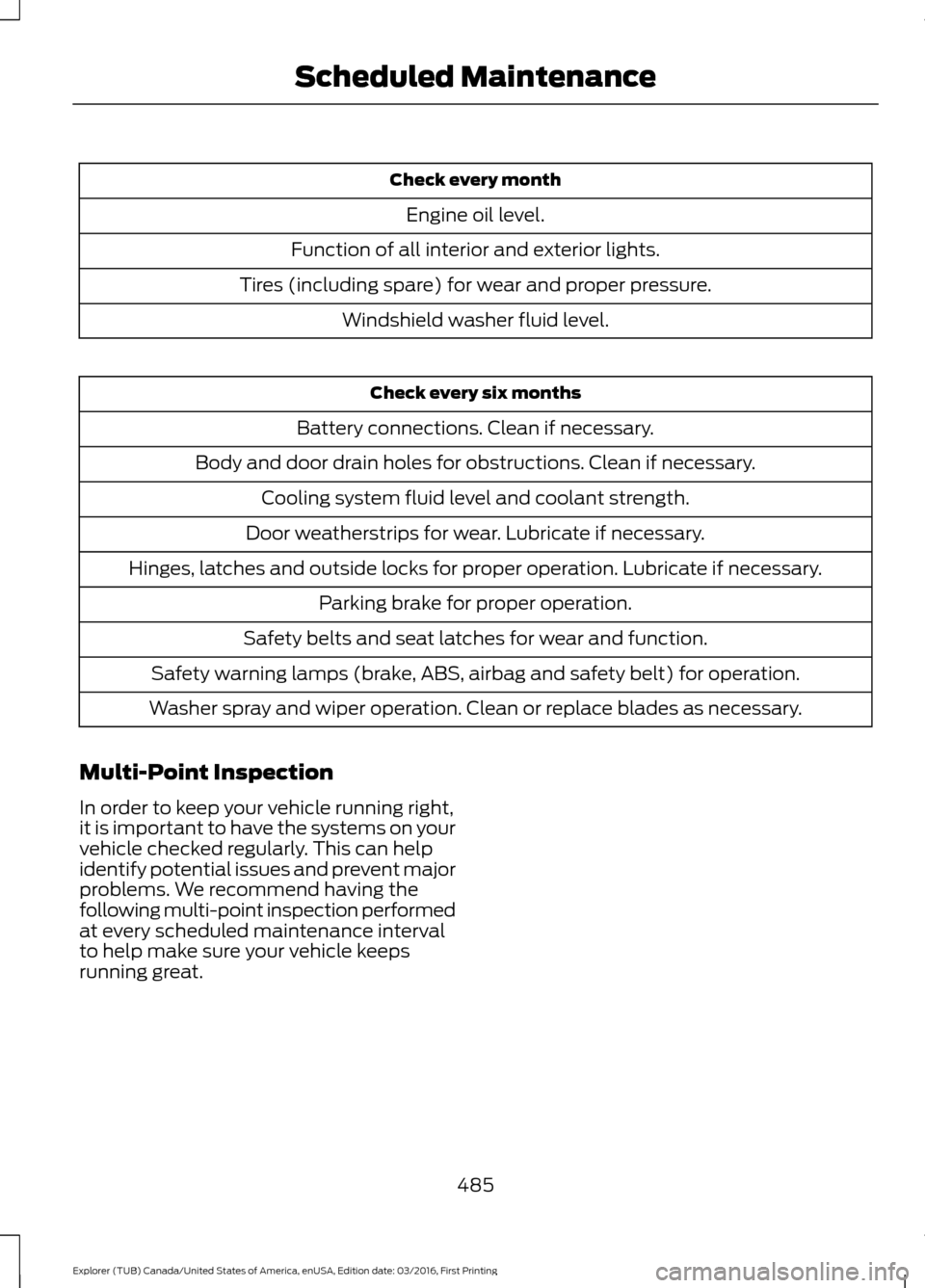
Check every month
Engine oil level.
Function of all interior and exterior lights.
Tires (including spare) for wear and proper pressure. Windshield washer fluid level. Check every six months
Battery connections. Clean if necessary.
Body and door drain holes for obstructions. Clean if necessary. Cooling system fluid level and coolant strength.
Door weatherstrips for wear. Lubricate if necessary.
Hinges, latches and outside locks for proper operation. Lubricate if necessary. Parking brake for proper operation.
Safety belts and seat latches for wear and function.
Safety warning lamps (brake, ABS, airbag and safety belt) for operation.
Washer spray and wiper operation. Clean or replace blades as necessary.
Multi-Point Inspection
In order to keep your vehicle running right,
it is important to have the systems on your
vehicle checked regularly. This can help
identify potential issues and prevent major
problems. We recommend having the
following multi-point inspection performed
at every scheduled maintenance interval
to help make sure your vehicle keeps
running great.
485
Explorer (TUB) Canada/United States of America, enUSA, Edition date: 03/2016, First Printing Scheduled Maintenance
Page 532 of 541
Cleaning the Alloy Wheels.......................302
Cleaning the Engine...................................299
Cleaning the Exterior..................................298
Exterior Chrome Parts..................................... 298
Exterior Plastic Parts........................................ 298
Stripes or Graphics........................................... 298
Underbody........................................................... 299
Under Hood......................................................... 299
Cleaning the Instrument Panel and Instrument Cluster Lens.........................301
Cleaning the Interior..................................300
Cleaning the Windows and Wiper Blades..........................................................300
Clearing All MyKeys........................................57
Climate............................................................436
Climate Control..............................................127
Climate Controlled Seats
..........................152
Cooled Seats........................................................ 153
Heated Seats........................................................ 152
Coolant Check See: Engine Coolant Check............................ 279
Crash Sensors and Airbag Indicator........47
Creating a MyKey...........................................56 Programming or Changing Configurable
Settings............................................................... 57
Cross Traffic Alert
........................................223
False Alerts........................................................... 226
Switching the System Off and On..............226
System Errors...................................................... 226
System Lights, Messages and Audible Alerts.................................................................. 225
System Limitations........................................... 225
Using the System............................................... 223
Cruise Control
..................................................72
Principle of Operation..................................... 209
Type 1........................................................................\
. 72
Type 2........................................................................\
72
Cruise control See: Using Cruise Control.............................. 209
Customer Assistance
.................................255
D
Data Recording
..................................................9
Event Data Recording.......................................... 10
Service Data Recording........................................ 9Daytime Running Lamps............................80
Type 1 - Conventional
(Non-Configurable)........................................ 81
Type 2 - Configurable.......................................... 81
Digital Radio..................................................360 HD Radio Reception and Station
Troubleshooting............................................. 361
Direction Indicators.......................................83
Doors and Locks
.............................................59
Driver Alert......................................................216
PRINCIPLE OF OPERATION........................... 216
USING DRIVER ALERT...................................... 216
Driver and Passenger Airbags....................42 Children and Airbags........................................... 42
Proper Driver and Front Passenger Seating Adjustment........................................................ 42
Driving Aids
.....................................................216
Driving Hints..................................................246
Driving Through Water...............................247
DRL See: Daytime Running Lamps........................ 80
E
Economical Driving
.....................................246
Emission Control System...........................175 On-Board Diagnostics (OBD-II).................... 176
Readiness for Inspection and Maintenance (I/M) Testing.................................................... 176
End User License Agreement.................502 VEHICLE SOFTWARE END USER LICENSE
AGREEMENT (EULA) ................................. 502
Engine Block Heater....................................166 Using the Engine Block Heater...................... 167
Engine Coolant Check
................................279
Adding Coolant................................................... 279
Coolant Change.................................................. 281
Engine Coolant Temperature Management.................................................. 282
Fail-Safe Cooling................................................ 281
Recycled Coolant.............................................. 280
Severe Climates.................................................. 281
Engine Immobilizer See: Passive Anti-Theft System.................... 68
Engine Oil Check...........................................277 Adding Engine Oil............................................... 277
Engine Oil Dipstick - 2.3L EcoBoost™..................................................277
529
Explorer (TUB) Canada/United States of America, enUSA, Edition date: 03/2016, First Printing Index
Page 540 of 541
Bluetooth Devices and System
Settings............................................................ 393
Connecting Your Digital Media Player to the USB Port........................................................... 387
Media Menu Features...................................... 390
Media Voice Commands................................ 388
USB 2...................................................................... 393
Voice Commands for Audio Sources.........394
Using SYNC™ With Your Phone............370 Accessing Features through the Phone
Menu.................................................................. 375
Accessing Your Phone Settings.................... 378
Bluetooth Devices............................................. 379
Making Calls......................................................... 373
Pairing a Phone for the First Time...............370
Pairing Subsequent Phones............................ 371
Phone Options during an Active Call..........374
Phone Voice Commands................................. 372
Receiving Calls.................................................... 374
System Settings................................................ 380
Text Messaging................................................... 376
Using Terrain Response..............................192
Using Traction Control...............................189
Switching the System Off............................... 189
System Indicator Lights and Messages.......................................................... 189
Using a Switch..................................................... 189
Using the Information Display Controls............................................................. 189
Using Voice Recognition...........................368 Audio Voice Commands................................. 420
Climate Voice Commands.............................. 421
Initiating a Voice Session............................... 368
Mobile App Voice Commands...................... 423
Navigation Voice Commands....................... 422
Phone Voice Commands................................. 421
SiriusXM Traffic and Travel Link Voice Commands..................................................... 424
System Interaction and Feedback..............369
Voice Settings Commands............................ 424
Utilizing the Mediation/Arbitration Program (Canada Only)........................258
V
Vehicle Care
...................................................297
General Information.......................................... 297
Vehicle Certification Label.......................338 Vehicle Identification Number
................337
Vehicle Storage............................................302
Battery................................................................... 303
Body....................................................................... 303
Brakes.................................................................... 303
Cooling system................................................... 303
Engine.................................................................... 303
Fuel system......................................................... 303
General.................................................................. 303
Miscellaneous..................................................... 304
Removing Vehicle From Storage.................304
Tires........................................................................\
303
Ventilation See: Climate Control.......................................... 127
VIN See: Vehicle Identification Number.............337
Voice Control
....................................................72
W
Warning Lamps and Indicators................94 Adaptive Cruise Control.................................... 94
Anti-Lock Braking System................................ 95
Automatic High Beam Control........................ 95
Battery...................................................................... 95
Blind Spot Monitor.............................................. 95
Brake System......................................................... 95
Cruise Control........................................................ 95
Direction Indicator............................................... 95
Door Ajar.................................................................. 95
Engine Coolant Temperature.......................... 95
Engine Oil................................................................ 96
Fasten Safety Belt............................................... 96
Front Airbag........................................................... 96
Front Fog Lamps.................................................. 96
Heads Up Display................................................ 96
High Beam.............................................................. 96
Hood Ajar................................................................ 96
Lane Keeping Aid................................................. 96
Liftgate Ajar............................................................ 96
Low Fuel Level...................................................... 96
Low Tire Pressure Warning.............................. 96
Low Washer Fluid................................................. 97
Parking Lamps....................................................... 97
Powertrain Fault................................................... 97
Service Engine Soon............................................ 97
Stability Control.................................................... 97
Stability Control Off............................................ 97
537
Explorer (TUB) Canada/United States of America, enUSA, Edition date: 03/2016, First Printing Index