lights FORD EXPLORER 2018 Owner's Manual
[x] Cancel search | Manufacturer: FORD, Model Year: 2018, Model line: EXPLORER, Model: FORD EXPLORER 2018Pages: 571, PDF Size: 7.3 MB
Page 482 of 571
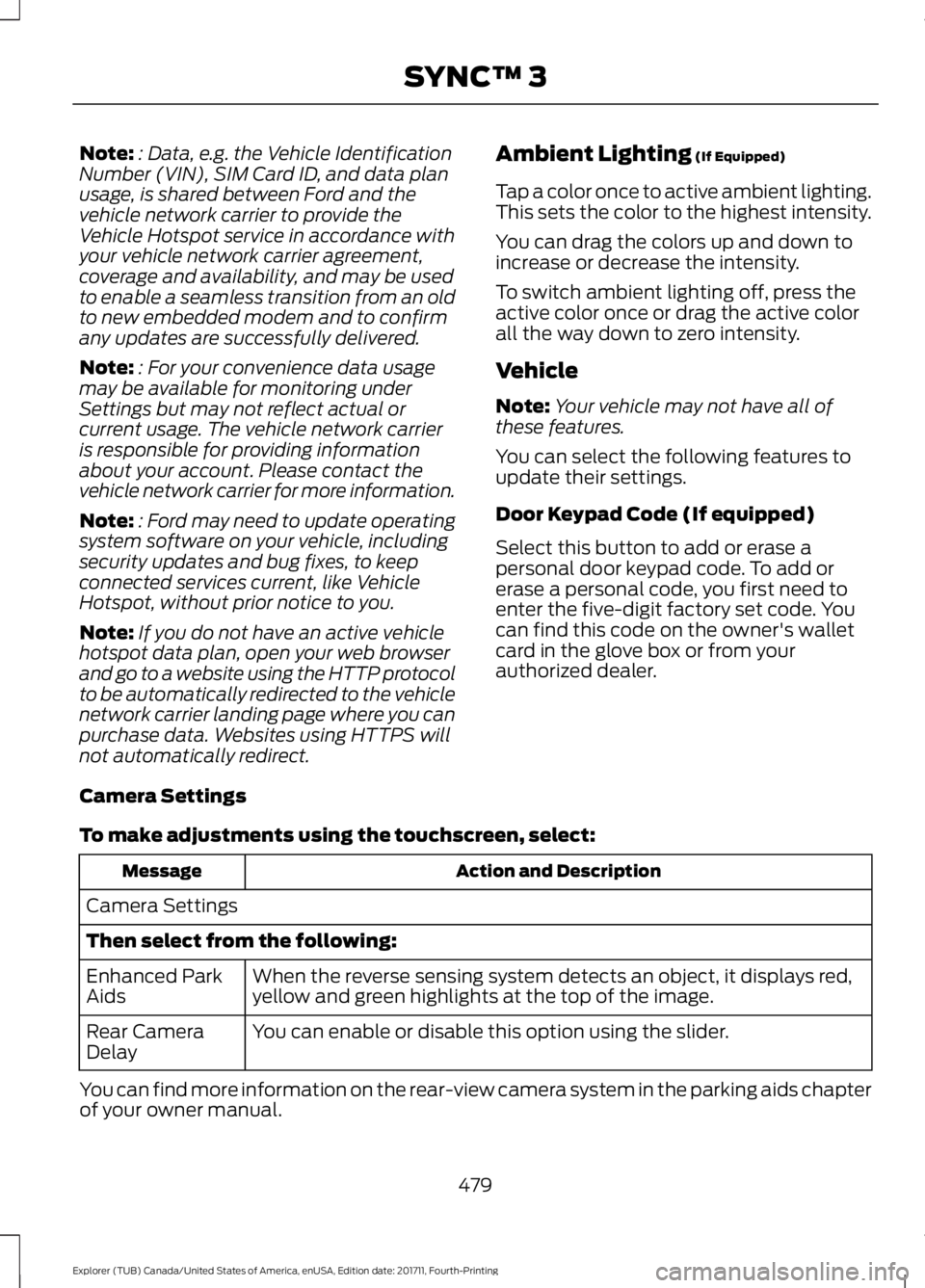
Note:
: Data, e.g. the Vehicle Identification
Number (VIN), SIM Card ID, and data plan
usage, is shared between Ford and the
vehicle network carrier to provide the
Vehicle Hotspot service in accordance with
your vehicle network carrier agreement,
coverage and availability, and may be used
to enable a seamless transition from an old
to new embedded modem and to confirm
any updates are successfully delivered.
Note: : For your convenience data usage
may be available for monitoring under
Settings but may not reflect actual or
current usage. The vehicle network carrier
is responsible for providing information
about your account. Please contact the
vehicle network carrier for more information.
Note: : Ford may need to update operating
system software on your vehicle, including
security updates and bug fixes, to keep
connected services current, like Vehicle
Hotspot, without prior notice to you.
Note: If you do not have an active vehicle
hotspot data plan, open your web browser
and go to a website using the HTTP protocol
to be automatically redirected to the vehicle
network carrier landing page where you can
purchase data. Websites using HTTPS will
not automatically redirect. Ambient Lighting (If Equipped)
Tap a color once to active ambient lighting.
This sets the color to the highest intensity.
You can drag the colors up and down to
increase or decrease the intensity.
To switch ambient lighting off, press the
active color once or drag the active color
all the way down to zero intensity.
Vehicle
Note: Your vehicle may not have all of
these features.
You can select the following features to
update their settings.
Door Keypad Code (If equipped)
Select this button to add or erase a
personal door keypad code. To add or
erase a personal code, you first need to
enter the five-digit factory set code. You
can find this code on the owner's wallet
card in the glove box or from your
authorized dealer.
Camera Settings
To make adjustments using the touchscreen, select: Action and Description
Message
Camera Settings
Then select from the following: When the reverse sensing system detects an object, it displays red,
yellow and green highlights at the top of the image.
Enhanced Park
Aids
You can enable or disable this option using the slider.
Rear Camera
Delay
You can find more information on the rear-view camera system in the parking aids chapter
of your owner manual.
479
Explorer (TUB) Canada/United States of America, enUSA, Edition date: 201711, Fourth-Printing SYNC™ 3
Page 504 of 571
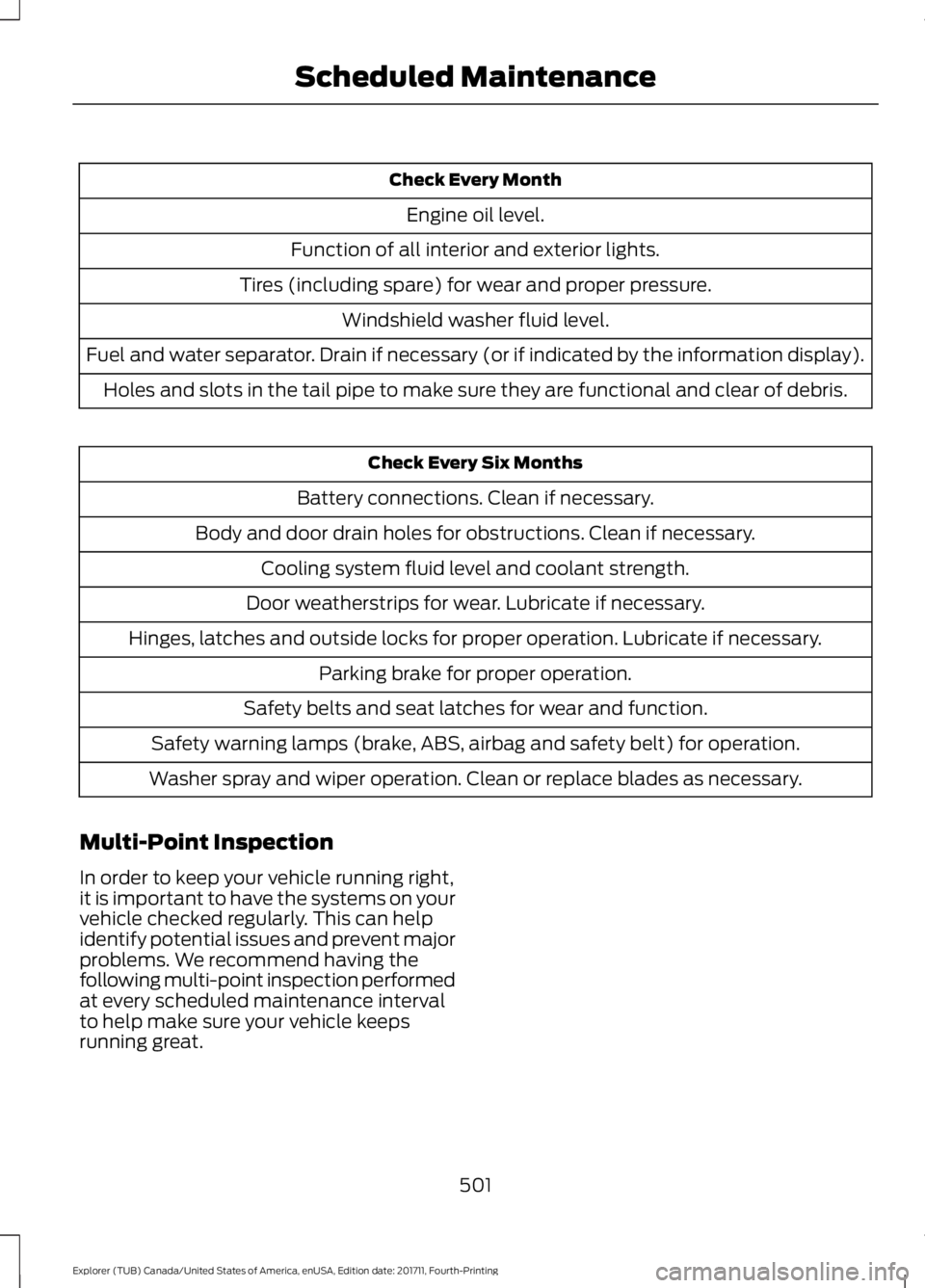
Check Every Month
Engine oil level.
Function of all interior and exterior lights.
Tires (including spare) for wear and proper pressure. Windshield washer fluid level.
Fuel and water separator. Drain if necessary (or if indicated by the information display). Holes and slots in the tail pipe to make sure they are functional and clear of debris. Check Every Six Months
Battery connections. Clean if necessary.
Body and door drain holes for obstructions. Clean if necessary. Cooling system fluid level and coolant strength.
Door weatherstrips for wear. Lubricate if necessary.
Hinges, latches and outside locks for proper operation. Lubricate if necessary. Parking brake for proper operation.
Safety belts and seat latches for wear and function.
Safety warning lamps (brake, ABS, airbag and safety belt) for operation.
Washer spray and wiper operation. Clean or replace blades as necessary.
Multi-Point Inspection
In order to keep your vehicle running right,
it is important to have the systems on your
vehicle checked regularly. This can help
identify potential issues and prevent major
problems. We recommend having the
following multi-point inspection performed
at every scheduled maintenance interval
to help make sure your vehicle keeps
running great.
501
Explorer (TUB) Canada/United States of America, enUSA, Edition date: 201711, Fourth-Printing Scheduled Maintenance
Page 562 of 571
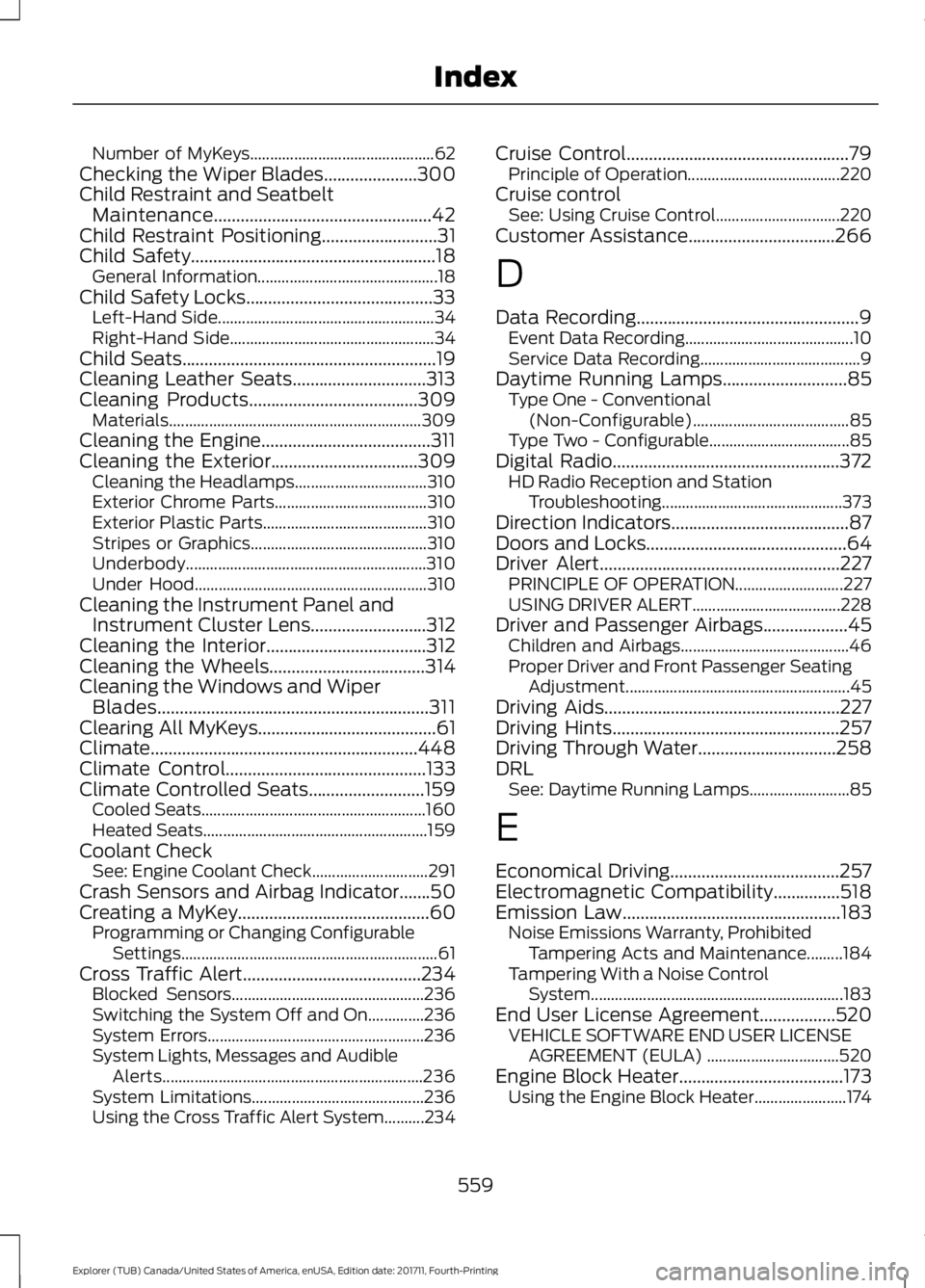
Number of MyKeys..............................................
62
Checking the Wiper Blades.....................300
Child Restraint and Seatbelt Maintenance.................................................42
Child Restraint Positioning..........................31
Child Safety.......................................................18
General Information............................................. 18
Child Safety Locks..........................................33 Left-Hand Side...................................................... 34
Right-Hand Side................................................... 34
Child Seats
.........................................................19
Cleaning Leather Seats..............................313
Cleaning Products
......................................309
Materials............................................................... 309
Cleaning the Engine......................................311
Cleaning the Exterior
.................................309
Cleaning the Headlamps................................. 310
Exterior Chrome Parts...................................... 310
Exterior Plastic Parts......................................... 310
Stripes or Graphics............................................ 310
Underbody............................................................ 310
Under Hood.......................................................... 310
Cleaning the Instrument Panel and Instrument Cluster Lens..........................312
Cleaning the Interior....................................312
Cleaning the Wheels...................................314
Cleaning the Windows and Wiper Blades.............................................................311
Clearing All MyKeys
........................................61
Climate............................................................448
Climate Control
.............................................133
Climate Controlled Seats..........................159 Cooled Seats........................................................ 160
Heated Seats........................................................ 159
Coolant Check See: Engine Coolant Check............................. 291
Crash Sensors and Airbag Indicator
.......50
Creating a MyKey...........................................60 Programming or Changing Configurable
Settings................................................................ 61
Cross Traffic Alert........................................234 Blocked Sensors................................................ 236
Switching the System Off and On..............236
System Errors...................................................... 236
System Lights, Messages and Audible Alerts................................................................. 236
System Limitations........................................... 236
Using the Cross Traffic Alert System..........234 Cruise Control
..................................................79
Principle of Operation...................................... 220
Cruise control See: Using Cruise Control............................... 220
Customer Assistance.................................266
D
Data Recording
..................................................9
Event Data Recording.......................................... 10
Service Data Recording........................................ 9
Daytime Running Lamps............................85 Type One - Conventional
(Non-Configurable)....................................... 85
Type Two - Configurable................................... 85
Digital Radio
...................................................372
HD Radio Reception and Station
Troubleshooting............................................. 373
Direction Indicators
........................................87
Doors and Locks.............................................64
Driver Alert
......................................................227
PRINCIPLE OF OPERATION........................... 227
USING DRIVER ALERT..................................... 228
Driver and Passenger Airbags...................45 Children and Airbags.......................................... 46
Proper Driver and Front Passenger Seating Adjustment........................................................ 45
Driving Aids.....................................................227
Driving Hints...................................................257
Driving Through Water...............................258
DRL See: Daytime Running Lamps......................... 85
E
Economical Driving......................................257
Electromagnetic Compatibility...............518
Emission Law
.................................................183
Noise Emissions Warranty, Prohibited
Tampering Acts and Maintenance.........184
Tampering With a Noise Control System............................................................... 183
End User License Agreement.................520 VEHICLE SOFTWARE END USER LICENSE
AGREEMENT (EULA) ................................. 520
Engine Block Heater.....................................173 Using the Engine Block Heater....................... 174
559
Explorer (TUB) Canada/United States of America, enUSA, Edition date: 201711, Fourth-Printing Index
Page 570 of 571
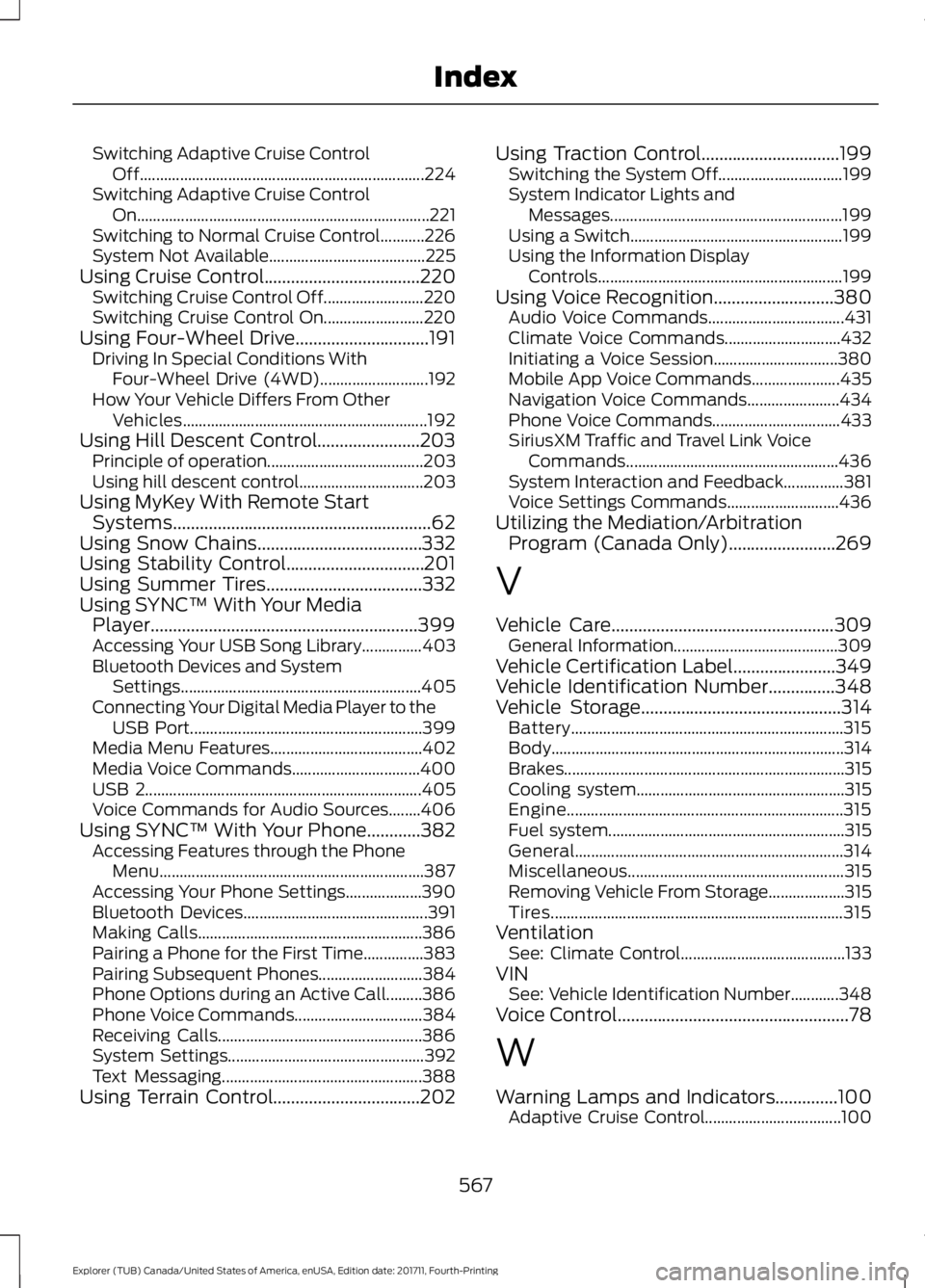
Switching Adaptive Cruise Control
Off....................................................................... 224
Switching Adaptive Cruise Control On........................................................................\
. 221
Switching to Normal Cruise Control...........226
System Not Available....................................... 225
Using Cruise Control...................................220 Switching Cruise Control Off......................... 220
Switching Cruise Control On......................... 220
Using Four-Wheel Drive..............................191 Driving In Special Conditions With
Four-Wheel Drive (4WD)........................... 192
How Your Vehicle Differs From Other Vehicles............................................................. 192
Using Hill Descent Control.......................203 Principle of operation....................................... 203
Using hill descent control............................... 203
Using MyKey With Remote Start Systems..........................................................62
Using Snow Chains.....................................332
Using Stability Control...............................201
Using Summer Tires...................................332
Using SYNC™ With Your Media Player............................................................399
Accessing Your USB Song Library...............403
Bluetooth Devices and System Settings............................................................ 405
Connecting Your Digital Media Player to the USB Port.......................................................... 399
Media Menu Features...................................... 402
Media Voice Commands................................ 400
USB 2..................................................................... 405
Voice Commands for Audio Sources........406
Using SYNC™ With Your Phone............382 Accessing Features through the Phone
Menu.................................................................. 387
Accessing Your Phone Settings................... 390
Bluetooth Devices.............................................. 391
Making Calls........................................................ 386
Pairing a Phone for the First Time...............383
Pairing Subsequent Phones.......................... 384
Phone Options during an Active Call.........386
Phone Voice Commands................................ 384
Receiving Calls................................................... 386
System Settings................................................. 392
Text Messaging.................................................. 388
Using Terrain Control.................................202 Using Traction Control...............................199
Switching the System Off............................... 199
System Indicator Lights and Messages.......................................................... 199
Using a Switch..................................................... 199
Using the Information Display Controls............................................................. 199
Using Voice Recognition...........................380 Audio Voice Commands.................................. 431
Climate Voice Commands............................. 432
Initiating a Voice Session............................... 380
Mobile App Voice Commands...................... 435
Navigation Voice Commands....................... 434
Phone Voice Commands................................ 433
SiriusXM Traffic and Travel Link Voice Commands..................................................... 436
System Interaction and Feedback...............381
Voice Settings Commands............................ 436
Utilizing the Mediation/Arbitration Program (Canada Only)........................269
V
Vehicle Care
..................................................309
General Information......................................... 309
Vehicle Certification Label.......................349
Vehicle Identification Number
...............348
Vehicle Storage.............................................314
Battery.................................................................... 315
Body........................................................................\
. 314
Brakes...................................................................... 315
Cooling system.................................................... 315
Engine..................................................................... 315
Fuel system........................................................... 315
General................................................................... 314
Miscellaneous...................................................... 315
Removing Vehicle From Storage................... 315
Tires........................................................................\
. 315
Ventilation See: Climate Control......................................... 133
VIN See: Vehicle Identification Number............348
Voice Control
....................................................78
W
Warning Lamps and Indicators..............100 Adaptive Cruise Control.................................. 100
567
Explorer (TUB) Canada/United States of America, enUSA, Edition date: 201711, Fourth-Printing Index