airbag off FORD EXPLORER 2019 User Guide
[x] Cancel search | Manufacturer: FORD, Model Year: 2019, Model line: EXPLORER, Model: FORD EXPLORER 2019Pages: 571, PDF Size: 6.8 MB
Page 395 of 571
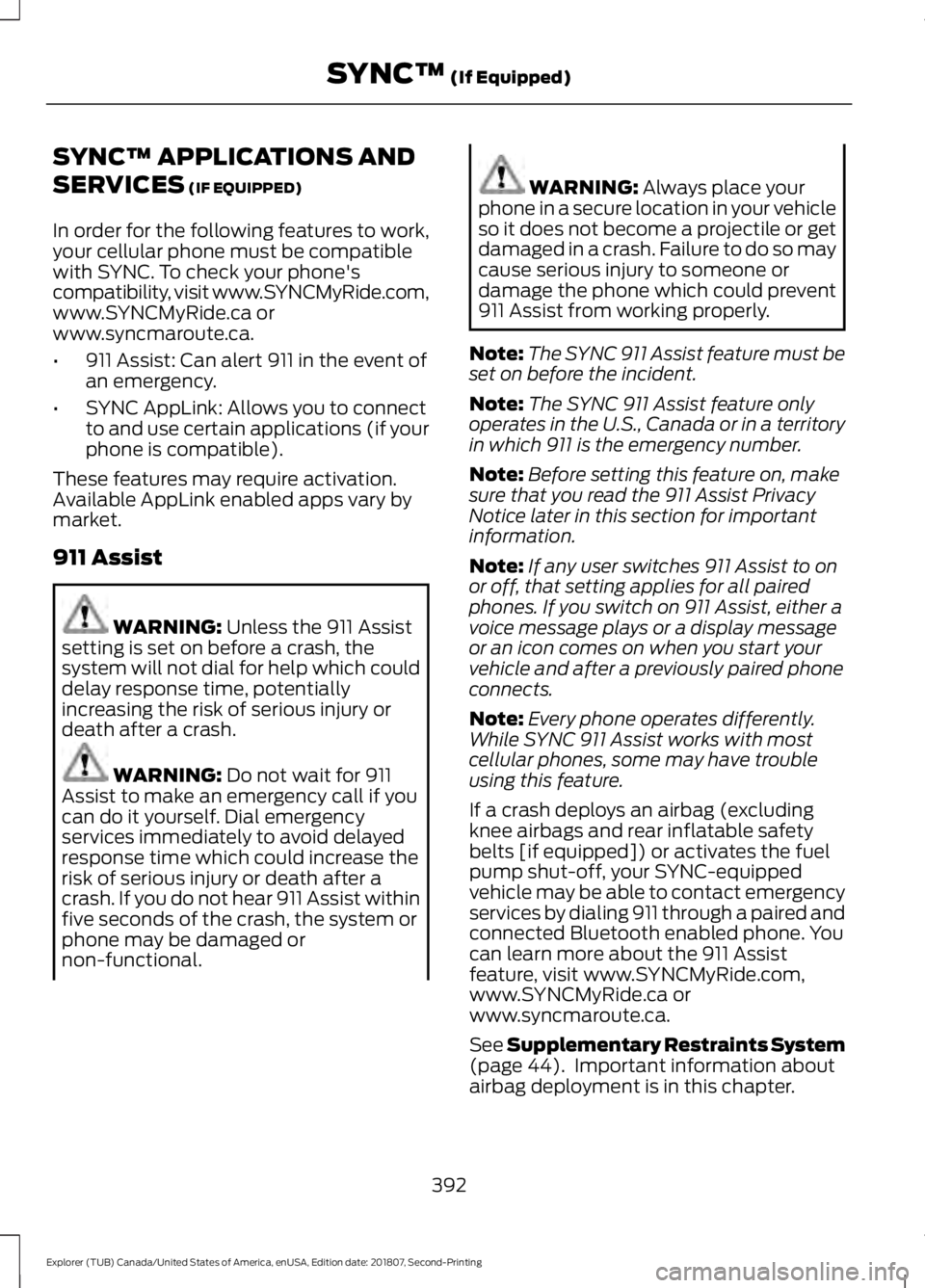
SYNC™ APPLICATIONS AND
SERVICES (IF EQUIPPED)
In order for the following features to work,
your cellular phone must be compatible
with SYNC. To check your phone's
compatibility, visit www.SYNCMyRide.com,
www.SYNCMyRide.ca or
www.syncmaroute.ca.
• 911 Assist: Can alert 911 in the event of
an emergency.
• SYNC AppLink: Allows you to connect
to and use certain applications (if your
phone is compatible).
These features may require activation.
Available AppLink enabled apps vary by
market.
911 Assist WARNING:
Unless the 911 Assist
setting is set on before a crash, the
system will not dial for help which could
delay response time, potentially
increasing the risk of serious injury or
death after a crash. WARNING:
Do not wait for 911
Assist to make an emergency call if you
can do it yourself. Dial emergency
services immediately to avoid delayed
response time which could increase the
risk of serious injury or death after a
crash. If you do not hear 911 Assist within
five seconds of the crash, the system or
phone may be damaged or
non-functional. WARNING:
Always place your
phone in a secure location in your vehicle
so it does not become a projectile or get
damaged in a crash. Failure to do so may
cause serious injury to someone or
damage the phone which could prevent
911 Assist from working properly.
Note: The SYNC 911 Assist feature must be
set on before the incident.
Note: The SYNC 911 Assist feature only
operates in the U.S., Canada or in a territory
in which 911 is the emergency number.
Note: Before setting this feature on, make
sure that you read the 911 Assist Privacy
Notice later in this section for important
information.
Note: If any user switches 911 Assist to on
or off, that setting applies for all paired
phones. If you switch on 911 Assist, either a
voice message plays or a display message
or an icon comes on when you start your
vehicle and after a previously paired phone
connects.
Note: Every phone operates differently.
While SYNC 911 Assist works with most
cellular phones, some may have trouble
using this feature.
If a crash deploys an airbag (excluding
knee airbags and rear inflatable safety
belts [if equipped]) or activates the fuel
pump shut-off, your SYNC-equipped
vehicle may be able to contact emergency
services by dialing 911 through a paired and
connected Bluetooth enabled phone. You
can learn more about the 911 Assist
feature, visit www.SYNCMyRide.com,
www.SYNCMyRide.ca or
www.syncmaroute.ca.
See
Supplementary Restraints System
(page 44). Important information about
airbag deployment is in this chapter.
392
Explorer (TUB) Canada/United States of America, enUSA, Edition date: 201807, Second-Printing SYNC™
(If Equipped)
Page 396 of 571
See Roadside Emergencies (page 258).
Important information about the fuel pump
shut-off is in this chapter.
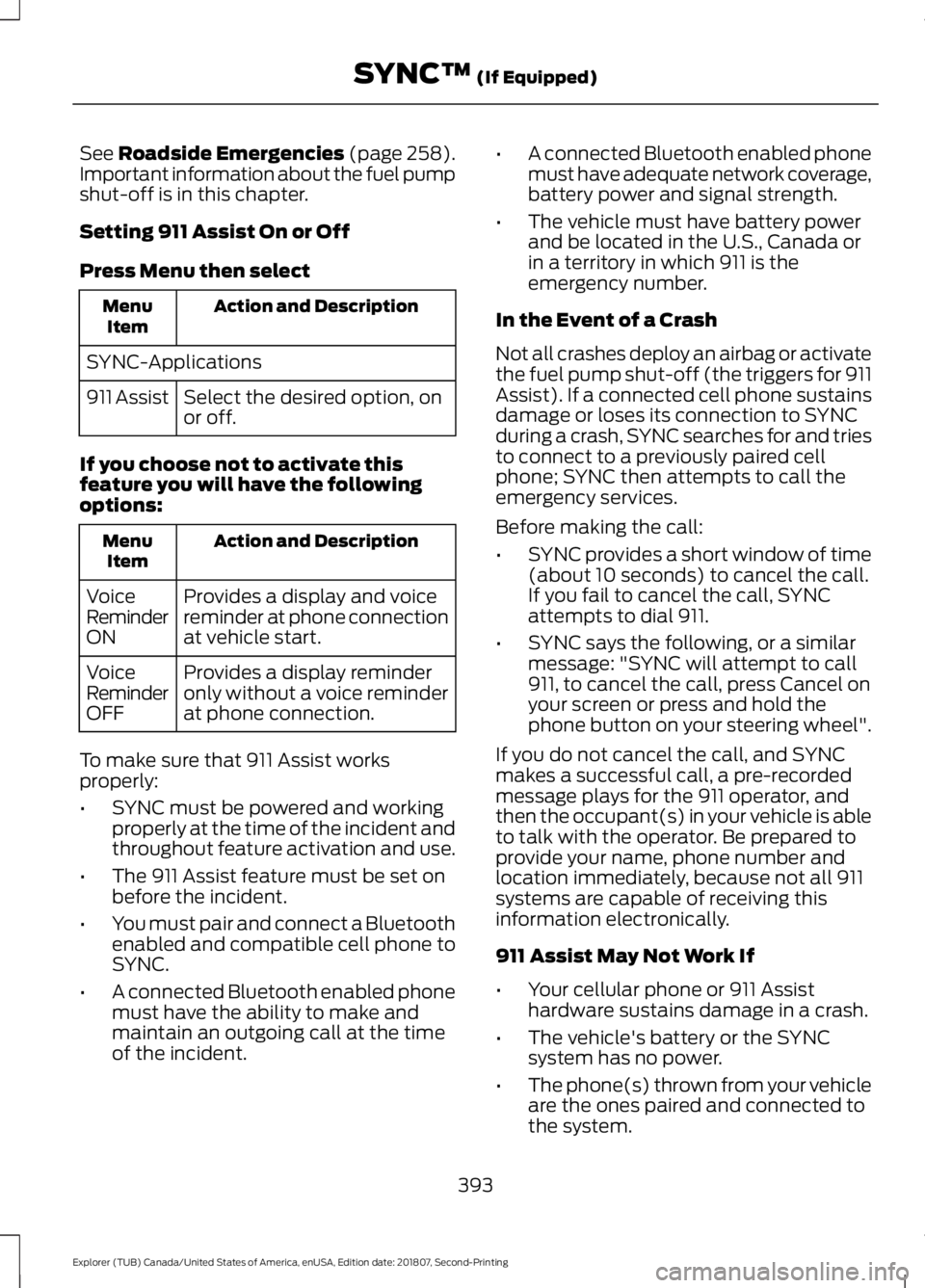
Setting 911 Assist On or Off
Press Menu then select Action and Description
Menu
Item
SYNC-Applications Select the desired option, on
or off.
911 Assist
If you choose not to activate this
feature you will have the following
options: Action and Description
Menu
Item
Provides a display and voice
reminder at phone connection
at vehicle start.
Voice
Reminder
ON
Provides a display reminder
only without a voice reminder
at phone connection.
Voice
Reminder
OFF
To make sure that 911 Assist works
properly:
• SYNC must be powered and working
properly at the time of the incident and
throughout feature activation and use.
• The 911 Assist feature must be set on
before the incident.
• You must pair and connect a Bluetooth
enabled and compatible cell phone to
SYNC.
• A connected Bluetooth enabled phone
must have the ability to make and
maintain an outgoing call at the time
of the incident. •
A connected Bluetooth enabled phone
must have adequate network coverage,
battery power and signal strength.
• The vehicle must have battery power
and be located in the U.S., Canada or
in a territory in which 911 is the
emergency number.
In the Event of a Crash
Not all crashes deploy an airbag or activate
the fuel pump shut-off (the triggers for 911
Assist). If a connected cell phone sustains
damage or loses its connection to SYNC
during a crash, SYNC searches for and tries
to connect to a previously paired cell
phone; SYNC then attempts to call the
emergency services.
Before making the call:
• SYNC provides a short window of time
(about 10 seconds) to cancel the call.
If you fail to cancel the call, SYNC
attempts to dial 911.
• SYNC says the following, or a similar
message: "SYNC will attempt to call
911, to cancel the call, press Cancel on
your screen or press and hold the
phone button on your steering wheel".
If you do not cancel the call, and SYNC
makes a successful call, a pre-recorded
message plays for the 911 operator, and
then the occupant(s) in your vehicle is able
to talk with the operator. Be prepared to
provide your name, phone number and
location immediately, because not all 911
systems are capable of receiving this
information electronically.
911 Assist May Not Work If
• Your cellular phone or 911 Assist
hardware sustains damage in a crash.
• The vehicle's battery or the SYNC
system has no power.
• The phone(s) thrown from your vehicle
are the ones paired and connected to
the system.
393
Explorer (TUB) Canada/United States of America, enUSA, Edition date: 201807, Second-Printing SYNC™
(If Equipped)
Page 397 of 571
911 Assist Privacy Notice
When you switch on 911 Assist, it may
disclose to emergency services that your
vehicle has been in a crash involving the
deployment of an airbag or activation of
the fuel pump shut-off. Certain versions or
updates to 911 Assist may also be capable
of electronically or verbally disclosing to
911 operators your vehicle location or other
details about your vehicle or crash to assist
911 operators to provide the most
appropriate emergency services. If you do
not want to disclose this information, do
not switch the feature on.
SYNC Mobile Apps
The system enables voice and steering
wheel control of SYNC AppLink enabled
smartphone apps. When an app is running
through AppLink, you can control main
features of the app through voice
commands and steering wheel controls.
Note:
You must pair and connect your
smartphone to SYNC to access AppLink.
Note: iPhone users need to connect the
phone to the USB port.
Note: Android users need to connect the
phone to SYNC using Bluetooth.
Note: For information on available apps,
supported smartphone devices and
troubleshooting tips please visit the local
website.
Note: Availability of SYNC AppLink enabled
Apps will vary by region. Note:
Make sure you have an active
account for the app that you have
downloaded. Some apps work
automatically with no setup. Other apps
want you to configure your personal settings
and personalize your experience by creating
stations or favorites. We recommend you
do this at home or outside of your vehicle.
Note: AppLink is not available if your
vehicle is equipped with the MyFord Touch
system.
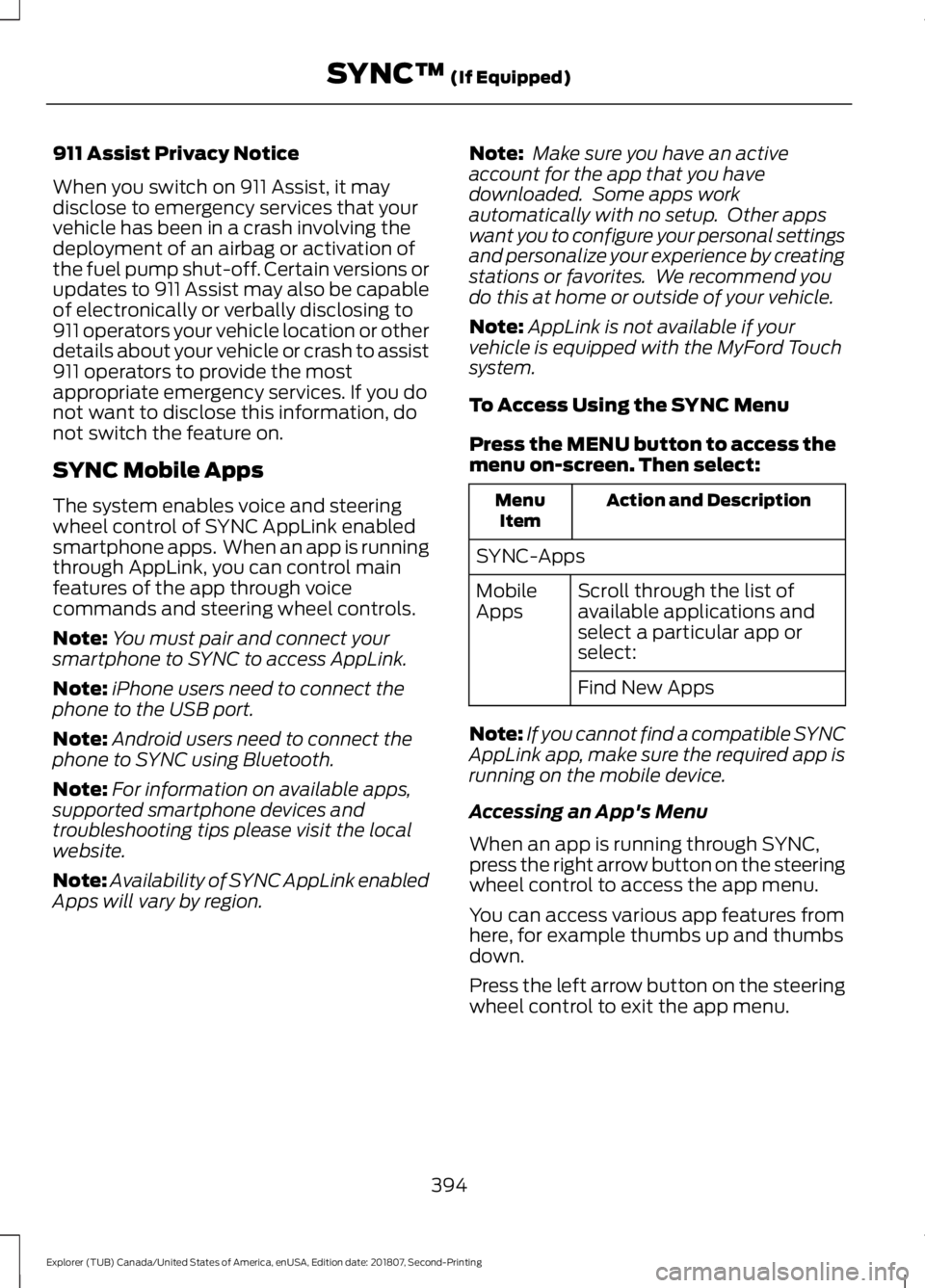
To Access Using the SYNC Menu
Press the MENU button to access the
menu on-screen. Then select: Action and Description
Menu
Item
SYNC-Apps Scroll through the list of
available applications and
select a particular app or
select:
Mobile
Apps
Find New Apps
Note: If you cannot find a compatible SYNC
AppLink app, make sure the required app is
running on the mobile device.
Accessing an App's Menu
When an app is running through SYNC,
press the right arrow button on the steering
wheel control to access the app menu.
You can access various app features from
here, for example thumbs up and thumbs
down.
Press the left arrow button on the steering
wheel control to exit the app menu.
394
Explorer (TUB) Canada/United States of America, enUSA, Edition date: 201807, Second-Printing SYNC™
(If Equipped)
Page 424 of 571
Note:
Every phone operates differently.
While SYNC 911 Assist works with most
cellular phones, some may have trouble
using this feature.
If a crash deploys an airbag (excluding
knee airbags and rear inflatable safety
belts [if equipped]) or activates the fuel
pump shut-off, your SYNC-equipped
vehicle may be able to contact emergency
services by dialing 911 through a paired and
connected Bluetooth enabled phone. You
can learn more about the 911 Assist
feature, by visiting: Website
www.owner.ford.com
www.syncmyride.ca
www.syncmaroute.ca
For important information about airbag
deployment and the fuel pump shut-off
please see the Supplementary Restrains
and Roadside Emergencies sections of
your owner manual.
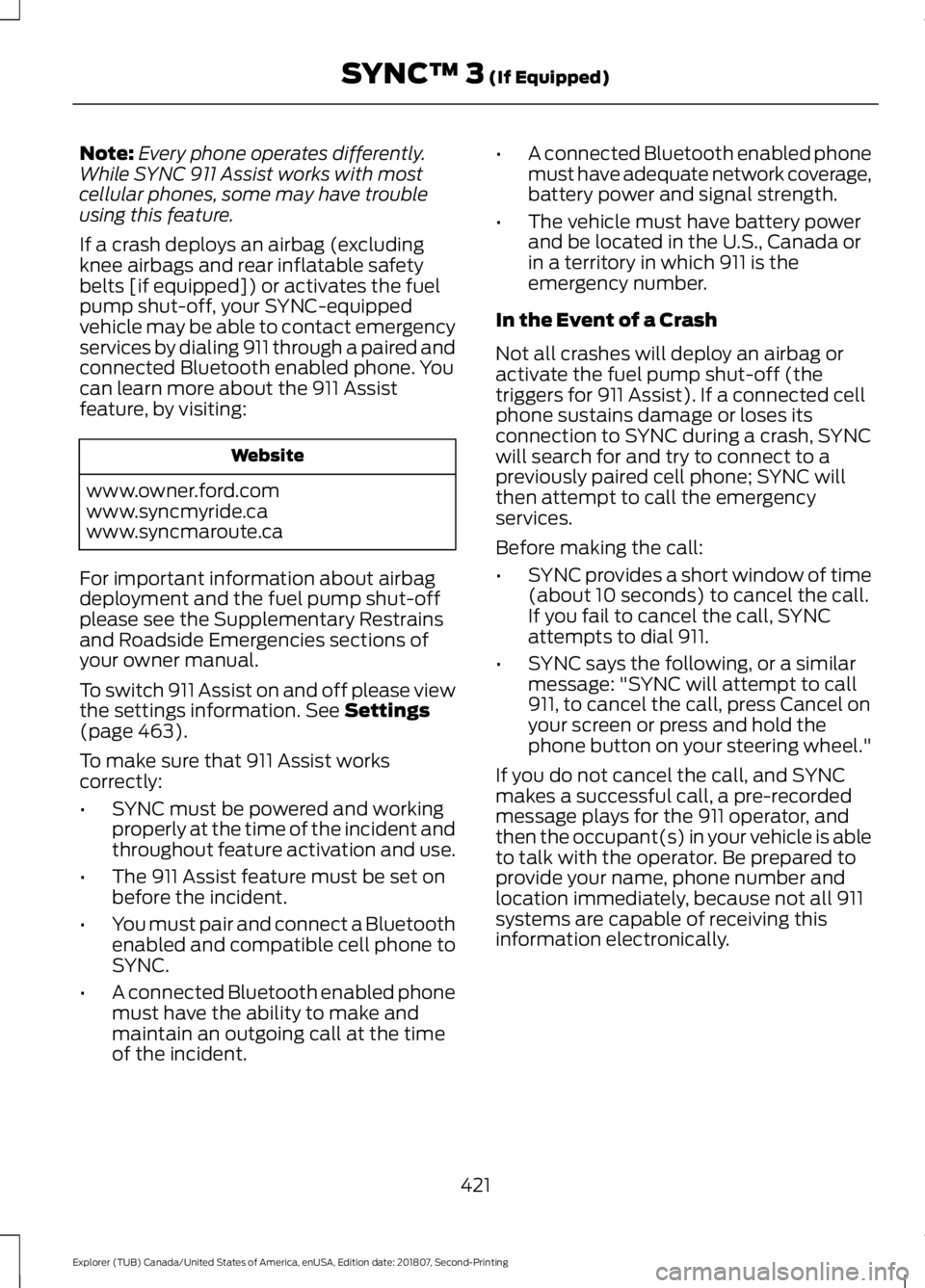
To switch 911 Assist on and off please view
the settings information. See Settings
(page 463).
To make sure that 911 Assist works
correctly:
• SYNC must be powered and working
properly at the time of the incident and
throughout feature activation and use.
• The 911 Assist feature must be set on
before the incident.
• You must pair and connect a Bluetooth
enabled and compatible cell phone to
SYNC.
• A connected Bluetooth enabled phone
must have the ability to make and
maintain an outgoing call at the time
of the incident. •
A connected Bluetooth enabled phone
must have adequate network coverage,
battery power and signal strength.
• The vehicle must have battery power
and be located in the U.S., Canada or
in a territory in which 911 is the
emergency number.
In the Event of a Crash
Not all crashes will deploy an airbag or
activate the fuel pump shut-off (the
triggers for 911 Assist). If a connected cell
phone sustains damage or loses its
connection to SYNC during a crash, SYNC
will search for and try to connect to a
previously paired cell phone; SYNC will
then attempt to call the emergency
services.
Before making the call:
• SYNC provides a short window of time
(about 10 seconds) to cancel the call.
If you fail to cancel the call, SYNC
attempts to dial 911.
• SYNC says the following, or a similar
message: "SYNC will attempt to call
911, to cancel the call, press Cancel on
your screen or press and hold the
phone button on your steering wheel."
If you do not cancel the call, and SYNC
makes a successful call, a pre-recorded
message plays for the 911 operator, and
then the occupant(s) in your vehicle is able
to talk with the operator. Be prepared to
provide your name, phone number and
location immediately, because not all 911
systems are capable of receiving this
information electronically.
421
Explorer (TUB) Canada/United States of America, enUSA, Edition date: 201807, Second-Printing SYNC™ 3
(If Equipped)
Page 425 of 571
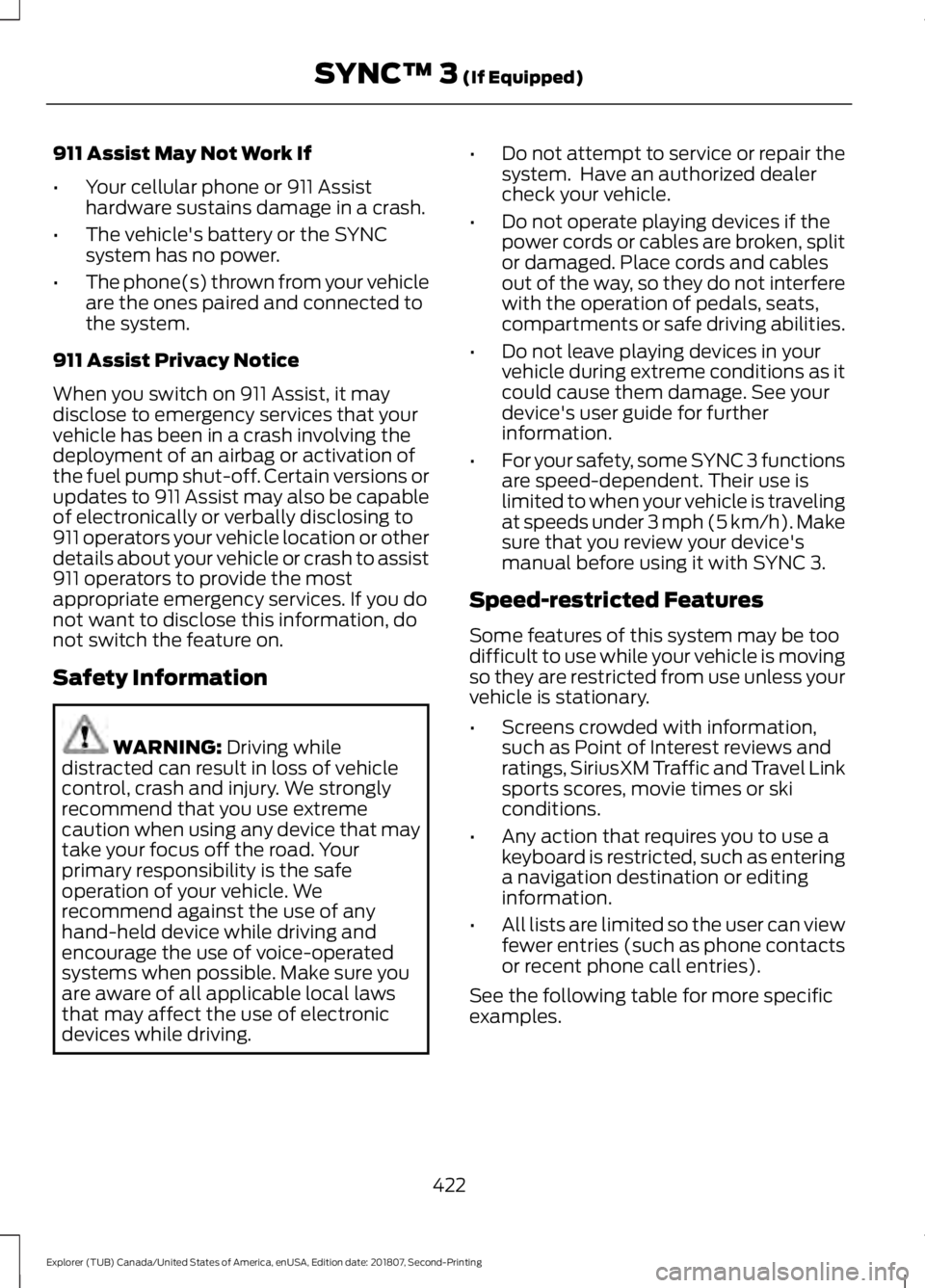
911 Assist May Not Work If
•
Your cellular phone or 911 Assist
hardware sustains damage in a crash.
• The vehicle's battery or the SYNC
system has no power.
• The phone(s) thrown from your vehicle
are the ones paired and connected to
the system.
911 Assist Privacy Notice
When you switch on 911 Assist, it may
disclose to emergency services that your
vehicle has been in a crash involving the
deployment of an airbag or activation of
the fuel pump shut-off. Certain versions or
updates to 911 Assist may also be capable
of electronically or verbally disclosing to
911 operators your vehicle location or other
details about your vehicle or crash to assist
911 operators to provide the most
appropriate emergency services. If you do
not want to disclose this information, do
not switch the feature on.
Safety Information WARNING: Driving while
distracted can result in loss of vehicle
control, crash and injury. We strongly
recommend that you use extreme
caution when using any device that may
take your focus off the road. Your
primary responsibility is the safe
operation of your vehicle. We
recommend against the use of any
hand-held device while driving and
encourage the use of voice-operated
systems when possible. Make sure you
are aware of all applicable local laws
that may affect the use of electronic
devices while driving. •
Do not attempt to service or repair the
system. Have an authorized dealer
check your vehicle.
• Do not operate playing devices if the
power cords or cables are broken, split
or damaged. Place cords and cables
out of the way, so they do not interfere
with the operation of pedals, seats,
compartments or safe driving abilities.
• Do not leave playing devices in your
vehicle during extreme conditions as it
could cause them damage. See your
device's user guide for further
information.
• For your safety, some SYNC 3 functions
are speed-dependent. Their use is
limited to when your vehicle is traveling
at speeds under 3 mph (5 km/h). Make
sure that you review your device's
manual before using it with SYNC 3.
Speed-restricted Features
Some features of this system may be too
difficult to use while your vehicle is moving
so they are restricted from use unless your
vehicle is stationary.
• Screens crowded with information,
such as Point of Interest reviews and
ratings, SiriusXM Traffic and Travel Link
sports scores, movie times or ski
conditions.
• Any action that requires you to use a
keyboard is restricted, such as entering
a navigation destination or editing
information.
• All lists are limited so the user can view
fewer entries (such as phone contacts
or recent phone call entries).
See the following table for more specific
examples.
422
Explorer (TUB) Canada/United States of America, enUSA, Edition date: 201807, Second-Printing SYNC™ 3
(If Equipped)
Page 558 of 571
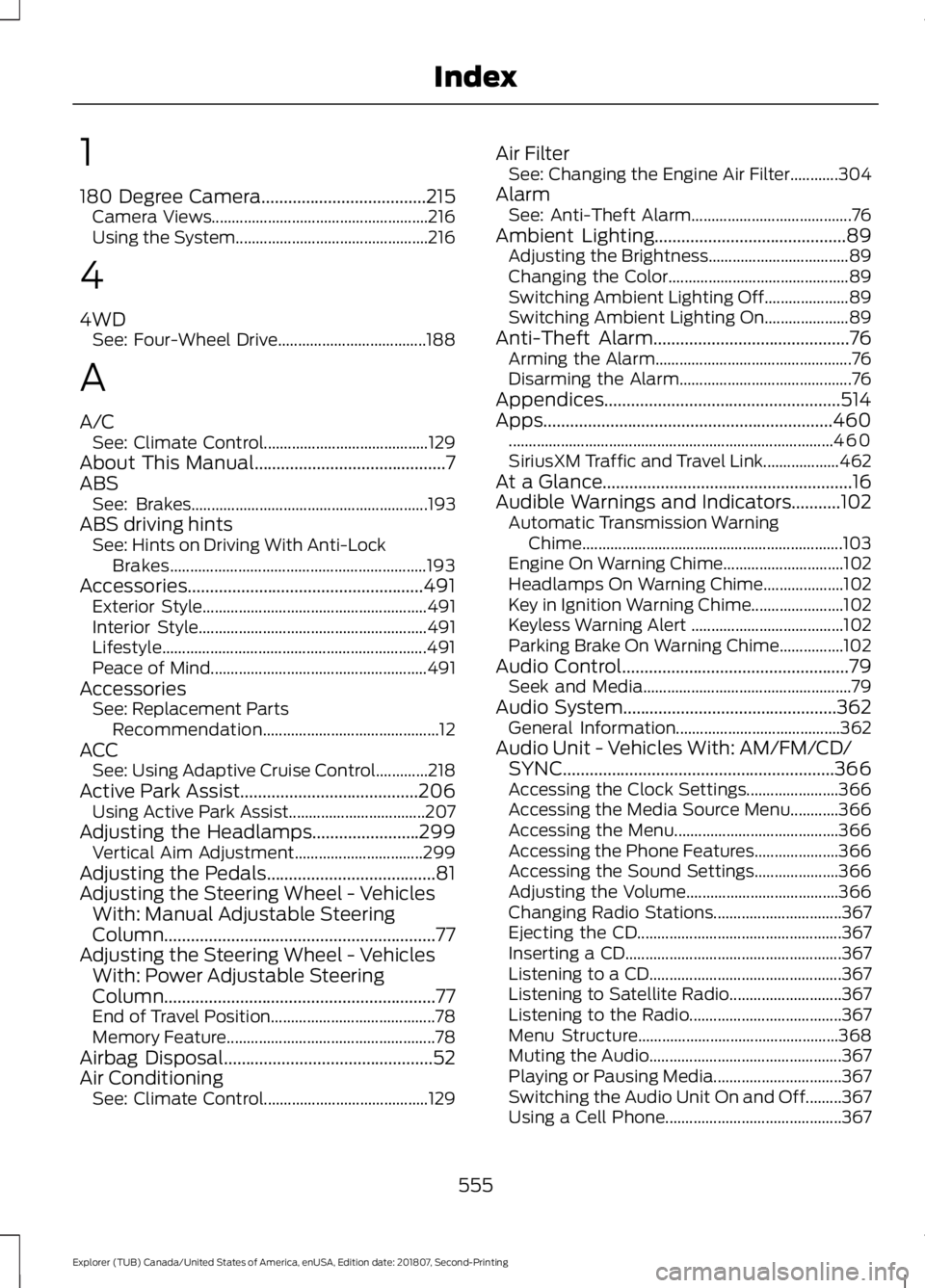
1
180 Degree Camera.....................................215
Camera Views...................................................... 216
Using the System................................................ 216
4
4WD See: Four-Wheel Drive..................................... 188
A
A/C See: Climate Control......................................... 129
About This Manual...........................................7
ABS See: Brakes........................................................... 193
ABS driving hints See: Hints on Driving With Anti-Lock
Brakes................................................................ 193
Accessories.....................................................491 Exterior Style........................................................ 491
Interior Style......................................................... 491
Lifestyle.................................................................. 491
Peace of Mind...................................................... 491
Accessories See: Replacement Parts
Recommendation............................................ 12
ACC See: Using Adaptive Cruise Control.............218
Active Park Assist........................................206 Using Active Park Assist.................................. 207
Adjusting the Headlamps
........................299
Vertical Aim Adjustment................................ 299
Adjusting the Pedals......................................81
Adjusting the Steering Wheel - Vehicles With: Manual Adjustable Steering
Column .............................................................
77
Adjusting the Steering Wheel - Vehicles With: Power Adjustable Steering
Column .............................................................
77
End of Travel Position......................................... 78
Memory Feature.................................................... 78
Airbag Disposal
...............................................52
Air Conditioning See: Climate Control......................................... 129Air Filter
See: Changing the Engine Air Filter............304
Alarm See: Anti-Theft Alarm........................................ 76
Ambient Lighting...........................................89 Adjusting the Brightness................................... 89
Changing the Color............................................. 89
Switching Ambient Lighting Off..................... 89
Switching Ambient Lighting On..................... 89
Anti-Theft Alarm
............................................76
Arming the Alarm................................................. 76
Disarming the Alarm........................................... 76
Appendices.....................................................514
Apps.................................................................460 ........................................................................\
......... 460
SiriusXM Traffic and Travel Link................... 462
At a Glance........................................................16
Audible Warnings and Indicators...........102 Automatic Transmission Warning
Chime................................................................. 103
Engine On Warning Chime.............................. 102
Headlamps On Warning Chime.................... 102
Key in Ignition Warning Chime....................... 102
Keyless Warning Alert ...................................... 102
Parking Brake On Warning Chime................102
Audio Control
...................................................79
Seek and Media.................................................... 79
Audio System................................................362 General Information......................................... 362
Audio Unit - Vehicles With: AM/FM/CD/ SYNC.............................................................366
Accessing the Clock Settings....................... 366
Accessing the Media Source Menu............366
Accessing the Menu......................................... 366
Accessing the Phone Features..................... 366
Accessing the Sound Settings..................... 366
Adjusting the Volume...................................... 366
Changing Radio Stations................................ 367
Ejecting the CD................................................... 367
Inserting a CD...................................................... 367
Listening to a CD................................................ 367
Listening to Satellite Radio............................ 367
Listening to the Radio...................................... 367
Menu Structure.................................................. 368
Muting the Audio................................................ 367
Playing or Pausing Media................................ 367
Switching the Audio Unit On and Off.........367
Using a Cell Phone............................................ 367
555
Explorer (TUB) Canada/United States of America, enUSA, Edition date: 201807, Second-Printing Index
Page 561 of 571
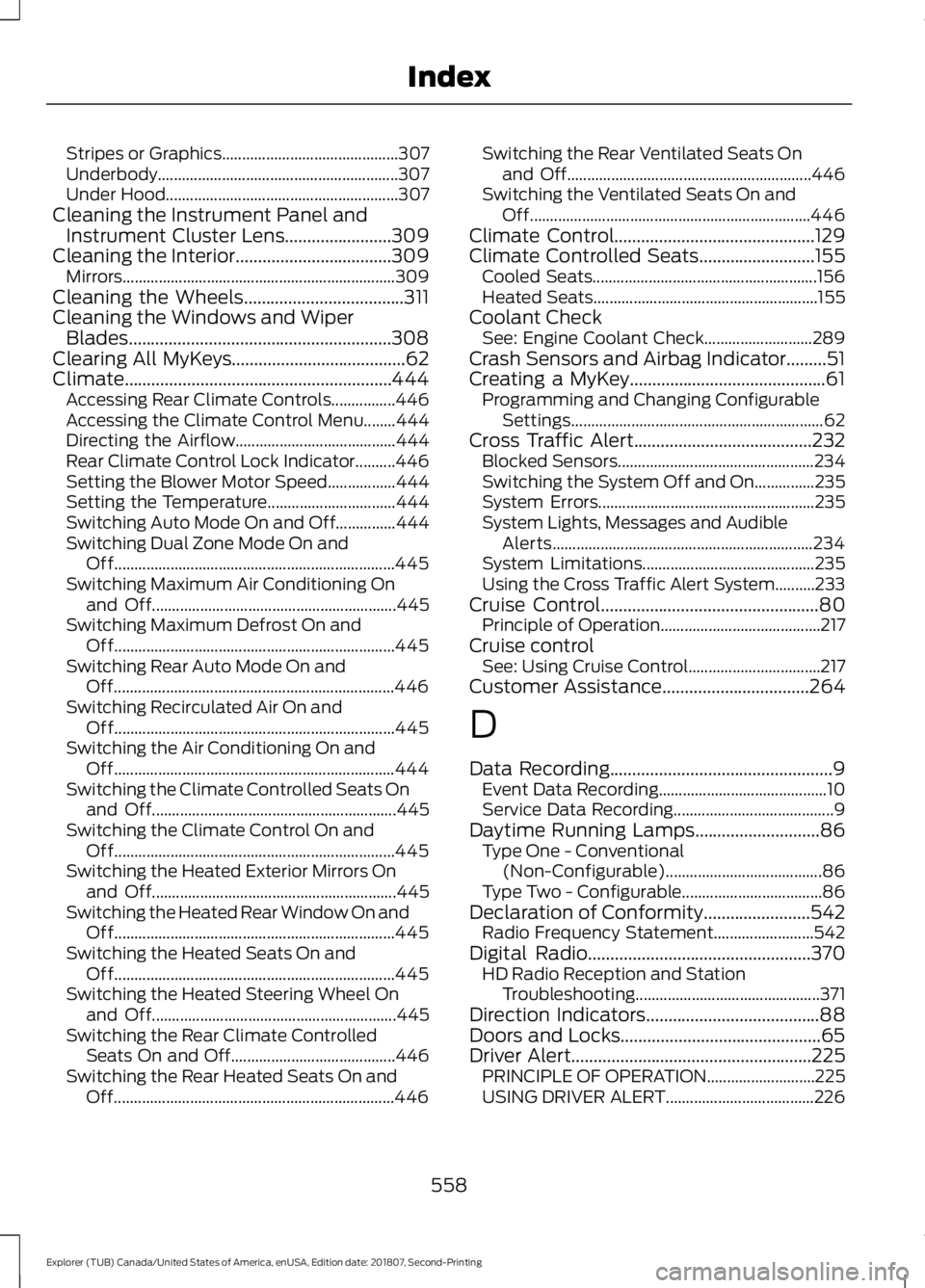
Stripes or Graphics............................................
307
Underbody............................................................ 307
Under Hood.......................................................... 307
Cleaning the Instrument Panel and Instrument Cluster Lens........................309
Cleaning the Interior...................................309 Mirrors.................................................................... 309
Cleaning the Wheels....................................311
Cleaning the Windows and Wiper Blades...........................................................308
Clearing All MyKeys.......................................62
Climate............................................................444 Accessing Rear Climate Controls................446
Accessing the Climate Control Menu........444
Directing the Airflow........................................ 444
Rear Climate Control Lock Indicator..........446
Setting the Blower Motor Speed.................444
Setting the Temperature................................ 444
Switching Auto Mode On and Off...............444
Switching Dual Zone Mode On and Off...................................................................... 445
Switching Maximum Air Conditioning On and Off............................................................. 445
Switching Maximum Defrost On and Off...................................................................... 445
Switching Rear Auto Mode On and Off...................................................................... 446
Switching Recirculated Air On and Off...................................................................... 445
Switching the Air Conditioning On and Off...................................................................... 444
Switching the Climate Controlled Seats On and Off............................................................. 445
Switching the Climate Control On and Off...................................................................... 445
Switching the Heated Exterior Mirrors On and Off............................................................. 445
Switching the Heated Rear Window On and Off...................................................................... 445
Switching the Heated Seats On and Off...................................................................... 445
Switching the Heated Steering Wheel On and Off............................................................. 445
Switching the Rear Climate Controlled Seats On and Off......................................... 446
Switching the Rear Heated Seats On and Off...................................................................... 446Switching the Rear Ventilated Seats On
and Off............................................................. 446
Switching the Ventilated Seats On and Off...................................................................... 446
Climate Control.............................................129
Climate Controlled Seats..........................155 Cooled Seats........................................................ 156
Heated Seats........................................................ 155
Coolant Check See: Engine Coolant Check........................... 289
Crash Sensors and Airbag Indicator.........51
Creating a MyKey............................................61 Programming and Changing Configurable
Settings............................................................... 62
Cross Traffic Alert
........................................232
Blocked Sensors................................................. 234
Switching the System Off and On...............235
System Errors...................................................... 235
System Lights, Messages and Audible Alerts................................................................. 234
System Limitations........................................... 235
Using the Cross Traffic Alert System..........233
Cruise Control
.................................................80
Principle of Operation........................................ 217
Cruise control See: Using Cruise Control................................. 217
Customer Assistance
.................................264
D
Data Recording
..................................................9
Event Data Recording.......................................... 10
Service Data Recording........................................ 9
Daytime Running Lamps
............................86
Type One - Conventional
(Non-Configurable)....................................... 86
Type Two - Configurable................................... 86
Declaration of Conformity
........................542
Radio Frequency Statement......................... 542
Digital Radio
..................................................370
HD Radio Reception and Station
Troubleshooting.............................................. 371
Direction Indicators
.......................................88
Doors and Locks.............................................65
Driver Alert
......................................................225
PRINCIPLE OF OPERATION........................... 225
USING DRIVER ALERT..................................... 226
558
Explorer (TUB) Canada/United States of America, enUSA, Edition date: 201807, Second-Printing Index
Page 566 of 571
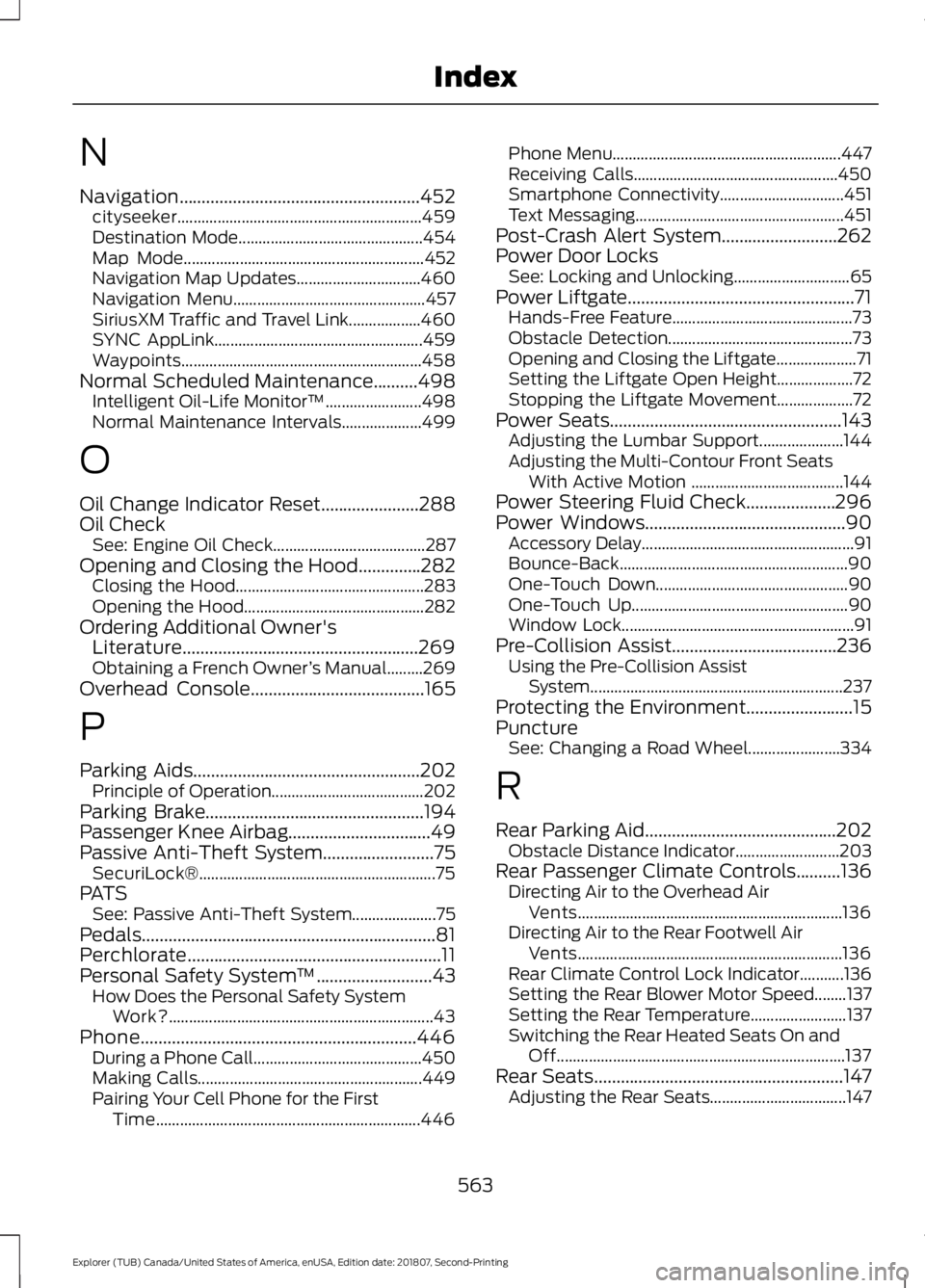
N
Navigation......................................................452
cityseeker............................................................. 459
Destination Mode.............................................. 454
Map Mode............................................................ 452
Navigation Map Updates............................... 460
Navigation Menu................................................ 457
SiriusXM Traffic and Travel Link.................. 460
SYNC AppLink.................................................... 459
Waypoints............................................................ 458
Normal Scheduled Maintenance..........498 Intelligent Oil-Life Monitor™........................ 498
Normal Maintenance Intervals.................... 499
O
Oil Change Indicator Reset......................288
Oil Check See: Engine Oil Check...................................... 287
Opening and Closing the Hood..............282 Closing the Hood............................................... 283
Opening the Hood............................................. 282
Ordering Additional Owner's Literature.....................................................269
Obtaining a French Owner ’s Manual.........269
Overhead Console.......................................165
P
Parking Aids...................................................202 Principle of Operation...................................... 202
Parking Brake.................................................194
Passenger Knee Airbag................................49
Passive Anti-Theft System.........................75 SecuriLock®........................................................... 75
PATS See: Passive Anti-Theft System..................... 75
Pedals..................................................................81
Perchlorate.........................................................11
Personal Safety System ™..........................43
How Does the Personal Safety System
Work?.................................................................. 43
Phone..............................................................446 During a Phone Call.......................................... 450
Making Calls........................................................ 449
Pairing Your Cell Phone for the First Time.................................................................. 446Phone Menu.........................................................
447
Receiving Calls................................................... 450
Smartphone Connectivity............................... 451
Text Messaging.................................................... 451
Post-Crash Alert System
..........................262
Power Door Locks See: Locking and Unlocking............................. 65
Power Liftgate...................................................71 Hands-Free Feature............................................. 73
Obstacle Detection.............................................. 73
Opening and Closing the Liftgate.................... 71
Setting the Liftgate Open Height................... 72
Stopping the Liftgate Movement................... 72
Power Seats
....................................................143
Adjusting the Lumbar Support..................... 144
Adjusting the Multi-Contour Front Seats With Active Motion ...................................... 144
Power Steering Fluid Check....................296
Power Windows.............................................90 Accessory Delay..................................................... 91
Bounce-Back......................................................... 90
One-Touch Down................................................ 90
One-Touch Up...................................................... 90
Window Lock.......................................................... 91
Pre-Collision Assist
.....................................236
Using the Pre-Collision Assist
System............................................................... 237
Protecting the Environment........................15
Puncture See: Changing a Road Wheel....................... 334
R
Rear Parking Aid...........................................202 Obstacle Distance Indicator.......................... 203
Rear Passenger Climate Controls..........136 Directing Air to the Overhead Air
Vents.................................................................. 136
Directing Air to the Rear Footwell Air Vents.................................................................. 136
Rear Climate Control Lock Indicator...........136
Setting the Rear Blower Motor Speed........137
Setting the Rear Temperature........................ 137
Switching the Rear Heated Seats On and Off........................................................................\
137
Rear Seats
........................................................147
Adjusting the Rear Seats.................................. 147
563
Explorer (TUB) Canada/United States of America, enUSA, Edition date: 201807, Second-Printing Index
Page 568 of 571
Phone.....................................................................
465
Radio...................................................................... 468
Sound..................................................................... 463
Valet Mode............................................................ 477
Vehicle.................................................................... 475
Voice Control....................................................... 476
Wi-Fi & Hotspot.................................................. 473
Side Airbags.....................................................48
Side Sensing System.................................204 Obstacle Distance Indicator.......................... 205
Sitting in the Correct Position..................139
Snow Chains See: Using Snow Chains................................. 329
Spare Wheel See: Changing a Road Wheel....................... 334
Special Notices................................................12 New Vehicle Limited Warranty......................... 12
Notice to Owners of Pickup Trucks and Utility Type Vehicles........................................ 13
On Board Diagnostics Data Link Connector............................................................ 13
Special Instructions.............................................. 12
Using Your Vehicle as an Ambulance............13
Using Your Vehicle With a Snowplow............13
Special Operating Conditions Scheduled Maintenance...............................................501
Exceptions............................................................ 502
Speed Control See: Cruise Control............................................. 217
Stability Control
............................................197
Principle of Operation....................................... 197
Starter Switch See: Ignition Switch........................................... 166
Starting a Gasoline Engine........................167 Automatic Engine Shutdown........................ 169
Failure to Start..................................................... 168
Guarding Against Exhaust Fumes................170
Important Ventilating Information...............170
Stopping the Engine When Your Vehicle is Moving............................................................... 169
Stopping the Engine When Your Vehicle is Stationary......................................................... 169
Vehicles with an Ignition Key.......................... 167
Vehicles with Keyless Start............................. 167
Starting and Stopping the Engine.........166 General Information.......................................... 166
Steering...........................................................235 Electric Power Steering................................... 235Steering Wheel
................................................77
Storage Compartments.............................164
Sunroof See: Moonroof....................................................... 94
Sun Visors.........................................................94 Illuminated Vanity Mirror................................... 94
Supplementary Restraints System.........44 Principle of Operation........................................ 44
Switching Off the Engine...........................170 Vehicles With a Turbocharger........................ 170
Symbols Glossary
.............................................7
SYNC™ 3.........................................................414
General Information.......................................... 414
SYNC™ 3 Troubleshooting
.......................477
SYNC™ Applications and Services........................................................392
911 Assist............................................................... 392
SYNC Mobile Apps............................................ 394
SYNC™............................................................376 General Information.......................................... 376
SYNC™ Troubleshooting.........................406
T
Technical Specifications See: Capacities and Specifications............340
Terrain Control
...............................................199
The Better Business Bureau (BBB) Auto Line Program (U.S. Only)
......................266
Tire Care...........................................................316 Glossary of Tire Terminology.......................... 317
Information About Uniform Tire Quality Grading.............................................................. 316
Information Contained on the Tire Sidewall............................................................ 318
Temperature A B C.............................................. 317
Traction AA A B C............................................... 316
Treadwear............................................................. 316
Tire Pressure Monitoring System..........330 Changing Tires With a Tire Pressure
Monitoring System........................................ 331
Understanding Your Tire Pressure Monitoring System ...................................... 332
Tires See: Wheels and Tires...................................... 314
Towing a Trailer.............................................247 Load Placement................................................. 247
565
Explorer (TUB) Canada/United States of America, enUSA, Edition date: 201807, Second-Printing Index
Page 570 of 571
Connecting Your Digital Media Player to the
USB Port........................................................... 397
Media Menu Features..................................... 400
Media Voice Commands................................ 398
USB 2..................................................................... 403
Voice Commands for Audio Sources........404
Using SYNC™ With Your Phone...........380 Accessing Features through the Phone
Menu.................................................................. 385
Accessing Your Phone Settings................... 388
Bluetooth Devices............................................. 389
Making Calls........................................................ 384
Pairing a Phone for the First Time................381
Pairing Subsequent Phones.......................... 382
Phone Options during an Active Call.........384
Phone Voice Commands................................ 382
Receiving Calls................................................... 384
System Settings................................................ 390
Text Messaging.................................................. 386
Using Terrain Control..................................199
Using Traction Control...............................196 Switching the System Off............................... 196
System Indicator Lights and Messages.......................................................... 196
Using a Switch..................................................... 196
Using the Information Display Controls............................................................. 196
Using Voice Recognition...........................378 Audio Voice Commands................................. 428
Climate Voice Commands............................. 429
Initiating a Voice Session................................ 378
Mobile App Voice Commands...................... 432
Navigation Voice Commands........................ 431
Phone Voice Commands................................ 429
SiriusXM Traffic and Travel Link Voice Commands..................................................... 432
System Interaction and Feedback..............379
Voice Settings Commands............................ 433
Utilizing the Mediation/Arbitration Program (Canada Only).........................267
V
Vehicle Care..................................................306 General Information......................................... 306
Vehicle Certification Label.......................346
Vehicle Identification Number................345 Vehicle Storage...............................................311
Battery..................................................................... 312
Body........................................................................\
.. 311
Brakes...................................................................... 312
Cooling system.................................................... 312
Engine...................................................................... 312
Fuel system........................................................... 312
General.................................................................... 311
Miscellaneous...................................................... 312
Removing Vehicle From Storage................... 312
Tires........................................................................\
.. 312
Ventilation See: Climate Control......................................... 129
VIN See: Vehicle Identification Number............345
Voice Control
....................................................79
W
Warning Lamps and Indicators................99 Adaptive Cruise Control.................................... 99
Anti-Lock Braking System................................ 99
Automatic High Beam Control..................... 100
Battery.................................................................... 100
Blind Spot Monitor............................................ 100
Brake System....................................................... 100
Cruise Control...................................................... 100
Direction Indicator............................................. 100
Door Ajar............................................................... 100
Engine Coolant Temperature........................ 100
Engine Oil.............................................................. 100
Fasten Safety Belt............................................... 101
Front Airbag........................................................... 101
Front Fog Lamps................................................. 101
Heads Up Display................................................ 101
High Beam............................................................. 101
Hood Ajar................................................................ 101
Lane Keeping Aid................................................. 101
Liftgate Ajar........................................................... 101
Low Fuel Level...................................................... 101
Low Tire Pressure Warning.............................. 101
Low Washer Fluid................................................ 101
Parking Lamps...................................................... 101
Powertrain Fault.................................................. 101
Service Engine Soon.......................................... 102
Stability Control.................................................. 102
Stability Control Off.......................................... 102
Transmission Tow/Haul................................... 102
567
Explorer (TUB) Canada/United States of America, enUSA, Edition date: 201807, Second-Printing Index