instrument cluster FORD EXPLORER 2019 Owner's Manual
[x] Cancel search | Manufacturer: FORD, Model Year: 2019, Model line: EXPLORER, Model: FORD EXPLORER 2019Pages: 571, PDF Size: 6.8 MB
Page 313 of 571
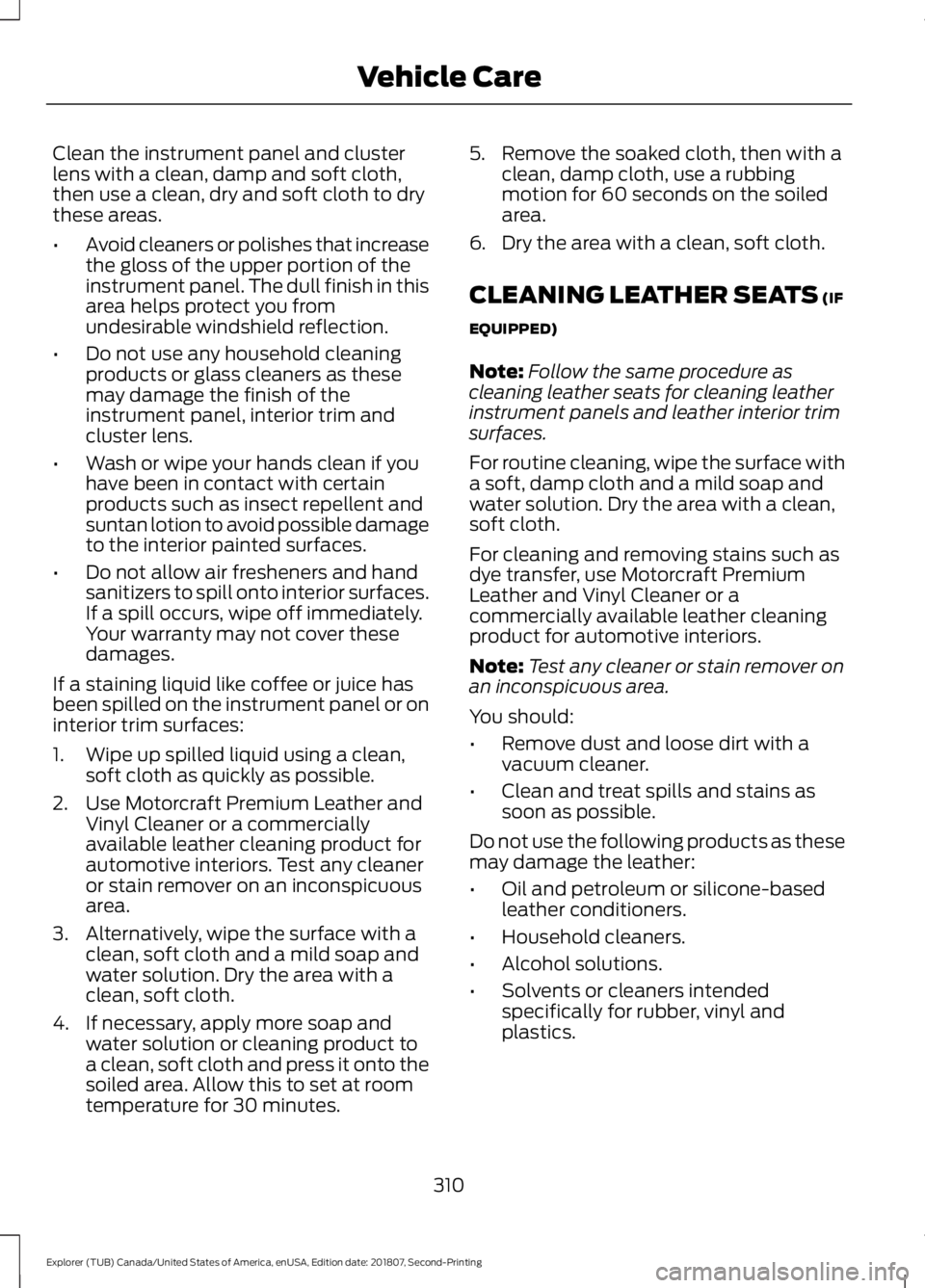
Clean the instrument panel and cluster
lens with a clean, damp and soft cloth,
then use a clean, dry and soft cloth to dry
these areas.
•
Avoid cleaners or polishes that increase
the gloss of the upper portion of the
instrument panel. The dull finish in this
area helps protect you from
undesirable windshield reflection.
• Do not use any household cleaning
products or glass cleaners as these
may damage the finish of the
instrument panel, interior trim and
cluster lens.
• Wash or wipe your hands clean if you
have been in contact with certain
products such as insect repellent and
suntan lotion to avoid possible damage
to the interior painted surfaces.
• Do not allow air fresheners and hand
sanitizers to spill onto interior surfaces.
If a spill occurs, wipe off immediately.
Your warranty may not cover these
damages.
If a staining liquid like coffee or juice has
been spilled on the instrument panel or on
interior trim surfaces:
1. Wipe up spilled liquid using a clean, soft cloth as quickly as possible.
2. Use Motorcraft Premium Leather and Vinyl Cleaner or a commercially
available leather cleaning product for
automotive interiors. Test any cleaner
or stain remover on an inconspicuous
area.
3. Alternatively, wipe the surface with a clean, soft cloth and a mild soap and
water solution. Dry the area with a
clean, soft cloth.
4. If necessary, apply more soap and water solution or cleaning product to
a clean, soft cloth and press it onto the
soiled area. Allow this to set at room
temperature for 30 minutes. 5. Remove the soaked cloth, then with a
clean, damp cloth, use a rubbing
motion for 60 seconds on the soiled
area.
6. Dry the area with a clean, soft cloth.
CLEANING LEATHER SEATS (IF
EQUIPPED)
Note: Follow the same procedure as
cleaning leather seats for cleaning leather
instrument panels and leather interior trim
surfaces.
For routine cleaning, wipe the surface with
a soft, damp cloth and a mild soap and
water solution. Dry the area with a clean,
soft cloth.
For cleaning and removing stains such as
dye transfer, use Motorcraft Premium
Leather and Vinyl Cleaner or a
commercially available leather cleaning
product for automotive interiors.
Note: Test any cleaner or stain remover on
an inconspicuous area.
You should:
• Remove dust and loose dirt with a
vacuum cleaner.
• Clean and treat spills and stains as
soon as possible.
Do not use the following products as these
may damage the leather:
• Oil and petroleum or silicone-based
leather conditioners.
• Household cleaners.
• Alcohol solutions.
• Solvents or cleaners intended
specifically for rubber, vinyl and
plastics.
310
Explorer (TUB) Canada/United States of America, enUSA, Edition date: 201807, Second-Printing Vehicle Care
Page 493 of 571
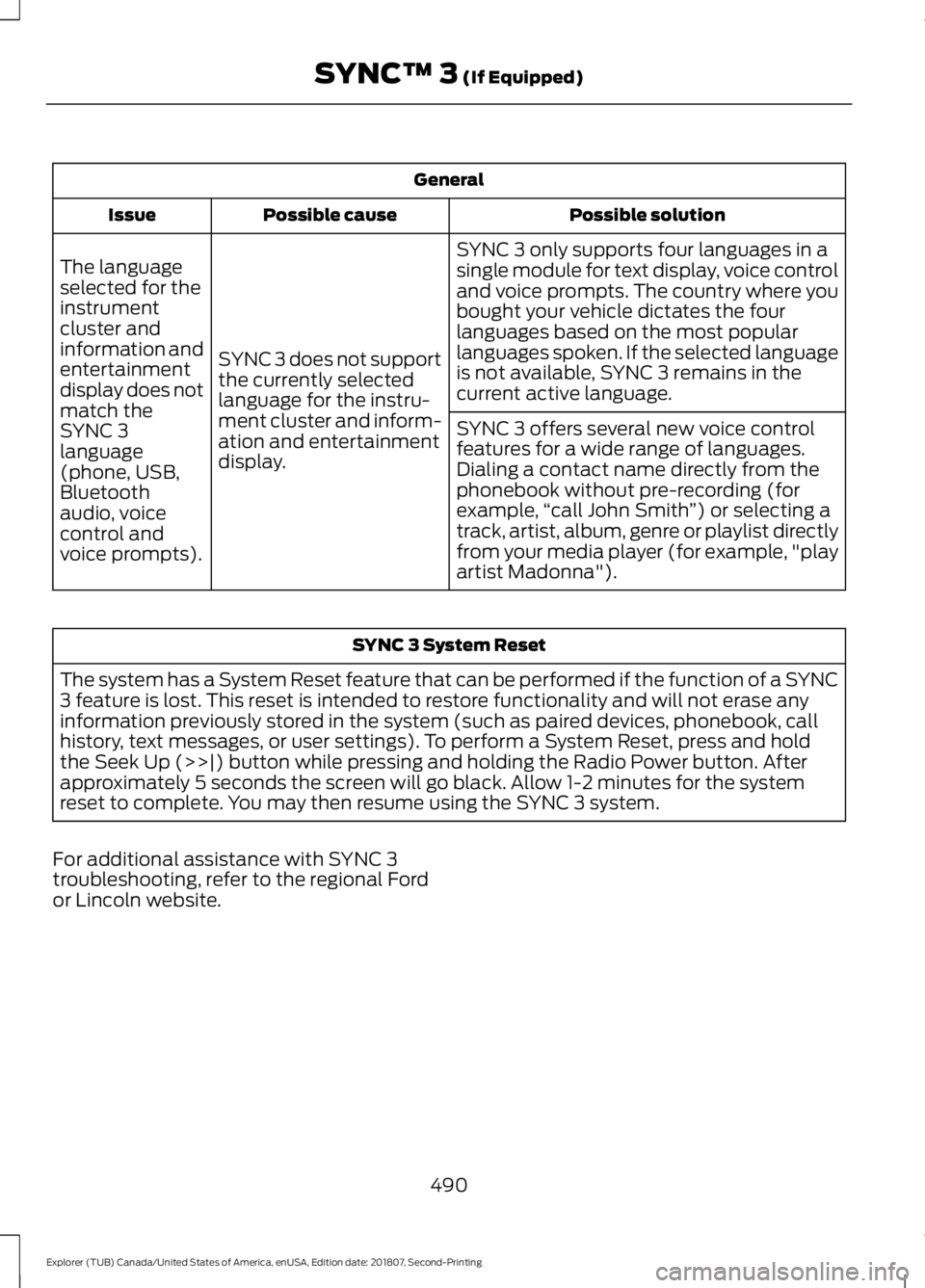
General
Possible solution
Possible cause
Issue
SYNC 3 only supports four languages in a
single module for text display, voice control
and voice prompts. The country where you
bought your vehicle dictates the four
languages based on the most popular
languages spoken. If the selected language
is not available, SYNC 3 remains in the
current active language.
SYNC 3 does not support
the currently selected
language for the instru-
ment cluster and inform-
ation and entertainment
display.
The language
selected for the
instrument
cluster and
information and
entertainment
display does not
match the
SYNC 3
SYNC 3 offers several new voice control
features for a wide range of languages.
Dialing a contact name directly from the
phonebook without pre-recording (for
example,
“call John Smith ”) or selecting a
track, artist, album, genre or playlist directly
from your media player (for example, "play
artist Madonna").
language
(phone, USB,
Bluetooth
audio, voice
control and
voice prompts). SYNC 3 System Reset
The system has a System Reset feature that can be performed if the function of a SYNC
3 feature is lost. This reset is intended to restore functionality and will not erase any
information previously stored in the system (such as paired devices, phonebook, call
history, text messages, or user settings). To perform a System Reset, press and hold
the Seek Up (>>|) button while pressing and holding the Radio Power button. After
approximately 5 seconds the screen will go black. Allow 1-2 minutes for the system
reset to complete. You may then resume using the SYNC 3 system.
For additional assistance with SYNC 3
troubleshooting, refer to the regional Ford
or Lincoln website.
490
Explorer (TUB) Canada/United States of America, enUSA, Edition date: 201807, Second-Printing SYNC™ 3 (If Equipped)
Page 561 of 571
Stripes or Graphics............................................
307
Underbody............................................................ 307
Under Hood.......................................................... 307
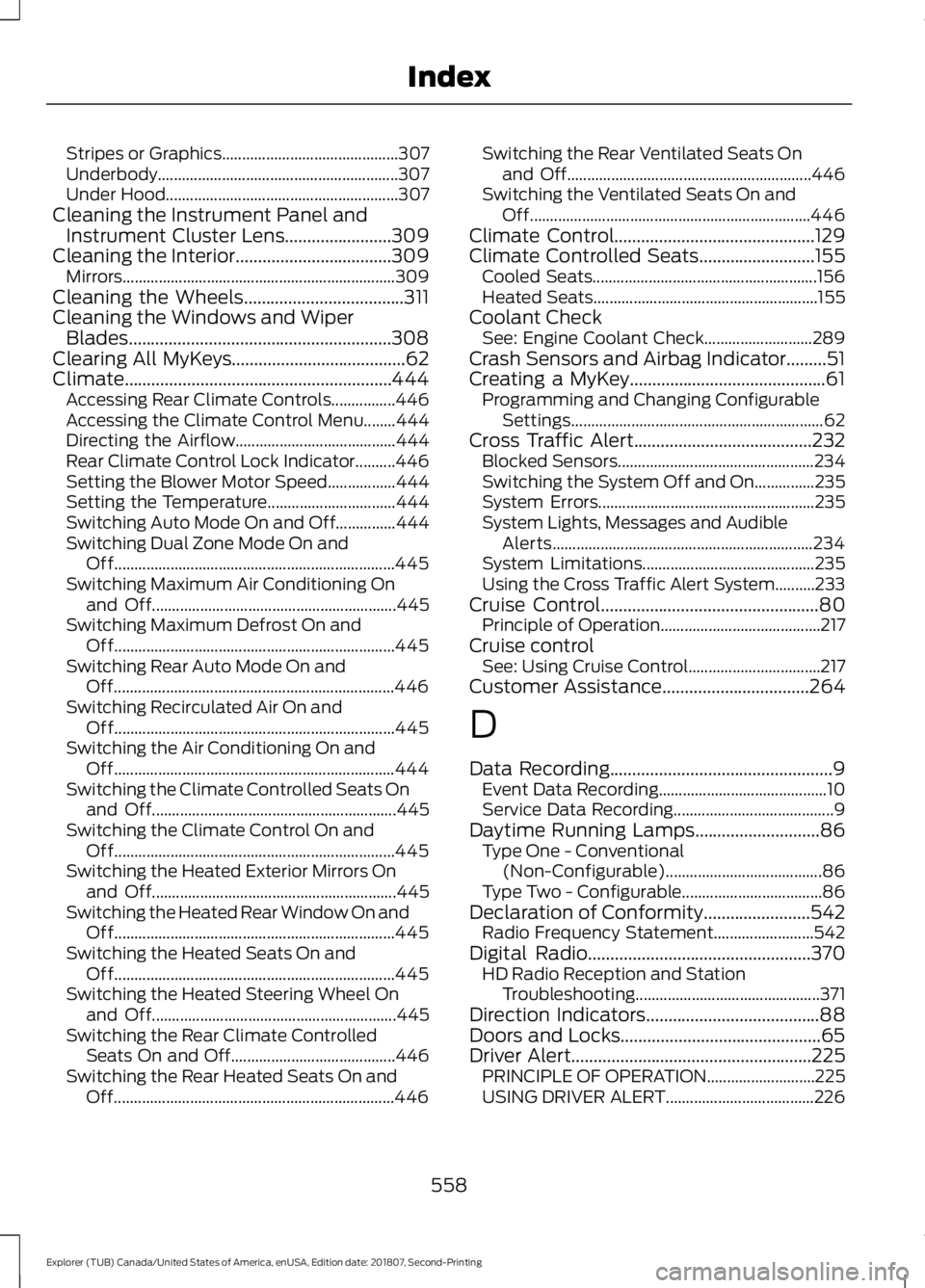
Cleaning the Instrument Panel and Instrument Cluster Lens........................309
Cleaning the Interior...................................309 Mirrors.................................................................... 309
Cleaning the Wheels....................................311
Cleaning the Windows and Wiper Blades...........................................................308
Clearing All MyKeys.......................................62
Climate............................................................444 Accessing Rear Climate Controls................446
Accessing the Climate Control Menu........444
Directing the Airflow........................................ 444
Rear Climate Control Lock Indicator..........446
Setting the Blower Motor Speed.................444
Setting the Temperature................................ 444
Switching Auto Mode On and Off...............444
Switching Dual Zone Mode On and Off...................................................................... 445
Switching Maximum Air Conditioning On and Off............................................................. 445
Switching Maximum Defrost On and Off...................................................................... 445
Switching Rear Auto Mode On and Off...................................................................... 446
Switching Recirculated Air On and Off...................................................................... 445
Switching the Air Conditioning On and Off...................................................................... 444
Switching the Climate Controlled Seats On and Off............................................................. 445
Switching the Climate Control On and Off...................................................................... 445
Switching the Heated Exterior Mirrors On and Off............................................................. 445
Switching the Heated Rear Window On and Off...................................................................... 445
Switching the Heated Seats On and Off...................................................................... 445
Switching the Heated Steering Wheel On and Off............................................................. 445
Switching the Rear Climate Controlled Seats On and Off......................................... 446
Switching the Rear Heated Seats On and Off...................................................................... 446Switching the Rear Ventilated Seats On
and Off............................................................. 446
Switching the Ventilated Seats On and Off...................................................................... 446
Climate Control.............................................129
Climate Controlled Seats..........................155 Cooled Seats........................................................ 156
Heated Seats........................................................ 155
Coolant Check See: Engine Coolant Check........................... 289
Crash Sensors and Airbag Indicator.........51
Creating a MyKey............................................61 Programming and Changing Configurable
Settings............................................................... 62
Cross Traffic Alert
........................................232
Blocked Sensors................................................. 234
Switching the System Off and On...............235
System Errors...................................................... 235
System Lights, Messages and Audible Alerts................................................................. 234
System Limitations........................................... 235
Using the Cross Traffic Alert System..........233
Cruise Control
.................................................80
Principle of Operation........................................ 217
Cruise control See: Using Cruise Control................................. 217
Customer Assistance
.................................264
D
Data Recording
..................................................9
Event Data Recording.......................................... 10
Service Data Recording........................................ 9
Daytime Running Lamps
............................86
Type One - Conventional
(Non-Configurable)....................................... 86
Type Two - Configurable................................... 86
Declaration of Conformity
........................542
Radio Frequency Statement......................... 542
Digital Radio
..................................................370
HD Radio Reception and Station
Troubleshooting.............................................. 371
Direction Indicators
.......................................88
Doors and Locks.............................................65
Driver Alert
......................................................225
PRINCIPLE OF OPERATION........................... 225
USING DRIVER ALERT..................................... 226
558
Explorer (TUB) Canada/United States of America, enUSA, Edition date: 201807, Second-Printing Index
Page 564 of 571
Hints on Controlling the Interior
Climate..........................................................134
Defogging the Side Windows in Cold Weather............................................................. 136
General Hints....................................................... 134
Quickly Cooling the Interior............................. 135
Quickly Heating the Interior............................ 135
Recommended Settings for Cooling...........136
Recommended Settings for Heating..........135
Hints on Driving With Anti-Lock Brakes............................................................193
Home Screen................................................426
Hood Lock See: Opening and Closing the Hood..........282
I
Ignition Switch
...............................................166
In California (U.S. Only)............................265
Information Display Control......................80
Information Displays
...................................104
General Information.......................................... 104
Information Messages
.................................115
4WD........................................................................\
.. 116
Adaptive Cruise Control.................................... 116
AdvanceTrac ™..................................................... 116
Alarm........................................................................\
117
Automatic Engine Shutdown.......................... 117
Automatic High Beam Control........................ 117
Battery and Charging System......................... 118
Blind Spot Information and Cross Traffic Alert System..................................................... 118
Brake System........................................................ 119
Doors and Locks.................................................. 119
Driver Alert.............................................................. 119
Electronic Stability Control............................. 120
Engine..................................................................... 120
Fuel........................................................................\
.. 120
Hill Descent Control.......................................... 120
Hill Start Assist..................................................... 121
Keys and Intelligent Access............................. 121
Lane Keeping System........................................ 122
Maintenance......................................................... 122
MyKey...................................................................... 123
Park Aid.................................................................. 124
Park Brake.............................................................. 124
Power Steering.................................................... 124
Pre-Collision Assist............................................ 125Remote Start........................................................
125
Seats........................................................................\
125
Starting System.................................................. 126
Terrain Management System......................... 126
Tire Pressure Monitoring System.................. 126
Traction Control................................................... 127
Trailer....................................................................... 127
Transmission......................................................... 127
Installing Child Restraints............................19 Child Seats............................................................... 19
Using Lap and Shoulder Belts......................... 20
Using Lower Anchors and Tethers for CHildren (LATCH)............................................ 25
Using Tether Straps............................................. 27
Instrument Cluster........................................96
Instrument Lighting Dimmer
.....................85
Instrument Panel Overview........................16
Interior Lamps
.................................................88
Battery Saver......................................................... 89
Dome Lamp........................................................... 88
Front Interior Lamps........................................... 89
Rear Interior Lamps............................................ 89
Interior Mirror...................................................94 Automatic Dimming Mirror............................... 94
Manual Dimming Mirror..................................... 94
Introduction.........................................................7
J
Jump Starting the Vehicle........................260 Connecting the Jumper Cables.................... 260
Jump Starting....................................................... 261
Preparing Your Vehicle.................................... 260
Removing the Jumper Cables........................ 261
K
Keyless Entry
...................................................68
SECURICODE™ Keyless Entry
Keypad................................................................ 68
Keyless Starting
............................................166
Ignition Modes...................................................... 167
Keys and Remote Controls.........................53
L
Lane Keeping System................................226 Switching the System On and Off...............227
561
Explorer (TUB) Canada/United States of America, enUSA, Edition date: 201807, Second-Printing Index