center console FORD EXPLORER 2019 Owners Manual
[x] Cancel search | Manufacturer: FORD, Model Year: 2019, Model line: EXPLORER, Model: FORD EXPLORER 2019Pages: 571, PDF Size: 6.8 MB
Page 6 of 571
Auxiliary Power Points
Auxiliary Power Points
...............................162
Storage Compartments
Center Console .............................................
164
Overhead Console ......................................
165
Starting and Stopping the Engine
General Information ...................................
166
Ignition Switch ..............................................
166
Keyless Starting ...........................................
166
Starting a Gasoline Engine .......................
167
Switching Off the Engine ..........................
170
Engine Block Heater ...................................
170
Fuel and Refueling
Safety Precautions ......................................
172
Fuel Quality - Gasoline ...............................
172
Fuel Quality - E85 ........................................
173
Fuel Filler Funnel Location .......................
174
Running Out of Fuel ....................................
174
Refueling .........................................................
176
Fuel Consumption .......................................
179
Engine Emission Control
Emission Law ...............................................
180
Catalytic Converter ......................................
181
Transmission
Automatic Transmission ..........................
184
Four-Wheel Drive
Principle of Operation ...............................
188
Using Four-Wheel Drive ...........................
188
Brakes
General Information ...................................
193Hints on Driving With Anti-Lock Brakes
........................................................................\
.
193
Parking Brake ................................................
194
Hill Start Assist .............................................
194
Traction Control
Principle of Operation ...............................
196
Using Traction Control ..............................
196
Stability Control
Principle of Operation ................................
197
Using Stability Control ..............................
198
Terrain Control
Using Terrain Control .................................
199
Using Hill Descent Control .....................
200
Parking Aids
Principle of Operation ...............................
202
Rear Parking Aid ..........................................
202
Front Parking Aid ........................................
203
Side Sensing System ................................
204
Active Park Assist .......................................
206
Rear View Camera .......................................
212
180 Degree Camera ....................................
215
Cruise Control
Principle of Operation ................................
217
Using Cruise Control ...................................
217
Using Adaptive Cruise Control ...............
218
Driving Aids
Driver Alert .....................................................
225
Lane Keeping System ...............................
226
Blind Spot Information System ..............
231
Cross Traffic Alert .......................................
232
Steering ..........................................................
235
Pre-Collision Assist ....................................
236
3
Explorer (TUB) Canada/United States of America, enUSA, Edition date: 201807, Second-Printing Table of Contents
Page 165 of 571
12 Volt DC Power Point
WARNING: Do not plug optional
electrical accessories into the cigar
lighter socket. Incorrect use of the cigar
lighter can cause damage not covered
by the vehicle warranty, and can result
in fire or serious injury.
Note: When you switch the ignition on, you
can use the socket to power 12 volt
appliances with a maximum current rating
of 15 amps.
If the power supply does not work after you
switch the ignition off, switch the ignition
on.
Note: Do not hang any accessory from the
accessory plug.
Note: Do not use the power point over the
vehicle capacity of 12 volt DC 180 watts or
a fuse may blow.
Note: Always keep the power point caps
closed when not in use.
Do not insert objects other than an
accessory plug into the power point. This
damages the power point and may blow
the fuse.
Run the vehicle for full capacity use of the
power point.
To prevent the battery from running out of
charge:
• Do not use the power point longer than
necessary when the vehicle is not
running.
• Do not leave devices plugged in
overnight or when you park your vehicle
for extended periods.
Note: Timed power points remain on for 30
minutes if the vehicle is in accessory mode.
If you switch the vehicle off, the timed
power points remain on for 75 minutes. Locations
Power points may be in the following
locations:
•
On the front of the center console.
• Inside the center console.
• On the rear of the center console.
• In the cargo area.
110 Volt AC Power Point
(If Equipped) WARNING: Do not keep electrical
devices plugged in the power point
whenever the device is not in use. Do not
use any extension cord with the 110 volt
AC power point, since it will defeat the
safety protection design. Doing so may
cause the power point to overload due
to powering multiple devices that can
reach beyond the 150 watt load limit and
could result in fire or serious injury.
Note: The power point turns off when you
switch the ignition off, or when the battery
voltage drops below 11 volts.
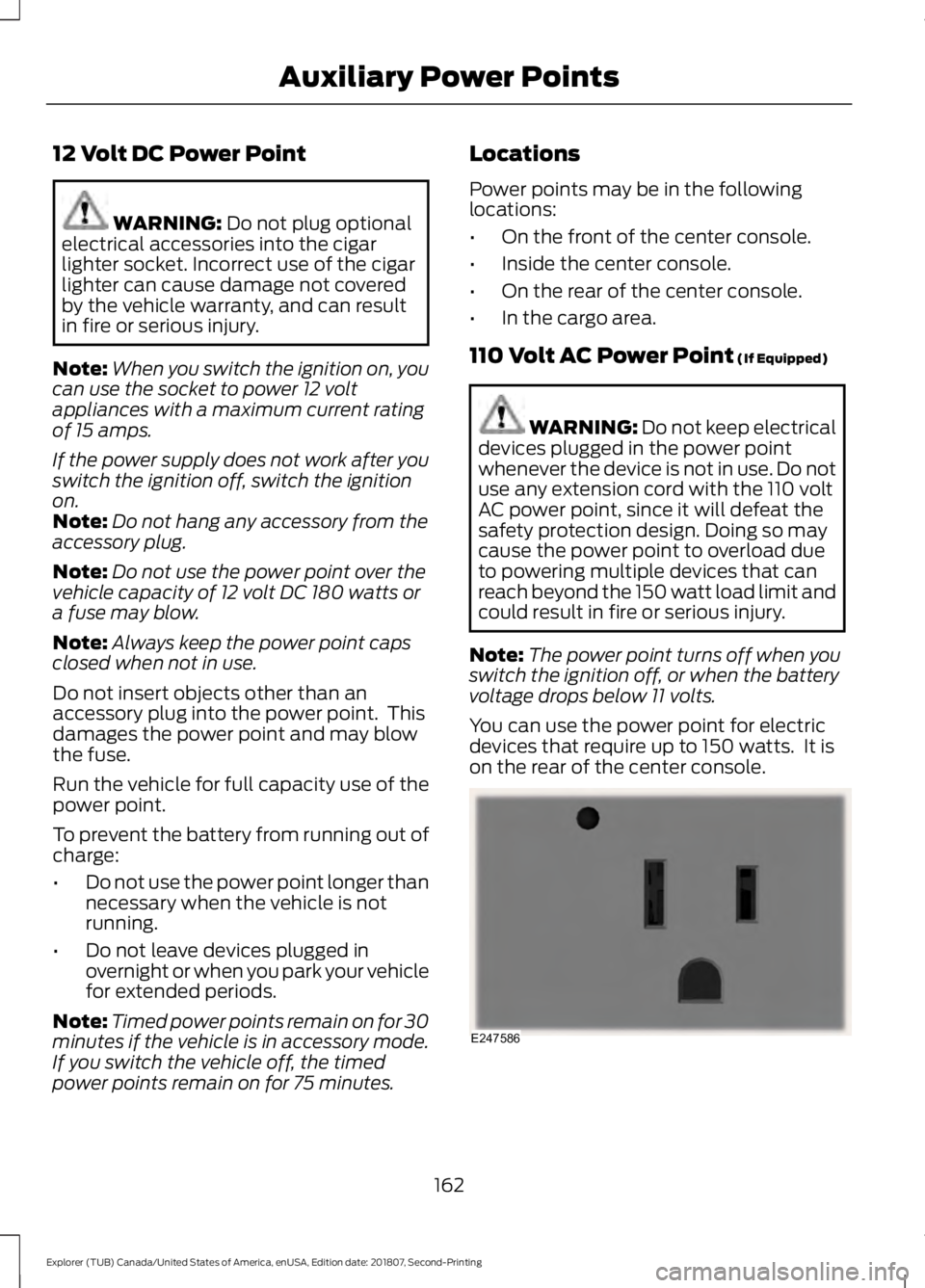
You can use the power point for electric
devices that require up to 150 watts. It is
on the rear of the center console. 162
Explorer (TUB) Canada/United States of America, enUSA, Edition date: 201807, Second-Printing Auxiliary Power PointsE247586
Page 167 of 571
CENTER CONSOLE
Stow items in the cup holder carefully as
items may become loose during hard
braking, acceleration or crashes, including
hot drinks which may spill.
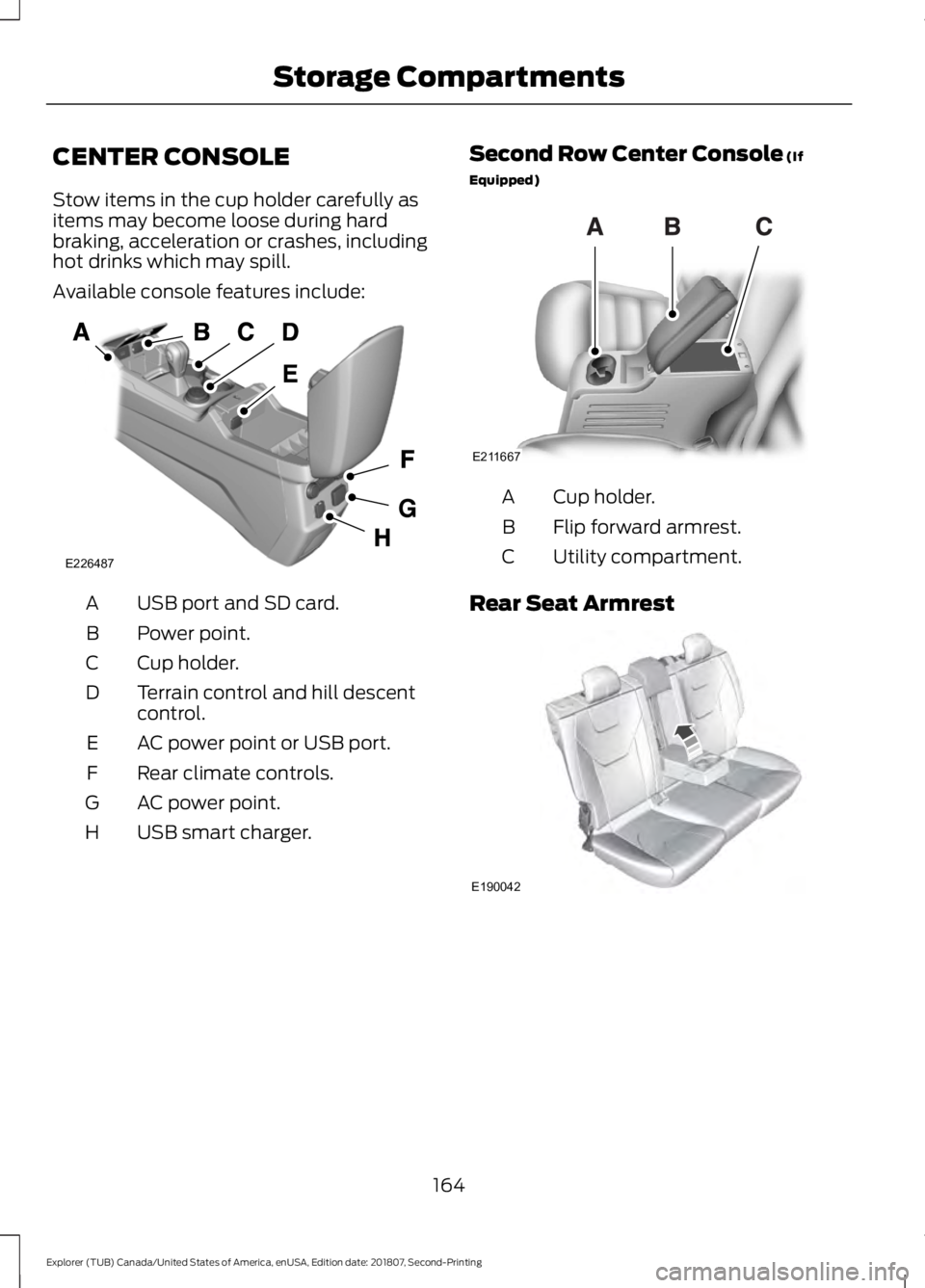
Available console features include:
USB port and SD card.
A
Power point.
B
Cup holder.
C
Terrain control and hill descent
control.
D
AC power point or USB port.
E
Rear climate controls.
F
AC power point.
G
USB smart charger.
H Second Row Center Console (If
Equipped) Cup holder.
A
Flip forward armrest.
B
Utility compartment.
C
Rear Seat Armrest 164
Explorer (TUB) Canada/United States of America, enUSA, Edition date: 201807, Second-Printing Storage CompartmentsE226487 E211667 E190042
Page 200 of 571
PRINCIPLE OF OPERATION
WARNING: Vehicle modifications
involving braking system, aftermarket
roof racks, suspension, steering system,
tire construction and wheel and tire size
may change the handling characteristics
of your vehicle and may adversely affect
the performance of the electronic
stability control system. In addition,
installing any stereo loudspeakers may
interfere with and adversely affect the
electronic stability control system. Install
any aftermarket stereo loudspeaker as
far as possible from the front center
console, the tunnel, and the front seats
in order to minimize the risk of interfering
with the electronic stability control
sensors. Reducing the effectiveness of
the electronic stability control system
could lead to an increased risk of loss of
vehicle control, vehicle rollover, personal
injury and death. WARNING:
Remember that even
advanced technology cannot defy the
laws of physics. It’ s always possible to
lose control of a vehicle due to
inappropriate driver input for the
conditions. Aggressive driving on any
road condition can cause you to lose
control of your vehicle increasing the risk
of personal injury or property damage.
Activation of the electronic stability
control system is an indication that at
least some of the tires have exceeded
their ability to grip the road; this could
reduce the operator ’s ability to control
the vehicle potentially resulting in a loss
of vehicle control, vehicle rollover,
personal injury and death. If your
electronic stability control system
activates, SLOW DOWN.
The system automatically turns on each
time you switch the ignition on. If a driving condition activates either the
stability control or the traction control
system you may experience the following
conditions:
•
The stability and traction control light
flashes.
• Your vehicle slows down.
• Reduced engine power.
• A vibration in the brake pedal.
• The brake pedal is stiffer than usual.
• If the driving condition is severe and
your foot is not on the brake, the brake
pedal may move as the systems
applies higher brake forces.
The stability control system has several
features built into it to help you maintain
control of your vehicle:
Electronic Stability Control
The system enhances your vehicle ’s ability
to prevent skids or lateral slides by
applying brakes to one or more of the
wheels individually and, if necessary,
reducing engine power.
Roll Stability Control
The system enhances your vehicle ’s ability
to prevent rollovers by detecting your
vehicle ’s roll motion and the rate at which
it changes by applying the brakes to one
or more wheels individually.
Curve Control
The system enhances your vehicle ’s ability
to follow the road when cornering severely
or avoiding objects in the roadway. Curve
Control operates by reducing engine power
and, if necessary, applying brakes to one
or more of the wheels individually.
197
Explorer (TUB) Canada/United States of America, enUSA, Edition date: 201807, Second-Printing Stability Control
Page 202 of 571
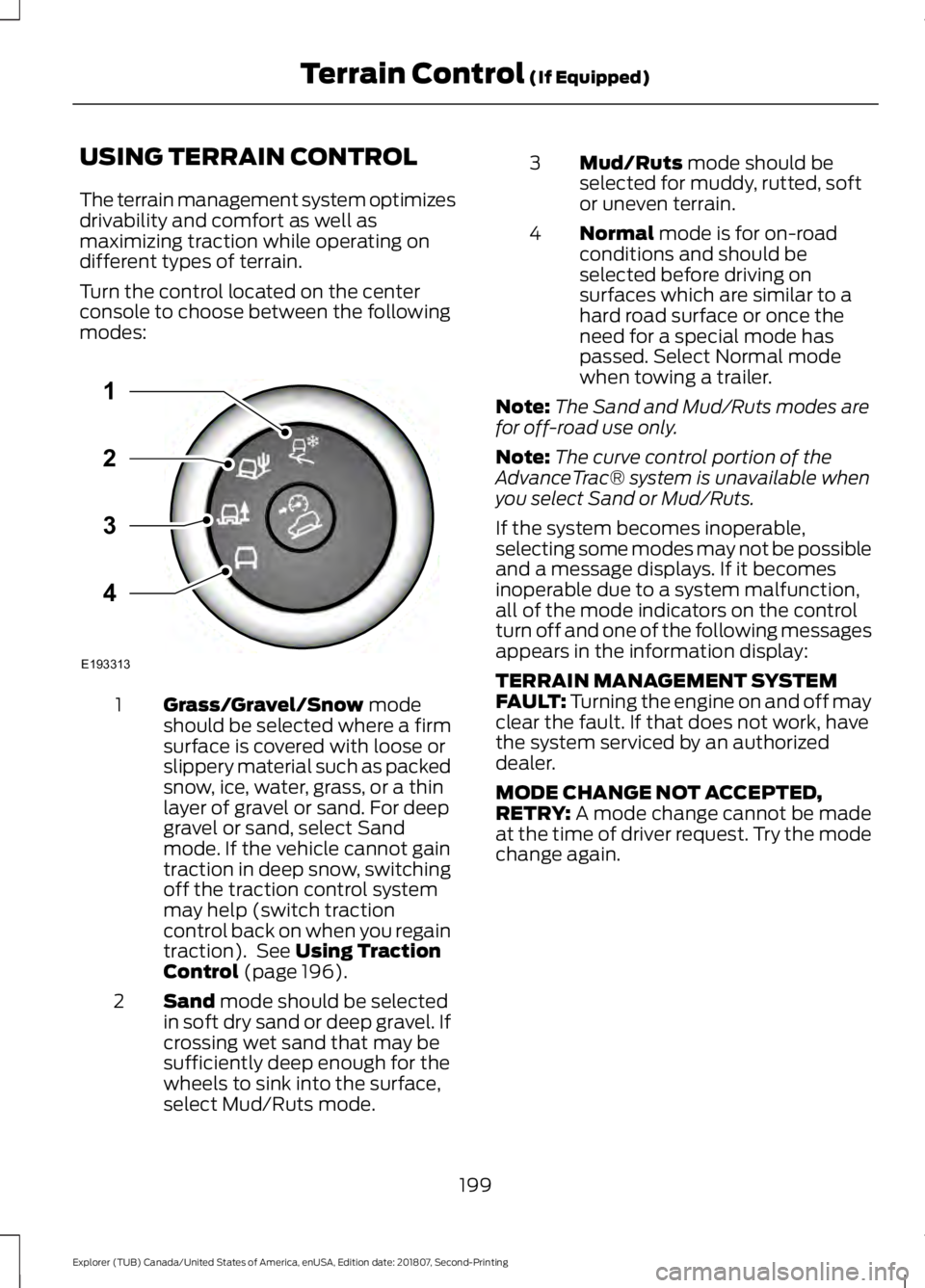
USING TERRAIN CONTROL
The terrain management system optimizes
drivability and comfort as well as
maximizing traction while operating on
different types of terrain.
Turn the control located on the center
console to choose between the following
modes:
Grass/Gravel/Snow mode
should be selected where a firm
surface is covered with loose or
slippery material such as packed
snow, ice, water, grass, or a thin
layer of gravel or sand. For deep
1
gravel or sand, select Sand
mode. If the vehicle cannot gain
traction in deep snow, switching
off the traction control system
may help (switch traction
control back on when you regain
traction). See
Using Traction
Control (page 196).
Sand
mode should be selected
in soft dry sand or deep gravel. If
crossing wet sand that may be
sufficiently deep enough for the
wheels to sink into the surface,
select Mud/Ruts mode.
2 Mud/Ruts
mode should be
selected for muddy, rutted, soft
or uneven terrain.
3
Normal
mode is for on-road
conditions and should be
selected before driving on
surfaces which are similar to a
hard road surface or once the
need for a special mode has
passed. Select Normal mode
when towing a trailer.
4
Note: The Sand and Mud/Ruts modes are
for off-road use only.
Note: The curve control portion of the
AdvanceTrac® system is unavailable when
you select Sand or Mud/Ruts.
If the system becomes inoperable,
selecting some modes may not be possible
and a message displays. If it becomes
inoperable due to a system malfunction,
all of the mode indicators on the control
turn off and one of the following messages
appears in the information display:
TERRAIN MANAGEMENT SYSTEM
FAULT:
Turning the engine on and off may
clear the fault. If that does not work, have
the system serviced by an authorized
dealer.
MODE CHANGE NOT ACCEPTED,
RETRY:
A mode change cannot be made
at the time of driver request. Try the mode
change again.
199
Explorer (TUB) Canada/United States of America, enUSA, Edition date: 201807, Second-Printing Terrain Control
(If Equipped)E193313
3
2
1
4
Page 378 of 571
USB PORT
WARNING: Driving while
distracted can result in loss of vehicle
control, crash and injury. We strongly
recommend that you use extreme
caution when using any device that may
take your focus off the road. Your
primary responsibility is the safe
operation of your vehicle. We
recommend against the use of any
hand-held device while driving and
encourage the use of voice-operated
systems when possible. Make sure you
are aware of all applicable local laws
that may affect the use of electronic
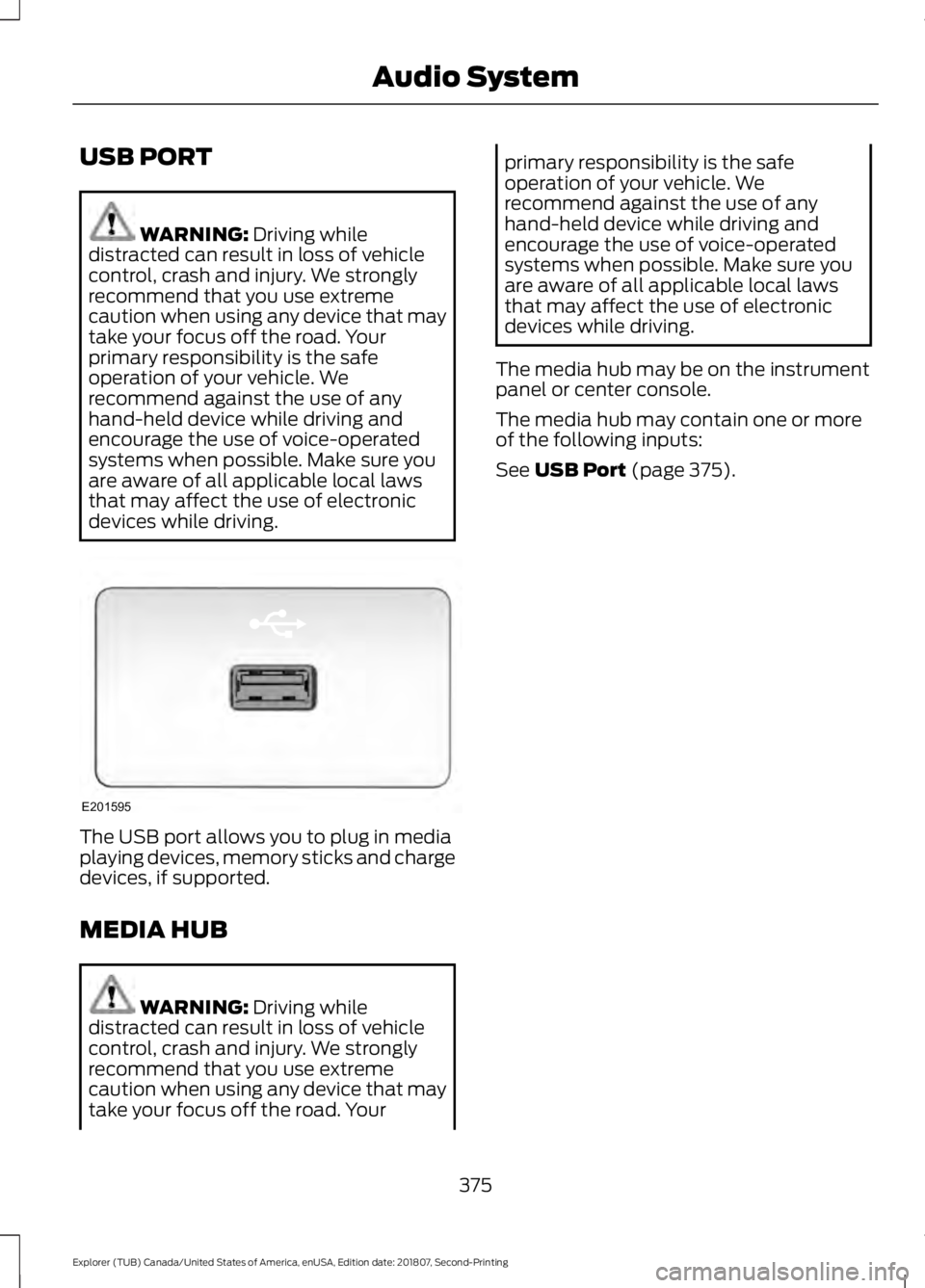
devices while driving. The USB port allows you to plug in media
playing devices, memory sticks and charge
devices, if supported.
MEDIA HUB
WARNING:
Driving while
distracted can result in loss of vehicle
control, crash and injury. We strongly
recommend that you use extreme
caution when using any device that may
take your focus off the road. Your primary responsibility is the safe
operation of your vehicle. We
recommend against the use of any
hand-held device while driving and
encourage the use of voice-operated
systems when possible. Make sure you
are aware of all applicable local laws
that may affect the use of electronic
devices while driving.
The media hub may be on the instrument
panel or center console.
The media hub may contain one or more
of the following inputs:
See
USB Port (page 375).
375
Explorer (TUB) Canada/United States of America, enUSA, Edition date: 201807, Second-Printing Audio SystemE201595
Page 406 of 571
Description and Action
Display
2. Scroll to browse indexed media files on the device, and
then press the OK button.
Resets the USB index. After the new indexing is complete,
you can choose what to play from the USB song library.
Reset USB
* You can use the buttons at the bottom of the audio display to jump to a certain
alphabetical category quickly. You can also use the letters on the audio system's numeric
keypad to jump in the list.
Using Voice Commands
You can access and view your USB songs
using voice commands.
Plug the device into your vehicle's USB
port.
Press the voice button and when
prompted, say any of the following
commands: Accessing and Viewing USB Media
(browse | search | show) all (album |
albums)
(browse | search | show) all (artist |
artists)
(browse | search | show) all (genre |
genres)
(browse | search | show) all (playlist |
playlists)
(browse | search | show) all (song | songs
| title | titles | file | files | track | tracks)
(browse | search | show) album ___
(browse | search | show) artist ___
(browse | search | show) genre ___
(browse | search | show) playlist ___ USB 2
(If Equipped)
Your vehicle may come equipped with an
additional USB port. If so, USB 1 is located
at the front of the vehicle at the bottom of
the instrument panel. USB 2 is located
inside the storage compartment of the
vehicle's center console.
You can plug in an additional USB device
into the second USB port.
You can access both USB devices by using
voice commands.
To access a USB device press the voice
button and when prompted say: Voice command
USB 1
USB 2
Note: SYNC only supports one connected
iOS (Apple) devices at a time (whichever
one you plug in first). When you connect a
second iOS device, the systems charges it,
but does not support playback from it.
Bluetooth Devices and System
Settings
You can access these menus using the
audio display. See
Using SYNC™ With
Your Phone (page 380).
403
Explorer (TUB) Canada/United States of America, enUSA, Edition date: 201807, Second-Printing SYNC™
(If Equipped)
Page 446 of 571
Function
Button
Playlists
Artist
Albums
Songs
Genres
Podcasts
Audio books
Composers
This button allows you to choose a specific
letter to view within the category you are
browsing.
A-Z Jump
If available, this allows you to browse the
folders and files on your USB device.
Explore Device
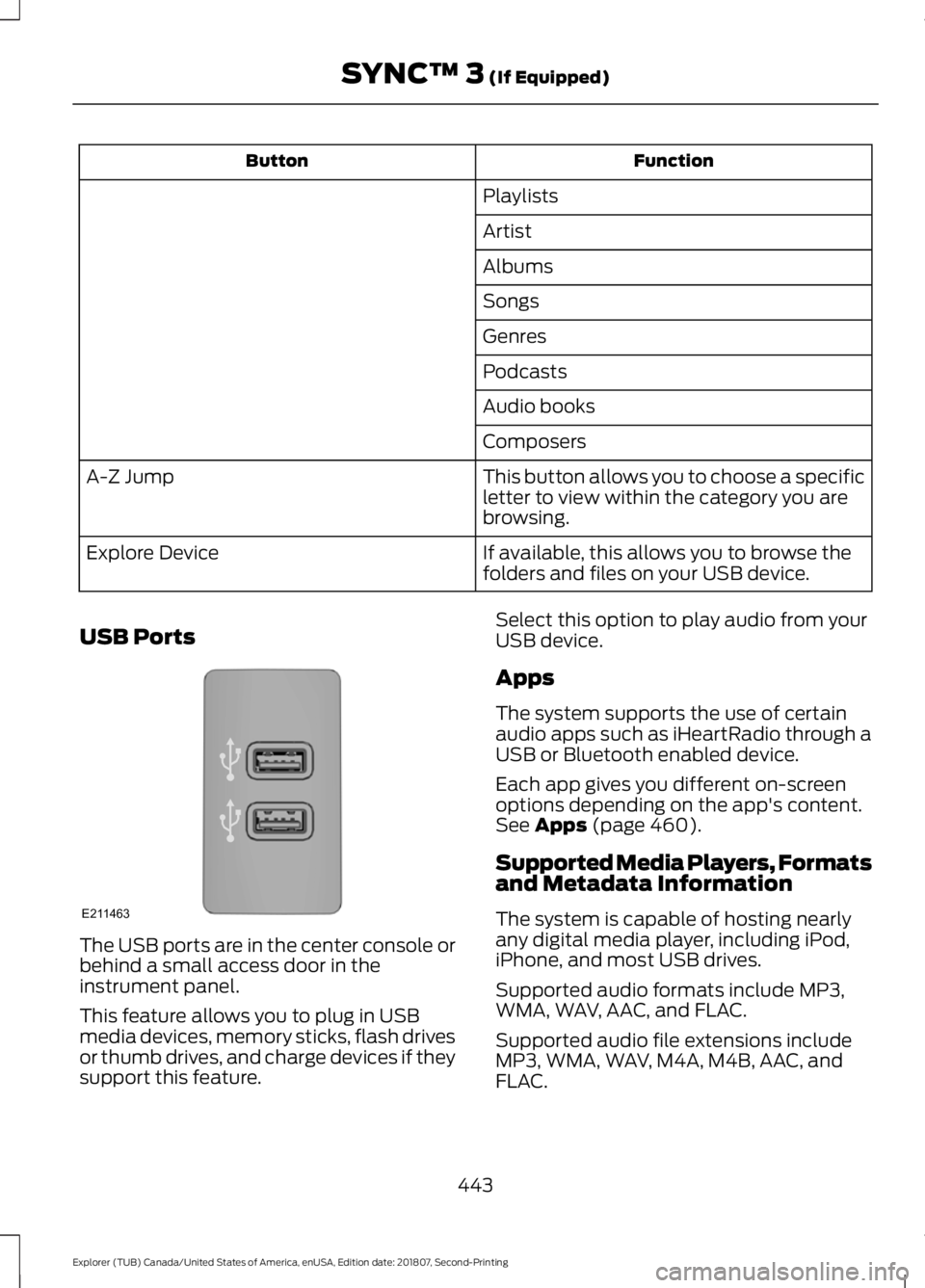
USB Ports The USB ports are in the center console or
behind a small access door in the
instrument panel.
This feature allows you to plug in USB
media devices, memory sticks, flash drives
or thumb drives, and charge devices if they
support this feature. Select this option to play audio from your
USB device.
Apps
The system supports the use of certain
audio apps such as iHeartRadio through a
USB or Bluetooth enabled device.
Each app gives you different on-screen
options depending on the app's content.
See Apps (page 460).
Supported Media Players, Formats
and Metadata Information
The system is capable of hosting nearly
any digital media player, including iPod,
iPhone, and most USB drives.
Supported audio formats include MP3,
WMA, WAV, AAC, and FLAC.
Supported audio file extensions include
MP3, WMA, WAV, M4A, M4B, AAC, and
FLAC.
443
Explorer (TUB) Canada/United States of America, enUSA, Edition date: 201807, Second-Printing SYNC™ 3
(If Equipped)E211463
Page 560 of 571
12 Volt DC Power Point.....................................
162
Locations............................................................... 162
B
Battery See: Changing the 12V Battery..................... 296
Blind Spot Information System...............231 ........................................................................\
............ 231
Switching the System On and Off...............232
System Errors...................................................... 232
Using the Blind Spot Information System............................................................... 231
BLIS See: Blind Spot Information System...........231
Bonnet Lock See: Opening and Closing the Hood..........282
Booster Seats..................................................29
Types of Booster Seats...................................... 30
Brake Fluid Check........................................295
Brakes...............................................................193 General Information.......................................... 193
Breaking-In.....................................................255
Bulb Specification Chart
..........................360
C
Cabin Air Filter
...............................................138
Capacities and Specifications - 2.3L EcoBoost™.................................................347
Alternative Engine Oil for Extremely Cold Climates........................................................... 350
Specifications..................................................... 348
Capacities and Specifications - 3.5L Duratec
..........................................................351
Alternative Engine Oil for Extremely Cold
Climates........................................................... 355
Specifications...................................................... 352
Capacities and Specifications - 3.5L Ecoboost™.................................................355
Alternative Engine Oil for Extremely Cold Climates........................................................... 359
Specifications...................................................... 357
Capacities and Specifications...............340
Cargo Nets......................................................239
Car Wash See: Cleaning the Exterior.............................. 306Catalytic Converter.......................................181
On-Board Diagnostics (OBD-II).................... 182
Readiness for Inspection and Maintenance (I/M) Testing................................................... 182
Center Console..............................................164 Rear Seat Armrest.............................................. 164
Second Row Center Console......................... 164
Changing a Bulb..........................................300 Front Direction Indicator.................................. 301
Front Fog Lamp.................................................. 302
Headlamp............................................................. 301
Headlamp High Beam..................................... 302
LED Lamps........................................................... 303
License Plate Lamp.......................................... 304
Rear Direction Indicator and Reversing Lamp
................................................................. 303
Changing a Fuse..........................................280 Fuses...................................................................... 280
Changing a Road Wheel...........................334 Dissimilar Spare Wheel and Tire Assembly
Information..................................................... 334
Tire Change Procedure.................................... 335
Changing the 12V Battery.........................296
Changing the Engine Air Filter................304
Changing the Wiper Blades.....................298 Front Wiper Blades........................................... 298
Rear Window Wiper Blade............................. 299
Checking MyKey System Status...............62 MyKey Distance.................................................... 62
Number of Admin Keys...................................... 63
Number of MyKeys.............................................. 63
Checking the Wiper Blades.....................298
Child Restraint and Seatbelt Maintenance.................................................42
Child Restraint Positioning
..........................31
Child Safety.......................................................18
General Information............................................. 18
Child Safety Locks..........................................33 Left-Hand Side...................................................... 34
Right-Hand Side................................................... 34
Cleaning Leather Seats..............................310
Cleaning Products......................................306 Materials............................................................... 306
Cleaning the Engine
...................................308
Cleaning the Exterior.................................306 Cleaning the Headlamps................................ 307
Exterior Chrome Parts...................................... 307
Exterior Plastic Parts........................................ 307
557
Explorer (TUB) Canada/United States of America, enUSA, Edition date: 201807, Second-Printing Index