climate control FORD EXPLORER 2019 Owners Manual
[x] Cancel search | Manufacturer: FORD, Model Year: 2019, Model line: EXPLORER, Model: FORD EXPLORER 2019Pages: 571, PDF Size: 6.8 MB
Page 5 of 571
Steering Wheel
Adjusting the Steering Wheel - Vehicles
With: Manual Adjustable Steering
Column ..........................................................77
Adjusting the Steering Wheel - Vehicles With: Power Adjustable Steering
Column ..........................................................
77
Audio Control ..................................................
79
Voice Control ...................................................
79
Cruise Control ................................................
80
Information Display Control .....................
80
Heated Steering Wheel ..............................
80
Pedals
Adjusting the Pedals .....................................
81
Wipers and Washers
Windshield Wipers ........................................
82
Autowipers ......................................................
82
Windshield Washers ....................................
83
Rear Window Wiper and Washers ..........
83
Lighting
General Information ....................................
84
Lighting Control .............................................
84
Autolamps .......................................................
85
Instrument Lighting Dimmer ....................
85
Headlamp Exit Delay ...................................
86
Daytime Running Lamps ...........................
86
Automatic High Beam Control .................
87
Front Fog Lamps ...........................................
88
Direction Indicators ......................................
88
Interior Lamps ................................................
88
Ambient Lighting ..........................................
89
Windows and Mirrors
Power Windows ............................................
90
Global Opening ...............................................
91
Exterior Mirrors ................................................
91
Interior Mirror ..................................................
94Sun Visors
........................................................
94
Moonroof .........................................................
94
Instrument Cluster
Gauges ..............................................................
96
Warning Lamps and Indicators ...............
99
Audible Warnings and Indicators ..........
102
Information Displays
General Information ...................................
104
Information Messages ................................
115
Climate Control
Manual Climate Control ............................
129
Automatic Climate Control - Vehicles With: Sony AM/FM/CD .........................
130
Automatic Climate Control - Vehicles With: Premium AM/FM/CD .................
132
Hints on Controlling the Interior Climate ........................................................................\
.
134
Rear Passenger Climate Controls .........
136
Heated Rear Window .................................
137
Heated Exterior Mirrors ..............................
137
Cabin Air Filter ..............................................
138
Remote Start ................................................
138
Seats
Sitting in the Correct Position .................
139
Head Restraints ...........................................
139
Manual Seats ................................................
142
Power Seats ...................................................
143
Memory Function ........................................
146
Rear Seats ......................................................
147
Heated Seats ................................................
154
Climate Controlled Seats .........................
155
Garage Door Opener
Universal Garage Door Opener ...............
157
2
Explorer (TUB) Canada/United States of America, enUSA, Edition date: 201807, Second-Printing Table of Contents
Page 19 of 571
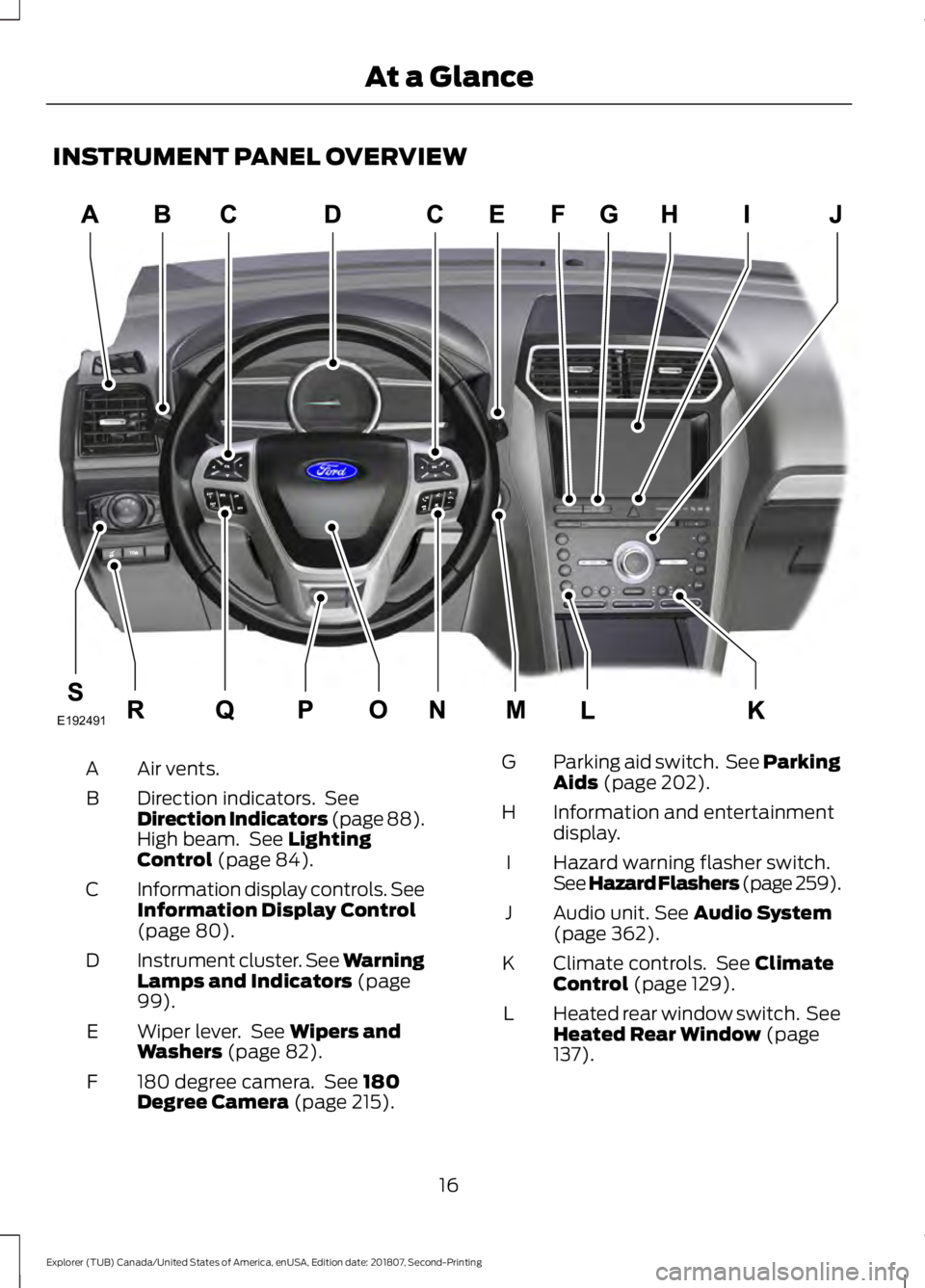
INSTRUMENT PANEL OVERVIEW
Air vents.
A
Direction indicators. See
Direction Indicators (page 88).
High beam. See Lighting
Control (page 84).
B
Information display controls. See
Information Display Control
(page
80).
C
Instrument cluster.
See Warning
Lamps and Indicators (page
99).
D
Wiper lever. See
Wipers and
Washers (page 82).
E
180 degree camera. See
180
Degree Camera (page 215).
F Parking aid switch. See Parking
Aids
(page 202).
G
Information and entertainment
display.
H
Hazard warning flasher switch.
See Hazard Flashers (page 259
).
I
Audio unit.
See Audio System
(page 362).
J
Climate controls. See
Climate
Control (page 129).
K
Heated rear window switch. See
Heated Rear Window
(page
137).
L
16
Explorer (TUB) Canada/United States of America, enUSA, Edition date: 201807, Second-Printing At a GlanceE192491
Page 61 of 571
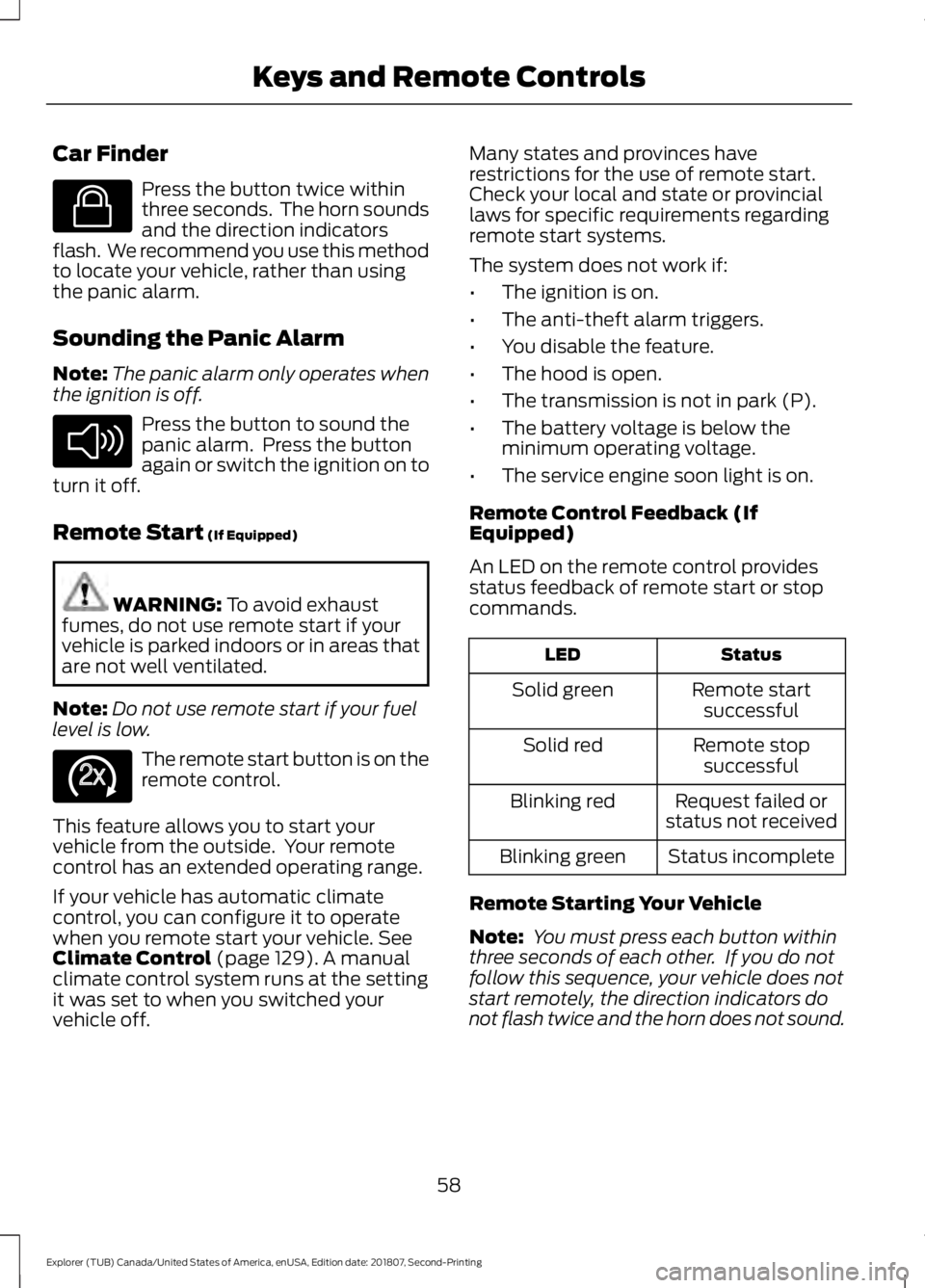
Car Finder
Press the button twice within
three seconds. The horn sounds
and the direction indicators
flash. We recommend you use this method
to locate your vehicle, rather than using
the panic alarm.
Sounding the Panic Alarm
Note: The panic alarm only operates when
the ignition is off. Press the button to sound the
panic alarm. Press the button
again or switch the ignition on to
turn it off.
Remote Start (If Equipped) WARNING:
To avoid exhaust
fumes, do not use remote start if your
vehicle is parked indoors or in areas that
are not well ventilated.
Note: Do not use remote start if your fuel
level is low. The remote start button is on the
remote control.
This feature allows you to start your
vehicle from the outside. Your remote
control has an extended operating range.
If your vehicle has automatic climate
control, you can configure it to operate
when you remote start your vehicle.
See
Climate Control (page 129). A manual
climate control system runs at the setting
it was set to when you switched your
vehicle off. Many states and provinces have
restrictions for the use of remote start.
Check your local and state or provincial
laws for specific requirements regarding
remote start systems.
The system does not work if:
•
The ignition is on.
• The anti-theft alarm triggers.
• You disable the feature.
• The hood is open.
• The transmission is not in park (P).
• The battery voltage is below the
minimum operating voltage.
• The service engine soon light is on.
Remote Control Feedback (If
Equipped)
An LED on the remote control provides
status feedback of remote start or stop
commands. Status
LED
Remote startsuccessful
Solid green
Remote stopsuccessful
Solid red
Request failed or
status not received
Blinking red
Status incomplete
Blinking green
Remote Starting Your Vehicle
Note: You must press each button within
three seconds of each other. If you do not
follow this sequence, your vehicle does not
start remotely, the direction indicators do
not flash twice and the horn does not sound.
58
Explorer (TUB) Canada/United States of America, enUSA, Edition date: 201807, Second-Printing Keys and Remote ControlsE138623 E138624 E138625
Page 132 of 571
MANUAL CLIMATE CONTROL
Directing Air to the Instrument
Panel Air Vents
Press and release the button to
direct airflow to instrument
panel air vents.
Directing Air to the Footwell Air
Vents Press and release the button to
direct airflow to footwell air
vents.
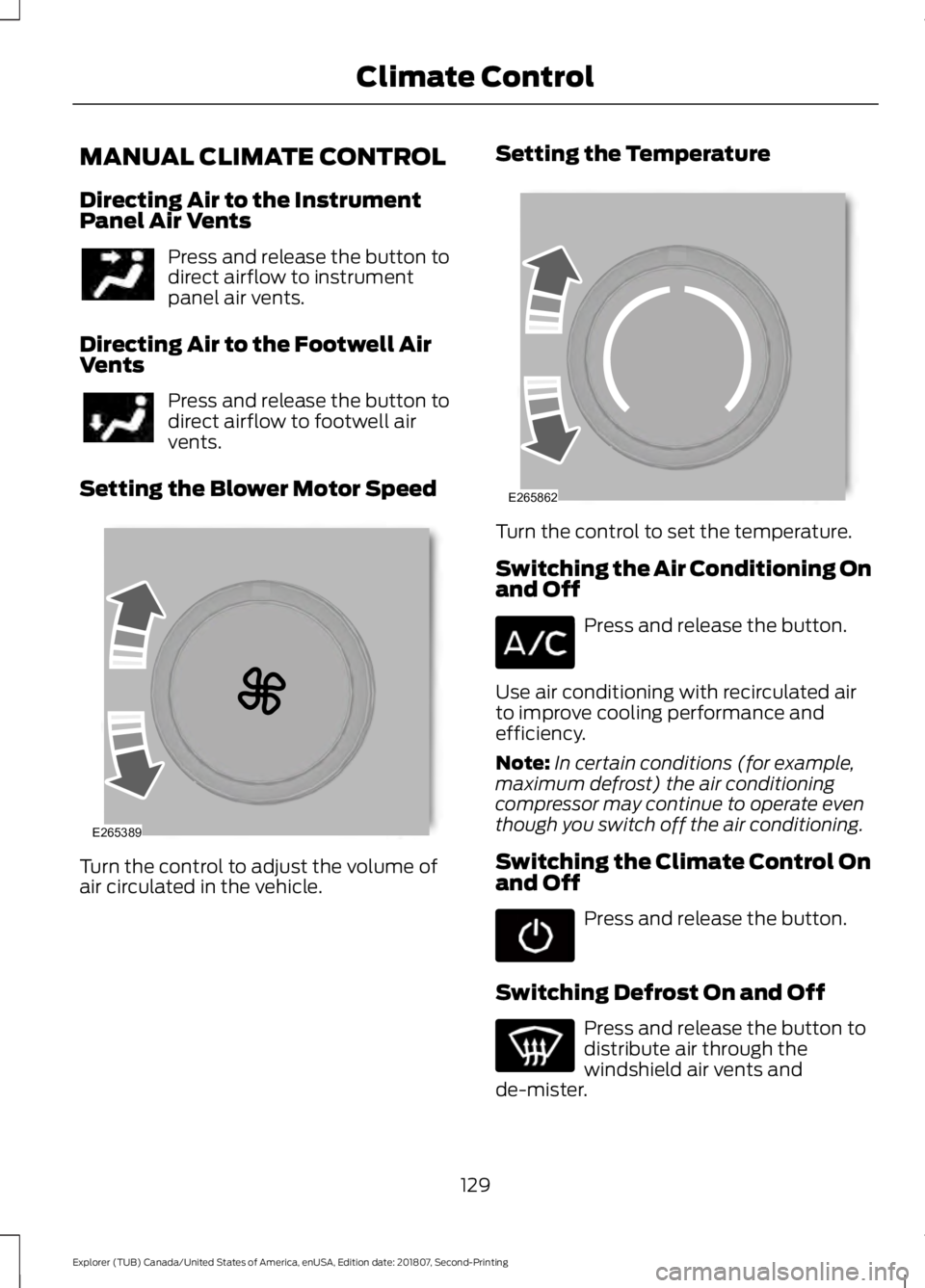
Setting the Blower Motor Speed Turn the control to adjust the volume of
air circulated in the vehicle. Setting the Temperature
Turn the control to set the temperature.
Switching the Air Conditioning On
and Off
Press and release the button.
Use air conditioning with recirculated air
to improve cooling performance and
efficiency.
Note: In certain conditions (for example,
maximum defrost) the air conditioning
compressor may continue to operate even
though you switch off the air conditioning.
Switching the Climate Control On
and Off Press and release the button.
Switching Defrost On and Off Press and release the button to
distribute air through the
windshield air vents and
de-mister.
129
Explorer (TUB) Canada/United States of America, enUSA, Edition date: 201807, Second-Printing Climate Control E265389 E265862
Page 133 of 571
Air directed to the instrument panel and
footwell air vents turns off. You can also
use this setting to defog and clear the
windshield of a thin covering of ice.
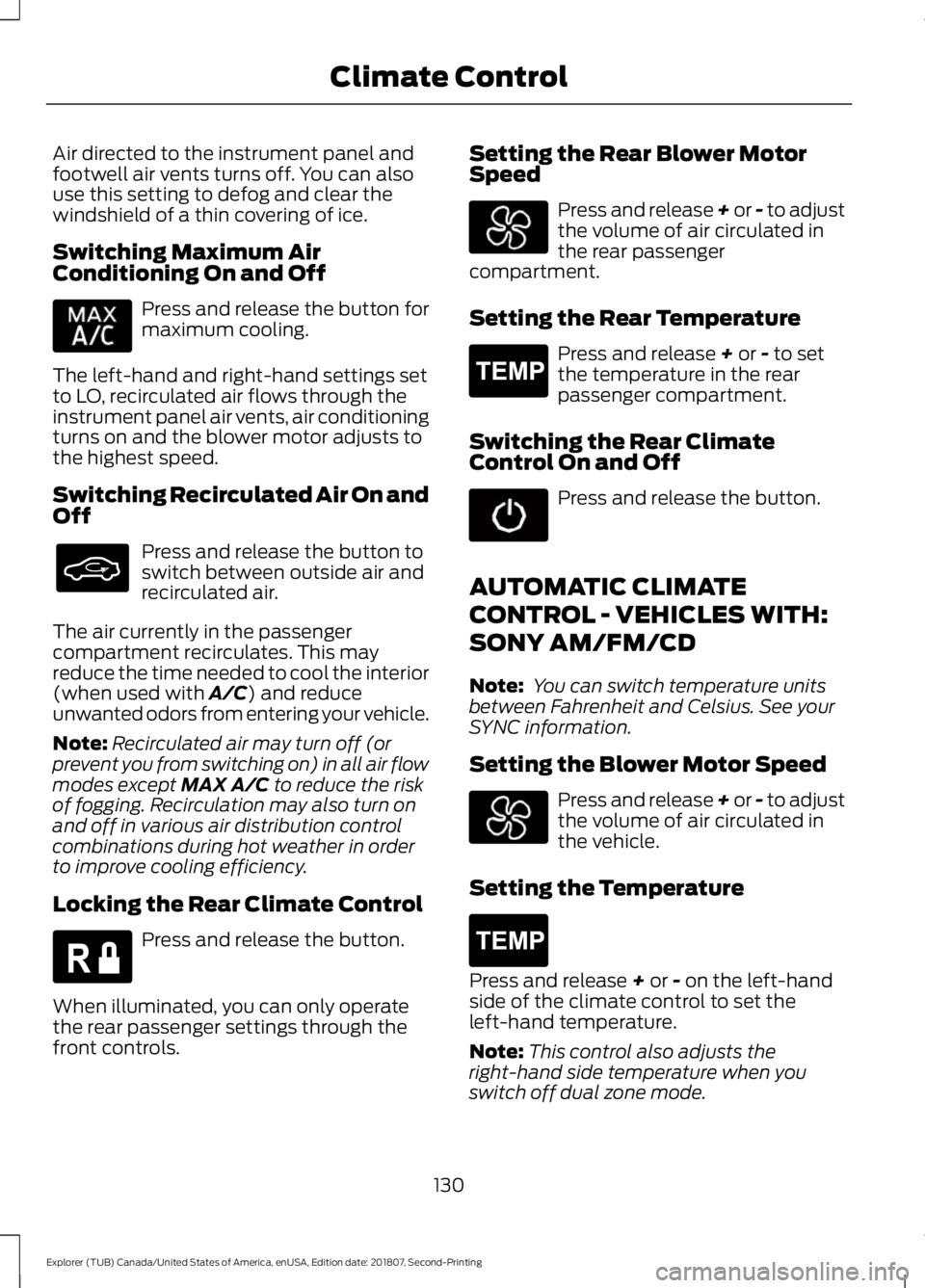
Switching Maximum Air
Conditioning On and Off
Press and release the button for
maximum cooling.
The left-hand and right-hand settings set
to LO, recirculated air flows through the
instrument panel air vents, air conditioning
turns on and the blower motor adjusts to
the highest speed.
Switching Recirculated Air On and
Off Press and release the button to
switch between outside air and
recirculated air.
The air currently in the passenger
compartment recirculates. This may
reduce the time needed to cool the interior
(when used with A/C) and reduce
unwanted odors from entering your vehicle.
Note: Recirculated air may turn off (or
prevent you from switching on) in all air flow
modes except
MAX A/C to reduce the risk
of fogging. Recirculation may also turn on
and off in various air distribution control
combinations during hot weather in order
to improve cooling efficiency.
Locking the Rear Climate Control Press and release the button.
When illuminated, you can only operate
the rear passenger settings through the
front controls. Setting the Rear Blower Motor
Speed Press and release + or - to adjust
the volume of air circulated in
the rear passenger
compartment.
Setting the Rear Temperature Press and release
+ or - to set
the temperature in the rear
passenger compartment.
Switching the Rear Climate
Control On and Off Press and release the button.
AUTOMATIC CLIMATE
CONTROL - VEHICLES WITH:
SONY AM/FM/CD
Note: You can switch temperature units
between Fahrenheit and Celsius. See your
SYNC information.
Setting the Blower Motor Speed Press and release + or - to adjust
the volume of air circulated in
the vehicle.
Setting the Temperature Press and release
+ or - on the left-hand
side of the climate control to set the
left-hand temperature.
Note: This control also adjusts the
right-hand side temperature when you
switch off dual zone mode.
130
Explorer (TUB) Canada/United States of America, enUSA, Edition date: 201807, Second-Printing Climate Control E266664 E265400 E265400
Page 134 of 571
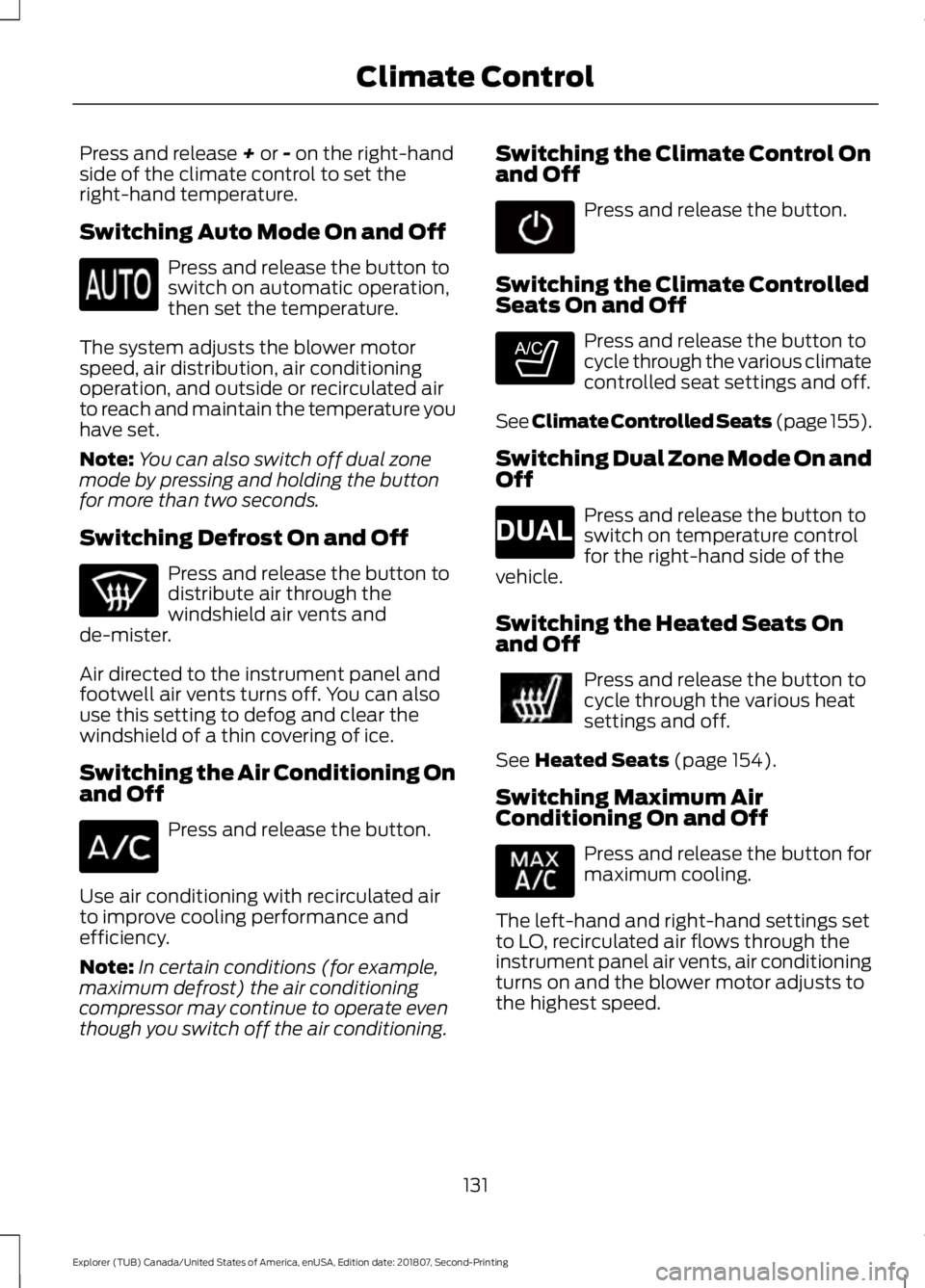
Press and release + or - on the right-hand
side of the climate control to set the
right-hand temperature.
Switching Auto Mode On and Off Press and release the button to
switch on automatic operation,
then set the temperature.
The system adjusts the blower motor
speed, air distribution, air conditioning
operation, and outside or recirculated air
to reach and maintain the temperature you
have set.
Note: You can also switch off dual zone
mode by pressing and holding the button
for more than two seconds.
Switching Defrost On and Off Press and release the button to
distribute air through the
windshield air vents and
de-mister.
Air directed to the instrument panel and
footwell air vents turns off. You can also
use this setting to defog and clear the
windshield of a thin covering of ice.
Switching the Air Conditioning On
and Off Press and release the button.
Use air conditioning with recirculated air
to improve cooling performance and
efficiency.
Note: In certain conditions (for example,
maximum defrost) the air conditioning
compressor may continue to operate even
though you switch off the air conditioning. Switching the Climate Control On
and Off Press and release the button.
Switching the Climate Controlled
Seats On and Off Press and release the button to
cycle through the various climate
controlled seat settings and off.
See Climate Controlled Seats (page 155).
Switching Dual Zone Mode On and
Off Press and release the button to
switch on temperature control
for the right-hand side of the
vehicle.
Switching the Heated Seats On
and Off Press and release the button to
cycle through the various heat
settings and off.
See
Heated Seats (page 154).
Switching Maximum Air
Conditioning On and Off Press and release the button for
maximum cooling.
The left-hand and right-hand settings set
to LO, recirculated air flows through the
instrument panel air vents, air conditioning
turns on and the blower motor adjusts to
the highest speed.
131
Explorer (TUB) Canada/United States of America, enUSA, Edition date: 201807, Second-Printing Climate Control E265282 E265280
Page 135 of 571
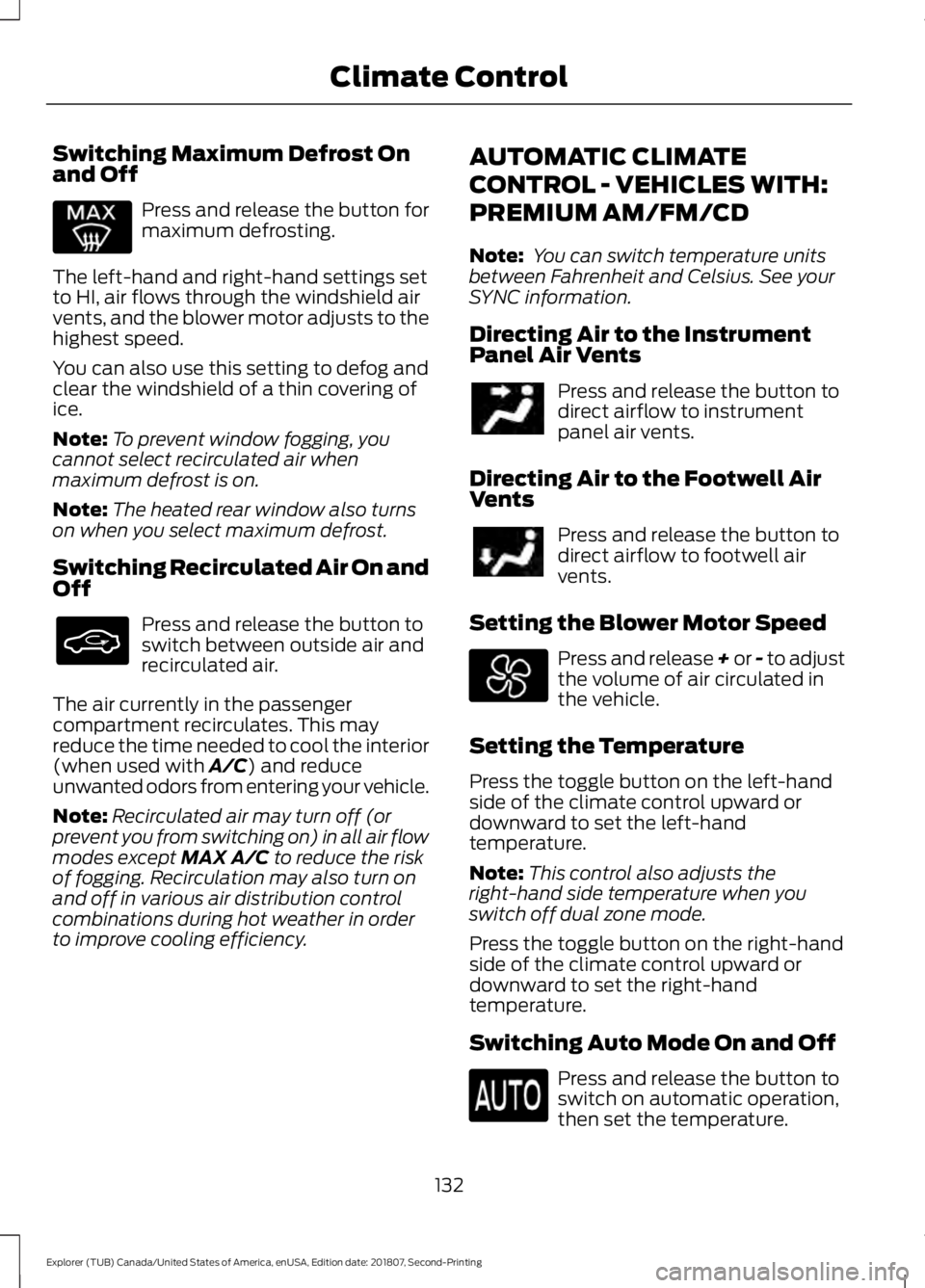
Switching Maximum Defrost On
and Off
Press and release the button for
maximum defrosting.
The left-hand and right-hand settings set
to HI, air flows through the windshield air
vents, and the blower motor adjusts to the
highest speed.
You can also use this setting to defog and
clear the windshield of a thin covering of
ice.
Note: To prevent window fogging, you
cannot select recirculated air when
maximum defrost is on.
Note: The heated rear window also turns
on when you select maximum defrost.
Switching Recirculated Air On and
Off Press and release the button to
switch between outside air and
recirculated air.
The air currently in the passenger
compartment recirculates. This may
reduce the time needed to cool the interior
(when used with A/C) and reduce
unwanted odors from entering your vehicle.
Note: Recirculated air may turn off (or
prevent you from switching on) in all air flow
modes except
MAX A/C to reduce the risk
of fogging. Recirculation may also turn on
and off in various air distribution control
combinations during hot weather in order
to improve cooling efficiency. AUTOMATIC CLIMATE
CONTROL - VEHICLES WITH:
PREMIUM AM/FM/CD
Note:
You can switch temperature units
between Fahrenheit and Celsius. See your
SYNC information.
Directing Air to the Instrument
Panel Air Vents Press and release the button to
direct airflow to instrument
panel air vents.
Directing Air to the Footwell Air
Vents Press and release the button to
direct airflow to footwell air
vents.
Setting the Blower Motor Speed Press and release + or - to adjust
the volume of air circulated in
the vehicle.
Setting the Temperature
Press the toggle button on the left-hand
side of the climate control upward or
downward to set the left-hand
temperature.
Note: This control also adjusts the
right-hand side temperature when you
switch off dual zone mode.
Press the toggle button on the right-hand
side of the climate control upward or
downward to set the right-hand
temperature.
Switching Auto Mode On and Off Press and release the button to
switch on automatic operation,
then set the temperature.
132
Explorer (TUB) Canada/United States of America, enUSA, Edition date: 201807, Second-Printing Climate Control
Page 136 of 571
The system adjusts the blower motor
speed, air distribution, air conditioning
operation, and outside or recirculated air
to reach and maintain the temperature you
have set.
Note:
You can also switch off dual zone
mode by pressing and holding the button
for more than two seconds.
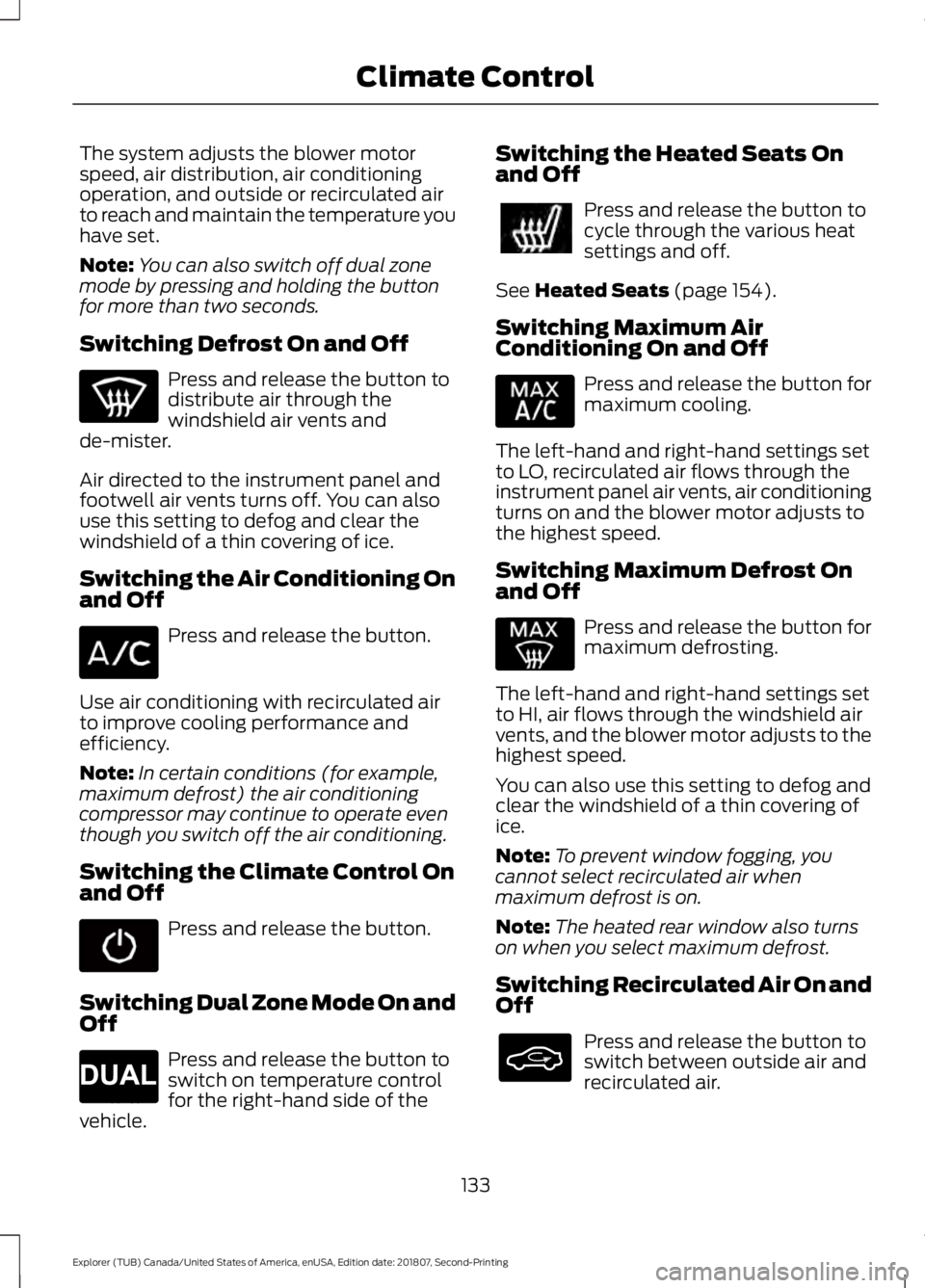
Switching Defrost On and Off Press and release the button to
distribute air through the
windshield air vents and
de-mister.
Air directed to the instrument panel and
footwell air vents turns off. You can also
use this setting to defog and clear the
windshield of a thin covering of ice.
Switching the Air Conditioning On
and Off Press and release the button.
Use air conditioning with recirculated air
to improve cooling performance and
efficiency.
Note: In certain conditions (for example,
maximum defrost) the air conditioning
compressor may continue to operate even
though you switch off the air conditioning.
Switching the Climate Control On
and Off Press and release the button.
Switching Dual Zone Mode On and
Off Press and release the button to
switch on temperature control
for the right-hand side of the
vehicle. Switching the Heated Seats On
and Off Press and release the button to
cycle through the various heat
settings and off.
See Heated Seats (page 154).
Switching Maximum Air
Conditioning On and Off Press and release the button for
maximum cooling.
The left-hand and right-hand settings set
to LO, recirculated air flows through the
instrument panel air vents, air conditioning
turns on and the blower motor adjusts to
the highest speed.
Switching Maximum Defrost On
and Off Press and release the button for
maximum defrosting.
The left-hand and right-hand settings set
to HI, air flows through the windshield air
vents, and the blower motor adjusts to the
highest speed.
You can also use this setting to defog and
clear the windshield of a thin covering of
ice.
Note: To prevent window fogging, you
cannot select recirculated air when
maximum defrost is on.
Note: The heated rear window also turns
on when you select maximum defrost.
Switching Recirculated Air On and
Off Press and release the button to
switch between outside air and
recirculated air.
133
Explorer (TUB) Canada/United States of America, enUSA, Edition date: 201807, Second-Printing Climate Control E265280
Page 137 of 571
The air currently in the passenger
compartment recirculates. This may
reduce the time needed to cool the interior
(when used with A/C) and reduce
unwanted odors from entering your vehicle.
Note: Recirculated air may turn off (or
prevent you from switching on) in all air flow
modes except
MAX A/C to reduce the risk
of fogging. Recirculation may also turn on
and off in various air distribution control
combinations during hot weather in order
to improve cooling efficiency.
HINTS ON CONTROLLING THE
INTERIOR CLIMATE
General Hints
Note: Prolonged use of recirculated air may
cause the windows to fog up.
Note: You may feel a small amount of air
from the footwell air vents regardless of the
air distribution setting.
Note: To reduce humidity build-up inside
your vehicle, do not drive with the system
switched off or with recirculated air always
switched on.
Note: Do not place objects under the front
seats as this may interfere with the airflow
to the rear seats.
Note: Remove any snow, ice or leaves from
the air intake area at the base of the
windshield. Note:
To improve the time to reach a
comfortable temperature in hot weather,
drive with the windows open until you feel
cold air through the air vents.
Manual Climate Control
Note: To reduce fogging of the windshield
during humid weather, adjust the air
distribution control to the windshield air
vents position.
Automatic Climate Control
Note: Adjusting the settings when your
vehicle interior is extremely hot or cold is
not necessary. The system automatically
adjusts to heat or cool the interior to your
selected temperature as quickly as possible.
For the system to function efficiently, the
instrument panel and side air vents should
be fully open.
Note: If you select
AUTO during cold
temperatures, the system directs airflow to
the windshield and side window vents. In
addition, the fan may run at a slower speed
until the engine warms up.
Note: If you select
AUTO during hot
temperatures and the inside of the vehicle
is hot, the system automatically uses
recirculated air to maximize interior cooling.
Fan speed may also reduce until the air
cools.
134
Explorer (TUB) Canada/United States of America, enUSA, Edition date: 201807, Second-Printing Climate Control
Page 138 of 571
Quickly Heating the Interior
Automatic climate control
Manual climate control
Press AUTO.
Adjust the fan speed to the highest
setting.
1
Adjust the temperature control to the
desired setting.
Adjust the temperature control to the
full heat setting.
2
Direct air to the footwell using the air
distribution buttons.
3
Recommended Settings for Heating Automatic climate control
Manual climate control
Press
AUTO.
Adjust the fan speed to the center
setting.
1
Adjust the temperature control to the
desired setting. Use
72°F (22°C) as a
starting point, then adjust the setting as
necessary.
Adjust the temperature control to the
midway point of the hot settings.
2
Direct air to the footwell using the air
distribution buttons.
3
Quickly Cooling the Interior Automatic climate control
Manual climate control
Select
MAX A/C.
Select MAX A/C.
1
Drive with the windows open until you
feel cold air through the air vents.
2
135
Explorer (TUB) Canada/United States of America, enUSA, Edition date: 201807, Second-Printing Climate Control